ViewsMax
Sign In Sign Up Free

Tag: make money on youtube

  • How to Earn Money from a YouTube Channel: Top 2026 Tips

    How to Earn Money from a YouTube Channel: Top 2026 Tips

    Most advice on how to earn money from a YouTube channel starts and ends with AdSense. That's a weak business plan. Platform advertising can provide a useful base, but a durable channel turns attention into several measurable outcomes, including sponsorship revenue, affiliate commissions, product sales, memberships, and qualified leads. The central question isn't “How many views did this video get?” It's “What did those views produce?”

    A profitable channel therefore needs two systems working together. You need YouTube's native monetization features, and you need an attribution process that connects specific videos to clicks, customers, and revenue. Views create opportunity, but tracking tells you where the opportunity exists.

    The First Gate: Qualifying for YouTube's Native Monetization

    YouTube Partner Program approval is a distribution advantage, not a business result. Before your channel can use YouTube's advertising and fan-funding features, it must qualify for the YouTube Partner Program, commonly called YPP. The standard route to direct ad and YouTube Premium revenue sharing requires 1,000 subscribers plus either 4,000 qualified public watch hours during the last 12 months or 10 million qualified Shorts views during the last 90 days, according to YouTube's current monetization guidance and the reported 2026 threshold update. Shorts views do not count toward the 4,000-hour long-form requirement. They are separate qualification paths.
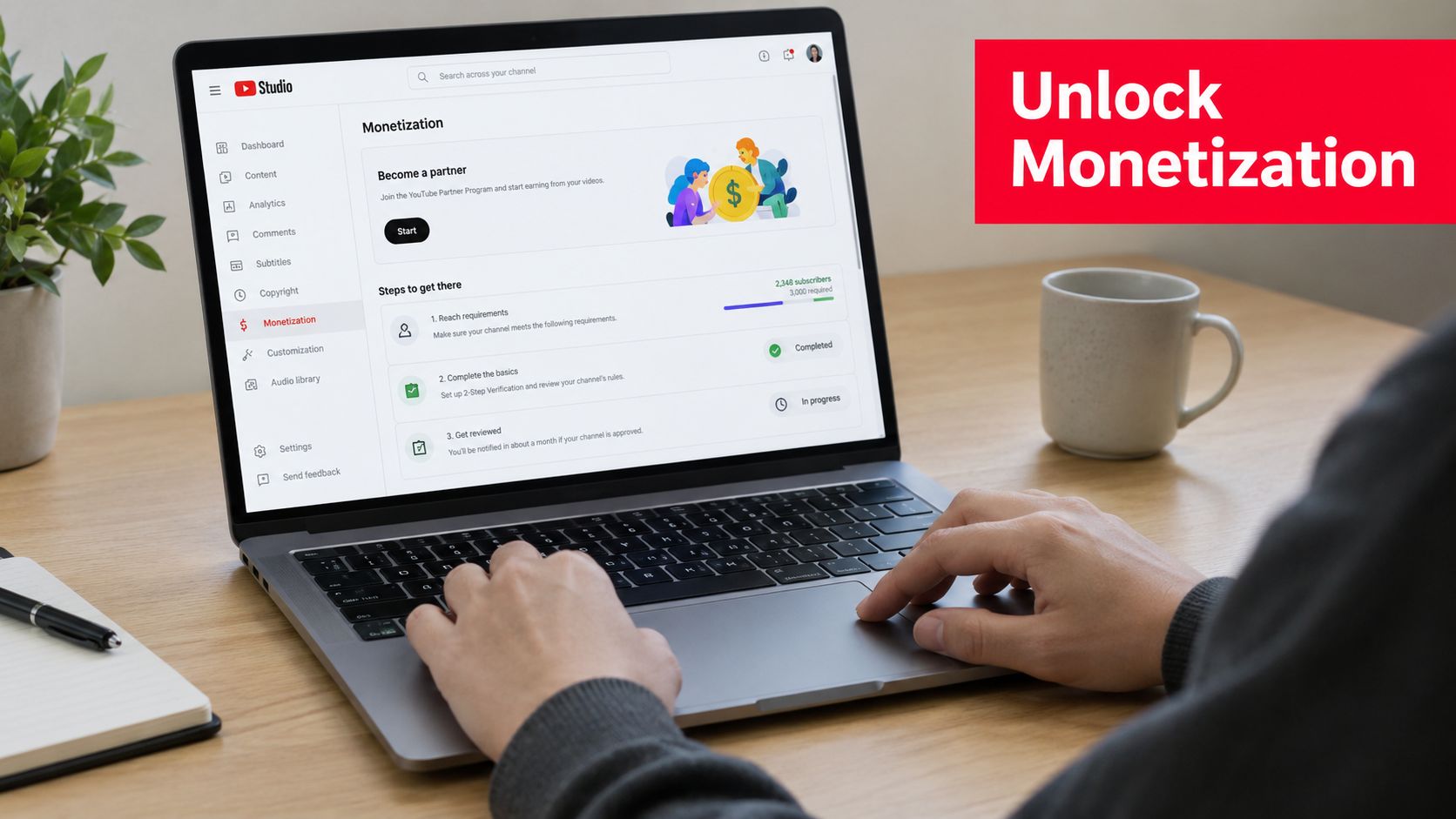
    A person using a laptop to view the YouTube Studio monetization page with progress tracking subscriber requirements.

    YouTube also announced an updated path for new applicants in August 2026, requiring 1,000 subscribers plus 8,000 public watch hours or 20 million Shorts views for the latest partner-program expansion. Requirements can change, so check the Earn tab in YouTube Studio before using a specific threshold in your forecast. Treat the displayed eligibility criteria as the current operating requirement.

    Prepare the account before applying

    Eligibility is an operating checklist, not the point where revenue begins. Review the channel for reused material, copyright problems, misleading metadata, and content that may fail YouTube's monetization policies. A channel can reach the required audience milestones and still encounter review problems if its library lacks original, advertiser-suitable content.

    Set up an approved Google AdSense account when YouTube Studio requests it. Use accurate payment and tax information, then complete every verification step. Account delays can prevent a technically eligible channel from receiving payouts, so handle this work before meaningful revenue accumulates.

    For a practical setup walkthrough, follow this guide on how to enable YouTube monetization. Use it alongside the instructions shown in your own YouTube Studio account, since the platform's eligibility and setup screens determine what applies to your channel.

    Activate the features that fit your format

    After approval, open the monetization settings and review each feature separately.

    • Watch-page ads: Enable advertising on eligible long-form videos, then assess individual videos instead of applying every placement without considering viewer experience.
    • Shorts revenue sharing: Treat Shorts as a separate revenue model. Its pooled advertising system operates differently from watch-page advertising.
    • Channel Memberships: Offer recurring benefits that are simple to deliver, such as member-only posts, private discussions, or early access.
    • Super Chat and Super Stickers: Use these during live streams, where viewers can pay for participation, recognition, or direct attention.
    • Super Thanks: Give viewers a direct way to support published videos without waiting for a live broadcast.

    Standard long-form ad revenue is generally split 55% to the creator and 45% to YouTube, while Shorts creators receive 45% of the allocated advertising portion under the pooled Shorts model, as explained in YouTube's official revenue-sharing documentation. That difference should shape your publishing plan. Long-form videos can combine watch-page revenue with deeper audience trust, while Shorts can introduce new viewers who later convert through other offers.

    Practical rule: Apply for native monetization, then measure the revenue it produces. YPP gives you access to tools. Your broader business model determines their value.

    Building Your Income Portfolio Beyond AdSense

    AdSense is useful, but it shouldn't carry the entire business. A channel becomes more resilient when every major content theme has a logical next step, such as a relevant product recommendation, a sponsor integration, a paid resource, or a membership benefit.

    The right portfolio depends on your audience's intent. A product-review channel can often begin with affiliate links. A consultant or educator may earn more from a workshop, course, or service. A broad entertainment channel may have stronger options in sponsorships, memberships, merchandise, and live participation.

    Revenue Stream Typical Audience Size Income Potential Setup Effort
    Brand sponsorships An engaged niche audience High, especially through recurring partnerships Medium
    Affiliate marketing Viewers with purchase intent Performance-based and scalable Low to medium
    Merchandise A loyal community Moderate to high, depending on demand and margins Medium to high
    Digital products Viewers seeking a defined result High margin and closely tied to expertise High
    Memberships and live support A committed returning audience Recurring and community-driven Medium

    Sponsorships create larger individual transactions

    A one-off integration pays for a deliverable. A long-term partnership can give the brand a dependable place in your content calendar and give you more predictable income. Start by identifying companies that already serve the problem your audience is trying to solve. Relevance matters more than prestige because a mismatched sponsor can reduce trust and weaken future conversions.

    Your proposal should describe the audience, the content environment, the deliverable, the distribution plan, and the reporting you'll provide. Don't sell raw exposure alone. Sell a credible path to awareness, consideration, trial, or purchase.

    Affiliates turn recommendations into performance revenue

    Affiliate marketing works when the product fits the video so naturally that the recommendation improves the viewer's next step. Demonstrate the product, explain who should use it, disclose the relationship clearly, and send viewers to a trackable destination.

    Independent benchmarks suggest description-link click-through rates of about 0.5% to 3% of video views, while affiliate revenue can represent 10% to 30% of total brand-deal income for established mid-tier creators, according to benchmarks for YouTube influencer and affiliate activity. These figures are benchmarks, not guarantees. Your topic, audience intent, offer, placement, and landing page determine the result.

    Shorts can support this system by introducing a product or problem, but the conversion path must remain clear. For format-specific ideas, review how to make money on YouTube Shorts. If your channel has a strong recurring format, you can also repurpose episodes into audio. This guide to turning a YouTube channel into a podcast offers useful context for extending your content into another distribution channel.

    Products and merchandise deepen ownership

    Merchandise works best when it expresses an inside reference, identity, or practical need that already exists in the community. Don't begin with a warehouse of inventory. Test demand with a small, focused range, and calculate production, fulfillment, refunds, platform fees, and customer support before setting a price.

    Digital products offer a different trade-off. A course, template, ebook, or paid workshop can convert expertise into an owned asset, but it requires a clear promise and customer support. Build it from repeated questions in comments, livestreams, and emails. A product that solves one specific problem usually sells more clearly than a broad library of information.

    The Art of the Pitch Securing High-Value Brand Deals

    Brands rarely choose a creator because of subscriber count alone. They want a credible audience, a safe content environment, a clear audience fit, and evidence that the creator can deliver professionally. Your job is to make those factors easy to evaluate.

    Choose partners before writing the email

    Create a prospect list from products you already use, companies your viewers mention, and businesses serving the same problem as your channel. Study the brand's existing creator campaigns, landing pages, customer language, and content restrictions. Then identify the person responsible for influencer partnerships, content marketing, or creator relations instead of sending an unpersonalized message to a general inbox.

    Your media kit should answer practical questions quickly:

    • Audience profile: Explain who watches, what they care about, and what buying context surrounds your videos.
    • Content examples: Link to relevant videos that demonstrate your presentation style and audience response.
    • Available deliverables: List integrations, dedicated videos, live mentions, community posts, or cross-platform packages.
    • Measurement plan: Describe how you'll report publication, clicks, engagement, or other agreed outcomes.
    • Commercial terms: State that usage rights, exclusivity, revisions, and payment terms require separate agreement.
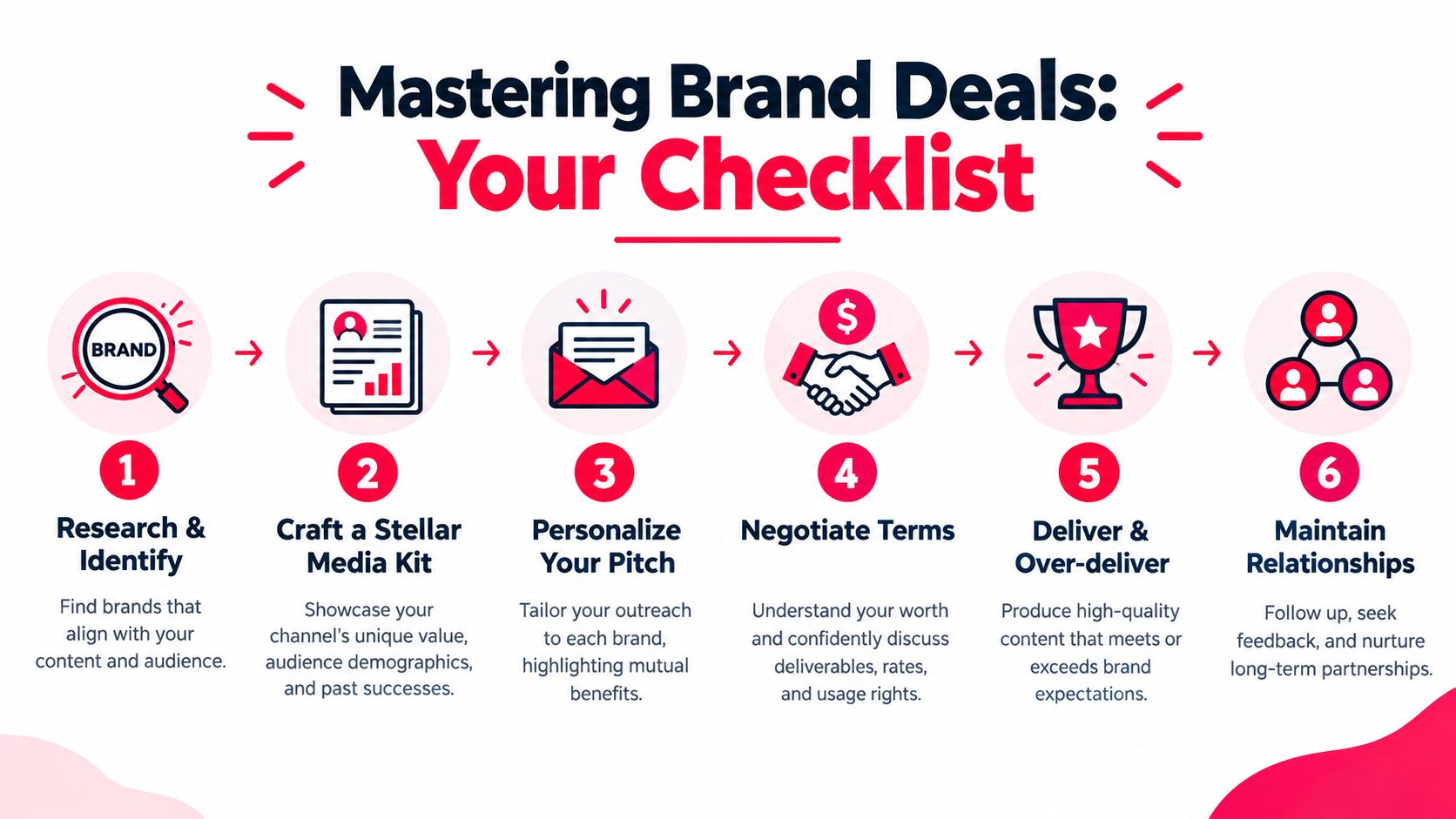
    A six-step checklist infographic illustrating the process of securing and managing successful brand deals as a creator.

    A 2025 creator-economy report found that 62% of creators said they earned more from brand partnerships than from ad revenue, compared with 41% in 2023, as reported by InfluenceFlow's creator monetization analysis. That shift makes proactive outreach worthwhile, particularly for channels with a well-defined niche and a professional sales process.

    Use a pitch that makes the next step easy

    Your email should be brief, specific, and built around mutual fit. Adapt this template rather than copying it without research:

    Subject: Partnership idea for [Brand] and [Channel]

    Hi [Name],

    I run [Channel], where I help [specific audience] with [specific topic or outcome]. I'm reaching out because [Brand] fits the way my viewers already think about [relevant problem or use case].

    A recent video about [topic] shows how I explain this subject and how viewers respond to practical recommendations. I'd like to propose [specific deliverable], with [brief description of integration and viewer benefit]. I can also provide [trackable link, campaign recap, or additional placement] so we can evaluate the response.

    Would you be open to a short conversation about the campaign objective, deliverables, timing, and usage terms? I've attached my media kit with audience information and relevant examples.

    Best,
    [Name]
    [Channel]
    [Contact details]

    Don't promise sales you can't control. Promise a well-matched audience, strong execution, transparent reporting, and a clear process. After the campaign, send the agreed report promptly, ask for feedback, and record what the brand valued. That record becomes evidence for the next pitch and a foundation for a renewal.

    Optimizing Your Channel for Maximum Revenue

    Revenue optimization starts with audience value, not video length by itself. CPM describes advertiser cost around ad impressions, while RPM is closer to what the creator earns per 1,000 views after the relevant revenue factors. Both vary with niche, geography, format, audience behavior, and the commercial intent surrounding the content.

    Industry benchmarks place long-form creator RPM at roughly $1.65 to $25 per 1,000 views, while Shorts are estimated at about $0.02 to $0.12 RPM, according to creator-economy RPM benchmarks. On that benchmark range, one million long-form views could generate $1,650 to $24,750, while one million Shorts views could generate $20 to $120. These aren't promises. They illustrate why a view count without format and revenue context can mislead you.

    Improve the economics of long-form content

    Choose topics where viewers have a meaningful reason to act. A tutorial for a professional tool, a detailed comparison, or a solution-led review can support advertising, affiliates, sponsorships, and products at the same time. The topic should serve the viewer first, but its commercial context should be clear before you spend time producing it.

    Watch time matters because a viewer who stays longer has more opportunity to understand the idea, trust the presenter, and encounter an appropriate monetization point. Build the video around a clear promise, show progress early, remove repeated explanations, and place the most useful proof before the conclusion. Longer videos only help when the additional minutes earn attention.

    Use YouTube Analytics to compare audience retention, returning viewers, traffic sources, RPM, clicks, and downstream actions. Publishing at a time your audience is available can help the initial distribution, and this guide to maximizing YouTube views for creators provides planning context. Timing won't rescue an unclear title or weak opening, so treat it as a supporting variable.

    Give Shorts a defined job

    Shorts can be valuable even when their direct payout is modest. Use them to test hooks, introduce a recurring problem, answer one narrow question, and point interested viewers toward a related long-form video or offer. The handoff must be explicit. A viewer who watches a Short should know what to do next.

    A useful content chain might begin with a Short showing a common mistake, continue with a long-form tutorial explaining the fix, and finish with a trackable resource or product recommendation. This approach treats Shorts as discovery and long-form as deeper engagement and revenue capture.

    For broader search and packaging improvements, use these YouTube SEO optimization tips. Focus on the promise in the title and thumbnail, the answer delivered in the video, and the next action connected to the viewer's intent. Don't optimize keywords in isolation from the buying or learning journey.

    Audience-depth test: If a video attracts attention but gives viewers no relevant next step, it may be growing the channel without building the business.

    From Views to Sales: Measuring What Works

    Views measure exposure. Sales measure business results. The gap between them is an observable sequence: a viewer notices a recommendation, clicks a link, reaches the offer, and completes an action. Tracking that sequence shows whether a video merits another production cycle or delivered reach without commercial value.

    Give each important content asset its own trackable destination. Use separate links for a tutorial, review, livestream, and Short, even when they promote the same offer. Record the video title, publication date, topic, placement, offer, clicks, leads, sales, commissions, refunds, and net revenue. This record lets you compare content by attributable return rather than audience size alone.

    Description-link performance varies by channel, so treat any outside benchmark as a diagnostic prompt rather than a target. Your own conversion data matters more. Separate formats in revenue analysis because long-form watch-page advertising and Shorts revenue use different sharing structures, as noted earlier.

    Build a repeatable attribution workflow

    Put the call to action where viewers have enough context to care. An offer at the end may suit a warm audience, while a tutorial may perform better when its relevant resource appears immediately after the problem is demonstrated. Keep one primary action per video where possible, and state exactly what the viewer receives after clicking.

    ViewsMax can create trackable links, connect clicks, leads, and sales to the content that generated them, and organize publishing and performance data in one dashboard. Use it with your affiliate platform, store, course checkout, or customer relationship system. It should support those systems, not replace their transaction records.

    The video below offers another practical way to connect published content with measurable performance.

    Review revenue per video, revenue per click, lead quality, conversion rate, and production effort. A video with fewer views may deserve more investment if it generates qualified customers. A viral upload may need a clearer path to the offer before it produces meaningful revenue.

    Attribution also improves editorial decisions. Compare related videos by the action they generate, then preserve the topics, formats, and offers that produce profitable customers. If clicks are strong but sales are weak, inspect the landing page or offer. If views are high but clicks are scarce, revise the placement, promise, or call to action. Each result points to a different fix.

    Common Monetization Pitfalls and How to Avoid Them

    A creator can publish consistently, reach the YPP threshold, and still build a fragile business. The problems usually appear in the gap between audience growth and commercial design.

    Depending on one platform payout

    A channel owner watches monthly ad revenue fluctuate and responds by publishing more of the same content. That may increase workload without improving business stability. Advertising remains one income stream, but sponsorships, affiliates, products, memberships, and services can give the audience more ways to support the channel.

    Build the second stream before the first one becomes essential. Choose the option that matches existing viewer intent, then use relevant videos to test it. A finance educator might begin with a paid template, while a gear reviewer might begin with carefully selected affiliate recommendations.

    Mentioning an offer without giving viewers a reason to click

    “Check the link below” is not a persuasive call to action. It doesn't tell viewers what they'll receive, who it's for, or why they should act now.

    Replace it with a concrete instruction: explain the resource, connect it to the problem in the video, and make the destination easy to identify. Keep the link near the top of the description when it's the primary next step, and use a distinct tracking link so you can evaluate the result.

    Chasing unrelated viral topics

    A creator sees a trend outside the channel's subject, publishes a rushed response, and attracts viewers who never return for the core content. The view count looks positive, but the audience fit weakens and the commercial path becomes harder to define.

    Use trends only when they reveal something useful to your existing audience. Adapt the topic to your established promise, or treat it as an experiment with a clear success criterion beyond reach.

    Underpricing sponsorships

    A creator accepts the first offer without discussing usage rights, exclusivity, revisions, placement, or reporting. The sponsor gains broader access than expected, while the creator absorbs extra work without matching compensation.

    Separate the creative deliverable from the rights attached to it. Ask what the brand can reuse, where it can run the content, how long the agreement lasts, and whether competitors are restricted. Put every agreed term in writing before production begins.

    Commercial discipline: Never evaluate a sponsorship only by the fee. Evaluate the work required, the rights granted, the audience fit, and the opportunity cost of occupying that publishing slot.

    Publishing without learning from the result

    Some creators review views and likes, then immediately plan the next upload. That routine misses the information that makes growth more efficient. Compare the topic, format, audience retention, calls to action, clicks, leads, sales, and net revenue across videos.

    The goal isn't to turn every upload into a sales pitch. It's to understand which videos attract the right viewers, which ones build trust, and which ones produce measurable business outcomes. Once you know that pattern, you can create more deliberately and stop rewarding empty reach.


    ViewsMax helps creators plan content, publish across channels, and track clicks, leads, and sales back to the specific content that generated them. Visit ViewsMax to connect your YouTube publishing decisions with attributable revenue and identify which videos are selling.
  • How to Enable YouTube Monetization A Creator’s Guide

    How to Enable YouTube Monetization A Creator’s Guide

    So, you're ready to start earning money from your YouTube channel. That's a huge milestone! Before you can flip the switch on monetization, you first need to get accepted into the YouTube Partner Program (YPP). Think of it as YouTube's official gateway for creators to start earning.

    Let's break down exactly what you need to do to get there.

    Understanding the Path to Monetization

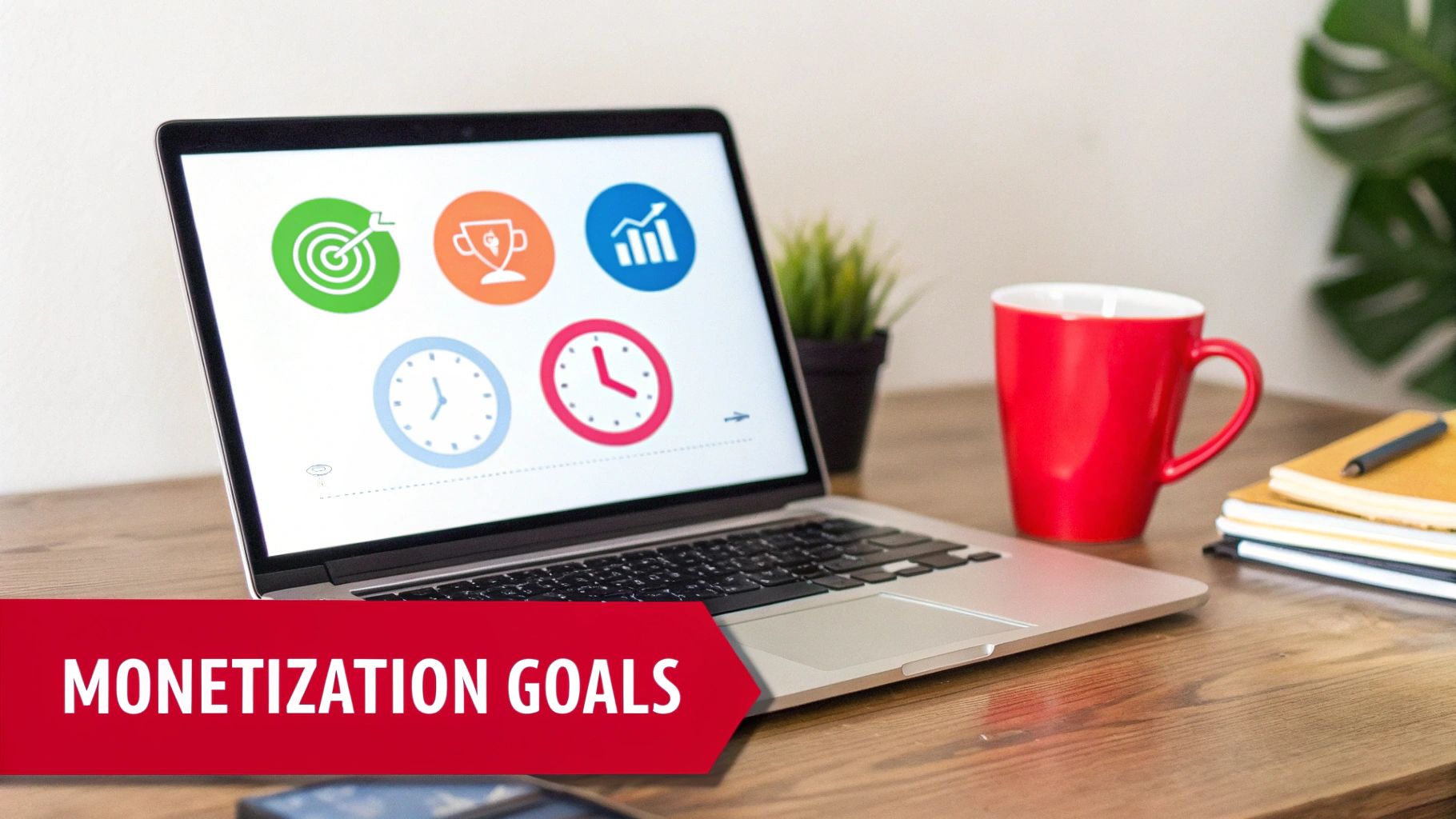
    Laptop displaying icons for monetization goals, including target, trophy, growth, and time management.

    Turning your passion into a paycheck is a game-changer. But before you can see revenue from ads, channel memberships, or Super Chats, you have to prove your channel has what it takes. That's where the YPP comes in.

    The eligibility requirements are there for a reason. They act as a filter to ensure that creators who get access to monetization tools are consistently making content that people actually want to watch. Hitting these numbers shows YouTube you’ve built a real, engaged community.

    The Core Requirements Explained

    YouTube gives you two main ways to qualify for the YPP, which is great because it caters to both long-form creators and those killing it with Shorts.

    Here's a quick look at the core requirements you'll need to hit.

    YouTube Partner Program Eligibility at a Glance

    Requirement Threshold Key Details
    Subscribers 1,000 This is a non-negotiable baseline for all applicants.
    Long-Form Video Watch Hours 4,000 hours Must be from public videos within the last 12 months.
    YouTube Shorts Views 10 million views Must be from public Shorts within the last 90 days.

    Remember, you just need to hit the subscriber goal plus one of the viewership goals (either watch hours or Shorts views), not both. This gives you the flexibility to lean into the format that works best for your content and audience.

    Here’s a more detailed breakdown:

    • The Long-Form Video Path: This is the classic route. You need to rack up 4,000 valid public watch hours within the last 365 days. The key words here are "valid public"—hours from private, unlisted, or deleted videos won't count toward your total.

    • The YouTube Shorts Path: If you're all about short-form content, this one's for you. You'll need 10 million valid public Shorts views in the last 90 days. It's a faster-paced alternative designed for creators who thrive on creating viral, bite-sized videos.

    Getting into the YPP is no small feat. To put it in perspective, out of over 115 million channels, only about 3 million have made it in. That means less than 3% of all active channels are actually monetized through the program.

    While you're working on your YouTube growth, it's also smart to look into broader monetization strategies for creators that can complement your channel's income.

    For a more in-depth look, check out our guide on what is monetization on YouTube: https://blog.viewsmax.com/what-is-monetization-on-youtube/

    Getting Your Channel Ready for a Flawless Application

    Hitting those subscriber and watch time milestones feels amazing, but don't rush to hit "apply" just yet. That's only half the journey. Before you do anything else, you need to give your channel a thorough, honest audit. A real person at YouTube is going to review your application, and they're looking at much more than just the numbers. They're evaluating the overall health, authenticity, and professionalism of your entire channel.

    Think of this as your pre-flight check. It’s your opportunity to catch and fix any issues that could get you rejected right out of the gate. Trust me, you want to avoid that frustrating 30-day waiting period before you can reapply.

    Conduct a Deep Content Audit

    First things first, you have to look at your own content through the eyes of a YouTube reviewer. They'll be combing through your videos to make sure you're following all the rules, and a few common mistakes can sink your application fast. The biggest culprits are often reused or repetitive content.

    This doesn’t mean you can’t have a consistent show format. What it does mean is that low-effort content—like unedited gaming streams with no commentary or simple slideshows with a text-to-speech voiceover—will almost certainly get you denied.

    Every single video needs to bring something unique to the table. Ask yourself these two questions:

    • Is my content transformative? Did I add my own significant commentary, provide real educational value, or put a creative spin on the topic that's entirely mine?
    • Is this 100% my own work? You have to be ruthless here. Go through your videos and listen for any third-party content. Even a few seconds of a copyrighted song playing on a radio in the background can cause a problem.

    Dive into your YouTube Studio and hunt down any active copyright claims or Community Guideline strikes. Even one active strike is often enough to get your application rejected. You absolutely must resolve these issues before you apply.

    Polish Your Channel's Professionalism

    Believe it or not, your channel’s appearance and all the text you write are just as critical as the videos themselves. The reviewer is looking at your channel as a complete package to see if you're a serious creator. This is the time to clean up your video titles, descriptions, and thumbnails.

    Your channel is your digital storefront. A human reviewer will look at your most-viewed videos, your newest content, and the overall theme of your channel to decide if you're a good fit for the Partner Program.

    Go through your video descriptions and get rid of any shady links, like those pointing to unapproved websites. Make sure your thumbnails aren't clickbait or overly sensationalized. Every little piece of your channel should accurately represent your content and follow YouTube's advertiser-friendly guidelines. If you need a refresher, it's a good idea to learn more about what public watch hours on YouTube truly mean, since that’s directly tied to the type of content YouTube is looking for.

    Secure Your Account with Two-Step Verification

    This one isn't a suggestion—it's a hard requirement. You absolutely must have Two-Step Verification enabled on the Google Account that your YouTube channel is linked to. It’s a mandatory security measure for joining the YouTube Partner Program.

    If you don't have it turned on, your application will be blocked before it even gets reviewed. You can set it up in just a few minutes in your Google Account security settings. Taking these steps shows YouTube you're a responsible creator who's serious about keeping their channel secure, and it massively improves your odds of getting approved on the very first try.

    The Application Process Demystified

    Alright, you've put in the work, your channel is looking sharp, and you've hit those crucial eligibility numbers. Now for the exciting part: officially applying to the YouTube Partner Program (YPP). This is the moment everything has been building towards.

    The entire process kicks off right inside your YouTube Studio, so you don't need to go hunting for it. It's a clear, step-by-step path that you can get through in one go.

    To start, just navigate to the Earn tab on the left-hand menu of your Studio dashboard. The first thing you'll see are the YPP base terms. It might be tempting to just scroll and click "accept," but I'd recommend actually reading through them. This is the official agreement that covers how you get paid, the rules you have to follow, and everything in between.

    Getting Your AdSense Account Sorted

    After you've agreed to the terms, YouTube will prompt you to link a Google AdSense account. This is non-negotiable—it's the system Google uses to actually pay you.

    You've got two paths here:

    • Link an existing AdSense account: If you've used AdSense before for a blog or another project, you can simply connect that one.
    • Create a new AdSense account: No account? No problem. YouTube guides you through creating one right from the application screen.

    A Word of Warning: You are only allowed to have one AdSense account per person. Seriously. Trying to create a new one if you already have an account (even if you forgot about it) will cause major headaches and can get your application rejected. Double-check before you proceed.

    Once your account is linked up, AdSense has its own little verification dance to do. The biggest part of this is verifying your physical address. After you earn your first $10 or so, Google will mail a postcard to the address you provided. This postcard contains a Personal Identification Number (PIN) that you'll need to enter back into your AdSense account. It’s a mandatory security step to confirm you are who you say you are, and it can take a few weeks for the postcard to arrive.

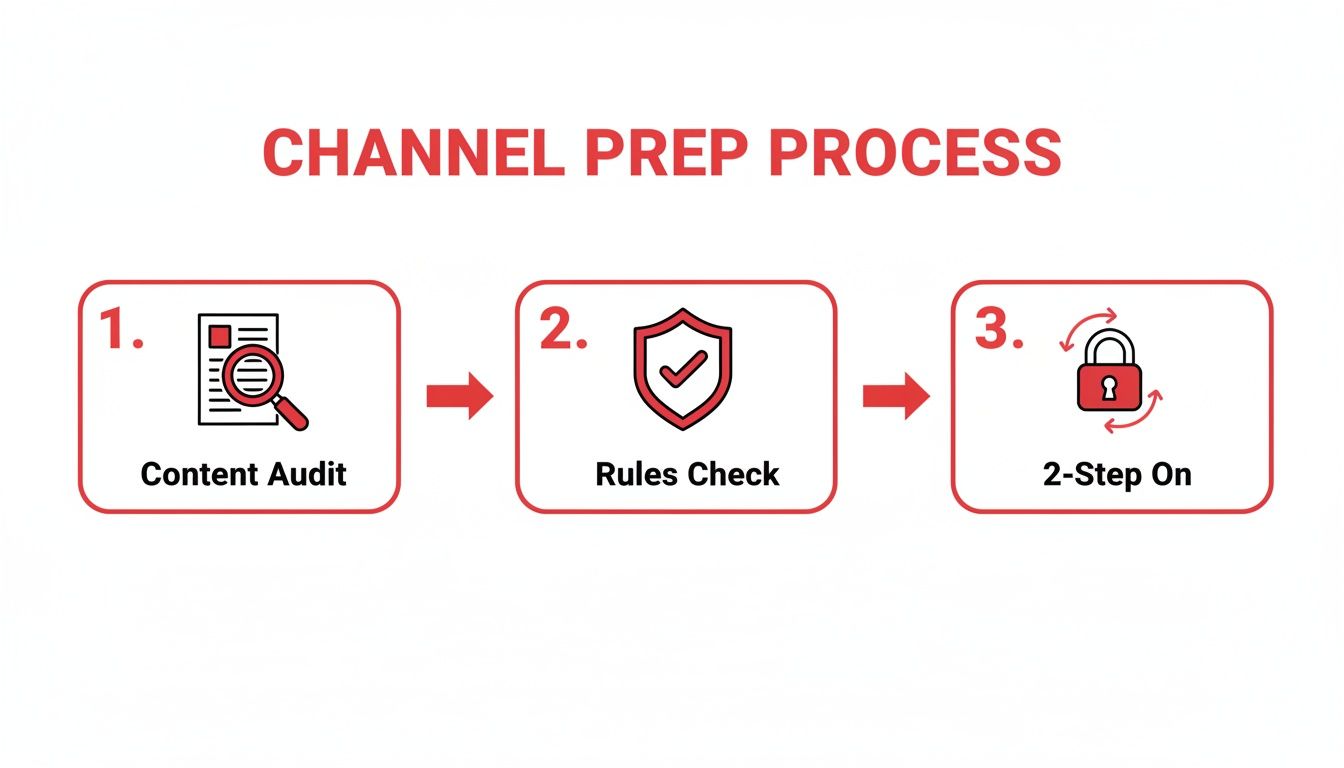
    Before you even click that apply button, make sure your channel is truly ready. Think of it as a final pre-flight check.

    A three-step channel preparation process: Content Audit, Rules Check, and 2-Step verification enablement.

    This really boils it down to the essentials: auditing your content, ensuring you're compliant with all the rules, and locking down your account's security.

    Hitting 'Submit' and The Waiting Game

    With the terms accepted and your AdSense account connected, you’re at the final hurdle. It’s time to submit your channel for review. Once you do, your application status will flip to "in review," and this is where patience becomes your best friend.

    A real person at YouTube will now go through your channel with a fine-tooth comb. They're looking to get a feel for what your channel is all about and making sure it meets all their policies.

    Specifically, they focus on:

    • Your channel’s main theme and niche.
    • Your most popular and most-viewed videos.
    • Your most recently uploaded videos.
    • All your metadata—that means titles, thumbnails, and descriptions.

    YouTube says this process usually takes about a month, but that can vary. I've seen channels get approved in a week and others that take longer, especially when there's a high volume of applications.

    My best advice? Keep making great content. Don't just sit there refreshing the page. Continuing your regular upload schedule shows you're committed. Eventually, you'll get that email with the final decision.

    What to Do if YouTube Rejects Your Application

    Getting that rejection email from the YouTube Partner Program is a punch to the gut. After pouring so much effort into your channel, it's easy to feel defeated. But don't despair—this is usually a temporary setback, not a permanent dead end.

    Most rejections boil down to a few common, fixable issues. The key is to take a breath and carefully analyze the feedback YouTube gives you. The two reasons you'll see most often are “Reused Content” and “Repetitive Content,” and many creators get them mixed up. Let's break down what they actually mean.

    Understanding YouTube's Feedback

    While they sound alike, these two policies target different types of low-effort content. Ultimately, both are about a lack of originality, which is a non-negotiable for YouTube when it's time to enable YouTube monetization.

    • Reused Content: This is the big one. It means your videos lean too heavily on content you didn't create, without adding something new and substantial. Think about unedited clips from movies or sports games, compilations of other people's TikToks, or simply re-uploading your raw Twitch streams. If you're not transforming it with your own commentary, educational insight, or a creative twist, it’s likely to get flagged.

    • Repetitive Content: This one is about your own videos feeling too much like an assembly line. Are you mass-producing content where only minor details change from one video to the next? This often includes channels using robotic text-to-speech voices reading Reddit posts over stock footage or videos made from a simple, repeated template.

    The bottom line is this: YouTube wants to see you in your content. Your personality, your expertise, and your creative spin need to be front and center.

    Building Your Comeback Plan

    Okay, so you’ve figured out the issue. What now? You get a 30-day window before you can apply again, and you need to make it count.

    Your first job is to perform a thorough audit of your channel. Go through your videos one by one and be brutally honest. Any video that even tiptoes into the "reused" or "repetitive" zone needs to go. Deleting or privatizing them might sting, especially if they have good views, but it’s a crucial step to show the review team you're serious.

    During those 30 days, your focus should shift to creating new, high-quality videos that are textbook examples of your best work. Pack them with original ideas, insightful commentary, and your unique personality.

    The world of YouTube monetization is fiercely competitive, a huge change from before the YPP rules were tightened in 2018. With YouTube's ad revenue hitting an incredible $36.15 billion in 2025 and creators like MrBeast approaching a net worth of $1 billion, the stakes are high. As you aim to join the ranks of over 5 million monetized channels, proving your value is everything. You can discover more about YouTube's explosive growth and statistics to get a sense of the scale here.

    When you finally resubmit your application, a human reviewer will look at your channel again. You want them to see an immediate and obvious transformation—the old, problematic content is gone, and in its place are fantastic new videos that leave no doubt about the value you bring to the platform. That's how you turn a rejection into an approval.

    Activating and Optimizing Your Monetization

    A man reviews content and analytics on tablets with a camera, indicating video monetization setup.

    Congratulations, you're in the YouTube Partner Program! Getting that acceptance email is a huge milestone, but now the real work begins—turning your channel into a genuine source of income. The first stop on this journey is your YouTube Studio.

    Turning On Monetization for Your Videos

    First things first, let's get ads running on your existing library of videos. You don't have to do this one by one. Head over to the Content tab in your Studio, select all your videos, and use the "Edit" dropdown to switch monetization on for the whole batch. It’s a massive time-saver.

    To make sure you’re earning from day one on new content, set up an upload default. Go to Settings > Upload defaults > Monetization and check the boxes for the ad formats you want. This little tweak ensures every video you publish is ready to earn money automatically.

    Choosing the Right Ad Formats

    YouTube gives you a few different ad types to play with, and finding the right mix is crucial for balancing your revenue with the viewer's experience. Bombarding your audience with ads is a quick way to get them to click away.

    Here’s a quick look at the main ad types you’ll be working with:

    • Skippable in-stream ads: The classic ads before, during, or after a video. Viewers can skip them after five seconds.
    • Non-skippable in-stream ads: Shorter ads (usually 15-20 seconds) that must be watched all the way through.
    • Bumper ads: Very short, six-second non-skippable ads.
    • Overlay ads: Simple banner ads that pop up at the bottom of the video player on desktop.

    If your videos are longer than eight minutes, you unlock the ability to place mid-roll ads. You can let YouTube place these automatically or manually pick the timestamps yourself. My advice? Start with automatic placements. Then, watch your videos and fine-tune the ad breaks to fit natural pauses in your content so you don't interrupt the flow.

    Thinking Beyond Ad Revenue

    While ads are your foundation, relying on them alone can leave you vulnerable to fluctuating ad rates. The YPP unlocks several other income streams that create a more direct connection with your audience.

    • Channel Memberships: Let your most loyal fans support you with a monthly fee in exchange for perks like custom emojis, badges, and exclusive content.
    • Super Chat & Super Thanks: These features allow viewers to pay to have their message highlighted during a live chat or to leave a one-time tip on any video.
    • YouTube Shopping: You can tag products from your own store or from affiliate partners directly in your videos, turning your content into a storefront.

    As soon as you're approved, you should really start digging into all these options. The landscape is always changing, so it’s also smart to learn how to monetize YouTube Shorts and maximize earnings, as that’s a huge growth area.

    Understanding Your Earnings with RPM

    To truly grow your channel's income, you need to get familiar with Revenue Per Mille (RPM). This is the metric that shows you what you actually earn per 1,000 views after YouTube takes its 45% cut. It's the number that matters.

    Your niche and your audience's location are the two biggest factors affecting your RPM. To give you some real-world perspective, here’s how much potential earnings can vary.

    Ad Revenue Potential by Niche and Region

    Niche / Region Average CPM (What Advertisers Pay) Why It's High/Low
    Finance / Investing $25 – $50+ Advertisers are selling high-value products (like trading platforms) and are willing to pay a premium to reach an audience with disposable income.
    Tech Reviews $15 – $30 Tech companies have large marketing budgets and want to reach consumers who are actively looking to make a purchase.
    United States $30 – $40 The U.S. has a highly competitive ad market with many large brands, driving up the cost for advertisers.
    Gaming (Entertainment) $5 – $12 A very broad audience and high video volume means ad inventory is plentiful, which can lower the cost for advertisers.
    India $2 – $5 The ad market is still developing compared to Western countries, so advertisers pay less per view on average.

    This table shows the CPM, which is what advertisers pay before YouTube's cut. Your RPM will be lower, but the trend is the same: a video about investing shown to a U.S. audience will earn drastically more than a gaming video shown to viewers in India.

    This is where a tool like ViewsMax becomes so valuable—it can help you find high-RPM keywords to build your content strategy around, ensuring you're targeting the most profitable topics and audiences.

    Want to dive deeper? Check out our guide explaining exactly https://blog.viewsmax.com/cpm-meaning-youtube/.

    Frequently Asked Questions

    Going through the YouTube Partner Program application process always sparks a few questions. After guiding hundreds of creators through this exact journey, I’ve seen the same concerns pop up again and again. Let's tackle them head-on so you can get monetized without any unnecessary stress.

    How Long Does the YPP Review Actually Take?

    This is probably the most common question I get. Officially, YouTube says to expect "about a month." But in my experience, it's all over the map. I’ve seen channels get the green light in less than a week, while others have been left waiting for over 30 days.

    The wait time often depends on how swamped the review teams are. My best advice? Stay patient. Don't go making any drastic changes to your channel while your application is pending. Just keep to your regular upload schedule—it shows the reviewers you're consistent and serious about your content.

    What if I Have AdSense Account Issues?

    AdSense hiccups are a real pain and a common reason for getting stuck. The biggest mistake I see is creators accidentally creating a duplicate account. Remember, Google has a strict one-account-per-person policy. If you get a rejection notice saying you already have an account, you have to find and close that old one.

    Do not try to get around this by applying with a new email. That just creates a bigger mess. You must go through Google's official recovery process to resolve the ownership of the original AdSense account before linking it to your YouTube channel.

    Does Private Video Watch Time Count?

    Nope, it doesn't. Only watch hours from valid public videos count towards that 4,000-hour mountain. Any watch time you've racked up on videos that are now private, unlisted, or have been deleted won't be part of your total.

    This rule is in place to make sure you're building an audience with content that's actually out there for people to see. Before you apply, do a quick check to ensure all the videos contributing to your watch time are set to "Public."

    Can I Reapply After a Rejection?

    Absolutely. If your application gets denied, YouTube will give you a general reason, like "Reused Content," and you'll have to wait 30 days before you can reapply.

    Don't just sit on your hands for that month. Use that time to do a deep dive into your channel. Be ruthless—audit your videos, delete anything that even hints at a policy violation, and focus on creating fresh, original content. When you reapply, the reviewer needs to see a clear, tangible effort to fix what was wrong. That’s what gets you approved the second time around.


    Ready to take the guesswork out of your YouTube strategy? ViewsMax provides AI-powered tools to help you find high-RPM keywords, optimize your videos for discoverability, and make data-driven decisions that accelerate your channel's growth. Stop guessing and start growing by checking out our tools.

  • What Is Monetization on YouTube A Guide to Making Money

    What Is Monetization on YouTube A Guide to Making Money

    So, what exactly is YouTube monetization? Put simply, it’s the process of earning money from the videos you create and upload.

    Think of your channel like a digital storefront. You stock the shelves with great content, and monetization is how you open for business and start making sales.

    Unpacking Your Creator Toolkit

    A person works on a laptop with a camera and microphone, preparing to monetize their channel.

    Becoming a monetized creator isn't about flipping a single switch. Instead, YouTube hands you a whole toolkit filled with different ways to build an income. Each tool works a bit differently, and some will be a better fit for your channel and audience than others.

    The one everyone knows is ad revenue—getting a cut from the ads that run on your videos. But that’s just the tip of the iceberg. The platform has evolved to offer a ton of ways to earn directly from your community, brand partners, and even YouTube itself.

    The 8 Main Ways to Earn on YouTube

    To really get what monetization is, you need to see it as a collection of different opportunities, not just one paycheck. The most successful creators I know rarely rely on a single income source; they mix and match several methods to build a much more stable and reliable business.

    Let's quickly break down the primary tools in your monetization toolkit.

    To give you a bird's-eye view, here's a quick summary of the most common ways creators earn money on the platform.

    YouTube Monetization Methods at a Glance

    Monetization Method How It Works Best For
    Ad Revenue You earn a share of the money from ads shown on or around your videos. All eligible channels; a foundational income stream.
    Channel Memberships Viewers pay a monthly fee for exclusive perks like badges, emojis, and members-only content. Channels with a dedicated, loyal community.
    Super Chat & Stickers Fans can buy highlighted messages or animated stickers during live streams and Premieres. Creators who do live streams and engage with their audience in real time.
    Super Thanks Viewers can buy a fun animation on a video page to show extra appreciation. Any creator looking for a simple way for fans to show support on-demand.
    YouTube Premium You get a portion of a viewer's subscription fee when they watch your content. All monetized channels, as it's a passive income stream.
    Merchandise Shelf You can showcase and sell your own branded products directly below your videos. Creators with a strong brand identity and engaged fanbase.
    Brand Deals You partner with brands for sponsored content or affiliate marketing. Channels of all sizes, but especially those with a defined niche.

    Each of these methods opens up a new potential revenue stream for your channel.

    A common mistake is thinking monetization is only about ads. The reality is, a diversified strategy that taps into fan funding and brand deals almost always leads to more significant and stable earnings over time.

    To understand the bigger picture of how creators make money online, exploring general monetization strategies can be a real eye-opener. For now, let's dive into each of these YouTube-specific tools so you can figure out how to unlock and make the most of them for your channel.

    Unlocking Your Earnings with the YouTube Partner Program

    Before you can turn your creative passion into a paycheck, you have to get the keys to the kingdom. On YouTube, that key is the YouTube Partner Program (YPP), the official gateway that unlocks all the money-making features on the platform. Think of it as your formal entry into YouTube's bustling creator economy.

    But joining the YPP isn't automatic; it's a milestone you have to earn. YouTube has put some clear benchmarks in place to make sure creators have built a real, engaged audience and are consistently playing by the rules before they can start earning. It's a system designed to protect everyone—viewers, advertisers, and other creators—from low-effort or harmful content.

    The Milestones You Need to Hit

    To even be considered for the YPP, your channel has to meet some specific thresholds. These numbers aren't arbitrary; they show YouTube that you have a proven track record of getting people to watch and stick around.

    The primary requirements are:

    • 1,000 Subscribers: This is the first big signal that you’ve built a foundational community that actually cares about what you're making.
    • 4,000 Public Watch Hours: This one is a bit trickier—it has to be accumulated over the last 12 months. It proves your content isn't just getting clicks, but is genuinely holding people's attention.

    There's also a path for creators who live and breathe short-form content. You can qualify with 1,000 subscribers and 10 million valid public Shorts views in the last 90 days. Hitting these numbers is your ticket to apply. It’s also smart to keep an eye on platform updates, since these things can shift. You can read up on recent changes in YouTube to stay in the loop.

    It's More Than Just Numbers: You Have to Follow the Rules

    Hitting your subscriber and watch time goals is really only half the battle. To get accepted into—and, just as importantly, stay in—the YPP, you have to be a stickler for YouTube's policies.

    Your channel must have zero active Community Guideline strikes and follow all YouTube channel monetization policies, including the AdSense Program policies. This is non-negotiable for long-term success.

    This boils down to creating original, advertiser-friendly content that respects copyright law and doesn't violate community standards. Once you meet the eligibility numbers, you’ll submit your application right from YouTube Studio. From there, a real human on the review team will manually go through your channel—your videos, your themes, your descriptions—to make sure everything aligns with their guidelines.

    The financial incentive for playing by the rules is massive. YouTube’s ad revenue recently shot up to $36.1 billion, a 14.6% jump from the previous year. For creators in the YPP, a piece of that enormous pie is up for grabs, with the standard revenue share sending 55% of ad earnings straight to your pocket. This really drives home why understanding and following the rules isn't just a suggestion; it's critical to your success.

    Your Primary Income Streams: Ads and Premium

    Once you get that "Congratulations, you're in!" email from the YouTube Partner Program, you unlock the two most fundamental ways to make money: ad revenue and YouTube Premium revenue.

    Think of these as the foundation of your channel's earnings. They're the consistent, mostly passive income sources that scale directly with your audience. Getting a solid grip on how they work is the first real step toward building a predictable income from your content.

    The process itself is pretty simple once you're approved.

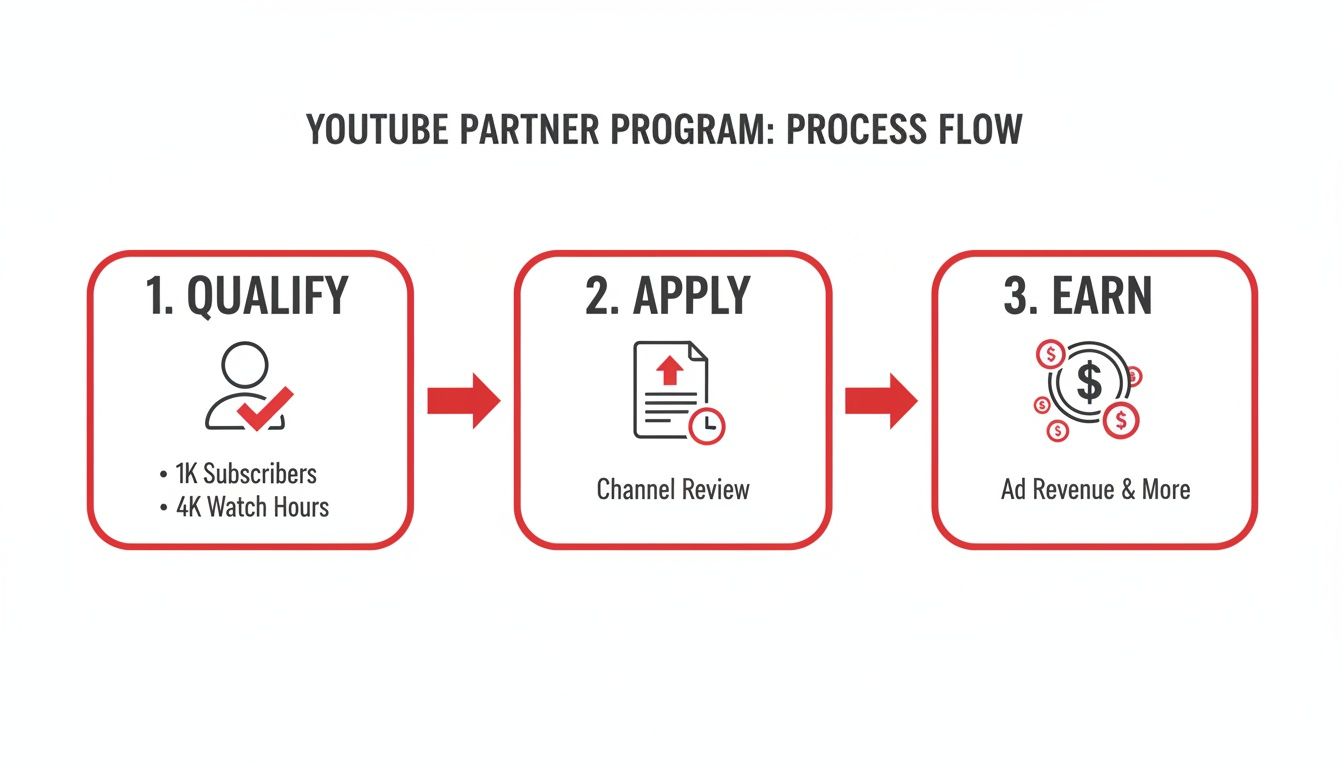
    Process flow for YouTube Partner Program: qualify with subscribers and watch hours, apply, and earn revenue.

    This graphic really boils it down: meet the thresholds, get approved, and you're officially in the business of earning. So, let's break down what those earnings actually come from.

    Decoding Your Ad Revenue

    When people talk about YouTube monetization, ads are usually the first thing that comes to mind. Once you flip the switch, YouTube will start placing different types of ads on your videos—like the skippable ones you see before a video or the short, non-skippable ones. For every ad that runs on your content, you get to keep a 55% share of what the advertiser paid.

    Everything is handled through Google AdSense, which you’ll link to your channel to process all the payments. A common misconception is that more views automatically mean more money, but it's more nuanced. Your earnings depend heavily on who is watching, what they're watching, and where they're watching from.

    You'll quickly run into two key metrics in your analytics:

    • CPM (Cost Per Mille): This stands for "cost per 1,000 impressions." It's what advertisers are paying to have their ads shown 1,000 times across YouTube. It’s an advertiser-focused metric.
    • RPM (Revenue Per Mille): This is your "revenue per 1,000 views." This is the number that really matters to you. It shows your total earnings (from ads, Premium, and more) for every 1,000 video views, after YouTube has taken its cut.

    Things like your channel's niche, your audience's location and age, and even how long your videos are can cause these numbers to swing wildly. If you want to get into the nitty-gritty, our guide on the meaning of CPM on YouTube breaks it all down.

    Earning with YouTube Premium

    There's another powerful revenue stream that often flies under the radar: YouTube Premium. This is the platform's ad-free subscription service, and it creates a completely separate way for you to get paid. When a Premium subscriber watches your video, you earn a portion of their monthly subscription fee.

    The calculation is pretty straightforward: it’s based on how much watch time you get from Premium members. The more a Premium subscriber watches your channel, the bigger your piece of the revenue pie.

    This is a bigger deal than you might think. YouTube Premium has been growing like crazy, recently hitting 125 million subscribers—that's a massive 25% jump from just 100 million. It took seven years for the service to reach 50 million subscribers, but only two more years to more than double that number.

    This signals a huge shift in how people consume content. For creators with dedicated audiences, especially in fields like education or coaching where viewers are highly engaged, Premium revenue can sometimes even outpace ad revenue on a per-view basis.

    Building Community with Fan Funding Features

    Man records video about fan funding with a smartphone, two jars of dried herbs on the table.

    Ad revenue is a great starting point, but it's a passive stream that can swing wildly from month to month. The real key to understanding YouTube monetization is building a direct, authentic connection with your audience. That’s where fan funding comes in.

    These tools empower your most dedicated viewers to support you directly, turning them from casual watchers into true patrons of your work. Think of it like this: ads are like a radio station playing commercials for everyone, while fan funding is like selling tickets to your own private concert. It’s a far more stable and personal way to earn because it's built on relationships, not just algorithms.

    Turn Your Channel into a VIP Club with Memberships

    Channel Memberships are essentially YouTube's built-in version of Patreon. Your viewers can pay a small monthly fee to join your channel's "club," unlocking special perks that you get to design.

    This is where you can let your creativity run wild and offer genuine value that your public videos don't. Some of the most successful perks I've seen include:

    • Custom Emojis and Badges: Members get special emojis to spam in the comments and a loyalty badge next to their name that levels up over time. It's a simple, visual way to recognize your top supporters.
    • Exclusive Content: Think behind-the-scenes vlogs, early access to new videos, or even members-only live streams where you can hang out in a more intimate setting.
    • Community Access: Many creators set up a members-only Discord server or a private section in their channel's Community tab.

    You can set up multiple tiers—like Bronze, Silver, and Gold—with increasingly valuable perks. This gives everyone a chance to support you at a level they're comfortable with.

    The secret to great fan funding isn't just about asking for money. It's about creating an experience so cool and exclusive that your community genuinely wants to be part of it.

    Make Live Streams Interactive with Supers

    During a live stream or a video Premiere, the chat can fly by at a million miles an hour. "Supers" are a way for your audience to pay to make their message pop, and it's an incredible tool for boosting engagement and earnings during live events.

    There are a few different types of Supers you'll see:

    1. Super Chat: A viewer pays to have their comment highlighted in a bright, flashy color. It gets pinned to the top of the chat for a certain amount of time—the more they pay, the longer it stays.
    2. Super Stickers: Instead of a message, viewers can buy fun, animated stickers that appear in the chat feed. It's a quick, visual way to show support and get your attention.
    3. Super Thanks: This is basically a tip jar for your regular, pre-recorded videos. A viewer can buy a colorful animation that plays right over your video, and their comment will be highlighted in the comments section to show their appreciation.

    These features make supporting you feel like a game. It's interactive, it's fun, and it gives you a chance to shout out your biggest fans in real-time, which only strengthens that community bond you've been working so hard to build.

    Monetizing Your Brand Beyond YouTube

    While YouTube's built-in tools are great starting points, the most successful creators know their channel is a launchpad, not the final destination. Real, sustainable growth comes from building a brand that can stand on its own, independent of any single platform.

    It's a mental shift—from thinking like a YouTuber to thinking like a business owner.

    This is where you graduate from earning a slice of YouTube's ad revenue to creating and controlling your very own income streams. These off-platform methods often have a much higher ceiling for earnings because you're the one setting the prices and keeping the lion's share of the profits. You’re turning your hard-earned influence into a tangible, independent business.

    Selling Your Own Products

    One of the most powerful ways to do this is through YouTube Shopping. This handy feature lets you link your own online store, like one built on Shopify or Spring, directly to your channel. Your products show up in a slick "merchandise shelf" right under your videos, making it ridiculously easy for fans to shop without ever leaving the page.

    And this goes way beyond just slapping your logo on a t-shirt. Think about what your audience actually needs or wants.

    • A fitness creator? Sell custom workout plans or branded resistance bands.
    • An artist? Offer prints of your work, digital brush packs, or your favorite art supplies.
    • A gaming channel? Think custom mousepads or inside-joke apparel that only true fans will get.

    When you create products that genuinely solve a problem or resonate with your community’s identity, you’re building a revenue stream that’s both valuable and scalable.

    The real magic of selling your own merch is that you control everything: the product, the price, and the direct relationship with your customers. This helps insulate your business from the whims of ad rates or algorithm changes.

    Partnering with Brands and Affiliates

    Another massive opportunity lies in working directly with brands. This happens outside of YouTube's built-in systems and usually takes two forms:

    1. Sponsorships: A brand pays you to create content featuring their product. This could be a whole dedicated video or just a quick mention.
    2. Affiliate Marketing: You promote a product using a special link or a discount code. For every person who buys through that link, you get a commission.

    The absolute key to making this work is authenticity. Your audience trusts you. Don't break that trust by promoting something you don't actually believe in. A single inauthentic partnership can do lasting damage to your credibility. As your channel grows, you'll also see that short-form video opens up new doors for these kinds of deals. We dive deeper into that in our guide on how to make money on YouTube Shorts.

    Common Questions About YouTube Monetization

    Diving into the world of YouTube monetization can feel like navigating a maze. Lots of questions pop up, especially when you're just starting out. Getting clear answers from the get-go can save you a ton of headaches and help you avoid common pitfalls.

    Let's clear up some of the most frequent questions creators have about earning money on YouTube.

    How Long Does It Take to Make Money?

    This is the big one, and the honest answer is: it depends entirely on how quickly your channel grows. There's no magic number. Before you can earn a single penny from ads, you have to get into the YouTube Partner Program (YPP).

    To even apply for the YPP, you need to hit two key milestones: 1,000 subscribers and 4,000 hours of public watch time within a 12-month period. Some creators knock this out in a few months of dedicated effort, while for others, it can take a year or more.

    Once you hit those numbers and apply, YouTube's team will review your channel, which can take up to a month. If you're approved, you can finally switch on monetization. But even then, the money doesn't just show up in your bank account. You only get paid once your AdSense earnings reach the $100 payment threshold.

    Do I Pay Taxes on YouTube Earnings?

    Yes, absolutely. Any money you earn from YouTube is considered taxable income. For tax purposes, you're usually treated as a self-employed individual or a small business owner. This means you are responsible for tracking your income and reporting it to the tax authorities in your country.

    Google will ask you to fill out tax forms in your AdSense account, and depending on where you live, they might even withhold a portion of your earnings for taxes.

    Treat your channel like a business from day one—this is non-negotiable. I always recommend consulting with a tax professional. They can help you understand your obligations, find eligible deductions (like new gear or software!), and set up a system to manage your finances correctly.

    Can I Monetize Videos with Copyrighted Music?

    This is a huge minefield for new creators. Using popular, copyrighted music without a license is a surefire way to get your video demonetized.

    Most of the time, the song's owner will hit your video with a Content ID claim. When this happens, they get to place ads on your video and keep 100% of the revenue. It's their music, so it's their money. To play it safe and actually earn from your hard work, stick to music from the YouTube Audio Library or use a trusted royalty-free music service where you pay for a license.

    Thinking beyond ads is also smart. To diversify your income, you can explore tools that offer YouTube integrations for enhanced content, which can open up new avenues for sales outside the platform.


    Ready to turn your passion into a profession? ViewsMax gives you the AI-powered tools to optimize your titles, tags, and descriptions, helping you meet those monetization thresholds faster. Grow your channel with confidence by visiting https://blog.viewsmax.com.