Yes, YouTube can count your own views a few times when they look like genuine human watches, but repeated refreshes or looped replays get filtered as invalid traffic. The practical repeat-view window commonly cited by independent guidance is about 4 to 5 views from the same user, device, or IP address within 24 hours, after which additional plays may be suppressed.
Have you ever published a video, opened it immediately to check the title and audio, then wondered whether you've just helped your own view count? The question sounds simple, but the answer changes depending on which metric you're looking at, how naturally you watched, and which counting rule applies to the format.
A normal quality-check playback can register. Rapidly refreshing the watch page to make the number climb usually won't. YouTube's system is built to distinguish ordinary viewing from traffic that appears designed to inflate a total.
That distinction matters because creators often treat the public view count, YouTube Analytics, recommendation signals, and monetization metrics as if they were the same thing. They aren't. This guide separates them, explains the August 24, 2026 view-definition change, and shows how to build cleaner data without turning your own video into a counting experiment.
The Question Every Creator Asks After Publishing
You've finished the edit, checked the thumbnail, and pressed Publish. Then you watch the video yourself, perhaps once on your phone and again on your laptop because you're checking captions, sound levels, or a transition.
Can that view count? Yes, a few genuine self-watches can register, but YouTube filters repeated or artificial self-traffic. Guidance for creators describes limited self-view counting as normal platform behavior, while repeated refreshing and looped watching are commonly suppressed as invalid traffic (HubSpot's explanation of YouTube view counting).
The important word is genuine. YouTube isn't asking whether you own the channel. It's evaluating whether the playback resembles a legitimate human viewing session. The platform's public documentation says its systems filter traffic that appears suspicious, rather than allowing one account to inflate totals indefinitely (YouTube's official view-counting documentation).
Practical rule: Watch your upload to inspect it. Don't watch it to manufacture momentum.
This question matters because a view is more than a little number beneath your video. It can appear alongside watch time, audience retention, traffic sources, and other signals that help you judge whether your content reaches people who care about it. A few self-generated plays may be visible in early data, but they don't prove that an audience has responded.
You also need to separate measurement from distribution. Refreshing your own video isn't a reliable way to persuade YouTube to recommend it. Artificial activity can be filtered, and abnormal traffic patterns can create confusing analytics instead of useful insight.
The right mindset is straightforward. Treat your own view as a quality-control event, not a growth tactic. Then focus your attention on the signals produced by external viewers, such as whether they choose to continue watching, return to your channel, or take an action that matters to your business.
How YouTube Validates Views in the First Place
A useful analogy is a bouncer at a club door. The bouncer doesn't count every person who touches the entrance. They look for signs that the person is real, present, and entering normally. YouTube's view system works in a similar way. A playback event may occur, but the platform still evaluates whether it looks like valid human activity.
Historically, creator-facing guidance has commonly described a threshold of about 30 seconds for traditional videos before a view is accepted, as reported in HubSpot's creator guidance. That rule has never been a complete answer for every format or every situation, and it shouldn't be treated as a universal promise that every qualifying playback will appear publicly.
The checks behind the counter
YouTube considers the broader context of a play. A deliberate watch on the video page looks different from a background script, a rapid series of refreshes, or playback that repeats in an unnatural pattern. Embedded players and playlist sessions can still produce valid views when people intentionally engage with the content, but automatic or suspicious playback may be excluded.
The system also filters bots, scripts, and other forms of abnormal traffic. YouTube's public documentation explains that it works to prevent artificial activity from being counted as legitimate views (YouTube Help on view validation). That's why a number can appear provisional, pause, or later change after the platform reviews traffic.
A creator's own first watch can look completely ordinary. You open the upload, press play, listen for a mistake, and leave when the check is finished. A chain of rapid replays looks different. The action may still trigger playback, but it doesn't automatically receive a permanent place in the public total.
A YouTube view is better understood as a validated verdict than as a simple tally of every time a player starts.
That distinction helps explain why public counts and internal reports can diverge. One number may reflect activity before all checks are complete, while another reflects traffic that has passed additional filtering. Creators comparing their results with broader platform engagement benchmarks should also remember that a raw view says less than the surrounding engagement and retention context.
The bouncer analogy has one more useful detail. A legitimate visitor can enter more than once, but someone repeatedly circling the door and trying to force their way in will attract attention. Your normal self-check is the first case. Refreshing the page again and again is the second.
The 2026 Change to How YouTube Counts Views
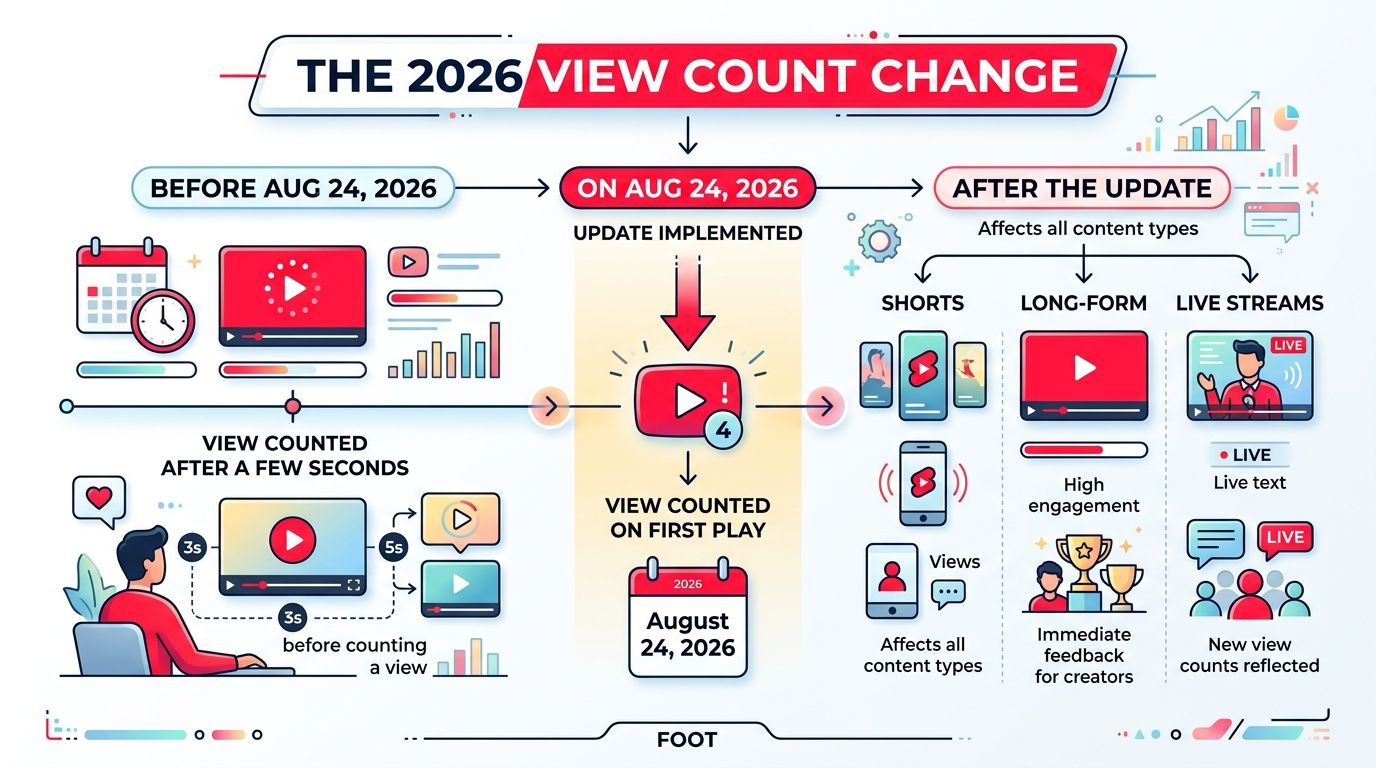
On August 24, 2026, YouTube's public help documentation says a view begins counting when a video starts to play across Shorts, long-form videos, and live streams (YouTube's official update). This changes the meaning of a view from a delayed watch-duration event toward a more immediate play event.
The change also has a historical boundary. YouTube says existing view totals aren't recalculated retroactively. Older videos keep their historical counts, while new plays follow the updated rule. A video uploaded before the change therefore carries its earlier counting history, even as later activity is measured under the new approach.
Raw views and engaged views answer different questions
The first-play definition makes the public view number useful for understanding how often playback starts. It doesn't necessarily tell you how long someone stayed, whether they found the content useful, or whether they took meaningful action afterward.
That's where engaged views become important. Recent coverage of the update describes engaged views as a separate metric that gives creators more context about meaningful consumption, rather than treating every initial play as equivalent. The distinction is especially important when you're evaluating monetization-related performance, because raw reach and engaged audience behavior are not interchangeable.
For self-views, the practical implication is subtle. Under the new rule, your own playback can register from the start of play, but YouTube still filters suspicious repetition. The first-frame rule doesn't turn repeated self-watches into a dependable source of audience growth.
A creator should therefore ask two separate questions:
| Metric | What it helps you understand |
|---|---|
| Public views | How many validated play events YouTube displays publicly |
| Engaged views | Whether those plays represent deeper viewer involvement |
| Analytics traffic | Where activity came from and how viewers behaved |
| Revenue outcomes | Whether attention led to a business result |
YouTube's change makes the old question, “Did my own view count?” less complete. The better question is, “Which metric did it affect, and did that playback show meaningful audience behavior?” Creators who want additional context on how platform changes affect distribution can review this YouTube algorithm change overview, but they should still rely on their own Studio data for video-level decisions.
The new rule also applies across formats, so Shorts, long-form uploads, and live streams now need to be interpreted through the same first-play lens. That doesn't mean they perform identically. It means the public view event starts at playback, while deeper engagement requires separate attention.
How Many of Your Own Views Actually Count
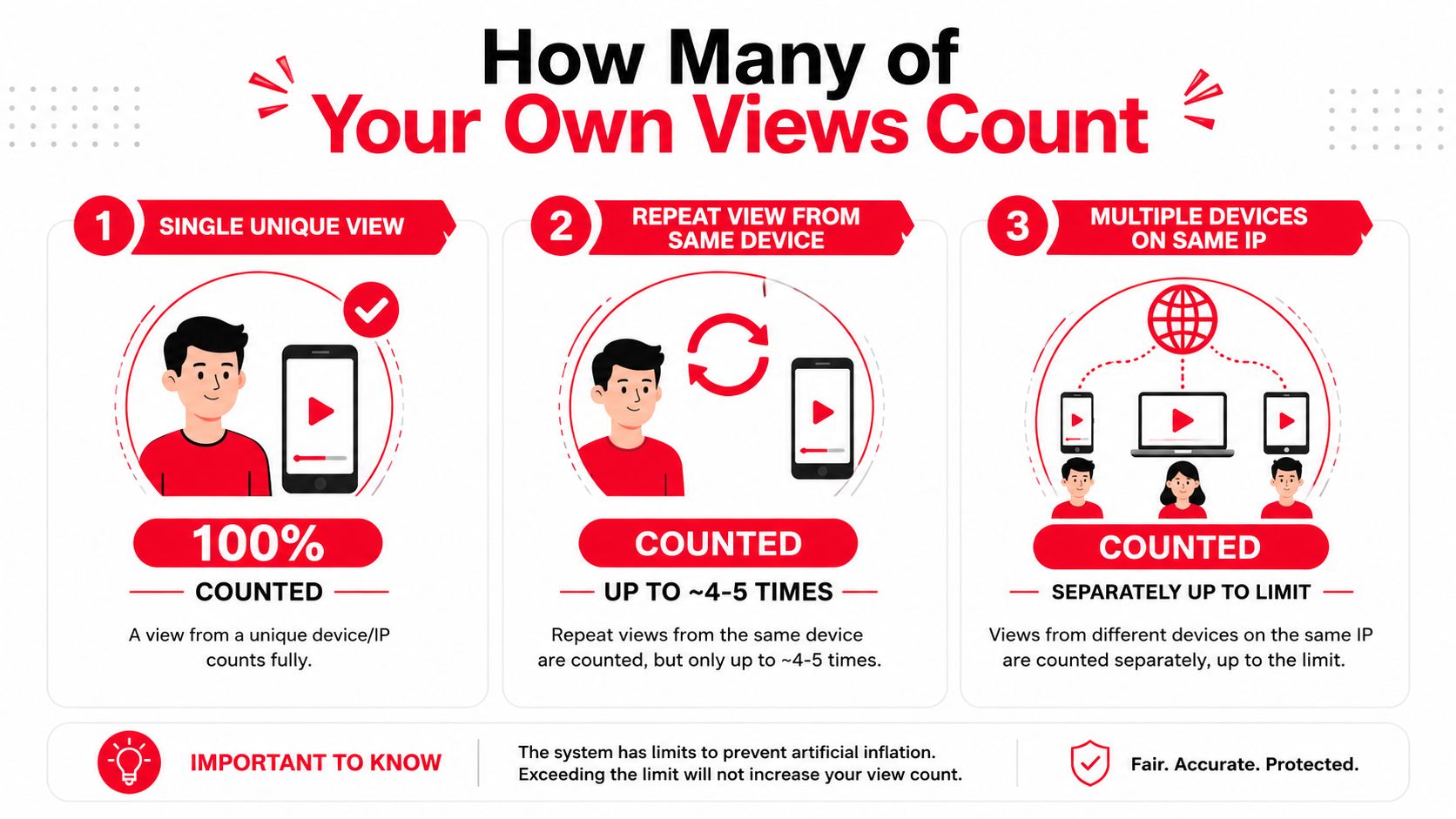
The clearest practical guidance is that repeat views from the same user, device, or IP address may count only up to a small burst, commonly described as about 4 to 5 views within a 24-hour window (independent guidance on repeat-view deduplication). After that, additional plays may be suppressed until the window resets.
That isn't an official promise that exactly 4 or 5 plays will always appear. YouTube hasn't published a clean self-view threshold, and the result can depend on playback behavior, account activity, device signals, and traffic patterns. Use the range as a practical boundary, not a target.
Three creator scenarios
A single quality-check watch is normal. You upload a tutorial, play it from the beginning, check the sound, and watch enough to confirm the edit works. That playback may count because it looks like an ordinary human session.
Showing the video to someone else may produce a legitimate play. If a friend watches while you're logged into your account, the playback may count once. The important factor is actual viewing behavior, not whether the channel owner's account is open.
Refreshing twenty times to move the counter isn't a strategy. Rapid refreshes and looped replays create the exact kind of repetitive pattern YouTube's systems are designed to suppress. The public number may stop changing, and the activity can make your early analytics harder to interpret.
Autoplay and embedded playback add another layer. An embedded video can count when a viewer intentionally starts it and watches normally, while background playback or suspicious hidden embeds may be filtered. A player starting on its own doesn't automatically create a valuable, validated view.
Creators sometimes interpret a stalled number as evidence that YouTube is broken. Often, it's the platform checking or suppressing activity that doesn't look natural. If a broader traffic drop concerns you, Yubook's guide to investigating why views dropped can help you examine the situation without assuming that every fluctuation comes from one cause.
The mental model is simple: one or a few natural watches can register, but repeated self-boosting is not dependable and may be ignored. Don't organize your publishing routine around the repeat-view window. Use it to understand the boundary, then leave the counter alone.
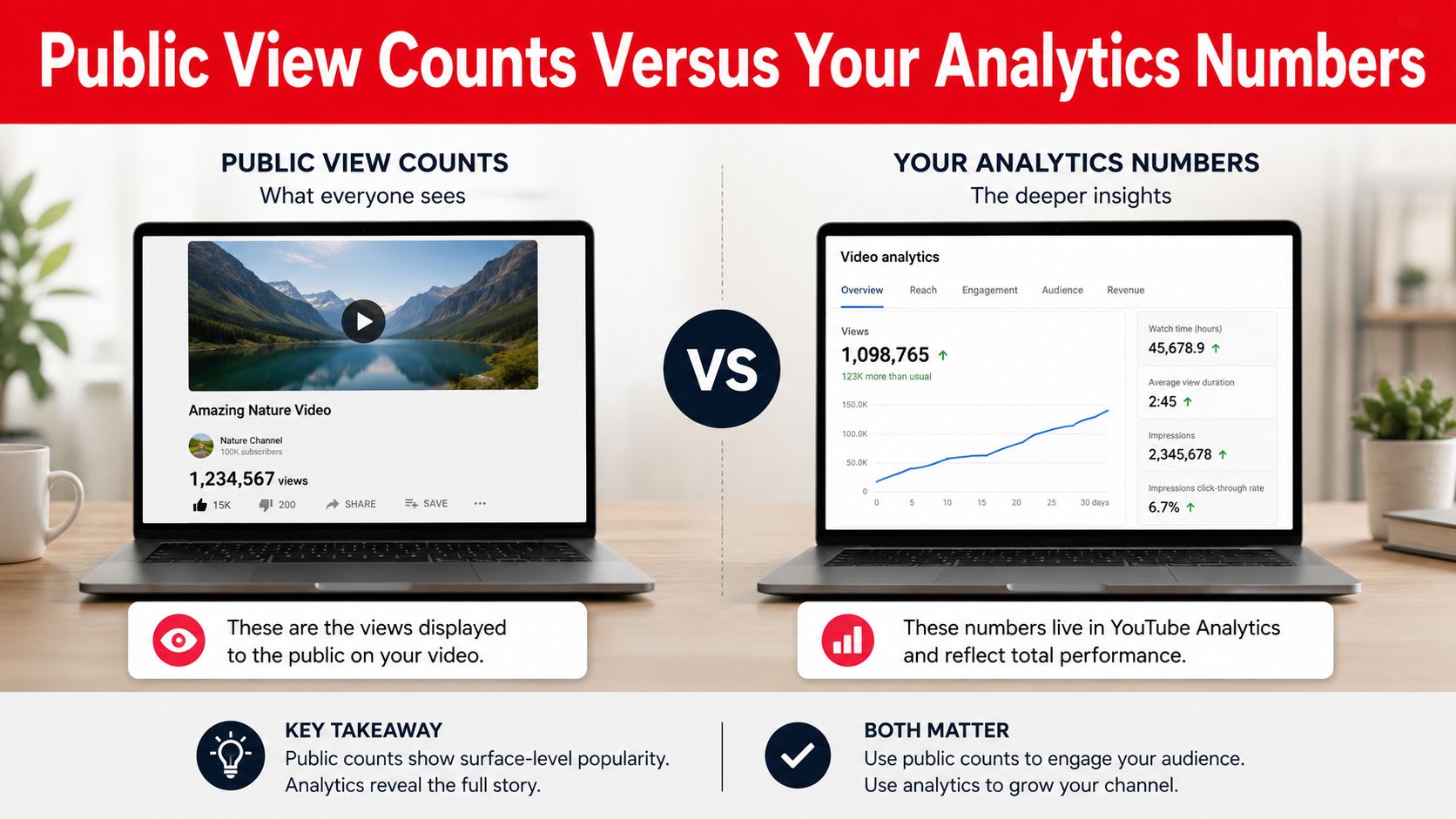
Public View Counts Versus Your Analytics Numbers
The public view count and YouTube Analytics serve different purposes. The public number is the visible total after YouTube applies validation and filtering, while Studio gives you a more detailed view of traffic, audience behavior, and reporting activity.
That difference explains why the figures may not match at a given moment. Analytics can surface recent or provisional activity before YouTube has finished reconciling what belongs in the public total. The public counter may update differently as the platform filters suspicious or duplicated activity.
What to inspect in Studio
Open the video in YouTube Studio and review its analytics rather than staring only at the watch page. Traffic sources can show whether early activity came from direct or external playback, while audience and device reports help you understand the broader shape of the traffic without identifying individual viewers.
Your own sessions may appear in early data. That isn't automatically a problem. A few self-checks are normal, but they aren't evidence of audience demand, and they shouldn't influence your decision to promote a video or change its strategy.
| If you see this | Read it this way |
|---|---|
| Analytics is higher | Some activity may still be provisional or awaiting validation |
| Public views are stable | The visible count reflects filtered reporting, not every playback event |
| A few self-views appear | Your quality checks may have been recorded |
| Many rapid self-plays appear | Treat the pattern as unreliable and stop replaying |
YouTube hasn't published an official threshold that tells creators the exact moment a self-view stops counting. Independent explainers commonly use vague descriptions such as “once or twice” or 3 to 5 views, but those ranges are practical guidance rather than documented platform policy (coverage of the public-count and Analytics gap).
That uncertainty is why you shouldn't reverse-engineer the system from one upload. Use Studio to assess external traffic, retention, returning viewers, and actions that connect to your goal. For a broader look at interpreting view data, see this guide to YouTube view stats.
Self-View Myths and What They Mean for Monetization
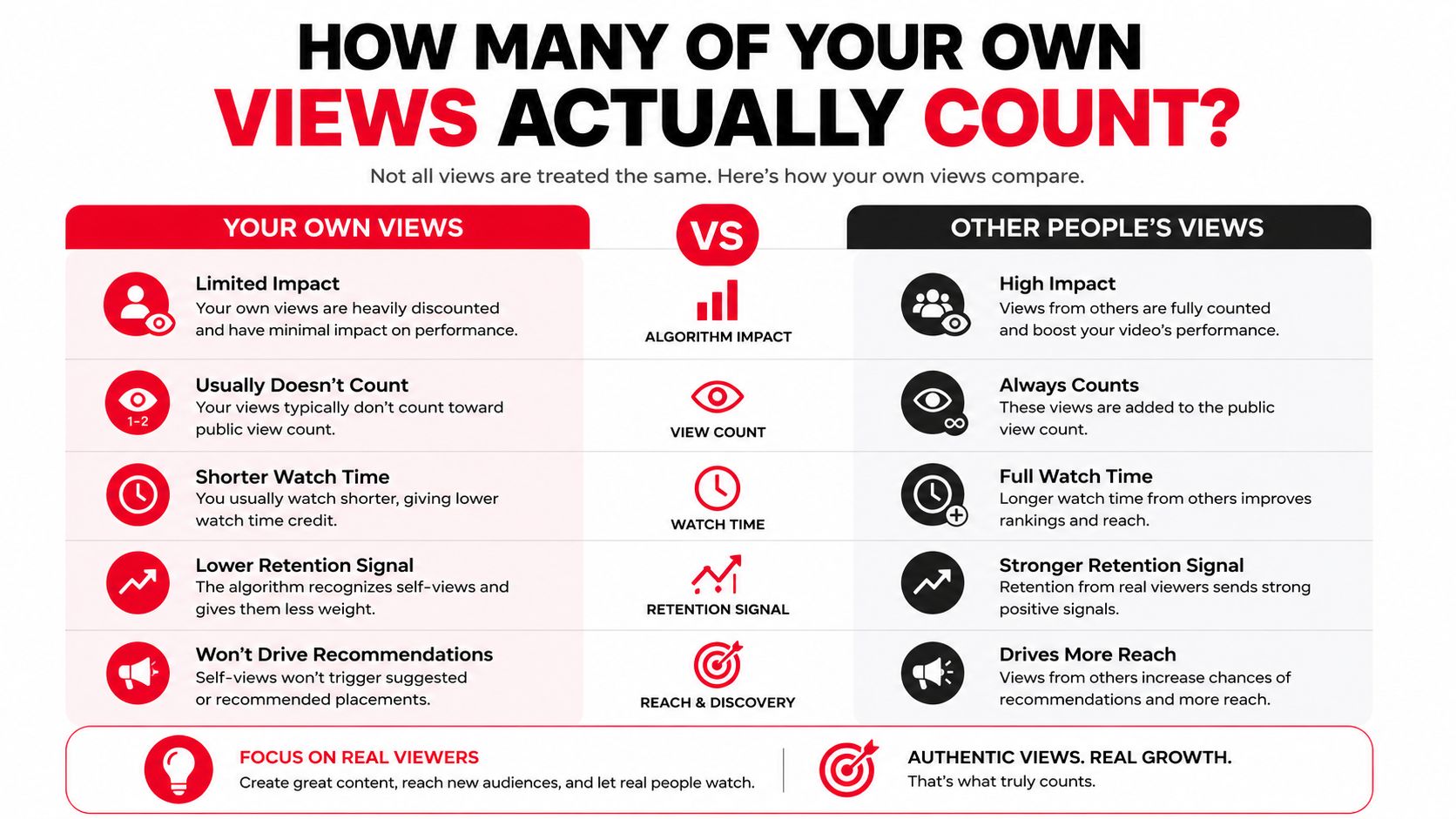
The first myth is that reloading your video boosts the algorithm. It doesn't provide a dependable growth signal. YouTube's systems are designed to filter abnormal repetition, so a creator who repeatedly watches their own upload is more likely to produce noisy data than meaningful momentum.
The second myth is that buying views or using bots can jumpstart a channel. Artificial traffic can be filtered as invalid, and it can create a mismatch between views and genuine audience behavior. A high-looking number without real viewers, retention, or trust doesn't give you a healthy foundation.
A raw view count can look impressive while telling you almost nothing about whether the right people care.
Monetization reviews make that distinction more important. Genuine watch time and legitimate audience activity matter more than a creator's ability to generate extra plays from their own devices. Artificial inflation may disappear during filtering, and suspicious activity can create problems when YouTube evaluates traffic quality and policy compliance.
What creators should stop chasing
- Reload tricks: They won't turn self-traffic into a reliable recommendation signal.
- View bots: Automated plays don't represent real audience consumption and may be filtered.
- Purchased engagement: Inflated views, likes, or comments can leave your channel with weak underlying behavior.
- Demonetization panic: A few ordinary quality-check watches aren't the same as deliberate invalid-traffic activity.
The useful question is not whether you can add another play. Ask whether a real viewer would choose the video, stay with it, and trust you enough to watch something else or take the next step. That's the standard that supports a durable channel.
Creators building a business around YouTube can review how YouTube video monetization works, but no monetization guide changes the central principle. Real viewers create the performance evidence that self-views can't manufacture.
Practical Steps to Grow Views That Actually Count
Start with clean quality control. Watch your upload to confirm the opening, audio, captions, links, and end screen, but don't replay it just to monitor the counter. If you want to inspect the public experience without adding your account activity to the picture, use a logged-out session or a different device for checking, not for generating extra views.
Use YouTube Studio's available testing tools when you're evaluating packaging. For example, Test & compare can help you assess thumbnail options where the feature is available. The goal is to improve the chance that an interested viewer chooses the video, not to create activity yourself.
A practical publishing routine looks like this:
- Check the upload once carefully. Fix genuine issues before sharing it.
- Review audience behavior. Look at retention, traffic sources, and engaged viewing rather than raw views alone.
- Promote to a relevant audience. Share the video where people already have a reason to watch it.
- Connect content to an outcome. Decide whether the video should generate subscribers, leads, sales, or another measurable action.
ViewsMax fits the last step by creating trackable links for offers and connecting clicks, leads, and sales to the content that generated them. A creator can place those links in descriptions, bios, or posts, then compare revenue attribution with YouTube's attention metrics instead of treating the view counter as the final result.
That shift changes the decision you make after publishing. Instead of asking whether your own playback increased the total, you can ask which video brought qualified people to the offer and produced an outcome worth repeating.
What to Remember About Your Own Views
Your own YouTube views can count a few times when they look like genuine human watches. Repeated refreshes, looped playback, and other abnormal patterns are throttled or filtered, so they aren't a dependable way to increase public views.
Since August 24, 2026, YouTube's documented rule counts a view when playback starts across Shorts, long-form videos, and live streams, while existing totals retain their historical counts. Raw views and engaged views now answer different questions, so creators need more than one number to understand performance.
Use your own playback for quality control, then stop watching the counter. Build around authentic viewers, useful content, and attribution that shows whether attention leads to subscribers, leads, or sales.
ViewsMax helps creators connect content activity with business results by tracking clicks, leads, and sales back to the exact video, post, or platform that generated them. Visit ViewsMax to create trackable offer links and replace guesswork about self-views with clear evidence of what your content produces.