
It's a question every creator asks: when is the perfect time to upload a YouTube video? The internet is full of general advice, often pointing to that 2 PM to 4 PM window on weekdays or the 6 PM to 9 PM slot on Fridays. And honestly, those aren't bad places to start. They catch people during afternoon breaks and as they're settling in for the weekend.
But here's the thing: that's just a starting point. Your channel's perfect upload time isn't a universal secret; it's a specific, data-backed window that's completely unique to your audience.
Pinpointing Your Perfect YouTube Upload Time

It's time to stop guessing and start building a strategy based on your channel's real performance data. While those widely recommended times can give you a decent foundation, the real growth happens when you dive into your own analytics and understand your viewers' habits.
Think about why those general time slots work. The afternoon window from 2 PM to 4 PM often catches people taking a quick break from work or school. More importantly, uploading then gives the YouTube algorithm a few crucial hours to index and start processing your video before the evening rush kicks in around 5 PM.
Why the First Few Hours Are Everything
The initial moments after you hit "Publish" are absolutely critical. A strong burst of activity—views, watch time, likes, comments—sends a powerful signal to the YouTube algorithm that people are enjoying your content. This early velocity is what helps get your video pushed out on the homepage, recommended in suggested feeds, and shown to a much broader audience.
If you publish into a "dead zone" when most of your audience is asleep or busy, your video just sits there. It misses that precious window to build momentum. The goal isn't just to upload; it's to launch your video directly into the path of your most engaged viewers.
Key Takeaway: Uploading a video isn't just about making it public. It's about strategically timing its release to coincide with peak audience activity, giving it the best possible chance to gain traction in the algorithm from the very first minute.
Now, we're going to get into the nitty-gritty of YouTube's own tools. I'll walk you through how to read your analytics, spot your audience's behavior patterns, and build a schedule that truly maximizes your reach. Of course, this all works best when your content is solid to begin with, which includes using the right YouTube video keywords so people can find you in the first place. By the end, you'll have a clear, repeatable plan to give every single video the launch it deserves.
Using YouTube Analytics to Pinpoint Your Upload Window
Forget what you've heard about "the best time to post on YouTube." Generic advice is just that—generic. The real secret to timing your uploads is already waiting for you inside your own channel's dashboard. Your audience's behavior is the only data that matters, and YouTube Analytics lays it all out for you.
To get to this data goldmine, head over to your YouTube Studio and click on Analytics. From there, you’ll want to pop into the Audience tab. This is where the magic happens.
Decoding Your Audience's Activity Heatmap
Once you're in the Audience tab, scroll down a bit until you find the report titled "When your viewers are on YouTube." This simple-looking chart is the key to unlocking your initial upload strategy. It’s essentially a heatmap showing you exactly when your viewers were online over the last 28 days.

Here's how to read it at a glance:
- Light Purple Bars: These show times when a decent number of your viewers are around. Think of it as moderate traffic.
- Dark Purple Bars: This is your sweet spot. The darkest bars show the exact hours when the highest concentration of your audience is actively watching videos.
Your goal is to find the most consistent clusters of dark purple. Those are your prime-time windows. In the example above, you can see a clear pattern of activity spiking on weekdays between 3 PM and 6 PM.
The "Upload Before the Peak" Strategy
It seems obvious to upload your video right when the bars are darkest, right? That’s a common rookie mistake. The smarter play is to publish your video one to two hours before your peak traffic window kicks off.
Why the buffer? It gives YouTube’s algorithm time to do its thing. The system needs a little while to process, index, and start categorizing your video. This ensures it's available in full HD or 4K and ready to be recommended to viewers.
By publishing ahead of the rush, your video is primed and ready to go the second your audience logs on. This gives you the best shot at catching that critical first wave of viewership.
So, if your data points to a consistent peak starting at 5 PM on a Thursday, scheduling your upload for 3 PM or 4 PM is the move. Your video gets indexed and is perfectly positioned for discovery just as your viewers start showing up.
How This Works in the Real World
Let's look at how this plays out for two very different types of channels.
Scenario 1: The Local Food Vlogger
Imagine you review restaurants in Chicago. Your analytics will probably show a super-concentrated audience in the Central Time Zone. That heatmap will have very clear, defined peaks—maybe around lunchtime and again in the evening. Your scheduling is pretty straightforward: upload an hour or two before those specific, local peaks.
Scenario 2: The Global Gaming Channel
Now, let's say you run a gaming channel with a big following in both North America and Europe. Your heatmap will look totally different. Instead of sharp peaks, you'll likely see a long, stretched-out block of purple as you cater to different time zones. In this case, you're looking for the period with the greatest overlap of dark purple. This might be late afternoon in the U.S. (say, 3 PM EST), which conveniently catches your European viewers during their evening prime time.
Once you’ve used your analytics to find your ideal time slot, using a social media scheduling platform can be a lifesaver. It lets you lock in those perfect times consistently without having to be at your computer for every single upload.
Ultimately, your analytics report takes all the guesswork out of the equation. It stops you from asking, "What's the best time to upload?" and helps you answer, "What's the best time for my audience?" Mastering this simple chart is the first step to making sure every video has the strongest possible launch.
Why Weekday Afternoons Are a Go-To Time Slot
While your channel's data is always the ultimate source of truth, there's a reason so many creators gravitate toward a specific window. For a huge number of channels, especially those talking to professionals or students, the weekday afternoon is a consistent sweet spot. This isn't just a shot in the dark; it’s a strategy built on understanding daily routines.
Uploading between 2 PM and 4 PM taps directly into the natural rhythm of the day. You’re catching people just as their focus starts to wander. Professionals are hitting that classic mid-afternoon slump and are looking for a mental break, while students are just walking in the door from school. It’s a perfect little window for watching a video before the evening chaos kicks in.
Giving the Algorithm a Head Start
Beyond just viewer habits, this timing plays nicely with the YouTube algorithm. When you publish in the afternoon, you’re giving your video a crucial 2 to 4-hour buffer. This is the time YouTube needs to properly process, index, and figure out what your content is all about.
Think of it as a warm-up lap. By the time peak viewing hours hit around 6 PM, your video isn't brand new and cold. It’s already been categorized and is primed to be pushed out through recommendations and the home feed. You’re basically revving the engine so you can floor it when the biggest crowds show up.
How This Looks in the Real World
Let's imagine a channel that makes software tutorials. They used to post at 9 AM, thinking they'd catch people at the start of their workday. But the initial views were always a trickle, and the videos struggled to get any real traction.
After digging into their analytics and seeing a big spike in viewers later in the day, they decided to test a 3 PM upload time. The change was immediate. By launching in the afternoon, their tutorials were perfectly indexed and ready for the after-work crowd who were logging on to learn something new. That one simple shift resulted in a 35% jump in first-day views. It just goes to show that working with your audience's downtime is way smarter than trying to compete with their busiest hours.
This isn't just a hunch; it's backed by a ton of data. Multiple studies point to weekdays between 2 PM and 4 PM EST as a gold standard, especially for reaching audiences in big markets like the US and Europe. This afternoon slot gives videos time to get indexed and pop up during those post-work scrolls, sometimes leading to view boosts of 30% or more. You can read more about these findings at VistaCreate.
How Timing Fuels Engagement
This strategy is about more than just getting eyeballs; it's about sparking the early engagement that YouTube's algorithm absolutely loves. Someone watching your video on a work break is often more relaxed and, as a result, more likely to drop a like or leave a comment.
Those early signals are pure gold. They tell YouTube that your video is hitting the mark with its first viewers, which dramatically increases the odds of it being promoted to a much wider audience. Of course, none of this matters if your thumbnail and title can't get that initial click. For more on that, take a look at our guide on how to improve your click-through rate to really capitalize on your prime-time slot.
The weekday afternoon slot is a powerful one-two punch: it syncs with viewer routines and gives the algorithm the runway it needs. It's a fundamental strategy that almost every channel should test.
Catching the Friday Evening Wave
As the workweek wraps up, a golden opportunity emerges for YouTube creators. Friday evening isn't just another time slot—it’s a total shift in how people watch videos. Your audience is mentally checking out of their professional lives and actively looking for entertainment to kick off the weekend.
This transition is exactly why Fridays can be an engagement powerhouse. Think about it: a viewer sneaking in a quick video on their lunch break is a different person than the one settled on their couch Friday night. The Friday viewer is ready for longer, more immersive videos, which often leads to better watch time and more thoughtful comments.
Tapping Into the Weekend Mindset
The window between 6 PM and 9 PM on a Friday is consistently one of the best times you can upload. It’s a strategic move. You catch people right after dinner, when they're sinking into the sofa and scrolling for something new to watch.
When you publish in this window, your video becomes part of their weekend wind-down ritual. Suddenly, you're not competing with work emails or last-minute assignments. You're competing with Netflix, and that's a battle you can win with the right timing.
Expert Insight: Posting on Fridays between 6 PM and 9 PM is a classic strategy for a reason. We see channels get 20-30% higher click-through rates in this window compared to midday uploads because it aligns perfectly with when viewers are most relaxed and ready to engage. You can dig deeper into powerful YouTube timing strategies to see how this plays out across the week.
That initial burst of views gives the YouTube algorithm exactly what it loves to see. A video that pops off on Friday night is perfectly positioned for a great weekend, as the algorithm has all the positive signals it needs to keep recommending it on Saturday and Sunday.
How This Works for Different Niches
This isn't a one-size-fits-all rule, but the Friday evening slot is surprisingly flexible across different types of content.
- Gaming Channel: This is prime time to drop a long-form "let's play" or a hyped-up live stream. A 7 PM upload lets your audience grab some snacks and settle in for a long session, which is great for your average view duration.
- Lifestyle Vlogger: A weekly recap vlog published around 8 PM feels like catching up with a friend. It just fits the casual, conversational vibe of a Friday night.
- DIY or How-To Channel: Launching a weekend project tutorial at 6 PM is perfect. It gives your viewers time to watch, get inspired, and make a shopping list for Saturday morning.
Don't Forget: Friday Night is Mobile Night
One huge factor to remember is that Friday night viewing is overwhelmingly mobile. People might be on their desktops during the workday, but in the evening, they're on their phones—on the couch, in bed, wherever.
This means your mobile optimization has to be on point.
- Your thumbnails must be clear and grab attention on a small screen.
- Any on-screen text needs to be big enough to read easily.
- Your audio has to be crystal clear for headphone listeners.
A clunky mobile experience can completely kill the momentum of a perfectly timed upload.
Ultimately, the Friday evening surge is about more than just a spike in traffic. It's about connecting with your audience when they're most receptive and ready to engage. By understanding their mindset and how they watch, you can turn Friday night into the perfect launchpad for a successful weekend.
How to Run Your Own Upload Time Experiments
Your YouTube Analytics gives you a fantastic starting point, but it's not the final word. Think of that "When your viewers are on YouTube" report as a really good educated guess. To truly pinpoint your channel's prime time, you have to shift from just observing to actively experimenting.
Running your own controlled tests is the only way to know for sure if a Thursday at 3 PM upload crushes a Friday at 7 PM slot. This whole process is about removing the guesswork and building a schedule based on your own, undeniable results. It’s how you graduate from following generic advice to creating a personalized strategy that actually works.
This visual breaks down how the right timing decision—like a Friday evening upload—moves beyond just finding traffic to truly connecting with your audience.
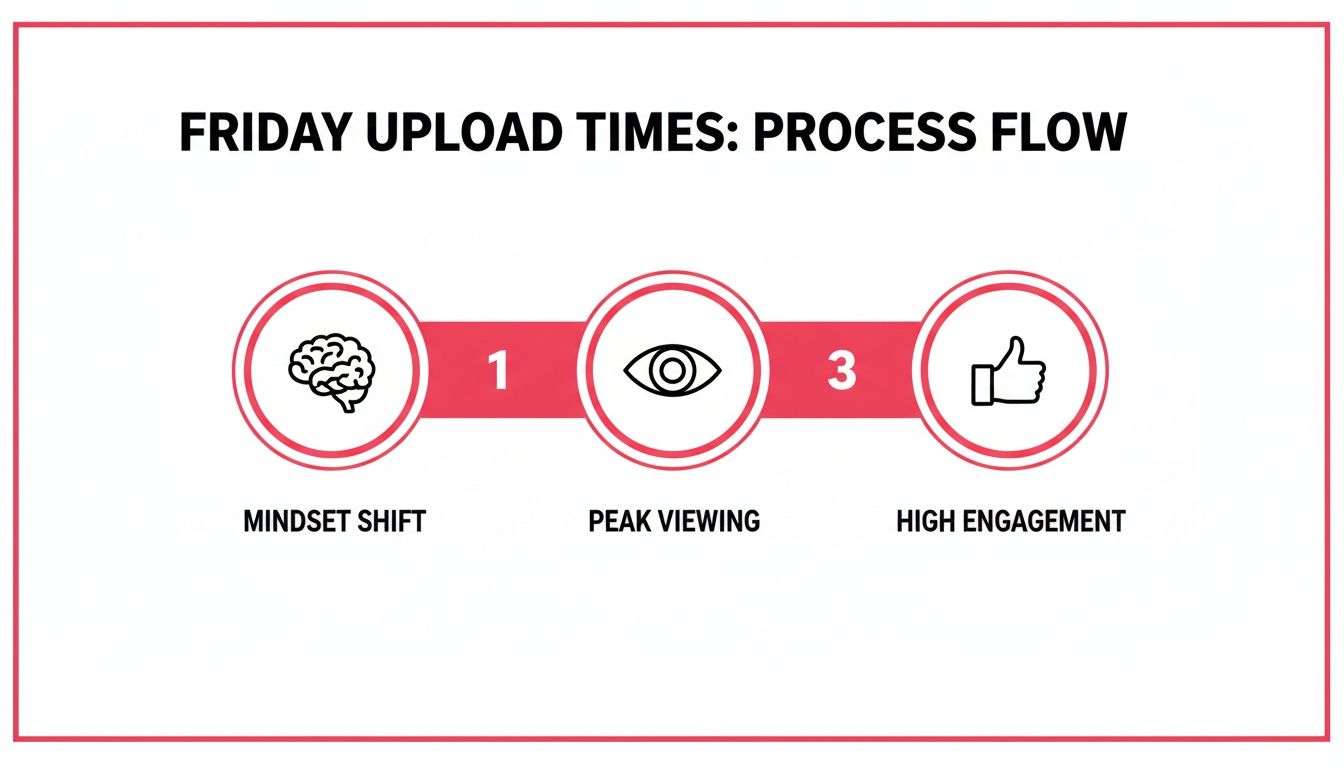
It shows that great timing isn't just about when people are online; it's about aligning with their mindset to hit peak viewership and drive way more engagement.
Designing Your A/B Test
The heart of a good experiment is consistency. If you want to accurately test two different time slots, you absolutely have to eliminate as many other variables as possible. This is critical to ensure that any difference in performance is because of the timing, not something else.
Here’s how you can set up a clean A/B test for your upload schedule:
- Choose Two Distinct Time Slots: Pull two potential winners from your analytics heatmap. For instance, you could test Thursday at 4 PM (a pre-weekend peak) against Saturday at 11 AM (a popular weekend morning slot).
- Select Similar Videos: The two videos you test must be comparable. Think similar format, topic, and appeal. Testing a high-energy vlog against a dense technical tutorial will give you messy, unreliable data.
- Maintain Content Quality: This one is non-negotiable. Both videos have to be on the same level in terms of production value, editing, and the information you provide. Don't pit a masterpiece against a video you rushed out the door.
- Keep Promotion Identical: Promote both videos the exact same way. If you always tweet and send a newsletter blast when a video goes live, do it for both test videos at the same interval after publishing.
Stick to this controlled approach. Just one small change in your promotion or a dip in quality can completely skew the outcome and make the whole experiment a waste of time.
Identifying Key Performance Metrics
When comparing the videos, don't just glance at the total view count after a week. What we're really testing here is the initial momentum. For that, you need to focus on a few critical short-term metrics that tell you which time slot gave your video a stronger launch.
The whole point of A/B testing your upload time is to measure the video's initial velocity. A powerful start is a huge signal to the YouTube algorithm that your content is resonating, which dramatically increases its chances of getting pushed to a wider audience.
Keep a close eye on these specific data points for each video:
- Views in the first hour: This is your most immediate gut check on audience availability.
- Views in the first 24 hours: A crucial metric that the algorithm weighs heavily.
- Click-Through Rate (CTR) in the first 24 hours: Tells you how well your title and thumbnail grabbed the attention of the audience that was online.
- Average View Duration in the first 24 hours: Reveals if the viewers who clicked actually stuck around and were engaged.
Tracking and Analyzing Your Results
You don't need fancy software; a simple spreadsheet is perfect for tracking your experiments. Set up columns for the video title, upload day, upload time, and each of the key metrics I listed above. Once the test is done, just let the data do the talking.
| Metric | Video A (Thurs 4 PM) | Video B (Sat 11 AM) | Winner |
|---|---|---|---|
| Views (1 Hour) | 520 | 310 | Video A |
| Views (24 Hours) | 2,800 | 2,450 | Video A |
| CTR (24 Hours) | 4.8% | 5.5% | Video B |
| Avg. View Duration | 3:15 | 3:45 | Video B |
In this hypothetical test, Video A clearly got more eyeballs right out of the gate, suggesting a larger audience was online and ready. But look closer. Video B had a much stronger CTR and better watch time. This means the audience that did show up on Saturday morning was more dialed in and genuinely interested.
This is where your expertise as a creator comes into play. Is the raw initial view count more important, or is higher engagement from a slightly smaller initial audience more valuable for long-term growth? In my experience, higher engagement is almost always the better signal to send the algorithm.
Based on these results, your next move might be to run another test focusing on weekend slots, confirming if Saturday is truly your sweet spot for engagement. This process of running simple, structured experiments over and over is the ultimate way to find and refine the absolute best time to upload videos for your unique channel.
Common Questions About YouTube Upload Times
Even after you've built a solid strategy, figuring out the best time to upload YouTube videos can still feel like trying to hit a moving target. Let's tackle some of the common questions that pop up when creators try to lock down the perfect schedule.
The big one I hear all the time is: does timing really matter anymore? YouTube's algorithm is so smart, it's tempting to think that great content will just find its audience eventually, no matter when you publish.
And that's partly true. Quality is always number one. But initial velocity is a massive ranking signal. When you upload right as your audience is most active, you get an immediate boost in views, watch time, and engagement. That early momentum signals to YouTube that your video is a hit, dramatically improving its chances of being pushed to a wider audience over the crucial first 24-48 hours. Think of it as giving your video a head start in a very crowded race.
What If My Audience Is in Multiple Time Zones?
Having a global audience is a fantastic problem to have, but it definitely makes scheduling tricky. If your viewers are scattered across the globe, your first stop should always be YouTube Analytics. Find your single largest geographic audience and start by catering to that time zone.
If the split is more even, you've got a few solid options:
- Find the Overlap: Look for a time that catches multiple regions at once. For example, a late afternoon upload on the US East Coast often hits Europeans during their evening wind-down and West Coast viewers in their afternoon.
- Alternate Your Schedule: Try dedicating different weeks to different regions. One week, you might publish at a time that's perfect for your European viewers, and the next, you shift to favor your North American base.
- Target the Biggest Peak: Dive into your "When your viewers are on YouTube" report. Look for the broadest, most consistent block of high activity and aim for that, even if it spans a few time zones.
The goal here is to avoid analysis paralysis. Just pick the strategy that seems to cover the most people, test it consistently for a few weeks, and then re-evaluate.
Should I Publish Immediately or Schedule My Upload?
This one's easy: always schedule your upload. Hitting "Publish" the moment your video finishes rendering is a classic rookie mistake that can really hurt its initial performance.
When you upload your video as 'Private' or 'Unlisted' a few hours ahead of your publish time, you're giving YouTube's system a chance to do its job. It can fully process your video in HD and 4K, scan for any copyright claims, and properly index all its content and metadata.
This simple, professional step ensures that the moment your video goes live, it's available in the highest possible quality. It prevents viewers from having a fuzzy, low-res first impression and lets the algorithm start promoting a fully-ready video right out of the gate.
How Does This Apply to YouTube Shorts?
The same principles apply to Shorts, but everything happens much faster. Shorts are consumed in a rapid-fire scroll, so that initial burst of engagement is even more critical for getting your content pushed into the Shorts feed.
Use your analytics to pinpoint those peak audience times, but schedule your Shorts to go live 30-60 minutes before that window begins. Also, consistency is king with Shorts. If you want to dive deeper into a winning strategy, check out our complete guide on how to get more views on YouTube Shorts.
How Often Should I Revisit My Schedule?
Your audience's habits aren't static. They change with the seasons, holidays, and even as the demographics of your viewership evolve over time. That's why I always recommend giving your upload schedule a review every quarter.
A quarterly check-in allows you to look at the last 90 days of data in YouTube Analytics, which is plenty of time to spot any real trends. You can see if your current schedule is still hitting the mark or if performance has dipped, signaling it's time to run a new A/B test. The key is to avoid changing things too often—consistency helps build an appointment-viewing habit with your audience.
Ready to stop guessing and start growing? ViewsMax provides the AI-powered tools and data-driven insights you need to find your perfect upload time, optimize every video, and build a successful YouTube channel. Discover what your channel is truly capable of at https://blog.viewsmax.com.