Ever wondered what a YouTube engagement rate calculator actually does? It's a tool that takes all those individual audience interactions—likes, comments, shares—and distills them into one powerful percentage. This single number tells you how deeply your content is connecting with viewers, going way beyond a simple view count to reveal true audience investment.
What YouTube Engagement Rate Really Means

Think of engagement rate as your channel's heartbeat. Views tell you how many people glanced in your direction, but engagement tells you how many stopped to listen and have a real conversation. It's the vital sign proving your audience isn't just passively consuming; they're actively participating.
This connection is one of the most powerful signals you can send to the YouTube algorithm.
A high engagement rate signals to YouTube that your videos are valuable and keep people watching. When that happens, the algorithm is far more likely to recommend your content to new audiences, kicking off a powerful cycle of growth. Before we dive into the nitty-gritty of YouTube, it's worth understanding the bigger picture of what is engagement rate and why it matters for any creator.
The Conversation Beyond Views
Views are just one piece of the puzzle. The real health of a channel is measured by the quality of its interactions, not just the quantity of eyeballs. Engagement is what turns passive viewing into an active relationship between you and your audience.
Before calculating the rate, let's break down the core metrics that feed into it. Each one tells a different part of the story.
Core Engagement Metrics At a Glance
| Metric | What It Measures | Why It's Important |
|---|---|---|
| Likes/Dislikes | Immediate, direct feedback on audience sentiment. | The quickest way to gauge if your content resonated (or didn't). |
| Comments | The level of discussion and community interaction a video inspires. | Shows your content was thought-provoking enough to spark a conversation. |
| Shares | How often viewers recommend your video to their own social circles. | A powerful endorsement; viewers are becoming advocates for your channel. |
| Saves | How many viewers bookmark your video to watch again later. | A strong signal that your content is valuable, evergreen, or serves as a resource. |
These interactions are the building blocks of your engagement score and paint a complete picture of your video's performance.
Why This Metric Is Your Secret Weapon
Focusing on engagement is so much more effective than just chasing fleeting viral moments. And the data backs this up. Statista's recent analysis shows the average engagement rate on YouTube was around 3.97% in 2023 and 3.87% in 2024. This makes it a critical benchmark for any serious creator.
That percentage is more than a statistic; it's a direct reflection of your content's quality and your ability to build a loyal community. Unlike vanity metrics like subscriber count or even total public watch hours, engagement shows a genuine connection.
By the way, if you want to see how these metrics fit together, our guide on what are public watch hours on YouTube breaks it down.
Ultimately, by using a calculator to track this vital sign, you can make smarter decisions and build a thriving, interactive community around your channel.
How to Use an Engagement Rate Calculator
Turning a pile of raw data from your YouTube Analytics into a single, meaningful score is a lot easier than it sounds. You don't need a degree in statistics; just a few key metrics and a simple formula. This process takes the guesswork out of performance analysis and gives you a solid number to measure your content's health.
There are really two ways to look at this, and each tells a slightly different story. One focuses on how a specific video landed with its audience, while the other takes the temperature of your subscriber base.
The Two Core Formulas Explained
The most common approach—and frankly, the most insightful for individual videos—is Engagement Rate by Views. This formula tells you how engaging a video was to everyone who watched it, subscriber or not. It's the truest measure of a video's standalone performance.
The other method is Engagement Rate by Subscribers. This one shifts the focus to your loyal followers, showing how many of them are actually interacting with your content. Think of it less as a grade for a single video and more as a health check on your core community.
Key Takeaway: Use Engagement Rate by Views to see if a video was a hit. Use Engagement Rate by Subscribers to see if your loyal community is still tuning in.
Calculating Engagement Rate by Views
To get this number, you first need to add up all the main interactions on a single video: the likes, comments, and shares. Once you have that total, you just divide it by the video's total views and multiply by 100 to turn it into a percentage.
- Formula: (Total Likes + Comments + Shares) / Total Views * 100
Let's walk through a quick example. Say one of your videos has these stats:
- Views: 10,000
- Likes: 650
- Comments: 100
- Shares: 50
Plugging those into the formula, we get: (650 + 100 + 50) / 10,000 = 0.08. Multiply that by 100, and you've got an Engagement Rate by Views of 8%. That's a fantastic score, telling you the content really clicked with the people who saw it.
The principles for tracking these interactions are pretty universal across YouTube. If you want to get more granular, especially with different formats, you can find great guides that teach you how to analyze YouTube Shorts performance, too.
Using the ViewsMax Engagement Rate Calculator
Doing the math yourself is a great way to understand what's going on under the hood, but it gets old fast. This is where a good automated tool becomes a lifesaver for your workflow. A dedicated YouTube engagement rate calculator handles all the number-crunching for you.
Here’s a look at the ViewsMax calculator—it’s as straightforward as it gets.
You just pop in your numbers for views, likes, comments, and shares, and it gives you the score instantly. No formulas to remember, no chance of a fat-finger error on your calculator app.
This kind of instant feedback is what lets you spend less time buried in spreadsheets and more time actually creating better content. You get an accurate, actionable percentage in seconds, freeing you up to think about what really matters: your creative strategy.
What a Good YouTube Engagement Rate Looks Like
So, you've crunched the numbers and have your YouTube engagement rate. But what does that percentage actually tell you? It's easy to look at a number like 5% and feel underwhelmed, but on YouTube, that could signal a genuinely thriving and highly connected community.
When it comes to engagement, context is everything.
The simple truth is there’s no single, universal number that defines a "good" engagement rate. It shifts dramatically depending on your channel's size and your specific niche. Comparing a small, focused channel to a massive media brand with millions of subscribers is like comparing a local coffee shop to a global chain—they operate on completely different scales and have very different relationships with their customers.
Why Channel Size Matters Most
Your subscriber count is probably the single biggest factor influencing your engagement rate. Smaller channels often feel more like a tight-knit community, which naturally leads to higher percentages of likes, comments, and shares. The creator's voice is more direct, and the connection feels more personal.
As a channel explodes in popularity, the audience becomes more diverse. It starts to include more casual, passive viewers who watch without ever interacting. This is a natural evolution, and it causes the overall engagement rate to dip. This doesn't mean huge channels are failing; it just means they're playing a different game. For them, a 1% or 2% engagement rate can still mean hundreds of thousands of interactions on a single video.
This infographic breaks down the two main ways to think about engagement, showing how each formula shines a light on a different part of your channel's health.
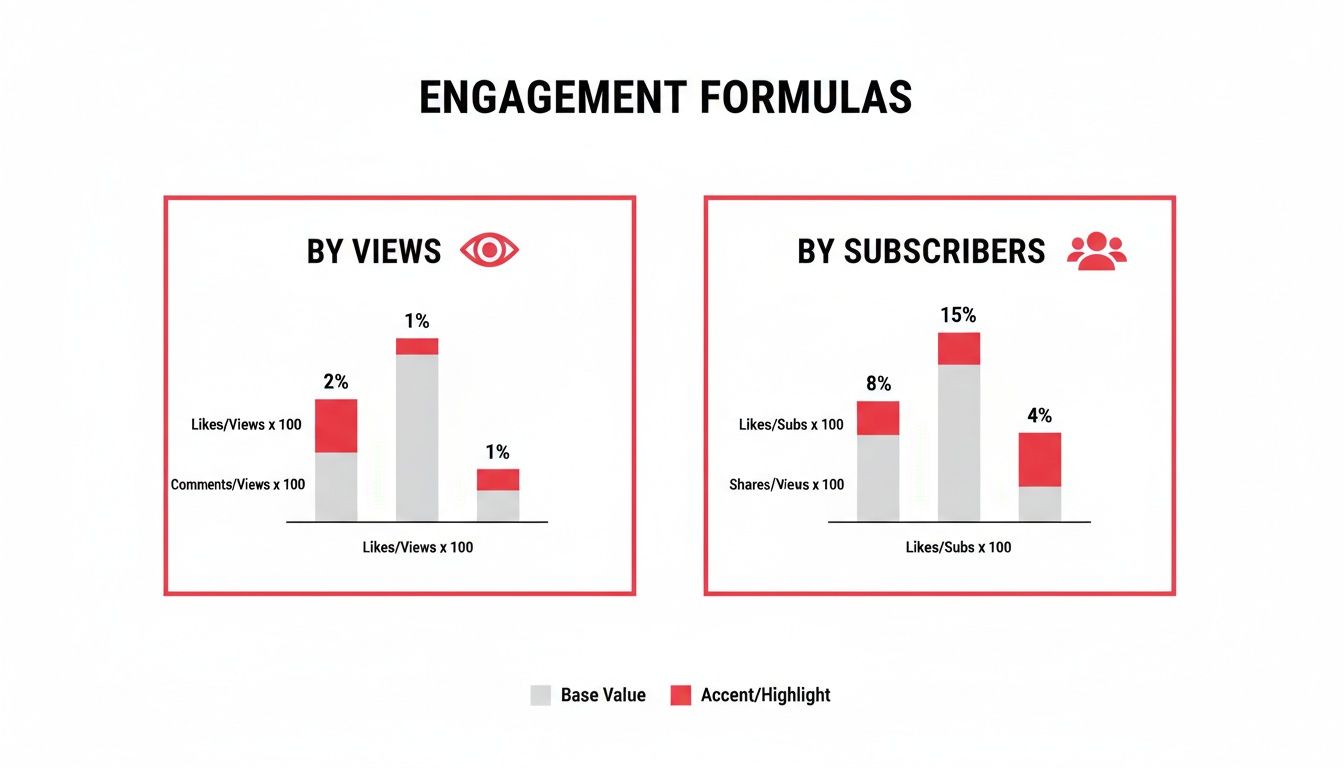
As you can see, measuring by views tells you how compelling a specific video is, while measuring by subscribers gives you a read on the loyalty of your core audience.
Benchmarking Your Channel's Performance
To set realistic goals, you have to stop chasing some vague, ideal percentage. Instead, the smart move is to benchmark your performance against channels at a similar stage of growth. This gives you a much clearer picture of what’s truly achievable.
To help with that, we've compiled recent industry data into a simple table. It shows how engagement rates typically change as a channel's subscriber base grows.
YouTube Engagement Rate Benchmarks By Subscriber Count
Compare average engagement rates across different channel sizes to see how your performance stacks up.
| Channel Size (Subscribers) | Average Engagement Rate (by Views) | Top 10% Engagement Rate |
|---|---|---|
| 0 – 10k (Nano) | 5.43% | 10.45% |
| 10k – 50k (Micro) | 4.98% | 9.51% |
| 50k – 100k (Medium) | 3.85% | N/A |
| 100k – 500k (Large) | 2.82% | N/A |
Data sourced from a 2024 analysis by SocialBook.
As the data shows, it's completely normal for the percentage to decrease as subscriber count increases. Nano-influencers often see the highest rates because their audience is small and dedicated. But even as the rate dips for larger channels, their total number of interactions continues to climb significantly.
Key Insight: Don't chase an arbitrary number. Aim to outperform the average for your specific channel size. A 4% engagement rate for a channel with 75,000 subscribers is an excellent achievement.
Ultimately, the goal isn't just to get a "good" score. It's about understanding what that score reveals about your content and your connection with your audience. By using the right benchmarks, you can move beyond simple numbers and focus on what really matters: building a genuinely interactive and loyal community that grows right along with you.
Five Proven Strategies to Boost Your Engagement
Alright, so you know what your engagement rate is. Now what? Knowing the number is one thing, but making it go up is where the real growth happens. It’s all about turning people who just watch into a community that actually participates.
You have to be intentional about inviting interaction. The five strategies below are practical, easy to start using right away, and designed to get you more of the likes, comments, and shares that tell YouTube your channel is the real deal.
Each of these tactics tackles a different piece of the puzzle, from how you talk to your audience to the kinds of videos you make. Mix them together, and you’ll create a powerful cycle where your viewers feel heard, appreciated, and genuinely excited to be a part of what you're building. Let's get into it.
1. Craft Compelling and Specific Calls to Action
The old "like and subscribe" line at the end of a video is pretty much background noise at this point. People tune it out. To get a real response, your calls-to-action (CTAs) need to be specific, creative, and feel like a natural part of the video they just watched.
Instead of a generic sign-off, ask a question that gets them thinking. For instance, if you're reviewing a new camera, don't just say "leave a comment." Ask something like, "What's the one feature you wish this camera had? Drop your thoughts in the comments!" This turns the comment section into a real discussion, not just a place for empty praise. Your CTA should feel like the next logical step in the conversation, not an afterthought you tacked on.
2. Use Community Features to Spark Conversations
YouTube gives you a ton of tools to connect with your audience outside of the video itself. Your pinned comments, polls, and the Community tab are absolute goldmines for interaction if you use them right.
- Pinned Comments: Pin a comment to ask a follow-up question related to the video. A simple "Question of the Day" can keep the conversation alive for days and shows new viewers that you're an active creator who sticks around after hitting "publish."
- Polls in Cards: Drop an interactive poll card right in the middle of your video. It's a super easy way for people to engage without even having to stop watching. Ask their opinion on something you just talked about and watch the votes roll in.
- Community Tab: Think of your Community tab as your channel's own little blog. Share behind-the-scenes photos, ask your audience what video they want to see next, or run a quick poll. It gives your subscribers a reason to connect with you even when you don't have a new video out.
3. Create Engagement Magnet Content Formats
Let's be honest, some types of videos are just built to get people talking. A deep-dive tutorial might get views, but it probably won't spark a massive debate. If you want to really juice your engagement numbers, you need to strategically plan for it.
Q&As, debates, tier lists, and "unpopular opinion" videos are practically designed to start a conversation. They don't just give information; they present a point of view and directly invite the audience to agree or disagree. This turns your comment section into a lively forum.
When you plan these "engagement magnet" videos, you’re baking interaction right into your content strategy from the start. It's way more effective than trying to force a discussion on a topic that just doesn't invite it.
4. Actively Respond and Build Loyalty
Engagement is a two-way street. It's that simple. When someone takes the time to write a thoughtful comment, responding is one of the most powerful things you can do. It shows you're listening and that their opinion actually matters.
And don't just "heart" the comment and move on. A quick reply that acknowledges their point or answers their question can turn a random commenter into a loyal fan. This is how you build a real community—by making people feel like they're talking with you, not just at you.
5. Optimize Your End Screens and Cards
That last 20 seconds of your video is incredibly valuable real estate. Don't waste it! Your end screen can do so much more than just link to another video. Use it to drive specific actions.
You could add a graphic that points right to the subscribe button while you verbally remind people to click it. Or, you could link to a playlist that you know answers a common question from your audience. To make this even more effective, you need to get more eyes on your videos in the first place. You can check out our guide on how to improve click-through rate for some expert tips on that. By making your end screen an active part of your strategy, you turn those final moments of a viewer's attention into another win for your channel.
Troubleshooting Common Engagement Problems

It’s a frustratingly common scenario: your view count is ticking up, but the comment section is a ghost town. You're getting traffic, but you just can't seem to get a conversation going. This usually signals a disconnect—your content is being watched, but it isn't compelling viewers to act.
When you spot a sudden dip in interaction or a video with lots of views but practically no feedback, it's time to put on your detective hat. The problem usually boils down to a few key areas, from a clickbait-y thumbnail to content that just doesn't ask for a response.
High Views But Low Comments
Getting people to click is only half the battle. If viewers show up, watch, and leave without a trace, your content might be delivering information passively instead of actively sparking a dialogue.
- Potential Cause: Your calls-to-action (CTAs) are either missing or way too generic. You haven't given viewers a clear, interesting reason to chime in.
- The Fix: Ditch the classic "leave a comment." Instead, ask specific, open-ended questions directly related to your video. For instance, instead of saying, "Let me know what you think," try asking, "What's the one mistake you made when you were just starting out? Share it below!"
A huge part of succeeding on YouTube today is understanding how people watch. With a massive 71.66% of global visits coming from mobile, you're dealing with shorter attention spans. Your prompts for interaction need to be crystal clear and straight to the point. You can explore the latest YouTube statistics for more on these viewing habits.
Sudden Drop in Audience Interaction
Did your engagement suddenly fall off a cliff? The first place you need to look is your Audience Retention graph inside YouTube Studio. This chart is your secret weapon, showing you the exact moment viewers lose interest and click away.
If you see a sharp, early drop, it's often a sign of a mismatch between your title/thumbnail and what the video is actually about. If viewers feel like they've been misled, they’ll leave immediately—and they definitely won't engage. Make sure your video's packaging is an honest promise of the value you deliver.
Another powerful tool for diagnosis is your video's structure. Breaking your content into clear segments can keep people watching longer. You can learn more about how to add chapters to a YouTube video to guide your audience and improve their experience, which almost always leads to better retention and more interaction.
And of course, using a youtube engagement rate calculator helps you track whether these structural tweaks are actually moving the needle over time.
Answering Your Top YouTube Engagement Rate Questions
Alright, you've got the formulas, you know the benchmarks, and you have a game plan. But as with any deep dive into analytics, a few questions always bubble up. Let's clear up some of the common ones so you can move forward with confidence.
Think of this as the final piece of the puzzle. Calculating the numbers is the first step, but truly understanding what they mean—and what to do with them—is how you actually grow your channel.
Which Formula Is Better: Engagement by Views or by Subscribers?
This is the big one, and the honest answer is, it's not about which one is "better," but what you're trying to achieve.
Engagement Rate by Views is the go-to metric for judging how well a specific video performed. It measures how engaging your content was to everyone who clicked play, not just your existing fanbase. This is the industry standard for a reason.
Engagement Rate by Subscribers, on the other hand, is more of a community health report. It tells you how well you're resonating with the people who have already committed to following you. For your regular, video-by-video analysis, you’ll want to stick with the rate by views.
How Often Should I Check My Engagement Rate?
You don't need to be glued to your analytics screen 24/7. In fact, that's a great way to drive yourself crazy. A much healthier and more effective rhythm is to check your rates on two different timelines.
First, take a look at a new video about 24-48 hours after it's published. This gives you an immediate sense of its initial performance and how it landed with your audience right out of the gate.
Second, zoom out and calculate your channel's average engagement rate on a monthly or quarterly basis. This big-picture view is perfect for tracking long-term trends and seeing if your overall strategy is paying off, without getting lost in the weeds of daily ups and downs.
Do Shorts Have a Different Engagement Rate?
Yes, they absolutely do, and it’s critical that you track them separately. The entire ecosystem for YouTube Shorts is different. They're designed for rapid-fire, high-volume viewing, which means they tend to rack up tons of views and likes but far fewer comments than a traditional long-form video.
The way people interact with Shorts is fundamentally different. If you mix their numbers in with your regular videos, you're going to get some seriously skewed data. Always calculate engagement for your Shorts on their own to get a clear, accurate picture of what's working for each format.
Ready to stop guessing and start growing? The ViewsMax toolkit provides the analytics and AI-powered insights you need to make smarter content decisions. Find out more and get started today!