Most advice about YouTube tags how to starts with the wrong premise. It treats tags as a major ranking lever, encourages long keyword lists, and sends creators hunting through competitors' metadata before they've written a clear title or opening hook. In practice, tags are a narrow metadata tool. They can clarify a misspelling, distinguish an ambiguous topic, or capture alternate phrasing, but they shouldn't take priority over the parts of a video that earn clicks, watch time, satisfaction, and sales.
The practical question in 2026 isn't “What's the perfect tag list?” It's “Does this video have a discovery problem that tags can solve?” That shift protects your production time and helps you put effort into the discoverability and conversion work that matters most.
Why YouTube Tags Matter Less Than You Think
Creators often confuse being available in YouTube Studio with being highly influential in search. YouTube's official Help Center guidance on video tags confirms that tags are part of the upload workflow, but that doesn't make them a primary growth engine. Their strongest practical use is helping YouTube interpret unusual wording, common misspellings, acronyms, and topics with more than one meaning.
Independent analysis of a 1.3 million-video dataset reported a 0.05 correlation between tags and ranking, described as extremely weak relative to other metadata signals (dataset analysis). That finding doesn't mean tags are useless. It means the expected return from polishing a tag list is usually limited, especially when the video already has an unmistakable title, a useful description, and clear spoken context.
Use tags for clarification, not decoration
A tag can help when viewers might search for the subject in several ways. A technical term may have an acronym, a product name may be commonly misspelled, or a phrase may describe more than one category. In those cases, a small set of carefully chosen variants gives YouTube additional context.
Tags are much less useful when you add broad terms just because they seem popular. A cooking tutorial about a specific knife technique doesn't become more relevant because its tag field contains unrelated celebrity names, generic entertainment terms, or every possible food keyword. Those additions consume the available space and weaken the relationship between the video and its metadata.
Decision rule: If a viewer can understand the topic from the title, thumbnail, description, and video itself, tags may add little. If the topic contains naming confusion or spelling variation, tags deserve a short, focused pass.
Decide before you optimize
Skip extensive tag research for an obvious branded announcement, a straightforward review with a precise product name, or a video whose title and spoken language already make the subject unmistakable. Use tags selectively for niche jargon, alternate names, transliteration differences, and terms people regularly type incorrectly.
That framework changes the workflow. You no longer spend an hour trying to discover an imaginary perfect sequence. You identify the ambiguity, add the variants that resolve it, and return to the title, thumbnail, opening, description, and offer.
How To Add and Edit Tags in YouTube Studio
The mechanical part of YouTube tags how to is simple, although YouTube places the relevant field below the most visible upload settings. You can add tags during a new upload or edit them later on a published video. The official process is useful because it confirms that tags belong to the normal video metadata workflow, not to a separate publishing tool.
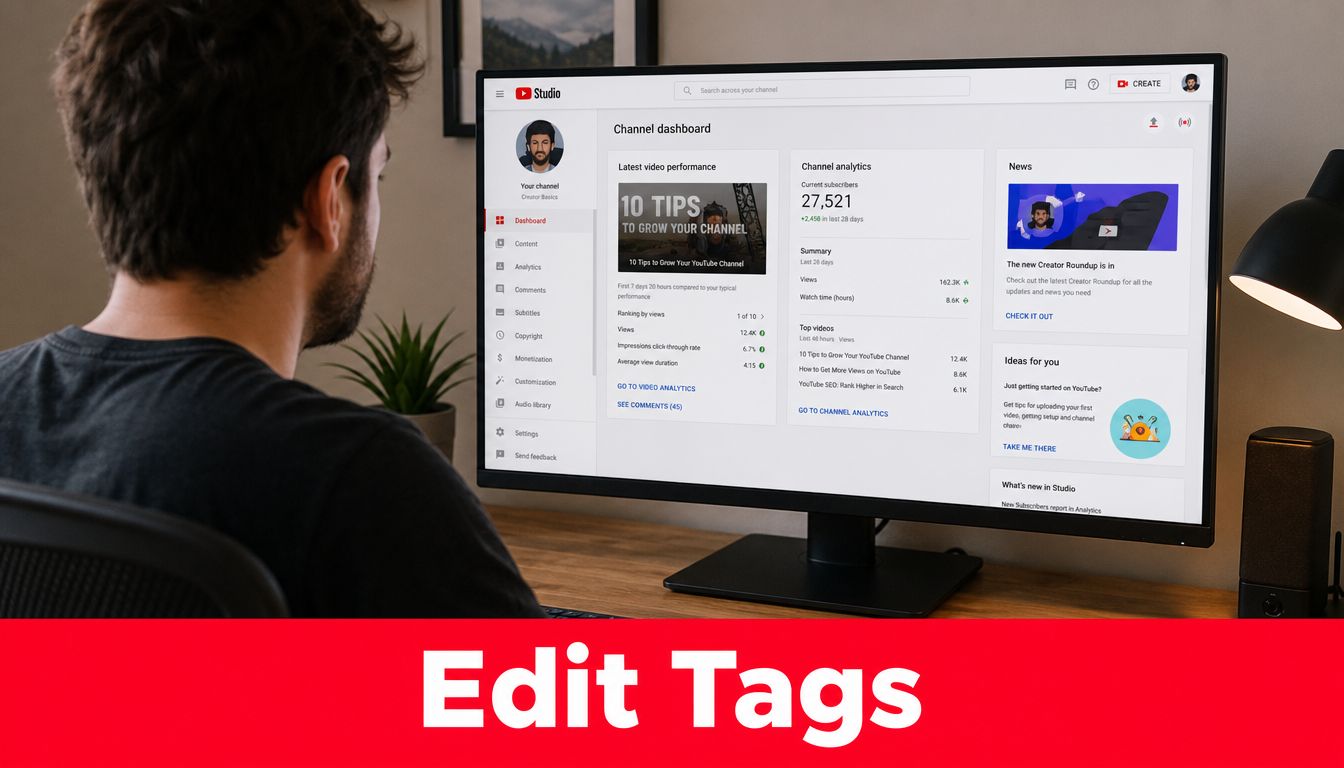
Add tags during a new upload
- Open YouTube Studio: Start the upload process and enter the video details.
- Find the expanded settings: Continue to the details area, then select Show more.
- Locate the Tags field: Enter relevant phrases in the field provided.
- Review before publishing: Remove anything that doesn't describe the actual video, then save or publish the upload.
YouTube's Help Center states that creators can add tags while uploading and can later open a video in YouTube Studio, go to Content, choose the video, click Show more, and enter tags in the Tags field (official tag instructions). The same workflow applies whether the video is new or already published.
Edit tags on an existing video
Open YouTube Studio, select Content, and choose the video you want to update. In the video details, select Show more, revise the tag field, and save the changes. Editing tags doesn't require you to rewrite the title, description, thumbnail, or other settings, so you can make a targeted metadata adjustment.
The field has a 500-character total limit per video, according to independent creator guidance from Clipchamp's YouTube tags guide. Treat that limit as a prioritization constraint, not an invitation to fill every available character. A compact set of exact topic terms, useful variants, and relevant brand language is easier to audit than a crowded list.
Here's a practical review routine:
- Start with the subject: Add the core phrase that accurately describes the video.
- Add clarification: Include an acronym, alternate phrase, or common spelling variation only when it applies.
- Protect relevance: Delete tags that describe a different video, audience, or search intent.
- Check the character count: Keep the field readable and comfortably within the limit.
After saving, don't assume a tag edit will transform an underperforming video. If the video needs a stronger promise, clearer packaging, or a better conversion path, those issues sit outside the tag field.
For creators working in music and karaoke content, a karaoke blog tag directory can provide useful topic vocabulary and phrasing ideas before you build a focused set. Use any reference directory for language discovery, then keep only the terms that match the specific upload.
Researching and Selecting Tags That Actually Work
Good tag research begins with the video's meaning, not with a generator that produces a long list. Start by writing the topic in plain language. Then identify the exact phrase a viewer would use, the narrower concept covered by the video, and any wording that could cause YouTube or the viewer to misunderstand the subject.
A peer-reviewed study of YouTube tagging practice classified 768 tags into multiple types, including topical descriptors, variants, and channel-specific labels (peer-reviewed tagging study). The useful lesson is structural. A tag set works best when each entry has a clear role instead of serving as an unplanned pile of related words.
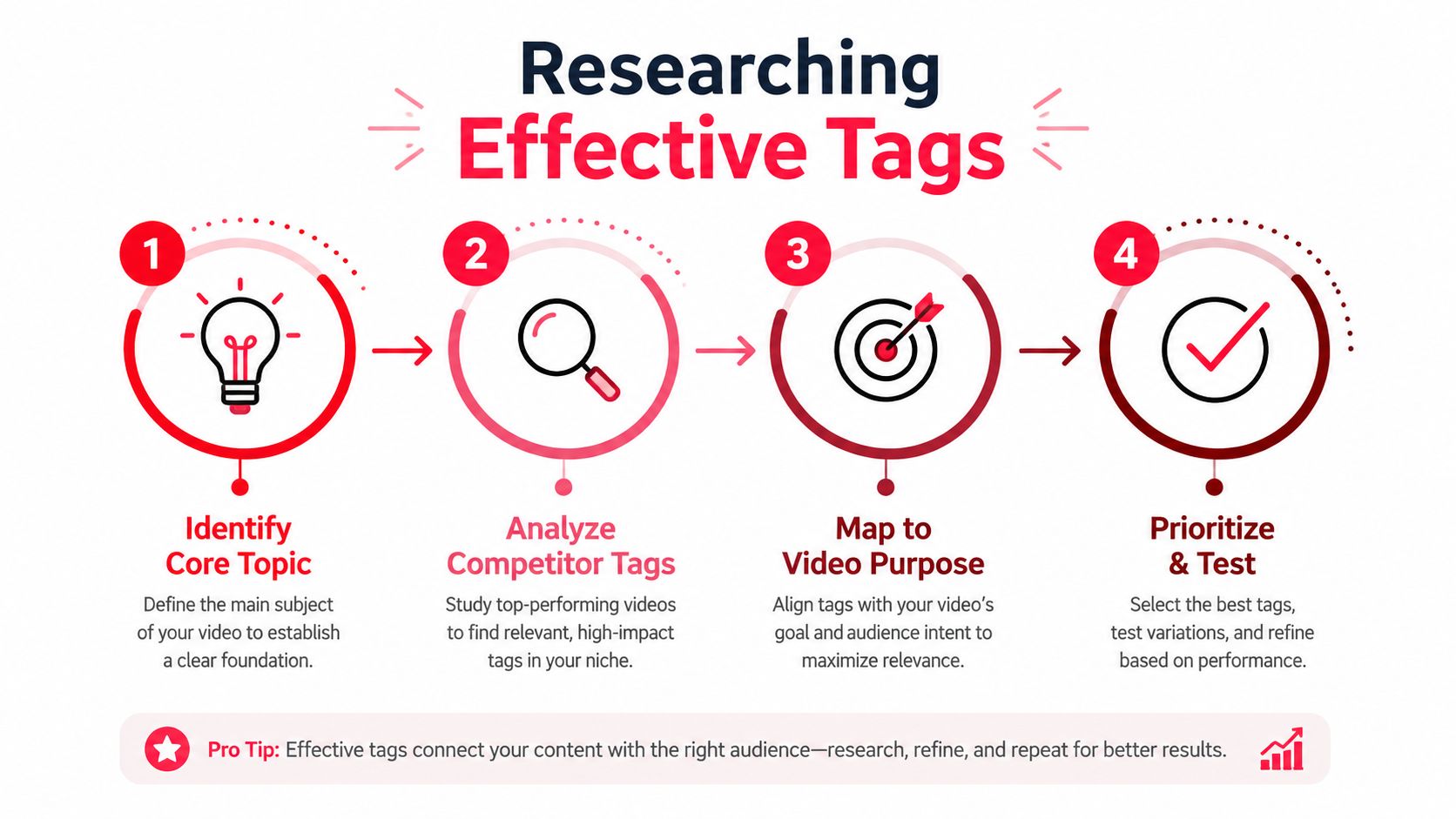
Build a role-based tag map
Create a short working list with separate buckets:
- Core topic: The plain-language subject of the video.
- Specific angle: The feature, problem, method, or audience addressed.
- Variants: Alternate phrasing, acronyms, abbreviations, and common misspellings.
- Brand context: Your channel name, product name, or recurring series name when relevant.
For a video titled “How to Set Up MIDI in Ableton Live,” the core topic might be “MIDI setup.” The specific angle could be “Ableton Live MIDI configuration.” Variants might include the abbreviation or a commonly mistyped software name. A channel tag could make sense if the video belongs to a recognizable branded tutorial series.
Your title and description should lead this process. Pull terms that already describe the video rather than inventing tags based on what you wish the video would rank for. You can also type the main phrase into YouTube search and review autocomplete suggestions for alternate wording. Treat those suggestions as research prompts, not proof that every phrase belongs in your metadata.
Evaluate competitors without copying them
Competitor videos can reveal vocabulary your audience recognizes, particularly in specialized niches. Review several relevant results and note recurring terminology, product names, and phrasing. Don't copy a competitor's entire tag list, because another video's metadata may reflect a different angle, audience, or brand.
Use the YouTube video keywords guide to connect keyword research with the video's actual search intent. The tag field should support that intent, not replace the work of creating a useful title, opening, description, and transcript.
Prune aggressively
Ask three questions for every candidate tag:
- Does this phrase describe something the video covers?
- Could it clarify a spelling, abbreviation, or meaning issue?
- Would I still use it if there were no character limit?
If the answer is no across the board, remove it. A tag that sounds adjacent but points viewers toward a different expectation can create noise without improving discovery. Relevance beats volume because tags are primarily a context and clarification layer.
Real Tag Examples Across Different Niches
Tags are worth optimizing when they clarify a specific video, not when they turn into a second keyword-research project. That distinction matters for creators selling products, services, or memberships through content. A precise tag set can support discovery around a product or problem, but it will not compensate for a weak topic, title, thumbnail, or viewer experience.
The examples below show how to build a small, defensible set. Each combines the exact subject with a narrower angle and, where useful, a variant or channel term. Keep the list focused, especially because the tag field has limited space. The guide to great YouTube tags from ViewsMax offers another practical reference for evaluating relevance and phrasing.
| Niche | Effective Tags | Ineffective Tags | Why It Works |
|---|---|---|---|
| Tech review | iphone camera review, iphone low light camera, smartphone camera test, mobile photography, CreatorTech | tech, viral, review, phone, Apple, camera, photography, gadgets, best video, new, 4K, trending | The effective set names the product category and review angle. The ineffective set is broad enough to describe almost anything. |
| Fitness | kettlebell beginner workout, beginner kettlebell form, home strength training, kettlebell mistakes, FitWithMaya | workout, fitness, abs, weight loss, gym, motivation, health, body, exercise, viral | The focused phrases identify equipment, audience, and purpose. The generic terms do not clarify the actual lesson. |
| Education | algebra factoring tutorial, factoring quadratic equations, algebra for beginners, quadratic factoring mistakes, LearnWithJon | math, school, education, homework, teacher, exam, study, classroom, learning | The useful tags describe the exact concept and learner context. The weak set covers an entire subject area. |
| Gaming | Stardew Valley greenhouse guide, Stardew Valley layout, greenhouse crops Stardew Valley, CozyQuest | gaming, gameplay, walkthrough, streamer, PC, console, RPG, relaxing, fun, live | The effective list identifies the game and specific task. The other list describes formats and genres without locating the video's purpose. |
| Lifestyle | small apartment meal prep, meal prep for one, budget kitchen organization, weekly meal planning, HomeWithRae | lifestyle, vlog, routine, food, home, family, daily, inspiration, cooking, organization | The focused set connects the video to a situation and need. The broad set lacks a clear search interpretation. |
A practical set does not need every synonym. It needs enough context to separate the upload from nearby subjects. For a product review, name the exact product, relevant feature, and review format. For an educational video, identify the concept and learner level. For a gaming guide, name the game and in-game task.
Test the set against the video
Read the tags without checking the title or thumbnail. Could another creator reasonably infer what the video teaches, reviews, or demonstrates? If the list suggests a broader or different promise, revise it before publishing.
Tie the decision to the channel's business goal. A creator selling a camera course may prioritize accurate tags around a specific camera problem because those viewers have a clear path toward the offer. A broad tag such as “photography” adds little context and gives no useful signal about purchase intent. If a video has no clear topic or commercial connection, extensive tag refinement is usually a poor use of production time.
The strongest tag list is often boringly accurate. That is a feature, not a flaw.
Common Tag Mistakes and How To Avoid Them
The most expensive tagging mistake isn't leaving one weak synonym out. It's spending time on metadata that can't compensate for a vague promise, an unappealing thumbnail, or a video that fails to satisfy the click. Creators often polish tags because the field feels controllable. Viewers, however, respond to the package and experience, not to the creator's effort inside a hidden input box.
Mistake one, stuffing irrelevant terms
Adding unrelated celebrity names, broad trends, or popular categories may feel like expanding reach. It changes the video's context without making the content more useful to the people who find it. The fix is simple: remove every tag that the video doesn't directly support.
A guitar tutorial shouldn't include unrelated music genres merely because they attract attention. A software walkthrough shouldn't include competing products it never compares. Relevance gives each remaining tag a defensible role.
Mistake two, copying competitors verbatim
Competitor research can expose language, but copying metadata transfers someone else's assumptions into your upload. Their video may target a different version, audience, use case, or search intent. Borrow terminology only when it accurately describes your own content.
Recent 2026 coverage characterizes tags as a minor discovery signal, with their clearest use cases involving misspellings, ambiguous topics, and alternate phrasing. It also notes that competitor tag extraction is often recommended without strong evidence that the practice improves rankings (coverage of YouTube tags in 2026).
Mistake three, obsessing over order
Creators sometimes debate whether the most important tag must appear first or whether a precise sequence brings extra visibility. That effort is hard to justify when the relationship between tags and rankings is weak. Put the core phrase first if it helps your own review process, but don't mistake order for strategy.
Other errors deserve a quick audit:
- Generic-only lists: Replace terms such as “video” or “fun” with the specific subject and angle.
- No spelling variants: Add a common typo only when people commonly use it for the topic.
- No maintenance: Revisit tags when the video's title, format, or subject changes, but don't edit them repeatedly without a clear reason.
- Ignoring the offer: If the video sells a course or service, make the description and call to action clear before spending more time on tags.
Reallocation rule: Once the tag set accurately describes the video, move your next optimization block to the title, thumbnail, opening, transcript, or conversion path.
Beyond Tags and Building a Discoverability Stack That Drives Revenue
Tags belong near the bottom of a creator's optimization priority list. Recent coverage repeatedly places the title, thumbnail, description, transcript, retention, and viewer satisfaction ahead of tags, making tag work a low-return task unless the subject contains spelling variance or naming confusion (modern YouTube SEO coverage).
That priority matters even more when the channel supports a business. A video can attract search impressions and still fail commercially if the title attracts the wrong audience, the description buries the offer, or the viewer has no clear next step. Discoverability creates opportunity, but the path from viewer to lead or customer requires deliberate content and measurement.
Use a simple decision framework
Skip tags when the topic is obvious, branded, and accurately named. Put that time into a stronger title, a thumbnail with a clear promise, and an opening that confirms the viewer made the right click.
Use tags selectively when the video covers technical jargon, an ambiguous phrase, a product with alternate names, or a topic with common misspellings. Add only the variants that resolve the specific discovery problem.
Measure the business outcome rather than treating a polished tag field as success. Track clicks on your offer, leads, calls, purchases, or other meaningful actions from the video description and related content. A video that produces qualified actions may deserve more promotion than one that gathers attention without commercial intent.
For creators producing AI-assisted music content, an AI music video SEO guide can help organize broader metadata and presentation decisions. For tool selection, the YouTube SEO tools guide can help you compare research and workflow options, but no tool removes the need to judge relevance yourself.
A sensible workflow looks like this:
- Clarify intent: Decide what the viewer wants and what the video promises.
- Package the idea: Write the title and thumbnail around that promise.
- Support comprehension: Use the description and spoken language to make the topic unmistakable.
- Add selective tags: Resolve only the remaining ambiguity.
- Track conversion: Connect the video to measurable clicks, leads, or sales.
The best answer to “YouTube tags how to” is therefore conditional. Learn the interface, build a precise set when clarification helps, and stop treating tags as mandatory growth work. Your time is usually better spent making the video easier to choose, easier to understand, and easier to act on.
ViewsMax helps creators connect content to revenue by creating trackable offer links, monitoring clicks and leads, and attributing sales to the specific content that generated them. Visit ViewsMax to see how you can replace tag-list guesswork with a clearer view of which YouTube videos are producing business results.