You've uploaded a 20-minute tutorial, the subject is useful, and the retention graph shows viewers leaving before they reach the answer they came for. Often, the problem isn't the video itself. Viewers can't tell where the relevant section begins, so they scrub, miss the target, and leave.
YouTube chapters turn that flat timeline into a navigable structure. They give viewers clear jump points, expose the video's main topics, and create a more useful viewing experience for tutorials, interviews, podcasts, lessons, and detailed vlogs. The setup is simple, but chapter quality depends on more than placing a few timestamps in the description.
This guide covers the full workflow for adding chapters to a YouTube video, including manual timestamps, auto-generated chapter cleanup, post-publish edits, mobile limitations, formatting failures, and the decisions that make chapters useful for both viewers and search.
Why Chapters Matter Before You Touch a Timestamp
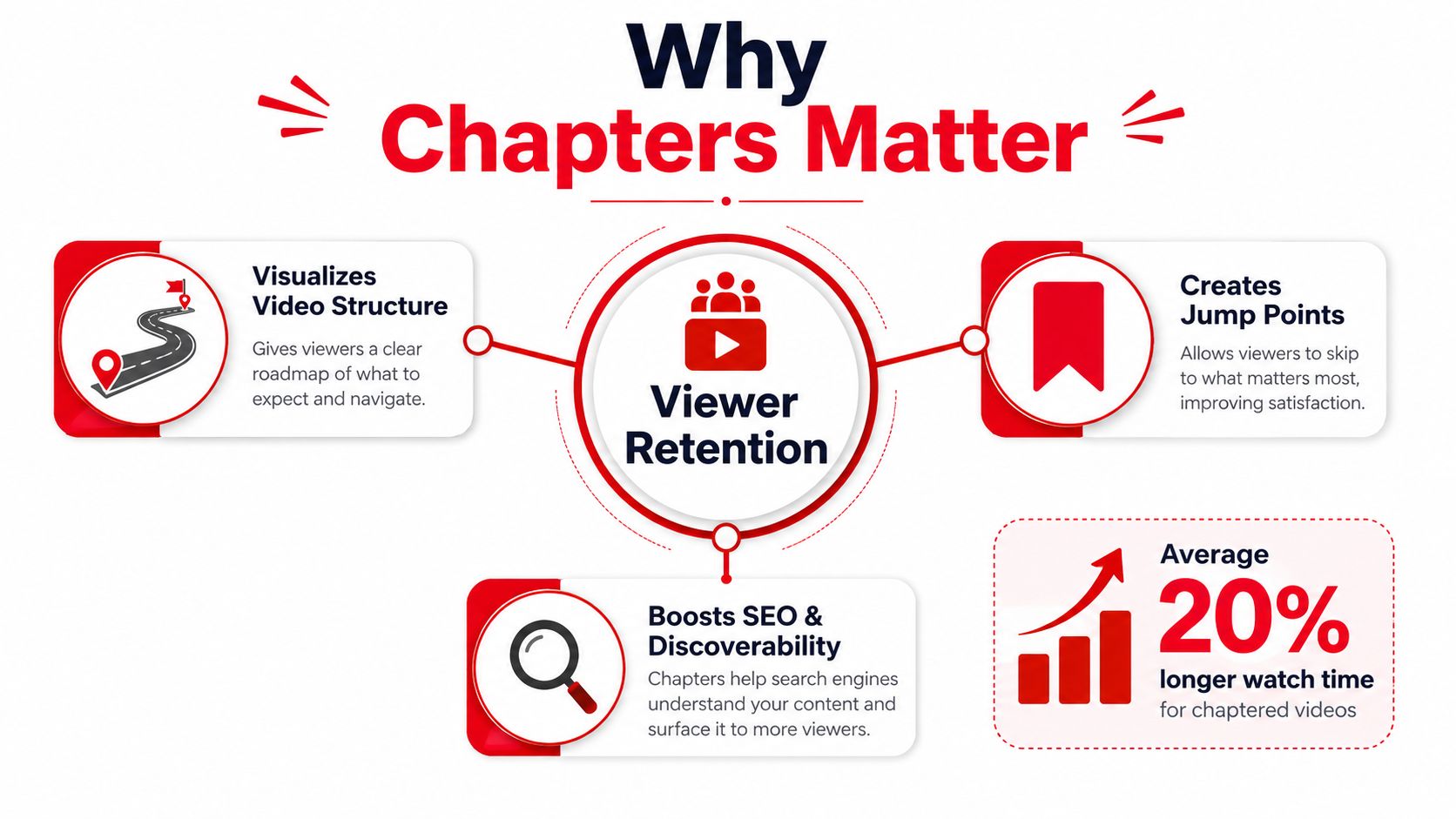
A chaptered video has a clickable structure across the progress bar and a timestamped list below the player. Instead of forcing someone to watch every minute in sequence, YouTube lets them jump to the section that matches their intent. The feature launched globally on May 28, 2020, after earlier testing, and became a permanent native part of YouTube publishing. YouTube's chapter documentation defines the core formatting rules and confirms that chapters use timestamps in the video description.
That changes how you should plan them. A timestamp isn't decoration, and it isn't just a courtesy table of contents. It tells a viewer what your video contains, where a topic starts, and whether the next few minutes are worth watching.
Chapters help viewers make a faster decision
Suppose your tutorial covers setup, troubleshooting, advanced settings, and exporting. A viewer who only needs troubleshooting can go straight there. That self-selection is valuable because the viewer gets to the useful section without abandoning the video in frustration.
Chapters can also support discovery. Clear timestamp labels give YouTube and search systems more context about the subjects covered in the video. Search engines may use video sections as key moments when they're relevant to a query, but chapter formatting doesn't guarantee a search appearance or a special badge.
A large-scale 2022 dataset study analyzed 4,683,257 YouTube videos and found that only 63,283 had chapters at the time. In that dataset, chaptered videos recorded a 2.95% like-per-view ratio and a 0.28% comment-per-view ratio, compared with 1.35% and 0.1% for videos without chapters. The study found an association, not proof that chapters alone caused the higher engagement. The dataset analysis and methodology are available from CollabPals.
Practical rule: Every timestamp should answer a viewer question, mark a real topic change, or make the video easier to scan.
Adding Chapters by Hand Using the Description
Manual chapters give you control over the exact start point and wording. You can add them during upload or edit them later in YouTube Studio.
Start by outlining the video's genuine topic changes. Don't create a new chapter every time the speaker pauses or changes slides. A chapter should represent a section a viewer might intentionally choose.
Use the required timestamp format
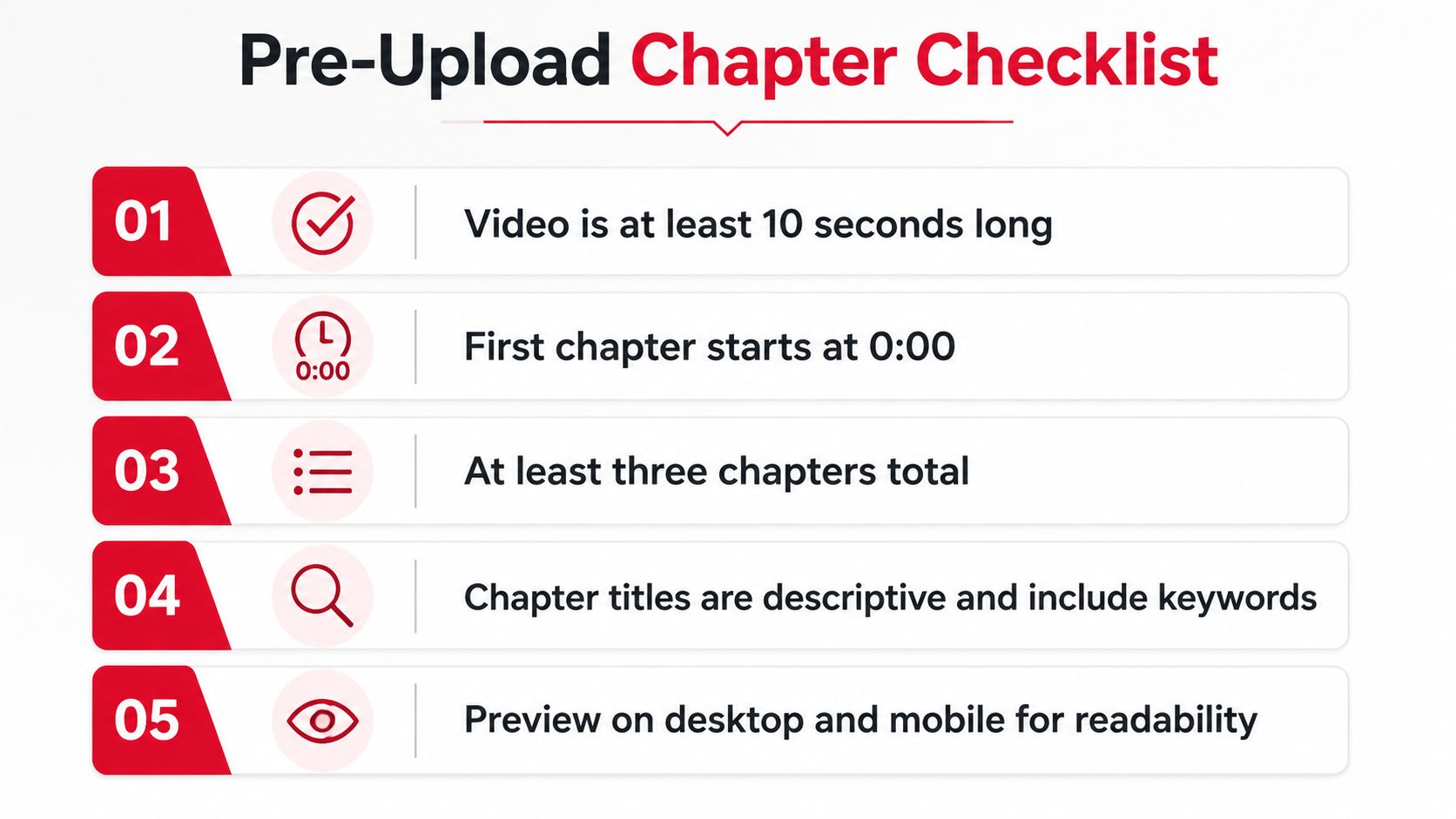
YouTube requires the first timestamp to be 0:00, the entries must appear in ascending order, and the list must contain at least three timestamps. Each chapter must last at least 10 seconds, so the gap between one timestamp and the next can't be shorter than that. These rules are documented in YouTube's official chapter requirements.
For a 15-minute Photoshop tutorial, a practical description block might look like this:
0:00 Intro0:48 Importing assets3:15 Layer masking basics7:42 Blend modes walkthrough12:10 Export settings
The titles are short, specific, and tied to what happens at each point. “Layer masking basics” tells the viewer more than “Part 3,” while “Export settings” makes the destination clear without turning the chapter list into a paragraph.
You don't need to add leading zeros to timestamps such as 0:48. Keep each entry on its own line, with the timestamp followed by a space and then the title. Avoid placing unrelated text on the same line because clean formatting makes both YouTube's parser and the viewer's scan easier.
Add the list in YouTube Studio
On desktop, open YouTube Studio, choose Content, select the video, and open the Details page. Paste the timestamp block into the description field, alongside your normal description, links, and supporting information. A structured YouTube video description template can help you reserve a consistent location for chapters across uploads.
Save the video, then open the public watch page rather than relying only on the Studio editor. YouTube generates the visible chapter divisions after the description is saved and the page refreshes.
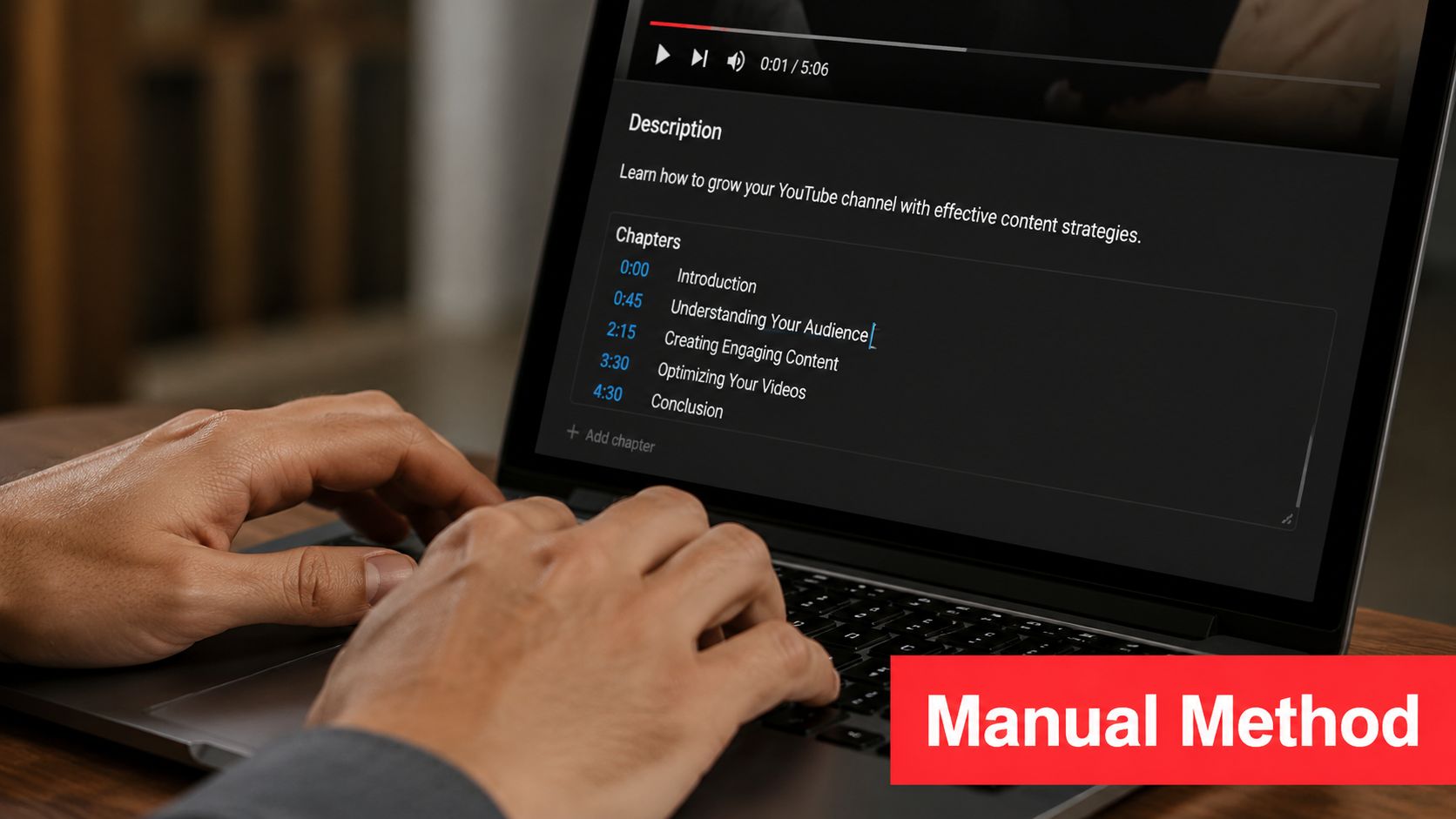
Check the progress bar for segmented dividers and click several entries in the timestamp list. If nothing appears, check the first timestamp, the total number of entries, the order, and the duration between adjacent timestamps before changing the titles.
How Auto-Generated Chapters Work and When to Trust Them
Auto-generated chapters save time, but they're a starting point rather than a finished publishing asset. YouTube analyzes the video and proposes sections based on the content and detected transitions. The result can be useful for a quick draft, especially when you've uploaded an older video and no longer have the edit timeline in front of you.
The weakness is usually naming. Generic labels can describe the structure without communicating the viewer's actual question. A title like “Introduction” or “Topic 1” doesn't tell someone whether the section covers account setup, a technical fix, or a buying decision.
Treat automatic chapters as an editable draft
After upload, open the video in YouTube Studio and go to Details. Review the chapters area, inspect every proposed start point, and rename entries so they match the actual content. If YouTube's divisions don't reflect the edit, replace the generated list with a manually written version.
Chapter titles should be concise and descriptive. Creator education guidance recommends using chapters when a video contains distinct topic shifts, rather than forcing them into a sequential story where skipping ahead damages the narrative. The Taja AI YouTube storytelling guide is useful for thinking through chapter structure and viewer-led navigation.
When leaving them alone makes sense
Auto-generated chapters can be acceptable for a short, conversational upload where viewers don't need exact topic labels and search discovery isn't the main purpose. They're less suitable for a tutorial, course lesson, product walkthrough, or video targeting specific search questions. In those formats, a manually reviewed chapter list gives viewers a clearer promise about what they'll find at each point.
Before trusting automatic chapters, ask three questions:
- Does each division begin at a genuine topic change?
- Would a viewer understand the section from its title alone?
- Does the list reflect the search language and structure of the video?
If the answer to any of these is no, edit the list before treating the video as finished.
Editing, Fixing, or Removing Chapters After Publish
Most chapter errors appear after publication. A creator watches the live video on another device, notices that a timestamp lands in the middle of a sentence, or discovers that the chapters never rendered because the opening marker was missing.
On desktop, open YouTube Studio, select Content, choose the published video, and open Details. Find the description field, edit the timestamp block, and save the change. To correct a chapter that starts a few seconds too early, change only its timestamp and leave the remaining entries in order. If you want to remove chapters entirely, delete the timestamp block from the description and save.
Fix the silent failures first
YouTube may not display a warning when chapter recognition fails. Check the list in this order:
- Opening marker: The first entry must be
0:00. - Minimum entries: The list needs at least three timestamps.
- Ascending order: Each timestamp must occur later than the previous one.
- Chapter length: Each section must last at least 10 seconds.
- Description placement: The timestamps must be in the description, not only in a comment.
A missing 0:00 is particularly easy to overlook because the rest of the list can look perfectly readable. YouTube can refuse to render the chapter bar when that required opening marker is absent.
A clickable timestamp in a comment isn't the same thing as a chapter list. YouTube builds chapters from the video description.
Mobile editing is possible, but less comfortable
The YouTube Studio mobile app lets you make description changes, although reviewing a long list is more cumbersome than on desktop. Open the video, tap the three-dot menu, choose Edit Video, then select Edit Description. Update the timestamps, save, and check the public watch page.
Changes may take a few minutes to appear. If manual chapters keep disappearing or YouTube continues showing its own structure, open the desktop Video Details page, choose Show More, and review the automatic chapters setting. Disable automatic chapters and key moments when you need the manual list to control the video.
Optimization Tips That Make Chapters Count for SEO
A chapter title can determine whether a viewer understands the video's value before watching the relevant segment. “How to fix YouTube chapters” signals a specific answer and may fit a searcher's intent better than “Troubleshooting.” Clear wording also gives YouTube a stronger description of each topic when it evaluates chapter information for search displays and key moments. Treat chapter titles as searchable labels, not decoration. YouTube's official chapter guidance explains the formatting requirements, while the wording still depends on the creator's editorial choices.
Chapter quality affects more than navigation. A viewer who scans “Export Photoshop files” can decide quickly that the video answers a current task. A label such as “Final steps” hides that value, even if the segment itself is useful. Match each title to the question, action, or concept introduced at that point, and make sure the spoken content delivers what the label promises.
Write titles for humans who search
Use concise, topic-led labels that remain readable on the progress bar and below the video. “Fix YouTube chapters” is stronger than “Troubleshooting,” and “Export Photoshop files” gives a clearer destination than “Final steps.” Avoid generic numbering when a descriptive phrase can tell viewers what they will get. This chapter best-practices guide also recommends reviewing auto-generated titles promptly, since vague labels reduce scanning value and may misrepresent the segment.
Keep the wording natural. Repeating the same keyword in every chapter makes the list awkward and can suggest that the titles were written for algorithms instead of viewers.
Put the strongest promise early
Use the opening chapters to reflect the reason someone clicked. If the video solves a specific problem, name that problem before extended setup, then move into the demonstration. “Repair a broken chapter list” gives viewers a clear destination; “Welcome” gives them no useful context.
Chapter titles should match the actual sequence. Compare them with the spoken content after editing, including edits made after publish. A viewer should reach the promised moment, hear the named topic, and know what the next segment covers. For broader channel guidance on aligning search intent with video metadata, review these YouTube SEO optimization tips.
Putting It All Together and Tracking What Works
Use a short pre-publish check before every upload. The rules are simple, but most failures happen when one line gets added or moved during a last-minute description edit.
- Video structure: Add chapters only when the video has meaningful topic changes.
- Opening timestamp: Start the list with
0:00. - Minimum list: Include at least three timestamps.
- Minimum duration: Make every chapter at least 10 seconds long.
- Order: Keep all timestamps in ascending order.
- Naming: Use concise, descriptive titles that reflect viewer intent.
- Verification: Save the description and inspect the public watch page.
- Auto-generated review: Rename or replace automatic chapters soon after upload when the video needs precise navigation.
YouTube's help documentation confirms the technical requirements, including the first timestamp, ascending order, minimum number of timestamps, and minimum chapter duration. Review the official formatting guidance whenever YouTube changes the Studio interface or your chapters stop rendering unexpectedly.
Measure navigation instead of guessing
Open the Audience Retention report in YouTube Studio and inspect what happens around chapter boundaries. Spikes can indicate that viewers are using the chapter bar or description to reach a useful section, while abrupt exits may reveal an inaccurate title, weak transition, or delayed answer.
Compare chaptered and non-chaptered uploads with similar subjects and audiences rather than judging one video in isolation. Track average view duration, impressions, and the locations where viewers enter or leave. The YouTube view statistics guide can help you interpret those metrics without reducing the analysis to a single headline number.
Chapters become a meaningful content lever when you connect them to outcomes beyond views. ViewsMax can create trackable links and attribute clicks, leads, and sales back to the specific content that generated them, so you can compare retention signals with revenue performance instead of relying on impressions alone.
If you're publishing videos that support products, services, courses, or other offers, use ViewsMax to track which chaptered videos generate clicks, leads, and sales. Set up a repeatable chapter workflow, attach trackable links to your descriptions, and use the resulting data to decide which topics deserve your next upload.