ViewsMax
Sign In Sign Up Free

Tag: ypp requirements

  • How Many Subscribers on YouTube to Make Money in 2026

    How Many Subscribers on YouTube to Make Money in 2026

    The most common answer to how many subscribers on YouTube to make money is “1,000.” That answer is incomplete. YouTube doesn't turn on every revenue source the moment a channel reaches a subscriber milestone, and subscriber count alone doesn't guarantee income.

    The more useful question is: which revenue path are you trying to pursue? Fan funding, advertising, affiliate sales, sponsorships, products, and services all work differently. A channel can start earning through some routes before it qualifies for YouTube ad revenue, while a channel with 1,000 subscribers can still be waiting for approval or missing the required watch-time activity.

    Why Subscriber Count Alone Won't Pay Your Bills

    Subscribers represent people who chose to follow your channel. They don't represent how often those people watch, whether they watch long-form videos or Shorts, where they live, what advertisers value in your niche, or whether they ever click an offer. Those details shape revenue far more directly than the number displayed beneath your channel name.

    YouTube's Partner Program has historically used 1,000 subscribers alongside either 4,000 valid public watch hours in the last 12 months or 10 million valid public Shorts views in the last 90 days for the full ad-revenue tier, as described in YouTube's official monetization documentation. Reaching the subscriber requirement is therefore only one part of eligibility.
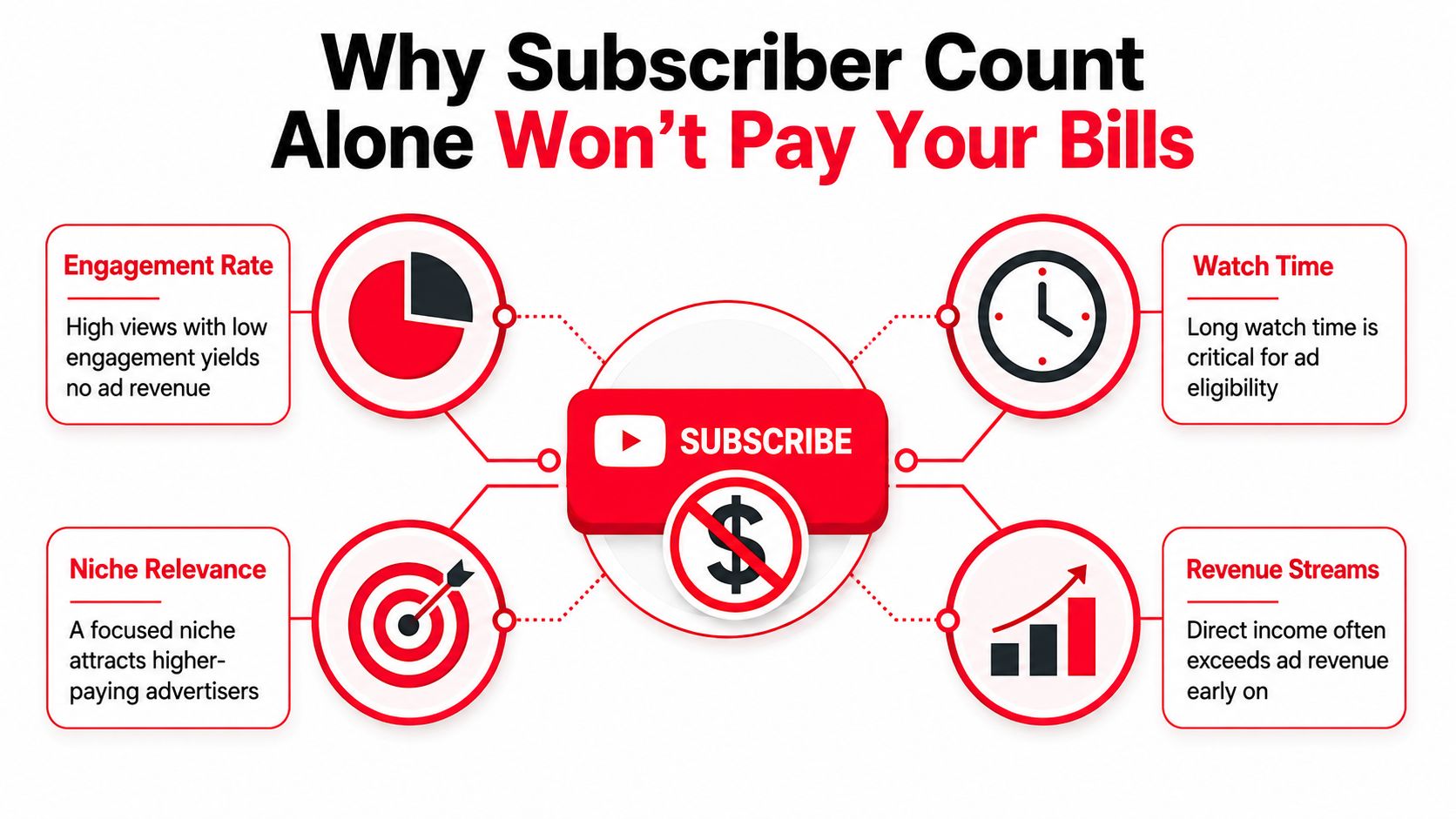
    An infographic titled Why Subscriber Count Alone Won't Pay Your Bills, illustrating key YouTube monetization factors.

    Subscribers are an audience signal, not a paycheck

    A subscriber may watch every upload, watch occasionally, or stop using YouTube altogether. The platform can't treat all subscribers as equally valuable because they don't create equal viewing activity. Advertisers and other buyers care about the viewers who watch, respond, click, and take action.

    Your niche also changes the commercial value of attention. A focused channel that helps viewers make a purchase or solve a costly problem may have stronger opportunities than a broad channel with more subscribers but little buying intent. Geography, format, retention, and the mix between long-form videos and Shorts also affect which revenue options make sense.

    Practical rule: Treat subscribers as an asset you're building, not as the revenue model itself.

    You need a threshold and a vehicle

    YouTube now separates access into two broad Partner Program stages. The earlier tier supports fan-funding and commerce features, while the higher tier adds ad and YouTube Premium revenue sharing. Off-platform options, including affiliate marketing, sponsorships, digital products, and services, don't depend on the same YouTube threshold.

    That distinction changes your plan. Instead of waiting passively for 1,000 subscribers, decide whether your next goal is fan support, ad eligibility, product sales, client leads, or a combination. Each goal requires different content and a different call to action.

    The Two Tiers of YouTube Monetization Explained

    The useful question is not just how many subscribers you need to make money. It is which revenue path your channel is ready to access. YouTube's Partner Program has two main entry points: an earlier tier for fan support and selected commerce features, and a higher tier for advertising and YouTube Premium revenue sharing.

    The earlier 500-subscriber tier

    At 500 subscribers, creators may qualify for an earlier YPP tier that includes features such as Channel Memberships, Super Chat, and Super Thanks, subject to YouTube's eligibility rules and regional availability. The current requirements are outlined in YouTube's Partner Program eligibility guidance.

    This tier also requires 3 public uploads in the last 90 days, plus either 3,000 public watch hours or 3 million valid public Shorts views. It suits channels with an active audience that is willing to provide direct support, even before the channel qualifies for ad revenue.

    The distinction matters. A membership is recurring audience support, Super Chat is connected to live interaction, and Super Thanks lets viewers contribute on eligible published videos. Educators, commentators, and community-led channels may reach this stage with a smaller but more engaged audience.

    The 1,000-subscriber ad-revenue tier

    The familiar ad-revenue threshold requires 1,000 subscribers and either 4,000 valid public watch hours during the previous 12 months or 10 million valid public Shorts views during the previous 90 days, according to YouTube's official Help documentation. After YouTube reviews and accepts the channel, this tier can provide access to ad and YouTube Premium revenue sharing.

    Subscriber count alone still does not qualify a channel. The relevant viewing threshold must also be met, and Shorts views do not convert into long-form watch hours. YouTube reviews content for compliance with its monetization policies, so reaching the displayed numbers does not guarantee approval.

    The 2026 update for new applicants

    As of August 2026, reporting indicates that YouTube announced a doubling of the activity requirement for new applicants seeking the full ad and Premium revenue tier. Under the reported change, applicants still need 1,000 subscribers, plus either 8,000 qualified public watch hours in the previous year or 20 million qualified public Shorts views in the previous 90 days. The change was reported as taking effect on February 1, 2027, in Forbes' coverage of the update.

    The subscriber minimum stays the same. The activity requirement becomes the larger hurdle for new applicants, so creators planning around the older benchmarks should check the current figures in YouTube Studio before applying.

    Requirement 500-Sub Tier 1,000-Sub Tier
    Subscriber threshold 500 subscribers 1,000 subscribers
    Activity requirement 3 public uploads in the last 90 days, plus either 3,000 watch hours or 3 million valid Shorts views Historically, either 4,000 valid public watch hours in 12 months or 10 million valid public Shorts views in 90 days. For new applicants under the reported 2027 update, either 8,000 qualified public watch hours or 20 million qualified public Shorts views
    Main features Fan funding and selected commerce features Ad and YouTube Premium revenue sharing, subject to approval
    Best planning focus Community participation and direct support Sustained viewing activity and monetized reach

    A business-focused channel can also benefit from a practical YouTube monetization strategy for SMBs. Before applying, review channel status and available features with this guide to enabling YouTube monetization.

    Every Revenue Stream Available to Creators

    Advertising is only one part of a creator business. It can become useful at scale, but newer channels often have stronger control over revenue when they connect content to a product, service, or direct audience action.

    Revenue streams on YouTube

    Ad and Premium revenue depends on YPP eligibility, qualified viewing activity, content suitability, audience geography, and format. Long-form videos and Shorts operate differently, so creators shouldn't assume that a large view count produces the same result across both formats.

    Channel Memberships let eligible viewers pay for recurring perks. This route suits channels with a strong community identity, such as teaching, commentary, gaming, and behind-the-scenes content. The offer must be specific enough that viewers understand what they receive.

    Super Chat and Super Thanks support direct contributions from viewers. Live hosts can use Super Chat to acknowledge questions or comments, while Super Thanks gives viewers a way to support published videos. These features work best when the creator actively builds participation rather than just placing a donation button on screen.

    YouTube Shopping and merchandise can connect product discovery with content. Reviews, tutorials, outfit videos, craft channels, and equipment-focused content can naturally support product recommendations or a merchandise shelf when the creator has access to the relevant features.

    Revenue streams outside YouTube

    Affiliate marketing pays when viewers purchase through tracked links. It's especially suitable for channels that review tools, software, cameras, books, fitness equipment, or other products that viewers already want to evaluate.

    Brand sponsorships can work before or after YPP approval. Brands typically care about audience fit, content quality, trust, and the ability to deliver a relevant message. A smaller focused channel can be commercially useful when its viewers closely match a brand's customers.

    Digital products include templates, presets, workbooks, ebooks, and courses. These products let an educator or specialist package knowledge instead of relying on every viewer becoming an advertiser impression.

    Services such as coaching, consulting, editing, design, and freelance work can turn YouTube into a lead-generation channel. A tutorial can demonstrate your expertise while directing interested viewers to a booking page or inquiry form.

    Revenue Stream Typical Earnings Best For
    Ads and YouTube Premium Varies with qualified views, RPM, niche, geography, and format Channels with sustained viewing activity
    Memberships Recurring viewer support tied to perks Community-led channels
    Super Chat and Super Thanks Viewer contributions during lives or on videos Interactive creators
    Shopping and merchandise Product or merchandise sales Review, lifestyle, craft, and product-led channels
    Sponsorships Negotiated per campaign and deliverable Focused audiences with strong brand fit
    Affiliate marketing Commission from tracked purchases High-intent review and tutorial content
    Digital products Direct sales of owned resources Educators and specialists
    Services Client revenue generated from content Coaches, consultants, freelancers, and agencies

    Creators who want to compare different platforms and tools can browse creator revenue tools. The right mix depends on what your audience already asks for, not on which option sounds most familiar.

    Realistic Revenue Per Subscriber Math With Examples

    Subscriber math becomes useful only when it's connected to views and RPM. RPM is the revenue earned per 1,000 monetized views after the relevant platform share and adjustments. It isn't a fixed price for a subscriber, and it varies with niche, audience location, content format, seasonality, and advertiser demand.

    The examples below are illustrative calculations, not earnings promises. They use the RPM and viewing assumptions stated in each example, so the arithmetic shows how the model works rather than predicting what any specific channel will earn.

    Example one, a finance channel

    Assume a finance creator averages 1,000 views per subscriber per year and has an RPM of $25. That produces:

    • Views per subscriber: 1,000
    • RPM: $25
    • Estimated revenue: 1,000 ÷ 1,000 × $25, or $25 per subscriber per year

    If the same creator averaged only 100 views per subscriber, the result would be lower even though the subscriber count stayed the same. The audience must keep watching for the subscriber base to translate into monetized views.

    Example two, a gaming channel

    Now assume a gaming channel has the same 1,000 annual views per subscriber, but an RPM of $4. The calculation is:

    • Views per subscriber: 1,000
    • RPM: $4
    • Estimated revenue: 1,000 ÷ 1,000 × $4, or $4 per subscriber per year

    This doesn't mean gaming channels can't earn well. It means ad revenue is only one variable. Sponsorships, memberships, live support, affiliate links, and products may matter more for a gaming creator than the ad figure alone.

    Example three, a lifestyle channel

    Suppose a lifestyle vlogger reaches 1,000 annual views per subscriber with an RPM of $8. The result is:

    • Views per subscriber: 1,000
    • RPM: $8
    • Estimated revenue: 1,000 ÷ 1,000 × $8, or $8 per subscriber per year

    A channel's geography can affect the result because advertisers value audiences differently across markets. A long-form audience that watches closely can also create a different outcome from a Shorts-heavy audience with rapid but brief viewing sessions.

    Niche Avg RPM (USD) Views per Subscriber/Year Est. Earnings per Subscriber/Year
    Finance $25 1,000 $25
    Gaming $4 1,000 $4
    Lifestyle $8 1,000 $8

    Use this explanation of CPM meaning on YouTube to keep CPM and RPM separate when you review analytics. For planning, track total qualified views, average viewing behavior, audience geography, and conversions from non-ad offers. Subscriber count is the denominator in the conversation, not the complete calculation.

    Common Misconceptions That Keep Creators Stuck

    Subscriber count can open a monetization gate, but it does not make a channel profitable. YouTube Partner Program approval gives creators access to tools. Demand, strong videos, engaged viewers, and a relevant offer still determine whether those tools produce income.
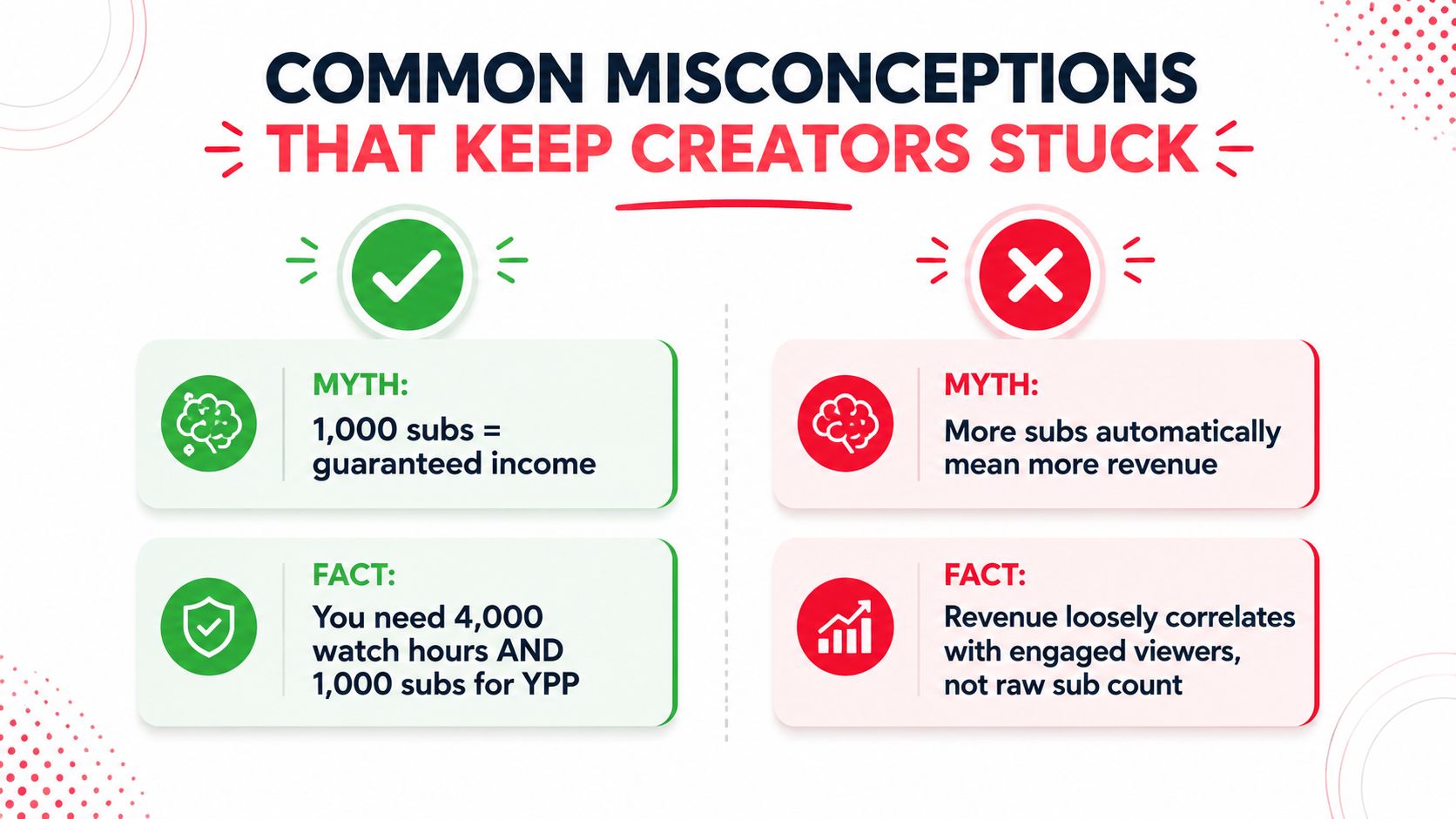
    An infographic showing common misconceptions for YouTube creators regarding subscriber counts and revenue generation requirements.

    Myth one, 1,000 subscribers guarantees income

    Fact: The ad-revenue tier requires both the subscriber minimum and an activity threshold, followed by channel review. The earlier gate required 1,000 subscribers plus either 4,000 valid public watch hours or 10 million valid public Shorts views. As noted earlier, the updated requirement for new applicants raises the activity bar while keeping the subscriber minimum.

    The lower tier changes the question. At 500 subscribers, eligible creators may access fan-funding features, but that is a different revenue path from ads. Reaching a subscriber milestone means you have crossed a gate, not that viewers will automatically pay.

    Myth two, every subscriber has equal value

    A subscriber who watches regularly contributes more to a channel's revenue system than an inactive subscriber. Returning viewers can build watch time, join live streams, respond to recommendations, and consider a product or affiliate offer.

    Myth three, YPP approval equals profit

    Approval provides access to monetization features, not a guaranteed business result. Limited viewing activity, weak commercial intent, or no clear offer can keep revenue modest even after approval.

    Myth four, Shorts automatically provide the fastest path to ads

    Shorts can help new viewers discover a channel, but their ad-revenue route has its own activity requirement. As reported earlier in this article, the updated requirement for new applicants is 20 million qualified Shorts views in the last 90 days. A Shorts strategy therefore needs more than reach. It should support retention, repeat viewing, and a revenue path that fits the audience.

    A milestone tells you which gate you have crossed. It does not show whether the business behind the channel works.

    How to Make Money Before You Reach YPP

    You don't need to wait for YPP approval to test whether your audience has commercial intent. The safest approach is to choose an offer that naturally follows from the problem your videos already solve.

    Start with a relevant affiliate offer

    A camera tutorial can point viewers toward equipment. A software walkthrough can use an affiliate link for the tool being demonstrated. Place the link in the description and, where appropriate, a pinned comment, then disclose the commercial relationship clearly.

    Package knowledge into a digital product

    Presets, templates, checklists, ebooks, and workbooks can give viewers a practical next step. A creator teaching job interviews might sell a preparation worksheet, while a design channel might offer editable templates. You don't need a huge audience if the product matches a specific need.

    Turn expertise into a service

    A YouTube channel can demonstrate how you think before a client ever contacts you. Coaches, editors, consultants, tutors, designers, and freelancers can use tutorials and breakdowns to attract people who need help beyond the free video.

    Approach aligned sponsors directly

    Small sponsorships can begin with a concise media kit, average-view context, audience description, and a clear proposal. Don't sell an arbitrary subscriber number. Sell a relevant audience, a credible format, and a deliverable the brand can understand.

    Build an owned audience

    An email list, website, or booking page gives viewers another way to stay connected. Your channel remains important, but you're less dependent on a single platform's eligibility rules or recommendation system.

    Route First practical step Strong fit
    Affiliate links Recommend products already demonstrated in videos Review and tutorial channels
    Digital products Turn a repeated audience question into a useful resource Educators and specialists
    Services Publish proof of expertise and add a clear inquiry path Freelancers and consultants
    Sponsorships Contact brands with audience and content alignment Niche channels
    Email or website Offer a useful reason to subscribe off-platform Creators building a durable business

    Creators who are also growing professional audiences elsewhere may find ideas in this guide to lead generation for founders on X. For Shorts-specific publishing and revenue considerations, review this guide to making money on YouTube Shorts.
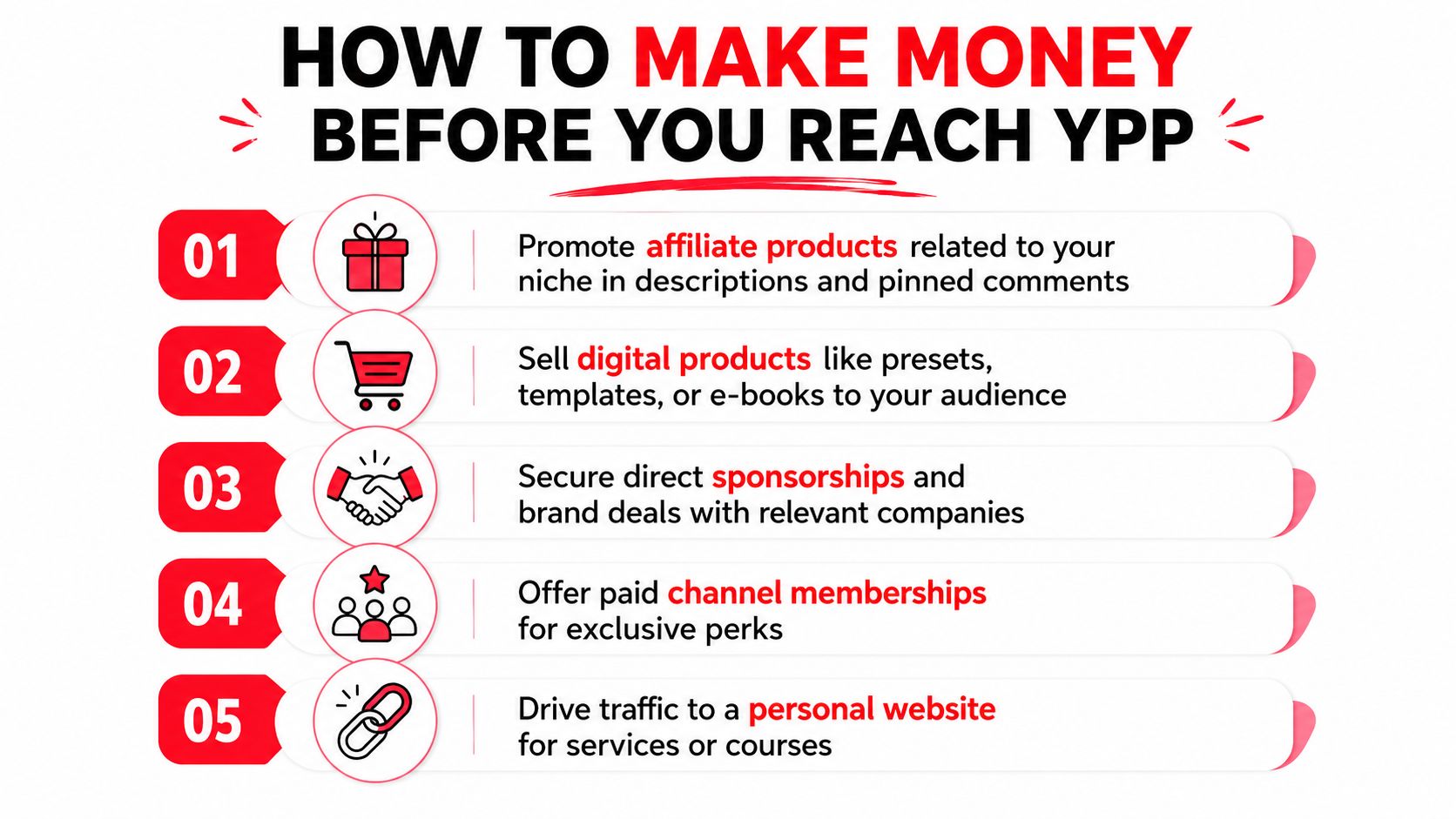
    An infographic detailing five effective strategies for YouTube creators to earn revenue before joining the YouTube Partner Program.

    Actionable Tips to Grow Subscribers and Revenue

    Growth works better when each content decision supports both audience development and a commercial goal. A video that attracts viewers but gives them no next step may grow the channel without strengthening the business.

    1. Sharpen the niche

    Choose a clear audience and recurring problem. “Fitness” is broad, while mobility routines for desk workers gives your titles, examples, products, and sponsorship choices a stronger direction. A focused promise helps viewers know why they should subscribe.

    2. Test the packaging

    Titles and thumbnails determine whether a strong video gets considered. Test a specific promise, remove unnecessary wording, and make the thumbnail communicate one idea. Use YouTube Studio to compare click-through rate with retention, because a high click rate paired with rapid abandonment signals a packaging mismatch.

    3. Improve the first minutes

    Open with the problem and the outcome. Remove long introductions, show the relevant result early, and use clear sections so viewers can follow the argument. Better retention supports watch-time growth and gives you more opportunities to introduce a related offer.

    4. Balance Shorts with long-form

    Shorts can help people discover your ideas, while long-form videos can provide room for tutorials, demonstrations, and stronger commercial context. Connect the formats deliberately. A Short about a common editing mistake can direct interested viewers to a full workflow video.

    5. Use playlists and community posts

    Organize related videos into a sequence that answers the next question. Community posts can prompt discussion, test future topics, and bring existing viewers back to the channel.
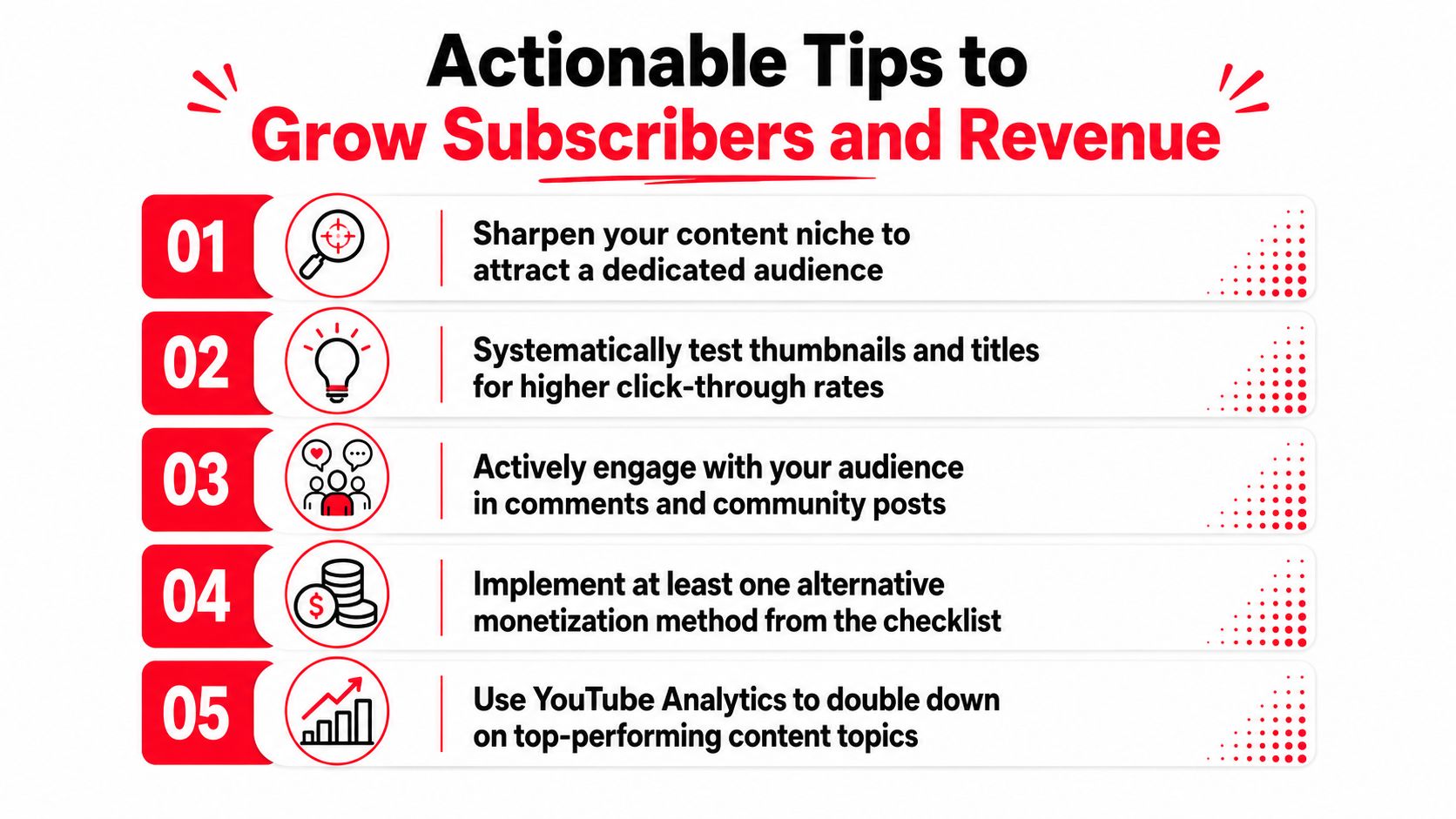
    An infographic listing five actionable tips for growing YouTube channel subscribers and increasing overall creator revenue.

    Track click-through rate, average view duration, returning viewers, subscriber conversion, and offer clicks in a consistent review routine. ViewsMax can create trackable links, connect clicks and sales to specific content, and show content performance alongside attributed revenue. Pair every growth experiment with a revenue experiment, even if the first result is only learning which audience problem creates the strongest response.

    Choosing the Right Revenue Path for Your Channel

    The right monetization path depends on what your viewers need and what your content can credibly deliver. A small education channel may earn earlier from a worksheet, course, or coaching service, while a larger gaming channel may have better alignment with memberships, live support, sponsorships, and affiliate links.

    Use three questions to choose:

    1. What does my audience need next? Look at repeated comments, search questions, and requests for recommendations.
    2. What problem can I solve credibly? Your offer should extend the expertise shown in your videos.
    3. Which format supports the offer? Tutorials support products and services, live streams support direct fan funding, and reviews support affiliate sales and sponsorships.

    A creator with a modest audience but strong purchase intent may be ready for affiliate marketing. A creator with an active live community may prioritize fan funding. A channel pursuing advertising must focus on the applicable YPP activity threshold as well as subscribers.

    Subscriber Tier Best-Fit Revenue Stream Secondary Option
    Below 500 Affiliate links, products, services, or sponsorship outreach Email list and client leads
    500 subscribers, with required activity Memberships, Super Chat, Super Thanks, and selected commerce features Affiliate marketing or products
    1,000 subscribers, with required activity Ads and YouTube Premium revenue sharing Memberships, sponsorships, and affiliate sales
    Above the ad-revenue threshold A diversified revenue system Products, services, sponsorships, and fan funding

    If you're asking how many subscribers on YouTube to make money, the honest answer is that no single number defines success. 500 subscribers can open an earlier YouTube fan-funding tier when the activity requirements are met. 1,000 subscribers remains the central subscriber requirement for the full ad-revenue tier, but new applicants must also meet the applicable watch-time or Shorts-view gate. Before either threshold, a relevant offer can turn engaged viewers into customers.


    ViewsMax helps creators connect content with measurable commercial outcomes through trackable links, publishing workflows, and attribution for clicks, leads, and sales. Visit ViewsMax to see which videos are driving revenue, then use that evidence to plan your next growth and monetization decisions.
  • How Do You Become a YouTube Partner and Start Earning

    How Do You Become a YouTube Partner and Start Earning

    So, you’re ready to turn your passion into a profession and join the YouTube Partner Program (YPP). Fantastic. Getting there is a huge milestone for any creator, but it's not just about flipping a switch. It’s about proving your channel has an engaged audience and is a valuable part of the YouTube community.

    This is more than just a way to earn money—it's your gateway to powerful creator tools and a validation of all the hard work you've put in. Let's walk through exactly what you need to do to get there.

    A person works on a laptop at a desk with cameras, a notebook, and a "YPP Entry Guide" poster.

    Hitting the Magic Numbers: YPP Eligibility

    First things first, you have to hit the entry requirements. YouTube has set up two main pathways to prove your channel is active and pulling in an audience. You don't need to meet both; just one will do.

    This flexibility is great because it lets you lean into the format that works best for your content, whether that's long-form deep dives or quick, viral Shorts.

    Your Two Paths to YouTube Partner Program Eligibility

    The table below breaks down the two distinct routes you can take to qualify.

    Qualification Path Subscriber Requirement Viewing Metric Requirement Timeframe Best For
    Traditional Long-Form 1,000 subscribers 4,000 public watch hours Past 12 months Channels focused on detailed tutorials, vlogs, documentaries, and in-depth content.
    YouTube Shorts 1,000 subscribers 10 million public Shorts views Past 90 days Channels creating short, fast-paced, and potentially viral content like skits or quick tips.

    Choosing which path to focus on really comes down to your content strategy. If you're all about detailed storytelling, the watch-hour route is your game. If you thrive on creating snappy, high-energy clips, then aiming for those Shorts views makes more sense.

    Beyond the Metrics: The Other Essentials

    Hitting your numbers is just one part of the equation. YouTube's review team is made up of real people, and they're looking for more than just stats. They want to see a channel that adds value and plays by the rules.

    This means your channel must also:

    • Follow all YouTube Channel Monetization Policies. This is non-negotiable.
    • Have no active Community Guideline strikes. A clean record is essential.
    • Live in a country where the YPP is available.
    • Have a linked AdSense account. This is how you’ll actually get paid.

    Getting into the YouTube Partner Program isn't the finish line; it's the starting gate. Meeting the thresholds is your first step toward building a sustainable career as a creator, unlocking tools that go way beyond simple ad revenue.

    Growing a channel to this point requires a serious content engine. If you're struggling to keep up, figuring out how to scale content creation is a game-changer. It's not just about making more videos; it’s about building a sustainable workflow that doesn't lead to burnout.

    Getting to Grips with the YouTube Partner Program Requirements

    Hitting those big subscriber and watch time numbers is the first mountain to climb, but the real key to getting accepted is understanding the fine print. The metrics you see on your YouTube Studio dashboard have some specific rules, and knowing exactly what counts—and what doesn't—is absolutely crucial for your strategy.

    Let's unpack what YouTube is really looking for.

    A hand uses a stylus on a tablet displaying YouTube partner program requirements, like subscribers and watch hours.

    It's interesting to see who makes up the creator economy. Most partners fall into the 25-34 year old age bracket, with millennials and Gen Z powering a massive chunk of YouTube's 2.7 billion monthly active users. The beginning can feel like a grind—about 60% of new channels make less than $100 in their first 90 days—but with the right approach, those numbers can change fast.

    It’s All About Public Watch Hours and Views

    When YouTube says you need 4,000 public watch hours, the most important word in that whole sentence is "public." This metric is laser-focused and only counts the time people spend watching videos you’ve set to public.

    Here’s a quick rundown of what gets left out of the total:

    • Private Videos: Any watch time from these is off the table.
    • Unlisted Videos: Nope, these don't count either.
    • Deleted Videos: If you delete a video, all its watch time history vanishes from your YPP total. Poof.
    • Ad Campaigns: Views you paid for through Google Ads don't count toward your eligibility.

    Essentially, your growth has to be organic. The hours must come from real viewers who found your content and chose to watch it. It’s the ultimate test of audience engagement. To really dig into the specifics, check out our guide on what are public watch hours on YouTube.

    For creators going all-in on Shorts, the goal is 10 million public Shorts views in 90 days. This is a totally different ballgame. One viral Short can rack up millions of views almost overnight, but the short 90-day window means you need to be consistently pumping out bangers. You can't rely on one great video to carry you for months like you can with long-form content.

    The Foundational Rules: More Than Just Numbers

    Hitting your metrics is only half the job. To truly understand how do you become a youtube partner, you have to nail the foundational rules. These are the non-negotiables that show YouTube you're a serious creator ready for a business partnership.

    Before you even think about clicking that apply button, make sure these four things are sorted:

    • No Active Community Guideline Strikes: Your channel has to have a clean slate. A strike is a big deal, and if you have an active one, your application is a non-starter.
    • 2-Step Verification Enabled: This is a mandatory security setting for your Google Account. YouTube needs to know your channel is secure from hackers.
    • A Linked AdSense Account: This is how you get paid. You need an active AdSense account properly linked to your channel. Heads up: you're only allowed one AdSense account per person, so if you made one years ago and forgot about it, you’ll need to track it down.
    • Live in an Eligible Country: The YPP isn’t available everywhere. You have to be a resident of a country where the program is officially supported.

    Think of these rules less like a checklist and more like the bedrock of your partnership with YouTube. A clean, secure, and compliant channel is precisely what the human review team wants to see.

    Keeping an Eye on Your Progress

    The good news is that YouTube doesn't make you guess. The "Earn" tab in your YouTube Studio is your command center for everything related to monetization.

    In there, you’ll find simple progress bars showing you exactly how close you are to the subscriber and watch time (or Shorts views) goals. It takes all the guesswork out of the process and updates regularly. Honestly, it’s super motivating to watch those bars fill up. I’d recommend checking it once a week to keep yourself focused and on track.

    Preparing Your Channel for the Human Review

    So, you’ve hit the magic numbers for subscribers and watch time. That’s a huge accomplishment, but it's only half the battle. Think of those metrics as your ticket to the show; now you have to impress the person checking tickets at the door. And in this case, that person is a real human reviewer at YouTube.

    Before you even think about clicking that “Apply” button, it’s time for a serious self-audit. You need to look at your channel not as its creator, but through the critical eyes of a YouTube employee whose job is to protect the platform's integrity. They aren't just checking boxes; they're digging deep to see if your channel genuinely aligns with the YouTube Monetization Policies, Community Guidelines, and AdSense rules.

    What the YouTube Review Team Actually Cares About

    Forget the idea that they just glance at your sub count and click approve. The review is far more comprehensive than that. A real person is trying to answer one core question: "Does this channel bring original, valuable content to the YouTube ecosystem?"

    To figure that out, they focus on a few key areas:

    • Main Theme: What’s your channel’s identity? Is there a clear, consistent niche or topic?
    • Most-Viewed Videos: Your biggest hits tell them what your audience loves and what your channel is truly known for.
    • Newest Videos: This shows them where your content is headed right now.
    • Biggest Proportion of Watch Time: They want to know which videos are really keeping people on the platform. This is a massive indicator of value.
    • Video Metadata: This is a big one. Your titles, thumbnails, and descriptions must honestly represent what's in the video, not just trick people into clicking.

    Basically, it's a quality control check. They're looking for authenticity and originality to ensure advertisers can feel good about their brand appearing next to your content.

    Your Pre-Flight Checklist: An Honest Self-Audit

    Getting rejected means you’re locked out from reapplying for at least 30 days, which can feel like an eternity. To avoid that frustrating setback, you need to be your own harshest critic. Go through your channel and ask the tough questions.

    Here are the red flags that get channels rejected all the time. Find them and fix them before you apply:

    • Reused Content: Are you just grabbing clips from other people, movies, or TV shows and re-uploading them? Unless you add significant original commentary, educational value, or a creative spin, this is the #1 reason for rejection.
    • Repetitive Content: Do you have a bunch of videos that are almost identical, with only tiny variations? Each video needs to stand on its own and offer something new to the viewer.
    • Misleading Thumbnails or Metadata: Does your thumbnail promise an epic explosion that never happens in the video? That's classic clickbait, and YouTube hates it.
    • Keyword Stuffing: Jamming dozens of irrelevant keywords into your video descriptions and tags is a dead-end tactic. It’s seen as spammy and will get you denied.

    The golden rule here is "transformative value." A reaction video where you're constantly pausing to offer sharp, funny, or insightful commentary is transformative. A lazy compilation of "funny twitch clips" with some background music is not.

    As you're getting your channel ready, think about adding value in other ways, too. A simple but effective strategy is to add subtitles to your YouTube videos. It makes your content more accessible, which can lead to longer watch times—a signal reviewers love to see.

    Real-World Examples of Rejection (and How to Avoid Them)

    Let's make this tangible. Imagine a gaming channel that just uploads raw, unedited footage of a video game. No commentary, no face cam, nothing. That channel is at high risk for a "Reused Content" rejection because, from YouTube's perspective, the creator didn't add anything. The value comes from the game, not the channel.

    Now, what if that same creator adds a voiceover explaining their strategy, cracks jokes, and edits the video to show only the most exciting moments? Suddenly, they've created something new and original. That's the kind of transformation that gets a channel approved.

    Another classic pitfall is the "relaxation" or "motivation" niche. A channel that simply pairs stock video of a rainy window with some royalty-free piano music is a prime candidate for rejection. There's zero originality. To pass the review, you'd need to add original guided meditations, write and record your own affirmations, or create unique visual art to accompany the audio.

    Your mission is to make the reviewer's decision incredibly easy. Clean house. Delete or unlist any video that feels borderline. Make sure your titles and thumbnails are honest. Present a channel that is so clearly valuable and original that they can’t help but say "yes."

    How to Actually Apply to the YouTube Partner Program

    So, you've hit the subscriber and watch time milestones. Congratulations! That's a huge achievement. Now for the final hurdle: actually submitting your application. This part can feel a little intimidating, but it’s all handled right inside your YouTube Studio.

    Head over to the Earn tab—the same place you’ve been obsessively tracking your progress. That "Apply Now" button that seemed so far away should now be ready and waiting for you. Clicking it officially kicks off the process.

    Step 1: Agreeing to the Partner Program Terms

    The first thing you'll do is review the Base Terms for the YouTube Partner Program. This is the official contract, and it lays out everything from how you get paid to the rules you need to follow.

    It's tempting to just scroll to the bottom and hit "accept," but I highly recommend taking a few minutes to read through the key sections. Knowing your responsibilities upfront will save you headaches down the road. Once you agree, YouTube Studio will mark this step as complete. Easy enough.

    Step 2: Setting Up Your Google AdSense Account

    This is where creators often get tripped up, so pay close attention. To get paid, you need to link a Google AdSense account to your channel. This is the system that handles all the ad revenue and sends it your way.

    You’ll see two choices:

    • Connect an existing AdSense account you already own.
    • Create a brand new AdSense account if you don't have one.

    Here’s the critical part: Google only allows one AdSense account per person, for life. If you made an account for a blog back in 2010 and forgot about it, trying to create a new one now will get your application rejected. Before you do anything, search your old email inboxes for "AdSense" to see if an account already exists.

    Trust me, sorting this out before you apply will prevent a major delay. If you need a more detailed breakdown, our guide on how to enable YouTube monetization walks through every common AdSense issue.

    After you successfully link or create your AdSense, you'll be sent right back to YouTube Studio. The second step will show as "Done," and your channel is officially in the review queue.

    This flowchart from YouTube neatly sums up the path your channel takes from your own internal audit to the final application.

    A flowchart illustrating the Channel Review Process with steps: Audit, Comply, Apply, and related metrics.

    As you can see, the application itself is the very last piece of the puzzle after you've done the hard work of making sure your channel is compliant.

    Step 3: The Waiting Game

    Once you've submitted everything, your work is done for now. The application status will switch to "In Progress," which means your channel is in the hands of YouTube's human review team.

    And now, we wait. YouTube says the review takes "about a month," but this can be all over the place. Some creators I know were approved in under 48 hours. Others have waited over six weeks, especially when YouTube is swamped with applications.

    There's no secret trick to speed this up. The best thing you can do is get back to what you do best: creating great videos. Keep the momentum going. When the decision is made, you’ll get that magic email and a notification in YouTube Studio.

    What to Do After You Get Approved for Monetization

    That email from YouTube—the one that says "Congratulations, you've been accepted into the YouTube Partner Program"—is a huge deal. Seriously, take a moment and let it sink in. You’ve just conquered one of the biggest milestones for any creator.

    But once the initial excitement fades, the real work of building a sustainable income begins. Getting approved is the starting line, not the finish. It’s time to start flipping the switches on the features that actually get you paid.

    A man smiling at the camera, working on a laptop with 'MONETIZE NOW' text overlay.

    First Things First: Turn on the Ads

    Your first stop inside YouTube Studio should be activating video ads. This is the bedrock of most creators' earnings, so you’ll want to get this set up right away.

    The good news is you can do this in bulk for your entire back catalog of videos, which is a massive time-saver. From now on, turning on monetization will just be another part of your standard upload routine.

    You'll see a few different ad formats, and it helps to know what they are:

    • Skippable in-stream ads: The most common type, which viewers can skip after five seconds.
    • Non-skippable in-stream ads: These are shorter ads (15-20 seconds max) that viewers must watch before your video continues.
    • Bumper ads: Quick, 6-second non-skippable ads. Great for brand awareness.
    • Overlay ads: Simple banner ads that pop up at the bottom of the video player on desktop.

    For any videos you have that are longer than eight minutes, you also unlock mid-roll ads. YouTube’s system can place these for you automatically, but I always recommend manually placing them yourself. Find a natural pause or a transition in your video—it makes for a much better viewer experience than an ad jarringly cutting you off mid-sentence.

    Going Beyond Ad Revenue

    Relying solely on ad revenue is a risky game. It can fluctuate wildly based on the season, your video topics, and advertiser demand. Luckily, the YPP is about much more than just ads. It unlocks a whole suite of tools designed to create multiple income streams, many of which are powered by your most dedicated fans.

    Tapping into these is a core part of learning how do you become a youtube partner who can actually make a living from your content.

    Here are the other key monetization features you now have access to:

    • Channel Memberships: This is your own subscription program. Viewers pay a monthly fee for exclusive perks you create, like custom badges, unique emojis, or members-only videos. It's fantastic for channels with a tight-knit community.
    • Supers (Super Chat, Super Stickers, Super Thanks): During live streams, fans can buy Super Chats to make their messages stand out. Super Thanks acts like a tip jar on your regular uploads, allowing viewers to show their appreciation on any video at any time.
    • Merchandise Shelf: Got merch? You can connect your store (from a platform like Spring) and showcase your products right below your videos. It’s a seamless way to turn viewers into customers.

    Your YouTube Monetization Toolkit at a Glance

    With YPP approval, you've unlocked a powerful set of tools to generate income. Think of them as different instruments in an orchestra—each plays a unique role, but they sound best when used together. This table breaks down the core features at your disposal.

    Monetization Feature How It Works Best For Channels That…
    Video Advertising YouTube places ads on your videos, and you earn a share of the revenue. All monetized channels. It’s the foundational income stream.
    Channel Memberships Viewers pay a recurring monthly fee for exclusive perks and content. Have a strong, loyal community and can offer consistent value.
    Supers (Chat, Stickers, Thanks) Fans can purchase "tips" to highlight messages or show appreciation. Are active with live streams or have a highly engaged audience.
    Merchandise Shelf You can link an official store to display and sell your products. Have a distinct brand identity and an audience that wants to show support.
    YouTube Premium Revenue You get a portion of a subscriber's fee when they watch your content. All monetized channels. This is a passive, automatic benefit.

    By layering these options, you're not just earning—you're building a more resilient and diversified creator business.


    How Much Can You Actually Earn?

    Once you’re in the program, YouTube gives you a solid revenue split. You get 55% of the ad revenue from your long-form videos and 45% from ads shown in the Shorts feed.

    While the payout for a single ad view is tiny, it adds up fast. Your RPM (revenue per mille, or your earnings per 1,000 views) can vary dramatically, from $0.50 to over $10 depending on your niche, audience demographics, and video length. To get a better handle on these numbers, our guide on what is monetization on YouTube breaks it down even further.

    Don't forget about YouTube Premium revenue, either. This is a great passive income stream. When a Premium subscriber (who doesn't see ads) watches your videos, you get a slice of their subscription fee. It’s all calculated based on watch time, and you don’t have to lift a finger—it's an automatic perk of being in the YPP.

    By combining these tools, you move beyond just chasing viral views. You start building a real business with a direct connection to an audience that wants to support you in all kinds of ways.

    What to Do If You Get Rejected (and How to Get Approved Next Time)

    Getting that rejection email from YouTube stings. It's easy to feel defeated, but don't let it get you down. Think of it less as a hard "no" and more of a "not quite yet." It's basically a free audit from YouTube telling you exactly what needs to be fixed.

    The most common reasons for rejection—Reused Content and Repetitive Content—are often misunderstood but are absolutely fixable. The first thing you need to do is stop, take a breath, and actually read the reason they gave you in the email and inside your YouTube Studio. Don't just glance at it; this is your treasure map for getting approved the next time around.

    Understanding Why They Said No

    Reused Content is probably the number one reason I see channels get denied. This doesn't mean you can never use clips from other sources. What it really means is that you're not adding enough of your own spin to it. Your video has to add significant original commentary, educational value, or a new perspective to transform the original material.

    For example, a channel that just stitches together a bunch of "funny cat videos" from other creators will almost certainly be rejected. But, if a creator takes those same clips and adds their own hilarious voice-over commentary, edits them into a new narrative, or provides a detailed analysis of feline behavior, they're creating something new. That's the transformation YouTube's human reviewers are looking for.

    The key question to ask yourself is: Am I just re-posting content, or am I creating something fresh from it? Your personality, your analysis, your humor—that needs to be the star of the show.

    Repetitive Content is a bit different. This usually flags channels that seem to be churning out low-effort, templated videos. Think of channels that have hundreds of videos with a text-to-speech voice reading a script over generic stock footage. Even if the content is technically original, every video looks and feels so similar that it offers very little unique value to a viewer.

    Your 30-Day Game Plan for Reapplying

    After being rejected, you have to wait 30 days before you can reapply. This isn't a penalty—it's your window of opportunity to clean house and strengthen your channel.

    Here’s what you should do during that month:

    • Audit and Prune: Go through your videos, starting with your most popular ones. Be honest with yourself. If a video clearly falls into the category YouTube flagged, either unlist it or just delete it. It might hurt to remove a high-performing video, but it’s better than getting rejected again.
    • Clean Up Your Metadata: Look at your titles, descriptions, and thumbnails. Are they accurate? Or are they a little clickbaity or stuffed with keywords? Make sure everything honestly represents what's in the video.
    • Create New, High-Quality Videos: This is the most important step. The review team will pay close attention to what you've uploaded recently. Use these 30 days to create content that is a perfect example of what your channel is all about—content that is undeniably compliant and original.

    When your 30 days are up, you should be able to look at your channel and see a real difference. By taking this proactive approach, you're showing the review team that you're a serious creator who respects the platform's guidelines, which makes a successful second application much more likely.

    Common Questions About the YouTube Partner Program

    Getting into the YouTube Partner Program is a huge milestone, but the journey there can feel a bit confusing. Let's clear up a few of the questions I hear most often from creators.

    How Long Does It Take to Get 4,000 Watch Hours?

    This is the million-dollar question, and honestly, there's no magic number. It all comes down to your content and consistency. I've seen channels that post multiple high-engagement, 10-minute videos every week hit that 4,000-hour mark in as little as 6 to 8 months.

    On the flip side, a creator who uploads shorter videos less frequently might be looking at a year or more. The real drivers are your ability to hook viewers early and keep them watching, which in turn gets your videos pushed by the YouTube algorithm.

    Can I Lose Monetization if My Channel Dips Below the Thresholds?

    You can breathe a sigh of relief on this one. No, you won't get kicked out of the YPP if your subscriber count or watch hours happen to drop below the entry requirements after you've been accepted. Once you're in, you're in.

    However, there is a catch. YouTube can and will turn off monetization for channels that go completely dormant. If you haven't uploaded a video or made a Community post in six months or more, you're at risk of being demonetized for inactivity.

    The bottom line is this: while your spot in the program is safe from metric dips, you have to stay active to keep the ad revenue flowing.

    Can I Be a YouTube Partner Without Showing My Face?

    Absolutely. Plenty of massive, fully monetized channels are built without the creator ever showing their face. Think about animated story channels, gaming walkthroughs with voice-over commentary, or documentary-style content.

    The human review team is looking for originality and value, not your physical presence. As long as you're creating something unique and transformative that adheres to all of YouTube's content policies, you're just as eligible as any vlogger.


    Hitting those initial thresholds is often the steepest part of the climb. Tools like ViewsMax can give you a serious leg up by helping you craft better titles and descriptions to attract more viewers. The faster you gain traction, the quicker you'll get those subscribers and watch hours needed for the YPP.