Getting someone to click on your video is everything. When a viewer lands on their YouTube homepage or searches for a topic, your video is just one option among many. Your one job is to make your video the most compelling, can't-resist choice on the page.
It all boils down to an irresistible combination of thumbnail and title that screams value and piques curiosity. If you can master that first impression, you've won half the battle.
What Is YouTube CTR and Why It’s Your Secret Weapon for Growth
Before we get into the nitty-gritty, let's be clear on what YouTube's Click-Through Rate (CTR) actually is. It's simply the percentage of people who click to watch your video after seeing its thumbnail. The math is straightforward: (Total Clicks ÷ Total Impressions) x 100 = CTR.
Every time your thumbnail shows up—on a homepage, in a sub feed, or in search results—that's an impression. When someone actually clicks it, that's a click. A high CTR tells YouTube that your video's packaging is doing its job and grabbing attention.
To really get a handle on this, you need to understand the relationship between an impression vs click, as they are the two pieces of the CTR puzzle. This concept is fundamental to improving your channel's performance.
The Signal the Algorithm Can't Ignore
So, why do we obsess over this number? A strong CTR is one of the most powerful signals you can send to the YouTube algorithm. When a video pulls in a high percentage of clicks, YouTube sees it as relevant content that people are genuinely interested in.
As a reward, the algorithm is far more likely to:
- Push your video to a wider audience on the homepage (Browse Features).
- Suggest your video alongside other popular videos.
- Rank your content higher in search results for your target keywords.
On the flip side, a low CTR tells the algorithm your video isn't hitting the mark. YouTube will pull back, showing it to fewer new viewers and stunting your channel's growth.
Not All CTRs Are Created Equal
Once you dive into your YouTube Analytics, you'll see that CTR isn't just one number. It changes dramatically based on where people saw your video. For example, your CTR from YouTube Search will almost always be higher than your CTR from the homepage.
This makes perfect sense. Someone in search is on a mission; they're actively looking for an answer. If your title matches their query, it's an easy click. But someone scrolling their homepage is just browsing. Your thumbnail has to fight for their attention and work much harder to earn that click.
A "good" CTR is a moving target. It depends entirely on your niche, your audience, and where the views are coming from. A 10% CTR from search might be average for your channel, while a 5% CTR from the homepage could be a massive win. Stop chasing universal numbers and start focusing on improving your own benchmarks.
At the end of the day, improving your CTR isn't just about gaming a metric. It's about deeply understanding what makes your audience stop scrolling. When you create a thumbnail and title that promise real value and then deliver on it, the algorithm will reward you with the reach you deserve.
Getting to Grips With Your YouTube Analytics
If you want to improve your click-through rate, you have to stop guessing and start digging into the data. Your YouTube Analytics dashboard is packed with information, but the real trick is knowing where to look and how to translate those numbers into a concrete plan.
Your first stop should always be the "Reach" tab for any specific video. This is ground zero. Here, you'll find your impressions, traffic sources, and that all-important click-through rate. But don't just look at the big number at the top—the real insights come from breaking it down source by source.
The formula itself is straightforward.
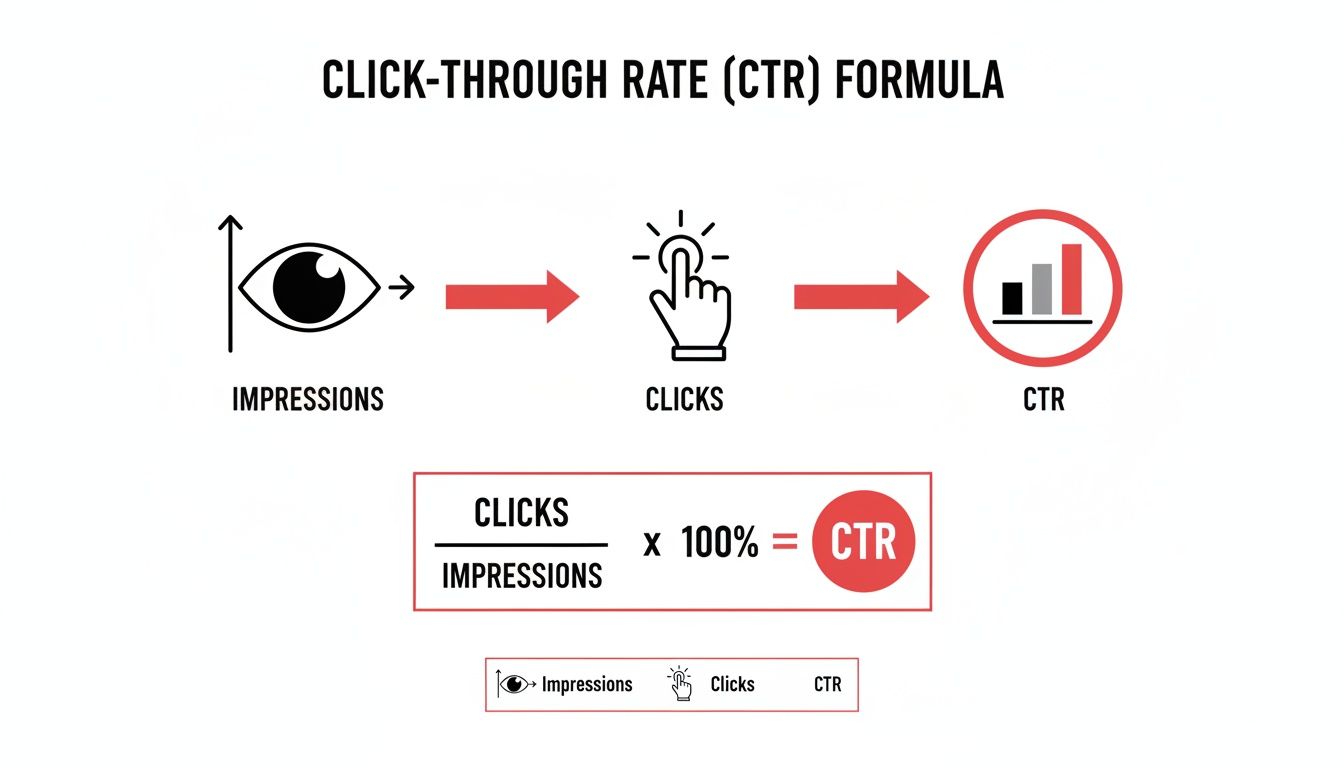
This really just means you have two main levers to pull for a better CTR: either get your video in front of a more qualified audience (better impressions) or create a more compelling title and thumbnail combo (more clicks).
How to Read Your Traffic Sources Report
Still inside that Reach tab, look for the "Traffic sources" card. Think of this as your diagnostic tool. It slices up your CTR based on how people found your video, which is crucial because a "good" CTR looks completely different depending on the source.
I once had a video with a fantastic 11% CTR from YouTube Search but a pretty sad 2% CTR from Browse Features (the homepage). That pattern told me a very specific story: my title and keywords were a perfect match for what people were actively searching for, but my thumbnail just wasn't interesting enough to stop someone who was casually scrolling.
Here’s a quick breakdown of the main traffic sources and what they usually mean:
- YouTube Search: A high CTR here is a great sign. It means your title and keywords are hitting the mark and matching what people are looking for. You're solving their problem.
- Suggested Videos: When your CTR is strong here, it shows your video is highly relevant to what viewers are already watching. This is a huge win for discoverability.
- Browse Features: This is often the toughest one to get right. A low CTR here almost always points to a thumbnail that doesn't stand out on a busy homepage.
- External: This bucket includes traffic from websites, social media posts, and embedded videos. The CTR can be all over the place, but it shows how well your video's "packaging" works when shared off-platform.
Looking at your traffic sources isn’t just about seeing where the views are coming from. It's about understanding the viewer’s mindset. Someone from search has a specific question, while someone browsing their homepage is just looking for something interesting. Your title and thumbnail need to appeal to both.
How Do Your Numbers Stack Up? Benchmarking Performance
Knowing your stats is only half the battle; you need context. Comparing your CTR against industry benchmarks shows you where you’re winning and where you have room to grow.
Take a look at these typical organic CTRs broken down by where the viewer is coming from.
YouTube CTR Benchmarks by Traffic Source (Organic)
| Traffic Source | Average Organic CTR | Viewer Intent | Key Optimization Tactic |
|---|---|---|---|
| YouTube Search | 12.5% | High (Actively seeking an answer) | Keyword-rich, specific titles and descriptions |
| Suggested Videos | 7.0% | Medium (Curious about related content) | Thumbnails that spark curiosity and align with the previous video |
| Browse Features | 3.5% | Low (Passively browsing for anything interesting) | High-contrast, emotionally compelling thumbnails |
| Channel Pages | 8.5% | High (Already a fan of your content) | Consistent branding and clear value propositions |
These numbers make it crystal clear: viewer intent is everything. Someone actively searching for a solution is far more likely to click than someone just scrolling their feed. This is why a solid SEO strategy can be a game-changer for your channel's growth.
The insight here is simple. If you want a direct path to a better CTR, focus on searchability. By understanding what are people searching on YouTube, you can build your entire content strategy around existing demand.
When you make a habit of checking these analytics, you stop making random changes and start making strategic, data-driven decisions. Find the traffic source with the weakest CTR and start your optimization efforts there. That’s how you turn numbers on a screen into real, sustainable channel growth.
Designing Thumbnails That Viewers Can’t Ignore
Let's be blunt: your thumbnail is the single most important piece of real estate you have. It’s your video’s billboard. If it doesn't stop someone mid-scroll, the quality of your content is completely irrelevant because they'll never even click play. A killer thumbnail doesn’t just look good; it stops the scroll and starts a story.
This isn't about some mystical creative spark. It's about strategic design. You have less than a second to communicate value and trigger an emotion. Getting this right is a skill you can learn and repeat, not just a lucky guess.
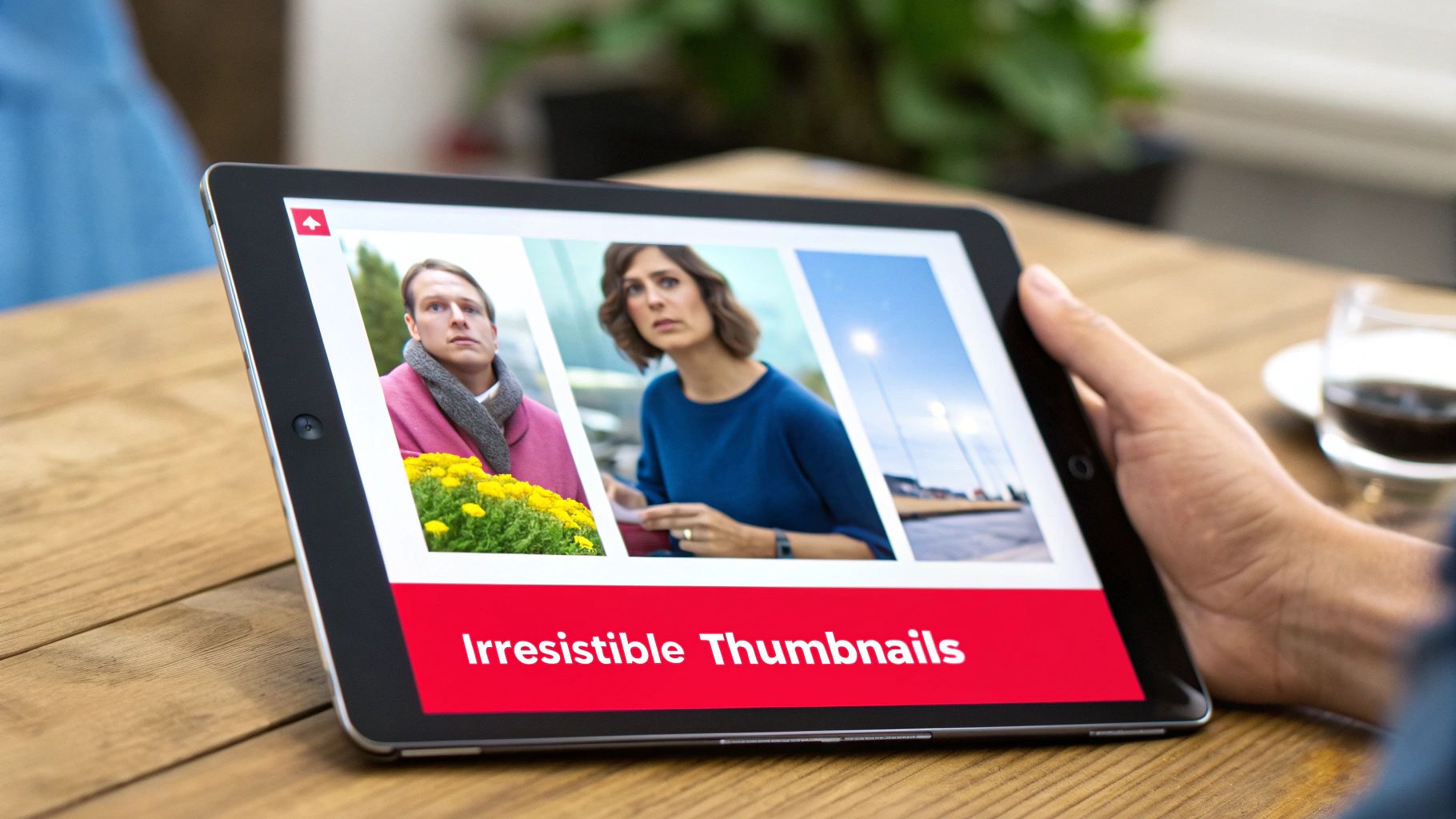
So, forget the generic advice. We're going to break down a framework I use that focuses on three things: clarity, emotion, and branding. This is how you create visuals that viewers find almost impossible to ignore.
The Foundation: High Contrast and Bold Colors
The first rule of thumbnail design is just being seen. Your masterpiece has to be clear and readable even when it’s a tiny icon on a phone. This is where high-contrast colors become your absolute best friend.
Think bright backgrounds with dark text and subjects, or the other way around. Steer clear of muddy, similar colors that just blend into a mush. A bright yellow on a deep blue will always smack someone in the face harder than beige on light gray.
- Vibrant Palettes: Don't be shy. Use colors that actually stand out on the YouTube homepage. Saturated blues, greens, yellows, and reds are all proven to grab attention.
- Outline Your Subjects: One of my favorite tricks is to add a subtle white or black outline (a "stroke" in Photoshop terms) around the main person or object. It makes the subject "pop" right off the background and dramatically boosts clarity.
- The Squint Test: This is non-negotiable. Once you've finished your design, shrink it way down and squint your eyes. Can you still make out the main subject and feel the emotion? If it turns into a blurry mess, you need more contrast.
Communicating Emotion Through Faces
As humans, we're hardwired to look at and react to other faces. Sticking an expressive face in your thumbnail is one of the fastest ways to forge an emotional connection before the video even starts. It instantly tells a story and sets the viewer's expectations.
Are you shocked, thrilled, confused, or celebrating? Showing that emotion clearly gives immediate context. A thumbnail for a video about a surprising gaming outcome is way more compelling with a genuinely shocked face than with a generic screenshot from the game.
Now, this doesn't mean you have to do the over-the-top, exaggerated "YouTube face" if that's not your style. Authenticity is still king. The point is to make sure the emotion is clear, intentional, and actually matches what's in the video.
Minimal Text That Packs a Punch
One of the biggest mistakes I see creators make is cramming their thumbnail with text. Your title is sitting right there next to the thumbnail—don't make them fight for attention. Any text on your visual should be minimal, huge, and readable in a split second.
Your thumbnail text should add a layer of curiosity or context, not just repeat the title. Think of it as a tiny, punchy sub-headline. If your title is "I Tried the World's Spiciest Ramen," your thumbnail text could be a simple, bold "REGRET" or "NEVER AGAIN."
My rule of thumb is three words or fewer. Use a bold, clean font that’s easy to read when it’s small. The text is there to support the visual story, not take it over.
Using Composition to Guide the Eye
The best thumbnails aren't just thrown together; they use classic design principles to tell the viewer's eye exactly where to look. One of the most powerful and simple tools for this is the rule of thirds.
Just imagine your thumbnail has a 3×3 grid overlaid on it. By placing the most important things—like your face or a key object—along those lines or where they cross, you create a much more balanced and professional-looking image. It immediately feels more dynamic than just centering everything, which often comes off as static and a bit boring.
This kind of visual strategy is key to packaging your content. For more ideas on creating content that naturally lends itself to strong visuals, you can check out our guide on how to find great video ideas at https://blog.viewsmax.com/how-to-ideas-for-a-video/.
And if you really want to level up, look into quick design hacks to boost ad click-through rates. The same principles that make an ad effective apply directly to making a thumbnail that gets the click.
Writing Magnetic Titles That Work With Your Thumbnails
An incredible thumbnail is your first hook, but it can't land the click all by itself. It needs a killer title to seal the deal and convince someone that your video is the one they've been looking for. The real magic happens when your image and your text work together, creating a one-two punch that's impossible to ignore.
Think of it this way: the thumbnail sparks the emotion, and the title delivers the logic. Your thumbnail grabs their eye with a compelling image, while the title gives them a concrete reason to commit. When these two elements are perfectly aligned, they create an irresistible package that sends your click-through rate soaring.

This synergy is all about setting an expectation and then promising to meet it. If your thumbnail shows one thing and your title says another, you create confusion. And a confused viewer is a viewer who keeps scrolling. But when they match up, you build instant trust, making the click feel like a safe bet.
Proven Formulas For High-CTR Titles
You don't need to reinvent the wheel for every single video. I've found that certain title structures just work because they tap into basic human psychology—our curiosity, our desire for simple answers, and our fear of missing out. These aren't just clickbait; they’re proven frameworks for communicating your value proposition in a split second.
Here are a few formulas I come back to again and again:
- Titles with Numbers: Our brains love numbers. They promise a structured, easy-to-digest format. "7 Thumbnail Mistakes Killing Your Channel" is way more powerful than a vague title like "How to Make Better Thumbnails." It's specific and instantly tells the viewer what they'll get.
- Provocative Question Titles: Asking a good question gets the viewer's mind working, and suddenly, your video becomes the obvious place to find the answer. A title like, "Is Your Camera Betraying Your Vlogs?" creates immediate intrigue. They have to click to find out.
- "How-To" and Solution-Oriented Titles: These are the lifeblood of YouTube Search. They make a direct promise to solve a viewer's problem. Something like "How to Edit Videos 3x Faster (Without New Software)" is brilliant because it clearly states the benefit and even handles a common objection upfront.
The best titles don’t just describe what’s in the video; they sell the outcome. Instead of "My Morning Routine," try "The 5 AM Morning Routine That Changed My Life." The first is a description. The second is a transformation.
Weaving Keywords in Naturally
While curiosity-gap titles are fantastic for getting clicks from the homepage and suggested videos, you can't afford to ignore search traffic. A well-optimized title is your secret weapon for getting discovered for weeks, months, or even years down the road. The trick is to make the keywords feel natural, not like they were stuffed in by a robot.
First, figure out your main target phrase. Let’s say you’re making a video about a budget-friendly home studio. Your core keyword might be "home studio setup." A fantastic title would be, "My Ultimate Home Studio Setup for Under $500." It nails the keyword, uses a number, and adds a super compelling benefit (the price).
Finding the right phrases is half the battle. To get a feel for what people are actually typing into the search bar, it pays to explore some popular YouTube video keywords in your niche. Seriously, this simple research can be a game-changer for your video's long-term discoverability.
A Creator’s Guide to A/B Testing and Iteration
Let’s be honest: guessing what your audience wants to click on is a losing game. The top creators I know don’t just have great instincts; they have a system. They test their ideas, listen to the data, and learn from the results.
This is where A/B testing your thumbnails and titles becomes your secret weapon for growth.
At its core, an A/B test is just a simple experiment to see which of two options performs better. By systematically testing your creative, you figure out exactly what makes your specific audience click. This simple process takes the guesswork out of the equation and helps you build a playbook of proven tactics that consistently lift your click-through rate over time.
A Simple Method for Testing on YouTube
You don’t need any fancy or expensive software to get started. All the tools you need are already inside YouTube Studio. The whole idea is to change just one thing—either the thumbnail or the title—after an initial run and measure what happens to your CTR.
Here's the straightforward protocol I’ve used for years:
- Publish Your Video: Go live with your first choice for the thumbnail and title. We’ll call this "Version A."
- Let It Run: Give the video some breathing room to collect data. I recommend letting it run for at least 24 to 48 hours. This gives the algorithm enough time to push it out to an initial audience and establish a baseline CTR.
- Make One Change: Once that initial period is over, change only one thing. Swap the thumbnail for "Version B" or update the title to "Version B." Whatever you do, never change both at once.
- Measure Again: Now, let the video run with Version B for the same amount of time—another 24 to 48 hours.
- Compare the Results: Time to dive into your analytics. Look at the CTR for the first period (Version A) and compare it to the CTR for the second period (Version B). The one with the higher click-through rate is your winner.
This method is so effective because it uses your own audience's behavior as the ultimate judge. What works for a massive gaming channel might fall flat for your cooking channel, but this data is undeniable. It's tailored to your viewers.
Common Mistakes to Avoid When Testing
Running tests is a bit of a science, and it's surprisingly easy to get bad data if your process isn't clean. Trust me, I’ve made all of these mistakes so you don't have to.
- Testing Too Many Things at Once: This is the cardinal sin of A/B testing. If you change both the thumbnail and the title, you have no idea which change actually helped (or hurt) your CTR. You have to isolate one variable per test to get clear, actionable results.
- Calling a Test Too Early: I see this all the time. A creator gets impatient and calls it quits after just a few hours. That's a huge mistake. CTR can fluctuate like crazy in the first day as YouTube shows your video to different pockets of viewers. Wait at least a full 24 hours before making any conclusions.
- Ignoring Statistical Significance: A tiny jump from 4.1% to 4.2% isn't a clear win; it could just be random noise. You're looking for significant, repeatable lifts. As a rule of thumb, I look for a change of at least 0.5% or more to feel confident that the new version is a true winner.
- Not Documenting Your Learnings: Every single test, whether it wins or loses, teaches you something valuable. If you don't write it down, you’ll forget what you learned and find yourself making the same mistakes months later.
The goal of A/B testing isn't just to find one winning thumbnail. It's to build a deep understanding of your audience's psychology. Over time, you’ll start to see patterns—maybe your audience prefers faces with surprised expressions, or titles that ask a direct question. These insights are gold.
Keep a Simple Testing Log
To make sure those valuable insights don't get lost, keep a simple testing log. It doesn’t need to be some complicated database; a basic spreadsheet is perfect. This little document is what turns your one-off tests into a powerful knowledge base for your channel.
Here’s a basic template you can copy to track your experiments and keep a record of what you learn along the way.
Sample Thumbnail and Title A/B Testing Log
| Video Title | Test Date | Variable A (e.g., Thumbnail/Title) | Variable B (e.g., New Thumbnail/Title) | CTR for A (First 48h) | CTR for B (Next 48h) | Winner | Key Learning |
|---|---|---|---|---|---|---|---|
| My Ultimate Desk Setup | Oct 26 | Minimalist thumbnail, clean desk | Thumbnail with bright red circle on new keyboard | 4.5% | 6.2% | B | Bright color pops and highlighting a specific product dramatically increased clicks. |
| How to Edit Faster | Nov 02 | Title: "Edit Videos Faster" | Title: "Edit Videos 3x Faster in Premiere" | 5.1% | 5.0% | A (No change) | Adding specificity to the title didn't improve CTR for this topic. Stick to broader benefits. |
By making this iterative process a habit, you stop throwing ideas at the wall and hoping something sticks. Instead, you build a data-driven system that ensures your ability to improve your CTR gets stronger with every single video you publish.
Your Top YouTube CTR Questions, Answered
Once you start getting serious about improving your click-through rate, the questions start piling up. It's a tricky metric because the "right" answer almost always depends on your specific video, audience, and niche.
Let's clear up the confusion. Think of this as your troubleshooting guide for those common CTR scenarios that can leave you scratching your head. We'll go beyond the basics to help you make smarter, data-driven decisions for your channel.
How Long Should I Wait Before Changing a Thumbnail?
This is the big one. You launch a new video, and the initial CTR is… disappointing. The urge to immediately swap the thumbnail is strong, but jumping the gun is usually a mistake.
Here’s why: YouTube needs time to push your video out to different groups of people. I always recommend waiting at least 24 to 48 hours before touching anything. This gives the algorithm enough time to gather meaningful data and establish a baseline. If you change things too early, you're just reacting to noise, not real performance.
Can a High CTR Ever Be a Bad Thing?
It sounds crazy, but yes, an unusually high CTR can be a red flag. This almost always points to a mismatch between what you promised and what you delivered—in other words, clickbait.
Sure, you might score a massive 15% CTR in the first few hours with a wild, sensationalized title. But what happens next? Viewers click, realize they were duped, and bail within seconds. This absolutely crushes your Audience Retention and Average View Duration, which are signals YouTube values way more than CTR.
A sky-high CTR paired with terrible watch time tells the algorithm your video is unsatisfying. YouTube will stop showing it to people almost as fast as it started. The real goal is a sustainable CTR that comes from genuinely happy viewers.
Does a Low CTR Mean My Video Is Bad?
Not at all. A low CTR is a problem with your packaging—your thumbnail and title—not necessarily the video content itself. I've seen countless amazing videos die on the vine because they were wrapped in a boring or confusing first impression.
In fact, a video with a low CTR but great audience retention from the people who do click is a goldmine. It's a clear signal that the content is strong, but the marketing is weak. This is the easiest problem to fix. All you need to do is go back and test some new thumbnail and title ideas to unlock the potential that's already there.
Ready to stop guessing and start growing? ViewsMax provides AI-powered tools and actionable insights to help you craft better titles, design clickable thumbnails, and make data-driven decisions that boost your CTR. Learn how to grow your channel smarter at https://blog.viewsmax.com.