ViewsMax
Sign In Sign Up Free

Tag: content creation

  • 10 Powerful Content Repurposing Strategies for YouTube Creators in 2026

    10 Powerful Content Repurposing Strategies for YouTube Creators in 2026

    Creating high-quality YouTube videos is only half the battle. The other half is ensuring your hard work reaches the widest possible audience. In a crowded creator economy, the secret to exponential growth isn't just producing more content—it's strategically multiplying the value of the content you already have. This is where mastering effective content repurposing strategies becomes a non-negotiable skill.

    By transforming a single long-form video into dozens of targeted assets, you can dominate multiple platforms, capture diverse audience segments, and build an unshakable brand presence without burning out. This approach allows you to connect with viewers who prefer reading blog posts, listening to podcasts, or scrolling through quick, impactful social media carousels. It's the ultimate method for working smarter, not harder, and is a foundational component for anyone serious about scaling your content marketing efforts and building a sustainable creative career.

    This guide goes beyond generic advice, offering 10 specific, actionable content repurposing strategies designed explicitly for YouTube creators. We will break down each strategy with step-by-step instructions, performance KPIs to track your success, and insights on how to leverage tools like ViewsMax to streamline your workflow and make data-driven decisions. You will learn precisely how to turn your videos into everything from bite-sized Shorts and audiograms to comprehensive blog posts and engaging email newsletters. Prepare to unlock the hidden potential in your existing video library and turn every upload into a powerful, multi-channel growth engine.

    1. Long-Form to Short-Form Video Conversion

    This foundational strategy involves mining your full-length YouTube videos for gold-nugget moments and repackaging them as compelling short-form content. By converting high-impact segments into vertical clips for YouTube Shorts, TikTok, and Instagram Reels, you create multiple new assets from a single piece of content, dramatically expanding your reach and attracting new audiences who may not have discovered your longer videos.

    Why It Works

    Short-form video algorithms prioritize high engagement and rapid consumption. This content repurposing strategy allows you to serve up the most exciting, informative, or entertaining parts of your content directly to these fast-paced feeds. Think of it as a trailer for your main channel; each Short acts as a low-commitment entry point that can drive viewers back to your primary, monetized content. It’s an efficient way to stay active across multiple platforms without creating entirely new videos from scratch.

    Key Insight: Don't just crop your horizontal video. Reframe and edit it for a vertical viewing experience, adding dynamic captions and focusing on a single, powerful idea to maximize impact in under 60 seconds.

    How to Implement This Strategy

    1. Identify High-Engagement Moments: Use ViewsMax's analytics to pinpoint sections in your long-form videos with the highest audience retention and engagement spikes. These are proven moments that resonate with viewers.
    2. Clip and Reformat: Extract 3-5 of these key moments. Use editing software or YouTube Studio’s "Edit into a Short" feature to reformat them into a 9:16 vertical aspect ratio.
    3. Add Value: Enhance each clip with bold, easy-to-read captions, as most short-form content is viewed without sound. Consider adding a new hook or a concluding call-to-action that’s relevant to the short-form platform.
    4. Optimize and Schedule: Use ViewsMax to generate platform-specific titles, descriptions, and relevant hashtags (#shorts, #youtubeshorts). Schedule the clips to post over several days or weeks following the main video's launch to sustain momentum. For more specific tactics, you can learn how to get more views on YouTube Shorts and apply those principles here.

    2. Video to Blog Article Transcription

    This content repurposing strategy transforms your spoken video content into a powerful, text-based asset that can capture an entirely new audience through search engines. By transcribing your video and expanding it into a comprehensive blog article, you create a resource that is discoverable on Google, driving organic traffic back to your website and, in turn, your YouTube channel.

    A top-down view of a workspace with a laptop, headphones, open book, and plant, featuring the text 'Video To Article'.

    Why It Works

    While YouTube is the world's second-largest search engine, Google remains the first. A blog post allows you to compete for long-tail keywords and capture users who prefer reading over watching. This method doubles your content's visibility, positioning you as an authority in your niche across different platforms. For instance, learning how to turn a webinar into a blog post can effectively convert your video content into valuable written assets. Channels like Wistia use this approach to turn video tutorials into resource articles that rank for key search terms.

    Key Insight: Don’t just copy and paste your transcript. Enhance the article with 20-30% new information, including deeper explanations, additional examples, or related resources, to provide unique value that makes the blog post a standalone piece of content.

    How to Implement This Strategy

    1. Transcribe Your Video: Use an automated service like Otter.ai or Rev for a quick transcription, or use the auto-generated transcript from YouTube. Manually clean up the text for accuracy, grammar, and readability.
    2. Structure and Expand: Organize the transcript into a logical blog post format with H2 and H3 headings. These headings should correspond to the main talking points or chapters from your video. Flesh out each section with more detail.
    3. Optimize for SEO: Use ViewsMax's keyword tools to identify relevant long-tail keywords for your article's title, headers, and meta description. This will help you rank higher in search results. Having a well-structured script from the start makes this process much easier; you can learn more about how to write a script for YouTube videos to streamline this workflow.
    4. Embed and Interlink: Embed the original YouTube video prominently within the blog post, usually near the top. Add timestamps throughout the article that link directly to specific moments in the video, creating a seamless experience for the reader.

    3. Compilation & Behind-the-Scenes Community Repurposing

    This content repurposing strategy serves two powerful functions: bundling your best existing content into high-value compilations and building a deeper connection with your audience through authentic behind-the-scenes material. By creating thematic highlight reels, "best of" videos, or seasonal roundups, you give evergreen content a new lease on life. Simultaneously, sharing outtakes, bloopers, or production insights via Community posts and Shorts fosters a loyal following.
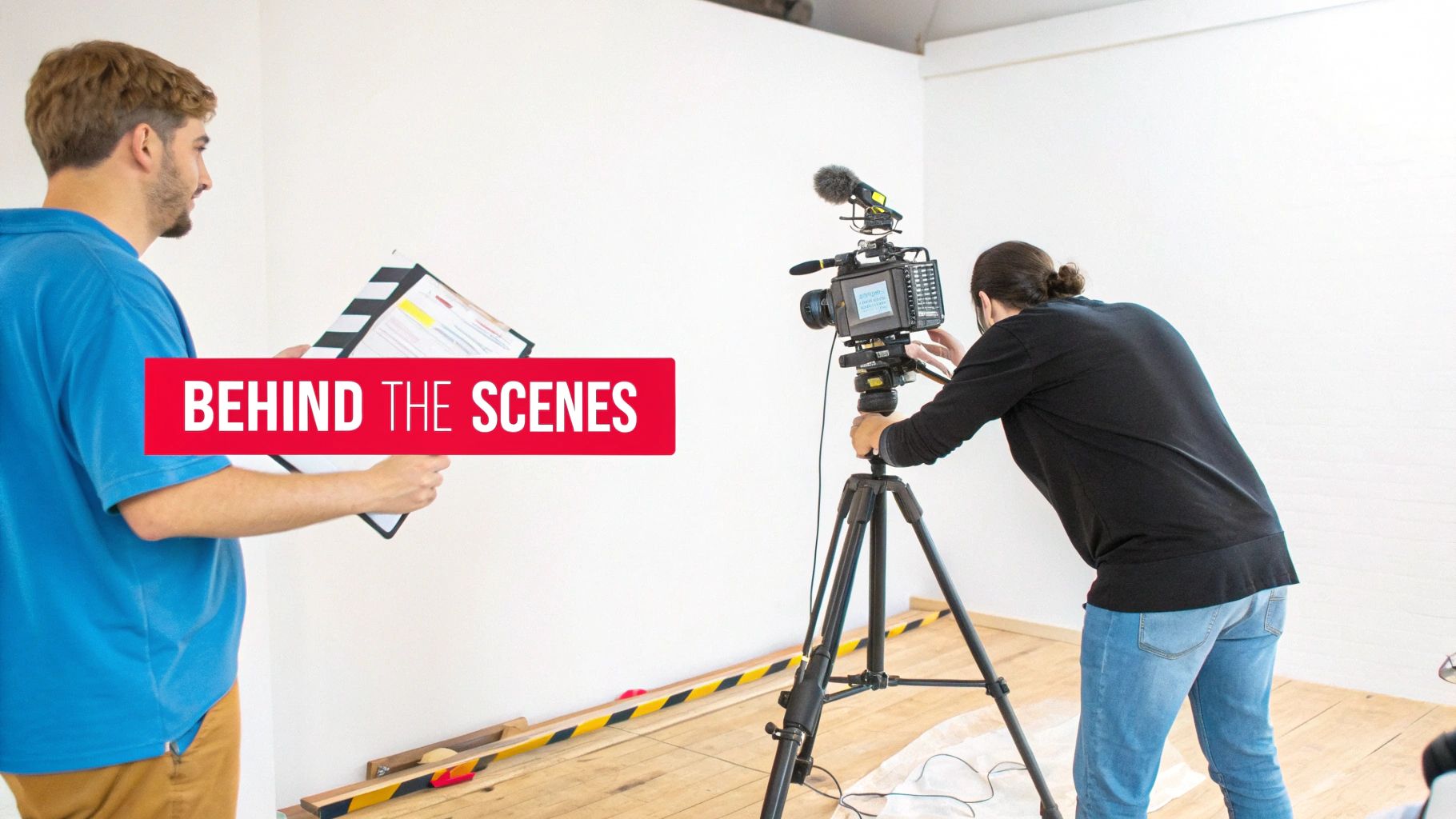
    Two people film a video production, one holding a clapperboard, the other adjusting a professional camera on a tripod, behind the scenes.

    Why It Works

    Compilation videos are incredibly effective because they deliver concentrated value, packaging your most impactful moments into one convenient, binge-worthy format. They appeal to both new viewers looking for a quick overview and existing fans who enjoy reliving highlights. Behind-the-scenes content works by humanizing your brand and making your audience feel like insiders. This exclusive access strengthens community bonds, which is a key driver for long-term channel growth.

    Key Insight: Treat compilations as new, standalone pieces of content. Add unique intros, commentary, and updated graphics to provide fresh value rather than just stitching old clips together.

    How to Implement This Strategy

    1. Identify Compilation Themes: Analyze your top-performing videos in ViewsMax to find common themes, popular topics, or recurring questions. Group 3-5 related videos to form a cohesive compilation like "My Top 5 Tips for…" or "Best Moments of 2024."
    2. Edit and Enhance: Assemble the clips and add a new introduction explaining the compilation's value. Use YouTube Chapters to allow viewers to navigate the video easily. Add new outros with a clear call-to-action.
    3. Capture BTS Content: Make it a habit to record short, raw clips on your phone during every shoot. Create a "footage bank" to pull from for Community posts, Shorts, and Reels. This content doesn't need to be polished; authenticity is the goal.
    4. Engage the Community: Use ViewsMax to schedule Community posts with behind-the-scenes photos, polls, and short video outtakes 3-5 times a week. This consistent engagement keeps your channel active between major uploads and can be a fantastic way to learn how to get more subscribers by turning casual viewers into dedicated fans.

    4. Podcast and Audio Conversion Strategy

    This strategy involves extracting the audio from your YouTube videos to create standalone podcast episodes. By distributing this audio content on platforms like Spotify, Apple Podcasts, and Google Podcasts, you tap into an entirely new audience that prefers to consume content while multitasking, commuting, or exercising. This expands your brand's reach beyond visual media and into the rapidly growing audio-first ecosystem.

    Why It Works

    Many viewers already listen to YouTube videos in the background, treating them like podcasts. This content repurposing strategy formalizes that behavior, offering a dedicated, user-friendly audio experience. It allows you to reach your audience in moments where watching a video isn't possible, such as during a drive or a workout. For content formats like interviews, lectures, or deep-dive discussions, the audio is often the most valuable component, making it a perfect fit for a podcast format without losing significant value.

    Key Insight: Don't just rip the audio and upload. Add a podcast-specific intro and outro to welcome your audio listeners and guide them back to your YouTube channel for supplemental visual content or to join your community.

    How to Implement This Strategy

    1. Select Audio-Friendly Videos: Identify videos where the visual component is not essential. Prime candidates include interviews, expert panels, storytelling videos, educational lectures, and commentary-style content.
    2. Extract and Polish the Audio: Use audio editing software to extract the audio track from your video file. Clean it up by removing visual-specific phrases (e.g., “as you can see on the screen”) and improving sound quality with equalization and compression.
    3. Package for Podcast Platforms: Create podcast-specific assets, including an introduction, an outro, and cover art. The intro should briefly introduce your channel and the episode's topic.
    4. Publish and Promote: Use a podcast hosting service to distribute your episode to major directories like Spotify and Apple Podcasts. In the podcast show notes, include timestamps and a direct link back to the original YouTube video for a complete, cross-platform experience. You can use ViewsMax to identify which video topics have the highest engagement, signaling they would perform well as audio episodes.

    5. Social Media Quote and Carousel Post Creation

    This strategy involves extracting the most potent quotes, statistics, and actionable insights from your video and transforming them into visually appealing graphics. By creating branded quote cards and multi-slide carousel posts for platforms like Instagram, LinkedIn, and Pinterest, you convert spoken words into highly shareable, static content that reinforces your message and drives traffic back to your YouTube channel.
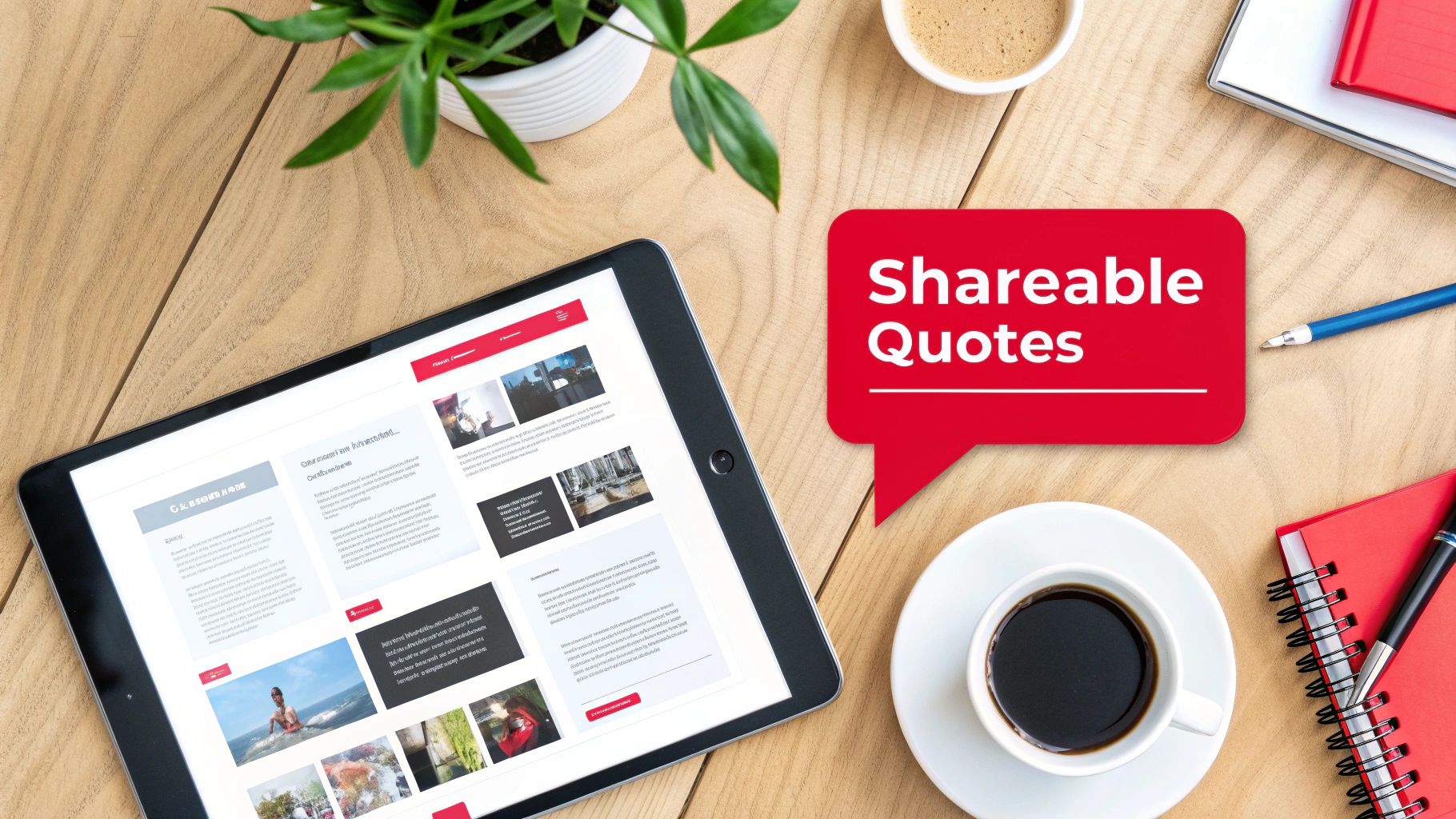
    Flat lay of a wooden desk with a tablet, coffee, and a red speech bubble displaying 'Shareable Quotes'.

    Why It Works

    Static graphics are incredibly versatile and easily consumed, making them perfect for platforms where users scroll quickly. A powerful quote or a compelling statistic can stop a user mid-scroll and deliver immediate value. Carousel posts take this further by creating a mini-narrative, encouraging users to swipe through a series of connected tips or steps. This form of content repurposing establishes you as a thought leader and gives your audience easily digestible, savable, and shareable assets that keep your brand top-of-mind.

    Key Insight: Don't just paste text onto a background. Design templates that reflect your brand's visual identity. A well-designed graphic is not just a piece of information; it’s a brand ambassador that lives on through shares and saves.

    How to Implement This Strategy

    1. Mine for Memorable Moments: Review your video transcript to identify 5-10 key takeaways. Look for motivational statements, surprising statistics, actionable tips, or controversial opinions that can stand alone and spark curiosity.
    2. Design Branded Templates: Use tools like Canva or Adobe Express to create a set of consistent, branded templates for quote cards and carousels. Ensure your YouTube channel handle or logo is subtly included on every graphic.
    3. Create and Contextualize: For carousels, break down a process or list from your video into a step-by-step format across multiple slides. In the post caption, provide context and a clear call-to-action, such as "Watch the full video for a deep dive on this topic! Link in bio."
    4. Optimize for Each Platform: Use ViewsMax to craft compelling captions that tie back to your video's core themes. Tailor your hashtags for each platform (e.g., use #LinkedIn for professional insights, #Instagram for visual appeal) to maximize the reach of these valuable content repurposing strategies. Schedule these graphics to post over several weeks to continuously promote the original video.

    6. Email Newsletter and Lead Magnet Repurposing

    This strategy transforms your video content into valuable assets designed to build and nurture an email list, one of your most important owned marketing channels. By converting your video’s core concepts into downloadable lead magnets like checklists, guides, or templates, you can offer tangible value in exchange for a viewer’s email address. This moves your audience from a rented platform like YouTube to a direct line of communication you control.

    Why It Works

    An email list is a powerful asset, immune to the whims of platform algorithms. This content repurposing strategy creates a direct path for your most engaged viewers to become loyal subscribers. Offering a high-value, downloadable resource that complements your video content incentivizes sign-ups and deepens the relationship. It's an excellent way for educators, coaches, and brands to generate leads, segment their audience by interest, and eventually promote products or services.

    Key Insight: The most effective lead magnets solve a specific problem mentioned in your video. Instead of just summarizing the content, create a practical tool (like a checklist or workbook) that helps viewers implement what they just learned.

    How to Implement This Strategy

    1. Identify Lead Magnet Opportunities: Review your top-performing videos. Look for content that teaches a process, offers a list of tips, or provides a framework. These are perfect candidates for a downloadable PDF checklist, guide, or workbook. For example, a video on "10 Tips for Better Thumbnails" could become a "Thumbnail Design Checklist" PDF.
    2. Create and Gate the Asset: Design a simple, branded PDF. Use a service like ConvertKit or Mailchimp to create a landing page where viewers can enter their email to receive the download automatically. Mention and link to this landing page in your video description, pinned comment, and end screen.
    3. Develop a Nurture Sequence: Set up an automated welcome email series for new subscribers. The first email should deliver the promised lead magnet. Subsequent emails can share links to related videos, offer exclusive tips, or introduce your paid products, adding further value and keeping your audience engaged.
    4. Optimize the Funnel: Use ViewsMax to identify which of your video topics generate the most interest, helping you decide which lead magnets to create next. Track your landing page conversion rates and email open rates to refine your value proposition and subject lines for maximum effectiveness.

    7. Webinar and Live Stream Conversion

    This powerful strategy involves transforming your existing on-demand video library into live, interactive events like webinars or converting past live streams into structured courses. By repurposing high-value video content for a live audience, you create premium, synchronous experiences that drive deeper engagement and open new monetization channels beyond standard ad revenue.

    Why It Works

    Webinars and live workshops create a sense of urgency and exclusivity that pre-recorded videos cannot replicate. This content repurposing strategy allows you to leverage your proven, evergreen content as a foundation for a high-touch, interactive event. It’s perfect for educators, coaches, and brands who want to build a stronger community, generate qualified leads, or sell premium products and services directly to an engaged audience. The live format justifies a higher price point and provides valuable, direct feedback from your most dedicated followers.

    Key Insight: The value of a webinar isn't just the information, which may already exist on your channel, but the live access to you. Focus on interactive elements like Q&A sessions, live polls, and breakout discussions to make the experience unique and justify attendance.

    How to Implement This Strategy

    1. Identify High-Demand Topics: Use ViewsMax analytics to find videos with high watch time, strong engagement, and recurring questions in the comments. These are prime candidates for a deeper, live exploration.
    2. Structure the Live Event: Outline a webinar flow that expands upon your original video. Create new slides, add updated examples, and prepare bonus materials like checklists or templates exclusively for attendees.
    3. Promote and Capture Leads: Create a dedicated registration page that clearly outlines the value of attending live versus just watching the YouTube video. Use your channel and other social platforms to drive sign-ups, treating your original video as a lead magnet for the event.
    4. Repurpose the Recording: After the live event, edit the recording to create new assets. You can offer it as a premium on-demand course, clip the best Q&A moments for YouTube Shorts, or post a condensed version back on your main channel to promote future webinars. This is one of the most effective content repurposing strategies for creating a self-sustaining content ecosystem.

    8. Interactive Quiz and Assessment Content

    This advanced strategy transforms your educational or advice-driven video content into an engaging, two-way experience. By converting key lessons or concepts from your videos into interactive quizzes or assessments, you create a powerful tool that not only educates your audience but also captures valuable insights and drives deeper engagement with your channel.

    Why It Works

    Interactive content shifts the viewer from a passive consumer to an active participant. Quizzes and assessments gamify the learning process, making it more memorable and enjoyable. This approach boosts viewer retention and reinforces your authority on a topic. It also provides a unique opportunity to gather audience data, helping you understand knowledge gaps and interests, which can directly inform your future content calendar. Finance, personal development, and skill-based channels excel with this method.

    Key Insight: Design quizzes where incorrect answers link directly to the specific timestamp in your video that explains the concept. This closes the learning loop and drives viewers back to your content with a clear purpose.

    How to Implement This Strategy

    1. Identify "Testable" Content: Review your top-performing educational videos. Pinpoint core concepts, key takeaways, or step-by-step processes that can be broken down into 5-10 clear questions.
    2. Build the Quiz: Use a third-party tool like Typeform, Google Forms, or a dedicated quiz builder to create your assessment. For each question, craft a clear prompt with multiple-choice answers based on your video's content.
    3. Integrate with Your Video: Promote the quiz within your YouTube video using interactive cards, end screens, or a prominent link in the description. You can embed it on your website and direct traffic there for a more controlled experience.
    4. Personalize the Results: Create a results page that doesn't just show a score. Offer personalized feedback and recommend specific follow-up videos from your channel based on the user's answers, creating a customized content journey. ViewsMax can help you identify related videos with high engagement to recommend.

    9. Affiliate Marketing and Product Round-Up Content

    This strategy transforms your existing product reviews, recommendations, and comparison videos into monetized written content. By creating affiliate-focused articles, detailed round-ups, and dedicated resource pages, you can generate a new revenue stream from the research and opinions you’ve already shared in your videos, capturing audiences who prefer to read and compare products before purchasing.

    Why It Works

    Many viewers watch product reviews as part of their buying journey and often search for written guides to compare features and prices. This content repurposing strategy meets them where they are, providing tangible value while earning you a commission. It establishes your authority beyond video and creates evergreen assets that can generate passive income long after a video is published. It’s a powerful way to monetize your expertise without creating new video content.

    Key Insight: Don't just list products. Structure your round-ups to solve a specific problem or cater to a particular user type (e.g., "Best Vlogging Cameras Under $500," "Top Productivity Tools for Solo Creators"). This targeted approach drives higher-intent traffic and conversions.

    How to Implement This Strategy

    1. Catalog Your Product-Related Videos: Identify all your videos that feature product reviews, recommendations, or tutorials. These are your source materials for creating affiliate content.
    2. Structure the Round-Up or Guide: Outline a blog post or resource page based on a high-intent keyword like "best," "review," or "comparison." Transcribe key points from your videos and organize them into a coherent, easy-to-read format. For example, a tech review channel can compile multiple camera reviews into a "Best Cameras for YouTube in 2024" guide.
    3. Integrate Affiliate Links and Disclosures: Sign up for affiliate programs for the products you recommend. Embed your unique affiliate links naturally within the text and add a clear, prominent disclosure statement at the beginning of the article to comply with FTC guidelines.
    4. Optimize for SEO and Promote: Use ViewsMax to identify high-performing keywords from your video titles and descriptions and incorporate them into your article's headings and body text. Promote the new resource page in the descriptions of your relevant YouTube videos and share it with your email list.

    10. LinkedIn and B2B Professional Content Adaptation

    This strategy involves adapting your YouTube content for a professional B2B audience on LinkedIn. By transforming video insights into polished articles, data-rich carousels, and detailed case studies, you can reposition your expertise to capture high-value professional opportunities, build authority in your niche, and engage with industry decision-makers directly on their preferred platform.

    Why It Works

    LinkedIn is a hub for professional development, industry networking, and B2B lead generation. Unlike entertainment-focused platforms, its users actively seek valuable, data-driven insights to solve business challenges. This content repurposing strategy allows you to meet this demand by presenting your video content in formats native to the platform, such as in-depth articles and digestible carousels. This establishes you as a thought leader, driving relevant traffic not just to your YouTube channel but also to your professional services or products.

    Key Insight: Don't just share a link to your YouTube video. Natively publish the core concepts as a LinkedIn article or carousel, adapting the tone and depth to a professional audience that values actionable frameworks and tangible results over pure entertainment.

    How to Implement This Strategy

    1. Identify B2B-Relevant Videos: Review your YouTube library for content covering business strategies, case studies, tutorials, or professional development topics. Videos with clear frameworks or step-by-step processes are ideal candidates.
    2. Choose the Right Format: For a deep dive, convert your video script into a 1,500-word LinkedIn article, enriching it with data, charts, and professional language. For a scannable, high-impact piece, turn a multi-point framework from your video into a PDF carousel document.
    3. Adapt and Enhance for Professionals: Rewrite the content with a more formal, authoritative tone. Focus on business outcomes, ROI, and actionable takeaways. Remove casual slang and add industry-specific terminology to demonstrate expertise.
    4. Optimize for LinkedIn's Algorithm: Publish your content during peak business hours (Tuesday-Thursday mornings). Tag relevant companies, influencers, and industry groups to expand your reach. End your post with a thought-provoking question to encourage comments and drive engagement.

    10-Strategy Content Repurposing Comparison

    Repurposing Strategy 🔄 Complexity ⚡ Resources & Speed ⭐ Expected Outcomes 📊 Ideal Use Cases 💡 Key Advantages / Tips
    Long-Form to Short-Form Video Conversion Medium — editorial selection + platform-specific edits Low–Medium — simple cuts & templates; fast turnaround ⭐⭐⭐ High reach & posting frequency; potential subs growth Creators with 10–60 min high-engagement videos for Shorts/Reels/TikTok 💡 Test 3–5 clips per video; preserve core branding; stagger releases
    Video to Blog Article Transcription Medium–High — transcription + SEO rewriting Medium — editing and SEO time; slower than clips ⭐⭐⭐ Evergreen organic traffic and SEO authority Tutorials, deep-dive explainers, evergreen educational content 💡 Add 20–30% new value; optimize headers & meta; embed video
    Compilation & Behind-the-Scenes Repurposing Medium — curation and narrative flow editing Medium — leverages unused footage; moderate edit time ⭐⭐⭐ Extended watch time and stronger audience loyalty Gaming, podcasts, vlogs with ample outtakes/BTS 💡 Use chapters/playlists; collect BTS during shoots; add unique intros
    Podcast and Audio Conversion Strategy Low–Medium — audio extraction + metadata creation Low — quick if audio is clean; aggregator distribution simple ⭐⭐⭐ Expands reach to audio-first audiences; new monetization Interviews, commentary, lecture-style videos 💡 Remove visual cues, add intros/outros, include show notes & CTAs
    Social Media Quote & Carousel Post Creation Low — design + selective copywriting High — fast with templates (Canva, etc.) ⭐⭐⭐ Shareable brand touchpoints; traffic drivers to channel Thought leadership, motivational, business, educational creators 💡 Extract 5–10 quotes per video; keep on-brand visuals; include CTA
    Email Newsletter & Lead Magnet Repurposing Medium — content structuring + funnel setup Medium — requires email platform & automation ⭐⭐⭐ High LTV and owned-audience growth; strong conversion paths Course creators, coaches, businesses building funnels 💡 Gate high-value assets, automate delivery, segment lists for relevance
    Webinar & Live Stream Conversion High — live tech, interactivity, registration funnels Low–Medium — prep time and platform costs; intensive per event ⭐⭐⭐ High engagement, lead generation, and premium monetization High-demand training topics, product launches, coaching offers 💡 Offer exclusives, add polls/Q&A, record sessions for on-demand reuse
    Interactive Quiz & Assessment Content High — design, platform integration, testing Low after build — initial heavy lift, reusable assets ⭐⭐⭐ Very strong engagement and first‑party data capture Educational series, diagnostics, lead-generation content 💡 Keep quizzes short (5–10 Q); link incorrect answers to video segments
    Affiliate Marketing & Product Round-Up Content Medium — content creation + link/tracking upkeep Medium — ongoing updates and tracking required ⭐⭐⭐ Passive revenue from purchase-intent traffic if executed well Tech, beauty, gear reviews, productivity/tool recommendations 💡 Disclose affiliates, use tracking UTMs, focus on high-intent keywords
    LinkedIn & B2B Professional Content Adaptation Medium — tone/style adaptation and case-study creation Medium — rewrite + imagery for professional formats ⭐⭐⭐ Builds thought leadership, B2B leads and partnership opportunities Marketing, SaaS, consulting, leadership and HR-focused creators 💡 Publish long-form articles & carousels, use data-driven insights, post weekdays

    From Content Creator to Content Strategist

    The journey from a single, well-crafted YouTube video to a comprehensive, multi-platform content ecosystem is no longer a luxury reserved for large media companies; it's an essential strategy for sustainable growth. Throughout this guide, we've explored ten distinct and powerful content repurposing strategies, moving far beyond the simple act of re-uploading clips. You now have a blueprint to transform your core video assets into everything from engaging blog posts and SEO-rich transcripts to captivating social media carousels, insightful newsletters, and professional B2B articles.

    The fundamental shift is one of mindset. Every video you produce is not a final destination. Instead, think of it as a central hub, a primary asset from which countless other pieces of valuable content can radiate, each tailored to a specific platform and audience segment. This approach shatters the relentless cycle of the content treadmill, where the pressure to constantly create something new from scratch leads to burnout.

    Key Takeaways: From Theory to Actionable Workflow

    Mastering content repurposing means you stop trading time directly for content volume and start investing it in scalable systems. The true value lies not in just doing more, but in making what you've already done work harder and smarter for you.

    Here are the most critical takeaways to integrate into your workflow immediately:

    • Value Maximization: The core principle is to extract every ounce of value from the time, energy, and resources you invest in producing your primary long-form videos. Don't let your hard work have a single, fleeting moment in the spotlight.
    • Audience Expansion: Repurposing allows you to meet your audience where they are. The person who discovers you through a 60-second TikTok might never have watched your 20-minute YouTube deep dive, but now they have a pathway to your channel. Conversely, a professional who finds your article on LinkedIn can be introduced to your more dynamic video content.
    • SEO and Discoverability: By converting video to text (blog posts, transcripts, show notes), you create a wealth of indexable content. This significantly boosts your chances of being discovered through search engines like Google, which remains a massive traffic source for many creators.
    • Reinforced Authority: Consistently appearing across multiple platforms with high-quality, relevant content solidifies your authority. You are no longer just a "YouTuber"; you become a recognized expert in your niche, building trust and credibility that transcends a single channel.

    Your Next Steps: Building a Repurposing Engine

    Feeling overwhelmed by the possibilities is normal. The key is to start small and build momentum. Don't try to implement all ten strategies at once. Instead, take a methodical approach.

    1. Conduct a Content Audit: Use your YouTube Analytics to identify your top-performing videos from the last 6-12 months. Which ones had the highest watch time, engagement, or generated the most subscribers? These are your prime candidates for repurposing.
    2. Select Two Strategies: Choose just two strategies from this list that feel most natural for your content and where you believe your audience spends their time. For a gaming channel, this might be Long-Form to Short-Form Video and Compilation & Behind-the-Scenes. For a business coach, it might be Video to Blog Article and LinkedIn Content Adaptation.
    3. Establish a Simple Workflow: Document the steps. For example: "For every new video published on Tuesday, I will create three short-form clips by Friday and schedule one blog post for the following Monday." Use tools to streamline this process wherever possible.
    4. Measure and Iterate: Track the performance of your repurposed content. Are your audiograms driving podcast listens? Are your blog posts ranking for new keywords? Use this data to refine your approach, doubling down on what works and adjusting what doesn't.

    By embracing these content repurposing strategies, you make a deliberate transition. You move from being a creator who is constantly chasing the next video idea to a savvy content strategist who is building a resilient, interconnected brand. This is how you create a lasting digital footprint that grows, engages, and converts long after you hit "publish."


    Ready to streamline your entire content lifecycle, from ideation to repurposing? ViewsMax is designed to help you manage your YouTube workflow, optimize your metadata for maximum reach, and identify the best videos to use for your content repurposing strategies. Start making smarter content decisions and build your content engine by exploring the tools at ViewsMax today.
  • How to Start a Successful youtube channel: Quick Growth Tips

    How to Start a Successful youtube channel: Quick Growth Tips

    Starting a YouTube channel is about more than just hitting the record button—it's about building a brand from the ground up. The journey breaks down into three core phases: defining your niche, getting to know your specific audience, and then building a content plan that speaks directly to them. Nail this foundation, and you're already ahead of the game.

    Laying the Foundation for YouTube Success

    Before you even think about cameras or fancy editing software, the real work begins. This initial planning phase is your channel's blueprint; it provides the purpose and clear direction you'll need to stand out. It’s easy to get lost in the sea of generic advice, but a strategic start is what separates channels that thrive from those that just… exist.

    The secret sauce is balancing your genuine passion with what people are actually searching for. You have to find that sweet spot where what you love to create meets an audience that's hungry for it. Sure, you might be passionate about competitive dog grooming, but if only a handful of people are looking for it, building a sustainable channel will feel like an endless grind.

    Define Your Unique Niche

    Your niche is your specific corner of the internet. It's the topic that makes your channel the go-to resource for a particular group of people. Getting this right is what makes a viewer click on your video instead of the ten others in their feed. When you focus on a specific subject, you attract a dedicated, highly engaged audience that actually cares about what you have to say.

    Think about it this way—don't just be broad, get specific:

    • Instead of "Cooking," try "30-Minute Vegan Meals for Busy Professionals."
    • Instead of "Gaming," how about "Indie Horror Game Walkthroughs with No Commentary"?
    • Instead of "Fitness," you could do "Low-Impact Workouts for Seniors with Joint Pain."

    A focused niche helps the YouTube algorithm figure out exactly who to show your videos to, which can really kickstart your early growth. From day one, it's crucial to understand how to grow a YouTube channel fast with proven strategies. For more inspiration, we have a detailed guide on finding the https://blog.viewsmax.com/best-niche-for-youtube/.

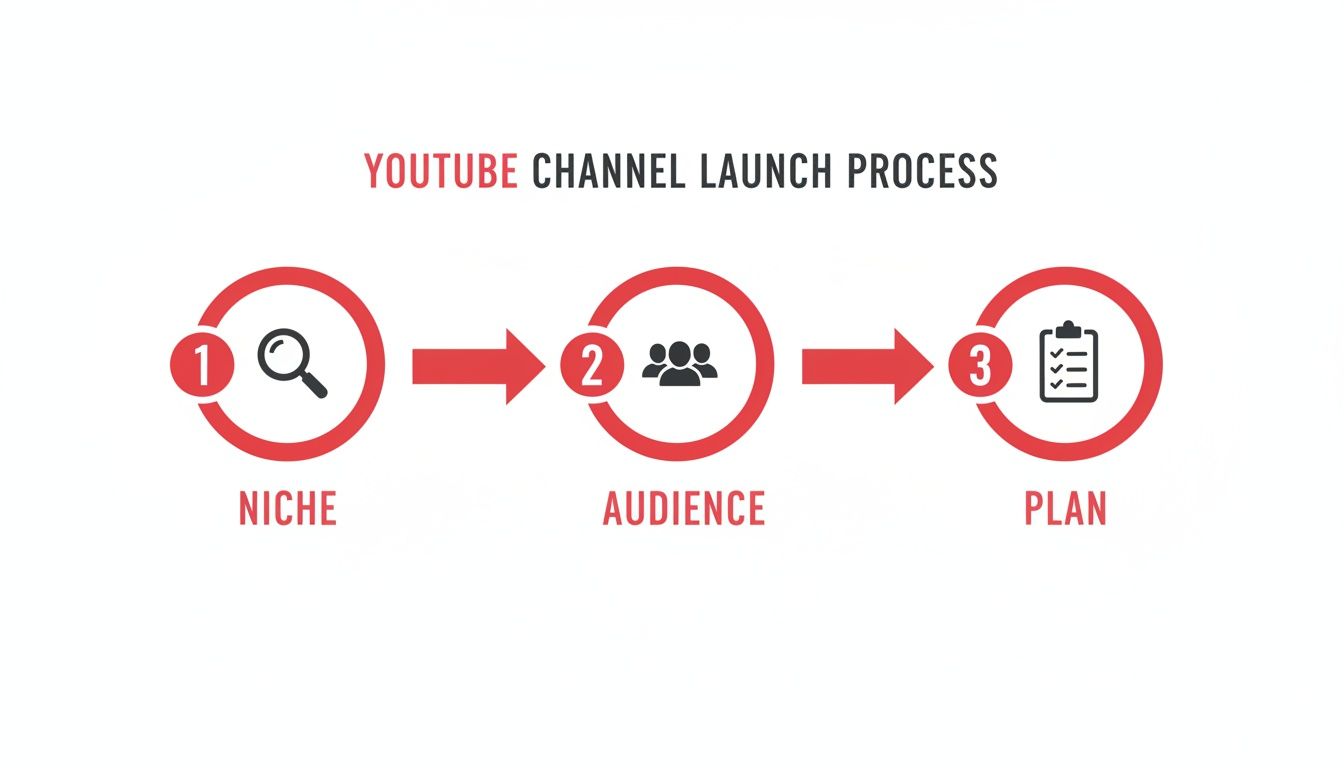
    This whole foundational process—from niche to audience to plan—is a flow.

    A visual guide to the YouTube channel launch process, detailing steps for Niche, Audience, and Plan.

    As you can see, a solid content plan is built on a clear niche and a deep understanding of your audience.

    To help you think through this, here's a simple framework comparing how different types of niches stack up against key criteria.

    Niche Selection Framework Passion vs Profitability

    Evaluation Criteria High Potential Niche (Example: Gaming) Medium Potential Niche (Example: DIY Home Repair) Low Potential Niche (Example: Personal Vlogs)
    Audience Size Massive and diverse Large but more defined Small, limited to personal network
    Competition Level Extremely high Moderate to high Low to moderate
    Monetization Viability High (ads, sponsors, merch) High (affiliates, sponsors) Low (difficult to monetize)
    Personal Passion Varies by creator Depends on interest High, but niche is yourself

    This table isn't meant to discourage you from personal vlogs, but to highlight the trade-offs. A high-potential niche like gaming has a huge audience but intense competition, while a niche like DIY home repair strikes a good balance for many creators.

    Create Your Ideal Viewer Persona

    Once your niche is locked in, you can get crystal clear on who you're making videos for. Don't just settle for broad demographics like "men aged 18-34." Go deeper. Create a detailed "viewer persona"—give them a name, a job, and a backstory. What are their biggest frustrations? What other channels do they binge-watch? What makes them hit that subscribe button?

    Let's go back to our "30-Minute Vegan Meals" channel. Your persona might be "Stressed-Out Sarah," a 29-year-old marketing manager who works long hours. She wants to be healthy but is totally overwhelmed by complicated recipes. She needs quick, nutritious solutions that don't require a trip to a specialty grocery store.

    From now on, every video idea gets filtered through one simple question: "Would Sarah find this genuinely helpful?"

    Building a successful YouTube channel isn't about appealing to everyone. It's about becoming indispensable to a specific group of people who share a common interest or problem.

    If you’re worried you missed the boat, don't be. The numbers show there's still a massive opportunity. As of January 2025, YouTube's global ad reach hit a staggering 2.53 billion users, and there are around 2.7 billion people logging in every month. With over 113 million active channels out there, the key isn't just to exist, but to carve out your own dedicated space. By laying this strategic foundation, you position yourself to capture a loyal slice of that audience from your very first upload.

    Crafting Content That Captivates Your Audience

    Now that you've laid the groundwork, it's time for the fun part: making the videos. Great content is the heart and soul of any YouTube channel. It's the magnet that pulls in casual viewers and, over time, turns them into a community of loyal subscribers.

    The secret isn't some flash of creative genius for every single upload. Honestly, that’s a recipe for burnout. Instead, the pros build a repeatable workflow—a system for brainstorming, filming, and editing that feels natural and consistently produces high-quality videos.

    Never Run Out of Video Ideas

    Staring at a blank content calendar can be intimidating. The key is to stop thinking about what you want to make and start thinking about what your audience is desperately searching for. What problems are they trying to solve? What questions keep them up at night?

    Here are a few proven frameworks to get your brainstorming sessions rolling:

    • Problem/Solution: Find a common frustration in your niche and offer a clear, step-by-step solution. For a home repair channel, think "How to Finally Fix That Annoying Leaky Faucet." It's direct and solves a real-world problem.
    • Aspirational Content: Give your viewers a glimpse of what's possible. A channel about remote work could create a video like, "A Realistic Day in the Life of a Digital Nomad in Bali."
    • Tutorials & How-To Guides: These are absolute goldmines for evergreen traffic. Break down a complicated process into simple, bite-sized steps that anyone can follow.
    • Reviews & Comparisons: Your audience wants to make smart decisions. Help them by reviewing products, software, or services they're already considering.

    Once you've got a list, run each idea through a simple filter: Would "Stressed-Out Sarah" (our viewer persona from earlier) click on this? If it's a resounding "yes," you've got a winner.

    How to Structure a Video People Actually Watch

    A well-structured video is your best weapon for keeping people watching, which sends a massive positive signal to the YouTube algorithm. Don't just wing it. A little bit of planning makes a world of difference in your audience retention.

    I always recommend the classic Hook, Content, Call-to-Action (CTA) model. It's simple, and it just works.

    1. The Hook (First 15-30 seconds): You have to grab their attention immediately. Start with a bold claim, ask a provocative question, or show them the incredible end result they're about to learn how to achieve.
    2. The Content (The Meat of the Video): This is where you deliver on the promise of your title and thumbnail. Keep your energy high, use visuals to explain your points, and make sure the information is easy to digest.
    3. The CTA (The Big Finish): Don't just let the video end. Tell your viewers exactly what you want them to do next. Ask them to subscribe, leave a comment with their own experience, or check out another one of your videos.

    The first 30 seconds of your video are everything. Analytics consistently show that this is where the biggest drop-off happens. If you can hook them in that initial window, you'll see your average view duration climb dramatically.

    The easiest way to nail this structure is with a script. It doesn't have to be a word-for-word manuscript—even a bulleted list of your main talking points will keep you on track and prevent you from rambling. For a much deeper look, we've put together a full guide on how to write a script for YouTube videos that keeps viewers glued to the screen.

    The Essentials of Production and Editing

    You don't need a Hollywood-level studio to make great videos. In fact, some of the biggest creators started with nothing more than a smartphone. The trick is to focus on the two things that have the biggest impact on how professional your video feels: audio and lighting.

    Here’s a simple breakdown of gear you can get without breaking the bank:

    Equipment Category Budget-Friendly Option (Under $100) Why It Matters
    Audio Lavalier Microphone for Smartphones People will forgive so-so video, but they will not tolerate bad audio. It's an instant click-off.
    Lighting Ring Light or Small LED Panels Good lighting is like magic. It makes even a basic phone camera look sharp and professional.
    Stability Small Tripod or GorillaPod Shaky, handheld footage just looks amateur. A cheap tripod is an easy fix for this.

    When you get to the editing stage, remember that your job is to clarify your story, not to add a million flashy effects. Simple, clean cuts to remove pauses and mistakes are your best friend. Add some light background music to set the tone, and use text on screen to highlight important takeaways.

    Free software like DaVinci Resolve or CapCut is more than powerful enough to get you started. Your main goal is a clean, well-paced video that's easy to follow.

    Mastering the YouTube Algorithm for Maximum Discoverability

    You’ve poured hours into creating an incredible video. That’s a huge win, but it’s just the beginning. To really grow, you need to get your content in front of the right people, and that means understanding the single most powerful force on the platform: the YouTube algorithm.

    Think of the algorithm less as a gatekeeper and more as a very busy matchmaker. Its entire job is to connect viewers with videos they’ll love, keeping them watching for as long as possible. Your goal isn't to "beat" it; it's to give it crystal-clear signals about what your video is and who it's for. When you optimize your content, you’re essentially handing the algorithm a roadmap that leads directly to your ideal audience.

    A vlogger's desk setup featuring a DSLR camera on a tripod, a laptop editing video, and office supplies.

    A great production setup is essential, but discoverability is won after you hit export. It's all about how you package and present your video to both viewers and the algorithm.

    Cracking the Code of Titles and Thumbnails

    Your title and thumbnail are your video's first impression, its digital billboard. They work as a team to make a promise to a potential viewer, and their only job is to earn the click. This is measured by your click-through rate (CTR), arguably one of the most vital metrics for your channel's growth.

    A high CTR tells YouTube, "Hey, when people see this, they want to watch it!" In response, the algorithm shows it to more people. A low CTR sends the opposite signal, suggesting your packaging isn't hitting the mark, and the algorithm will likely stop recommending your video.

    So how do you craft a killer title? It's a blend of art and science. You need to include your main keyword for searchability but also inject some curiosity or an emotional hook to grab attention. Don't be afraid to experiment with different angles that spark interest.

    Your thumbnail has to back up the title's promise. We’re talking high-contrast colors, expressive faces (if you're on camera), and minimal, easy-to-read text. Remember, most people will see it on a tiny phone screen, so it has to be legible and compelling at a glance.

    The Power of Descriptions and Tags

    While they aren't as flashy as your thumbnail, your description and tags are a goldmine for the algorithm. Your video description is where you can really give YouTube the full context of what your video is about.

    Pay close attention to the first two or three lines—that's what shows up in search results. Make them count by summarizing the video's value and naturally including your primary keyword.

    From there, flesh out the rest of the description. It's a great place to add:

    • Timestamps: Help viewers find exactly what they're looking for in longer videos.
    • Helpful Links: Point to resources you mentioned, affiliate products, or your other content.
    • A Call-to-Action: Gently nudge people to subscribe or connect with you elsewhere.

    Tags have become less critical over the years, but they still help provide some extra context. Think of them as supplemental keywords. Add your main keyword, a few variations, and some broader related topics. Just be sure to keep them relevant; keyword stuffing won't do you any favors. For a deeper dive, check out our guide on how to find the right YouTube video keywords.

    A Quick On-Page SEO Checklist

    To make sure you’re hitting all the right notes every single time you upload, it helps to have a system. Following a quick checklist can turn optimization from a chore into a habit, ensuring you give every video its best shot at success.

    On-Page SEO Checklist For Every Video

    Optimization Element Best Practice Impact on Algorithm
    Title Combine a primary keyword with a compelling, curiosity-driven hook. Strong signal for search ranking and a key driver of CTR.
    Thumbnail Use a high-contrast, clear, and emotionally resonant image with minimal text. The #1 factor influencing a viewer's decision to click. High CTR is rewarded.
    Description Write a detailed, keyword-rich summary. Put the most important info in the first 2-3 lines. Provides deep context, improves search visibility, and can house valuable links.
    Tags Use a mix of specific and broad keywords relevant to the video topic. Offers supplemental context to help categorize and recommend your content.
    Timestamps Break down your video into chapters for easy navigation. Improves user experience and can lead to higher audience retention.

    This checklist isn't about gaming the system; it's about communicating clearly. When you consistently provide these signals, you're building a foundation for long-term discovery.

    The takeaway is simple: YouTube rewards videos that keep people on the platform longer. Every element—from your title and thumbnail to your description and tags—should be optimized to attract the right viewer and deliver an experience that makes them stick around.

    Mastering these on-page elements is a repeatable skill. It transforms uploading from a simple task into a strategic move, drastically increasing your chances of reaching the audience you’ve worked so hard to build.

    Getting Your Videos Seen: Launch and Promotion Strategy

    Modern desk with two computer monitors, keyboard, notebook, and pen, one screen displaying 'Boost Discoverability' for video content.

    Hitting "publish" isn’t the end of your work—it’s actually where the real hustle begins. That first 24 to 48 hours after a video goes live is a make-or-break window. During this time, the YouTube algorithm is watching closely, testing your content with a small slice of your audience. The initial numbers—views, watch time, and click-through rate—tell the algorithm whether your video is a hit or a miss.

    A big wave of early engagement sends a clear signal that people are loving your content, which convinces YouTube to show it to more and more viewers. Just sitting back and hoping for views is a recipe for failure. If you want to build a successful channel, you need a plan to give your video a serious push the second it drops.

    Create a Strategic Publishing Schedule

    Consistency is one of the most repeated pieces of advice on YouTube, but it's not just about uploading frequently. It's about being strategically consistent. Stop uploading the minute you finish an edit. Instead, figure out when your audience is actually online and ready to watch.

    Once you’ve published a handful of videos, your YouTube Studio Analytics will become your secret weapon. Head over to the "Audience" tab. You'll find a chart showing the exact days and hours your viewers are most active. If that chart lights up on Thursdays around 6 PM, guess what? You just found your new upload time.

    A smart publishing schedule isn't just for the algorithm. It trains your audience. They learn when to expect new content, turning them from casual viewers into loyal fans who show up on time for every new video.

    This one simple change—aligning your schedule with your audience’s habits—can make a huge difference in your initial view count and give the algorithm all the right signals.

    Use Other Platforms for an Initial Boost

    Don't box your promotion efforts into YouTube itself. The social media accounts, email list, or online communities you already have are goldmines for driving that critical early traffic. The trick is to share your content in a way that feels helpful, not spammy.

    Tailor your approach for each platform:

    • Social Media: Never just drop a link and run. Create a short, punchy teaser—think a 15-30 second highlight reel—and post it natively to platforms like Instagram Reels, TikTok, or X (formerly Twitter). Hook them with the best part, then end with a clear call-to-action to watch the full video on your channel.
    • Email Newsletter: The people on your email list are your core supporters. When a new video is live, send them an email explaining why it's worth their time and what they'll learn from it.
    • Online Communities: Find the Reddit, Facebook, or Discord communities where your people hang out. But first, become a real member. Participate, add value, and then, when it makes sense, share your video. Frame it as a solution or a helpful resource, not just a plug for your channel.

    This approach creates a web of entry points, funneling people from all over the internet to your video right when it matters most.

    The Power of Creator Collaborations

    Want a shortcut to a brand-new, perfectly matched audience? Collaborate with another creator. When someone your audience already knows and trusts gives you a co-sign, it builds instant credibility for your channel.

    Start by looking for creators who are roughly the same size as you and serve a similar audience, but aren't direct competitors. For example, if your channel is all about "budget travel hacks," you could team up with a creator who reviews "minimalist travel gear." The audiences are a perfect match, but the content is different enough to be complementary.

    When you reach out, don't just say "let's collab." Pitch a specific idea that provides real value to both audiences. It could be as simple as a shoutout, a guest appearance in each other's videos, or even a co-hosted livestream. This kind of cross-promotion is a classic win-win, giving both of you exposure to a new group of engaged viewers who are likely to stick around.

    Analyzing Your Performance to Fuel Growth

    Hitting "publish" on a video isn't the finish line—it's the starting gun. A truly successful YouTube channel is built on data, not just gut feelings. Diving into your YouTube Analytics is like getting a report card directly from your audience. It tells you exactly what they loved, what bored them, and what you should do next.

    Instead of getting overwhelmed by a sea of numbers, you need to zero in on the metrics that actually move the needle. These are the numbers that tell the real story behind your views and hand you a clear roadmap for what to create next.

    The Metrics That Truly Matter

    Look, not all analytics are created equal. A rising subscriber count feels fantastic, but it's often just a vanity metric. Real, sustainable growth comes from understanding the behavior that drives the numbers.

    Here are the core metrics you should become obsessed with:

    • Click-Through Rate (CTR): This is simple: what percentage of people who saw your thumbnail actually clicked on it? A strong CTR, typically above 5%, is proof that your title and thumbnail are doing their job and grabbing attention.
    • Audience Retention: This graph is your best friend. It shows you, second by second, when people are clicking away. High retention is a massive signal to the YouTube algorithm that your content is engaging and delivers on the promise you made.
    • Average View Duration (AVD): This is the average amount of time people spend watching your video. A longer AVD tells YouTube your content is high-quality and worth recommending to more viewers.

    When you look at these metrics together, that's where the powerful insights live. For example, a video with a killer CTR but terrible audience retention is a classic sign of "clickbait." People were intrigued enough to click, but they left in a hurry because the content wasn't what they expected.

    Your YouTube Analytics dashboard isn't just a pile of data; it's a direct conversation with your audience. Learn to listen to what the numbers are telling you, and you'll never run out of ideas that connect.

    Turning Data Into Actionable Content Decisions

    The real magic happens when you let this data guide your creative choices. Your analytics can inform everything from your next video topic to how you structure the first 15 seconds of your intro. It takes the guesswork out of building a successful channel and replaces it with a repeatable, data-backed strategy.

    Let’s walk through a real-world scenario. Imagine you run a channel about urban gardening. You post a video, "5 Common Balcony Gardening Mistakes," and notice it has an unusually high audience retention rate, especially during the part where you discuss pest control.

    That's a massive signal from your viewers. They're telling you they want more on that specific topic. Your next move is obvious: create a deep-dive video like "The Ultimate Guide to Natural Pest Control for Balcony Gardens."

    The YouTube Studio dashboard gives you a clean overview of these performance indicators.

    This dashboard lets you spot trends and identify your top-performing videos at a glance, making it easy to see what’s working and what’s not.

    How to Conduct a Regular Channel Audit

    To make this a sustainable habit, block off a little time each month for a simple channel audit. This isn't about getting lost in spreadsheets; it's about spotting trends and finding opportunities for your next batch of content.

    Here’s a simple framework for your monthly review:

    1. Find Your Top 3 Videos: Which videos brought in the most views and subscribers in the last 30 days? What do they have in common? Is it the topic? The format? The thumbnail style?
    2. Check Your Traffic Sources: Where are people finding you? Is it from YouTube search, browse features (like the homepage), or suggested videos? If you're getting a lot of traffic from browse and suggested, it means the algorithm is on your side.
    3. Review Retention on Your Last 5 Videos: Look for patterns. Are viewers consistently dropping off in the first 30 seconds? Your hooks probably need some work. Do you see spikes where people re-watch a certain part? That's a golden nugget of high engagement you need to replicate.

    This regular check-in keeps your strategy sharp and ensures you’re always adapting to what your audience craves. As you grow, you might also look for ways to expand your reach. Learning how to crosspost YouTube to TikTok can be a game-changer, helping you repurpose your best-performing content for an entirely new audience.

    Frequently Asked Questions About Starting on YouTube

    Overhead shot of a workspace with a tablet showing key metrics graphs, coffee, notebooks, and glasses.

    Jumping into YouTube for the first time brings up a ton of questions. I get it. Getting straight answers is the best way to build momentum and sidestep the common mistakes that trip up so many new creators.

    This section is all about tackling those big, pressing questions. We'll cover everything from gear to monetization, giving you the practical insights you need to get started with confidence.

    What Equipment Do I Really Need to Start?

    Let's clear this up right away: you do not need a professional studio to get started. Some of the biggest names on YouTube began with just a smartphone, and so can you. The most critical investments aren't in a high-end camera but in two areas that make a much bigger difference to your audience.

    Before you spend a dime on a camera, focus on these two things:

    • Clear Audio: Viewers will put up with so-so video quality, but they will absolutely not tolerate bad audio. It's an instant click-off. A simple lavalier microphone that plugs right into your phone can be a game-changer.
    • Good Lighting: You don't need to buy expensive studio lights. The best light source is free—just film in front of a window with natural daylight. If you need something more consistent for filming at night, a basic ring light is a fantastic and affordable next step.

    Once you’ve got a good workflow and start seeing some growth, then you can think about upgrading your camera. But for now, what you already have is more than enough to make great content.

    The quality of your ideas and the clarity of your audio will always, always matter more than the camera you use. Start simple, prove your concept, and upgrade your gear as your channel grows.

    How Often Should I Post New Videos?

    This is a big one. It's so tempting to think more is better, but consistency will always beat frequency. Trying to post daily is a surefire recipe for burnout, and it's a mistake I see countless creators make. It's far better to choose a realistic schedule you can actually stick to, whether that's once a week or even twice a month.

    When you post on a predictable schedule, your audience learns when to expect new content, which builds that all-important loyalty. It also gives the YouTube algorithm a clear signal. Start with a manageable goal, like one solid video per week, and just nail that rhythm.

    When Can I Start Making Money?

    Making money on YouTube is a marathon, not a sprint. The main way creators earn is through the YouTube Partner Program (YPP), which lets you run ads on your videos. But you have to qualify first.

    To get into the YPP, you need to hit two key milestones:

    1. 1,000 subscribers
    2. 4,000 hours of public watch time within the last 12 months

    Hitting these numbers can take a few months for some or over a year for others—it really depends on your niche and how consistently you create valuable content. Don't forget, there are other ways to earn, like affiliate marketing or selling your own products, which you can start exploring long before you qualify for the YPP.

    How Do I Get My First 100 Subscribers?

    Getting those first 100 subscribers can feel like the toughest climb. The secret isn't to appeal to everyone; it's the exact opposite. You need to create content that provides undeniable value for a very specific type of person in a well-defined niche.

    Make it a point to engage with every single comment you get. This is how you start building a real community from day one. You can also share your videos in relevant places like Reddit communities or Facebook groups where your ideal viewer hangs out—just make sure you're being helpful and not spammy. Your first wave of growth will come from being an active, valued member of a community, not just someone dropping links.


    Ready to stop guessing and start growing? ViewsMax gives you the AI-powered tools and data-driven insights you need to optimize your titles, find the right keywords, and make smarter content decisions. Build your successful YouTube channel with confidence by visiting https://blog.viewsmax.com.

  • 10 Viral YouTube Shorts Ideas to Explode Your Channel in 2025

    10 Viral YouTube Shorts Ideas to Explode Your Channel in 2025

    YouTube Shorts are a creator’s secret weapon for explosive channel growth, but brainstorming fresh, engaging content can feel like a constant battle. The algorithm demands consistency, and your audience craves novelty. Staring at a blank screen wondering what to post next is a familiar struggle for creators aiming for relevance and reach. That’s where a well-structured plan becomes essential for maintaining momentum.

    This guide is your direct solution. We are moving beyond generic advice like “be authentic” to provide a comprehensive playbook of battle-tested youtube shorts ideas. Each category is designed to be a launchpad for your creativity, not just a suggestion. You will find actionable hooks to stop the scroll, simple script outlines to structure your narrative, and strategic filming tips to elevate your production value, no matter your niche.

    Whether you’re building a brand, educating an audience, or simply sharing your passion, these concepts are built to perform. We will cover a wide range of formats, from quick educational explainers and satisfying before-and-after transformations to comedy sketches and trending challenges. The goal is to give you a reliable source of inspiration that you can return to whenever you need to kickstart your content creation process. If you’re seeking even more inspiration beyond these core categories, explore additional YouTube Shorts ideas to further fuel your production schedule. Let’s dive into the concepts that will make your channel impossible to ignore.

    1. Quick Life Hacks and Tips

    Life hacks are a cornerstone of short-form video content because they offer immediate, tangible value in a highly shareable format. This idea involves creating Shorts that demonstrate clever, practical solutions to common everyday problems. The core appeal lies in the “aha!” moment when a viewer discovers a surprisingly simple fix for a frustrating issue, from kitchen shortcuts and cleaning tricks to tech tips and organizational solutions.

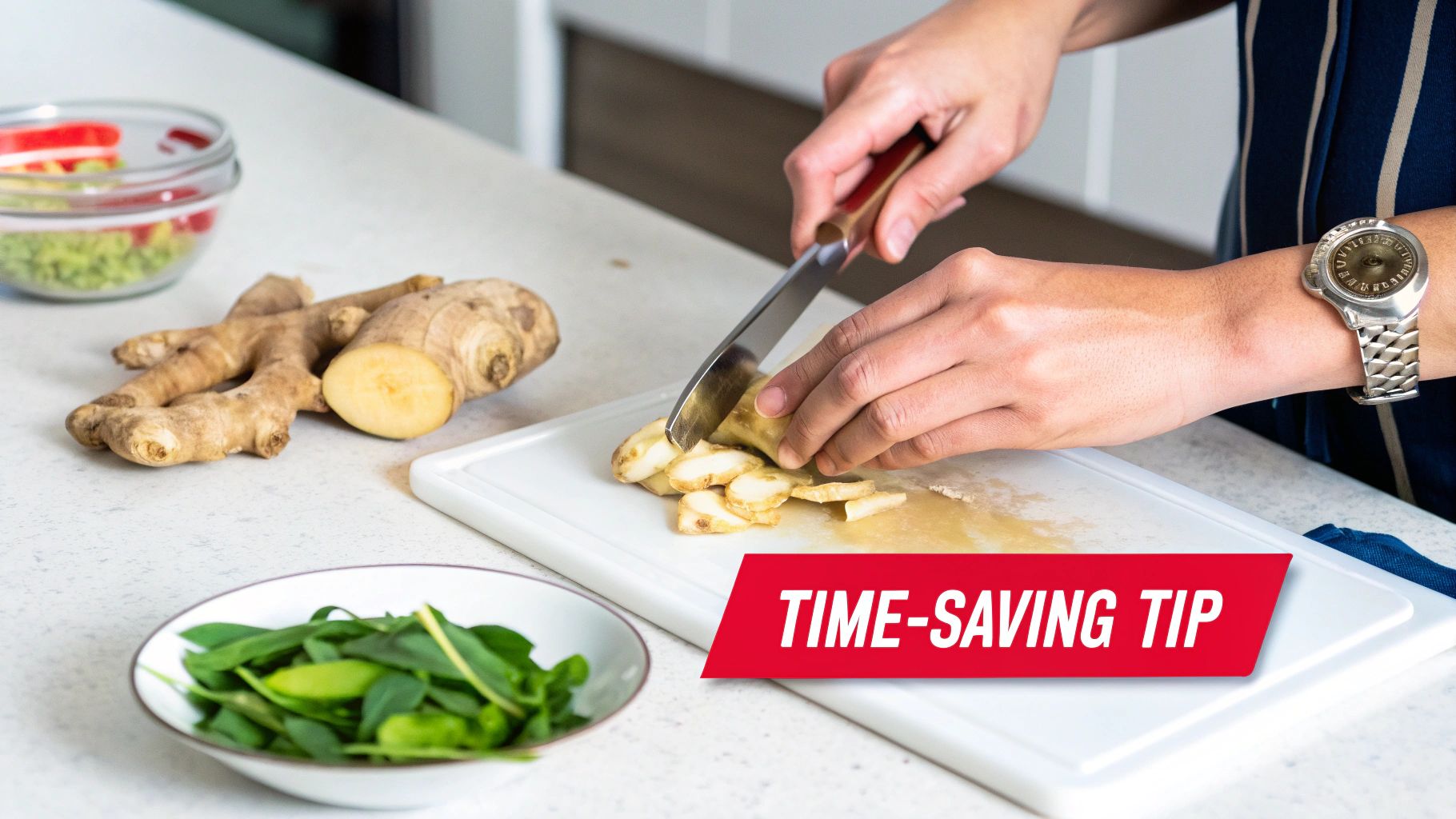
    A person is slicing fresh ginger root on a white cutting board, preparing ingredients for cooking.

    The format is straightforward: present a relatable problem and then reveal an unexpected, effective solution. These videos are incredibly popular because they save viewers time, money, or effort, making them a fantastic addition to any list of YouTube Shorts ideas. Channels like 5-Minute Crafts and Smart Zone have built massive followings by mastering this exact concept.

    How to Create Quick Life Hack Shorts

    • Hook with a Problem: Start your Short by immediately showing a common, frustrating problem. A great hook could be, “Tired of your brown sugar turning into a rock?” or “You’ve been opening chip bags wrong your whole life.”
    • Show, Don’t Just Tell: Visually demonstrate the hack. Film a clear before-and-after sequence or a step-by-step process. Use fast cuts to keep the pace energetic and maintain viewer attention.
    • Add Text Overlays: Use bold text overlays to highlight key steps or reveal the “secret” ingredient or tool. This makes the content accessible even with the sound off.
    • Verify Your Hacks: Always test the hack before filming to ensure it works. Losing credibility is a quick way to lose subscribers.
    • Call to Action: End with a simple CTA like, “Try this and let me know if it works!” or “Follow for more daily hacks.”

    Example Short: Peeling Ginger with a Spoon

    2. Educational Explainers and Learning Content

    Educational content is a powerful way to provide immense value and establish authority on YouTube. This idea involves breaking down complex topics, historical events, scientific principles, or fascinating facts into digestible, 60-second shorts. The appeal is in making learning feel effortless and entertaining, satisfying viewer curiosity and positioning your channel as a go-to source for knowledge.

    The format typically involves a question or a surprising statement followed by a concise, visually engaging explanation. These videos are incredibly effective for audience growth because they tap into a natural desire for self-improvement and discovery. Channels like Kurzgesagt, Veritasium, and TED-Ed have demonstrated that this is one of the most compelling YouTube Shorts ideas for building a loyal, engaged community.

    How to Create Educational Explainer Shorts

    • Hook with a Question or Surprising Fact: Start with an intriguing hook that makes viewers stop scrolling. Examples include, “Why is the sky blue?” or “Did you know that sharks are older than trees?”
    • Use Visuals to Simplify: Employ simple animations, stock footage, or clear graphics to illustrate your points. Visual storytelling is crucial for explaining complex ideas quickly and keeping viewers engaged.
    • Keep the Script Tight: Every word counts. Write a concise script that gets straight to the point, avoiding jargon and unnecessary details. Focus on delivering the core concept clearly.
    • Establish Credibility: Briefly mention your sources in the video or link to them in the description. This builds trust with your audience and encourages them to see you as a reliable educator. For a deeper dive into creating credible content, you can find a variety of helpful resources by checking out our other creator guides on ViewsMax.
    • End with a Thought-Provoking CTA: Encourage viewers to engage further with a call to action like, “What topic should I explain next?” or “Follow to learn something new every day!”

    Example Short: What if You Detonated a Nuke in the Mariana Trench?

    3. Before and After Transformations

    Transformation content is incredibly powerful in short-form video because it delivers a deeply satisfying visual payoff. This idea involves showcasing a dramatic change over time, tapping into the human fascination with progress, improvement, and renewal. The core appeal is the stark contrast between the “before” state and the “after” result, creating a compelling narrative of effort and achievement.

    This format is extremely versatile and can be applied to countless niches, including fitness journeys, home renovations, room organization, artistic skill progression, and beauty makeovers. The satisfying reveal keeps viewers hooked until the very end, making it one of the most reliable YouTube Shorts ideas for generating high engagement. Channels focused on home improvement and personal development have seen massive success with this format.

    How to Create Before and After Shorts

    • Hook with the “Before”: Start immediately with a shot of the “before” state. The messier, more chaotic, or less developed it is, the more impactful the final reveal will be. This creates instant curiosity.
    • Show the Process (Briefly): Use a quick montage or time-lapse to show snippets of the work involved. This adds authenticity and demonstrates the effort required for the transformation, making the “after” even more rewarding.
    • The Big Reveal: Use a dramatic transition, like a snap, a wipe, or a jump cut, to unveil the final “after” result. Let the shot linger for a few seconds so the viewer can fully appreciate the change.
    • Add Context with Text: Use text overlays to provide key details like the timeline (“30-Day Fitness Journey”), the cost (“$200 Bathroom Makeover”), or the main technique used.
    • Use Trending Audio: Pair your transformation with a trending song or audio clip that builds anticipation and enhances the emotional impact of the reveal. A powerful, uplifting track can make all the difference.

    Example Short: Satisfying Desk Cleanup

    4. Trending Sound and Lip-Sync Content

    Leveraging trending sounds is one of the most powerful strategies for discoverability on YouTube Shorts. This idea involves creating content set to popular audio clips, music, or dialogue that is currently gaining traction on the platform. The core appeal is twofold: it taps into existing conversations and cultural moments, and the YouTube algorithm often prioritizes content using trending audio, increasing its reach.

    The format is incredibly versatile, ranging from comedic lip-sync skits and dance challenges to creative interpretations of soundbites. This approach is one of the best YouTube Shorts ideas because it provides a ready-made framework for content, reducing the need to script from scratch. Creators like Zach King and Larray have famously used this method to create viral videos that resonate with millions.

    How to Create Trending Sound Shorts

    • Find Sounds Early: Monitor the YouTube Shorts audio library and platforms like TikTok to identify sounds that are just beginning to trend. Getting in on a trend early gives your content a longer lifespan.
    • Add a Unique Twist: Simply copying a trend isn’t enough. Add your unique perspective, niche, or a comedic twist to make your Short stand out. Ask yourself, “How can I apply this sound to my specific area of expertise?”
    • Keep Production Quality High: Good lighting and clear audio (even if you’re lip-syncing) can differentiate your video from the countless others using the same sound. A polished look helps capture and retain attention.
    • Create Multiple Variations: If a sound works well for your audience, don’t be afraid to create several Shorts using it with different jokes or scenarios. This maximizes your chances of one going viral.
    • Use a Strong Hook: Even with a trending sound, your first two seconds are critical. Start with an engaging visual or a provocative text overlay to stop viewers from scrolling.

    Example Short: POV with Trending Audio

    5. Comedy Sketches and Relatable Humor

    Comedy is a universal language, making sketches and relatable humor one of the most powerful and shareable YouTube Shorts ideas available. This concept involves creating short, scripted videos that depict funny scenarios, highlight common frustrations, or offer a humorous take on everyday life. The appeal is rooted in shared experience; when viewers see a situation they recognize, the comedic exaggeration creates an instant connection.

    The format is flexible, ranging from character-based bits and observational humor to absurd situations. These videos excel at building a loyal community because they make people laugh and feel understood. Creators like Brittany Broski have built entire careers on this format, proving that a well-timed joke can resonate with millions and is a fantastic way to generate viral momentum.

    How to Create Comedy Sketch Shorts

    • Start with a Relatable Premise: Ground your humor in a common experience. A great starting point could be, “That one coworker who always replies all,” or “Trying to follow a recipe from a cooking blog.” This gives your audience an immediate entry point.
    • Focus on Timing and Pacing: Comedy is all about timing. Use quick cuts, dramatic pauses, and sound effects to emphasize punchlines. Don’t be afraid to let a joke land; a moment of silence can be as funny as the line itself.
    • Embrace Exaggeration: Take a normal situation and blow it out of proportion. If the topic is misplacing your keys, show a character turning their entire house upside down in a frantic, over-the-top search.
    • Develop Recurring Characters: Create a memorable character or a running gag that viewers can look forward to. This encourages repeat viewership as your audience becomes invested in the character’s recurring antics.
    • Call to Action: End with a prompt that encourages engagement, like, “Tag someone who does this,” or “What should I do a skit about next? Follow for more!”

    Example Short: Corporate Life Humor


    6. Behind-the-Scenes and Creator Vlogs

    Behind-the-scenes (BTS) and creator vlogs offer an authentic, unfiltered look into the life and process of a content creator. This idea revolves around pulling back the curtain to show the work, challenges, and personal moments that don’t make it into the polished, final videos. The core appeal is in building a strong, parasocial connection with the audience, making them feel like insiders who are part of the journey.

    This format is incredibly powerful for humanizing a brand or channel. By sharing the messy, real side of content creation, from brainstorming struggles to filming mishaps, creators foster trust and loyalty. Channels like MrBeast use BTS Shorts to show the massive scale of their productions, while creators like Emma Chamberlain use vlog-style Shorts to share relatable, everyday moments, making this one of the most versatile YouTube Shorts ideas for building a dedicated community.

    How to Create Behind-the-Scenes Shorts

    • Show the “Before”: Start by showing the unglamorous reality of a project. This could be a messy desk before a studio tour, a failed attempt at a stunt, or a frustrating brainstorming session. A great hook is, “This is what it really takes to make a video.”
    • Highlight the Process, Not Just the Result: Capture quick clips of your workflow: setting up lights, editing footage, writing scripts, or collaborating with others. Speed up the footage (hyper-lapse) to show progress over time.
    • Embrace Imperfection: Don’t be afraid to show mistakes or moments of doubt. Authenticity is key. Sharing a failed video idea or a technical glitch makes you more relatable than presenting a flawless image.
    • Create a Series: Follow a specific project from start to finish across multiple Shorts. For example, a weekly update on building a new studio or developing a new product. This encourages viewers to come back for the next installment.
    • Link to Longer Content: Use a BTS Short as a teaser for a full-length vlog or a more detailed behind-the-scenes video on your main channel. End with a CTA like, “See the full chaotic process in our new video, link in description!”

    Example Short: A Day in the Life of a YouTuber

    7. Trending Challenges and Participation Format

    Jumping on trending challenges is one of the fastest ways to tap into a massive, built-in audience on YouTube Shorts. This idea involves creating content that participates in viral movements, from dance routines and comedy skits to creative, task-based challenges. The appeal is twofold: it gives creators a proven format to work with and allows them to become part of a larger, ongoing conversation that the algorithm is already pushing to viewers.

    The core principle is simple: find what’s currently popular and add your unique spin. Viewers actively seek out different interpretations of a challenge they enjoy, making it a powerful tool for discovery. Channels that consistently and creatively participate in trends, like those seen in the #DontRushChallenge or various dance trends, often experience rapid growth spurts, making this one of the most effective YouTube Shorts ideas for gaining visibility.

    How to Create Trending Challenge Shorts

    • Act Quickly: Trends have a short lifespan. Use the Shorts “Trending” feed or explore popular sounds to identify a challenge as it’s gaining momentum. The earlier you participate, the higher your chances of being seen.
    • Add Your Unique Spin: Don’t just copy the trend; elevate it. Add a comedic twist, incorporate a unique skill, or relate it to your niche. If it’s a dance challenge, do it in an unexpected location or with a funny prop.
    • Use the Right Sound and Hashtags: Always use the official sound associated with the challenge and include the primary challenge hashtag (e.g., #SevenElevenChallenge). Add related tags like #shorts, #trending, and #fypchallenge to broaden your reach.
    • Encourage Engagement: End your Short by challenging your viewers to try it themselves. A simple CTA like, “Can you do this? Duet this and show me!” can boost interaction. For more insights on leveraging trends, you can learn more about how to capitalize on viral content on ViewsMax.
    • Collaborate with Others: Team up with another creator to film a challenge together. This cross-promotes both channels to new audiences and adds a fun, dynamic element to your video.

    Example Short: “This or That” Challenge

    8. Product Reviews and Unboxing Content

    Product reviews and unboxing videos are a powerful format for Shorts, tapping into consumer curiosity and the desire for authentic opinions before making a purchase. This idea involves creating quick, visually engaging videos that showcase a product’s features, first impressions, or practical use. The appeal lies in delivering a concise, trustworthy verdict on items ranging from the latest tech gadgets to niche beauty products.

    Electronics unboxing scene with a red box, tablet, earphones, and a screen showing 'Quick Unbox'.

    This format condenses the traditional long-form review into a high-impact, 60-second clip, making it perfect for viewers seeking quick information. It also opens significant monetization opportunities through affiliate marketing and brand sponsorships. Channels like Unbox Therapy and countless micro-influencers have successfully adapted this concept for Shorts, proving its effectiveness and making it one of the most commercially viable YouTube Shorts ideas.

    How to Create Product Review Shorts

    • Hook with Intrigue: Start by posing a compelling question or making a bold statement about the product. For example, “Is the new [Product Name] really worth the hype?” or “This $20 gadget just changed my entire kitchen.”
    • Focus on Key Features: You don’t have time to cover everything. Highlight the top 2-3 most exciting or disappointing features. Use fast cuts and dynamic camera angles to show the product in action.
    • Provide an Honest Verdict: Authenticity is crucial. Clearly state the pros and cons using text overlays for emphasis. Viewers trust creators who offer a balanced perspective, not just a sales pitch.
    • Disclose Relationships: Always be transparent about sponsored content or affiliate links in your description or pinned comment to maintain trust with your audience and comply with platform guidelines.
    • Call to Action: Encourage viewers to ask questions in the comments or check the link in your description for more details. A great CTA is, “Would you buy this? Let me know below!”

    Example Short: 30-Second Gadget Review

    9. Workout and Fitness Routines

    Fitness content is a dominant force on social media, and YouTube Shorts provides the perfect platform for bite-sized workout routines. This idea involves creating quick, efficient exercise demonstrations that viewers can follow along with or save for later. The appeal is its accessibility; these Shorts offer a no-excuse way for people to fit movement into their busy schedules, whether it’s a 60-second ab burner, a quick morning stretch, or a desk-friendly yoga flow.

    The format is direct: demonstrate a series of exercises clearly and concisely, often with a timer and upbeat music. These videos are incredibly valuable because they provide actionable health and wellness content that viewers can use immediately. Channels like Chloe Ting and Joe Wicks have successfully adapted their longer workouts into this short-form style, making this a proven concept for any list of YouTube Shorts ideas.

    How to Create Workout and Fitness Shorts

    • Focus on a Target Area: Hook viewers by being specific. Start with a title or text overlay like, “Tone Your Arms in 60 Seconds” or “The Only 3 Moves You Need for Lower Abs.”
    • Demonstrate Perfect Form: Film each exercise from an angle that clearly shows proper posture and movement. Use slow-motion to emphasize critical parts of the form, like keeping a straight back during a squat.
    • Use Timers and Rep Counts: Add a visual on-screen timer or text overlays that specify reps (e.g., “10 reps”) or duration (“30 seconds”) for each exercise. This makes the routine easy to follow.
    • Prioritize Accessibility: Focus on bodyweight exercises that require no equipment. This removes barriers to entry and makes your content accessible to a wider audience.
    • End with Encouragement: Finish with a positive and motivating call to action, such as “You got this! Save for your next workout” or “Follow for more daily fitness tips.” Always include a disclaimer to consult a professional.

    Example Short: 5-Minute Morning Stretch

    10. Storytelling and Narrative-Driven Content

    Storytelling is a powerful tool for forging deep connections with an audience, and YouTube Shorts provide a unique canvas for micro-narratives. This idea involves crafting short, compelling stories that can unfold in a single video or across a series. These can range from personal anecdotes and life lessons to fictional cliffhangers or emotional journeys, creating an immersive experience that goes beyond simple entertainment.

    Teenage boy sits by a window, browsing his phone, with a red 'SHORT STORY' text overlay.

    The core appeal is emotional engagement. By using a narrative structure (a beginning, middle, and end), you can make viewers feel invested in the outcome. This format is perfect for creators who want to build a loyal community around shared experiences and values. Channels focused on personal development, relationship advice, and life coaching have excelled with this approach, proving that even a 60-second video can tell a memorable story.

    How to Create Narrative-Driven Shorts

    • Hook with an Intriguing Premise: Start with a line that creates immediate curiosity. For example, “The worst advice I ever received cost me $10,000,” or “Here’s the moment I knew my career had to change.”
    • Embrace the Cliffhanger: End your Short at a point of high tension or right before a major reveal. This is one of the most effective YouTube Shorts ideas for encouraging viewers to watch the next part of a series.
    • Maintain Emotional Authenticity: The best stories feel real. Be vulnerable and share genuine emotions to make your narrative more relatable and impactful.
    • Use On-Screen Text: Guide the narrative with text overlays. Use them to introduce characters, set the scene, or highlight key turning points in the story.
    • Create a Series: Plan a multi-part story. Title each Short “Part 1,” “Part 2,” etc., and tell viewers to follow to see what happens next.

    Example Short: “He Lied About…” Series


    10-Point Comparison of YouTube Shorts Ideas

    Format 🔄 Implementation Complexity 💡 Resource Requirements ⚡ Speed & Efficiency ⭐ Expected Effectiveness 📊 Ideal Use Cases / Key Outcomes
    Quick Life Hacks and Tips Low — simple shoots, short edits Minimal — basic phone + props ⚡⚡⚡ — very fast turnaround ⭐⭐⭐⭐ — high engagement & shareability Quick viral clips; evergreen utility; sponsorships
    Educational Explainers and Learning Content Medium — research + scripting Moderate — visuals/animations, fact-checking ⚡⚡ — moderate production time ⭐⭐⭐⭐ — builds authority & trust Student engagement; cross-promote long-form; branded partnerships
    Before and After Transformations High — long-term documentation, editing High — time, staging, possible pros ⚡ — slow to produce (fast to view) ⭐⭐⭐⭐⭐ — very strong emotional impact Fitness, renovations, makeovers; viral inspirational content
    Trending Sound and Lip-Sync Content Low — follow audio cues, quick edits Minimal — use trending audio, basic edits ⚡⚡⚡⚡ — very fast to create & publish ⭐⭐⭐ — algorithmically favored but short-lived Rapid discoverability; trend-driven follower growth
    Comedy Sketches and Relatable Humor Medium — writing + timing + performance Moderate — actors, props, editing ⚡⚡ — variable depending on scripting ⭐⭐⭐⭐ — strong shareability & community building Recurring characters; branded comedy; audience engagement
    Behind-the-Scenes and Creator Vlogs Low–Medium — candid capture, light editing Minimal — phone/camera, time investment ⚡⚡⚡ — quick to film and post ⭐⭐⭐⭐ — builds loyalty and authenticity Deepen fan relationships; organic sponsorships; studio tours
    Trending Challenges and Participation Format Low — replicate/trend adaptation Minimal — follow challenge assets ⚡⚡⚡⚡ — fastest turnaround for trends ⭐⭐⭐ — high short-term visibility Rapid growth; community participation; collaborative content
    Product Reviews and Unboxing Content Medium — honest testing, disclosure Moderate–High — product purchase/access ⚡⚡ — quick to film, needs prep/testing ⭐⭐⭐⭐ — strong monetization potential Affiliate sales; tech/beauty authority; sponsor integrations
    Workout and Fitness Routines Medium — demo accuracy, safety notes Minimal–Moderate — space, camera, credentials ⚡⚡ — short demos but require planning ⭐⭐⭐⭐ — recurring engagement from niche Routine series; fitness sponsorships; community retention
    Storytelling and Narrative-Driven Content High — concise writing, pacing, series planning Moderate — editing, possibly actors/sets ⚡ — planning and sequencing needed ⭐⭐⭐⭐⭐ — high retention & emotional impact Cliffhanger series; personal branding; drive to long-form content

    From Idea to Viral: Your Next Steps to Shorts Success

    You have now explored a comprehensive blueprint of YouTube Shorts ideas, from quick life hacks and educational explainers to engaging comedy sketches and compelling storytelling. We’ve moved beyond generic advice, providing you with actionable hooks, specific filming tips, and strategic hashtag suggestions designed to help you create content that not only gets seen but also resonates deeply with viewers. The journey from a simple concept to a viral sensation is paved with creativity, strategy, and consistent action.

    The most critical takeaway is this: success on YouTube Shorts isn’t about having a single brilliant idea. It’s about building a sustainable system for creating compelling content. The formats we’ve covered, such as “Before and After Transformations” and “Trending Challenges,” are not just one-off viral hits; they are repeatable frameworks you can adapt to your specific niche and audience. The key is to stop just consuming content and start producing it with a clear, strategic purpose.

    The Bridge Between Idea and Execution

    An idea remains just a concept until you bring it to life. The true differentiator between stagnant channels and rapidly growing ones is the creator’s ability to execute swiftly and learn from the results. Don’t fall into the trap of analysis paralysis, waiting for the “perfect” idea to strike.

    Key Insight: Your first Short won’t be your best, but it is your most important. The act of creating, publishing, and analyzing performance is where real growth happens. Each video is a data point that informs your next move.

    Instead of trying to master all ten categories at once, select the one or two that genuinely excite you and align with your channel’s brand. If you’re a fitness coach, start with a 30-second workout routine. If you’re a marketer, create an educational explainer on a new social media feature. The goal is to build momentum through consistent, focused effort.

    Strategic Implementation for Lasting Growth

    As you begin implementing these YouTube Shorts ideas, remember that the algorithm rewards consistency and audience engagement. Here are your immediate next steps to turn this knowledge into tangible results:

    1. Commit to a Schedule: Choose a realistic posting frequency, whether it’s three Shorts per week or one per day, and stick to it. Consistency signals to the YouTube algorithm that your channel is active and reliable.
    2. Analyze and Adapt: Pay close attention to your YouTube Analytics. Which Shorts are getting the most views? What is your average view duration? Use this data to double down on what works and refine what doesn’t.
    3. Engage with Your Community: Respond to comments, ask questions in your captions, and create content that invites participation. A strong community is the foundation of a successful channel.

    Ultimately, mastering the art of the Short is about blending proven formulas with your unique personality. As you gain traction and your viewership grows, you’ll naturally start thinking about the next phase of your creator journey. Understanding how to monetize YouTube Shorts effectively is your next crucial step, turning your creative passion into a sustainable venture.

    Your path to Shorts success is now clear. You have the ideas, the strategies, and the framework. All that’s left is to press record and share your voice with the world.


    Ready to turn those great ideas into guaranteed views and accelerate your channel’s growth? ViewsMax offers promotional services designed to get your YouTube Shorts in front of a real, engaged audience. Stop waiting for the algorithm and start building momentum today with ViewsMax.