ViewsMax
Sign In Sign Up Free

Tag: creator tips

  • 10 Proven How To Ideas For a Video That Will Grow Your Channel in 2025

    10 Proven How To Ideas For a Video That Will Grow Your Channel in 2025

    Every successful YouTube channel is built on a foundation of great video ideas. But a great idea is only the beginning. To truly stand out, you need to master the 'how-to' of YouTube itself: how to craft a title that demands a click, how to structure a video that holds attention, and how to analyze your performance to get smarter with every upload.

    This guide moves beyond generic content suggestions and provides 10 essential how to ideas for a video that focus on building a system for sustainable growth. We are covering the actionable frameworks used by top creators to turn concepts into an engaged community. You will learn the mechanics behind viral thumbnails, data-driven content strategy, and efficient production workflows that prevent burnout while maximizing impact. To truly unlock your channel's potential, consider these practical tips on 5 easy ways to create awesome YouTube videos for your campaign as you absorb the strategies ahead.

    From optimizing your video descriptions for discoverability to creating a content calendar that ensures consistency, each point in this list is a crucial component of a thriving channel. This isn't just about what to film; it’s about how to build an engine for success. Let's dive into the strategies that create real, lasting momentum.

    1. How to Create a YouTube Video Title That Gets Clicks

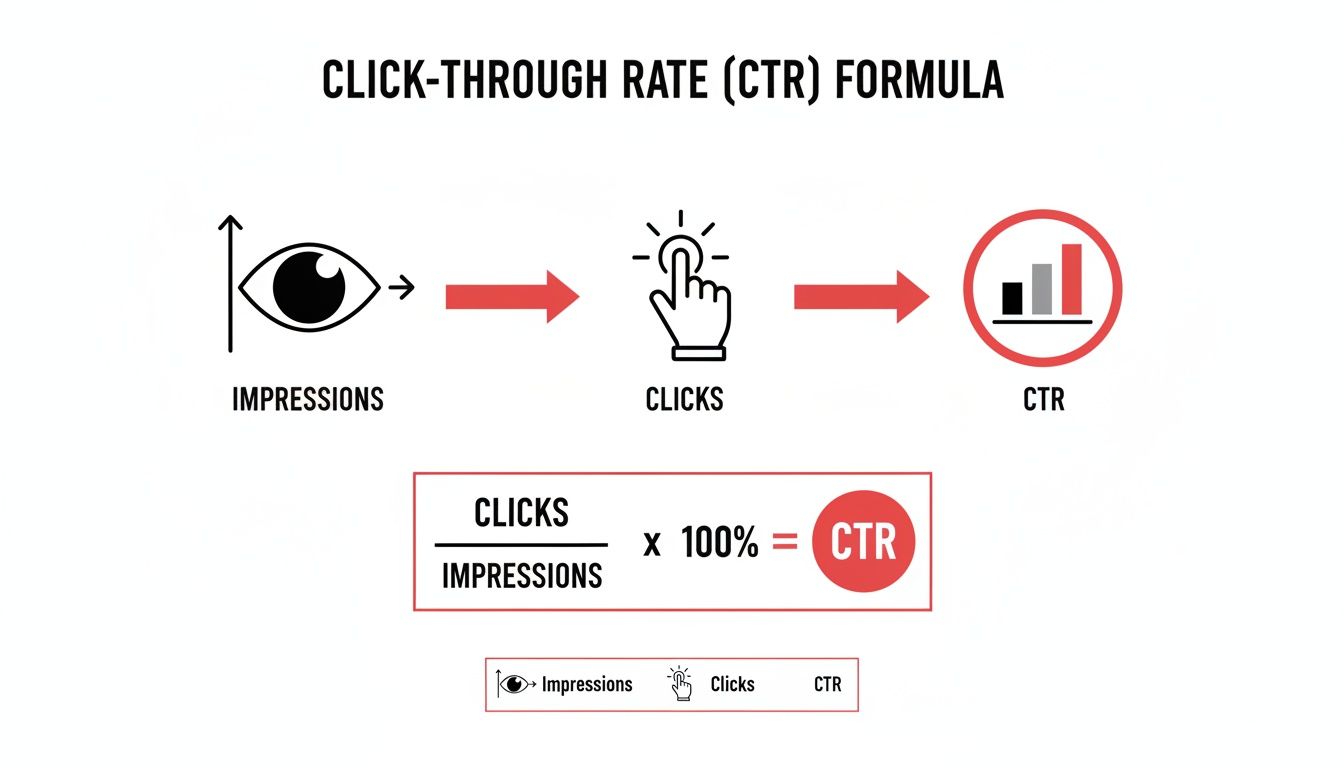
    Your video title is the single most important factor determining whether someone clicks play or scrolls past. Crafting a magnetic title is a non-negotiable skill for any creator, as it directly impacts your click-through rate (CTR), a key metric the YouTube algorithm uses to recommend content. This foundational "how to" idea for a video isn't about the content itself, but about packaging it for maximum discovery and engagement. It's the first promise you make to your potential viewer.

    A laptop with a blank screen, a notebook with a pen, and a red 'GET CLICKS' sign.

    The best titles balance keyword relevance for search with psychological triggers that create a curiosity gap. For instance, MrBeast's "I Gave My 100,000,000th Subscriber $456,000" uses an extreme, specific outcome to hook viewers, while MKBHD’s "Why I'm Leaving YouTube" creates urgent curiosity that demands an answer. This approach works for every niche by transforming a simple description into a compelling headline.

    Actionable Tips for Magnetic Titles

    • Front-Load Keywords: Place your main topic or keyword at the beginning of the title to immediately signal relevance to both viewers and search algorithms.
    • Leverage Numbers: Titles with numbers, like "7 Mistakes to Avoid," see a CTR increase of up to 38%. Specificity builds credibility.
    • Use Brackets and Parentheses: Add context and draw the eye with tags like [2024 Guide], (Step-by-Step), or [Insane Results].
    • Keep it Mobile-Friendly: Aim for 50-60 characters to prevent your title from being cut off on mobile devices, where most views occur.
    • Test Power Words: Experiment with words that evoke strong emotion or curiosity, such as "Secret," "Proven," "Ultimate," or "Shocking."

    2. How to Optimize YouTube Video Descriptions for SEO and Engagement

    Your video description is a powerful, yet often underutilized, tool for boosting discoverability and viewer engagement. It’s more than just a summary; it's a strategic space to communicate value to both the YouTube algorithm and your audience. Crafting an optimized description is a fundamental "how to" idea for a video that focuses on post-production excellence, ensuring your content is found via search and effectively guides viewers to your other platforms.

    A great description serves multiple functions: it improves SEO ranking through keyword integration, provides context, and drives actions like subscribing or visiting a website. Creators like Graham Stephan use the top lines for strong CTAs and affiliate links, while educational channels like Veritasium use detailed timestamps to improve user experience and watch time. This approach transforms the description from an afterthought into a multi-purpose asset for channel growth.

    Actionable Tips for Optimized Descriptions

    • Prioritize the First Three Lines: This is the text visible before a viewer clicks "Show more." Use it to include your primary keyword and a compelling hook or call-to-action (CTA).
    • Write for Humans and Robots: Craft a natural, readable paragraph (150-250 words) that elaborates on the video's content while strategically including secondary keywords.
    • Structure with Timestamps: For videos longer than 10 minutes, add timestamps to create chapters. This enhances viewer experience and can lead to higher engagement metrics.
    • Link to Your Ecosystem: Include relevant links to playlists, related videos, your newsletter, social media profiles, or products to keep viewers within your content universe.
    • Use Hashtags Sparingly: Add 3-5 relevant hashtags at the bottom of your description to help YouTube categorize your video and connect it to trending topics.

    3. How to Research and Select High-Performing Keywords for YouTube Videos

    Beyond a great idea, your video's success hinges on being discoverable. Creating a "how to" video on keyword research is a meta-strategy that teaches creators how to build a content plan based on actual viewer demand, not just guesswork. This approach ensures your videos are aligned with what your target audience is actively searching for, dramatically increasing the chances of ranking in YouTube search and getting recommended. It’s the foundational skill for sustainable channel growth.

    Effective keyword research involves identifying topics with high search volume and manageable competition. For example, a gaming channel might target a specific, low-competition phrase like "Palworld best breeding combinations" instead of the broad "Palworld guide." Similarly, a finance creator can find an audience by focusing on "how to invest $1,000 for beginners" rather than the highly saturated term "how to invest." This strategic targeting is a core principle popularized by SEO experts like Brian Dean and YouTube strategists at Think Media.

    Actionable Tips for Keyword Discovery

    • Start with Autocomplete: Type your core topic into the YouTube search bar and analyze the suggestions. These are real, popular queries from users.
    • Target Long-Tail Keywords: Focus on phrases with four or more words. They have lower competition and attract a more specific, engaged audience.
    • Analyze Your Competitors: Look at the top-ranking videos for your target keyword. Identify what they do well and find opportunities to create something more comprehensive.
    • Leverage Google Trends: Use this tool to spot rising keywords and seasonal topics, allowing you to create content just as demand is peaking.
    • Use SEO Tools: Platforms like TubeBuddy or VidIQ provide data on search volume, competition, and related keywords to help you make informed decisions. For a deeper look, you can learn more about YouTube video keywords on viewsmax.com.

    4. How to Create Compelling YouTube Thumbnails That Increase Click-Through Rates

    If your video title is the promise, your thumbnail is the visual advertisement that seals the deal. A compelling thumbnail stops the scroll, conveys the video's value in a split second, and dramatically impacts your click-through rate (CTR). This "how to" video idea focuses on the art and science of thumbnail design, a skill just as crucial as the content itself. It's about creating a miniature billboard that stands out in a crowded feed of millions.

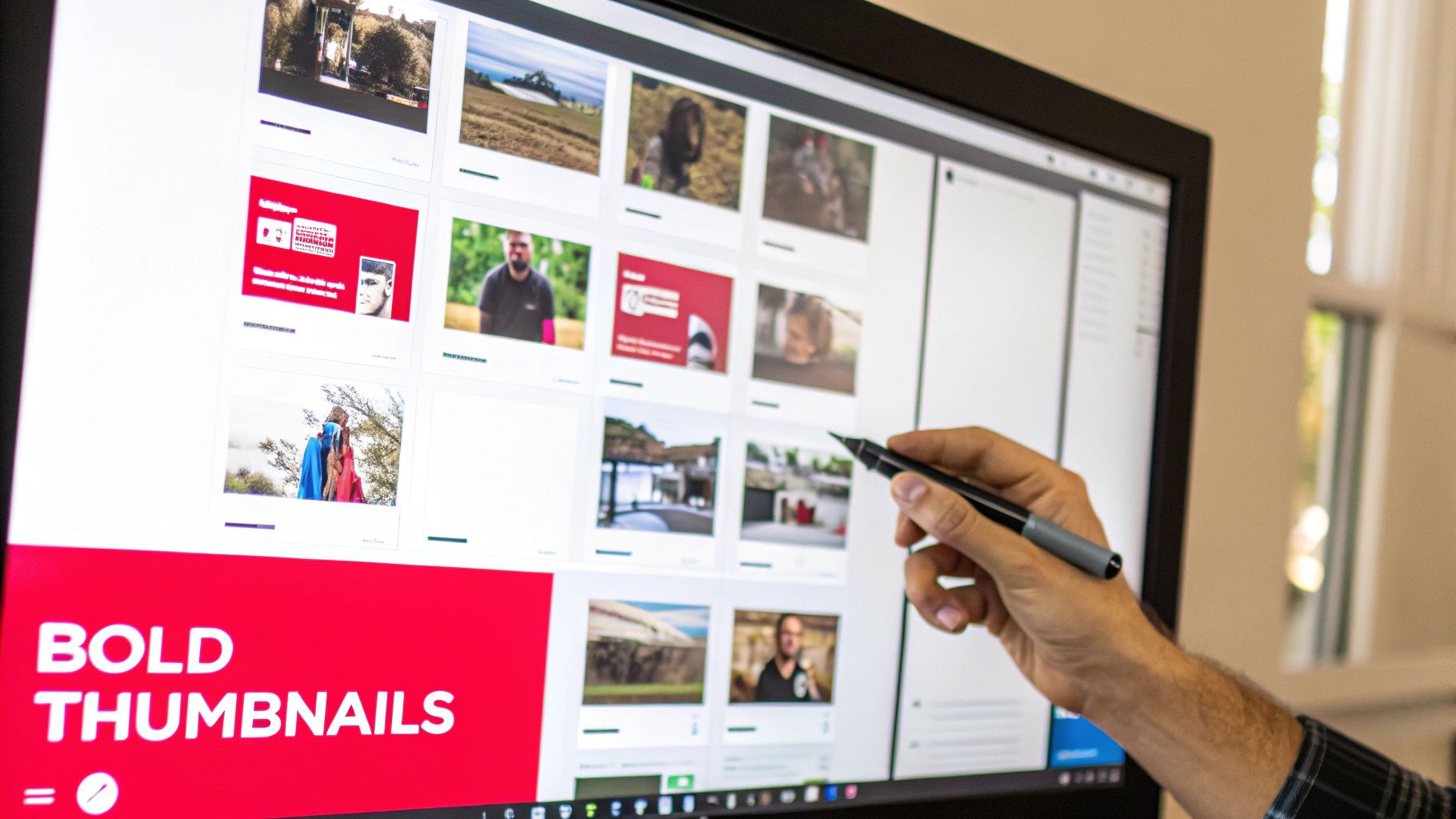
    A hand holding a stylus points at a computer monitor displaying various video thumbnails and 'BOLD THUMBNAILS'.

    Effective thumbnails combine high-contrast colors, clear focal points, and strong emotional cues to generate curiosity. For example, MrBeast's signature shocked face and bold text create an unmissable sense of excitement, while Marques Brownlee (MKBHD) uses a minimalist, professional aesthetic to signal high-quality tech content. This visual strategy is one of the most powerful how to ideas for a video because it directly translates to more views by making your content visually irresistible.

    Actionable Tips for High-CTR Thumbnails

    • Prioritize High Contrast: Use bright, complementary colors to make your subject and text pop. Avoid color combinations that blend together, like white text on a yellow background.
    • Show, Don't Just Tell: Incorporate a human face with an exaggerated but genuine emotion (surprise, joy, curiosity) to create an instant connection with the viewer.
    • Keep Text Minimal: Limit text to 5-7 powerful words. The text should enhance the visual story, not explain it entirely.
    • Design for Mobile: Ensure your thumbnail is clear and legible even at a tiny size (150x150px). The main subject should be instantly recognizable.
    • Test and Iterate: Create 2-3 thumbnail variations for a video and use YouTube's "Test & Compare" feature to see which one performs best, then apply those learnings.

    5. How to Structure and Format Videos for Maximum Audience Retention and Watch Time

    Your video's structure is the invisible framework that determines whether a viewer stays for thirty seconds or ten minutes. Creating a video focused on mastering structure is a powerful "how to" idea because it directly addresses watch time, a critical signal to the YouTube algorithm. This concept isn't just about the beginning, middle, and end; it's about strategically pacing content, placing hooks, and using visual cues to guide the viewer’s journey and prevent them from clicking away.

    Mastering this means engineering the viewing experience. For instance, MrBeast grabs attention by immediately revealing the stakes, while Ali Abdaal uses clear chapter markers and visual transitions to segment complex information into digestible chunks. This proactive approach to pacing and formatting transforms a standard video into an engaging, high-retention asset that the algorithm is more likely to promote. A well-structured video respects the viewer's time and attention. To dive deeper into crafting the perfect blueprint, explore our guide on how to script for YouTube videos.

    Actionable Tips for High-Retention Structure

    • Hook Within 3 Seconds: Start with a question, a bold statement, or a preview of the final outcome to secure immediate buy-in from the viewer.
    • Use Pattern Interrupts: Change the visual scene, add B-roll, use a sound effect, or switch camera angles every 8-12 seconds to reset viewer attention.
    • Implement Chapter Markers: For videos over 8 minutes, use chapters to help viewers navigate and improve the overall user experience, which YouTube rewards.
    • Build to a Climax: Structure your content to build momentum, saving the most valuable information or the biggest reveal for the final act to keep viewers watching.
    • Monitor Your Analytics: Use YouTube Studio to identify where viewers drop off. Re-edit or restructure future videos to fix these weak points.

    6. How to Grow a YouTube Channel from Zero to 10K Subscribers: Complete Roadmap

    One of the most powerful "how to" ideas for a video is documenting the very process of growth itself. This meta-narrative transforms your channel-building journey into valuable, shareable content. A video outlining a complete roadmap from zero to 10,000 subscribers provides immense value by demystifying the process, setting realistic expectations, and offering a strategic framework for aspiring creators. It positions you as an authority while building a community invested in your success.

    This video idea moves beyond generic advice and focuses on milestone-specific strategies. For example, Ali Abdaal transparently documented his growth journey, explaining the tactics he used to go from 2K to 100K subscribers in 18 months. Similarly, Think Media popularizes frameworks that break down the first 1,000 subscribers, then the next 10,000, showing viewers that growth isn't random but a series of calculated steps. This approach is evergreen and highly searchable.

    Actionable Tips for a Growth Roadmap Video

    • Define Your Niche First: Emphasize that all growth starts with a specific, well-defined niche and target audience. Generic content gets lost.
    • Establish a Strict Publishing Schedule: Detail the importance of consistency, such as publishing at least once a week for the first six months to build momentum with the algorithm.
    • Focus on Community Building: Advise new creators to respond to every single comment in the early stages to foster a loyal initial audience.
    • Engineer "Breakthrough" Videos: Explain how to analyze competitors and trends to create one or two videos with a higher potential for virality that can accelerate growth. For more details, explore our guide on how to grow a YouTube channel fast.
    • Track Key Metrics: Instruct viewers to monitor their Click-Through Rate (CTR) and Average View Duration (AVD) weekly to understand what resonates and what doesn't.

    7. How to Repurpose One Piece of Content Into Multiple YouTube Video Formats

    One of the best "how to ideas for a video" isn't about creating something from scratch, but about maximizing what you already have. Content repurposing is the art of transforming one core piece of content, like a long-form tutorial, into multiple assets. This strategic approach allows you to increase your upload frequency, reach different audience segments, and maintain channel momentum without burning out. It’s a system for working smarter, not harder, by ensuring every minute of effort yields multiple pieces of content.

    This method is popularized by creators like Gary Vaynerchuk, who famously turns a single keynote speech into dozens of clips, quotes, and articles. For example, a 20-minute product review can be sliced into multiple YouTube Shorts highlighting key features, a Community Tab poll asking about viewer preferences, and even a detailed blog post. To maximize the impact of your content and reach diverse audiences, understanding what is content repurposing and how it works is fundamental. It turns a single video shoot into a content engine.

    Actionable Tips for Content Repurposing

    • Start with "Pillar Content": Create a comprehensive, in-depth video (15-30 minutes) that can serve as the source for all other repurposed assets.
    • Extract Micro-Content: Identify 5-10 key moments, tips, or compelling soundbites from your pillar video and edit them into standalone YouTube Shorts or TikToks.
    • Use the Community Tab: Post insightful quotes, behind-the-scenes photos from the pillar video shoot, or polls related to the topic to keep the conversation going.
    • Record Audio Separately: If your video is dialogue-heavy, a clean audio recording can easily be repurposed into a podcast episode.
    • Build Content Playlists: Group your main video and all its related Shorts into a dedicated playlist to guide viewers through the entire topic.

    8. How to Analyze YouTube Analytics to Make Data-Driven Content Decisions

    Creating great content is only half the battle; understanding what resonates with your audience is what fuels sustainable growth. This "how to" video idea for a video focuses on transforming raw data into a strategic roadmap. Instead of guessing what to create next, you can use YouTube Analytics to make informed decisions that improve watch time, subscriber growth, and overall channel health. It’s about letting your viewers tell you, through their behavior, exactly what they want to see.

    This data-driven approach is a core strategy for creators like Derral Eves and the team at Think Media. A gaming channel might discover a specific game series drives 60% of new subscribers, signaling an opportunity to double down. Similarly, a fitness creator could find that their morning uploads outperform evening ones by 35%, allowing them to optimize their publishing schedule for maximum reach. The goal is to find patterns that reveal what truly works for your unique audience.

    Actionable Tips for Data-Driven Decisions

    • Analyze Your Top 5 Videos: Identify common threads in your most successful content. Is it the topic, format, length, or title style? Replicate those winning elements.
    • Monitor Average View Duration: Pinpoint where viewers drop off. A sharp decline in the first 30 seconds suggests a weak hook, while a mid-video drop could indicate a segment that needs tightening.
    • Track Subscriber Sources: Use the "Subscribers by video" report to see which content is converting viewers into loyal fans. Make more videos like those.
    • Compare Click-Through Rates (CTR): When a video has high impressions but low CTR, it often signals that the thumbnail or title isn't compelling enough to earn the click.
    • Review Audience Demographics: Understand who is watching (age, gender, geography) to tailor your language, references, and topics to be more relevant to them.

    9. How to Monetize Your YouTube Channel Beyond AdSense: Complete Revenue Model Guide

    Relying solely on AdSense is a common mistake that leaves significant revenue on the table. A video explaining how to diversify income streams is one of the most valuable "how to" ideas for a video because it directly addresses creator sustainability. This guide moves beyond the basics of ad revenue and teaches your audience how to build a resilient business around their content through sponsorships, affiliate marketing, digital products, and memberships. It transforms a channel from a hobby into a multi-faceted enterprise.

    This concept is powerfully demonstrated by creators like Ali Abdaal, who seamlessly integrates digital product sales (courses, templates) into his productivity content, and Graham Stephan, who masterfully combines sponsorships, affiliate links, and course sales in the finance niche. The goal is to show viewers that true financial success on YouTube comes from a layered approach, where each revenue stream supports the others, creating a stable and scalable income model.

    Actionable Tips for Diversified Monetization

    • Qualify for AdSense First: Use the initial goal of 1,000 subscribers and 4,000 watch hours as the foundation before expanding into other models.
    • Pitch Aligned Sponsors: Only approach brands whose products genuinely serve your audience. Negotiate rates based on engagement and conversion potential, not just subscriber count.
    • Use Affiliate Links Authentically: Recommend only 2-3 products or services you personally use and trust. Disclose these relationships clearly to maintain audience trust and comply with FTC guidelines.
    • Create Digital Products Early: Develop a valuable digital product like an ebook, template, or mini-course early in your channel's lifecycle to capture audience interest from day one.
    • Build an Email List: Start building an email list as soon as you hit 1,000 subscribers. This creates a direct line to your audience that you own, perfect for promoting products and content.

    10. How to Create a Content Calendar and Batching System for Consistent YouTube Publishing

    Consistency is the engine of YouTube growth, but it's also a leading cause of creator burnout. This "how to" video idea for a video focuses on the operational backbone of your channel: creating a sustainable system. By teaching viewers how to build a content calendar and batch-produce videos, you're not just giving them a content idea; you're offering them a framework for long-term success and mental well-being. This is a meta-topic that provides immense value by solving a universal creator problem.

    A content calendar with a red header, laptop, camera, smartphone, and sticky notes on a wooden desk.

    The concept is simple: plan your content in advance and group similar production tasks together to maximize efficiency. Creators like Ali Abdaal have popularized batching, where they might script four videos on a Monday, film them all on a Tuesday, and pass them to an editor. This method transforms the chaotic, video-by-video grind into an organized, assembly-line process, ensuring a steady stream of content goes live even during busy weeks. It works for any niche, from a fitness creator filming a month's worth of leg-day workouts in one session to a gaming channel dedicating a day to a specific game series.

    Actionable Tips for a Sustainable Workflow

    • Plan in 4-Week Sprints: Create a content calendar for the next month, outlining video topics, filming dates, and publish dates. This provides structure without being overly rigid.
    • Theme Your Batching Days: Dedicate specific days of the week to specific tasks. For example, Monday is for research and scripting, Tuesday for filming, and Wednesday for thumbnail creation.
    • Build a Content Buffer: Aim to have 2-4 weeks of fully edited videos ready to go at all times. This buffer is your safety net against unexpected delays or creative blocks.
    • Use Project Management Tools: Organize your entire workflow using tools like Trello, Asana, or a simple Google Sheet to track each video's progress from idea to publication.
    • Leave Room for Spontaneity: Keep one or two flexible slots in your monthly calendar to create timely videos on trending topics that suddenly emerge in your niche.

    10 YouTube How-To Topics: Side-by-Side Comparison

    Item Implementation Complexity 🔄 Resource Requirements ⚡ Expected Outcomes ⭐📊 Ideal Use Cases 💡 Key Advantages ⭐
    How to Create a YouTube Video Title That Gets Clicks Low 🔄 — simple copy tests & formulas Low ⚡ — time + basic keyword tool ↑ CTR & impressions; faster view velocity ⭐📊 New uploads; thumbnails pairing 💡 Direct CTR lift; data-driven tweaks ⭐
    How to Optimize YouTube Video Descriptions for SEO and Engagement Medium 🔄 — structured writing & linking Low–Medium ⚡ — writing time + SEO suggestions Improved searchability & external clicks ⭐📊 Tutorials, courses, videos needing links 💡 Better discovery; CTA-driven traffic ⭐
    How to Research and Select High-Performing Keywords for YouTube Videos Medium–High 🔄 — analysis & tool familiarity Medium ⚡ — TubeBuddy/VidIQ, Trends, time Targeted impressions & sustained organic growth ⭐📊 Niche topic selection; launch planning 💡 Reduces guesswork; demand-driven topics ⭐
    How to Create Compelling YouTube Thumbnails That Increase Click-Through Rates Medium 🔄 — design + A/B testing Medium ⚡ — design skills/tools/templates Significant CTR gains (20–50%) & branding impact ⭐📊 High-competition niches; attention-driven content 💡 Strong visual differentiation; brand recall ⭐
    How to Structure and Format Videos for Maximum Audience Retention and Watch Time High 🔄 — scripting, pacing, edits High ⚡ — production time, editing resources Longer watch time; better recommendation placement ⭐📊 Long-form education, storytelling, interviews 💡 Boosts retention & algorithm favorability ⭐
    How to Grow a YouTube Channel from Zero to 10K Subscribers: Complete Roadmap High 🔄 — long-term strategy & iteration Medium–High ⚡ — consistent content, promotion Gradual steady subscriber growth; sustainable channel ⭐📊 New channels aiming for scalable growth 💡 Clear milestones; focus on high-leverage actions ⭐
    How to Repurpose One Piece of Content Into Multiple YouTube Video Formats Medium 🔄 — planning & format adaptation Medium ⚡ — batching workflow, editing for formats Increased reach & publishing frequency without equal effort ⭐📊 Creators wanting volume from single asset 💡 Multiplies ROI; cross-platform visibility ⭐
    How to Analyze YouTube Analytics to Make Data-Driven Content Decisions Medium–High 🔄 — interpretation & hypothesis testing Low–Medium ⚡ — analytics access + time Faster optimization; identify top/bottom performers ⭐📊 Channels optimizing performance and tests 💡 Removes guesswork; prioritizes experiments ⭐
    How to Monetize Your YouTube Channel Beyond AdSense: Complete Revenue Model Guide Medium–High 🔄 — sales, product development Medium–High ⚡ — partnerships, product creation Diversified income streams; reduced ad dependence ⭐📊 Established audiences; creators seeking revenue mix 💡 Higher revenue stability; multiple monetization levers ⭐
    How to Create a Content Calendar and Batching System for Consistent YouTube Publishing Medium 🔄 — setup and discipline Medium ⚡ — planning tools, batch production time Improved consistency and production efficiency ⭐📊 Channels needing reliable schedules & scale 💡 Reduces decision fatigue; builds buffer for trends ⭐

    From Idea to Impact: Your Next Steps to YouTube Growth

    Navigating the path to YouTube success is not about finding a single "viral" video idea; it's about building a sustainable engine for consistent growth. The ten foundational "how-to" strategies detailed in this guide, from keyword research to monetization models, are the essential components of that engine. Each element works in tandem with the others. A high-performing keyword identified in your research only delivers results when paired with a compelling title and an irresistible thumbnail. Likewise, a video structured for maximum retention is the vehicle that turns a casual viewer into a loyal subscriber.

    Instead of feeling overwhelmed by the need to master everything at once, approach this as a cycle of continuous improvement. The journey from a simple concept to a polished, high-impact video is an iterative process. With each new upload, you have an opportunity to refine one specific skill. This focused approach is the key to transforming abstract knowledge into tangible results and building momentum for your channel.

    Your Action Plan for Channel Growth

    The true value of this guide lies in its application. Don't just read the ideas; put them into practice. Here’s a simple, actionable framework to get started today:

    1. Choose One Skill to Master: Pick the single area from this article that represents your biggest weakness or opportunity right now. Is it title creation? Thumbnail design? Analyzing your data? Commit to improving just that one skill for your next three videos.
    2. Implement and Document: Apply the specific tactics outlined for your chosen skill. If you're working on titles, test different formats. If you're focused on retention, experiment with new hooks or editing patterns. Keep a simple log of what you changed and why.
    3. Analyze and Adapt: After publishing, dive into your YouTube Analytics. Did your click-through rate improve with the new thumbnails? Did your audience retention graph show a positive change? Use this direct feedback to inform your next content decision.

    This systematic approach demystifies growth and replaces guesswork with a data-driven strategy. By implementing these how to ideas for a video, you are not just making content; you are building repeatable systems that save time, amplify your creativity, and consistently drive your channel forward.

    The difference between a struggling creator and a thriving one often comes down to this commitment to process. Your creative vision deserves a powerful strategy to bring it to the world. Embrace this framework, stay consistent, and you will build a channel that not only attracts viewers but also creates a lasting impact.


    Ready to turn these ideas into a high-performance content strategy? ViewsMax uses AI to analyze your channel and provide data-driven suggestions for titles, keywords, and video structures, streamlining the entire optimization process. Stop guessing and start growing by exploring the tools at ViewsMax.

  • How to Write a Script for YouTube Videos That Gets Views

    How to Write a Script for YouTube Videos That Gets Views

    A great script for a YouTube video is more than just words on a page; it's the architectural blueprint for content that works. It's what separates a video that gets clicks, keeps people watching, and ultimately gets them to act, from one that just sort of… exists.

    Think of it as the difference between a rambling, unfocused chat and a story that pulls you in and won't let go.

    Laying the Groundwork for a Winning Script

    Before a single word of your script is written, the most successful creators do the prep work. They don't just open a blank document and hope for the best. This pre-writing phase is all about defining the "why" behind your video, making sure every line you eventually write has a clear and specific job.

    Trying to write a script without this foundation is like trying to build a house without a blueprint. It's a recipe for disaster.

    Watch this on how to write better scripts

    Define Your Video’s Core Mission

    Every video needs one primary job. What are you trying to accomplish? Are you teaching someone a new skill, trying to make them laugh, or convincing them that your new product is worth their money? This single decision shapes the entire tone, structure, and feel of your script.

    Most videos fall into one of three buckets:

    • Educate: Your mission here is to transfer knowledge. Think tutorials, how-to guides, or deep dives into a complex subject. Your script needs to be logical, follow a clear sequence, and be dead simple to understand.

    • Entertain: This is all about emotion. You're aiming for laughter, excitement, or pure curiosity. Vlogs, skits, and commentary videos live here. The script should focus heavily on great storytelling, dynamic pacing, and letting your personality shine through.

    • Persuade: Your goal is to guide the viewer toward taking a specific action. Product reviews, case studies, or sales videos are prime examples. For these, your script must build trust, hammer home the benefits, and finish with a strong, clear call to action.

    Of course, these aren't mutually exclusive. You can have a funny tutorial or an educational product review. But one mission has to be in the driver's seat, guiding all your other choices.

    Build a Specific Viewer Persona

    Here's a hard truth: you are not making a video for "everyone." The moment you try, you make a video for no one. A vague idea of your audience results in a generic script that connects with nobody. The key is to create a detailed persona of your one, single, ideal viewer.

    I always write as if I'm talking to one specific person. It makes the script feel like a direct, personal conversation. When you try to speak to a crowd, your message gets diluted. When you speak to an individual, you create a real connection.

    Get granular. Ask yourself some tough questions about this person:

    • What's the main problem or question they have that this video will answer?

    • How much do they already know about this topic? Are they a total newbie or a seasoned pro?

    • What kind of language do they use? Is it casual slang or more formal, technical jargon?

    • What's the one thing that would make them click away in the first 10 seconds?

    A script for a "beginner's guide to photo editing" aimed at a 20-year-old student using their phone will sound completely different from one targeting a 50-year-old professional photographer. The first might reference TikTok trends and free apps, while the second will dive into Lightroom presets and color theory.

    Choose Your Video Format Wisely

    The format is the vehicle for your message. The one you pick directly impacts how you'll structure your script and sets expectations for the viewer the second they read your title.

    Some popular and proven formats include:

    • Tutorial/How-To: These are linear and step-by-step. Clarity is king here, so the script has to be precise.

    • Listicle ("Top 5…"): This format is a gift for scripting. You can write each point as its own mini-segment, which is great for keeping viewers engaged.

    • Product Review: Typically follows a predictable and effective flow: unboxing, features, pros and cons, and the final verdict.

    • Vlog: This is all about narrative and personal connection. Your "script" might be more of a loose outline of key story beats rather than a word-for-word document.

    • Explainer: The goal is to make something complicated seem simple. The script needs to lean heavily on simple analogies and be written with visuals in mind.

    Once you’ve locked in your goal, your audience, and your format, you're ready to actually start writing. You're no longer just staring at a blank page; you're building a piece of content that's been engineered for success from the ground up.

    Nail the First 15 Seconds to Keep Viewers Watching

    You have a tiny window—maybe five to ten seconds—to convince someone your video is worth their time. That's it. In a sea of endless content, your hook isn't just a part of the script; it's a brutal, all-or-nothing audition.

    A weak opening is a guaranteed click away, which tells the YouTube algorithm your content isn't keeping people around. But a powerful one? That can lock a viewer in for the entire ride. This is why professionals use tactics to increase watch time and boost viewer retention that all start with a killer opening.

    Field-Tested Hook Formulas That Actually Work

    Forget starting with a bland "Hey guys, what's up." You need to lead with a formula designed for impact. These structures aren't just random; they're built on basic human psychology—curiosity, problem-solving, and the promise of a quick win.

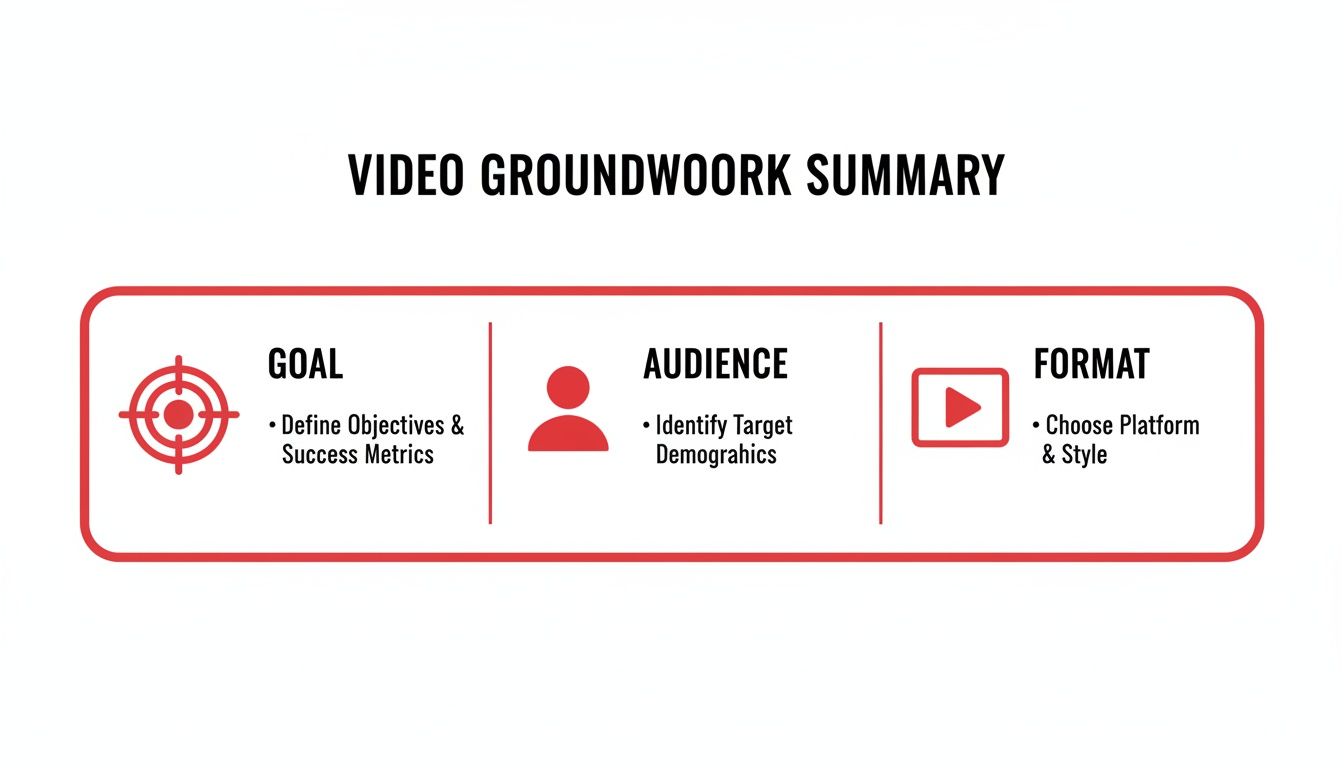
    A video groundwork summary outlining goal, audience, and format with corresponding icons.

    Before you even write a hook, you need a solid foundation. As this graphic shows, you have to know your goal, your audience, and your format. Once that’s clear, you can pick the right tool for the job.

    Here are a few hook formulas I've seen work time and time again.

    High-Impact Hook Formulas for YouTube Videos

    Proven hook formulas with examples to help you start your script with maximum impact.

    Hook Formula Description Example Usage
    Problem-Agitator State a common pain point your viewer has. Then, twist the knife by describing why it's so frustrating before promising your solution. "Are you tired of your houseplants dying? You've tried watering more, watering less, and nothing works. I'll show you the three mistakes you're making and how to fix them for good."
    Results-First Show off the amazing final result right away. If it's a DIY project, show the finished masterpiece. If it's a tutorial, reveal the impressive outcome. A baking video opens with a slow-motion shot of a perfect cake slice. Voiceover: "This is the fluffiest chocolate cake you'll ever make, and I'm about to show you how."
    Bold Statement Open with a controversial or surprising statement that makes the viewer stop and think. It challenges a commonly held belief. "Everything you've been told about productivity is wrong. The 'hustle' culture is actually making you less effective, and today I'm going to prove it."

    Experiment with these. See which one feels most natural for your topic and your audience. The right hook makes the rest of the script flow so much better.

    Moving From Hook to Intro

    Okay, you've grabbed their attention. Now what? Your intro needs to immediately set expectations and deliver a clear reason to stick around. The hook bought you a few seconds; the intro is where you close the deal.

    Your introduction should quickly answer three questions for the viewer:

    • What is this video about? Be direct and state the topic.

    • What's in it for me? Explain the benefit or skill they will gain.

    • Why should I trust you? Briefly establish your credibility.

    Pro Tip: Keep your entire introduction under 20-30 seconds. I’ve seen so many analytics charts where viewers drop off because the creator rambled for a minute straight. Get to the point fast to maintain the momentum your hook created.

    This quick, punchy approach is absolutely essential for shorter videos. When you're figuring out https://blog.viewsmax.com/how-to-get-more-views-on-youtube-shorts/, you'll realize the entire video is basically a hook. There’s zero room for fluff.

    Structuring Your Video's Main Body to Keep People Watching

    Flat lay of a wooden desk with a laptop, red notebook, pens, and a spiral notebook, featuring a 'CLEAR STRUCTURE' banner.

    Alright, you've landed a solid hook and made a promise to your audience. The next few minutes are where the real work begins—and where most creators lose their viewers. This is the part where you have to deliver.

    The main body of your video is a make-or-break moment. A jumbled, confusing middle is the fastest way to get someone to click away, tanking your audience retention. Think of your script not as one long monologue, but as a series of connected mini-chapters. Each one should flow logically into the next, making your content incredibly easy for viewers to follow.

    Finding the Right Narrative Structure for Your Content

    There’s no single, magic formula for how to structure your video. The best approach depends entirely on what kind of video you're making. The goal is to match your script's flow to the viewer's expectations for that specific format.

    Here are a few battle-tested structures I’ve seen work time and time again:

    • For Tutorials (The Step-by-Step Method): This one is beautifully simple. Your script should break down the entire process into a numbered or sequential list. State the end goal upfront, then walk them through each step in a logical order. I always recommend adding on-screen numbers for each step; it helps people follow along and makes it easy to rewind if they miss something.

    • For Vlogs (The Story Arc): A great vlog is more than just a random collection of clips from your day—it's a story. You need a beginning, middle, and end. Script out the key beats: an "inciting incident" (what kicks things off), some rising action (challenges or interesting moments), a climax (the main event), and a resolution. This gives your vlog momentum and keeps it from feeling like a boring diary entry.

    • For Reviews (The Criteria-Based Breakdown): When people watch a review, they want objective, well-organized information. Script your review around specific criteria like design, features, performance, and price. Dedicate a segment to each, covering the pros and cons for that point before you deliver a final verdict. This approach makes your review feel comprehensive and trustworthy.

    A solid structure gives your viewer a roadmap. It shows them you know where you're going, which makes them want to stick around for the whole ride.

    Keeping Your Audience Glued with Pacing and Pattern Interrupts

    Structure is the skeleton, but pacing is what brings your video to life. Even a perfectly organized script can be a total snooze-fest if the pacing is flat. The trick is to constantly vary the rhythm and energy.

    Good pacing means mixing things up. You might have a quick montage with upbeat music and fast cuts, then immediately slow down for a more personal, direct-to-camera explanation of a tricky concept. This variety keeps the viewer’s brain from zoning out.

    This is where pattern interrupts come in. They're a scriptwriter's best friend. A pattern interrupt is anything that breaks the viewer’s train of thought. In your script, this could look like:

    • A sudden change in camera angle.

    • An unexpected sound effect or on-screen graphic.

    • A quick, self-aware joke or a personal story.

    • Asking the audience a direct question.

    I’ve found that scripting in small interruptions every 60-90 seconds is a game-changer. You’re essentially hitting a reset button on your viewer's attention span, which is a powerful way to fight that mid-video slump where retention graphs usually nosedive.

    For example, in the middle of a dry explanation, your script could note: [CUT TO: Extreme close-up] "Look, I know this sounds like a lot of jargon, but let me put it this way..." That simple visual shift is often enough to pull a viewer back in.

    Scripting Smooth and Seamless Transitions

    Transitions are the glue holding your video's "chapters" together. A clunky transition can feel jarring and pull the viewer right out of the experience. Your script needs to account for these moments.

    Don't just stop one section and abruptly start the next. Use transitional phrases in your dialogue to signal what’s coming up.

    Think along these lines:

    • "So now that we've nailed down the keyword research, let's look at how to actually use it in your video titles."

    • "While the build quality feels amazing, that’s useless if the performance isn’t there. So, let’s fire this thing up and put it to the test."

    These phrases act as a natural bridge, making the jump between topics feel smooth. Remember to plan for visual transitions as well. Make notes in your script about where you’ll use a specific B-roll shot, a graphic, or a unique cut to guide the viewer from one idea to the next. By thoughtfully structuring your main body, mastering pacing, and scripting clear transitions, you create a video that’s not just informative, but genuinely engaging from start to finish.

    Writing Calls to Action That Actually Work

    A great script doesn't just fade to black. It tells the viewer exactly what to do next. Your Call to Action (CTA) is what turns someone who just watched your video into an actual member of your community.

    Think of it this way: you did all the hard work to script, shoot, and edit an amazing video. Without a clear CTA, all that energy and goodwill you built up just evaporates. A good CTA channels that energy into something that helps you and the viewer.

    Beyond “Like and Subscribe”

    We've all heard "like, comment, and subscribe" a million times. It's a YouTube staple, sure, but it's far from the only play you should be running. The best CTAs are specific, valuable, and feel like the logical next step after watching your video.

    So, what makes sense for your video?

    • Just finished a tutorial? Offer a free downloadable checklist or template that makes it even easier for them to apply what you taught.

    • Reviewing a product? The most natural CTA is to provide your affiliate link so they can check the current price or see more details.

    • Posted a deep-dive video essay? Guide them to another one of your videos that explores a related topic you only touched on briefly.

    The whole idea is to match your request to their mindset. They just got value from you, so give them an easy way to get even more.

    Smart CTA Placement

    Most creators cram their CTAs into the last 10 seconds, but look at your audience retention graphs. You'll often see a massive viewer drop-off right at the end as people click away to whatever YouTube suggests next. We need to be smarter about this.

    The perfect time to ask for something is right after you've delivered a huge "aha!" moment. Drop a CTA mid-video, immediately after a game-changing tip, and you'll catch viewers when their appreciation for your content is sky-high.

    For example, after you explain a really clever editing trick, you could jump in with: "If you found that useful, I break down five more just like it in my advanced editing guide. The link is right there in the description." It feels less like an ad and more like genuine help.

    Crafting the Perfect Outro

    Your outro has two main jobs: wrap things up nicely and deliver your final, most important CTA. A solid conclusion makes the viewer feel like their time was well spent and reinforces the value you just gave them.

    Here's a simple structure for a great outro script:

    1. A Quick Recap: Briefly remind them of the core takeaway. "So, that's the three-step process for repotting an orchid without killing it." This makes them feel accomplished.

    2. The Main CTA: Now, be direct and confident. Instead of a vague "check out my website," be specific: "Head over to my website to grab the full list of my recommended potting soils." Tell them exactly what to do and what they'll get.

    3. Build Your Community: This is the ideal spot for the classic "like and subscribe." Frame it as a community thing: "If this helped, drop a comment and let me know which tip you're going to try first."

    This simple formula provides closure while giving your viewers a clear path forward. Without this final piece, your script for a YouTube video isn't really complete. It's how you turn a single view into a real connection.

    Adapting Your Script for Different YouTube Formats

    Think about it: a script for a 20-minute deep-dive tutorial would be an absolute train wreck as a 60-second YouTube Short. The format you choose sets the rules, and your script is how you play the game. Treating every video the same is a surefire way to kill your audience retention and bring channel growth to a halt.

    Adapting your writing style isn't just a good idea; it's mandatory. Each format connects with a completely different viewer mindset. Someone grabbing a coffee and settling in for a long-form product review is in a totally different headspace than someone swiping through Shorts on their lunch break. Your script for a YouTube video has to respect that.

    Scripting for Clarity in Tutorials

    When you're scripting a tutorial, your North Star is clarity. People are there to solve a problem, and if they get confused, they're gone. Your script needs to be meticulously structured and ruthlessly efficient.

    Here's a battle-tested approach I always use:

    • Promise the Outcome Immediately: Your hook needs to instantly confirm what the viewer will achieve. For instance, "In the next ten minutes, you'll have a fully functional contact form on your website, even if you've never touched a line of code."

    • Break It Into Obvious Steps: Structure the core of your video with clear, numbered steps. I always script verbal signposts like, "Alright, moving on to step three, we're going to…" It keeps viewers grounded and focused.

    • Answer Questions Before They're Asked: A great tutorial script feels like you're reading the viewer's mind. Weave in lines like, "A common mistake here is forgetting to save. Make sure you hit that save button before you do anything else." This builds incredible trust.

    Scripting for Trust in Product Reviews

    With product reviews, the only currency that matters is trust. Your audience has to believe you're giving them the real story, not a sales pitch. The script has to be built from the ground up to establish that credibility.

    I find that a balanced review script almost always works best:

    1. Set the Scene: Briefly explain why you're reviewing this product and who it's actually for.

    2. Walk Through the Features: Cover the key specs and selling points logically.

    3. Show, Don't Just Tell: This is where the magic happens. Detail your real-world experience using the product, covering both the good and the bad.

    4. Summarize the Pros and Cons: A dedicated summary section is a fantastic way to reinforce your objectivity.

    5. Deliver the Verdict: End with a clear recommendation on who should—and just as importantly, who shouldn't—buy it.

    Your script must balance the shiny positives with genuine criticisms. A review that’s 100% positive just feels like a sponsored ad, and that instantly kills viewer trust. Scripting in specific, honest drawbacks shows you’ve actually put in the work.

    Scripting for Impact in YouTube Shorts

    YouTube Shorts is a different universe with its own laws of physics. You don't have minutes to build a connection; you have seconds to make an impact. Forget the intro—your entire script is the hook.

    The shift to this format has been massive. Shorts now rack up over 70 billion daily views, and most active channels are now focused on this short-form content. To stay relevant, you have to master scripting for lightning-fast hooks and repeatable formats.

    To get the most out of your Shorts, you need to understand how the YouTube Shorts algorithm works and write your scripts to feed it exactly what it wants. For some practical starting points, check out our guide on YouTube Shorts ideas you can start scripting today.

    Here's the scripting formula that works for Shorts:

    • No Wind-Up: Start directly with the most exciting, surprising, or valuable part of the video.

    • One Idea, One Video: A Short should have a single, crystal-clear message. Trying to cram in too much is the fastest way to lose the viewer.

    • Pace, Pace, Pace: Think fast cuts, dynamic on-screen text, and high-energy delivery. Your script should be all punchlines and no setup—every single word has to earn its place.

    • Craft a Perfect Loop: End the video in a way that flows seamlessly back to the beginning. Getting viewers to re-watch is a powerful signal to the algorithm that you've got something good.

    When you start thoughtfully adapting your script to the specific demands of each format, you stop just making videos and start strategically engineering content that's built to perform.

    Using Analytics to Refine and Improve Your Scripts

    Laptop showing retention analysis charts, next to a notebook, glasses, and magnifying glass on a wooden table.

    So you’ve hit publish. The work isn't over—in fact, the most valuable part is just beginning. Think of your finished script not as a final product, but as a hypothesis. Once your video is out in the wild, YouTube Analytics gives you all the data you need to see if that hypothesis was right.

    This is how you stop guessing what your audience wants and start knowing. Their viewing habits become your roadmap, showing you exactly what to do more of and what to cut out of your next script for a YouTube video.

    Decoding Your Audience Retention Graph

    The most powerful scriptwriting tool you have is already in your YouTube Studio: the Audience Retention graph. This chart is your video's EKG, showing you the exact moment-by-moment percentage of viewers who are still tuned in. It's a raw, unfiltered look at how well your script held their attention.

    When you see a steep drop-off, that’s not just a random dip. It's a bright red flag. It’s a group of people deciding, "Nope, I'm out."

    Think of your Audience Retention graph as a 24/7 focus group. Every dip is a piece of feedback. It’s a viewer telling you, "This part dragged on," "I got confused here," or "You took way too long to get to the good stuff." Learning to read these signals is a game-changer.

    Here's what you do: pull up the video and scrub to the exact timestamp where the graph takes a nosedive. More often than not, you'll find it lines up perfectly with one of these common script killers:

    • A long-winded explanation that could have been said in half the time.

    • An awkward or clunky transition between two different ideas.

    • A mismatch where what you're saying doesn't quite fit the visuals on screen.

    • An intro that promised something amazing but then took forever to deliver.

    Once you spot these patterns, you can make a conscious effort to avoid them next time. For instance, if you notice viewers consistently bail during your outros, it's a clear sign they need to be shorter and punchier. Small, data-backed adjustments like these are what lead to huge improvements in watch time.

    Weaving in Keywords and Search Insights

    Analytics isn't just about retention; it's also about discovery. You can use tools like TubeBuddy or VidIQ—or even just poke around YouTube's search bar—to see the exact words and phrases your ideal viewer is typing.

    Don't just cram these keywords into your title and description. You need to actually say them in your video. When you speak the terms people are searching for, YouTube’s transcription system hears it, which can help signal your video's relevance to the algorithm.

    Let's say your research shows a popular search is "how to fix grainy video footage." A generic script might say, "Let's clean up your clips." A data-informed script, however, would say something like, "Now, let's talk about how to fix grainy video footage so it looks crisp and professional." It's a subtle change that makes a world of difference.

    This creates a powerful feedback loop. The data from one video helps you write a better script. That better script gets better engagement, which gives you even more precise data for the next one. For anyone creating Shorts, understanding how this viewer data feeds the shorts algorithm is absolutely essential for breaking through. This cycle is what turns good scripts into undeniable, view-grabbing videos.

    Got Questions About Scripting? We've Got Answers.

    Even when you have a solid plan, getting into the nitty-gritty of scriptwriting always brings up new questions. It's one thing to know the theory, but it's another to stare at a blank page. Let's tackle some of the most common hurdles creators face.

    These are the little things that can get you stuck, but once you know the answers, they're easy to push past.

    How Long Should My Script Be?

    There's no single magic number, but a great rule of thumb is that 150 to 160 words will translate to about one minute of on-screen talking time. So, if you're aiming for a 10-minute video, you'll want a script that’s roughly 1,500 to 1,600 words long.

    But remember, that's just a starting point. Your real goal should be to cover the topic completely without fluff. Don't stretch a 7-minute idea into a 10-minute video just to hit a number.

    The best judge of your video's length is your audience retention graph. If you consistently see a huge viewer drop-off at the 8-minute mark on your 12-minute videos, that’s a clear signal to tighten things up.

    Use the word count to guide you, but let your content—and your data—have the final say.

    Should I Script Everything Word-for-Word?

    When you're just starting out, absolutely. A full, word-for-word script is your best friend. It acts as a safety net, making sure you hit every single point you want to make. It also gives you total control over the video's pacing and helps you kill those dreaded "ums" and "ahs."

    As you get more comfortable in front of the camera, you might find you don't need every word written out. Many seasoned creators eventually switch to a detailed bullet-point outline. This approach gives you the best of both worlds:

    • Structure: It keeps you on topic and ensures your video flows logically from one point to the next.

    • Flexibility: It leaves room for a more natural, off-the-cuff delivery that feels less stiff and more conversational.

    Ultimately, the right method comes down to you and the type of video you're making. A complex tutorial probably needs a precise script, while a casual vlog is going to feel much more authentic with a looser, bulleted format.

    What’s the Best Software for Writing Scripts?

    You really don't need fancy or expensive software for this. The best tool is usually the one you're already comfortable with and that doesn't get in your way.

    By far the most common choice is Google Docs. It’s free, it’s in the cloud so you can access it anywhere, and sharing it with a collaborator is a breeze. Other creators swear by tools like Notion because they can keep their scripts, content calendars, and research all in one place. Honestly, even a simple text editor works if you want zero distractions.

    The key is to find something that works for you and stick with it. Consistency is what matters.


    Ready to turn these insights into measurable growth? ViewsMax provides AI-powered tools and data-informed recommendations to help you craft better scripts, optimize your videos, and grow your channel faster. Start making smarter content decisions today by visiting https://blog.viewsmax.com.