ViewsMax
Sign In Sign Up Free

Tag: grow youtube channel

  • How to Get Lots of Subscribers on YouTube A Proven Growth Guide

    How to Get Lots of Subscribers on YouTube A Proven Growth Guide

    Forget the idea of a "viral hit." Growing a loyal subscriber base on YouTube isn't about luck; it's a craft. It all boils down to a pretty straightforward loop: create truly valuable content for a specific group of people, and then make sure they can actually find it. Over and over again.

    This guide is your playbook for mastering that loop, from the foundational strategy to the nitty-gritty of getting your videos discovered.

    Building Your Channel's Strategic Foundation

    Before you even think about hitting that record button, the real work begins. Trying to get subscribers without a clear strategy is like driving cross-country without a map—you'll burn a lot of gas and end up frustrated. The channels you see with steady growth and engaged communities? They all started with a rock-solid plan.

    This isn't just about picking a topic you find interesting. It’s about getting crystal clear on your channel's purpose, knowing your audience better than they know themselves, and carving out a unique corner on the platform. This upfront work is what will guide every title you write, every video you film, and every thumbnail you create.

    Defining Your Channel's Core Purpose

    Let's get straight to it: what problem are you solving? With thousands of other channels out there, why should someone watch yours? Your answer is your channel value proposition—it's the promise you make to every single person who clicks on your video.

    A weak proposition is vague, like "a channel about cooking." A strong one is specific and gets an immediate nod of understanding, like "the channel that teaches busy professionals how to cook healthy meals in 30 minutes." That kind of clarity is a magnet for the right audience and gives them a reason to stick around.

    Key Takeaway: A subscriber is someone who trusts you to deliver consistent value. Your channel's strategy is the blueprint for earning and keeping that trust.

    Conducting Meaningful Audience Research

    You can't solve a problem if you don't understand it from your audience's point of view. This means going way beyond just looking at keywords. You need to become part of the communities where your ideal viewers already are.

    • Become a Comment Section Detective: Dive into the comments on channels similar to yours. What questions pop up again and again? Those are content ideas and pain points served up on a silver platter.
    • Hang Out in Forums: Browse Reddit, Quora, and other online forums in your niche. Pay close attention to phrases like "how do I," "I'm struggling with," or "can anyone recommend."
    • Spot the Content Gaps: What are the big channels in your space not covering? Is there a topic they only touch on briefly, or an angle they've completely missed? That's your opening to become the go-to expert.

    Doing this kind of deep-dive research ensures you're making videos people are desperately searching for, not just content you assume they want. Taking the time to find the https://blog.viewsmax.com/best-niche-for-youtube/ is a non-negotiable first step that will pay off for years.

    Establishing Your Content Pillars and Brand

    Your content pillars are the 2-4 core topics your channel will be known for. If you run a home repair channel, your pillars might be "DIY Plumbing Fixes," "Beginner Woodworking Projects," and "Essential Tool Reviews." These pillars give your channel a predictable structure, which is exactly what makes a viewer feel confident enough to subscribe.

    Your brand is the personality that weaves it all together. It shows up in everything you do:

    • Visual Identity: The consistent colors, fonts, and logos across your channel banner, thumbnails, and in-video graphics.
    • Tone of Voice: Are you the serious, authoritative teacher, or the funny, relatable friend?
    • Editing Style: Do you lean toward fast cuts and high-energy music, or a more cinematic, laid-back feel?

    A cohesive brand makes your channel instantly recognizable and signals that you’re a serious creator.

    To help you nail this down, I've put together a quick checklist. Run through these questions to make sure your foundation is solid.

    Core Channel Strategy Checklist

    Strategy Element Key Question to Answer Example (DIY Home Repair Channel)
    Value Proposition What specific problem do I solve for a specific audience? "I help first-time homeowners fix common issues themselves to save money and gain confidence."
    Target Audience Who am I talking to? What are their biggest frustrations? New homeowners (25-40) who are on a budget and feel intimidated by home maintenance.
    Content Pillar 1 What is a core recurring topic? "Emergency Fixes" (e.g., leaky faucet, running toilet)
    Content Pillar 2 What is another core recurring topic? "Simple Upgrades" (e.g., installing a new light fixture, painting a room)
    Content Pillar 3 What is a third core recurring topic? "Tool Basics" (e.g., what's in a beginner's toolkit, how to use a drill)
    Unique Angle What makes my channel different from others? My focus is on absolute beginners, using only basic tools. I explain the "why" behind each step.

    Thinking through these elements gives you a powerful filter for every future decision. When you have a clear foundation, you can then build a smart plan for how to grow your YouTube channel fast by making sure every video aligns with your core strategy. You're not just creating content; you're building a resource.

    Creating Content That Actually Earns Subscriptions

    Your channel strategy is the roadmap, but your content is the fuel. Let's be real: subscribers are earned one video at a time, and that only happens when you consistently deliver the goods. It's not about having the flashiest gear or a Hollywood budget. It's about getting into the head of your viewer and understanding what makes them go from a one-time visitor to a loyal fan.

    This whole process kicks off way before you even think about hitting the record button. It starts with an idea that provides genuine value to your target audience, structured in a way that respects their time and hooks them from the very first second. This is how you build a library of binge-worthy content that turns a single click into a full-blown viewing session.

    Brainstorming Ideas That Resonate

    The best video ideas aren't pulled out of thin air; they come from listening. Your audience is constantly dropping clues about what they want to see—you just have to know where to look. Instead of throwing darts at a wall, start with what's already proven to work.

    • Solve a Specific Problem: People subscribe to channels they see as a resource. Stop thinking in broad topics and start thinking in terms of problems. A video titled "How to Fix a Wobbly Ceiling Fan in Under 10 Minutes" will always outperform a generic "Ceiling Fan Maintenance" video. It's specific and actionable.
    • Find Your Performance Gaps: Pull up your analytics and look at your most popular videos. What’s the common thread? Now, do the same for your least popular ones. The difference between the two tells a powerful story about what your audience truly wants from you.
    • Use Keyword Research as a Compass: Tools are great for showing you what people are searching for, but your job is to give it a human touch. If everyone is searching for "best budget microphones," your angle could be "The Only 3 Microphones Under $100 You Actually Need." It’s opinionated, specific, and instantly more valuable.

    To keep your content ideas flowing without getting bogged down, you might want to look into some of the newer AI script-to-video tools. They can help turn your outlines into a solid visual starting point, freeing you up to focus more on the high-level strategy and research.

    Structuring Videos for Maximum Retention

    Getting someone to click is only half the battle. The real magic happens when you can keep them watching. Audience retention is a massive signal to the YouTube algorithm that your content is worth pushing to more people, which is your fast track to more subscribers.

    The first 15 seconds are, without a doubt, the most important part of your video. You have to immediately prove to the viewer that they made the right choice by clicking and clearly state the value they’re about to get.

    Pro Tip: Open your video by directly addressing the promise you made in your title. If the title is "5 Mistakes Beginner Gardeners Make," your opening line should be something like, "In the next few minutes, you're going to learn the five mistakes that are killing your plants, and I'll show you exactly how to fix each one."

    Once you've hooked them, the body of your video needs to keep that momentum going. Don't be afraid to use quick cuts, B-roll, on-screen text, and sound effects to keep the energy high. Every section should flow logically into the next, building up to a satisfying payoff. Honestly, just having a detailed outline can be a game-changer. Learning how to write a great script for your YouTube videos is one of the single best ways to improve your pacing and keep people watching longer.

    Production Quality That Builds Trust

    Let’s be clear: "high production value" doesn't mean you need a RED camera. It just means you need to remove any distractions that might pull the viewer out of the experience. When you're starting out, only two things truly matter:

    1. Clear Audio: People will forgive grainy video, but they will click away instantly from terrible audio. A decent microphone is one of the best investments you can make. Just make sure there's no background hum, echo, or hiss.
    2. Good Lighting: A well-lit shot just makes you look more professional and trustworthy. You don't need a pro lighting kit—a simple ring light or even just facing a window can make a night-and-day difference.

    Master these two fundamentals before you even think about upgrading your camera. That clarity and professionalism build the subconscious trust that turns a viewer into a subscriber. This focus on the viewer's experience is more important than ever.

    Just look at the explosive growth of YouTube's own subscription services. The number of YouTube Premium subscribers is projected to jump from just 18 million in 2019 to an incredible 125 million by 2025. That's a 594% increase. These are super-users who contribute heavily to watch time, a metric the algorithm absolutely loves. Channels that deliver a premium, high-retention experience are the ones that get rewarded. It’s a clear sign that a dedicated audience is a powerful signal of a channel's quality.

    Get Found: A Deep Dive into YouTube SEO and Discoverability

    Making a great video is just half the battle. If nobody can find it, it's like hiding a masterpiece in a closet. This is where getting a handle on YouTube SEO becomes your secret weapon for growing your subscriber count. It’s less about "gaming the system" and more about giving YouTube clear, powerful signals that your content is exactly what people are looking for.

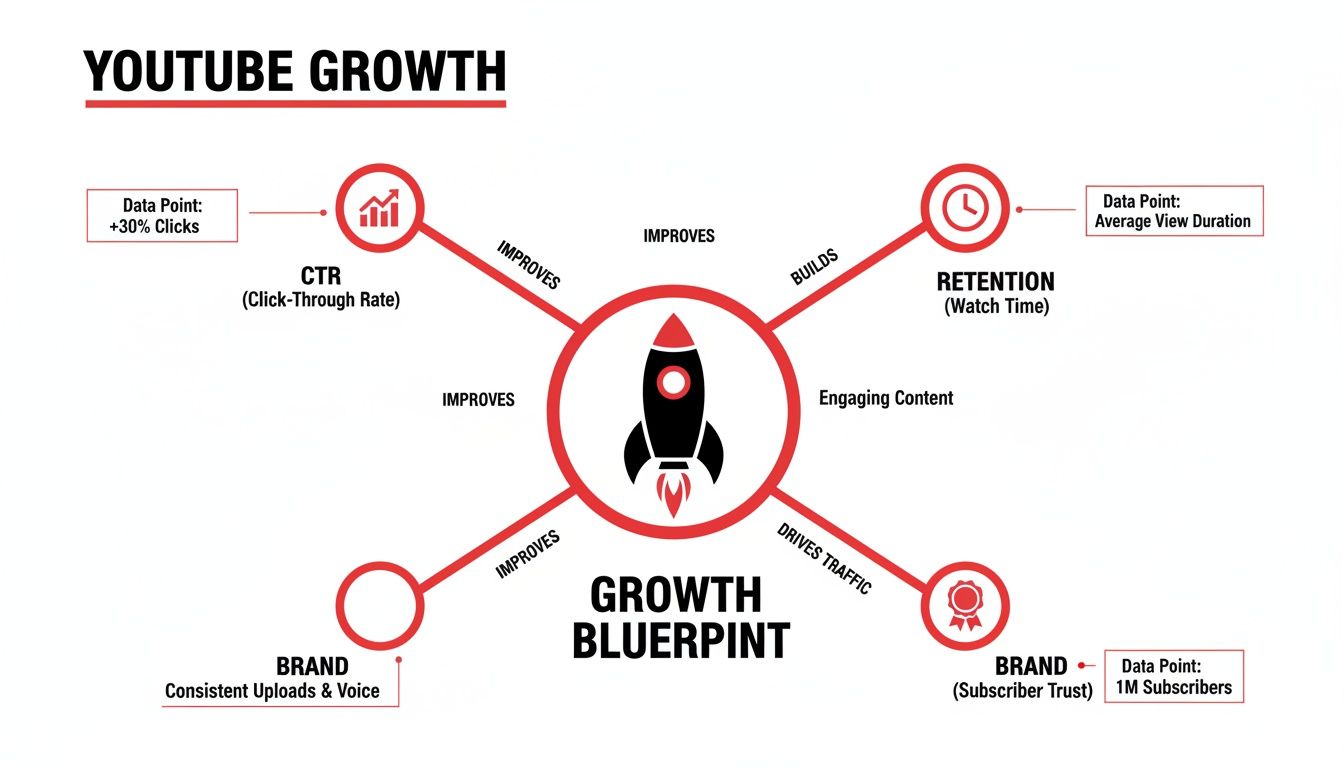
    At the end of the day, YouTube’s job is simple: keep people on the platform. To do that, its algorithm zeroes in on two critical viewer signals: click-through rate (CTR) and watch time. A high CTR proves your title and thumbnail are grabbing attention, while solid watch time shows your content delivers on the promise. Nail both, and YouTube will start showing your videos to whole new audiences.

    Titles and Thumbnails: Your One-Two Punch

    Think of your title and thumbnail as your video's billboard on a very crowded highway. They have one job: to make someone stop scrolling and click. The best ones work together to create a "curiosity gap"—that irresistible urge to find out the answer or see the result.

    A great title is sharp, packed with relevant keywords, and usually has a hook that piques interest. The thumbnail needs to be visually striking, with clean text and an expressive image that complements the title without just repeating it.

    For instance, a title like "Gardening Tips" is bland and will get lost in the noise.

    • Better: "5 Common Gardening Mistakes That Are Killing Your Plants"
    • Even Better: "Stop Making These 5 Gardening Mistakes (Your Plants Will Thank You)"

    That second title creates a sense of urgency and feels personal. Pair it with a thumbnail showing a sad, wilted plant next to a thriving, vibrant one, and you’ve created an emotional hook that makes clicking almost a reflex.

    Write Descriptions for People First, Algorithm Second

    The video description is some of the most valuable, and most wasted, real estate on YouTube. It’s your opportunity to give your viewers a ton of value while also feeding the algorithm exactly what it needs to understand your video.

    Those first two or three sentences are gold—they're what show up in search results. Use this space to summarize the video's core promise and naturally weave in your most important keywords.

    My Go-To Strategy: I structure every description for easy scanning. I use timestamps to create video chapters, link out to any tools or resources I mentioned, and drop in a quick "about my channel" pitch at the bottom. This turns a boring text block into a genuinely useful resource for the viewer.

    Think of the description as the full story behind your title's headline. By filling it with helpful context, relevant keywords, and useful links, you're not just helping your search rankings; you're building trust with your audience. For a much deeper look, our guide on YouTube SEO optimization tips covers more advanced strategies.

    A No-Nonsense Approach to Video Tags

    Tags used to be a huge ranking factor, but now their role is more subtle, yet still important. Their main job is to give YouTube extra context about your video, helping it connect your content with similar videos and the right audience.

    I've found the most effective strategy is to break tags into three simple buckets:

    1. Broad Tags: These are the high-level categories for your niche (e.g., "Home Repair," "DIY Projects"). They help YouTube understand the general ballpark your video plays in.
    2. Specific Tags: This is where you get granular with long-tail keywords that describe exactly what's in the video (e.g., "how to fix a leaky faucet," "leaky kitchen sink repair," "Delta faucet drip fix").
    3. Channel Tags: Don't be afraid to include the names of a few larger, well-respected channels in your space. This is a subtle hint to YouTube that your video might be a good recommendation to show after someone watches one of their videos.

    This structured approach makes sure you're covered from all angles, from the big-picture category down to the specific problem you're solving.

    How Playlists Drive Binge-Watching

    Playlists are one of the most powerful and criminally underused tools for growth. When a viewer watches a video in a playlist, the next one automatically starts playing. This is a huge win for boosting session watch time—the total amount of time a person spends on YouTube in one sitting.

    High session time sends a massive signal to the algorithm that your channel is great at keeping people engaged. By grouping your videos into logical, themed playlists, you're basically engineering binge-watching sessions.

    Here are a few playlist ideas that always work well:

    • Series Playlists: An obvious one. If you have a multi-part series, put it in a playlist.
    • Topic Playlists: Group videos around your main content pillars (e.g., "Beginner Woodworking," "Advanced Plumbing Fixes").
    • "Greatest Hits" Playlists: Create a playlist of your most popular videos to give new viewers a perfect starting point.

    When you organize your videos into playlists, you transform your channel from a random collection of videos into a curated library of content. That makes it a destination—and a much more compelling reason for someone to subscribe.

    Smart Promotion: Getting Your Videos Seen

    Hitting "publish" is just the beginning. So many creators put all their energy into making a video, but then they just let it sit there, hoping the algorithm finds it. That's a recipe for stagnation. If you want your channel to grow, you need to actively get your content in front of the right people.

    This isn't about spamming your links everywhere you can think of. It's about a smart, strategic plan to place your video where your ideal viewers are already hanging out and to strengthen the connection you have with your existing fans.

    Don't Just Build an Audience, Build a Community

    Your most dedicated subscribers—the ones who watch every video and tell their friends about you—don't just feel like viewers. They feel like part of something. That sense of community is your secret weapon, and it starts right in your comment section.

    Make it a non-negotiable rule to reply to as many comments as you can, especially within the first day a video is live. It's a simple act, but it shows you're listening and that you value their time. This little touch encourages more people to join the conversation, which is a massive signal to the YouTube algorithm that your video is worth pushing.

    Your Community tab is another goldmine for this. Don't let it collect dust.

    • Spark a conversation: Post a poll or ask a question related to your niche. "What topic should I cover next?" or "What's the one thing you struggle with when it comes to [your topic]?"
    • Show them the real you: A quick photo from behind the scenes or a short text update about your next project makes the channel feel human and authentic.
    • Breathe life into old content: Remind your audience about a great video they might have missed from a few months back.

    This steady interaction turns casual viewers into true fans who become your biggest advocates.

    Slice and Dice: Repurpose Your Content for Every Platform

    Your long-form YouTube video is a treasure trove of smaller content pieces. Instead of just dropping a raw link to your new video on Instagram, you need to chop it up and serve it in a way that feels native to each platform. This creates multiple doorways that all lead back to your main channel.

    Think about it: a single 10-minute video can become an entire week's worth of content for your other social media accounts.

    1. Clip it for a TikTok or Reel: Find the most compelling 30-60 second moment in your video. Add some captions, maybe throw in a trending sound, and you've got a short-form video with a real shot at going viral.
    2. Create an Instagram Carousel: Pull out 3-5 key points or takeaways and turn them into a simple, swipeable graphic post. The final slide? A clear call-to-action to check out the full video on YouTube for the deep dive.
    3. Share a Quote Graphic: Did you say something particularly insightful or funny? Pull that quote, put it on a clean background, and share it on Twitter or Facebook.

    Each one of these repurposed pieces is a breadcrumb. You're leading new audiences from platforms where they already are directly to your YouTube channel.

    The Ultimate Growth Hack: Collaborations

    While all the other tactics create steady, solid growth, nothing skyrockets a channel faster than a great collaboration. When you partner with another creator, you get an introduction to their entire audience—a group of people who already trust that creator's taste. It’s like a warm referral, and it can give you a massive subscriber boost almost overnight.

    The trick is finding the right partner. You're looking for someone who is in a similar ballpark in terms of channel size and whose audience overlaps with yours without being identical. For instance, if you review tech gadgets, collaborating with someone who teaches video editing is a perfect match. The audiences have a clear shared interest, creating a natural and valuable crossover.

    Expert Insight: When you reach out to someone about a collaboration, make your pitch all about them. The worst thing you can do is send a generic "wanna collab?" message. Instead, come with a specific video idea that would provide immense value to their audience and play to their strengths. A well-thought-out pitch proves you respect their work and are serious about creating something great together.

    The data backs this up, especially when you think beyond just YouTube-to-YouTube collabs. Research shows that cross-platform collaborations are one of the most powerful growth strategies out there. In fact, these partnerships can drive an average subscriber gain of 15%, which is significantly higher than collaborations with creators in the exact same niche (12%). The real power comes from tapping into unique fanbases on platforms like TikTok or Instagram, creating new funnels to bring people to your channel. You can dive deeper into these YouTube statistics and insights on DataGlobeHub to see the full picture.

    Using Analytics to Fuel Continuous Growth

    You can't grow what you don't measure. If you're serious about getting more subscribers, you have to move beyond guesswork and start listening to what your data is telling you. Once your videos are live, they become a goldmine of information. Learning to read your YouTube Analytics is probably the single most powerful skill you can develop.

    It’s not about getting lost in endless spreadsheets. It’s about building a feedback loop: you publish a video, analyze its performance, and use those insights to make the next one even better. This is how you stop guessing what your audience wants and start giving them exactly what their viewing habits say they love.

    The Two Metrics That Matter Most

    Forget about vanity metrics for a moment. To really understand what's working, you need to look at Click-Through Rate (CTR) and Average View Duration (AVD) as a team. They tell a complete story.

    A high CTR means your thumbnail and title were fantastic—they grabbed attention and earned the click. A high AVD means your content delivered on that initial promise and kept people glued to the screen.

    Here’s how to diagnose your videos using this combo:

    • High CTR, Low AVD: You've got a classic "clickbait" problem, even if it's unintentional. Your packaging (title/thumbnail) is great, but the video itself isn't holding attention. The issue isn't discovery; it’s the content's hook, pacing, or value.
    • Low CTR, High AVD: This one is almost more frustrating. It means the people who did click absolutely loved your video. The content is solid, but your title and thumbnail are failing to convince people to even start watching.
    • High CTR, High AVD: This is the magic formula. You've nailed it. A great idea was packaged perfectly, leading to tons of clicks and fantastic watch time. The YouTube algorithm loves this signal and will push your content to more people.

    When you think this way, you can stop blindly "improving" and start making targeted fixes to the weakest part of your strategy.

    Going Deeper: Reading the Audience Reports

    Beyond CTR and AVD, two specific reports in YouTube Analytics will give you an almost unfair advantage: Traffic Sources and Audience Retention.

    Your Traffic Sources report shows you precisely how people are finding you. Is it through YouTube search? Are your videos popping up as suggested content next to other popular videos? This tells you which of your strategies are actually paying off. For instance, if "Browse features" is a top source, it means your thumbnails are compelling enough to stop people from scrolling on their homepage.

    But the Audience Retention graph? That’s the most brutally honest feedback you’ll ever get. It’s a line graph showing you, second-by-second, where people are dropping off.

    Pro Tip: Look for the sharp dips. A huge drop in the first 15 seconds means your intro is too long or doesn't deliver on the title's promise. A sudden dip halfway through might highlight a boring segment or a confusing explanation. These are your exact moments to fix in future content.

    By spotting these patterns, you learn what bores your audience and can start creating tighter, more engaging videos that people watch all the way through.

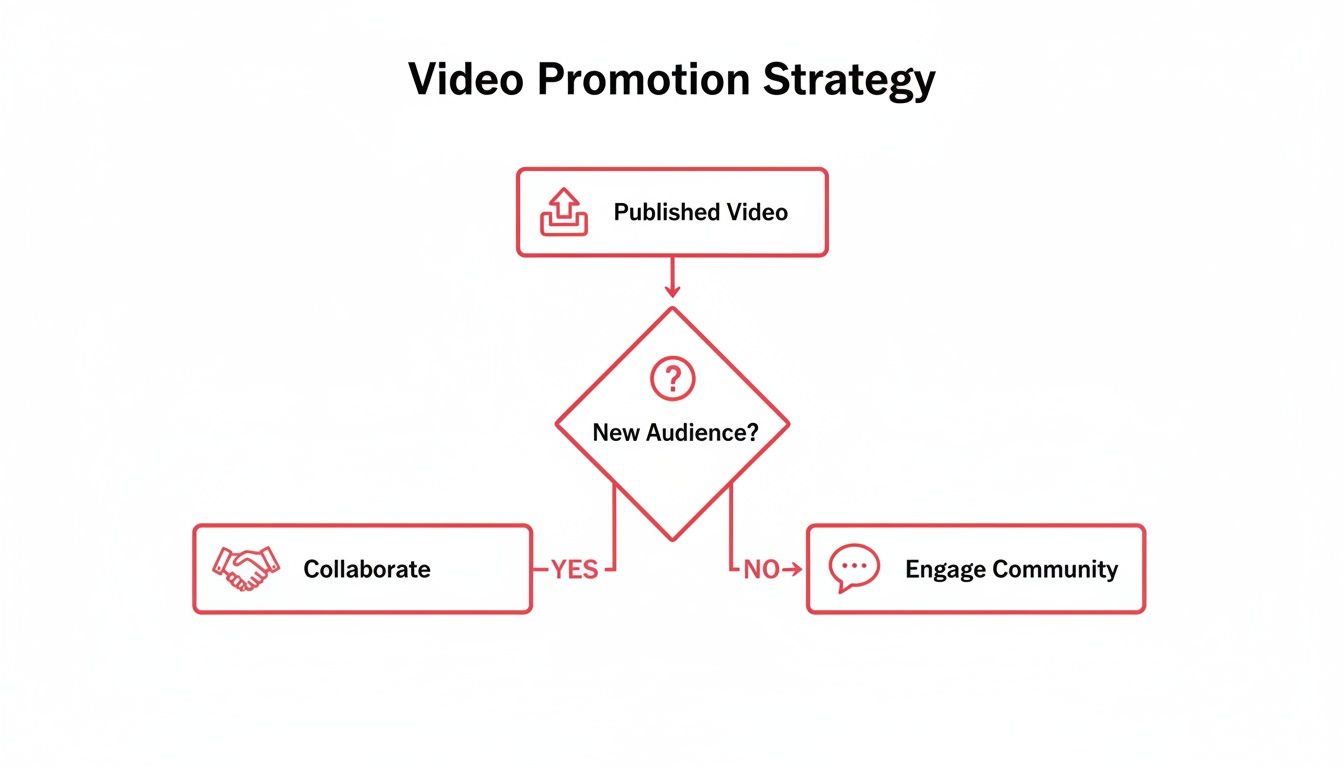
    After publishing, your next move depends on your immediate goal. This simple decision tree can help you decide where to focus your energy.

    Flowchart outlining a video promotion strategy: publish, then decide whether to collaborate or engage the community.

    As the flowchart shows, you have a choice: either rally your existing community to build momentum or collaborate with another creator to tap into a fresh audience. Both are powerful tactics for growth.

    To bring it all together, think of your analytics as a diagnostic tool. The table below provides a simple framework for interpreting common metric combinations and turning them into a clear plan of action.

    YouTube Analytics Diagnosis Framework

    Metric Combination Potential Problem Actionable Solution
    High CTR, Low AVD The video's intro or content didn't meet the promise of the title/thumbnail. Re-evaluate your first 15-30 seconds. Tighten up the intro, get to the point faster, or ensure the core topic is addressed immediately.
    Low CTR, High AVD Your content is great, but the packaging (title/thumbnail) isn't compelling enough to earn clicks. A/B test new thumbnails. Try different title formulas (e.g., question-based, listicle, controversial statement). Study what's working for top channels in your niche.
    Low CTR, Low AVD There's a fundamental disconnect between the topic, packaging, and the content itself. This is a sign to re-evaluate the video idea itself. Was it a topic your audience actually cares about? Research new topic ideas based on what has performed well in the past.
    High Impressions, Low CTR The YouTube algorithm is showing your video to many people, but they aren't clicking. Your thumbnail and title are the weak link. The topic has potential, but the "advertisement" for it is failing. Redesign them to be more eye-catching and intriguing.
    Low Impressions, High CTR The few people who see your video are clicking, but it's not being shown to a wider audience. The issue is likely discoverability. Improve your SEO by targeting more relevant, high-traffic keywords in your title, description, and tags to help the algorithm understand who to show it to.

    By regularly running your videos through this diagnostic process, you'll build an intuitive sense of what works for your channel, turning data into a reliable engine for subscriber growth.

    Common Questions About Gaining YouTube Subscribers

    So, you're trying to grow your channel and get more subscribers. It’s a journey, and along the way, a lot of the same questions tend to pop up. People always want to know about timelines, what kind of content to make, and whether certain growth hacks actually work. Let’s clear the air and set some realistic expectations so you can focus on what really moves the needle.

    Quality Over Quantity: The Unspoken Rule

    One of the first dilemmas every creator faces is whether to pump out a ton of videos or focus on making a few really good ones. Let me be blunt: quality always wins. I've seen it time and time again.

    One killer video that’s well-researched and polished will do more for your channel's future than three rushed, mediocre uploads. Why? Because low-quality content gets poor engagement. Viewers click away, and that tells the YouTube algorithm your videos aren't worth recommending. It's a channel killer.

    My advice? Start with a schedule you can actually stick to without burning out, like one fantastic video a week. Once you get your workflow down pat, you can think about upping the frequency. But never sacrifice the quality that got people to subscribe in the first place.

    How Long Does It Take to Get 1000 Subscribers?

    Ah, the big question. Everyone wants to know when they'll hit that first major milestone. The honest answer is… it depends. There's no set timeline. It hinges entirely on your niche, how good your videos are, and how you're getting them out there.

    Some creators nail it in a few months. For others, it’s a year or more. The two things that make the biggest difference are consistency and a willingness to actually look at your analytics and learn from them.

    Want to speed things up? Find a specific, underserved niche. I’ve seen channels blow up by serving a small but passionate audience. On average, if you're consistently posting 1-2 high-quality videos a week, you can realistically expect to hit 1,000 subscribers within six to twelve months. Remember, it’s a marathon, not a sprint.

    A huge mistake I see people make is chasing viral trends that have nothing to do with their channel. Sure, you might get a temporary spike in views, but those viewers aren't subscribing. They're just passing through. Stick to what your channel is about to build an audience that actually wants to stick around.

    Do Shortcuts Like "Sub4Sub" Actually Work?

    This one comes up constantly, especially with new creators looking for a quick win. Let me save you the trouble: No, they absolutely do not work.

    Tactics like "sub4sub" or, even worse, buying subscribers, will actively sabotage your channel. You're essentially filling your subscriber list with ghosts—accounts that will never, ever watch your content.

    This completely tanks your engagement metrics, especially crucial ones like watch time and audience retention. When YouTube sees your "subscribers" aren't watching, it assumes your content is bad and stops showing it to anyone. Plus, it's a blatant violation of YouTube's rules and can get your channel deleted. There are no shortcuts. The only real path is building a genuine community of people who care about what you create.


    At ViewsMax, we focus on helping you build that authentic audience, but faster. Our AI-powered toolkit gives you the data-driven insights to optimize your titles, descriptions, and tags for better discovery. We help you make content that viewers genuinely love, turning casual clicks into loyal subscribers. Ready to grow smarter? Learn more about how ViewsMax works.

  • 10 Powerful Content Repurposing Strategies for YouTube Creators in 2026

    10 Powerful Content Repurposing Strategies for YouTube Creators in 2026

    Creating high-quality YouTube videos is only half the battle. The other half is ensuring your hard work reaches the widest possible audience. In a crowded creator economy, the secret to exponential growth isn't just producing more content—it's strategically multiplying the value of the content you already have. This is where mastering effective content repurposing strategies becomes a non-negotiable skill.

    By transforming a single long-form video into dozens of targeted assets, you can dominate multiple platforms, capture diverse audience segments, and build an unshakable brand presence without burning out. This approach allows you to connect with viewers who prefer reading blog posts, listening to podcasts, or scrolling through quick, impactful social media carousels. It's the ultimate method for working smarter, not harder, and is a foundational component for anyone serious about scaling your content marketing efforts and building a sustainable creative career.

    This guide goes beyond generic advice, offering 10 specific, actionable content repurposing strategies designed explicitly for YouTube creators. We will break down each strategy with step-by-step instructions, performance KPIs to track your success, and insights on how to leverage tools like ViewsMax to streamline your workflow and make data-driven decisions. You will learn precisely how to turn your videos into everything from bite-sized Shorts and audiograms to comprehensive blog posts and engaging email newsletters. Prepare to unlock the hidden potential in your existing video library and turn every upload into a powerful, multi-channel growth engine.

    1. Long-Form to Short-Form Video Conversion

    This foundational strategy involves mining your full-length YouTube videos for gold-nugget moments and repackaging them as compelling short-form content. By converting high-impact segments into vertical clips for YouTube Shorts, TikTok, and Instagram Reels, you create multiple new assets from a single piece of content, dramatically expanding your reach and attracting new audiences who may not have discovered your longer videos.

    Why It Works

    Short-form video algorithms prioritize high engagement and rapid consumption. This content repurposing strategy allows you to serve up the most exciting, informative, or entertaining parts of your content directly to these fast-paced feeds. Think of it as a trailer for your main channel; each Short acts as a low-commitment entry point that can drive viewers back to your primary, monetized content. It’s an efficient way to stay active across multiple platforms without creating entirely new videos from scratch.

    Key Insight: Don't just crop your horizontal video. Reframe and edit it for a vertical viewing experience, adding dynamic captions and focusing on a single, powerful idea to maximize impact in under 60 seconds.

    How to Implement This Strategy

    1. Identify High-Engagement Moments: Use ViewsMax's analytics to pinpoint sections in your long-form videos with the highest audience retention and engagement spikes. These are proven moments that resonate with viewers.
    2. Clip and Reformat: Extract 3-5 of these key moments. Use editing software or YouTube Studio’s "Edit into a Short" feature to reformat them into a 9:16 vertical aspect ratio.
    3. Add Value: Enhance each clip with bold, easy-to-read captions, as most short-form content is viewed without sound. Consider adding a new hook or a concluding call-to-action that’s relevant to the short-form platform.
    4. Optimize and Schedule: Use ViewsMax to generate platform-specific titles, descriptions, and relevant hashtags (#shorts, #youtubeshorts). Schedule the clips to post over several days or weeks following the main video's launch to sustain momentum. For more specific tactics, you can learn how to get more views on YouTube Shorts and apply those principles here.

    2. Video to Blog Article Transcription

    This content repurposing strategy transforms your spoken video content into a powerful, text-based asset that can capture an entirely new audience through search engines. By transcribing your video and expanding it into a comprehensive blog article, you create a resource that is discoverable on Google, driving organic traffic back to your website and, in turn, your YouTube channel.

    A top-down view of a workspace with a laptop, headphones, open book, and plant, featuring the text 'Video To Article'.

    Why It Works

    While YouTube is the world's second-largest search engine, Google remains the first. A blog post allows you to compete for long-tail keywords and capture users who prefer reading over watching. This method doubles your content's visibility, positioning you as an authority in your niche across different platforms. For instance, learning how to turn a webinar into a blog post can effectively convert your video content into valuable written assets. Channels like Wistia use this approach to turn video tutorials into resource articles that rank for key search terms.

    Key Insight: Don’t just copy and paste your transcript. Enhance the article with 20-30% new information, including deeper explanations, additional examples, or related resources, to provide unique value that makes the blog post a standalone piece of content.

    How to Implement This Strategy

    1. Transcribe Your Video: Use an automated service like Otter.ai or Rev for a quick transcription, or use the auto-generated transcript from YouTube. Manually clean up the text for accuracy, grammar, and readability.
    2. Structure and Expand: Organize the transcript into a logical blog post format with H2 and H3 headings. These headings should correspond to the main talking points or chapters from your video. Flesh out each section with more detail.
    3. Optimize for SEO: Use ViewsMax's keyword tools to identify relevant long-tail keywords for your article's title, headers, and meta description. This will help you rank higher in search results. Having a well-structured script from the start makes this process much easier; you can learn more about how to write a script for YouTube videos to streamline this workflow.
    4. Embed and Interlink: Embed the original YouTube video prominently within the blog post, usually near the top. Add timestamps throughout the article that link directly to specific moments in the video, creating a seamless experience for the reader.

    3. Compilation & Behind-the-Scenes Community Repurposing

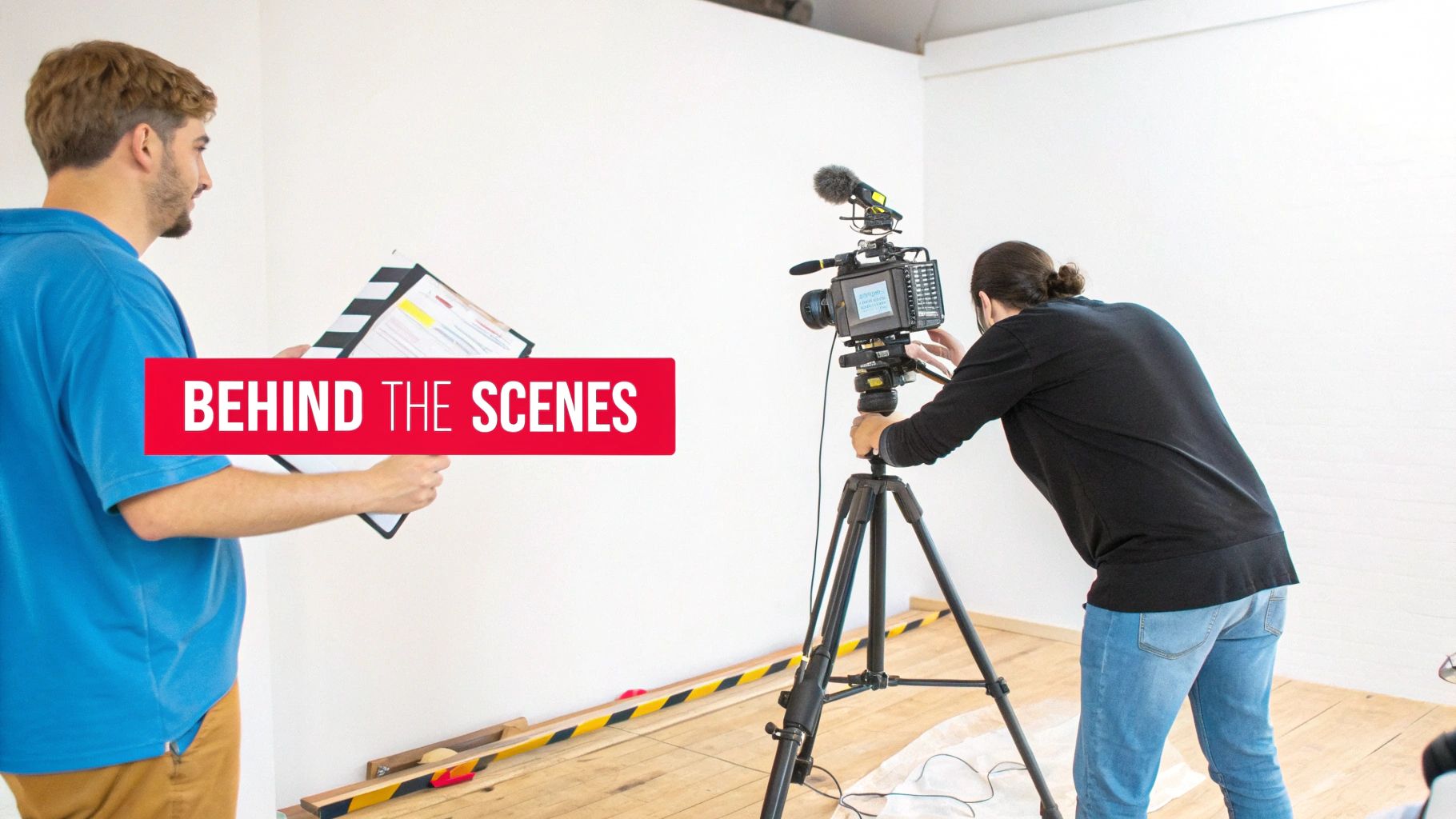
    This content repurposing strategy serves two powerful functions: bundling your best existing content into high-value compilations and building a deeper connection with your audience through authentic behind-the-scenes material. By creating thematic highlight reels, "best of" videos, or seasonal roundups, you give evergreen content a new lease on life. Simultaneously, sharing outtakes, bloopers, or production insights via Community posts and Shorts fosters a loyal following.

    Two people film a video production, one holding a clapperboard, the other adjusting a professional camera on a tripod, behind the scenes.

    Why It Works

    Compilation videos are incredibly effective because they deliver concentrated value, packaging your most impactful moments into one convenient, binge-worthy format. They appeal to both new viewers looking for a quick overview and existing fans who enjoy reliving highlights. Behind-the-scenes content works by humanizing your brand and making your audience feel like insiders. This exclusive access strengthens community bonds, which is a key driver for long-term channel growth.

    Key Insight: Treat compilations as new, standalone pieces of content. Add unique intros, commentary, and updated graphics to provide fresh value rather than just stitching old clips together.

    How to Implement This Strategy

    1. Identify Compilation Themes: Analyze your top-performing videos in ViewsMax to find common themes, popular topics, or recurring questions. Group 3-5 related videos to form a cohesive compilation like "My Top 5 Tips for…" or "Best Moments of 2024."
    2. Edit and Enhance: Assemble the clips and add a new introduction explaining the compilation's value. Use YouTube Chapters to allow viewers to navigate the video easily. Add new outros with a clear call-to-action.
    3. Capture BTS Content: Make it a habit to record short, raw clips on your phone during every shoot. Create a "footage bank" to pull from for Community posts, Shorts, and Reels. This content doesn't need to be polished; authenticity is the goal.
    4. Engage the Community: Use ViewsMax to schedule Community posts with behind-the-scenes photos, polls, and short video outtakes 3-5 times a week. This consistent engagement keeps your channel active between major uploads and can be a fantastic way to learn how to get more subscribers by turning casual viewers into dedicated fans.

    4. Podcast and Audio Conversion Strategy

    This strategy involves extracting the audio from your YouTube videos to create standalone podcast episodes. By distributing this audio content on platforms like Spotify, Apple Podcasts, and Google Podcasts, you tap into an entirely new audience that prefers to consume content while multitasking, commuting, or exercising. This expands your brand's reach beyond visual media and into the rapidly growing audio-first ecosystem.

    Why It Works

    Many viewers already listen to YouTube videos in the background, treating them like podcasts. This content repurposing strategy formalizes that behavior, offering a dedicated, user-friendly audio experience. It allows you to reach your audience in moments where watching a video isn't possible, such as during a drive or a workout. For content formats like interviews, lectures, or deep-dive discussions, the audio is often the most valuable component, making it a perfect fit for a podcast format without losing significant value.

    Key Insight: Don't just rip the audio and upload. Add a podcast-specific intro and outro to welcome your audio listeners and guide them back to your YouTube channel for supplemental visual content or to join your community.

    How to Implement This Strategy

    1. Select Audio-Friendly Videos: Identify videos where the visual component is not essential. Prime candidates include interviews, expert panels, storytelling videos, educational lectures, and commentary-style content.
    2. Extract and Polish the Audio: Use audio editing software to extract the audio track from your video file. Clean it up by removing visual-specific phrases (e.g., “as you can see on the screen”) and improving sound quality with equalization and compression.
    3. Package for Podcast Platforms: Create podcast-specific assets, including an introduction, an outro, and cover art. The intro should briefly introduce your channel and the episode's topic.
    4. Publish and Promote: Use a podcast hosting service to distribute your episode to major directories like Spotify and Apple Podcasts. In the podcast show notes, include timestamps and a direct link back to the original YouTube video for a complete, cross-platform experience. You can use ViewsMax to identify which video topics have the highest engagement, signaling they would perform well as audio episodes.

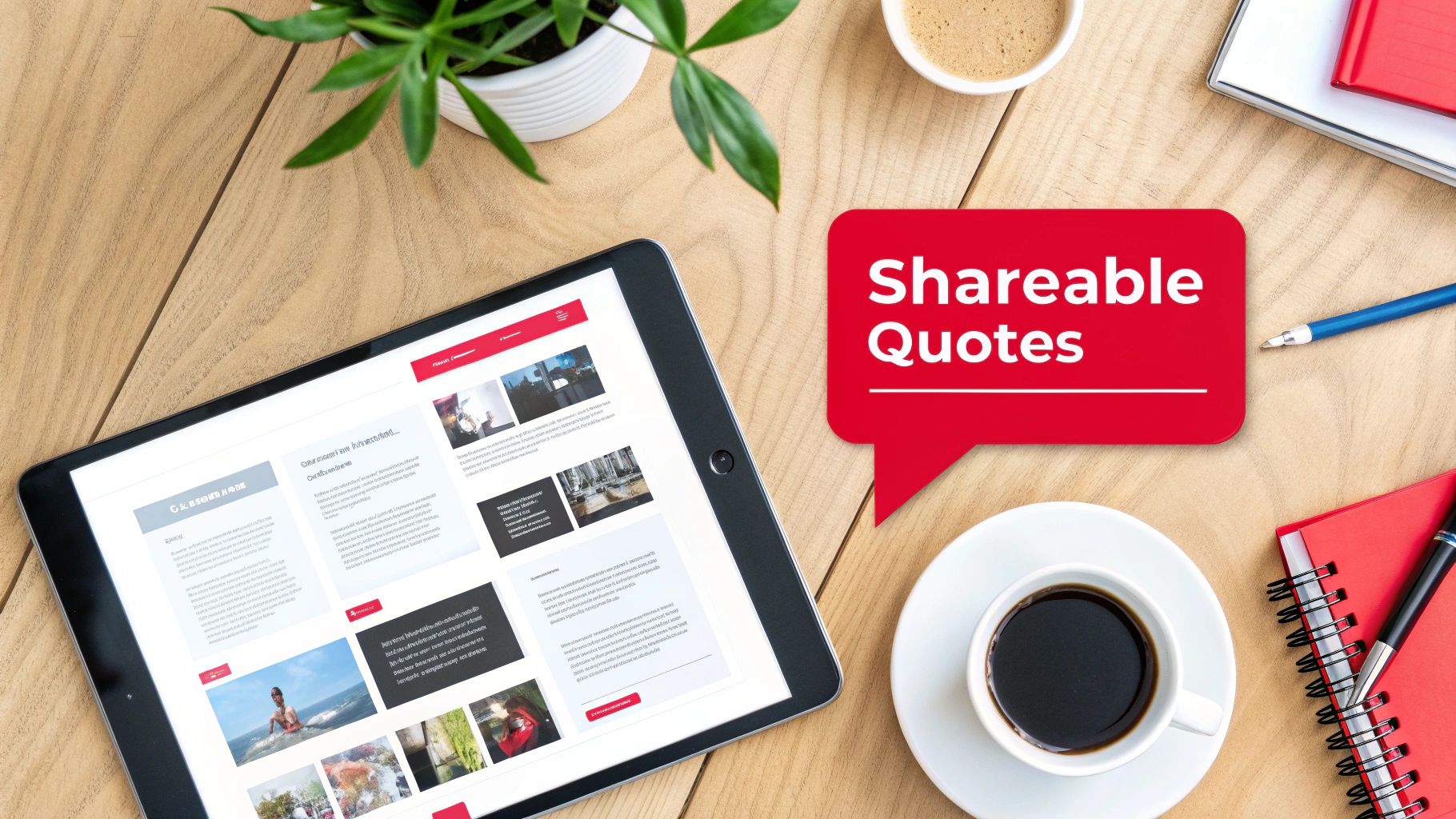
    5. Social Media Quote and Carousel Post Creation

    This strategy involves extracting the most potent quotes, statistics, and actionable insights from your video and transforming them into visually appealing graphics. By creating branded quote cards and multi-slide carousel posts for platforms like Instagram, LinkedIn, and Pinterest, you convert spoken words into highly shareable, static content that reinforces your message and drives traffic back to your YouTube channel.

    Flat lay of a wooden desk with a tablet, coffee, and a red speech bubble displaying 'Shareable Quotes'.

    Why It Works

    Static graphics are incredibly versatile and easily consumed, making them perfect for platforms where users scroll quickly. A powerful quote or a compelling statistic can stop a user mid-scroll and deliver immediate value. Carousel posts take this further by creating a mini-narrative, encouraging users to swipe through a series of connected tips or steps. This form of content repurposing establishes you as a thought leader and gives your audience easily digestible, savable, and shareable assets that keep your brand top-of-mind.

    Key Insight: Don't just paste text onto a background. Design templates that reflect your brand's visual identity. A well-designed graphic is not just a piece of information; it’s a brand ambassador that lives on through shares and saves.

    How to Implement This Strategy

    1. Mine for Memorable Moments: Review your video transcript to identify 5-10 key takeaways. Look for motivational statements, surprising statistics, actionable tips, or controversial opinions that can stand alone and spark curiosity.
    2. Design Branded Templates: Use tools like Canva or Adobe Express to create a set of consistent, branded templates for quote cards and carousels. Ensure your YouTube channel handle or logo is subtly included on every graphic.
    3. Create and Contextualize: For carousels, break down a process or list from your video into a step-by-step format across multiple slides. In the post caption, provide context and a clear call-to-action, such as "Watch the full video for a deep dive on this topic! Link in bio."
    4. Optimize for Each Platform: Use ViewsMax to craft compelling captions that tie back to your video's core themes. Tailor your hashtags for each platform (e.g., use #LinkedIn for professional insights, #Instagram for visual appeal) to maximize the reach of these valuable content repurposing strategies. Schedule these graphics to post over several weeks to continuously promote the original video.

    6. Email Newsletter and Lead Magnet Repurposing

    This strategy transforms your video content into valuable assets designed to build and nurture an email list, one of your most important owned marketing channels. By converting your video’s core concepts into downloadable lead magnets like checklists, guides, or templates, you can offer tangible value in exchange for a viewer’s email address. This moves your audience from a rented platform like YouTube to a direct line of communication you control.

    Why It Works

    An email list is a powerful asset, immune to the whims of platform algorithms. This content repurposing strategy creates a direct path for your most engaged viewers to become loyal subscribers. Offering a high-value, downloadable resource that complements your video content incentivizes sign-ups and deepens the relationship. It's an excellent way for educators, coaches, and brands to generate leads, segment their audience by interest, and eventually promote products or services.

    Key Insight: The most effective lead magnets solve a specific problem mentioned in your video. Instead of just summarizing the content, create a practical tool (like a checklist or workbook) that helps viewers implement what they just learned.

    How to Implement This Strategy

    1. Identify Lead Magnet Opportunities: Review your top-performing videos. Look for content that teaches a process, offers a list of tips, or provides a framework. These are perfect candidates for a downloadable PDF checklist, guide, or workbook. For example, a video on "10 Tips for Better Thumbnails" could become a "Thumbnail Design Checklist" PDF.
    2. Create and Gate the Asset: Design a simple, branded PDF. Use a service like ConvertKit or Mailchimp to create a landing page where viewers can enter their email to receive the download automatically. Mention and link to this landing page in your video description, pinned comment, and end screen.
    3. Develop a Nurture Sequence: Set up an automated welcome email series for new subscribers. The first email should deliver the promised lead magnet. Subsequent emails can share links to related videos, offer exclusive tips, or introduce your paid products, adding further value and keeping your audience engaged.
    4. Optimize the Funnel: Use ViewsMax to identify which of your video topics generate the most interest, helping you decide which lead magnets to create next. Track your landing page conversion rates and email open rates to refine your value proposition and subject lines for maximum effectiveness.

    7. Webinar and Live Stream Conversion

    This powerful strategy involves transforming your existing on-demand video library into live, interactive events like webinars or converting past live streams into structured courses. By repurposing high-value video content for a live audience, you create premium, synchronous experiences that drive deeper engagement and open new monetization channels beyond standard ad revenue.

    Why It Works

    Webinars and live workshops create a sense of urgency and exclusivity that pre-recorded videos cannot replicate. This content repurposing strategy allows you to leverage your proven, evergreen content as a foundation for a high-touch, interactive event. It’s perfect for educators, coaches, and brands who want to build a stronger community, generate qualified leads, or sell premium products and services directly to an engaged audience. The live format justifies a higher price point and provides valuable, direct feedback from your most dedicated followers.

    Key Insight: The value of a webinar isn't just the information, which may already exist on your channel, but the live access to you. Focus on interactive elements like Q&A sessions, live polls, and breakout discussions to make the experience unique and justify attendance.

    How to Implement This Strategy

    1. Identify High-Demand Topics: Use ViewsMax analytics to find videos with high watch time, strong engagement, and recurring questions in the comments. These are prime candidates for a deeper, live exploration.
    2. Structure the Live Event: Outline a webinar flow that expands upon your original video. Create new slides, add updated examples, and prepare bonus materials like checklists or templates exclusively for attendees.
    3. Promote and Capture Leads: Create a dedicated registration page that clearly outlines the value of attending live versus just watching the YouTube video. Use your channel and other social platforms to drive sign-ups, treating your original video as a lead magnet for the event.
    4. Repurpose the Recording: After the live event, edit the recording to create new assets. You can offer it as a premium on-demand course, clip the best Q&A moments for YouTube Shorts, or post a condensed version back on your main channel to promote future webinars. This is one of the most effective content repurposing strategies for creating a self-sustaining content ecosystem.

    8. Interactive Quiz and Assessment Content

    This advanced strategy transforms your educational or advice-driven video content into an engaging, two-way experience. By converting key lessons or concepts from your videos into interactive quizzes or assessments, you create a powerful tool that not only educates your audience but also captures valuable insights and drives deeper engagement with your channel.

    Why It Works

    Interactive content shifts the viewer from a passive consumer to an active participant. Quizzes and assessments gamify the learning process, making it more memorable and enjoyable. This approach boosts viewer retention and reinforces your authority on a topic. It also provides a unique opportunity to gather audience data, helping you understand knowledge gaps and interests, which can directly inform your future content calendar. Finance, personal development, and skill-based channels excel with this method.

    Key Insight: Design quizzes where incorrect answers link directly to the specific timestamp in your video that explains the concept. This closes the learning loop and drives viewers back to your content with a clear purpose.

    How to Implement This Strategy

    1. Identify "Testable" Content: Review your top-performing educational videos. Pinpoint core concepts, key takeaways, or step-by-step processes that can be broken down into 5-10 clear questions.
    2. Build the Quiz: Use a third-party tool like Typeform, Google Forms, or a dedicated quiz builder to create your assessment. For each question, craft a clear prompt with multiple-choice answers based on your video's content.
    3. Integrate with Your Video: Promote the quiz within your YouTube video using interactive cards, end screens, or a prominent link in the description. You can embed it on your website and direct traffic there for a more controlled experience.
    4. Personalize the Results: Create a results page that doesn't just show a score. Offer personalized feedback and recommend specific follow-up videos from your channel based on the user's answers, creating a customized content journey. ViewsMax can help you identify related videos with high engagement to recommend.

    9. Affiliate Marketing and Product Round-Up Content

    This strategy transforms your existing product reviews, recommendations, and comparison videos into monetized written content. By creating affiliate-focused articles, detailed round-ups, and dedicated resource pages, you can generate a new revenue stream from the research and opinions you’ve already shared in your videos, capturing audiences who prefer to read and compare products before purchasing.

    Why It Works

    Many viewers watch product reviews as part of their buying journey and often search for written guides to compare features and prices. This content repurposing strategy meets them where they are, providing tangible value while earning you a commission. It establishes your authority beyond video and creates evergreen assets that can generate passive income long after a video is published. It’s a powerful way to monetize your expertise without creating new video content.

    Key Insight: Don't just list products. Structure your round-ups to solve a specific problem or cater to a particular user type (e.g., "Best Vlogging Cameras Under $500," "Top Productivity Tools for Solo Creators"). This targeted approach drives higher-intent traffic and conversions.

    How to Implement This Strategy

    1. Catalog Your Product-Related Videos: Identify all your videos that feature product reviews, recommendations, or tutorials. These are your source materials for creating affiliate content.
    2. Structure the Round-Up or Guide: Outline a blog post or resource page based on a high-intent keyword like "best," "review," or "comparison." Transcribe key points from your videos and organize them into a coherent, easy-to-read format. For example, a tech review channel can compile multiple camera reviews into a "Best Cameras for YouTube in 2024" guide.
    3. Integrate Affiliate Links and Disclosures: Sign up for affiliate programs for the products you recommend. Embed your unique affiliate links naturally within the text and add a clear, prominent disclosure statement at the beginning of the article to comply with FTC guidelines.
    4. Optimize for SEO and Promote: Use ViewsMax to identify high-performing keywords from your video titles and descriptions and incorporate them into your article's headings and body text. Promote the new resource page in the descriptions of your relevant YouTube videos and share it with your email list.

    10. LinkedIn and B2B Professional Content Adaptation

    This strategy involves adapting your YouTube content for a professional B2B audience on LinkedIn. By transforming video insights into polished articles, data-rich carousels, and detailed case studies, you can reposition your expertise to capture high-value professional opportunities, build authority in your niche, and engage with industry decision-makers directly on their preferred platform.

    Why It Works

    LinkedIn is a hub for professional development, industry networking, and B2B lead generation. Unlike entertainment-focused platforms, its users actively seek valuable, data-driven insights to solve business challenges. This content repurposing strategy allows you to meet this demand by presenting your video content in formats native to the platform, such as in-depth articles and digestible carousels. This establishes you as a thought leader, driving relevant traffic not just to your YouTube channel but also to your professional services or products.

    Key Insight: Don't just share a link to your YouTube video. Natively publish the core concepts as a LinkedIn article or carousel, adapting the tone and depth to a professional audience that values actionable frameworks and tangible results over pure entertainment.

    How to Implement This Strategy

    1. Identify B2B-Relevant Videos: Review your YouTube library for content covering business strategies, case studies, tutorials, or professional development topics. Videos with clear frameworks or step-by-step processes are ideal candidates.
    2. Choose the Right Format: For a deep dive, convert your video script into a 1,500-word LinkedIn article, enriching it with data, charts, and professional language. For a scannable, high-impact piece, turn a multi-point framework from your video into a PDF carousel document.
    3. Adapt and Enhance for Professionals: Rewrite the content with a more formal, authoritative tone. Focus on business outcomes, ROI, and actionable takeaways. Remove casual slang and add industry-specific terminology to demonstrate expertise.
    4. Optimize for LinkedIn's Algorithm: Publish your content during peak business hours (Tuesday-Thursday mornings). Tag relevant companies, influencers, and industry groups to expand your reach. End your post with a thought-provoking question to encourage comments and drive engagement.

    10-Strategy Content Repurposing Comparison

    Repurposing Strategy 🔄 Complexity ⚡ Resources & Speed ⭐ Expected Outcomes 📊 Ideal Use Cases 💡 Key Advantages / Tips
    Long-Form to Short-Form Video Conversion Medium — editorial selection + platform-specific edits Low–Medium — simple cuts & templates; fast turnaround ⭐⭐⭐ High reach & posting frequency; potential subs growth Creators with 10–60 min high-engagement videos for Shorts/Reels/TikTok 💡 Test 3–5 clips per video; preserve core branding; stagger releases
    Video to Blog Article Transcription Medium–High — transcription + SEO rewriting Medium — editing and SEO time; slower than clips ⭐⭐⭐ Evergreen organic traffic and SEO authority Tutorials, deep-dive explainers, evergreen educational content 💡 Add 20–30% new value; optimize headers & meta; embed video
    Compilation & Behind-the-Scenes Repurposing Medium — curation and narrative flow editing Medium — leverages unused footage; moderate edit time ⭐⭐⭐ Extended watch time and stronger audience loyalty Gaming, podcasts, vlogs with ample outtakes/BTS 💡 Use chapters/playlists; collect BTS during shoots; add unique intros
    Podcast and Audio Conversion Strategy Low–Medium — audio extraction + metadata creation Low — quick if audio is clean; aggregator distribution simple ⭐⭐⭐ Expands reach to audio-first audiences; new monetization Interviews, commentary, lecture-style videos 💡 Remove visual cues, add intros/outros, include show notes & CTAs
    Social Media Quote & Carousel Post Creation Low — design + selective copywriting High — fast with templates (Canva, etc.) ⭐⭐⭐ Shareable brand touchpoints; traffic drivers to channel Thought leadership, motivational, business, educational creators 💡 Extract 5–10 quotes per video; keep on-brand visuals; include CTA
    Email Newsletter & Lead Magnet Repurposing Medium — content structuring + funnel setup Medium — requires email platform & automation ⭐⭐⭐ High LTV and owned-audience growth; strong conversion paths Course creators, coaches, businesses building funnels 💡 Gate high-value assets, automate delivery, segment lists for relevance
    Webinar & Live Stream Conversion High — live tech, interactivity, registration funnels Low–Medium — prep time and platform costs; intensive per event ⭐⭐⭐ High engagement, lead generation, and premium monetization High-demand training topics, product launches, coaching offers 💡 Offer exclusives, add polls/Q&A, record sessions for on-demand reuse
    Interactive Quiz & Assessment Content High — design, platform integration, testing Low after build — initial heavy lift, reusable assets ⭐⭐⭐ Very strong engagement and first‑party data capture Educational series, diagnostics, lead-generation content 💡 Keep quizzes short (5–10 Q); link incorrect answers to video segments
    Affiliate Marketing & Product Round-Up Content Medium — content creation + link/tracking upkeep Medium — ongoing updates and tracking required ⭐⭐⭐ Passive revenue from purchase-intent traffic if executed well Tech, beauty, gear reviews, productivity/tool recommendations 💡 Disclose affiliates, use tracking UTMs, focus on high-intent keywords
    LinkedIn & B2B Professional Content Adaptation Medium — tone/style adaptation and case-study creation Medium — rewrite + imagery for professional formats ⭐⭐⭐ Builds thought leadership, B2B leads and partnership opportunities Marketing, SaaS, consulting, leadership and HR-focused creators 💡 Publish long-form articles & carousels, use data-driven insights, post weekdays

    From Content Creator to Content Strategist

    The journey from a single, well-crafted YouTube video to a comprehensive, multi-platform content ecosystem is no longer a luxury reserved for large media companies; it's an essential strategy for sustainable growth. Throughout this guide, we've explored ten distinct and powerful content repurposing strategies, moving far beyond the simple act of re-uploading clips. You now have a blueprint to transform your core video assets into everything from engaging blog posts and SEO-rich transcripts to captivating social media carousels, insightful newsletters, and professional B2B articles.

    The fundamental shift is one of mindset. Every video you produce is not a final destination. Instead, think of it as a central hub, a primary asset from which countless other pieces of valuable content can radiate, each tailored to a specific platform and audience segment. This approach shatters the relentless cycle of the content treadmill, where the pressure to constantly create something new from scratch leads to burnout.

    Key Takeaways: From Theory to Actionable Workflow

    Mastering content repurposing means you stop trading time directly for content volume and start investing it in scalable systems. The true value lies not in just doing more, but in making what you've already done work harder and smarter for you.

    Here are the most critical takeaways to integrate into your workflow immediately:

    • Value Maximization: The core principle is to extract every ounce of value from the time, energy, and resources you invest in producing your primary long-form videos. Don't let your hard work have a single, fleeting moment in the spotlight.
    • Audience Expansion: Repurposing allows you to meet your audience where they are. The person who discovers you through a 60-second TikTok might never have watched your 20-minute YouTube deep dive, but now they have a pathway to your channel. Conversely, a professional who finds your article on LinkedIn can be introduced to your more dynamic video content.
    • SEO and Discoverability: By converting video to text (blog posts, transcripts, show notes), you create a wealth of indexable content. This significantly boosts your chances of being discovered through search engines like Google, which remains a massive traffic source for many creators.
    • Reinforced Authority: Consistently appearing across multiple platforms with high-quality, relevant content solidifies your authority. You are no longer just a "YouTuber"; you become a recognized expert in your niche, building trust and credibility that transcends a single channel.

    Your Next Steps: Building a Repurposing Engine

    Feeling overwhelmed by the possibilities is normal. The key is to start small and build momentum. Don't try to implement all ten strategies at once. Instead, take a methodical approach.

    1. Conduct a Content Audit: Use your YouTube Analytics to identify your top-performing videos from the last 6-12 months. Which ones had the highest watch time, engagement, or generated the most subscribers? These are your prime candidates for repurposing.
    2. Select Two Strategies: Choose just two strategies from this list that feel most natural for your content and where you believe your audience spends their time. For a gaming channel, this might be Long-Form to Short-Form Video and Compilation & Behind-the-Scenes. For a business coach, it might be Video to Blog Article and LinkedIn Content Adaptation.
    3. Establish a Simple Workflow: Document the steps. For example: "For every new video published on Tuesday, I will create three short-form clips by Friday and schedule one blog post for the following Monday." Use tools to streamline this process wherever possible.
    4. Measure and Iterate: Track the performance of your repurposed content. Are your audiograms driving podcast listens? Are your blog posts ranking for new keywords? Use this data to refine your approach, doubling down on what works and adjusting what doesn't.

    By embracing these content repurposing strategies, you make a deliberate transition. You move from being a creator who is constantly chasing the next video idea to a savvy content strategist who is building a resilient, interconnected brand. This is how you create a lasting digital footprint that grows, engages, and converts long after you hit "publish."


    Ready to streamline your entire content lifecycle, from ideation to repurposing? ViewsMax is designed to help you manage your YouTube workflow, optimize your metadata for maximum reach, and identify the best videos to use for your content repurposing strategies. Start making smarter content decisions and build your content engine by exploring the tools at ViewsMax today.

  • Mastering the Right Keyword for YouTube Video

    Mastering the Right Keyword for YouTube Video

    Choosing the right keyword for your YouTube video is the one thing that can make or break its success. It's how you tell both the YouTube algorithm and your potential audience what your content is all about. Nail this, and you tap directly into a stream of viewers who are already looking for you.

    Why Keyword Selection Is a Game Changer

    A man in a brown sweater sits at a desk with a laptop displaying photos, and a red sign says 'FIND YOUR AUDIENCE'.

    In a sea of endless videos, the right keyword is your video's lifeline. It's the difference between shouting into an empty room and having a meaningful conversation with an audience that actually wants to listen. This isn’t just some tedious SEO task; it's the heart of a winning content strategy.

    The competition is staggering. By 2025, it’s estimated YouTube will host 5.1 billion videos—a mind-boggling jump from just half a billion back in 2015. With almost 950 million new videos uploaded every single year, you can't just hope to be found. You need a plan. You can dig deeper into YouTube's growth on seo.ai if you're curious.

    The Foundation of Your Video Strategy

    Think of your keyword as the foundation of a house. You can have a brilliant script, slick editing, and an eye-catching thumbnail, but without a solid foundation, the whole thing is likely to collapse. A carefully chosen keyword for a YouTube video does a few critical things for you:

    • Signals Relevance: It clearly tells the YouTube algorithm who your video is made for, which massively boosts its chances of being recommended to the right people.
    • Drives Targeted Traffic: It pulls in viewers who are already searching for your topic, which naturally leads to better watch time and higher engagement.
    • Builds Channel Authority: When you consistently show up for certain keywords, you start to establish your channel as the go-to expert in that niche.

    Choosing a keyword isn’t about trying to trick an algorithm. It's about clearly communicating your video's value to the people who will get the most out of it.

    This is where tools like ViewsMax come in. They take the guesswork out of this crucial first step and replace it with data. Instead of crossing your fingers and hoping for an audience, you can strategically place your content right in front of the viewers searching for it. That foresight makes all your hard work count, influencing everything from your initial view count to your channel's long-term growth.

    Building Your Initial Keyword Idea List

    The best keyword ideas don’t just pop into your head while you're staring at a blank screen. They come from putting yourself in your audience's shoes and digging into what they’re already looking for. This first step isn't about finding that one perfect keyword; it's about casting a wide net and building a solid list of possibilities.

    We need to get past what we think people are searching for and find out what they’re actually typing into that YouTube search bar. It’s a bit of detective work, but it’s worth it. Your entire content strategy will be built on real viewer demand, not just guesswork.

    Let’s start by looking at what’s already working for others.

    Mine Competitor Channels for Gold

    Your competitors are sitting on a goldmine of proven keyword ideas. They’ve already spent the time and money testing topics, so you can learn from what’s worked for them. First, pull up 3-5 successful channels in your niche.

    Head over to their "Videos" tab and sort by "Most Popular." This is your cheat sheet, showing you the exact videos that have pulled in the most eyeballs. Take a close look at the titles.

    • Spot the patterns: Are their biggest hits "how-to" videos? Product reviews? Top 10 lists? The format itself is often a clue.
    • Pull out specific phrases: Pay attention to the precise wording. If a top video is called "Best Budget Camera for YouTube 2024," you can bet "best budget camera for youtube" is a keyword worth exploring.

    Make a list of these high-performing topics and title formulas. The goal isn’t to copy them, but to understand the language that clicks with the audience you're trying to reach. To get a better handle on this, you can learn more about what people are searching on YouTube in our detailed guide.

    Let YouTube Search Be Your Guide

    Believe it or not, the YouTube search bar is one of the best free keyword tools out there. As you type, the autocomplete feature (or "search predictions") shows you what other people are searching for in real-time.

    Try typing a broad term from your niche, like "home workout," but don't hit enter. Just watch what YouTube suggests:

    • "home workout for beginners"
    • "home workout no equipment"
    • "home workout for weight loss"

    These aren't just random guesses. They are the most common phrases people are actively using to find content. Every suggestion is a validated keyword idea that points directly to a specific audience need.

    Pro Tip: Go a step further. Type your seed keyword followed by a space and then the letter 'a' (e.g., "home workout a"), then 'b', then 'c', and so on. This simple trick can unearth a ton of long-tail keyword variations you might have otherwise missed.

    This little exercise gives you a direct peek into the viewer’s mind, helping you create a list of keywords that already have an audience waiting. Of course, you can speed this all up with a tool like ViewsMax, which scrapes these suggestions and related terms for you, saving you a bunch of manual effort.

    Seed Keyword Generation Methods

    There are several ways to come up with those initial "seed" keywords. Each method has its own strengths, depending on what you're trying to achieve.

    Method Description Best For
    Competitor Analysis Reviewing top-performing videos from channels in your niche. Finding proven topics and title formulas that already resonate with your target audience.
    YouTube Autocomplete Typing a broad term into the search bar and noting the suggestions. Uncovering high-demand, specific search queries directly from user behavior.
    Audience Comments Reading comments on your own videos or competitors' videos. Identifying pain points, questions, and content gaps directly from the community.
    Community Forums Browsing sites like Reddit or Quora for discussions related to your topic. Discovering the raw, unfiltered language and problems your audience is talking about.

    Ultimately, a mix of these methods will give you the most comprehensive list to start with. Don't just rely on one; pull ideas from all of them to build a well-rounded foundation for your research.

    Validating Keywords with Real Data and Search Intent

    Having a list of keyword ideas is a great first step, but it's just that—a starting point. To transform those raw ideas into a real strategy, you need to anchor them in data and, critically, understand what viewers are actually looking for. An idea without validation is a guess, and guessing is an expensive way to run a YouTube channel.

    It's so easy to fall into the trap of chasing keywords with enormous search volumes. But that's usually a recipe for disappointment. High volume almost always means brutal competition from creators with massive head starts. The real magic happens when you find that sweet spot: a keyword with enough demand that you can realistically rank for, creating a clear path from your video to the people who need to see it.

    This whole validation process is about making sure you’re not just making content, but making content for an audience that already exists.

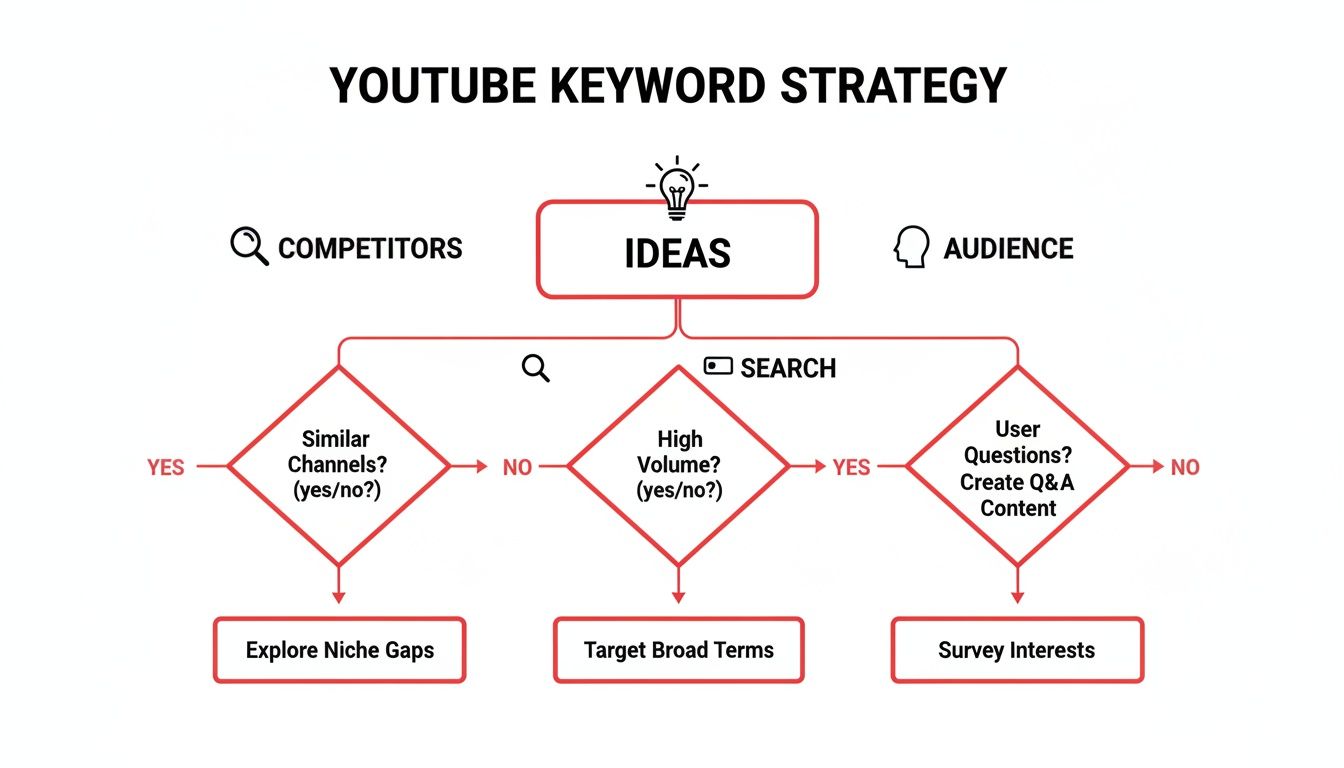
    This flowchart lays out the process perfectly. It shows how to filter your raw ideas through competitor analysis and audience needs to land on keywords that are actually worth targeting.

    Flowchart outlining a YouTube keyword strategy, guiding content ideas based on competitor and audience analysis.

    Think of it as a decision tree that takes you from broad concepts to specific, data-backed keywords ready for your next video.

    Decoding Search Intent: The Why Behind the Click

    More important than any number is search intent. This is the why behind a viewer's search. What do they really want? Are they looking for a quick answer, a step-by-step tutorial, a product review, or just something to watch on their lunch break?

    Getting the intent wrong is a classic mistake. It’s why some videos rank well but have terrible watch time. If someone searches for a "how-to" and your video is a 15-minute unboxing, they're gone in seconds. That's a negative signal to YouTube's algorithm, telling it your video wasn't a good match, and it will kill your video's momentum.

    A high click-through rate is useless if your audience retention is in the gutter. The key to turning a click into a loyal subscriber is matching your content to the viewer's intent.

    To get this right, start thinking about your keywords in terms of these categories:

    • Informational: The viewer needs to learn something (e.g., "how to edit video on iphone").
    • Navigational: They're trying to find a specific channel or brand (e.g., "ViewsMax channel").
    • Commercial: They're researching before they buy (e.g., "sony fx30 vs blackmagic 6k").
    • Transactional: They're ready to pull the trigger on a purchase (e.g., "buy adobe premiere pro").

    Using Tools to Analyze the Competitive Landscape

    Now it's time to roll up your sleeves and see what you're up against. A quick, manual search on YouTube is a good first look, but to get the full picture, you really need to bring in some specialized tools.

    Using one of the best YouTube SEO tools like ViewsMax gives you an immediate advantage. You can see estimated search volumes, a keyword difficulty score, and who the top-ranking creators are for any term. This data lets you make a smart call. Do you go head-to-head, find a less crowded long-tail version of the keyword, or pivot entirely?

    For instance, trying to rank for "best budget camera" is a massive uphill battle against giant tech channels. But a more focused term like "best vlogging camera under $500 for beginners" could be your ticket to owning a valuable, underserved niche.

    Weaving Your Keywords into Your Video Metadata

    Alright, you've nailed down the perfect keyword. Now for the fun part: actually putting it to work. This means strategically weaving it into your video’s title, description, and tags. This isn’t about just spamming your keyword everywhere you can. It’s a craft. You’re sending clear signals to both the YouTube algorithm and, just as importantly, to the human you want to watch your video.

    Think of your metadata as the packaging for your content. You could have the most amazing video in the world, but if the box it comes in is confusing or unappealing, no one's going to open it. Getting this right is how you make sure all your hard work actually finds its audience.

    Crafting a Title That Demands a Click

    Your title is your first impression. It’s your handshake, your billboard, and often your only shot at getting someone to stop scrolling. A great title has to do two things at once: satisfy the search algorithm and pique human curiosity.

    Try to get your main keyword for youtube video as close to the front of the title as you can. YouTube gives more weight to the words that appear first. Once that's in place, add a hook—something that promises a benefit, creates intrigue, or solves a problem.

    Here are a few title formulas I've seen work time and time again:

    • The "How-To": [Your Keyword] | A Beginner's Step-by-Step Guide
    • The Listicle: 7 [Your Keyword] Tips That Actually Work in 2024
    • The Problem/Solution: Can't Figure Out [Common Problem]? This [Your Keyword] Trick Works Every Time

    A title has two jobs. The first is to get your video ranked by telling the algorithm what it's about. The second, and more important job, is to get a human to actually click on it. Never sacrifice clickability for the sake of keyword placement.

    Writing a Description That Informs and Ranks

    So many creators treat the video description as an afterthought, but it’s an absolute SEO powerhouse. This is your space to give YouTube all the rich context it needs to understand your video, while also reinforcing your main keyword and sprinkling in related ones. Don't just toss in a single sentence and call it a day.

    Your very first line should be a clear, compelling sentence that includes your primary keyword. This is what often shows up as the snippet in search results, so it needs to pack a punch. After that, open up into a couple of paragraphs that really sell the video, explaining what the viewer is going to learn or see.

    A solid description structure often looks like this:

    1. The Hook: Start with that strong, keyword-rich sentence.
    2. The Summary: Write two or three paragraphs about the video's value. This is a great place to naturally work in your secondary keywords.
    3. Timestamps: Break down the video into chapters. This is fantastic for user experience and helps your video rank for specific moments.
    4. Calls to Action: Add links to subscribe, check out another video, or visit your website.

    On a related note, if you can transcribe your YouTube video, that text gives search engines even more content to crawl, which can seriously boost your video's discoverability.

    Making Sense of Your Video Tags

    Tags are another signal you send to YouTube about your video's content. Their importance has waxed and waned over the years, but they still play a key role in helping the algorithm understand the nuances of your topic and connect it to other, similar videos.

    Your very first tag should always be your exact-match primary keyword. No exceptions. From there, branch out. Add a few variations and some related long-tail keywords. Think about the broader categories your video fits into. For instance, if your video is about "beginner landscape photography," your tags could include things like "photography for beginners," "landscape photography tips," and "how to shoot landscapes."

    A tool like ViewsMax can be a huge time-saver here, generating a whole list of relevant, high-impact tags based on your main keyword. For a deeper dive, check out our guide on YouTube SEO optimization tips.

    Just look at the world of music on YouTube for proof of how powerful the right topic can be. 'Baby Shark Dance' has racked up over 16.22 billion views, and an incredible 48.2% of global users watch music videos weekly. This shows that tapping into popular trends, even through sounds or genres in your videos, can be a game-changer for getting discovered.

    Tracking Your Keywords and Refining Your Strategy

    A man monitors performance data and analytics on a computer screen, showing a line graph.

    So, you've published your video. Now what? Hitting "publish" isn't the end of the road; it's just the beginning. Your initial keyword research was your best-educated guess. Now it's time to see how that guess holds up in the real world and use that data to get smarter for the next video.

    This is where you stop guessing and start knowing. Your primary tool for this mission is your YouTube Analytics dashboard. It's easy to get lost in the sea of numbers, so let's focus on the metrics that actually matter for keyword performance.

    The Metrics That Tell the Real Story

    Forget vanity metrics like total views for a moment. To see if your keyword for a youtube video is actually pulling its weight, you need to dig a little deeper into how people are finding you.

    Here's what I always check first:

    • Traffic Sources: YouTube Search: This is your report card. It tells you what percentage of your views came directly from someone typing a query into YouTube's search bar. Even better, it shows you the exact terms they used. This is pure gold.
    • Impressions and Click-Through Rate (CTR): Impressions are the number of times your video's thumbnail appeared on someone's screen. The CTR is the percentage of those people who chose to click. A solid CTR means your title and thumbnail are hitting the mark for that search query.
    • Average View Duration & Audience Retention: These tell you if you delivered on the promise. If people click but leave within the first 30 seconds, the algorithm notices. High retention signals that your video was exactly what the viewer was looking for based on the keyword.

    A high CTR with terrible audience retention is a huge warning sign. It's the classic clickbait signal—you made a promise with your title and thumbnail that the video itself didn't keep. This tells the algorithm your video isn't a good result for that keyword.

    From Data Points to Smart Decisions

    Looking at these numbers isn't just an academic exercise; it's about finding opportunities.

    Maybe you'll spot a surprising keyword in your Traffic Sources report that's driving a ton of views. That's a clear sign from your audience telling you, "Hey, make more content about this!" To keep a close eye on these trends and the overall health of your channel, using dedicated tools for YouTube monitoring can be a real game-changer.

    This data-driven approach has a direct impact on your bottom line. YouTube's ad revenue hit an incredible $36.1 billion in 2024, which is a 14.6% increase from the previous year. For creators who are dialed into their keyword strategy, this growth means a bigger pie to share. By optimizing for the right terms, you can attract more valuable ads and boost your channel's revenue.

    Finally, don't be afraid to go back and breathe new life into your old videos. If a video isn't performing well in search, it's not a lost cause. Do some fresh keyword research and update the metadata. A simple tweak to the title, a rewritten description, or a new set of tags can completely change its trajectory and help the algorithm rediscover its relevance.

    Your Top YouTube Keyword Questions, Answered

    When you start digging into YouTube SEO, a lot of questions pop up. It's easy to get bogged down in the details, but getting clear answers is what separates a frustrating process from a confident, repeatable strategy.

    Let's cut through the noise and tackle some of the most common questions I hear from creators about picking and using keywords.

    How Many Keywords Should I Actually Use?

    It's tempting to cast a wide net, but when it comes to keywords, less is more. For every video, you should be laser-focused on one primary keyword. This is your North Star. It's the phrase that should be front and center in your title and pop up within the first couple of sentences of your description.

    From there, you can support that main target with 3-5 secondary, related keywords. Think of these as close variations or longer, more specific phrases that add extra context for the algorithm.

    • Your Primary Keyword: "beginner sourdough recipe"
    • A Few Secondary Keywords: "easy sourdough for beginners," "how to make a sourdough starter," "no-knead sourdough bread"

    Weave these secondary terms naturally into your description and use them as a starting point for your video tags. The idea isn't to cram as many keywords in as possible; it's to signal to YouTube exactly what your video is about and who it's for.

    What Is the Difference Between a Keyword and a Tag?

    This one trips up a lot of people, but the difference is actually pretty straightforward. Your keyword is the strategic search phrase you're trying to rank for. It's the core theme of your entire video, influencing everything from the title to the script itself.

    Tags, however, are descriptive labels you add in the dedicated "tags" section when you upload. They're all about giving YouTube extra context to help it categorize your video and show it to the right people.

    Here's a simple way to think about it: Your primary keyword is the title of a book chapter. Your tags are all the individual entries in the index that point to specific topics covered within that chapter.

    So, if your primary keyword is "Sony FX3 review," your tags might look like: "Sony FX3," "FX3 review," "best cinema camera 2024," "full-frame camera," and "filmmaking gear." They all support the main topic.

    Can I Change Keywords on an Old YouTube Video?

    Yes, you absolutely can—and you should! This is a seriously underrated tactic for breathing new life into older videos that never quite took off.

    Head over to your YouTube Analytics and hunt for videos where the percentage of views from "YouTube search" is disappointingly low. That's a huge red flag that your original keyword choice missed the mark.

    Do some fresh keyword research for that topic. You might discover a better, less competitive phrase or a new search trend that perfectly matches your content. Go back into that video and update the title, description, and tags with your new primary keyword. While you're at it, consider creating a fresh, more clickable thumbnail. This quick optimization can completely change a video's trajectory, helping it finally find its audience.


    Ready to stop guessing and start growing? ViewsMax provides the AI-powered tools and data-driven insights you need to find the right keywords, optimize your videos, and build a successful YouTube channel. Discover how ViewsMax can transform your content strategy.

  • Guide: how to optimize youtube channel for rapid growth

    Guide: how to optimize youtube channel for rapid growth

    Optimizing a YouTube channel is so much more than just uploading videos and hoping for the best. It's a strategic mix of strong branding, smart video SEO, and creating consistent content that truly resonates with a specific audience. When you get it right, your channel stops being a simple video library and transforms into a discovery engine that works for you, signaling to YouTube’s algorithm that your content is valuable and worth pushing to more people.

    Building Your YouTube Growth Blueprint

    Before you even think about tweaking a video title or designing a new thumbnail, you need to lay a solid foundation. So many creators fall into the trap of obsessing over individual video performance, but that's a shortsighted view. YouTube's algorithm looks at your channel as a complete package.

    A well-thought-out, holistic optimization strategy tells YouTube exactly who you are, who you're trying to reach, and why your videos deserve a spot on people's homepages. This big-picture approach is what separates random viral hits from sustainable, long-term growth.

    It all starts with a crystal-clear vision. What value are you offering? Who is your ideal viewer? Answering these questions is non-negotiable because it forces you to define your niche. A well-defined niche is one of the most powerful signals you can send the algorithm, helping it categorize your channel and serve your content to the right people. If you're still figuring this part out, our guide on choosing the best niche for YouTube is packed with actionable advice.

    To give you a clearer picture, here’s a quick breakdown of the core pillars that support a thriving channel.

    Core Pillars of YouTube Channel Optimization

    A quick look at the fundamental areas of channel optimization and how they contribute to growth.

    Optimization Pillar Core Activity Impact on Growth
    Branding & Identity Creating a professional banner, logo, and "About" page. Builds trust and recognizability, encouraging subscriptions.
    Content Strategy Defining your niche and content formats. Signals authority to the algorithm, attracting a loyal audience.
    Video SEO Optimizing titles, descriptions, and tags. Improves discoverability in search results and recommendations.
    Viewer Engagement Crafting compelling thumbnails and engaging content. Boosts key metrics like CTR and Audience Retention.

    As you can see, each pillar supports the others to create a channel that's built for discovery from the ground up.

    Understanding The Metrics That Matter

    If you want to optimize your channel effectively, you have to learn to speak the algorithm's language. It really boils down to two key performance indicators (KPIs) that drive nearly every recommendation on the platform:

    • Click-Through Rate (CTR): This is the percentage of people who click on your video after seeing its thumbnail and title. A high CTR tells YouTube that your packaging is compelling and relevant to what viewers are looking for.
    • Audience Retention: This metric shows you exactly how long people stick around to watch your videos. High retention is a massive signal to YouTube that your content is engaging and delivers on the promise you made.

    Think of these two metrics as a team. A sky-high CTR doesn't mean much if everyone clicks away after 30 seconds. Likewise, an amazing video with high retention won't get seen if the thumbnail and title are too weak to earn the click. The goal is to create a seamless experience where a compelling promise (CTR) is fulfilled by genuinely valuable content (retention).

    Why Channel-Level Optimization Drives Discoverability

    When you optimize your channel as a whole, you create a powerful feedback loop. A viewer watches one of your videos, enjoys it, and clicks over to your channel page. If they find a professional, well-organized space that’s clearly focused on a topic they care about, they’re far more likely to watch another video.

    This behavior massively increases your channel's overall session watch time—a huge ranking factor.

    YouTube’s number one goal is to keep users on the platform for as long as possible. By optimizing everything from your banner art to your playlists, you make it easy for the algorithm to serve up your content back-to-back, creating a binge-worthy experience for viewers.

    This is especially critical when you consider the competition. YouTube has 2.85 billion monthly active users, making it the second most visited website online with a staggering 74.8 billion monthly visits. In an ecosystem that massive, you have to be strategic to stand out. The algorithm rewards channels that consistently demonstrate authority in a specific niche.

    For anyone serious about making progress, this guide on how to grow a YouTube channel fast offers some great complementary tactics. By establishing a clear brand, defining your niche, and zeroing in on CTR and retention from day one, you build a channel that the algorithm can't help but promote. This initial blueprint is the most important asset you have for long-term success.

    Crafting a Memorable Brand Identity

    Your channel's branding is the first handshake you have with a potential subscriber. Long before they watch a single second of your content, they’ve already made a snap judgment based on your profile icon, channel banner, and the overall vibe of your page. A strong brand identity does more than just look good; it instantly builds trust and signals what you're all about to both viewers and the YouTube algorithm.

    Think of your channel page as your digital storefront. If it looks sloppy or thrown together, people are going to click away. But when you present a sharp, cohesive brand, you're telling everyone you're a serious creator worth their time.

    Designing Your Visual Cornerstones

    Your profile icon and channel art (the banner at the top) are the two biggest pieces of your visual real estate. They show up everywhere—from a tiny phone screen to a giant smart TV—so they have to be clean, compelling, and look great at any size.

    Your profile icon needs to be simple and instantly recognizable. If you're a personal brand, a crisp, high-quality headshot is usually the best bet. For a channel with a unique name, a clean logo is the way to go. Just avoid cramming in a bunch of tiny text or a busy image that turns into a blurry mess when it's shrunk down.

    Your channel art is your chance to pitch your channel's value in a single glance. A new visitor should be able to figure out three things almost immediately:

    • Who are you? Put your name or face front and center.
    • What's your channel about? Use images or a short tagline to show your niche (e.g., "Authentic Italian Cooking" or "No-Nonsense Tech Reviews").
    • When do you upload? Adding a simple schedule like "New Videos Every Tuesday" is a pro move that sets expectations and gives people a reason to come back.

    This blueprint shows how powerful branding works together with click-through rate (CTR) and audience retention to build a successful channel.

    A YouTube growth blueprint infographic showing CTR, retention, and brand pillars, all driven by engaging content.

    As you can see, great branding isn't just window dressing. It's a core pillar that directly impacts whether someone decides to click on your video and stick around.

    Writing an About Page That Converts

    So many creators treat the 'About' page as an afterthought, and it's a huge mistake. This page is a goldmine for YouTube SEO. It’s your chance to tell the algorithm exactly what your channel is about by loading it with the keywords your ideal audience is searching for.

    Even more importantly, it's where you sell your story to potential subscribers and collaborators. A well-written 'About' page should be easy to read, packed with personality, and straight to the point.

    Your 'About' section is your elevator pitch. You need to hook them in the first two sentences, explain the value you bring to the table, and wrap up with a strong call to action telling them why they should subscribe.

    Keep your paragraphs short. Kick things off with a powerful opener that sums up your channel's mission. Use the middle part to talk about the kinds of videos you make and what makes your take on the topic unique. Finally, add links to your social media or website and give them that final nudge to hit the subscribe button.

    The Art of the Channel Trailer

    A channel trailer is that short, punchy video that automatically plays for anyone who lands on your channel but isn't subscribed yet. Its one and only job is to turn those visitors into subscribers. The best ones are tight—usually between 30 and 60 seconds—and follow a tried-and-true formula.

    • Open with a Hook: Grab their attention immediately. Ask a question, make a bold claim, or hit them with a fast-paced montage of your absolute best moments.
    • Introduce Yourself & Your Value: Quickly say who you are and what your channel offers. Frame everything around the viewer—what will they get out of watching?
    • Show, Don't Just Tell: This is key. Use exciting clips from your best videos to showcase your content, your personality, and your production quality.
    • Finish with a Strong Call to Action: Don't be shy. Explicitly ask them to subscribe and tell them what they can expect, maybe by reinforcing your upload schedule one last time.

    By creating a consistent visual theme and a compelling story across your banner, 'About' page, and trailer, you start building brand recognition from the very first impression. This is a crucial part of optimizing your YouTube channel for long-term loyalty and growth. Since visuals are so important, you can get more tips in our guide to YouTube video thumbnail sizes and best practices.

    Mastering YouTube SEO for Discoverability

    Great branding might bring people to your channel page, but it's smart YouTube SEO that gets their eyeballs on your videos in the first place. A lot of creators forget that YouTube is basically the world's second-biggest search engine. If you're not intentionally optimizing your video’s metadata—the title, description, and tags—you're leaving billions of potential viewers in the dark.

    This isn't about gaming the algorithm. It's about giving YouTube clear, strong signals about what your video is and who it’s for. When you nail this, the algorithm thanks you by putting your content in front of the right people, which translates directly into more views, longer watch time, and real channel growth.

    A tablet displaying 'YOUTUBE SEO' and a play button, on a wooden desk with office supplies.

    Uncovering What Your Audience Really Wants

    Solid YouTube SEO starts with knowing what people are actually typing into that search bar. This is way more than just guessing a few keywords. You need to become a detective and figure out the exact questions and problems your audience is trying to solve.

    An easy place to start is right in YouTube's search bar. Type in a broad topic from your niche and watch what the autofill suggestions tell you. Those aren't random guesses; they're real searches from actual users. For example, typing "how to edit video" might reveal popular searches like "how to edit video on iphone" or "how to edit video for beginners."

    Another goldmine? The comments section on popular videos in your niche. Scour them for the questions viewers are asking and the frustrations they're sharing. These comments give you a direct line to content ideas and long-tail keywords you know are in demand. For a deeper dive, our guide on choosing the right YouTube video keywords will help you build a killer strategy.

    Writing Titles That Demand a Click

    Think of your video title as its headline. It has two incredibly important jobs: first, to clearly tell the algorithm what your video is about, and second, to spark enough curiosity to make a real person click. The sweet spot is a title that’s both keyword-rich and genuinely compelling.

    I see so many creators make the mistake of using a bland title like "My Garden Tour." A much stronger, SEO-driven alternative would be something like, "Small Balcony Garden Tour | 10 Must-Have Plants for Urban Gardeners." This version hits multiple keywords ("small balcony garden tour," "urban gardeners") and makes a specific promise of value ("10 Must-Have Plants").

    The best titles often merge a clear benefit with a dash of intrigue. They answer the viewer's first question—"What's this about?"—while making them ask a new one—"What are those ten plants I need?"

    Crafting a Powerful Video Description

    Your video description is probably the most overlooked SEO tool you have. YouTube gives you a massive 5,000 characters to explain your video's context, and you should use every bit of it you can. The algorithm actually reads this text to understand your content, so a thoughtfully written description can give your visibility a serious boost.

    Structure your description to appeal to both people and search algorithms. Here's a framework that works:

    • The Hook (First 2-3 Lines): Start strong. Write a compelling, keyword-rich summary of the video. This is the snippet people see before they click "Show more," so make it grab them.
    • Detailed Summary: Now, elaborate. Write a few natural-sounding paragraphs that weave in your main and secondary keywords. Talk about what viewers will learn or see.
    • Timestamps: Break your video into chapters with clickable timestamps. This not only improves the viewing experience but can also get your video featured as "key moments" in Google search results.
    • Important Links: Add links to your social media profiles, website, affiliate products, or other relevant videos on your channel. This is great for driving traffic and keeping people in your ecosystem.

    For creators really looking to maximize their reach, an advanced tactic is repurposing your video's script. Learning about converting YouTube video to text can help you turn your spoken content into blog posts or show notes, further boosting your SEO footprint.

    Using Tags and Playlists Strategically

    While YouTube themselves have said that tags play a "minimal role in video discovery," they aren't useless. They still help the algorithm with categorization, especially for commonly misspelled keywords related to your topic. A good practice is to use your main target keyword as your very first tag, followed by a mix of broader and more specific tags.

    Finally, don't sleep on playlists. Playlists are one of the most effective ways to increase your channel's session watch time. When one video in a playlist ends, the next one starts automatically, keeping viewers on your channel longer. Grouping related videos into a binge-worthy series sends a powerful signal to the algorithm that your content is engaging and valuable.

    Using Analytics to Fuel Your Growth

    Stop guessing what works and start letting the data drive your strategy. For many creators, YouTube Analytics looks like a confusing mess of charts and numbers, but it’s hands-down the most powerful tool you have for growing your channel. When you learn how to read it, you stop being just a content creator and become a content strategist.

    This isn't about getting obsessed with view counts. It's about digging into the story behind those numbers. When you figure out why a video popped off, you can replicate that magic. And when you see exactly where viewers are dropping off, you can fix what's broken.

    A desk with a computer displaying YouTube Analytics Insights, a keyboard, notebook, and plants.

    Decoding Your Audience Retention Graph

    If you only look at one thing in your analytics, make it the Audience Retention graph. This report is your video's pulse, showing you the exact percentage of viewers still watching at any given second. It's a real-time report card on how engaging your content truly is.

    Keep an eye out for these common patterns:

    • The Steep Intro Drop: See a massive nosedive in the first 10-15 seconds? Your hook isn't working. You're losing people before you even get to the good stuff. Time to make that intro shorter and punchier.
    • Sudden Dips: A sharp drop mid-video is a huge red flag. It points to a specific segment that was boring, confusing, or just dragged on too long. Did you go on a tangent? Did the audio quality suddenly get worse? That’s your cue to be ruthless with your editing next time.
    • Spikes and Bumps: Those little hills in the graph are pure gold. A spike means people are actually rewinding to re-watch a specific part. Whatever you did there was incredibly valuable or entertaining—do more of that!

    Learning to read these graphs gives you a clear blueprint for your next video. This is a core skill when you're learning how to optimize your YouTube channel for what viewers really want.

    Analyzing Your Traffic Sources

    Where are your views actually coming from? The Traffic Sources report answers this question, and the answer tells you where to focus your energy.

    Think of your Traffic Sources report as a map showing you all the different roads people take to find your channel. If 80% of your views are from YouTube Search, you know your SEO is on point. If most come from Suggested Videos, the algorithm trusts your content enough to recommend it after other popular videos.

    Pay close attention to these key sources:

    • YouTube Search: This shows you which keywords are leading viewers to you. It's direct, unfiltered feedback on whether your SEO strategy is hitting the mark.
    • Suggested Videos: This is the holy grail for channel growth. When you see this number climb, it means YouTube is actively promoting your content for you.
    • Browse Features: These are views from the YouTube homepage and subscription feed. Getting traffic here means your thumbnails and titles are compelling enough to win the click in a very crowded space.

    If one source is outperforming the others, double down on it. If another is lagging behind, you've just found a new area to work on.

    Building Your Ideal Viewer Profile

    So, who are you actually talking to? The Audience tab turns your anonymous viewers into real people by showing you their age, gender, and where they're watching from.

    This data is crucial for making your content resonate. For instance, if you find out 75% of your audience is between 18-24 years old, you might want to adjust your editing style, humor, and cultural references to connect with them better. Seeing your top countries can also be a nudge to add translated captions or subtitles.

    Using YouTube Analytics effectively is a game-changer. Newer metrics around Shorts remixes and cross-platform views allow for incredibly precise adjustments. The platform now weighs viewer satisfaction—measured through surveys and replay behavior—just as heavily as traditional signals like watch time. We’ve seen channels boost engagement by up to 35% simply by segmenting their data for subscribers versus non-subscribers and tailoring content accordingly. You can find more deep-dive guides on YouTube analytics and channel growth on Gyre.pro.

    Finally, pull all this data together to shape your content strategy. Go find your top 5 videos by watch time. What do they all have in common? Is it the topic? The format? The way you structured the title? Pinpoint that winning formula and use it as a template for what you create next. This data-backed approach is the secret to real, sustainable growth.

    Advanced Strategies: From Views to a Real Community

    Alright, you've built a solid foundation. Your channel looks great, your videos are optimized, and people are starting to find you. Now, we shift gears from just getting views to building something that lasts: a real, engaged community.

    This is where the magic happens. We're moving beyond basic SEO and into strategies that turn a casual viewer into a loyal fan. This is how you transform a content library into a sustainable, and hopefully profitable, business. The goal is simple: create an experience that keeps people watching, interacting, and coming back for more.

    Let's dive into the specific tools and tactics that get you there.

    Guiding Viewers and Boosting Watch Time

    Your job isn’t done when the video ends. In fact, that's one of the most critical moments. You need to tell your audience exactly what to do next. YouTube gives you some powerful tools to point them in the right direction, which massively boosts your session watch time.

    Two of the most important features here are End Screens and Cards.

    • End Screens: These are the clickable elements that pop up in the final 5-20 seconds of your video. Don't just slap random videos on there. Think like a viewer. If they just finished your video on "beginner camera settings," the most logical next step is a video on "easy lighting setups for beginners." Guide them on a journey.
    • Cards: Think of these as little, non-intrusive pop-ups that can appear during your video. They are perfect for referencing a related video or a specific product you mention. For example, if you say, "I talked all about this in my last video," a card can appear linking directly to it.

    Using these tools thoughtfully sends a huge signal to the YouTube algorithm that your channel offers a binge-worthy experience. The platform loves that.

    It's a Community, Not Just a Comment Section

    True engagement is so much more than view counts and likes. A powerful, loyal community is forged in the trenches of your comment section and on your Community Tab. This is where you connect with your audience on a human level and get priceless feedback to make your next video even better.

    Responding to comments is non-negotiable. I can't stress this enough. That initial flurry of interaction in the first few hours after publishing can give your video a serious boost. But don't just give a generic "thanks!" Ask follow-up questions. Acknowledge their ideas. Use the "heart" feature to show you appreciate the great comments.

    And don't sleep on the Community Tab. It's basically your channel's private social media feed. Use it!

    • Run polls to see what video topic your audience is most excited about.
    • Share behind-the-scenes photos to make your channel feel more personal.
    • Post quick updates, ask questions, or share interesting thoughts.

    A channel with a lively Community Tab feels like it has a pulse. It shows you genuinely care about your audience beyond their watch time, and that's the secret sauce for turning a casual viewer into a dedicated subscriber who feels like they're part of something special.

    Getting Your Channel Ready for Monetization

    For many creators, making money is a key goal. But before you can join the YouTube Partner Program (YPP), you have to hit a few key milestones and play by the rules.

    Here are the current thresholds you need to meet:

    1. Subscribers: You'll need at least 1,000 subscribers.
    2. Watch Time: This is a big one. You need either 4,000 valid public watch hours over the last 12 months OR 10 million valid public Shorts views in the last 90 days.
    3. Compliance: Your channel must strictly adhere to all YouTube monetization policies. No shortcuts here—avoid spam, scams, and harmful content.

    But don't just stop at ad revenue. The most successful creators build multiple streams of income right on the platform. As you grow, start thinking about:

    • Channel Memberships: Let your biggest fans support you with a monthly fee for exclusive perks like custom badges, emojis, and members-only videos.
    • Super Chat & Super Stickers: During live streams, viewers can pay to have their comments pinned and highlighted. It's a great way to interact directly with your most engaged fans.
    • Merch Shelf: Sell your own products—t-shirts, mugs, you name it—directly below your videos by integrating with a supported merch provider.

    By mastering these on-platform engagement tools and planning your monetization strategy from the get-go, you're setting yourself up for real, long-term success on YouTube.

    Answering Your Top Channel Optimization Questions

    Diving into YouTube optimization can feel like a maze, and it's natural to have a ton of questions. Getting clear answers is the first step toward building a real strategy that works. Let's walk through some of the most common things creators wonder about when they're trying to grow their channel.

    How Often Should I Refresh the SEO on My Old Videos?

    You definitely don't need to be constantly tinkering with every single video you've ever uploaded. That's a recipe for burnout. Instead, be strategic and focus your efforts on your evergreen content—those solid videos that reliably pull in views week after week, month after month.

    A good practice is to give your top-performing older videos a quick check-up every 6 to 12 months. Dive into your YouTube Analytics and look specifically at their click-through rate (CTR). If you spot a gradual but steady decline, that’s your cue. A simple refresh—like a more modern thumbnail or a rephrased title—can often breathe new life into a video and get it picked up again by the algorithm.

    Will YouTube Penalize Me for Keyword Stuffing?

    Yes, they will, and it's not worth the risk. YouTube’s algorithm is smarter than ever and is laser-focused on viewer experience. Jamming keywords unnaturally into your titles and descriptions is a huge red flag that screams "spam." This almost always backfires, pushing your content down in the rankings instead of up.

    Your mantra should be: write for people first, search engines second. Keywords should fit seamlessly into your sentences, providing context for both viewers and the algorithm. For instance, a clunky title like "DIY Desk Build, Woodworking Desk, Computer Desk" is awful. A much more natural and compelling title is "Building My Dream DIY Desk | A Beginner's Woodworking Guide."

    Think of keywords as signposts, not filler. They're there to help the algorithm understand what your video is about, but the language you use needs to grab a real person who's just scrolling by.

    What's More Important for Growth: Thumbnails or Titles?

    This is like asking what's more important on a car, the engine or the wheels. They're a team, and one is useless without the other.

    Your thumbnail is the visual hook. It's the billboard that has to stop someone mid-scroll and create an instant emotional connection. But once you have their attention, the title seals the deal by providing context and a clear promise of what they'll get by clicking.

    A mind-blowing thumbnail with a lazy, boring title won't get the click. And a fantastic, intriguing title paired with a dull thumbnail will just get ignored. You have to nail both. The only way to figure out what works for your audience is to constantly experiment with different combinations and see what gets you the best CTR.

    How Long Until I Actually See Results from All This?

    YouTube is a marathon, not a sprint, so patience is absolutely essential. The time it takes to see results really hinges on what you’re changing.

    Some tweaks can show an impact almost immediately. Swapping out an underperforming thumbnail for a better one, for example, can boost a video's CTR in as little as 24 to 48 hours.

    But the bigger-picture changes—like overhauling your channel's branding, refining your content niche, or building out thoughtful playlists—are long-term plays. If you stick with it, consistently applying these optimization principles and uploading quality videos, you should start seeing a noticeable upward trend in your views and subscribers within one to three months.


    Ready to stop guessing and start growing? ViewsMax provides the AI-powered tools and actionable insights you need to optimize your content, improve discoverability, and build a thriving channel. Take the next step in your YouTube journey by visiting us at ViewsMax.

  • How to Start a Gaming YouTube Channel That Gets Noticed

    How to Start a Gaming YouTube Channel That Gets Noticed

    So you've decided to start a gaming YouTube channel. Awesome. But before you even think about hitting that record button, we need to talk strategy. The first, most crucial step isn't about buying a fancy microphone; it's about carving out your unique space in a very, very crowded world.

    Defining Your Niche in a Crowded Gaming World

    A gaming controller, a notebook with a house floor plan, and a red "FIND YOUR NICHE" book on a wooden desk.

    Let's be real: with thousands of creators uploading gaming content every minute, just playing a big-name game like Fortnite or Minecraft is a surefire way to get lost in the noise. Your success depends entirely on finding a specific niche—a corner of the gaming universe where you can become the go-to person.

    Think of this as your foundational move. A well-defined niche doesn't just get you views; it helps you build a loyal community of people who come back for you, not just the game you're playing. It will guide every decision you make, from your channel name to your video titles.

    Finding Your Unique Angle

    Your perfect niche sits at the intersection of three things: what you're genuinely passionate about, what an audience is actively searching for, and what makes you, well, you. The goal is to find that sweet spot.

    Here are a few ways to start thinking about your unique space:

    • Go deep on a genre. Instead of a single game, become the authority on something like indie horror games, retro JRPGs, or complex grand strategy titles. This keeps your content focused but gives you plenty of games to explore.
    • Innovate the format. Maybe your angle isn't what you play, but how you play it. You could create detailed video essays analyzing game narratives, produce hilarious "no-hit" challenge runs, or become the ultimate source for deep-dive lore videos.
    • Focus on a specific audience. Tailor your content to a particular group. Imagine a channel for "Gaming for Busy Dads" that reviews games you can beat in under 15 hours. That's a much more defined (and loyal) audience than a generic "Let's Play" channel.

    If you want to explore this further, our guide on choosing the best niche for YouTube has a ton of great ideas.

    A huge part of your niche is your creator persona. Are you the hyper-analytical expert? The hilarious, chaotic entertainer? The calm, cozy guide? Leaning into your natural personality will make your content feel authentic and help you connect with viewers.

    Sizing Up the Competition (Without Just Copying Them)

    Got a few niche ideas? Great. Now it's time for some recon. Head over to YouTube and search for your potential topics. See who the top creators are in that space. What are they doing that works? Even more importantly, what are they missing?

    Look for the gaps. Maybe no one is making high-quality, beginner-friendly guides for a complex new indie game. Perhaps the content for a beloved classic feels totally outdated. These gaps are your golden opportunities.

    And trust me, the audience is there. YouTube Gaming recently hit a record-breaking 2.2 billion hours watched in a single quarter, and it now owns 24% of the entire global livestreaming market. With over 350 gaming channels that have blown past the 10 million subscriber mark, there’s a proven path to success for new creators who find their unique voice.

    Building Your Gaming Creator Starter Kit

    Let's get one thing straight: you don't need a Hollywood-sized budget to get started. I've seen legendary channels kick off with setups that were surprisingly basic. Your first goal isn't to build a pro studio; it's to get the right tools to record clean video and, most importantly, clear audio without breaking the bank.

    Think of it as putting together your first loadout. Every piece of gear should solve a specific problem: capturing your gameplay, recording your voice, showing your face (if you want), and then stitching it all together.

    Core Hardware Essentials

    Before we even touch software, let's talk about the physical gear. Your absolute top priorities should be your microphone and your lighting. Seriously. Viewers will forgive a slightly grainy video, but they will click away in seconds if your audio is a muffled, echoey mess.

    • Microphone: Your built-in laptop mic or that flimsy one on your gaming headset just isn't going to cut it. A dedicated USB microphone is the single best investment you can make for your channel's quality. Models like the Blue Yeti or Rode NT-USB+ are fantastic, giving you that crisp, clear radio voice right out of the box. If you're on a tighter budget, something like the FIFINE K669B punches way above its weight class.

    • Webcam: This is optional—plenty of massive channels have faceless creators—but showing your face is one of the fastest ways to build a connection with your audience. The Logitech C920 has been the gold standard for years, delivering solid 1080p video. If you want to step it up, the Elgato Facecam or Razer Kiyo Pro offer a much sharper image and more control.

    • Lighting: Good lighting makes even a basic webcam look incredible. You don't need a complicated three-point lighting setup right away. A simple ring light placed behind your camera or a couple of small LED panels can instantly make your video look more polished and professional by getting rid of those harsh shadows.

    Capturing Your Gameplay

    Alright, this is where the action is. How you record depends entirely on whether you’re on a PC or a console.

    PC gamers have it easy—all you really need is the right software. For console players on PlayStation, Xbox, or the Nintendo Switch, a capture card is an absolute must-have. This little device acts as a middleman, sending the video and audio from your console straight to your computer so you can record it cleanly.

    A capture card, like the workhorse Elgato HD60 S+, is one of the few truly non-negotiable pieces of gear for console creators. It ensures you're recording high-quality, lag-free footage that’s ready to be edited.

    Choosing Your Software Suite

    Once your hardware is sorted, you need the software to bring your vision to life. The best part? Some of the most powerful tools out there are completely free.

    Gaming Creator Gear Budget Breakdown

    To make this easier, I've broken down what a starter, mid-tier, and pro-level setup might look like. Remember, you can mix and match, but this gives you a solid idea of where to invest your money first.

    Gear Category Starter Budget (Under $300) Mid-Tier Budget ($300-$800) Pro-Level Budget ($800+)
    Microphone FIFINE K669B or similar USB mic Blue Yeti, Rode NT-USB+ Shure MV7, Rode Procaster (XLR setup)
    Webcam/Camera Use your phone or skip face-cam Logitech C920, Razer Kiyo Pro Elgato Facecam, Sony ZV-1
    Lighting Natural light from a window A single ring light or LED panel Two-point or three-point LED light kit
    Capture Card N/A (for PC) or budget off-brand Elgato HD60 S+ Elgato 4K60 Pro (internal)
    Software OBS, DaVinci Resolve (Free) OBS, DaVinci Resolve (Free) OBS, Adobe Premiere Pro (Subscription)

    This table shows that you can get all the essentials for a great-looking and sounding channel without spending a fortune. Start with what you can afford and upgrade gear as your channel grows.

    Recording and Streaming Software:

    • OBS Studio: This is the undisputed king. It’s free, open-source, and ridiculously powerful. You can set up different "scenes" for your gameplay, your webcam, and any graphic overlays you want to use.
    • Streamlabs Desktop: Built on the back of OBS, Streamlabs offers a much friendlier interface, which is perfect for beginners. It comes with built-in themes and alert systems that make getting started a breeze.

    Video Editing Software:

    • DaVinci Resolve: It's almost unbelievable that the free version of this software is as powerful as it is. It's a professional-grade editor with high-end tools for color grading and audio mixing that rival expensive paid programs.
    • CapCut: What started as a mobile app is now a surprisingly capable desktop editor. It’s super intuitive and perfect for creating fast-paced edits, especially for Shorts, with features like auto-captions and trending effects built right in.

    If you’re a PC gamer and OBS feels like overkill, you can also explore the best free screen capture software to find a simpler tool. The real secret is to pick one piece of software and just learn it inside and out. Don't get hung up on having the "best" gear; focus on mastering the tools you have.

    Your Production Workflow: From Recording to the Final Cut

    Great content isn't just about what you record; it's about what you craft in the edit. This is where you take raw, clunky gameplay footage and transform it into a polished, engaging story. Your production workflow—the system you use to get from A to B—is what separates forgettable clips from videos that hook viewers and keep them coming back.

    Nailing down a solid workflow does more than just make your videos look better. It saves you a ton of time. The idea is to build a repeatable process that helps you produce higher-quality videos faster, freeing you up to focus on being creative instead of getting lost in the technical weeds.

    Setting Up for a Flawless Recording Session

    Before you even think about hitting that record button, spending a few minutes on setup will save you hours of headaches later. Your recording software, whether it’s OBS Studio or Streamlabs, is the command center of your operation. You'll want to configure it to capture the best possible audio and video your rig can handle without turning your game into a slideshow.

    • Resolution and Framerate: Always aim to record in at least 1080p at 60 frames per second (FPS). This is the baseline standard for smooth, professional-looking gaming content on YouTube. If your PC is gasping for air, you can drop to 30 FPS, but 60 FPS really is the gold standard that viewers expect.
    • Bitrate is Key: For a clean 1080p/60fps recording, a video bitrate somewhere between 15,000 and 25,000 Kbps is a fantastic starting point. This ensures your recording captures all the fine details without dissolving into a pixelated mess during intense, fast-moving action.
    • Isolate Your Audio Tracks: This is a game-changer, and it's easier than it sounds. In OBS, you can configure your game audio, your mic, and other sources like Discord to record on separate audio tracks. This gives you god-tier control in post-production, letting you tweak the volume of each source independently. No more viewers complaining they can't hear you over the explosions.

    Getting these fundamentals right is the foundation of your entire production pipeline. This simple flowchart breaks down the core components you’ll be juggling.

    A flowchart illustrating the gaming starter kit process, detailing audio, gameplay, and video steps.

    As you can see, you're essentially managing three main inputs—your voice, the game itself, and your facecam—that all need to come together seamlessly in the final video.

    The Art of the Gaming Edit

    Once you’ve captured your footage, the real magic begins. Editing for a gaming channel is its own unique skill, a mix of storytelling and quick, punchy cuts. Your main job is to mercilessly trim the fat and amplify the best moments to keep your audience glued to the screen.

    I always start with a "rough cut." This is where I sync up my gameplay, facecam, and audio files and just start chopping out all the boring bits. Be ruthless. Get rid of loading screens, long stretches of silence, technical hiccups, or any gameplay where absolutely nothing is happening.

    Your viewer’s time is your most valuable asset. If a segment doesn't entertain, inform, or move the story forward, cut it. A shorter, more dynamic video will always perform better than a long, meandering one.

    After you have a lean rough cut, you can start layering in the personality and polish that will define your channel's style.

    Essential Editing Tricks for Gamers:

    • Hook Them Fast: The first 15-30 seconds are everything. Open with a killer moment—a hilarious fail, a dramatic clip from later in the video, or a quick, direct promise of what the viewer is about to see.
    • Embrace Jump Cuts and Zooms: To keep the energy high, use jump cuts to slice out small pauses in your commentary. Add subtle zooms on your facecam to emphasize a reaction or to draw attention to something important you're saying.
    • Add Music and Sound Effects: The right soundtrack sets the entire mood. Use a service like Epidemic Sound or Artlist to find royalty-free music that fits your vibe. Sprinkle in subtle sound effects—a "swoosh" for a transition or a "ding" for an achievement—to make your edits pop.
    • Master the Montage: Facing a repetitive task like grinding for resources in a survival game? Don't bore your audience. Speed up the footage, lay some killer music over it, and turn it into a quick, energetic montage.

    While a slick edit can save a video, having a solid plan from the start is even better. For more structured videos, learning how to write a script for YouTube videos can seriously level up your workflow and the quality of your final product. Over time, you'll develop a consistent editing style that becomes a signature of your brand, making your content instantly recognizable.

    Getting Your Gaming Videos Discovered with YouTube SEO

    Making a great video is only half the battle. The other, arguably more important half, is actually getting people to find and watch it. This is where YouTube SEO (Search Engine Optimization) becomes your best friend. It’s the art and science of sending the right signals to lead viewers straight to your content.

    Without a smart SEO strategy, even the most epic gameplay highlight will just get lost in the noise. Millions of videos are uploaded every single day. You have to remember that YouTube isn't just a video platform; it's the second-biggest search engine on the planet. Your mission is to tell its algorithm exactly what your video is about so it can show it to the people who are actively searching for it.

    Crafting the Perfect Video Title

    Your video's title is the single most important piece of SEO real estate you own. It has to pull double duty: it needs to be packed with the right keywords for the algorithm while also being completely irresistible to a human scrolling through their feed.

    Let's say you just pulled off a ridiculously hard challenge in Elden Ring.

    • A bad title: "My Elden Ring Video." Way too generic. Nobody will ever find this.
    • A slightly better title: "Elden Ring Malenia Boss Fight." It’s searchable, sure, but it's also boring and you'll be competing with thousands of identical titles.
    • An excellent title: "How I FINALLY Beat Malenia Solo (No Summons Elden Ring Guide)." Now we're talking. This targets a super-specific search, includes the game's name, and sparks real curiosity.

    The best titles usually merge a clear, searchable phrase with an emotional hook. They promise a solution, make people curious, or show off an achievement that makes them think, "I have to see how they did that."

    Writing Descriptions That YouTube's Algorithm Actually Reads

    The description box is your secret weapon for SEO, and it's shocking how many new creators completely ignore it. While viewers only see the first couple of lines without clicking "more," YouTube’s algorithm scans every single word to understand the context of your video.

    Don't just cram a bunch of keywords in there. Write a natural-sounding paragraph or two that actually explains what's happening in the video, weaving in your main keywords and some related phrases along the way.

    Think of your description as a mini-blog post for your video. The first 1-2 sentences are crucial. They should summarize the video's main point and include your primary keyword, instantly reassuring both the viewer and the algorithm that they're in the right place.

    After that opening summary, you can pack in even more value:

    • Timestamps: For longer videos, breaking them into chapters is a game-changer. It’s amazing for the viewer experience and can even get your video chapters listed directly in Google search results.
    • Helpful Links: Drop in links to your social media, another related video on your channel, or any affiliate links for the gear or games you're featuring.
    • Give Credit: If you used music or collaborated with another creator, always link out to them. It's just good practice.

    Using Tags and Keywords the Smart Way

    Tags are another signal you send to YouTube about your video's topic. While their importance isn't what it once was, they still help the algorithm categorize your content and suggest it alongside similar videos. The trick is to use a healthy mix of broad and very specific tags.

    Here’s a simple way to think about it:

    • Broad Tags: gaming, video games, let's play
    • Specific Tags: Baldur's Gate 3 build, BG3 Paladin guide, best Baldur's Gate 3 honor mode build
    • Channel Tags: your channel name

    This combination helps YouTube understand the big picture (gaming) and the super-specific niche (a particular build for a certain game mode). If you're just starting out, a great first step is learning some foundational strategies for finding powerful YouTube video keywords that people are actually typing into the search bar.

    The Rise of AI in Channel Growth

    Trying to manually optimize every single video can feel like a full-time job. Thankfully, modern AI toolkits can take a lot of that work off your plate. These tools are great for brainstorming click-worthy titles, optimizing descriptions, generating dozens of relevant tags, and even spying on what's working for your competitors.

    The results speak for themselves. As of early 2025, top channels like PANDA BOI have skyrocketed to 56.3 million subscribers. Creators who zoned in on a specific game, like Typical Gamer with Fortnite, saw their hours-watched jump by an insane 121% to 31.5 million. It's proof that a strategic approach builds massive audiences. You can dive deeper into how these channels grew by exploring the latest gaming channel statistics.

    At the end of the day, mastering YouTube SEO is about sending a clear, consistent message. When your title, description, tags, and the video itself are all aligned, you make it incredibly easy for YouTube to do its job: connecting you with the viewers who are out there waiting to discover your channel.

    Growth Strategies That Work Beyond the Upload Button

    A person uses a laptop and smartphone to grow their online channel, featuring video content.

    Hitting “Publish” feels like the finish line, but in reality, it’s just the starting gun. If you think uploading a great video is all it takes, you're in for a long wait. To get real traction, you need to actively promote your content and build a community around it.

    Think of your channel as the hub of your brand. The real work is building spokes from all corners of the internet that lead people back to it. You have to meet viewers where they already are and give them a good reason to click over to your channel.

    Extend Your Reach to Other Platforms

    Your audience isn't just sitting on YouTube waiting for your next video. They're scrolling TikTok on their lunch break, checking Twitter for gaming news, and hanging out in Discord servers with friends. You need to be there, too.

    Each platform gives you a different angle to hook people in.

    • TikTok and YouTube Shorts: These are absolute growth powerhouses. A single 60-second clip of a hilarious fail, a mind-blowing clutch, or a quick tip can go viral overnight, sending thousands of new people your way.
    • Twitter (X): Perfect for firing off quick thoughts, sharing behind-the-scenes glimpses, and chatting directly with your followers and other creators. Running a quick poll asking what game you should play next is a simple, brilliant way to get people involved.
    • Discord: Starting your own Discord server is a game-changer. It gives your most dedicated fans a clubhouse to connect with you and each other, turning them from passive viewers into a loyal community that's invested in your journey.

    The trick is to avoid just spamming links. Post native content—a funny clip on TikTok, a screenshot of a wild in-game moment on Twitter—and then guide people to your main YouTube videos for the full story.

    Build Your Community Brick by Brick

    Your channel’s long-term survival depends entirely on your community. A strong community will stick with you through algorithm slumps, recommend your videos to their friends, and give you honest feedback. This all starts in your comment section.

    Make it a habit to read, reply to, and heart as many comments as you can, especially in the early days. Pose questions in your videos to get the conversation started and pin the most insightful or hilarious replies. It's a small thing, but it makes people feel seen and valued.

    Your first 100 true fans are more valuable than 10,000 passive viewers. Nurture those early relationships. They will become the foundation of your channel's growth and your most vocal advocates.

    Another killer strategy for community building is collaboration. Teaming up with another creator in your niche is one of the fastest ways to cross-pollinate audiences. Find someone with a similar vibe and sub count, then cook up a video idea where you both get to shine. It's a win-win that introduces both of your communities to a new creator they'll probably love.

    Analyze and Adapt with YouTube Analytics

    Your YouTube Analytics dashboard is your secret weapon. It’s packed with data telling you exactly what’s working and what’s falling flat. Don't just obsess over the view count; dig into the metrics that really matter.

    • Audience Retention: This graph is pure gold. It shows you the exact moment viewers are dropping off. Are your intros dragging on? Is there a boring segment that needs to be cut? This data helps you craft tighter, more engaging videos.
    • Click-Through Rate (CTR): If your CTR is low (typically under 5%), it’s a big red flag that your titles and thumbnails aren’t grabbing attention. A/B test different styles and see what makes people click.
    • Traffic Sources: This shows you how people are finding you. Is it through YouTube search? Suggested videos? Knowing this lets you double down on the strategies that are actually bringing people in.

    By consistently promoting your work, engaging with your audience, and learning from your analytics, you create a powerful feedback loop. This turns growth from a game of chance into a repeatable strategy, transforming your passion for gaming into a channel that actually thrives.

    Turning Your Passion into a Paycheck

    Alright, you've got a growing community and people are consistently watching your videos. This is where things get really exciting. It’s time to start thinking about how to turn all that hard work into actual income. Monetizing a gaming channel is a huge step, but it’s not just about flipping a switch—it’s about building a real business around your content.

    For most creators, the journey begins with the YouTube Partner Program (YPP). Think of it as your official entry into earning money directly from the platform through things like ad revenue.

    Getting into the YouTube Partner Program

    Before YouTube starts sharing ad money with you, they need to see you've built a genuine audience. The requirements are clear-cut, but they demand real dedication.

    You'll need to hit two key milestones:

    • 1,000 subscribers: This is the magic number that shows YouTube you have a core community that's invested in what you're doing.
    • 4,000 valid public watch hours: This isn't just about views; it's about watch time, all racked up over the last 12 months. It proves people are sticking around and actually engaging with your content.

    Once you cross both of those thresholds, you can apply. After YouTube gives you the green light, ads will start running on your videos, and you'll get a cut of the revenue. It's an incredible feeling to see that first dollar come in.

    Why You Can't Rely on Ad Revenue Alone

    Getting paid from ads is a fantastic start, but let me give you a piece of advice I wish I’d taken seriously sooner: don't stop there. Ad revenue can be a rollercoaster. It fluctuates wildly depending on the time of year, the advertisers, and YouTube's own algorithm.

    Relying solely on ads is like trying to build a house on a single pillar. It's risky. The most successful creators build a diverse set of income streams to create stability.

    Don't put all your eggs in the AdSense basket. Building multiple revenue streams is the single most important strategy for creating a resilient and profitable creator business that can weather any storm.

    So, let's look at some of the best ways to build out your income beyond basic ads.

    Smart Ways to Make Money as a Gamer

    Once you're in the YPP, a whole new world of monetization tools opens up, both on and off YouTube. Here are the ones that really move the needle for gaming channels.

    • Channel Memberships: This is a game-changer. It lets your most dedicated fans support you with a small monthly fee in exchange for exclusive perks. Think custom emojis for the chat, members-only livestreams, or getting to see videos before anyone else. It builds an amazing inner circle and creates a predictable, recurring income stream.

    • Super Chats & Super Stickers: If you livestream, this is a must. Viewers can pay to make their message stand out in a busy chat. It’s a direct and fun way for them to show support, and it turns your live interactions into a real source of revenue.

    • Affiliate Marketing: This is such a natural fit for gamers. You can recommend the gear you already use—your mouse, your keyboard, your microphone—and earn a small commission when someone buys it through your unique link. It doesn't cost your audience anything extra, and it's an authentic way to earn by sharing products you genuinely believe in.

    • Merchandise: Once you've established your brand and have some inside jokes or catchphrases, selling your own merch can be a home run. We're talking t-shirts, hoodies, mugs, mousepads—you name it. Not only is it a great source of income, but it also strengthens your community and turns your viewers into walking billboards for your channel.

    • Brand Sponsorships: This is often the holy grail for creators. As your channel gets bigger, brands will start reaching out to you for sponsored videos or "brand deals." They’ll pay you to feature their game, product, or service in your content. These deals can be incredibly lucrative and often become the largest source of income for established channels.

    Building a truly sustainable career from your gaming content means thinking like an entrepreneur. To dig deeper into all the possibilities, check out a comprehensive guide to content monetization and start planning your strategy. By weaving these different income streams together, you create a solid financial foundation that lets you focus on what you love: making awesome videos.

    Answering the Big Questions for New Gaming Channels

    Diving into the world of YouTube gaming always kicks up a storm of questions. Everyone starts with the same worries, wondering about everything from the right gear to how on earth you actually grow an audience. Let's clear up some of that confusion and tackle the most common questions head-on.

    So, How Much Cash Do I Really Need to Start?

    This is the big one, isn't it? The good news is, you can get started for $0. Seriously. If you already have a PC or a console that can play games, the barrier to entry is practically nonexistent.

    You can get professional-level software for free. OBS Studio is the industry standard for recording and streaming, and it costs nothing. For editing, DaVinci Resolve offers a free version that's more powerful than most people will ever need.

    Your first investment, when you're ready, should be a decent microphone. A good USB mic for under $50 will improve your quality more than a $500 camera ever could. Start lean, use what you've got, and let the channel's earnings fund future upgrades.

    How Long Until I Can Actually Get Paid?

    The magic numbers for the YouTube Partner Program (YPP) are 1,000 subscribers and 4,000 hours of watch time over the last 12 months. Getting there is a different journey for everyone. There’s no secret timeline.

    Some creators get lucky with a viral hit and blow past these numbers in a few months. For most of us, though, it's a slow and steady climb that can take a year or even longer. It all comes down to consistency, the quality of your videos, and finding a real connection with your viewers. A channel that posts one fantastic, well-edited video a week will almost always get there faster than someone churning out low-effort daily content.

    Don't obsess over the monetization finish line. Your real goal is to build a community and make videos you're genuinely proud of. If you focus on giving people something great to watch, the subs and watch hours will take care of themselves.

    Do I Have to Show My Face on Camera?

    Nope, not at all. It's a total myth that you need a facecam to be successful. While showing your face can definitely build a more personal connection with your audience, plenty of massive gaming channels have proven it's not a requirement. Their personality, voice, and gameplay are the stars of the show.

    Think about some of the formats that work incredibly well without a camera:

    • Skillful Montages: Let the gameplay do the talking with slick editing and great music.
    • Deep-Dive Guides: Viewers are there for your knowledge, not to see your face.
    • Video Essays & Storytelling: A compelling script and well-chosen footage are all you need.

    This really just comes down to what you're comfortable with. Authenticity is what keeps viewers coming back, so do whatever allows you to be yourself.


    Ready to stop guessing and start growing? ViewsMax provides the AI-powered tools and insights you need to optimize your videos, find the right keywords, and build a thriving gaming channel. Learn more about ViewsMax and how it can help your channel.