ViewsMax
Sign In Sign Up Free

Tag: increase youtube views

  • Discover how to optimize youtube videos and grow your channel fast

    Discover how to optimize youtube videos and grow your channel fast

    Optimizing your YouTube videos is less about creative genius and more about a smart, repeatable system. It's about feeding the YouTube algorithm the right information so it knows exactly who your video is for and what problem it solves. This isn't about gaming the system; it's about giving your great content the best possible chance to be discovered.

    Why Smart Optimization Is Your Biggest Advantage

    A person analyzes data on a laptop, showing charts, with an 'Optimization Advantage' banner.

    Hoping a video goes viral is like buying a lottery ticket—fun to dream about, but a terrible business plan. Real, sustainable channel growth comes from a disciplined process. It means treating every video you publish as a long-term asset designed to be found for months, even years. This guide is built to show you exactly how to do that, step-by-step.

    Many creators get intimidated by the YouTube algorithm, seeing it as some kind of black box. It's really not. Think of it as a matchmaker. Its only job is to connect a viewer with the perfect video for them at that exact moment. To do its job well, it needs clear signals from you.

    These signals are the heart of YouTube optimization. They include things like:

    • Keywords that tap into what your audience is actually typing into the search bar.
    • Titles and thumbnails that make a clear promise and grab attention.
    • Descriptions and tags that give the algorithm the deeper context it craves.
    • Viewer signals like how many people click (CTR) and how long they stick around (watch time).

    From "Uploading" to "Launching"

    The biggest mindset shift you can make is to stop just "uploading videos" and start "launching" them. An upload is passive. A launch is strategic—it has a plan, a target audience, and a clear purpose. Without that strategy, even the most amazing content can get buried, never getting the initial traction it needs for the algorithm to start recommending it.

    Your goal isn't just to make a great video. It's to make a great video that people can find. Optimization is the bridge that connects your hard work to your audience.

    This is where having the right tools in your corner can be a game-changer. A platform like ViewsMax, for instance, can help guide you through these critical optimization steps. It helps you dissect what the algorithm is looking for and turns that analysis into a simple workflow. You get help finding the right keywords, structuring your titles, and writing descriptions that give your content the best chance to take off.

    By turning these signals into your channel's biggest strength, you stop leaving growth to chance and start building a predictable system for attracting the right viewers. This guide will walk you through building that very system.

    Finding What Your Audience is Actually Searching For

    Getting found on YouTube boils down to one simple thing: knowing what people are typing into that search bar. The creators who succeed aren't just guessing. They have a system for digging up the exact phrases that bridge the gap between their content and a hungry audience. Honestly, this is the bedrock of any solid video optimization strategy.

    It all kicks off with viewer intent. What problem is someone actually trying to solve? Are they looking for a quick tutorial, a deep-dive review, or maybe just something to make them laugh? If you can't answer that question, you're flying blind.

    Your Starting Point: Core Search Keywords

    The best place to begin your research is hiding in plain sight: the YouTube search bar itself. Start typing in a topic, and watch what happens. YouTube's autocomplete feature instantly starts spitting out popular, long-tail queries that real people are searching for right now.

    For instance, if you type "home office setup," you might see suggestions like:

    • "home office setup for small space"
    • "home office setup on a budget"
    • "home office setup ideas 2024"

    This is pure gold. These aren't just random phrases; they're direct insights into your audience's needs, based on actual search behavior. Each suggestion is a potential video idea waiting to happen.

    Another great trick is to just look at what's already working. Check out your competitors' top videos. What keywords are they using in their titles and descriptions? Look for common threads and patterns. This isn't about ripping them off, but about identifying the language and topics that are already proven to connect with viewers in your space.

    The Big Difference: Broad vs. Long-Tail Keywords

    You have to understand the distinction between different types of keywords, especially if you're trying to grow a smaller channel.

    • Broad Keywords: These are the big, generic terms like "gaming" or "baking." The search volume is huge, but so is the competition. Trying to rank for these is like trying to shout over a rock concert.
    • Long-Tail Keywords: These are much more specific, like "best controller settings for Warzone on PS5" or "how to make sourdough starter from scratch." The search volume is lower, but the person searching knows exactly what they want.

    If your channel is new, stick to long-tail keywords almost exclusively. Someone looking for a super-specific solution is far more likely to click on your video if it promises to solve their exact problem. This is how you build a loyal following—by solving one specific problem at a time. To get more ideas, you can dive deeper into our complete guide on finding the best YouTube video keywords.

    Key Takeaway: Stop chasing massive search volume at the start. Your goal is to own a bunch of smaller, high-intent searches. Winning these little battles is how you build the authority to eventually go after the bigger fish.

    Getting into the "Suggested Videos" Game

    Search is one piece of the puzzle, but a massive amount of traffic comes from the "Up Next" sidebar—the videos YouTube recommends. The keywords that get you featured here are less about direct search queries and more about topical relevance.

    Put yourself in the viewer's shoes. If someone just finished watching a review of the new iPhone, what might they want to see next? Probably something like "iPhone 15 pro camera tips" or "best MagSafe accessories." You can spot these opportunities by seeing which videos constantly pop up alongside the most popular content in your niche.

    This is where the real optimization magic happens. A study from Meltwater found that 68.2% of videos on the first page of Google are in HD, but the underlying principle is about complete optimization—precise titles, descriptions, and tags. A good rule of thumb is to use 3-5 exact-match tags for search and another 5-7 broader, related tags. This gives YouTube the contextual clues it needs to start suggesting your video to the right people.

    Designing Titles and Thumbnails That Get Clicked

    Hands sketching designs on paper with a pen, surrounded by design tools and color swatches on a desk.

    You can do all the research in the world and make the best video on a topic, but its success ultimately hinges on a single, split-second decision. Will a potential viewer click your video, or will they scroll right past it?

    That crucial moment is almost entirely controlled by two things working together: your title and your thumbnail.

    Getting this combo right is probably the single most important part of getting a new video off the ground. The key metric here is your click-through rate (CTR), which is just the percentage of people who click to watch after seeing your video pop up on their screen. A strong CTR sends a powerful signal to YouTube's algorithm that your content is hitting the mark, which in turn gets it shown to even more people.

    The Psychology of a High-Performing Thumbnail

    Think of your thumbnail as your video's billboard. Its one and only job is to stop the scroll and spark enough curiosity to earn a click. It has to tell a story or evoke an emotion in a fraction of a second, often before someone even bothers to read your title.

    From my experience, the best thumbnails almost always have a few things in common:

    • Expressive Faces: Our brains are wired to notice faces and read emotions. A thumbnail with a clear, expressive face—showing surprise, joy, or confusion—creates an instant human connection.
    • Bold Color Contrast: You're competing in a visually crowded space. Bright, contrasting colors make your thumbnail pop and command attention. Steer clear of cluttered, muddy, or dark designs that blend in.
    • Minimal Text: One of the biggest mistakes I see is stuffing a thumbnail with text. You only need three to five powerful words that add context or intrigue. Let the visuals do the talking.

    Remember, your thumbnail has to be legible even when it's shrunk down to the size of a postage stamp on a phone. For all the technical specs and best practices, check out our complete guide: https://blog.viewsmax.com/youtube-video-thumbnail-sizes/

    Crafting Titles That Spark Curiosity and Promise Value

    If the thumbnail is the hook, the title is what reels them in. A great title makes a clear promise and answers the viewer's unspoken question: "What's in it for me?"

    You don't have to reinvent the wheel. Many effective titles tap into proven formulas. Instead of something bland like "My Trip to Italy," try one of these angles:

    • Numbered Lists: "7 Mistakes to Avoid on Your First Trip to Italy"
    • Intriguing Questions: "Can You Travel Italy on a $50/Day Budget?"
    • Clear Benefits: "How to Plan an Unforgettable Italy Trip (The Easy Way)"

    See how each of those creates a "curiosity gap"? They promise a specific outcome but leave just enough mystery to make you want the answer. Learning how to improve your click-through rates is all about mastering this balance between clarity and curiosity.

    The best title and thumbnail combinations work in perfect harmony. The thumbnail creates the emotion, and the title provides the logical reason to click. They should feel like two halves of the same compelling promise.

    Nail Your Thumbnail Design: A Quick Comparison

    To really drive this home, let's look at what separates a thumbnail that gets clicks from one that gets ignored.

    High-CTR vs. Low-CTR Thumbnail Elements

    Element High-CTR Approach (Good) Low-CTR Approach (Bad)
    Emotion Clear, expressive face (shock, joy, curiosity) Neutral, boring, or no human face
    Clarity Simple, focused subject; easy to understand Cluttered, busy design with too many elements
    Color Bright, high-contrast, complementary colors Muted, dark, or clashing colors
    Text 3-5 large, readable words that add intrigue Small, unreadable font or a full sentence
    Branding Subtle logo placement (if any) Huge, distracting logo that covers the subject
    Quality High-resolution, sharp image Blurry, pixelated, or low-quality screenshot

    This table isn't just theory; it's a practical checklist. The more "Good" elements you can incorporate, the more you stack the odds in your favor.

    Test Your Way to a Better CTR

    Top creators don't just guess and hope for the best. They use data to make informed decisions.

    Before you even publish, you can run simple A/B tests. Create two or three thumbnail options and show them to friends or your community on another platform. Just ask, "Which one would you click?"

    Once the video is live, your YouTube Analytics dashboard is your best friend. Pay close attention to your CTR, especially in the first 24-48 hours. If a video gets a ton of impressions but the CTR is low, that’s a flashing red light telling you the title or thumbnail isn't working. Don't be afraid to swap it out and see if you can give it a boost.

    This iterative process is absolutely essential. Research has shown that custom thumbnails can increase clicks by up to 154% over auto-generated ones, and simply including a face looking toward the camera can lift CTR by 20-30%. By constantly testing and learning, you build a repeatable system for making every video a must-click.

    How to Write Descriptions and Tags That YouTube's Algorithm Loves

    Your title and thumbnail get the click, but the description and tags? That's your chance to have a direct conversation with the YouTube algorithm and convince it your video is the real deal. These elements give the platform crucial context, helping it figure out exactly what your video is about and who needs to see it.

    So many creators just phone it in with the description, but it's an absolute SEO powerhouse. The first two or three sentences are pure gold—they show up directly in search results and right above the "Show more" button. You absolutely must load your main keyword in here and write a quick, compelling summary that makes the viewer think, "Yep, I clicked on the right video."

    Building a Description That Works for You

    A great description serves two masters: the algorithm and your audience. You have to start with a concise, keyword-rich paragraph that immediately expands on the promise you made in your title.

    Let's say your title is "How to Build a Raised Garden Bed from Pallets." The very first sentence of your description should be something punchy like, "In this step-by-step tutorial, we'll show you exactly how to build a raised garden bed from pallets for under $20." See? It confirms the topic and gets right to the point.

    After that, you can add another short paragraph that weaves in some of your secondary keywords. This is a great place to add more context—maybe mention the specific tools you used or describe what someone can expect to grow in the finished bed. Every little detail gives the algorithm more signals to work with.

    Beyond that initial hook, your description should be a genuine resource hub for your viewers. Here's a simple framework I always come back to:

    • Compelling Summary: One or two short paragraphs that hook the viewer and naturally include your main keywords.
    • Timestamps (Chapters): This is a game-changer. Breaking your video into logical sections dramatically improves the viewer experience and can even get your video's chapters ranked individually in Google search.
    • Helpful Links: Drop in links to your website, social media profiles, or any affiliate products you mentioned.
    • A Clear Call-to-Action: Gently remind people to subscribe, hit the like button, or maybe check out a related video.

    Don't just fill the description box because you have to. Treat it like a valuable companion piece to your video. A detailed, helpful description screams "authority" and "high-value content" to YouTube, and those are incredibly strong ranking signals.

    What's the Deal with YouTube Tags in 2024?

    Okay, let's clear the air. Tags aren't the magic ranking bullet they used to be, but their role has just shifted. Think of them less as a primary ranking factor and more as a way to clarify your video's topic for YouTube. They're especially important for getting your video to pop up in the "suggested videos" sidebar next to similar content.

    The old strategy of stuffing the tag box with a hundred keywords is dead. These days, quality trumps quantity.

    You really only need a focused set of 10-15 highly relevant tags. The goal is to paint a complete picture for the algorithm by using a mix of tag types.

    A solid tagging strategy looks something like this:

    • Specific Tags: These are your long-tail keywords that nail down the exact topic (e.g., "how to build a pallet garden bed," "DIY raised planter box").
    • Broad Tags: These are the general category terms that provide wider context (e.g., "gardening," "DIY projects," "backyard ideas").
    • Branded Tags: Always, always include your channel name and maybe a series name. This helps YouTube connect all your content together.

    This layered approach helps you target super-specific searches while also telling YouTube what broader neighborhood your video lives in. If you want to speed things up and find some related terms you might have overlooked, a good YouTube tags generator can be a huge help.

    By feeding the algorithm these clear, organized signals in both your description and tags, you're basically making its job easy. You're helping it connect your awesome video with the exact people who are looking for it.

    Keeping Viewers Hooked for Maximum Watch Time

    Getting someone to click on your video is a huge win, but let's be real—that's only half the battle. The metric that truly moves the needle for your channel's growth is watch time. If viewers bail after a few seconds, you're telling the YouTube algorithm your video didn't deliver on its promise. This section is all about the in-video tactics that turn a casual click into a dedicated watch session.

    Everything boils down to the first 15 seconds. This is your make-or-break moment to convince a viewer they made the right choice. Your hook has to immediately validate the promise of your title and thumbnail while giving them a compelling reason to stick around. A weak opening is the #1 killer of audience retention.

    A great hook isn't just a fancy intro; it's a strategic promise. You could tease the final result of a project, ask a burning question the video is about to answer, or make a bold claim that instantly sparks curiosity. The idea is to create an "information gap" in the viewer's mind that they simply have to see closed.

    Make Your Content a Breeze to Navigate

    Once you've hooked them, the goal is to make the entire viewing experience as smooth and user-friendly as possible. This is where features like timestamps, or what YouTube calls "Chapters," are absolute game-changers. By breaking your video into clearly labeled sections, you're putting the viewer in control, allowing them to jump straight to the parts that matter most to them.

    This isn’t just good for your audience; it's a massive signal to the algorithm. Well-structured chapters show that your video is a well-organized, high-value resource. This can even lead to your individual chapters showing up in search results, giving you more bites at the apple for discoverability.

    Here’s a simple way to structure them:

    • 00:00 – The Hook: Always start your timestamps at zero to make sure Chapters activate.
    • 01:15 – Core Concept Explained: Use descriptive, keyword-focused labels for each section.
    • 03:45 – The Critical Mistake to Avoid: Make chapter titles intriguing on their own.
    • 07:20 – Final Reveal & Key Takeaways: Guide the viewer through their entire journey.

    A video with chapters respects the viewer's time. By giving them that control, you ironically make it more likely they’ll stick around, because they feel the content is directly serving their needs.

    Guiding Viewers to What's Next

    Your work isn't done when the main content fades to black. You have to tell your viewers exactly what to do next, turning a single view into a multi-video session. This is where Cards and End Screens come into play.

    Cards are those little clickable notifications that can pop up during your video. You want to use these sparingly, but strategically. For instance, if you mention a previous tutorial, you can have a Card pop up linking directly to that video at that exact moment.

    End Screens are your final, powerful call to action. During the last 5-20 seconds of your video, you can feature a combination of elements:

    1. A Subscribe Button: This is the most crucial CTA for growing your channel. Make it easy for them.
    2. A "Best for Viewer" Video: Let YouTube's algorithm work its magic and serve up the most relevant video from your channel for that specific user.
    3. A Specific Video or Playlist: Manually point them to the most logical next video. If they just watched "Part 1," this is where you link to "Part 2."

    Scripting for Curiosity

    The most sophisticated way to boost watch time happens long before you press the record button. It’s baked right into your script. The best video scripts are intentionally designed to build and sustain curiosity. If you're looking for practical ways to structure your content, our guide on writing a great script for YouTube videos lays out some proven frameworks.

    One of the most effective scripting techniques is the "open loop." This is where you introduce a compelling idea or question early on but deliberately hold off on the answer until later. You might say something like, "And in a few minutes, I'll reveal the one common mistake that costs creators 90% of their ad revenue." That simple statement creates a mental itch that the viewer has to scratch, keeping them locked in.

    Similarly, foreshadowing works wonders. Hinting at what's coming up ("Stick around to the end, because the final result is definitely not what you’d expect") gives people a concrete reason to keep watching. When you master these simple storytelling devices, you build anticipation and send the strongest possible signal to YouTube: this content is so good, people can't stop watching.

    Using Analytics to Refine Your Optimization Strategy

    Here’s a truth every seasoned creator learns: optimization isn't a "set it and forget it" task. It’s a constant loop of publishing, digging into the data, and making small, smart tweaks. Your YouTube Analytics dashboard is your secret weapon, telling you exactly what’s resonating with viewers and what’s falling flat.

    Learning to read this data is the difference between guessing and growing. It’s how you stop throwing content at the wall to see what sticks and start building a real, repeatable strategy.

    Translating Clicks and Watch Time into Action

    Forget about vanity metrics for a second. The two most important stories your analytics tell are in your Click-Through Rate (CTR) and Audience Retention graphs. Think of them as a diagnostic tool for your videos.

    For example, have you ever had a video with a super high CTR but awful watch time? That’s a classic scenario. It means your title and thumbnail did their job perfectly—they made a promise that got people to click. But the low retention reveals that the video itself didn't deliver on that promise, and people bailed. The solution isn’t to change the thumbnail; it's to fix your video’s hook or overall structure in the next one.

    Now, flip that around. What about a video with a low CTR but fantastic watch time? This is the opposite problem, and honestly, it’s a better problem to have. It tells you that the people who do click are absolutely hooked. Your content is solid. The issue is the packaging—the title and thumbnail aren't compelling enough to sell it. A quick A/B test with a new thumbnail could be all it takes to unlock that video's true potential.

    Pinpointing What Drives Discovery

    Next, you absolutely need to live in your Traffic Sources report. This is where you see how people are finding your videos. Are they searching? Is YouTube suggesting your content? Did a link from another website send them over?

    • Lots of "YouTube Search" traffic? Great! That means your keyword research and the SEO you did on your title, description, and tags are working. Look at what keywords are driving that traffic and double down on them.
    • Seeing a high percentage from "Suggested Videos"? This is gold. It means the algorithm is pairing your content with other popular videos. Find out which videos are suggesting yours and create more content on similar topics to reinforce that connection.
    • Are your impressions low? If YouTube isn't showing your video to many people in the first place, it’s a big red flag. It usually points to a weak keyword strategy or a topic that’s just too narrow. The first thing you should do is go back to the keyword drawing board.

    This whole process is about diagnosing the weak link in the chain and focusing your energy where it will make the biggest impact.

    YouTube engagement decision tree flow chart showing steps to increase watch time and avoid pitfalls.

    This decision tree really brings it all together. It shows how every step, from that initial click to the very last end screen, works together to build a better viewing session. By diving into your analytics, you can figure out exactly where viewers are dropping off and apply the right fix—whether that’s a punchier intro, better pacing in the middle, or a clearer call-to-action to keep them watching.

    A Few Common Questions We Hear All the Time

    As you dive deeper into YouTube optimization, a few questions always seem to pop up. Let's clear the air on some of the most common ones so you can focus on a strategy that actually works.

    What's the "Right" Upload Schedule?

    Forget the idea of a magic number. The real key here is consistency, not just raw frequency.

    Sticking to a predictable schedule—whether that's once a week or once a month—is what builds an audience. It lets your subscribers know when to expect new content and signals to YouTube that your channel is reliable and active. Trying to pump out daily videos is a fast track to burnout. It's always better to create one fantastic, fully optimized video than to rush out five mediocre ones.

    Are Video Tags Even Relevant Anymore?

    Absolutely, though their job has changed over the years. Tags aren't the heavyweight ranking factor they used to be, but they provide critical context for the algorithm. They help YouTube grasp your video's specific topic, which is essential for getting it recommended next to similar content.

    Think of tags as helpful little signposts. They clarify your video's niche and connect it to the right viewers, especially if your title and description contain words that could be interpreted in multiple ways.

    Seriously, How Long Until I See Any Results?

    Playing the YouTube SEO game requires patience. While a video can sometimes catch fire overnight, that's the exception, not the rule. Realistically, you should expect it to take anywhere from three to six months for the algorithm to really understand your content and start ranking it consistently for the right keywords. Stick with it—consistent effort is the secret sauce.


    Ready to stop guessing and start growing? ViewsMax gives you the AI-powered tools and clear, actionable insights you need to get every video seen. Turn your creative passion into real, measurable channel growth by visiting us at https://blog.viewsmax.com.

  • When Is the Best Time to Upload YouTube Videos for More Views

    When Is the Best Time to Upload YouTube Videos for More Views

    It's a question every creator asks: when is the perfect time to upload a YouTube video? The internet is full of general advice, often pointing to that 2 PM to 4 PM window on weekdays or the 6 PM to 9 PM slot on Fridays. And honestly, those aren't bad places to start. They catch people during afternoon breaks and as they're settling in for the weekend.

    But here's the thing: that's just a starting point. Your channel's perfect upload time isn't a universal secret; it's a specific, data-backed window that's completely unique to your audience.

    Pinpointing Your Perfect YouTube Upload Time

    A clean desk with a laptop, potted plant, wall clock, and a sign saying 'Perfect Upload Time'.

    It's time to stop guessing and start building a strategy based on your channel's real performance data. While those widely recommended times can give you a decent foundation, the real growth happens when you dive into your own analytics and understand your viewers' habits.

    Think about why those general time slots work. The afternoon window from 2 PM to 4 PM often catches people taking a quick break from work or school. More importantly, uploading then gives the YouTube algorithm a few crucial hours to index and start processing your video before the evening rush kicks in around 5 PM.

    Why the First Few Hours Are Everything

    The initial moments after you hit "Publish" are absolutely critical. A strong burst of activity—views, watch time, likes, comments—sends a powerful signal to the YouTube algorithm that people are enjoying your content. This early velocity is what helps get your video pushed out on the homepage, recommended in suggested feeds, and shown to a much broader audience.

    If you publish into a "dead zone" when most of your audience is asleep or busy, your video just sits there. It misses that precious window to build momentum. The goal isn't just to upload; it's to launch your video directly into the path of your most engaged viewers.

    Key Takeaway: Uploading a video isn't just about making it public. It's about strategically timing its release to coincide with peak audience activity, giving it the best possible chance to gain traction in the algorithm from the very first minute.

    Now, we're going to get into the nitty-gritty of YouTube's own tools. I'll walk you through how to read your analytics, spot your audience's behavior patterns, and build a schedule that truly maximizes your reach. Of course, this all works best when your content is solid to begin with, which includes using the right YouTube video keywords so people can find you in the first place. By the end, you'll have a clear, repeatable plan to give every single video the launch it deserves.

    Using YouTube Analytics to Pinpoint Your Upload Window

    Forget what you've heard about "the best time to post on YouTube." Generic advice is just that—generic. The real secret to timing your uploads is already waiting for you inside your own channel's dashboard. Your audience's behavior is the only data that matters, and YouTube Analytics lays it all out for you.

    To get to this data goldmine, head over to your YouTube Studio and click on Analytics. From there, you’ll want to pop into the Audience tab. This is where the magic happens.

    Decoding Your Audience's Activity Heatmap

    Once you're in the Audience tab, scroll down a bit until you find the report titled "When your viewers are on YouTube." This simple-looking chart is the key to unlocking your initial upload strategy. It’s essentially a heatmap showing you exactly when your viewers were online over the last 28 days.

    Laptop on a wooden desk displaying a colorful graph indicating peak viewer times.

    Here's how to read it at a glance:

    • Light Purple Bars: These show times when a decent number of your viewers are around. Think of it as moderate traffic.
    • Dark Purple Bars: This is your sweet spot. The darkest bars show the exact hours when the highest concentration of your audience is actively watching videos.

    Your goal is to find the most consistent clusters of dark purple. Those are your prime-time windows. In the example above, you can see a clear pattern of activity spiking on weekdays between 3 PM and 6 PM.

    The "Upload Before the Peak" Strategy

    It seems obvious to upload your video right when the bars are darkest, right? That’s a common rookie mistake. The smarter play is to publish your video one to two hours before your peak traffic window kicks off.

    Why the buffer? It gives YouTube’s algorithm time to do its thing. The system needs a little while to process, index, and start categorizing your video. This ensures it's available in full HD or 4K and ready to be recommended to viewers.

    By publishing ahead of the rush, your video is primed and ready to go the second your audience logs on. This gives you the best shot at catching that critical first wave of viewership.

    So, if your data points to a consistent peak starting at 5 PM on a Thursday, scheduling your upload for 3 PM or 4 PM is the move. Your video gets indexed and is perfectly positioned for discovery just as your viewers start showing up.

    How This Works in the Real World

    Let's look at how this plays out for two very different types of channels.

    Scenario 1: The Local Food Vlogger
    Imagine you review restaurants in Chicago. Your analytics will probably show a super-concentrated audience in the Central Time Zone. That heatmap will have very clear, defined peaks—maybe around lunchtime and again in the evening. Your scheduling is pretty straightforward: upload an hour or two before those specific, local peaks.

    Scenario 2: The Global Gaming Channel
    Now, let's say you run a gaming channel with a big following in both North America and Europe. Your heatmap will look totally different. Instead of sharp peaks, you'll likely see a long, stretched-out block of purple as you cater to different time zones. In this case, you're looking for the period with the greatest overlap of dark purple. This might be late afternoon in the U.S. (say, 3 PM EST), which conveniently catches your European viewers during their evening prime time.

    Once you’ve used your analytics to find your ideal time slot, using a social media scheduling platform can be a lifesaver. It lets you lock in those perfect times consistently without having to be at your computer for every single upload.

    Ultimately, your analytics report takes all the guesswork out of the equation. It stops you from asking, "What's the best time to upload?" and helps you answer, "What's the best time for my audience?" Mastering this simple chart is the first step to making sure every video has the strongest possible launch.

    Why Weekday Afternoons Are a Go-To Time Slot

    While your channel's data is always the ultimate source of truth, there's a reason so many creators gravitate toward a specific window. For a huge number of channels, especially those talking to professionals or students, the weekday afternoon is a consistent sweet spot. This isn't just a shot in the dark; it’s a strategy built on understanding daily routines.

    Uploading between 2 PM and 4 PM taps directly into the natural rhythm of the day. You’re catching people just as their focus starts to wander. Professionals are hitting that classic mid-afternoon slump and are looking for a mental break, while students are just walking in the door from school. It’s a perfect little window for watching a video before the evening chaos kicks in.

    Giving the Algorithm a Head Start

    Beyond just viewer habits, this timing plays nicely with the YouTube algorithm. When you publish in the afternoon, you’re giving your video a crucial 2 to 4-hour buffer. This is the time YouTube needs to properly process, index, and figure out what your content is all about.

    Think of it as a warm-up lap. By the time peak viewing hours hit around 6 PM, your video isn't brand new and cold. It’s already been categorized and is primed to be pushed out through recommendations and the home feed. You’re basically revving the engine so you can floor it when the biggest crowds show up.

    How This Looks in the Real World

    Let's imagine a channel that makes software tutorials. They used to post at 9 AM, thinking they'd catch people at the start of their workday. But the initial views were always a trickle, and the videos struggled to get any real traction.

    After digging into their analytics and seeing a big spike in viewers later in the day, they decided to test a 3 PM upload time. The change was immediate. By launching in the afternoon, their tutorials were perfectly indexed and ready for the after-work crowd who were logging on to learn something new. That one simple shift resulted in a 35% jump in first-day views. It just goes to show that working with your audience's downtime is way smarter than trying to compete with their busiest hours.

    This isn't just a hunch; it's backed by a ton of data. Multiple studies point to weekdays between 2 PM and 4 PM EST as a gold standard, especially for reaching audiences in big markets like the US and Europe. This afternoon slot gives videos time to get indexed and pop up during those post-work scrolls, sometimes leading to view boosts of 30% or more. You can read more about these findings at VistaCreate.

    How Timing Fuels Engagement

    This strategy is about more than just getting eyeballs; it's about sparking the early engagement that YouTube's algorithm absolutely loves. Someone watching your video on a work break is often more relaxed and, as a result, more likely to drop a like or leave a comment.

    Those early signals are pure gold. They tell YouTube that your video is hitting the mark with its first viewers, which dramatically increases the odds of it being promoted to a much wider audience. Of course, none of this matters if your thumbnail and title can't get that initial click. For more on that, take a look at our guide on how to improve your click-through rate to really capitalize on your prime-time slot.

    The weekday afternoon slot is a powerful one-two punch: it syncs with viewer routines and gives the algorithm the runway it needs. It's a fundamental strategy that almost every channel should test.

    Catching the Friday Evening Wave

    As the workweek wraps up, a golden opportunity emerges for YouTube creators. Friday evening isn't just another time slot—it’s a total shift in how people watch videos. Your audience is mentally checking out of their professional lives and actively looking for entertainment to kick off the weekend.

    This transition is exactly why Fridays can be an engagement powerhouse. Think about it: a viewer sneaking in a quick video on their lunch break is a different person than the one settled on their couch Friday night. The Friday viewer is ready for longer, more immersive videos, which often leads to better watch time and more thoughtful comments.

    Tapping Into the Weekend Mindset

    The window between 6 PM and 9 PM on a Friday is consistently one of the best times you can upload. It’s a strategic move. You catch people right after dinner, when they're sinking into the sofa and scrolling for something new to watch.

    When you publish in this window, your video becomes part of their weekend wind-down ritual. Suddenly, you're not competing with work emails or last-minute assignments. You're competing with Netflix, and that's a battle you can win with the right timing.

    Expert Insight: Posting on Fridays between 6 PM and 9 PM is a classic strategy for a reason. We see channels get 20-30% higher click-through rates in this window compared to midday uploads because it aligns perfectly with when viewers are most relaxed and ready to engage. You can dig deeper into powerful YouTube timing strategies to see how this plays out across the week.

    That initial burst of views gives the YouTube algorithm exactly what it loves to see. A video that pops off on Friday night is perfectly positioned for a great weekend, as the algorithm has all the positive signals it needs to keep recommending it on Saturday and Sunday.

    How This Works for Different Niches

    This isn't a one-size-fits-all rule, but the Friday evening slot is surprisingly flexible across different types of content.

    • Gaming Channel: This is prime time to drop a long-form "let's play" or a hyped-up live stream. A 7 PM upload lets your audience grab some snacks and settle in for a long session, which is great for your average view duration.
    • Lifestyle Vlogger: A weekly recap vlog published around 8 PM feels like catching up with a friend. It just fits the casual, conversational vibe of a Friday night.
    • DIY or How-To Channel: Launching a weekend project tutorial at 6 PM is perfect. It gives your viewers time to watch, get inspired, and make a shopping list for Saturday morning.

    Don't Forget: Friday Night is Mobile Night

    One huge factor to remember is that Friday night viewing is overwhelmingly mobile. People might be on their desktops during the workday, but in the evening, they're on their phones—on the couch, in bed, wherever.

    This means your mobile optimization has to be on point.

    • Your thumbnails must be clear and grab attention on a small screen.
    • Any on-screen text needs to be big enough to read easily.
    • Your audio has to be crystal clear for headphone listeners.

    A clunky mobile experience can completely kill the momentum of a perfectly timed upload.

    Ultimately, the Friday evening surge is about more than just a spike in traffic. It's about connecting with your audience when they're most receptive and ready to engage. By understanding their mindset and how they watch, you can turn Friday night into the perfect launchpad for a successful weekend.

    How to Run Your Own Upload Time Experiments

    Your YouTube Analytics gives you a fantastic starting point, but it's not the final word. Think of that "When your viewers are on YouTube" report as a really good educated guess. To truly pinpoint your channel's prime time, you have to shift from just observing to actively experimenting.

    Running your own controlled tests is the only way to know for sure if a Thursday at 3 PM upload crushes a Friday at 7 PM slot. This whole process is about removing the guesswork and building a schedule based on your own, undeniable results. It’s how you graduate from following generic advice to creating a personalized strategy that actually works.

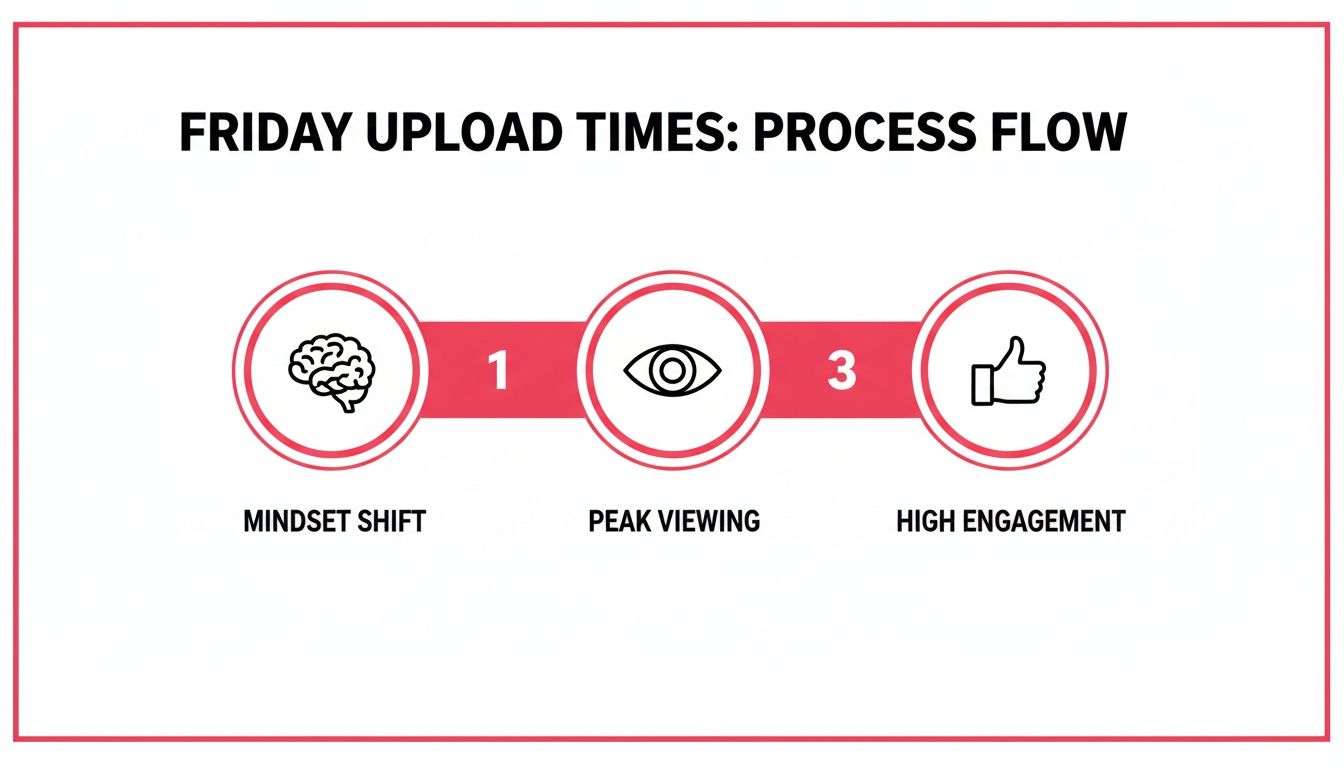
    This visual breaks down how the right timing decision—like a Friday evening upload—moves beyond just finding traffic to truly connecting with your audience.

    A process flow diagram detailing Friday upload times with steps: Mindset Shift, Peak Viewing, and High Engagement.

    It shows that great timing isn't just about when people are online; it's about aligning with their mindset to hit peak viewership and drive way more engagement.

    Designing Your A/B Test

    The heart of a good experiment is consistency. If you want to accurately test two different time slots, you absolutely have to eliminate as many other variables as possible. This is critical to ensure that any difference in performance is because of the timing, not something else.

    Here’s how you can set up a clean A/B test for your upload schedule:

    1. Choose Two Distinct Time Slots: Pull two potential winners from your analytics heatmap. For instance, you could test Thursday at 4 PM (a pre-weekend peak) against Saturday at 11 AM (a popular weekend morning slot).
    2. Select Similar Videos: The two videos you test must be comparable. Think similar format, topic, and appeal. Testing a high-energy vlog against a dense technical tutorial will give you messy, unreliable data.
    3. Maintain Content Quality: This one is non-negotiable. Both videos have to be on the same level in terms of production value, editing, and the information you provide. Don't pit a masterpiece against a video you rushed out the door.
    4. Keep Promotion Identical: Promote both videos the exact same way. If you always tweet and send a newsletter blast when a video goes live, do it for both test videos at the same interval after publishing.

    Stick to this controlled approach. Just one small change in your promotion or a dip in quality can completely skew the outcome and make the whole experiment a waste of time.

    Identifying Key Performance Metrics

    When comparing the videos, don't just glance at the total view count after a week. What we're really testing here is the initial momentum. For that, you need to focus on a few critical short-term metrics that tell you which time slot gave your video a stronger launch.

    The whole point of A/B testing your upload time is to measure the video's initial velocity. A powerful start is a huge signal to the YouTube algorithm that your content is resonating, which dramatically increases its chances of getting pushed to a wider audience.

    Keep a close eye on these specific data points for each video:

    • Views in the first hour: This is your most immediate gut check on audience availability.
    • Views in the first 24 hours: A crucial metric that the algorithm weighs heavily.
    • Click-Through Rate (CTR) in the first 24 hours: Tells you how well your title and thumbnail grabbed the attention of the audience that was online.
    • Average View Duration in the first 24 hours: Reveals if the viewers who clicked actually stuck around and were engaged.

    Tracking and Analyzing Your Results

    You don't need fancy software; a simple spreadsheet is perfect for tracking your experiments. Set up columns for the video title, upload day, upload time, and each of the key metrics I listed above. Once the test is done, just let the data do the talking.

    Metric Video A (Thurs 4 PM) Video B (Sat 11 AM) Winner
    Views (1 Hour) 520 310 Video A
    Views (24 Hours) 2,800 2,450 Video A
    CTR (24 Hours) 4.8% 5.5% Video B
    Avg. View Duration 3:15 3:45 Video B

    In this hypothetical test, Video A clearly got more eyeballs right out of the gate, suggesting a larger audience was online and ready. But look closer. Video B had a much stronger CTR and better watch time. This means the audience that did show up on Saturday morning was more dialed in and genuinely interested.

    This is where your expertise as a creator comes into play. Is the raw initial view count more important, or is higher engagement from a slightly smaller initial audience more valuable for long-term growth? In my experience, higher engagement is almost always the better signal to send the algorithm.

    Based on these results, your next move might be to run another test focusing on weekend slots, confirming if Saturday is truly your sweet spot for engagement. This process of running simple, structured experiments over and over is the ultimate way to find and refine the absolute best time to upload videos for your unique channel.

    Common Questions About YouTube Upload Times

    Even after you've built a solid strategy, figuring out the best time to upload YouTube videos can still feel like trying to hit a moving target. Let's tackle some of the common questions that pop up when creators try to lock down the perfect schedule.

    The big one I hear all the time is: does timing really matter anymore? YouTube's algorithm is so smart, it's tempting to think that great content will just find its audience eventually, no matter when you publish.

    And that's partly true. Quality is always number one. But initial velocity is a massive ranking signal. When you upload right as your audience is most active, you get an immediate boost in views, watch time, and engagement. That early momentum signals to YouTube that your video is a hit, dramatically improving its chances of being pushed to a wider audience over the crucial first 24-48 hours. Think of it as giving your video a head start in a very crowded race.

    What If My Audience Is in Multiple Time Zones?

    Having a global audience is a fantastic problem to have, but it definitely makes scheduling tricky. If your viewers are scattered across the globe, your first stop should always be YouTube Analytics. Find your single largest geographic audience and start by catering to that time zone.

    If the split is more even, you've got a few solid options:

    • Find the Overlap: Look for a time that catches multiple regions at once. For example, a late afternoon upload on the US East Coast often hits Europeans during their evening wind-down and West Coast viewers in their afternoon.
    • Alternate Your Schedule: Try dedicating different weeks to different regions. One week, you might publish at a time that's perfect for your European viewers, and the next, you shift to favor your North American base.
    • Target the Biggest Peak: Dive into your "When your viewers are on YouTube" report. Look for the broadest, most consistent block of high activity and aim for that, even if it spans a few time zones.

    The goal here is to avoid analysis paralysis. Just pick the strategy that seems to cover the most people, test it consistently for a few weeks, and then re-evaluate.

    Should I Publish Immediately or Schedule My Upload?

    This one's easy: always schedule your upload. Hitting "Publish" the moment your video finishes rendering is a classic rookie mistake that can really hurt its initial performance.

    When you upload your video as 'Private' or 'Unlisted' a few hours ahead of your publish time, you're giving YouTube's system a chance to do its job. It can fully process your video in HD and 4K, scan for any copyright claims, and properly index all its content and metadata.

    This simple, professional step ensures that the moment your video goes live, it's available in the highest possible quality. It prevents viewers from having a fuzzy, low-res first impression and lets the algorithm start promoting a fully-ready video right out of the gate.

    How Does This Apply to YouTube Shorts?

    The same principles apply to Shorts, but everything happens much faster. Shorts are consumed in a rapid-fire scroll, so that initial burst of engagement is even more critical for getting your content pushed into the Shorts feed.

    Use your analytics to pinpoint those peak audience times, but schedule your Shorts to go live 30-60 minutes before that window begins. Also, consistency is king with Shorts. If you want to dive deeper into a winning strategy, check out our complete guide on how to get more views on YouTube Shorts.

    How Often Should I Revisit My Schedule?

    Your audience's habits aren't static. They change with the seasons, holidays, and even as the demographics of your viewership evolve over time. That's why I always recommend giving your upload schedule a review every quarter.

    A quarterly check-in allows you to look at the last 90 days of data in YouTube Analytics, which is plenty of time to spot any real trends. You can see if your current schedule is still hitting the mark or if performance has dipped, signaling it's time to run a new A/B test. The key is to avoid changing things too often—consistency helps build an appointment-viewing habit with your audience.


    Ready to stop guessing and start growing? ViewsMax provides the AI-powered tools and data-driven insights you need to find your perfect upload time, optimize every video, and build a successful YouTube channel. Discover what your channel is truly capable of at https://blog.viewsmax.com.