ViewsMax
Sign In Sign Up Free

Tag: youtube partner program

  • How Do You Become a YouTube Partner and Start Earning

    How Do You Become a YouTube Partner and Start Earning

    So, you’re ready to turn your passion into a profession and join the YouTube Partner Program (YPP). Fantastic. Getting there is a huge milestone for any creator, but it's not just about flipping a switch. It’s about proving your channel has an engaged audience and is a valuable part of the YouTube community.

    This is more than just a way to earn money—it's your gateway to powerful creator tools and a validation of all the hard work you've put in. Let's walk through exactly what you need to do to get there.

    A person works on a laptop at a desk with cameras, a notebook, and a "YPP Entry Guide" poster.

    Hitting the Magic Numbers: YPP Eligibility

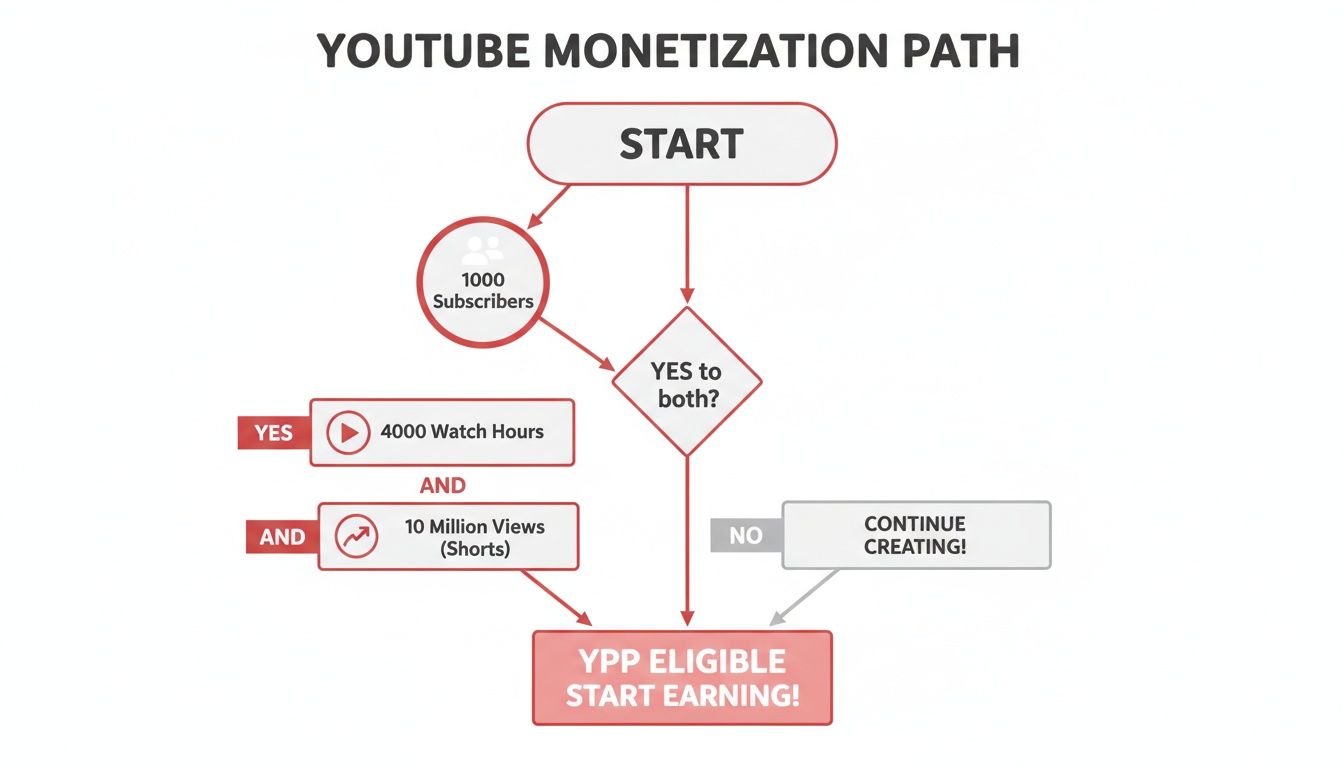
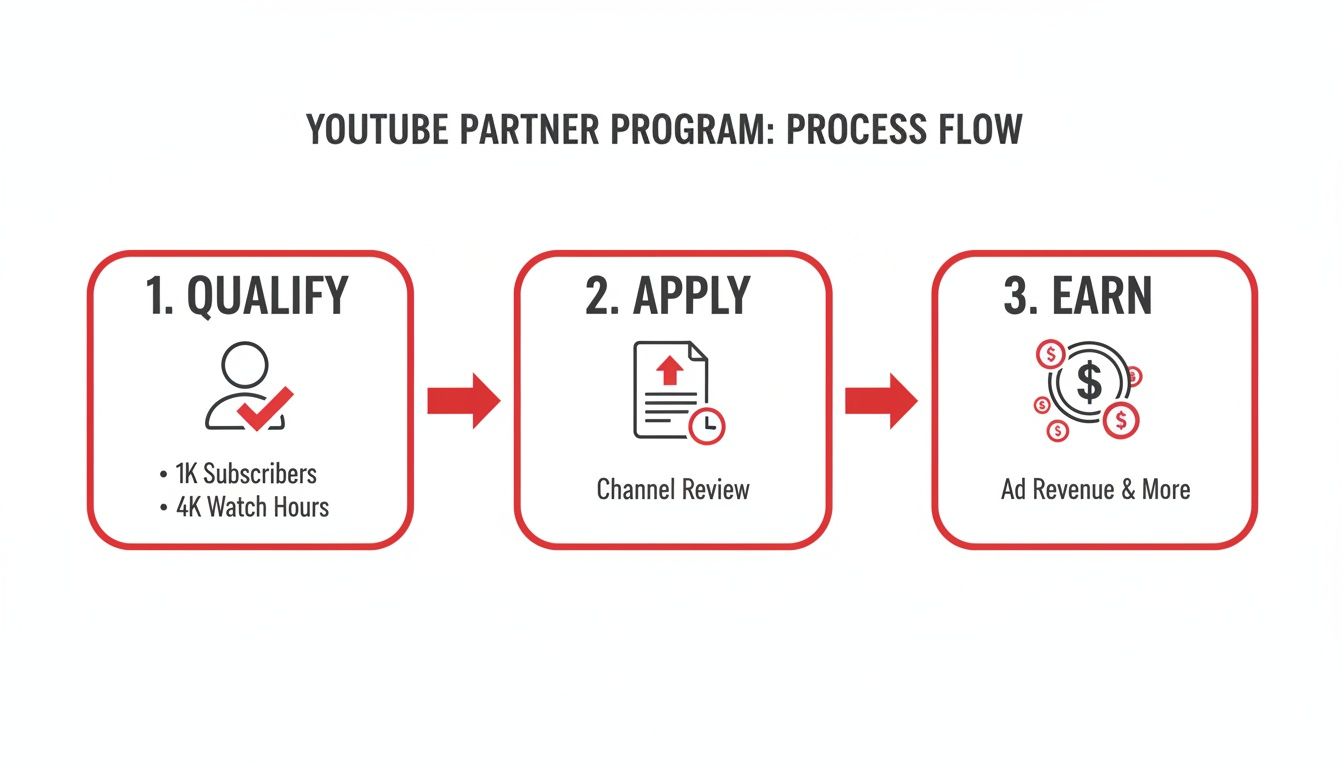
    First things first, you have to hit the entry requirements. YouTube has set up two main pathways to prove your channel is active and pulling in an audience. You don't need to meet both; just one will do.

    This flexibility is great because it lets you lean into the format that works best for your content, whether that's long-form deep dives or quick, viral Shorts.

    Your Two Paths to YouTube Partner Program Eligibility

    The table below breaks down the two distinct routes you can take to qualify.

    Qualification Path Subscriber Requirement Viewing Metric Requirement Timeframe Best For
    Traditional Long-Form 1,000 subscribers 4,000 public watch hours Past 12 months Channels focused on detailed tutorials, vlogs, documentaries, and in-depth content.
    YouTube Shorts 1,000 subscribers 10 million public Shorts views Past 90 days Channels creating short, fast-paced, and potentially viral content like skits or quick tips.

    Choosing which path to focus on really comes down to your content strategy. If you're all about detailed storytelling, the watch-hour route is your game. If you thrive on creating snappy, high-energy clips, then aiming for those Shorts views makes more sense.

    Beyond the Metrics: The Other Essentials

    Hitting your numbers is just one part of the equation. YouTube's review team is made up of real people, and they're looking for more than just stats. They want to see a channel that adds value and plays by the rules.

    This means your channel must also:

    • Follow all YouTube Channel Monetization Policies. This is non-negotiable.
    • Have no active Community Guideline strikes. A clean record is essential.
    • Live in a country where the YPP is available.
    • Have a linked AdSense account. This is how you’ll actually get paid.

    Getting into the YouTube Partner Program isn't the finish line; it's the starting gate. Meeting the thresholds is your first step toward building a sustainable career as a creator, unlocking tools that go way beyond simple ad revenue.

    Growing a channel to this point requires a serious content engine. If you're struggling to keep up, figuring out how to scale content creation is a game-changer. It's not just about making more videos; it’s about building a sustainable workflow that doesn't lead to burnout.

    Getting to Grips with the YouTube Partner Program Requirements

    Hitting those big subscriber and watch time numbers is the first mountain to climb, but the real key to getting accepted is understanding the fine print. The metrics you see on your YouTube Studio dashboard have some specific rules, and knowing exactly what counts—and what doesn't—is absolutely crucial for your strategy.

    Let's unpack what YouTube is really looking for.

    A hand uses a stylus on a tablet displaying YouTube partner program requirements, like subscribers and watch hours.

    It's interesting to see who makes up the creator economy. Most partners fall into the 25-34 year old age bracket, with millennials and Gen Z powering a massive chunk of YouTube's 2.7 billion monthly active users. The beginning can feel like a grind—about 60% of new channels make less than $100 in their first 90 days—but with the right approach, those numbers can change fast.

    It’s All About Public Watch Hours and Views

    When YouTube says you need 4,000 public watch hours, the most important word in that whole sentence is "public." This metric is laser-focused and only counts the time people spend watching videos you’ve set to public.

    Here’s a quick rundown of what gets left out of the total:

    • Private Videos: Any watch time from these is off the table.
    • Unlisted Videos: Nope, these don't count either.
    • Deleted Videos: If you delete a video, all its watch time history vanishes from your YPP total. Poof.
    • Ad Campaigns: Views you paid for through Google Ads don't count toward your eligibility.

    Essentially, your growth has to be organic. The hours must come from real viewers who found your content and chose to watch it. It’s the ultimate test of audience engagement. To really dig into the specifics, check out our guide on what are public watch hours on YouTube.

    For creators going all-in on Shorts, the goal is 10 million public Shorts views in 90 days. This is a totally different ballgame. One viral Short can rack up millions of views almost overnight, but the short 90-day window means you need to be consistently pumping out bangers. You can't rely on one great video to carry you for months like you can with long-form content.

    The Foundational Rules: More Than Just Numbers

    Hitting your metrics is only half the job. To truly understand how do you become a youtube partner, you have to nail the foundational rules. These are the non-negotiables that show YouTube you're a serious creator ready for a business partnership.

    Before you even think about clicking that apply button, make sure these four things are sorted:

    • No Active Community Guideline Strikes: Your channel has to have a clean slate. A strike is a big deal, and if you have an active one, your application is a non-starter.
    • 2-Step Verification Enabled: This is a mandatory security setting for your Google Account. YouTube needs to know your channel is secure from hackers.
    • A Linked AdSense Account: This is how you get paid. You need an active AdSense account properly linked to your channel. Heads up: you're only allowed one AdSense account per person, so if you made one years ago and forgot about it, you’ll need to track it down.
    • Live in an Eligible Country: The YPP isn’t available everywhere. You have to be a resident of a country where the program is officially supported.

    Think of these rules less like a checklist and more like the bedrock of your partnership with YouTube. A clean, secure, and compliant channel is precisely what the human review team wants to see.

    Keeping an Eye on Your Progress

    The good news is that YouTube doesn't make you guess. The "Earn" tab in your YouTube Studio is your command center for everything related to monetization.

    In there, you’ll find simple progress bars showing you exactly how close you are to the subscriber and watch time (or Shorts views) goals. It takes all the guesswork out of the process and updates regularly. Honestly, it’s super motivating to watch those bars fill up. I’d recommend checking it once a week to keep yourself focused and on track.

    Preparing Your Channel for the Human Review

    So, you’ve hit the magic numbers for subscribers and watch time. That’s a huge accomplishment, but it's only half the battle. Think of those metrics as your ticket to the show; now you have to impress the person checking tickets at the door. And in this case, that person is a real human reviewer at YouTube.

    Before you even think about clicking that “Apply” button, it’s time for a serious self-audit. You need to look at your channel not as its creator, but through the critical eyes of a YouTube employee whose job is to protect the platform's integrity. They aren't just checking boxes; they're digging deep to see if your channel genuinely aligns with the YouTube Monetization Policies, Community Guidelines, and AdSense rules.

    What the YouTube Review Team Actually Cares About

    Forget the idea that they just glance at your sub count and click approve. The review is far more comprehensive than that. A real person is trying to answer one core question: "Does this channel bring original, valuable content to the YouTube ecosystem?"

    To figure that out, they focus on a few key areas:

    • Main Theme: What’s your channel’s identity? Is there a clear, consistent niche or topic?
    • Most-Viewed Videos: Your biggest hits tell them what your audience loves and what your channel is truly known for.
    • Newest Videos: This shows them where your content is headed right now.
    • Biggest Proportion of Watch Time: They want to know which videos are really keeping people on the platform. This is a massive indicator of value.
    • Video Metadata: This is a big one. Your titles, thumbnails, and descriptions must honestly represent what's in the video, not just trick people into clicking.

    Basically, it's a quality control check. They're looking for authenticity and originality to ensure advertisers can feel good about their brand appearing next to your content.

    Your Pre-Flight Checklist: An Honest Self-Audit

    Getting rejected means you’re locked out from reapplying for at least 30 days, which can feel like an eternity. To avoid that frustrating setback, you need to be your own harshest critic. Go through your channel and ask the tough questions.

    Here are the red flags that get channels rejected all the time. Find them and fix them before you apply:

    • Reused Content: Are you just grabbing clips from other people, movies, or TV shows and re-uploading them? Unless you add significant original commentary, educational value, or a creative spin, this is the #1 reason for rejection.
    • Repetitive Content: Do you have a bunch of videos that are almost identical, with only tiny variations? Each video needs to stand on its own and offer something new to the viewer.
    • Misleading Thumbnails or Metadata: Does your thumbnail promise an epic explosion that never happens in the video? That's classic clickbait, and YouTube hates it.
    • Keyword Stuffing: Jamming dozens of irrelevant keywords into your video descriptions and tags is a dead-end tactic. It’s seen as spammy and will get you denied.

    The golden rule here is "transformative value." A reaction video where you're constantly pausing to offer sharp, funny, or insightful commentary is transformative. A lazy compilation of "funny twitch clips" with some background music is not.

    As you're getting your channel ready, think about adding value in other ways, too. A simple but effective strategy is to add subtitles to your YouTube videos. It makes your content more accessible, which can lead to longer watch times—a signal reviewers love to see.

    Real-World Examples of Rejection (and How to Avoid Them)

    Let's make this tangible. Imagine a gaming channel that just uploads raw, unedited footage of a video game. No commentary, no face cam, nothing. That channel is at high risk for a "Reused Content" rejection because, from YouTube's perspective, the creator didn't add anything. The value comes from the game, not the channel.

    Now, what if that same creator adds a voiceover explaining their strategy, cracks jokes, and edits the video to show only the most exciting moments? Suddenly, they've created something new and original. That's the kind of transformation that gets a channel approved.

    Another classic pitfall is the "relaxation" or "motivation" niche. A channel that simply pairs stock video of a rainy window with some royalty-free piano music is a prime candidate for rejection. There's zero originality. To pass the review, you'd need to add original guided meditations, write and record your own affirmations, or create unique visual art to accompany the audio.

    Your mission is to make the reviewer's decision incredibly easy. Clean house. Delete or unlist any video that feels borderline. Make sure your titles and thumbnails are honest. Present a channel that is so clearly valuable and original that they can’t help but say "yes."

    How to Actually Apply to the YouTube Partner Program

    So, you've hit the subscriber and watch time milestones. Congratulations! That's a huge achievement. Now for the final hurdle: actually submitting your application. This part can feel a little intimidating, but it’s all handled right inside your YouTube Studio.

    Head over to the Earn tab—the same place you’ve been obsessively tracking your progress. That "Apply Now" button that seemed so far away should now be ready and waiting for you. Clicking it officially kicks off the process.

    Step 1: Agreeing to the Partner Program Terms

    The first thing you'll do is review the Base Terms for the YouTube Partner Program. This is the official contract, and it lays out everything from how you get paid to the rules you need to follow.

    It's tempting to just scroll to the bottom and hit "accept," but I highly recommend taking a few minutes to read through the key sections. Knowing your responsibilities upfront will save you headaches down the road. Once you agree, YouTube Studio will mark this step as complete. Easy enough.

    Step 2: Setting Up Your Google AdSense Account

    This is where creators often get tripped up, so pay close attention. To get paid, you need to link a Google AdSense account to your channel. This is the system that handles all the ad revenue and sends it your way.

    You’ll see two choices:

    • Connect an existing AdSense account you already own.
    • Create a brand new AdSense account if you don't have one.

    Here’s the critical part: Google only allows one AdSense account per person, for life. If you made an account for a blog back in 2010 and forgot about it, trying to create a new one now will get your application rejected. Before you do anything, search your old email inboxes for "AdSense" to see if an account already exists.

    Trust me, sorting this out before you apply will prevent a major delay. If you need a more detailed breakdown, our guide on how to enable YouTube monetization walks through every common AdSense issue.

    After you successfully link or create your AdSense, you'll be sent right back to YouTube Studio. The second step will show as "Done," and your channel is officially in the review queue.

    This flowchart from YouTube neatly sums up the path your channel takes from your own internal audit to the final application.

    A flowchart illustrating the Channel Review Process with steps: Audit, Comply, Apply, and related metrics.

    As you can see, the application itself is the very last piece of the puzzle after you've done the hard work of making sure your channel is compliant.

    Step 3: The Waiting Game

    Once you've submitted everything, your work is done for now. The application status will switch to "In Progress," which means your channel is in the hands of YouTube's human review team.

    And now, we wait. YouTube says the review takes "about a month," but this can be all over the place. Some creators I know were approved in under 48 hours. Others have waited over six weeks, especially when YouTube is swamped with applications.

    There's no secret trick to speed this up. The best thing you can do is get back to what you do best: creating great videos. Keep the momentum going. When the decision is made, you’ll get that magic email and a notification in YouTube Studio.

    What to Do After You Get Approved for Monetization

    That email from YouTube—the one that says "Congratulations, you've been accepted into the YouTube Partner Program"—is a huge deal. Seriously, take a moment and let it sink in. You’ve just conquered one of the biggest milestones for any creator.

    But once the initial excitement fades, the real work of building a sustainable income begins. Getting approved is the starting line, not the finish. It’s time to start flipping the switches on the features that actually get you paid.

    A man smiling at the camera, working on a laptop with 'MONETIZE NOW' text overlay.

    First Things First: Turn on the Ads

    Your first stop inside YouTube Studio should be activating video ads. This is the bedrock of most creators' earnings, so you’ll want to get this set up right away.

    The good news is you can do this in bulk for your entire back catalog of videos, which is a massive time-saver. From now on, turning on monetization will just be another part of your standard upload routine.

    You'll see a few different ad formats, and it helps to know what they are:

    • Skippable in-stream ads: The most common type, which viewers can skip after five seconds.
    • Non-skippable in-stream ads: These are shorter ads (15-20 seconds max) that viewers must watch before your video continues.
    • Bumper ads: Quick, 6-second non-skippable ads. Great for brand awareness.
    • Overlay ads: Simple banner ads that pop up at the bottom of the video player on desktop.

    For any videos you have that are longer than eight minutes, you also unlock mid-roll ads. YouTube’s system can place these for you automatically, but I always recommend manually placing them yourself. Find a natural pause or a transition in your video—it makes for a much better viewer experience than an ad jarringly cutting you off mid-sentence.

    Going Beyond Ad Revenue

    Relying solely on ad revenue is a risky game. It can fluctuate wildly based on the season, your video topics, and advertiser demand. Luckily, the YPP is about much more than just ads. It unlocks a whole suite of tools designed to create multiple income streams, many of which are powered by your most dedicated fans.

    Tapping into these is a core part of learning how do you become a youtube partner who can actually make a living from your content.

    Here are the other key monetization features you now have access to:

    • Channel Memberships: This is your own subscription program. Viewers pay a monthly fee for exclusive perks you create, like custom badges, unique emojis, or members-only videos. It's fantastic for channels with a tight-knit community.
    • Supers (Super Chat, Super Stickers, Super Thanks): During live streams, fans can buy Super Chats to make their messages stand out. Super Thanks acts like a tip jar on your regular uploads, allowing viewers to show their appreciation on any video at any time.
    • Merchandise Shelf: Got merch? You can connect your store (from a platform like Spring) and showcase your products right below your videos. It’s a seamless way to turn viewers into customers.

    Your YouTube Monetization Toolkit at a Glance

    With YPP approval, you've unlocked a powerful set of tools to generate income. Think of them as different instruments in an orchestra—each plays a unique role, but they sound best when used together. This table breaks down the core features at your disposal.

    Monetization Feature How It Works Best For Channels That…
    Video Advertising YouTube places ads on your videos, and you earn a share of the revenue. All monetized channels. It’s the foundational income stream.
    Channel Memberships Viewers pay a recurring monthly fee for exclusive perks and content. Have a strong, loyal community and can offer consistent value.
    Supers (Chat, Stickers, Thanks) Fans can purchase "tips" to highlight messages or show appreciation. Are active with live streams or have a highly engaged audience.
    Merchandise Shelf You can link an official store to display and sell your products. Have a distinct brand identity and an audience that wants to show support.
    YouTube Premium Revenue You get a portion of a subscriber's fee when they watch your content. All monetized channels. This is a passive, automatic benefit.

    By layering these options, you're not just earning—you're building a more resilient and diversified creator business.


    How Much Can You Actually Earn?

    Once you’re in the program, YouTube gives you a solid revenue split. You get 55% of the ad revenue from your long-form videos and 45% from ads shown in the Shorts feed.

    While the payout for a single ad view is tiny, it adds up fast. Your RPM (revenue per mille, or your earnings per 1,000 views) can vary dramatically, from $0.50 to over $10 depending on your niche, audience demographics, and video length. To get a better handle on these numbers, our guide on what is monetization on YouTube breaks it down even further.

    Don't forget about YouTube Premium revenue, either. This is a great passive income stream. When a Premium subscriber (who doesn't see ads) watches your videos, you get a slice of their subscription fee. It’s all calculated based on watch time, and you don’t have to lift a finger—it's an automatic perk of being in the YPP.

    By combining these tools, you move beyond just chasing viral views. You start building a real business with a direct connection to an audience that wants to support you in all kinds of ways.

    What to Do If You Get Rejected (and How to Get Approved Next Time)

    Getting that rejection email from YouTube stings. It's easy to feel defeated, but don't let it get you down. Think of it less as a hard "no" and more of a "not quite yet." It's basically a free audit from YouTube telling you exactly what needs to be fixed.

    The most common reasons for rejection—Reused Content and Repetitive Content—are often misunderstood but are absolutely fixable. The first thing you need to do is stop, take a breath, and actually read the reason they gave you in the email and inside your YouTube Studio. Don't just glance at it; this is your treasure map for getting approved the next time around.

    Understanding Why They Said No

    Reused Content is probably the number one reason I see channels get denied. This doesn't mean you can never use clips from other sources. What it really means is that you're not adding enough of your own spin to it. Your video has to add significant original commentary, educational value, or a new perspective to transform the original material.

    For example, a channel that just stitches together a bunch of "funny cat videos" from other creators will almost certainly be rejected. But, if a creator takes those same clips and adds their own hilarious voice-over commentary, edits them into a new narrative, or provides a detailed analysis of feline behavior, they're creating something new. That's the transformation YouTube's human reviewers are looking for.

    The key question to ask yourself is: Am I just re-posting content, or am I creating something fresh from it? Your personality, your analysis, your humor—that needs to be the star of the show.

    Repetitive Content is a bit different. This usually flags channels that seem to be churning out low-effort, templated videos. Think of channels that have hundreds of videos with a text-to-speech voice reading a script over generic stock footage. Even if the content is technically original, every video looks and feels so similar that it offers very little unique value to a viewer.

    Your 30-Day Game Plan for Reapplying

    After being rejected, you have to wait 30 days before you can reapply. This isn't a penalty—it's your window of opportunity to clean house and strengthen your channel.

    Here’s what you should do during that month:

    • Audit and Prune: Go through your videos, starting with your most popular ones. Be honest with yourself. If a video clearly falls into the category YouTube flagged, either unlist it or just delete it. It might hurt to remove a high-performing video, but it’s better than getting rejected again.
    • Clean Up Your Metadata: Look at your titles, descriptions, and thumbnails. Are they accurate? Or are they a little clickbaity or stuffed with keywords? Make sure everything honestly represents what's in the video.
    • Create New, High-Quality Videos: This is the most important step. The review team will pay close attention to what you've uploaded recently. Use these 30 days to create content that is a perfect example of what your channel is all about—content that is undeniably compliant and original.

    When your 30 days are up, you should be able to look at your channel and see a real difference. By taking this proactive approach, you're showing the review team that you're a serious creator who respects the platform's guidelines, which makes a successful second application much more likely.

    Common Questions About the YouTube Partner Program

    Getting into the YouTube Partner Program is a huge milestone, but the journey there can feel a bit confusing. Let's clear up a few of the questions I hear most often from creators.

    How Long Does It Take to Get 4,000 Watch Hours?

    This is the million-dollar question, and honestly, there's no magic number. It all comes down to your content and consistency. I've seen channels that post multiple high-engagement, 10-minute videos every week hit that 4,000-hour mark in as little as 6 to 8 months.

    On the flip side, a creator who uploads shorter videos less frequently might be looking at a year or more. The real drivers are your ability to hook viewers early and keep them watching, which in turn gets your videos pushed by the YouTube algorithm.

    Can I Lose Monetization if My Channel Dips Below the Thresholds?

    You can breathe a sigh of relief on this one. No, you won't get kicked out of the YPP if your subscriber count or watch hours happen to drop below the entry requirements after you've been accepted. Once you're in, you're in.

    However, there is a catch. YouTube can and will turn off monetization for channels that go completely dormant. If you haven't uploaded a video or made a Community post in six months or more, you're at risk of being demonetized for inactivity.

    The bottom line is this: while your spot in the program is safe from metric dips, you have to stay active to keep the ad revenue flowing.

    Can I Be a YouTube Partner Without Showing My Face?

    Absolutely. Plenty of massive, fully monetized channels are built without the creator ever showing their face. Think about animated story channels, gaming walkthroughs with voice-over commentary, or documentary-style content.

    The human review team is looking for originality and value, not your physical presence. As long as you're creating something unique and transformative that adheres to all of YouTube's content policies, you're just as eligible as any vlogger.


    Hitting those initial thresholds is often the steepest part of the climb. Tools like ViewsMax can give you a serious leg up by helping you craft better titles and descriptions to attract more viewers. The faster you gain traction, the quicker you'll get those subscribers and watch hours needed for the YPP.

  • How to Monetize YouTube Shorts The Smart Way

    How to Monetize YouTube Shorts The Smart Way

    Yes, you can absolutely make money from YouTube Shorts—and it's a bigger opportunity than most people realize. The most direct route is through the YouTube Partner Program's ad revenue sharing, which gives you a 45% cut of the revenue your videos generate. But that's just scratching the surface. The smartest creators are stacking their income with sponsorships, affiliate marketing, and even selling their own products.

    Your Path to Monetizing YouTube Shorts

    A man in headphones works on a laptop, while a smartphone on a tripod records. Text reads 'Monetize Shorts'.

    Turning those quick, vertical clips into a steady paycheck is more doable today than ever before. The secret is knowing there isn't just one way to do it. You have multiple paths to choose from, each suited for different kinds of creators and audience sizes. While everyone talks about ad revenue, the truth is that it usually takes a massive number of views to see a significant payout from ads alone.

    Building Multiple Income Streams

    The creators who are really winning on Shorts don't just lean on one revenue source. They're building a whole monetization ecosystem around their content. You have to start thinking of your Shorts not just as little videos, but as powerful marketing assets that fuel your other money-making ventures. This shift in mindset is what separates hobbyists from creators building a real, sustainable business.

    Let’s say you post a Short reviewing a new gadget that goes viral. That video can do so much more than just earn a few cents from ads. It can also:

    • Bring in affiliate sales when you pin a comment with your link to the product.
    • Catch the eye of other tech brands who want to sponsor your next video.
    • Funnel viewers to your own digital products, like a "Beginner's Guide to Tech" ebook you sell.

    Understanding the Opportunity

    The sheer scale of YouTube Shorts is staggering. The platform was pulling in an average of around 200 billion daily views as of 2026, which is an incredible opportunity for any creator trying to grow an audience fast. When YouTube switched from the old Shorts Fund to a direct revenue-sharing model in 2023, it was a total game-changer. It finally gave creators a more reliable and predictable way to earn. You can find more great insights on the growth of Shorts on miraflow.ai.

    The real secret to monetizing Shorts effectively is diversification. Think of ad revenue as your foundation. Sponsorships, affiliate links, and your own products are the pillars that build a strong, scalable business on top of it.

    To help you visualize these pathways, here's a quick look at the primary ways you can start earning from your Shorts.

    YouTube Shorts Monetization Pathways at a Glance

    This table breaks down the main income streams available to Shorts creators. Each has its own pros and cons, and the best strategy for you will likely involve a mix of several of them.

    Monetization Method How It Works Earning Potential Best For
    Ad Revenue Sharing Earn 45% of the allocated ad revenue from the Creator Pool. Low to Moderate Creators with high view volume
    Sponsorships Partner with brands for dedicated or integrated promotions. Moderate to High Channels with a defined niche
    Affiliate Marketing Earn commissions by promoting products via unique links. Low to High Review and tutorial channels
    Selling Products Offer your own merch, digital goods, or courses. Moderate to High Creators with a loyal community

    We'll dive deeper into how to set up and succeed with each of these methods throughout this guide, but understanding the big picture first is key.

    Joining the YouTube Partner Program with Shorts

    Before you can make a single dime from ad revenue on your Shorts, you’ve got to get into the YouTube Partner Program (YPP). Think of it as the official gateway to monetization. For Shorts creators, YouTube carved out a specific path that's all about rewarding high-volume, viral content. It's not just about racking up views; it's about consistently getting the right kind of views.

    The magic numbers that Shorts creators are laser-focused on are 1,000 subscribers and a whopping 10 million valid public Shorts views within the last 90 days. This is YouTube's alternative to the traditional 4,000 public watch hours required from long-form videos, which is great news for channels built entirely on short-form content.

    What Are the Actual Requirements?

    The numbers seem simple enough, but the details are where people get stuck. Pay close attention to the phrase "valid public Shorts views." This means any views from Shorts you've set to private or unlisted are out. And it goes without saying, but views from bots or any other sketchy source will get disqualified and could put your entire channel at risk.

    Here’s a quick rundown of what you need to have in order:

    • 1,000 Subscribers: This is the baseline. It shows YouTube you’ve started to build a real community.
    • 10 Million Valid Public Shorts Views: This is a rolling 90-day window. That viral hit you had four months ago? Sorry, it no longer counts toward your eligibility today. You need to maintain momentum.
    • Follow YouTube's Rules: Your channel needs a clean record. No active Community Guideline strikes.
    • Create Original Content: This is a huge one. Re-uploading TikToks, movie clips, or other people's content without adding significant creative value is the fastest way to get your application rejected.

    When it comes to monetizing Shorts, consistency is your best friend. It’s far better to get 110,000 views every day for 90 days than to have one 10-million-view video and then radio silence. The algorithm—and the real people reviewing your channel—want to see sustained effort.

    How to Apply in YouTube Studio

    Once you’ve hit those milestones, it’s time to apply. You can do this right inside your YouTube Studio. Just head over to the "Earn" tab, and you'll see a dashboard tracking your progress.

    This is what it looks like—your command center for monetization, showing exactly how close you are to hitting the YPP goals.

    The application itself is pretty straightforward. You'll review and agree to the YPP terms, set up a Google AdSense account (or connect one you already have), and then comes the waiting game.

    A real person at YouTube will review your channel to make sure everything lines up with their policies. They'll look at your overall theme, your most popular videos, and your content strategy. This usually takes about a month. For a more detailed walkthrough, our guide on how to enable YouTube monetization breaks down every step. Just remember, the goal is to prove your channel offers real value, not just chasing trends with low-effort posts.

    How Shorts Ad Revenue Sharing Really Works

    When you first look at how YouTube pays out for Shorts, it can feel a bit convoluted. It's not like your traditional long-form videos where an ad runs right before or during your content. Instead, Shorts revenue is all about a shared pool.

    Let's pull back the curtain and walk through the four-step journey your earnings take, from the moment an ad is shown in the Shorts feed to the money finally landing in your AdSense account.

    This whole system is designed to give every eligible creator a fair slice of the pie, rewarding those whose Shorts are getting the most attention across the entire platform.

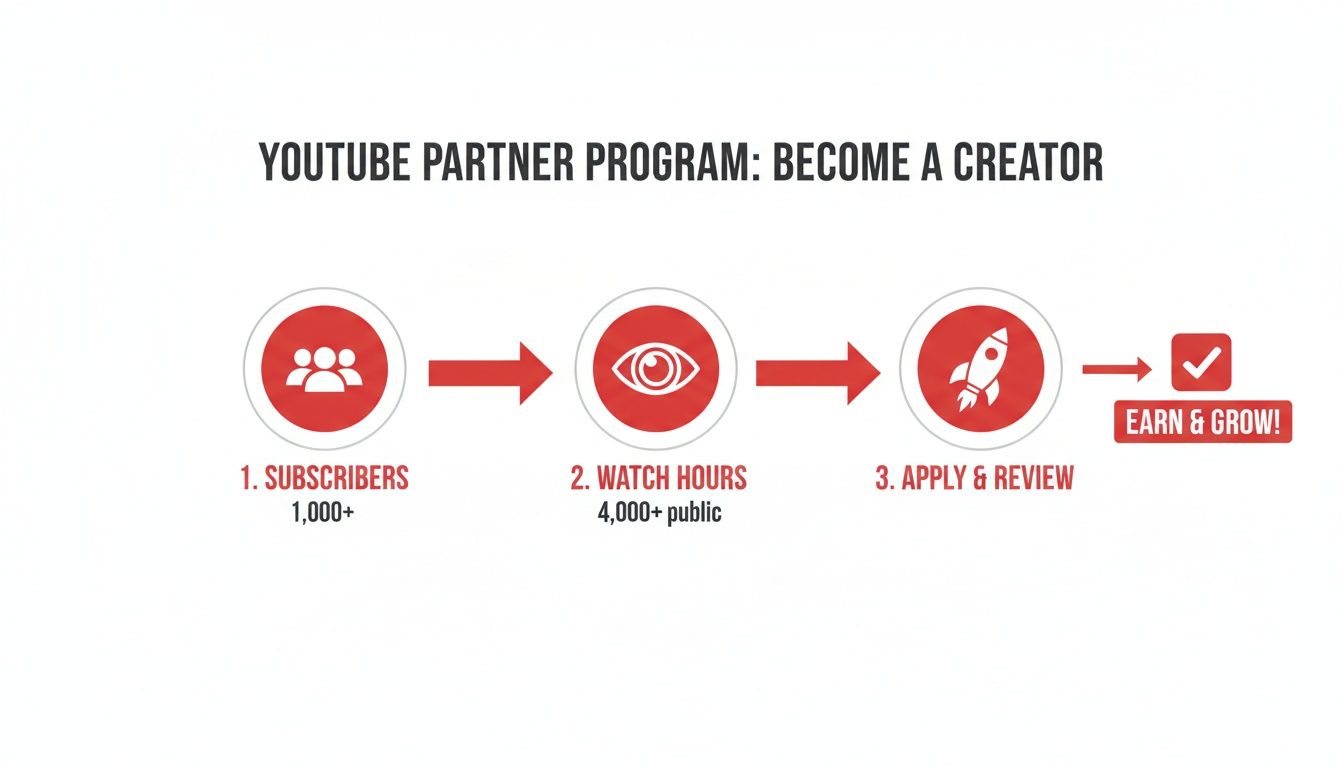
    YouTube Partner Program steps: achieve 1000 subscribers and 4000 watch hours, then apply.

    Hitting these milestones is your ticket to applying for the YouTube Partner Program, which is the essential first step to getting paid.

    The Four Steps of Shorts Revenue Allocation

    Knowing exactly how money moves from an advertiser to your pocket is crucial for setting realistic expectations. It’s not a simple "pay-per-view" game. It's about your share of the total monetized views across all of YouTube Shorts.

    Here’s how it all plays out:

    1. Revenue Gets Pooled: First, YouTube collects all the money made from ads that pop up between videos in the Shorts Feed. All of it goes into one big pot.
    2. The Creator Pool Is Calculated: Next, YouTube has to pay for any music licensing. If you used a chart-topping song in your Short, a piece of the revenue goes to the music publishers before you see a dime. What's left over is called the Creator Pool.
    3. Your Share Is Determined: Now, YouTube calculates your channel's total monetizing Shorts views as a percentage of all monetizing Shorts views on the platform during that month. If your content drove 1% of all eligible views, then you’re allocated 1% of the Creator Pool. Simple as that.
    4. You Get Your Cut: From your allocated slice, you take home 45%. YouTube keeps the other 55%. This 45% cut is the standard creator share for Shorts ad revenue.

    Let's make this real. Say the Creator Pool for June is $1,000,000. If your Shorts generated 1% of all eligible views that month, your allocation from the pool is $10,000. You then keep 45% of that, which means $4,500 goes into your AdSense account.

    This model means your earnings are directly tied not just to your own view count, but to how well all Shorts are performing on the platform.

    Why Your Shorts RPM Is So Different

    If you also make long-form videos, you've probably noticed that your RPM (Revenue Per Mille, or earnings per 1,000 views) for Shorts is way, way lower. That's not a glitch—it's just how the system works.

    Since ads in the Shorts feed are shared across countless videos instead of being attached to just one, the revenue for any single creator gets diluted. It's a volume game.

    However, a few key factors can seriously swing your Shorts earnings. Your audience's location is a huge one. Viewers from the US and UK can generate $2–$5 per 1,000 views, while an audience from developing countries might only bring in $0.10–$0.50. That’s a potential 10x difference right there.

    Your niche is just as important. A finance or tech Short can command a $10–$30 RPM, but general entertainment or lifestyle content often hovers around $1–$5. And be careful with music; using a copyrighted track can be a major pitfall, as labels can claim up to half of the earnings, effectively slashing your income.

    It’s also really helpful to know the difference between RPM and CPM. For a deeper dive into these metrics, check out our guide on the meaning of CPM on YouTube. By focusing on high-value niches and attracting a premium audience, you can absolutely make this system work in your favor and turn those massive view counts into a respectable income.

    Optimizing Shorts for Maximum Views and Revenue

    Laptop showing 'Maximize Views' on a red screen, with video editing interface and headphones.

    Getting views is one thing, but getting the right kind of views—the ones that actually put money in your pocket—is a whole different ballgame. This is where a smart content strategy really shines. To master how to monetize YouTube Shorts, you have to stop thinking like a regular user and start thinking like a content engineer.

    The entire battle is won or lost in the first two seconds. If you can't give someone a reason to slam the brakes on their endless scroll, you've already lost. Your opening shot has to be a hook that punches through the noise, whether it's by asking a question, presenting a problem, or just showing something visually jaw-dropping.

    Crafting a Scroll-Stopping Hook

    A truly great hook does more than just get attention; it makes a promise. It tells the viewer exactly why the next 30 seconds of their life are worth investing in your content. This could be a bold statement, a relatable struggle, or the start of an incredible transformation.

    Here are a few hook strategies that just plain work:

    • The Problem Hook: Hit them with a common pain point. Something like, "You're still editing your videos like this?" instantly grabs anyone who finds the process a chore.
    • The Curiosity Hook: Ask a question that people need to see answered. "What happens when you mix Diet Coke and Mentos… in zero gravity?"
    • The Visual Hook: Show the stunning final result first. Imagine a baker showing a perfectly decorated, multi-tiered cake before cutting to the messy, chaotic reality of making it.

    The trick is to create an immediate "information gap." The viewer feels a natural urge to stick around and see that gap filled.

    Building a Narrative That Holds Attention

    Okay, you've got their attention. Now you have to keep it. Even a 45-second clip needs a story with a beginning, middle, and end. This basic structure is what keeps people locked in and gives them a sense of satisfaction when the video concludes.

    A simple and powerful narrative for Shorts is the "Problem-Solution-Result" framework. First, present the problem (a disastrously messy closet). Next, show the solution (a clever organizational hack). Finally, reveal the satisfying result (the perfectly organized, color-coded closet). This formula is a workhorse that fits almost any niche, from DIY and cooking to tech tutorials.

    The Shorts that really earn are often the ones that create a "viral loop." This is when the end of the video flows seamlessly back to the beginning, tricking people into watching it two or three times. This is gold because it skyrockets your average view duration and screams to the YouTube algorithm that your content is sticky.

    The Double-Edged Sword of Trending Audio

    Jumping on trending audio can feel like a cheat code for discoverability, and sometimes it is. But remember, if you use copyrighted music, you're agreeing to split any ad revenue it generates. If maximizing your direct ad share is the primary goal, you're better off using your own original audio or royalty-free tracks.

    That said, if a trend is absolutely massive and fits your niche perfectly, the exposure might be worth the revenue split. It's a balancing act. For creators looking to pump out a lot of content consistently, an AI Shorts generator can be a huge help in producing optimized videos at scale.

    Why Quick Edits and Punchy Captions Matter

    The pacing of a Short is everything. You need quick cuts, dynamic text popping on screen, and a fast-paced edit to maintain high energy from start to finish. Any captions you add should be short, punchy, and super easy to read on a phone, reinforcing your main points without making the screen look cluttered.

    Here’s a practical workflow you can start using today:

    1. Script Your Hook: Literally write down the first one or two lines. Are they intriguing? Do they create an immediate question?
    2. Outline Your Story: Jot down a simple beginning, middle, and end. Make sure there’s a clear point A to point B.
    3. Choose Audio Strategically: Decide if the reach from a trending song is worth more than the potential ad revenue.
    4. Edit for Pace: Keep your cuts sharp and your visuals moving. A good rule of thumb is to introduce a new visual element or text every 2-3 seconds.
    5. Write a Great Caption: Use the video's caption and your pinned comment to add extra context or a clear call to action.

    By putting these simple, creative tweaks into practice, you can turn your Shorts from one-off viral hits into a consistent stream of high-performing assets that drive both views and revenue. For a deeper dive, check out our guide on how to get more views on YouTube Shorts.

    Expanding Your Income Beyond AdSense

    Overhead shot of a workspace with a smartphone, pens, plant, and a red notebook stating 'diversify income'.

    Shorts ad revenue is a great start, but let's be honest—relying on it alone is a risky game. The most successful creators I know treat AdSense as just one piece of a much bigger financial pie.

    True, sustainable income on YouTube comes from building multiple income streams. Your Shorts stop being just the product and become the marketing engine that drives your entire business. Each viral Short is a golden opportunity to push a massive, fired-up audience toward offers you control.

    Tapping into Affiliate Marketing

    Affiliate marketing is the most natural first step for most creators. You're simply earning a commission by recommending products or services you genuinely use and believe in. The trick is to make it feel like a helpful tip from a friend, not a hard sell.

    A great example is a home organization creator. They could post a 30-second Short showing how they transformed a messy drawer with a slick set of dividers. A pinned comment with a link to that exact product on Amazon is all it takes. It provides instant value and earns them a cut of every sale.

    The real power of Shorts is their ability to act as a top-of-funnel discovery tool. A single, well-placed affiliate link in a viral Short can generate passive income for months or even years as it continues to get views.

    Landing Your First Brand Deal

    Sponsorships are where your earnings can really take off. Brands are hungry for short-form creators because they deliver 2.5 times more engagement than longer videos. Your big view counts on Shorts are all the social proof you need when pitching.

    Don't just sit back and wait for them to come to you. Put together a simple one-page media kit with your channel's vitals:

    • Average Shorts Views: This shows your consistent reach.
    • Subscriber Count: Highlight your community size and growth.
    • Audience Demographics: Who are you reaching? (age, gender, location).

    When you reach out, don't just say you're available—pitch a concrete idea. A gaming creator could pitch a "60-Second Review" Short for a new headset, showing off its best features in a quick, punchy format. Being proactive like this makes it incredibly easy for a brand to say yes.

    Selling Your Own Products and Merch

    This is the ultimate goal. Selling your own stuff puts you in the driver's seat of your income and brand. Shorts are the perfect way to tease new designs or announce a product launch.

    Think of a fitness creator who wears a t-shirt with their catchphrase in a workout Short. They pin a comment with a link to their store, and the video becomes a natural, non-pushy ad. To really build a diverse business, look into the best platforms to sell digital products. You could offer workout guides, meal plans, or video courses that your Shorts audience would love.

    Embracing Direct Fan Support

    Never underestimate the power of your community wanting to support you directly. YouTube's Super Thanks feature lets your most dedicated fans send you a small monetary tip on a Short they particularly enjoyed.

    It might not pay all the bills, but it’s a meaningful revenue stream that adds up. More importantly, it shows you which content hits so hard that people are willing to open their wallets. That kind of feedback is priceless.

    Alternative Monetization vs. Ad Revenue

    When you're mapping out your strategy, it helps to see how these different income streams stack up against standard ad revenue. Notice how much more control you gain when you move beyond AdSense.

    Income Stream Creator Control Income Stability Setup Effort
    Shorts Ad Revenue Low (depends on YouTube's algorithm/RPMs) Volatile (can change month-to-month) Low
    Affiliate Marketing Medium (you choose products, not the price) Moderate (consistent with traffic) Low
    Brand Deals High (you negotiate rates and terms) High (contract-based) Medium
    Own Products/Merch Total (you set price, brand, and strategy) High (directly tied to your efforts) High
    Fan Funding Low (relies on viewer generosity) Low (unpredictable) Very Low

    As you can see, diversifying gives you stability and control that AdSense alone can't provide. Your Shorts feed the top of the funnel, and these other streams capture the value you've created with your community.

    Alright, let's dig into the numbers. You can't just throw content out there and hope for the best—that's a surefire way to burn out. To really grow your Shorts income, you have to get comfortable with YouTube Analytics. We're not chasing vanity metrics here; we're hunting for the data that directly impacts your bank account.

    First things first, jump into your YouTube Studio and find the Analytics tab on the left. It can feel like a data firehose at first, but the trick is knowing exactly which numbers matter and which ones are just noise.

    The Metrics That Actually Drive Your Shorts Revenue

    Once you're in the Analytics dashboard, you'll want to filter the view to focus specifically on your Shorts. This is where the real story of your channel's performance lives. A few key metrics will tell you almost everything you need to know.

    • Views: This is your top-of-funnel metric. Which Shorts are stopping the scroll? Pay attention to the hooks, topics, and editing styles of your most-viewed videos. There's a pattern there, I promise.
    • Watch Time: While not a direct part of the Shorts ad revenue formula, average view duration is a huge signal to the YouTube algorithm. It proves your content is sticky and keeps people watching, which YouTube loves to reward.
    • Estimated Revenue: This is where the rubber meets the road. Head over to the "Revenue" tab to see which individual Shorts are making you the most money. This is pure gold for planning your future content.

    Your analytics are basically your audience talking to you directly. If a certain video style gets massive views and high watch time, they're screaming, "Make more of this!" Your only job is to listen.

    How to Turn Raw Data Into a Content Strategy

    This is where you go from being a content creator to a content strategist. The real breakthrough happens when you start connecting the dots between these different metrics.

    For example, you might look at your analytics and see that your "day in the life" videos not only get tons of views but also attract a huge audience from a high-RPM country like the United States or Australia.

    That’s your lightbulb moment. It's a clear signal to double down on that specific format and topic. You're no longer just guessing; you're actively creating content that you know resonates with your most profitable audience demographic. That's how you engineer a bigger paycheck.

    Don't forget to check your Traffic Sources, either. Are people finding your Shorts primarily through the Shorts Feed, or are they coming from YouTube search? Knowing how viewers discover you helps you optimize your titles and hashtags to lean into what’s already working. This is the difference between hoping for a viral hit and strategically building a channel that pays the bills.

    Got Questions About Monetizing Shorts? Let's Clear Things Up

    Even with the best game plan, you're bound to have some lingering questions. That's perfectly normal. Let's dig into a few of the most common ones that pop up when creators start thinking about monetizing their Shorts.

    So, What's the Payout for 1 Million Views on a Short?

    This is the golden question, isn't it? The truth is, the payout for 1 million views on a YouTube Short can swing wildly, typically landing somewhere between $10 and $300.

    Why such a massive range? It really boils down to a few key factors. First, your audience's location is huge—viewers in the US, for example, tend to bring in much more ad revenue than viewers from many other countries. Your niche also matters a ton. A Short about personal finance or a new tech gadget will almost always have a higher RPM than a general entertainment or comedy clip.

    And don't forget about music. If you use a copyrighted track from YouTube's library, a slice of the revenue goes to pay for that license before you even see a penny.

    Do I Absolutely Have to Be in the YPP to Make Money?

    For direct ad revenue from YouTube, yes. To get paid from the Shorts ad-sharing pool, you must be an accepted member of the YouTube Partner Program (YPP). There are no shortcuts around that for earning AdSense money from your Shorts.

    But here's the good news: that's not the only way to earn. Plenty of creators who aren't in the YPP yet are still making great money. They just treat their Shorts as a top-of-funnel marketing engine to drive viewers toward other income sources. Think of it this way:

    • Affiliate marketing: Drop links in your pinned comments or description.
    • Brand deals: Secure sponsorships for dedicated Shorts.
    • Your own products: Sell merch, digital downloads, or courses.

    YPP is a major milestone, but it’s far from the only path to a paycheck.

    What's the Deal with Using Copyrighted Music in Monetized Shorts?

    You can definitely use music from YouTube’s built-in audio library, but be aware that it comes at a cost to your ad earnings. When you use a licensed song, the revenue your Short generates is split with the music partners first to cover the licensing fees.

    Here’s a simple way to think about it: if you use one popular song, the revenue is split between you (via the Creator Pool) and the music license holders. If you use two songs, a much larger portion of the revenue might go straight to licensing, leaving very little for you.

    If your primary goal is to maximize every last cent from the ad-share pool, your best bet is always to use your own original audio or stick to royalty-free music.


    Ready to stop guessing and start growing? ViewsMax gives you the AI-powered tools and data-driven insights you need to optimize your content, increase your watch time, and turn your YouTube channel into a real business. Explore our creator toolkit and see the difference.

  • How to Enable YouTube Monetization A Creator’s Guide

    How to Enable YouTube Monetization A Creator’s Guide

    So, you're ready to start earning money from your YouTube channel. That's a huge milestone! Before you can flip the switch on monetization, you first need to get accepted into the YouTube Partner Program (YPP). Think of it as YouTube's official gateway for creators to start earning.

    Let's break down exactly what you need to do to get there.

    Understanding the Path to Monetization

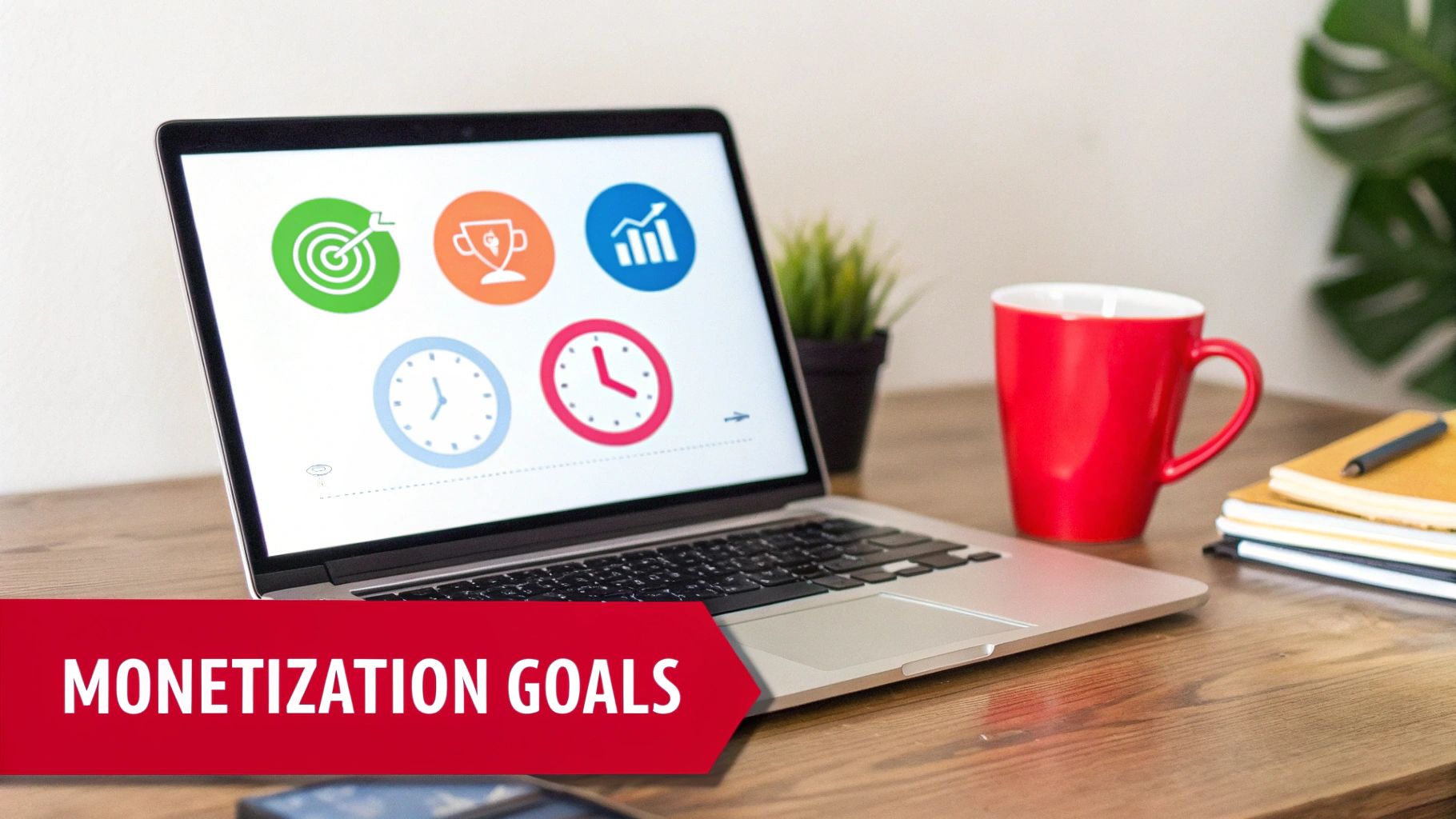
    Laptop displaying icons for monetization goals, including target, trophy, growth, and time management.

    Turning your passion into a paycheck is a game-changer. But before you can see revenue from ads, channel memberships, or Super Chats, you have to prove your channel has what it takes. That's where the YPP comes in.

    The eligibility requirements are there for a reason. They act as a filter to ensure that creators who get access to monetization tools are consistently making content that people actually want to watch. Hitting these numbers shows YouTube you’ve built a real, engaged community.

    The Core Requirements Explained

    YouTube gives you two main ways to qualify for the YPP, which is great because it caters to both long-form creators and those killing it with Shorts.

    Here's a quick look at the core requirements you'll need to hit.

    YouTube Partner Program Eligibility at a Glance

    Requirement Threshold Key Details
    Subscribers 1,000 This is a non-negotiable baseline for all applicants.
    Long-Form Video Watch Hours 4,000 hours Must be from public videos within the last 12 months.
    YouTube Shorts Views 10 million views Must be from public Shorts within the last 90 days.

    Remember, you just need to hit the subscriber goal plus one of the viewership goals (either watch hours or Shorts views), not both. This gives you the flexibility to lean into the format that works best for your content and audience.

    Here’s a more detailed breakdown:

    • The Long-Form Video Path: This is the classic route. You need to rack up 4,000 valid public watch hours within the last 365 days. The key words here are "valid public"—hours from private, unlisted, or deleted videos won't count toward your total.

    • The YouTube Shorts Path: If you're all about short-form content, this one's for you. You'll need 10 million valid public Shorts views in the last 90 days. It's a faster-paced alternative designed for creators who thrive on creating viral, bite-sized videos.

    Getting into the YPP is no small feat. To put it in perspective, out of over 115 million channels, only about 3 million have made it in. That means less than 3% of all active channels are actually monetized through the program.

    While you're working on your YouTube growth, it's also smart to look into broader monetization strategies for creators that can complement your channel's income.

    For a more in-depth look, check out our guide on what is monetization on YouTube: https://blog.viewsmax.com/what-is-monetization-on-youtube/

    Getting Your Channel Ready for a Flawless Application

    Hitting those subscriber and watch time milestones feels amazing, but don't rush to hit "apply" just yet. That's only half the journey. Before you do anything else, you need to give your channel a thorough, honest audit. A real person at YouTube is going to review your application, and they're looking at much more than just the numbers. They're evaluating the overall health, authenticity, and professionalism of your entire channel.

    Think of this as your pre-flight check. It’s your opportunity to catch and fix any issues that could get you rejected right out of the gate. Trust me, you want to avoid that frustrating 30-day waiting period before you can reapply.

    Conduct a Deep Content Audit

    First things first, you have to look at your own content through the eyes of a YouTube reviewer. They'll be combing through your videos to make sure you're following all the rules, and a few common mistakes can sink your application fast. The biggest culprits are often reused or repetitive content.

    This doesn’t mean you can’t have a consistent show format. What it does mean is that low-effort content—like unedited gaming streams with no commentary or simple slideshows with a text-to-speech voiceover—will almost certainly get you denied.

    Every single video needs to bring something unique to the table. Ask yourself these two questions:

    • Is my content transformative? Did I add my own significant commentary, provide real educational value, or put a creative spin on the topic that's entirely mine?
    • Is this 100% my own work? You have to be ruthless here. Go through your videos and listen for any third-party content. Even a few seconds of a copyrighted song playing on a radio in the background can cause a problem.

    Dive into your YouTube Studio and hunt down any active copyright claims or Community Guideline strikes. Even one active strike is often enough to get your application rejected. You absolutely must resolve these issues before you apply.

    Polish Your Channel's Professionalism

    Believe it or not, your channel’s appearance and all the text you write are just as critical as the videos themselves. The reviewer is looking at your channel as a complete package to see if you're a serious creator. This is the time to clean up your video titles, descriptions, and thumbnails.

    Your channel is your digital storefront. A human reviewer will look at your most-viewed videos, your newest content, and the overall theme of your channel to decide if you're a good fit for the Partner Program.

    Go through your video descriptions and get rid of any shady links, like those pointing to unapproved websites. Make sure your thumbnails aren't clickbait or overly sensationalized. Every little piece of your channel should accurately represent your content and follow YouTube's advertiser-friendly guidelines. If you need a refresher, it's a good idea to learn more about what public watch hours on YouTube truly mean, since that’s directly tied to the type of content YouTube is looking for.

    Secure Your Account with Two-Step Verification

    This one isn't a suggestion—it's a hard requirement. You absolutely must have Two-Step Verification enabled on the Google Account that your YouTube channel is linked to. It’s a mandatory security measure for joining the YouTube Partner Program.

    If you don't have it turned on, your application will be blocked before it even gets reviewed. You can set it up in just a few minutes in your Google Account security settings. Taking these steps shows YouTube you're a responsible creator who's serious about keeping their channel secure, and it massively improves your odds of getting approved on the very first try.

    The Application Process Demystified

    Alright, you've put in the work, your channel is looking sharp, and you've hit those crucial eligibility numbers. Now for the exciting part: officially applying to the YouTube Partner Program (YPP). This is the moment everything has been building towards.

    The entire process kicks off right inside your YouTube Studio, so you don't need to go hunting for it. It's a clear, step-by-step path that you can get through in one go.

    To start, just navigate to the Earn tab on the left-hand menu of your Studio dashboard. The first thing you'll see are the YPP base terms. It might be tempting to just scroll and click "accept," but I'd recommend actually reading through them. This is the official agreement that covers how you get paid, the rules you have to follow, and everything in between.

    Getting Your AdSense Account Sorted

    After you've agreed to the terms, YouTube will prompt you to link a Google AdSense account. This is non-negotiable—it's the system Google uses to actually pay you.

    You've got two paths here:

    • Link an existing AdSense account: If you've used AdSense before for a blog or another project, you can simply connect that one.
    • Create a new AdSense account: No account? No problem. YouTube guides you through creating one right from the application screen.

    A Word of Warning: You are only allowed to have one AdSense account per person. Seriously. Trying to create a new one if you already have an account (even if you forgot about it) will cause major headaches and can get your application rejected. Double-check before you proceed.

    Once your account is linked up, AdSense has its own little verification dance to do. The biggest part of this is verifying your physical address. After you earn your first $10 or so, Google will mail a postcard to the address you provided. This postcard contains a Personal Identification Number (PIN) that you'll need to enter back into your AdSense account. It’s a mandatory security step to confirm you are who you say you are, and it can take a few weeks for the postcard to arrive.

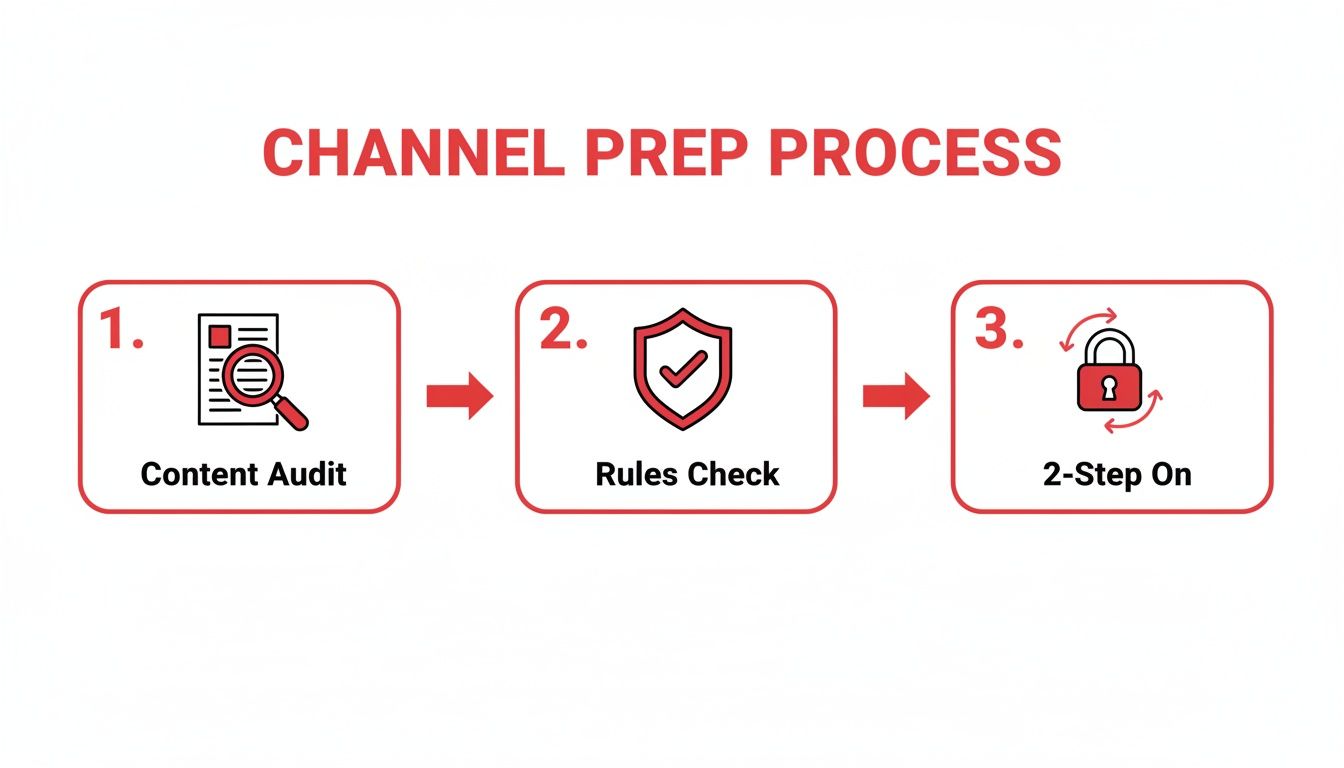
    Before you even click that apply button, make sure your channel is truly ready. Think of it as a final pre-flight check.

    A three-step channel preparation process: Content Audit, Rules Check, and 2-Step verification enablement.

    This really boils it down to the essentials: auditing your content, ensuring you're compliant with all the rules, and locking down your account's security.

    Hitting 'Submit' and The Waiting Game

    With the terms accepted and your AdSense account connected, you’re at the final hurdle. It’s time to submit your channel for review. Once you do, your application status will flip to "in review," and this is where patience becomes your best friend.

    A real person at YouTube will now go through your channel with a fine-tooth comb. They're looking to get a feel for what your channel is all about and making sure it meets all their policies.

    Specifically, they focus on:

    • Your channel’s main theme and niche.
    • Your most popular and most-viewed videos.
    • Your most recently uploaded videos.
    • All your metadata—that means titles, thumbnails, and descriptions.

    YouTube says this process usually takes about a month, but that can vary. I've seen channels get approved in a week and others that take longer, especially when there's a high volume of applications.

    My best advice? Keep making great content. Don't just sit there refreshing the page. Continuing your regular upload schedule shows you're committed. Eventually, you'll get that email with the final decision.

    What to Do if YouTube Rejects Your Application

    Getting that rejection email from the YouTube Partner Program is a punch to the gut. After pouring so much effort into your channel, it's easy to feel defeated. But don't despair—this is usually a temporary setback, not a permanent dead end.

    Most rejections boil down to a few common, fixable issues. The key is to take a breath and carefully analyze the feedback YouTube gives you. The two reasons you'll see most often are “Reused Content” and “Repetitive Content,” and many creators get them mixed up. Let's break down what they actually mean.

    Understanding YouTube's Feedback

    While they sound alike, these two policies target different types of low-effort content. Ultimately, both are about a lack of originality, which is a non-negotiable for YouTube when it's time to enable YouTube monetization.

    • Reused Content: This is the big one. It means your videos lean too heavily on content you didn't create, without adding something new and substantial. Think about unedited clips from movies or sports games, compilations of other people's TikToks, or simply re-uploading your raw Twitch streams. If you're not transforming it with your own commentary, educational insight, or a creative twist, it’s likely to get flagged.

    • Repetitive Content: This one is about your own videos feeling too much like an assembly line. Are you mass-producing content where only minor details change from one video to the next? This often includes channels using robotic text-to-speech voices reading Reddit posts over stock footage or videos made from a simple, repeated template.

    The bottom line is this: YouTube wants to see you in your content. Your personality, your expertise, and your creative spin need to be front and center.

    Building Your Comeback Plan

    Okay, so you’ve figured out the issue. What now? You get a 30-day window before you can apply again, and you need to make it count.

    Your first job is to perform a thorough audit of your channel. Go through your videos one by one and be brutally honest. Any video that even tiptoes into the "reused" or "repetitive" zone needs to go. Deleting or privatizing them might sting, especially if they have good views, but it’s a crucial step to show the review team you're serious.

    During those 30 days, your focus should shift to creating new, high-quality videos that are textbook examples of your best work. Pack them with original ideas, insightful commentary, and your unique personality.

    The world of YouTube monetization is fiercely competitive, a huge change from before the YPP rules were tightened in 2018. With YouTube's ad revenue hitting an incredible $36.15 billion in 2025 and creators like MrBeast approaching a net worth of $1 billion, the stakes are high. As you aim to join the ranks of over 5 million monetized channels, proving your value is everything. You can discover more about YouTube's explosive growth and statistics to get a sense of the scale here.

    When you finally resubmit your application, a human reviewer will look at your channel again. You want them to see an immediate and obvious transformation—the old, problematic content is gone, and in its place are fantastic new videos that leave no doubt about the value you bring to the platform. That's how you turn a rejection into an approval.

    Activating and Optimizing Your Monetization

    A man reviews content and analytics on tablets with a camera, indicating video monetization setup.

    Congratulations, you're in the YouTube Partner Program! Getting that acceptance email is a huge milestone, but now the real work begins—turning your channel into a genuine source of income. The first stop on this journey is your YouTube Studio.

    Turning On Monetization for Your Videos

    First things first, let's get ads running on your existing library of videos. You don't have to do this one by one. Head over to the Content tab in your Studio, select all your videos, and use the "Edit" dropdown to switch monetization on for the whole batch. It’s a massive time-saver.

    To make sure you’re earning from day one on new content, set up an upload default. Go to Settings > Upload defaults > Monetization and check the boxes for the ad formats you want. This little tweak ensures every video you publish is ready to earn money automatically.

    Choosing the Right Ad Formats

    YouTube gives you a few different ad types to play with, and finding the right mix is crucial for balancing your revenue with the viewer's experience. Bombarding your audience with ads is a quick way to get them to click away.

    Here’s a quick look at the main ad types you’ll be working with:

    • Skippable in-stream ads: The classic ads before, during, or after a video. Viewers can skip them after five seconds.
    • Non-skippable in-stream ads: Shorter ads (usually 15-20 seconds) that must be watched all the way through.
    • Bumper ads: Very short, six-second non-skippable ads.
    • Overlay ads: Simple banner ads that pop up at the bottom of the video player on desktop.

    If your videos are longer than eight minutes, you unlock the ability to place mid-roll ads. You can let YouTube place these automatically or manually pick the timestamps yourself. My advice? Start with automatic placements. Then, watch your videos and fine-tune the ad breaks to fit natural pauses in your content so you don't interrupt the flow.

    Thinking Beyond Ad Revenue

    While ads are your foundation, relying on them alone can leave you vulnerable to fluctuating ad rates. The YPP unlocks several other income streams that create a more direct connection with your audience.

    • Channel Memberships: Let your most loyal fans support you with a monthly fee in exchange for perks like custom emojis, badges, and exclusive content.
    • Super Chat & Super Thanks: These features allow viewers to pay to have their message highlighted during a live chat or to leave a one-time tip on any video.
    • YouTube Shopping: You can tag products from your own store or from affiliate partners directly in your videos, turning your content into a storefront.

    As soon as you're approved, you should really start digging into all these options. The landscape is always changing, so it’s also smart to learn how to monetize YouTube Shorts and maximize earnings, as that’s a huge growth area.

    Understanding Your Earnings with RPM

    To truly grow your channel's income, you need to get familiar with Revenue Per Mille (RPM). This is the metric that shows you what you actually earn per 1,000 views after YouTube takes its 45% cut. It's the number that matters.

    Your niche and your audience's location are the two biggest factors affecting your RPM. To give you some real-world perspective, here’s how much potential earnings can vary.

    Ad Revenue Potential by Niche and Region

    Niche / Region Average CPM (What Advertisers Pay) Why It's High/Low
    Finance / Investing $25 – $50+ Advertisers are selling high-value products (like trading platforms) and are willing to pay a premium to reach an audience with disposable income.
    Tech Reviews $15 – $30 Tech companies have large marketing budgets and want to reach consumers who are actively looking to make a purchase.
    United States $30 – $40 The U.S. has a highly competitive ad market with many large brands, driving up the cost for advertisers.
    Gaming (Entertainment) $5 – $12 A very broad audience and high video volume means ad inventory is plentiful, which can lower the cost for advertisers.
    India $2 – $5 The ad market is still developing compared to Western countries, so advertisers pay less per view on average.

    This table shows the CPM, which is what advertisers pay before YouTube's cut. Your RPM will be lower, but the trend is the same: a video about investing shown to a U.S. audience will earn drastically more than a gaming video shown to viewers in India.

    This is where a tool like ViewsMax becomes so valuable—it can help you find high-RPM keywords to build your content strategy around, ensuring you're targeting the most profitable topics and audiences.

    Want to dive deeper? Check out our guide explaining exactly https://blog.viewsmax.com/cpm-meaning-youtube/.

    Frequently Asked Questions

    Going through the YouTube Partner Program application process always sparks a few questions. After guiding hundreds of creators through this exact journey, I’ve seen the same concerns pop up again and again. Let's tackle them head-on so you can get monetized without any unnecessary stress.

    How Long Does the YPP Review Actually Take?

    This is probably the most common question I get. Officially, YouTube says to expect "about a month." But in my experience, it's all over the map. I’ve seen channels get the green light in less than a week, while others have been left waiting for over 30 days.

    The wait time often depends on how swamped the review teams are. My best advice? Stay patient. Don't go making any drastic changes to your channel while your application is pending. Just keep to your regular upload schedule—it shows the reviewers you're consistent and serious about your content.

    What if I Have AdSense Account Issues?

    AdSense hiccups are a real pain and a common reason for getting stuck. The biggest mistake I see is creators accidentally creating a duplicate account. Remember, Google has a strict one-account-per-person policy. If you get a rejection notice saying you already have an account, you have to find and close that old one.

    Do not try to get around this by applying with a new email. That just creates a bigger mess. You must go through Google's official recovery process to resolve the ownership of the original AdSense account before linking it to your YouTube channel.

    Does Private Video Watch Time Count?

    Nope, it doesn't. Only watch hours from valid public videos count towards that 4,000-hour mountain. Any watch time you've racked up on videos that are now private, unlisted, or have been deleted won't be part of your total.

    This rule is in place to make sure you're building an audience with content that's actually out there for people to see. Before you apply, do a quick check to ensure all the videos contributing to your watch time are set to "Public."

    Can I Reapply After a Rejection?

    Absolutely. If your application gets denied, YouTube will give you a general reason, like "Reused Content," and you'll have to wait 30 days before you can reapply.

    Don't just sit on your hands for that month. Use that time to do a deep dive into your channel. Be ruthless—audit your videos, delete anything that even hints at a policy violation, and focus on creating fresh, original content. When you reapply, the reviewer needs to see a clear, tangible effort to fix what was wrong. That’s what gets you approved the second time around.


    Ready to take the guesswork out of your YouTube strategy? ViewsMax provides AI-powered tools to help you find high-RPM keywords, optimize your videos for discoverability, and make data-driven decisions that accelerate your channel's growth. Stop guessing and start growing by checking out our tools.

  • Public watch hours youtube: Grow Your Channel to 4,000+ Hours

    Public watch hours youtube: Grow Your Channel to 4,000+ Hours

    Let's cut right to it. Public watch hours are the total amount of time people have spent watching your public videos over the last 365 days. Simple, right? But this single metric is one of the most important on your journey to becoming a full-fledged YouTube creator. It's how YouTube gauges if you're not just getting clicks, but actually keeping people engaged.

    What Public Watch Hours Mean for Your Channel

    A laptop on a wooden desk displaying 'Public Watch Hours' analytics, surrounded by desk accessories.

    Think of watch hours as the real currency on YouTube. Sure, views and subscribers look great on paper, but watch time is the ultimate proof that your content has value. It tells the platform that when someone finds your video, they actually stick around.

    This is why it's a non-negotiable requirement for joining the YouTube Partner Program (YPP), the gateway to running ads and earning money from your channel. To get your foot in the door, you have to hit two key milestones.

    The Two Pillars of YouTube Monetization

    Your path to making money on YouTube hinges on proving you can consistently hold an audience. YouTube has laid out two clear, black-and-white goals you need to hit:

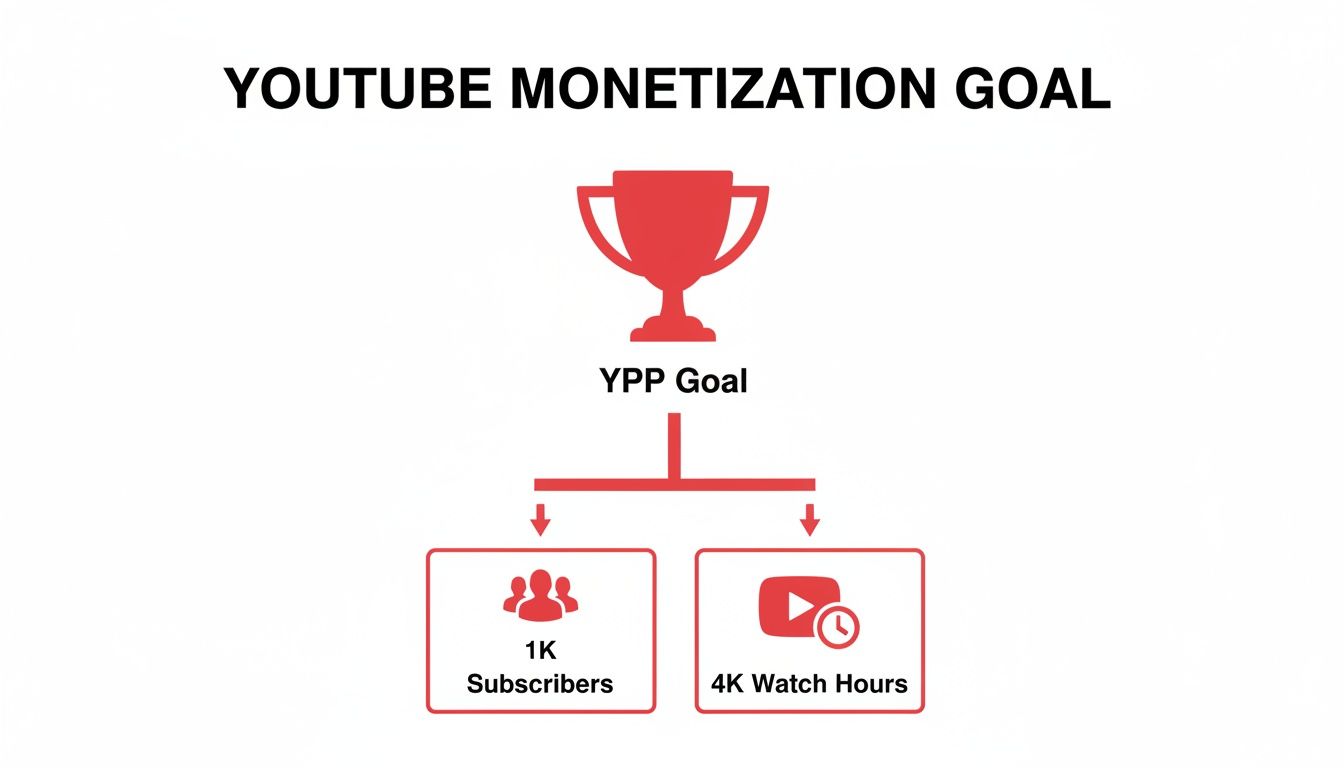
    • 1,000 Subscribers: This shows you’re building a dedicated community that wants to follow your work.
    • 4,000 Public Watch Hours: This confirms your content is compelling enough to keep people watching for extended periods.

    You need to hit both of these targets within a 12-month period to even be considered for the YPP. If you want to dive deeper, you can learn more about what monetization on YouTube really involves. It’s not a one-and-done deal; it’s about proving your channel has staying power.

    Understanding the Rolling 12-Month Window

    Here’s where many new creators get tripped up: the "rolling 365-day" window. This has nothing to do with the calendar year. It's a constantly moving timeframe that looks back exactly 12 months from today.

    Picture it like this: You have a bucket that can only hold 365 days' worth of watch hours. Every morning, you add the hours from yesterday, but to make room, the hours from 366 days ago fall out the bottom. So, the watch time you earned on January 15th of last year will disappear from your YPP total on January 16th of this year.

    This means your watch hour count can actually go down if you're not consistently earning new ones. A high-performing month from a year ago will eventually "expire," and you need fresh content to replace those hours.

    This system is designed to reward consistency. That viral hit from 13 months ago won't do you any good today. Instead, YouTube is looking for creators who can build a steady, reliable stream of engaging content. It’s a marathon, not a sprint.

    What Actually Counts Toward Your 4,000 Watch Hours?

    When you’re grinding to hit that 4,000-hour milestone for monetization, it feels like every single second a viewer spends on your channel should count. But YouTube has some very specific rules about what it considers a "public watch hour," and not understanding them can be a major roadblock.

    The main takeaway is this: only watch time from videos set to 'Public' actually moves the needle.

    Think of it like filling a bucket to get into the YouTube Partner Program. Every hour someone watches one of your public videos, you get a drop of water. But if you set that video to private, unlisted, or delete it, YouTube essentially pokes a hole in the bucket and that water drains right back out. It’s a crucial detail that shapes your entire content strategy.

    This isn’t just some minor technicality; it’s a core part of how YouTube measures genuine audience engagement. If someone watches your unlisted video for 10 hours, those hours contribute nothing to your goal, no matter how engaged they were. To get the full picture, you can dive into YouTube’s official creator policies to see the guidelines for yourself.

    To make this crystal clear, let's break down which video types help you and which ones don't. The following table gives you a quick reference for how your content contributes (or doesn't) to that all-important 4,000-hour goal.

    Watch Hour Contribution by Video Type

    Video Type / Source Counts Towards Monetization? Key Considerations
    Public Videos Yes This is the only type of standard video that counts. All watch time from public videos directly adds to your total.
    Unlisted Videos No Views on unlisted videos are invisible to the monetization counter. Changing a public video to unlisted will subtract its hours.
    Private Videos No Private videos are meant for personal viewing and their watch time is completely excluded.
    Deleted Videos No Deleting a video permanently erases all of its accumulated watch hours from your channel's total.
    YouTube Shorts No Watch time from views on the Shorts shelf does not count toward the 4,000-hour goal.
    Live Streams (Archived as Public) Yes Both live viewing hours and subsequent views on the public VOD (Video on Demand) count.
    Ad Campaign Views No Watch time generated from ad campaigns (like Google Ads) is not considered organic and does not count.

    Understanding this table is the first step. You need to be deliberate about how you manage your content's visibility, especially after it's published.

    A Real-World Example: Let's say you have a video that’s earned a solid 150 public watch hours. If you decide to make it 'Unlisted' to share it in a private newsletter, your monetization progress meter in YouTube Studio will immediately drop by those 150 hours.

    What About Shorts and Live Streams?

    Beyond your regular uploads, things get a little more nuanced with formats like Shorts and live streams.

    YouTube Shorts: The Big Exception

    YouTube Shorts have their own path to monetization (10 million views in 90 days), but here’s the catch: the watch time from viewers scrolling through the Shorts feed does not count toward the 4,000-hour requirement.

    However, Shorts can still be a gateway. If a viewer discovers your channel through a Short and then clicks over to watch one of your full-length public videos, all the time they spend on that long-form content will count. So, they’re a great discovery tool, just not a direct contributor to your watch hour total.

    Live Streams: A Powerful Watch Hour Generator

    Live streams can be an absolute goldmine for racking up public watch hours, but you have to handle them correctly. Here's how it works:

    1. While You're Live: Every minute that viewers are tuned in while you're actively broadcasting is counted.
    2. After the Stream: If you archive the stream as a public video on your channel, it becomes a VOD. All future watch time on that replay will continue to add to your total. This is a huge opportunity!
    3. The Wrong Way: If you archive the stream as unlisted or private, or you delete it, any watch time it earned (both live and on replay) will either not count or be removed.

    One final thing to keep in mind is that paid views don't count. Any watch time you get from running a YouTube ad campaign is ignored for monetization purposes. YouTube wants to see real, organic interest in your content, not views you've paid for. Focus on making great public videos, and you'll be on the right track.

    Tracking Your Progress in YouTube Studio

    Knowing the rules is one thing, but actually keeping track of your progress is where the real work begins. Your command center for all this is YouTube Studio. It’s packed with data, but you have to know exactly where to find the specific numbers for the public watch hours that count toward monetization.

    You can get a quick peek on the "Earn" tab, which is fine for a high-level summary. But to really understand what's happening, you need to dive into the Analytics section. This is where you shift from just uploading videos to making smart, data-driven decisions about your content.

    Navigating to Your Watch Time Analytics

    Let's walk through how to find the exact, actionable numbers YouTube uses for YPP eligibility. It only takes a few clicks.

    1. Open YouTube Studio: First, log into your YouTube account and head over to studio.youtube.com.
    2. Select 'Analytics': Look for the "Analytics" tab in the menu on the left and click it.
    3. Find the 'Watch time (hours)' Card: Right there on the main overview screen, you’ll spot a card showing your watch time.
    4. Set the Correct Timeframe: This is the most crucial step. The view usually defaults to the last 28 days. You need to click the date range in the top-right corner and select "Last 365 days."

    This view gives you the official, rolling 12-month total that YouTube is looking at for your monetization goal. It's the only number that truly matters for this requirement.

    Man tracking progress on a tablet displaying data charts, with a background showing a dashboard.

    The graph gives you a great visual of your daily watch hours, helping you spot trends, see the spikes from new uploads, and understand how older videos perform over time.

    Lifetime vs. Last 365 Days

    It’s incredibly common for creators to mix up their channel's lifetime watch hours with the rolling 365-day total. Seeing a massive lifetime number feels great, but for getting into the YPP, only the hours from the past 365 days count. If you've been on YouTube for more than a year, your lifetime number will always be higher than your monetization number.

    Think of it this way: the 4,000-hour requirement isn't a one-and-done finish line. It’s a measure of your channel's current ability to keep an audience engaged over the past year.

    Identifying Your Top-Performing Videos

    The real game-changer is figuring out which of your videos are the true watch-time champions. This is how you stop guessing what works and start creating more of what your audience actually wants to see.

    • In the Analytics tab, click on the 'Content' sub-tab.
    • You'll see a list of your videos, probably sorted by views.
    • Just click on the 'Watch time (hours)' column header to re-sort the list.

    That simple click instantly shows you which videos are doing the heavy lifting for your channel. These are the videos to analyze. What were the topics? What was the format or editing style? How long were they? The answers create your roadmap for earning more public watch hours.

    To go even deeper, you might want to look into some of the best YouTube SEO tools that can help you dissect your content's performance and find new growth opportunities. By focusing on what’s already successful, you can build a solid strategy to hit your monetization goals much faster.

    Choosing Your Path to the Partner Program

    Getting your channel monetized used to be a one-way street, but things have changed. With Shorts now a major part of the platform, YouTube has opened up a second route to the YouTube Partner Program (YPP). This isn't about picking the "best" path—it's about figuring out which one fits your content and creative style.

    You only need to meet the requirements for one of these paths to apply. Understanding the difference between them is the key to focusing your energy where it will count the most.

    The Traditional Path: Public Watch Hours

    This is the classic route, built on creating content that truly holds an audience's attention. To get into the YPP this way, you need to prove that people stick around to watch what you make.

    The requirements are straightforward:

    • 4,000 public watch hours in the last 365 days.
    • 1,000 subscribers.

    This path is a natural fit for creators making longer videos. We're talking about in-depth tutorials, video essays, long-form vlogs, or gaming streams. Success here is measured in minutes and hours, not just clicks. It’s a marathon, not a sprint, and it rewards creators who can build a library of substantial, engaging content.

    The Shorts Path: High-Volume Views

    YouTube saw the massive wave of short-form video and wisely created an alternative path just for it. This route is all about creating quick, punchy content that grabs viewers scrolling through the Shorts feed.

    For this path, the numbers look different:

    • 10 million valid public Shorts views within the last 90 days.
    • 1,000 subscribers.

    Notice that the subscriber requirement is the same, but the timeline is much shorter—just 90 days instead of a full year. This is a sprint, plain and simple. It’s built for creators who can jump on trends, use popular sounds, and create videos with viral potential. The game here isn't long-term engagement on a single video, but massive, immediate reach.

    Think of it this way: the traditional path is like writing a novel that people can't put down, while the Shorts path is like writing a collection of hit singles that top the charts.

    Which Path Should You Choose?

    So, which road do you take? The answer lies in your creative strengths.

    Are you a storyteller who loves crafting 20-minute deep dives? The watch-hour path is probably your best bet. Are you a master of the 15-second hook that can rack up views overnight? Then the Shorts path is calling your name.

    You don't have to be exclusive, but you should concentrate your efforts on the path that feels most natural for your channel right now. And no matter which route you're on, staying out of trouble is crucial. Understanding how to avoid copyright strikes on YouTube is non-negotiable, as strikes can completely derail your monetization journey.

    Ultimately, both roads lead to the same place. The key is to commit to the one that plays to your strengths and get to work.

    Sustainable Strategies to Increase Watch Hours

    Hitting that magic number of 4,000 public watch hours isn't about finding a secret hack or a clever loophole. It's about building a solid, sustainable system that genuinely earns your viewers' attention. Forget those risky shortcuts—they often do more harm than good in the long run. The most successful creators I've seen all operate on one simple principle: provide so much value that viewers can't imagine clicking away.

    This means you need to shift your focus from chasing fleeting views to earning quality watch time. A "view" might only last a few seconds, but watch time is the real measure of engagement. It’s the difference between someone stumbling upon your video and someone who is captivated enough to see it all the way through. The strategies below are all about building that deep, lasting connection with your audience.

    Create Videos That Justify Their Length

    Longer videos can be a goldmine for racking up watch hours, but there’s a catch: they have to be packed with value from the first second to the last. A 20-minute video that meanders and could have been five will absolutely tank your audience retention. Your goal should be to create content that feels substantial, not just padded for time.

    How do you do that? Structure is everything. If you're making a tutorial, break it down into clear, logical steps that are easy to follow. For a video essay, build a compelling argument with a strong intro, solid supporting points, and a conclusion that ties everything together neatly. This focused approach ensures every minute has a purpose, which is exactly what keeps viewers engaged. For a deeper dive, check out our guide on how to write a script for a YouTube video: https://blog.viewsmax.com/how-to-write-a-script-for-youtube-videos/

    The math here is pretty convincing. Let's say you need to get to 3,000 watch hours. If your videos average 5 minutes of watch time, you'd need 36,000 total views. But if you produce longer, more engaging content that averages 10 minutes of watch time, you’d only need 18,000 views to hit the same goal. It's clear that video length and retention work together to get you to monetization much more efficiently.

    Master the Art of Audience Retention

    Audience retention is just a fancy term for the average percentage of your video that people actually watch. Getting this number up is hands-down the most effective way to boost your public watch hours. Why? Because high retention sends a powerful signal to the YouTube algorithm that your video is satisfying viewers, making it more likely to get recommended to a wider audience.

    Here are a few proven techniques to keep your viewers glued to the screen:

    • Nail the Hook: The first 15-30 seconds are make-or-break. You need to grab their attention immediately. Start with a provocative question, a bold statement, or a quick-fire preview of the most exciting part of the video.
    • Use Pattern Interrupts: To keep things fresh, change what’s on screen every 10-20 seconds. This could be a quick zoom, some B-roll footage, on-screen text, or a simple graphic. These little changes reset a viewer's attention and prevent them from getting bored.
    • Tell a Story: Even a "how-to" video can benefit from a good story. Frame the problem, show the struggle of trying to solve it, and then present your solution as the climax of that journey. We're all wired to follow stories to their conclusion.

    Turn Viewers into Binge-Watchers with Playlists

    Playlists are one of the most powerful—and most overlooked—tools for boosting watch time. It's simple: when a viewer finishes one video in a playlist, the next one starts playing automatically. This can easily turn a single view into a full-blown viewing session, which sends your watch hours soaring.

    By strategically grouping your videos into a series or a themed collection, you’re not just organizing content; you're creating a guided journey for your audience. Instead of leaving them to guess what to watch next, you serve them the perfect follow-up, keeping them on your channel far longer.

    Try grouping videos that have a natural flow, like a multi-part tutorial or a collection of vlogs from a specific trip. Once you’ve built your playlists, make sure to promote them in your end screens, cards, and video descriptions to encourage people to dive in.

    This chart lays out the two main routes you can take to get into the YouTube Partner Program. It really highlights how you need to choose between racking up long-form watch hours or going for high-volume Shorts views.

    Flowchart illustrating the YouTube monetization path, detailing subscriber, watch hour, and shorts view requirements.

    As you can see, both paths require 1,000 subscribers. From there, you have to decide whether your strategy is built for the deep engagement that drives watch hours or the viral potential of Shorts.

    Drive Traffic from Other Platforms

    Don't just sit back and wait for the YouTube algorithm to discover you. You have to be your own biggest promoter. Share your videos across all your social media channels to pull in traffic from outside of YouTube. A well-placed link can introduce your best content to a whole new audience.

    For example, learning how to use a full video link in bio on platforms like Instagram or TikTok can create an easy, direct path for your followers to find your longer content, which directly adds to your watch time. By actively making it easy for people to find and watch your videos, you're taking control of your channel's growth instead of just hoping for the best.

    Common Mistakes That Sabotage Your Growth

    The journey to 4,000 public watch hours is a marathon, not a sprint, and there are plenty of potholes along the way. I've seen countless creators with great ideas fall into traps that don't just stall their progress—they can actively hurt their channel's reputation with the YouTube algorithm.

    Knowing what these pitfalls are is half the battle. The most dangerous ones often look like tempting shortcuts, promising a quick boost but ultimately setting you up for long-term failure.

    The Myth of Shortcuts

    Let's get this out of the way first: buying watch hours or getting involved in "watch-for-watch" groups is a terrible idea. These tactics are a direct violation of YouTube's fake engagement policies, and they do more harm than good.

    Here’s a look at the real damage they cause:

    • You'll Wreck Your Analytics: The algorithm is constantly learning who your ideal viewer is. When you feed it fake views from bots or people who have no interest in your niche, you completely confuse it. It will start showing your videos to the wrong audience, and your organic reach will dry up fast.
    • Your Audience Retention Will Tank: Bots don't stick around. People in "watch-for-watch" groups might click play, but they aren't actually watching. This signals to YouTube that your content is boring or clickbait, causing the algorithm to stop promoting it.
    • You Could Lose Your Channel: If (and when) YouTube catches on, the penalties are steep. Your channel could be demonetized, get a strike, or even be terminated for good. It's a massive risk for a temporary, meaningless number.

    The thing is, these shortcuts only give you empty metrics. You get a number on a screen, but you don't get a community. Real, sustainable growth comes from actual viewers who click on your video because they genuinely want to see what you've made.

    Subtle Habits That Hurt Your Channel

    Beyond the obvious no-nos, there are a few common habits I see creators fall into that quietly kill their momentum. These are a bit trickier because they often feel like you're working hard, just on the wrong things.

    Chasing Views Instead of Watch Time

    It's so easy to get fixated on the view count, especially right after you publish. But a video with a ton of views and terrible audience retention is actually a bad sign. It means your title and thumbnail wrote a check that your video couldn't cash.

    Instead of just looking at views, you need to live in your audience retention reports. Seriously. A video with fewer views but a healthy 50% retention rate is infinitely more valuable than a viral dud that people abandon in the first 30 seconds. High retention is the single best signal you can send to YouTube that your content is worth recommending.

    Publishing Without a Plan

    The YouTube algorithm loves predictability. When you post on a consistent schedule—whether that's every Tuesday or the first of every month—you're training both your audience and the algorithm when to look for your new stuff.

    Uploading randomly whenever you feel like it makes it incredibly hard to build momentum. Consistency signals that you're a committed creator, which helps keep your channel top-of-mind for viewers and favored by the algorithm.

    Got Questions About Watch Hours? We’ve Got Answers.

    As you work your way toward that 4,000-hour goal, you’re bound to run into a few tricky questions. Let's clear up some of the most common head-scratchers that creators face.

    Do My Live Stream Hours Count?

    Yes, absolutely! But there's a small catch you need to know about. All the watch time you rack up while you're live and interacting with your audience counts toward monetization.

    Once the stream is over, you have a choice. If you save the replay as a public video, people can keep watching it, and those views will continue to add to your total. However, if you switch it to unlisted, set it to private, or delete it altogether, all the watch hours from that stream will vanish from your YPP count.

    Help! Why Did My Public Watch Hours Drop?

    Seeing your hard-earned watch hours go down can be a shock, but don’t panic! It’s almost always because of how YouTube measures eligibility. They don’t look at a calendar year; they look at a rolling 365-day period.

    Think of it like a moving window that only shows the last 12 months. If you had a video go viral on February 1st last year and it earned 100 hours, those hours will disappear from your total on February 2nd of this year. Your job is to keep creating fresh content that brings in new hours to replace the old ones as they fall off the back end of that 365-day window.

    Your public watch hours total isn't a lifetime score. It’s a real-time snapshot of your channel's performance over the past year. A dip just means an older, popular day has moved out of view.

    Does Watch Time from YouTube Ads Count?

    Nope. Any watch time that comes from paid advertising won't get you any closer to the 4,000-hour threshold. Views from ad campaigns, like the ones you might run through Google Ads, are filtered out of the YPP calculation.

    YouTube wants to see that you're building a real, organic audience. They're looking for proof that viewers are finding and choosing your content on their own through things like search, recommendations, and their subscription feed—not because you paid to put it in front of them.

    How Long Does It Take for Watch Hours to Update?

    Your numbers in YouTube Studio aren't instant. It usually takes the system about 48 to 72 hours to process all the data and refresh your totals.

    So, if one of your videos suddenly takes off, you won't see that spike on your "Earn" page right away. Give it a couple of days. The number you see today is actually a reflection of your channel's performance from two or three days ago.


    Ready to turn these insights into real growth? ViewsMax provides AI-powered tools to help you create videos that earn more public watch hours. From optimizing your titles and descriptions to analyzing what works, we help you make smarter content decisions. Start growing your channel with confidence.

  • What Are Public Watch Hours on YouTube and How to Get Them

    What Are Public Watch Hours on YouTube and How to Get Them

    So, what exactly are "public watch hours" on YouTube? Think of it as the total time, in minutes and hours, that people have spent actively watching your public videos. This isn't just a vanity metric; it's one of the most critical factors for growing your channel and, more importantly, unlocking the ability to earn money.

    Unlocking YouTube Monetization With Watch Hours

    Ever wonder why some channels are plastered with ads while others aren't? The answer almost always comes back to public watch hours. This metric is more than just a number; it's a direct measure of how engaging your content truly is.

    While views can be fleeting and subscribers can go dormant, watch time is solid proof that your videos are compelling enough to hold someone's attention. YouTube sees this as a sign of quality, and it's how they decide if your channel is a good place for advertisers to spend their money.

    That’s why there's a specific goalpost for getting into the YouTube Partner Program (YPP). To start monetizing your channel, you need to hit 4,000 valid public watch hours within the last 12 months, along with reaching 1,000 subscribers. You can discover more insights about YouTube's massive viewing statistics on Senalnews.com.

    Why Watch Hours Matter More Than Views

    Many new creators fall into the trap of chasing views, hoping for that one viral hit. But YouTube's algorithm is much smarter than that; it prioritizes sustained engagement over quick, shallow views.

    Think about it: a video with 10,000 views where everyone clicks away after 30 seconds isn't very valuable. A different video with only 2,000 views, but where the average viewer watches for a full 10 minutes, is a goldmine. The second video accumulates far more watch time, sending a powerful signal to YouTube that the content is genuinely good.

    In essence, watch time is YouTube's currency for content quality. A high watch time tells the algorithm that your videos are satisfying viewers, which encourages it to promote your content to a wider audience.

    We can break down why watch hours are the superior metric with a quick comparison.

    Why Watch Hours Outweigh Other Metrics

    Metric What It Really Measures Its Role in Monetization
    Watch Hours True Engagement: How long you can hold a viewer's attention and deliver value. Direct Requirement: A core pillar for YPP eligibility (4,000 hours). Signals a high-quality, ad-friendly channel.
    Views Initial Interest: How many times a video was clicked on. Can be misleading due to clickbait or short watch times. Indirect Role: High views are great, but without watch time, they mean little for monetization.
    Subscribers Audience Potential: The number of people who want to see more of your content in the future. Direct Requirement: A key YPP metric (1,000 subs), but doesn't guarantee your content is being watched.

    At the end of the day, a healthy subscriber count and a steady stream of views are fantastic, but they don't paint the full picture. It's the watch hours that truly demonstrate your channel's ability to engage and retain an audience, which is precisely what YouTube wants to see before it lets you monetize.

    Understanding what is monetization on YouTube really begins here. It's a reward for creating content people stick around for. Building up those 4,000 hours is your first major milestone in turning a creative hobby into a real, sustainable venture. You're proving your value not just to your viewers, but to YouTube itself.

    What Actually Counts Toward Your 4000 Hours

    Getting to the 4,000-hour mark can feel like a marathon, and the last thing you want is to realize some of your hard-earned watch time doesn't even count. It’s a common tripwire for new creators. Not all watch time is created equal in YouTube's eyes, especially when it comes to qualifying for the YouTube Partner Program (YPP).

    Think of it this way: YouTube wants to see that you can build a real, engaged audience that genuinely wants to watch your content. So, the rules are set up to measure just that. The main source of "valid" public watch hours comes from your standard, long-form public videos. Every second someone spends watching a video you’ve set to "Public" gets added to your running total. It's that simple.

    Beyond your regular uploads, YouTube Premieres are another solid source. The watch time accumulated during the live premiere event and all the views it gets afterward as a regular public video both count. The same goes for public livestreams. Every minute viewers watch you live, plus all the time people spend watching the replay, gets tallied up for your YPP goal.

    What YouTube Doesn't Count for YPP

    Now for the tricky part. It's just as critical to know what doesn't count so you don't pour your energy into the wrong buckets. Many creators get a nasty surprise when they check their monetization progress, only to find the number is lower than they expected.

    This is the core challenge: reaching 1,000 subscribers and hitting 4,000 watch hours are the two pillars you have to build before you can even apply to monetize.

    Diagram illustrating YouTube's monetization goal (YPP) with requirements: 1K subscribers and 4K watch hours.

    To make sure you're focused on the right things, let’s get specific. Here's a breakdown of the video types and view sources that YouTube excludes from the 4,000-hour calculation.

    Valid vs Invalid Watch Hour Sources

    Understanding this distinction is the key to a smart content strategy. This table breaks down exactly what helps you and what doesn't on your path to monetization.

    Content Type Does It Count for YPP? Key Takeaway for Creators
    Public Videos Yes This is your bread and butter. Focus on creating engaging long-form content.
    Public Livestreams Yes Both the live viewing and the archived replay contribute. A great way to rack up hours.
    YouTube Premieres Yes The initial event and all subsequent views count. Build hype and watch time simultaneously.
    Private Videos No If the public can't see it, the watch time is invisible to the YPP counter.
    Unlisted Videos No Similar to private videos, unlisted content doesn't contribute to your public total.
    Deleted Videos No Any watch hours a video earned are permanently erased from your YPP total if you delete it.
    YouTube Shorts No Shorts are amazing for discovery, but their watch time does not apply to the 4,000-hour goal.
    Ad Campaign Views No Views from Google Ads are paid, not organic, so they don't count toward YPP eligibility.

    At the end of the day, the rules are designed to reward creators who build a genuine community around their long-form content. By focusing your efforts on public videos, premieres, and livestreams, you can be sure that every minute of your audience's attention is pushing you closer to your monetization goal.

    How to Track Your Watch Time in YouTube Studio

    Alright, you know the rules of the game. Now, how do you check the score? This is where YouTube Studio comes in. It's your mission control for turning the abstract goal of "getting more watch hours" into a concrete, data-driven strategy.

    Your first stop should always be the Earn tab. Think of this as your official report card for the YouTube Partner Program (YPP). It cuts through the noise and shows you exactly where you stand with your public watch hours and subscriber count. No fluff, just the facts.

    Finding Your Monetization Progress

    Getting to this dashboard is a piece of cake. Seriously, it's just a few clicks.

    1. Log into your account and open up YouTube Studio.
    2. Look at the menu on the left and click the Earn tab (it has a little dollar sign icon).
    3. Scroll down a bit to the "How to join" section. You'll see two progress bars: one for subscribers and one for public watch hours.

    This is the screen you'll be checking obsessively, showing your climb toward those magic numbers.

    A man tracking YouTube watch time on his laptop at a desk with office supplies.

    This simple view clearly lays out how close you are to hitting the 4,000-hour and 1,000-subscriber milestones.

    Digging Deeper with Analytics

    The Earn tab tells you what your progress is, but the Analytics tab tells you why. This is where the real detective work begins. Here, you can pinpoint your powerhouse videos and figure out which ones are falling flat.

    Just head to Analytics > Content, and you can sort all of your videos by watch time. This immediately reveals your top performers.

    The real secret isn't just watching the total watch hours tick up; it's figuring out which specific videos are doing the heavy lifting. I’ve seen channels where one or two breakout videos account for the vast majority of their total watch time.

    Once you identify these "watch time heroes," you can start looking for patterns. Are they all long-form tutorials? Maybe they're part of a specific series that really resonates with your audience? Finding these common threads gives you a blueprint for what to create next.

    If you want to get your content seen by more people in the first place, our guide on YouTube SEO for beginners is a great starting point.

    Beyond YouTube's own platform, it's also helpful to understand how other general analytics tools work to get a wider view of content performance. Within YouTube Analytics itself, pay close attention to the audience retention graphs. They show you the exact second viewers are clicking away, giving you invaluable feedback to tighten up your intros and keep people hooked longer.

    Proven Strategies to Increase Your Public Watch Hours

    Desk setup with open notebook, pen, 'INCREASE WATCH HOURS' sign, and display of video thumbnails.

    Knowing what watch hours are is one thing, but actually making them climb is the real challenge. There's no secret "hack" here. It all comes down to building a solid content strategy that genuinely keeps people watching.

    The core idea is simple: create videos so valuable that viewers can't help but stick around. This not only racks up your watch time but also sends fantastic signals to the YouTube algorithm, telling it to show your content to more people.

    Create Longer, Value-Packed Videos

    One of the most straightforward ways to get more watch time is to simply make longer videos. It’s just math—a 15-minute video has more potential to earn watch hours than a 5-minute one, but only if you can hold the viewer's attention.

    The goal isn't to add fluff just to increase the runtime. Instead, think about creating deep-dive tutorials, comprehensive product reviews, or detailed "how-to" guides that justify the length. Audiences are more than willing to invest their time in quality content, and the algorithm often rewards videos that contribute to longer viewing sessions.

    Leverage the Power of Playlists

    Playlists are your secret weapon for boosting watch hours, and honestly, they're criminally underused. When you group your videos into a logical sequence, you create an effortless binge-watching experience for your viewers.

    Once one video ends, the next one in the playlist automatically cues up. It's a brilliant way to guide people through your content library without them having to lift a finger.

    Try a few of these playlist ideas:

    • A Multi-Part Series: Think "Learn Guitar – Part 1," "Part 2," and so on.
    • Themed Collections: Group videos around a central topic, like "Beginner Woodworking Projects" or "Advanced SEO Techniques."
    • Problem-to-Solution Guides: Structure a playlist that walks a viewer from a common problem to the ultimate solution over several videos.

    This simple trick can turn a single view into an entire viewing session, multiplying your watch hours on the spot.

    By strategically curating playlists, you're not just organizing content; you're designing a user journey. You're telling the viewer, "If you liked this, you're going to love what's next," which is a powerful way to increase public watch hours on YouTube.

    Master Your Video Structure and Pacing

    You have to earn a viewer's attention second by second. A strong hook in the first 15-30 seconds is non-negotiable—it's your chance to stop the scroll. Tell them exactly what the video is about and why they should stick around.

    From there, keep things dynamic. Use "pattern interrupts" like switching up your camera angle, adding on-screen text or graphics, or cutting to B-roll footage. These small changes reset the viewer's attention and keep them locked in.

    A well-planned script for your YouTube videos is the backbone of good pacing. It prevents you from rambling and ensures your points land clearly and logically. To make sure people find your amazing videos in the first place, check out these YouTube SEO tips. Combining a great script with smart SEO gets people to click and gives them a reason to watch all the way to the end.

    Using Live Streams for Rapid Watch Hour Growth

    A smiling man is shown with live streaming equipment and a 'LIVE Streams' banner.

    If getting watch time from regular videos is a marathon, then live streaming is the sprint. It’s probably the single most powerful tool you have for racking up a huge number of public watch hours in a short amount of time.

    Let's do some simple math. A standard video is a one-to-one deal: one viewer watches for a specific duration. A live stream, on the other hand, acts like a multiplier. If you go live for two hours and manage to keep an average of 50 concurrent viewers, you’ve just banked 100 public watch hours in a single session. It's the event-like atmosphere and real-time interaction that keeps people watching for way longer than they would on a pre-recorded video.

    The Double Benefit of Live Content

    The real beauty of live streaming is how it boosts your watch time in two distinct phases. First, you get that massive initial surge of hours while the stream is actually happening. People tune in, hang out in the chat, and become part of a live community, all of which adds directly to your total.

    But it doesn't stop when you hit the "End Stream" button. The replay of your stream becomes a regular public video on your channel, where it can continue to collect watch hours from new viewers. This turns a one-time event into a long-term asset that keeps working for you. For brands, marketers, and especially gaming channels using growth tools like ViewsMax, this makes live streaming a clear and direct path to monetization. The scale here is hard to ignore; YouTube Live generated over 5 billion watch hours in two out of three months in early 2025. You can dig deeper into YouTube Live's impressive stats over on ElectroIQ.com.

    Best Practices for a Successful Stream

    Of course, just hitting the "Go Live" button isn't a guarantee for success. You need a game plan to keep your audience engaged and tuned in. A great stream is all about solid preparation and active interaction.

    Live streaming transforms passive viewing into active participation. When a viewer feels seen and heard in the chat, their reason for staying shifts from just consuming content to being part of a shared experience. That connection is what drives marathon watch sessions.

    Before you even think about starting, plan your stream around a topic that your audience is genuinely excited about. Don't forget to promote it on your other social media channels for a few days beforehand to build some buzz.

    Once you're live, make interaction your absolute priority:

    • Acknowledge Viewers: Welcome people by name when they pop into the stream. A simple shout-out goes a long way.
    • Answer Questions: Keep one eye on the chat at all times and respond to questions as they come in.
    • Run Polls: Use YouTube's built-in poll feature. It's a fantastic way to get instant feedback and make your audience feel like they're part of the show.

    This community-first approach does more than just boost what are public watch hours on youtube; it builds a stronger bond with your most loyal fans, ensuring they’ll be back for the next video or stream.

    Common Watch Hour Myths That Hurt Your Channel

    When you're chasing that 4,000-hour goal, it feels like everyone has a "secret trick" or a shortcut. Unfortunately, a lot of that advice is just plain wrong and can do more harm than good. Let's cut through the noise and bust some of the most common myths that trip creators up.

    Myth 1: Buying Watch Hours is a Smart Shortcut

    This is probably the most dangerous myth out there. You'll see services online promising to deliver thousands of watch hours overnight. It sounds tempting, but it's a trap.

    These services use bots and click farms, and YouTube's detection system is incredibly good at spotting this kind of fake engagement. Getting caught violates their policies, and the consequences are severe. At best, YouTube will just remove the fake hours. At worst? You could get a channel strike or even have your entire channel terminated. It's just not worth the risk.

    Myth 2: You Need a Viral Video to Succeed

    So many creators think they need that one-in-a-million viral hit to get monetized. While a video exploding to millions of views would definitely get you there fast, banking on it is like trying to win the lottery. It's not a strategy.

    A much more reliable—and frankly, better—approach is to focus on consistency. When you consistently publish quality content that serves a specific audience, you build a loyal community. People subscribe and come back for more, video after video.

    Think about it: ten solid videos that each pull in 400 hours of watch time from a dedicated community get you to the same place as one viral video with 4,000 hours from a fleeting audience. Consistency builds a real channel; virality is just a lucky break.

    Myth 3: YouTube Shorts Will Get You to 4,000 Hours

    Finally, let's talk about Shorts. They're an amazing tool for getting your channel discovered and gaining subscribers quickly. But when it comes to the 4,000-hour requirement for the YouTube Partner Program, they're a completely different ballgame.

    It's crucial to understand the two separate paths to monetization:

    • Long-Form Videos: The watch time from these videos counts directly toward the 4,000 public watch hours goal.
    • YouTube Shorts: Their views count toward a separate goal: 10 million views in the last 90 days.

    The bottom line? Use Shorts to attract a new audience and get people interested in your channel. But to hit that magic 4,000-hour number, you need to focus on creating compelling long-form content that keeps people watching. Steer clear of these myths, and you'll be able to focus your effort on what actually works.

    Got Questions? We've Got Answers

    Let's tackle some of the most common questions that pop up for creators grinding toward that 4,000-hour mark. Chances are, if you're wondering about it, so are thousands of other YouTubers.

    How Often Does YouTube Update Watch Hours?

    You might notice that your watch hours in the YouTube Studio Earn tab don't update instantly. That's totally normal. There's usually a processing delay, so you can expect to see your numbers refresh every 24-48 hours.

    So, if one of your videos suddenly takes off, don't sweat it if the stats don't reflect it right away. Just give the system a day or two to catch up.

    Do Public Watch Hours Expire?

    Yes, they do, but it's more of a "rolling window" than a hard expiration date. The YouTube Partner Program requires 4,000 hours within the last 365 days.

    Think of it like this: every new day that starts, the watch hours from 366 days ago fall off your total. Your job is to keep that number above the threshold within the most recent 12-month period, not just accumulate hours indefinitely.

    This rolling 365-day window is YouTube's way of checking if a channel is still relevant. It ensures monetized channels are actively keeping an audience engaged, not just living off the glory of a single viral video from years ago.

    Can I Get Kicked Out of the YPP if My Hours Drop?

    Good news here. Once you're in the YouTube Partner Program (YPP), you won't be automatically booted out if your watch hours dip below 4,000 for a little while. Phew.

    However, there is a catch. YouTube wants to see that you're still an active creator. If your channel goes completely inactive for six months and you fall below the YPP thresholds, you run the risk of being removed from the program. The key is to stay active.


    Ready to turn those analytics into a real growth strategy? ViewsMax gives you the AI-powered tools to create smarter content, increase your watch time, and reach your monetization goals faster. Learn more and start growing today.

  • What Is Monetization on YouTube A Guide to Making Money

    What Is Monetization on YouTube A Guide to Making Money

    So, what exactly is YouTube monetization? Put simply, it’s the process of earning money from the videos you create and upload.

    Think of your channel like a digital storefront. You stock the shelves with great content, and monetization is how you open for business and start making sales.

    Unpacking Your Creator Toolkit

    A person works on a laptop with a camera and microphone, preparing to monetize their channel.

    Becoming a monetized creator isn't about flipping a single switch. Instead, YouTube hands you a whole toolkit filled with different ways to build an income. Each tool works a bit differently, and some will be a better fit for your channel and audience than others.

    The one everyone knows is ad revenue—getting a cut from the ads that run on your videos. But that’s just the tip of the iceberg. The platform has evolved to offer a ton of ways to earn directly from your community, brand partners, and even YouTube itself.

    The 8 Main Ways to Earn on YouTube

    To really get what monetization is, you need to see it as a collection of different opportunities, not just one paycheck. The most successful creators I know rarely rely on a single income source; they mix and match several methods to build a much more stable and reliable business.

    Let's quickly break down the primary tools in your monetization toolkit.

    To give you a bird's-eye view, here's a quick summary of the most common ways creators earn money on the platform.

    YouTube Monetization Methods at a Glance

    Monetization Method How It Works Best For
    Ad Revenue You earn a share of the money from ads shown on or around your videos. All eligible channels; a foundational income stream.
    Channel Memberships Viewers pay a monthly fee for exclusive perks like badges, emojis, and members-only content. Channels with a dedicated, loyal community.
    Super Chat & Stickers Fans can buy highlighted messages or animated stickers during live streams and Premieres. Creators who do live streams and engage with their audience in real time.
    Super Thanks Viewers can buy a fun animation on a video page to show extra appreciation. Any creator looking for a simple way for fans to show support on-demand.
    YouTube Premium You get a portion of a viewer's subscription fee when they watch your content. All monetized channels, as it's a passive income stream.
    Merchandise Shelf You can showcase and sell your own branded products directly below your videos. Creators with a strong brand identity and engaged fanbase.
    Brand Deals You partner with brands for sponsored content or affiliate marketing. Channels of all sizes, but especially those with a defined niche.

    Each of these methods opens up a new potential revenue stream for your channel.

    A common mistake is thinking monetization is only about ads. The reality is, a diversified strategy that taps into fan funding and brand deals almost always leads to more significant and stable earnings over time.

    To understand the bigger picture of how creators make money online, exploring general monetization strategies can be a real eye-opener. For now, let's dive into each of these YouTube-specific tools so you can figure out how to unlock and make the most of them for your channel.

    Unlocking Your Earnings with the YouTube Partner Program

    Before you can turn your creative passion into a paycheck, you have to get the keys to the kingdom. On YouTube, that key is the YouTube Partner Program (YPP), the official gateway that unlocks all the money-making features on the platform. Think of it as your formal entry into YouTube's bustling creator economy.

    But joining the YPP isn't automatic; it's a milestone you have to earn. YouTube has put some clear benchmarks in place to make sure creators have built a real, engaged audience and are consistently playing by the rules before they can start earning. It's a system designed to protect everyone—viewers, advertisers, and other creators—from low-effort or harmful content.

    The Milestones You Need to Hit

    To even be considered for the YPP, your channel has to meet some specific thresholds. These numbers aren't arbitrary; they show YouTube that you have a proven track record of getting people to watch and stick around.

    The primary requirements are:

    • 1,000 Subscribers: This is the first big signal that you’ve built a foundational community that actually cares about what you're making.
    • 4,000 Public Watch Hours: This one is a bit trickier—it has to be accumulated over the last 12 months. It proves your content isn't just getting clicks, but is genuinely holding people's attention.

    There's also a path for creators who live and breathe short-form content. You can qualify with 1,000 subscribers and 10 million valid public Shorts views in the last 90 days. Hitting these numbers is your ticket to apply. It’s also smart to keep an eye on platform updates, since these things can shift. You can read up on recent changes in YouTube to stay in the loop.

    It's More Than Just Numbers: You Have to Follow the Rules

    Hitting your subscriber and watch time goals is really only half the battle. To get accepted into—and, just as importantly, stay in—the YPP, you have to be a stickler for YouTube's policies.

    Your channel must have zero active Community Guideline strikes and follow all YouTube channel monetization policies, including the AdSense Program policies. This is non-negotiable for long-term success.

    This boils down to creating original, advertiser-friendly content that respects copyright law and doesn't violate community standards. Once you meet the eligibility numbers, you’ll submit your application right from YouTube Studio. From there, a real human on the review team will manually go through your channel—your videos, your themes, your descriptions—to make sure everything aligns with their guidelines.

    The financial incentive for playing by the rules is massive. YouTube’s ad revenue recently shot up to $36.1 billion, a 14.6% jump from the previous year. For creators in the YPP, a piece of that enormous pie is up for grabs, with the standard revenue share sending 55% of ad earnings straight to your pocket. This really drives home why understanding and following the rules isn't just a suggestion; it's critical to your success.

    Your Primary Income Streams: Ads and Premium

    Once you get that "Congratulations, you're in!" email from the YouTube Partner Program, you unlock the two most fundamental ways to make money: ad revenue and YouTube Premium revenue.

    Think of these as the foundation of your channel's earnings. They're the consistent, mostly passive income sources that scale directly with your audience. Getting a solid grip on how they work is the first real step toward building a predictable income from your content.

    The process itself is pretty simple once you're approved.

    Process flow for YouTube Partner Program: qualify with subscribers and watch hours, apply, and earn revenue.

    This graphic really boils it down: meet the thresholds, get approved, and you're officially in the business of earning. So, let's break down what those earnings actually come from.

    Decoding Your Ad Revenue

    When people talk about YouTube monetization, ads are usually the first thing that comes to mind. Once you flip the switch, YouTube will start placing different types of ads on your videos—like the skippable ones you see before a video or the short, non-skippable ones. For every ad that runs on your content, you get to keep a 55% share of what the advertiser paid.

    Everything is handled through Google AdSense, which you’ll link to your channel to process all the payments. A common misconception is that more views automatically mean more money, but it's more nuanced. Your earnings depend heavily on who is watching, what they're watching, and where they're watching from.

    You'll quickly run into two key metrics in your analytics:

    • CPM (Cost Per Mille): This stands for "cost per 1,000 impressions." It's what advertisers are paying to have their ads shown 1,000 times across YouTube. It’s an advertiser-focused metric.
    • RPM (Revenue Per Mille): This is your "revenue per 1,000 views." This is the number that really matters to you. It shows your total earnings (from ads, Premium, and more) for every 1,000 video views, after YouTube has taken its cut.

    Things like your channel's niche, your audience's location and age, and even how long your videos are can cause these numbers to swing wildly. If you want to get into the nitty-gritty, our guide on the meaning of CPM on YouTube breaks it all down.

    Earning with YouTube Premium

    There's another powerful revenue stream that often flies under the radar: YouTube Premium. This is the platform's ad-free subscription service, and it creates a completely separate way for you to get paid. When a Premium subscriber watches your video, you earn a portion of their monthly subscription fee.

    The calculation is pretty straightforward: it’s based on how much watch time you get from Premium members. The more a Premium subscriber watches your channel, the bigger your piece of the revenue pie.

    This is a bigger deal than you might think. YouTube Premium has been growing like crazy, recently hitting 125 million subscribers—that's a massive 25% jump from just 100 million. It took seven years for the service to reach 50 million subscribers, but only two more years to more than double that number.

    This signals a huge shift in how people consume content. For creators with dedicated audiences, especially in fields like education or coaching where viewers are highly engaged, Premium revenue can sometimes even outpace ad revenue on a per-view basis.

    Building Community with Fan Funding Features

    Man records video about fan funding with a smartphone, two jars of dried herbs on the table.

    Ad revenue is a great starting point, but it's a passive stream that can swing wildly from month to month. The real key to understanding YouTube monetization is building a direct, authentic connection with your audience. That’s where fan funding comes in.

    These tools empower your most dedicated viewers to support you directly, turning them from casual watchers into true patrons of your work. Think of it like this: ads are like a radio station playing commercials for everyone, while fan funding is like selling tickets to your own private concert. It’s a far more stable and personal way to earn because it's built on relationships, not just algorithms.

    Turn Your Channel into a VIP Club with Memberships

    Channel Memberships are essentially YouTube's built-in version of Patreon. Your viewers can pay a small monthly fee to join your channel's "club," unlocking special perks that you get to design.

    This is where you can let your creativity run wild and offer genuine value that your public videos don't. Some of the most successful perks I've seen include:

    • Custom Emojis and Badges: Members get special emojis to spam in the comments and a loyalty badge next to their name that levels up over time. It's a simple, visual way to recognize your top supporters.
    • Exclusive Content: Think behind-the-scenes vlogs, early access to new videos, or even members-only live streams where you can hang out in a more intimate setting.
    • Community Access: Many creators set up a members-only Discord server or a private section in their channel's Community tab.

    You can set up multiple tiers—like Bronze, Silver, and Gold—with increasingly valuable perks. This gives everyone a chance to support you at a level they're comfortable with.

    The secret to great fan funding isn't just about asking for money. It's about creating an experience so cool and exclusive that your community genuinely wants to be part of it.

    Make Live Streams Interactive with Supers

    During a live stream or a video Premiere, the chat can fly by at a million miles an hour. "Supers" are a way for your audience to pay to make their message pop, and it's an incredible tool for boosting engagement and earnings during live events.

    There are a few different types of Supers you'll see:

    1. Super Chat: A viewer pays to have their comment highlighted in a bright, flashy color. It gets pinned to the top of the chat for a certain amount of time—the more they pay, the longer it stays.
    2. Super Stickers: Instead of a message, viewers can buy fun, animated stickers that appear in the chat feed. It's a quick, visual way to show support and get your attention.
    3. Super Thanks: This is basically a tip jar for your regular, pre-recorded videos. A viewer can buy a colorful animation that plays right over your video, and their comment will be highlighted in the comments section to show their appreciation.

    These features make supporting you feel like a game. It's interactive, it's fun, and it gives you a chance to shout out your biggest fans in real-time, which only strengthens that community bond you've been working so hard to build.

    Monetizing Your Brand Beyond YouTube

    While YouTube's built-in tools are great starting points, the most successful creators know their channel is a launchpad, not the final destination. Real, sustainable growth comes from building a brand that can stand on its own, independent of any single platform.

    It's a mental shift—from thinking like a YouTuber to thinking like a business owner.

    This is where you graduate from earning a slice of YouTube's ad revenue to creating and controlling your very own income streams. These off-platform methods often have a much higher ceiling for earnings because you're the one setting the prices and keeping the lion's share of the profits. You’re turning your hard-earned influence into a tangible, independent business.

    Selling Your Own Products

    One of the most powerful ways to do this is through YouTube Shopping. This handy feature lets you link your own online store, like one built on Shopify or Spring, directly to your channel. Your products show up in a slick "merchandise shelf" right under your videos, making it ridiculously easy for fans to shop without ever leaving the page.

    And this goes way beyond just slapping your logo on a t-shirt. Think about what your audience actually needs or wants.

    • A fitness creator? Sell custom workout plans or branded resistance bands.
    • An artist? Offer prints of your work, digital brush packs, or your favorite art supplies.
    • A gaming channel? Think custom mousepads or inside-joke apparel that only true fans will get.

    When you create products that genuinely solve a problem or resonate with your community’s identity, you’re building a revenue stream that’s both valuable and scalable.

    The real magic of selling your own merch is that you control everything: the product, the price, and the direct relationship with your customers. This helps insulate your business from the whims of ad rates or algorithm changes.

    Partnering with Brands and Affiliates

    Another massive opportunity lies in working directly with brands. This happens outside of YouTube's built-in systems and usually takes two forms:

    1. Sponsorships: A brand pays you to create content featuring their product. This could be a whole dedicated video or just a quick mention.
    2. Affiliate Marketing: You promote a product using a special link or a discount code. For every person who buys through that link, you get a commission.

    The absolute key to making this work is authenticity. Your audience trusts you. Don't break that trust by promoting something you don't actually believe in. A single inauthentic partnership can do lasting damage to your credibility. As your channel grows, you'll also see that short-form video opens up new doors for these kinds of deals. We dive deeper into that in our guide on how to make money on YouTube Shorts.

    Common Questions About YouTube Monetization

    Diving into the world of YouTube monetization can feel like navigating a maze. Lots of questions pop up, especially when you're just starting out. Getting clear answers from the get-go can save you a ton of headaches and help you avoid common pitfalls.

    Let's clear up some of the most frequent questions creators have about earning money on YouTube.

    How Long Does It Take to Make Money?

    This is the big one, and the honest answer is: it depends entirely on how quickly your channel grows. There's no magic number. Before you can earn a single penny from ads, you have to get into the YouTube Partner Program (YPP).

    To even apply for the YPP, you need to hit two key milestones: 1,000 subscribers and 4,000 hours of public watch time within a 12-month period. Some creators knock this out in a few months of dedicated effort, while for others, it can take a year or more.

    Once you hit those numbers and apply, YouTube's team will review your channel, which can take up to a month. If you're approved, you can finally switch on monetization. But even then, the money doesn't just show up in your bank account. You only get paid once your AdSense earnings reach the $100 payment threshold.

    Do I Pay Taxes on YouTube Earnings?

    Yes, absolutely. Any money you earn from YouTube is considered taxable income. For tax purposes, you're usually treated as a self-employed individual or a small business owner. This means you are responsible for tracking your income and reporting it to the tax authorities in your country.

    Google will ask you to fill out tax forms in your AdSense account, and depending on where you live, they might even withhold a portion of your earnings for taxes.

    Treat your channel like a business from day one—this is non-negotiable. I always recommend consulting with a tax professional. They can help you understand your obligations, find eligible deductions (like new gear or software!), and set up a system to manage your finances correctly.

    Can I Monetize Videos with Copyrighted Music?

    This is a huge minefield for new creators. Using popular, copyrighted music without a license is a surefire way to get your video demonetized.

    Most of the time, the song's owner will hit your video with a Content ID claim. When this happens, they get to place ads on your video and keep 100% of the revenue. It's their music, so it's their money. To play it safe and actually earn from your hard work, stick to music from the YouTube Audio Library or use a trusted royalty-free music service where you pay for a license.

    Thinking beyond ads is also smart. To diversify your income, you can explore tools that offer YouTube integrations for enhanced content, which can open up new avenues for sales outside the platform.


    Ready to turn your passion into a profession? ViewsMax gives you the AI-powered tools to optimize your titles, tags, and descriptions, helping you meet those monetization thresholds faster. Grow your channel with confidence by visiting https://blog.viewsmax.com.