So you've decided to start a gaming YouTube channel. Awesome. But before you even think about hitting that record button, we need to talk strategy. The first, most crucial step isn't about buying a fancy microphone; it's about carving out your unique space in a very, very crowded world.
Defining Your Niche in a Crowded Gaming World

Let's be real: with thousands of creators uploading gaming content every minute, just playing a big-name game like Fortnite or Minecraft is a surefire way to get lost in the noise. Your success depends entirely on finding a specific niche—a corner of the gaming universe where you can become the go-to person.
Think of this as your foundational move. A well-defined niche doesn't just get you views; it helps you build a loyal community of people who come back for you, not just the game you're playing. It will guide every decision you make, from your channel name to your video titles.
Finding Your Unique Angle
Your perfect niche sits at the intersection of three things: what you're genuinely passionate about, what an audience is actively searching for, and what makes you, well, you. The goal is to find that sweet spot.
Here are a few ways to start thinking about your unique space:
- Go deep on a genre. Instead of a single game, become the authority on something like indie horror games, retro JRPGs, or complex grand strategy titles. This keeps your content focused but gives you plenty of games to explore.
- Innovate the format. Maybe your angle isn't what you play, but how you play it. You could create detailed video essays analyzing game narratives, produce hilarious "no-hit" challenge runs, or become the ultimate source for deep-dive lore videos.
- Focus on a specific audience. Tailor your content to a particular group. Imagine a channel for "Gaming for Busy Dads" that reviews games you can beat in under 15 hours. That's a much more defined (and loyal) audience than a generic "Let's Play" channel.
If you want to explore this further, our guide on choosing the best niche for YouTube has a ton of great ideas.
A huge part of your niche is your creator persona. Are you the hyper-analytical expert? The hilarious, chaotic entertainer? The calm, cozy guide? Leaning into your natural personality will make your content feel authentic and help you connect with viewers.
Sizing Up the Competition (Without Just Copying Them)
Got a few niche ideas? Great. Now it's time for some recon. Head over to YouTube and search for your potential topics. See who the top creators are in that space. What are they doing that works? Even more importantly, what are they missing?
Look for the gaps. Maybe no one is making high-quality, beginner-friendly guides for a complex new indie game. Perhaps the content for a beloved classic feels totally outdated. These gaps are your golden opportunities.
And trust me, the audience is there. YouTube Gaming recently hit a record-breaking 2.2 billion hours watched in a single quarter, and it now owns 24% of the entire global livestreaming market. With over 350 gaming channels that have blown past the 10 million subscriber mark, there’s a proven path to success for new creators who find their unique voice.
Building Your Gaming Creator Starter Kit
Let's get one thing straight: you don't need a Hollywood-sized budget to get started. I've seen legendary channels kick off with setups that were surprisingly basic. Your first goal isn't to build a pro studio; it's to get the right tools to record clean video and, most importantly, clear audio without breaking the bank.
Think of it as putting together your first loadout. Every piece of gear should solve a specific problem: capturing your gameplay, recording your voice, showing your face (if you want), and then stitching it all together.
Core Hardware Essentials
Before we even touch software, let's talk about the physical gear. Your absolute top priorities should be your microphone and your lighting. Seriously. Viewers will forgive a slightly grainy video, but they will click away in seconds if your audio is a muffled, echoey mess.
-
Microphone: Your built-in laptop mic or that flimsy one on your gaming headset just isn't going to cut it. A dedicated USB microphone is the single best investment you can make for your channel's quality. Models like the Blue Yeti or Rode NT-USB+ are fantastic, giving you that crisp, clear radio voice right out of the box. If you're on a tighter budget, something like the FIFINE K669B punches way above its weight class.
-
Webcam: This is optional—plenty of massive channels have faceless creators—but showing your face is one of the fastest ways to build a connection with your audience. The Logitech C920 has been the gold standard for years, delivering solid 1080p video. If you want to step it up, the Elgato Facecam or Razer Kiyo Pro offer a much sharper image and more control.
-
Lighting: Good lighting makes even a basic webcam look incredible. You don't need a complicated three-point lighting setup right away. A simple ring light placed behind your camera or a couple of small LED panels can instantly make your video look more polished and professional by getting rid of those harsh shadows.
Capturing Your Gameplay
Alright, this is where the action is. How you record depends entirely on whether you’re on a PC or a console.
PC gamers have it easy—all you really need is the right software. For console players on PlayStation, Xbox, or the Nintendo Switch, a capture card is an absolute must-have. This little device acts as a middleman, sending the video and audio from your console straight to your computer so you can record it cleanly.
A capture card, like the workhorse Elgato HD60 S+, is one of the few truly non-negotiable pieces of gear for console creators. It ensures you're recording high-quality, lag-free footage that’s ready to be edited.
Choosing Your Software Suite
Once your hardware is sorted, you need the software to bring your vision to life. The best part? Some of the most powerful tools out there are completely free.
Gaming Creator Gear Budget Breakdown
To make this easier, I've broken down what a starter, mid-tier, and pro-level setup might look like. Remember, you can mix and match, but this gives you a solid idea of where to invest your money first.
| Gear Category | Starter Budget (Under $300) | Mid-Tier Budget ($300-$800) | Pro-Level Budget ($800+) |
|---|---|---|---|
| Microphone | FIFINE K669B or similar USB mic | Blue Yeti, Rode NT-USB+ | Shure MV7, Rode Procaster (XLR setup) |
| Webcam/Camera | Use your phone or skip face-cam | Logitech C920, Razer Kiyo Pro | Elgato Facecam, Sony ZV-1 |
| Lighting | Natural light from a window | A single ring light or LED panel | Two-point or three-point LED light kit |
| Capture Card | N/A (for PC) or budget off-brand | Elgato HD60 S+ | Elgato 4K60 Pro (internal) |
| Software | OBS, DaVinci Resolve (Free) | OBS, DaVinci Resolve (Free) | OBS, Adobe Premiere Pro (Subscription) |
This table shows that you can get all the essentials for a great-looking and sounding channel without spending a fortune. Start with what you can afford and upgrade gear as your channel grows.
Recording and Streaming Software:
- OBS Studio: This is the undisputed king. It’s free, open-source, and ridiculously powerful. You can set up different "scenes" for your gameplay, your webcam, and any graphic overlays you want to use.
- Streamlabs Desktop: Built on the back of OBS, Streamlabs offers a much friendlier interface, which is perfect for beginners. It comes with built-in themes and alert systems that make getting started a breeze.
Video Editing Software:
- DaVinci Resolve: It's almost unbelievable that the free version of this software is as powerful as it is. It's a professional-grade editor with high-end tools for color grading and audio mixing that rival expensive paid programs.
- CapCut: What started as a mobile app is now a surprisingly capable desktop editor. It’s super intuitive and perfect for creating fast-paced edits, especially for Shorts, with features like auto-captions and trending effects built right in.
If you’re a PC gamer and OBS feels like overkill, you can also explore the best free screen capture software to find a simpler tool. The real secret is to pick one piece of software and just learn it inside and out. Don't get hung up on having the "best" gear; focus on mastering the tools you have.
Your Production Workflow: From Recording to the Final Cut
Great content isn't just about what you record; it's about what you craft in the edit. This is where you take raw, clunky gameplay footage and transform it into a polished, engaging story. Your production workflow—the system you use to get from A to B—is what separates forgettable clips from videos that hook viewers and keep them coming back.
Nailing down a solid workflow does more than just make your videos look better. It saves you a ton of time. The idea is to build a repeatable process that helps you produce higher-quality videos faster, freeing you up to focus on being creative instead of getting lost in the technical weeds.
Setting Up for a Flawless Recording Session
Before you even think about hitting that record button, spending a few minutes on setup will save you hours of headaches later. Your recording software, whether it’s OBS Studio or Streamlabs, is the command center of your operation. You'll want to configure it to capture the best possible audio and video your rig can handle without turning your game into a slideshow.
- Resolution and Framerate: Always aim to record in at least 1080p at 60 frames per second (FPS). This is the baseline standard for smooth, professional-looking gaming content on YouTube. If your PC is gasping for air, you can drop to 30 FPS, but 60 FPS really is the gold standard that viewers expect.
- Bitrate is Key: For a clean 1080p/60fps recording, a video bitrate somewhere between 15,000 and 25,000 Kbps is a fantastic starting point. This ensures your recording captures all the fine details without dissolving into a pixelated mess during intense, fast-moving action.
- Isolate Your Audio Tracks: This is a game-changer, and it's easier than it sounds. In OBS, you can configure your game audio, your mic, and other sources like Discord to record on separate audio tracks. This gives you god-tier control in post-production, letting you tweak the volume of each source independently. No more viewers complaining they can't hear you over the explosions.
Getting these fundamentals right is the foundation of your entire production pipeline. This simple flowchart breaks down the core components you’ll be juggling.
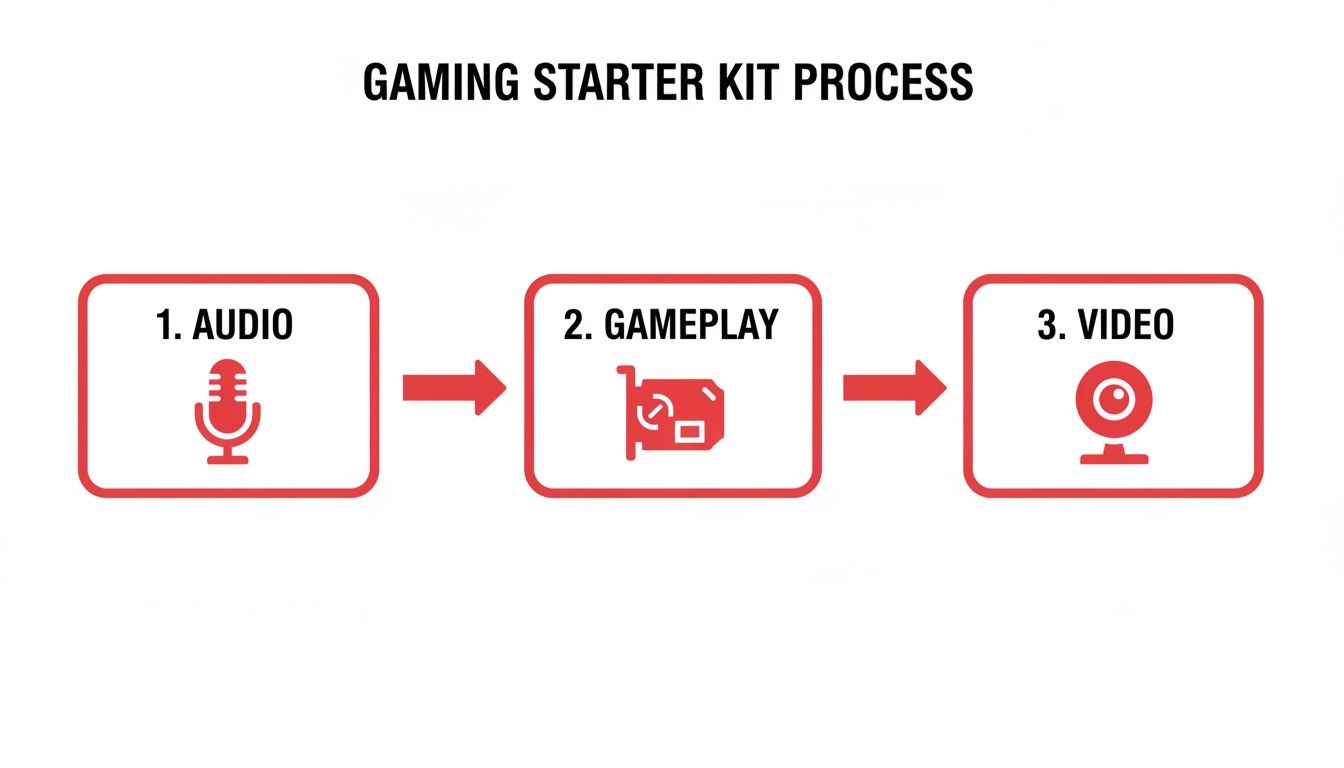
As you can see, you're essentially managing three main inputs—your voice, the game itself, and your facecam—that all need to come together seamlessly in the final video.
The Art of the Gaming Edit
Once you’ve captured your footage, the real magic begins. Editing for a gaming channel is its own unique skill, a mix of storytelling and quick, punchy cuts. Your main job is to mercilessly trim the fat and amplify the best moments to keep your audience glued to the screen.
I always start with a "rough cut." This is where I sync up my gameplay, facecam, and audio files and just start chopping out all the boring bits. Be ruthless. Get rid of loading screens, long stretches of silence, technical hiccups, or any gameplay where absolutely nothing is happening.
Your viewer’s time is your most valuable asset. If a segment doesn't entertain, inform, or move the story forward, cut it. A shorter, more dynamic video will always perform better than a long, meandering one.
After you have a lean rough cut, you can start layering in the personality and polish that will define your channel's style.
Essential Editing Tricks for Gamers:
- Hook Them Fast: The first 15-30 seconds are everything. Open with a killer moment—a hilarious fail, a dramatic clip from later in the video, or a quick, direct promise of what the viewer is about to see.
- Embrace Jump Cuts and Zooms: To keep the energy high, use jump cuts to slice out small pauses in your commentary. Add subtle zooms on your facecam to emphasize a reaction or to draw attention to something important you're saying.
- Add Music and Sound Effects: The right soundtrack sets the entire mood. Use a service like Epidemic Sound or Artlist to find royalty-free music that fits your vibe. Sprinkle in subtle sound effects—a "swoosh" for a transition or a "ding" for an achievement—to make your edits pop.
- Master the Montage: Facing a repetitive task like grinding for resources in a survival game? Don't bore your audience. Speed up the footage, lay some killer music over it, and turn it into a quick, energetic montage.
While a slick edit can save a video, having a solid plan from the start is even better. For more structured videos, learning how to write a script for YouTube videos can seriously level up your workflow and the quality of your final product. Over time, you'll develop a consistent editing style that becomes a signature of your brand, making your content instantly recognizable.
Getting Your Gaming Videos Discovered with YouTube SEO
Making a great video is only half the battle. The other, arguably more important half, is actually getting people to find and watch it. This is where YouTube SEO (Search Engine Optimization) becomes your best friend. It’s the art and science of sending the right signals to lead viewers straight to your content.
Without a smart SEO strategy, even the most epic gameplay highlight will just get lost in the noise. Millions of videos are uploaded every single day. You have to remember that YouTube isn't just a video platform; it's the second-biggest search engine on the planet. Your mission is to tell its algorithm exactly what your video is about so it can show it to the people who are actively searching for it.
Crafting the Perfect Video Title
Your video's title is the single most important piece of SEO real estate you own. It has to pull double duty: it needs to be packed with the right keywords for the algorithm while also being completely irresistible to a human scrolling through their feed.
Let's say you just pulled off a ridiculously hard challenge in Elden Ring.
- A bad title: "My Elden Ring Video." Way too generic. Nobody will ever find this.
- A slightly better title: "Elden Ring Malenia Boss Fight." It’s searchable, sure, but it's also boring and you'll be competing with thousands of identical titles.
- An excellent title: "How I FINALLY Beat Malenia Solo (No Summons Elden Ring Guide)." Now we're talking. This targets a super-specific search, includes the game's name, and sparks real curiosity.
The best titles usually merge a clear, searchable phrase with an emotional hook. They promise a solution, make people curious, or show off an achievement that makes them think, "I have to see how they did that."
Writing Descriptions That YouTube's Algorithm Actually Reads
The description box is your secret weapon for SEO, and it's shocking how many new creators completely ignore it. While viewers only see the first couple of lines without clicking "more," YouTube’s algorithm scans every single word to understand the context of your video.
Don't just cram a bunch of keywords in there. Write a natural-sounding paragraph or two that actually explains what's happening in the video, weaving in your main keywords and some related phrases along the way.
Think of your description as a mini-blog post for your video. The first 1-2 sentences are crucial. They should summarize the video's main point and include your primary keyword, instantly reassuring both the viewer and the algorithm that they're in the right place.
After that opening summary, you can pack in even more value:
- Timestamps: For longer videos, breaking them into chapters is a game-changer. It’s amazing for the viewer experience and can even get your video chapters listed directly in Google search results.
- Helpful Links: Drop in links to your social media, another related video on your channel, or any affiliate links for the gear or games you're featuring.
- Give Credit: If you used music or collaborated with another creator, always link out to them. It's just good practice.
Using Tags and Keywords the Smart Way
Tags are another signal you send to YouTube about your video's topic. While their importance isn't what it once was, they still help the algorithm categorize your content and suggest it alongside similar videos. The trick is to use a healthy mix of broad and very specific tags.
Here’s a simple way to think about it:
- Broad Tags:
gaming,video games,let's play - Specific Tags:
Baldur's Gate 3 build,BG3 Paladin guide,best Baldur's Gate 3 honor mode build - Channel Tags:
your channel name
This combination helps YouTube understand the big picture (gaming) and the super-specific niche (a particular build for a certain game mode). If you're just starting out, a great first step is learning some foundational strategies for finding powerful YouTube video keywords that people are actually typing into the search bar.
The Rise of AI in Channel Growth
Trying to manually optimize every single video can feel like a full-time job. Thankfully, modern AI toolkits can take a lot of that work off your plate. These tools are great for brainstorming click-worthy titles, optimizing descriptions, generating dozens of relevant tags, and even spying on what's working for your competitors.
The results speak for themselves. As of early 2025, top channels like PANDA BOI have skyrocketed to 56.3 million subscribers. Creators who zoned in on a specific game, like Typical Gamer with Fortnite, saw their hours-watched jump by an insane 121% to 31.5 million. It's proof that a strategic approach builds massive audiences. You can dive deeper into how these channels grew by exploring the latest gaming channel statistics.
At the end of the day, mastering YouTube SEO is about sending a clear, consistent message. When your title, description, tags, and the video itself are all aligned, you make it incredibly easy for YouTube to do its job: connecting you with the viewers who are out there waiting to discover your channel.
Growth Strategies That Work Beyond the Upload Button
Hitting “Publish” feels like the finish line, but in reality, it’s just the starting gun. If you think uploading a great video is all it takes, you're in for a long wait. To get real traction, you need to actively promote your content and build a community around it.
Think of your channel as the hub of your brand. The real work is building spokes from all corners of the internet that lead people back to it. You have to meet viewers where they already are and give them a good reason to click over to your channel.
Extend Your Reach to Other Platforms
Your audience isn't just sitting on YouTube waiting for your next video. They're scrolling TikTok on their lunch break, checking Twitter for gaming news, and hanging out in Discord servers with friends. You need to be there, too.
Each platform gives you a different angle to hook people in.
- TikTok and YouTube Shorts: These are absolute growth powerhouses. A single 60-second clip of a hilarious fail, a mind-blowing clutch, or a quick tip can go viral overnight, sending thousands of new people your way.
- Twitter (X): Perfect for firing off quick thoughts, sharing behind-the-scenes glimpses, and chatting directly with your followers and other creators. Running a quick poll asking what game you should play next is a simple, brilliant way to get people involved.
- Discord: Starting your own Discord server is a game-changer. It gives your most dedicated fans a clubhouse to connect with you and each other, turning them from passive viewers into a loyal community that's invested in your journey.
The trick is to avoid just spamming links. Post native content—a funny clip on TikTok, a screenshot of a wild in-game moment on Twitter—and then guide people to your main YouTube videos for the full story.
Build Your Community Brick by Brick
Your channel’s long-term survival depends entirely on your community. A strong community will stick with you through algorithm slumps, recommend your videos to their friends, and give you honest feedback. This all starts in your comment section.
Make it a habit to read, reply to, and heart as many comments as you can, especially in the early days. Pose questions in your videos to get the conversation started and pin the most insightful or hilarious replies. It's a small thing, but it makes people feel seen and valued.
Your first 100 true fans are more valuable than 10,000 passive viewers. Nurture those early relationships. They will become the foundation of your channel's growth and your most vocal advocates.
Another killer strategy for community building is collaboration. Teaming up with another creator in your niche is one of the fastest ways to cross-pollinate audiences. Find someone with a similar vibe and sub count, then cook up a video idea where you both get to shine. It's a win-win that introduces both of your communities to a new creator they'll probably love.
Analyze and Adapt with YouTube Analytics
Your YouTube Analytics dashboard is your secret weapon. It’s packed with data telling you exactly what’s working and what’s falling flat. Don't just obsess over the view count; dig into the metrics that really matter.
- Audience Retention: This graph is pure gold. It shows you the exact moment viewers are dropping off. Are your intros dragging on? Is there a boring segment that needs to be cut? This data helps you craft tighter, more engaging videos.
- Click-Through Rate (CTR): If your CTR is low (typically under 5%), it’s a big red flag that your titles and thumbnails aren’t grabbing attention. A/B test different styles and see what makes people click.
- Traffic Sources: This shows you how people are finding you. Is it through YouTube search? Suggested videos? Knowing this lets you double down on the strategies that are actually bringing people in.
By consistently promoting your work, engaging with your audience, and learning from your analytics, you create a powerful feedback loop. This turns growth from a game of chance into a repeatable strategy, transforming your passion for gaming into a channel that actually thrives.
Turning Your Passion into a Paycheck
Alright, you've got a growing community and people are consistently watching your videos. This is where things get really exciting. It’s time to start thinking about how to turn all that hard work into actual income. Monetizing a gaming channel is a huge step, but it’s not just about flipping a switch—it’s about building a real business around your content.
For most creators, the journey begins with the YouTube Partner Program (YPP). Think of it as your official entry into earning money directly from the platform through things like ad revenue.
Getting into the YouTube Partner Program
Before YouTube starts sharing ad money with you, they need to see you've built a genuine audience. The requirements are clear-cut, but they demand real dedication.
You'll need to hit two key milestones:
- 1,000 subscribers: This is the magic number that shows YouTube you have a core community that's invested in what you're doing.
- 4,000 valid public watch hours: This isn't just about views; it's about watch time, all racked up over the last 12 months. It proves people are sticking around and actually engaging with your content.
Once you cross both of those thresholds, you can apply. After YouTube gives you the green light, ads will start running on your videos, and you'll get a cut of the revenue. It's an incredible feeling to see that first dollar come in.
Why You Can't Rely on Ad Revenue Alone
Getting paid from ads is a fantastic start, but let me give you a piece of advice I wish I’d taken seriously sooner: don't stop there. Ad revenue can be a rollercoaster. It fluctuates wildly depending on the time of year, the advertisers, and YouTube's own algorithm.
Relying solely on ads is like trying to build a house on a single pillar. It's risky. The most successful creators build a diverse set of income streams to create stability.
Don't put all your eggs in the AdSense basket. Building multiple revenue streams is the single most important strategy for creating a resilient and profitable creator business that can weather any storm.
So, let's look at some of the best ways to build out your income beyond basic ads.
Smart Ways to Make Money as a Gamer
Once you're in the YPP, a whole new world of monetization tools opens up, both on and off YouTube. Here are the ones that really move the needle for gaming channels.
-
Channel Memberships: This is a game-changer. It lets your most dedicated fans support you with a small monthly fee in exchange for exclusive perks. Think custom emojis for the chat, members-only livestreams, or getting to see videos before anyone else. It builds an amazing inner circle and creates a predictable, recurring income stream.
-
Super Chats & Super Stickers: If you livestream, this is a must. Viewers can pay to make their message stand out in a busy chat. It’s a direct and fun way for them to show support, and it turns your live interactions into a real source of revenue.
-
Affiliate Marketing: This is such a natural fit for gamers. You can recommend the gear you already use—your mouse, your keyboard, your microphone—and earn a small commission when someone buys it through your unique link. It doesn't cost your audience anything extra, and it's an authentic way to earn by sharing products you genuinely believe in.
-
Merchandise: Once you've established your brand and have some inside jokes or catchphrases, selling your own merch can be a home run. We're talking t-shirts, hoodies, mugs, mousepads—you name it. Not only is it a great source of income, but it also strengthens your community and turns your viewers into walking billboards for your channel.
-
Brand Sponsorships: This is often the holy grail for creators. As your channel gets bigger, brands will start reaching out to you for sponsored videos or "brand deals." They’ll pay you to feature their game, product, or service in your content. These deals can be incredibly lucrative and often become the largest source of income for established channels.
Building a truly sustainable career from your gaming content means thinking like an entrepreneur. To dig deeper into all the possibilities, check out a comprehensive guide to content monetization and start planning your strategy. By weaving these different income streams together, you create a solid financial foundation that lets you focus on what you love: making awesome videos.
Answering the Big Questions for New Gaming Channels
Diving into the world of YouTube gaming always kicks up a storm of questions. Everyone starts with the same worries, wondering about everything from the right gear to how on earth you actually grow an audience. Let's clear up some of that confusion and tackle the most common questions head-on.
So, How Much Cash Do I Really Need to Start?
This is the big one, isn't it? The good news is, you can get started for $0. Seriously. If you already have a PC or a console that can play games, the barrier to entry is practically nonexistent.
You can get professional-level software for free. OBS Studio is the industry standard for recording and streaming, and it costs nothing. For editing, DaVinci Resolve offers a free version that's more powerful than most people will ever need.
Your first investment, when you're ready, should be a decent microphone. A good USB mic for under $50 will improve your quality more than a $500 camera ever could. Start lean, use what you've got, and let the channel's earnings fund future upgrades.
How Long Until I Can Actually Get Paid?
The magic numbers for the YouTube Partner Program (YPP) are 1,000 subscribers and 4,000 hours of watch time over the last 12 months. Getting there is a different journey for everyone. There’s no secret timeline.
Some creators get lucky with a viral hit and blow past these numbers in a few months. For most of us, though, it's a slow and steady climb that can take a year or even longer. It all comes down to consistency, the quality of your videos, and finding a real connection with your viewers. A channel that posts one fantastic, well-edited video a week will almost always get there faster than someone churning out low-effort daily content.
Don't obsess over the monetization finish line. Your real goal is to build a community and make videos you're genuinely proud of. If you focus on giving people something great to watch, the subs and watch hours will take care of themselves.
Do I Have to Show My Face on Camera?
Nope, not at all. It's a total myth that you need a facecam to be successful. While showing your face can definitely build a more personal connection with your audience, plenty of massive gaming channels have proven it's not a requirement. Their personality, voice, and gameplay are the stars of the show.
Think about some of the formats that work incredibly well without a camera:
- Skillful Montages: Let the gameplay do the talking with slick editing and great music.
- Deep-Dive Guides: Viewers are there for your knowledge, not to see your face.
- Video Essays & Storytelling: A compelling script and well-chosen footage are all you need.
This really just comes down to what you're comfortable with. Authenticity is what keeps viewers coming back, so do whatever allows you to be yourself.
Ready to stop guessing and start growing? ViewsMax provides the AI-powered tools and insights you need to optimize your videos, find the right keywords, and build a thriving gaming channel. Learn more about ViewsMax and how it can help your channel.
Leave a Reply