ViewsMax
Sign In Sign Up Free

Tag: video marketing

  • 10 Powerful Content Repurposing Strategies for YouTube Creators in 2026

    10 Powerful Content Repurposing Strategies for YouTube Creators in 2026

    Creating high-quality YouTube videos is only half the battle. The other half is ensuring your hard work reaches the widest possible audience. In a crowded creator economy, the secret to exponential growth isn't just producing more content—it's strategically multiplying the value of the content you already have. This is where mastering effective content repurposing strategies becomes a non-negotiable skill.

    By transforming a single long-form video into dozens of targeted assets, you can dominate multiple platforms, capture diverse audience segments, and build an unshakable brand presence without burning out. This approach allows you to connect with viewers who prefer reading blog posts, listening to podcasts, or scrolling through quick, impactful social media carousels. It's the ultimate method for working smarter, not harder, and is a foundational component for anyone serious about scaling your content marketing efforts and building a sustainable creative career.

    This guide goes beyond generic advice, offering 10 specific, actionable content repurposing strategies designed explicitly for YouTube creators. We will break down each strategy with step-by-step instructions, performance KPIs to track your success, and insights on how to leverage tools like ViewsMax to streamline your workflow and make data-driven decisions. You will learn precisely how to turn your videos into everything from bite-sized Shorts and audiograms to comprehensive blog posts and engaging email newsletters. Prepare to unlock the hidden potential in your existing video library and turn every upload into a powerful, multi-channel growth engine.

    1. Long-Form to Short-Form Video Conversion

    This foundational strategy involves mining your full-length YouTube videos for gold-nugget moments and repackaging them as compelling short-form content. By converting high-impact segments into vertical clips for YouTube Shorts, TikTok, and Instagram Reels, you create multiple new assets from a single piece of content, dramatically expanding your reach and attracting new audiences who may not have discovered your longer videos.

    Why It Works

    Short-form video algorithms prioritize high engagement and rapid consumption. This content repurposing strategy allows you to serve up the most exciting, informative, or entertaining parts of your content directly to these fast-paced feeds. Think of it as a trailer for your main channel; each Short acts as a low-commitment entry point that can drive viewers back to your primary, monetized content. It’s an efficient way to stay active across multiple platforms without creating entirely new videos from scratch.

    Key Insight: Don't just crop your horizontal video. Reframe and edit it for a vertical viewing experience, adding dynamic captions and focusing on a single, powerful idea to maximize impact in under 60 seconds.

    How to Implement This Strategy

    1. Identify High-Engagement Moments: Use ViewsMax's analytics to pinpoint sections in your long-form videos with the highest audience retention and engagement spikes. These are proven moments that resonate with viewers.
    2. Clip and Reformat: Extract 3-5 of these key moments. Use editing software or YouTube Studio’s "Edit into a Short" feature to reformat them into a 9:16 vertical aspect ratio.
    3. Add Value: Enhance each clip with bold, easy-to-read captions, as most short-form content is viewed without sound. Consider adding a new hook or a concluding call-to-action that’s relevant to the short-form platform.
    4. Optimize and Schedule: Use ViewsMax to generate platform-specific titles, descriptions, and relevant hashtags (#shorts, #youtubeshorts). Schedule the clips to post over several days or weeks following the main video's launch to sustain momentum. For more specific tactics, you can learn how to get more views on YouTube Shorts and apply those principles here.

    2. Video to Blog Article Transcription

    This content repurposing strategy transforms your spoken video content into a powerful, text-based asset that can capture an entirely new audience through search engines. By transcribing your video and expanding it into a comprehensive blog article, you create a resource that is discoverable on Google, driving organic traffic back to your website and, in turn, your YouTube channel.

    A top-down view of a workspace with a laptop, headphones, open book, and plant, featuring the text 'Video To Article'.

    Why It Works

    While YouTube is the world's second-largest search engine, Google remains the first. A blog post allows you to compete for long-tail keywords and capture users who prefer reading over watching. This method doubles your content's visibility, positioning you as an authority in your niche across different platforms. For instance, learning how to turn a webinar into a blog post can effectively convert your video content into valuable written assets. Channels like Wistia use this approach to turn video tutorials into resource articles that rank for key search terms.

    Key Insight: Don’t just copy and paste your transcript. Enhance the article with 20-30% new information, including deeper explanations, additional examples, or related resources, to provide unique value that makes the blog post a standalone piece of content.

    How to Implement This Strategy

    1. Transcribe Your Video: Use an automated service like Otter.ai or Rev for a quick transcription, or use the auto-generated transcript from YouTube. Manually clean up the text for accuracy, grammar, and readability.
    2. Structure and Expand: Organize the transcript into a logical blog post format with H2 and H3 headings. These headings should correspond to the main talking points or chapters from your video. Flesh out each section with more detail.
    3. Optimize for SEO: Use ViewsMax's keyword tools to identify relevant long-tail keywords for your article's title, headers, and meta description. This will help you rank higher in search results. Having a well-structured script from the start makes this process much easier; you can learn more about how to write a script for YouTube videos to streamline this workflow.
    4. Embed and Interlink: Embed the original YouTube video prominently within the blog post, usually near the top. Add timestamps throughout the article that link directly to specific moments in the video, creating a seamless experience for the reader.

    3. Compilation & Behind-the-Scenes Community Repurposing

    This content repurposing strategy serves two powerful functions: bundling your best existing content into high-value compilations and building a deeper connection with your audience through authentic behind-the-scenes material. By creating thematic highlight reels, "best of" videos, or seasonal roundups, you give evergreen content a new lease on life. Simultaneously, sharing outtakes, bloopers, or production insights via Community posts and Shorts fosters a loyal following.

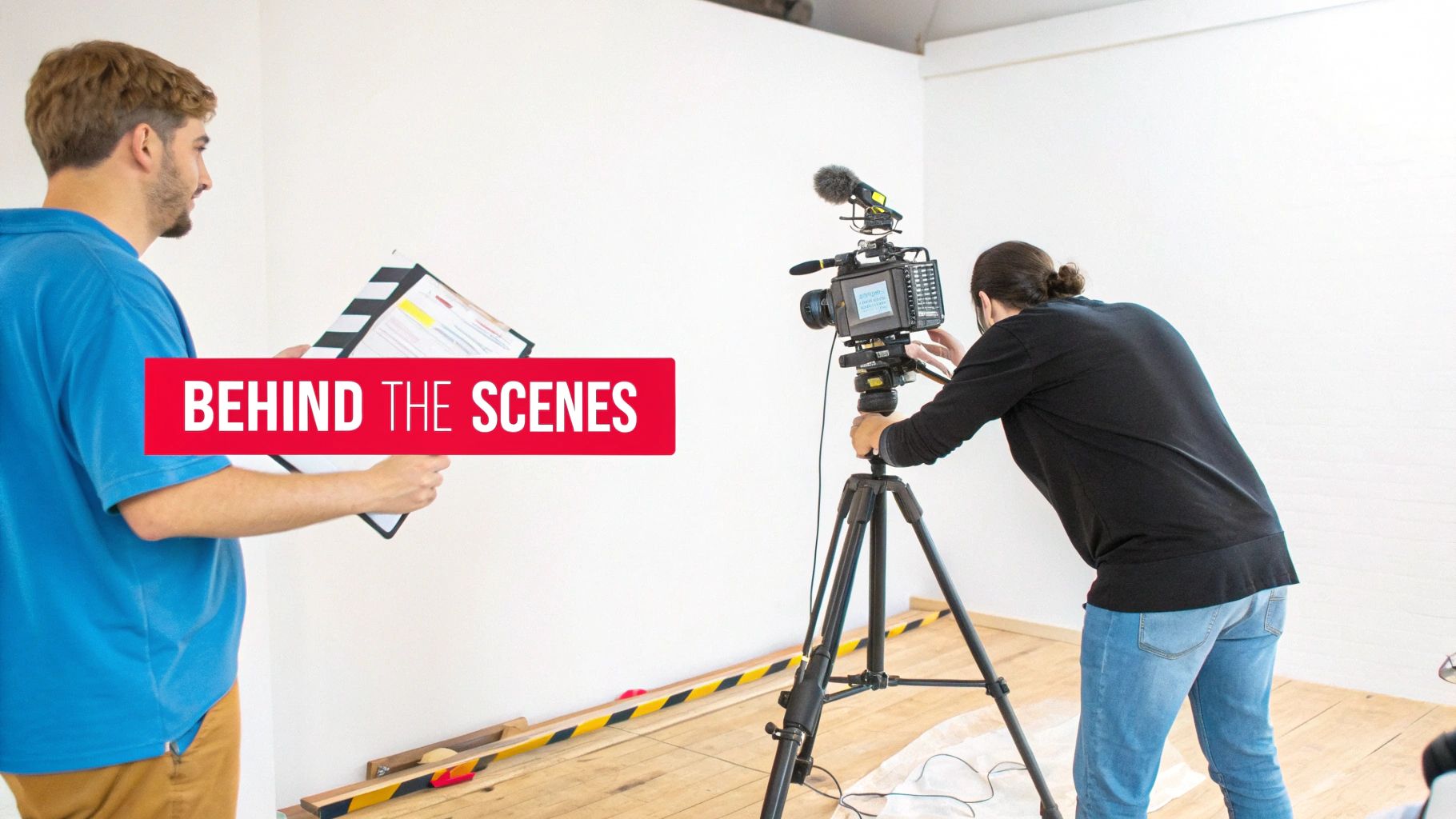
    Two people film a video production, one holding a clapperboard, the other adjusting a professional camera on a tripod, behind the scenes.

    Why It Works

    Compilation videos are incredibly effective because they deliver concentrated value, packaging your most impactful moments into one convenient, binge-worthy format. They appeal to both new viewers looking for a quick overview and existing fans who enjoy reliving highlights. Behind-the-scenes content works by humanizing your brand and making your audience feel like insiders. This exclusive access strengthens community bonds, which is a key driver for long-term channel growth.

    Key Insight: Treat compilations as new, standalone pieces of content. Add unique intros, commentary, and updated graphics to provide fresh value rather than just stitching old clips together.

    How to Implement This Strategy

    1. Identify Compilation Themes: Analyze your top-performing videos in ViewsMax to find common themes, popular topics, or recurring questions. Group 3-5 related videos to form a cohesive compilation like "My Top 5 Tips for…" or "Best Moments of 2024."
    2. Edit and Enhance: Assemble the clips and add a new introduction explaining the compilation's value. Use YouTube Chapters to allow viewers to navigate the video easily. Add new outros with a clear call-to-action.
    3. Capture BTS Content: Make it a habit to record short, raw clips on your phone during every shoot. Create a "footage bank" to pull from for Community posts, Shorts, and Reels. This content doesn't need to be polished; authenticity is the goal.
    4. Engage the Community: Use ViewsMax to schedule Community posts with behind-the-scenes photos, polls, and short video outtakes 3-5 times a week. This consistent engagement keeps your channel active between major uploads and can be a fantastic way to learn how to get more subscribers by turning casual viewers into dedicated fans.

    4. Podcast and Audio Conversion Strategy

    This strategy involves extracting the audio from your YouTube videos to create standalone podcast episodes. By distributing this audio content on platforms like Spotify, Apple Podcasts, and Google Podcasts, you tap into an entirely new audience that prefers to consume content while multitasking, commuting, or exercising. This expands your brand's reach beyond visual media and into the rapidly growing audio-first ecosystem.

    Why It Works

    Many viewers already listen to YouTube videos in the background, treating them like podcasts. This content repurposing strategy formalizes that behavior, offering a dedicated, user-friendly audio experience. It allows you to reach your audience in moments where watching a video isn't possible, such as during a drive or a workout. For content formats like interviews, lectures, or deep-dive discussions, the audio is often the most valuable component, making it a perfect fit for a podcast format without losing significant value.

    Key Insight: Don't just rip the audio and upload. Add a podcast-specific intro and outro to welcome your audio listeners and guide them back to your YouTube channel for supplemental visual content or to join your community.

    How to Implement This Strategy

    1. Select Audio-Friendly Videos: Identify videos where the visual component is not essential. Prime candidates include interviews, expert panels, storytelling videos, educational lectures, and commentary-style content.
    2. Extract and Polish the Audio: Use audio editing software to extract the audio track from your video file. Clean it up by removing visual-specific phrases (e.g., “as you can see on the screen”) and improving sound quality with equalization and compression.
    3. Package for Podcast Platforms: Create podcast-specific assets, including an introduction, an outro, and cover art. The intro should briefly introduce your channel and the episode's topic.
    4. Publish and Promote: Use a podcast hosting service to distribute your episode to major directories like Spotify and Apple Podcasts. In the podcast show notes, include timestamps and a direct link back to the original YouTube video for a complete, cross-platform experience. You can use ViewsMax to identify which video topics have the highest engagement, signaling they would perform well as audio episodes.

    5. Social Media Quote and Carousel Post Creation

    This strategy involves extracting the most potent quotes, statistics, and actionable insights from your video and transforming them into visually appealing graphics. By creating branded quote cards and multi-slide carousel posts for platforms like Instagram, LinkedIn, and Pinterest, you convert spoken words into highly shareable, static content that reinforces your message and drives traffic back to your YouTube channel.

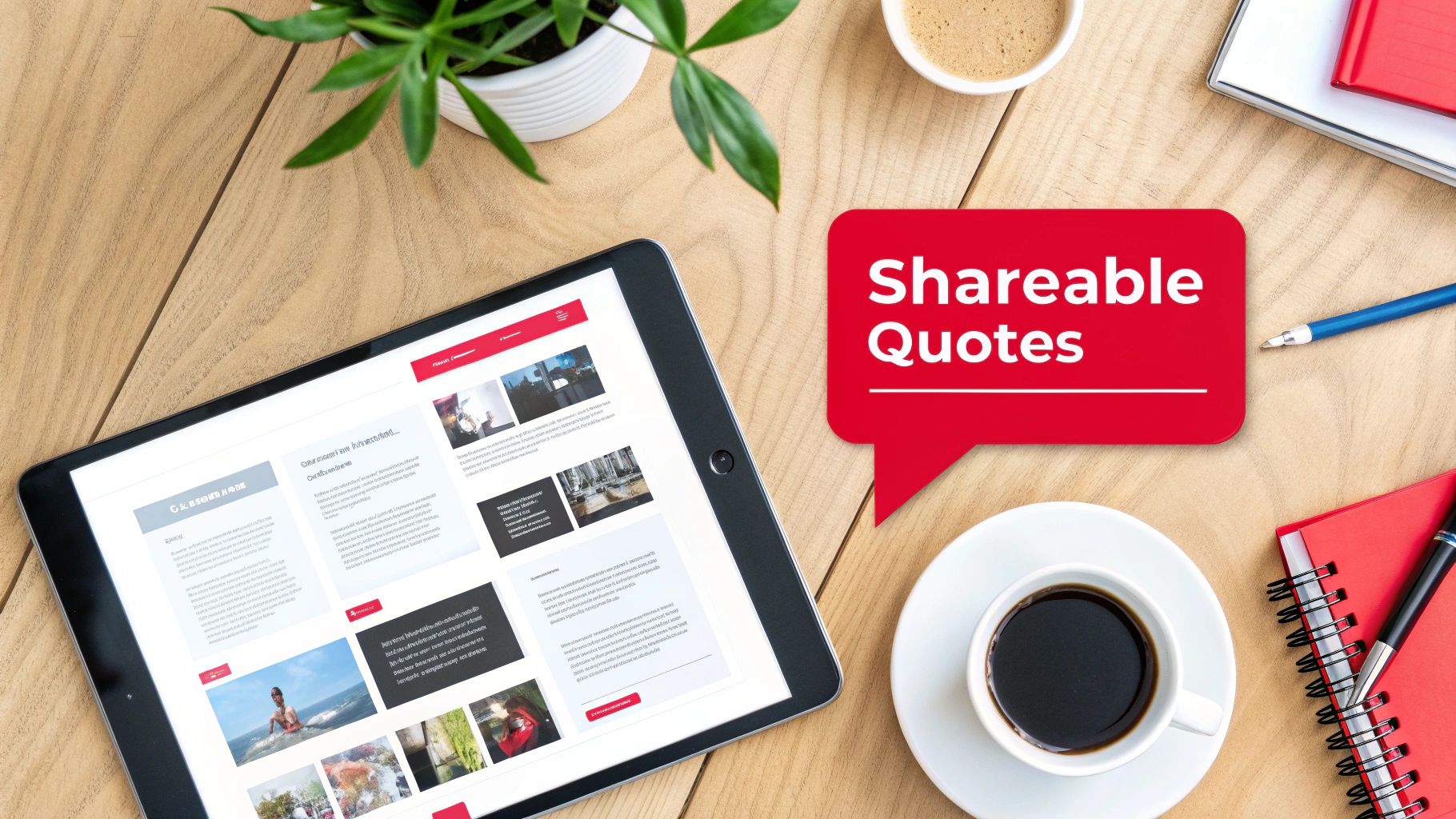
    Flat lay of a wooden desk with a tablet, coffee, and a red speech bubble displaying 'Shareable Quotes'.

    Why It Works

    Static graphics are incredibly versatile and easily consumed, making them perfect for platforms where users scroll quickly. A powerful quote or a compelling statistic can stop a user mid-scroll and deliver immediate value. Carousel posts take this further by creating a mini-narrative, encouraging users to swipe through a series of connected tips or steps. This form of content repurposing establishes you as a thought leader and gives your audience easily digestible, savable, and shareable assets that keep your brand top-of-mind.

    Key Insight: Don't just paste text onto a background. Design templates that reflect your brand's visual identity. A well-designed graphic is not just a piece of information; it’s a brand ambassador that lives on through shares and saves.

    How to Implement This Strategy

    1. Mine for Memorable Moments: Review your video transcript to identify 5-10 key takeaways. Look for motivational statements, surprising statistics, actionable tips, or controversial opinions that can stand alone and spark curiosity.
    2. Design Branded Templates: Use tools like Canva or Adobe Express to create a set of consistent, branded templates for quote cards and carousels. Ensure your YouTube channel handle or logo is subtly included on every graphic.
    3. Create and Contextualize: For carousels, break down a process or list from your video into a step-by-step format across multiple slides. In the post caption, provide context and a clear call-to-action, such as "Watch the full video for a deep dive on this topic! Link in bio."
    4. Optimize for Each Platform: Use ViewsMax to craft compelling captions that tie back to your video's core themes. Tailor your hashtags for each platform (e.g., use #LinkedIn for professional insights, #Instagram for visual appeal) to maximize the reach of these valuable content repurposing strategies. Schedule these graphics to post over several weeks to continuously promote the original video.

    6. Email Newsletter and Lead Magnet Repurposing

    This strategy transforms your video content into valuable assets designed to build and nurture an email list, one of your most important owned marketing channels. By converting your video’s core concepts into downloadable lead magnets like checklists, guides, or templates, you can offer tangible value in exchange for a viewer’s email address. This moves your audience from a rented platform like YouTube to a direct line of communication you control.

    Why It Works

    An email list is a powerful asset, immune to the whims of platform algorithms. This content repurposing strategy creates a direct path for your most engaged viewers to become loyal subscribers. Offering a high-value, downloadable resource that complements your video content incentivizes sign-ups and deepens the relationship. It's an excellent way for educators, coaches, and brands to generate leads, segment their audience by interest, and eventually promote products or services.

    Key Insight: The most effective lead magnets solve a specific problem mentioned in your video. Instead of just summarizing the content, create a practical tool (like a checklist or workbook) that helps viewers implement what they just learned.

    How to Implement This Strategy

    1. Identify Lead Magnet Opportunities: Review your top-performing videos. Look for content that teaches a process, offers a list of tips, or provides a framework. These are perfect candidates for a downloadable PDF checklist, guide, or workbook. For example, a video on "10 Tips for Better Thumbnails" could become a "Thumbnail Design Checklist" PDF.
    2. Create and Gate the Asset: Design a simple, branded PDF. Use a service like ConvertKit or Mailchimp to create a landing page where viewers can enter their email to receive the download automatically. Mention and link to this landing page in your video description, pinned comment, and end screen.
    3. Develop a Nurture Sequence: Set up an automated welcome email series for new subscribers. The first email should deliver the promised lead magnet. Subsequent emails can share links to related videos, offer exclusive tips, or introduce your paid products, adding further value and keeping your audience engaged.
    4. Optimize the Funnel: Use ViewsMax to identify which of your video topics generate the most interest, helping you decide which lead magnets to create next. Track your landing page conversion rates and email open rates to refine your value proposition and subject lines for maximum effectiveness.

    7. Webinar and Live Stream Conversion

    This powerful strategy involves transforming your existing on-demand video library into live, interactive events like webinars or converting past live streams into structured courses. By repurposing high-value video content for a live audience, you create premium, synchronous experiences that drive deeper engagement and open new monetization channels beyond standard ad revenue.

    Why It Works

    Webinars and live workshops create a sense of urgency and exclusivity that pre-recorded videos cannot replicate. This content repurposing strategy allows you to leverage your proven, evergreen content as a foundation for a high-touch, interactive event. It’s perfect for educators, coaches, and brands who want to build a stronger community, generate qualified leads, or sell premium products and services directly to an engaged audience. The live format justifies a higher price point and provides valuable, direct feedback from your most dedicated followers.

    Key Insight: The value of a webinar isn't just the information, which may already exist on your channel, but the live access to you. Focus on interactive elements like Q&A sessions, live polls, and breakout discussions to make the experience unique and justify attendance.

    How to Implement This Strategy

    1. Identify High-Demand Topics: Use ViewsMax analytics to find videos with high watch time, strong engagement, and recurring questions in the comments. These are prime candidates for a deeper, live exploration.
    2. Structure the Live Event: Outline a webinar flow that expands upon your original video. Create new slides, add updated examples, and prepare bonus materials like checklists or templates exclusively for attendees.
    3. Promote and Capture Leads: Create a dedicated registration page that clearly outlines the value of attending live versus just watching the YouTube video. Use your channel and other social platforms to drive sign-ups, treating your original video as a lead magnet for the event.
    4. Repurpose the Recording: After the live event, edit the recording to create new assets. You can offer it as a premium on-demand course, clip the best Q&A moments for YouTube Shorts, or post a condensed version back on your main channel to promote future webinars. This is one of the most effective content repurposing strategies for creating a self-sustaining content ecosystem.

    8. Interactive Quiz and Assessment Content

    This advanced strategy transforms your educational or advice-driven video content into an engaging, two-way experience. By converting key lessons or concepts from your videos into interactive quizzes or assessments, you create a powerful tool that not only educates your audience but also captures valuable insights and drives deeper engagement with your channel.

    Why It Works

    Interactive content shifts the viewer from a passive consumer to an active participant. Quizzes and assessments gamify the learning process, making it more memorable and enjoyable. This approach boosts viewer retention and reinforces your authority on a topic. It also provides a unique opportunity to gather audience data, helping you understand knowledge gaps and interests, which can directly inform your future content calendar. Finance, personal development, and skill-based channels excel with this method.

    Key Insight: Design quizzes where incorrect answers link directly to the specific timestamp in your video that explains the concept. This closes the learning loop and drives viewers back to your content with a clear purpose.

    How to Implement This Strategy

    1. Identify "Testable" Content: Review your top-performing educational videos. Pinpoint core concepts, key takeaways, or step-by-step processes that can be broken down into 5-10 clear questions.
    2. Build the Quiz: Use a third-party tool like Typeform, Google Forms, or a dedicated quiz builder to create your assessment. For each question, craft a clear prompt with multiple-choice answers based on your video's content.
    3. Integrate with Your Video: Promote the quiz within your YouTube video using interactive cards, end screens, or a prominent link in the description. You can embed it on your website and direct traffic there for a more controlled experience.
    4. Personalize the Results: Create a results page that doesn't just show a score. Offer personalized feedback and recommend specific follow-up videos from your channel based on the user's answers, creating a customized content journey. ViewsMax can help you identify related videos with high engagement to recommend.

    9. Affiliate Marketing and Product Round-Up Content

    This strategy transforms your existing product reviews, recommendations, and comparison videos into monetized written content. By creating affiliate-focused articles, detailed round-ups, and dedicated resource pages, you can generate a new revenue stream from the research and opinions you’ve already shared in your videos, capturing audiences who prefer to read and compare products before purchasing.

    Why It Works

    Many viewers watch product reviews as part of their buying journey and often search for written guides to compare features and prices. This content repurposing strategy meets them where they are, providing tangible value while earning you a commission. It establishes your authority beyond video and creates evergreen assets that can generate passive income long after a video is published. It’s a powerful way to monetize your expertise without creating new video content.

    Key Insight: Don't just list products. Structure your round-ups to solve a specific problem or cater to a particular user type (e.g., "Best Vlogging Cameras Under $500," "Top Productivity Tools for Solo Creators"). This targeted approach drives higher-intent traffic and conversions.

    How to Implement This Strategy

    1. Catalog Your Product-Related Videos: Identify all your videos that feature product reviews, recommendations, or tutorials. These are your source materials for creating affiliate content.
    2. Structure the Round-Up or Guide: Outline a blog post or resource page based on a high-intent keyword like "best," "review," or "comparison." Transcribe key points from your videos and organize them into a coherent, easy-to-read format. For example, a tech review channel can compile multiple camera reviews into a "Best Cameras for YouTube in 2024" guide.
    3. Integrate Affiliate Links and Disclosures: Sign up for affiliate programs for the products you recommend. Embed your unique affiliate links naturally within the text and add a clear, prominent disclosure statement at the beginning of the article to comply with FTC guidelines.
    4. Optimize for SEO and Promote: Use ViewsMax to identify high-performing keywords from your video titles and descriptions and incorporate them into your article's headings and body text. Promote the new resource page in the descriptions of your relevant YouTube videos and share it with your email list.

    10. LinkedIn and B2B Professional Content Adaptation

    This strategy involves adapting your YouTube content for a professional B2B audience on LinkedIn. By transforming video insights into polished articles, data-rich carousels, and detailed case studies, you can reposition your expertise to capture high-value professional opportunities, build authority in your niche, and engage with industry decision-makers directly on their preferred platform.

    Why It Works

    LinkedIn is a hub for professional development, industry networking, and B2B lead generation. Unlike entertainment-focused platforms, its users actively seek valuable, data-driven insights to solve business challenges. This content repurposing strategy allows you to meet this demand by presenting your video content in formats native to the platform, such as in-depth articles and digestible carousels. This establishes you as a thought leader, driving relevant traffic not just to your YouTube channel but also to your professional services or products.

    Key Insight: Don't just share a link to your YouTube video. Natively publish the core concepts as a LinkedIn article or carousel, adapting the tone and depth to a professional audience that values actionable frameworks and tangible results over pure entertainment.

    How to Implement This Strategy

    1. Identify B2B-Relevant Videos: Review your YouTube library for content covering business strategies, case studies, tutorials, or professional development topics. Videos with clear frameworks or step-by-step processes are ideal candidates.
    2. Choose the Right Format: For a deep dive, convert your video script into a 1,500-word LinkedIn article, enriching it with data, charts, and professional language. For a scannable, high-impact piece, turn a multi-point framework from your video into a PDF carousel document.
    3. Adapt and Enhance for Professionals: Rewrite the content with a more formal, authoritative tone. Focus on business outcomes, ROI, and actionable takeaways. Remove casual slang and add industry-specific terminology to demonstrate expertise.
    4. Optimize for LinkedIn's Algorithm: Publish your content during peak business hours (Tuesday-Thursday mornings). Tag relevant companies, influencers, and industry groups to expand your reach. End your post with a thought-provoking question to encourage comments and drive engagement.

    10-Strategy Content Repurposing Comparison

    Repurposing Strategy 🔄 Complexity ⚡ Resources & Speed ⭐ Expected Outcomes 📊 Ideal Use Cases 💡 Key Advantages / Tips
    Long-Form to Short-Form Video Conversion Medium — editorial selection + platform-specific edits Low–Medium — simple cuts & templates; fast turnaround ⭐⭐⭐ High reach & posting frequency; potential subs growth Creators with 10–60 min high-engagement videos for Shorts/Reels/TikTok 💡 Test 3–5 clips per video; preserve core branding; stagger releases
    Video to Blog Article Transcription Medium–High — transcription + SEO rewriting Medium — editing and SEO time; slower than clips ⭐⭐⭐ Evergreen organic traffic and SEO authority Tutorials, deep-dive explainers, evergreen educational content 💡 Add 20–30% new value; optimize headers & meta; embed video
    Compilation & Behind-the-Scenes Repurposing Medium — curation and narrative flow editing Medium — leverages unused footage; moderate edit time ⭐⭐⭐ Extended watch time and stronger audience loyalty Gaming, podcasts, vlogs with ample outtakes/BTS 💡 Use chapters/playlists; collect BTS during shoots; add unique intros
    Podcast and Audio Conversion Strategy Low–Medium — audio extraction + metadata creation Low — quick if audio is clean; aggregator distribution simple ⭐⭐⭐ Expands reach to audio-first audiences; new monetization Interviews, commentary, lecture-style videos 💡 Remove visual cues, add intros/outros, include show notes & CTAs
    Social Media Quote & Carousel Post Creation Low — design + selective copywriting High — fast with templates (Canva, etc.) ⭐⭐⭐ Shareable brand touchpoints; traffic drivers to channel Thought leadership, motivational, business, educational creators 💡 Extract 5–10 quotes per video; keep on-brand visuals; include CTA
    Email Newsletter & Lead Magnet Repurposing Medium — content structuring + funnel setup Medium — requires email platform & automation ⭐⭐⭐ High LTV and owned-audience growth; strong conversion paths Course creators, coaches, businesses building funnels 💡 Gate high-value assets, automate delivery, segment lists for relevance
    Webinar & Live Stream Conversion High — live tech, interactivity, registration funnels Low–Medium — prep time and platform costs; intensive per event ⭐⭐⭐ High engagement, lead generation, and premium monetization High-demand training topics, product launches, coaching offers 💡 Offer exclusives, add polls/Q&A, record sessions for on-demand reuse
    Interactive Quiz & Assessment Content High — design, platform integration, testing Low after build — initial heavy lift, reusable assets ⭐⭐⭐ Very strong engagement and first‑party data capture Educational series, diagnostics, lead-generation content 💡 Keep quizzes short (5–10 Q); link incorrect answers to video segments
    Affiliate Marketing & Product Round-Up Content Medium — content creation + link/tracking upkeep Medium — ongoing updates and tracking required ⭐⭐⭐ Passive revenue from purchase-intent traffic if executed well Tech, beauty, gear reviews, productivity/tool recommendations 💡 Disclose affiliates, use tracking UTMs, focus on high-intent keywords
    LinkedIn & B2B Professional Content Adaptation Medium — tone/style adaptation and case-study creation Medium — rewrite + imagery for professional formats ⭐⭐⭐ Builds thought leadership, B2B leads and partnership opportunities Marketing, SaaS, consulting, leadership and HR-focused creators 💡 Publish long-form articles & carousels, use data-driven insights, post weekdays

    From Content Creator to Content Strategist

    The journey from a single, well-crafted YouTube video to a comprehensive, multi-platform content ecosystem is no longer a luxury reserved for large media companies; it's an essential strategy for sustainable growth. Throughout this guide, we've explored ten distinct and powerful content repurposing strategies, moving far beyond the simple act of re-uploading clips. You now have a blueprint to transform your core video assets into everything from engaging blog posts and SEO-rich transcripts to captivating social media carousels, insightful newsletters, and professional B2B articles.

    The fundamental shift is one of mindset. Every video you produce is not a final destination. Instead, think of it as a central hub, a primary asset from which countless other pieces of valuable content can radiate, each tailored to a specific platform and audience segment. This approach shatters the relentless cycle of the content treadmill, where the pressure to constantly create something new from scratch leads to burnout.

    Key Takeaways: From Theory to Actionable Workflow

    Mastering content repurposing means you stop trading time directly for content volume and start investing it in scalable systems. The true value lies not in just doing more, but in making what you've already done work harder and smarter for you.

    Here are the most critical takeaways to integrate into your workflow immediately:

    • Value Maximization: The core principle is to extract every ounce of value from the time, energy, and resources you invest in producing your primary long-form videos. Don't let your hard work have a single, fleeting moment in the spotlight.
    • Audience Expansion: Repurposing allows you to meet your audience where they are. The person who discovers you through a 60-second TikTok might never have watched your 20-minute YouTube deep dive, but now they have a pathway to your channel. Conversely, a professional who finds your article on LinkedIn can be introduced to your more dynamic video content.
    • SEO and Discoverability: By converting video to text (blog posts, transcripts, show notes), you create a wealth of indexable content. This significantly boosts your chances of being discovered through search engines like Google, which remains a massive traffic source for many creators.
    • Reinforced Authority: Consistently appearing across multiple platforms with high-quality, relevant content solidifies your authority. You are no longer just a "YouTuber"; you become a recognized expert in your niche, building trust and credibility that transcends a single channel.

    Your Next Steps: Building a Repurposing Engine

    Feeling overwhelmed by the possibilities is normal. The key is to start small and build momentum. Don't try to implement all ten strategies at once. Instead, take a methodical approach.

    1. Conduct a Content Audit: Use your YouTube Analytics to identify your top-performing videos from the last 6-12 months. Which ones had the highest watch time, engagement, or generated the most subscribers? These are your prime candidates for repurposing.
    2. Select Two Strategies: Choose just two strategies from this list that feel most natural for your content and where you believe your audience spends their time. For a gaming channel, this might be Long-Form to Short-Form Video and Compilation & Behind-the-Scenes. For a business coach, it might be Video to Blog Article and LinkedIn Content Adaptation.
    3. Establish a Simple Workflow: Document the steps. For example: "For every new video published on Tuesday, I will create three short-form clips by Friday and schedule one blog post for the following Monday." Use tools to streamline this process wherever possible.
    4. Measure and Iterate: Track the performance of your repurposed content. Are your audiograms driving podcast listens? Are your blog posts ranking for new keywords? Use this data to refine your approach, doubling down on what works and adjusting what doesn't.

    By embracing these content repurposing strategies, you make a deliberate transition. You move from being a creator who is constantly chasing the next video idea to a savvy content strategist who is building a resilient, interconnected brand. This is how you create a lasting digital footprint that grows, engages, and converts long after you hit "publish."


    Ready to streamline your entire content lifecycle, from ideation to repurposing? ViewsMax is designed to help you manage your YouTube workflow, optimize your metadata for maximum reach, and identify the best videos to use for your content repurposing strategies. Start making smarter content decisions and build your content engine by exploring the tools at ViewsMax today.

  • Top 10 YouTube Thumbnail Best Practices to Explode Your CTR in 2026

    Top 10 YouTube Thumbnail Best Practices to Explode Your CTR in 2026

    In the crowded landscape of YouTube, your thumbnail is the single most critical factor determining whether a viewer clicks on your video or scrolls past. It’s a digital billboard competing for attention against millions of others, and getting it right is a science blending psychology, design, and data analysis. A high-performing thumbnail can dramatically increase your Click-Through Rate (CTR), signaling to the YouTube algorithm that your content is valuable and deserves wider promotion. A great thumbnail doesn't just earn a click; it starts a chain reaction that fuels channel growth.

    This comprehensive guide breaks down the top 10 YouTube thumbnail best practices that elite creators use to consistently win the click. We will move beyond generic advice like "use bright colors" and provide you with actionable frameworks, real-world examples, and the strategic thinking needed to turn your thumbnails from a mere afterthought into your channel's most powerful growth engine. Think of each thumbnail as a meticulously crafted advertisement for the valuable content behind it.

    You will learn exactly how to:

    • Master color contrast and emotional triggers using strategic facial expressions.
    • Implement a robust A/B testing system to let data guide your design choices.
    • Optimize for mobile viewing and ensure your text is instantly readable on any screen.
    • Develop consistent branding that makes your content immediately recognizable.

    From leveraging psychological triggers to avoiding the pitfalls of deceptive clickbait, these practices will equip you with the skills to create thumbnails that don't just look good-they get results. Let's dive into the strategies that separate stagnant channels from the fastest-growing creators on the platform.

    1. High Contrast and Bold Colors

    In the fast-paced, visually dense environment of YouTube, your thumbnail’s primary job is to interrupt a viewer’s scroll. The most effective way to achieve this is through the strategic use of high contrast and bold colors. This principle isn't just about making things bright; it's a core component of effective visual communication that ensures your thumbnail is legible and eye-catching, even at the minuscule size it appears on a mobile feed. High contrast designs create an immediate visual hierarchy, guiding the viewer's eye exactly where you want it to go.

    A person uses a tablet with a stylus on a wooden desk. A 'High Contrast' text box is visible.

    This technique is one of the most fundamental youtube thumbnail best practices because it directly impacts a video's click-through rate (CTR). Think of creators like MrBeast, who masterfully pairs vibrant yellows and reds against deep, dark backgrounds. Similarly, tech channels like Linus Tech Tips often leverage the classic complementary pairing of orange and blue to create a distinct and instantly recognizable visual signature. The goal is to create a powerful "pop" that separates your thumbnail from the sea of competing content.

    Actionable Tips for Implementation

    To apply this principle effectively, follow these specific guidelines:

    • Limit Your Palette: Stick to a maximum of two to three dominant colors. Overloading a thumbnail with too many colors creates visual noise and reduces its impact.
    • Isolate Your Subject: To make your subject stand out and create high visual impact, consider leveraging powerful background removal tools to isolate your main subject and create striking visual separation. This allows you to place a crisp, clear image against a simple, high-contrast backdrop.
    • Utilize Complementary Colors: Use a color wheel to find complementary colors (those opposite each other), such as blue and orange, red and green, or purple and yellow. These pairings are naturally high in contrast and are very pleasing to the eye.
    • Test for Legibility: Before publishing, shrink your thumbnail down to the size of a smartphone screen (roughly 320×180 pixels) to ensure it's still clear and compelling. If you can’t make out the details, your audience won’t be able to either.
    • Check Accessibility: Use a free online contrast checker to ensure your text and key elements meet Web Content Accessibility Guidelines (WCAG). This not only helps viewers with visual impairments but also guarantees your design is clear for everyone.

    2. Strategic Face Expression and Emotion

    Humans are instinctively drawn to faces. This hardwired trait makes featuring a human face, especially one showing a strong emotion, one of the most powerful tools in your thumbnail design arsenal. A thumbnail displaying a genuine and often exaggerated emotional expression, such as shock, excitement, or curiosity, creates an immediate emotional connection with the viewer. This connection piques their interest and generates a "curiosity gap," compelling them to click to understand the story behind the reaction.

    Close-up of a surprised man with wide eyes and open mouth, wearing a red hoodie, with text 'Genuine Reaction'.

    This technique is a cornerstone of modern youtube thumbnail best practices, famously popularized by creators like MrBeast, whose wide-eyed, open-mouthed expressions have become iconic. Similarly, beauty gurus like Nikkie Tutorials leverage dramatic looks of joy or surprise to sell the impact of a product. The key is authenticity; viewers are adept at spotting forced expressions, which can cheapen the content. The goal is to convey an emotion that accurately reflects the video's most impactful moment, inviting the audience to share in that experience.

    Actionable Tips for Implementation

    To effectively integrate emotional faces into your thumbnails, apply these targeted strategies:

    • Capture Authentic Reactions: Plan to capture your thumbnail photo during your video recording. Pause and capture your genuine reaction immediately after a surprising or exciting moment in your content.
    • Prioritize Facial Clarity: Ensure your face occupies a significant portion of the thumbnail, ideally between 40% and 60%. The expression needs to be clearly visible and easily interpreted, even on small mobile screens.
    • Establish Eye Contact: A direct gaze toward the camera can create a strong connection with the viewer. Alternatively, directing your gaze toward another key element in the thumbnail can guide the viewer's attention.
    • Test for Small-Screen Readability: Before publishing, shrink your thumbnail to mobile size. If the emotion is lost or the face becomes unclear, you need to adjust the framing or expression.
    • Analyze Performance: Track the click-through rates (CTR) of thumbnails with different emotional expressions. Over time, you'll discover which emotions resonate most effectively with your specific audience.

    3. Strategic Text Overlay and Typography

    Beyond compelling imagery, a well-placed text overlay is one of the most powerful tools for communicating a video's value proposition instantly. Strategic typography acts as a direct headline, answering the viewer's unspoken question: "Why should I click this?" It clarifies the video's core premise, poses a tantalizing question, or highlights a key outcome, all before the viewer even reads the title. This technique is about creating an immediate information hook that complements the visual narrative.

    A man with a beard being filmed by a camera, standing next to a red sign with 'BOLD TYPOGRAPHY'.

    This is a cornerstone of modern youtube thumbnail best practices because it drastically reduces viewer ambiguity and boosts click-through rates. Channels like MrBeast have built empires on this principle, using short, capitalized text like "LAST TO LEAVE" or "$1 VS $1,000,000" to create immediate intrigue. Similarly, educational and tech channels use text to promise a specific solution or outcome, such as "FIX THIS NOW!" or "SECRET FEATURE," making the video's benefit crystal clear. The goal is to make the text an integral, impactful part of the visual story.

    Actionable Tips for Implementation

    To effectively integrate text and typography into your thumbnails, follow these guidelines:

    • Keep It Punchy: Limit your text to a maximum of three to four impactful words. The text should convey the video's primary hook, not a detailed summary. Think keywords, not sentences.
    • Prioritize Readability: Choose bold, clean, and chunky typefaces like Montserrat Bold, Impact, or Bebas Neue. Avoid thin, script, or overly decorative fonts that are difficult to read at small sizes.
    • Add an Outline or Backdrop: Apply a thin (2-3px) solid outline or a subtle drop shadow to your text. This creates separation from the background image, ensuring legibility regardless of the colors behind it.
    • Test on a Small Scale: Before publishing, always shrink your thumbnail to the size it would appear on a mobile phone (around 320×180 pixels). If you can’t easily read the text, it’s not effective.
    • Mind Your Margins: Place text away from the edges of the thumbnail. Leave a safety margin of about 10-15% on all sides to prevent it from being cut off on different devices or interfaces.

    4. Strategic Use of Numbers, Symbols, and Visual Elements

    Beyond color and imagery, the strategic placement of numbers, symbols, and other visual cues acts as a powerful form of cognitive shorthand. These elements serve as immediate hooks, triggering curiosity and efficiently communicating the video's core value proposition without the viewer needing to read a single word of the title. Numbers signal lists ('Top 5'), comparisons ('$1 vs $1,000,000'), or progression ('Day 7'), while symbols like arrows or circles direct the viewer’s eye, creating a clear visual narrative within the small canvas of a thumbnail.

    This technique is a cornerstone of effective youtube thumbnail best practices because it taps into fundamental human psychology. Our brains are hardwired to seek patterns and quantify information, making numbers inherently compelling. When a viewer sees a big, bold number, it creates a "curiosity gap" that can only be satisfied by clicking. Creators in the finance space use dollar signs and percentage symbols to instantly convey value, while ranking channels leverage numbered badges to establish authority and structure.

    Actionable Tips for Implementation

    To integrate these visual shortcuts effectively, apply the following guidelines:

    • Make Numbers a Focal Point: Use a single, large, and bold number rather than complex text. To make it stand out even more, place the number inside a contrasting shape like a circle or a box.
    • Guide the Viewer's Eye: Use arrows, lines, or circles to draw attention to the most important part of the thumbnail, whether it's a specific product, a surprising outcome, or a facial expression.
    • Combine Numbers and Text: For clarity, pair numbers with a concise descriptive word. For instance, instead of just "7," use "7 DAYS" or "TOP 7" to provide immediate context.
    • Ensure Symbolic Clarity: Choose symbols that are universally understood. A green checkmark implies success, a red "X" implies failure, and a question mark signals a mystery or a problem to be solved.
    • Strategic Placement: Position these elements where they complement, rather than obscure, key parts of the image, like a person's face or the main subject. The corners or an area with a simple background are often ideal locations.

    5. Consistent Branding and Template Systems

    In a feed saturated with content, your thumbnail doesn't just represent one video; it represents your entire channel. Developing a consistent branding and template system is crucial for building brand recognition and creating a loyal audience. When viewers can instantly identify your content just by glancing at the thumbnail's layout, color scheme, or font, you’ve established a powerful visual identity that encourages repeat viewership. Consistency transforms your individual videos into a cohesive, professional-looking library.

    This strategy is one of the most powerful youtube thumbnail best practices for long-term channel growth. Think of major creators like Linus Tech Tips, whose signature blue and orange color palette makes their tech reviews immediately recognizable. Similarly, Vsauce uses a minimalist design with a consistent purple branding that signals a deep, thought-provoking video. The goal is to create a visual shortcut in the viewer's mind, associating your specific style with the quality and type of content you produce, making their click decision faster and easier.

    Actionable Tips for Implementation

    To build a strong and recognizable brand identity through your thumbnails, follow these steps:

    • Create Brand Guidelines: Establish a simple document outlining your channel’s core visual elements. Define your primary color palette (2-3 main colors), specific fonts for titles, and preferred layout structures.
    • Develop Template Variations: Design three to five core thumbnail templates for different content types (e.g., tutorials, reviews, vlogs). This allows for consistency while giving you flexibility to match the thumbnail to the specific video topic.
    • Use Automation Tools: Leverage features in design software to maintain consistency efficiently. Use Canva templates, Photoshop actions, or Figma components to automate the application of your brand's fonts, colors, and logos.
    • Audit Your Existing Thumbnails: Look at your last 20 video thumbnails. Identify recurring patterns, colors, and layouts that perform well and use that data to refine your official template system.
    • Follow the 70/30 Rule: Aim for 70% consistency in your core branding elements (logo placement, font, primary colors) while allowing for 30% variation. This keeps your brand recognizable but prevents your feed from looking stale or repetitive.
    • Include a Brand Signature: Always include a small, non-intrusive brand element, like your channel logo or a unique graphic icon, in a consistent location (e.g., the bottom-right corner) on every thumbnail.

    6. Avoiding Clickbait While Maintaining Curiosity

    In the competitive landscape of YouTube, generating clicks is crucial, but doing so deceptively can destroy your channel's long-term health. The art lies in avoiding misleading clickbait while still building powerful curiosity. This practice involves creating a thumbnail that accurately represents the video's content while hinting at its most compelling moments, creating an ethical "curiosity gap" that entices viewers to click without feeling tricked. An honest thumbnail builds trust and improves key metrics like watch time and audience retention, which the YouTube algorithm heavily rewards.

    This approach is one of the most vital youtube thumbnail best practices for sustainable growth. While a sensationalized, misleading thumbnail might boost initial clicks, it leads to high bounce rates when viewers realize the content doesn't match the promise. This signals to YouTube that your video provides a poor user experience, hurting its promotion. Creators like Vsauce excel at this, using intriguing imagery that poses a question (e.g., "What Is The Speed of Dark?") that is genuinely and thoroughly answered within the video, satisfying the viewer's curiosity and building credibility.

    Actionable Tips for Implementation

    To build curiosity without resorting to clickbait, integrate these strategies:

    • Design After Editing: Create your thumbnail after your video is complete. This ensures you can pull the most exciting and authentic moments to represent the final product accurately.
    • Ask the Satisfaction Question: Look at your final thumbnail and ask, "Will a viewer who clicks on this feel satisfied and that their expectations were met by my video?" If the answer is no, it’s clickbait.
    • Use Strategic Curiosity Gaps: Show a compelling moment without revealing the final outcome. For instance, show the setup for a science experiment right before the reaction, or a gamer's shocked face without showing what caused it.
    • Match Emotional Tone: The energy and emotion conveyed in your thumbnail (excitement, seriousness, humor) should directly align with the tone of the video content.
    • Monitor Post-Click Metrics: Pay close attention to your Average View Duration and Audience Retention graphs. A sharp, immediate drop-off within the first 30 seconds is a strong indicator that your thumbnail is misleading your audience.

    7. Strategic Thumbnail Variations and A/B Testing

    Relying on intuition alone to create the perfect thumbnail is a recipe for missed opportunities. Strategic A/B testing eliminates the guesswork by providing hard data on what truly motivates your specific audience to click. This process involves creating multiple thumbnail variations for a single video and systematically testing them to see which one performs best. It's an iterative approach that compounds your knowledge over time, turning thumbnail creation from an art into a data-backed science.

    This methodical practice is one of the most powerful youtube thumbnail best practices for long-term channel growth because it directly optimizes for a higher click-through rate (CTR). Top creators and consultants like Derral Eves and the team at Think Media constantly test different text, colors, and facial expressions to refine their approach. For instance, a gaming channel might test a bright, action-packed scene against a darker, more mysterious one, while a business channel could test a version with a human face against one featuring a bold numerical statistic to see what drives more engagement.

    Actionable Tips for Implementation

    To implement A/B testing and make data-driven decisions, follow these specific guidelines:

    • Isolate One Variable: To get clean, understandable data, change only one major element at a time per test. Test a red background vs. a blue one, or a smiling face vs. a surprised one, but don't change both simultaneously.
    • Use YouTube's Testing Feature: Leverage the "Test & Compare" feature directly in YouTube Studio. It allows you to upload up to three thumbnail variations and will automatically show them to different segments of your audience to determine a winner based on CTR.
    • Establish a Baseline: Before you start testing, know your channel's average CTR. This baseline will help you accurately measure whether your new variations are actually improving performance.
    • Document Everything: Keep a simple spreadsheet to track your tests. Note the video, the element you changed (e.g., text color, facial expression), and the resulting CTR and watch time for each variation. This log becomes an invaluable playbook for your channel's visual strategy. For a deeper dive into CTR, you can learn more about how to improve your click-through rate on viewsmax.com.
    • Test for Statistical Significance: Ensure each variation receives enough impressions (aim for at least 1,000) before declaring a winner. Making decisions based on a small data set can be misleading. For advanced strategies, exploring multivariate ad testing tools can provide deeper insights into how combinations of elements perform.

    8. Optimizing for Mobile Viewing and Accessibility

    With over 70% of YouTube viewership occurring on mobile devices, designing for a small screen isn't optional; it's the default. A thumbnail that looks stunning on a 27-inch monitor can become a cluttered, illegible mess on a smartphone, where it’s often displayed at a mere 320×180 pixels. Optimizing for mobile first ensures that the core message and visual appeal of your thumbnail remain intact, capturing attention where it matters most. This approach is fundamental to youtube thumbnail best practices because a failure to design for the smallest screen means alienating the majority of your potential audience.

    This principle extends beyond just size to include accessibility, which helps your content reach a broader audience, including those with visual impairments. Channels like Wired excel at this, using large, clear portraits and bold, readable text that works at any scale. Similarly, top gaming channels often use simple, iconic visual elements instead of chaotic screenshots, ensuring instant recognition on a mobile feed. By prioritizing mobile legibility and accessible design, you guarantee your thumbnail performs its primary job: earning the click, regardless of how or where it's viewed.

    Actionable Tips for Implementation

    To ensure your thumbnails are effective on any device, follow these specific guidelines:

    • Design and Preview at Mobile Size: Always shrink your design down to its approximate mobile size (around 320×180 pixels) during the creation process. This is the ultimate test of its clarity and impact.
    • Use Bold, Chunky Typefaces: Avoid thin, delicate, or script fonts. Opt for bold, sans-serif fonts with thick strokes that remain legible even when scaled down. A minimum 3px font stroke is a good rule of thumb.
    • Keep Text Minimal: Stick to a maximum of three to four powerful words. The goal is to evoke curiosity, not to provide a full summary. More text becomes unreadable on mobile.
    • Employ the 40% Rule: Ensure your main subject or focal point occupies at least 40% of the thumbnail canvas. This creates a clear visual anchor that is easy to process quickly.
    • Consider Colorblind Viewers: Use a free online simulator to see what your thumbnail looks like with different types of color blindness. High-contrast designs that don’t rely solely on color to convey information are more universally accessible.
    • Check Different Screen Settings: Preview your thumbnail on various devices and at different brightness levels to ensure it holds up under real-world viewing conditions.
    • Know Your Dimensions: Mastering the various display sizes is key to mobile optimization. You can learn more about the specifics from this detailed guide on YouTube thumbnail sizes.

    9. Niche, Trend, and Seasonality Optimization

    A successful thumbnail doesn't exist in a vacuum; it speaks the language of its intended audience and reflects the current cultural moment. Optimizing your thumbnails for niche conventions, trending topics, and seasonal events is a powerful strategy to boost relevance and click-through rates. This approach involves understanding the established visual cues within your specific content category while strategically incorporating timely elements that capture immediate viewer interest. Aligning your design with what’s current makes your video feel fresh, relevant, and highly discoverable.

    This tactic is one of the most dynamic youtube thumbnail best practices because it directly ties your content to periods of peak interest. Think of gaming channels that adopt the art style and color palette of a newly released game, or beauty creators who use festive reds and greens in their thumbnails during the holidays. This signals to viewers that your content is not just evergreen but also perfectly timed. The key is to balance established niche expectations with a fresh, trendy twist that makes your thumbnail stand out.

    Actionable Tips for Implementation

    To apply this principle effectively, follow these specific guidelines:

    • Analyze Niche Conventions: Study the top 30 thumbnails in your specific niche to identify common design patterns. For instance, tech reviews often feature clean product shots and spec text, while educational channels favor minimalist designs. For a deeper understanding of category-specific expectations, it's crucial to research the visual language of your YouTube niche to establish a strong baseline.
    • Monitor Current Trends: Dedicate time each week to browse the YouTube Trending tab and social media platforms. Look for recurring meme formats, color palettes, or visual styles that you can subtly incorporate into your designs without making them the sole focus.
    • Plan Seasonal Variations: Prepare seasonal thumbnail templates in advance for major holidays or events like Halloween, Christmas, or summer. This allows you to quickly update evergreen content to capture seasonal search traffic, a simple yet effective way to revitalize older videos.
    • The 70/30 Rule: Aim for a design that is 70% timeless and consistent with your brand, and 30% trendy or seasonal. This ensures your thumbnail remains recognizable while still feeling current and relevant to what's happening now.
    • Track Performance: When you experiment with a trend or seasonal element, carefully monitor your video’s CTR. Document which specific visual cues led to a noticeable increase in clicks, creating a data-backed playbook for future thumbnail designs.

    10. Psychological Triggers and Curiosity Gap Strategy

    Beyond simple aesthetics, the most compelling thumbnails tap into human psychology to generate an irresistible urge to click. The "curiosity gap" strategy is a powerful technique that involves presenting viewers with an intriguing but incomplete piece of information. This creates a mental itch or a question in the viewer's mind that can only be resolved by watching the video, effectively turning curiosity into a click.

    This method is one of the most sophisticated youtube thumbnail best practices because it moves beyond visual appeal and leverages cognitive biases. Unlike blatant clickbait, a well-executed curiosity gap sets an honest expectation that the video will fulfill. Creators like MrBeast are masters of this, with titles like "$1 vs $1,000,000 Hotel Room!" The thumbnail creates a stark visual contrast, and the title poses an implicit question: "What is the difference, and is it worth it?" This triggers a genuine desire to see the comparison resolved.

    Actionable Tips for Implementation

    To ethically and effectively leverage psychological triggers, focus on creating genuine intrigue:

    • Create Small Information Gaps: Present a clear "before" but obscure the "after," show a problem without revealing the solution, or feature a surprising juxtaposition that demands an explanation (e.g., a laptop submerged in water).
    • Use Visual Question Marks: Employ visual elements like arrows pointing to a blurred area, a circle highlighting a tiny detail, or a person with an exaggerated expression of shock or confusion. This signals that there is something important the viewer is missing.
    • Combine with a Clear Value Proposition: Your curiosity element should complement, not replace, the video's core topic. A thumbnail for a "PC Build Guide" could show a finished, glowing PC next to a single, mysterious-looking component with a question mark over it.
    • Promise and Deliver: The most crucial rule is to ensure your video directly and satisfyingly answers the question posed by the thumbnail. Failing to close the curiosity gap will erode viewer trust and harm your channel's reputation.
    • Test Different Triggers: Experiment with various curiosity angles. Does a question in the text work better than a partially obscured object? Does a "before and after" comparison outperform a surprising outcome? Use your analytics to see which psychological triggers resonate most with your audience.

    10-Point YouTube Thumbnail Best-Practices Comparison

    Technique Implementation Complexity 🔄 Resource Requirements ⚡ Expected Outcomes 📊 Ideal Use Cases Key Advantages ⭐ Quick Tips 💡
    High Contrast and Bold Colors Easy Minimal design skill, color tools, branding assets; quick to apply Very High CTR (≈+20–40%) Attention‑focused thumbnails, mobile-first feeds, broad-audience videos Strong visibility and instant brand recognition Test at 320×180, use 2–3 colors, check contrast
    Strategic Face Expression and Emotion Medium On-camera talent, photography/editing time Very High CTR (≈+30–50%) Vlogs, reaction, beauty, gaming, personality-driven content Builds emotional connection and parasocial trust Use genuine expressions; fill 40–60% of frame
    Strategic Text Overlay and Typography Easy–Medium Design tools (Canva/PS/Express), readable fonts Medium–High CTR (≈+15–25%) Tutorials, how‑tos, informative and instructional videos Conveys value instantly; aids accessibility Limit to 2–4 words; add 2–3px outline; test legibility
    Numbers, Symbols & Visual Elements Easy Simple graphic overlays, templates, icons High CTR (≈+20–35%) Listicles, challenges, finance, countdowns, rankings Universal curiosity trigger; guides viewer eye Use single bold numbers; isolate in circle/box; avoid clutter
    Consistent Branding & Template Systems Medium–High Brand guidelines, initial design investment, team coordination Medium–High CTR (+10–20%) and faster production over time Channels seeking long‑term recognition, high‑volume creators Builds instant channel recognition; streamlines workflow Create 3–5 templates; audit regularly; refresh 6–12 months
    Avoiding Clickbait While Maintaining Curiosity Medium Strategic planning, analytics review, time Medium CTR; higher watch time and retention Educational, professional, trust‑focused channels Preserves audience trust; improves watch time and sustainability Design after editing; ensure thumbnail truthfulness; monitor WTD
    Thumbnail Variations & A/B Testing Medium Testing tools (TubeBuddy/YouTube Studio), analytics skills, time High, compounding CTR gains (≈+15–40% over time) Channels with sufficient traffic wanting data‑driven growth Removes guesswork; reveals audience preferences Change one variable per test; require 100–500 impressions; document results
    Optimizing for Mobile Viewing & Accessibility Easy–Medium Device testing, accessibility checks, simplified layouts High CTR (mobile readability increases clicks) Mobile‑first audiences; broad reach content Ensures legibility and inclusivity across devices Design/preview at 320×180; use bold fonts; follow 40% focal rule
    Niche, Trend & Seasonality Optimization Medium Trend monitoring, fast turnaround, niche research Medium–High during trend windows; boosts discoverability Timely/seasonal content, trend‑driven niches (gaming, news) Capitalizes on peak interest; aligns with audience expectations Balance 70% evergreen / 30% trendy; plan seasonal variations
    Psychological Triggers & Curiosity Gap Strategy Medium–High Behavioral insight, strategic design, careful testing Very High CTR (≈+25–50% possible) Reveal/story formats, comparisons, challenge and mystery content Ethically leverages curiosity to drive clicks and engagement Create small gaps; ensure video resolves the promise; combine cues

    Turning Your Thumbnails into a System for Sustainable Growth

    We've explored a comprehensive landscape of youtube thumbnail best practices, moving far beyond generic advice into the realm of strategic, data-informed decision-making. The journey from a novice creator to a seasoned professional is often paved with the lessons learned from thousands of tiny, yet crucial, choices. Your thumbnail is the most important of these choices, acting as the digital handshake that invites a potential viewer into your world.

    Mastering this single element is not about finding a magic formula or a one-size-fits-all template. Instead, it’s about building an interconnected system. The bold colors you choose aren't just for attention; they communicate a mood. The facial expression you feature isn't just a picture; it’s an emotional promise. The text you overlay isn't just a title; it's a direct, compelling question posed to the viewer. Each element works in concert with the others.

    From Individual Tactics to a Cohesive Strategy

    The true power of these best practices is unlocked when they are integrated into a repeatable workflow. A single high-performing thumbnail might feel like a lucky break, but a channel that consistently produces high-performing thumbnails is operating on a system of excellence.

    Consider the key pillars we've discussed:

    • Emotional Connection: Leveraging strategic facial expressions and psychological triggers to create an immediate, human connection that sparks curiosity.
    • Visual Clarity: Using high-contrast colors, clean composition, and legible typography to ensure your message is understood in less than a second, especially on mobile devices.
    • Brand Consistency: Developing a recognizable visual identity through consistent branding and template systems, which transforms a casual viewer into a loyal subscriber who can spot your content in a crowded feed.
    • Intelligent Optimization: Moving beyond guesswork by implementing strategic A/B testing, analyzing your Click-Through Rate (CTR), and adapting to niche trends to continuously refine your approach.

    By internalizing these pillars, you shift your mindset from "What should this thumbnail look like?" to "What system can I build to create consistently effective thumbnails?" This systemic approach saves you time, reduces creative burnout, and, most importantly, provides a reliable engine for channel growth. You stop chasing virality and start engineering it.

    Your Action Plan for Thumbnail Mastery

    The sheer volume of information can feel overwhelming, but progress is made through small, intentional steps. Don't try to overhaul your entire thumbnail strategy overnight. Instead, focus on incremental improvements that will compound over time.

    Here is a simple, actionable plan to get started:

    1. Conduct a Thumbnail Audit: Look back at your last 10-15 videos. Which thumbnails had the highest CTR? Which had the lowest? Identify patterns related to color, text, and composition. What can you learn from your own data?
    2. Pick One Practice to Implement: Choose one single strategy from this guide to apply to your next three videos. Perhaps it's focusing on high-contrast color combinations or incorporating a more emotionally expressive face.
    3. Track and Measure: Pay close attention to the CTR of those next three videos within the first 24-48 hours. Compare it to your channel's average. Did the change make a positive impact?
    4. Iterate and Expand: Once you have validated a new technique, integrate it into your regular workflow. Then, pick another practice from the list and repeat the process.

    This methodical process of implementing, testing, and iterating is the core of mastering youtube thumbnail best practices. It transforms thumbnail design from a frustrating art into a predictable science. Your thumbnail is no longer just a static image; it's a dynamic tool for audience growth, a direct line of communication to your next million views. Treat it with the strategic importance it deserves, and it will become one of the most powerful assets in your creator toolkit.


    Ready to take the guesswork out of your thumbnail strategy? ViewsMax uses powerful AI to analyze your channel's data, providing you with data-driven insights and specific recommendations to create thumbnails that get clicked. Stop guessing and start growing by discovering what resonates with your audience at ViewsMax.

  • How to Get More Views on YouTube Shorts A Practical Guide

    How to Get More Views on YouTube Shorts A Practical Guide

    Cracking the code to more views on YouTube Shorts boils down to one thing: making content that stops the scroll. If you can hold a viewer's attention and get them to engage quickly, you've sent a powerful signal to the YouTube algorithm that your video is a winner. This kicks off a growth cycle that can turn a trickle of views into a flood.

    Understanding the YouTube Shorts Flywheel

    Before we get into the nitty-gritty tactics, you have to understand the engine that powers Shorts success. Getting views isn't just luck—it’s about consistently feeding the algorithm what it's looking for. This isn't a straight line; it's a self-reinforcing loop I like to call the "Shorts Flywheel." Once you get this flywheel spinning, you stop chasing views and start attracting them organically.

    The opportunity here is just staggering. Shorts are now pulling in over 90 billion daily views from more than 2 billion monthly logged-in users. That’s a massive jump from 30 billion daily views back in 2021, which just shows how quickly audiences have embraced this format. With so much content out there, mastering the flywheel is your secret weapon to stand out.

    The Core Signals Driving the Algorithm

    The Shorts algorithm plays by a different set of rules than its long-form counterpart. It's all about immediate feedback. To win, you need to focus on two make-or-break metrics:

    • Viewer Retention: This is simply the percentage of your video people actually watch. For a typical 30-second Short, you should be aiming for a retention rate above 85%. If people are swiping away in the first couple of seconds, the algorithm takes that as a sign that your content isn't hitting the mark and will stop pushing it.
    • Engagement Velocity: This is all about how fast your Short racks up likes, comments, and shares right after you post it. A sudden burst of engagement tells YouTube your video is sparking immediate interest, which encourages the algorithm to show it to a much bigger audience.

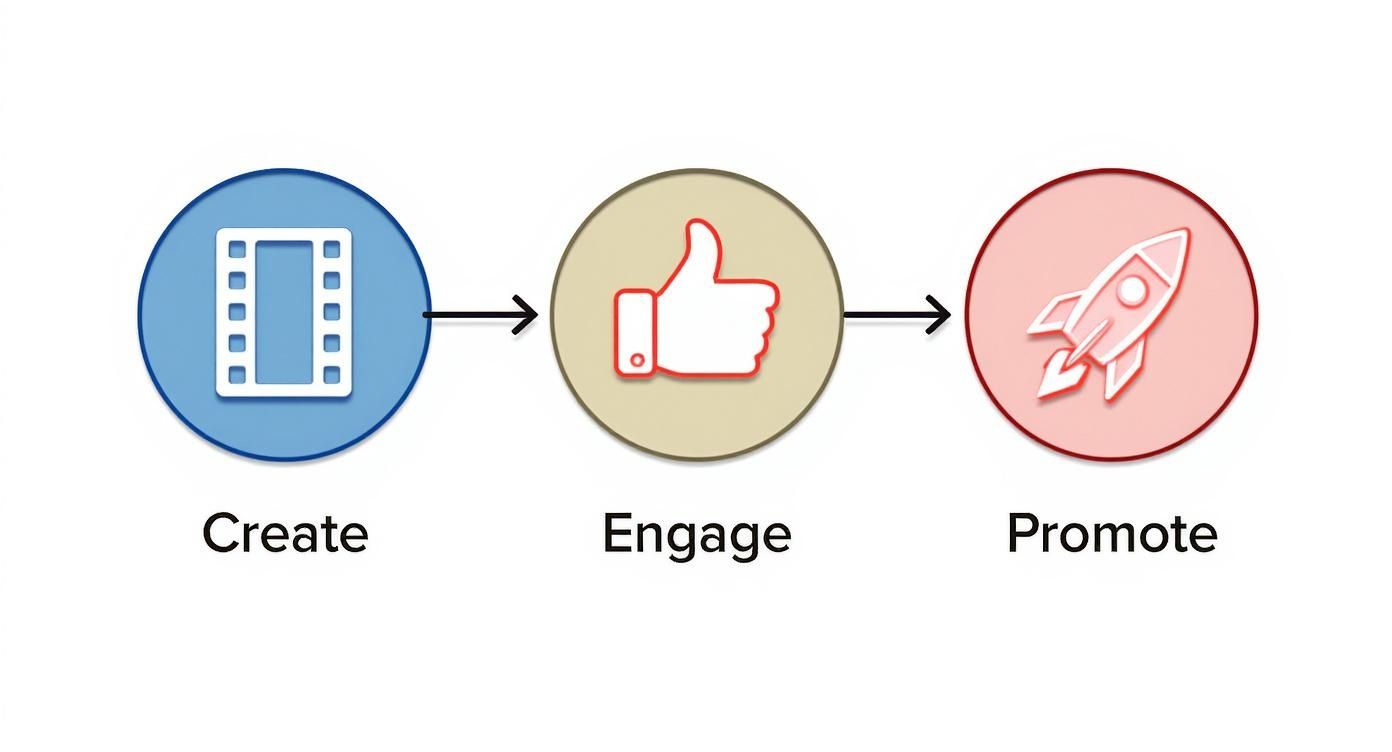
    This process—creating, engaging, and promoting—is what gets the flywheel moving.

    Diagram illustrating the process of creating content, engaging with audiences, and promoting for growth.

    The diagram above really nails it: compelling content is the fuel. It sparks engagement, which in turn triggers the algorithm to promote your Short and expand its reach.

    How the Flywheel Creates Momentum

    Imagine trying to spin a giant, heavy wheel. That first push is always the toughest. Your first few Shorts might only get a handful of views while the algorithm tests the waters with a small group of people.

    But if that initial audience watches all the way through and drops a like or a comment, the algorithm gives the wheel another shove, showing your Short to a slightly larger circle.

    Each positive signal—every rewatch, like, and share—adds energy to your flywheel. The more energy it builds, the faster and more effortlessly it spins, delivering your content to thousands or even millions of viewers.

    This cycle just keeps repeating. Each successful "test" expands your reach exponentially. A Short that does well with one viewer is likely to be pushed to others with similar tastes. This is exactly why you see some Shorts suddenly blow up days, or even weeks, after they were first posted—they've been quietly building momentum inside the flywheel. Our team of creators, featured at https://blog.viewsmax.com/author/developmenticlicksee-com/, have seen this pattern firsthand.

    To get a deeper feel for how short-form video algorithms work, this guide on How to Go Viral on TikTok is a fantastic resource. The core principles for grabbing attention and satisfying the algorithm are almost identical, and the insights are directly applicable to getting your YouTube Shorts Flywheel spinning.

    This table breaks down the core pillars of a successful Shorts strategy into a simple, at-a-glance format.

    Core Pillars for Boosting Shorts Views

    Strategy Pillar Key Action Why It Works
    Hook & Retention Grab attention in the first 1-2 seconds and maintain it. High retention signals to the algorithm that the content is valuable, encouraging wider distribution.
    Fast Engagement Encourage immediate likes, comments, and shares. A quick burst of engagement (velocity) tells YouTube the content is resonating right now.
    Algorithmic Triggers Use trending audio, relevant hashtags, and strong keywords. These elements help the algorithm categorize your content and show it to the right audience.
    Consistency Post regularly to keep the flywheel spinning. Consistent uploads provide more data for the algorithm and keep your channel top-of-mind for viewers.

    By focusing on these four pillars, you're not just creating content; you're strategically building momentum that the YouTube algorithm can't ignore.

    Crafting Hooks That Stop the Scroll

    You get maybe a single second. That's it. In the endless scroll of the Shorts feed, if your first frame doesn't immediately jolt a viewer into paying attention, they’re gone. This isn't just an empty warning; it's the cold, hard reality of the format. Your hook is everything.

    Think of that first second as a promise. You're telling the viewer, "Stick around, this is worth your time." A weak opening breaks that promise before it's even made. Nail it, and you’ll see your retention skyrocket—which is the number one signal the algorithm looks for.

    The Psychology Behind a Killer Hook

    The best hooks aren't just flashy; they tap directly into human nature. They create an "information gap" or a tiny bit of tension that the viewer’s brain feels an urgent need to resolve. You’re not just showing them something; you're making them feel curious, surprised, or even a little challenged.

    Here are a few proven psychological triggers I've seen work time and time again:

    • The "How'd They Do That?" Hook: Show an incredible final result right away, but don't explain how you got there. Imagine a baker showing a hyper-realistic cake that looks like a sneaker. The immediate thought is, "No way. I have to see how they made that." The brain needs to fill in the blanks.
    • The Contrarian Question: Start with a question that goes against a popular belief. A fitness creator asking, "Is cardio actually killing your gains?" instantly hooks anyone with an opinion on the topic. They'll watch either to agree with you or to argue with you in their head. Either way, they're watching.
    • The Pain Point Solution: Pinpoint a common frustration and offer a fast, simple fix. A Short that opens with "Fix your messy desktop in 30 seconds" is an instant must-watch for anyone drowning in digital clutter.

    These aren't just tricks. They work because they turn a passive scroller into an active participant who's now invested in seeing what happens next.

    Visuals and Text That Grab Attention

    Beyond the psychology, what the viewer sees in that first second is make-or-break. A static, boring shot is a death sentence. You need immediate motion, energy, and clarity.

    One of the most powerful techniques is starting in medias res—right in the middle of the action. Don't waste precious time on a slow pan or a "Hey guys!" intro. If the video is about a crazy basketball shot, the first frame better be that ball hanging in the air, inches from the hoop.

    Text overlays are your secret weapon here. They act like a headline for your video, telling the viewer exactly what they’re getting.

    A great text overlay eliminates all guesswork. It's your hook, title, and thumbnail all rolled into one, perfectly designed for the fast-paced Shorts feed.

    For example:

    • A travel Short shows a stunning, unknown beach with the text: "You won't believe where this is."
    • A DIY video starts with a close-up on a tool with the overlay: "The one gadget every homeowner needs."

    The goal is to be crystal clear. The viewer should know exactly why they need to keep watching before their thumb has a chance to swipe. To really dive deep into this, you can find more practical strategies on how to start a YouTube video effectively and grab viewers in seconds, because these principles are even more critical for Shorts.

    Perfecting Your Pace and Delivery

    A strong hook gets them in the door, but smart pacing is what keeps them there. While many Shorts hover around the 20-40 second mark, don't be afraid to go a little longer if the content is compelling.

    Interestingly, Shorts that are 50 to 60 seconds long actually pull in the highest average views—around 1.7 million per video. This tells us that if your hook is strong enough, viewers will absolutely stick around for a well-told story. Right now, the entertainment category is crushing it, claiming 17% of all views, which proves that engaging content, regardless of length, wins.

    To keep that energy up after the hook, your editing needs to be sharp. Use quick cuts, dynamic camera angles, and engaging sound to create a sense of forward momentum. Your delivery should be tight and energetic, with zero fluff. Every single second has to earn its place in the final cut.

    Optimizing Your Shorts for Maximum Discovery

    A great hook ensures people watch your video, but smart optimization ensures they find it in the first place. You can create the most engaging Short in the world, but if you neglect the basic mechanics of discovery, it will get lost in the noise. This is where a little bit of SEO-minded thinking goes a long way.

    Think of YouTube as the world’s second-largest search engine. It’s constantly trying to categorize content and match it with the right viewers. Your job is to give it clear, strong signals so it knows exactly who your Short is for.

    A focused man holds a smartphone displaying 'STOP THE SCROLL' while recording a video.

    Writing Titles That Drive Clicks

    Your title is one of the most powerful discovery tools you have. It needs to be intriguing enough to spark curiosity while also containing the keywords people are actually searching for. Striking this balance is key to getting more views on YouTube Shorts.

    Avoid vague or "artsy" titles. Be direct and benefit-driven. Instead of "My Morning Brew," a much stronger title would be "How I Make the Perfect Pour-Over Coffee."

    Here are a few title frameworks that work consistently:

    • The "How-To" Title: Straightforward and effective. Example: "How to Edit a Short in 60 Seconds."
    • The "Number and Benefit" Title: Listicles are easy to digest. Example: "3 Mistakes Ruining Your Workout."
    • The "Curiosity Gap" Title: Poses a question the viewer needs answered. Example: "This One Tool Changed My Entire Workflow."

    Remember, you're not just writing for a person; you're writing for a system. Tools like ViewsMax can help you identify high-traffic keywords and craft titles that satisfy both the algorithm and your audience.

    Using Hashtags and Descriptions Strategically

    Your description and hashtags provide crucial context for the algorithm. While many creators ignore the description box for Shorts, filling it out gives you a competitive edge.

    Start your description with a clear, concise sentence that summarizes the video and includes your primary keyword. You don’t need to write an essay, but a sentence or two provides valuable information.

    When it comes to hashtags, focus on relevance and specificity.

    Your hashtag strategy shouldn’t be a random collection of popular tags. It should be a curated list that accurately describes your video's topic, niche, and format, giving the algorithm a clear roadmap to your ideal viewer.

    Always include #shorts—this is non-negotiable. Beyond that, add a mix of broad and specific tags.

    • Broad Tags: These describe your general category (e.g., #fitness, #cooking, #DIY).
    • Specific Tags: These narrow down your niche (e.g., #bodyweightworkout, #veganrecipes, #woodworkingprojects).
    • Branded Tags: Create a unique tag for your channel to group your content (e.g., #ViewsMaxTips).

    Aim for a total of 3-5 highly relevant hashtags. Overloading with dozens of unrelated tags can confuse the algorithm and dilute the impact of your relevant ones.

    The Underestimated Power of Video Tags

    While YouTube has stated that video tags play a "minimal role" in discovery for long-form content, they can still provide helpful context, especially if your topic or channel name is commonly misspelled. Think of them as a final layer of metadata that reinforces your topic.

    The best approach is to mirror the keywords from your title and description. If your title is "How to Grow Basil Indoors," your tags could include:

    1. How to grow basil
    2. Indoor gardening tips
    3. Herb garden
    4. Growing basil

    This consistency across your title, description, and tags sends a unified signal to YouTube about what your content covers. This simple step can be the tiebreaker that helps your Short appear in search results over a competitor's, helping you steadily increase your views over time.

    Building a Content Strategy That Lasts

    Sure, going viral feels amazing. But relying on one-hit wonders is a fast track to burnout. The real key to getting more views on your YouTube Shorts over the long haul isn't just chasing viral moments—it's about building a sustainable content machine. You need a repeatable system that keeps the ideas flowing, your audience hooked, and turns those casual viewers into die-hard fans.

    Trying to jump on every single trend that pops up is completely exhausting. A much smarter play is to establish a few core content pillars. Think of these as the main themes or topics your channel is built on. They're the foundation you can always come back to, making sure your content stays consistent and true to who you are as a creator.

    A silver laptop on a desk showing 'SEO for Shorts' on its bright red screen, next to office supplies.

    Pinpointing Your Core Content Pillars

    So, what should your pillars be? The sweet spot is right where your passions meet your audience's interests.

    Let's say you're a fitness creator. Your pillars might look something like this:

    • Quick Home Workouts: Short, punchy routines that don't require a ton of fancy equipment.
    • No-Nonsense Nutrition: Simple meal prep hacks and busting common food myths.
    • Mindset & Motivation: Real talk about staying consistent and breaking through plateaus.

    Once you have these pillars locked in, creating content gets so much easier. Instead of staring at a blank screen, you can just ask, "What's one nutrition tip I can share in under 60 seconds?" This structure builds reliability, and reliability is what creates a loyal community.

    Marrying Trends with Your Evergreen Content

    Pillars give you stability, but trends? Trends give you reach. The trick is to adapt trends to fit your style and pillars, not just copy them blindly.

    See a new sound or editing style taking off? Don't just jump on the bandwagon. Ask yourself how you can weave it into one of your core topics. For instance, a finance creator could use a trending comedic audio to dramatize the pain of filing taxes. This way, you get the discovery boost from the trend without selling out your channel's identity.

    A great content strategy is like a balanced portfolio. Trend-based Shorts are your high-growth stocks that can bring in a flood of new viewers. Your pillar content is the stable, long-term bond that nurtures your core audience and keeps them coming back.

    This blend is the engine for sustainable growth. Trends get new eyes on your channel, and your solid pillar content is what convinces them to hit subscribe. For a deeper dive into content frameworks, you can explore the resources in our ViewsMax guides.

    How to Never Run Out of Ideas

    With your pillars in place, you still need a system for generating fresh ideas. Don't wait for inspiration to strike—go out and find it.

    Here’s my go-to research routine:

    • Scroll the Shorts Feed (with purpose): Spend 15-20 minutes a day just watching Shorts in your niche. What’s doing well? What formats keep popping up? What are people asking in the comments?
    • Check Google Trends: This is a goldmine. Type in a keyword from one of your pillars (like "air fryer recipes") and see what related searches are blowing up.
    • Lurk in Community Hubs: Where does your audience hang out? Find them on Reddit, in Facebook groups, or on Discord. Look for common complaints, recurring questions, and passionate debates. Those are your next video ideas, right there.

    This kind of consistent research keeps your content engine humming. The Shorts world is exploding—over 52 million channels have already jumped in, with the creator base growing by 50% year-over-year. Creators who build a real strategy are the ones who will capture a piece of that massive growth.

    Using Analytics to Refine Your Approach

    Making content based on a gut feeling is just throwing stuff at the wall and hoping it sticks. If you really want to know what gets you more views on YouTube Shorts, you have to start treating your channel like a lab and let the data do the talking. Your YouTube Analytics dashboard is a goldmine, but only if you know what you're looking for.

    Instead of getting bogged down by a dozen different charts, you need to zero in on the key performance indicators (KPIs) that the Shorts algorithm actually cares about. These numbers paint a clear picture of what your viewers are doing—what hooks them, what bores them, and what finally convinces them to stick around.

    Decoding the Metrics That Actually Matter

    Diving into your analytics for the first time can feel a little overwhelming. Let's cut through the noise and focus on the numbers that give you real, actionable insights for your Shorts.

    • Viewed vs. Swiped Away: This is the big one. It's a straight-up percentage showing how many people watched your Short versus how many bailed immediately. A high "Viewed" percentage is a massive signal to YouTube that your hook is working. You should be aiming for 70% or more.

    • Audience Retention: This graph is your second-by-second truth serum. It shows you exactly where people are losing interest and dropping off. Is there a huge dip right after your hook? A slow bleed throughout the video? For a 30-second Short, you want to see a graph that stays relatively flat and high—ideally, hovering above 85-90%.

    • Traffic Sources: This tells you how people are finding your video. For Shorts, the Shorts feed needs to be your number one source by a long shot. If you see most of your views coming from "Browse features" or "Channel pages," it means your subscribers are watching, but the algorithm isn't pushing your Short out to a wider audience yet.

    Understanding these numbers is step one. The real magic happens when you use them to build a smarter content plan.

    Spotting Patterns and Connecting the Dots

    Your analytics dashboard becomes a superpower when you stop looking at videos in isolation and start hunting for patterns. Don't just obsess over one video's retention curve; compare the graphs of your top five best-performing Shorts against your five worst.

    The goal isn't just to collect data; it's to find the story the data is telling you. A single video's performance is an anecdote, but a consistent pattern across multiple videos is a strategy.

    You might find that all your high-retention videos start with a question. Or maybe you'll notice that Shorts using a particular trending sound consistently bring in more subscribers. These aren't just coincidences; they're road signs pointing you toward what your audience genuinely wants to see.

    This data-first approach is more critical than ever. The YouTube Shorts algorithm has gone through major changes that have shaken up viewership and creator strategies. These shifts can cause sudden, sharp drops in views, even for established channels. Data shows that these sustained performance declines are widespread, forcing creators to adapt quickly. You can read more about these algorithm shifts and their impact on creators.

    The table below breaks down the most important analytics to watch. Think of it as your cheat sheet for turning raw numbers into strategic decisions.

    Interpreting Key YouTube Shorts Analytics

    Metric What It Measures Actionable Insight
    Views The total number of times your Short was watched. A good top-level indicator, but it doesn't tell the whole story. Use it to identify your best and worst performers at a glance.
    Viewed vs. Swiped Away The percentage of viewers who chose to watch versus those who swiped away. This is your hook's report card. If the "Swiped Away" percentage is high, your first 1-2 seconds aren't compelling enough.
    Average Percentage Viewed The average portion of your Short that viewers watched. A high percentage means your content is engaging from start to finish. A low number suggests the payoff wasn't worth the build-up.
    Audience Retention Graph A second-by-second visual of when viewers drop off. Pinpoint the exact moments that bore your audience. Look for sharp dips and analyze what's happening on screen at that time.
    Traffic Source: Shorts Feed The percentage of views coming directly from the Shorts discovery feed. A high percentage here means the algorithm is actively recommending your content to new viewers. This is your primary growth engine.
    Subscribers Gained The number of new subscribers your Short generated. This tells you which content not only entertains but also converts viewers into community members. Double down on these formats.

    By regularly checking these metrics, you move from guessing what works to knowing what works, allowing you to build a content strategy that consistently delivers results.

    Turning Insights into Action with Simple A/B Tests

    Once you've spotted a pattern, you can test your theory. This is where A/B testing comes in, and it's not as complicated as it sounds. It just means changing one small thing at a time to see what performs better.

    Here’s a simple way to do it:

    1. Form a Hypothesis: Start with an educated guess based on your data. For example, "My Shorts with bold text overlays in the first three seconds seem to get a higher 'Viewed' percentage."
    2. Create Two Versions: Film two nearly identical Shorts. The content, audio, and description should be the same. In one version, add the bold text overlay. In the other, leave it out.
    3. Publish and Analyze: Post both Shorts a day or two apart. After 48 hours, check the analytics. Did the version with the text overlay actually perform better?

    You can test almost anything this way—different title formats, video lengths, calls to action, or even posting times. This systematic process takes the guesswork out of creation and helps ensure that every Short you publish is a little smarter than the last.

    Common Questions About Growing on YouTube Shorts

    As you get more serious about creating Shorts, you'll inevitably run into the same questions that every creator faces. It’s completely normal to wonder if you’re doing things right, especially when it feels like the rules of the game are always changing. Let's dig into some of the biggest questions I hear from creators trying to master the Shorts game.

    Hands hold a tablet displaying "Track Retention" and analytics data, with a notebook and pen on a wooden desk.

    We'll cut through the noise and give you some straightforward answers based on real-world experience, helping you sidestep common pitfalls and debunk a few myths.

    How Often Should I Post Shorts?

    Forget about finding a single "magic" number. The real key isn't frequency—it's consistency.

    Honestly, posting three high-quality, thoughtfully produced Shorts a week will get you much further than seven rushed, sloppy ones. The algorithm feeds on strong engagement signals, and better content always gets better watch time and more interaction.

    Find a rhythm that you can actually stick with. For most people, that looks something like this:

    • 3-5 Shorts per week: This is a fantastic starting point. It's enough to gather meaningful data without leading to creative burnout.
    • 1 Short per day: Once you have a streamlined workflow, this can really pour fuel on your growth, giving the algorithm more chances to find your audience.

    Whatever you do, give your videos some breathing room. Dropping multiple Shorts in a single day just muddies your analytics and makes it impossible to tell what's actually working.

    Do Shorts Hurt My Long-Form Videos?

    This is a huge fear for so many creators, but the evidence points in the exact opposite direction. Think of Shorts and long-form content as two different tools that work together to build your channel.

    Shorts are incredible for top-of-funnel discovery. They introduce your brand to a massive audience that probably would have never stumbled upon your longer videos through search or the browse page.

    Here’s how to frame it:

    • Shorts are the movie trailers—quick, punchy previews of your personality and what you offer.
    • Long-form videos are the feature film—the deep-dive content that converts a casual viewer into a true subscriber.

    When someone finds you through a Short and likes what they see, they're already primed to check out your other content. The trick is to maintain a consistent style and value promise across both formats so the transition feels natural.

    What Should I Do If My Views Suddenly Drop?

    First off, take a breath. It happens to everyone. Viewership ebbs and flows are a totally normal part of being on YouTube, often caused by tiny algorithm shifts or even seasonal changes in viewer habits.

    When your views take a nosedive, it’s time to put on your detective hat and head straight to your analytics.

    A sudden drop in views is a signal to diagnose, not despair. Use your data to understand the 'why' behind the numbers—look for patterns in retention, swipe-away rates, and traffic sources to identify where the disconnect is happening.

    Look at what changed. Did you try a new topic that flopped? Did you get lazy with your hooks? More often than not, the fix is getting back to basics and focusing on what your data has already told you your audience loves. For more deep dives into building a strategy that lasts, check out the resources over on the ViewsMax blog.


    Ready to stop guessing and start growing? ViewsMax gives you the AI-powered tools and data-driven insights you need to craft better titles, discover winning ideas, and track your performance like a pro. See how it works at https://blog.viewsmax.com.

    Article created using Outrank