A large pile of generic keywords isn't the best YouTube tag list. Tags work better when they describe the job of the video, not when they attempt to mention every related topic. A product demo, a customer story, a livestream, and a beginner tutorial may belong to the same channel, but they serve different audiences, funnel stages, and business outcomes.
The practical approach is to organize tags around niche, format, audience intent, funnel role, objections, and offer. Keep each set focused enough to compare similar videos, use consistent naming, add tags during the Upload flow in YouTube Studio, and judge the result alongside clicks, leads, and sales, not views alone. YouTube's guidance treats tags mainly as support for misspellings, alternative spellings, and difficult-to-find names, so they're best used as a low-effort metadata layer rather than a primary ranking lever (YouTube tagging guidance).
The eight collections below turn a youtube tag list into a practical measurement system. ViewsMax can connect tagged content with trackable links, leads, and attributed revenue when your videos support products, services, courses, or other offers. That helps you see whether a video attracted attention, moved a prospect forward, or generated a sale.
1. Product Launch and Sales Funnel Tags
A course creator might publish a broad tutorial, a curriculum walkthrough, and a launch announcement for the same audience. Those videos serve different commercial jobs, so their tags should separate awareness, evaluation, and enrollment. Without consistent labels, views blend together and the creator cannot see which content supports signups.
Use a compact naming system:
- Launch: Course Launch, Product Launch, Service Launch
- Conversion: Product Demo, Course Enrollment, Free Trial Signup
- Offer support: Pricing Overview, Feature Walkthrough, Customer Testimonial
- Business category: Email Marketing Course, SaaS Product Demo, Business Coaching
A coach promoting a new course could combine Course Launch, Course Enrollment, and the relevant subject keyword. An e-commerce seller might use Product Demo with the exact product name. A SaaS company can separate Free Trial Signup videos from Feature Walkthrough videos, then compare the actions produced by each group.
Build the tags around the funnel
Keep launch, evaluation, and conversion tags distinct even when the videos promote the same offer. A launch announcement introduces the offer, while an objection-handling demo addresses a purchase concern. That separation makes reporting more useful and shows where viewers stop progressing.
Add the tags during upload so every video follows the same reporting convention. Connect the description to the appropriate offer, then use ViewsMax's guide to YouTube monetization as a reference when assessing content as a revenue channel.
Review each group on a regular reporting cycle. If awareness videos attract viewers while conversion videos produce meaningful actions, improve the handoff between them before adding broader tags.
Practical rule: Use a launch tag to identify the video's commercial purpose. Keep the product keyword as a separate part of the tag set.

2. Niche and Authority Positioning Tags
Authority tags work best when they narrow the context around a creator's expertise. “Marketing” is broad. B2B SaaS Marketing, Technical SEO Audit, or Email Marketing Strategy tells you more about the audience and the problem being addressed. The same principle applies in finance, gaming, health, technology, and other specialist categories.
A useful authority-oriented youtube tag list might include:
- Core discipline: Digital Marketing, Stock Analysis, Strength Training, Software Engineering
- Specialist angle: B2B SaaS Marketing, Investment Strategy, Technical SEO, Cloud Security
- Audience context: Marketing for Startups, Beginner Investing, Pro Gaming Guide
- Qualification context: Certified Personal Trainer, Financial Education, Technical Consultant
A finance creator publishing a market explainer could combine Stock Analysis with a specific investing concept. A gaming channel might pair Pro Gaming Guide with the game title and competitive mode. A health professional should use credentials or certification terms only when they accurately describe the creator and the content.
Balance reach with precision
Broad tags can help organize a channel's subject area, while niche tags make the video's intended audience clearer. The trade-off is simple. Broad labels are easier to apply but less useful for separating content. Narrow labels provide better analysis but become misleading if they're added to videos that don't address that specialist topic.
You can study established channels for vocabulary, but don't copy tags mechanically. YouTube treats tags as a minor discovery signal, with the strongest practical use in disambiguation and spelling variants rather than broad ranking growth (independent analysis of YouTube tags). Use the best niche guidance for YouTube to clarify the market you're serving, then measure whether authority-focused videos attract qualified leads or buyers.
For example, a general “business tips” video and a detailed “B2B SaaS Marketing” tutorial may receive similar reach but produce very different audiences. Your tags should preserve that distinction.
3. Lead Magnet and Opt-In Tags
A webinar video tagged only Lead Magnet creates a reporting problem. Months later, you cannot tell whether signups came from that webinar or a PDF guide because both videos share the same label. Tag each lead-generation video by the resource, event, service entry point, or email sequence it promotes.
Useful copy-pasteable sets include:
- Resource: Free Course Outline, Marketing Checklist, Downloadable Guide
- Event: Webinar Signup, Free Workshop, Live Training
- Service entry point: Audit Request, Consultation Request, Strategy Call
- Sequence: Email Course, Free Lesson, Resource Tutorial
An educator offering a PDF can pair Downloadable Guide with the subject keyword. A coach promoting a webinar can use Webinar Signup with the transformation topic. An agency can separate Audit Request videos from educational content that has no service invitation. Each group supports a different business objective, from list growth to sales-qualified conversations.
Match the tag to the conversion path
The title, thumbnail, spoken call to action, description, and tag should identify the same offer. A video promising a free audit should link to that audit, not a general homepage. Use a trackable link and a consistent naming structure such as Lead Magnet – Resource Type.
The YouTube video description template provides a structure for presenting the offer and its link consistently. ViewsMax can connect clicks and later actions to the source video when trackable links are configured.
Keep each lead magnet distinct. A webinar and a PDF may serve the same audience while signaling different intent. Separate labels show which offer generates relevant leads, not only which video receives views. Compare opt-ins, qualified follow-up, and resulting actions by tag group. Tags organize the test, while the offer, content, and call to action determine whether viewers convert.

4. Engagement and Community Building Tags
A behind-the-scenes clip tagged Community can still receive zero engagement if viewers have no reason to respond. Categorize these videos by the interaction or relationship they are designed to create, then measure whether that activity supports later business outcomes.
Useful tag sets include:
- Participation: Community Challenge, Viewer Poll, Audience Q&A
- Conversation: Discussion Video, Opinion Debate, Live Questions
- Relationship: Student Success Story, Behind the Scenes, Creator Update
- Loyalty: Member Spotlight, Fan Feature, Community Progress
Match each set to a clear content objective. A gaming creator can pair Community Challenge with the game name to track participation in a specific activity. A coach can use Student Success Story for a transformation interview and monitor qualified inquiries that follow. A technology reviewer can apply Viewer Poll to videos that ask the audience to shape a future buying guide.
Interaction must be built into the video. Use a specific prompt, a meaningful choice, or a question that viewers can answer without guessing what the creator wants. Show the discussion topic in the description as well, so the tag, content, and response path remain aligned.
Measure the delayed business value
Community content often supports later sales of a course, subscription, or product rather than producing an immediate transaction. Keep it in a separate tag group and compare viewers' later clicks, calls, and purchases with results from product-focused videos. ViewsMax can help connect engagement content with those actions after the initial view.
Reserve Community for videos where interaction is a central purpose. A comment invitation alone does not justify the label. Clear grouping gives ViewsMax cleaner comparisons and helps identify which activities strengthen audience loyalty and contribute to revenue.

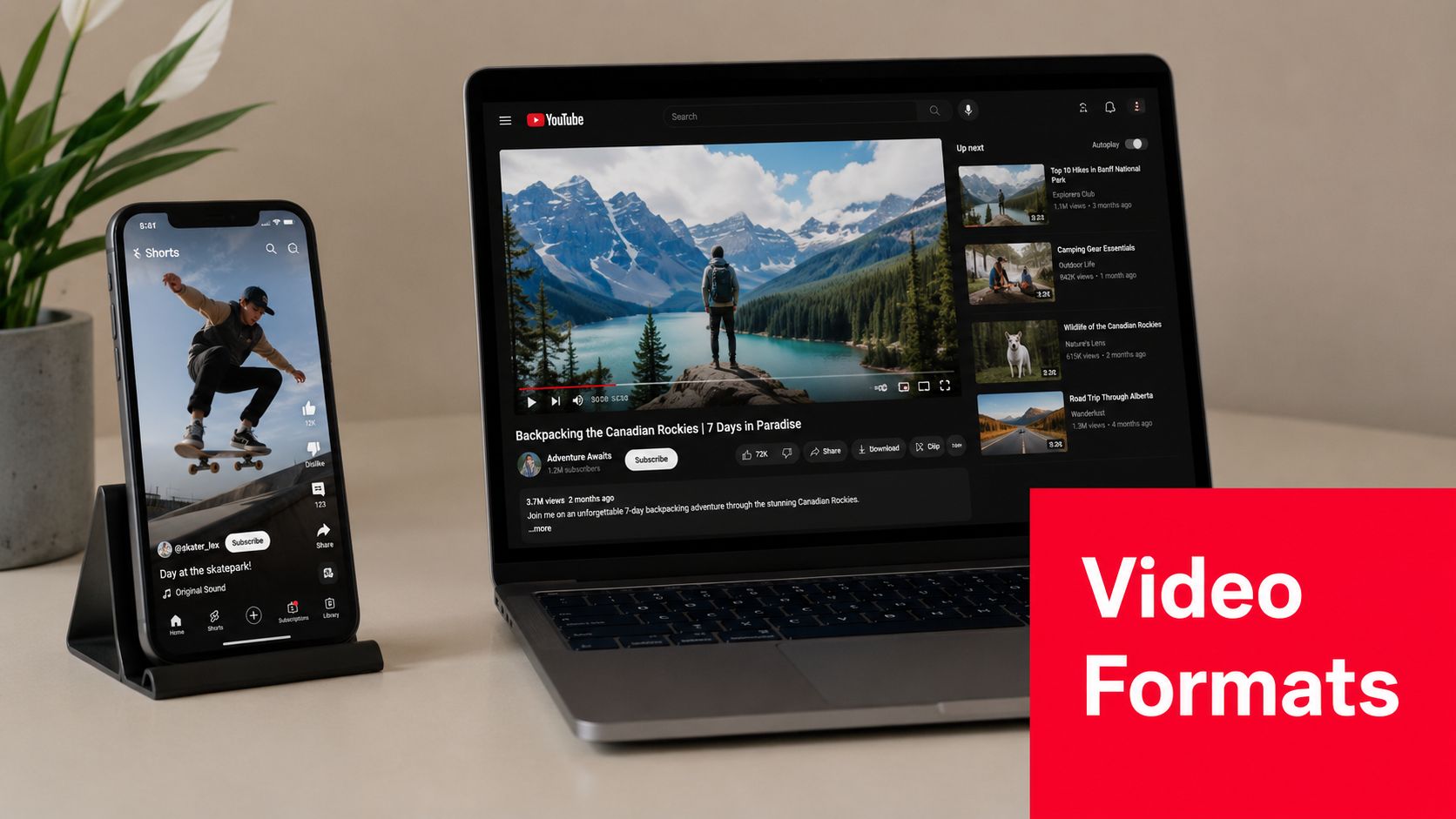
5. Platform and Format Optimization Tags
A fitness creator uploads the same workout as a YouTube Short and a long-form video. Without format tags, both can look identical in reporting, hiding differences in watch behavior, clicks, and conversion paths. Separate the content before comparing results.
Use copy-pasteable labels that match the publishing format:
- Short-form: YouTube Shorts, Shorts Teaser, Short Tutorial
- Long-form: Educational Series, Deep Dive, Complete Guide
- Live content: Livestream Workout, Live Q&A, Live Product Demo
- Scheduled experiences: Premiere Event, Launch Premiere
- Repurposed content: Podcast Clip, Webinar Clip, Cross-Platform Cut
A fitness creator can compare Livestream Workout with recorded training. A course creator can tag a full lesson Educational Series and its promotional extract Shorts Teaser. A gaming channel can use Premiere Event for a synchronized launch video. Add the subject, audience, and offer tags so the format label supports a business question.
For example, compare whether short-form content creates discovery, whether long-form content produces offer clicks, and whether livestreams generate leads or sales conversations. A Short may attract initial attention while a longer video answers questions that support a later click. Repurposed clips also need source and platform context in the internal naming system, or results from different distribution channels become difficult to interpret.
Creators assessing short-form distribution can review YouTube Shorts advertising tips for additional context.
Keep the reporting useful
Track clicks and purchases by format where possible. ViewsMax supports planning and publishing workflows across channels, helping teams maintain consistent labels while testing distribution. Review each tag group against a defined outcome, such as views for reach, offer clicks for demand, or later conversions for revenue support.
The format label belongs beside relevant subject tags. Shorts Teaser alone says little about viewer intent. Pair it with the topic, audience, funnel purpose, and offer tier, then compare the resulting outcomes.
6. Customer Journey Stage Tags
A coach tagged every how-to video as Awareness, then wondered why her decision-stage content underperformed. The problem was not the topic. The labels failed to distinguish between attracting a new viewer, supporting evaluation, and helping an existing customer succeed.
Map tags to the viewer's position and the video's business objective:
- Awareness: Awareness – Problem, Awareness – Beginner Question
- Consideration: Consideration – Method, Consideration – Solution Comparison
- Decision: Decision – Demo, Decision – Transformation Proof, Decision – Pricing
- Retention: Retention – Usage Tips, Retention – Customer Onboarding, Retention – Advanced Use
A SaaS company can classify a competitor comparison as Decision – Solution Comparison, especially when the call to action invites a product evaluation. A coach might apply Decision – Transformation Proof to a client interview. An e-commerce brand can use Retention – Product Setup for an unboxing or setup video that helps existing buyers use the product successfully.
Label the stage according to the intended audience and call to action, then check whether the audience behaves as expected. A “how to use” video may attract prospects, customers, or both. If viewers repeatedly arrive from search with beginner questions while the video targets customers, revise the label or adjust the content.
Map stages before adding tags
Write the path from first problem recognition through purchase and continued use. Name tags for real content types instead of vague labels such as Funnel Video. Separating Awareness – Problem from Awareness – Solution shows whether a video reaches people defining an issue or people already seeking an answer.
ViewsMax can help compare stage-labeled videos when links are tracked. Review views alongside downstream actions, such as offer clicks, leads, purchases, or return usage. Increase decision-stage content when prospects understand the problem but need proof. For recurring or repeat-purchase offers, retention tags may better support customer use and future revenue. Treat tags as test labels, not a substitute for strong topics, useful demonstrations, or clear calls to action.
7. Objection and Pain-Point Resolution Tags
Objection videos answer the question that keeps a prospect from acting. That question might concern time, complexity, cost, risk, suitability, implementation, or expected effort. These videos deserve their own labels because their value often appears in the final part of a decision, not in the initial view.
Build the list from actual customer language in sales calls, emails, support conversations, and comments. Examples include:
- Time: Time Commitment FAQ, Busy Schedule Solution
- Complexity: Learning Curve Concern, Beginner Setup Guide
- Risk: Security Concern, Results Expectation, Refund Question
- Investment: Investment Justification, Cost Comparison, ROI Explanation
- Fit: Who This Is For, Who Shouldn't Buy, Plan Selection Guide
A course creator can tag a video Time Commitment FAQ when it shows how a busy learner could approach the material. A software company might use Learning Curve Concern for an onboarding demonstration. A high-ticket coach could use Investment Justification to explain the work, support, and outcome the offer is designed to provide.
Don't disguise a sales pitch as objection content. If the video claims to answer a concern but never addresses it directly, the tag creates misleading reporting and can weaken audience trust.
Compare objections by business outcome
Use a specific objection tag rather than one broad FAQ label. Then connect the video to the relevant product or booking link and examine whether viewers click, submit a form, book a call, or purchase. ViewsMax can help identify which objection videos participate in those conversions.
Test different approaches without changing the tag's meaning. For example, compare a demonstration-led response with a direct explanation, while retaining Learning Curve Concern for both. The tag identifies the audience problem, while your content and offer data show which treatment works better.
8. Revenue Tier and Offer-Specific Tags
Section 1 labels a video by its funnel role, such as launch support or conversion content. This section labels it by price tier, identifying the audience and offer level the video should attract. Keeping those dimensions separate prevents a launch video for a free workshop from being grouped with content aimed at premium clients.
Assign one stable tier tag where the offer connection is real:
- Free: Free Masterclass, Free Workout, Free Resource
- Entry level: Entry Course, Starter Product, Low-Ticket Workshop
- Mid tier: Paid Course, Group Coaching Program, Standard Subscription
- Premium: Done-For-You Service, Private Coaching, Premium Consulting
An agency can apply Done-For-You Service to a service explainer, then compare its qualified inquiries with educational videos. An educator can distinguish Free Masterclass from Paid Course to see which content attracts registrants or buyers. A fitness creator might use Free Workout for audience-building videos and Premium Coaching Program for content connected to higher-touch support.
Use the tier to guide investment
Keep each offer label consistent. Switching between Premium Coaching and High-Ticket Coaching splits reporting for the same commercial audience. Add subject and journey-stage tags separately, so the tier shows whom the video targets while other tags describe its topic and funnel function.
ViewsMax can compare attributed revenue by offer group when links are trackable. Revenue per view provides a more useful commercial signal than views alone, but it needs context. A premium offer may produce fewer direct conversions and still generate more revenue per customer. Free content may contribute earlier in the journey without producing immediate sales.
The best tag is the one that supports a clearer next publishing decision.
Leave out a tier label when the video has no meaningful connection to that offer. Tags should organize genuine audience intent, not create commercial categories that the content cannot support.
8-Item YouTube Tag Comparison
| Tag Type | Implementation Complexity 🔄 | Resource Requirements ⚡ | Expected Outcomes ⭐📊 | Ideal Use Cases 💡 | Key Advantages 📊 |
|---|---|---|---|---|---|
| Product Launch & Sales Funnel Tags | 🔄 Medium, consistent tagging + sales integration | ⚡ Moderate, analytics, CRM, tagging process | ⭐ Correlate videos to revenue; clear conversion signals | Creators running launches or direct-response campaigns | Direct revenue attribution; optimizes ad/spend toward converters |
| Niche & Authority Positioning Tags | 🔄 High, long-term, credibility-based effort | ⚡ High, subject-matter expertise, research, long-form content | ⭐ Build trust; improved niche rankings and qualified leads | Experts, educators, niche-focused channels | Strengthens authority; creates a content moat in niche searches |
| Lead Magnet & Opt-In Tags | 🔄 Medium, requires CTA and tracking setup | ⚡ Moderate, email platform, landing pages, link tracking | ⭐📊 Increase email list growth; measurable lead attribution | Course creators, coaches, service-based businesses | Isolates lead-gen content; measures lead acquisition ROI |
| Engagement & Community Building Tags | 🔄 Medium-High, ongoing moderation and engagement | ⚡ High time investment, community management & responses | ⭐ Higher retention and algorithmic reach; stronger LTV | Creators relying on recurring revenue or UGC-driven growth | Builds loyalty and social proof; fuels organic growth via engagement |
| Platform & Format Optimization Tags | 🔄 Medium, requires format testing and tagging groups | ⚡ Moderate, multi-platform tools, editing for formats | ⚡📊 Fast insights on format performance; better repurposing ROI | Multi-platform creators, agencies, repurposing workflows | Identifies best-performing formats; streamlines cross-post strategy |
| Customer Journey Stage Tags | 🔄 High, map journey and make judgment calls per video | ⚡ High, CRM/analytics, cross-team coordination | ⭐📊 Clear funnel visibility; measure stage-to-stage conversion | Businesses with multi-offer funnels and complex buyer journeys | Reveals funnel gaps; enables stage-specific content planning |
| Objection & Pain-Point Resolution Tags | 🔄 Medium, research objections and craft targeted content | ⚡ Moderate, sales data, retargeting tools, testing | ⭐ Reduce friction for fence-sitters; improve high-intent conversions | High-ticket offers, complex solutions, SaaS sales | Directly addresses purchase blockers; supports targeted retargeting |
| Revenue Tier & Offer-Specific Tags | 🔄 Medium-High, requires clear tiers and attribution | ⚡ High, pricing clarity, revenue tracking, analytics | ⭐📊 Calculate revenue-per-view; identify high-ROI offer tiers | Creators with tiered products/services or freemium models | Segments audience by spend; optimizes content for highest LTV |
Turn a YouTube Tag List Into a Testing System
Tags become useful when they answer a reporting question. Before publishing, decide whether you're trying to understand authority content, lead generation, engagement, format, journey stage, objections, launches, or offer tier. Choose one primary tagging dimension for that decision instead of applying every category to every video.
Create a naming convention that a team can follow without interpretation. Lead Magnet – Webinar, Decision – Product Demo, and Premium – Private Coaching are more useful than inconsistent labels such as “sales,” “high intent,” and “offer video.” Keep the subject keyword and relevant spelling variants accurate, but don't fill the field with broad or unrelated terms.
Add the tags during upload in YouTube Studio. Remember that YouTube distinguishes tags from hashtags. Tags are entered as metadata in Studio, while hashtags appear in titles or descriptions with the hash symbol and can support hashtag-based browsing (YouTube's tagging workflow explained). Treat both as separate publishing choices.
Connect the video to the offer with a trackable link. A tag can tell you that a video was intended for Webinar Signup or Decision – Demo, but it can't prove that the video generated a lead or sale by itself. Your reporting should include:
- Attention: Views and the audience response to the video
- Intent: Description clicks, resource visits, or calls booked
- Conversion: Leads, purchases, or subscriptions attributed to the video
- Business value: Revenue associated with the relevant offer
Review results after a defined reporting cycle and compare videos within the same tag group. Don't conclude that tags improved rankings because a tagged video performed well. YouTube's available guidance and independent summaries position tags as a minor discovery signal, particularly useful for misspellings, alternative spellings, and ambiguous topics. A large SEO study summarized by Semrush reported that top-ranking videos used an average of 13 tags, and that average semantic similarity between tags and target keywords was 0.58 on a 0-to-1 scale, which supports a compact, closely aligned approach rather than scattered tagging (Semrush's YouTube SEO study summary).
Use titles, thumbnails, transcripts, descriptions, spoken relevance, and retention to improve the content itself. Tags organize your analysis, but they won't rescue a weak promise or an unhelpful video. If the goal is to identify which tagged videos turn attention into measurable revenue, connect your links and content reporting in ViewsMax, then update the next content plan around the patterns that convert.
ViewsMax helps creators plan content, publish across channels, and connect trackable links to clicks, leads, calls, and attributed sales. Visit ViewsMax to see which YouTube videos support revenue, then use those insights to build a more focused youtube tag list and publishing plan.