ViewsMax
Sign In Sign Up Free

Tag: youtube analytics

  • Youtube Calculate Views: How YouTube Counts Views (youtube calculate views)

    Youtube Calculate Views: How YouTube Counts Views (youtube calculate views)

    So, you've uploaded your masterpiece to YouTube and you're refreshing the page, watching that view counter. But what's actually happening behind the scenes? How does YouTube decide what counts as a legitimate "view"?

    It all boils down to one golden rule: a view is only officially counted when someone watches your video for at least 30 seconds. This isn't just an arbitrary number; it's the bedrock of YouTube's entire system for measuring viewership. It's the line in the sand that separates a real, intentional watch from a fleeting glance or an accidental click.

    What Actually Counts as a YouTube View

    Think of a YouTube view less like a simple click and more like a stamped passport. Before a view gets added to your official count, it has to pass through a digital security check to make sure it's from a real person who genuinely chose to watch.

    The platform is incredibly savvy at spotting and filtering out anything that looks like an attempt to artificially inflate numbers. It’s not just about hitting the 30-second mark; it’s about how those seconds are spent.

    Here’s what typically gets flagged and tossed out:

    • Bot Traffic: Automated scripts running on a server somewhere, programmed to watch your video over and over? YouTube’s system is designed to spot and ignore them.
    • Your Own Views: Sure, watching your own video a couple of times to check it will likely count. But if you’re sitting there hitting the refresh button hoping to game the system, those views will quickly stop registering.
    • Accidental Plays: If your video is embedded on a website and set to autoplay, but someone just scrolls right past it without stopping, that’s not considered an intentional watch and won't be counted.

    What Qualifies as a Legitimate YouTube View

    To make this crystal clear, here’s a quick guide on what YouTube is looking for versus what it discounts. The goal is always to measure authentic audience interest.

    Viewer Action or Behavior Does It Count as a View? Why It Matters
    A user clicks on your video and watches for 32 seconds then leaves. Yes The viewer crossed the 30-second threshold, signaling clear intent to watch.
    A viewer watches the first 10 seconds, skips to the middle for 15 seconds, then leaves. No The total watch time was only 25 seconds, falling short of the required 30 seconds.
    A bot repeatedly loads and "watches" your video. No This is classic invalid traffic. YouTube's algorithm is built to detect and discard non-human activity.
    You embed your video on your blog and it autoplays as a user scrolls by. Usually No Unless the user actively stops to watch for 30+ seconds, it's seen as a passive impression, not an intentional view.
    Someone watches your 5-minute video all the way through. Yes, absolutely This is the gold standard of engagement and is always counted as a single, high-quality view.

    Ultimately, the system is designed to reward content that genuinely grabs and holds a viewer's attention right from the start.

    The Verification Delay Explained

    Have you ever noticed your view count seems stuck or even drops a little bit in the first day or two after you publish? That’s not a glitch—it’s the verification system at work.

    This is a deliberate feature. To fight manipulation, YouTube stopped counting views instantly and, back around 2012, switched to a more thorough verification window that can take 24-48 hours. You can read more about how YouTube's system has changed over time.

    This delay gives the algorithm time to audit all the incoming plays, sort the real from the fake, and ensure the number you see is a true reflection of your audience.

    The core idea is simple: YouTube prioritizes human-initiated, intentional playback. The system is built to measure genuine audience engagement, not just raw clicks. Understanding the 30-second rule and the verification process is the first step for any creator serious about real, sustainable growth.

    The Journey of a View: From Playback to Official Count

    Ever wonder what happens between a viewer hitting "play" and that number ticking up on your video's counter? It’s not as simple as you might think. Think of every view as having to pass through a digital security checkpoint before it gets its official stamp of approval.

    The moment someone starts watching your video, an internal timer kicks on. But YouTube's system is doing more than just counting to 30 seconds; it’s immediately analyzing who is watching. It's looking at things like the viewer's IP address, whether they're logged in, and their general viewing patterns to spot anything that looks fishy. This first line of defense is surprisingly good at weeding out obvious bot traffic or low-quality plays, like an embedded video on a website that autoplays but gets scrolled past instantly.

    The Initial Verification Phase

    This is where you might see something that freaks out a lot of new creators: the view counter suddenly freezes. Especially in the first few hours after you publish, the number might just stop moving. This isn't a bug—it's YouTube's system at work. The platform intentionally pauses the public counter to run a deeper check on the first wave of views.

    It’s like a bouncer at a popular club checking IDs at the door. The system is looking for and tossing out any views that seem automated, repetitive, or just plain fake.

    Key Takeaway: That temporary freeze in your view count is a totally normal part of YouTube's quality control. It’s how the platform makes sure the final number reflects real people watching, not just random clicks or bot activity.

    This simple but crucial journey is what separates a "play" from a verified "view."

    A diagram illustrates YouTube's view verification process: play video, watch for 30 seconds, then verified.

    As you can see, it’s a deliberate process. A view has to earn its place in your official count.

    From Audit to Official Count

    Once the system has audited the incoming views, the legitimate ones are finally added to your public total. This whole process can sometimes take up to 48 hours, which explains why the final 24-hour view count you see in YouTube Analytics might not match what you saw climbing in real-time right after you uploaded. A little patience is key here.

    So, when you try to youtube calculate views for your channel's performance, remember that every single one has gone through this pipeline:

    1. Playback Initiated: Someone clicks your video, and the clock starts.
    2. Initial Screening: The algorithm does a quick background check on the view's source.
    3. Verification Audit: The public counter often pauses as views are bundled and inspected for legitimacy.
    4. Official Count Update: The real, verified views are finally added to your video's total.

    Once you get your head around this validation process, you can stop stressing over those short-term freezes and focus on what really matters: making great content that earns real views that will always pass the test. It's this methodical system that keeps the playing field fair for everyone.

    Why Your View Count Is Frozen or Dropping

    It’s a feeling every creator knows and dreads. You upload a new video, the initial views start climbing, and then… nothing. The counter freezes. Or even worse, it goes down. This isn't a glitch in the matrix; it's actually YouTube’s system working exactly as intended.

    Whenever a video gets a big, sudden rush of traffic, YouTube deliberately freezes the public view count to run a thorough audit. It's a quality control check.

    Think of it like this: your video gets a shout-out from a massive creator, and suddenly thousands of people are clicking on it. This spike triggers an "audit mode." YouTube's system has to meticulously sort through every single play to make sure they're coming from real people, not bots or other shady sources. This can take anywhere from a few hours to a full day.

    While this is happening, you might notice a big difference between the frozen public number and what you see in your real-time analytics inside YouTube Studio. Don't panic! The Studio numbers are the raw, unfiltered data. The public count will catch up once the verification is complete. For the real story, always trust your Studio analytics.

    The Mystery of Disappearing Views

    Seeing your view count actually go down is even more jarring. But there's a simple explanation for that, too.

    If YouTube’s audit uncovers that some of those initial views came from invalid traffic—think automated scripts, endless replays, or viewers who bailed before the 30-second mark—it simply removes them. This correction is what causes the number to drop.

    This is most common when views come from questionable places. Buying views or using "growth services" almost always leads to a bunch of low-quality plays that YouTube’s algorithm is built to sniff out and throw away.

    Your view count isn't just a number; it's a verified measure of audience engagement. A drop in views is simply YouTube cleaning house, ensuring the final tally reflects genuine human interest in your content.

    Ad Blockers and View Count Fluctuations

    There's another, more surprising culprit that can mess with your view count: ad blockers.

    It turns out that some ad-blocking software can interfere with the analytics scripts YouTube uses to track views. This means a perfectly legitimate view from a real person might not get counted if they have an ad blocker running.

    If your audience is more on the tech-savvy side, they're probably more likely to use ad blockers, which can lead to a noticeable gap in your data. Some creators have reported seeing a 40-50% drop in counted views from desktop users, even while their revenue and engagement metrics like likes and comments hold steady. It's a clear sign that people are watching, but the system just can't always record it.

    So, how do you track your performance accurately without driving yourself crazy?

    • Focus on Trends: Don't get fixated on the real-time number, especially in the first 48 hours. Look at the bigger picture.
    • Trust YouTube Analytics: Your Studio dashboard is your source of truth. Rely on the detailed data it provides.
    • Analyze Engagement: Pay close attention to metrics like watch time, audience retention, likes, and comments. These often tell a much richer story about your video's success than the raw view count ever could.

    By understanding what's going on behind the scenes, you can stop stressing about the small, day-to-day fluctuations and keep your eyes on what really matters: creating great content and growing your channel.

    How to Calculate the Views Your Channel Needs to Grow

    Knowing how YouTube counts views is a good start, but the real magic happens when you use that knowledge to build a growth strategy. Instead of crossing your fingers and hoping for more views, you can set clear, data-driven targets for your biggest goals. Let's break down exactly how to figure out the number of views you need to hit your monetization, subscriber, and revenue targets.

    A desk with a calculator, notebook, and tablet, displaying watch hours for calculating views.

    The key to all of this lies in a metric you can find right in your YouTube Analytics: your channel’s average view duration (AVD). Think of it as the secret ingredient for turning vague ambitions into actionable view counts.

    Calculating Views for Monetization

    To get into the YouTube Partner Program, one of the biggest hurdles is hitting 4,000 public watch hours in the last 12 months. That number can feel huge, but a simple formula can bring it down to earth and tell you exactly how many views you need.

    Here’s the formula:
    (4,000 Watch Hours * 60 Minutes) / Your Average View Duration (in minutes) = Total Views Needed

    Let’s see how this plays out in a real-world scenario.

    Example A: The Gaming Channel
    Let's say your gaming channel has an average view duration of 8 minutes per video. Not bad!

    (4,000 * 60) / 8 = 30,000 Views

    That means you need to get 30,000 total views across all your videos within a year to hit the watch time requirement. Suddenly, that huge goal becomes a concrete target. If you want to dive deeper, you can learn more in our guide on what public watch hours are on YouTube.

    Calculating Views for Subscriber Milestones

    Now, there isn't a perfect formula that turns views into subscribers—it's not quite that simple. But what you can do is figure out your channel's typical view-to-subscriber rate to get a solid estimate. Just hop into your analytics for the last 90 days to find it.

    This is the formula to use:
    (New Subscribers in Period / Total Views in Period) * 100 = View-to-Subscriber Rate (%)

    Once you have that percentage, you can project the views needed to reach your next big subscriber goal.

    Example B: The DIY Channel
    Your DIY channel gained 500 new subscribers from 50,000 views over the last 90 days.

    (500 / 50,000) * 100 = 1% View-to-Subscriber Rate

    If your next goal is to hit 1,000 new subscribers, you can estimate needing around 100,000 more views to get there, assuming your content quality and conversion rate stay consistent. This helps you set much more realistic goals for your channel's growth.

    Estimating Potential Ad Revenue

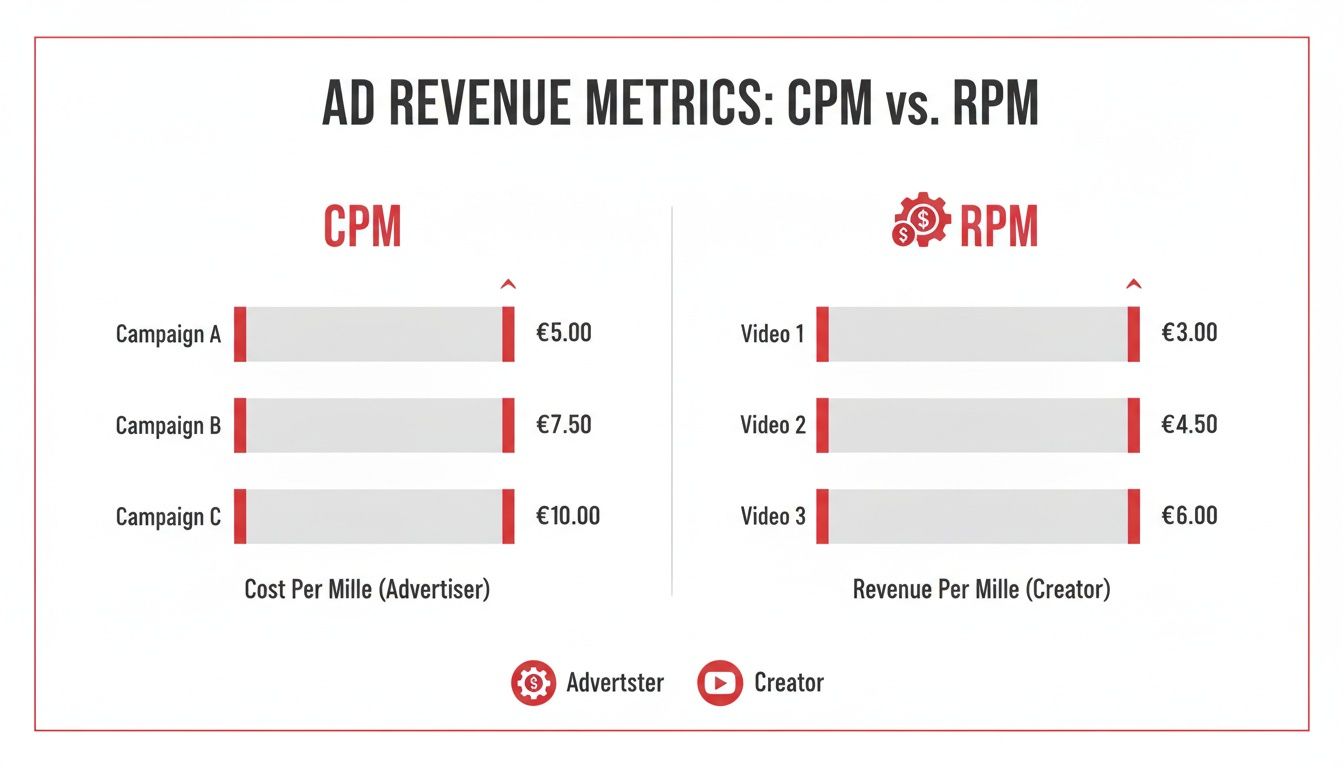
    Projecting revenue is a bit more complex because it hinges on your RPM (Revenue Per Mille), which is simply how much you earn for every 1,000 views. Your RPM can swing pretty wildly depending on your niche, where your audience is from, and even the topics of your videos.

    Here’s a basic formula to get a ballpark figure:
    (Target Monthly Revenue / Your Average RPM) * 1,000 = Views Needed per Month

    This calculation gives you a much clearer picture of the scale you need to reach to turn your channel into a reliable source of income. By using these simple formulas, you can move from guessing to strategizing and create a clear roadmap for your channel's success.

    Strategies to Increase Your Legitimate Views

    Knowing how YouTube counts views is one thing, but actually earning more of them is the real challenge. Forget about secret hacks or trying to game the system. Growing your channel comes down to creating content that feeds the YouTube algorithm exactly what it wants: real, authentic viewer engagement.

    This means you need to get laser-focused on two key metrics that dictate how many legitimate views you get and how far YouTube pushes your videos. These are your Click-Through Rate (CTR) and Average View Duration (AVD). When you nail these two, you're sending a powerful signal to YouTube that your content is worth watching, which leads to more impressions and real, sustainable growth.

    A man uses a tablet, with an alarm clock and 'INCREASE REAL VIEWS' banner on a wooden desk.

    Optimize Your Thumbnails and Titles for Clicks

    Think of your thumbnail and title as your video's digital storefront. It doesn't matter if you've created a masterpiece inside; if the outside is boring, nobody is coming in. A high CTR is your proof to YouTube that your video's "packaging" is successfully grabbing people's attention.

    • Spark Curiosity: Your title should act like a hook, asking a question or making a promise that your video directly answers. You want to create intrigue without resorting to cheap clickbait.
    • Design for a Glance: Thumbnails have to pop. They need to be clean, high-contrast, and instantly understandable, even as a tiny image on a phone screen. Bold text and expressive faces work wonders.
    • Test and Learn: Keep a close eye on your CTR in YouTube Analytics. If a video isn't getting clicks, step back and ask yourself if the title and thumbnail truly sold the concept to your audience.

    For a little help crafting titles that grab attention, you can even explore how to use AI title generators to get more views.

    Master the First 30 Seconds to Boost Watch Time

    Remember how a view only counts after 30 seconds? That first half-minute is everything. If you can't convince someone to stick around past that point, you not only lose the view but also tell the algorithm your video isn't engaging. Your number one job is to hook them—and hook them fast.

    Your video's introduction isn’t just a greeting; it’s a retention tool. A strong hook confirms the viewer made the right choice by clicking and gives them a compelling reason to keep watching.

    Kick things off with a bold claim, a thought-provoking question, or even a quick sneak peek of the best part of the video. You have to immediately reassure viewers that you're going to deliver on the promise your title and thumbnail made. A higher AVD is the ultimate proof that your content delivers, which is what encourages YouTube to recommend it to a wider audience.

    Mastering these core principles creates a powerful feedback loop of more clicks and longer watch times. For more deep-dive strategies, check out our guide on https://blog.viewsmax.com/how-to-improve-click-through-rate/.

    Common Questions About How YouTube Calculates Views

    Let's cut through the noise and tackle some of the most common questions and myths about how YouTube actually counts its views. Think of this as your quick-reference guide to understanding your analytics like a pro.

    Do My Own Views Count On My Videos?

    The short answer is yes, but only a tiny bit. When you first upload a video, watching it yourself once or twice will probably add to the initial view count. But don't get any ideas about hitting the refresh button all day.

    YouTube’s system is smart enough to know the difference between a creator checking their upload and genuine audience interest. If you keep replaying your own video, the algorithm will quickly flag that activity as unnatural and stop counting those plays. It's always a better use of your time to focus on what your real audience is doing.

    How Long Does It Take For Views To Update?

    You've probably noticed that the public view count on your video page doesn't always match what you see in your analytics. That's completely normal. The real-time stats in your YouTube Studio are almost instant, but the official number everyone else sees has to go through a verification process.

    This verification is why you sometimes see the public view count "freeze" for a few hours, or even up to 48 hours, especially on new videos or ones that are taking off quickly. It's just YouTube's way of weeding out bots and bad traffic to make sure the final number is legit.

    So, if your numbers seem stuck, just give it some time. Your YouTube Studio is always the best place to get the most up-to-the-minute picture of how your video is performing.

    Do Embedded Video Views Count?

    They sure do. A view is a view, whether it happens on the YouTube platform itself or on your personal website. As long as someone intentionally clicks play and watches for at least 30 seconds, it gets added to your total.

    There is one small caveat, though. If you have a video embedded to autoplay and a visitor just scrolls right past it, that likely won't count. The system is looking for intentional plays. Driving traffic from your blog or other websites is a great growth strategy, and you can be confident those legitimate views will count.

    Why Is My Watch Time High But My View Count Is Low?

    This is actually a great problem to have. It usually means you've built a smaller, but super-engaged, audience that absolutely loves your longer videos. This is a powerful signal to the YouTube algorithm that people find your content valuable.

    Think about it this way: if 100 die-hard fans watch your entire 30-minute documentary, you've just racked up 50 hours of watch time from only 100 views. That deep engagement can be far more beneficial for your channel's health than a viral clip that gets millions of people to watch for only 10 seconds. For creators looking to scale up, a practical guide to going viral on YouTube can offer some great strategies for boosting those view numbers without sacrificing engagement.

    Getting a handle on these details helps you focus on what really matters. If you want to dig even deeper into your channel's performance, our complete guide to YouTube view stats breaks it all down even further.


    Ready to turn insights into growth? ViewsMax is an AI-powered toolkit designed to help you create smarter, optimize faster, and grow your YouTube channel with confidence. Stop guessing and start making data-driven decisions that lead to more views, subscribers, and revenue. Explore our tools and resources today at https://blog.viewsmax.com.

  • Mastering Your YouTube View Stats A Creator’s Guide

    Mastering Your YouTube View Stats A Creator’s Guide

    Welcome to your no-nonsense guide to understanding YouTube view stats. If you've ever stared at your YouTube Analytics dashboard and felt like you were trying to read a foreign language, you're not alone. This guide is your translator, designed to turn those confusing numbers into your single most powerful tool for growing a successful channel.

    From Views to Victory: Decoding Your Channel’s Performance

    A desk with a desktop monitor showing YouTube videos and a laptop displaying a graph with a 'VIEWS TO VICTORY' banner.

    Ever wonder why one of your videos takes off like a rocket while another one just… sits there? The answer is always buried in the metrics. We're going to dig into the core numbers that truly define your channel's health, looking far beyond the simple view count to see what actually keeps people watching and coming back for more.

    You won't just learn what each number is; you'll learn the story it tells about your content and your audience. We'll break down how YouTube actually counts a view, show you exactly where to find this crucial data, and most importantly, teach you how to use it to make smarter videos.

    The Core Metrics at a Glance

    Before we dive deep, let's start with a quick overview of the essential YouTube stats every creator needs to know. Understanding these five pillars is the first step to mastering your analytics and building a content strategy that works.

    Metric What It Measures Why It's Important For Growth
    Views The number of legitimate, intentional plays a video receives. A basic measure of reach, but it's just the tip of the iceberg.
    Watch Time The total accumulated minutes viewers have spent watching your video. A critical signal to YouTube's algorithm that your content is engaging and valuable.
    Impressions How many times your video's thumbnail was shown to viewers on YouTube. Represents your video's potential reach and visibility across the platform.
    Click-Through Rate (CTR) The percentage of impressions that turned into a view. Shows how effective your title and thumbnail are at grabbing attention.
    Unique Viewers The estimated number of individual people who watched your videos. Helps you understand the actual size of your audience versus repeat viewers.

    Think of these as your channel's vital signs. Each one tells you something different, and when you look at them together, you get a complete picture of your channel's health and potential.

    Your Massive Potential Audience

    It’s easy to forget just how enormous YouTube really is. To give you some perspective, the platform's active user base is projected to hit 2.54 billion by July 2025. That’s nearly half of all internet users on the entire planet.

    This audience is spread across the globe, with massive concentrations in countries like India and the United States. You can read more about the platform's global reach to get a better sense of this scale.

    That staggering number is exactly why mastering your view stats is non-negotiable. You aren't just uploading videos; you're competing for attention in a global arena. Your data is what gives you an edge.

    Key Takeaway: Your analytics are the voice of your audience. Learning to listen is how you create content that truly connects, keeps people engaged, and builds a loyal community that lasts.

    By the time you finish this guide, you’ll be ready to turn that raw data into a real strategy. Let's get started.

    So, What Actually Counts as a View?

    The "view" is the most basic metric on YouTube, but what does it really mean? It's not as simple as someone just clicking on your video. To really get a handle on your analytics, you need to first understand what YouTube considers a legitimate view—and what it throws out.

    Think of it like a bouncer at a club. Just because there's a line outside doesn't mean everyone gets in. The bouncer is there to filter out the trouble and only let legitimate guests through. YouTube's view-counting system does the same thing, making sure every view it counts comes from a real person who actually wants to watch.

    The Famous 30-Second Rule

    You've probably heard of the "30-second rule," and it's the core of how YouTube counts views. For a view to be logged on your video, someone has to watch it for at least 30 seconds. This is YouTube's way of gauging a viewer's intent. A 30-second watch shows they didn't just click by accident; they made a real decision to stick around.

    But what about videos shorter than 30 seconds? In that case, a view is counted if someone watches nearly the entire video. This way, short, snappy content still gets credit for the engagement it generates. This time-based filter is the first and most important step in separating a real view from a fleeting click.

    This isn't just a technicality. It's how the algorithm learns what people genuinely find interesting. A click is momentary, but a 30-second watch tells YouTube that your thumbnail and title delivered on their promise, creating a good experience that's worth recommending to others.

    Intent is Everything

    Beyond the stopwatch, YouTube's system is built to measure intentional plays. This means a real human has to be the one who hits the play button.

    YouTube’s primary goal is to count views from real people, not bots. The system is constantly being refined to filter out low-quality or artificial plays, keeping the platform fair for creators, advertisers, and viewers.

    To make this happen, YouTube has some pretty sophisticated ways of spotting and tossing out what it calls "invalid traffic." This is a catch-all for any interaction that isn't a genuine, human-initiated view.

    Here’s what gets filtered out:

    • Automated Plays: Any view coming from a bot, script, or shady software designed to pump up numbers gets the boot.
    • Your Own Views: Sorry, but hitting refresh on your own video page over and over won't work. YouTube is smart enough to know it's you and won't count those plays.
    • Embedded Autoplays: If you embed a video on a website and it starts playing automatically, that view often won't count unless the user actually interacts with the player (like unmuting or clicking to expand).

    What This Means for Your Analytics

    This tough filtering process is exactly why you might notice your view count jump around or even drop in the first 48 hours after you publish a video. That's just YouTube auditing the initial wave of traffic, carefully separating the real views from the noise.

    Knowing this is super important. It means the final view count you see in YouTube Analytics isn't just a raw tally of clicks. It's a validated number that represents real people who intentionally chose to watch your work. With that in mind, you can trust the data and start diving into the more complex metrics with confidence.

    The Metrics That Matter Most for Channel Growth

    Let's be real: chasing a high view count is vanity. While it feels good to see a big number, the smartest creators know that the YouTube algorithm looks for much deeper signals of viewer satisfaction. These are the metrics that actually tell the story of your channel's health and pave the way for real, sustainable growth.

    Think of it this way: a single view is like someone knocking on your door. That's a great start, but what you really want is for them to come inside, kick off their shoes, and stay for a while. The stats that measure that kind of behavior are the ones that truly move the needle.

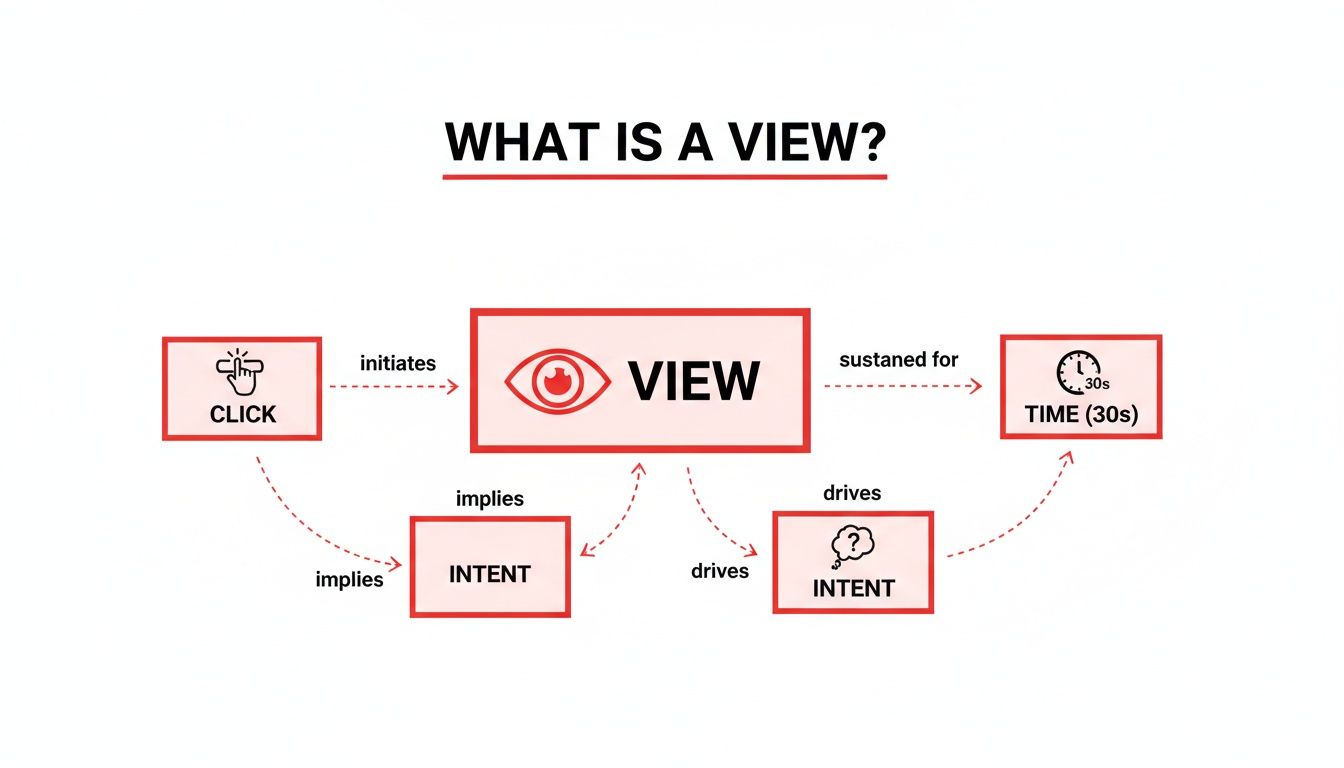
    So, let's break down the numbers that separate a fleeting click from a dedicated fan. The diagram below shows how a simple click evolves into a validated YouTube view, which requires a viewer's action, genuine intent, and a minimum time commitment.

    A diagram explaining 'what is a view,' showing relationships between click, view, intent, and time duration.

    This process makes it clear that a view isn't just a passive number—it's an active measure of someone's initial commitment to your content.

    Watch Time: The Undisputed King

    If you obsess over just one metric, make it Watch Time. This is the total, cumulative time people have spent watching your videos. To the algorithm, a high Watch Time is the ultimate signal that your content is valuable and is keeping people on the platform.

    Just look at this simple comparison. Imagine two videos, both with 10,000 views:

    • Video A is 2 minutes long, and people watch for 30 seconds on average. Total Watch Time: 5,000 minutes.
    • Video B is 10 minutes long, and people watch for 5 minutes on average. Total Watch Time: 50,000 minutes.

    Despite having the same number of views, Video B is ten times more powerful in the eyes of YouTube. It did a much better job of holding attention, which is exactly what YouTube wants. Consistently high Watch Time is your golden ticket to getting recommended in Browse and Suggested videos. If you're looking to dive deeper, you can check out our guide on boosting your YouTube watch hours.

    Average View Duration: Your Content's Holding Power

    While Watch Time is the grand total, Average View Duration (AVD) tells you how long the typical viewer sticks around. It’s a simple calculation: total Watch Time divided by the total number of views.

    Think of AVD as your content's report card. A high AVD means your video is successfully gripping viewers, while a low AVD is a clear sign that people are bouncing early. This could be because your intro is too slow, the content doesn't deliver on the title's promise, or the pacing just feels off. Keeping a close eye on your AVD helps you pinpoint exactly where you’re losing people so you can make better videos next time.

    A high Average View Duration is direct feedback from your audience saying, "Yes, this is what I wanted to see." It's one of the strongest indicators of content quality and viewer satisfaction.

    Impressions and Click-Through Rate: Winning the First Click

    Before anyone can rack up Watch Time, they first have to see your video and decide to click on it. This is where Impressions and Click-Through Rate (CTR) come in.

    • Impressions: This is simply the number of times your video's thumbnail was shown to a potential viewer on YouTube.
    • Click-Through Rate (CTR): This is the percentage of those impressions that actually turned into a click (and a view).

    Your thumbnail and title are basically a billboard on the YouTube highway. Impressions are how many cars drive past it, and your CTR is the percentage of those cars that pull over to check you out. A low CTR means your "billboard" isn't compelling enough, no matter how amazing the content is behind that click. These two metrics are a team; you can't get views without impressions, and you can't capitalize on those impressions without a strong CTR.

    Putting It All Together: What the Data Is Telling You

    These metrics don't live in isolation. They all work together to paint a complete picture of your video's performance, and understanding how they influence each other is where the magic happens.

    For instance, a high CTR paired with a low Average View Duration is a classic red flag. This tells you that your thumbnail and title made a promise that the video didn't keep. People were intrigued enough to click, but they left almost immediately because the content wasn't what they expected. This is the hallmark of "clickbait," a practice that can seriously hurt your channel's reputation with the algorithm over time.

    To help you connect the dots, here’s a look at some common scenarios and what they might be telling you.

    Interpreting Metric Combinations

    Understanding how metrics influence each other is key. This table shows common scenarios and what they likely mean for your video's performance.

    Scenario What It Likely Means Recommended Action to Take
    High CTR, High AVD You've hit the jackpot! Your topic, title, and thumbnail perfectly align with compelling content. Double down on this format and topic. Analyze what made it successful and replicate it.
    High CTR, Low AVD Classic clickbait problem. Your packaging is great, but the content doesn't deliver on its promise. Revise your titles and thumbnails to be more honest, or improve your video's intro to hook viewers faster.
    Low CTR, High AVD Your content is fantastic, but nobody's clicking to find out. Your thumbnail and title aren't doing their job. A/B test new thumbnails and titles. Make them more intriguing, clear, and relevant to your target audience.
    Low CTR, Low AVD The video is underperforming across the board. The topic may not be interesting, or the execution is weak. Re-evaluate your content strategy. Research what's working for others in your niche and find a new angle.

    By learning to read these combinations, you can stop guessing and start making data-informed decisions to improve every video you publish.

    Finally, remember to benchmark your performance against others in your niche. While the average YouTube video gets around 5,594 views, this varies wildly. Entertainment channels can pull in nearly 10,000 views per video, while gaming channels might see closer to 3,000. Knowing the baseline for your category helps you set realistic goals. Tools like ViewsMax are designed to help you analyze these benchmarks and refine your content strategy to meet and exceed them.

    How to Navigate YouTube Analytics Like a Pro

    Knowing your metrics is one thing, but knowing where to find them and how to make sense of the data is where the magic happens. At first glance, YouTube Studio can feel a bit overwhelming, but it's not a scary spreadsheet—it's your channel's command center. Once you get the hang of it, you'll see it as your most powerful tool for growth.

    Your starting point is always YouTube Studio. Just hop onto your dashboard and click "Analytics" in the menu on the left. This is your gateway to understanding exactly how your channel is performing. You’ll land on the Overview tab, which gives you a great high-level summary of your key youtube view stats.

    Here's a look at what you can expect to see on a typical channel analytics overview.

    A person interacts with a laptop displaying a vibrant analytics dashboard with charts and graphs.

    This snapshot shows your views, watch time, and subscriber changes, making it easy to spot big trends without having to dig around for them.

    Exploring the Core Analytics Tabs

    You'll spend most of your time moving between four key tabs: Reach, Engagement, Audience, and Revenue. Each tab tells a unique part of your channel’s story.

    • Reach Tab: This is all about how people find your videos. It's home to your Impressions, Click-Through Rate (CTR), and, crucially, your Traffic Sources.
    • Engagement Tab: Here's where you find out what happens after someone clicks. This tab holds your Watch Time and Average View Duration.
    • Audience Tab: This is where you get to know who is watching. It gives you the details on your Unique Viewers, returning viewers, and audience demographics, including when they're online most often.

    Think of it this way: Reach is your marketing team getting people in the door. Engagement is your product team making sure they have a great experience. And Audience is your research team figuring out who your customers really are.

    Using Filters to Uncover Insights

    The real power of YouTube Analytics comes alive when you start playing with filters. The default view shows data for the last 28 days, but that's just the beginning.

    In the top-right corner, you can click the date range to change the time frame. You can zoom in on the last 7 days to check recent performance, look at the last 90 days for a bigger-picture review, or set a custom range to see how things have gone since you changed up your content strategy. Comparing periods—like this month versus last month—is a fantastic way to see if your hard work is paying off.

    Pro Tip: Don't get stuck only looking at your channel as a whole. Go to the "Content" tab and click on an individual video to see its specific analytics. This is where you'll figure out exactly what makes a video a hit or a miss.

    Mastering Advanced Mode

    Ready to go deeper? Clicking on "Advanced Mode" unlocks a whole new level of analysis. It lets you compare different metrics side-by-side, add secondary data points, and build custom reports.

    For example, you could compare the Average View Duration for all the videos you published last month to see which topics really kept viewers hooked. Or, you could break down the Traffic Sources for your top-performing videos to learn if they're being found through YouTube search or suggested videos.

    When you know where your best viewers are coming from, you can start making more content that plays to those strengths. If you want to take it a step further and see how your interaction stacks up, you can use a YouTube engagement rate calculator to benchmark your performance.

    Getting comfortable with these tools helps you go from just looking at your youtube view stats to actively using them to build a content plan that truly works.

    Turning Your Insights Into a Winning Content Strategy

    All this data is useless if you don't act on it. Understanding your YouTube view stats is the first step, sure, but real growth happens when you start turning those numbers into a smarter content plan. This is the moment you shift from just watching your analytics to actually using them as a creative compass.

    Think of your analytics dashboard less like a report card on your past work and more like a roadmap showing you exactly where to go next. Every metric is a breadcrumb your audience left behind, pointing you toward the stuff they genuinely want to watch.

    High Impressions but Low Clicks: A First-Impression Problem

    One of the most common headaches for creators is seeing a ton of impressions but a disappointingly low Click-Through Rate (CTR). This means YouTube is putting your video in front of plenty of people, but hardly anyone is biting. You've got the reach, but you're missing that crucial initial hook.

    This isn't necessarily a problem with the video itself—it's a packaging problem. Your thumbnail and title are your video's billboard on the digital highway. If cars are just driving by, you need to change the sign, not rebuild the entire store.

    Here's how to figure out why your packaging isn't earning that click:

    • Is the Thumbnail Clear? Can someone get the main idea of your video in two seconds just by glancing at the thumbnail? Ditch the clutter, use big text, and show expressive faces or compelling imagery.
    • Does the Title Spark Curiosity? A great title makes a promise or asks a question that the viewer feels they need to have answered. Generic titles get lost in the noise.
    • Do They Work Together? Your thumbnail and title should be a one-two punch. They need to complement each other, not just repeat the same information. Together, they should tell a tiny story that makes clicking irresistible.

    Systematically testing and tweaking your titles and thumbnails is the most direct way to fix a low CTR. For a much deeper dive, check out our guide on how to improve click-through-rate for some really practical techniques.

    High Clicks but a Sharp Drop-Off: The Content Mismatch

    So what if you have the opposite problem? A fantastic CTR, but your Average View Duration is in the gutter. People are clicking like crazy, but they're bailing almost immediately. This is a classic sign of a mismatch between what you promised and what you delivered.

    This "bait-and-switch" can seriously poison your channel over time. It signals to the YouTube algorithm that your videos create a bad viewer experience, which can get your content suppressed in recommendations down the line. The fix? Make sure your video keeps the promise your title and thumbnail made, right from the very start.

    Your first 15 seconds are everything. You have to immediately confirm to the viewer that they made the right choice by clicking, delivering on the hook you promised them.

    Go back and watch the first 30 seconds of your videos with low watch time. Do you waste time on a long, fancy intro? Do you ramble before getting to the point? Cut the fluff. Get straight to the value and you'll stop that initial viewer exodus. And remember, interpreting the numbers is just one part of the equation; you also need to apply those insights, like figuring out the best time to upload YouTube videos to catch your audience when they're most likely to be online.

    Thriving in a Crowded Ecosystem

    Making smart, data-driven decisions is more important today than ever before. YouTube is unbelievably crowded. By the end of 2025, the platform was home to an estimated 29 billion videos. Much of that explosive growth is fueled by Shorts, which now make up over 90% of all new uploads.

    In this hyper-competitive world, the top 1% of videos command an incredible 91% of all viewing time. That leaves the other 99% of us fighting for the remaining 9% of attention.

    These numbers paint a pretty clear picture: you can't just get lucky anymore. Success demands a strategic approach where your YouTube view stats inform every single decision. This is where tools like ViewsMax come in, helping you make sense of the noise with data-backed suggestions for titles, tags, and descriptions. It's about creating a powerful feedback loop where analytics directly fuel your creative process, turning your dashboard into a command center for real channel growth.

    Time to Put Your Data to Work

    We've covered a lot of ground, from what a "view" actually means to the deeper metrics that drive real channel growth. If there's one thing you take away from all this, let it be this: your YouTube view stats are your audience speaking directly to you. When you learn to listen, you gain the power to create content that doesn't just get watched, but gets people talking and subscribing.

    This isn't about chasing empty numbers. It's about seeing the story behind the stats. By keeping a close eye on your Views, Watch Time, and Click-Through Rate, you can stop throwing content at the wall to see what sticks. The "publish and pray" era is over.

    From Numbers to Know-How

    With the information you can pull from your dashboard, you now have a roadmap. Your next hit video won't be a happy accident; it’ll be the product of a smart, analytical, and creative strategy. Every data point is a breadcrumb leading you toward what your audience truly wants.

    Think of your analytics dashboard less like a report card and more like a treasure map. It shows you exactly where your audience wants to go next. Make it your most trusted creative partner.

    This shift in thinking helps you get ahead of trends instead of just reacting to them. To make sure the map is accurate, it's crucial to focus on mastering data quality monitoring. When you can trust your numbers, you can make decisions with complete confidence.

    Your Next Step with ViewsMax

    Of course, digging through raw data can feel like a full-time job. That's where a tool like ViewsMax comes in handy. We built our platform to do the heavy lifting, turning complex analytics into straightforward, actionable advice.

    • Pinpoint Your Best Topics: We analyze your metrics to show you which content ideas have the most potential.
    • Nail Your First Impression: Get AI-powered feedback on titles and thumbnails to get more people clicking.
    • Sharpen Your Strategy: Use our insights to build a powerful feedback loop, making each video better than the one before it.

    When you combine your creative spark with solid data, you've got a recipe for serious growth. It’s time to stop guessing and start knowing. Your journey to becoming a data-savvy creator starts right now.

    A Few Common Questions About YouTube View Stats

    If you've spent any time staring at your YouTube view stats, you've probably had a few head-scratching moments. It's totally normal. Getting to grips with the platform's reporting can be tricky, but understanding the quirks will save you a ton of stress and help you make smarter moves for your channel.

    Let's break down some of the most common questions we hear from creators.

    Why Did My YouTube Views Suddenly Drop?

    That feeling when you see a sudden drop in views? It’s a gut punch, but it's rarely random. There's almost always a logical reason hiding in your analytics. Before you panic, think about seasonality. Major holidays, the start or end of the school year, or even big world events can throw viewing habits for a loop, causing temporary dips.

    If it's not the calendar, your next stop should be the Traffic Sources report in YouTube Analytics. If you see a slump in impressions from "Browse Features" or "Suggested Videos," that's a big clue. It likely means the algorithm's recommendations have shifted. It's also worth looking at your last few uploads—a couple of duds can easily drag down your channel's momentum and pull your average view count down with them.

    How Long Does It Take for YouTube Analytics to Update?

    When it comes to your stats, a little patience goes a long way. YouTube Analytics isn't instant because it has a ton of data to chew on and verify.

    • Real-time Stats: This is your early look, showing estimated views for the first 48 hours. Think of these numbers as a rough draft—they're useful, but not final.
    • Finalized Data: The official, locked-in numbers for views, watch time, and revenue usually show up after a 48-hour delay. During this time, YouTube is busy filtering out spammy views and bot traffic to make sure everything is legitimate.

    So, for the most reliable take on a video's performance, it's always best to wait at least two full days before you start making big decisions based on the numbers.

    Can I See Exactly Who Viewed My YouTube Videos?

    The short answer is no. You can't see a list of the specific user accounts that have watched your videos. YouTube takes viewer privacy seriously and keeps all of that information anonymous.

    But what you can see is actually much more powerful for growing your channel. Head over to the "Audience" tab in your analytics. There, you'll find a goldmine of aggregated data: your viewers' general age ranges, their gender distribution, and the top countries they're watching from. This gives you a crystal-clear profile of your audience without ever creeping on individuals.

    Understanding your audience demographics is way more valuable than knowing individual names. It helps you shape your content, your tone, and even your video topics to connect directly with the people who are actually tuning in. That's how you build real engagement and growth.

    What Is a Good Click-Through Rate on YouTube?

    This is the million-dollar question, but there's no single magic number for a "good" Click-Through Rate (CTR). It really depends on your niche, the video topic, and where the viewer is coming from. For example, a video found via YouTube Search will almost always have a higher CTR than one suggested on the homepage, simply because the searcher came looking for it.

    With that in mind, a CTR between 4% and 5% from impressions in Browse and Suggested is a pretty solid benchmark for many channels. Instead of fixating on a universal number, focus on improving your own channel's average. Dive into the analytics funnel to see how well your thumbnails and titles are turning impressions into actual views, and don't be afraid to experiment to see what your audience clicks on.


    Ready to stop guessing and start growing? ViewsMax translates complex analytics into clear, actionable advice to help you create videos that get discovered, watched, and loved. Start making data-driven decisions today at ViewsMax.

  • Your Guide to the YouTube Engagement Rate Calculator

    Your Guide to the YouTube Engagement Rate Calculator

    Ever wondered what a YouTube engagement rate calculator actually does? It's a tool that takes all those individual audience interactions—likes, comments, shares—and distills them into one powerful percentage. This single number tells you how deeply your content is connecting with viewers, going way beyond a simple view count to reveal true audience investment.

    What YouTube Engagement Rate Really Means

    Man using a laptop displaying data analytics charts and an 'Engagement Heartbeat' overlay on screen.

    Think of engagement rate as your channel's heartbeat. Views tell you how many people glanced in your direction, but engagement tells you how many stopped to listen and have a real conversation. It's the vital sign proving your audience isn't just passively consuming; they're actively participating.

    This connection is one of the most powerful signals you can send to the YouTube algorithm.

    A high engagement rate signals to YouTube that your videos are valuable and keep people watching. When that happens, the algorithm is far more likely to recommend your content to new audiences, kicking off a powerful cycle of growth. Before we dive into the nitty-gritty of YouTube, it's worth understanding the bigger picture of what is engagement rate and why it matters for any creator.

    The Conversation Beyond Views

    Views are just one piece of the puzzle. The real health of a channel is measured by the quality of its interactions, not just the quantity of eyeballs. Engagement is what turns passive viewing into an active relationship between you and your audience.

    Before calculating the rate, let's break down the core metrics that feed into it. Each one tells a different part of the story.

    Core Engagement Metrics At a Glance

    Metric What It Measures Why It's Important
    Likes/Dislikes Immediate, direct feedback on audience sentiment. The quickest way to gauge if your content resonated (or didn't).
    Comments The level of discussion and community interaction a video inspires. Shows your content was thought-provoking enough to spark a conversation.
    Shares How often viewers recommend your video to their own social circles. A powerful endorsement; viewers are becoming advocates for your channel.
    Saves How many viewers bookmark your video to watch again later. A strong signal that your content is valuable, evergreen, or serves as a resource.

    These interactions are the building blocks of your engagement score and paint a complete picture of your video's performance.

    Why This Metric Is Your Secret Weapon

    Focusing on engagement is so much more effective than just chasing fleeting viral moments. And the data backs this up. Statista's recent analysis shows the average engagement rate on YouTube was around 3.97% in 2023 and 3.87% in 2024. This makes it a critical benchmark for any serious creator.

    That percentage is more than a statistic; it's a direct reflection of your content's quality and your ability to build a loyal community. Unlike vanity metrics like subscriber count or even total public watch hours, engagement shows a genuine connection.

    By the way, if you want to see how these metrics fit together, our guide on what are public watch hours on YouTube breaks it down.

    Ultimately, by using a calculator to track this vital sign, you can make smarter decisions and build a thriving, interactive community around your channel.

    How to Use an Engagement Rate Calculator

    Turning a pile of raw data from your YouTube Analytics into a single, meaningful score is a lot easier than it sounds. You don't need a degree in statistics; just a few key metrics and a simple formula. This process takes the guesswork out of performance analysis and gives you a solid number to measure your content's health.

    There are really two ways to look at this, and each tells a slightly different story. One focuses on how a specific video landed with its audience, while the other takes the temperature of your subscriber base.

    The Two Core Formulas Explained

    The most common approach—and frankly, the most insightful for individual videos—is Engagement Rate by Views. This formula tells you how engaging a video was to everyone who watched it, subscriber or not. It's the truest measure of a video's standalone performance.

    The other method is Engagement Rate by Subscribers. This one shifts the focus to your loyal followers, showing how many of them are actually interacting with your content. Think of it less as a grade for a single video and more as a health check on your core community.

    Key Takeaway: Use Engagement Rate by Views to see if a video was a hit. Use Engagement Rate by Subscribers to see if your loyal community is still tuning in.

    Calculating Engagement Rate by Views

    To get this number, you first need to add up all the main interactions on a single video: the likes, comments, and shares. Once you have that total, you just divide it by the video's total views and multiply by 100 to turn it into a percentage.

    • Formula: (Total Likes + Comments + Shares) / Total Views * 100

    Let's walk through a quick example. Say one of your videos has these stats:

    • Views: 10,000
    • Likes: 650
    • Comments: 100
    • Shares: 50

    Plugging those into the formula, we get: (650 + 100 + 50) / 10,000 = 0.08. Multiply that by 100, and you've got an Engagement Rate by Views of 8%. That's a fantastic score, telling you the content really clicked with the people who saw it.

    The principles for tracking these interactions are pretty universal across YouTube. If you want to get more granular, especially with different formats, you can find great guides that teach you how to analyze YouTube Shorts performance, too.

    Using the ViewsMax Engagement Rate Calculator

    Doing the math yourself is a great way to understand what's going on under the hood, but it gets old fast. This is where a good automated tool becomes a lifesaver for your workflow. A dedicated YouTube engagement rate calculator handles all the number-crunching for you.

    Here’s a look at the ViewsMax calculator—it’s as straightforward as it gets.

    You just pop in your numbers for views, likes, comments, and shares, and it gives you the score instantly. No formulas to remember, no chance of a fat-finger error on your calculator app.

    This kind of instant feedback is what lets you spend less time buried in spreadsheets and more time actually creating better content. You get an accurate, actionable percentage in seconds, freeing you up to think about what really matters: your creative strategy.

    What a Good YouTube Engagement Rate Looks Like

    So, you've crunched the numbers and have your YouTube engagement rate. But what does that percentage actually tell you? It's easy to look at a number like 5% and feel underwhelmed, but on YouTube, that could signal a genuinely thriving and highly connected community.

    When it comes to engagement, context is everything.

    The simple truth is there’s no single, universal number that defines a "good" engagement rate. It shifts dramatically depending on your channel's size and your specific niche. Comparing a small, focused channel to a massive media brand with millions of subscribers is like comparing a local coffee shop to a global chain—they operate on completely different scales and have very different relationships with their customers.

    Why Channel Size Matters Most

    Your subscriber count is probably the single biggest factor influencing your engagement rate. Smaller channels often feel more like a tight-knit community, which naturally leads to higher percentages of likes, comments, and shares. The creator's voice is more direct, and the connection feels more personal.

    As a channel explodes in popularity, the audience becomes more diverse. It starts to include more casual, passive viewers who watch without ever interacting. This is a natural evolution, and it causes the overall engagement rate to dip. This doesn't mean huge channels are failing; it just means they're playing a different game. For them, a 1% or 2% engagement rate can still mean hundreds of thousands of interactions on a single video.

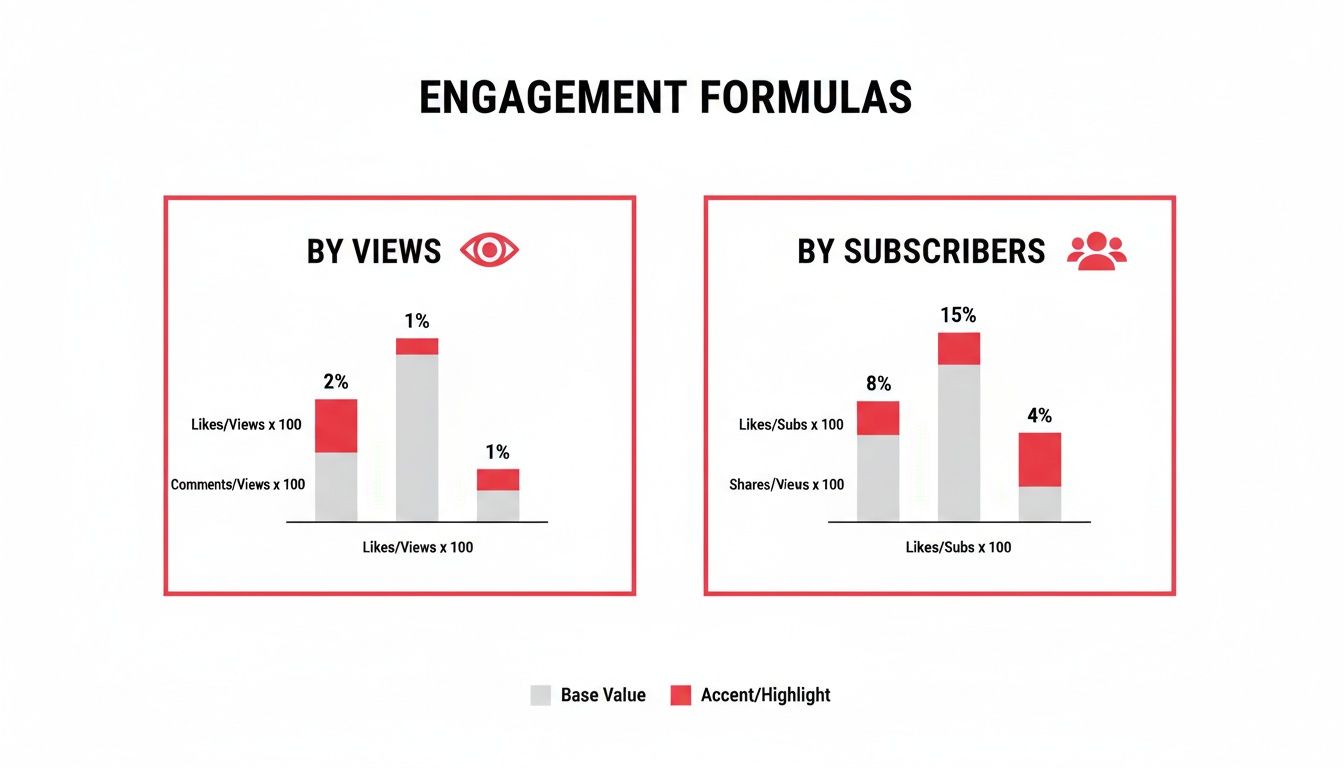
    This infographic breaks down the two main ways to think about engagement, showing how each formula shines a light on a different part of your channel's health.

    Infographic comparing YouTube engagement rates based on views and subscriber count metrics.

    As you can see, measuring by views tells you how compelling a specific video is, while measuring by subscribers gives you a read on the loyalty of your core audience.

    Benchmarking Your Channel's Performance

    To set realistic goals, you have to stop chasing some vague, ideal percentage. Instead, the smart move is to benchmark your performance against channels at a similar stage of growth. This gives you a much clearer picture of what’s truly achievable.

    To help with that, we've compiled recent industry data into a simple table. It shows how engagement rates typically change as a channel's subscriber base grows.

    YouTube Engagement Rate Benchmarks By Subscriber Count

    Compare average engagement rates across different channel sizes to see how your performance stacks up.

    Channel Size (Subscribers) Average Engagement Rate (by Views) Top 10% Engagement Rate
    0 – 10k (Nano) 5.43% 10.45%
    10k – 50k (Micro) 4.98% 9.51%
    50k – 100k (Medium) 3.85% N/A
    100k – 500k (Large) 2.82% N/A

    Data sourced from a 2024 analysis by SocialBook.

    As the data shows, it's completely normal for the percentage to decrease as subscriber count increases. Nano-influencers often see the highest rates because their audience is small and dedicated. But even as the rate dips for larger channels, their total number of interactions continues to climb significantly.

    Key Insight: Don't chase an arbitrary number. Aim to outperform the average for your specific channel size. A 4% engagement rate for a channel with 75,000 subscribers is an excellent achievement.

    Ultimately, the goal isn't just to get a "good" score. It's about understanding what that score reveals about your content and your connection with your audience. By using the right benchmarks, you can move beyond simple numbers and focus on what really matters: building a genuinely interactive and loyal community that grows right along with you.

    Five Proven Strategies to Boost Your Engagement

    Alright, so you know what your engagement rate is. Now what? Knowing the number is one thing, but making it go up is where the real growth happens. It’s all about turning people who just watch into a community that actually participates.

    You have to be intentional about inviting interaction. The five strategies below are practical, easy to start using right away, and designed to get you more of the likes, comments, and shares that tell YouTube your channel is the real deal.

    Each of these tactics tackles a different piece of the puzzle, from how you talk to your audience to the kinds of videos you make. Mix them together, and you’ll create a powerful cycle where your viewers feel heard, appreciated, and genuinely excited to be a part of what you're building. Let's get into it.

    1. Craft Compelling and Specific Calls to Action

    The old "like and subscribe" line at the end of a video is pretty much background noise at this point. People tune it out. To get a real response, your calls-to-action (CTAs) need to be specific, creative, and feel like a natural part of the video they just watched.

    Instead of a generic sign-off, ask a question that gets them thinking. For instance, if you're reviewing a new camera, don't just say "leave a comment." Ask something like, "What's the one feature you wish this camera had? Drop your thoughts in the comments!" This turns the comment section into a real discussion, not just a place for empty praise. Your CTA should feel like the next logical step in the conversation, not an afterthought you tacked on.

    2. Use Community Features to Spark Conversations

    YouTube gives you a ton of tools to connect with your audience outside of the video itself. Your pinned comments, polls, and the Community tab are absolute goldmines for interaction if you use them right.

    • Pinned Comments: Pin a comment to ask a follow-up question related to the video. A simple "Question of the Day" can keep the conversation alive for days and shows new viewers that you're an active creator who sticks around after hitting "publish."
    • Polls in Cards: Drop an interactive poll card right in the middle of your video. It's a super easy way for people to engage without even having to stop watching. Ask their opinion on something you just talked about and watch the votes roll in.
    • Community Tab: Think of your Community tab as your channel's own little blog. Share behind-the-scenes photos, ask your audience what video they want to see next, or run a quick poll. It gives your subscribers a reason to connect with you even when you don't have a new video out.

    3. Create Engagement Magnet Content Formats

    Let's be honest, some types of videos are just built to get people talking. A deep-dive tutorial might get views, but it probably won't spark a massive debate. If you want to really juice your engagement numbers, you need to strategically plan for it.

    Q&As, debates, tier lists, and "unpopular opinion" videos are practically designed to start a conversation. They don't just give information; they present a point of view and directly invite the audience to agree or disagree. This turns your comment section into a lively forum.

    When you plan these "engagement magnet" videos, you’re baking interaction right into your content strategy from the start. It's way more effective than trying to force a discussion on a topic that just doesn't invite it.

    4. Actively Respond and Build Loyalty

    Engagement is a two-way street. It's that simple. When someone takes the time to write a thoughtful comment, responding is one of the most powerful things you can do. It shows you're listening and that their opinion actually matters.

    And don't just "heart" the comment and move on. A quick reply that acknowledges their point or answers their question can turn a random commenter into a loyal fan. This is how you build a real community—by making people feel like they're talking with you, not just at you.

    5. Optimize Your End Screens and Cards

    That last 20 seconds of your video is incredibly valuable real estate. Don't waste it! Your end screen can do so much more than just link to another video. Use it to drive specific actions.

    You could add a graphic that points right to the subscribe button while you verbally remind people to click it. Or, you could link to a playlist that you know answers a common question from your audience. To make this even more effective, you need to get more eyes on your videos in the first place. You can check out our guide on how to improve click-through rate for some expert tips on that. By making your end screen an active part of your strategy, you turn those final moments of a viewer's attention into another win for your channel.

    Troubleshooting Common Engagement Problems

    Man reviewing business data and engagement metrics on a tablet with a pen and notebook.

    It’s a frustratingly common scenario: your view count is ticking up, but the comment section is a ghost town. You're getting traffic, but you just can't seem to get a conversation going. This usually signals a disconnect—your content is being watched, but it isn't compelling viewers to act.

    When you spot a sudden dip in interaction or a video with lots of views but practically no feedback, it's time to put on your detective hat. The problem usually boils down to a few key areas, from a clickbait-y thumbnail to content that just doesn't ask for a response.

    High Views But Low Comments

    Getting people to click is only half the battle. If viewers show up, watch, and leave without a trace, your content might be delivering information passively instead of actively sparking a dialogue.

    • Potential Cause: Your calls-to-action (CTAs) are either missing or way too generic. You haven't given viewers a clear, interesting reason to chime in.
    • The Fix: Ditch the classic "leave a comment." Instead, ask specific, open-ended questions directly related to your video. For instance, instead of saying, "Let me know what you think," try asking, "What's the one mistake you made when you were just starting out? Share it below!"

    A huge part of succeeding on YouTube today is understanding how people watch. With a massive 71.66% of global visits coming from mobile, you're dealing with shorter attention spans. Your prompts for interaction need to be crystal clear and straight to the point. You can explore the latest YouTube statistics for more on these viewing habits.

    Sudden Drop in Audience Interaction

    Did your engagement suddenly fall off a cliff? The first place you need to look is your Audience Retention graph inside YouTube Studio. This chart is your secret weapon, showing you the exact moment viewers lose interest and click away.

    If you see a sharp, early drop, it's often a sign of a mismatch between your title/thumbnail and what the video is actually about. If viewers feel like they've been misled, they’ll leave immediately—and they definitely won't engage. Make sure your video's packaging is an honest promise of the value you deliver.

    Another powerful tool for diagnosis is your video's structure. Breaking your content into clear segments can keep people watching longer. You can learn more about how to add chapters to a YouTube video to guide your audience and improve their experience, which almost always leads to better retention and more interaction.

    And of course, using a youtube engagement rate calculator helps you track whether these structural tweaks are actually moving the needle over time.

    Answering Your Top YouTube Engagement Rate Questions

    Alright, you've got the formulas, you know the benchmarks, and you have a game plan. But as with any deep dive into analytics, a few questions always bubble up. Let's clear up some of the common ones so you can move forward with confidence.

    Think of this as the final piece of the puzzle. Calculating the numbers is the first step, but truly understanding what they mean—and what to do with them—is how you actually grow your channel.

    Which Formula Is Better: Engagement by Views or by Subscribers?

    This is the big one, and the honest answer is, it's not about which one is "better," but what you're trying to achieve.

    Engagement Rate by Views is the go-to metric for judging how well a specific video performed. It measures how engaging your content was to everyone who clicked play, not just your existing fanbase. This is the industry standard for a reason.

    Engagement Rate by Subscribers, on the other hand, is more of a community health report. It tells you how well you're resonating with the people who have already committed to following you. For your regular, video-by-video analysis, you’ll want to stick with the rate by views.

    How Often Should I Check My Engagement Rate?

    You don't need to be glued to your analytics screen 24/7. In fact, that's a great way to drive yourself crazy. A much healthier and more effective rhythm is to check your rates on two different timelines.

    First, take a look at a new video about 24-48 hours after it's published. This gives you an immediate sense of its initial performance and how it landed with your audience right out of the gate.

    Second, zoom out and calculate your channel's average engagement rate on a monthly or quarterly basis. This big-picture view is perfect for tracking long-term trends and seeing if your overall strategy is paying off, without getting lost in the weeds of daily ups and downs.

    Do Shorts Have a Different Engagement Rate?

    Yes, they absolutely do, and it’s critical that you track them separately. The entire ecosystem for YouTube Shorts is different. They're designed for rapid-fire, high-volume viewing, which means they tend to rack up tons of views and likes but far fewer comments than a traditional long-form video.

    The way people interact with Shorts is fundamentally different. If you mix their numbers in with your regular videos, you're going to get some seriously skewed data. Always calculate engagement for your Shorts on their own to get a clear, accurate picture of what's working for each format.


    Ready to stop guessing and start growing? The ViewsMax toolkit provides the analytics and AI-powered insights you need to make smarter content decisions. Find out more and get started today!

  • YouTube SEO for Beginners A Complete Growth Guide

    YouTube SEO for Beginners A Complete Growth Guide

    Think of YouTube SEO as the practice of making your videos, playlists, and your entire channel more visible in YouTube's search results. It’s all about figuring out what your ideal audience is typing into that search bar and then using those exact phrases to shape your video's title, description, and tags. The whole point is to make it crystal clear to YouTube's algorithm what your video is about so it can show it to the right people.

    Why YouTube SEO Is Your Secret Weapon for Growth

    A man wearing glasses works on a laptop at a desk with plants and a phone, displaying 'Be Discoverable'.

    Starting a new YouTube channel can feel like shouting into an empty room. You pour hours into making an amazing video, hit that publish button, and then… crickets. It's a common story. Many new creators get caught up chasing the dream of "going viral," but that's a lottery ticket, not a strategy for long-term success.

    There's a much smarter way to grow.

    You need to shift your perspective and see YouTube for what it truly is: the world's second-largest search engine. This one mental switch changes everything. Instead of praying for a lucky break, you can strategically place your videos directly in the path of people who are actively searching for them. That’s the entire game when it comes to YouTube SEO for beginners.

    The Algorithm Wants What Viewers Want

    At the end of the day, YouTube’s goal is simple: keep people on the platform as long as possible. Why? More watch time means more ad revenue. To do this, its algorithm is constantly learning to identify and promote videos that people find genuinely valuable and engaging.

    So, your job is to convince the algorithm that your videos are the answer to a viewer's search. It looks for specific signals to figure this out:

    • Click-Through Rate (CTR): What percentage of people who see your video actually click on it? A high CTR tells YouTube your title and thumbnail are doing their job and grabbing attention.
    • Watch Time & Audience Retention: Once someone clicks, how long do they stick around? A video that holds a viewer's attention sends a massive signal that the content is top-notch.
    • Engagement: Comments, likes, shares, and new subscribers are all proof that your video is connecting with people on a deeper level.

    When you focus on SEO, you're not trying to cheat the system. You're building a sustainable engine that consistently brings in the right viewers by giving the algorithm exactly the signals it's looking for.

    The Scale of Opportunity on YouTube

    To really grasp why SEO is so crucial, you have to understand the mind-boggling scale of YouTube. The platform handles over 3 billion searches every single month. On top of that, a staggering 500 hours of video are uploaded every minute.

    In a sea of content that vast, just uploading a video and hoping for the best is a recipe for failure. But all that search traffic also represents a massive opportunity. Creators who learn to optimize their content can tap into this endless stream of viewers. Plus, with YouTube being owned by Google, the ripple effects of good SEO are huge. You can dive deeper into these YouTube statistics on SEMrush to see the full picture.

    How to Find Video Ideas People Are Actually Searching For

    Overhead view of a person typing on a laptop with a 'Find Keywords' banner and a magnifying glass, surrounded by a plant and coffee.

    This is the first, most crucial step in any YouTube SEO for beginners playbook. Forget guessing what people want to watch. Real growth comes from discovering the exact phrases your audience is already typing into the search bar. Think of it as finding the question so you can show up with the perfect answer.

    Amazing content is completely wasted if no one can find it. When you ground your video ideas in solid keyword research, you're not just creating content you hope will work—you're creating content you know people are looking for.

    Start with YouTube’s Own Search Bar

    The easiest place to find video ideas is staring you right in the face: the YouTube search bar. Its autocomplete feature is a goldmine because it shows you what real people are actively searching for, right now.

    Just type in a broad topic related to your channel. Let’s say you run a channel about home coffee brewing. Start typing "french press coffee."

    Before you even hit enter, YouTube gives you a list of suggestions:

    • french press coffee ratio
    • french press coffee recipe
    • french press coffee for beginners
    • french press coffee grinder

    These aren't random guesses. They're popular, real-world search queries. Each one is a potential video topic with a built-in audience ready to watch. That last one, "french press coffee for beginners," is a perfect example of a long-tail keyword. It's specific, less competitive, and attracts a viewer who knows exactly what they want to learn.

    Pro-Tip: Don't stop there. Try typing your main topic followed by different letters of the alphabet (e.g., "french press coffee a," "french press coffee b"). You'll uncover tons of hidden gems and variations that people are searching for.

    Legally Spy on Your Competitors

    Another brilliant tactic is simply learning from what’s already working. There's no need to reinvent the wheel. Analyzing successful channels in your niche gives you a proven roadmap to topics that resonate with your ideal viewers.

    Head over to a competitor's channel and click on their "Videos" tab. Now, sort their library by "Most Popular." This instantly shows you their greatest hits—the videos that have earned them the most views and engagement.

    Pay close attention to the titles of these home-run videos. What keywords are they built around? If a channel like yours has a video called "The Ultimate Sourdough Starter Guide for Beginners" with a million views, you can bet that "sourdough starter guide" is a validated topic.

    This simple trick accomplishes two things:

    1. It proves there's a huge audience for a specific topic.
    2. It gives you a benchmark for what a successful video on that topic looks like.

    The goal isn't to copy them. It's to find that winning keyword and then create your own, unique, and even better video on the subject. For a deeper dive, check out our complete guide to discovering effective YouTube video keywords.

    The Sweet Spot: Balancing Search Volume and Competition

    Once you have a list of potential keywords, the next challenge is finding that sweet spot between search volume (how many people search for it) and competition (how many other videos are targeting it).

    As a new creator, targeting a massive keyword like "weight loss" is a recipe for failure. Your video will be instantly buried by thousands of others from huge, established channels.

    Instead, look for topics with healthy interest but less cutthroat competition. A quick way to check is to search for your keyword on YouTube. How many results are there? Now look at the top-ranking videos. Are they all from channels with millions of subscribers? If so, you might want to find a more specific angle.

    Getting this right can have a massive impact. Good SEO can drive 157% more organic traffic from search engines. It's a key strategy because YouTube ranks for over 187 million keywords, pulling in an incredible 1.7 billion monthly organic visits. For creators, this is a lead-generation machine, with 51% of video professionals calling it their highest ROI content. You can learn more about these powerful video SEO statistics on Vidico. This data proves why finding the right keywords isn’t just a small step—it’s the foundation of your channel’s growth.

    Building Your Video's 'Digital Storefront' for Maximum Impact

    A person optimizes a video page on a desktop computer, with a plant and notebook on a wooden desk.

    Alright, you've done your homework and found a great keyword. Now what? The next step is all about execution—building a video page that screams to YouTube, "Hey, my video is exactly what people are searching for!"

    Think of your video's title, thumbnail, description, and tags as its digital storefront. Each piece needs to work together to pull people in and convince the algorithm that your content is the right choice.

    This is where your keyword research pays off. Getting these on-page elements right is how you translate all that data into actual views. You're essentially making a case to both people and the algorithm that your video deserves to be seen. Let's dig into how you do that.

    Titles That Make People Need to Click

    Your title is your first impression, your opening line. It has to do two jobs at once: grab a viewer's attention and signal relevance to YouTube. It’s a delicate balance between searchability and raw curiosity.

    A killer title always does two things well:

    • It weaves your main keyword in naturally, ideally somewhere near the beginning. This gives the algorithm an immediate clue about your video's subject.
    • It promises a solution, sparks intrigue, or offers a clear benefit that makes someone feel like they're missing out if they don't click.

    For instance, "Making French Press Coffee" is fine, but it’s forgettable. A much better title is "The Perfect French Press Coffee Ratio (Beginner's Guide)." It targets a specific keyword ("french press coffee ratio") while also clearly defining the audience and the value they'll get.

    Your title and thumbnail are a dynamic duo. The title makes a promise, and the thumbnail visually delivers on it. When they're in perfect sync, your click-through rate (CTR) can absolutely soar.

    Descriptions That Actually Help You Rank

    So many creators treat the description box as an afterthought, tossing in a single sentence or a few links. This is a huge mistake and a massive missed opportunity for SEO. The description is your secret weapon for feeding YouTube more context about your video.

    Your goal should be a detailed, naturally-written summary of what’s in the video. I always aim for at least 200-250 words to give the algorithm plenty to work with.

    Here’s a simple structure I use for my descriptions:

    • The Hook (First 2-3 lines): Start strong. Reiterate your primary keyword and get straight to the point about the video's value. This is the snippet people see before clicking "Show more," so make it count.
    • The Details (The Body): This is where you can expand on the topics you cover. It's the perfect place to sprinkle in secondary keywords and answer related questions you found during your research.
    • Video Chapters (Timestamps): Breaking your video into timestamped chapters is a game-changer. It makes for a better viewing experience and can even help your video show up for more specific, long-tail searches.
    • Links & Calls-to-Action: Finish up with links to your social media, other relevant videos, or a simple request for viewers to subscribe.

    This approach gives both the algorithm and your viewers everything they need.

    How to Use Tags for Better Discovery

    YouTube tags can feel a bit mysterious, but their job is pretty straightforward: they help YouTube figure out the broader context of your video. Think of them as signposts. While they aren't as critical as your title and description, they still play a key role in getting your video to appear in the "Suggested Videos" feed next to similar content.

    A smart tagging strategy is all about variety. When combined with a strong title and description, the right tags help the algorithm connect the dots. If you want to go deeper, there are fantastic guides out there that cover all the different types of good tags for YouTube and how to use them.

    Here's my go-to method:

    1. Primary Keyword: Your very first tag should always be your exact target keyword (e.g., "youtube seo for beginners").
    2. Broad Tags: Add a few tags that describe the general category (e.g., "youtube marketing," "video seo").
    3. Specific Tags: Include longer, more descriptive phrases that people might search for (e.g., "how to rank youtube videos," "youtube optimization tips 2024").

    You're basically casting a net—the specific tags catch the precise searches, while the broad ones help YouTube find a wider, but still relevant, audience for you.

    Thumbnails That Stop the Scroll

    Let’s be honest: your thumbnail is your video’s billboard. In a sea of search results, an eye-catching thumbnail is what makes someone slam the brakes on their scrolling and pay attention to your video. It's no surprise that over 90% of the best-performing videos on YouTube use custom thumbnails.

    You don't need to be a Photoshop wizard, but you do need to understand what works.

    Here's a quick checklist to reference as you create your thumbnails. Think of it as your on-page SEO cheat sheet.

    On-Page SEO Element Checklist

    Element Beginner Goal Pro-Tip
    Title Include your main keyword near the beginning. Add a number or a bracketed phrase like "[2024 Guide]" to stand out.
    Description Write 200+ words with your main keyword in the first sentence. Add timestamps to create video chapters for better navigation and SEO.
    Tags Use a mix of 5-8 broad and specific tags, with your main keyword first. "Spy" on top-ranking videos for your keyword to see what tags they're using.
    Thumbnail Use a high-contrast image and bold, readable text (3-5 words max). Test different facial expressions. Surprised or curious faces tend to boost clicks.

    By mastering these four elements—title, description, tags, and thumbnail—you're giving your video the best possible chance to succeed from the second you hit "Publish."

    Keeping Viewers Glued to the Screen: Watch Time and Engagement

    Getting the click is a great start, but it's only half the job. Now for the real challenge: keeping them watching. The single most important signal you can send to the YouTube algorithm is that your videos are so good, people watch them all the way through. This is what we call audience retention.

    When your video keeps people on YouTube longer, the platform's algorithm sits up and takes notice. It sees that high watch time as a big thumbs-up for quality content, which means it will start recommending your video to a wider audience. If you want to get serious about YouTube SEO, you absolutely have to master this.

    The First 15 Seconds: Make or Break

    You have a tiny window of opportunity to convince someone they've landed on the right video. Those first 15 seconds? They're everything. If you waste that time with a generic, drawn-out intro or talking about yourself, you'll see viewers drop off in droves, and your audience retention graph will take a nosedive.

    You have to open with a hook that grabs them immediately. I've seen these techniques work time and time again:

    • Lead with the "Why": Get straight to the point. Tell them exactly what problem you're about to solve for them. Instead of the tired "Hey guys, welcome back," try something like, "In the next five minutes, I'll show you the one camera setting that will make your photos look professional."
    • Try a Cold Open: Jump right into the most exciting part. If it's a DIY video about building a desk, show the stunning finished product first, then rewind and walk them through how you did it.
    • Ask a Question They're Already Thinking: Connect with your viewer instantly. For a video on personal finance, you could open with, "Ever get to the end of the month and have no idea where your money went?"

    A strong hook doesn't just grab attention; it sets the tone and reassures the viewer that their time is in good hands.

    Fight Off Viewer Boredom with Pattern Interrupts

    Okay, you've got their attention. Now, how do you keep it? Viewers often click away for one simple reason: boredom. The video just becomes monotonous. The secret weapon against this is using pattern interrupts—small, strategic shifts that jolt the viewer's brain and reset their attention.

    Think about it. If you're just a talking head on screen for ten minutes straight, it's easy for someone's mind to wander. You have to keep things moving, both visually and audibly.

    A well-structured video isn't just about what you say; it's about how you present it. The pacing, visuals, and audio all work together to create an experience that either holds attention or loses it.

    The best way to bake these elements into your content is to plan them out from the start. For a deeper dive, check out our guide on how to write a compelling script for YouTube videos.

    How to Structure Your Video for Maximum Engagement

    Thoughtful content structure is just as crucial as the information you're sharing. When you break your video into clear, digestible chunks, it’s much easier for viewers to follow along and stay locked in. Luckily, YouTube gives you some great built-in tools for this.

    Video Chapters Are Your Friend
    By adding timestamps to your video description, you create chapters that viewers can see right on the progress bar. This is a game-changer for a few reasons:

    • It massively improves the viewing experience by letting people jump to the sections they care about most.
    • It spoon-feeds the YouTube algorithm more data about your video's content, helping you rank for more specific search terms.
    • It acts like a "table of contents," making your video appear more professional and well-organized at a glance.

    Use End Screens and Cards Strategically
    Never let your video just fade to black. The final 20 seconds are prime real estate to tell your viewer what to do next. Use end screens to point them to another one of your videos or a relevant playlist. This is a fantastic way to boost your channel's overall session time—the total time a viewer spends on YouTube after starting with one of your videos.

    Bad Audio Will Kill Your Watch Time

    I can't stress this enough: you can have the most stunning, 4K video ever shot, but if the audio is terrible, people will click away. It's just that simple. Hissing, echoes, background noise, or muffled voices create a jarring experience that sends viewers running.

    Since bad audio can so drastically hurt viewer experience and watch time, mastering effective noise reduction for video is a crucial skill for any creator looking to improve their quality. Seriously, investing in a decent microphone and learning some basic audio editing will give you one of the biggest returns on investment you can make for your channel.

    Your Post-Publish Checklist for Long-Term Success

    That feeling of hitting the "Publish" button is amazing, but it's not the finish line. In reality, it’s the start of a brand new race. What you do right after your video goes live can make or break its long-term performance. It’s all about sending immediate, positive signals to the YouTube algorithm that your content is valuable and deserves a bigger audience.

    Think of it this way: all your prep work got the video ready for the algorithm. Now, you have to give it that initial nudge to get the flywheel spinning. This phase is about sparking that first wave of engagement and then digging into the data to see what really happened.

    The Critical First 24 Hours

    The first day is everything. I can't stress this enough. YouTube watches how viewers react right out of the gate. If you get strong initial performance—especially with watch time and click-through rate—the algorithm is far more likely to start showing your video to a wider audience beyond your subscribers.

    Your one and only goal here is to drive high-quality traffic to your new video as quickly as you can. You want people who are actually going to watch a good chunk of it.

    • Your Email List: If you have one, this is your secret weapon. These are your true fans, and they're the most likely to watch your video all the way through. That sends an incredible retention signal to YouTube.
    • Relevant Social Media: Don't just blast the link everywhere. Be strategic. If your video is about graphic design tips, share it on your design-focused Instagram or to a professional group on LinkedIn. Match the content to the platform.
    • Community Engagement: Jump into relevant Reddit subs or Facebook Groups. If your video genuinely solves a problem or adds value to a conversation, share it. But remember the golden rule: be helpful first, promotional second.

    This entire process is about creating a journey for the viewer, from the initial hook all the way to keeping them engaged.

    Infographic showing viewer retention process steps: hook, engage, and retain with metrics.

    As you can see, once you've hooked someone, the real work is in providing continuous value to hold their attention, which is what ultimately drives those all-important retention metrics.

    Making Sense of YouTube Analytics

    After a few days, it’s time to pop the hood and see how your video is actually doing. Heading into YouTube Analytics can feel like drinking from a firehose, but for YouTube SEO for beginners, you really only need to zero in on a couple of key metrics.

    Find the video in your YouTube Studio and focus on these two numbers above all else:

    1. Click-through rate (CTR): This is the percentage of people who saw your thumbnail and title and then actually clicked to watch. If your CTR is low (think below 2-3%), it’s a strong sign that your thumbnail or title just isn’t grabbing people's attention.
    2. Average view duration: This tells you how long, on average, people are sticking around. Dive into the audience retention graph here—it shows you the exact moments where viewers are bailing. A huge drop in the first 30 seconds? Your hook isn't working.

    Don’t look at these numbers as a final grade. They're not. Think of them as free, direct feedback from your audience. Every single video is a chance to learn what they love and what makes them click away.

    Turning Data Into Action

    Analytics are totally useless if you don't do anything with them.

    See a video with a surprisingly high CTR? Go back and study that thumbnail and title. What did you do differently? Figure out what made it so clickable and apply those lessons to your next video.

    If another video has an amazing average view duration, re-watch it from the perspective of a viewer. Pinpoint the exact moments that kept people hooked and lean into that style or format in the future.

    Over time, this cycle—publish, promote, analyze, and adapt—is how you build a successful channel. It’s how you stop guessing and start building a real, data-driven strategy. For those who want to get a little more advanced, exploring some of the best YouTube SEO tools can give you even deeper insights to make smarter decisions, faster.

    By constantly refining your process based on what your viewers actually do, you'll turn every upload into a stepping stone toward real, sustainable growth.

    A Few Common YouTube SEO Questions Answered

    Diving into YouTube SEO can feel like learning a new language. You hear all these terms—CTR, tags, algorithms—and it's easy to get a little lost. I get it. To help you out, I've pulled together answers to the questions I hear most often from new creators.

    Let's cut through the noise and get you some clear, straightforward answers.

    How Long Does It Take for YouTube SEO to Actually Work?

    This is the big one, and the honest answer is: it takes patience. YouTube SEO isn't like flipping a switch; it's more like planting a tree. You won't see a massive surge of traffic overnight.

    Realistically, you should expect to see significant, steady results in about 3-6 months. Why so long? Because YouTube's algorithm is learning. It's watching how people react to your videos, figuring out who your ideal audience is, and testing where to place your content.

    A quick tip from my own experience: Don't get discouraged if your first few videos feel like a dud. Just keep creating and optimizing. The momentum builds on itself as you create a library of content that the algorithm understands.

    Are Video Tags Still Important in 2024?

    Yes, they are—but their job has changed. A few years ago, tags were a huge ranking factor. Now, your title and description carry much more weight. Think of tags as a supporting player, not the star of the show.

    They still give YouTube valuable context, especially for getting your video to appear in the "Suggested Videos" sidebar next to similar content. A good tagging strategy is simple:

    • Lead with your main keyword. Make the very first tag your primary target phrase.
    • Add a few broad tags. These define the general category (e.g., "Content Marketing," "Home Cooking").
    • Get specific with long-tail tags. Describe exactly what the video covers (e.g., "how to batch record youtube videos," "easy sourdough recipe for beginners").

    Tags are basically your final chance to whisper a few extra clues to the algorithm about what your video is about.

    Can I Go Back and Optimize My Old Videos?

    You absolutely can, and you absolutely should! This is one of the most underrated growth hacks on YouTube. Going back to update your older content is a brilliant use of your time.

    Got videos from a few months or a year ago? Their titles, thumbnails, and descriptions are probably not pulling their weight anymore.

    A great place to start is in your YouTube Analytics. Look for videos with a low click-through rate (CTR). These are perfect candidates for an optimization refresh. Try this:

    1. Design a brand new, eye-catching thumbnail.
    2. Rewrite the title to be more compelling and include a strong keyword.
    3. Beef up the description with more details, links, and keywords.

    I've seen creators double the daily views on an old video just by giving it a new thumbnail and title. It's an incredible way to get more mileage out of the work you've already done and a core part of any smart YouTube SEO for beginners playbook.


    I know this can seem like a lot to take in at first, so here’s a quick-glance table to help summarize some of the most common questions beginners have about getting started with YouTube SEO.

    Common YouTube SEO Questions Answered

    Question Quick Answer
    What is the most important SEO factor? Watch time and click-through rate (CTR). You need people to click and then stick around. A great title and thumbnail get the click; great content gets the watch time.
    How many tags should I use? Aim for 10-15 highly relevant tags. A mix of broad and specific keywords is best. Quality over quantity is the key.
    Is YouTube SEO a one-time thing? No, it's an ongoing process. You should regularly review your analytics and update underperforming videos to keep your channel growing.
    Can I just copy tags from a popular video? It's not a good idea. While you can get inspiration, your tags should be specific to your video's content. Blindly copying is ineffective.
    Do comments and likes help SEO? Yes, engagement signals matter. Likes, comments, and shares tell YouTube that viewers are enjoying your content, which can boost its visibility.

    Hopefully, these answers give you a solid foundation to build on. Keep learning, keep experimenting, and you'll get the hang of it.

    Ready to stop guessing and start growing? ViewsMax provides the AI-powered tools and data-driven insights you need to optimize your videos for real results. From keyword research to title generation, our toolkit is designed to help creators like you get more views, subscribers, and watch time. Explore ViewsMax and build your channel with confidence.

  • Cpm Meaning YouTube: What Is cpm meaning youtube for Creators

    Cpm Meaning YouTube: What Is cpm meaning youtube for Creators

    On YouTube, the term CPM gets thrown around a lot, but what does it actually mean for your wallet? CPM stands for Cost Per Mille, which is just a fancy way of saying cost per thousand impressions.

    Think of it as the price an advertiser is willing to pay to have their ad show up on your videos 1,000 times. It’s the foundational metric that tells you how much your channel’s "digital real estate" is worth to businesses.

    What Does CPM Mean for Your YouTube Channel

    A wooden desk with a laptop, coffee cup, and notebook, featuring a 'CPM Explained' YouTube overlay.

    Let's use an analogy. Imagine your YouTube channel is a busy highway, and your viewers are the cars driving down it. Advertisers want to put up billboards (their ads) to catch the attention of all that traffic.

    The CPM is the price they agree to pay for every 1,000 cars that pass by their billboard.

    It's a purely advertiser-focused number. It tells you what they're bidding to get in front of your audience, not what you actually pocket. Still, it’s a critical number because a higher CPM often means advertisers see your audience as a premium, high-value group they're willing to pay more to reach.

    Why CPM Matters for Monetization

    Getting a handle on your CPM is one of the first real steps to building a sustainable income on YouTube. It gives you a direct look into the market value of the content you work so hard to create.

    Here's why it's a metric you can't ignore:

    • It's a Barometer for Your Content's Value: A high CPM is a clear signal that advertisers in your niche see your channel as prime advertising space. They believe your viewers are exactly who they want to reach.
    • It Directly Influences Your Bottom Line: While CPM isn't your take-home pay (we'll get to that!), a higher CPM is the starting point for higher earnings. Think of it as the raw ingredient for your revenue.
    • It Helps Steer Your Strategy: By watching your CPM, you can see which videos attract the big spenders. This insight is gold, helping you decide what kind of content to make next to maximize your income.

    Essentially, CPM is the raw price tag for ad space on your channel. It’s what advertisers pay, not what you earn, but it’s one of the most powerful clues you have about your channel's monetization potential.

    To boil it down, here is a quick look at what CPM really means for a creator.

    CPM at a Glance

    Concept Simple Explanation
    CPM The amount an advertiser pays for 1,000 ad views on your videos.
    Advertiser-Centric This metric reflects the advertiser's cost, not your final paycheck.
    Value Indicator A higher CPM shows that your audience is more valuable to advertisers.

    Ultimately, understanding this key metric helps you make smarter, more informed decisions about your content and growth strategy. It’s about working smarter, not just harder, to turn your passion into a profession.

    How YouTube Calculates Your CPM

    Knowing what CPM stands for is the first step, but the real power comes from understanding how that number gets calculated. It’s the key to seeing what advertisers are willing to pay to get in front of your audience.

    The formula itself is actually pretty straightforward. It’s a simple calculation designed to figure out the average cost for every one thousand ad views on your content.

    The CPM Formula:
    (Total Advertiser Ad Spend / Total Ad Impressions) x 1,000 = CPM

    This formula gives you the raw number—the gross amount an advertiser paid before YouTube takes its cut. Think of it as a pure measure of your content's value in the ad market. It's a fantastic indicator of how much advertisers are competing for your viewers' attention.

    A Practical Calculation Example

    Let's put this into a real-world context. Say you have a video that's doing pretty well, and you dive into your YouTube Studio analytics for a specific time frame.

    Here's what you see:

    • Advertiser Ad Spend: $150 (The total amount advertisers paid to show ads on your video).
    • Total Ad Impressions: 25,000 (The number of times ads were actually displayed to viewers).

    Now, let's run the numbers through the formula:

    1. Divide the total ad spend by the total impressions: $150 / 25,000 = $0.006
    2. Multiply that result by 1,000: $0.006 x 1,000 = $6.00

    In this example, your CPM is $6.00. This means for every 1,000 times an ad was shown on that video, advertisers paid an average of $6.00.

    Standard CPM vs. Playback-Based CPM

    When you get into your YouTube Analytics, you'll spot two different kinds of CPM. This is a small detail that trips up a lot of creators, but it’s easy to understand once you see the difference.

    • Standard CPM: This is a broad metric. It includes ad impressions from all over YouTube—the homepage, search results, your channel page, and of course, your videos.
    • Playback-Based CPM: This is the one you really want to watch. It only counts the ad impressions that happened while someone was actively watching one of your videos. This gives you a much clearer, more accurate picture of what your specific content is earning.

    Because it's so focused, your playback-based CPM is usually higher than the standard CPM. It’s the true measure of your video's monetization power.

    Staying on top of this and other platform updates is crucial. To get a better sense of the landscape, you can learn more about recent changes in YouTube that could impact your channel. For now, just remember to keep your eyes on the playback-based CPM—it’s the number that will help you make the smartest decisions for your content strategy.

    Understanding CPM vs RPM for Creators

    Diving into your YouTube analytics can feel a bit like trying to read a foreign language. You're hit with a wall of acronyms, and two of the most confusing are CPM and RPM. They sound almost the same, but they tell completely different stories about how your channel makes money. For any creator who's serious about turning their passion into a paycheck, getting these two straight is non-negotiable.

    Let's break it down with a simple analogy. Think of CPM (Cost Per Mille) as the sticker price an advertiser is willing to pay to show their ad 1,000 times on videos like yours. It’s an advertiser-focused number that reflects the raw market value of your audience, before anyone else gets a piece of the pie.

    Now, RPM (Revenue Per Mille) is the number you really want to keep your eye on. This is your actual take-home pay for every 1,000 views your videos get, after YouTube has taken its 45% cut from ad revenue. RPM gives you a far more realistic picture of how much money is actually landing in your bank account.

    Why RPM Is the Creator’s North Star

    Having a high CPM is great, don't get me wrong. It means advertisers see value in your audience. But it's not the whole story, and it certainly doesn't guarantee a big payout. The real key to understanding your channel's financial health is tracking your RPM.

    That's because RPM is a much broader metric. It doesn't just look at ad revenue; it bundles together all the ways you make money on the platform.

    Your RPM calculation includes earnings from:

    • Advertisements: The money from ads that play before, during, or after your videos.
    • YouTube Premium: Your cut from the subscription fees of Premium members who watch your content.
    • Channel Memberships: The monthly recurring revenue from fans who join your channel.
    • Super Chat & Super Stickers: Donations and paid messages viewers send during live streams and premieres.

    In simple terms, RPM answers the single most important question you have as a creator: "For every 1,000 views I get, how much am I actually making?" Focusing on this number is what allows you to make smart, strategic decisions to grow your income.

    For instance, you might have a video with a so-so CPM from ads, but if it's a livestream that generated a ton of Super Chats, its RPM could be through the roof. Looking only at CPM would give you a misleading picture of that video's success. RPM gives you the full, unvarnished truth.

    CPM vs RPM A Clear Comparison

    To really nail down the difference, it helps to see them side-by-side. This quick comparison should clear up any lingering confusion and show you exactly when to look at each metric.

    Metric What It Measures Who It's For Key Takeaway for Creators
    CPM The gross amount advertisers pay per 1,000 ad impressions before any cuts. Advertisers and YouTube A great indicator of how valuable your audience is to the market, but it’s not what you actually earn.
    RPM The net revenue you earn per 1,000 video views, after YouTube's cut and including all revenue sources. You, the creator This is the most accurate measure of your channel's financial performance and should be your guide for monetization strategy.

    Ultimately, CPM tells you what advertisers are willing to spend, while RPM tells you what you actually get to keep. Both are useful, but only one gives you a true sense of your business's bottom line.

    The Key Factors That Influence Your CPM Rate

    Have you ever looked at your YouTube analytics and wondered why your CPM seems to be all over the place? It’s a common question. One creator might be pulling in a $25 CPM, while another is stuck around $3. This isn't just luck of the draw—several key factors directly influence what advertisers are willing to pay to get in front of your audience.

    Once you understand what these variables are, you can start to see where you have some control to boost your channel's earnings.

    Audience Location

    The single biggest factor dictating your CPM is where your viewers are watching from. Think about it from an advertiser's perspective: they'll always pay a premium to reach audiences in countries with strong economies and high purchasing power. A view from someone in the United States or Germany is simply more valuable to a global brand than one from a region with lower average consumer spending.

    The difference isn't small, either. It can be massive. For example, data shows that Norway can have a CPM as high as $43.15. That means a creator could earn $43 for every thousand ad impressions from a Norwegian audience. Germany is not far behind at $38.85, and the United States often hovers between $32.75 and $36.03.

    Your Content Niche

    Right after geography comes the topic you cover. The niche of your channel plays a huge role in determining your CPM because advertisers in certain industries just have bigger budgets. They’re willing to spend top dollar to reach a highly relevant audience.

    • High-CPM Niches: If you create content about personal finance, software tutorials, real estate, or luxury cars, you're in a great position. An advertiser in one of these spaces knows that a single lead from your video could be worth hundreds, if not thousands, of dollars to their business.
    • Lower-CPM Niches: On the other hand, entertainment-focused niches like gaming vlogs or comedy skits tend to have lower CPMs. They can attract enormous audiences, but the products being advertised are often lower-cost consumer goods, which naturally leads to smaller ad bids.

    For a deeper dive, it's worth learning about mastering content performance metrics to see the bigger picture. A big part of that is choosing the right topics and then zeroing in on high-value YouTube video keywords to attract the right kind of advertisers.

    Seasonality and Video Length

    Finally, two other practical elements can cause your CPM to swing: the time of year and how long your videos are.

    First, ad spending isn't a flat line throughout the year. It predictably spikes in the fourth quarter (Q4) as brands ramp up their budgets for the holiday shopping season. Creators often refer to this as the "Q4 bump," where CPMs climb in October, November, and December because of the intense competition for ad placements.

    Second, the length of your videos matters a lot. Any video over eight minutes long becomes eligible for mid-roll ads. These are the ad breaks you see in the middle of a longer video. Having more ad slots available on a single piece of content increases your potential earnings and can significantly lift the overall CPM for that video.

    This image below does a great job of breaking down the difference between CPM (what advertisers pay) and RPM (what you, the creator, actually earn).

    A chart comparing ad revenue metrics: CPM (Cost Per Mille) for advertisers and RPM (Revenue Per Mille) for creators.

    It’s a simple but crucial distinction: CPM is the advertiser's cost, while RPM is a more accurate measure of your actual revenue per thousand views after YouTube takes its cut.

    Ready to Boost Your YouTube CPM? Here’s How.

    A desk workspace with a laptop, camera, lamp, documents, and a red banner displaying 'increase CPM'.

    Knowing what CPM means is half the battle. The other half? Actually getting that number to climb. Boosting your YouTube CPM isn't just wishful thinking; it comes down to making smart, strategic choices about your content, your audience, and how you structure your videos. A few focused tweaks can make your channel far more valuable to advertisers.

    It all starts with the kind of content you produce. Some topics are just naturally more profitable because the audience they attract has more spending power. Think about it—advertisers will pay a lot more to reach people actively looking for information on finance, technology, or business.

    At the same time, you have to create content that’s considered "advertiser-friendly." That means steering clear of controversial topics and sticking to YouTube's community guidelines. The more brand-safe your channel is, the bigger the pool of advertisers willing to bid for a spot on your videos.

    Target High-Value Audiences and Niches

    In the world of YouTube ads, not all views are created equal. A view from a viewer in a country with a strong economy is often worth more to an advertiser than a view from somewhere else.

    This is where picking the right niche becomes so important. Topics like finance and digital marketing consistently pull in the highest rates, with CPMs often ranging from $14.55 to $36.36. In contrast, other niches might not even come close.

    The same logic applies to geography. Focusing on viewers in high-CPM countries like Norway (where CPMs can hit $8.19–$43.15) or Germany ($9.79–$38.85) can dramatically increase your earnings. You can also translate your YouTube videos to reach a global audience, which opens you up to more viewers and potentially higher-paying international advertisers.

    Key Takeaway: Your CPM is directly tied to who is watching and what they’re watching. If you want to raise your ad revenue, focus on high-value niches and target audiences in countries with strong economies.

    Optimize Video Length and Ad Placements

    Here’s one of the most powerful levers you can pull: video length. Once your videos are longer than eight minutes, YouTube gives you the option to place mid-roll ads. These are commercial breaks you can strategically insert during natural pauses in your video.

    Think of it this way: a longer video creates more ad inventory. More ad slots mean more chances for advertisers to run their campaigns, which can drive up the total revenue (and thus, the CPM) for that single video.

    But there’s a catch. You have to keep your audience engaged. If you cram too many ads into your content, you risk annoying your viewers and sending your watch time plummeting. The secret is finding that sweet spot where you maximize revenue without sacrificing the viewer experience.

    Why a High CPM Doesn't Always Mean High Earnings

    Here’s a lesson every creator learns, sometimes the hard way: a big, flashy CPM number in your YouTube Analytics doesn't automatically translate into a bigger paycheck. It’s a common misconception. Remember, CPM is what advertisers are willing to pay for 1,000 ad impressions, not what you actually earn from 1,000 video views.

    Think about it. Your video could be racking up millions of views, but if ads aren't actually being shown and watched during those views, you're not making any money from them. The real money is made in the gap between a simple "view" and a "monetized view."

    Views vs. Monetized Playbacks

    This is the most important distinction to grasp. A view only counts as a monetized playback if a viewer is actually shown an ad. If no ad runs, no money is generated for that view.

    So, what stops an ad from running? A few common culprits are at play:

    • Ad Blockers: A surprising number of people use software that stops ads from ever loading.
    • Skipped Ads: Viewers who hit "Skip Ad" instantly often don't register as a paid impression for the advertiser.
    • No Ad Available: Sometimes, YouTube's system simply doesn't have a suitable ad to show to a particular viewer at that exact moment.

    Think of it this way: a high CPM is like knowing the price of a single, premium fish at the market. That's great information, but your total income for the day depends on how many fish you actually catch and sell.

    This is exactly why a channel with a modest CPM but a dedicated audience that watches ads can easily earn more than a channel with a sky-high CPM and an audience that skips everything. Chasing CPM alone gives you a distorted view of your business. That's why RPM is a much more reliable metric for understanding what you're actually banking.

    Your Top YouTube CPM Questions, Answered

    Even with a solid grasp of the basics, a few questions about YouTube CPM always seem to pop up. It's totally normal. Let's dig into some of the most common ones I hear from creators so you can get a clearer picture of what’s happening with your channel’s revenue.

    What Is a Good CPM on YouTube?

    This is the big one, isn't it? Everyone wants to know the magic number. But the truth is, there isn't one. What's considered a "good" CPM is completely relative and hinges on your niche and where your viewers are watching from.

    • A gaming creator with a worldwide audience might be thrilled with a $3 to $5 CPM.
    • But for a creator making videos about personal finance for a US-based audience, anything under $15 could feel disappointing.

    The best way to think about it is to stop chasing some universal "good" number and start benchmarking against other channels in your specific field. A good CPM for you is one that's either growing over time or holding steady compared to your peers.

    Here's the key takeaway: A good CPM isn't a single number. It's a competitive figure for your niche and your audience. Focus on improving your own metrics instead of getting hung up on what creators in totally different categories are earning.

    Why Does My CPM Fluctuate So Much?

    If you've ever seen your CPM numbers jump around and felt a little panicked, take a breath—it's perfectly normal. Your CPM isn't a static rate. It’s the live result of a dynamic ad auction, and it's always in motion.

    The single biggest reason for this is seasonality. Advertisers pour money into ads during the fourth quarter (Q4) to reach holiday shoppers, which is why CPMs often shoot up in October, November, and December. Then, just as predictably, they tend to drop in January when new budgets are set. On top of that, advertiser demand for your specific niche can change with market trends, causing your CPM to go up or down unexpectedly.

    How Do I Find My CPM in YouTube Studio?

    Thankfully, YouTube makes it easy to find this data. Everything you need is right inside your channel's dashboard.

    1. First, log in to YouTube Studio.
    2. On the left-hand menu, click on the Analytics tab.
    3. From there, select the Revenue tab at the top of the page.
    4. You'll see a graph that prominently displays your Playback-based CPM.

    From this screen, you can also change the date range to track how your CPM has performed over weeks, months, or even years. If you want to get really granular, click "See More" to break down the CPM for individual videos and figure out which content is attracting the highest-paying advertisers.


    Ready to stop guessing and start growing? ViewsMax provides AI-powered tools to help you optimize your titles, find high-value keywords, and make data-driven decisions that can boost your CPM and RPM. Start turning your creative passion into measurable channel growth today. Learn more at https://blog.viewsmax.com.