ViewsMax
Sign In Sign Up Free

Tag: youtube tags

  • 8 YouTube Tag List Templates for Better Video SEO

    8 YouTube Tag List Templates for Better Video SEO

    A large pile of generic keywords isn't the best YouTube tag list. Tags work better when they describe the job of the video, not when they attempt to mention every related topic. A product demo, a customer story, a livestream, and a beginner tutorial may belong to the same channel, but they serve different audiences, funnel stages, and business outcomes.

    The practical approach is to organize tags around niche, format, audience intent, funnel role, objections, and offer. Keep each set focused enough to compare similar videos, use consistent naming, add tags during the Upload flow in YouTube Studio, and judge the result alongside clicks, leads, and sales, not views alone. YouTube's guidance treats tags mainly as support for misspellings, alternative spellings, and difficult-to-find names, so they're best used as a low-effort metadata layer rather than a primary ranking lever (YouTube tagging guidance).

    The eight collections below turn a youtube tag list into a practical measurement system. ViewsMax can connect tagged content with trackable links, leads, and attributed revenue when your videos support products, services, courses, or other offers. That helps you see whether a video attracted attention, moved a prospect forward, or generated a sale.

    1. Product Launch and Sales Funnel Tags

    A course creator might publish a broad tutorial, a curriculum walkthrough, and a launch announcement for the same audience. Those videos serve different commercial jobs, so their tags should separate awareness, evaluation, and enrollment. Without consistent labels, views blend together and the creator cannot see which content supports signups.

    Use a compact naming system:

    • Launch: Course Launch, Product Launch, Service Launch
    • Conversion: Product Demo, Course Enrollment, Free Trial Signup
    • Offer support: Pricing Overview, Feature Walkthrough, Customer Testimonial
    • Business category: Email Marketing Course, SaaS Product Demo, Business Coaching

    A coach promoting a new course could combine Course Launch, Course Enrollment, and the relevant subject keyword. An e-commerce seller might use Product Demo with the exact product name. A SaaS company can separate Free Trial Signup videos from Feature Walkthrough videos, then compare the actions produced by each group.

    Build the tags around the funnel

    Keep launch, evaluation, and conversion tags distinct even when the videos promote the same offer. A launch announcement introduces the offer, while an objection-handling demo addresses a purchase concern. That separation makes reporting more useful and shows where viewers stop progressing.

    Add the tags during upload so every video follows the same reporting convention. Connect the description to the appropriate offer, then use ViewsMax's guide to YouTube monetization as a reference when assessing content as a revenue channel.

    Review each group on a regular reporting cycle. If awareness videos attract viewers while conversion videos produce meaningful actions, improve the handoff between them before adding broader tags.

    Practical rule: Use a launch tag to identify the video's commercial purpose. Keep the product keyword as a separate part of the tag set.

    A diverse team of four colleagues collaborating on a product launch checklist in a modern office.

    2. Niche and Authority Positioning Tags

    Authority tags work best when they narrow the context around a creator's expertise. “Marketing” is broad. B2B SaaS Marketing, Technical SEO Audit, or Email Marketing Strategy tells you more about the audience and the problem being addressed. The same principle applies in finance, gaming, health, technology, and other specialist categories.

    A useful authority-oriented youtube tag list might include:

    • Core discipline: Digital Marketing, Stock Analysis, Strength Training, Software Engineering
    • Specialist angle: B2B SaaS Marketing, Investment Strategy, Technical SEO, Cloud Security
    • Audience context: Marketing for Startups, Beginner Investing, Pro Gaming Guide
    • Qualification context: Certified Personal Trainer, Financial Education, Technical Consultant

    A finance creator publishing a market explainer could combine Stock Analysis with a specific investing concept. A gaming channel might pair Pro Gaming Guide with the game title and competitive mode. A health professional should use credentials or certification terms only when they accurately describe the creator and the content.

    Balance reach with precision

    Broad tags can help organize a channel's subject area, while niche tags make the video's intended audience clearer. The trade-off is simple. Broad labels are easier to apply but less useful for separating content. Narrow labels provide better analysis but become misleading if they're added to videos that don't address that specialist topic.

    You can study established channels for vocabulary, but don't copy tags mechanically. YouTube treats tags as a minor discovery signal, with the strongest practical use in disambiguation and spelling variants rather than broad ranking growth (independent analysis of YouTube tags). Use the best niche guidance for YouTube to clarify the market you're serving, then measure whether authority-focused videos attract qualified leads or buyers.

    For example, a general “business tips” video and a detailed “B2B SaaS Marketing” tutorial may receive similar reach but produce very different audiences. Your tags should preserve that distinction.

    3. Lead Magnet and Opt-In Tags

    A webinar video tagged only Lead Magnet creates a reporting problem. Months later, you cannot tell whether signups came from that webinar or a PDF guide because both videos share the same label. Tag each lead-generation video by the resource, event, service entry point, or email sequence it promotes.

    Useful copy-pasteable sets include:

    • Resource: Free Course Outline, Marketing Checklist, Downloadable Guide
    • Event: Webinar Signup, Free Workshop, Live Training
    • Service entry point: Audit Request, Consultation Request, Strategy Call
    • Sequence: Email Course, Free Lesson, Resource Tutorial

    An educator offering a PDF can pair Downloadable Guide with the subject keyword. A coach promoting a webinar can use Webinar Signup with the transformation topic. An agency can separate Audit Request videos from educational content that has no service invitation. Each group supports a different business objective, from list growth to sales-qualified conversations.

    Match the tag to the conversion path

    The title, thumbnail, spoken call to action, description, and tag should identify the same offer. A video promising a free audit should link to that audit, not a general homepage. Use a trackable link and a consistent naming structure such as Lead Magnet – Resource Type.

    The YouTube video description template provides a structure for presenting the offer and its link consistently. ViewsMax can connect clicks and later actions to the source video when trackable links are configured.

    Keep each lead magnet distinct. A webinar and a PDF may serve the same audience while signaling different intent. Separate labels show which offer generates relevant leads, not only which video receives views. Compare opt-ins, qualified follow-up, and resulting actions by tag group. Tags organize the test, while the offer, content, and call to action determine whether viewers convert.

    A person using a laptop to view a marketing strategy guide and register for an account.

    4. Engagement and Community Building Tags

    A behind-the-scenes clip tagged Community can still receive zero engagement if viewers have no reason to respond. Categorize these videos by the interaction or relationship they are designed to create, then measure whether that activity supports later business outcomes.

    Useful tag sets include:

    • Participation: Community Challenge, Viewer Poll, Audience Q&A
    • Conversation: Discussion Video, Opinion Debate, Live Questions
    • Relationship: Student Success Story, Behind the Scenes, Creator Update
    • Loyalty: Member Spotlight, Fan Feature, Community Progress

    Match each set to a clear content objective. A gaming creator can pair Community Challenge with the game name to track participation in a specific activity. A coach can use Student Success Story for a transformation interview and monitor qualified inquiries that follow. A technology reviewer can apply Viewer Poll to videos that ask the audience to shape a future buying guide.

    Interaction must be built into the video. Use a specific prompt, a meaningful choice, or a question that viewers can answer without guessing what the creator wants. Show the discussion topic in the description as well, so the tag, content, and response path remain aligned.

    Measure the delayed business value

    Community content often supports later sales of a course, subscription, or product rather than producing an immediate transaction. Keep it in a separate tag group and compare viewers' later clicks, calls, and purchases with results from product-focused videos. ViewsMax can help connect engagement content with those actions after the initial view.

    Reserve Community for videos where interaction is a central purpose. A comment invitation alone does not justify the label. Clear grouping gives ViewsMax cleaner comparisons and helps identify which activities strengthen audience loyalty and contribute to revenue.

    A young Asian couple sitting at a wooden table while looking together at a digital tablet screen.

    5. Platform and Format Optimization Tags

    A fitness creator uploads the same workout as a YouTube Short and a long-form video. Without format tags, both can look identical in reporting, hiding differences in watch behavior, clicks, and conversion paths. Separate the content before comparing results.

    Use copy-pasteable labels that match the publishing format:

    • Short-form: YouTube Shorts, Shorts Teaser, Short Tutorial
    • Long-form: Educational Series, Deep Dive, Complete Guide
    • Live content: Livestream Workout, Live Q&A, Live Product Demo
    • Scheduled experiences: Premiere Event, Launch Premiere
    • Repurposed content: Podcast Clip, Webinar Clip, Cross-Platform Cut

    A fitness creator can compare Livestream Workout with recorded training. A course creator can tag a full lesson Educational Series and its promotional extract Shorts Teaser. A gaming channel can use Premiere Event for a synchronized launch video. Add the subject, audience, and offer tags so the format label supports a business question.

    For example, compare whether short-form content creates discovery, whether long-form content produces offer clicks, and whether livestreams generate leads or sales conversations. A Short may attract initial attention while a longer video answers questions that support a later click. Repurposed clips also need source and platform context in the internal naming system, or results from different distribution channels become difficult to interpret.

    Creators assessing short-form distribution can review YouTube Shorts advertising tips for additional context.

    Keep the reporting useful

    Track clicks and purchases by format where possible. ViewsMax supports planning and publishing workflows across channels, helping teams maintain consistent labels while testing distribution. Review each tag group against a defined outcome, such as views for reach, offer clicks for demand, or later conversions for revenue support.
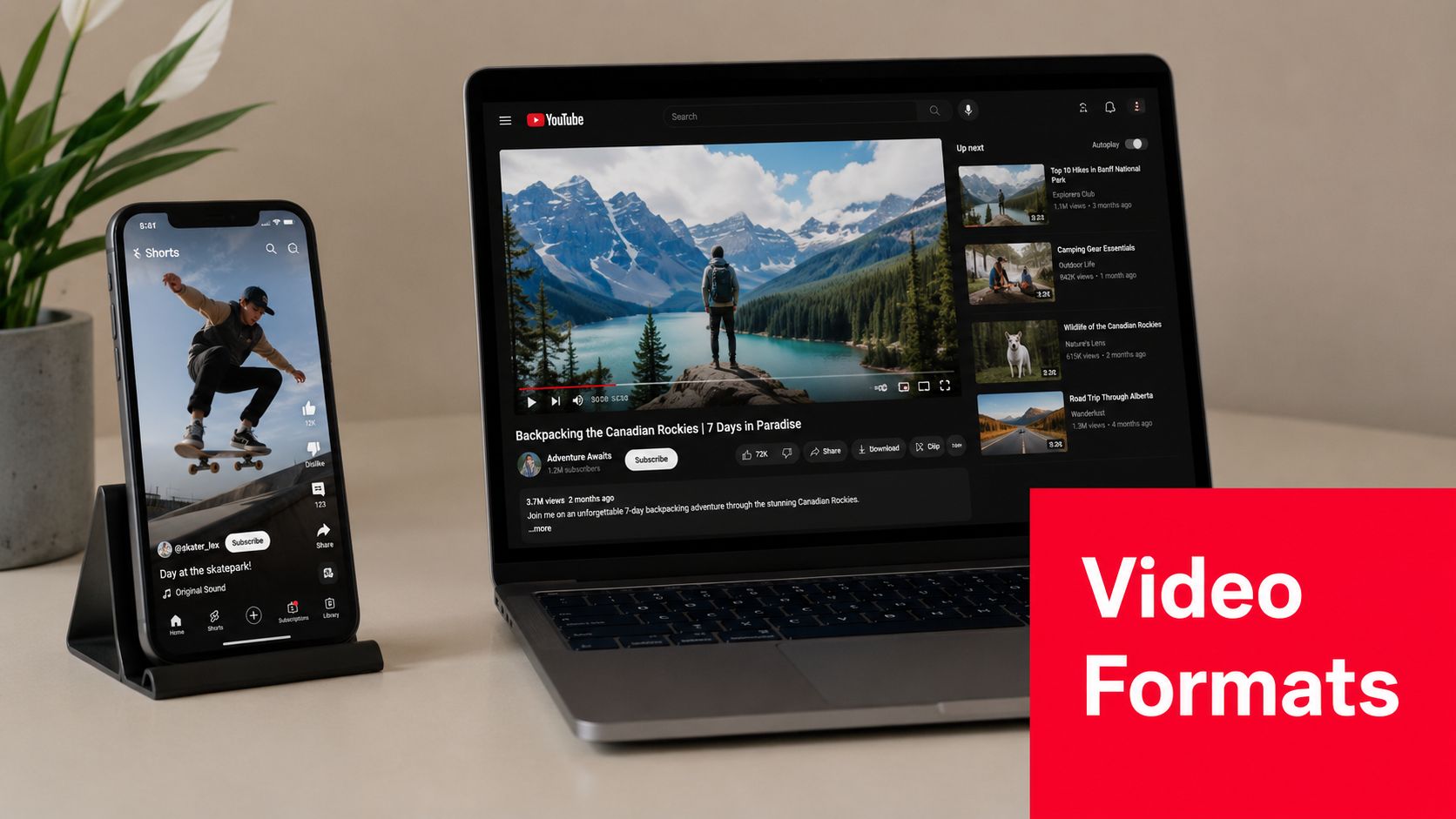
    A smartphone showing a YouTube Short next to a laptop displaying a long-form YouTube video online.

    The format label belongs beside relevant subject tags. Shorts Teaser alone says little about viewer intent. Pair it with the topic, audience, funnel purpose, and offer tier, then compare the resulting outcomes.

    6. Customer Journey Stage Tags

    A coach tagged every how-to video as Awareness, then wondered why her decision-stage content underperformed. The problem was not the topic. The labels failed to distinguish between attracting a new viewer, supporting evaluation, and helping an existing customer succeed.

    Map tags to the viewer's position and the video's business objective:

    • Awareness: Awareness – Problem, Awareness – Beginner Question
    • Consideration: Consideration – Method, Consideration – Solution Comparison
    • Decision: Decision – Demo, Decision – Transformation Proof, Decision – Pricing
    • Retention: Retention – Usage Tips, Retention – Customer Onboarding, Retention – Advanced Use

    A SaaS company can classify a competitor comparison as Decision – Solution Comparison, especially when the call to action invites a product evaluation. A coach might apply Decision – Transformation Proof to a client interview. An e-commerce brand can use Retention – Product Setup for an unboxing or setup video that helps existing buyers use the product successfully.

    Label the stage according to the intended audience and call to action, then check whether the audience behaves as expected. A “how to use” video may attract prospects, customers, or both. If viewers repeatedly arrive from search with beginner questions while the video targets customers, revise the label or adjust the content.

    Map stages before adding tags

    Write the path from first problem recognition through purchase and continued use. Name tags for real content types instead of vague labels such as Funnel Video. Separating Awareness – Problem from Awareness – Solution shows whether a video reaches people defining an issue or people already seeking an answer.

    ViewsMax can help compare stage-labeled videos when links are tracked. Review views alongside downstream actions, such as offer clicks, leads, purchases, or return usage. Increase decision-stage content when prospects understand the problem but need proof. For recurring or repeat-purchase offers, retention tags may better support customer use and future revenue. Treat tags as test labels, not a substitute for strong topics, useful demonstrations, or clear calls to action.

    7. Objection and Pain-Point Resolution Tags

    Objection videos answer the question that keeps a prospect from acting. That question might concern time, complexity, cost, risk, suitability, implementation, or expected effort. These videos deserve their own labels because their value often appears in the final part of a decision, not in the initial view.

    Build the list from actual customer language in sales calls, emails, support conversations, and comments. Examples include:

    • Time: Time Commitment FAQ, Busy Schedule Solution
    • Complexity: Learning Curve Concern, Beginner Setup Guide
    • Risk: Security Concern, Results Expectation, Refund Question
    • Investment: Investment Justification, Cost Comparison, ROI Explanation
    • Fit: Who This Is For, Who Shouldn't Buy, Plan Selection Guide

    A course creator can tag a video Time Commitment FAQ when it shows how a busy learner could approach the material. A software company might use Learning Curve Concern for an onboarding demonstration. A high-ticket coach could use Investment Justification to explain the work, support, and outcome the offer is designed to provide.

    Don't disguise a sales pitch as objection content. If the video claims to answer a concern but never addresses it directly, the tag creates misleading reporting and can weaken audience trust.

    Compare objections by business outcome

    Use a specific objection tag rather than one broad FAQ label. Then connect the video to the relevant product or booking link and examine whether viewers click, submit a form, book a call, or purchase. ViewsMax can help identify which objection videos participate in those conversions.

    Test different approaches without changing the tag's meaning. For example, compare a demonstration-led response with a direct explanation, while retaining Learning Curve Concern for both. The tag identifies the audience problem, while your content and offer data show which treatment works better.

    8. Revenue Tier and Offer-Specific Tags

    Section 1 labels a video by its funnel role, such as launch support or conversion content. This section labels it by price tier, identifying the audience and offer level the video should attract. Keeping those dimensions separate prevents a launch video for a free workshop from being grouped with content aimed at premium clients.

    Assign one stable tier tag where the offer connection is real:

    • Free: Free Masterclass, Free Workout, Free Resource
    • Entry level: Entry Course, Starter Product, Low-Ticket Workshop
    • Mid tier: Paid Course, Group Coaching Program, Standard Subscription
    • Premium: Done-For-You Service, Private Coaching, Premium Consulting

    An agency can apply Done-For-You Service to a service explainer, then compare its qualified inquiries with educational videos. An educator can distinguish Free Masterclass from Paid Course to see which content attracts registrants or buyers. A fitness creator might use Free Workout for audience-building videos and Premium Coaching Program for content connected to higher-touch support.

    Use the tier to guide investment

    Keep each offer label consistent. Switching between Premium Coaching and High-Ticket Coaching splits reporting for the same commercial audience. Add subject and journey-stage tags separately, so the tier shows whom the video targets while other tags describe its topic and funnel function.

    ViewsMax can compare attributed revenue by offer group when links are trackable. Revenue per view provides a more useful commercial signal than views alone, but it needs context. A premium offer may produce fewer direct conversions and still generate more revenue per customer. Free content may contribute earlier in the journey without producing immediate sales.

    The best tag is the one that supports a clearer next publishing decision.

    Leave out a tier label when the video has no meaningful connection to that offer. Tags should organize genuine audience intent, not create commercial categories that the content cannot support.

    8-Item YouTube Tag Comparison

    Tag Type Implementation Complexity 🔄 Resource Requirements ⚡ Expected Outcomes ⭐📊 Ideal Use Cases 💡 Key Advantages 📊
    Product Launch & Sales Funnel Tags 🔄 Medium, consistent tagging + sales integration ⚡ Moderate, analytics, CRM, tagging process ⭐ Correlate videos to revenue; clear conversion signals Creators running launches or direct-response campaigns Direct revenue attribution; optimizes ad/spend toward converters
    Niche & Authority Positioning Tags 🔄 High, long-term, credibility-based effort ⚡ High, subject-matter expertise, research, long-form content ⭐ Build trust; improved niche rankings and qualified leads Experts, educators, niche-focused channels Strengthens authority; creates a content moat in niche searches
    Lead Magnet & Opt-In Tags 🔄 Medium, requires CTA and tracking setup ⚡ Moderate, email platform, landing pages, link tracking ⭐📊 Increase email list growth; measurable lead attribution Course creators, coaches, service-based businesses Isolates lead-gen content; measures lead acquisition ROI
    Engagement & Community Building Tags 🔄 Medium-High, ongoing moderation and engagement ⚡ High time investment, community management & responses ⭐ Higher retention and algorithmic reach; stronger LTV Creators relying on recurring revenue or UGC-driven growth Builds loyalty and social proof; fuels organic growth via engagement
    Platform & Format Optimization Tags 🔄 Medium, requires format testing and tagging groups ⚡ Moderate, multi-platform tools, editing for formats ⚡📊 Fast insights on format performance; better repurposing ROI Multi-platform creators, agencies, repurposing workflows Identifies best-performing formats; streamlines cross-post strategy
    Customer Journey Stage Tags 🔄 High, map journey and make judgment calls per video ⚡ High, CRM/analytics, cross-team coordination ⭐📊 Clear funnel visibility; measure stage-to-stage conversion Businesses with multi-offer funnels and complex buyer journeys Reveals funnel gaps; enables stage-specific content planning
    Objection & Pain-Point Resolution Tags 🔄 Medium, research objections and craft targeted content ⚡ Moderate, sales data, retargeting tools, testing ⭐ Reduce friction for fence-sitters; improve high-intent conversions High-ticket offers, complex solutions, SaaS sales Directly addresses purchase blockers; supports targeted retargeting
    Revenue Tier & Offer-Specific Tags 🔄 Medium-High, requires clear tiers and attribution ⚡ High, pricing clarity, revenue tracking, analytics ⭐📊 Calculate revenue-per-view; identify high-ROI offer tiers Creators with tiered products/services or freemium models Segments audience by spend; optimizes content for highest LTV

    Turn a YouTube Tag List Into a Testing System

    Tags become useful when they answer a reporting question. Before publishing, decide whether you're trying to understand authority content, lead generation, engagement, format, journey stage, objections, launches, or offer tier. Choose one primary tagging dimension for that decision instead of applying every category to every video.

    Create a naming convention that a team can follow without interpretation. Lead Magnet – Webinar, Decision – Product Demo, and Premium – Private Coaching are more useful than inconsistent labels such as “sales,” “high intent,” and “offer video.” Keep the subject keyword and relevant spelling variants accurate, but don't fill the field with broad or unrelated terms.

    Add the tags during upload in YouTube Studio. Remember that YouTube distinguishes tags from hashtags. Tags are entered as metadata in Studio, while hashtags appear in titles or descriptions with the hash symbol and can support hashtag-based browsing (YouTube's tagging workflow explained). Treat both as separate publishing choices.

    Connect the video to the offer with a trackable link. A tag can tell you that a video was intended for Webinar Signup or Decision – Demo, but it can't prove that the video generated a lead or sale by itself. Your reporting should include:

    • Attention: Views and the audience response to the video
    • Intent: Description clicks, resource visits, or calls booked
    • Conversion: Leads, purchases, or subscriptions attributed to the video
    • Business value: Revenue associated with the relevant offer

    Review results after a defined reporting cycle and compare videos within the same tag group. Don't conclude that tags improved rankings because a tagged video performed well. YouTube's available guidance and independent summaries position tags as a minor discovery signal, particularly useful for misspellings, alternative spellings, and ambiguous topics. A large SEO study summarized by Semrush reported that top-ranking videos used an average of 13 tags, and that average semantic similarity between tags and target keywords was 0.58 on a 0-to-1 scale, which supports a compact, closely aligned approach rather than scattered tagging (Semrush's YouTube SEO study summary).

    Use titles, thumbnails, transcripts, descriptions, spoken relevance, and retention to improve the content itself. Tags organize your analysis, but they won't rescue a weak promise or an unhelpful video. If the goal is to identify which tagged videos turn attention into measurable revenue, connect your links and content reporting in ViewsMax, then update the next content plan around the patterns that convert.


    ViewsMax helps creators plan content, publish across channels, and connect trackable links to clicks, leads, calls, and attributed sales. Visit ViewsMax to see which YouTube videos support revenue, then use those insights to build a more focused youtube tag list and publishing plan.
  • 10 Best Tags for YouTube to Maximize Your Reach in 2025

    10 Best Tags for YouTube to Maximize Your Reach in 2025

    YouTube's algorithm is a complex beast, but one of its most critical signals for understanding and ranking your content is still one of the simplest: your video tags. While titles and thumbnails grab viewer attention, tags work behind the scenes, telling YouTube precisely what your video is about, who it's for, and where it should appear in search results and recommendations. Misusing them is like giving the algorithm a blurry map; using them correctly is like handing it a crystal-clear GPS, directly influencing your visibility and discoverability.

    Many creators either neglect their tags entirely or fill the section with generic, low-impact terms. This is a missed opportunity. A well-crafted tag strategy can be the difference between a video that gets lost in the noise and one that consistently surfaces for the right audience. For a comprehensive overview of effective tagging strategies, consider this article on the 8 Best YouTube Tags for Viral Videos from TimeSkip, which provides a solid foundation. This guide, however, goes deeper into the specific types of tags and the strategic thinking behind them.

    This listicle breaks down the 10 most effective tagging strategies every creator needs to master. We will explore everything from foundational primary keyword tagging to advanced competitor analysis and semantic keyword usage. You'll learn not just what tags to use, but the strategic 'why' behind each one. Expect actionable examples, copy-and-paste tag sets for different niches, and clear guidance on finding the best tags for YouTube videos in any category. We’ll skip the fluff and get straight to the methods that will help you classify your content accurately, reach new viewers, and ultimately grow your channel.

    1. Primary Keyword Tagging

    Primary Keyword Tagging is the cornerstone of any effective YouTube SEO strategy. It involves identifying and using the single most important keyword or keyphrase that accurately describes your video's core topic. Think of it as the main signpost telling YouTube's algorithm exactly what your content is about, enabling it to match your video with the right audience actively searching for that subject.

    This foundational tag should be the first one you add, as it carries the most weight in how YouTube categorizes your video. A strong primary tag directly aligns your content with user search intent, which is a critical first step in finding the best tags for YouTube and boosting your visibility.

    A magnifying glass highlights 'PRIMARY TAG' on a red banner, next to a laptop and notebook on a wooden desk.

    Why It's a Top Strategy

    The primary keyword tag is non-negotiable because it provides immediate context to YouTube's discovery system. Without a clear primary tag, the algorithm has to work harder to understand your video, potentially leading to incorrect categorization and missed opportunities for views. Getting this right is especially crucial for new channels or videos in competitive niches.

    How to Implement Primary Keyword Tagging

    Follow these steps to select and apply the perfect primary tag:

    • Match Your Title and Content: Your primary tag should be an exact or near-exact match of your video title. If your title is "Ultimate iPhone 15 Pro Max Review," your primary tag should be iPhone 15 Pro Max review.
    • Research Search Volume: Before finalizing, use a keyword research tool to check the search volume. Aim for phrases with a healthy search volume (ideally 10K-100K monthly searches) but manageable competition. For assistance in discovering and generating effective primary keywords, a dedicated YouTube Hashtag Generator can be an invaluable resource.
    • Be Specific and Accurate: Your tag must precisely reflect the video’s content. A video about making sourdough bread should have the primary tag how to make sourdough bread, not just baking.

    This focused approach ensures your content is indexed correctly from the start. A similar principle of using highly relevant keywords also applies to YouTube Shorts, where discoverability is paramount. You can explore how targeted keywords increase visibility in our guide on getting more views on YouTube Shorts.

    2. Long-Tail Keyword Tagging

    Where primary keywords lay the foundation, Long-Tail Keyword Tagging builds the framework for attracting a highly engaged, niche audience. These tags are longer, more specific phrases (typically three or more words) that reflect precise user search queries. While they have lower search volume individually, they capture viewers with much higher intent, making them a powerful tool for finding the best tags for YouTube.

    This strategy helps you sidestep the intense competition for broad, single-word tags. Instead of fighting for "gaming laptop," you can directly target viewers searching for exactly what your video offers, such as "best budget gaming laptop under $500." This precision leads to higher click-through rates and better audience retention.

    A red rectangular tag featuring the text 'Long-Tail Tag,' next to a smartphone and a white keyboard.

    Why It's a Top Strategy

    Long-tail keywords are essential because they align perfectly with how real people search. Users often type full questions or detailed phrases into the search bar. By matching these conversational queries, you connect your content directly with an audience that is past the initial discovery phase and is actively looking for specific solutions, reviews, or tutorials, leading to more qualified views.

    How to Implement Long-Tail Keyword Tagging

    Follow these steps to find and use effective long-tail tags:

    • Think Like Your Viewer: Ask yourself what specific questions your video answers. If your video is a tutorial, a great long-tail tag would be how to fix a leaky kitchen faucet. For a product comparison, use a tag like beginner crochet patterns for blankets.
    • Use Search Autocomplete: Type the beginning of a potential keyword into the YouTube or Google search bar and see what suggestions appear. These are popular long-tail queries that users are actively searching for.
    • Target 3-5 Per Video: Include a mix of 3 to 5 highly relevant long-tail tags in your tag list. This helps YouTube understand the specific nuances and sub-topics covered in your video, casting a wider, more targeted net.
    • Focus on Conversational Phrases: Prioritize tags that sound like natural language. Phrases like what is the best camera for vlogging 2024 are far more effective than a jumble of keywords like camera vlogging 2024 best.

    3. Branded Keyword Tagging

    Branded Keyword Tagging is a powerful strategy that involves using tags related to specific brand names, products, or even your own channel name. This approach connects your content to established entities that already have their own search volume and audience interest. By doing this, you tell YouTube that your video is relevant to discussions, reviews, or tutorials surrounding these popular brands.

    This method helps your content appear in suggested video sidebars when users are watching content about that brand. A strong branded tag can effectively piggyback on the existing popularity and search traffic of well-known names, making it a critical technique for finding the best tags for YouTube, especially in review or tutorial-based niches.

    Why It's a Top Strategy

    Branded keyword tags are essential because they tap into high-intent search queries. Users searching for "iPhone 15 review" or "MAC cosmetics tutorial" know exactly what they want to see. By including these tags, you position your content directly in front of this highly motivated audience, increasing the likelihood of clicks, views, and engagement from users who are already invested in the topic.

    How to Implement Branded Keyword Tagging

    Follow these steps to effectively use branded tags:

    • Be Directly Relevant: Only use a branded tag if the brand or product is a central focus of your video. For example, a tech review channel covering the new MacBook Pro should use tags like MacBook Pro and Apple MacBook Pro.
    • Use Official Names and Spelling: Always use the official brand and product names to capture the most accurate search traffic. Tag PlayStation 5, not ps5, unless the acronym is also a highly common search term.
    • Combine with an Action or Topic: Enhance your branded tags by adding context. Instead of just Samsung Galaxy, use tags like Samsung Galaxy S24 camera test or Samsung Galaxy tips and tricks.
    • Include Your Own Brand: Don't forget to create a unique tag for your own channel (e.g., mkbhd or unboxtherapy) and include it in every video. This helps group your content together and encourages YouTube to recommend your other videos to viewers.

    4. Competitor Analysis Tagging

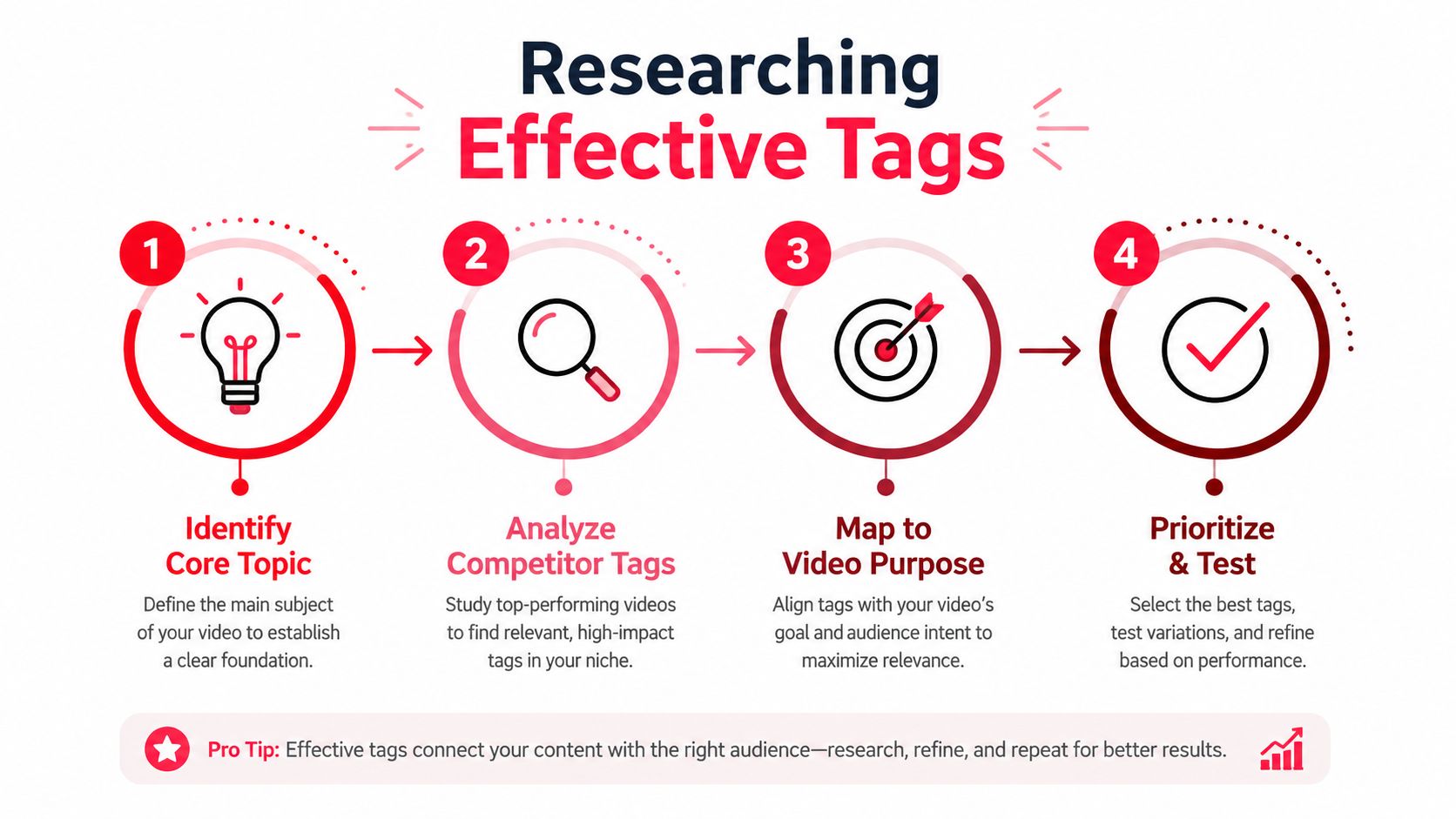
    Competitor Analysis Tagging is a powerful and strategic approach to YouTube SEO that involves researching the tags used by successful videos in your niche. Instead of guessing which keywords will perform well, this method allows you to learn from the proven strategies of high-performing competitors, giving you a significant head start. By analyzing their tags, you can identify effective keywords, understand audience search behavior, and uncover opportunities you might have missed.

    This reverse-engineering tactic is one of the smartest ways to find the best tags for YouTube because it’s based on real-world success data. It helps you align your content with what is already working, tapping into existing traffic streams and positioning your video alongside established content in your field.

    Why It's a Top Strategy

    This strategy is highly effective because it removes much of the guesswork from keyword selection. By studying what top creators are doing, you gain direct insight into the phrases that YouTube’s algorithm already associates with your topic. It’s a shortcut to understanding keyword trends and audience intent, allowing you to compete more effectively even if your channel is smaller or newer.

    How to Implement Competitor Analysis Tagging

    Follow these steps to effectively analyze and leverage competitor tags:

    • Identify Top Competitors: Find 5-10 videos that rank highly for your primary keyword and have strong engagement. Focus on channels with a similar audience or subscriber count to find more relevant and attainable keyword targets.
    • Use SEO Tools to Extract Tags: Manually viewing source code is cumbersome. Use browser extensions or tools like TubeBuddy or VidIQ to instantly view the tags on any YouTube video. This makes the research process fast and efficient.
    • Look for Patterns and Consistency: Analyze the tags across several competitor videos. Note any keywords that appear consistently, as these are likely core to their channel's SEO strategy. For example, a successful cooking channel might always use tags like easy weeknight dinner and 30-minute meals.
    • Adapt, Don't Just Copy: While you can use some of the same tags, always customize them to fit your unique video content. Blend their proven tags with your own specific, branded, and long-tail keywords to create a comprehensive and unique tag list.

    5. Trending Topic Tagging

    Trending Topic Tagging is a time-sensitive strategy that involves piggybacking on current events, viral news, or cultural moments. This approach leverages the massive, albeit temporary, spikes in search volume for trending keywords to give your video an immediate visibility boost. By aligning your content with what audiences are actively searching for right now, you can tap into algorithm momentum and attract a wave of new viewers.

    This method works by inserting your channel into a larger, ongoing conversation. When done correctly, it's one of the fastest ways to get discovered, as YouTube's algorithm often prioritizes fresh content that addresses what's currently popular. It's a key tactic for creators looking for rapid, short-term growth and is one of the best tags for YouTube when timeliness is critical.

    Why It's a Top Strategy

    This strategy is powerful because it capitalizes on urgency and high search intent. During a trending event, like a new product launch or a major news story, user search behavior skyrockets for related terms. Tagging your video with these keywords allows you to ride this wave, capturing traffic that would otherwise be unattainable. It’s particularly effective for news, commentary, and reaction-style channels.

    How to Implement Trending Topic Tagging

    Follow these steps to effectively use trending tags:

    • Monitor Trends Proactively: Use tools like Google Trends and monitor trending sections on platforms like Twitter (X) and TikTok. Set up alerts for keywords relevant to your niche so you can react quickly.
    • Create Responsive Content: Speed is everything. Have video templates or formats ready that allow you to produce and publish content within a few hours of a trend emerging. For instance, a gaming channel might have a "first impressions" format ready for a new game release.
    • Combine Trend with Niche: Don't just copy a trending tag. Connect it to your channel's unique angle. If a new movie trailer drops, a film analysis channel might use tags like new movie trailer reaction and new movie trailer explained.
    • Balance with Evergreen Tags: Mix trending tags (e.g., iPhone 16 launch event) with your standard evergreen tags (e.g., tech reviews, Apple products) to ensure the video has potential for long-term discovery after the initial hype fades.

    This reactive approach is also a fantastic source for new content. For more inspiration on creating timely videos, you can explore our guide on YouTube Shorts ideas that capitalize on trends.

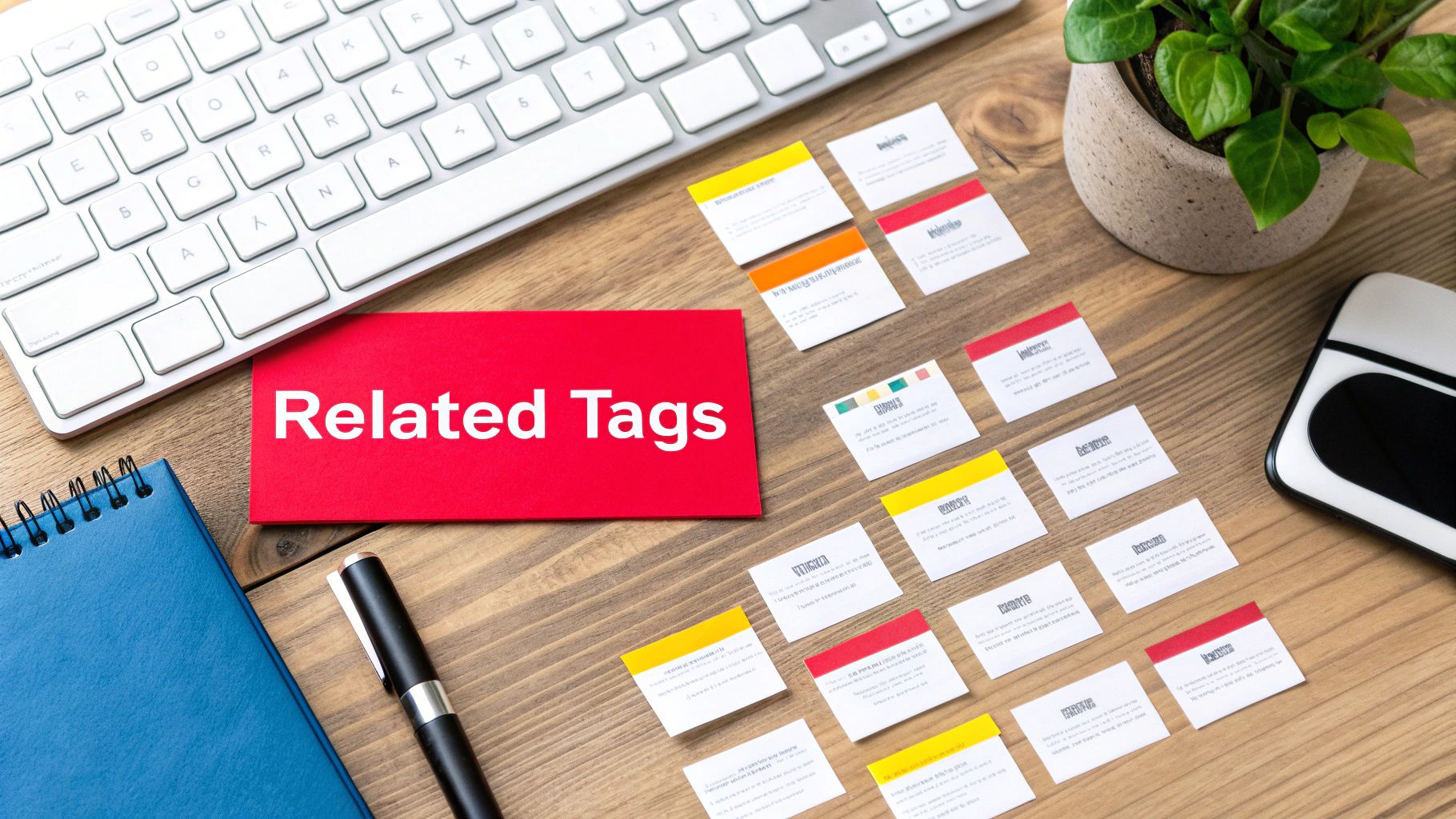
    6. Semantic and Related Keyword Tagging

    Semantic and Related Keyword Tagging is a sophisticated strategy that moves beyond exact phrase matches to include terms with similar meanings or conceptual relationships. YouTube's algorithm is intelligent enough to understand these semantic connections, allowing you to create a richer, more contextualized set of tags. This technique helps the algorithm grasp the nuances of your video, improving its ability to recommend your content to a wider, yet highly relevant, audience.

    This advanced approach essentially builds a web of related concepts around your primary topic, making your video discoverable through a variety of search queries. By incorporating synonyms and related ideas, you are finding some of the best tags for YouTube because you are aligning your content with the natural way users think and search for information, capturing more diverse search intent.

    A desk with a keyboard, a red 'Related Tags' card, numerous small content cards, and office supplies.

    Why It's a Top Strategy

    This strategy is powerful because it casts a wider net without sacrificing relevance. YouTube's discovery system rewards videos that it can confidently understand and categorize. By providing a cloud of semantically related keywords, you give the algorithm more data points to confirm your video's subject matter. This increases the chances of your video appearing in "suggested videos" alongside content on similar topics, a major source of views.

    How to Implement Semantic and Related Keyword Tagging

    Follow these steps to build a comprehensive list of related tags:

    • Brainstorm Synonyms and Variations: Start with your primary keyword and list all possible synonyms and variations. If your main tag is weight loss, related tags could be lose weight, fat burning, diet tips, and fitness training.
    • Analyze Related Searches: Perform a search for your primary keyword on YouTube and Google. Scroll to the bottom of the results page to find the "Related searches" or "People also ask" sections for a goldmine of tag ideas.
    • Focus on Conceptual Links: Think about the broader context. For a Python programming video, related concepts include Python coding, learn Python, and programming tutorial. For a travel vlog, consider tags like adventure travel, travel video, and explore destinations.
    • Use Keyword Tools: Leverage synonym finders or AI writing assistants to generate lists of conceptually related terms you might not have considered, ensuring every tag remains directly relevant to your video's core topic.

    7. Question-Based Tagging

    Question-Based Tagging is a powerful strategy that aligns your video with the natural language people use when searching for answers. It involves using tags formatted as common questions that your audience might type into YouTube or Google, such as 'how', 'what', 'why', and 'where'. This method directly targets user intent, making your content a solution to their specific problem.

    By framing your tags as questions, you optimize for both search engine algorithms and human curiosity. This approach positions your video as a definitive answer, increasing the likelihood of it appearing in highly visible search results and suggested video feeds, making it one of the best tags for YouTube strategies to capture a problem-aware audience.

    Why It's a Top Strategy

    This strategy is highly effective because it mirrors the conversational nature of modern search queries. Viewers often seek direct answers, and a video tagged with how to start a youtube channel is a much stronger match for that query than one tagged simply with youtube channel. It captures high-intent traffic and helps your content rank in Google's "People Also Ask" sections, driving external views.

    How to Implement Question-Based Tagging

    Follow these steps to effectively integrate question-based tags:

    • Align with Your Content: Your video must directly and thoroughly answer the question used in the tag. A video titled "How to Bake Sourdough Bread for Beginners" should have tags like how to bake sourdough bread and what do I need for sourdough bread.
    • Source Real Questions: Use tools like AnswerThePublic or browse the "People Also Ask" box in Google search results for your topic. Look at your own comments section to see what questions your audience is already asking. For instance, if your topic is dog behavior, you might find questions like why do dogs bark at nothing.
    • Target Search Suggestions: Start typing a question related to your video into the YouTube search bar and see what auto-suggestions appear. These are popular, real-time queries that people are actively searching for.
    • Mix Question Formats: Include a variety of question words. For a video on affordable travel, use tags like where to find affordable flights, how to travel on a budget, and what are the cheapest countries to visit.

    8. Audience Demographics and Interest Tagging

    Audience Demographics and Interest Tagging is a strategic approach that goes beyond what your video is about and focuses on who it is for. It involves using tags that describe your target viewer's characteristics, such as their age, location, gender, and specific interests. This method helps YouTube's algorithm connect your content with the viewer segments most likely to engage, subscribe, and become loyal fans.

    By tailoring your tags to a specific audience profile, you tell YouTube that your video is not just for anyone searching a topic, but for a particular community. This precision is a key factor in finding the best tags for YouTube, as it helps build a dedicated viewership rather than attracting fleeting, one-time views.

    Why It's a Top Strategy

    This strategy is powerful because it prioritizes audience-content fit, which is a major signal for YouTube's recommendation engine. When your video resonates strongly with a specific demographic, it leads to higher engagement rates like watch time and shares. The algorithm then promotes your content to more people who fit that same profile, creating a positive feedback loop for growth.

    How to Implement Audience and Interest Tagging

    Follow these steps to effectively target your ideal viewer:

    • Define Your Audience Persona: Before tagging, create a clear profile of your ideal viewer. Are they Gen Z gamers, millennial finance enthusiasts, or women over 40 interested in beauty?
    • Research Their Interests: Brainstorm tags related to the culture, hobbies, and other creators your target audience follows. A gaming channel targeting Gen Z might use tags like Twitch streamers, esports gaming, or gaming memes.
    • Use Demographic-Specific Language: Incorporate tags that reflect how your audience identifies or what they search for. For a finance channel targeting millennials, use tags like millennial money, investing for beginners, and side hustle.
    • Analyze Your Analytics: Use your YouTube Analytics "Audience" tab to see your current demographic breakdown. Refine your tags to either double down on your core audience or expand into a new, desired segment. This is a core component of sustainable channel development, a topic covered extensively in discussions about YouTube growth.

    9. Mixed-Intent Keyword Tagging

    Mixed-Intent Keyword Tagging is a sophisticated strategy that targets viewers at different stages of their search journey. This balanced approach involves using tags that satisfy informational ("how-to"), navigational ("brand-specific"), and commercial ("buy now") intents, allowing your video to appear in a wider variety of search results and capture a broader audience.

    By combining these different types of keywords, you tell YouTube's algorithm that your content is valuable to people with varying goals. For instance, someone just learning about a topic (informational intent) and someone ready to make a purchase (commercial intent) can both discover your video. This is one of the most versatile ways to find the best tags for YouTube, as it maximizes reach across the entire viewer lifecycle.

    Why It's a Top Strategy

    This strategy is powerful because it diversifies your video's potential audience. Instead of only targeting one type of viewer, you attract users with different motivations, which can lead to higher overall views, engagement, and even conversions. It's an effective way to make a single piece of content work harder for your channel by serving multiple purposes.

    How to Implement Mixed-Intent Keyword Tagging

    Follow these steps to build a balanced set of mixed-intent tags:

    • Allocate Based on Intent: A common split is 40% informational, 30% navigational, and 30% commercial tags. For a tech review video, this could mean tags like how digital cameras work (informational), Canon EOS R8 review (navigational), and best camera deals 2024 (commercial).
    • Research Keyword Intent: Before adding a tag, determine its likely intent. Tools like the Google Ads Keyword Planner can help classify keywords, or you can analyze the search results for a term to see what kind of content ranks.
    • Align Tags with Video Content: Ensure the tags accurately reflect segments of your video. If you compare two products before recommending one, you have content that serves both navigational and commercial intent, so your tags should reflect that. A travel channel might use Paris travel tips (informational), Eiffel Tower tour (navigational), and booking Paris flights cheap (commercial).

    10. Location and Language-Specific Tagging

    Location and Language-Specific Tagging is a geo-targeting strategy that involves using tags related to specific cities, countries, or regions, as well as keywords in different languages. This approach narrows your video's focus, telling the YouTube algorithm to prioritize showing it to viewers in a particular geographic area or those who speak a specific language. It’s a powerful method for local businesses, travel vloggers, and any creator aiming to build a strong community in a defined market.

    By adding these localized identifiers, you connect directly with audiences interested in content relevant to their home or culture. This is one of the best tags for YouTube strategies to enhance local discovery and relevance, ensuring your video doesn't get lost in the vast sea of global content. It signals to YouTube that your video serves a specific community, increasing its value to that demographic.

    Why It's a Top Strategy

    This strategy is crucial for maximizing relevance and engagement within a target market. A video about "best coffee shops in London" will perform significantly better with London-based viewers than a generic coffee video. By using tags like London coffee or UK cafe culture, you attract a highly engaged audience more likely to watch, comment, and subscribe because the content is directly applicable to them. It's also essential for creators looking to break into non-English speaking markets.

    How to Implement Location and Language-Specific Tagging

    Follow these steps to effectively target your content geographically and linguistically:

    • Be Specific with Locations: Don't just use a country tag. Drill down to states, cities, or even neighborhoods if relevant. For a video about a Sydney fitness center, use Sydney gym, Perth fitness, and Australian fitness to capture various levels of local interest.
    • Incorporate Local Language: If targeting a Spanish-speaking audience for a cooking video, include tags in both English and Spanish, such as Spanish food, comida española, and recetas de tapas. This captures searches from bilingual and native-speaking viewers.
    • Use Regional Search Trends: Use Google Trends filtered by country or region to discover how local audiences search for your topic. Their terminology might differ from standard keywords, offering a unique SEO advantage.
    • Analyze Your Audience Data: Check your YouTube Studio analytics to see where your viewers are located. If you notice a growing audience in a specific country, start adding tags relevant to that region to nurture that viewership.

    Top 10 YouTube Tag Types Comparison

    Strategy Implementation Complexity 🔄 Resource Requirements ⚡ Expected Outcomes 📊⭐ Ideal Use Cases 💡 Key Advantages ⭐
    Primary Keyword Tagging Low 🔄 — single focused tag, easy to implement Low ⚡ — minimal research; match title/description High 📊⭐ — stronger main-topic ranking and CTR Core topic videos; single-focus content Direct algorithm categorization; high impact on primary searches ⭐
    Long-Tail Keyword Tagging Medium 🔄 — multiple specific phrases needed Low–Medium ⚡ — keyword tools and time for variants Medium–High 📊⭐ — easier to rank; higher intent traffic Niche tutorials, targeted how‑tos, product-specific queries Less competition; higher conversion from intent ⭐
    Branded Keyword Tagging Low 🔄 — add brand/product/channel names Low ⚡ — knowledge of brands and correct spelling Medium 📊⭐ — taps existing brand searches; variable competition Reviews, comparisons, brand-focused content Access to established search traffic; attracts brand-loyal viewers ⭐
    Competitor Analysis Tagging Medium–High 🔄 — research and adapt competitor tags Medium–High ⚡ — tools (VidIQ/TubeBuddy) and time Medium–High 📊⭐ — leverages proven tag combos; reduces guesswork Benchmarking, channels entering competitive niches Identifies proven keywords and gaps to exploit ⭐
    Trending Topic Tagging Medium 🔄 — requires rapid tagging and publishing High ⚡ — real-time monitoring and fast production Very High short-term 📊⭐ — immediate visibility spikes News, reactions, event coverage, viral moments Fast exposure and algorithm momentum during trend windows ⭐
    Semantic & Related Keyword Tagging High 🔄 — research related concepts and synonyms Medium–High ⚡ — semantic tools and deeper research High 📊⭐ — better context understanding; broader discoverability Evergreen content, recommendation-focused videos Improves algorithmic context; captures varied phrasing ⭐
    Question-Based Tagging Medium 🔄 — identify common question queries Low–Medium ⚡ — use PAA, AnswerThePublic, search suggestions Medium–High 📊⭐ — good for voice search and SERP features Tutorials, FAQs, educational content Aligns with natural queries; boosts Google/voice visibility ⭐
    Audience Demographics & Interest Tagging Medium 🔄 — define personas and tag accordingly Medium ⚡ — analytics, testing, and audience research Medium 📊⭐ — higher engagement and retention from target groups Niche audiences, community building, monetization strategies Targets right-fit viewers; improves engagement and subscriptions ⭐
    Mixed-Intent Keyword Tagging High 🔄 — balance informational, navigational, commercial tags Medium–High ⚡ — planning, intent research, ongoing optimization High 📊⭐ — captures viewers across funnel; better monetization Channels seeking conversions across stages (awareness→purchase) Maximizes reach across user intents; diversified traffic sources ⭐
    Location & Language-Specific Tagging Medium 🔄 — add geo and language variants correctly Medium ⚡ — localization, native validation, regional research Medium 📊⭐ — improved local recommendations and relevance Local businesses, travel, multilingual channels Targets regional audiences; reduces irrelevant impressions; boosts local discovery ⭐

    Turning Your Tags into a Growth Engine

    You’ve made it through the comprehensive guide to the best tags for YouTube, and by now, one thing should be crystal clear: YouTube tags are not just an afterthought. They are a fundamental pillar of your channel's discoverability and a direct line of communication with the platform's algorithm. Moving beyond simply stuffing the tag box with random keywords, you now possess a strategic framework to transform this metadata into a powerful growth engine.

    We've explored the ten essential pillars of a robust tagging strategy, from foundational Primary and Long-Tail Keywords to the more nuanced tactics of Competitor Analysis and Semantic Tagging. Each type of tag serves a unique purpose, working in concert to create a comprehensive "signal cloud" around your video. This is the key takeaway: success isn't about finding one perfect tag; it's about building a diverse, layered, and contextually rich set of tags that tells YouTube precisely who your video is for and what it's about.

    Your Path to Tag Mastery: Key Takeaways

    To truly harness the power of your tags, distill the insights from this article into a consistent, repeatable workflow. Here are the most critical takeaways to implement immediately:

    • Embrace a Multi-Layered Approach: Your tag list should be a blend. Start with a core primary keyword, expand with specific long-tail variations, add your branded tag for channel cohesion, and sprinkle in semantic and competitor tags to capture related and adjacent audiences. This diversity is your greatest strength.
    • Think Like a Viewer: The most effective tags are born from empathy. Put yourself in your audience's shoes. What questions are they asking? What problems are they trying to solve? Use Question-Based and Audience Interest tags to meet them exactly where they are in their search journey.
    • Audit, Analyze, and Adapt: Your work isn't done after you hit "publish." Regularly dive into your YouTube Analytics, specifically the "Traffic Sources > YouTube Search" report. This is your report card. It shows you which tags are actually driving views, allowing you to double down on what works and refine what doesn't for future uploads.
    • Consistency is Your Algorithm Ally: The consistent use of branded tags and a core set of niche-specific keywords across your videos helps YouTube understand your channel's authority on a particular topic. This builds momentum over time, making it easier for the algorithm to recommend your content to the right viewers.

    From Theory to Tangible Growth

    Mastering the use of the best tags for YouTube is a direct investment in your channel’s long-term health and visibility. It’s the difference between hoping for views and strategically engineering them. By implementing these practices, you are actively increasing the surface area of your content, making it discoverable through countless search queries and recommendation pathways.

    This isn't just about a temporary spike in traffic. It's about attracting a sustainable stream of highly relevant viewers who are more likely to subscribe, engage, and become loyal members of your community. Every tag is an opportunity, a new doorway for someone to find your content. Start treating your tag section with the strategic importance it deserves, and you will unlock a new level of consistent, organic growth for your channel.


    Ready to put these advanced tagging strategies on autopilot and save hours of research? ViewsMax uses powerful AI to analyze top-ranking videos in your niche, generating optimized tag suggestions that align with the best practices we've covered. Stop guessing and start growing by leveraging data-driven insights with a single click at ViewsMax.