ViewsMax
Sign In Sign Up Free

Author: development@iclicksee.com

  • What Are Public Watch Hours on YouTube and How to Get Them

    What Are Public Watch Hours on YouTube and How to Get Them

    So, what exactly are "public watch hours" on YouTube? Think of it as the total time, in minutes and hours, that people have spent actively watching your public videos. This isn't just a vanity metric; it's one of the most critical factors for growing your channel and, more importantly, unlocking the ability to earn money.

    Unlocking YouTube Monetization With Watch Hours

    Ever wonder why some channels are plastered with ads while others aren't? The answer almost always comes back to public watch hours. This metric is more than just a number; it's a direct measure of how engaging your content truly is.

    While views can be fleeting and subscribers can go dormant, watch time is solid proof that your videos are compelling enough to hold someone's attention. YouTube sees this as a sign of quality, and it's how they decide if your channel is a good place for advertisers to spend their money.

    That’s why there's a specific goalpost for getting into the YouTube Partner Program (YPP). To start monetizing your channel, you need to hit 4,000 valid public watch hours within the last 12 months, along with reaching 1,000 subscribers. You can discover more insights about YouTube's massive viewing statistics on Senalnews.com.

    Why Watch Hours Matter More Than Views

    Many new creators fall into the trap of chasing views, hoping for that one viral hit. But YouTube's algorithm is much smarter than that; it prioritizes sustained engagement over quick, shallow views.

    Think about it: a video with 10,000 views where everyone clicks away after 30 seconds isn't very valuable. A different video with only 2,000 views, but where the average viewer watches for a full 10 minutes, is a goldmine. The second video accumulates far more watch time, sending a powerful signal to YouTube that the content is genuinely good.

    In essence, watch time is YouTube's currency for content quality. A high watch time tells the algorithm that your videos are satisfying viewers, which encourages it to promote your content to a wider audience.

    We can break down why watch hours are the superior metric with a quick comparison.

    Why Watch Hours Outweigh Other Metrics

    Metric What It Really Measures Its Role in Monetization
    Watch Hours True Engagement: How long you can hold a viewer's attention and deliver value. Direct Requirement: A core pillar for YPP eligibility (4,000 hours). Signals a high-quality, ad-friendly channel.
    Views Initial Interest: How many times a video was clicked on. Can be misleading due to clickbait or short watch times. Indirect Role: High views are great, but without watch time, they mean little for monetization.
    Subscribers Audience Potential: The number of people who want to see more of your content in the future. Direct Requirement: A key YPP metric (1,000 subs), but doesn't guarantee your content is being watched.

    At the end of the day, a healthy subscriber count and a steady stream of views are fantastic, but they don't paint the full picture. It's the watch hours that truly demonstrate your channel's ability to engage and retain an audience, which is precisely what YouTube wants to see before it lets you monetize.

    Understanding what is monetization on YouTube really begins here. It's a reward for creating content people stick around for. Building up those 4,000 hours is your first major milestone in turning a creative hobby into a real, sustainable venture. You're proving your value not just to your viewers, but to YouTube itself.

    What Actually Counts Toward Your 4000 Hours

    Getting to the 4,000-hour mark can feel like a marathon, and the last thing you want is to realize some of your hard-earned watch time doesn't even count. It’s a common tripwire for new creators. Not all watch time is created equal in YouTube's eyes, especially when it comes to qualifying for the YouTube Partner Program (YPP).

    Think of it this way: YouTube wants to see that you can build a real, engaged audience that genuinely wants to watch your content. So, the rules are set up to measure just that. The main source of "valid" public watch hours comes from your standard, long-form public videos. Every second someone spends watching a video you’ve set to "Public" gets added to your running total. It's that simple.

    Beyond your regular uploads, YouTube Premieres are another solid source. The watch time accumulated during the live premiere event and all the views it gets afterward as a regular public video both count. The same goes for public livestreams. Every minute viewers watch you live, plus all the time people spend watching the replay, gets tallied up for your YPP goal.

    What YouTube Doesn't Count for YPP

    Now for the tricky part. It's just as critical to know what doesn't count so you don't pour your energy into the wrong buckets. Many creators get a nasty surprise when they check their monetization progress, only to find the number is lower than they expected.

    This is the core challenge: reaching 1,000 subscribers and hitting 4,000 watch hours are the two pillars you have to build before you can even apply to monetize.

    Diagram illustrating YouTube's monetization goal (YPP) with requirements: 1K subscribers and 4K watch hours.

    To make sure you're focused on the right things, let’s get specific. Here's a breakdown of the video types and view sources that YouTube excludes from the 4,000-hour calculation.

    Valid vs Invalid Watch Hour Sources

    Understanding this distinction is the key to a smart content strategy. This table breaks down exactly what helps you and what doesn't on your path to monetization.

    Content Type Does It Count for YPP? Key Takeaway for Creators
    Public Videos Yes This is your bread and butter. Focus on creating engaging long-form content.
    Public Livestreams Yes Both the live viewing and the archived replay contribute. A great way to rack up hours.
    YouTube Premieres Yes The initial event and all subsequent views count. Build hype and watch time simultaneously.
    Private Videos No If the public can't see it, the watch time is invisible to the YPP counter.
    Unlisted Videos No Similar to private videos, unlisted content doesn't contribute to your public total.
    Deleted Videos No Any watch hours a video earned are permanently erased from your YPP total if you delete it.
    YouTube Shorts No Shorts are amazing for discovery, but their watch time does not apply to the 4,000-hour goal.
    Ad Campaign Views No Views from Google Ads are paid, not organic, so they don't count toward YPP eligibility.

    At the end of the day, the rules are designed to reward creators who build a genuine community around their long-form content. By focusing your efforts on public videos, premieres, and livestreams, you can be sure that every minute of your audience's attention is pushing you closer to your monetization goal.

    How to Track Your Watch Time in YouTube Studio

    Alright, you know the rules of the game. Now, how do you check the score? This is where YouTube Studio comes in. It's your mission control for turning the abstract goal of "getting more watch hours" into a concrete, data-driven strategy.

    Your first stop should always be the Earn tab. Think of this as your official report card for the YouTube Partner Program (YPP). It cuts through the noise and shows you exactly where you stand with your public watch hours and subscriber count. No fluff, just the facts.

    Finding Your Monetization Progress

    Getting to this dashboard is a piece of cake. Seriously, it's just a few clicks.

    1. Log into your account and open up YouTube Studio.
    2. Look at the menu on the left and click the Earn tab (it has a little dollar sign icon).
    3. Scroll down a bit to the "How to join" section. You'll see two progress bars: one for subscribers and one for public watch hours.

    This is the screen you'll be checking obsessively, showing your climb toward those magic numbers.

    A man tracking YouTube watch time on his laptop at a desk with office supplies.

    This simple view clearly lays out how close you are to hitting the 4,000-hour and 1,000-subscriber milestones.

    Digging Deeper with Analytics

    The Earn tab tells you what your progress is, but the Analytics tab tells you why. This is where the real detective work begins. Here, you can pinpoint your powerhouse videos and figure out which ones are falling flat.

    Just head to Analytics > Content, and you can sort all of your videos by watch time. This immediately reveals your top performers.

    The real secret isn't just watching the total watch hours tick up; it's figuring out which specific videos are doing the heavy lifting. I’ve seen channels where one or two breakout videos account for the vast majority of their total watch time.

    Once you identify these "watch time heroes," you can start looking for patterns. Are they all long-form tutorials? Maybe they're part of a specific series that really resonates with your audience? Finding these common threads gives you a blueprint for what to create next.

    If you want to get your content seen by more people in the first place, our guide on YouTube SEO for beginners is a great starting point.

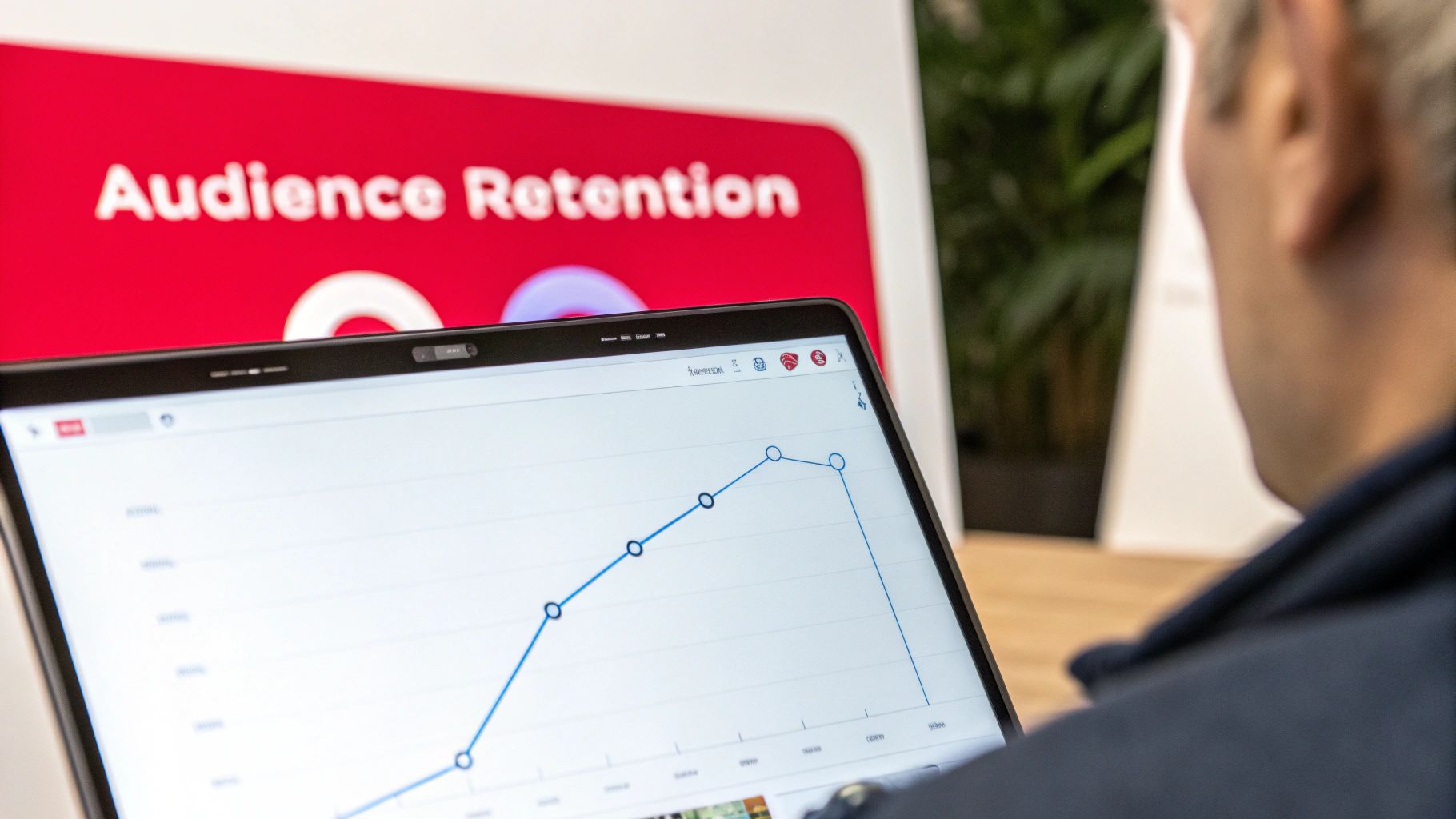
    Beyond YouTube's own platform, it's also helpful to understand how other general analytics tools work to get a wider view of content performance. Within YouTube Analytics itself, pay close attention to the audience retention graphs. They show you the exact second viewers are clicking away, giving you invaluable feedback to tighten up your intros and keep people hooked longer.

    Proven Strategies to Increase Your Public Watch Hours

    Desk setup with open notebook, pen, 'INCREASE WATCH HOURS' sign, and display of video thumbnails.

    Knowing what watch hours are is one thing, but actually making them climb is the real challenge. There's no secret "hack" here. It all comes down to building a solid content strategy that genuinely keeps people watching.

    The core idea is simple: create videos so valuable that viewers can't help but stick around. This not only racks up your watch time but also sends fantastic signals to the YouTube algorithm, telling it to show your content to more people.

    Create Longer, Value-Packed Videos

    One of the most straightforward ways to get more watch time is to simply make longer videos. It’s just math—a 15-minute video has more potential to earn watch hours than a 5-minute one, but only if you can hold the viewer's attention.

    The goal isn't to add fluff just to increase the runtime. Instead, think about creating deep-dive tutorials, comprehensive product reviews, or detailed "how-to" guides that justify the length. Audiences are more than willing to invest their time in quality content, and the algorithm often rewards videos that contribute to longer viewing sessions.

    Leverage the Power of Playlists

    Playlists are your secret weapon for boosting watch hours, and honestly, they're criminally underused. When you group your videos into a logical sequence, you create an effortless binge-watching experience for your viewers.

    Once one video ends, the next one in the playlist automatically cues up. It's a brilliant way to guide people through your content library without them having to lift a finger.

    Try a few of these playlist ideas:

    • A Multi-Part Series: Think "Learn Guitar – Part 1," "Part 2," and so on.
    • Themed Collections: Group videos around a central topic, like "Beginner Woodworking Projects" or "Advanced SEO Techniques."
    • Problem-to-Solution Guides: Structure a playlist that walks a viewer from a common problem to the ultimate solution over several videos.

    This simple trick can turn a single view into an entire viewing session, multiplying your watch hours on the spot.

    By strategically curating playlists, you're not just organizing content; you're designing a user journey. You're telling the viewer, "If you liked this, you're going to love what's next," which is a powerful way to increase public watch hours on YouTube.

    Master Your Video Structure and Pacing

    You have to earn a viewer's attention second by second. A strong hook in the first 15-30 seconds is non-negotiable—it's your chance to stop the scroll. Tell them exactly what the video is about and why they should stick around.

    From there, keep things dynamic. Use "pattern interrupts" like switching up your camera angle, adding on-screen text or graphics, or cutting to B-roll footage. These small changes reset the viewer's attention and keep them locked in.

    A well-planned script for your YouTube videos is the backbone of good pacing. It prevents you from rambling and ensures your points land clearly and logically. To make sure people find your amazing videos in the first place, check out these YouTube SEO tips. Combining a great script with smart SEO gets people to click and gives them a reason to watch all the way to the end.

    Using Live Streams for Rapid Watch Hour Growth

    A smiling man is shown with live streaming equipment and a 'LIVE Streams' banner.

    If getting watch time from regular videos is a marathon, then live streaming is the sprint. It’s probably the single most powerful tool you have for racking up a huge number of public watch hours in a short amount of time.

    Let's do some simple math. A standard video is a one-to-one deal: one viewer watches for a specific duration. A live stream, on the other hand, acts like a multiplier. If you go live for two hours and manage to keep an average of 50 concurrent viewers, you’ve just banked 100 public watch hours in a single session. It's the event-like atmosphere and real-time interaction that keeps people watching for way longer than they would on a pre-recorded video.

    The Double Benefit of Live Content

    The real beauty of live streaming is how it boosts your watch time in two distinct phases. First, you get that massive initial surge of hours while the stream is actually happening. People tune in, hang out in the chat, and become part of a live community, all of which adds directly to your total.

    But it doesn't stop when you hit the "End Stream" button. The replay of your stream becomes a regular public video on your channel, where it can continue to collect watch hours from new viewers. This turns a one-time event into a long-term asset that keeps working for you. For brands, marketers, and especially gaming channels using growth tools like ViewsMax, this makes live streaming a clear and direct path to monetization. The scale here is hard to ignore; YouTube Live generated over 5 billion watch hours in two out of three months in early 2025. You can dig deeper into YouTube Live's impressive stats over on ElectroIQ.com.

    Best Practices for a Successful Stream

    Of course, just hitting the "Go Live" button isn't a guarantee for success. You need a game plan to keep your audience engaged and tuned in. A great stream is all about solid preparation and active interaction.

    Live streaming transforms passive viewing into active participation. When a viewer feels seen and heard in the chat, their reason for staying shifts from just consuming content to being part of a shared experience. That connection is what drives marathon watch sessions.

    Before you even think about starting, plan your stream around a topic that your audience is genuinely excited about. Don't forget to promote it on your other social media channels for a few days beforehand to build some buzz.

    Once you're live, make interaction your absolute priority:

    • Acknowledge Viewers: Welcome people by name when they pop into the stream. A simple shout-out goes a long way.
    • Answer Questions: Keep one eye on the chat at all times and respond to questions as they come in.
    • Run Polls: Use YouTube's built-in poll feature. It's a fantastic way to get instant feedback and make your audience feel like they're part of the show.

    This community-first approach does more than just boost what are public watch hours on youtube; it builds a stronger bond with your most loyal fans, ensuring they’ll be back for the next video or stream.

    Common Watch Hour Myths That Hurt Your Channel

    When you're chasing that 4,000-hour goal, it feels like everyone has a "secret trick" or a shortcut. Unfortunately, a lot of that advice is just plain wrong and can do more harm than good. Let's cut through the noise and bust some of the most common myths that trip creators up.

    Myth 1: Buying Watch Hours is a Smart Shortcut

    This is probably the most dangerous myth out there. You'll see services online promising to deliver thousands of watch hours overnight. It sounds tempting, but it's a trap.

    These services use bots and click farms, and YouTube's detection system is incredibly good at spotting this kind of fake engagement. Getting caught violates their policies, and the consequences are severe. At best, YouTube will just remove the fake hours. At worst? You could get a channel strike or even have your entire channel terminated. It's just not worth the risk.

    Myth 2: You Need a Viral Video to Succeed

    So many creators think they need that one-in-a-million viral hit to get monetized. While a video exploding to millions of views would definitely get you there fast, banking on it is like trying to win the lottery. It's not a strategy.

    A much more reliable—and frankly, better—approach is to focus on consistency. When you consistently publish quality content that serves a specific audience, you build a loyal community. People subscribe and come back for more, video after video.

    Think about it: ten solid videos that each pull in 400 hours of watch time from a dedicated community get you to the same place as one viral video with 4,000 hours from a fleeting audience. Consistency builds a real channel; virality is just a lucky break.

    Myth 3: YouTube Shorts Will Get You to 4,000 Hours

    Finally, let's talk about Shorts. They're an amazing tool for getting your channel discovered and gaining subscribers quickly. But when it comes to the 4,000-hour requirement for the YouTube Partner Program, they're a completely different ballgame.

    It's crucial to understand the two separate paths to monetization:

    • Long-Form Videos: The watch time from these videos counts directly toward the 4,000 public watch hours goal.
    • YouTube Shorts: Their views count toward a separate goal: 10 million views in the last 90 days.

    The bottom line? Use Shorts to attract a new audience and get people interested in your channel. But to hit that magic 4,000-hour number, you need to focus on creating compelling long-form content that keeps people watching. Steer clear of these myths, and you'll be able to focus your effort on what actually works.
    Got Questions? We've Got Answers

    Let's tackle some of the most common questions that pop up for creators grinding toward that 4,000-hour mark. Chances are, if you're wondering about it, so are thousands of other YouTubers.

    How Often Does YouTube Update Watch Hours?

    You might notice that your watch hours in the YouTube Studio Earn tab don't update instantly. That's totally normal. There's usually a processing delay, so you can expect to see your numbers refresh every 24-48 hours.

    So, if one of your videos suddenly takes off, don't sweat it if the stats don't reflect it right away. Just give the system a day or two to catch up.

    Do Public Watch Hours Expire?

    Yes, they do, but it's more of a "rolling window" than a hard expiration date. The YouTube Partner Program requires 4,000 hours within the last 365 days.

    Think of it like this: every new day that starts, the watch hours from 366 days ago fall off your total. Your job is to keep that number above the threshold within the most recent 12-month period, not just accumulate hours indefinitely.

    This rolling 365-day window is YouTube's way of checking if a channel is still relevant. It ensures monetized channels are actively keeping an audience engaged, not just living off the glory of a single viral video from years ago.

    Can I Get Kicked Out of the YPP if My Hours Drop?

    Good news here. Once you're in the YouTube Partner Program (YPP), you won't be automatically booted out if your watch hours dip below 4,000 for a little while. Phew.

    However, there is a catch. YouTube wants to see that you're still an active creator. If your channel goes completely inactive for six months and you fall below the YPP thresholds, you run the risk of being removed from the program. The key is to stay active.


    Ready to turn those analytics into a real growth strategy? ViewsMax gives you the AI-powered tools to create smarter content, increase your watch time, and reach your monetization goals faster. Learn more and start growing today.

  • Top 10 YouTube Thumbnail Best Practices to Explode Your CTR in 2026

    Top 10 YouTube Thumbnail Best Practices to Explode Your CTR in 2026

    In the crowded landscape of YouTube, your thumbnail is the single most critical factor determining whether a viewer clicks on your video or scrolls past. It’s a digital billboard competing for attention against millions of others, and getting it right is a science blending psychology, design, and data analysis. A high-performing thumbnail can dramatically increase your Click-Through Rate (CTR), signaling to the YouTube algorithm that your content is valuable and deserves wider promotion. A great thumbnail doesn't just earn a click; it starts a chain reaction that fuels channel growth.

    This comprehensive guide breaks down the top 10 YouTube thumbnail best practices that elite creators use to consistently win the click. We will move beyond generic advice like "use bright colors" and provide you with actionable frameworks, real-world examples, and the strategic thinking needed to turn your thumbnails from a mere afterthought into your channel's most powerful growth engine. Think of each thumbnail as a meticulously crafted advertisement for the valuable content behind it.

    You will learn exactly how to:

    • Master color contrast and emotional triggers using strategic facial expressions.
    • Implement a robust A/B testing system to let data guide your design choices.
    • Optimize for mobile viewing and ensure your text is instantly readable on any screen.
    • Develop consistent branding that makes your content immediately recognizable.

    From leveraging psychological triggers to avoiding the pitfalls of deceptive clickbait, these practices will equip you with the skills to create thumbnails that don't just look good-they get results. Let's dive into the strategies that separate stagnant channels from the fastest-growing creators on the platform.

    1. High Contrast and Bold Colors

    In the fast-paced, visually dense environment of YouTube, your thumbnail’s primary job is to interrupt a viewer’s scroll. The most effective way to achieve this is through the strategic use of high contrast and bold colors. This principle isn't just about making things bright; it's a core component of effective visual communication that ensures your thumbnail is legible and eye-catching, even at the minuscule size it appears on a mobile feed. High contrast designs create an immediate visual hierarchy, guiding the viewer's eye exactly where you want it to go.

    A person uses a tablet with a stylus on a wooden desk. A 'High Contrast' text box is visible.

    This technique is one of the most fundamental youtube thumbnail best practices because it directly impacts a video's click-through rate (CTR). Think of creators like MrBeast, who masterfully pairs vibrant yellows and reds against deep, dark backgrounds. Similarly, tech channels like Linus Tech Tips often leverage the classic complementary pairing of orange and blue to create a distinct and instantly recognizable visual signature. The goal is to create a powerful "pop" that separates your thumbnail from the sea of competing content.

    Actionable Tips for Implementation

    To apply this principle effectively, follow these specific guidelines:

    • Limit Your Palette: Stick to a maximum of two to three dominant colors. Overloading a thumbnail with too many colors creates visual noise and reduces its impact.
    • Isolate Your Subject: To make your subject stand out and create high visual impact, consider leveraging powerful background removal tools to isolate your main subject and create striking visual separation. This allows you to place a crisp, clear image against a simple, high-contrast backdrop.
    • Utilize Complementary Colors: Use a color wheel to find complementary colors (those opposite each other), such as blue and orange, red and green, or purple and yellow. These pairings are naturally high in contrast and are very pleasing to the eye.
    • Test for Legibility: Before publishing, shrink your thumbnail down to the size of a smartphone screen (roughly 320×180 pixels) to ensure it's still clear and compelling. If you can’t make out the details, your audience won’t be able to either.
    • Check Accessibility: Use a free online contrast checker to ensure your text and key elements meet Web Content Accessibility Guidelines (WCAG). This not only helps viewers with visual impairments but also guarantees your design is clear for everyone.

    2. Strategic Face Expression and Emotion

    Humans are instinctively drawn to faces. This hardwired trait makes featuring a human face, especially one showing a strong emotion, one of the most powerful tools in your thumbnail design arsenal. A thumbnail displaying a genuine and often exaggerated emotional expression, such as shock, excitement, or curiosity, creates an immediate emotional connection with the viewer. This connection piques their interest and generates a "curiosity gap," compelling them to click to understand the story behind the reaction.

    Close-up of a surprised man with wide eyes and open mouth, wearing a red hoodie, with text 'Genuine Reaction'.

    This technique is a cornerstone of modern youtube thumbnail best practices, famously popularized by creators like MrBeast, whose wide-eyed, open-mouthed expressions have become iconic. Similarly, beauty gurus like Nikkie Tutorials leverage dramatic looks of joy or surprise to sell the impact of a product. The key is authenticity; viewers are adept at spotting forced expressions, which can cheapen the content. The goal is to convey an emotion that accurately reflects the video's most impactful moment, inviting the audience to share in that experience.

    Actionable Tips for Implementation

    To effectively integrate emotional faces into your thumbnails, apply these targeted strategies:

    • Capture Authentic Reactions: Plan to capture your thumbnail photo during your video recording. Pause and capture your genuine reaction immediately after a surprising or exciting moment in your content.
    • Prioritize Facial Clarity: Ensure your face occupies a significant portion of the thumbnail, ideally between 40% and 60%. The expression needs to be clearly visible and easily interpreted, even on small mobile screens.
    • Establish Eye Contact: A direct gaze toward the camera can create a strong connection with the viewer. Alternatively, directing your gaze toward another key element in the thumbnail can guide the viewer's attention.
    • Test for Small-Screen Readability: Before publishing, shrink your thumbnail to mobile size. If the emotion is lost or the face becomes unclear, you need to adjust the framing or expression.
    • Analyze Performance: Track the click-through rates (CTR) of thumbnails with different emotional expressions. Over time, you'll discover which emotions resonate most effectively with your specific audience.

    3. Strategic Text Overlay and Typography

    Beyond compelling imagery, a well-placed text overlay is one of the most powerful tools for communicating a video's value proposition instantly. Strategic typography acts as a direct headline, answering the viewer's unspoken question: "Why should I click this?" It clarifies the video's core premise, poses a tantalizing question, or highlights a key outcome, all before the viewer even reads the title. This technique is about creating an immediate information hook that complements the visual narrative.

    A man with a beard being filmed by a camera, standing next to a red sign with 'BOLD TYPOGRAPHY'.

    This is a cornerstone of modern youtube thumbnail best practices because it drastically reduces viewer ambiguity and boosts click-through rates. Channels like MrBeast have built empires on this principle, using short, capitalized text like "LAST TO LEAVE" or "$1 VS $1,000,000" to create immediate intrigue. Similarly, educational and tech channels use text to promise a specific solution or outcome, such as "FIX THIS NOW!" or "SECRET FEATURE," making the video's benefit crystal clear. The goal is to make the text an integral, impactful part of the visual story.

    Actionable Tips for Implementation

    To effectively integrate text and typography into your thumbnails, follow these guidelines:

    • Keep It Punchy: Limit your text to a maximum of three to four impactful words. The text should convey the video's primary hook, not a detailed summary. Think keywords, not sentences.
    • Prioritize Readability: Choose bold, clean, and chunky typefaces like Montserrat Bold, Impact, or Bebas Neue. Avoid thin, script, or overly decorative fonts that are difficult to read at small sizes.
    • Add an Outline or Backdrop: Apply a thin (2-3px) solid outline or a subtle drop shadow to your text. This creates separation from the background image, ensuring legibility regardless of the colors behind it.
    • Test on a Small Scale: Before publishing, always shrink your thumbnail to the size it would appear on a mobile phone (around 320×180 pixels). If you can’t easily read the text, it’s not effective.
    • Mind Your Margins: Place text away from the edges of the thumbnail. Leave a safety margin of about 10-15% on all sides to prevent it from being cut off on different devices or interfaces.

    4. Strategic Use of Numbers, Symbols, and Visual Elements

    Beyond color and imagery, the strategic placement of numbers, symbols, and other visual cues acts as a powerful form of cognitive shorthand. These elements serve as immediate hooks, triggering curiosity and efficiently communicating the video's core value proposition without the viewer needing to read a single word of the title. Numbers signal lists ('Top 5'), comparisons ('$1 vs $1,000,000'), or progression ('Day 7'), while symbols like arrows or circles direct the viewer’s eye, creating a clear visual narrative within the small canvas of a thumbnail.

    This technique is a cornerstone of effective youtube thumbnail best practices because it taps into fundamental human psychology. Our brains are hardwired to seek patterns and quantify information, making numbers inherently compelling. When a viewer sees a big, bold number, it creates a "curiosity gap" that can only be satisfied by clicking. Creators in the finance space use dollar signs and percentage symbols to instantly convey value, while ranking channels leverage numbered badges to establish authority and structure.

    Actionable Tips for Implementation

    To integrate these visual shortcuts effectively, apply the following guidelines:

    • Make Numbers a Focal Point: Use a single, large, and bold number rather than complex text. To make it stand out even more, place the number inside a contrasting shape like a circle or a box.
    • Guide the Viewer's Eye: Use arrows, lines, or circles to draw attention to the most important part of the thumbnail, whether it's a specific product, a surprising outcome, or a facial expression.
    • Combine Numbers and Text: For clarity, pair numbers with a concise descriptive word. For instance, instead of just "7," use "7 DAYS" or "TOP 7" to provide immediate context.
    • Ensure Symbolic Clarity: Choose symbols that are universally understood. A green checkmark implies success, a red "X" implies failure, and a question mark signals a mystery or a problem to be solved.
    • Strategic Placement: Position these elements where they complement, rather than obscure, key parts of the image, like a person's face or the main subject. The corners or an area with a simple background are often ideal locations.

    5. Consistent Branding and Template Systems

    In a feed saturated with content, your thumbnail doesn't just represent one video; it represents your entire channel. Developing a consistent branding and template system is crucial for building brand recognition and creating a loyal audience. When viewers can instantly identify your content just by glancing at the thumbnail's layout, color scheme, or font, you’ve established a powerful visual identity that encourages repeat viewership. Consistency transforms your individual videos into a cohesive, professional-looking library.

    This strategy is one of the most powerful youtube thumbnail best practices for long-term channel growth. Think of major creators like Linus Tech Tips, whose signature blue and orange color palette makes their tech reviews immediately recognizable. Similarly, Vsauce uses a minimalist design with a consistent purple branding that signals a deep, thought-provoking video. The goal is to create a visual shortcut in the viewer's mind, associating your specific style with the quality and type of content you produce, making their click decision faster and easier.

    Actionable Tips for Implementation

    To build a strong and recognizable brand identity through your thumbnails, follow these steps:

    • Create Brand Guidelines: Establish a simple document outlining your channel’s core visual elements. Define your primary color palette (2-3 main colors), specific fonts for titles, and preferred layout structures.
    • Develop Template Variations: Design three to five core thumbnail templates for different content types (e.g., tutorials, reviews, vlogs). This allows for consistency while giving you flexibility to match the thumbnail to the specific video topic.
    • Use Automation Tools: Leverage features in design software to maintain consistency efficiently. Use Canva templates, Photoshop actions, or Figma components to automate the application of your brand's fonts, colors, and logos.
    • Audit Your Existing Thumbnails: Look at your last 20 video thumbnails. Identify recurring patterns, colors, and layouts that perform well and use that data to refine your official template system.
    • Follow the 70/30 Rule: Aim for 70% consistency in your core branding elements (logo placement, font, primary colors) while allowing for 30% variation. This keeps your brand recognizable but prevents your feed from looking stale or repetitive.
    • Include a Brand Signature: Always include a small, non-intrusive brand element, like your channel logo or a unique graphic icon, in a consistent location (e.g., the bottom-right corner) on every thumbnail.

    6. Avoiding Clickbait While Maintaining Curiosity

    In the competitive landscape of YouTube, generating clicks is crucial, but doing so deceptively can destroy your channel's long-term health. The art lies in avoiding misleading clickbait while still building powerful curiosity. This practice involves creating a thumbnail that accurately represents the video's content while hinting at its most compelling moments, creating an ethical "curiosity gap" that entices viewers to click without feeling tricked. An honest thumbnail builds trust and improves key metrics like watch time and audience retention, which the YouTube algorithm heavily rewards.

    This approach is one of the most vital youtube thumbnail best practices for sustainable growth. While a sensationalized, misleading thumbnail might boost initial clicks, it leads to high bounce rates when viewers realize the content doesn't match the promise. This signals to YouTube that your video provides a poor user experience, hurting its promotion. Creators like Vsauce excel at this, using intriguing imagery that poses a question (e.g., "What Is The Speed of Dark?") that is genuinely and thoroughly answered within the video, satisfying the viewer's curiosity and building credibility.

    Actionable Tips for Implementation

    To build curiosity without resorting to clickbait, integrate these strategies:

    • Design After Editing: Create your thumbnail after your video is complete. This ensures you can pull the most exciting and authentic moments to represent the final product accurately.
    • Ask the Satisfaction Question: Look at your final thumbnail and ask, "Will a viewer who clicks on this feel satisfied and that their expectations were met by my video?" If the answer is no, it’s clickbait.
    • Use Strategic Curiosity Gaps: Show a compelling moment without revealing the final outcome. For instance, show the setup for a science experiment right before the reaction, or a gamer's shocked face without showing what caused it.
    • Match Emotional Tone: The energy and emotion conveyed in your thumbnail (excitement, seriousness, humor) should directly align with the tone of the video content.
    • Monitor Post-Click Metrics: Pay close attention to your Average View Duration and Audience Retention graphs. A sharp, immediate drop-off within the first 30 seconds is a strong indicator that your thumbnail is misleading your audience.

    7. Strategic Thumbnail Variations and A/B Testing

    Relying on intuition alone to create the perfect thumbnail is a recipe for missed opportunities. Strategic A/B testing eliminates the guesswork by providing hard data on what truly motivates your specific audience to click. This process involves creating multiple thumbnail variations for a single video and systematically testing them to see which one performs best. It's an iterative approach that compounds your knowledge over time, turning thumbnail creation from an art into a data-backed science.

    This methodical practice is one of the most powerful youtube thumbnail best practices for long-term channel growth because it directly optimizes for a higher click-through rate (CTR). Top creators and consultants like Derral Eves and the team at Think Media constantly test different text, colors, and facial expressions to refine their approach. For instance, a gaming channel might test a bright, action-packed scene against a darker, more mysterious one, while a business channel could test a version with a human face against one featuring a bold numerical statistic to see what drives more engagement.

    Actionable Tips for Implementation

    To implement A/B testing and make data-driven decisions, follow these specific guidelines:

    • Isolate One Variable: To get clean, understandable data, change only one major element at a time per test. Test a red background vs. a blue one, or a smiling face vs. a surprised one, but don't change both simultaneously.
    • Use YouTube's Testing Feature: Leverage the "Test & Compare" feature directly in YouTube Studio. It allows you to upload up to three thumbnail variations and will automatically show them to different segments of your audience to determine a winner based on CTR.
    • Establish a Baseline: Before you start testing, know your channel's average CTR. This baseline will help you accurately measure whether your new variations are actually improving performance.
    • Document Everything: Keep a simple spreadsheet to track your tests. Note the video, the element you changed (e.g., text color, facial expression), and the resulting CTR and watch time for each variation. This log becomes an invaluable playbook for your channel's visual strategy. For a deeper dive into CTR, you can learn more about how to improve your click-through rate on viewsmax.com.
    • Test for Statistical Significance: Ensure each variation receives enough impressions (aim for at least 1,000) before declaring a winner. Making decisions based on a small data set can be misleading. For advanced strategies, exploring multivariate ad testing tools can provide deeper insights into how combinations of elements perform.

    8. Optimizing for Mobile Viewing and Accessibility

    With over 70% of YouTube viewership occurring on mobile devices, designing for a small screen isn't optional; it's the default. A thumbnail that looks stunning on a 27-inch monitor can become a cluttered, illegible mess on a smartphone, where it’s often displayed at a mere 320×180 pixels. Optimizing for mobile first ensures that the core message and visual appeal of your thumbnail remain intact, capturing attention where it matters most. This approach is fundamental to youtube thumbnail best practices because a failure to design for the smallest screen means alienating the majority of your potential audience.

    This principle extends beyond just size to include accessibility, which helps your content reach a broader audience, including those with visual impairments. Channels like Wired excel at this, using large, clear portraits and bold, readable text that works at any scale. Similarly, top gaming channels often use simple, iconic visual elements instead of chaotic screenshots, ensuring instant recognition on a mobile feed. By prioritizing mobile legibility and accessible design, you guarantee your thumbnail performs its primary job: earning the click, regardless of how or where it's viewed.

    Actionable Tips for Implementation

    To ensure your thumbnails are effective on any device, follow these specific guidelines:

    • Design and Preview at Mobile Size: Always shrink your design down to its approximate mobile size (around 320×180 pixels) during the creation process. This is the ultimate test of its clarity and impact.
    • Use Bold, Chunky Typefaces: Avoid thin, delicate, or script fonts. Opt for bold, sans-serif fonts with thick strokes that remain legible even when scaled down. A minimum 3px font stroke is a good rule of thumb.
    • Keep Text Minimal: Stick to a maximum of three to four powerful words. The goal is to evoke curiosity, not to provide a full summary. More text becomes unreadable on mobile.
    • Employ the 40% Rule: Ensure your main subject or focal point occupies at least 40% of the thumbnail canvas. This creates a clear visual anchor that is easy to process quickly.
    • Consider Colorblind Viewers: Use a free online simulator to see what your thumbnail looks like with different types of color blindness. High-contrast designs that don’t rely solely on color to convey information are more universally accessible.
    • Check Different Screen Settings: Preview your thumbnail on various devices and at different brightness levels to ensure it holds up under real-world viewing conditions.
    • Know Your Dimensions: Mastering the various display sizes is key to mobile optimization. You can learn more about the specifics from this detailed guide on YouTube thumbnail sizes.

    9. Niche, Trend, and Seasonality Optimization

    A successful thumbnail doesn't exist in a vacuum; it speaks the language of its intended audience and reflects the current cultural moment. Optimizing your thumbnails for niche conventions, trending topics, and seasonal events is a powerful strategy to boost relevance and click-through rates. This approach involves understanding the established visual cues within your specific content category while strategically incorporating timely elements that capture immediate viewer interest. Aligning your design with what’s current makes your video feel fresh, relevant, and highly discoverable.

    This tactic is one of the most dynamic youtube thumbnail best practices because it directly ties your content to periods of peak interest. Think of gaming channels that adopt the art style and color palette of a newly released game, or beauty creators who use festive reds and greens in their thumbnails during the holidays. This signals to viewers that your content is not just evergreen but also perfectly timed. The key is to balance established niche expectations with a fresh, trendy twist that makes your thumbnail stand out.

    Actionable Tips for Implementation

    To apply this principle effectively, follow these specific guidelines:

    • Analyze Niche Conventions: Study the top 30 thumbnails in your specific niche to identify common design patterns. For instance, tech reviews often feature clean product shots and spec text, while educational channels favor minimalist designs. For a deeper understanding of category-specific expectations, it's crucial to research the visual language of your YouTube niche to establish a strong baseline.
    • Monitor Current Trends: Dedicate time each week to browse the YouTube Trending tab and social media platforms. Look for recurring meme formats, color palettes, or visual styles that you can subtly incorporate into your designs without making them the sole focus.
    • Plan Seasonal Variations: Prepare seasonal thumbnail templates in advance for major holidays or events like Halloween, Christmas, or summer. This allows you to quickly update evergreen content to capture seasonal search traffic, a simple yet effective way to revitalize older videos.
    • The 70/30 Rule: Aim for a design that is 70% timeless and consistent with your brand, and 30% trendy or seasonal. This ensures your thumbnail remains recognizable while still feeling current and relevant to what's happening now.
    • Track Performance: When you experiment with a trend or seasonal element, carefully monitor your video’s CTR. Document which specific visual cues led to a noticeable increase in clicks, creating a data-backed playbook for future thumbnail designs.

    10. Psychological Triggers and Curiosity Gap Strategy

    Beyond simple aesthetics, the most compelling thumbnails tap into human psychology to generate an irresistible urge to click. The "curiosity gap" strategy is a powerful technique that involves presenting viewers with an intriguing but incomplete piece of information. This creates a mental itch or a question in the viewer's mind that can only be resolved by watching the video, effectively turning curiosity into a click.

    This method is one of the most sophisticated youtube thumbnail best practices because it moves beyond visual appeal and leverages cognitive biases. Unlike blatant clickbait, a well-executed curiosity gap sets an honest expectation that the video will fulfill. Creators like MrBeast are masters of this, with titles like "$1 vs $1,000,000 Hotel Room!" The thumbnail creates a stark visual contrast, and the title poses an implicit question: "What is the difference, and is it worth it?" This triggers a genuine desire to see the comparison resolved.

    Actionable Tips for Implementation

    To ethically and effectively leverage psychological triggers, focus on creating genuine intrigue:

    • Create Small Information Gaps: Present a clear "before" but obscure the "after," show a problem without revealing the solution, or feature a surprising juxtaposition that demands an explanation (e.g., a laptop submerged in water).
    • Use Visual Question Marks: Employ visual elements like arrows pointing to a blurred area, a circle highlighting a tiny detail, or a person with an exaggerated expression of shock or confusion. This signals that there is something important the viewer is missing.
    • Combine with a Clear Value Proposition: Your curiosity element should complement, not replace, the video's core topic. A thumbnail for a "PC Build Guide" could show a finished, glowing PC next to a single, mysterious-looking component with a question mark over it.
    • Promise and Deliver: The most crucial rule is to ensure your video directly and satisfyingly answers the question posed by the thumbnail. Failing to close the curiosity gap will erode viewer trust and harm your channel's reputation.
    • Test Different Triggers: Experiment with various curiosity angles. Does a question in the text work better than a partially obscured object? Does a "before and after" comparison outperform a surprising outcome? Use your analytics to see which psychological triggers resonate most with your audience.

    10-Point YouTube Thumbnail Best-Practices Comparison

    Technique Implementation Complexity 🔄 Resource Requirements ⚡ Expected Outcomes 📊 Ideal Use Cases Key Advantages ⭐ Quick Tips 💡
    High Contrast and Bold Colors Easy Minimal design skill, color tools, branding assets; quick to apply Very High CTR (≈+20–40%) Attention‑focused thumbnails, mobile-first feeds, broad-audience videos Strong visibility and instant brand recognition Test at 320×180, use 2–3 colors, check contrast
    Strategic Face Expression and Emotion Medium On-camera talent, photography/editing time Very High CTR (≈+30–50%) Vlogs, reaction, beauty, gaming, personality-driven content Builds emotional connection and parasocial trust Use genuine expressions; fill 40–60% of frame
    Strategic Text Overlay and Typography Easy–Medium Design tools (Canva/PS/Express), readable fonts Medium–High CTR (≈+15–25%) Tutorials, how‑tos, informative and instructional videos Conveys value instantly; aids accessibility Limit to 2–4 words; add 2–3px outline; test legibility
    Numbers, Symbols & Visual Elements Easy Simple graphic overlays, templates, icons High CTR (≈+20–35%) Listicles, challenges, finance, countdowns, rankings Universal curiosity trigger; guides viewer eye Use single bold numbers; isolate in circle/box; avoid clutter
    Consistent Branding & Template Systems Medium–High Brand guidelines, initial design investment, team coordination Medium–High CTR (+10–20%) and faster production over time Channels seeking long‑term recognition, high‑volume creators Builds instant channel recognition; streamlines workflow Create 3–5 templates; audit regularly; refresh 6–12 months
    Avoiding Clickbait While Maintaining Curiosity Medium Strategic planning, analytics review, time Medium CTR; higher watch time and retention Educational, professional, trust‑focused channels Preserves audience trust; improves watch time and sustainability Design after editing; ensure thumbnail truthfulness; monitor WTD
    Thumbnail Variations & A/B Testing Medium Testing tools (TubeBuddy/YouTube Studio), analytics skills, time High, compounding CTR gains (≈+15–40% over time) Channels with sufficient traffic wanting data‑driven growth Removes guesswork; reveals audience preferences Change one variable per test; require 100–500 impressions; document results
    Optimizing for Mobile Viewing & Accessibility Easy–Medium Device testing, accessibility checks, simplified layouts High CTR (mobile readability increases clicks) Mobile‑first audiences; broad reach content Ensures legibility and inclusivity across devices Design/preview at 320×180; use bold fonts; follow 40% focal rule
    Niche, Trend & Seasonality Optimization Medium Trend monitoring, fast turnaround, niche research Medium–High during trend windows; boosts discoverability Timely/seasonal content, trend‑driven niches (gaming, news) Capitalizes on peak interest; aligns with audience expectations Balance 70% evergreen / 30% trendy; plan seasonal variations
    Psychological Triggers & Curiosity Gap Strategy Medium–High Behavioral insight, strategic design, careful testing Very High CTR (≈+25–50% possible) Reveal/story formats, comparisons, challenge and mystery content Ethically leverages curiosity to drive clicks and engagement Create small gaps; ensure video resolves the promise; combine cues

    Turning Your Thumbnails into a System for Sustainable Growth

    We've explored a comprehensive landscape of youtube thumbnail best practices, moving far beyond generic advice into the realm of strategic, data-informed decision-making. The journey from a novice creator to a seasoned professional is often paved with the lessons learned from thousands of tiny, yet crucial, choices. Your thumbnail is the most important of these choices, acting as the digital handshake that invites a potential viewer into your world.

    Mastering this single element is not about finding a magic formula or a one-size-fits-all template. Instead, it’s about building an interconnected system. The bold colors you choose aren't just for attention; they communicate a mood. The facial expression you feature isn't just a picture; it’s an emotional promise. The text you overlay isn't just a title; it's a direct, compelling question posed to the viewer. Each element works in concert with the others.

    From Individual Tactics to a Cohesive Strategy

    The true power of these best practices is unlocked when they are integrated into a repeatable workflow. A single high-performing thumbnail might feel like a lucky break, but a channel that consistently produces high-performing thumbnails is operating on a system of excellence.

    Consider the key pillars we've discussed:

    • Emotional Connection: Leveraging strategic facial expressions and psychological triggers to create an immediate, human connection that sparks curiosity.
    • Visual Clarity: Using high-contrast colors, clean composition, and legible typography to ensure your message is understood in less than a second, especially on mobile devices.
    • Brand Consistency: Developing a recognizable visual identity through consistent branding and template systems, which transforms a casual viewer into a loyal subscriber who can spot your content in a crowded feed.
    • Intelligent Optimization: Moving beyond guesswork by implementing strategic A/B testing, analyzing your Click-Through Rate (CTR), and adapting to niche trends to continuously refine your approach.

    By internalizing these pillars, you shift your mindset from "What should this thumbnail look like?" to "What system can I build to create consistently effective thumbnails?" This systemic approach saves you time, reduces creative burnout, and, most importantly, provides a reliable engine for channel growth. You stop chasing virality and start engineering it.

    Your Action Plan for Thumbnail Mastery

    The sheer volume of information can feel overwhelming, but progress is made through small, intentional steps. Don't try to overhaul your entire thumbnail strategy overnight. Instead, focus on incremental improvements that will compound over time.

    Here is a simple, actionable plan to get started:

    1. Conduct a Thumbnail Audit: Look back at your last 10-15 videos. Which thumbnails had the highest CTR? Which had the lowest? Identify patterns related to color, text, and composition. What can you learn from your own data?
    2. Pick One Practice to Implement: Choose one single strategy from this guide to apply to your next three videos. Perhaps it's focusing on high-contrast color combinations or incorporating a more emotionally expressive face.
    3. Track and Measure: Pay close attention to the CTR of those next three videos within the first 24-48 hours. Compare it to your channel's average. Did the change make a positive impact?
    4. Iterate and Expand: Once you have validated a new technique, integrate it into your regular workflow. Then, pick another practice from the list and repeat the process.

    This methodical process of implementing, testing, and iterating is the core of mastering youtube thumbnail best practices. It transforms thumbnail design from a frustrating art into a predictable science. Your thumbnail is no longer just a static image; it's a dynamic tool for audience growth, a direct line of communication to your next million views. Treat it with the strategic importance it deserves, and it will become one of the most powerful assets in your creator toolkit.


    Ready to take the guesswork out of your thumbnail strategy? ViewsMax uses powerful AI to analyze your channel's data, providing you with data-driven insights and specific recommendations to create thumbnails that get clicked. Stop guessing and start growing by discovering what resonates with your audience at ViewsMax.

  • Your Ultimate YouTube Video Description Template for More Views

    Your Ultimate YouTube Video Description Template for More Views

    A YouTube video description template is basically a pre-written framework you can reuse for every upload. It’s a huge time-saver that ensures you never forget to include your crucial SEO keywords, affiliate links, and calls-to-action. More importantly, using a consistent template helps the YouTube algorithm figure out what your content is about, which is key to getting discovered.

    Why Your Video Description Is a Growth Engine

    A laptop displaying a YouTube page next to a red 'GROWTH ENGINE' sign and a white coffee mug.

    It’s easy to treat the video description as an afterthought—just a few sentences you throw together before you hit "Publish." Honestly, that's a massive mistake. Your description is so much more than a simple text box; it’s a direct line of communication to both your audience and the YouTube algorithm.

    Think of it as the ultimate sales pitch for your video. A great description hooks viewers by telling them exactly what they’ll get out of watching, and it feeds the algorithm the rich context it needs to rank your video in search. It's often the deciding factor between a video that sinks without a trace and one that finds its perfect audience.

    The Algorithm's Best Friend

    YouTube's algorithm is working 24/7 to understand your video so it can show it to the right people. Your description is one of the main places it looks for clues. When you weave in relevant keywords and phrases naturally, you're essentially giving the algorithm a clear map to your content's topic.

    This simple act helps your videos pop up in more searches and suggested video feeds. A well-written description is a non-negotiable part of figuring out how to get more views on YouTube and growing your channel.

    Enhancing The Viewer Experience

    Beyond pleasing the algorithm, a thoughtfully crafted description is a service to your audience. It's a place where you can:

    • Provide Timestamps: Let viewers skip directly to the parts they care about most. This is a huge win for watch time and user satisfaction.
    • Offer Resources: Link out to the products you mentioned, articles you referenced, or the tools you used in the video.
    • Build Community: Spark a conversation by asking questions or directing people to your social media channels.

    With 500 hours of video hitting YouTube every single minute, the competition is absolutely wild. Consider this: 82% of users are on YouTube just for entertainment, while 37% of people aged 30-49 use it to catch up on news. Your description is your secret weapon for connecting with your slice of that audience.

    Key Takeaway: Channels that stick to a consistent youtube video description template often see 25-40% better performance in search rankings. It’s a small effort for a huge potential payoff.

    To get it right every time, you need to know what goes into a killer description. Here's a quick cheat sheet covering the essentials.

    Essential Elements of an Optimized YouTube Description

    This table breaks down the key components every creator needs to include for maximum impact on SEO and viewer experience.

    Component Purpose Example Snippet
    Hook & Keyword-Rich Intro Grabs attention and tells the algorithm what the video is about right away. "In this video, I'm breaking down the best budget vlogging camera for 2024. If you're looking for an affordable camera that…"
    Detailed Summary Expands on the intro, offering more context and a chance to include secondary keywords. "We'll compare image quality, battery life, and audio options for the top three contenders under $500…"
    Timestamps / Chapters Improves user experience by making your video skimmable and boosts SEO. 00:00 Intro
    01:15 Camera 1 Review
    04:30 Camera 2 Review
    Calls-to-Action (CTAs) Guides viewers to subscribe, comment, or visit your website. "🔔 Subscribe for more tech reviews: [Your Subscribe Link]"
    Relevant Links Drives traffic to your social media, affiliate products, or other videos. "📸 Follow me on Instagram: [Link]
    💻 My Full Gear List: [Link]"
    Hashtags Helps YouTube categorize your content and surface it in relevant searches. #vloggingcamera #techreview #budgetcamera

    Having these elements in your back pocket, ready to go in a template, ensures you're checking all the boxes without having to reinvent the wheel for every single upload.

    How to Write a Killer YouTube Description from Scratch

    A wooden desk with an open notebook, pen, potted plant, laptop, and a banner that says 'WRITE THE HOOK'.

    Before you jump into using templates, it’s crucial to understand what makes a description actually work. Stop thinking of it as a boring summary. A great description is a powerful tool that hooks viewers, satisfies the YouTube algorithm, and tells your audience exactly what to do next. It's less about writing and more about engineering.

    The whole process starts with your most valuable real estate: the first 150 characters. This tiny bit of text is all anyone sees in search results or right below your video before they click "Show more." This is no place for a slow, rambling introduction. It has to be a direct, powerful hook that grabs attention, includes your main keyword, and instantly tells someone what's in it for them.

    Nail the Hook

    Your opening lines have one job: to make someone stop scrolling and pay attention. They need to confirm the viewer is in the right place and promise a solution, an answer, or a great story. A weak hook is a missed opportunity, no matter how amazing your video is.

    Let's look at an example for a video about baking sourdough:

    • Weak Hook: "Hey everyone, in this video I'm going to show you how I make sourdough bread at home."
    • Strong Hook: "Bake a perfect loaf of sourdough bread on your first try with this no-fail recipe. I’m sharing the simple technique that finally worked for me."

    See the difference? The second one is specific, hits on a common frustration (failure), and immediately shows its value.

    Build a Structure for Skimming and SEO

    Once your hook is set, the rest of the description needs to give more context without turning into a giant wall of text. This is where you’ll want to naturally work in your secondary keywords. If you're not sure how to find what people are actually searching for, check out our guide on finding the right YouTube video keywords.

    After a few short paragraphs expanding on your hook, it’s time to add elements that make the viewer's life easier.

    Timestamps are absolutely essential for longer videos. They turn a daunting 20-minute video into an easy-to-navigate resource, which keeps people watching longer and makes them happier. The YouTube algorithm loves this and often rewards chaptered videos with better visibility.

    To get the most out of your description, follow this simple structure:

    • Compelling Summary: A few short sentences that build on the hook.
    • Video Chapters (Timestamps): Break your video down into key moments with clear titles.
    • Calls-to-Action (CTAs): Explicitly tell people what you want them to do next.

    This layout guides the viewer through a journey. First, they see the value. Then, they can easily find the parts that matter most to them. Finally, you give them clear next steps, whether it's subscribing, watching another video, or visiting your website. This is how you turn a casual viewer into a real fan—and it's the core idea behind every effective youtube video description template.

    5 Ready-to-Use Description Templates for Any Niche

    Alright, let's get practical. Theory is great, but sometimes you just need something that works right now. Instead of staring at a blank description box, you can grab one of these templates, tweak it to fit your video, and get back to creating.

    I’ve designed these frameworks based on what actually performs well in different niches. They're more than just placeholders; each youtube video description template is structured to do a specific job, whether that’s building a loyal community, explaining a complex topic, or driving sales for your business.

    A red box labeled 'COPY-PASTE TEMPLATES' sits behind a tablet and several design template cards on a wooden desk.

    1. The Vlogging Template (For Building Community)

    Vlogs are all about personal connection. Your description should feel like an extension of you—inviting, a little bit informal, and full of ways for your viewers to become part of your world. Think of it less as a summary and more as a conversation starter. This template puts your social links and engagement prompts front and center.

    Here’s a little inside baseball: with people spending an average of 27 hours a month on YouTube, vlogging channels that maintain a consistent format and description style can see up to 40% faster growth. This is especially true in the massive "People & Blogs" category. You can dig into more of these fascinating YouTube statistics on Recurpost.com.

    Here's a simple structure you can adapt:

    A little peek into [Brief, Engaging Summary of the Vlog's Story or Main Event]. Come along with me as I [Action Verb + What You Did].

    It was a wild day! Let me know in the comments what you thought about [Specific Moment from Video].

    👇 LETS BE FRIENDS 👇
    📸 Instagram: [Your Instagram Link]
    🐦 Twitter: [Your Twitter Link]
    🎵 TikTok: [Your TikTok Link]

    🎶 The awesome music I used in this video:
    [Link to Music Source, e.g., Epidemic Sound]

    ☕️ Support the channel:
    [Link to Patreon, Buy Me a Coffee, etc.]

    #Vlog #DayInTheLife #[YourNiche]

    2. The Educational Tutorial Template (For Maximum Clarity)

    When someone watches a tutorial, they want answers, and they want them fast. Your description needs to be their roadmap. This template is built around detailed timestamps and resource links, transforming your description from a simple text box into a genuinely useful companion guide for the video.

    Learn how to [Solve a Specific Problem] with this step-by-step tutorial on [Your Main Keyword]. By the end of this video, you'll be able to [Achievable Outcome].

    TIMESTAMPS // WHAT YOU'LL LEARN
    00:00 – Introduction & What to Expect
    01:25 – Step 1: [Name of First Step]
    04:10 – Common Mistake to Avoid
    06:45 – Step 2: [Name of Second Step]
    09:20 – Final Results & Key Takeaways

    🛠️ TOOLS & RESOURCES MENTIONED

    🔔 SUBSCRIBE for more tutorials on [Your Topic]: [Your Subscribe Link]

    #HowTo #[YourTopic] #[Software/Tool Name]

    3. The Product Review Template (For Trust and Sales)

    A good product review walks a fine line between authentic opinion and helpful information. This template is designed to build trust by clearly laying out the good and the bad. It also makes it easy for viewers to find your affiliate links, which is crucial for monetizing your hard work.

    Is the [Product Name] actually worth the hype? I spent [Amount of Time] testing it to find out. In this honest review, we'll cover everything from [Feature 1] to [Feature 2].

    ✅ PROS vs ❌ CONS

    • Pro: [List a key benefit]
    • Pro: [List another positive]
    • Con: [List a drawback or limitation]

    🛒 GET THE [PRODUCT NAME] HERE:
    [Your Affiliate Link]
    (Note: As an affiliate, I may earn a commission from qualifying purchases. This helps support the channel!)

    🎥 WATCH NEXT

    #ProductReview #[ProductName] #[YourNiche]

    4. The Gaming Walkthrough Template (For Engagement)

    For gaming content, descriptions need to be scannable and community-oriented. Your audience wants to find key moments in your playthrough without scrubbing through the whole video. This template helps them do just that while also pointing them toward your other gaming hangouts like Twitch and Discord.

    Welcome to my playthrough of [Game Name]! In this episode, we're tackling the [Mission/Boss/Level Name] and trying to [Objective of the Video].

    🔥 KEY MOMENTS IN THIS VIDEO 🔥
    00:00 – Mission Start
    08:30 – Finding the [Secret Item/Easter Egg]
    15:45 – The Big Boss Fight!
    22:10 – Mission Complete & Loot

    🔴 WATCH ME LIVE ON TWITCH: [Your Twitch Link]
    💬 JOIN OUR DISCORD COMMUNITY: [Your Discord Link]

    My PC Specs & Gaming Gear:
    [Link to Your Gear List]

    #Gaming #[GameName] #Walkthrough

    5. The Lead Generation Template (For Business Growth)

    If your goal on YouTube is to grow your business, then your description has one primary job: convert viewers into leads. This template gets straight to the point, placing a strong, clear call-to-action right at the top to capture interest while it's still hot.

    In this video, I reveal the 3 secrets to [Achieving a Business Goal] without [Common Pain Point]. Learn the exact framework I use with my own clients.

    👉 WANT MORE? Download my FREE [Name of Lead Magnet] guide to get started:
    [Link to Your Landing Page]

    This guide gives you the templates and checklists you need to implement this strategy yourself.

    ⭐ CONNECT WITH ME

    • Website: [Your Website Link]
    • LinkedIn: [Your LinkedIn Profile]
    • Book a Consultation: [Your Calendar Link]

    Subscribe for weekly tips on growing your [Industry/Business Type].

    #[YourIndustry] #BusinessTips #LeadGeneration

    Moving Beyond Templates with AI Optimization

    While having a solid template is a great starting point, it's just that—a starting point. A template is static. In a space as crowded as YouTube, the real wins come from optimizing every single video with fresh, data-driven insights. This is where AI tools have become a creator's secret weapon, turning a decent description into a powerful engine for growth.

    Think of it this way: a template is like a generic map. An AI tool like ViewsMax, on the other hand, is like a live GPS. It doesn't just give you a pre-set route; it analyzes your video's content, finds the keywords people are actually searching for right now, and builds a unique, SEO-friendly description just for that video.

    This approach shaves hours off your workflow. Instead of getting lost in keyword research rabbit holes, a good AI tool suggests the most effective terms right inside your YouTube Studio dashboard.

    How AI Gives Your Descriptions an Edge

    The real magic of AI is its ability to see patterns in massive amounts of data that we'd easily miss. An AI description generator doesn't just string words together; it strategically engineers a description to get your video discovered.

    • It understands your content: The AI can analyze your video transcript to grasp what you're talking about, making sure the description it writes is genuinely relevant.
    • It provides real-time keyword ideas: It taps into current search trends, letting you target the phrases and questions viewers are using today, not last month.
    • It speaks the algorithm's language: The generated text is structured in a way that YouTube’s discovery system loves, like front-loading your most important keywords in the first few lines.

    This kind of precision ensures your metadata is perfectly synced with what both viewers and the platform are looking for. If you're curious about what's out there, we've put together a list of the best YouTube SEO tools that have these smart features built-in.

    As you can see, a tool like ViewsMax can offer up several description options in seconds. Your job shifts from tedious manual writing to making a smart, strategic choice from already-optimized options.

    Why This Is a Game-Changer for Channel Growth

    With millions of videos uploaded every day, your metadata is what helps you stand out. The YouTube algorithm has to sort through this flood of content at lightning speed, and a keyword-rich description is one of its most important signposts.

    The right metadata can make a huge impact. For example, recent data shows that YouTube Shorts between 50-60 seconds can pull in 1.7 million average views. While the content format is key, the metadata is what gets it in front of all those eyeballs in the first place.

    By automating the most time-consuming parts of SEO, you get to spend more time on what actually matters: creating incredible videos. Let the AI handle the optimization so every upload has the best possible chance of finding a new audience.

    To get a feel for the bigger picture of how this technology is changing the game, it's worth reading up on AI for content creation. Embracing these tools means you’re no longer just following best practices—you’re using real-time data to get ahead of the competition.

    Your Final Pre-Publish Optimization Checklist

    A flat lay of a desk with a laptop, smartphone, notebooks, pen, and a pre-publish checklist.

    Before you hit that "Publish" button, take a minute for one last look. This final check can be the difference between a video that takes off and one that just… sits there. Think of this as your pre-flight inspection, a quick but critical rundown to make sure your description is actually ready to do its job.

    This isn’t about starting over. It’s a fast, systematic scan to ensure you’ve nailed the fundamentals across four key areas: SEO, readability, engagement, and monetization. Getting these right gives you the best possible shot at hitting your channel's goals.

    Here’s a simple checklist I run through for every video. It’s saved me from countless silly mistakes and has genuinely boosted my videos' performance over time.

    Pre-Publish Optimization Checklist

    Category Check Point Why It Matters
    SEO & Discoverability Primary keyword in the first sentence? This is a huge signal for the YouTube algorithm. It immediately confirms what your video is about.
    2-3 secondary keywords included? Adds context for the algorithm without sounding spammy, helping you rank for related searches.
    3-5 relevant hashtags at the end? Groups your content with similar videos, making it easier for new audiences to find you.
    Readability & UX Timestamps (chapters) added? A massive win for viewer experience. It lets people jump to what they need, keeping them on your video longer.
    Paragraphs are short (1-3 sentences)? Breaks up walls of text. Short, scannable paragraphs are essential for holding attention on mobile.
    Formatting used (bold, bullets, emoji)? Guides the viewer's eye and makes key information pop, encouraging them to actually read your description.
    Engagement A question is included to spark comments? Directly asks for engagement. A simple prompt can dramatically increase your comment count.
    Social media or community links are clear? Turns a one-time viewer into a follower. Make it easy for them to connect with you off of YouTube.
    Monetization & CTA All affiliate links are correct? Broken or missing links mean zero commissions. Double-check them!
    Necessary affiliate disclosures included? Builds trust with your audience and is often required by platform terms of service. Don't skip this.
    Primary Call-to-Action (CTA) is strong? A clear, compelling CTA is directly tied to a higher click-through rate. What's the #1 thing you want them to do?

    Running through this quick checklist ensures every part of your description is optimized before it goes live.

    A strong CTA, for instance, is absolutely essential. It has a direct impact on your click-through rate, which is a key metric for your channel's growth. If you want to dive deeper into that, we have a whole guide on how to improve your click-through rate on YouTube.

    Got Questions About YouTube Descriptions? We've Got Answers

    Even with the best templates in hand, you're bound to run into a few specific questions. Let's be honest, we all have. Getting these details right is what separates a good workflow from a great one. Below, I’m tackling some of the most common questions I hear from creators about getting their video descriptions just right.

    Think of this as your go-to troubleshooting guide for everything from description length to whether or not you should link out to your website.

    How Long Should a YouTube Video Description Be?

    YouTube gives you a massive 5,000-character limit, but don't feel like you need to write a novel. The truth is, most of it will be hidden behind that "Show more" click.

    The real magic happens in the first 150 characters. This is the prime real estate that shows up in search results and right below your video. You absolutely must get your main keyword and a killer hook in this space to grab attention and earn the click. For the rest? Aim for a solid 200-500 words that provide extra context, like timestamps and helpful links.

    Should I Use Hashtags in My Description?

    Yes, but don’t just throw them in randomly. The sweet spot is 3-5 super-relevant hashtags placed at the very end of your description. Think of them as signposts that help YouTube understand what your video is about and who should see it.

    Pay special attention to the first three you list. YouTube often pulls these and displays them right above your video title, giving them a ton of visibility. Resist the urge to stuff your description with trending but irrelevant tags—it'll just confuse the algorithm and could do more harm than good.

    My Two Cents: I always recommend a mix of broad and specific hashtags. For a video about making sourdough bread, for example, you could use #Baking (broad), #Sourdough (niche), and #BeginnerSourdoughRecipe (hyper-specific). This strategy helps you capture viewers from all corners of the interest pool.

    Can I Go Back and Edit Old Video Descriptions?

    Not only can you, but you absolutely should! This is one of the most overlooked SEO strategies on the platform. If you have older, evergreen videos that are still pulling in views, giving their descriptions a facelift can breathe new life into them.

    Go back and add better keywords, clear timestamps, and maybe even links to your newer, related videos. This can boost their ranking in search and create a binge-watching trail for viewers to follow. It’s a simple, low-effort way to squeeze more performance out of content you've already put the hard work into creating.

    Do External Links Hurt My Video's Performance?

    This is a big one, and the answer is no—if you're smart about it. External links won't penalize your video as long as they're relevant and genuinely helpful to your audience. The real danger is sending people away from YouTube too soon, which can kill your session watch time.

    The best practice is to place links to your website, social media profiles, or affiliate products after the important stuff like your summary and timestamps. Prioritize giving value on the platform first. Even better, whenever you can, link to other content on your own channel, like a related video or a playlist. This sends a powerful signal to the algorithm that your channel is great at keeping viewers engaged.


    Ready to stop guessing and start growing? ViewsMax uses AI to generate perfectly optimized titles and descriptions in seconds, helping you save time and get more views. Discover how ViewsMax can transform your YouTube strategy.

  • Guide: how to optimize youtube channel for rapid growth

    Guide: how to optimize youtube channel for rapid growth

    Optimizing a YouTube channel is so much more than just uploading videos and hoping for the best. It's a strategic mix of strong branding, smart video SEO, and creating consistent content that truly resonates with a specific audience. When you get it right, your channel stops being a simple video library and transforms into a discovery engine that works for you, signaling to YouTube’s algorithm that your content is valuable and worth pushing to more people.

    Building Your YouTube Growth Blueprint

    Before you even think about tweaking a video title or designing a new thumbnail, you need to lay a solid foundation. So many creators fall into the trap of obsessing over individual video performance, but that's a shortsighted view. YouTube's algorithm looks at your channel as a complete package.

    A well-thought-out, holistic optimization strategy tells YouTube exactly who you are, who you're trying to reach, and why your videos deserve a spot on people's homepages. This big-picture approach is what separates random viral hits from sustainable, long-term growth.

    It all starts with a crystal-clear vision. What value are you offering? Who is your ideal viewer? Answering these questions is non-negotiable because it forces you to define your niche. A well-defined niche is one of the most powerful signals you can send the algorithm, helping it categorize your channel and serve your content to the right people. If you're still figuring this part out, our guide on choosing the best niche for YouTube is packed with actionable advice.

    To give you a clearer picture, here’s a quick breakdown of the core pillars that support a thriving channel.

    Core Pillars of YouTube Channel Optimization

    A quick look at the fundamental areas of channel optimization and how they contribute to growth.

    Optimization Pillar Core Activity Impact on Growth
    Branding & Identity Creating a professional banner, logo, and "About" page. Builds trust and recognizability, encouraging subscriptions.
    Content Strategy Defining your niche and content formats. Signals authority to the algorithm, attracting a loyal audience.
    Video SEO Optimizing titles, descriptions, and tags. Improves discoverability in search results and recommendations.
    Viewer Engagement Crafting compelling thumbnails and engaging content. Boosts key metrics like CTR and Audience Retention.

    As you can see, each pillar supports the others to create a channel that's built for discovery from the ground up.

    Understanding The Metrics That Matter

    If you want to optimize your channel effectively, you have to learn to speak the algorithm's language. It really boils down to two key performance indicators (KPIs) that drive nearly every recommendation on the platform:

    • Click-Through Rate (CTR): This is the percentage of people who click on your video after seeing its thumbnail and title. A high CTR tells YouTube that your packaging is compelling and relevant to what viewers are looking for.
    • Audience Retention: This metric shows you exactly how long people stick around to watch your videos. High retention is a massive signal to YouTube that your content is engaging and delivers on the promise you made.

    Think of these two metrics as a team. A sky-high CTR doesn't mean much if everyone clicks away after 30 seconds. Likewise, an amazing video with high retention won't get seen if the thumbnail and title are too weak to earn the click. The goal is to create a seamless experience where a compelling promise (CTR) is fulfilled by genuinely valuable content (retention).

    Why Channel-Level Optimization Drives Discoverability

    When you optimize your channel as a whole, you create a powerful feedback loop. A viewer watches one of your videos, enjoys it, and clicks over to your channel page. If they find a professional, well-organized space that’s clearly focused on a topic they care about, they’re far more likely to watch another video.

    This behavior massively increases your channel's overall session watch time—a huge ranking factor.

    YouTube’s number one goal is to keep users on the platform for as long as possible. By optimizing everything from your banner art to your playlists, you make it easy for the algorithm to serve up your content back-to-back, creating a binge-worthy experience for viewers.

    This is especially critical when you consider the competition. YouTube has 2.85 billion monthly active users, making it the second most visited website online with a staggering 74.8 billion monthly visits. In an ecosystem that massive, you have to be strategic to stand out. The algorithm rewards channels that consistently demonstrate authority in a specific niche.

    For anyone serious about making progress, this guide on how to grow a YouTube channel fast offers some great complementary tactics. By establishing a clear brand, defining your niche, and zeroing in on CTR and retention from day one, you build a channel that the algorithm can't help but promote. This initial blueprint is the most important asset you have for long-term success.

    Crafting a Memorable Brand Identity

    Your channel's branding is the first handshake you have with a potential subscriber. Long before they watch a single second of your content, they’ve already made a snap judgment based on your profile icon, channel banner, and the overall vibe of your page. A strong brand identity does more than just look good; it instantly builds trust and signals what you're all about to both viewers and the YouTube algorithm.

    Think of your channel page as your digital storefront. If it looks sloppy or thrown together, people are going to click away. But when you present a sharp, cohesive brand, you're telling everyone you're a serious creator worth their time.

    Designing Your Visual Cornerstones

    Your profile icon and channel art (the banner at the top) are the two biggest pieces of your visual real estate. They show up everywhere—from a tiny phone screen to a giant smart TV—so they have to be clean, compelling, and look great at any size.

    Your profile icon needs to be simple and instantly recognizable. If you're a personal brand, a crisp, high-quality headshot is usually the best bet. For a channel with a unique name, a clean logo is the way to go. Just avoid cramming in a bunch of tiny text or a busy image that turns into a blurry mess when it's shrunk down.

    Your channel art is your chance to pitch your channel's value in a single glance. A new visitor should be able to figure out three things almost immediately:

    • Who are you? Put your name or face front and center.
    • What's your channel about? Use images or a short tagline to show your niche (e.g., "Authentic Italian Cooking" or "No-Nonsense Tech Reviews").
    • When do you upload? Adding a simple schedule like "New Videos Every Tuesday" is a pro move that sets expectations and gives people a reason to come back.

    This blueprint shows how powerful branding works together with click-through rate (CTR) and audience retention to build a successful channel.

    A YouTube growth blueprint infographic showing CTR, retention, and brand pillars, all driven by engaging content.

    As you can see, great branding isn't just window dressing. It's a core pillar that directly impacts whether someone decides to click on your video and stick around.

    Writing an About Page That Converts

    So many creators treat the 'About' page as an afterthought, and it's a huge mistake. This page is a goldmine for YouTube SEO. It’s your chance to tell the algorithm exactly what your channel is about by loading it with the keywords your ideal audience is searching for.

    Even more importantly, it's where you sell your story to potential subscribers and collaborators. A well-written 'About' page should be easy to read, packed with personality, and straight to the point.

    Your 'About' section is your elevator pitch. You need to hook them in the first two sentences, explain the value you bring to the table, and wrap up with a strong call to action telling them why they should subscribe.

    Keep your paragraphs short. Kick things off with a powerful opener that sums up your channel's mission. Use the middle part to talk about the kinds of videos you make and what makes your take on the topic unique. Finally, add links to your social media or website and give them that final nudge to hit the subscribe button.

    The Art of the Channel Trailer

    A channel trailer is that short, punchy video that automatically plays for anyone who lands on your channel but isn't subscribed yet. Its one and only job is to turn those visitors into subscribers. The best ones are tight—usually between 30 and 60 seconds—and follow a tried-and-true formula.

    • Open with a Hook: Grab their attention immediately. Ask a question, make a bold claim, or hit them with a fast-paced montage of your absolute best moments.
    • Introduce Yourself & Your Value: Quickly say who you are and what your channel offers. Frame everything around the viewer—what will they get out of watching?
    • Show, Don't Just Tell: This is key. Use exciting clips from your best videos to showcase your content, your personality, and your production quality.
    • Finish with a Strong Call to Action: Don't be shy. Explicitly ask them to subscribe and tell them what they can expect, maybe by reinforcing your upload schedule one last time.

    By creating a consistent visual theme and a compelling story across your banner, 'About' page, and trailer, you start building brand recognition from the very first impression. This is a crucial part of optimizing your YouTube channel for long-term loyalty and growth. Since visuals are so important, you can get more tips in our guide to YouTube video thumbnail sizes and best practices.

    Mastering YouTube SEO for Discoverability

    Great branding might bring people to your channel page, but it's smart YouTube SEO that gets their eyeballs on your videos in the first place. A lot of creators forget that YouTube is basically the world's second-biggest search engine. If you're not intentionally optimizing your video’s metadata—the title, description, and tags—you're leaving billions of potential viewers in the dark.

    This isn't about gaming the algorithm. It's about giving YouTube clear, strong signals about what your video is and who it’s for. When you nail this, the algorithm thanks you by putting your content in front of the right people, which translates directly into more views, longer watch time, and real channel growth.

    A tablet displaying 'YOUTUBE SEO' and a play button, on a wooden desk with office supplies.

    Uncovering What Your Audience Really Wants

    Solid YouTube SEO starts with knowing what people are actually typing into that search bar. This is way more than just guessing a few keywords. You need to become a detective and figure out the exact questions and problems your audience is trying to solve.

    An easy place to start is right in YouTube's search bar. Type in a broad topic from your niche and watch what the autofill suggestions tell you. Those aren't random guesses; they're real searches from actual users. For example, typing "how to edit video" might reveal popular searches like "how to edit video on iphone" or "how to edit video for beginners."

    Another goldmine? The comments section on popular videos in your niche. Scour them for the questions viewers are asking and the frustrations they're sharing. These comments give you a direct line to content ideas and long-tail keywords you know are in demand. For a deeper dive, our guide on choosing the right YouTube video keywords will help you build a killer strategy.

    Writing Titles That Demand a Click

    Think of your video title as its headline. It has two incredibly important jobs: first, to clearly tell the algorithm what your video is about, and second, to spark enough curiosity to make a real person click. The sweet spot is a title that’s both keyword-rich and genuinely compelling.

    I see so many creators make the mistake of using a bland title like "My Garden Tour." A much stronger, SEO-driven alternative would be something like, "Small Balcony Garden Tour | 10 Must-Have Plants for Urban Gardeners." This version hits multiple keywords ("small balcony garden tour," "urban gardeners") and makes a specific promise of value ("10 Must-Have Plants").

    The best titles often merge a clear benefit with a dash of intrigue. They answer the viewer's first question—"What's this about?"—while making them ask a new one—"What are those ten plants I need?"

    Crafting a Powerful Video Description

    Your video description is probably the most overlooked SEO tool you have. YouTube gives you a massive 5,000 characters to explain your video's context, and you should use every bit of it you can. The algorithm actually reads this text to understand your content, so a thoughtfully written description can give your visibility a serious boost.

    Structure your description to appeal to both people and search algorithms. Here's a framework that works:

    • The Hook (First 2-3 Lines): Start strong. Write a compelling, keyword-rich summary of the video. This is the snippet people see before they click "Show more," so make it grab them.
    • Detailed Summary: Now, elaborate. Write a few natural-sounding paragraphs that weave in your main and secondary keywords. Talk about what viewers will learn or see.
    • Timestamps: Break your video into chapters with clickable timestamps. This not only improves the viewing experience but can also get your video featured as "key moments" in Google search results.
    • Important Links: Add links to your social media profiles, website, affiliate products, or other relevant videos on your channel. This is great for driving traffic and keeping people in your ecosystem.

    For creators really looking to maximize their reach, an advanced tactic is repurposing your video's script. Learning about converting YouTube video to text can help you turn your spoken content into blog posts or show notes, further boosting your SEO footprint.

    Using Tags and Playlists Strategically

    While YouTube themselves have said that tags play a "minimal role in video discovery," they aren't useless. They still help the algorithm with categorization, especially for commonly misspelled keywords related to your topic. A good practice is to use your main target keyword as your very first tag, followed by a mix of broader and more specific tags.

    Finally, don't sleep on playlists. Playlists are one of the most effective ways to increase your channel's session watch time. When one video in a playlist ends, the next one starts automatically, keeping viewers on your channel longer. Grouping related videos into a binge-worthy series sends a powerful signal to the algorithm that your content is engaging and valuable.

    Using Analytics to Fuel Your Growth

    Stop guessing what works and start letting the data drive your strategy. For many creators, YouTube Analytics looks like a confusing mess of charts and numbers, but it’s hands-down the most powerful tool you have for growing your channel. When you learn how to read it, you stop being just a content creator and become a content strategist.

    This isn't about getting obsessed with view counts. It's about digging into the story behind those numbers. When you figure out why a video popped off, you can replicate that magic. And when you see exactly where viewers are dropping off, you can fix what's broken.

    A desk with a computer displaying YouTube Analytics Insights, a keyboard, notebook, and plants.

    Decoding Your Audience Retention Graph

    If you only look at one thing in your analytics, make it the Audience Retention graph. This report is your video's pulse, showing you the exact percentage of viewers still watching at any given second. It's a real-time report card on how engaging your content truly is.

    Keep an eye out for these common patterns:

    • The Steep Intro Drop: See a massive nosedive in the first 10-15 seconds? Your hook isn't working. You're losing people before you even get to the good stuff. Time to make that intro shorter and punchier.
    • Sudden Dips: A sharp drop mid-video is a huge red flag. It points to a specific segment that was boring, confusing, or just dragged on too long. Did you go on a tangent? Did the audio quality suddenly get worse? That’s your cue to be ruthless with your editing next time.
    • Spikes and Bumps: Those little hills in the graph are pure gold. A spike means people are actually rewinding to re-watch a specific part. Whatever you did there was incredibly valuable or entertaining—do more of that!

    Learning to read these graphs gives you a clear blueprint for your next video. This is a core skill when you're learning how to optimize your YouTube channel for what viewers really want.

    Analyzing Your Traffic Sources

    Where are your views actually coming from? The Traffic Sources report answers this question, and the answer tells you where to focus your energy.

    Think of your Traffic Sources report as a map showing you all the different roads people take to find your channel. If 80% of your views are from YouTube Search, you know your SEO is on point. If most come from Suggested Videos, the algorithm trusts your content enough to recommend it after other popular videos.

    Pay close attention to these key sources:

    • YouTube Search: This shows you which keywords are leading viewers to you. It's direct, unfiltered feedback on whether your SEO strategy is hitting the mark.
    • Suggested Videos: This is the holy grail for channel growth. When you see this number climb, it means YouTube is actively promoting your content for you.
    • Browse Features: These are views from the YouTube homepage and subscription feed. Getting traffic here means your thumbnails and titles are compelling enough to win the click in a very crowded space.

    If one source is outperforming the others, double down on it. If another is lagging behind, you've just found a new area to work on.

    Building Your Ideal Viewer Profile

    So, who are you actually talking to? The Audience tab turns your anonymous viewers into real people by showing you their age, gender, and where they're watching from.

    This data is crucial for making your content resonate. For instance, if you find out 75% of your audience is between 18-24 years old, you might want to adjust your editing style, humor, and cultural references to connect with them better. Seeing your top countries can also be a nudge to add translated captions or subtitles.

    Using YouTube Analytics effectively is a game-changer. Newer metrics around Shorts remixes and cross-platform views allow for incredibly precise adjustments. The platform now weighs viewer satisfaction—measured through surveys and replay behavior—just as heavily as traditional signals like watch time. We’ve seen channels boost engagement by up to 35% simply by segmenting their data for subscribers versus non-subscribers and tailoring content accordingly. You can find more deep-dive guides on YouTube analytics and channel growth on Gyre.pro.

    Finally, pull all this data together to shape your content strategy. Go find your top 5 videos by watch time. What do they all have in common? Is it the topic? The format? The way you structured the title? Pinpoint that winning formula and use it as a template for what you create next. This data-backed approach is the secret to real, sustainable growth.

    Advanced Strategies: From Views to a Real Community

    Alright, you've built a solid foundation. Your channel looks great, your videos are optimized, and people are starting to find you. Now, we shift gears from just getting views to building something that lasts: a real, engaged community.

    This is where the magic happens. We're moving beyond basic SEO and into strategies that turn a casual viewer into a loyal fan. This is how you transform a content library into a sustainable, and hopefully profitable, business. The goal is simple: create an experience that keeps people watching, interacting, and coming back for more.

    Let's dive into the specific tools and tactics that get you there.

    Guiding Viewers and Boosting Watch Time

    Your job isn’t done when the video ends. In fact, that's one of the most critical moments. You need to tell your audience exactly what to do next. YouTube gives you some powerful tools to point them in the right direction, which massively boosts your session watch time.

    Two of the most important features here are End Screens and Cards.

    • End Screens: These are the clickable elements that pop up in the final 5-20 seconds of your video. Don't just slap random videos on there. Think like a viewer. If they just finished your video on "beginner camera settings," the most logical next step is a video on "easy lighting setups for beginners." Guide them on a journey.
    • Cards: Think of these as little, non-intrusive pop-ups that can appear during your video. They are perfect for referencing a related video or a specific product you mention. For example, if you say, "I talked all about this in my last video," a card can appear linking directly to it.

    Using these tools thoughtfully sends a huge signal to the YouTube algorithm that your channel offers a binge-worthy experience. The platform loves that.

    It's a Community, Not Just a Comment Section

    True engagement is so much more than view counts and likes. A powerful, loyal community is forged in the trenches of your comment section and on your Community Tab. This is where you connect with your audience on a human level and get priceless feedback to make your next video even better.

    Responding to comments is non-negotiable. I can't stress this enough. That initial flurry of interaction in the first few hours after publishing can give your video a serious boost. But don't just give a generic "thanks!" Ask follow-up questions. Acknowledge their ideas. Use the "heart" feature to show you appreciate the great comments.

    And don't sleep on the Community Tab. It's basically your channel's private social media feed. Use it!

    • Run polls to see what video topic your audience is most excited about.
    • Share behind-the-scenes photos to make your channel feel more personal.
    • Post quick updates, ask questions, or share interesting thoughts.

    A channel with a lively Community Tab feels like it has a pulse. It shows you genuinely care about your audience beyond their watch time, and that's the secret sauce for turning a casual viewer into a dedicated subscriber who feels like they're part of something special.

    Getting Your Channel Ready for Monetization

    For many creators, making money is a key goal. But before you can join the YouTube Partner Program (YPP), you have to hit a few key milestones and play by the rules.

    Here are the current thresholds you need to meet:

    1. Subscribers: You'll need at least 1,000 subscribers.
    2. Watch Time: This is a big one. You need either 4,000 valid public watch hours over the last 12 months OR 10 million valid public Shorts views in the last 90 days.
    3. Compliance: Your channel must strictly adhere to all YouTube monetization policies. No shortcuts here—avoid spam, scams, and harmful content.

    But don't just stop at ad revenue. The most successful creators build multiple streams of income right on the platform. As you grow, start thinking about:

    • Channel Memberships: Let your biggest fans support you with a monthly fee for exclusive perks like custom badges, emojis, and members-only videos.
    • Super Chat & Super Stickers: During live streams, viewers can pay to have their comments pinned and highlighted. It's a great way to interact directly with your most engaged fans.
    • Merch Shelf: Sell your own products—t-shirts, mugs, you name it—directly below your videos by integrating with a supported merch provider.

    By mastering these on-platform engagement tools and planning your monetization strategy from the get-go, you're setting yourself up for real, long-term success on YouTube.

    Answering Your Top Channel Optimization Questions

    Diving into YouTube optimization can feel like a maze, and it's natural to have a ton of questions. Getting clear answers is the first step toward building a real strategy that works. Let's walk through some of the most common things creators wonder about when they're trying to grow their channel.

    How Often Should I Refresh the SEO on My Old Videos?

    You definitely don't need to be constantly tinkering with every single video you've ever uploaded. That's a recipe for burnout. Instead, be strategic and focus your efforts on your evergreen content—those solid videos that reliably pull in views week after week, month after month.

    A good practice is to give your top-performing older videos a quick check-up every 6 to 12 months. Dive into your YouTube Analytics and look specifically at their click-through rate (CTR). If you spot a gradual but steady decline, that’s your cue. A simple refresh—like a more modern thumbnail or a rephrased title—can often breathe new life into a video and get it picked up again by the algorithm.

    Will YouTube Penalize Me for Keyword Stuffing?

    Yes, they will, and it's not worth the risk. YouTube’s algorithm is smarter than ever and is laser-focused on viewer experience. Jamming keywords unnaturally into your titles and descriptions is a huge red flag that screams "spam." This almost always backfires, pushing your content down in the rankings instead of up.

    Your mantra should be: write for people first, search engines second. Keywords should fit seamlessly into your sentences, providing context for both viewers and the algorithm. For instance, a clunky title like "DIY Desk Build, Woodworking Desk, Computer Desk" is awful. A much more natural and compelling title is "Building My Dream DIY Desk | A Beginner's Woodworking Guide."

    Think of keywords as signposts, not filler. They're there to help the algorithm understand what your video is about, but the language you use needs to grab a real person who's just scrolling by.

    What's More Important for Growth: Thumbnails or Titles?

    This is like asking what's more important on a car, the engine or the wheels. They're a team, and one is useless without the other.

    Your thumbnail is the visual hook. It's the billboard that has to stop someone mid-scroll and create an instant emotional connection. But once you have their attention, the title seals the deal by providing context and a clear promise of what they'll get by clicking.

    A mind-blowing thumbnail with a lazy, boring title won't get the click. And a fantastic, intriguing title paired with a dull thumbnail will just get ignored. You have to nail both. The only way to figure out what works for your audience is to constantly experiment with different combinations and see what gets you the best CTR.

    How Long Until I Actually See Results from All This?

    YouTube is a marathon, not a sprint, so patience is absolutely essential. The time it takes to see results really hinges on what you’re changing.

    Some tweaks can show an impact almost immediately. Swapping out an underperforming thumbnail for a better one, for example, can boost a video's CTR in as little as 24 to 48 hours.

    But the bigger-picture changes—like overhauling your channel's branding, refining your content niche, or building out thoughtful playlists—are long-term plays. If you stick with it, consistently applying these optimization principles and uploading quality videos, you should start seeing a noticeable upward trend in your views and subscribers within one to three months.


    Ready to stop guessing and start growing? ViewsMax provides the AI-powered tools and actionable insights you need to optimize your content, improve discoverability, and build a thriving channel. Take the next step in your YouTube journey by visiting us at ViewsMax.

  • Discover how to optimize youtube videos and grow your channel fast

    Discover how to optimize youtube videos and grow your channel fast

    Optimizing your YouTube videos is less about creative genius and more about a smart, repeatable system. It's about feeding the YouTube algorithm the right information so it knows exactly who your video is for and what problem it solves. This isn't about gaming the system; it's about giving your great content the best possible chance to be discovered.

    Why Smart Optimization Is Your Biggest Advantage

    A person analyzes data on a laptop, showing charts, with an 'Optimization Advantage' banner.

    Hoping a video goes viral is like buying a lottery ticket—fun to dream about, but a terrible business plan. Real, sustainable channel growth comes from a disciplined process. It means treating every video you publish as a long-term asset designed to be found for months, even years. This guide is built to show you exactly how to do that, step-by-step.

    Many creators get intimidated by the YouTube algorithm, seeing it as some kind of black box. It's really not. Think of it as a matchmaker. Its only job is to connect a viewer with the perfect video for them at that exact moment. To do its job well, it needs clear signals from you.

    These signals are the heart of YouTube optimization. They include things like:

    • Keywords that tap into what your audience is actually typing into the search bar.
    • Titles and thumbnails that make a clear promise and grab attention.
    • Descriptions and tags that give the algorithm the deeper context it craves.
    • Viewer signals like how many people click (CTR) and how long they stick around (watch time).

    From "Uploading" to "Launching"

    The biggest mindset shift you can make is to stop just "uploading videos" and start "launching" them. An upload is passive. A launch is strategic—it has a plan, a target audience, and a clear purpose. Without that strategy, even the most amazing content can get buried, never getting the initial traction it needs for the algorithm to start recommending it.

    Your goal isn't just to make a great video. It's to make a great video that people can find. Optimization is the bridge that connects your hard work to your audience.

    This is where having the right tools in your corner can be a game-changer. A platform like ViewsMax, for instance, can help guide you through these critical optimization steps. It helps you dissect what the algorithm is looking for and turns that analysis into a simple workflow. You get help finding the right keywords, structuring your titles, and writing descriptions that give your content the best chance to take off.

    By turning these signals into your channel's biggest strength, you stop leaving growth to chance and start building a predictable system for attracting the right viewers. This guide will walk you through building that very system.

    Finding What Your Audience is Actually Searching For

    Getting found on YouTube boils down to one simple thing: knowing what people are typing into that search bar. The creators who succeed aren't just guessing. They have a system for digging up the exact phrases that bridge the gap between their content and a hungry audience. Honestly, this is the bedrock of any solid video optimization strategy.

    It all kicks off with viewer intent. What problem is someone actually trying to solve? Are they looking for a quick tutorial, a deep-dive review, or maybe just something to make them laugh? If you can't answer that question, you're flying blind.

    Your Starting Point: Core Search Keywords

    The best place to begin your research is hiding in plain sight: the YouTube search bar itself. Start typing in a topic, and watch what happens. YouTube's autocomplete feature instantly starts spitting out popular, long-tail queries that real people are searching for right now.

    For instance, if you type "home office setup," you might see suggestions like:

    • "home office setup for small space"
    • "home office setup on a budget"
    • "home office setup ideas 2024"

    This is pure gold. These aren't just random phrases; they're direct insights into your audience's needs, based on actual search behavior. Each suggestion is a potential video idea waiting to happen.

    Another great trick is to just look at what's already working. Check out your competitors' top videos. What keywords are they using in their titles and descriptions? Look for common threads and patterns. This isn't about ripping them off, but about identifying the language and topics that are already proven to connect with viewers in your space.

    The Big Difference: Broad vs. Long-Tail Keywords

    You have to understand the distinction between different types of keywords, especially if you're trying to grow a smaller channel.

    • Broad Keywords: These are the big, generic terms like "gaming" or "baking." The search volume is huge, but so is the competition. Trying to rank for these is like trying to shout over a rock concert.
    • Long-Tail Keywords: These are much more specific, like "best controller settings for Warzone on PS5" or "how to make sourdough starter from scratch." The search volume is lower, but the person searching knows exactly what they want.

    If your channel is new, stick to long-tail keywords almost exclusively. Someone looking for a super-specific solution is far more likely to click on your video if it promises to solve their exact problem. This is how you build a loyal following—by solving one specific problem at a time. To get more ideas, you can dive deeper into our complete guide on finding the best YouTube video keywords.

    Key Takeaway: Stop chasing massive search volume at the start. Your goal is to own a bunch of smaller, high-intent searches. Winning these little battles is how you build the authority to eventually go after the bigger fish.

    Getting into the "Suggested Videos" Game

    Search is one piece of the puzzle, but a massive amount of traffic comes from the "Up Next" sidebar—the videos YouTube recommends. The keywords that get you featured here are less about direct search queries and more about topical relevance.

    Put yourself in the viewer's shoes. If someone just finished watching a review of the new iPhone, what might they want to see next? Probably something like "iPhone 15 pro camera tips" or "best MagSafe accessories." You can spot these opportunities by seeing which videos constantly pop up alongside the most popular content in your niche.

    This is where the real optimization magic happens. A study from Meltwater found that 68.2% of videos on the first page of Google are in HD, but the underlying principle is about complete optimization—precise titles, descriptions, and tags. A good rule of thumb is to use 3-5 exact-match tags for search and another 5-7 broader, related tags. This gives YouTube the contextual clues it needs to start suggesting your video to the right people.

    Designing Titles and Thumbnails That Get Clicked

    Hands sketching designs on paper with a pen, surrounded by design tools and color swatches on a desk.

    You can do all the research in the world and make the best video on a topic, but its success ultimately hinges on a single, split-second decision. Will a potential viewer click your video, or will they scroll right past it?

    That crucial moment is almost entirely controlled by two things working together: your title and your thumbnail.

    Getting this combo right is probably the single most important part of getting a new video off the ground. The key metric here is your click-through rate (CTR), which is just the percentage of people who click to watch after seeing your video pop up on their screen. A strong CTR sends a powerful signal to YouTube's algorithm that your content is hitting the mark, which in turn gets it shown to even more people.

    The Psychology of a High-Performing Thumbnail

    Think of your thumbnail as your video's billboard. Its one and only job is to stop the scroll and spark enough curiosity to earn a click. It has to tell a story or evoke an emotion in a fraction of a second, often before someone even bothers to read your title.

    From my experience, the best thumbnails almost always have a few things in common:

    • Expressive Faces: Our brains are wired to notice faces and read emotions. A thumbnail with a clear, expressive face—showing surprise, joy, or confusion—creates an instant human connection.
    • Bold Color Contrast: You're competing in a visually crowded space. Bright, contrasting colors make your thumbnail pop and command attention. Steer clear of cluttered, muddy, or dark designs that blend in.
    • Minimal Text: One of the biggest mistakes I see is stuffing a thumbnail with text. You only need three to five powerful words that add context or intrigue. Let the visuals do the talking.

    Remember, your thumbnail has to be legible even when it's shrunk down to the size of a postage stamp on a phone. For all the technical specs and best practices, check out our complete guide: https://blog.viewsmax.com/youtube-video-thumbnail-sizes/

    Crafting Titles That Spark Curiosity and Promise Value

    If the thumbnail is the hook, the title is what reels them in. A great title makes a clear promise and answers the viewer's unspoken question: "What's in it for me?"

    You don't have to reinvent the wheel. Many effective titles tap into proven formulas. Instead of something bland like "My Trip to Italy," try one of these angles:

    • Numbered Lists: "7 Mistakes to Avoid on Your First Trip to Italy"
    • Intriguing Questions: "Can You Travel Italy on a $50/Day Budget?"
    • Clear Benefits: "How to Plan an Unforgettable Italy Trip (The Easy Way)"

    See how each of those creates a "curiosity gap"? They promise a specific outcome but leave just enough mystery to make you want the answer. Learning how to improve your click-through rates is all about mastering this balance between clarity and curiosity.

    The best title and thumbnail combinations work in perfect harmony. The thumbnail creates the emotion, and the title provides the logical reason to click. They should feel like two halves of the same compelling promise.

    Nail Your Thumbnail Design: A Quick Comparison

    To really drive this home, let's look at what separates a thumbnail that gets clicks from one that gets ignored.

    High-CTR vs. Low-CTR Thumbnail Elements

    Element High-CTR Approach (Good) Low-CTR Approach (Bad)
    Emotion Clear, expressive face (shock, joy, curiosity) Neutral, boring, or no human face
    Clarity Simple, focused subject; easy to understand Cluttered, busy design with too many elements
    Color Bright, high-contrast, complementary colors Muted, dark, or clashing colors
    Text 3-5 large, readable words that add intrigue Small, unreadable font or a full sentence
    Branding Subtle logo placement (if any) Huge, distracting logo that covers the subject
    Quality High-resolution, sharp image Blurry, pixelated, or low-quality screenshot

    This table isn't just theory; it's a practical checklist. The more "Good" elements you can incorporate, the more you stack the odds in your favor.

    Test Your Way to a Better CTR

    Top creators don't just guess and hope for the best. They use data to make informed decisions.

    Before you even publish, you can run simple A/B tests. Create two or three thumbnail options and show them to friends or your community on another platform. Just ask, "Which one would you click?"

    Once the video is live, your YouTube Analytics dashboard is your best friend. Pay close attention to your CTR, especially in the first 24-48 hours. If a video gets a ton of impressions but the CTR is low, that’s a flashing red light telling you the title or thumbnail isn't working. Don't be afraid to swap it out and see if you can give it a boost.

    This iterative process is absolutely essential. Research has shown that custom thumbnails can increase clicks by up to 154% over auto-generated ones, and simply including a face looking toward the camera can lift CTR by 20-30%. By constantly testing and learning, you build a repeatable system for making every video a must-click.

    How to Write Descriptions and Tags That YouTube's Algorithm Loves

    Your title and thumbnail get the click, but the description and tags? That's your chance to have a direct conversation with the YouTube algorithm and convince it your video is the real deal. These elements give the platform crucial context, helping it figure out exactly what your video is about and who needs to see it.

    So many creators just phone it in with the description, but it's an absolute SEO powerhouse. The first two or three sentences are pure gold—they show up directly in search results and right above the "Show more" button. You absolutely must load your main keyword in here and write a quick, compelling summary that makes the viewer think, "Yep, I clicked on the right video."

    Building a Description That Works for You

    A great description serves two masters: the algorithm and your audience. You have to start with a concise, keyword-rich paragraph that immediately expands on the promise you made in your title.

    Let's say your title is "How to Build a Raised Garden Bed from Pallets." The very first sentence of your description should be something punchy like, "In this step-by-step tutorial, we'll show you exactly how to build a raised garden bed from pallets for under $20." See? It confirms the topic and gets right to the point.

    After that, you can add another short paragraph that weaves in some of your secondary keywords. This is a great place to add more context—maybe mention the specific tools you used or describe what someone can expect to grow in the finished bed. Every little detail gives the algorithm more signals to work with.

    Beyond that initial hook, your description should be a genuine resource hub for your viewers. Here's a simple framework I always come back to:

    • Compelling Summary: One or two short paragraphs that hook the viewer and naturally include your main keywords.
    • Timestamps (Chapters): This is a game-changer. Breaking your video into logical sections dramatically improves the viewer experience and can even get your video's chapters ranked individually in Google search.
    • Helpful Links: Drop in links to your website, social media profiles, or any affiliate products you mentioned.
    • A Clear Call-to-Action: Gently remind people to subscribe, hit the like button, or maybe check out a related video.

    Don't just fill the description box because you have to. Treat it like a valuable companion piece to your video. A detailed, helpful description screams "authority" and "high-value content" to YouTube, and those are incredibly strong ranking signals.

    What's the Deal with YouTube Tags in 2024?

    Okay, let's clear the air. Tags aren't the magic ranking bullet they used to be, but their role has just shifted. Think of them less as a primary ranking factor and more as a way to clarify your video's topic for YouTube. They're especially important for getting your video to pop up in the "suggested videos" sidebar next to similar content.

    The old strategy of stuffing the tag box with a hundred keywords is dead. These days, quality trumps quantity.

    You really only need a focused set of 10-15 highly relevant tags. The goal is to paint a complete picture for the algorithm by using a mix of tag types.

    A solid tagging strategy looks something like this:

    • Specific Tags: These are your long-tail keywords that nail down the exact topic (e.g., "how to build a pallet garden bed," "DIY raised planter box").
    • Broad Tags: These are the general category terms that provide wider context (e.g., "gardening," "DIY projects," "backyard ideas").
    • Branded Tags: Always, always include your channel name and maybe a series name. This helps YouTube connect all your content together.

    This layered approach helps you target super-specific searches while also telling YouTube what broader neighborhood your video lives in. If you want to speed things up and find some related terms you might have overlooked, a good YouTube tags generator can be a huge help.

    By feeding the algorithm these clear, organized signals in both your description and tags, you're basically making its job easy. You're helping it connect your awesome video with the exact people who are looking for it.

    Keeping Viewers Hooked for Maximum Watch Time

    Getting someone to click on your video is a huge win, but let's be real—that's only half the battle. The metric that truly moves the needle for your channel's growth is watch time. If viewers bail after a few seconds, you're telling the YouTube algorithm your video didn't deliver on its promise. This section is all about the in-video tactics that turn a casual click into a dedicated watch session.

    Everything boils down to the first 15 seconds. This is your make-or-break moment to convince a viewer they made the right choice. Your hook has to immediately validate the promise of your title and thumbnail while giving them a compelling reason to stick around. A weak opening is the #1 killer of audience retention.

    A great hook isn't just a fancy intro; it's a strategic promise. You could tease the final result of a project, ask a burning question the video is about to answer, or make a bold claim that instantly sparks curiosity. The idea is to create an "information gap" in the viewer's mind that they simply have to see closed.

    Make Your Content a Breeze to Navigate

    Once you've hooked them, the goal is to make the entire viewing experience as smooth and user-friendly as possible. This is where features like timestamps, or what YouTube calls "Chapters," are absolute game-changers. By breaking your video into clearly labeled sections, you're putting the viewer in control, allowing them to jump straight to the parts that matter most to them.

    This isn’t just good for your audience; it's a massive signal to the algorithm. Well-structured chapters show that your video is a well-organized, high-value resource. This can even lead to your individual chapters showing up in search results, giving you more bites at the apple for discoverability.

    Here’s a simple way to structure them:

    • 00:00 – The Hook: Always start your timestamps at zero to make sure Chapters activate.
    • 01:15 – Core Concept Explained: Use descriptive, keyword-focused labels for each section.
    • 03:45 – The Critical Mistake to Avoid: Make chapter titles intriguing on their own.
    • 07:20 – Final Reveal & Key Takeaways: Guide the viewer through their entire journey.

    A video with chapters respects the viewer's time. By giving them that control, you ironically make it more likely they’ll stick around, because they feel the content is directly serving their needs.

    Guiding Viewers to What's Next

    Your work isn't done when the main content fades to black. You have to tell your viewers exactly what to do next, turning a single view into a multi-video session. This is where Cards and End Screens come into play.

    Cards are those little clickable notifications that can pop up during your video. You want to use these sparingly, but strategically. For instance, if you mention a previous tutorial, you can have a Card pop up linking directly to that video at that exact moment.

    End Screens are your final, powerful call to action. During the last 5-20 seconds of your video, you can feature a combination of elements:

    1. A Subscribe Button: This is the most crucial CTA for growing your channel. Make it easy for them.
    2. A "Best for Viewer" Video: Let YouTube's algorithm work its magic and serve up the most relevant video from your channel for that specific user.
    3. A Specific Video or Playlist: Manually point them to the most logical next video. If they just watched "Part 1," this is where you link to "Part 2."

    Scripting for Curiosity

    The most sophisticated way to boost watch time happens long before you press the record button. It’s baked right into your script. The best video scripts are intentionally designed to build and sustain curiosity. If you're looking for practical ways to structure your content, our guide on writing a great script for YouTube videos lays out some proven frameworks.

    One of the most effective scripting techniques is the "open loop." This is where you introduce a compelling idea or question early on but deliberately hold off on the answer until later. You might say something like, "And in a few minutes, I'll reveal the one common mistake that costs creators 90% of their ad revenue." That simple statement creates a mental itch that the viewer has to scratch, keeping them locked in.

    Similarly, foreshadowing works wonders. Hinting at what's coming up ("Stick around to the end, because the final result is definitely not what you’d expect") gives people a concrete reason to keep watching. When you master these simple storytelling devices, you build anticipation and send the strongest possible signal to YouTube: this content is so good, people can't stop watching.

    Using Analytics to Refine Your Optimization Strategy

    Here’s a truth every seasoned creator learns: optimization isn't a "set it and forget it" task. It’s a constant loop of publishing, digging into the data, and making small, smart tweaks. Your YouTube Analytics dashboard is your secret weapon, telling you exactly what’s resonating with viewers and what’s falling flat.

    Learning to read this data is the difference between guessing and growing. It’s how you stop throwing content at the wall to see what sticks and start building a real, repeatable strategy.

    Translating Clicks and Watch Time into Action

    Forget about vanity metrics for a second. The two most important stories your analytics tell are in your Click-Through Rate (CTR) and Audience Retention graphs. Think of them as a diagnostic tool for your videos.

    For example, have you ever had a video with a super high CTR but awful watch time? That’s a classic scenario. It means your title and thumbnail did their job perfectly—they made a promise that got people to click. But the low retention reveals that the video itself didn't deliver on that promise, and people bailed. The solution isn’t to change the thumbnail; it's to fix your video’s hook or overall structure in the next one.

    Now, flip that around. What about a video with a low CTR but fantastic watch time? This is the opposite problem, and honestly, it’s a better problem to have. It tells you that the people who do click are absolutely hooked. Your content is solid. The issue is the packaging—the title and thumbnail aren't compelling enough to sell it. A quick A/B test with a new thumbnail could be all it takes to unlock that video's true potential.

    Pinpointing What Drives Discovery

    Next, you absolutely need to live in your Traffic Sources report. This is where you see how people are finding your videos. Are they searching? Is YouTube suggesting your content? Did a link from another website send them over?

    • Lots of "YouTube Search" traffic? Great! That means your keyword research and the SEO you did on your title, description, and tags are working. Look at what keywords are driving that traffic and double down on them.
    • Seeing a high percentage from "Suggested Videos"? This is gold. It means the algorithm is pairing your content with other popular videos. Find out which videos are suggesting yours and create more content on similar topics to reinforce that connection.
    • Are your impressions low? If YouTube isn't showing your video to many people in the first place, it’s a big red flag. It usually points to a weak keyword strategy or a topic that’s just too narrow. The first thing you should do is go back to the keyword drawing board.

    This whole process is about diagnosing the weak link in the chain and focusing your energy where it will make the biggest impact.

    YouTube engagement decision tree flow chart showing steps to increase watch time and avoid pitfalls.

    This decision tree really brings it all together. It shows how every step, from that initial click to the very last end screen, works together to build a better viewing session. By diving into your analytics, you can figure out exactly where viewers are dropping off and apply the right fix—whether that’s a punchier intro, better pacing in the middle, or a clearer call-to-action to keep them watching.

    A Few Common Questions We Hear All the Time

    As you dive deeper into YouTube optimization, a few questions always seem to pop up. Let's clear the air on some of the most common ones so you can focus on a strategy that actually works.
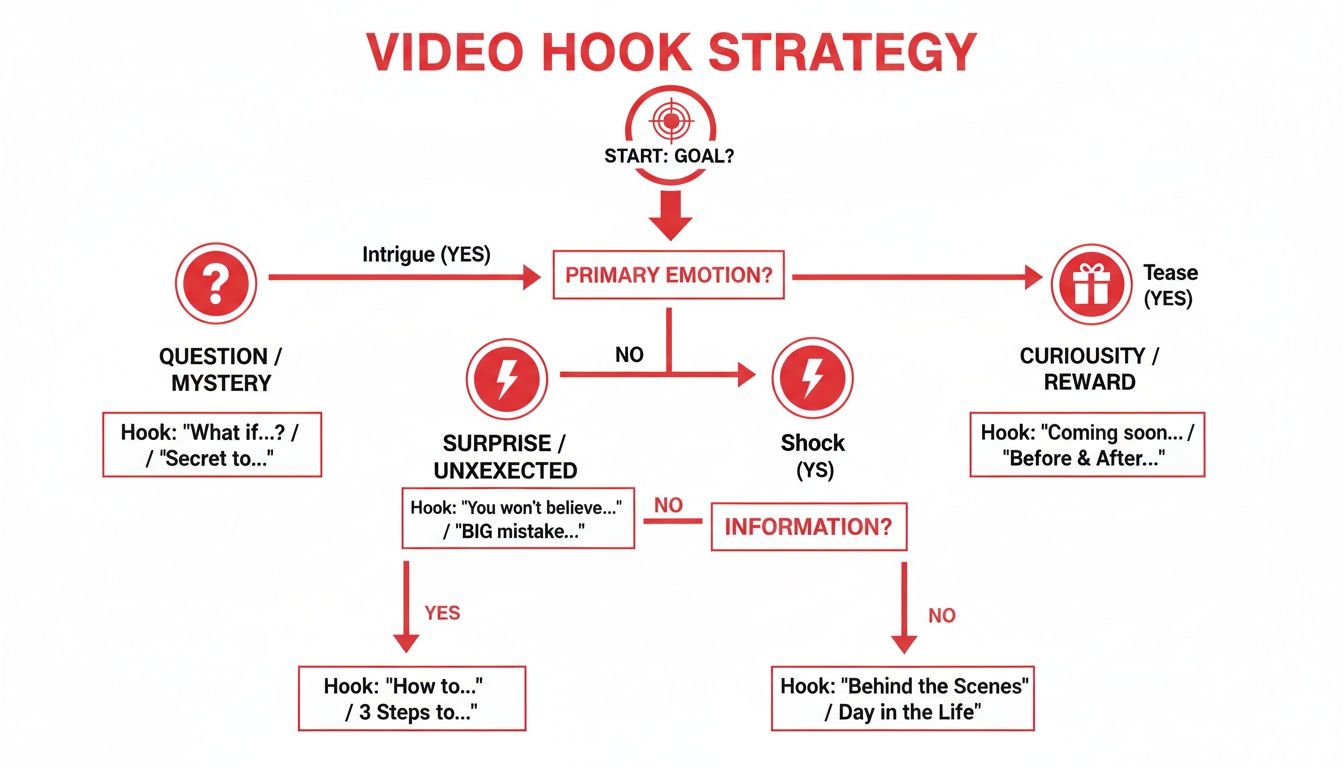
    What's the "Right" Upload Schedule?

    Forget the idea of a magic number. The real key here is consistency, not just raw frequency.

    Sticking to a predictable schedule—whether that's once a week or once a month—is what builds an audience. It lets your subscribers know when to expect new content and signals to YouTube that your channel is reliable and active. Trying to pump out daily videos is a fast track to burnout. It's always better to create one fantastic, fully optimized video than to rush out five mediocre ones.

    Are Video Tags Even Relevant Anymore?

    Absolutely, though their job has changed over the years. Tags aren't the heavyweight ranking factor they used to be, but they provide critical context for the algorithm. They help YouTube grasp your video's specific topic, which is essential for getting it recommended next to similar content.

    Think of tags as helpful little signposts. They clarify your video's niche and connect it to the right viewers, especially if your title and description contain words that could be interpreted in multiple ways.

    Seriously, How Long Until I See Any Results?

    Playing the YouTube SEO game requires patience. While a video can sometimes catch fire overnight, that's the exception, not the rule. Realistically, you should expect it to take anywhere from three to six months for the algorithm to really understand your content and start ranking it consistently for the right keywords. Stick with it—consistent effort is the secret sauce.


    Ready to stop guessing and start growing? ViewsMax gives you the AI-powered tools and clear, actionable insights you need to get every video seen. Turn your creative passion into real, measurable channel growth by visiting us at https://blog.viewsmax.com.

  • The Ultimate Guide to YouTube Video Thumbnail Sizes

    The Ultimate Guide to YouTube Video Thumbnail Sizes

    Let's get right to the point: the ideal size for a YouTube thumbnail is 1280×720 pixels. This isn't just a suggestion; it's the standard that ensures your image looks sharp and professional everywhere, from a tiny phone screen to a massive smart TV.

    Think of these technical specs as the foundation of your video's first impression. Before you even think about colors, fonts, or facial expressions, you have to get the basics right to avoid frustrating issues like blurriness, awkward cropping, or outright upload failures.

    The Official YouTube Thumbnail Specs

    Your thumbnail is your video's billboard. Getting the technical details right ensures it looks fantastic and loads quickly, signaling quality to both potential viewers and the YouTube algorithm.

    Here’s a quick breakdown of the core rules you need to follow for every single thumbnail. Memorize these—they're non-negotiable for a professional channel.

    • Resolution: 1280 pixels wide by 720 pixels tall. This is the high-definition standard.
    • Aspect Ratio: 16:9. This is crucial because it perfectly matches the shape of the YouTube player.
    • Minimum Width: While 1280px is the goal, the absolute minimum YouTube will accept is 640 pixels. Anything smaller will look pixelated and unprofessional.
    • File Formats: You can use JPG, PNG, or GIF. Most creators stick with JPG for its balance of quality and small file size.
    • File Size: Keep it under the 2MB limit. This is key for fast loading on all devices.

    This image neatly summarizes the big three: resolution, aspect ratio, and file size.

    YouTube thumbnail specifications summary: 1280x720 pixels, 16:9 aspect ratio, and less than 2MB file size.

    If you ever need a complete rundown of all of YouTube's media dimensions, you can always check their official YouTube sizing guide for the latest specs.

    YouTube Thumbnail Technical Specifications

    To make things even clearer, here’s a quick-reference table that breaks down not just what the requirements are, but why they matter so much.

    Specification Requirement Why It Matters
    Resolution 1280 x 720 pixels Ensures your thumbnail looks crisp and high-quality, especially on larger screens like TVs and monitors.
    Aspect Ratio 16:9 Prevents YouTube from adding ugly black bars or cropping your image in an unflattering way.
    File Size Under 2MB Guarantees your thumbnail loads instantly, which is critical for viewer experience on slower connections.
    File Format JPG, PNG, GIF These are the universal web formats that YouTube’s system is built to process without errors.

    Nailing these four technical pillars is the first—and most important—step toward creating thumbnails that actually get clicks. Get these right, and you're ready to focus on the creative side.
    Why Your Thumbnail Size Is a Massive Growth Lever

    Getting your YouTube thumbnail size right is way more than just a technical detail—it’s one of the most powerful things you can do to grow your channel. Think of it as the single most important piece of marketing for every video you publish. A sharp, high-quality thumbnail is the very first impression a viewer gets of your work.

    When you use the recommended 1280×720 pixels, your thumbnail looks crisp and professional everywhere, from a giant TV screen to a tiny phone. That clarity is what stops someone from scrolling past your video in a busy feed, making your content look far more credible than a blurry, poorly cropped alternative.

    The Link Between Size and Clicks

    At the end of the day, a thumbnail has one job: get the click. A high-resolution image that meets YouTube's specs is simply more clickable. It ensures your creative choices—like dramatic facial expressions, bold text, and punchy colors—land with the biggest possible impact.

    This visual quality directly feeds into a higher click-through rate (CTR), a metric the YouTube algorithm absolutely loves. A strong CTR signals to YouTube that people are interested in your video, which encourages the platform to recommend it to a wider audience. Even a tiny bump in your CTR can translate into thousands of additional views over time. For a deeper dive on this, check out our guide on how to improve your click-through rate.

    There's no denying how much thumbnails have evolved from simple video previews into powerful, data-driven tools. In fact, research shows that for about 90% of users, the thumbnail is the main reason they decide to watch a video. When creators get it right—with a clear focal point, readable text, and the correct 1280×720 size—they can see CTRs jump by as much as 30%, pushing them into that highly coveted 12-15% range. You can find more insights on these AI-driven thumbnail trends on superagi.com.

    Building Viewer Trust Through Quality

    Uploading high-quality, perfectly sized thumbnails consistently does more than just help individual videos. It’s how you build a recognizable brand. Over time, viewers start to spot your unique style in their feeds and associate it with the great content you deliver.

    A great thumbnail is a promise to the viewer. When the size and quality are perfect, it signals that the video content behind it will be just as professional and valuable.

    This kind of trust is what creates loyal subscribers and repeat viewers. Once your audience knows they can rely on you for well-made content, they'll click on your videos without a second thought. Bottom line: treating your thumbnail size as a strategic priority is one of the highest-impact things you can do to fuel real, sustainable growth for your channel.

    How to Create a Perfectly Sized Thumbnail

    A silver laptop with a red screen displaying 'Perfect Thumbnail' sits on a wooden desk with office supplies.

    Knowing the exact specs for a YouTube thumbnail is just the starting line. The real challenge is actually creating a great-looking image that fits those requirements. But here’s the good news: you don't need to be a professional graphic designer. With the right tools and a solid workflow, you can churn out thumbnails that get clicks.

    Everything starts with setting up your canvas correctly. It doesn't matter if you're using a free tool like Canva or a pro-level program like Adobe Photoshop. Your very first step should always be creating a new project that is exactly 1280 pixels wide by 720 pixels tall. Nailing this from the get-go means you’re working in the required 16:9 aspect ratio from the start, which saves you from headaches with weird cropping or stretching issues down the road.

    Setting Up Your Canvas in Popular Tools

    Getting your project dimensions right is half the battle. Thankfully, most design software makes this pretty painless with presets, but you can always input the dimensions manually.

    • In Canva: Just hit "Create a design" on the homepage and type "YouTube Thumbnail" into the search bar. Canva instantly sets up a blank 1280×720 canvas for you. Simple as that.
    • In Adobe Photoshop: Go to File > New. In the dialog box, set the Width to 1280 pixels and the Height to 720 pixels. Make sure the Resolution is set to 72 PPI (Pixels Per Inch)—that's the web standard you'll want to stick with.

    Once your blank canvas is ready, it's time to start designing. Always, and I mean always, start with a high-resolution background image. Nothing screams "amateur" faster than a blurry, pixelated thumbnail. It immediately kills your video's credibility before anyone even clicks.

    A well-designed thumbnail isn't just a preview; it actively guides the viewer's eye to the most important parts of the image. This is where a few simple design principles can make a huge difference.

    One of the easiest and most effective techniques is the classic rule of thirds. Picture your canvas with a 3×3 grid overlaid on it. By placing your most important elements—like your face, a product, or a key object—along those gridlines or where they intersect, you create a composition that feels more balanced and engaging. It’s a simple trick that naturally directs attention and makes your thumbnail feel less static.

    Adding Text and Branding Elements

    When it comes to text, less is more. Your copy needs to be bold, short, and so easy to read that someone can understand it at a glance on a tiny phone screen. Pick just a handful of powerful words that spark curiosity or spell out the video's main benefit. And make sure you use high-contrast colors so your text pops right off the background.

    Finally, think about consistency. Using the same fonts, color palettes, or logo placement across all your thumbnails helps build brand recognition. Over time, viewers will start to spot your content instantly in their busy subscription feeds. This creative stage is also where solid video concepts pay off; you can find some great strategies for developing video ideas that will inform your thumbnail design from the start.

    When your masterpiece is complete, export it as a JPG. This format gives you the best mix of image quality and a small file size, making it easy to stay under YouTube's 2MB limit. Stick to this process, and you’ll be creating perfectly optimized thumbnails every single time.

    Common Thumbnail Size Mistakes to Avoid

    Even the most brilliant thumbnail concept can fall flat because of a simple technical glitch. I've seen countless creators accidentally kneecap their own video's reach with these easily avoidable errors. Let's walk through the most common pitfalls so your hard work actually translates into clicks.

    The biggest mistake, hands down, is uploading a low-resolution image. Sure, YouTube says the minimum width is 640 pixels, but if you upload something that small, it’s going to look blurry and amateurish on anything bigger than a tiny phone screen. Always, always start with a high-quality source image and build your design on a 1280×720 canvas. That's your ticket to a crisp, professional-looking thumbnail every time.

    Another classic error is completely ignoring the 16:9 aspect ratio. If you upload a square (1:1) or a vertical (9:16) image, YouTube will just slap black bars on the sides to make it fit. It not only looks sloppy but you’re also wasting precious real estate that could have been used to grab someone's attention.

    Solving Aspect Ratio and File Size Issues

    The good news is that fixing these problems is pretty simple once you know what you’re doing. Learning to crop and compress your images correctly is a core skill for any serious creator.

    • Cropping to 16:9: Every design tool you can think of, from Canva to Adobe Photoshop, has a crop function. The key is to lock the aspect ratio to 16:9 before you start dragging the corners around. This keeps the proportions correct and ensures you won’t get those dreaded black bars.
    • Managing File Size: YouTube is a stickler for its 2MB file size limit. If your thumbnail is even a tiny bit over, it'll get rejected. When you're ready to save, look for an option like "Export for Web" or "Save for Web." Choosing JPG over PNG is almost always a surefire way to get a smaller file. If it’s still too big, a quick search for an online image compressor will solve the problem without messing up your quality.

    "A thumbnail that fails on the technical side is a massive missed opportunity. Getting the size, ratio, and file format right is the foundation. It's the difference between someone clicking your video or just scrolling right past it."

    Other Common Thumbnail Errors

    Beyond the core specs, a few other design blunders can sink your thumbnail's performance, especially on mobile where most people are watching anyway.

    1. Tiny, Unreadable Text: Text that looks perfectly clear on your big desktop monitor can easily turn into a pixelated smudge on a phone. Your best bet is to keep text big, bold, and high-contrast. Less is more.
    2. Overcrowding the Design: A busy, cluttered thumbnail just confuses the eye. You want to focus on one primary subject—a person’s face, a key object, an intriguing result—to create an instant focal point.
    3. Ignoring the Bottom-Right Corner: Don't forget, YouTube slaps the video's timestamp right in the bottom-right corner. Make sure you don't place any critical text or visual elements there, because they'll just get covered up.

    Optimizing Thumbnails for Mobile and Desktop Views

    A hand holds a smartphone showing a 'MOBILE FIRST' website, next to a desktop computer displaying a responsive website.

    It’s a classic creator mistake: you design a thumbnail that looks absolutely killer on your 27-inch monitor, only to find it's an unreadable smudge on a phone. Since a massive chunk of YouTube traffic comes from mobile devices, thinking "mobile-first" isn't just a best practice—it's a critical strategy for getting clicks.

    When your perfectly detailed 1280×720 pixel design gets shrunk down, all that nuance disappears. The witty, small-print text becomes a blur, busy backgrounds turn into visual noise, and subtle facial expressions are completely lost. If you design for the smallest screen first, you guarantee your thumbnail’s message is clear and compelling, no matter how someone is watching.

    Designing for Universal Readability

    The secret to a great thumbnail that works everywhere is focusing on simplicity and contrast. You have a split second to communicate what your video is about, even when your thumbnail is just an inch wide. This means you have to prioritize the elements that survive the shrinking process.

    Here are a few things I’ve found to be non-negotiable for creating thumbnails that perform on any device:

    • Go Big and Bold with Fonts: Stick with thick, clean, sans-serif fonts. They stay readable even when they’re tiny. And seriously, keep the text short and sweet—three to five powerful words is the sweet spot.
    • Pick One Hero Element: Your design needs a single, clear focal point. This could be an expressive face, a key object from the video, or a dramatic "before and after." A cluttered thumbnail is a confusing thumbnail, and viewers on mobile will just scroll right past it.
    • Crank Up the Contrast: Use bright, opposing colors to make your subject and text leap off the background. In a crowded subscription feed, high contrast is your best friend for grabbing a viewer's eye.

    By building your design around these core principles, you ensure your youtube video thumbnail sizes are optimized not just to meet the technical specs, but to actually drive real-world performance.

    Thumbnail Design Checklist for All Devices

    Before you hit "upload," run your design through this quick checklist. It's a simple way to gut-check how your creative choices will hold up when they move between a big desktop monitor and a small phone screen.

    Design Element Mobile-First Consideration Desktop Consideration
    Text Is it legible in a tiny preview? Is it 3-5 words max? Does it still look balanced and not overly simplistic on a larger screen?
    Subject Focus Is there one clear, identifiable focal point? Are the details of the subject crisp and high-quality when viewed at full size?
    Colors Do the colors have high contrast to stand out in a crowded feed? Do the colors align with your channel's branding and look professional?
    Complexity Is the design simple and uncluttered to avoid visual noise? Is there enough visual interest to engage viewers on a larger display without looking empty?

    Ultimately, it helps to think of your thumbnail as a tiny billboard on a fast-moving highway. People are scrolling quickly. If they can't grasp the concept in a single glance, you’ve already lost their click.

    Getting the youtube video thumbnail sizes right is the first technical step, but designing with a mobile-first mindset is the strategic leap that will actually get you more views and grow your channel.

    Advanced Strategies for High-Impact Thumbnails

    A tablet on a wooden table displays a man with an expressive face and a 'BOOST CTR' banner.

    Getting the technical specs right is just the starting line. Once you've nailed the ideal 1280×720 canvas, the real work begins. It's time to go beyond the numbers and dive into the visual psychology that makes people actually click.

    This is where you turn your thumbnail from a simple placeholder into your video’s most powerful marketing asset. The mission is simple: make someone stop scrolling, get curious, and feel an undeniable urge to watch.

    Harness the Power of Human Faces

    One of the most reliable ways to grab attention is by featuring a human face with a clear, strong emotion. We are biologically wired to notice and interpret facial expressions, which creates an immediate connection that text or objects just can't replicate. A look of shock, joy, or confusion can tell a potential viewer everything they need to know about the video's tone in less than a second.

    This works so well because it taps into empathy and makes your content feel more personal. When someone sees a genuine human reaction, their first thought is often, "What caused that?"—and clicking is the only way to find out.

    Use High-Contrast Colors and Bold Text

    On a busy YouTube feed, a thumbnail with muted or muddy colors is as good as invisible. To cut through the noise, you absolutely must use a bold, high-contrast color palette that makes your subject and text pop right off the screen. Think bright yellows against deep blues or a vibrant green over a dark background.

    The same rule applies to your text. For maximum impact, stick to these guidelines:

    • Keep it brief: Use no more than 3-5 powerful words that hint at the video's main hook or value.
    • Make it readable: Pick a thick, clean font that’s easy to read at a glance, especially on a tiny phone screen.
    • Ensure it pops: Add a dark outline or a solid color block behind your text to guarantee it stands out against the background image.

    For creators working with Shorts, the game is even faster. You can find advanced strategies for maximizing short video impact that are tailored specifically for that quick-consumption format.

    A great thumbnail doesn’t just tell you what the video is about; it makes you feel something. It’s the difference between a passive scroll and an active click.

    Build a Recognizable Brand Identity

    Consistency is your best friend when it comes to building a loyal audience. When your subscribers can spot your content instantly in a crowded feed, you've won half the battle. This doesn't mean every thumbnail needs to be a carbon copy, but they should all speak the same visual language.

    Try to establish a consistent style using a few core elements:

    • Fonts: Stick to one or two signature fonts across all your thumbnails.
    • Color Palette: Use a defined set of brand colors that represent your channel.
    • Layout: Develop a few go-to compositions or a recurring layout style.
    • Logo/Branding: Consistently place your logo or a unique brand mark in the same corner.

    This kind of visual consistency builds trust and familiarity, which encourages people to click on your videos time and time again. It’s a crucial piece of a bigger growth puzzle, which you can learn more about in our guide on YouTube SEO for beginners. When you combine these design tactics with perfect technical execution, your thumbnails become strategic assets that actively drive your channel's growth.

    Frequently Asked Questions About Thumbnail Sizes

    Even when you know the official specs, real-world questions always seem to pop up right when you're in the middle of a project. Getting your YouTube thumbnail dimensions right isn't just about hitting the numbers; it's about knowing how the platform will treat your image once you upload it. This section tackles the most common questions we hear from creators.

    Think of this as your go-to guide for those nagging "what-if" moments. We'll clear up the confusion around different sizes, file formats, and what you can do after your video is already live.

    What Happens If My Thumbnail Isn't 1280×720?

    So, you’ve uploaded a thumbnail that isn't the recommended 1280×720 pixels. What now? It’s a super common scenario, and what happens next depends entirely on the image you used.

    Here’s a quick breakdown of the likely outcomes:

    • Larger but Same Ratio (e.g., 1920×1080): If your image is bigger than the recommendation but still keeps that crucial 16:9 aspect ratio, YouTube will just shrink it down. This usually works out fine, but be aware that any automatic compression could lead to a tiny bit of quality loss.
    • Smaller but Same Ratio (e.g., 640×360): A smaller image might look okay on a phone screen, but it’s going to bite you on larger displays. When viewed on a desktop monitor or a TV, it will almost certainly look blurry and pixelated, which can instantly make your video feel low-quality.
    • Wrong Aspect Ratio (e.g., 4:3 or 1:1): This is the one you really want to avoid. If you upload a thumbnail in the wrong aspect ratio, YouTube will force it into a 16:9 box by adding ugly black bars to the sides (letterboxing). This not only looks amateurish but also wastes precious screen space you could have used for your design.

    Is JPG or PNG Better for a YouTube Thumbnail?

    The classic JPG vs. PNG debate comes down to a trade-off between image quality and file size, and it’s an important one when you’re trying to stay under that 2MB limit. For almost every situation, JPG is the way to go.

    JPGs give you an excellent balance of rich color and small file size, making them ideal for the photos and complex graphics used in most thumbnails. They're the industry standard for a good reason.

    That said, PNG has its niche. The only time you should really reach for a PNG is if your design absolutely requires a transparent background or if it’s made of simple vector-style graphics and text where you need perfectly sharp edges. Just remember, PNG files are often significantly larger, so you'll have to keep a close eye on that file size.

    Here's the bottom line: Start with JPG by default. Only switch to PNG if you have a specific design need, like transparency, that a JPG can't handle.

    Can I Change My Thumbnail After a Video Is Published?

    Yes, absolutely! YouTube lets you change your custom thumbnail at any time, even years after the video was first published. This is a powerful feature that savvy creators use all the time.

    Swapping out a thumbnail is simple:

    1. Head over to your YouTube Studio.
    2. Find the video you want to edit and click into its "Details" page.
    3. Look for the "Thumbnail" section and you'll see the option to change it.
    4. Just click, upload your new image, and hit save.

    The change usually ripples across YouTube within minutes. This is a game-changer for A/B testing different designs to boost your click-through rate or for giving older, evergreen content a fresh look to attract new viewers. Your video's first impression is never set in stone.


    Ready to stop guessing and start growing? ViewsMax provides AI-powered tools and actionable insights to help you optimize your titles, descriptions, and thumbnails for maximum impact. Turn your creative vision into measurable channel growth by visiting us at https://blog.viewsmax.com.

  • 8 Types of Great Tags for YouTube to Dominate Search in 2026

    8 Types of Great Tags for YouTube to Dominate Search in 2026

    YouTube's algorithm is a complex beast, but one of its most vital signals remains surprisingly direct: video tags. Many creators treat this section as an afterthought, a quick brain-dump of single words that barely scratches the surface of their content's potential. This common mistake is precisely why so many high-quality videos fail to find their audience. Effective tagging isn't just about telling YouTube what your video is about; it's about strategically telling the algorithm who your video is for.

    This guide moves beyond generic advice. We will provide a comprehensive breakdown of the essential types of great tags for YouTube, complete with categorized, copy-ready examples designed for specific niches and video goals. You will learn not just what to write, but why certain tags work and how to combine them into a powerful strategy that maximizes discoverability.

    Inside, you will find a complete toolkit for transforming your tags from a simple keyword list into a precision-guided system for channel growth. We will cover:

    • Keyword-Rich Primary Tags: The foundational building blocks.
    • Long-Tail Keyword Tags: Capturing highly specific search intent.
    • Brand and Channel-Specific Tags: Creating a cohesive content ecosystem.
    • Competitor and Benchmarking Tags: Learning from what already works.
    • Trending and Seasonal Tags: Capitalizing on timely interest.
    • Niche-Specific Community Tags: Speaking the language of your core audience.
    • Problem-Solution and Intent-Based Tags: Answering the questions viewers are asking.
    • Hashtag-Based Discovery Tags: Leveraging social-style discovery.

    Prepare to stop guessing and start implementing a tagging methodology that tells YouTube exactly who needs to see your content.

    1. Keyword-Rich Primary Tags

    Primary tags are the cornerstone of your video's discoverability strategy. These are the first 1-3 tags you should add, and they need to be hyper-specific, directly matching your video's main topic and the most common search queries your target audience uses. Think of them as the headline for your video's metadata; they carry the most weight with YouTube's algorithm, signaling your content's core subject matter with precision.

    These tags should align perfectly with your video's title and description. This consistency reinforces your video's topic, making it easier for YouTube to categorize your content and recommend it to the right viewers. Choosing the right primary tags is a crucial first step in finding great tags for YouTube, as it sets the foundation for both search ranking and suggested video placement.

    Strategic Application and Examples

    The key is to think like your viewer. What exact phrase would they type into the search bar to find your video? That phrase is likely your best primary tag.

    • For a "How-To" Video: If your video teaches how to bake sourdough bread, your primary tags should be how to bake sourdough bread, sourdough bread for beginners, and easy sourdough recipe. These are direct, high-intent keywords.
    • For a Gaming Guide: A video on a specific "Elden Ring" boss fight should use Elden Ring Malenia boss guide, how to beat Malenia, and Malenia cheese strategy as its primary tags.
    • For a Product Review: Reviewing the latest iPhone? Use iPhone 15 Pro review, is the iPhone 15 Pro worth it, and iPhone 15 Pro camera test.

    Actionable Takeaways

    To effectively implement keyword-rich primary tags, follow these best practices:

    1. Prioritize Placement: Always place your most important, specific keyword phrase as the very first tag. This gives it maximum algorithmic weight.
    2. Conduct Keyword Research: Use tools like TubeBuddy or Google Trends to validate that your chosen primary tags have sufficient search volume. You can find a deeper dive into this process by learning more about YouTube video keywords on ViewsMax.
    3. Analyze Competitor Transcripts: To uncover a wider array of keyword-rich primary tags, especially by analyzing your own content or competitor videos, consider leveraging a YouTube video to text converter for keyword insights. This can reveal the exact language successful creators use.
    4. Maintain Consistency: Ensure your primary tags are also present, naturally, within your video title and the first few sentences of your video description for maximum SEO impact.

    2. Long-Tail Keyword Tags

    Long-tail keyword tags are your secret weapon for cutting through the noise in crowded niches. These are longer, more specific phrases (typically 3-6 words) that target niche search queries. While they attract lower search volumes than broad primary tags, they capture viewers with very specific intent, leading to higher engagement and conversion rates. Think of them as the detailed questions your audience is asking; answering them directly with your tags puts your content right in front of the most qualified viewers.

    These tags are crucial for discoverability because they face less competition. While thousands of videos might compete for "gaming," far fewer compete for "growing a gaming channel with less than 1000 subscribers." Using long-tail keywords is a smart way to find great tags for YouTube, allowing new or smaller channels to rank for specific terms and build a dedicated audience before tackling broader, more competitive keywords.

    Strategic Application and Examples

    The strategy here is to address a viewer's specific pain point, question, or interest with precision. Go beyond the main topic and consider the context, user level, and desired outcome.

    • For a Tech Tutorial: Instead of just email marketing, a video targeting small business owners should use long-tail tags like email marketing tutorial for e-commerce businesses, how to build an email list from scratch, and best free email marketing software 2024.
    • For a Finance Channel: A video about investing could use how to start investing with little money, best index funds for beginners, and passive income ideas for college students. These tags speak directly to a specific demographic's needs.
    • For a Creator-Focused Channel: A video on YouTube growth should use tags like how to get your first 100 subscribers on YouTube, YouTube SEO tips for small channels, and what to do after uploading a YouTube video.

    Actionable Takeaways

    To effectively implement long-tail keyword tags and improve your video's reach, follow these best practices:

    1. Think in Questions: Use tools like AnswerThePublic or Google's "People Also Ask" section to discover the exact questions your audience is searching for. Frame your tags as answers to these questions.
    2. Analyze Your Analytics: Dive into your YouTube Studio's analytics. Look at the "Search" traffic source to see the exact long-tail phrases viewers are already using to find your content and create more tags around those topics.
    3. Allocate Tag Space: Dedicate a significant portion of your tag block, around 30-40%, to a variety of long-tail keyword phrases. This diversifies your chances of ranking in niche searches.
    4. Create Variations: Include multiple variations of a long-tail phrase. For example, if your tag is best budget camera for YouTube, also add affordable vlogging camera 2024 and cheapest 4k camera for content creators.

    3. Brand and Channel-Specific Tags

    Brand and channel-specific tags are the digital signature for your content ecosystem. These tags include your channel name, unique series titles, and any proprietary terms you've coined. They serve a crucial function: linking your videos together, reinforcing your brand identity, and encouraging viewers to binge-watch more of your content. By creating this internal web, you help YouTube's algorithm understand that your videos are related, increasing the chances of them being recommended alongside each other in the "Up Next" sidebar.

    A flat lay of a desk with a laptop, microphone, camera, notepad, and a red card displaying 'Brand Tags'.

    Consistently using these tags builds a powerful association between your content and your brand name. When a viewer watches one video, your branded tags tell YouTube, "Hey, the person watching this might also like these other videos from the same creator." This is a key strategy for transforming a one-time viewer into a loyal subscriber and is an essential component when selecting great tags for YouTube, as it focuses on audience retention and channel authority.

    Strategic Application and Examples

    The goal is to create a unique identifier that is exclusive to your channel. Think about what makes your content distinct and turn that into a tag. This helps you "own" a specific tag in YouTube's search results, making it easier for dedicated fans to find all content related to you or a specific series.

    • For a Channel Brand: A marketing channel like 'HubSpot Academy' should consistently use tags like HubSpot Academy and HubSpot in every video to unify their entire content library.
    • For a Recurring Series: If you have a weekly series called "Marketing Monday," you must use the tag Marketing Monday on every episode. This groups them together for both the algorithm and viewers who search for the series.
    • For a Personal Brand: A creator like Gary Vaynerchuk uses GaryVee, Vaynerchuk, and VaynerMedia to ensure all his content, regardless of the topic, is interconnected and builds his personal brand's digital footprint.
    • For a Proprietary Concept: If you teach a unique method like the 'Deep Work Method', using that exact phrase as a tag on all related videos helps establish you as the authority on that concept.

    Actionable Takeaways

    To leverage brand and channel-specific tags for maximum impact, integrate these practices into your workflow:

    1. Be Consistent: Choose one specific variation of your channel name (e.g., CreatorChannel, not Creator Channel or creatorchannel) and use it as a tag in every single video you upload.
    2. Create Unique Series Tags: If you launch a new video series, give it a distinct name and create a corresponding tag. Use this tag exclusively for videos within that series to create a virtual playlist.
    3. Cross-Promote in Collaborations: When you collaborate with another creator, include your primary brand tag in the video's tag block. This helps lead their audience back to your channel's content ecosystem.
    4. Reinforce in Description: Mention your brand and series names naturally within your video description and consider adding your brand tag to a pinned comment to further solidify the association for both viewers and the algorithm.

    4. Competitor Analysis and Benchmarking Tags

    Leveraging competitor analysis is one of the most powerful ways to inform your tagging strategy. These tags are those used by successful, high-ranking videos in your specific niche. By strategically analyzing and benchmarking against what’s already working, you can position your content alongside established players, tapping into proven pathways for discoverability without simply copying. This approach validates your topic and helps YouTube's algorithm understand where your video fits within your content ecosystem.

    Benchmarking tags act as a guide, revealing the language and keyword combinations that resonate with your shared target audience. It's a method for reverse-engineering success, providing a data-driven foundation for your own tag list and ensuring you're using terms that have already been proven effective. This makes it a crucial step in finding great tags for YouTube that connect with viewers.

    Strategic Application and Examples

    The goal is to identify patterns and core concepts, not to duplicate a competitor's tag list verbatim. Analyze the tags from the top 5-10 videos ranking for your target keyword to find the common denominators.

    • For Productivity Content: Analyzing videos from creators like Ali Abdaal or Thomas Frank might reveal consistent use of tags like productivity tips, how to stop procrastinating, study techniques, and notion tutorial. You can then adapt these to fit your video's unique angle.
    • For Finance Education: Researching top finance channels like Graham Stephan might show a pattern of tags such as how to invest for beginners, stock market basics, building wealth in your 20s, and real estate investing.
    • For a Niche Gaming Channel: If you create content for the game "Baldur's Gate 3," analyzing top guides would likely uncover tags like Baldur's Gate 3 build guide, BG3 best class, BG3 honor mode tips, and best BG3 party composition.

    Actionable Takeaways

    To effectively use competitor analysis for tag inspiration, follow these best practices:

    1. Use Inspector Tools: Leverage browser extensions like TubeBuddy or VidIQ to easily view the exact tags used on any public YouTube video. This eliminates guesswork.
    2. Focus on Top Performers: Prioritize your analysis on competitors' most-viewed videos or those ranking highest in search for your target keywords, as their tags have proven algorithmic effectiveness.
    3. Find the Overlap: Look for keywords and phrases that appear consistently across multiple successful competitors. These overlapping tags are often the most valuable and should be considered for your own list.
    4. Adopt, Don't Copy: Your goal is to find inspiration and validation. Combine benchmarked tags (about 50% of your list) with your own unique primary and specific tags to create a balanced and authentic strategy.

    5. Trending and Seasonal Tags

    Trending and seasonal tags are your ticket to capitalizing on short-term, high-volume search interest. These tags tap into current events, holidays, viral challenges, or zeitgeist topics relevant to your niche, allowing your content to ride a wave of popularity. They connect your video to a larger, ongoing conversation, giving it a powerful discoverability boost during peak interest periods.

    Unlike evergreen tags that provide steady traffic over time, these are designed for strategic, timely impact. Integrating them effectively requires agility and awareness, as their relevance can be fleeting. Using these great tags for YouTube can expose your channel to a massive new audience that is actively searching for content related to a specific moment in time.

    Strategic Application and Examples

    The goal is to anticipate or quickly react to what's capturing public attention. This involves planning for predictable events and staying nimble for unexpected trends.

    • For a Tech Channel: As a new iPhone launches, use tags like new iPhone 16 features, iOS 18 update review, and iPhone 16 unboxing. This positions the video directly in the path of massive, concentrated search traffic.
    • For a Finance Channel: During Q4, effective tags would be Black Friday deals 2024, holiday budgeting tips, and end of year tax advice. These align with predictable, seasonal financial interests.
    • For a Lifestyle or DIY Channel: Leading up to a holiday, use DIY Halloween costumes, easy Thanksgiving recipes, or Christmas decor ideas. During a viral moment, a tag like quiet luxury trend explained would be timely.

    Actionable Takeaways

    To effectively implement trending and seasonal tags, focus on timing and relevance:

    1. Monitor Trend Indicators: Regularly check YouTube's "Trending" tab and use Google Trends to spot emerging topics in your niche. Set up alerts for keywords related to your content vertical.
    2. Plan Your Content Calendar: Map out major holidays, seasonal events, and predictable industry moments (like tech conferences or movie releases) months in advance to prepare relevant content.
    3. Act Quickly: The window for a trending tag is often small. Aim to publish your video within the first 24-48 hours of a trend's emergence to maximize its initial velocity.
    4. Combine with Evergreen Tags: Don't rely solely on trends. Pair a tag like Grammy awards reaction with evergreen tags like music commentary and pop culture analysis to give your video long-term relevance after the initial buzz fades.

    6. Niche-Specific and Community Tags

    Niche-specific tags are your direct line to highly engaged, specialized audiences. These tags move beyond broad search terms and tap into the specific language, subcultures, and communities that define a particular interest. They connect your content with dedicated viewers who are actively seeking information tailored to their hobbies, professional fields, or lifestyle, making them powerful for building a loyal subscriber base.

    Using these community-centric terms signals to both the YouTube algorithm and potential viewers that you are an insider. It shows you understand the nuances of the topic, which builds trust and authority. These are some of the great tags for YouTube because they attract viewers with a higher potential for engagement, as the content directly serves their specific passion.

    Strategic Application and Examples

    The goal is to speak the language of the subculture you're targeting. Think about the jargon, acronyms, and specific terminology that an enthusiast would use but a casual observer wouldn't know.

    • For an Indie Developer Log: A video about creating a game on a small budget should use tags like indie game development, devlog, bootstrapped saas, and indie hacker community.
    • For a Creator Economy Channel: A video on selling digital products would benefit from solopreneur journey, digital product business, online course creator, and creator economy tips.
    • For a Niche Fitness Video: Content focused on bodyweight exercises should include calisthenics training, natural bodybuilding, bodyweight fitness, and progressive overload.

    Actionable Takeaways

    To master the use of niche-specific and community tags, immerse yourself in the culture of your audience:

    1. Become a Community Insider: Actively participate in Reddit (r/[yourniche]), Discord servers, and Facebook Groups related to your topic. Listen to how members talk and note the recurring terminology.
    2. Use Authentic Language: Tag your videos with terms recognized by the community, not just the generic outsider terminology. This shows authenticity and attracts the right people.
    3. Allocate Tag Space: Dedicate a significant portion, around 40-50%, of your tag character limit to these highly specific niche terms to solidify your position within that community.
    4. Find Your Focus: Choosing the right community to target is the first step. For more guidance, explore this detailed breakdown of the best niche for YouTube on ViewsMax.
    5. Track Engagement Metrics: Pay close attention to which niche tags drive the most comments, likes, and watch time, not just views. This indicates you're connecting with a passionate and engaged audience segment.

    7. Problem-Solution and Intent-Based Tags

    Moving beyond simple topic descriptions, problem-solution tags tap directly into the user's intent. These tags are structured around the specific problems, questions, or needs that viewers are actively trying to solve. By framing your tags as answers to "how to," "best way to," or "how do I" queries, you align your content with high-intent searches, capturing an audience that is primed for engagement and long watch times.

    This approach transforms your tagging strategy from being merely topic-focused to becoming deeply user-centric. Instead of just telling YouTube what your video is about, you're telling it what problem your video solves. This distinction is crucial for getting your content recommended to viewers who will find it most valuable, making it a powerful method for finding great tags for YouTube that drive meaningful results.

    Strategic Application and Examples

    The core of this strategy is empathy. Put yourself in the viewer's shoes and identify their specific pain points. What language would they use to describe their frustration or question? This is the key to unlocking powerful, intent-driven tags.

    • For a Channel Growth Tutorial: A video helping new creators should use tags like how to grow YouTube channel from 0 to 1000 subscribers, fix low YouTube CTR problem, and struggling with video editing software. These directly address common creator struggles.
    • For a Marketing Guide: If your content explains a business concept, use tags like how do I calculate ROI on paid ads, best way to manage a remote team, and easiest project management tool for small business. These target specific professional queries.
    • For a Tech Tutorial: A video about free software could be tagged with best way to edit videos on Mac for free and free video editor no watermark. This anticipates the user's need for cost-effective solutions.

    Actionable Takeaways

    To effectively implement problem-solution and intent-based tags, follow these best practices:

    1. Map Content to Pain Points: Before you even start tagging, write down the specific problem your video solves. This will be the foundation for your tag list.
    2. Use Question-Based Research: Utilize Google and YouTube's search autocomplete to see what questions people are asking. Start typing "how do I…" or "best way to…" related to your topic to find popular queries.
    3. Combine Problems and Solutions: Create a mix of tags that state the problem (e.g., low audience engagement) and tags that present the solution (e.g., how to increase YouTube engagement).
    4. Validate Your Solution: Ensure your content delivers a clear and effective solution to the problem you're tagging. Failing to do so can lead to poor audience retention and negative signals to the algorithm. For a deeper understanding of user search behavior, you can learn more about what people are searching on YouTube on ViewsMax.

    8. Hashtag-Based and Discovery Tags

    Hashtag-based tags are a modern addition to your YouTube SEO toolkit, designed to improve visibility within YouTube's evolving discovery systems. While hashtags placed in your video description are visible to viewers, adding hashtag-formatted keywords (#topic) into your tag section signals to the algorithm that your content is part of a broader, trending conversation. This enhances your video's chances of appearing on dedicated hashtag pages and being recommended alongside other content using the same hashtags.

    A red 'HASHTAG DISCOVERY' sign rests on a smartphone, with social media icons in the background.

    These tags act as a bridge between traditional keyword search and community-driven discovery. By including them, you optimize for both viewers who actively search for terms and those who browse content through topics and trends. Using hashtag tags is an effective way to generate a set of great tags for YouTube that taps into both search intent and community engagement, broadening your potential reach.

    Strategic Application and Examples

    The goal is to align your video with popular and relevant content hubs that viewers browse. Think about the broad communities your content belongs to.

    • For a Marketing Tutorial: A video on social media strategy could use #SocialMediaMarketing, #DigitalMarketing, and #ContentCreation. These connect your specific tutorial to the larger marketing and content creator communities.
    • For a Productivity Video: If your content shares time management tips, using tags like #ProductivityHacks, #TimeManagement, and #LifeHacks helps YouTube categorize it within the popular self-improvement niche.
    • For a Gaming Stream Highlight: A video from a Twitch stream could use #GamingCommunity, #Twitch, and #Streaming to attract viewers interested in the general gaming and streaming culture, beyond just the specific game played.

    Actionable Takeaways

    To effectively leverage hashtag-based and discovery tags, follow these best practices:

    1. Limit and Focus: Use only 2-3 highly relevant hashtag-formatted tags per video. Overloading with hashtags can dilute their impact and appear spammy to the algorithm.
    2. Research Trending Hashtags: Use YouTube's search bar to see what hashtags are popular in your niche. You can also look at trending topics on platforms like TikTok and X (formerly Twitter) for inspiration, as trends often cross-pollinate.
    3. Create a Branded Hashtag: Develop 1-2 unique hashtags for your channel or a specific video series (e.g., #CreatorWeeklyTips). This encourages viewers to find all related content from your channel easily.
    4. Combine with Keyword Tags: Do not replace your standard keyword tags with hashtags. Use them together to create a comprehensive strategy that covers specific search queries and broad topic discovery for a complete set of great tags for YouTube.

    8-Point Comparison of YouTube Tag Types

    Tag Type 🔄 Implementation complexity ⚡ Resource & speed 📊 Expected outcomes 💡 Ideal use cases ⭐ Key advantages
    Keyword-Rich Primary Tags Low–Moderate — pick 1–3 exact-match phrases Moderate — requires basic keyword research tools Higher search visibility and CTR for core topic Core-topic videos and tutorials aiming for targeted search traffic Strong ranking signal; aligns with title/description
    Long-Tail Keyword Tags Moderate — research niche 3–6+ word phrases Low per-tag effort but time-consuming research Better ranking in low-competition queries; engaged viewers Growing channels, saturated niches, specific how‑to queries Attracts intent-driven viewers with less competition
    Brand and Channel-Specific Tags Low — create consistent branded variations Low — minimal ongoing effort; benefits accrue over time Improves channel discoverability and series cohesion Established channels, series content, cross-promotion Builds owned search terms and channel identity
    Competitor Analysis & Benchmarking Tags Moderate–High — extract and analyze top competitors Moderate — needs tools (TubeBuddy/VidIQ) and review time Faster validation of effective tags; improved positioning New channels benchmarking niche leaders; strategy refinement Leverages proven tag patterns; reduces guesswork
    Trending & Seasonal Tags High — requires rapid timing and alignment High — real-time monitoring and fast production Short-term traffic spikes and viral potential Time-sensitive campaigns, holidays, breaking trends Captures peak interest and increased recommendation reach
    Niche-Specific & Community Tags Moderate — requires deep community language knowledge Moderate — time in forums/communities to research terms High engagement and loyal audience; easier top rankings in niche Community-driven channels, specialist professional content Builds authority and strong audience retention within niche
    Problem-Solution & Intent-Based Tags Moderate — map tags to viewer pain points and queries Moderate — question research and validation needed Improved watch‑through, retention, and satisfaction How‑tos, troubleshooting, product demos and tutorials Aligns with user intent; boosts session time and relevance
    Hashtag-Based & Discovery Tags Low — add 2–3 hashtag-formatted tags per video Low — quick to implement; supports cross-platform reuse Better hashtag browsing and Shorts/short-form discovery; lower search weight Shorts, social repurposing, community browsing and campaigns Enhances hashtag discovery and cross-platform visibility

    Your Blueprint for an Unbeatable Tagging Strategy

    Navigating the world of YouTube tags can feel like a complex puzzle, but as we've explored, it's a puzzle you can solve with a clear, strategic blueprint. You've moved beyond the outdated idea of "keyword stuffing" and now possess a sophisticated understanding of how to build a powerful tagging framework that communicates directly with the YouTube algorithm and resonates with your ideal viewer.

    The journey from a blank tag field to a fully optimized set of keywords is no longer about guesswork. It's about intentionality and structure. By mastering the different categories of tags, you create a multi-layered net designed to capture viewers from every possible angle of discovery.

    Weaving Your Tagging Tapestry

    The core takeaway from our deep dive is that the most great tags for youtube are not individual keywords, but a cohesive collection working in concert. Think of your tagging strategy as a pyramid:

    • The Foundation: Your Primary and Long-Tail Keyword Tags form the broad, stable base. These are the non-negotiable terms that define your video's core topic and answer the most common search queries.
    • The Core Structure: Your Niche-Specific and Problem-Solution Tags build upon this foundation. They signal to YouTube that you are an authority within a specific community and that your content provides tangible value, answering questions viewers didn't even know they had.
    • The Strategic Layers: Adding Brand and Competitor Tags is a sophisticated move. This layer reinforces your channel's identity while strategically positioning your content alongside established players in your space, creating opportunities for "suggested video" placements.
    • The Dynamic Peak: Finally, Trending, Seasonal, and Hashtag-Based Tags sit at the very top. These are your agile, timely keywords that capitalize on current conversations and cultural moments, giving your evergreen content a powerful, immediate discovery boost.

    From Theory to Tangible Growth

    Merely understanding these categories is not enough; the real power lies in their balanced implementation. Your goal is to create a tag profile that is both broad and deep, general and specific. This blend tells the algorithm exactly what your video is about, who it’s for, and why it's relevant right now. The difference between a video that languishes in obscurity and one that finds its audience often comes down to this level of strategic detail.

    Remember, effective tagging is a crucial component of a much larger ecosystem. For a holistic approach to increasing your YouTube channel's visibility and search performance, explore additional comprehensive YouTube SEO best practices to ensure every element of your content is optimized for success. Combining a stellar tagging strategy with strong titles, compelling descriptions, and engaging thumbnails is the ultimate formula for sustainable channel growth.

    You now have the blueprint. You have the examples, the strategies, and the insights to stop throwing random keywords at the wall and start building a deliberate, data-driven approach. Each video you publish is a new opportunity to refine your process, to learn what resonates with your audience, and to tell the YouTube algorithm a clearer, more compelling story. Go forward and tag with intent, confidence, and the knowledge that you are in control of your content's discoverability.


    Ready to take the guesswork out of finding great tags for youtube and automate your optimization process? ViewsMax uses powerful AI to analyze your content and competitors, generating the perfect blend of high-impact tags in seconds. Stop spending hours on research and start spending more time creating by visiting ViewsMax to see how our tools can revolutionize your channel's growth.

  • 10 Actionable YouTube Channel Growth Tips for 2026

    10 Actionable YouTube Channel Growth Tips for 2026

    Growing a YouTube channel today feels more competitive than ever. With millions of creators vying for attention, relying on guesswork is a recipe for stagnation. The key to breaking through is not about finding a single 'hack'; it's about implementing a consistent, data-driven strategy that aligns with YouTube's algorithm and builds a loyal audience. This guide cuts through the noise to provide 10 proven youtube channel growth tips that are actionable, measurable, and designed for creators at every stage.

    We will move beyond generic advice like 'make great content' and dive into the specific mechanics of what works now. You will learn everything from optimizing your metadata with surgical precision to structuring your videos for maximum watch time and audience retention. Each tip is broken down into a simple, effective framework: what to do, why it works, and quick implementation steps to get you started immediately. This approach ensures you understand the strategy and can apply it directly to your content.

    Furthermore, we'll cover key performance indicators (KPIs) for each tactic, so you can track your progress and make informed decisions. We will also highlight how a dedicated tool like ViewsMax can streamline these processes, turning complex analytics and research into simple, actionable steps. This allows you to spend less time guessing and more time focusing on what you do best: creating. Whether you are just starting or looking to scale an existing channel, this blueprint provides the strategic clarity needed to build a thriving community.

    1. Optimize Video Titles and Descriptions for Click-Through Rate (CTR) and SEO

    Your video’s title and description are the first points of contact with potential viewers, making them critical for both human engagement and algorithmic discovery. An effective title grabs attention and sparks curiosity, while the description provides essential context for YouTube’s search and recommendation systems. This combination directly influences your discoverability, click-through rate (CTR), and initial viewer retention, all of which are key signals the algorithm uses to rank your content.

    For example, MrBeast often uses curiosity-driven titles like "I Built 100 Wells in Africa" that clearly state a massive accomplishment, making viewers want to see the result. In the tech space, Marques Brownlee (MKBHD) combines a specific product name with a compelling benefit, such as "iPhone 15 Pro Review: The Good, The Bad, & The Ugly," which sets clear expectations for an in-depth analysis. These strategies balance searchability with intrigue.

    Quick Implementation Steps

    To implement one of the most effective youtube channel growth tips, focus on optimizing these two core elements from the start.

    • Keyword Research: Use the YouTube search bar's autocomplete feature to see what users are actively searching for. Type in your primary topic and note the suggested long-tail keywords.
    • Title Construction: Place your primary keyword within the first 60 characters to ensure it’s fully visible on all devices. Frame it with an emotional hook or a clear benefit.
    • Description Strategy: Write a compelling 2-3 line summary that appears above the "Show more" fold. This is your secondary pitch. Below, add timestamps for key moments, links to resources, and secondary keywords to provide deeper context for the algorithm. For optimizing your video titles and descriptions, along with improving search visibility, consider utilizing comprehensive services for video transcription for subtitles to make your content even more accessible and searchable.
    • Test and Refine: Use YouTube's built-in A/B testing feature to experiment with different title and thumbnail combinations to see what resonates most with your audience. For a deeper dive into this process, you can learn more about how to improve your click-through rate on blog.viewsmax.com.

    2. Develop a Consistent Upload Schedule and Content Calendar

    Consistency is one of YouTube's most powerful, yet often overlooked, ranking factors. A predictable upload schedule does more than just keep your channel active; it trains your audience to expect and anticipate your content, building a loyal community. It also signals to the YouTube algorithm that your channel is reliable and a consistent source of value, leading to better algorithmic promotion and discoverability over time.

    A laptop displays a calendar on its screen, next to a red folder labeled 'UPLOAD SCHEDULE' and office supplies.

    For example, TED-Ed publishes on a strict schedule of two to three videos per week, allowing viewers to integrate their educational content into their regular routines. On the high-frequency end, Linus Tech Tips uses editorial calendars planned eight weeks in advance to manage a daily upload cadence, dominating the tech niche. These channels prove that a disciplined content calendar prevents burnout and ensures a steady flow of high-quality uploads, which is a cornerstone of sustainable YouTube channel growth tips.

    Quick Implementation Steps

    To implement a consistent schedule, focus on planning ahead and creating a sustainable workflow rather than chasing an unrealistic daily upload goal.

    • Establish a Sustainable Cadence: Start with a goal you can realistically maintain, such as one or two high-quality uploads per week. Consistency is more important than frequency, especially when you are just starting out.
    • Create a Content Calendar: Use a simple tool like Google Sheets, Trello, or Notion to plan content themes at least one month in advance. Your calendar should include video topics, target keywords, thumbnail concepts, and CTA strategies.
    • Schedule in Advance: Use YouTube Studio’s scheduling feature to upload videos during your audience's most active hours. This ensures your content goes live at the optimal time for initial engagement, even if you are not available to publish it manually.
    • Build a Content Buffer: Aim to have two to four videos fully edited and ready for publication at all times. This buffer provides a crucial safety net for unexpected delays or disruptions, ensuring your schedule remains unbroken.
    • Analyze and Adjust: Use your YouTube Analytics to track which upload days and times generate the highest viewership and engagement in the first 48 hours. Adjust your schedule based on this data to maximize your content's impact.

    3. Create Custom Thumbnails That Stand Out and Drive Higher CTR

    Your video’s custom thumbnail is its digital billboard. It’s the primary visual element that convinces a potential viewer to click, making it one of the most significant factors influencing your click-through rate (CTR). A well-designed thumbnail communicates your video's topic and value proposition in a split second, standing out in a crowded feed of recommendations. The YouTube algorithm heavily weighs CTR, meaning a compelling thumbnail directly contributes to increased visibility and channel growth.

    A desk with an Apple iMac displaying custom image thumbnails, a camera, keyboard, and notebooks.

    For example, MrBeast uses bright, high-contrast colors and emotionally charged facial expressions to create instantly recognizable and clickable visuals. Ali Abdaal takes a minimalist approach with clean backgrounds and bold, readable text, establishing strong brand consistency. Similarly, Veritasium blends scientific imagery with high-contrast graphic overlays to spark curiosity about the video's topic. These strategies prove that a successful thumbnail is a deliberate design choice, not an afterthought.

    Quick Implementation Steps

    To turn your thumbnails into a powerful growth engine, focus on creating designs that are clear, compelling, and consistent. This is one of the most critical youtube channel growth tips for capturing audience attention.

    • Prioritize High Contrast: Use a simple, bold color palette (2-3 primary colors) to make your thumbnail pop. High-contrast combinations like yellow text on a dark background or a vibrant subject against a muted setting are highly effective.
    • Leverage Human Emotion: If relevant, include a high-quality photo of a human face showing a clear emotion like surprise, excitement, or curiosity. Viewers are naturally drawn to faces, and this connection can significantly boost CTR.
    • Keep Text Minimal and Bold: Limit your text to 3-5 words that summarize the video's core hook. Use a bold, sans-serif font (like Impact or Helvetica) that remains legible even on small mobile screens.
    • Maintain Brand Consistency: Develop a consistent visual style, whether it's a specific color scheme, font, or a branded element like a logo or border. This helps your videos become instantly recognizable to subscribers in their feeds.
    • Test and Iterate: Use YouTube's built-in A/B testing feature for titles and thumbnails. Test different images, text, and color schemes to discover what resonates best with your specific audience and refine your approach based on data.

    4. Leverage Keywords and Tags Strategically for Search Discovery

    Keywords and tags are essential signposts that guide YouTube's algorithm, helping it understand your video's topic, category, and relevance to specific search queries. While tags have become less prominent than they once were, a cohesive keyword strategy across your video's title, description, and tag list remains crucial for boosting discoverability. This optimization process directly impacts your ability to appear in search results, connecting your content with viewers actively looking for it.

    For instance, SEO authority Neil Patel consistently ranks for high-value terms like "SEO tutorial" by embedding this primary keyword across all metadata. Similarly, WIRED’s "Autocomplete Interview" series leverages tags to capture dozens of long-tail keyword variations related to celebrity searches, expanding its reach. Creators using tools like TubeBuddy or VidIQ often report 20-40% improvements in search rankings after implementing targeted keyword suggestions, showcasing the power of this foundational YouTube growth tip.

    Quick Implementation Steps

    To effectively harness search traffic, embed relevant keywords throughout your video's metadata to create a clear, consistent signal for the YouTube algorithm.

    • Keyword Research: Use the YouTube search bar's autocomplete feature to uncover what users are actually searching for. These suggestions are real, high-intent keywords.
    • Strategic Tag Placement: Place your most important primary keyword in your title, description, and as one of your first three tags, which carry the most algorithmic weight. Aim for a total of 8-12 tags: a mix of primary, secondary, and branded keywords.
    • Leverage Video Chapters: Use chapter titles to naturally incorporate secondary keywords and long-tail phrases. This adds another layer of context for the algorithm and improves the viewer experience.
    • Analyze Performance: Regularly check your YouTube Studio analytics under "Reach" to see which search terms are driving traffic to your videos. Double down on the keywords that are performing well and bringing in engaged viewers.

    5. Optimize Watch Time Through Strategic Video Structure and Retention Hooks

    Watch time is one of YouTube's most powerful ranking signals, directly communicating content quality and audience satisfaction to the algorithm. Optimizing for watch time requires more than just creating good content; it demands a strategic video structure designed to hook viewers immediately and hold their attention. This involves a strong opening, deliberate pacing, and engaging elements that encourage viewers to watch until the very end, which is a critical factor for accelerated channel growth.

    Man working on a laptop with 'Boost Watch Time' text on a red background, a camera nearby.

    For example, VSauce captivates audiences by posing unexpected intellectual questions in the first few seconds, creating a curiosity gap that sustains an average view duration of over 70%. Similarly, TED-Ed videos maintain high watch-through rates by constantly varying animations, narrative tension, and pacing, ensuring viewers remain engaged from start to finish. These channels prove that a deliberate structure is key to maximizing watch time.

    Quick Implementation Steps

    To implement this crucial YouTube channel growth tip, focus on meticulously planning your video's flow to maximize viewer retention from the first second to the last.

    • Front-load the Hook: Grab attention within the first 3-5 seconds. Ask a compelling question, present a shocking statistic, or tease the final result of your video to give viewers a clear reason to keep watching.
    • Use Pattern Interrupts: Prevent viewer fatigue by changing the visual or auditory experience every 5-10 seconds. Use B-roll, zoom effects, text overlays, sound effects, or cuts to different camera angles to keep the content dynamic.
    • Analyze Retention Graphs: Go to your YouTube Analytics for each video and study the Audience Retention graph. Identify the exact moments where viewers drop off and analyze why. Use this data to restructure future content, perhaps by moving key information earlier.
    • Plan Your Narrative Arc: Structure your video with mini-hooks, a rising action, a climax (the main value proposition), and a concluding call-to-action. To learn more about how to structure your content effectively, read about crafting the perfect script for YouTube videos on blog.viewsmax.com.

    6. Build Community Through Engagement: Comments, Community Posts, and Interaction

    YouTube is a social platform, and its algorithm heavily rewards channels that cultivate an active, loyal community. Engaging with comments, utilizing the Community tab, and fostering direct interaction signals to YouTube that your content resonates deeply with viewers. This active feedback loop indicates content quality and viewer investment, leading to greater algorithmic promotion and a sustainable audience that returns for more than just the videos.

    For example, Linus Tech Tips masterfully uses Community posts to run polls about future content and share behind-the-scenes updates, keeping subscribers engaged between major uploads. Similarly, MrBeast’s team is known for responding to hundreds of comments on new videos, making individual viewers feel seen and encouraging thousands more to join the conversation. This strategy transforms passive viewers into an active, invested community.

    Quick Implementation Steps

    To implement this crucial YouTube channel growth tip, focus on turning your channel into a two-way conversation rather than a one-way broadcast.

    • Prioritize Early Engagement: Respond to as many comments as possible within the first few hours of a video's release. This initial activity spike is a powerful positive signal to the algorithm.
    • Set the Tone: Pin one or two thoughtful, high-quality comments on each video. This highlights the type of discussion you want to encourage and rewards positive contributions.
    • Activate the Community Tab: Use the Community tab 2-3 times per week. Post polls, ask questions, share sneak peeks, or post text-based updates to keep your audience connected even when you don't have a new video.
    • Prompt Discussion: End your videos with a specific, open-ended question that encourages viewers to share their own opinions or experiences in the comments. Avoid generic "leave a comment" calls-to-action.
    • Moderate for Health: Actively manage your comments section by removing spam and addressing negativity. A healthy, positive environment is essential for fostering genuine community interaction.

    7. Collaborate with Other Creators to Access New Audiences

    Collaborations are one of the most powerful youtube channel growth tips for tapping into established, relevant audiences. By partnering with another creator, you introduce your content to their subscribers, creating a direct path for new viewers to discover and subscribe to your channel. This cross-promotion generates mutual benefits, as both channels gain exposure, content variety keeps existing audiences engaged, and YouTube’s algorithm often rewards the high cross-audience watch time that results from a successful partnership.

    For example, gaming streamers like Valkyrae and Sykkuno frequently collaborate on YouTube videos, exposing their distinct yet overlapping audiences to each other’s content. In the education space, channels like SmarterEveryDay and Mark Rober have collaborated on massive projects, merging their creative styles and scientific curiosity to reach millions of combined viewers who share a passion for engineering and discovery. These partnerships work because they feel authentic and provide immense value to both communities.

    Quick Implementation Steps

    To effectively leverage collaborations, approach them with a clear strategy that benefits both you and your potential partner.

    • Identify Aligned Partners: Research 5-10 creators with a similar audience size and a complementary, non-competing niche. Their content should appeal to your target viewers without being a direct substitute for your own.
    • Craft a Specific Pitch: When you reach out, avoid generic requests. Propose a concrete video idea that clearly outlines the concept and highlights how it will benefit both of your audiences.
    • Ensure Mutual Benefit: Structure the collaboration so that both creators contribute and gain equally. This includes production effort, promotion, and audience exposure. A balanced partnership is more likely to lead to future collaborations.
    • Plan Aggressive Cross-Promotion: Don't just rely on the video itself. Promote the collaboration heavily across all your platforms, including in the video description, pinned comments, community posts, and other social media channels. Tag each other everywhere to maximize reach.
    • Track Performance: Analyze the collab video’s performance metrics, paying close attention to referral traffic, subscriber gain, and audience retention. Use this data to identify which partnership formats and creator types resonate most with your viewers.

    8. Analyze and Act on YouTube Analytics Data to Inform Content Strategy

    Data-driven decision-making is what separates fast-growing channels from stagnant ones. YouTube Analytics is your command center, offering crucial insights into audience demographics, traffic sources, watch time patterns, retention curves, and click-through rates. Regularly interpreting this data transforms guesswork into a precise, measurable optimization strategy, allowing you to create content that your audience and the algorithm both love.

    For example, Ali Abdaal often shares his analytics on his channel, demonstrating how specific data points directly influence his upcoming video topics and formats. Similarly, Sean Cannell of VideoCreators uses weekly analytics reviews to spot trending content styles within his niche and adapt quickly. This proactive approach ensures their content strategies are always informed by real viewer behavior, not just intuition. Analyzing your data is one of the most powerful youtube channel growth tips you can implement.

    Quick Implementation Steps

    To turn analytics into actionable growth, integrate a weekly data review into your content creation workflow.

    • Schedule a Weekly Review: Dedicate a specific time each week to dive into your analytics. Look for patterns over 4-week periods rather than reacting to daily fluctuations.
    • Prioritize Audience Retention: Your audience retention graph is the most honest feedback you'll get. Identify where viewers drop off. Are your intros too long? Is a certain segment boring? Use this data to refine your video structure and pacing.
    • Analyze Traffic Sources: Look at where your views are coming from. If "Browse Features" and "Suggested Videos" are high, the algorithm is promoting your content. If "YouTube Search" is a top source, double down on SEO for those high-performing topics.
    • Connect CTR and Watch Time: A high CTR with low watch time means your title and thumbnail are great, but the video content didn't deliver on the promise. A low CTR with high watch time means the content is excellent, but your packaging needs improvement. Use this insight to diagnose and fix performance issues.

    9. Diversify Content Formats, Explore Series/Playlist Strategy, and Utilize YouTube Shorts

    Relying on a single content format limits your audience reach and leaves potential growth on the table. Diversifying your content portfolio with a mix of long-form videos, structured series, and YouTube Shorts allows you to cater to different viewer preferences and consumption habits. This multi-format approach not only keeps your existing audience engaged but also creates new entry points for discovery, with Shorts acting as a powerful top-of-funnel tool and playlists encouraging binge-watching to boost session watch time.

    For example, Linus Tech Tips masterfully combines daily short-form videos and tech news updates with in-depth, long-form reviews. This satisfies both viewers looking for quick, digestible content and those seeking detailed analysis. Similarly, educational channels like TED-Ed organize their content into thematic playlists such as "History," "Science," and "Literature," which often drive over half of their total watch time through the platform's auto-play feature.

    Quick Implementation Steps

    To implement this crucial YouTube channel growth tip, strategically expand your content types without overwhelming your production workflow.

    • Identify Core Formats: Start by identifying 3-4 content formats that align with your niche and expertise, such as tutorials, reviews, vlogs, or interviews.
    • Create a Series: Develop an explicit series with at least 5-7 episodes on a specific topic. This encourages viewers to watch multiple videos and subscribe for future installments. Organize these into a clearly labeled playlist.
    • Integrate YouTube Shorts: Use Shorts as a discovery engine. Post 3-5 Shorts per week, leveraging trending audio and fast-paced editing to hook viewers in the first two seconds. These can be highlight clips, quick tips, or behind-the-scenes moments that funnel viewers to your long-form content.
    • Optimize for Binge-Watching: Organize all of your content into thematic playlists. This makes it easier for viewers to find related videos and significantly increases session duration through auto-play. For more tips on maximizing your Shorts strategy, you can get more views on YouTube Shorts on blog.viewsmax.com.
    • Analyze Performance: Monitor which formats drive the most subscribers versus the most watch time. To fully utilize YouTube Shorts for maximum growth, explore current YouTube Shorts best practices to make your content stand out.

    10. Maintain Authenticity and Audience Trust to Build Sustainable Long-Term Growth

    Sustainable channel growth depends on genuine audience trust more than any short-term algorithmic hack. Channels that rely on clickbait, misleading thumbnails, or artificial engagement tactics often suffer from high unsubscribe rates and poor watch time, which ultimately signals to the YouTube algorithm that the content is low-value. Authenticity, on the other hand, involves delivering on promises, being transparent, and building a real connection with your viewers, creating a loyal community that supports your channel through algorithmic shifts.

    For example, Casey Neistat’s commitment to his “vlog every day” promise, coupled with his raw and authentic storytelling, created unshakable audience loyalty. Similarly, Hank Green (of Vlogbrothers and Crash Course) built a massive community through a genuine passion for education and complete transparency about his projects and motivations. This approach builds subscriber lifetime value and fosters retention, which are powerful long-term growth metrics.

    Quick Implementation Steps

    To implement one of the most foundational youtube channel growth tips, focus on building a genuine relationship with your audience from day one.

    • Create with Conviction: Only produce content you genuinely believe in and find interesting. Your passion is contagious and forms the bedrock of authenticity.
    • Deliver on Your Promises: Ensure your content accurately reflects the promise made in your title and thumbnail. This single action is the most effective way to avoid being labeled as clickbait.
    • Practice Full Transparency: Clearly disclose all sponsorships, affiliate relationships, and partnerships. Viewers appreciate honesty, and it’s often required by platform guidelines.
    • Share the Whole Journey: Don’t just showcase your successes. Sharing failures, mistakes, and learning moments makes you more relatable and humanizes your brand.
    • Engage with Feedback: Respond authentically to comments and criticism, both positive and negative. Use feedback as a tool for genuine improvement and to show your audience that their opinions matter.

    YouTube Growth Tips — 10-Point Comparison

    Strategy Implementation Complexity (🔄) Resource Requirements (⚡) Expected Outcomes (⭐📊) Ideal Use Cases (💡) Key Advantages
    Optimize Video Titles and Descriptions for CTR and SEO Moderate 🔄 — keyword research & testing Low ⚡ — time + SEO tools High ⭐📊 — improved discoverability & CTR Search-driven content; existing libraries High ROI; boosts search & recommendation relevance
    Develop a Consistent Upload Schedule and Content Calendar Moderate 🔄 — planning discipline required Medium ⚡ — production time, team or buffer High ⭐📊 — better retention & algorithm favor Channels scaling production; growing audiences Builds viewer habits; predictable revenue opportunities
    Create Custom Thumbnails That Stand Out and Drive Higher CTR Low 🔄 — design process & templates Low-Medium ⚡ — design time/software or designer High ⭐📊 — 30–50% CTR lift typical Attention-driven niches; all videos Immediate CTR gains; brand recognition
    Leverage Keywords and Tags Strategically for Search Discovery Moderate 🔄 — research + tool use Low ⚡ — keyword tools & time Medium-High ⭐📊 — higher organic search traffic SEO-focused niches; long-tail topics Cost-effective, evergreen discovery channel
    Optimize Watch Time Through Strategic Video Structure and Retention Hooks High 🔄 — editing, pacing psychology Medium-High ⚡ — editing, analytics, testing Very High ⭐📊 — strong algorithm boost & faster growth Channels prioritizing retention & monetization Directly improves rankings, CPM, and growth rate
    Build Community Through Engagement: Comments, Community Posts, Interaction Moderate 🔄 — ongoing moderation & interaction Medium ⚡ — time for replies, posts, moderation High ⭐📊 — higher promotion; loyal audience Channels seeking sustainable long-term growth Deep loyalty, organic ideas, stronger retention
    Collaborate with Other Creators to Access New Audiences Moderate 🔄 — coordination & outreach Medium ⚡ — scheduling, shared production costs High ⭐📊 — rapid audience access & subscriber growth Similar-sized creators; complementary niches Mutual exposure; production/value boost
    Analyze and Act on YouTube Analytics Data to Inform Content Strategy Moderate 🔄 — analytics literacy & routine Low-Medium ⚡ — time + analytics tools High ⭐📊 — data-driven optimizations & growth Channels ready to iterate and scale Removes guesswork; identifies high-impact changes
    Diversify Content Formats, Series/Playlists, and Utilize YouTube Shorts High 🔄 — multiple format strategies High ⚡ — varied production, editing, formats High ⭐📊 — broader reach; Shorts accelerate discovery Established creators expanding reach Audience diversification; binge & discovery potential
    Maintain Authenticity and Audience Trust to Build Sustainable Long-Term Growth Moderate 🔄 — consistent values & transparency Low ⚡ — time and honest communication Very High ⭐📊 — sustained retention & LTV All channels aiming for long-term sustainability Deep trust, better sponsorships, resilient growth

    Your Next Steps to Sustainable YouTube Growth

    You have now journeyed through a comprehensive roadmap of actionable youtube channel growth tips, each designed to build momentum and foster a thriving community. We've moved beyond generic advice and delved into the specific mechanics of what makes a channel successful, from the granular details of keyword optimization to the high-level strategy of building authentic audience relationships. The journey from a handful of subscribers to a loyal, engaged community is built on these foundational pillars, brick by brick, video by video.

    The core lesson is this: sustainable growth is not accidental. It is the direct result of a strategic, repeatable process. It’s about treating your channel like a business, where creativity is your product and data is your guide. The most successful creators are not just talented; they are diligent students of their audience and the YouTube algorithm. They understand that a compelling thumbnail is just as crucial as the content itself and that a well-structured video designed for high watch time is the key to platform promotion.

    Synthesizing the Strategy: From Tactics to a Growth Engine

    Let's distill the most critical takeaways from this guide. True YouTube success rests on the powerful synergy between three key areas: Discoverability, Engagement, and Retention.

    • Discoverability (Tips 1, 4, 7): This is about getting your videos in front of the right people. Mastering SEO with strategic titles, descriptions, and tags ensures your content appears in search results and suggested video feeds. Collaborating with other creators acts as a powerful amplifier, introducing your channel to pre-qualified, interested audiences.
    • Engagement (Tips 3, 6, 10): This is the crucial step of turning a viewer into a community member. Eye-catching thumbnails earn the click, but your authenticity and direct interaction in comments and community posts build the trust that makes people subscribe and return. This is where you transform passive viewers into genuine fans who feel a personal connection to you and your content.
    • Retention (Tips 2, 5, 8, 9): This is what convinces the YouTube algorithm that your channel is valuable. A consistent upload schedule trains your audience to anticipate your content, while strategically structured videos with strong hooks keep them watching longer. By analyzing your analytics and diversifying your content with formats like Shorts and playlists, you create a rich viewing experience that maximizes watch time and encourages binge-watching sessions.

    Your Action Plan for the Next 30 Days

    Feeling overwhelmed by the sheer number of youtube channel growth tips is natural. The secret is to avoid trying to implement everything at once. Instead, adopt a focused, incremental approach. Your mission for the next month is to choose one or two of these strategies and execute them with absolute consistency.

    For example, you could:

    1. Focus on Thumbnails and Titles: For your next four videos, spend an extra hour on thumbnail design, creating three different versions and asking for feedback. Simultaneously, use a tool like ViewsMax to research and craft highly optimized, click-worthy titles for each one.
    2. Commit to Community Engagement: Dedicate 30 minutes every single day to responding to comments, hearting your favorites, and posting one engaging poll or question in your Community tab each week.
    3. Master Your Analytics: Schedule a weekly "data deep dive." Go into your YouTube Studio analytics and identify the exact moments where viewers are dropping off in your top three videos. Use this insight to structure your next video to avoid that same pitfall.

    By isolating a single area, you can dedicate your full creative energy to mastering it. You will see clearer results, learn faster, and build positive habits that become a permanent part of your workflow. This methodical approach transforms abstract advice into tangible skills, creating a foundation for long-term, sustainable channel growth. You have the blueprint; now it's time to start building.


    Ready to turn these insights into measurable results? Stop guessing and start strategizing with ViewsMax. Our AI-powered platform provides the competitive analysis, keyword insights, and performance tracking you need to implement these youtube channel growth tips with precision and confidence. Sign up for ViewsMax today and accelerate your journey to YouTube success.

  • How to Increase YouTube Subscribers That Actually Stick

    How to Increase YouTube Subscribers That Actually Stick

    Growing your YouTube subscriber count isn't about chasing a one-off viral hit. It's about building a solid, repeatable system. This system is built around four key areas: defining your unique value, creating content people can't stop watching, mastering YouTube’s search algorithm, and getting your videos in front of the right eyeballs. When you consistently nail these principles, you start turning casual viewers into a dedicated community.

    Your Framework For Consistent Subscriber Growth

    Let's get one thing straight: overnight success on YouTube is a myth. The most reliable way to gain more subscribers is by building a deliberate strategy that focuses on long-term value, not just jumping on fleeting trends. This isn't about luck; it's about building a well-oiled machine that consistently attracts your ideal audience and gives them a compelling reason to stick around.

    A winning framework simplifies the entire process into three core phases: figuring out who you're talking to and what you'll make, creating videos that actually connect with them, and then promoting those videos to expand your reach.

    A step-by-step flowchart for YouTube growth strategy: define, create, and promote content.

    Think of this as your roadmap. Each stage builds on the last, creating a powerful cycle of growth where every video has a purpose beyond just getting views.

    The Four Pillars of YouTube Subscriber Growth

    To build this framework, you need to focus on four distinct but deeply connected areas. Each pillar supports the others, creating a powerful engine for growing your channel. It's like building a house—you need a rock-solid foundation before you can even think about the paint colors.

    Here’s a breakdown of the core strategies that form this foundation.

    Growth Pillar Core Action Why It Works
    Channel Strategy Define a specific niche and your ideal viewer. Laser-focused clarity attracts a dedicated audience that is far more likely to subscribe because your content feels like it was made just for them.
    Content Creation Produce high-retention videos in a consistent series or format. Binge-worthy content boosts your total watch time, which signals to YouTube that your channel provides value and is worth recommending to others.
    SEO & Discovery Optimize titles, descriptions, and tags for what people are searching for. Good SEO puts your videos right in front of potential subscribers at the exact moment they're looking for answers or entertainment.
    Promotion & CTAs Actively share your videos and include clear calls-to-action. Promotion expands your reach beyond YouTube's algorithm, while strong CTAs give viewers a direct nudge to hit the subscribe button.

    This structured approach takes the guesswork out of growth. Instead of wondering what to do next, you have a clear plan. Every video becomes a strategic piece of the puzzle, designed not just for views, but for turning viewers into subscribers.

    Key Takeaway: Real, sustainable subscriber growth comes from a system, not a single viral video. Focus on a clear strategy, high-value content, discoverability, and smart promotion to build a loyal audience that actually sticks around.

    Part of a consistent framework is a smart publishing schedule. To make sure your videos get in front of the most people, check out these tips for the best time to upload YouTube videos.

    Tools like ViewsMax can give you a serious edge here. It uses AI to pinpoint high-potential video topics and helps you nail your optimizations, allowing you to execute this entire framework with data-backed precision.

    Mastering YouTube SEO to Get Discovered

    You could film the most brilliant, life-changing video in your niche, but if nobody can find it, it's like it doesn't even exist. That's the hard truth. YouTube isn't just a video site; it's a massive search engine, second only to Google. Learning how to get your content discovered is the single most important skill for turning total strangers into loyal subscribers.

    This means you have to start treating every upload as a strategic SEO opportunity. It’s not about gaming the system or stuffing keywords where they don't belong. It's about understanding what your ideal viewers are actually searching for and then crafting your video's metadata—the title, description, and tags—to perfectly match their needs. When you nail this, the algorithm starts working for you.

    Finding the Right Keywords

    Before you even dream up a title, you need to get inside your audience's head. What words are they typing into that search bar? This is the bedrock of your entire discovery strategy. Don't guess; use data.

    Start broad. If your channel is all about home coffee brewing, your core topics might be things like "espresso," "pour over," or "coffee grinders." Now, head over to YouTube's search bar and start typing those terms. Pay close attention to the auto-suggestions that pop up. Those aren't random guesses; they are real searches from real people, giving you a direct line into what they want to know.

    • Look for "How-To" questions: People are constantly looking for solutions. Phrases like "how to increase youtube subscribers" or "how to dial in espresso" show clear intent.
    • Spot the "Best Of" searches: Terms like "best budget coffee grinder" or "best pour over technique" are goldmines for attracting viewers ready to make a decision.
    • Spy on your competition: Check out the top-performing videos in your niche. What keywords are they ranking for? You might uncover high-traffic topics you've completely overlooked.

    My best tip: Go after "long-tail keywords." These are longer, more specific phrases like "how to make latte art with almond milk." Sure, they get fewer searches, but the competition is way lower and the viewer is far more targeted. Someone searching for that is much more likely to subscribe because you've created the exact video they needed.

    Crafting Titles That Earn Clicks

    Your video title has two crucial jobs: first, it has to signal to the YouTube algorithm what your video is about using keywords. Second, and just as important, it has to convince a real person to actually click. The best titles strike a perfect balance between the two.

    Ditch vague titles like "My Coffee Routine." It tells me nothing. Instead, pack it with value and keywords. Something like, "My 5-Minute Morning Espresso Routine for Beginners" instantly tells both the algorithm and the viewer what to expect, who it's for, and how long it takes.

    A killer technique is to blend a keyword-rich phrase with an emotional hook. Instead of a flat "Fixing Under-Extracted Espresso," try something like, "Bitter Espresso? Here’s the 1 Mistake You're Making." See the difference? It speaks directly to a viewer's frustration and piques their curiosity, all while being optimized for search. Our guide on YouTube SEO optimization tips has a ton more strategies for writing titles that work.

    Writing Descriptions That Convert

    So many creators treat the description box as an afterthought, but it’s prime real estate for both SEO and for turning viewers into subscribers. The first two or three lines are critical because they show up directly in search results. You have to use this space to hook the viewer and repeat your most important keyword.

    Think of your description as a sales page for your video and your channel:

    1. The Hook: Start with a punchy sentence or two that expands on the title and naturally includes your main keyword.
    2. The Ask: Right after the hook, give a clear call-to-action. Don't be shy! A simple, "If you love making better coffee at home, be sure to subscribe for new videos every week!" is perfect.
    3. The Details: Use the rest of the space to give a more detailed summary, link to resources you mentioned, and even add timestamps for longer videos. This is a great place to weave in secondary and related keywords to help YouTube understand the full context of your content.

    On a platform with over 2.5 billion monthly active users, small tweaks have a massive impact. Improving your click-through rate (CTR) from 4% to 6% on a video with 50,000 impressions doesn't sound like much, but it means an extra 1,000 views. Every single one of those is a potential new subscriber.

    Ultimately, great SEO is about creating a clear, easy-to-follow path for your ideal viewer to find you. When your keywords, titles, and descriptions all align, you make it incredibly simple for YouTube to put your video in front of the people who will love it most—and hit that subscribe button.

    Creating Content That Earns Subscribers

    Getting your videos discovered is one thing; getting people to actually subscribe is another battle entirely. Great SEO might bring them to your door, but it’s the quality of your content that invites them in and convinces them to stay. A click is a first impression. A subscriber is someone who wants to be part of your community.

    The bridge between those two things is your value proposition. It's the silent promise you make to every single viewer: "Stick with my channel, and you'll consistently get [X]." That 'X' could be anything—time-saving tutorials, laugh-out-loud comedy, or in-depth reviews that prevent buyer's remorse. Without that clear promise, a channel just feels like a random assortment of videos.

    A man in glasses works on a laptop displaying YouTube, with a 'YouTube SEO' graphic.

    Nail the First 15 Seconds to Maximize Retention

    You have about 15 seconds. That's it. That's your window to convince someone to stick around. This is your "hook," and if you blow it with a generic, drawn-out intro, you can literally watch viewers drop off your analytics graph in real-time.

    A killer hook gets straight to the point—it either piques their curiosity or directly addresses the problem they came to solve.

    • Weak Hook: "Hey guys, welcome back to my channel. In this video, we're going to talk about how to increase YouTube subscribers." (They already know this from the title).
    • Strong Hook: "What if I told you one simple change to your video structure could double your subscriber conversion rate? Today, I'm showing you exactly what it is."

    This mindset should carry through the entire video. Every segment needs a purpose, smoothly guiding the viewer from one point to the next. This is where having a well-thought-out script for YouTube videos becomes non-negotiable for keeping your content tight and on-point.

    Key Insight: Treat your video like a story. It needs a killer opening (the hook), a meaty middle that delivers the goods (your core content), and a satisfying conclusion (summary and CTA). This natural flow is what keeps people watching.

    And when you've delivered that value, you have to ask for the sub. But how you ask makes all the difference. Ditch the robotic "don't forget to like and subscribe." Instead, connect your call-to-action (CTA) to the value you just provided. For example: "If this tutorial helped you out and you want more tips like this every week, hit that subscribe button so you don't miss the next one." This frames subscribing as a benefit for them, not a favor for you.

    Get People Binge-Watching with Series and Playlists

    One of the most powerful signals you can send the YouTube algorithm is that viewers watch multiple videos from your channel in one sitting. This "binge-watching" tells YouTube that your content is sticky and worth recommending to more people.

    The simplest way to engineer this is by creating content series.

    • Episodic Series: Think of a multi-part deep dive that tackles a huge topic one piece at a time. A "30-Day Fitness Challenge" with daily videos is a perfect example.
    • Pillar Content Series: This is a collection of videos centered around a core theme. A marketing channel could have a playlist dedicated to "Mastering Google Ads" and another on "SEO for Beginners."

    Once you have a series, organize it into a dedicated playlist. This is crucial. When a viewer finishes one video, YouTube will automatically tee up the next one in the playlist, creating a seamless viewing session. It’s a simple trick, but it's incredibly effective for boosting your channel's watch time and dramatically increasing the odds of earning a subscription.

    Evolve Your Content for How People Watch Now

    YouTube isn't just for phones and laptops anymore. A huge and growing trend is "lean-back" viewing on television screens. People are kicking back on the couch and settling in for longer, more immersive content.

    Consider this: viewers watch 1 billion hours of YouTube on their TVs every single day. Recognizing this shift, YouTube even found a 40% increase in people subscribing directly from their TV after they added an on-screen subscribe button.

    This means channels creating content fit for the big screen—longer episodes, high-production series, and graphics that are easy to read from a distance—have a statistical edge in converting casual viewers into loyal fans. You can dig into more of these YouTube statistics and trends to see just how much viewing habits are changing.

    This is where a tool like ViewsMax becomes your strategic partner. It helps you analyze trending topics and popular video formats in your niche, so you can figure out what your audience actually wants to watch, whether they're on their phone during a commute or on a 65-inch TV at home. This data-first approach helps ensure every video you create is built for engagement and designed to win subscribers.

    Designing Thumbnails and CTAs That Convert Viewers

    On a crowded YouTube homepage, your thumbnail and title are everything. They're your video's digital billboard, and you have about one second to convince someone to click on your content instead of the dozens of others surrounding it. Getting this right isn't just about making a pretty picture; it's about understanding the psychology of the click.

    Think of it as a lightning-fast sales pitch. Your goal is to spark curiosity and clearly communicate your video's value before the viewer scrolls on. So many creators miss this opportunity, using bland, auto-generated frames from their video that just blend in. You need to be the one thumbnail that pulls the eye in.

    A man records a video of himself with a camera on a tripod, aiming to earn subscribers.

    The Anatomy of a High-Converting Thumbnail

    A truly great thumbnail is a deliberate combination of design choices, all working to stop the scroll. It's not a screenshot; it’s a purpose-built advertisement for your video.

    So, what are the ingredients that make people click?

    • Emotional Faces: We're wired to connect with other people, especially faces showing strong emotions. Surprise, joy, shock—these create an instant human connection and make viewers want to know what caused that reaction.
    • Bold, Contrasting Colors: Don’t be shy with color. Bright, saturated hues pop against YouTube's interface. Think about basic color theory—complementary colors like blue and orange or purple and yellow create a high-contrast effect that’s hard to ignore.
    • Readable Text Overlays: If you add text, keep it incredibly brief—three to four words maximum. It has to be huge, bold, and easy to read even on a tiny phone screen. The text should add context or intrigue, not just repeat the title.
    • Clear Subject: Is the video about a person, a product, or a specific result? Whatever it is, that subject needs to be front and center, with no cluttered background to distract the viewer.

    The magic happens when you create a "curiosity gap." The thumbnail and title team up to pose a question that the viewer feels an urgent need to answer by clicking. A title like "I Tried the World's Spiciest Noodle" paired with a thumbnail of your face in pure agony is a classic example. You have to see what happens next.

    Crafting Calls-to-Action That Actually Work

    Getting the click is just the first step. The next challenge is turning that viewer into a loyal subscriber. A call-to-action (CTA) is your direct invitation for them to join your community, but timing and delivery are crucial.

    Just yelling "Subscribe!" at the start of your video is one of the least effective things you can do. You haven't earned their trust or provided any value yet. The best CTAs feel natural, not forced.

    Pro Tip: The perfect moment to ask for a subscription is right after you've delivered a major piece of value. This could be after a "wow" moment, the solution to a tricky problem, or a big reveal. The viewer's appreciation for your content is at its peak, making them far more likely to say yes.

    To help you nail this, we’ve put together a quick checklist comparing common mistakes with practices that actually drive subscriptions.

    Thumbnail and CTA Optimization Checklist

    Element Ineffective Practice (Avoid) Effective Practice (Implement)
    Thumbnail Imagery A random, low-contrast screenshot from the video. A custom-designed image with a clear, emotional focal point.
    Thumbnail Text Repeating the entire video title in a small font. 2-4 impactful words that add curiosity (e.g., "It Actually Worked!").
    Verbal CTA A generic "Like and subscribe" at the very beginning. "If you're getting value from this and want more tips, hit subscribe so you don't miss the next one."
    On-Screen Graphic A static subscribe button that's on-screen the entire time and becomes visual noise. A subtle, animated pop-up that appears when you verbally mention subscribing.
    End Screen An end screen with four videos, a playlist, and a subscribe button, creating choice paralysis. A focused end screen featuring one highly relevant video and a prominent subscribe element.

    By focusing on clear, compelling visuals and well-timed prompts, you guide viewers toward becoming part of your community.

    Testing Your Way to More Subscribers

    The best part is, you don't have to guess what works. One of the most powerful tactics for growth is A/B testing your thumbnails. This simply means creating two different versions for a video and letting YouTube show them to different segments of your audience to see which one gets more clicks.

    YouTube's own "Test & Compare" feature is a fantastic tool for this. You could test a thumbnail with your face against a more graphic-based design, or one with text versus one without.

    Over time, these tests will show you exactly what resonates with your specific audience. This data-driven approach takes the guesswork out of the equation and lets you systematically improve your click-through rate. For a deeper look at the metrics involved, check out our guide on how to improve click-through rate for more strategies. By constantly refining your visual pitch and your direct invitations, you create a powerful engine for turning casual viewers into dedicated subscribers.

    7. Amplify Your Reach Beyond the Algorithm

    Relying on the YouTube algorithm alone is a rookie mistake. It's like setting up a beautiful storefront on a back alley—you’ve done the hard work creating the video, but now you have to actually guide people to it. Think of proactive promotion as the engine that drives those critical first views, which in turn sends all the right signals to the algorithm.

    Don't fall into the "upload and pray" trap. Every time you hit publish, you need a game plan for getting that video in front of fresh eyes. This means looking beyond YouTube and sharing your content across the entire digital ecosystem.

    A man in a denim shirt looking at a tablet displaying social media content with a 'Convert Viewers' banner.

    Go Where Your Audience Hangs Out

    Just dropping a raw YouTube link on your social profiles is lazy and, frankly, ineffective. You have to play by the rules of each platform and tailor your approach.

    • Instagram & TikTok: These are visual, fast-paced platforms. Create a short, punchy vertical video—maybe a 30-second trailer or a key highlight—that teases the main event. Always include a clear on-screen call-to-action like, "Full video in my bio!"
    • Facebook & X (formerly Twitter): Here, you can post a compelling clip natively to get more engagement. Spark a conversation by asking a question directly related to your video's topic. Get them talking first.
    • Reddit & Niche Forums: This requires a delicate touch. You can't just show up and spam links. Find relevant subreddits where you're already an active, contributing member. Only share your video when it genuinely solves a problem or adds real value to a discussion.

    The golden rule of community promotion is to provide value before you ask for a view. Engage in discussions, answer questions, and build a reputation. When you finally share your content, people will see it as a helpful resource, not just another ad.

    Tap into Existing Audiences with Collaborations

    One of the fastest ways to grow your subscriber count is to tap into an audience that someone else has already built. Smart collaborations introduce your channel to a new, highly relevant group of potential fans who already trust the creator you're working with.

    There are a few ways to pull this off:

    • Be a Guest: Appear on another creator's channel in your niche. It’s a direct endorsement that can send a wave of new subscribers your way.
    • Team Up on a Project: Create a video together where each of you plugs the other's channel. A classic format is filming two related videos—one for your channel, one for theirs—and telling viewers to watch both.
    • Look Beyond YouTube: Partner with an influencer on a different platform like Instagram or TikTok to promote your YouTube video. You get to drive their engaged audience directly to your channel.

    This isn't just a theory; the data proves it works. Based on aggregated campaign data, cross-platform collaborations are associated with an average 15% subscriber gain, while teaming up with a creator in the same niche drives around 12%. For a channel with 10,000 subscribers, a single, well-executed partnership could add up to 1,500 new subscribers.

    To make things easier, platforms like ViewsMax can analyze audience overlap and engagement metrics, pointing you to high-potential partners whose viewers are most likely to love what you do.

    And if you really want to expand your horizons, consider this: translate videos to reach a global audience. This simple step can break down language barriers, making your content accessible to millions of new potential subscribers around the world. These proactive steps build momentum that the algorithm simply can't ignore.

    Common Questions About Growing Your YouTube Channel

    As you start getting serious about growing on YouTube, you'll find yourself running into the same questions over and over. It's easy to get lost in a sea of conflicting advice, so let's cut through the noise and tackle some of the biggest hurdles that creators face.

    Getting these fundamentals right is what separates the channels that grow from the ones that stall out.

    How Long Does It Realistically Take to Get 1000 Subscribers?

    I wish there were a magic formula, but the truth is, it's different for everyone. Your timeline depends heavily on your niche, how good your videos are, and how often you're publishing.

    That said, for a creator who is consistently putting out well-optimized, valuable content, hitting the 1,000-subscriber mark in 6 to 12 months is a pretty realistic goal.

    The beginning is always the hardest part. I always tell creators to think of it like pushing a giant boulder—it takes a massive effort to get it moving, but once it starts rolling, it picks up its own momentum. Once YouTube's algorithm figures out who your audience is, it starts doing the heavy lifting for you by recommending your videos.

    The trick is to find a consistent pace you can actually stick to, like one or two solid videos a week. Using a tool like ViewsMax can really help speed things up by making sure every video is dialed in for discovery from the moment you hit publish.

    Is It Better to Have More Videos or Longer Videos?

    This is the classic quality vs. quantity debate, but on YouTube, it’s a bit more nuanced. The metric that truly matters above all else is audience retention. The algorithm is obsessed with one thing: keeping people on the platform.

    A single 15-minute video that people watch for 8 minutes is infinitely more valuable than five 3-minute videos that people abandon after 30 seconds. A long watch time on one video sends a massive signal to YouTube that your content is compelling.

    So, how long should your videos be? As long as they need to be to deliver on their promise, and not a second longer. Don't add fluff just to hit a certain time.

    • Deep-dive tutorials or documentary-style videos naturally work well when they're longer (10-20 minutes).
    • Quick tips or news updates are perfectly fine being short and punchy.

    Your best guide here is your own YouTube Analytics. Dive in and see where people are dropping off. That data is gold—it tells you exactly how to structure your future videos to keep viewers hooked.

    Should I Buy YouTube Subscribers to Grow Faster?

    Let me be crystal clear: absolutely not. Buying subscribers is one of the fastest ways to kill your channel before it even has a chance. It’s a direct violation of YouTube’s rules and could get your channel completely shut down.

    But more importantly, you're not buying fans. You're buying bots and fake accounts that will never watch your videos, like, or comment. This completely wrecks your analytics. Your subscriber-to-view ratio will be terrible, signaling to the algorithm that your content is awful. As a result, YouTube will bury your videos, ensuring no real people ever see them.

    There are no shortcuts. Authentic, organic growth is the only way to build a real community that will support you for the long haul.

    How Important Is Community Engagement for Growth?

    It’s not just important—it’s everything. Engagement is the fuel that makes the algorithm work in your favor. When people are actively commenting, liking, and sharing, it tells YouTube that your content isn't just being watched; it's creating a connection.

    You have to be the one to start the conversation.

    • Actually respond to comments. It shows you're listening and makes people feel valued.
    • Pin a great comment. This rewards your most engaged viewers and encourages others to participate.
    • Ask a direct question in your video to prompt a discussion in the comments.

    Doing this turns passive viewers into a loyal tribe. People who feel seen and heard are the ones who will subscribe, turn on notifications, and become the advocates who help your channel grow.


    Ready to stop guessing and start growing with a data-driven strategy? ViewsMax gives you the AI-powered tools to optimize your titles, find high-potential keywords, and make smarter content decisions. Start turning your creative ideas into measurable channel growth today. Learn more at https://blog.viewsmax.com.

  • YouTube SEO for Beginners A Complete Growth Guide

    YouTube SEO for Beginners A Complete Growth Guide

    Think of YouTube SEO as the practice of making your videos, playlists, and your entire channel more visible in YouTube's search results. It’s all about figuring out what your ideal audience is typing into that search bar and then using those exact phrases to shape your video's title, description, and tags. The whole point is to make it crystal clear to YouTube's algorithm what your video is about so it can show it to the right people.

    Why YouTube SEO Is Your Secret Weapon for Growth

    A man wearing glasses works on a laptop at a desk with plants and a phone, displaying 'Be Discoverable'.

    Starting a new YouTube channel can feel like shouting into an empty room. You pour hours into making an amazing video, hit that publish button, and then… crickets. It's a common story. Many new creators get caught up chasing the dream of "going viral," but that's a lottery ticket, not a strategy for long-term success.

    There's a much smarter way to grow.

    You need to shift your perspective and see YouTube for what it truly is: the world's second-largest search engine. This one mental switch changes everything. Instead of praying for a lucky break, you can strategically place your videos directly in the path of people who are actively searching for them. That’s the entire game when it comes to YouTube SEO for beginners.

    The Algorithm Wants What Viewers Want

    At the end of the day, YouTube’s goal is simple: keep people on the platform as long as possible. Why? More watch time means more ad revenue. To do this, its algorithm is constantly learning to identify and promote videos that people find genuinely valuable and engaging.

    So, your job is to convince the algorithm that your videos are the answer to a viewer's search. It looks for specific signals to figure this out:

    • Click-Through Rate (CTR): What percentage of people who see your video actually click on it? A high CTR tells YouTube your title and thumbnail are doing their job and grabbing attention.
    • Watch Time & Audience Retention: Once someone clicks, how long do they stick around? A video that holds a viewer's attention sends a massive signal that the content is top-notch.
    • Engagement: Comments, likes, shares, and new subscribers are all proof that your video is connecting with people on a deeper level.

    When you focus on SEO, you're not trying to cheat the system. You're building a sustainable engine that consistently brings in the right viewers by giving the algorithm exactly the signals it's looking for.

    The Scale of Opportunity on YouTube

    To really grasp why SEO is so crucial, you have to understand the mind-boggling scale of YouTube. The platform handles over 3 billion searches every single month. On top of that, a staggering 500 hours of video are uploaded every minute.

    In a sea of content that vast, just uploading a video and hoping for the best is a recipe for failure. But all that search traffic also represents a massive opportunity. Creators who learn to optimize their content can tap into this endless stream of viewers. Plus, with YouTube being owned by Google, the ripple effects of good SEO are huge. You can dive deeper into these YouTube statistics on SEMrush to see the full picture.

    How to Find Video Ideas People Are Actually Searching For

    Overhead view of a person typing on a laptop with a 'Find Keywords' banner and a magnifying glass, surrounded by a plant and coffee.

    This is the first, most crucial step in any YouTube SEO for beginners playbook. Forget guessing what people want to watch. Real growth comes from discovering the exact phrases your audience is already typing into the search bar. Think of it as finding the question so you can show up with the perfect answer.

    Amazing content is completely wasted if no one can find it. When you ground your video ideas in solid keyword research, you're not just creating content you hope will work—you're creating content you know people are looking for.

    Start with YouTube’s Own Search Bar

    The easiest place to find video ideas is staring you right in the face: the YouTube search bar. Its autocomplete feature is a goldmine because it shows you what real people are actively searching for, right now.

    Just type in a broad topic related to your channel. Let’s say you run a channel about home coffee brewing. Start typing "french press coffee."

    Before you even hit enter, YouTube gives you a list of suggestions:

    • french press coffee ratio
    • french press coffee recipe
    • french press coffee for beginners
    • french press coffee grinder

    These aren't random guesses. They're popular, real-world search queries. Each one is a potential video topic with a built-in audience ready to watch. That last one, "french press coffee for beginners," is a perfect example of a long-tail keyword. It's specific, less competitive, and attracts a viewer who knows exactly what they want to learn.

    Pro-Tip: Don't stop there. Try typing your main topic followed by different letters of the alphabet (e.g., "french press coffee a," "french press coffee b"). You'll uncover tons of hidden gems and variations that people are searching for.

    Legally Spy on Your Competitors

    Another brilliant tactic is simply learning from what’s already working. There's no need to reinvent the wheel. Analyzing successful channels in your niche gives you a proven roadmap to topics that resonate with your ideal viewers.

    Head over to a competitor's channel and click on their "Videos" tab. Now, sort their library by "Most Popular." This instantly shows you their greatest hits—the videos that have earned them the most views and engagement.

    Pay close attention to the titles of these home-run videos. What keywords are they built around? If a channel like yours has a video called "The Ultimate Sourdough Starter Guide for Beginners" with a million views, you can bet that "sourdough starter guide" is a validated topic.

    This simple trick accomplishes two things:

    1. It proves there's a huge audience for a specific topic.
    2. It gives you a benchmark for what a successful video on that topic looks like.

    The goal isn't to copy them. It's to find that winning keyword and then create your own, unique, and even better video on the subject. For a deeper dive, check out our complete guide to discovering effective YouTube video keywords.

    The Sweet Spot: Balancing Search Volume and Competition

    Once you have a list of potential keywords, the next challenge is finding that sweet spot between search volume (how many people search for it) and competition (how many other videos are targeting it).

    As a new creator, targeting a massive keyword like "weight loss" is a recipe for failure. Your video will be instantly buried by thousands of others from huge, established channels.

    Instead, look for topics with healthy interest but less cutthroat competition. A quick way to check is to search for your keyword on YouTube. How many results are there? Now look at the top-ranking videos. Are they all from channels with millions of subscribers? If so, you might want to find a more specific angle.

    Getting this right can have a massive impact. Good SEO can drive 157% more organic traffic from search engines. It's a key strategy because YouTube ranks for over 187 million keywords, pulling in an incredible 1.7 billion monthly organic visits. For creators, this is a lead-generation machine, with 51% of video professionals calling it their highest ROI content. You can learn more about these powerful video SEO statistics on Vidico. This data proves why finding the right keywords isn’t just a small step—it’s the foundation of your channel’s growth.

    Building Your Video's 'Digital Storefront' for Maximum Impact

    A person optimizes a video page on a desktop computer, with a plant and notebook on a wooden desk.

    Alright, you've done your homework and found a great keyword. Now what? The next step is all about execution—building a video page that screams to YouTube, "Hey, my video is exactly what people are searching for!"

    Think of your video's title, thumbnail, description, and tags as its digital storefront. Each piece needs to work together to pull people in and convince the algorithm that your content is the right choice.

    This is where your keyword research pays off. Getting these on-page elements right is how you translate all that data into actual views. You're essentially making a case to both people and the algorithm that your video deserves to be seen. Let's dig into how you do that.

    Titles That Make People Need to Click

    Your title is your first impression, your opening line. It has to do two jobs at once: grab a viewer's attention and signal relevance to YouTube. It’s a delicate balance between searchability and raw curiosity.

    A killer title always does two things well:

    • It weaves your main keyword in naturally, ideally somewhere near the beginning. This gives the algorithm an immediate clue about your video's subject.
    • It promises a solution, sparks intrigue, or offers a clear benefit that makes someone feel like they're missing out if they don't click.

    For instance, "Making French Press Coffee" is fine, but it’s forgettable. A much better title is "The Perfect French Press Coffee Ratio (Beginner's Guide)." It targets a specific keyword ("french press coffee ratio") while also clearly defining the audience and the value they'll get.

    Your title and thumbnail are a dynamic duo. The title makes a promise, and the thumbnail visually delivers on it. When they're in perfect sync, your click-through rate (CTR) can absolutely soar.

    Descriptions That Actually Help You Rank

    So many creators treat the description box as an afterthought, tossing in a single sentence or a few links. This is a huge mistake and a massive missed opportunity for SEO. The description is your secret weapon for feeding YouTube more context about your video.

    Your goal should be a detailed, naturally-written summary of what’s in the video. I always aim for at least 200-250 words to give the algorithm plenty to work with.

    Here’s a simple structure I use for my descriptions:

    • The Hook (First 2-3 lines): Start strong. Reiterate your primary keyword and get straight to the point about the video's value. This is the snippet people see before clicking "Show more," so make it count.
    • The Details (The Body): This is where you can expand on the topics you cover. It's the perfect place to sprinkle in secondary keywords and answer related questions you found during your research.
    • Video Chapters (Timestamps): Breaking your video into timestamped chapters is a game-changer. It makes for a better viewing experience and can even help your video show up for more specific, long-tail searches.
    • Links & Calls-to-Action: Finish up with links to your social media, other relevant videos, or a simple request for viewers to subscribe.

    This approach gives both the algorithm and your viewers everything they need.

    How to Use Tags for Better Discovery

    YouTube tags can feel a bit mysterious, but their job is pretty straightforward: they help YouTube figure out the broader context of your video. Think of them as signposts. While they aren't as critical as your title and description, they still play a key role in getting your video to appear in the "Suggested Videos" feed next to similar content.

    A smart tagging strategy is all about variety. When combined with a strong title and description, the right tags help the algorithm connect the dots. If you want to go deeper, there are fantastic guides out there that cover all the different types of good tags for YouTube and how to use them.

    Here's my go-to method:

    1. Primary Keyword: Your very first tag should always be your exact target keyword (e.g., "youtube seo for beginners").
    2. Broad Tags: Add a few tags that describe the general category (e.g., "youtube marketing," "video seo").
    3. Specific Tags: Include longer, more descriptive phrases that people might search for (e.g., "how to rank youtube videos," "youtube optimization tips 2024").

    You're basically casting a net—the specific tags catch the precise searches, while the broad ones help YouTube find a wider, but still relevant, audience for you.

    Thumbnails That Stop the Scroll

    Let’s be honest: your thumbnail is your video’s billboard. In a sea of search results, an eye-catching thumbnail is what makes someone slam the brakes on their scrolling and pay attention to your video. It's no surprise that over 90% of the best-performing videos on YouTube use custom thumbnails.

    You don't need to be a Photoshop wizard, but you do need to understand what works.

    Here's a quick checklist to reference as you create your thumbnails. Think of it as your on-page SEO cheat sheet.

    On-Page SEO Element Checklist

    Element Beginner Goal Pro-Tip
    Title Include your main keyword near the beginning. Add a number or a bracketed phrase like "[2024 Guide]" to stand out.
    Description Write 200+ words with your main keyword in the first sentence. Add timestamps to create video chapters for better navigation and SEO.
    Tags Use a mix of 5-8 broad and specific tags, with your main keyword first. "Spy" on top-ranking videos for your keyword to see what tags they're using.
    Thumbnail Use a high-contrast image and bold, readable text (3-5 words max). Test different facial expressions. Surprised or curious faces tend to boost clicks.

    By mastering these four elements—title, description, tags, and thumbnail—you're giving your video the best possible chance to succeed from the second you hit "Publish."

    Keeping Viewers Glued to the Screen: Watch Time and Engagement

    Getting the click is a great start, but it's only half the job. Now for the real challenge: keeping them watching. The single most important signal you can send to the YouTube algorithm is that your videos are so good, people watch them all the way through. This is what we call audience retention.

    When your video keeps people on YouTube longer, the platform's algorithm sits up and takes notice. It sees that high watch time as a big thumbs-up for quality content, which means it will start recommending your video to a wider audience. If you want to get serious about YouTube SEO, you absolutely have to master this.

    The First 15 Seconds: Make or Break

    You have a tiny window of opportunity to convince someone they've landed on the right video. Those first 15 seconds? They're everything. If you waste that time with a generic, drawn-out intro or talking about yourself, you'll see viewers drop off in droves, and your audience retention graph will take a nosedive.

    You have to open with a hook that grabs them immediately. I've seen these techniques work time and time again:

    • Lead with the "Why": Get straight to the point. Tell them exactly what problem you're about to solve for them. Instead of the tired "Hey guys, welcome back," try something like, "In the next five minutes, I'll show you the one camera setting that will make your photos look professional."
    • Try a Cold Open: Jump right into the most exciting part. If it's a DIY video about building a desk, show the stunning finished product first, then rewind and walk them through how you did it.
    • Ask a Question They're Already Thinking: Connect with your viewer instantly. For a video on personal finance, you could open with, "Ever get to the end of the month and have no idea where your money went?"

    A strong hook doesn't just grab attention; it sets the tone and reassures the viewer that their time is in good hands.

    Fight Off Viewer Boredom with Pattern Interrupts

    Okay, you've got their attention. Now, how do you keep it? Viewers often click away for one simple reason: boredom. The video just becomes monotonous. The secret weapon against this is using pattern interrupts—small, strategic shifts that jolt the viewer's brain and reset their attention.

    Think about it. If you're just a talking head on screen for ten minutes straight, it's easy for someone's mind to wander. You have to keep things moving, both visually and audibly.

    A well-structured video isn't just about what you say; it's about how you present it. The pacing, visuals, and audio all work together to create an experience that either holds attention or loses it.

    The best way to bake these elements into your content is to plan them out from the start. For a deeper dive, check out our guide on how to write a compelling script for YouTube videos.

    How to Structure Your Video for Maximum Engagement

    Thoughtful content structure is just as crucial as the information you're sharing. When you break your video into clear, digestible chunks, it’s much easier for viewers to follow along and stay locked in. Luckily, YouTube gives you some great built-in tools for this.

    Video Chapters Are Your Friend
    By adding timestamps to your video description, you create chapters that viewers can see right on the progress bar. This is a game-changer for a few reasons:

    • It massively improves the viewing experience by letting people jump to the sections they care about most.
    • It spoon-feeds the YouTube algorithm more data about your video's content, helping you rank for more specific search terms.
    • It acts like a "table of contents," making your video appear more professional and well-organized at a glance.

    Use End Screens and Cards Strategically
    Never let your video just fade to black. The final 20 seconds are prime real estate to tell your viewer what to do next. Use end screens to point them to another one of your videos or a relevant playlist. This is a fantastic way to boost your channel's overall session time—the total time a viewer spends on YouTube after starting with one of your videos.

    Bad Audio Will Kill Your Watch Time

    I can't stress this enough: you can have the most stunning, 4K video ever shot, but if the audio is terrible, people will click away. It's just that simple. Hissing, echoes, background noise, or muffled voices create a jarring experience that sends viewers running.

    Since bad audio can so drastically hurt viewer experience and watch time, mastering effective noise reduction for video is a crucial skill for any creator looking to improve their quality. Seriously, investing in a decent microphone and learning some basic audio editing will give you one of the biggest returns on investment you can make for your channel.

    Your Post-Publish Checklist for Long-Term Success

    That feeling of hitting the "Publish" button is amazing, but it's not the finish line. In reality, it’s the start of a brand new race. What you do right after your video goes live can make or break its long-term performance. It’s all about sending immediate, positive signals to the YouTube algorithm that your content is valuable and deserves a bigger audience.

    Think of it this way: all your prep work got the video ready for the algorithm. Now, you have to give it that initial nudge to get the flywheel spinning. This phase is about sparking that first wave of engagement and then digging into the data to see what really happened.

    The Critical First 24 Hours

    The first day is everything. I can't stress this enough. YouTube watches how viewers react right out of the gate. If you get strong initial performance—especially with watch time and click-through rate—the algorithm is far more likely to start showing your video to a wider audience beyond your subscribers.

    Your one and only goal here is to drive high-quality traffic to your new video as quickly as you can. You want people who are actually going to watch a good chunk of it.

    • Your Email List: If you have one, this is your secret weapon. These are your true fans, and they're the most likely to watch your video all the way through. That sends an incredible retention signal to YouTube.
    • Relevant Social Media: Don't just blast the link everywhere. Be strategic. If your video is about graphic design tips, share it on your design-focused Instagram or to a professional group on LinkedIn. Match the content to the platform.
    • Community Engagement: Jump into relevant Reddit subs or Facebook Groups. If your video genuinely solves a problem or adds value to a conversation, share it. But remember the golden rule: be helpful first, promotional second.

    This entire process is about creating a journey for the viewer, from the initial hook all the way to keeping them engaged.

    Infographic showing viewer retention process steps: hook, engage, and retain with metrics.

    As you can see, once you've hooked someone, the real work is in providing continuous value to hold their attention, which is what ultimately drives those all-important retention metrics.

    Making Sense of YouTube Analytics

    After a few days, it’s time to pop the hood and see how your video is actually doing. Heading into YouTube Analytics can feel like drinking from a firehose, but for YouTube SEO for beginners, you really only need to zero in on a couple of key metrics.

    Find the video in your YouTube Studio and focus on these two numbers above all else:

    1. Click-through rate (CTR): This is the percentage of people who saw your thumbnail and title and then actually clicked to watch. If your CTR is low (think below 2-3%), it’s a strong sign that your thumbnail or title just isn’t grabbing people's attention.
    2. Average view duration: This tells you how long, on average, people are sticking around. Dive into the audience retention graph here—it shows you the exact moments where viewers are bailing. A huge drop in the first 30 seconds? Your hook isn't working.

    Don’t look at these numbers as a final grade. They're not. Think of them as free, direct feedback from your audience. Every single video is a chance to learn what they love and what makes them click away.

    Turning Data Into Action

    Analytics are totally useless if you don't do anything with them.

    See a video with a surprisingly high CTR? Go back and study that thumbnail and title. What did you do differently? Figure out what made it so clickable and apply those lessons to your next video.

    If another video has an amazing average view duration, re-watch it from the perspective of a viewer. Pinpoint the exact moments that kept people hooked and lean into that style or format in the future.

    Over time, this cycle—publish, promote, analyze, and adapt—is how you build a successful channel. It’s how you stop guessing and start building a real, data-driven strategy. For those who want to get a little more advanced, exploring some of the best YouTube SEO tools can give you even deeper insights to make smarter decisions, faster.

    By constantly refining your process based on what your viewers actually do, you'll turn every upload into a stepping stone toward real, sustainable growth.

    A Few Common YouTube SEO Questions Answered

    Diving into YouTube SEO can feel like learning a new language. You hear all these terms—CTR, tags, algorithms—and it's easy to get a little lost. I get it. To help you out, I've pulled together answers to the questions I hear most often from new creators.

    Let's cut through the noise and get you some clear, straightforward answers.

    How Long Does It Take for YouTube SEO to Actually Work?

    This is the big one, and the honest answer is: it takes patience. YouTube SEO isn't like flipping a switch; it's more like planting a tree. You won't see a massive surge of traffic overnight.

    Realistically, you should expect to see significant, steady results in about 3-6 months. Why so long? Because YouTube's algorithm is learning. It's watching how people react to your videos, figuring out who your ideal audience is, and testing where to place your content.

    A quick tip from my own experience: Don't get discouraged if your first few videos feel like a dud. Just keep creating and optimizing. The momentum builds on itself as you create a library of content that the algorithm understands.

    Are Video Tags Still Important in 2024?

    Yes, they are—but their job has changed. A few years ago, tags were a huge ranking factor. Now, your title and description carry much more weight. Think of tags as a supporting player, not the star of the show.

    They still give YouTube valuable context, especially for getting your video to appear in the "Suggested Videos" sidebar next to similar content. A good tagging strategy is simple:

    • Lead with your main keyword. Make the very first tag your primary target phrase.
    • Add a few broad tags. These define the general category (e.g., "Content Marketing," "Home Cooking").
    • Get specific with long-tail tags. Describe exactly what the video covers (e.g., "how to batch record youtube videos," "easy sourdough recipe for beginners").

    Tags are basically your final chance to whisper a few extra clues to the algorithm about what your video is about.

    Can I Go Back and Optimize My Old Videos?

    You absolutely can, and you absolutely should! This is one of the most underrated growth hacks on YouTube. Going back to update your older content is a brilliant use of your time.

    Got videos from a few months or a year ago? Their titles, thumbnails, and descriptions are probably not pulling their weight anymore.

    A great place to start is in your YouTube Analytics. Look for videos with a low click-through rate (CTR). These are perfect candidates for an optimization refresh. Try this:

    1. Design a brand new, eye-catching thumbnail.
    2. Rewrite the title to be more compelling and include a strong keyword.
    3. Beef up the description with more details, links, and keywords.

    I've seen creators double the daily views on an old video just by giving it a new thumbnail and title. It's an incredible way to get more mileage out of the work you've already done and a core part of any smart YouTube SEO for beginners playbook.


    I know this can seem like a lot to take in at first, so here’s a quick-glance table to help summarize some of the most common questions beginners have about getting started with YouTube SEO.

    Common YouTube SEO Questions Answered

    Question Quick Answer
    What is the most important SEO factor? Watch time and click-through rate (CTR). You need people to click and then stick around. A great title and thumbnail get the click; great content gets the watch time.
    How many tags should I use? Aim for 10-15 highly relevant tags. A mix of broad and specific keywords is best. Quality over quantity is the key.
    Is YouTube SEO a one-time thing? No, it's an ongoing process. You should regularly review your analytics and update underperforming videos to keep your channel growing.
    Can I just copy tags from a popular video? It's not a good idea. While you can get inspiration, your tags should be specific to your video's content. Blindly copying is ineffective.
    Do comments and likes help SEO? Yes, engagement signals matter. Likes, comments, and shares tell YouTube that viewers are enjoying your content, which can boost its visibility.

    Hopefully, these answers give you a solid foundation to build on. Keep learning, keep experimenting, and you'll get the hang of it.

    Ready to stop guessing and start growing? ViewsMax provides the AI-powered tools and data-driven insights you need to optimize your videos for real results. From keyword research to title generation, our toolkit is designed to help creators like you get more views, subscribers, and watch time. Explore ViewsMax and build your channel with confidence.