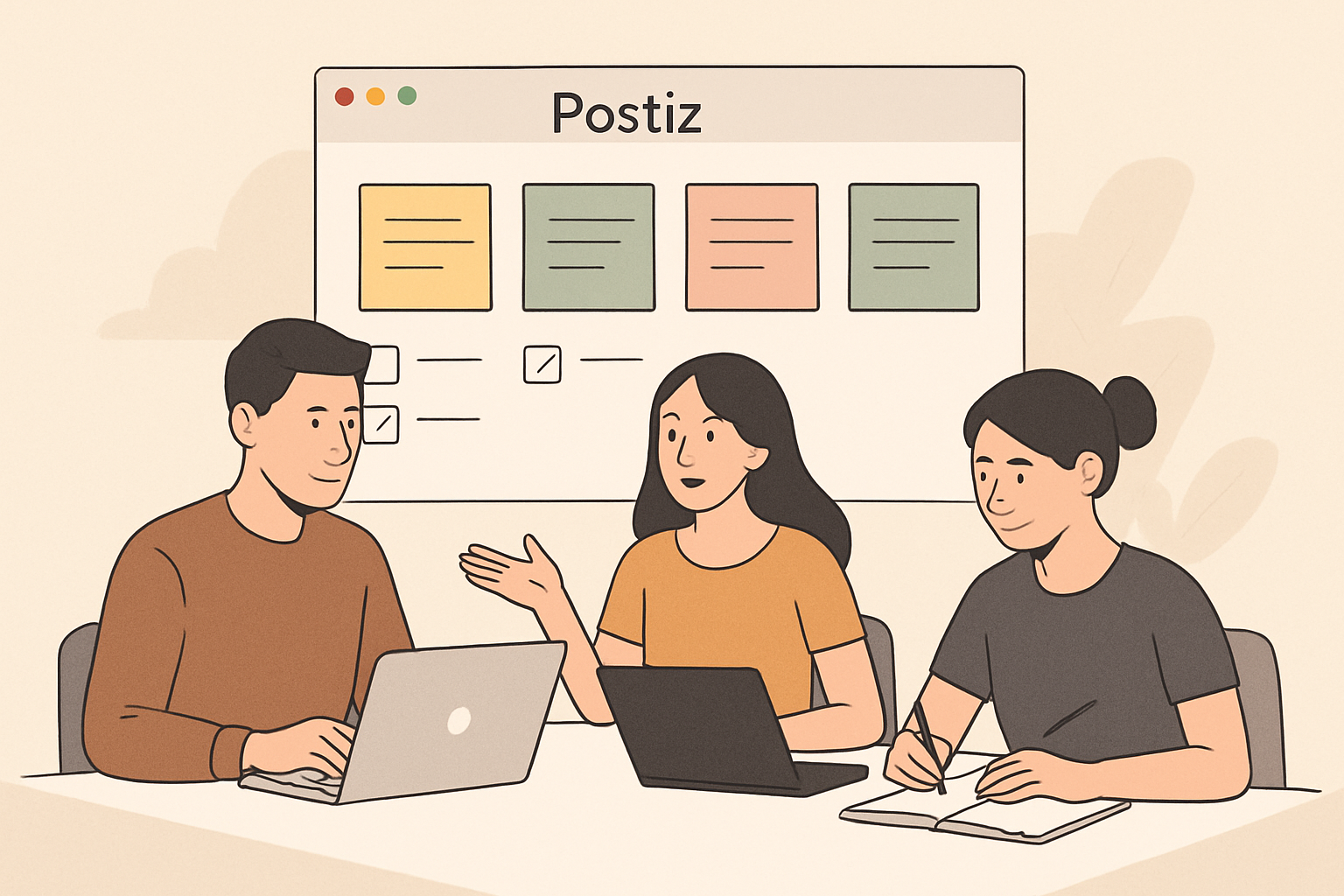
Postiz is an open-source social media management platform that allows you to schedule and publish content across multiple social networks from a single dashboard. It positions itself as a privacy-focused, self-hostable alternative to commercial tools like Buffer and Hootsuite.
The platform supports major social networks including Twitter, LinkedIn, Facebook, Instagram, Reddit, and TikTok. Because it’s open-source, you can either self-host Postiz on your own infrastructure or use their managed cloud service.
Postiz appeals primarily to developers, privacy-conscious teams, and organizations that want full control over their social media data without vendor lock-in.
Key Features of Postiz
Multi-Platform Scheduling
Postiz lets you compose posts once and publish them across multiple social networks simultaneously. The platform includes a calendar view where you can visualize your entire content schedule across all connected accounts.
You can schedule posts for immediate publishing or queue them for future dates and times. The interface supports bulk uploading through CSV files, which is useful if you’re migrating from another platform or planning campaigns weeks in advance.
Team Collaboration Tools
The platform includes approval workflows where team members can draft posts, request reviews, and require manager approval before content goes live. You can assign different permission levels to team members—some can only draft content while others can publish directly.
Comments and internal notes can be attached to scheduled posts, making it easier to collaborate without switching to email or Slack for feedback.
Self-Hosting vs. Cloud Options
One of Postiz’s defining features is the ability to self-host the entire platform. If you have technical expertise, you can deploy Postiz on your own servers using Docker. This gives you complete control over your data and eliminates monthly subscription fees beyond infrastructure costs.
For teams without DevOps resources, Postiz offers a managed cloud service that handles hosting, updates, and maintenance. The cloud version operates on a subscription model with tiered pricing based on the number of social accounts you connect.
Analytics and Reporting
Postiz provides basic analytics showing post performance metrics like impressions, engagement rates, and click-throughs. The analytics dashboard aggregates data across all connected platforms so you can compare performance without logging into each network separately.
However, the analytics capabilities are more limited compared to enterprise tools. You won’t find advanced features like sentiment analysis, competitive benchmarking, or custom report builders.
Media Library
The built-in media library stores images, videos, and GIFs that you can reuse across posts. You can organize assets into folders and tag them for easier searching later. This is particularly useful for brand assets like logos or recurring campaign graphics.
URL Shortening and Tracking
Postiz includes basic URL shortening, allowing you to create cleaner links for social posts. These shortened URLs can be tracked to measure click-through rates, giving you insight into which content drives the most traffic.
Postiz Pricing in 2026
Postiz operates on a freemium model with both self-hosted and cloud options:
Plan
Price
Social Accounts
Users
Key Limitations
Self-Hosted
Free (open source)
Unlimited
Unlimited
Requires technical setup and server costs
Cloud Starter
$19/month
5 accounts
1 user
Basic analytics only
Cloud Professional
$49/month
15 accounts
5 users
Approval workflows included
Cloud Agency
$99/month
50 accounts
Unlimited users
White-label options available
The self-hosted option is technically free, but you’ll need to account for server hosting costs, which typically run $10-50 per month depending on your usage and chosen provider. You’ll also need someone comfortable with Docker and basic server administration.
Who Should Use Postiz?
Ideal Users
Postiz works best for technically skilled individuals or teams who value data ownership and open-source software. If you’re a developer, startup with engineering resources, or privacy-focused organization, Postiz gives you control that commercial platforms can’t match.
Small agencies managing multiple client accounts also benefit from the agency tier pricing, which offers better value per account than many competitors.
Who Should Look Elsewhere
If you lack technical expertise and need immediate setup without server configuration, the learning curve for self-hosting may not be worth it. In that case, the cloud version is simpler but loses some of the cost advantages.
Large enterprises needing advanced analytics, AI-powered content suggestions, or deep integration with marketing automation platforms will find Postiz too basic. The platform focuses on core scheduling and publishing rather than sophisticated marketing features.
If you primarily need social media growth services rather than scheduling tools, platforms like ViewsMax offer a different approach by providing audience growth and engagement services across YouTube, Instagram, TikTok, and other platforms.
Postiz Alternatives to Consider
Buffer
Buffer is a well-established commercial alternative with a more polished interface and deeper analytics. It offers AI-assisted content creation and more robust reporting than Postiz. However, Buffer’s pricing is higher and you don’t get self-hosting options.
Buffer is better if you want a refined user experience and don’t mind paying premium prices for commercial support.
Hootsuite
Hootsuite targets enterprise teams with advanced features like social listening, competitive analysis, and extensive third-party integrations. It’s significantly more expensive than Postiz and includes features many small teams never use.
Choose Hootsuite if you’re managing social media for a large organization with complex approval processes and need enterprise-grade security certifications.
SocialBee
SocialBee focuses on content categorization and evergreen posting strategies. You can create content categories and have SocialBee automatically recycle high-performing posts on a schedule. This makes it ideal for content creators who want to maximize the value of their best material.
SocialBee pricing falls between Postiz and Hootsuite, offering more features than Postiz but without enterprise complexity.
Metricool
Metricool combines social media scheduling with competitor tracking and ad management. It provides more comprehensive analytics than Postiz while maintaining simpler pricing than Hootsuite.
Metricool suits mid-sized businesses that want analytics depth without enterprise overhead.
DIY Scheduling with Native Platform Tools
Many social platforms now offer built-in scheduling—LinkedIn, Facebook, and Instagram all allow direct scheduling without third-party tools. If you only manage 2-3 accounts and don’t need cross-posting, native tools cost nothing and eliminate another login.
The downside is switching between multiple dashboards and losing the unified calendar view.
Strengths and Weaknesses
What Postiz Does Well
The open-source model gives you complete transparency and control. You can inspect the code, modify features to fit your needs, or contribute improvements back to the community.
Self-hosting eliminates data privacy concerns since nothing lives on third-party servers. This matters for organizations in regulated industries or regions with strict data residency requirements.
The core scheduling functionality is solid and reliable. Postiz handles the fundamental job of posting content on time across multiple platforms without unnecessary complexity.
Pricing for the cloud version is competitive, particularly at the agency tier where you get 50 social accounts for $99 monthly. That’s substantially cheaper per account than most alternatives.
Where Postiz Falls Short
The user interface feels functional rather than polished. While it gets the job done, it lacks the refined design and intuitive workflows of commercial competitors like Buffer.
Analytics capabilities are basic. You get essential metrics but none of the advanced insights, custom dashboards, or automated reporting that marketing teams often need.
The platform doesn’t include content creation assistance. There’s no AI writing help, image editing tools, or built-in graphic design features. You’ll need separate tools for content creation.
Self-hosting requires technical skills that most marketing teams don’t have. Unless you already have DevOps support, you’ll likely need to pay for the managed cloud version, which reduces the cost advantage.
Documentation and support lag behind commercial alternatives. While the community is helpful, you won’t get phone support or guaranteed response times.
Setting Up Postiz: What to Expect
Self-Hosted Installation
Setting up the self-hosted version requires comfort with command-line interfaces and Docker containers. The official documentation provides installation scripts, but you’ll need to configure environment variables, set up database connections, and manage SSL certificates.
Budget at least 2-4 hours for initial setup if you’re technically proficient, longer if you’re learning as you go. You’ll also need to handle updates and maintenance yourself.
Cloud Setup
The managed cloud version requires minimal setup. You create an account, connect your social media profiles through OAuth authentication, and start scheduling posts. The process takes 15-30 minutes depending on how many accounts you’re connecting.
Some platforms like LinkedIn and Twitter require developer app approval before connecting, which can add delays if you don’t already have API access configured.
Privacy and Data Considerations
Postiz’s self-hosted option gives you complete data control. No third party accesses your social media credentials, post drafts, or analytics data. Everything stays on your infrastructure.
The managed cloud version requires trust in Postiz’s security practices. Like any social media management tool, you’re granting them access to post on your behalf. Review their security documentation and terms of service before connecting business-critical accounts.
Both versions support two-factor authentication for additional account security.
Making Your Decision
Choose Postiz if you value open-source transparency, need self-hosting for compliance or privacy reasons, or want affordable multi-account management without enterprise bloat. It’s particularly compelling for developer-friendly teams and agencies managing many client accounts.
Look at alternatives if you need sophisticated analytics, AI content assistance, or a highly polished user interface. Commercial tools invest more in UX design and advanced features that justify their higher prices for teams that use them.
Consider whether you actually need a scheduling tool at all. If you’re looking to grow your audience rather than just manage existing followers, services focused on engagement and reach might better serve your goals.
The best tool depends on your specific workflow, team composition, and priorities. Postiz excels at its core mission—reliable multi-platform scheduling with data control—but doesn’t try to be an all-in-one marketing suite.
A post bridge is software that connects multiple platforms so you can publish content once and distribute it everywhere automatically. Instead of manually copying posts to Facebook, Instagram, Twitter, LinkedIn, YouTube, and your blog, a post bridge syncs your content across channels with a single click.
These tools save time, maintain consistency, and help you reach wider audiences without multiplying your workload. Whether you’re a content creator, brand manager, or social media team, the right post bridge eliminates repetitive publishing tasks.
Why You Need a Post Bridge in 2026
Platform fragmentation has only increased. Your audience spreads across TikTok, YouTube Shorts, Instagram Reels, LinkedIn articles, Twitter threads, and niche communities. Publishing manually to each platform takes hours per day.
A post bridge solves three core problems:
Time efficiency: Publish once, distribute everywhere in seconds
Consistency: Maintain regular posting schedules across all channels without gaps
Reach: Meet your audience where they are without multiplying effort
The best tools go beyond simple cross-posting. They adapt content formats, optimize timing per platform, and provide unified analytics so you understand what works across your entire presence.
Top Post Bridge Tools in 2026
Buffer
Buffer remains one of the most recognized names in social media scheduling. It supports major platforms including Facebook, Instagram, Twitter, LinkedIn, and Pinterest. You compose posts in a unified queue, set custom schedules per platform, and monitor basic analytics.
Buffer works well for teams focused primarily on traditional social networks. The interface is clean and approachable for beginners. Limitations include weaker support for video platforms and limited customization for platform-specific formats.
Pricing starts around $6 per month per channel, which scales quickly if you manage many platforms.
Hootsuite
Hootsuite positions itself as an enterprise solution with extensive platform support and team collaboration features. You can manage dozens of accounts, assign tasks to team members, and monitor mentions and keywords across networks.
The platform excels for larger organizations that need approval workflows, detailed permissions, and comprehensive reporting. The learning curve is steeper than simpler alternatives, and the interface can feel cluttered.
Plans start at approximately $99 per month for professional features, making it a significant investment for solo creators or small teams.
Later
Later specializes in visual content planning, particularly for Instagram, TikTok, and Pinterest. The visual calendar interface lets you drag and drop content to schedule posts, and the platform includes features like hashtag suggestions and Instagram Story scheduling.
This tool fits visual-first brands and creators who prioritize aesthetic planning. It’s less comprehensive for text-heavy platforms like LinkedIn or Twitter, and video support focuses mainly on short-form content.
Free plans cover basics, with paid tiers starting around $25 per month.
Zapier + Native Tools
Zapier isn’t a dedicated post bridge, but it connects thousands of apps through automated workflows. You can build custom bridges between your CMS, email platform, social networks, and other tools.
This approach offers maximum flexibility if you’re comfortable with technical setup. You can create unique workflows that specialized tools don’t support. The downside is complexity—each connection requires configuration, testing, and maintenance. There’s no unified content calendar or analytics dashboard.
Zapier pricing depends on task volume, starting around $20 per month for moderate usage.
ViewsMax
If your content strategy centers on generating revenue and you need to maximize sales across YouTube, TikTok, Instagram Reels, and similar platforms, ViewsMax offers specialized tracking tools. Rather than generic social posting, it focuses on making content that sells with targeted tracking and cross-platform visibility.
ViewsMax works particularly well for creators who’ve already built content and need distribution firepower. It complements scheduling tools by adding growth mechanics.
SmarterQueue
SmarterQueue adds content recycling to the standard scheduling toolkit. You categorize evergreen posts and the system automatically re-queues them at optimal intervals. This works especially well for educational content, tips, and resources that don’t expire.
The platform supports major social networks and includes basic analytics. The recycling feature is its standout capability—useful for maximizing ROI from quality content without manual reposting.
Plans start around $25 per month with unlimited post scheduling.
CoSchedule
CoSchedule combines post bridging with project management and marketing calendar features. You plan campaigns across social media, blogs, email, and other channels in a unified timeline. Team collaboration tools include task assignments, approval workflows, and asset libraries.
This platform suits marketing teams managing complex campaigns across multiple content types. It’s more than a simple post bridge—it’s a full marketing operating system. That comprehensiveness comes with complexity and higher costs.
Pricing starts around $39 per month for basic features, with enterprise plans significantly higher.
How to Choose the Right Post Bridge
Define Your Platform Mix
List every platform where you publish. If you’re primarily on traditional social networks (Facebook, Twitter, LinkedIn, Instagram), most mainstream tools work well. If you focus on video (YouTube, TikTok, Reels), look for specialized video support or dedicated video distribution tools.
Some platforms restrict third-party posting or limit features available through APIs. YouTube, for example, allows uploads via API but doesn’t support Community posts. TikTok’s API access is more restricted. Verify your priority platforms are fully supported before committing.
Consider Content Types
Different tools optimize for different formats:
Text and links: Nearly all tools handle these well
Images: Look for visual planning calendars and format optimization
Video: Verify support for uploads, thumbnails, and platform-specific video specs
Stories and ephemeral content: Fewer tools support these formats comprehensively
If you publish diverse content types, you may need multiple tools or a more comprehensive platform.
Evaluate Customization Needs
Basic cross-posting copies identical content everywhere. Better tools let you customize per platform—adjusting copy length for Twitter, adding hashtags for Instagram, using professional tone for LinkedIn while staying casual on TikTok.
Platform-native performance almost always beats identical cross-posts. Audiences expect different content styles per network. Choose tools that make customization easy rather than forcing one-size-fits-all distribution.
Check Team Features
Solo creators need different capabilities than agencies managing dozens of clients. Consider:
How many users need access?
Do you need approval workflows before publishing?
Is client access or white-labeling important?
Do you need permission levels (admin, editor, viewer)?
Enterprise features add cost. Don’t pay for collaboration tools you won’t use, but don’t outgrow your platform in three months either.
Review Analytics Depth
All post bridges provide some analytics, but depth varies dramatically. Basic tools show post-level metrics (likes, shares, clicks). Advanced platforms offer:
Cross-platform performance comparison
Audience growth tracking
Optimal posting time recommendations
Content type performance analysis
Competitor benchmarking
Custom reporting and data exports
Decide whether basic metrics suffice or if data-driven optimization is core to your strategy.
Calculate True Costs
Compare pricing structures carefully:
Per-channel pricing: Costs multiply with each platform you add
Tiered user pricing: Expenses increase as your team grows
Post volume limits: Some plans cap monthly posts
Feature gating: Essential features may require premium tiers
A seemingly cheap tool can become expensive when you account for all the platforms and features you actually need.
Post Bridge Best Practices
Customize, Don’t Just Duplicate
Posting identical content everywhere creates a generic, low-effort presence. Each platform has different content norms:
Twitter users expect concise takes and threads. LinkedIn audiences want professional insights and industry commentary. Instagram prioritizes visual storytelling. TikTok demands native-feeling, trend-aware video.
Use your post bridge to streamline workflow, not to eliminate customization. Write one core message, then adapt it appropriately for each platform.
Respect Platform Algorithms
Most social platforms prioritize native content over external links. If you’re cross-posting blog links everywhere, expect limited reach. Upload video directly to each platform rather than linking to YouTube. Share native images instead of blog post links when possible.
Post bridges can automate distribution, but they can’t override platform preferences. Structure your content strategy to work with algorithms, not against them.
Test Timing Per Platform
Your LinkedIn audience might be active during weekday mornings, while Instagram engagement peaks evenings and weekends. Don’t post to all platforms simultaneously just because it’s convenient.
Use your post bridge’s scheduling features to target optimal times per platform. Most tools provide timing recommendations based on your audience data.
Monitor Performance Across Channels
Cross-posting makes it easy to forget which platforms actually drive results. Review analytics monthly to identify your highest-performing channels.
You might discover that 80% of engagement comes from two platforms. That insight lets you allocate effort strategically—perhaps posting more frequently on top performers while maintaining basic presence elsewhere.
Maintain Some Platform-Exclusive Content
Audiences who follow you on multiple platforms will notice if you post identical content everywhere. Consider making some content exclusive to specific channels.
Behind-the-scenes content on Instagram Stories, quick updates on Twitter, long-form articles on LinkedIn, in-depth videos on YouTube. This approach rewards fans who engage across platforms and respects each platform’s unique strengths.
Common Post Bridge Mistakes
Over-automation: Scheduling everything weeks in advance eliminates spontaneity and real-time relevance. Balance efficiency with timely, reactive content.
Ignoring engagement: Publishing is half the equation. Budget time to respond to comments, messages, and mentions. A post bridge doesn’t replace community management.
Format mismatches: Vertical video for TikTok doesn’t work on YouTube. Square images optimized for Instagram look awkward on Twitter. Use tools that handle format optimization or create platform-specific versions.
Link dumping: Constant promotional links without value-adding content destroys engagement. Follow the 80/20 rule—80% helpful content, 20% promotional.
Set-and-forget scheduling: Automated posting without monitoring means you won’t notice platform changes, broken links, or formatting errors. Review scheduled content regularly.
The Future of Post Bridging
AI-powered content adaptation is already emerging. Tools are beginning to automatically rewrite posts for different platforms, adjusting tone, length, and format. This technology will improve significantly over the next few years.
Expect tighter integration between content creation tools and distribution platforms. The line between editing software, scheduling tools, and analytics dashboards is blurring into unified content operation systems.
Video will continue dominating, pushing post bridges to handle complex video workflows—automated resizing, subtitle generation, thumbnail creation, and multi-platform optimization.
Privacy regulations and platform API restrictions will likely increase. Tools that depend heavily on platform APIs may face limitations. Diversifying your distribution strategy reduces dependency on any single tool or platform.
Making Your Decision
The right post bridge depends entirely on your specific needs. A solo creator publishing primarily to Instagram and TikTok needs different tools than a B2B company managing LinkedIn, Twitter, and YouTube across a five-person team.
Start with a clear inventory: which platforms matter most, what content types you publish, whether you work solo or with a team, and what your budget allows. Most platforms offer free trials—test your top two or three options with real content before committing.
The best tool is the one you’ll actually use consistently. A simpler platform you use daily beats a feature-rich system that’s too complex to maintain. Choose based on your actual workflow, not theoretical capabilities you might never need.
Go to Settings → Capabilities and turn on Code execution and file creation
Go to Customize → Skills
Click the + button, then + Create skill
Choose Upload a skill and pick the file you just downloaded
If the upload won’t accept a .skill file, rename it to .zip. It’s the same file.
3. Ask for a carousel
Paste in a post, some notes, or a video script, and say:
Make a carousel from this.
You get the slides back as images, ready to post.
4. Choose your cover
The cover is the only slide most people see, so it’s worth picking on purpose. Add one line to your request.
Statue — for lists, frameworks, big ideas
Make a carousel from this. Statue cover.
Want to write it yourself:
Completely textless photograph of a marble statue of a classical goddess
holding a spear, shot from below against a deep blue evening sky, warm
low sunlight on the stone, cinematic.
Leave the bottom third of the image plain and empty for text.
absolutely no text, no words, no letters, no numbers, no logos anywhere.
Character — when it’s about people
Make a carousel from this. Manga line-art character cover, light theme, red accent.
Want to write it yourself:
Completely textless flat vector illustration in bold manga line-art style:
portrait of a woman with a sharp black bob and a red headband, black ink
linework, clean white background.
Leave the bottom third of the image plain and empty for text.
absolutely no text, no words, no letters, no numbers, no logos, no speech
bubbles anywhere.
Mascot — when the tool already has one
Make a carousel from this. Yellow llama sticker on black.
Want to write it yourself:
Completely textless flat sticker illustration of a cheerful yellow llama
with a thick black outline, surrounded by yellow lightning bolts and
sparkles, solid black background, bold cartoon style.
Leave the bottom third of the image solid black and empty for text.
absolutely no text, no words, no letters, no numbers, no logos anywhere.
Your own photo — for anything personal
Make a carousel from this. Use the photo I’ve attached for the cover.
No prompt needed, and no credits spent. On a story or an opinion, your own face beats anything generated.
The one rule
Never ask for words inside the image. AI still can’t spell — you’ll get CONSSITENT AI CHARACTRS across your cover.
Every prompt above ends with the same line for that reason:
absolutely no text, no words, no letters, no numbers, no logos anywhere.
The skill adds the real headline on top afterwards. That’s why every prompt also says to leave the bottom third empty — it’s making room.
Cheat sheet
Your post is about
Say this
A list or a framework
Statue cover
People, personas, characters
Manga line-art character cover
A specific tool
Sticker of its mascot
You, your story, your numbers
Use the photo I’ve attached
Generate two, keep one. Switch the style up each time, or your feed turns into wallpaper.
At its core, YouTube video monetization is simply the act of earning money from the videos you publish on the platform. It's a partnership: you create great content that keeps people watching, and YouTube places ads around it, giving you a slice of the pie. Typically, you'll see around 55% of that ad revenue land in your pocket.
What YouTube Monetization Really Means In 2026
Forget thinking of monetization as just flipping a switch. In 2026, it's the engine that transforms your channel from a creative outlet into a legitimate business. This is the turning point where a passion project can realistically become a full-time career. It's less about a single paycheck and more about building a diverse portfolio of income streams right within the YouTube ecosystem.
This shift in mindset is crucial—you're no longer just a creator, you're an entrepreneur. Success means truly understanding what your audience finds valuable and then matching that with the right monetization tools. For a deeper dive into the general concept, it's helpful to understand the principles of What Is Content Monetization across all platforms.
Your Monetization Roadmap
Earning on YouTube isn't an all-or-nothing game. It's a layered process. Most creators start with the basics, like ad revenue, and as their community grows and becomes more engaged, they unlock more direct, fan-focused features.
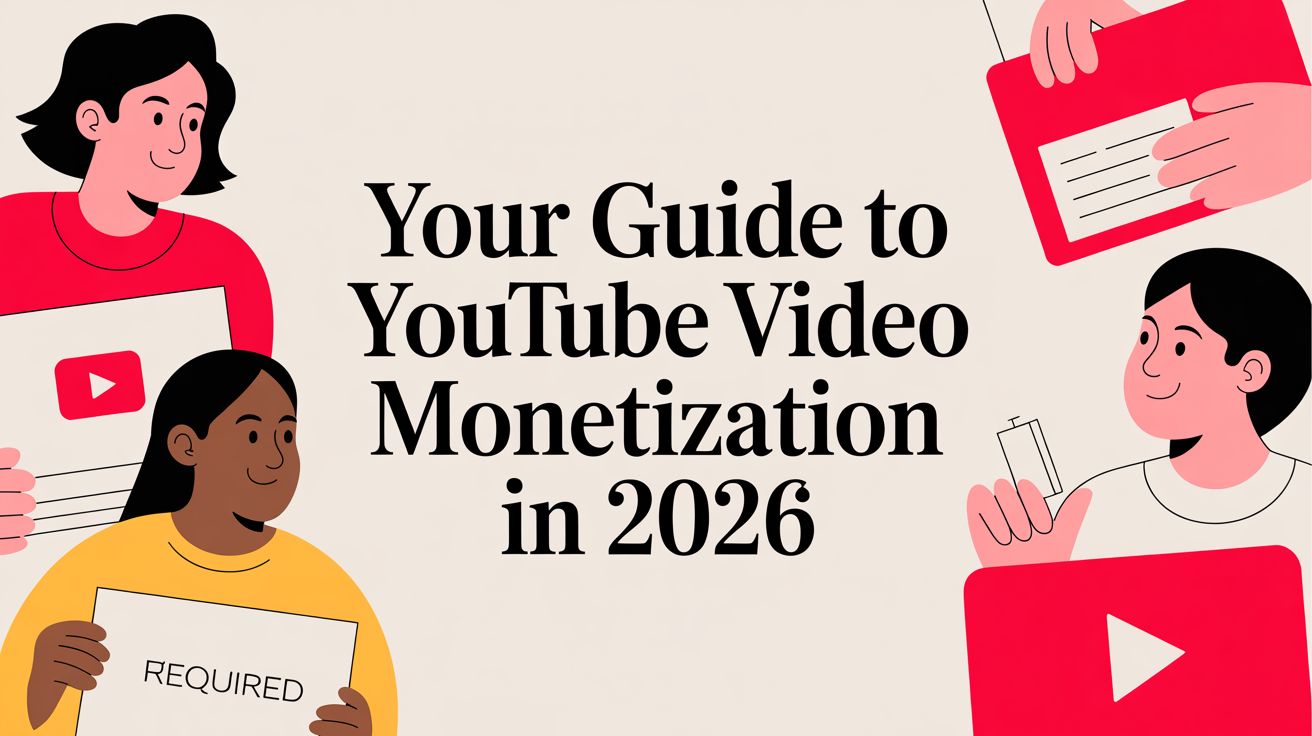
Think of it like building with LEGOs. You start with a base of ad income and then add new bricks like memberships or Super Chats. This visual breaks it down perfectly, showing how income flows from two main sources: automated ad systems and direct contributions from your biggest fans.
As you can see, your earning power comes from both the brands that advertise on your videos and the loyal viewers who want to support you directly.
An Overview of Earning Potential
Not all monetization tools are created equal, and what works for one channel might not work for another. For instance, a small channel with a super-dedicated audience could make a killing with channel memberships, while a massive channel with more passive viewers might lean heavily on ad revenue.
The smartest creators never put all their eggs in one basket. They build a diversified business where fans can show support in multiple ways—through memberships, live stream tips, buying merch, and more. This creates a much more stable and predictable income stream.
To give you a clearer snapshot of what to expect, here’s a quick breakdown of the primary ways to earn on YouTube.
Primary YouTube Monetization Channels At A Glance
This table gives you a high-level view of the most common revenue streams, their typical earning potential, and which stage of the creator journey they're best suited for.
Revenue Stream
Typical Earning Potential (per 1000 views/month)
Best For (Creator Stage)
Ad Revenue
$3 – $15+ (varies widely by niche)
Beginner to Advanced
Channel Memberships
Highly variable, depends on perks and member count
Intermediate to Advanced
Super Chat & Super Thanks
$1 – $500+ per live stream or video
Intermediate to Advanced
YouTube Shopping
Dependent on product sales and audience trust
Established Channels
As you grow, you'll naturally progress from relying solely on ads to incorporating these more interactive and community-driven income sources.
Qualifying For The YouTube Partner Program
Getting into the YouTube Partner Program (YPP) is the official starting line for making money on your channel. It’s not just a switch you flip; think of it more like entering into a business partnership. You bring the creative content and the audience, and in return, YouTube provides the platform and the tools to generate revenue from your hard work.
This partnership is all about trust. YouTube has a responsibility to its advertisers to ensure their brands appear alongside quality, safe content. That's why they have specific requirements for entry. These rules aren’t there to be a barrier; they’re designed to filter for channels that have built a real, engaged community and are in it for the long haul.
Core Eligibility Milestones For 2026
Before you can even apply for the YPP, your channel needs to hit some key milestones. These numbers are YouTube's way of verifying that you've built an authentic audience that genuinely tunes in.
Here are the main thresholds you'll need to cross:
1,000 Subscribers: This is the first big one. It proves you've found a core audience that likes your content enough to want more.
4,000 Valid Public Watch Hours: This has to be on your regular, long-form videos within the last 12 months. It's a critical metric because it shows people aren't just clicking on your videos—they're sticking around to watch them.
10 Million Valid Public Shorts Views: This is the alternative path for Shorts creators. If you can rack up 10 million views in the last 90 days, this will also get you in the door.
Just to be clear, you don’t need both the watch hours and the Shorts views. You need to hit 1,000 subscriberspluseither the 4,000 watch hours or the 10 million Shorts views.
Beyond The Numbers: Policies and Guidelines
Hitting those numbers is only half the job. Your channel also has to play by the rules, and YouTube's monetization policies are non-negotiable.
Think of compliance as an ongoing commitment, not a one-time check. YouTube is always reviewing channels to make sure they're upholding the guidelines that protect creators, viewers, and the advertisers who make monetization possible.
This means keeping your channel in good standing with:
Community Guidelines: The basic rules of the road—no spam, scams, dangerous content, or hate speech.
AdSense Program Policies: These are Google's own rules for its advertising network, which you must follow.
Copyright Rules: You absolutely must own the rights to the content you upload. Getting copyright strikes can jeopardize your entire channel.
Breaking any of these rules can get you demonetized or, in serious cases, get your channel terminated. It’s crucial to know these policies inside and out. Once you're confident you meet all the criteria, you can finally apply. If you need a step-by-step guide on the application itself, check out our post on how to enable YouTube monetization.
The Application And Review Process
Once you've met the requirements, you'll see an "Apply" button light up in the "Earn" section of your YouTube Studio. The application process is pretty straightforward: you’ll agree to the YPP terms and link an active Google AdSense account.
After you hit submit, your channel goes into a queue for review. This isn't an automated scan; a real person at YouTube will look over your channel's theme, your most popular videos, your newest content, and your overall vibe to make sure you're a good fit. This process usually takes about a month.
If you're approved, congratulations! You can start turning on monetization features right away. If you're rejected, don't panic. YouTube will give you a general reason why, and you can re-apply after 30 days. That gives you a month to fix whatever issues they flagged and try again.
Building Your Revenue With YouTube's Monetization Tools
Once you're in the YouTube Partner Program, you unlock a whole toolbox of ways to make money. A common mistake is thinking it's all about ad revenue. The truth is, the most successful creators treat youtube video monetization like an investment portfolio—they layer multiple income streams to build a business that's both stable and ready to grow.
This strategy does more than just make you money. It insulates you from the normal ups and downs of ad spending and helps you forge a much deeper connection with your audience. When you give viewers different ways to support you, you empower your biggest fans to become a direct part of your channel's success. It’s about building a real community, not just racking up views.
Unpacking YouTube Ad Revenue
For most creators, ad revenue is the bedrock of their monetization journey. After you flip the switch, YouTube’s system starts placing ads in your videos, and you get a cut of what advertisers pay. But not all ads are created equal, and knowing the different formats is key to getting the most out of them.
Here are the main types of ads you'll see:
Skippable in-stream ads: The classic ads that play before, during, or after a video. Viewers can hit "skip" after five seconds.
Non-skippable in-stream ads: These are shorter, usually 15-20 seconds, and viewers have to watch the whole thing.
Bumper ads: Quick, punchy 6-second ads that can't be skipped.
In-feed video ads: These pop up in YouTube search results and on the homepage, acting like a promotion for a video.
You get some say in which ad formats show up. And for any video over eight minutes long, you can manually place mid-roll ads. Dropping these at natural breaks in your content—like after a big reveal or before a new segment—can seriously boost your earnings without annoying your audience. To really dig into how this works, check out our deep dive on CPM meaning on YouTube in our detailed guide.
Cultivating Community With Channel Memberships
Channel Memberships are your own private fan club, built right into YouTube. Viewers can pay a monthly fee to "join" your channel and get access to exclusive perks. It’s a fantastic way to create a predictable, recurring income stream that isn't tied to the rollercoaster of video views.
The trick is making the perks genuinely valuable.
Custom emojis and badges: Let your members stand out in the comments and live chats.
Members-only content: Give them exclusive videos, raw behind-the-scenes clips, or a sneak peek at your next big upload.
Direct access: Try hosting members-only live streams, Q&As, or even starting a private Discord server just for them.
Start simple. You don't need a dozen tiers on day one. Offer one solid level of perks and pay attention to what your community loves—then you can expand from there.
Engaging Fans With Super Chat and Super Thanks
Think of Super Chat, Super Stickers, and Super Thanks as your digital tip jar. These tools let viewers show their appreciation with a one-time payment, turning someone who just watches into an active supporter.
These features create a powerful feedback loop. When a fan uses Super Chat during a live stream, their message is highlighted, grabbing your attention. This public acknowledgment encourages more viewers to participate, fostering a dynamic and interactive community experience.
Here’s a quick rundown of how they work:
Super Chat: During live streams and Premieres, fans can pay to have their comment highlighted and pinned at the top of the chat. The more they contribute, the longer it stays there.
Super Stickers: Similar idea, but instead of a message, viewers can buy and send fun, animated stickers in the live chat.
Super Thanks: For your regular videos, this lets viewers leave a tip to say "thanks!" for great content. Their comment gets a special highlighted look in the comments section.
To get the most out of these, you have to engage back. When someone sends a Super Chat, give them a shout-out. Thank people who use Super Thanks. That small act of recognition makes your supporters feel seen and appreciated, which goes a long way.
Driving Sales With YouTube Shopping
YouTube Shopping lets you turn your channel into a storefront by linking your own merchandise or products from other brands right in your videos. You can tag products, and they'll show up on a "product shelf" below your video and in a dedicated "Shopping" tab on your channel page.
This is a game-changer for turning views into sales. A tech reviewer can link to the exact phone they're unboxing. A DIY channel can sell their own custom-made craft kits. By connecting your content directly to commerce, you make it incredibly easy for an inspired viewer to click "buy," adding another solid pillar to your youtube video monetization strategy.
Monetizing Beyond The YouTube Partner Program
Thinking that the YouTube Partner Program (YPP) is the only way to make money on YouTube is a huge mistake. Relying solely on AdSense is like a coffee shop only selling black coffee—you're leaving a ton of money on the table. The real game-changer is when you start building income streams outside of YouTube's system.
This is the leap from being a "YouTuber" to a genuine business owner. The most successful creators I know see AdSense as just the starting point, the foundation. They actively build their own revenue sources that don't depend on YouTube’s ever-changing algorithms or unpredictable ad payouts.
We're talking about brand sponsorships, affiliate marketing, and even licensing your content. This is where the truly significant earnings are made, and it gives you control over your financial future.
Securing Brand Sponsorships And Integrations
Brand deals, or sponsorships, are the most straightforward way to earn serious money from your influence. Instead of YouTube playing matchmaker between you and advertisers, you work directly with a company to feature their product or service. It's a simple, classic business deal: they pay you for access to the audience you've worked so hard to build.
Finding the right brand to partner with is everything. The best sponsorships feel like they belong in your videos, not like a jarring commercial break. Think of a tech reviewer who partners with a new software company or a fitness creator who promotes a healthy snack brand—it just makes sense.
So, how do you land these deals?
Let Them Come To You: As your channel grows, brands will start knocking on your door. Make sure you have a professional business email clearly listed on your channel's "About" page.
Go Out and Get Them: Don't just sit back and wait. Proactively pitch companies that you genuinely like and that would be a great fit for your audience. Create a short, sharp pitch explaining why a partnership would be a win-win.
Use a Matchmaker: Platforms and agencies exist to connect creators with brands. They can take a lot of the guesswork out of finding potential partners.
Talking about money can feel awkward at first, but your rates should be based on real numbers: your average views, audience demographics, and engagement. As a ballpark, a channel getting 10,000-25,000 views per video can often charge $300-$1,000 for an integration. Once you hit 100,000-500,000 views, that number can jump to $5,000-$15,000 per video.
These figures show just how powerful sponsorships are. When you hear about creators like MrBeast earning an estimated $82 million, it's not from AdSense alone; it's from a sophisticated business built on major brand partnerships.
"The moment you close your first brand deal, you fundamentally change your business. You’re no longer just earning from views; you’re earning from the trust and influence you've built with your community."
Estimated Sponsorship Rates By Channel Size (2026)
To give you a clearer picture, here’s a guide to what you might expect to charge for brand partnerships based on your channel's performance. These are just estimates, of course, but they provide a solid starting point for your negotiations.
Average Views Per Video
Typical Sponsorship Rate Per Video
Notes
5,000 – 15,000
$200 – $750
Good for smaller brands or startups. Focus on high engagement.
15,001 – 50,000
$750 – $2,500
Your audience is established. Brands pay for reliable reach.
50,001 – 150,000
$2,500 – $7,000
You're a serious player. Multi-video deals become common.
150,001 – 500,000
$7,000 – $20,000
Brands see you as an authority. Rates are highly negotiable.
500,000+
$20,000+
Elite tier. Often involves custom packages and long-term partnerships.
Remember, factors like your niche, audience demographics, and engagement rate can push these numbers up or down. A smaller channel in a lucrative niche (like finance or high-end tech) might command higher rates than a larger channel in a more saturated space.
Harnessing The Power Of Affiliate Marketing
Affiliate marketing is another fantastic way to generate income independently. Think of it as earning a commission for recommending products you already use and love. You share a special tracking link in your video description, and when someone clicks it and buys something, you get a cut of the sale. It’s that simple.
The whole system runs on trust. Your audience watches you because they value your opinion, so only promote products you can genuinely stand behind. The Amazon Associates program is a popular starting point because they sell just about everything, but thousands of individual companies have their own affiliate programs, often with better commission rates.
The key is to make your recommendations feel natural. Instead of a hard sell, weave the product into your content. If you have a cooking channel, you’d link to the exact blender you used in your smoothie recipe. And always, always disclose that you're using affiliate links. Being transparent is crucial for maintaining your audience's trust.
Many creators also take this a step further by moving their audience off-platform. If you can build an email list, you have a direct line to your biggest fans, allowing you to share affiliate offers without being entirely dependent on the YouTube algorithm.
Optimizing Your Content to Maximize Earnings
A lot of creators get stuck on one metric: views. It's an easy trap to fall into, thinking more views automatically means more money. But the real secret to boosting your YouTube video monetization isn't just about getting more eyeballs; it's about attracting the right eyeballs and creating an experience advertisers will pay top dollar for.
This means you need to think strategically. It’s less about pumping out content and more about making smart choices—from the topics you pick to how long your videos are—all designed to grow your income. It's about working smarter, not just harder.
Target Advertiser-Friendly Niches
From an advertiser's perspective, not all content is created equal. Some topics are just plain more profitable because they attract higher-paying ads. To understand why, you have to get familiar with two key terms: CPM and RPM.
CPM (Cost Per Mille): This is what an advertiser pays for 1,000 ad impressions on your video. Think of it as the raw price tag for the ad space.
RPM (Revenue Per Mille): This is what you actually pocket for every 1,000 video views, after YouTube takes its cut. This is the number that matters most for your wallet.
Your main goal should be to get that RPM number as high as possible, and that starts with a high CPM. Niches like personal finance, technology, real estate, and business naturally command higher CPMs. Why? Because the products being advertised are high-value. A video on stock trading is far more likely to attract a premium ad from a brokerage firm than a general gaming channel will attract from a mobile game developer.
The Magic 8-Minute Mark
Looking for a straightforward way to increase your ad revenue? Start making your videos longer than eight minutes. This is the golden number that unlocks mid-roll ads, which are ads that can play during your video, not just before or after.
It’s simple math: more ad slots equal more chances to earn. But a word of caution—don't just add fluff to hit that eight-minute goal. Your content still has to be engaging enough to keep people watching through those ad breaks. A popular tactic is to build your video around a strong hook, deliver great content, and then place a mid-roll just before you reveal a key piece of information or the big payoff.
Master Watch Time and Audience Retention
High watch time is one of the strongest signals you can send to the YouTube algorithm. When people stick around to watch your videos, it tells YouTube that your content is high-quality and valuable. This has a powerful two-for-one effect on your earnings.
First, the longer people watch, the more likely they are to see multiple ads, especially those valuable mid-rolls. Second, the algorithm rewards high-retention videos by pushing them out to a wider audience, which means more views and, in turn, more revenue.
"A viewer who watches 80% of a 10-minute video is infinitely more valuable than ten viewers who watch the first 30 seconds. YouTube’s algorithm is built to find and reward the channels that can hold attention, because that’s where the real value lies for advertisers."
Here are a few ways to keep viewers hooked:
Nail the first 30 seconds. Your intro needs to be a strong hook that grabs attention immediately.
Use pattern interrupts. Keep things fresh by changing camera angles, cutting to B-roll, or using on-screen graphics and text.
Structure your story. Make sure your video has a logical flow that guides the viewer along and keeps them wanting to see what's next.
Quality Over Quantity Is the New Rule
The old-school YouTube strategy of uploading a video every single day just to stay relevant is fading fast. The platform is maturing, and viewers are craving quality. The proof is in the numbers: a recent 76% surge in YouTube views between 2024 and 2025 happened with only a 4% increase in posting frequency.
This tells us everything we need to know. Success is now about creating truly excellent, well-optimized videos, not just flooding the platform. For creators, this shift is a massive opportunity—higher RPMs on a growing number of views means more money in your pocket. You can dive deeper into these YouTube statistics and trends on Metricool.com.
Got Questions? We've Got Answers
Stepping into the world of YouTube monetization can feel like learning a new language. You’re bound to have questions along the way. To make things a bit clearer, I've put together answers to some of the most common questions I hear from creators.
So, How Long Does It Really Take to Start Making Money?
Let's be real: this isn't an overnight thing. For most people, hitting those initial YouTube Partner Program (YPP) goals of 1,000 subscribers and 4,000 watch hours takes anywhere from one to two years of consistent work. A lot depends on your niche, how often you upload, and the quality of your content.
Once you’re in the program, don't expect the floodgates to open immediately. Getting to a more significant income, say $1,000 per month, usually takes another six to twelve months of grinding, learning, and optimizing. It’s a marathon, not a sprint.
Can YouTube Take My Monetization Away?
They sure can. Getting approved for the YPP isn't a lifetime pass. YouTube can—and will—pull the plug on your channel's monetization if you break the rules. It’s crucial to remember that your partnership is based on you staying on the right side of their policies.
Here are a few things that can get you demonetized fast:
Stacking up too many copyright strikes.
Breaking the Community Guidelines (think hateful, harmful, or spammy content).
Violating Google AdSense rules, like clicking your own ads.
Think of your channel as a business. Staying up-to-date on YouTube's rules is just as important as creating great content. Protecting your income stream is part of the job.
Do I Have to Pay Taxes on What I Earn?
Absolutely. Any money you make from YouTube is considered taxable income. When you earn through the platform, you're essentially an independent contractor, meaning you're on the hook for handling your own taxes.
You’ll need to submit your tax info through your AdSense account. Depending on where you live, YouTube might also withhold taxes from your payments. My best advice? Talk to a tax professional. It’s worth it to make sure you’re doing everything by the book.
What Happens to My Watch Time if I Delete a Video?
This is a classic trap for new creators. If you delete a public video, every single watch hour it ever earned vanishes from your channel’s total count. Poof, gone forever.
If that video's hours were helping you stay above the 4,000-hour mark, deleting it could drop you below the threshold and put your monetization at risk. If you absolutely have to take a video down, set it to "Private" or "Unlisted" instead. That way, it’s hidden from the public, but you get to keep the watch time.
Ready to stop guessing and start growing? ViewsMax gives you the AI-powered tools and actionable insights you need to increase your discoverability, boost your watch time, and accelerate your monetization journey. Start making smarter content decisions and turn your creative passion into a thriving channel by visiting us at https://blog.viewsmax.com.
Before you ever hit "record," the most crucial work for a successful YouTube channel happens. It's all about laying the right foundation. This isn't just about picking a topic; it's about building a strategic framework so every single video you create has a clear purpose and speaks directly to a specific audience.
Laying the Groundwork for YouTube Success
Let's be real: starting a YouTube channel can feel like shouting into an empty room at first. What separates the channels that take off from those that never get traction is a solid plan. Think of this initial stage as creating a business plan for your content—it's what ensures you're not just making videos, but building a brand that connects with people. Getting this right from the start means you're operating with a clear sense of direction, not just guessing and hoping something sticks.
First things first: you need a niche. And I mean a real niche. A broad topic like "cooking" is a battle you probably won't win against established giants. But a laser-focused niche like "30-minute vegan meals for busy professionals" gives you a fighting chance to become the go-to expert for a very specific audience. It's about finding that sweet spot where your passion meets a genuine audience need.
If you're feeling stuck, we have a detailed guide on choosing the best niche for YouTube that can help you brainstorm and validate your ideas.
Once you’ve got your niche, it's time to define what makes you different—your unique value proposition (UVP). Why should someone watch your videos over the thousands of others? Maybe you bring a cinematic flair to your tech reviews, or you inject some much-needed dry humor into personal finance explainers. Your UVP is that special sauce.
Key Takeaway: A winning channel lives at the intersection of your passion, a hungry audience, and an angle that nobody else is taking. You're not just creating content; you're solving a problem or offering a unique experience for your viewers.
This simple flowchart breaks down how these foundational pieces fit together.
As you can see, your niche and value prop are the bedrock. Everything else is built on top of them.
Establish Your Content Pillars
With a clear niche and UVP, you can now build out your content pillars. These are simply the 3-5 main sub-topics or video formats that will form the backbone of your channel. They give your channel structure and let your audience know exactly what to expect.
For example, if your channel is about "sustainable home living," your pillars might look something like this:
DIY Upcycling Projects
Zero-Waste Product Reviews
Minimalist Home Tours
These pillars keep your content focused, make brainstorming new ideas a breeze, and create a consistent experience that keeps viewers coming back for more.
And don't be intimidated by the scale of YouTube. While there are around 2.7 billion monthly active users, the vast majority of channels are small. This leaves a massive opportunity for new creators with a well-defined niche to find their audience and grow.
To make this planning phase crystal clear, use this checklist to ensure you've covered all your bases before you even think about filming.
Your Channel Launch Checklist
This table summarizes the critical first steps to ensure your channel starts on the right foot.
Phase
Action Item
Why It Matters
Strategy
Define a specific, audience-focused niche.
Prevents you from being a small fish in a giant pond; helps you stand out.
Branding
Pinpoint your unique value proposition (UVP).
Gives viewers a compelling reason to choose your content over competitors.
Content Plan
Establish 3-5 core content pillars.
Creates structure for your channel and makes content planning systematic, not random.
Audience
Create a simple profile of your ideal viewer.
Ensures every video is made with a specific person in mind, increasing resonance.
Completing these steps isn't just busy work—it's the strategic foundation that will support everything you do on YouTube from here on out.
Building Your Content Production Workflow
A killer channel idea is just the starting line—it's consistent execution that actually wins the race. The real engine of any successful YouTube channel is a repeatable, efficient production system. This workflow is what turns chaotic creativity into a manageable process, letting you pump out high-quality content without burning out.
Forget the myth that you need a Hollywood-level studio to get started. Here's a secret from seasoned creators: viewers will forgive mediocre video quality, but they absolutely will not tolerate bad audio. If you're going to invest anywhere, make it a decent microphone.
This focus on a smart, sustainable process is what separates the channels that last from the ones that fizzle out. It's not about the flashiest gear; it’s about building a system that works for you.
The Gear That Actually Matters
When you're starting out, the best camera is probably the one in your pocket. Modern smartphones shoot in gorgeous 4K, which is more than enough for YouTube. So instead of spiraling down a rabbit hole of camera specs, focus on these three things that deliver 90% of your production value.
Crystal-Clear Audio: A simple USB microphone or an affordable lavalier mic (the kind you clip to your shirt) will make you sound a hundred times more professional than your phone's built-in mic. Seriously, this is a non-negotiable first upgrade.
Good Lighting: You don’t need a movie set. Just position yourself facing a window to use natural light for free. If you film at night or in a darker room, a simple ring light can obliterate shadows and give your videos a clean, polished look.
A Stable Shot: Nobody likes watching shaky, nauseating footage. A small, inexpensive tripod for your phone is one of the best investments you can make to instantly boost your video quality.
Pro Tip: Think of your production workflow like a muscle. The more you use it, the stronger and more efficient it becomes. Don't aim for perfection on your first video; aim for completion.
Creating Your Pre-Production Checklist
The secret to a smooth, stress-free filming session is doing the work beforehand. A solid pre-production checklist is your best friend here, saving you from frustrating delays and soul-crushing reshoots. It transforms filming day from a panicked scramble into a calm, systematic process.
Your own checklist will evolve over time, but here’s a solid template to get you started.
Category
Action Item
Why It's Important
Concept
Finalize video title and main talking points.
Ensures your video has a clear focus and delivers on its promise.
Scripting
Complete your script or bullet-point outline.
Prevents rambling and keeps your content concise and engaging.
Equipment
Charge all batteries (camera, mic) and clear memory cards.
Avoids the classic, painful mistake of running out of power or space mid-take.
Location
Set up your lighting and tidy the background.
Creates a professional-looking scene and minimizes distractions for the viewer.
Audio
Do a quick soundcheck to test microphone levels.
Guarantees your audio is crisp and free of distracting background noise.
A well-written script is the foundation of an efficient shoot. If you need a hand with that, you can learn more about how to script for YouTube videos in our detailed guide. This small step upfront saves massive headaches in the editing room later.
The Power of Batching Your Content
One of the most powerful strategies for staying consistent is batching. Instead of planning, filming, and editing one video at a time, you tackle the same task for multiple videos all in one go.
For example, you could dedicate one Monday to filming all four videos for the upcoming month. Then, you could spend Tuesday editing two of them, and so on. This approach is a game-changer for a few reasons:
It Maximizes Your Efficiency: You only have to set up your lights, camera, and mic once. This saves a massive amount of setup and teardown time that really adds up.
It Ensures Consistency: Life gets busy. Having a backlog of videos ready to publish means you won't miss an upload day, which is a crucial signal to the YouTube algorithm that your channel is active and reliable.
It Reduces Creator Burnout: Constantly being on the content hamster wheel is exhausting. Batching creates breathing room in your schedule, freeing you up to focus on other parts of channel growth, like promotion and engaging with your community.
By building a system around the essential gear, a rock-solid checklist, and a smart batching strategy, you create a workflow that supports long-term success. This is how you stop just "making videos" and start building a sustainable YouTube channel that can truly grow.
Making Your Videos Impossible to Ignore with YouTube SEO
You've poured your heart and soul into creating an incredible video. That's a huge win, but it's really only half the battle. If no one can find it, all that effort goes to waste. This is where mastering YouTube SEO comes in—it’s the engine that will drive your channel's growth and get your videos in front of the right people.
Think of YouTube as more than just a video platform; it's the second-biggest search engine in the world. Every single minute, people are searching for answers, entertainment, and how-to guides. Your job is to make sure your video shows up when they do.
Getting a handle on YouTube SEO is a fundamental part of building a channel that grows on its own. It's how you signal to the algorithm what your video is about, who it's for, and why it's worth watching.
Crafting High-Impact Video Titles
Your title is the most valuable piece of SEO real estate you own. It has to pull double duty: grab the algorithm's attention with the right keywords and convince a real person to click. It’s a delicate dance.
So many creators stumble here. They either get too artsy with a title that has zero searchable words, or they create something robotic and stuffed with keywords that no human would ever click. The sweet spot is a blend. Start with your main keyword phrase, then add a hook that promises value.
For instance, "My New Skincare Routine" is vague and won't get you far. A much better title would be "How to Build a Skincare Routine for Oily Skin | My 5 Must-Have Products." See the difference? It's highly searchable, but it also makes a specific promise to the viewer.
The Art of the Clickable Thumbnail
If your title makes the promise, your thumbnail is what closes the deal. In a sea of other videos, it’s what makes someone stop scrolling. Your title and thumbnail work as a team to boost your Click-Through Rate (CTR), a metric YouTube cares about deeply. A high CTR tells the algorithm your content is a great match for what people are looking for.
What makes a thumbnail work?
Bright, Contrasting Colors: Make it pop, whether someone is using light or dark mode.
Clear, Expressive Faces: We're hardwired to connect with human emotion. Use it.
Short, Punchy Text: Just 2-5 bold words to reinforce the video's main idea.
Consistent Branding: Stick to similar fonts and colors so your audience recognizes you instantly.
Key Takeaway: Your title and thumbnail aren't separate things; they're a single, powerful ad for your video. They need to tell the same compelling story to earn that click.
Inside ViewsMax, we have tools that provide AI-powered title and thumbnail ideas. It analyzes top-performing content in your niche, so you're not just guessing what works—you're making data-driven decisions.
Writing Descriptions That Rank and Convert
Don't sleep on the video description! This is your chance to give the YouTube algorithm a ton of rich context. A great description helps you rank for more keywords and can even be used to drive your audience to other places.
Your first two or three sentences are the most important. They appear above the "Show more" button, so they need to include your main keywords and give viewers a clear idea of what to expect. From there, you can build out a more detailed summary.
An optimized description should always include:
A keyword-rich opening that summarizes the video's value.
Timestamps to create video chapters, which helps with both user experience and SEO.
Links to your social media, website, or relevant affiliate products.
A few well-chosen hashtags to help with discoverability.
If you really want to go deep on this, our guide to YouTube SEO for beginners breaks down every element in even greater detail.
YouTube SEO Optimization Checklist
Before you hit "Publish," run through this quick checklist. It’s a simple way to make sure you’ve given your video the best possible chance to get discovered by the algorithm and your future audience.
SEO Element
Best Practice
Impact on Discoverability
Video Title
Include the primary keyword phrase upfront; keep it under 70 characters.
High – The most important factor for search ranking and CTR.
Thumbnail
Use high-contrast colors, an expressive face, and minimal bold text.
High – Directly influences CTR, a key ranking signal.
Description
Place keywords in the first 2-3 sentences; add timestamps and links.
Medium – Provides context to the algorithm and ranks for long-tail keywords.
Tags
Use a mix of broad and specific tags; lead with your exact target keyword.
Low-Medium – Helps YouTube categorize and suggest your content.
Getting these four elements right for every single video is a non-negotiable habit for successful creators.
Using Tags Strategically
Think of tags as another clue you're giving the algorithm about your video. While they aren't as powerful as they once were, they still help YouTube connect your content with similar videos, which is key for getting recommended in the "Up Next" sidebar.
Your strategy here should be a mix of specific and broad terms. Always make your very first tag the exact keyword phrase you're targeting. After that, add some variations and other related topics. Put yourself in the viewer's shoes: what else might they search for to find your video?
Discoverability is the name of the game. A staggering 71% of viewers find new content through YouTube's search and recommendation features. For channels pulling in millions of views, an average of 54.8% of their traffic comes directly from search, as highlighted in stats from Meltwater. By consistently optimizing these on-page elements, you're not just uploading a video; you're building a system for being found.
Effective Promotion and Community Building
So you've hit "publish." That amazing feeling of relief is great, but the work isn't over. In fact, some of the most important work is just beginning.
The old "if you build it, they will come" fantasy is probably the most dangerous myth for new YouTubers. In the early days, you are your channel's marketing department, and getting your videos in front of people is entirely on you.
This means you have to think beyond just dropping a link on your social media with a generic "new video is up!" caption. That's not marketing; that's just noise. You need to get strategic, meet your potential audience where they already hang out, and give them a reason to care.
Share Your Content Without Being Spammy
The best way to get your first real views is to bring your content to existing communities. The trick is to do it in a way that adds value, not just clutter. Every platform has its own unwritten rules, and ignoring them is a fast track to getting ignored (or even banned).
Take Reddit, for example. Find subreddits where your ideal viewer hangs out. Before you even think about posting a link to your video, spend time there. Answer questions, join discussions, and become a familiar, helpful face. When you finally share your content, frame it as a resource that directly addresses a common problem or question in that community.
Here's how this looks on different platforms:
Twitter/X: Grab a punchy 30-60 second clip from your video to use as a teaser. Post it with an engaging question and a few relevant hashtags to get a conversation going.
Instagram: A well-edited Reel showing off a key moment or a quick tip from your video can do wonders. It's a fantastic way to drive people from their Instagram feed over to your YouTube channel.
Pinterest: Design a sharp, vertical Pin that acts as a mini-infographic for your video's main points. Pins have an incredibly long lifespan and can send you consistent traffic for months or even years.
Build Relationships, Not Just View Counts
Collaborations are easily one of the most powerful growth hacks on YouTube, but most creators approach them the wrong way. It’s not just about a simple shoutout or swapping audiences. It's about building real connections with other people in your space.
Start small. Find other channels in your niche (especially those just a little bigger than you) and engage with their work genuinely. Leave thoughtful, specific comments on their videos that add to the conversation. This is the most organic way to get on another creator's radar.
A strong community is your ultimate moat. The algorithm can change, trends can fade, but a loyal audience that feels seen and heard will stick with you through it all. They become your most powerful marketing asset.
Once you’ve built that initial rapport, you can reach out with a collaboration idea. But here’s the key: make sure your pitch is about mutual benefit. Frame it as, "Here’s a cool video we could make together that both of our audiences would love," not, "Can you help me get more subscribers?"
Turn Viewers Into a Community
Promotion gets people to click, but community is what makes them subscribe and come back for every single video. The easiest and most effective way to start building that is by simply responding to comments. It’s your direct line to your audience, showing them there's a real, appreciative person behind the scenes.
Encourage people to comment by asking specific questions in your videos. Instead of a vague "leave a comment below," try something direct like, "What's the one tool you can't live without for this? Let me know in the comments." This gives them a clear prompt to follow. Don't forget to "heart" and pin the best comments to show you're paying attention.
If you really want to expand your community's borders, you can translate videos and reach a global audience. This simple step can unlock massive new viewer bases who are looking for content just like yours.
At the end of the day, your goal is to create a positive feedback loop. Your audience feels heard, so they engage more, which in turn helps your channel grow. That's how you build a channel that lasts.
Analyzing Performance to Fuel Growth
Hitting "publish" on a video might feel like the finish line, but in reality, it's the starting gun for your most important work: listening. The data you get from YouTube Analytics is the most honest, unfiltered feedback you'll ever receive. It’s where you stop guessing what your audience wants and start knowing what keeps them coming back.
This isn't about getting lost in endless charts and spreadsheets. It's about knowing which numbers tell the real story of your content's performance. Learning to read that story is what separates the channels that fizzle out from the ones that seem to grow overnight.
Decoding Your Click-Through Rate
Before anyone can love your video, they have to click on it. That’s where your Click-Through Rate (CTR) comes in. It’s the percentage of people who saw your video pop up on their screen and actually chose to watch it. A high CTR is a powerful signal to YouTube that your title and thumbnail are a winning combination.
A low CTR, on the other hand, is your first major clue that something's off. Maybe the title is a bit boring, or the thumbnail is too cluttered to understand at a glance. Think of it as your first diagnostic tool—it tells you if the "packaging" of your video is doing its job.
When you're just starting, a CTR between 2% and 5% is pretty standard. Don't sweat it. As your channel grows and people start recognizing your style, you'll want to aim for anything north of 5%. If a video's CTR is in the gutter, don't just abandon it. Try swapping out the thumbnail for a completely different design—you might be surprised how a simple change can give a video a second wind.
The Story Behind Audience Retention
You got the click. Now, can you hold their attention? Audience Retention is arguably the single most important metric for real, sustainable growth. It shows you, second by second, the exact percentage of your audience that is still watching.
A strong, flat retention graph tells the algorithm your video is delivering on its promise. It's a massive green light. But a huge, sudden drop in the first 30 seconds? That’s a blaring alarm bell, usually pointing to an intro that was too long, too slow, or just didn't get to the point fast enough.
My Two Cents: Your audience retention graph is a roadmap to a better video. Every dip is a lesson on what bored your viewers, and every spike is a clue about what they loved. Use it to figure out what to do more of—and what to leave on the cutting room floor next time.
By really digging into this graph, you can diagnose specific problems. A sudden dip in the middle might be right where you went on a tangent. A slow, steady decline could mean your overall pacing just wasn't energetic enough. This isn't criticism; it's a blueprint for your next edit.
Understanding Your Traffic Sources
Knowing how people find you is just as crucial as knowing if they stick around. Your Traffic Sources report is a goldmine of strategic information, breaking down exactly where your views are coming from.
This report shows you which of your efforts are actually paying off.
YouTube Search: If this is a top source, pat yourself on the back. It means your keyword research and SEO are working. You're successfully grabbing viewers who are actively looking for what you have to offer.
Browse Features: This is traffic from the YouTube homepage and subscription feeds. Strong performance here means YouTube itself is starting to trust your content and push it out to a wider audience. It's a great sign.
Suggested Videos: This is the holy grail for channel growth. When your video gets recommended next to another popular video, YouTube is essentially giving you a direct introduction to a whole new, highly relevant audience.
Let's play out a real-world scenario. You notice one of your videos is getting a ton of views from being "suggested" next to a video from a much bigger creator. That's not a coincidence. YouTube sees a direct connection. Your immediate next move? Make another video that's a follow-up or a deeper dive on that exact same topic. Double down on what the algorithm is telling you works.
Creating a Data-Driven Feedback Loop
The real magic happens when you stop looking at these metrics in isolation and start using them to create a cycle of constant improvement. This isn't a one-time check-in; it's the engine of your entire growth strategy.
By combining these data points, you can answer the questions that truly matter.
When You See This…
It's Answering This Question…
Your Next Action Should Be…
High CTR, Low Retention
"My thumbnail and title are awesome, but the video itself isn't what people expected. Where did I lose them?"
Dive into that retention graph. Find the exact point of the mass exodus and figure out why it happened. Avoid that mistake next time.
Low CTR, High Retention
"The few people who click through absolutely love the video, but not enough people are clicking. What's wrong with my 'cover'?"
Your video is solid, but the packaging sucks. It's time to A/B test new thumbnails and brainstorm more compelling, benefit-driven titles.
High Search Traffic
"Which of my keywords are actually bringing in viewers who stick around and subscribe?"
Pinpoint your top-performing search terms and build a whole content pillar around them. Create a series or a playlist.
When you consistently review your analytics this way, you shift from being a creator who hopes for a hit to a strategist who engineers one. This is how you build a channel that doesn't just launch, but actually lasts.
Common Questions from New YouTube Creators
Diving into YouTube is exciting, but let's be real—it also brings up a ton of questions. Getting good answers from the start helps you sidestep the common traps so you can focus on what really matters: making great videos.
Here are some of the biggest questions I hear from creators who are just starting out.
How Long Until I Can Actually Make Money?
This is the big one, right? The most well-known path is the YouTube Partner Program (YPP). To get in, you need to clear two hurdles: 1,000 subscribers and 4,000 hours of public watch time in the last 12 months. If you're all-in on Shorts, you can also qualify with 10 million valid public Shorts views in the last 90 days.
For most people, hitting these numbers takes anywhere from six months to a couple of years of steady work. But here’s the thing: you don't have to wait for the YPP to start earning.
You can actually start monetizing much sooner.
Affiliate Marketing: From your very first video, you can drop affiliate links in your description. When someone buys through your link, you get a cut.
Selling Your Own Stuff: If you have a course, an ebook, merch, or offer coaching services, you can start promoting it immediately. You don't need a huge audience, just a loyal one.
The real key is building a small community that trusts you and values what you have to say.
What’s the Best Uploading Schedule?
When you’re just starting, consistency trumps frequency every single time. The YouTube algorithm loves a predictable schedule. It's way better to post one amazing, fully optimized video every single week like clockwork than it is to dump three mediocre videos in one week and then go silent for a month.
Set a realistic goal you know you can hit, like one video a week. Pick a day and time and stick to it. Once you get your production process down and feel more comfortable, then you can think about upping the frequency.
Expert Tip: Check your YouTube Analytics to see when your viewers are most active online. If you schedule your uploads for those peak hours, you give your new videos a much better shot at getting that crucial initial traction.
What Equipment Do I Really Need to Start?
You absolutely do not need a pro-level studio. Honestly, one of the biggest mistakes beginners make is blowing their budget on fancy gear they don't need. Your energy should be spent on creating valuable content, not on obsessing over the perfect camera.
Your smartphone shoots incredible video, likely in 4K. If you have some money to invest, don't spend it on a camera—spend it on audio.
Viewers will put up with slightly grainy video, but they will not tolerate bad sound. They’ll click off in a heartbeat. A simple lavalier mic that clips to your shirt or a decent USB microphone will make a world of difference and won't break the bank. After sound, think about lighting. Before you buy anything, just try filming in front of a window with natural light.
What Are the Biggest Mistakes I Should Avoid?
A lot of the early grind on YouTube is just about avoiding the rookie mistakes that can kill a channel's momentum before it even starts.
If you can steer clear of these, you’ll save yourself months of frustration:
Ignoring SEO: If you don't optimize your titles, thumbnails, and descriptions, your videos are basically invisible. YouTube is a search engine, and you need to tell it what your video is about.
Forgetting About Audio: I'll say it again because it's that important. Bad audio is a channel killer. Make it a priority.
Being Inconsistent: A random upload schedule confuses both the algorithm and your potential subscribers. People won't subscribe if they don't know when to expect your next video.
Quitting Too Early: This is maybe the most common mistake of all. Growth takes time. So many creators give up right before their channel is about to take off.
Ready to stop guessing and start growing? ViewsMax gives you the AI-powered tools and real data you need to nail your titles, master your SEO, and make smarter content decisions. Streamline your entire workflow and turn your creative ideas into real channel growth at https://blog.viewsmax.com.
Want to know the real secret to getting a massive number of YouTube subscribers? It boils down to one simple, unwavering principle: consistently creating content that a specific group of people finds incredibly valuable. This isn't about chasing viral hits or gaming the system. It's about building a genuine community—a loyal audience that trusts you to solve their problems, make them laugh, or help them reach their goals.
Build Your Foundation Around a Specific Audience
Explosive subscriber growth doesn't start when you hit the record button. It begins way before that, with an almost obsessive focus on understanding a specific audience you can serve better than anyone else. This goes far beyond the tired old "find your niche" advice. It’s about creating a practical framework for getting inside your viewer's head.
When someone watches one of your videos and thinks, "Wow, this was made just for me," they don't just watch. They subscribe.
This entire foundational process is about deeply researching your target audience, building a content strategy that directly addresses their needs, and then showing up consistently with real value.
Think of it as a simple but powerful engine for growth: Research, Strategy, and Value. Get this right, and everything else falls into place.
Go Deeper Than Demographics
Knowing your audience's age and location is surface-level stuff. The real magic happens when you understand their psychographics—their goals, their biggest frustrations, and what they truly desire. What problems keep them up at night? What are they desperately trying to achieve?
Stop guessing and start listening. You need to become a fly on the wall in the online communities where your ideal viewers already hang out.
Forums and Subreddits: If your channel is about restoring classic cars, you should be living in subreddits like r/projectcar. Pay attention to the recurring questions, the common struggles people share, and even the specific slang they use.
Competitor Comment Sections: Go read the comments on the biggest videos in your niche. What questions are people asking that the creator never answered? What are they praising? These comments are a goldmine of content ideas and gaps you can fill.
Social Media Groups: Join related Facebook groups or Discord servers. Just by observing the conversations, you'll start to see trends and major pain points emerge.
From this research, you can build a detailed "viewer persona." This is just a semi-fictional profile of your ideal subscriber. Give them a name, a job, and a core problem you are uniquely equipped to solve. For example, your persona could be "DIY Dave," a new homeowner who wants to tackle projects but is terrified of making a costly mistake. Now, every single video idea gets filtered through one simple question: "Would this genuinely help Dave?"
Define Your Channel's Unique Value Proposition
Once you have a crystal-clear picture of who you're talking to, you need to be able to articulate why they should choose your channel out of the millions of others. This is your value proposition. It's a clear, concise promise of what a viewer gets by hitting that subscribe button.
A strong value proposition isn't just about what you make, but how you make it. It could be your unique personality, your simplified teaching style, or your access to exclusive information.
Think about the big channels you admire. LegalEagle doesn't just explain the law; he breaks down the legal accuracy of movies and TV shows in an incredibly entertaining way. A cooking channel might focus only on 30-minute meals for busy parents. Their value is immediately obvious.
To nail down your own, ask yourself these three questions:
What specific problem am I solving for my audience?
Who, exactly, am I solving it for?
What makes my approach different or better than everyone else's?
This clarity becomes your North Star. It guides your content, your branding, and how you talk about your channel. It's the reason someone moves from being a casual viewer to a loyal subscriber—they believe in the promise you're making.
If you need a little help brainstorming, check out our guide on finding the best niche for your YouTube channel to get the ideas flowing. Honing this focus is the single most important thing you can do to learn how to get lots of YouTube subscribers.
Win the Click with Irresistible Thumbnails and Titles
Let's be blunt: your video's quality doesn't matter if no one ever clicks on it.
Think about the last time you browsed YouTube. The homepage, your subscription feed, the search results—they're all battlegrounds for attention. In this endless scroll, your video is "packaged" by two things that make or break its success: the title and the thumbnail. This pair is your first impression, your digital billboard. Mastering this combo is how you win the click and get your incredible content in front of a potential new subscriber.
If your video is the product, the title and thumbnail are the packaging. And we all know what happens to products with bad packaging—they gather dust on the shelf.
The Psychology Behind a Great Thumbnail
A thumbnail has one job: to make someone stop scrolling. In less than a second, it needs to convey an idea and spark an emotion—curiosity, shock, excitement, you name it. This isn't about clickbait; it's about being compelling.
Here's what I've learned makes a real difference:
High-Contrast & Vibrant Colors: YouTube's interface is mostly white, grey, or black. Your thumbnail needs to pop with bright, contrasting colors to stand out. Dull, muddy tones will just blend in and get ignored.
Clear, Expressive Faces: We're hardwired to connect with other people. A thumbnail with a clear, relatable human emotion (like awe, confusion, or pure joy) creates an instant connection. It makes the viewer wonder, "Why are they making that face?"
Minimal, Bold Text: If you add text, keep it to three or four powerful words that add context to the title. The font needs to be huge and readable, even on a tiny phone screen.
Focus on a Single Subject: Don't try to cram everything into one little image. A clean thumbnail with one clear focal point is always more effective than a cluttered mess.
Your thumbnail should tell a visual story or ask a question. If your video is "I Built a Secret Room in My House," don't just show a picture of a hammer. Show yourself looking shocked while pushing on a mysterious bookcase. We've got a whole guide on this, and you can dive deeper into these YouTube thumbnail best practices.
Crafting Titles That Create a "Need to Know" Feeling
While the thumbnail is the hook for the eye, the title is the hook for the brain. A great title creates a "curiosity gap"—it gives just enough information to get someone interested but holds back the key piece of the puzzle, forcing them to click for the answer.
The title and thumbnail absolutely have to work together. Think of them as a one-two punch.
Your title and thumbnail are not two separate items; they are one cohesive unit. One hooks the eye, the other hooks the brain. When they work together perfectly, a click becomes almost inevitable.
Let's say your thumbnail shows a gorgeous, perfectly cooked steak. A good title wouldn't be "How to Cook a Steak." It would be "You're Using the Wrong Pan to Cook Steak." That combination immediately makes a viewer think, "Wait, what pan? Am I using the wrong one?" They have to click to find out.
Don't Forget the YouTube Algorithm (SEO)
Beyond pure human psychology, you also need to give the YouTube algorithm some clear signals about your video's topic. This is where basic YouTube SEO comes in, and it's a huge piece of the puzzle when learning how to get lots of YouTube subscribers.
Your main tool here is keyword research. Put yourself in your ideal viewer's shoes. What would they actually type into the search bar to find you?
Start broad ("home renovation") then narrow it down ("DIY kitchen cabinet painting").
Use the YouTube search bar's autocomplete feature. As you type, YouTube suggests what real people are searching for. That's gold.
Check out the top-ranking videos for your target keywords. Look at their titles and descriptions for inspiration—don't copy, but learn from what's working.
Once you have a primary keyword, weave it naturally into your title, ideally near the front. Then, use that keyword and a few related ones throughout your video description. Don't skimp on the description! Write a few detailed paragraphs explaining what the video covers. This is a massive signal to the algorithm.
The impact of a well-optimized "video package" is enormous, often accounting for 70-80% of a video's click-through rate (CTR). I’ve seen creators boost their CTR by 25-50% just by A/B testing different thumbnail options—a process the ViewsMax AI toolkit can help automate.
Title & Thumbnail Optimization Checklist
To pull this all together, here’s a quick checklist you can run through before hitting "publish" on any video. This ensures you're giving your content the best possible chance to get seen and clicked.
Element
Best Practice
ViewsMax Tool to Use
Thumbnail Emotion
Does it feature a clear, expressive human face? Does it spark curiosity or another strong emotion?
Thumbnail Analyzer
Visual Clarity
Is the image high-resolution, high-contrast, and uncluttered? Is it easily understood in a split second?
Thumbnail Grader
Title Keywords
Does the title include your primary keyword, preferably near the beginning, in a natural way?
Keyword Explorer
Curiosity Gap
Does the title pose a question, promise a solution, or hint at a surprising outcome?
Title Generator
Title/Thumb Combo
Do the title and thumbnail work together to tell a cohesive story and create intrigue?
A/B Testing Suite
Readability
Is any text on the thumbnail massive and easy to read on mobile? Is the title under 70 characters?
Thumbnail Grader
Following these guidelines isn't just a suggestion; it’s a fundamental part of a successful YouTube strategy. Get this right, and you're already miles ahead of the competition.
Create Videos That Turn Viewers into Subscribers
Getting someone to click on your video is a huge win, but that's only half the battle. The real challenge—turning that viewer into a loyal subscriber—is decided by what happens inside the video itself. Your title and thumbnail make a promise. Now, your content has to deliver.
The first few seconds are everything. Seriously. You have a razor-thin window of about 15-30 seconds before a viewer's attention starts to wander and they click away. There's no time for a slow, rambling intro. You have to grab them immediately, confirm they've come to the right place, and show them exactly what they're going to get.
Nail the intro, and you’ve earned their attention. Fumble it, and that potential subscriber is already gone.
Crafting a Powerful Hook
A great hook is more than just a casual "Hey guys, welcome back." It’s a strategic, value-packed opening that snags attention and sets the stage for everything that follows. Your goal is to immediately answer the viewer's unspoken question: "Why should I watch this?"
Here are a few hook formulas I’ve seen work time and time again:
The Problem/Promise Hook: Kick things off by calling out a common frustration your audience has, then instantly promise the fix. For a baking channel, you could say, "Tired of your cookies coming out flat and burnt? I'm about to show you the one simple trick that guarantees chewy, perfect cookies every single time."
The Cold Open Hook: Don't waste a second. Jump right into the most exciting, dramatic, or visually stunning part of your video. If you're building a wild DIY project, show off the incredible finished product first before you even think about explaining the process. It creates instant curiosity.
The Curiosity Hook: Start with a bold claim or a surprising statement that makes people lean in. A tech reviewer might open with, "This phone has a secret feature the manufacturer doesn't even advertise, and honestly, it's a total game-changer."
The hook is the cornerstone of your video's entire structure. If you're looking for more frameworks to get this right, our deep-dive on writing a script for your YouTube videos is a great place to start.
Keeping People Glued to the Screen
Once you’ve hooked them, the next job is to keep them there. People get bored easily, so you need to constantly re-engage them with smart editing and what we call "pattern interrupts."
A pattern interrupt is anything that breaks the visual or auditory flow just enough to reset the viewer's attention.
Think of your video not as one long, continuous shot, but as a series of short, engaging moments. Your goal is to earn the viewer's attention for the next 15 seconds, over and over again.
Here are a few simple but effective pattern interrupts you can start using right away:
Quick Cuts & Zooms: Even if you’re just sitting and talking to the camera, a subtle zoom-in or a quick cut to a slightly different angle every 10-20 seconds can make a world of difference. It keeps the shot from feeling static.
On-Screen Text & Graphics: Use bold text callouts to emphasize key points. Pop in simple graphics, relevant b-roll footage, or even a GIF to visually explain what you're talking about.
Sound Design: Don't underestimate the power of audio. A well-placed sound effect can add a punch of humor or emphasis. Shifting the background music to match the mood also keeps the viewer emotionally invested.
These small editing decisions are a massive part of learning how to grow a YouTube channel fast because they create a dynamic experience that holds attention right to the very end.
Build Trust by Delivering on Your Promise
Every single video is a chance to build trust with your audience. If your title is "The Easiest Way to Edit Photos," your video better deliver a dead-simple, easy-to-follow tutorial. When you do that, you fulfill the promise you made.
This creates a powerful feedback loop. The viewer feels their time was well-spent, and they start to see you as a credible, reliable source of information. This is how you earn subscribers—not by asking, but by deserving them.
Just look at MrBeast. Hitting 460 million subscribers wasn't an accident. His growth is built on a foundation of making huge promises in his titles and then over-delivering in the videos. In a sea of 113.9 million YouTube channels, this is what it takes to stand out. For ViewsMax users, this means using AI-powered insights to spot the patterns that make these top creators so successful and applying them to your own content.
When you consistently provide real value, asking for the subscription at the end of your video feels less like a sales pitch and more like a natural next step for someone you’ve already helped.
Find Your Rhythm: A Guide to Consistent Publishing and Promotion
Think of consistency as the heartbeat of your YouTube channel. It's the unspoken promise you make to your audience: "I'll be here, with great content, on a schedule you can count on." This rhythm does more than just keep your viewers happy; it signals to the YouTube algorithm that your channel is active, reliable, and worth recommending.
But let's be clear: consistency isn't about burning yourself out trying to upload a new video every single day. It's about finding a cadence you can actually maintain. A channel that drops one fantastic video every Tuesday like clockwork will always beat a channel that uploads five videos in a week and then goes silent for a month. The goal is to choose a schedule you can realistically stick to for the long haul.
Plan Ahead with a Content Calendar
This is where a content calendar becomes your new best friend. It’s what turns a vague goal like "post more often" into a concrete, actionable plan. You don't need anything fancy—a simple spreadsheet or a Trello board works great.
Start by mapping out your video ideas for the next month or two. Assign each idea a target recording date, an editing deadline, and a firm publishing date. This kind of forward-thinking saves you from the last-minute panic of figuring out what to post and keeps a steady stream of content flowing.
The ViewsMax AI planner can give you an edge here, helping you map out your content calendar and even suggesting the best upload times based on when your specific audience is most likely to be online. This ensures your hard work gets in front of the most eyeballs right away.
To really dig into this, you need to understand when your viewers are scrolling. For a deeper dive, check out this guide on the best times to upload YouTube videos.
Don't Just Publish—Promote
Hitting "publish" is a huge accomplishment, but the work isn't over yet. One of the biggest mistakes I see new creators make is thinking their great content will just promote itself. You have to actively guide people from other platforms to your new video.
And no, just dropping a link isn't a strategy. You need to tailor your approach for each platform:
Instagram & Facebook: Post a compelling 60-second clip or a teaser on Reels and Stories. Use a clear call-to-action like, "Full breakdown is in my new video! Link in bio to watch."
TikTok: Snip the most surprising, valuable, or hilarious moment from your video and turn it into a short, punchy TikTok. This can send a massive wave of new viewers your way.
Email Newsletter: Your email list contains your most dedicated fans. Send them a personal note explaining why you made the video and what they'll learn, along with a direct link to watch.
Community Hubs (like Reddit): If you're already an active, helpful member of a relevant subreddit, you can share your video when it genuinely helps solve a problem. Just be sure to read and respect the community's rules on self-promotion.
Cross-promotion isn’t about spamming your links everywhere. It’s about meeting your audience where they already hang out and giving them a great reason to check out your YouTube channel.
On a platform with over 113.9 million other channels, a consistent schedule is your secret weapon. The data doesn't lie: channels that post at least once a week grow 79% faster than those that post sporadically. This consistency feeds the algorithm, which then pushes your content to more people, creating a powerful feedback loop that drives subscriber growth.
Scale Your Growth with Community and Collaborations
Great videos might get you views, but a real community is what gets you subscribers who stick around for the long haul. Lasting growth happens when people feel like they’re part of something special, not just another number on your dashboard. This is the pivot point where a good channel starts to become a great one.
And it all begins in the simplest place you can imagine: your comment section.
Every single comment is an opportunity to start a conversation. When you actually take the time to reply—even with a quick "thanks!" or a thoughtful answer—you're telling that person they matter. They’re no longer just shouting into the void; they’re actually connecting with you, the creator. This simple habit makes your channel feel incredibly personal and gets more people talking, and ultimately, subscribing.
Turn Viewers into Active Participants
Beyond just replying to comments, your job is to actively build that sense of belonging. The goal is to shift your channel from a one-way broadcast into a real, two-way dialogue. The YouTube Community Tab is an absurdly powerful tool for this, but so many creators just ignore it.
Don't just use it to announce your new videos. Use it to create little experiences that pull your audience deeper into your world.
Run Polls: Seriously, just ask them what they want to see next. Not only does this give you fantastic, direct feedback, but it also makes them feel like they have a stake in your content.
Share Behind-the-Scenes Content: Post a quick photo from a video shoot or a short update on a project you're working on. It pulls back the curtain and makes the whole process feel more human and relatable.
Ask Engaging Questions: Post a simple, open-ended question that fits your niche. If you have a travel channel, something like, "What's the one place you're dreaming of visiting this year?" can spark a ton of engagement.
These small interactions start to build a real culture around your channel. Before you know it, you'll have inside jokes and unique phrases that only your true fans get, making them feel like they're part of an exclusive club.
Find Your Perfect Collaboration Partner
One of the single fastest ways to get your channel in front of a fresh, highly-relevant audience is through a smart collaboration. The right partnership can expose you to thousands of potential new subscribers who are already primed to love what you do. The key word here, of course, is "smart."
Don't just chase after channels with huge subscriber counts. Instead, look for partners who tick these three boxes:
Audience Overlap: Do their viewers care about the same things yours do? A channel about DIY home repairs and a channel about interior design are a perfect match.
Similar Size: Partnering with a channel in your same ballpark usually leads to a much more balanced and mutually beneficial exchange of subscribers. It feels more genuine.
Content Chemistry: Does their style and tone actually vibe with yours? A great collaboration feels natural and fun, never forced or awkward.
Once you've found a few potential partners, you need to craft a pitch that shows them the value right away. Don't just send a generic, "Hey, wanna collab?" email. Propose a concrete idea that clearly benefits both of your audiences.
A great collaboration pitch isn't about what you can get; it's about what you can create together. Propose an idea so good that their first thought is, "My audience would absolutely love this."
For instance, you could suggest a two-part video series. You show up on their channel to tackle one half of a project, and they come over to your channel to finish it. This simple structure gives both of your audiences a powerful reason to go check out the other channel and hit subscribe. When you pull this off, you can gain a lot of YouTube subscribers in a very short amount of time by tapping directly into an established, pre-qualified audience.
Your Top YouTube Subscriber Questions, Answered
Alright, even with the best game plan, you're going to have questions. Growing on YouTube is a marathon, not a sprint, and a few key questions always pop up along the way. Let's cut through the noise and get you some straight answers based on real experience.
How Long Does It Really Take to Grow?
Let’s be honest: there's no magic number here. Growth almost never happens overnight. For most new channels, grinding to that first 1,000 subscribers is the toughest part. It can easily take six months, a year, or even longer of putting in the work week after week. That initial phase is all about building a foundation and proving your content has value.
The name of the game is momentum. Once the algorithm starts to figure out who your audience is and your videos gain a little traction, growth can really pick up. I’ve seen channels take a full year to hit 1,000 subscribers, only to cross 10,000 just a few months later. Patience and relentless consistency are your best friends in the early days.
Is Buying YouTube Subscribers Ever a Good Idea?
I'll make this simple: no. Buying subscribers is the fastest way to sabotage your own channel. You're not paying for real viewers; you're paying for bots and fake accounts that will never watch a second of your content, leave a real comment, or become part of your community.
The damage this does to your channel's health is catastrophic.
Your audience retention will tank: When bots don't watch your videos, your average view duration plummets.
Your click-through rate gets destroyed: YouTube will serve your videos to these fake accounts, who obviously won't click, telling the algorithm your content is a dud.
Think of it like this: buying subscribers is like filling a concert hall with mannequins. It looks impressive from a distance, but there's no applause, no energy, and absolutely zero chance of building a real fanbase.
Ultimately, YouTube's algorithm sees these dead-end metrics and stops showing your videos to actual people who might have loved them. You’re essentially paying to become invisible.
Do YouTube Shorts Actually Help You Get More Subscribers?
Absolutely, Shorts can be a rocket ship for subscriber growth, but you have to be smart about it. The Shorts feed is built for discovery, giving a single 60-second video the potential to reach millions of new people who have never seen your channel before. A viral Short can bring in a massive wave of new subs, no question.
The real challenge, though, is turning those "Shorts subscribers" into loyal viewers of your long-form videos. Someone swiping through Shorts is in a different mindset—they want quick hits of entertainment. The key is to make your Shorts act as a bridge. Use them as compelling teasers or value-packed clips that are directly related to your main content, making viewers curious enough to check out your full-length videos.
What's the Single Most Important Metric to Track?
It's so easy to get obsessed with the subscriber count, but if you want real, sustainable growth, you need to focus on two other numbers: Click-Through Rate (CTR) and Audience Retention.
CTR shows whether your title and thumbnail are strong enough to earn the click. Audience Retention tells you if your video delivered on that initial promise and kept people watching. When you have a high CTR and high retention, you're sending the strongest possible signal to YouTube that you've made a great video. The algorithm sees that and immediately starts pushing it to a wider audience.
Nail those two metrics, and subscriber growth will take care of itself.
Ready to stop guessing and start growing with data that actually works? ViewsMax gives you the AI-powered toolkit to sharpen your titles, analyze your thumbnails, and make smarter content decisions. Start your journey to more subscribers today by exploring the ViewsMax toolkit.
Coming up with good youtube videos ideas can feel like a constant, draining battle. You're searching for that perfect concept that not only sparks your own creativity but also connects with viewers, satisfies the algorithm, and genuinely helps your channel grow. The pressure to produce consistent, high-performing content is immense, and staring at a blank content calendar is a familiar frustration for creators at every level. If you're tired of unproductive brainstorming, exploring these powerful content generation ideas can provide a fresh perspective to jumpstart your YouTube channel.
The difference between a video that flops and one that soars often comes down to its core format. A strong, proven framework can attract clicks and keep viewers engaged far more effectively than a brilliant idea in a confusing package. This guide is built to solve that exact problem.
We are breaking down 10 proven video frameworks that consistently perform well across different niches, from gaming to education to brand marketing. We will move beyond generic advice like "do a Q&A" and give you a strategic toolkit for each concept. You’ll find actionable insights, including:
A quick brief on why the format works.
Suggested hooks and title angles to grab attention.
Production complexity ratings to match your resources.
Optimization tips for thumbnails, titles, and SEO.
Whether you're a new creator aiming for your first viral hit or an established channel looking to diversify your content, this list offers a clear roadmap. It’s designed to help you produce videos that earn clicks, build watch time, and grow your subscriber base.
1. Tutorial and How-To Videos
Tutorial and how-to videos are the bedrock of educational content on YouTube, offering step-by-step instructions that solve a viewer's specific problem. This format is one of the most consistently successful and evergreen good YouTube videos ideas because it directly answers user queries, driving high search traffic and establishing the creator as a credible expert. From setting up a new smartphone to mastering a complex software feature, these videos provide immediate value, which the YouTube algorithm often rewards with higher rankings.
This type of content excels in niches like technology (Marques Brownlee), finance (Graham Stephan), and productivity (Ali Abdaal). The core appeal lies in its utility; viewers don't just watch, they use the content, leading to higher engagement and longer watch times as they follow along. A well-structured tutorial can become a go-to resource, generating views and authority for years after its initial publication.
Actionable Tips for Implementation
Structure for Clarity: Break down the process into logical, numbered steps. Use on-screen text overlays and graphics to highlight critical information, ensuring viewers can easily follow. Planning this structure is crucial, and you can learn more about how to write a script for YouTube videos to keep your instructions concise and clear.
Use Timestamps: Add timestamps in your video description to help viewers navigate to specific sections. This improves the user experience and can result in "key moments" appearing in Google search results, boosting your video's visibility.
Show, Don't Just Tell: Film from multiple angles, including close-ups and screen recordings, to give viewers a clear visual of each step. For a physical task, an overhead shot is often very effective.
Optimize for Search: Title your video with the problem it solves, such as "How to Change a Flat Tire" or "Beginner's Guide to Adobe Premiere Pro." Think about what a user would type into the search bar when they need help.
2. Product Reviews and Unboxings
Product reviews and unboxings tap into consumer curiosity and the need for authentic validation before a purchase. These videos offer a first-hand look at a product, from the initial excitement of opening the box to a detailed evaluation of its features, performance, and overall value. This is one of the most commercially viable good YouTube videos ideas, as it attracts highly engaged viewers with purchase intent, opening doors to affiliate marketing revenue and brand sponsorships.
This format thrives in niches where consumer choice is critical, such as technology (Linus Tech Tips, MKBHD), fashion (Tiffany Wang), and gadgets (Unbox Therapy). The appeal is twofold: unboxings satisfy the vicarious thrill of a new purchase, while in-depth reviews provide the practical, unbiased information needed to make a smart decision. Building a reputation for honest, thorough reviews positions a creator as a trusted authority, leading to a loyal community that values their recommendations.
Actionable Tips for Implementation
Establish a Consistent Framework: Develop a standard structure for your reviews (e.g., unboxing, build quality, key features, performance test, pros/cons, final verdict). This helps viewers know what to expect and makes it easier to compare products across different videos.
Be Transparent and Honest: Always disclose sponsored content or gifted products clearly and at the beginning of the video. Your long-term credibility is far more valuable than any single brand deal, and audiences appreciate authenticity.
Incorporate Timestamps and Chapters: Break down your review into logical sections using YouTube's timestamp or chapter features. This allows viewers to jump directly to the information they care about most, such as "Battery Life" or "Camera Test," improving user experience and watch time.
Focus on Use Cases, Not Just Specs: Instead of just listing technical specifications, explain how they translate into real-world benefits or drawbacks for the average user. Compare the product to popular alternatives to provide context and help viewers make the best choice for their specific needs.
3. Trending Topic Commentary and Reaction Videos
Trending topic commentary and reaction videos capitalize on the immediate buzz surrounding current events, viral trends, and cultural moments. This format is a powerful engine for rapid growth, as it taps into massive, temporary spikes in search volume and social media conversations. By providing a timely take on what everyone is talking about, creators can attract a huge influx of new viewers who are actively seeking content on that specific subject.
This strategy is highly effective in fast-paced niches like news (Philip DeFranco), internet culture (Keemstar), and politics (Hasan Abi). The appeal is twofold: it provides entertaining reactions while also offering a specific perspective or analysis on a popular topic. This combination makes for compelling content that is both discoverable and shareable, turning a fleeting trend into a significant channel growth opportunity. A well-timed video can go viral overnight, making it one of the most potent good YouTube videos ideas for quick audience acquisition.
Actionable Tips for Implementation
Act with Urgency: Speed is your greatest advantage. The first creators to cover a trend capture the majority of the views. Aim to film, edit, and upload your video within hours of a story breaking, not days.
Find Trends Early: Proactively monitor sources where trends originate. Set up Google Trends alerts for keywords in your niche, follow relevant subreddits, and keep an eye on Twitter's trending topics to get ahead of the curve. You can also research what are people searching on YouTube to identify rising queries before they peak.
Add Your Unique Value: Don't just summarize the news. The most successful commentary channels add a unique perspective, expert analysis, humor, or a strong opinion. Your audience comes for the topic but stays for your personality and insight.
Balance with Evergreen Content: Relying solely on trends can lead to inconsistent views. Use trending videos to attract new subscribers, then use cards and end screens to guide them toward your evergreen pillar content, which provides long-term value and stabilizes channel growth.
4. Educational Series and Skill-Building Playlists
An educational series takes the tutorial concept to the next level by breaking down a complex topic into a structured, multi-part learning path. This approach is one of the most effective good YouTube videos ideas for building a dedicated community, as it turns casual viewers into loyal subscribers who depend on your channel as their primary learning resource. By creating a series, you encourage binge-watching, which significantly boosts session watch time and signals to the YouTube algorithm that your content is highly engaging.
This format thrives in niches where deep knowledge is required, such as programming (Traversy Media), academic subjects (TED-Ed), or specialized skills like productivity (Ali Abdaal). The key is progressive learning; each video builds upon the last, creating a curriculum that viewers feel invested in completing. This dependency establishes immense authority and positions your channel as the go-to destination for a particular skill, leading to sustained channel growth and a highly committed audience.
Actionable Tips for Implementation
Create a Clear Learning Path: Before filming, map out the entire series. Create a visual roadmap or a simple outline that you can share in the first video, showing viewers the journey from beginner to advanced. This sets clear expectations.
Organize with Playlists: A dedicated, well-ordered playlist is essential. Name it clearly (e.g., "Complete Guide to Python for Beginners") and link to it prominently in each video's description, end screen, and pinned comment.
Use Progression Keywords: Optimize titles to show progression, such as "Part 1: Setting Up Your Environment," "Part 2: Basic Syntax," etc. This helps viewers find their place and signals a structured course to both users and search algorithms.
Hook to the Next Episode: End each video with a strong teaser for the next lesson. Clearly state what viewers will learn next to build anticipation and encourage them to click through the playlist.
Offer Supplemental Resources: Increase the value by providing downloadable resources like code snippets, checklists, or worksheets for each episode. This reinforces the learning experience and makes your series feel like a premium course.
5. Behind-the-Scenes and Creator Vlogs
Behind-the-scenes content and creator vlogs are good YouTube videos ideas that pull back the curtain, offering viewers an authentic look into your creative process, business operations, or daily life. This format excels at building deep, personal connections with your audience by humanizing your channel or brand. By sharing the unpolished journey, you foster a sense of community and loyalty that goes beyond individual video topics, making viewers feel like part of your inner circle.
This approach is highly effective for personal brands, artists, entrepreneurs, and established creators looking to strengthen their community. Creators like Casey Neistat built their careers on daily vlogs documenting creative projects, while channels like MrBeast use behind-the-scenes footage to show the immense effort behind their epic productions. The core appeal is authenticity; it transforms a channel from a content source into a relatable human story, leading to sustained engagement and a dedicated subscriber base.
Actionable Tips for Implementation
Establish a Narrative Arc: Even a simple daily vlog benefits from a clear story structure. Plan a beginning (the goal for the day), a middle (the process and challenges), and an end (the outcome or reflection). This keeps viewers engaged and provides a satisfying viewing experience.
Show Vulnerability: Don't be afraid to share personal challenges, mistakes, or failures. This relatability is a powerful tool for building trust and making your content more genuine. Viewers connect with real struggles far more than a flawless highlight reel.
Create a Consistent Schedule: Whether it's a weekly "studio update" or a daily vlog, a predictable schedule gives your audience something to look forward to. This consistency builds viewing habits and signals your commitment to the community.
Gather Dynamic B-Roll: To make your vlogs visually interesting, constantly capture b-roll footage of your environment, close-ups of your work, and different perspectives. This breaks up "talking head" segments and makes the editing process much more dynamic and professional.
6. Comparison and Analysis Videos
Comparison and analysis videos are a powerful type of content that directly helps viewers make informed decisions. By placing two or more products, services, or ideas side-by-side, you provide a clear, objective evaluation that cuts through marketing noise. This format is an excellent choice for good YouTube videos ideas because it targets viewers who are actively researching and are often close to making a purchase or decision, leading to high-intent traffic and strong audience trust.
This format is particularly effective in niches where consumers face numerous choices, such as technology (Linus Tech Tips), personal finance (Graham Stephan), and fitness (Chloe Ting). The primary appeal is the channel’s ability to become a go-to resource for honest, detailed breakdowns. When a viewer trusts your judgment on one comparison, they are highly likely to return for future purchasing advice, solidifying your channel's authority and creating a loyal subscriber base that values your expertise.
Actionable Tips for Implementation
Create a Transparent Framework: Before filming, build a comparison matrix or a clear set of criteria (e.g., price, features, ease of use, performance). Share this framework with your audience so they understand how you are evaluating each option, which builds credibility.
Acknowledge and Explain Bias: No review is completely without bias. Acknowledge your personal preferences or past experiences and explain your reasoning. This honesty makes your final recommendation more trustworthy, even if viewers disagree with it.
Use Visual Aids: Employ split screens, on-screen graphics, and data tables to visually contrast the items. Showing the differences directly is far more impactful than just describing them and helps viewers digest complex information quickly.
Optimize for “VS” Keywords: Target long-tail keywords that people use when comparing items. Structure your title and description around phrases like "[Product A] vs [Product B]," "Which is Better," or "Comparison Review." This directly aligns with high-intent search queries.
7. Case Studies and Success Stories
Case studies and success stories are powerful video formats that provide proof of your expertise or product effectiveness by documenting real-world results. This approach builds immense credibility and trust, moving beyond theoretical advice to showcase tangible transformations. This is one of the most effective good YouTube videos ideas for coaches, consultants, and service-based businesses because it directly demonstrates value and answers the viewer's core question: "Will this work for me?"
This content style is particularly effective for channels focused on business (GaryVee), personal finance (Graham Stephan), and productivity (Ali Abdaal). By detailing the journey from a starting problem to a successful outcome, you create a compelling narrative that resonates deeply with your target audience. A well-produced case study not only educates but also inspires action, serving as a high-intent lead generation tool that attracts ideal clients and customers.
Actionable Tips for Implementation
Document from Day One: Don't wait until the end to gather material. Begin documenting a project or client journey from the very beginning. This allows you to capture the "before" state authentically and tell a more complete, compelling story.
Structure as a Narrative: Frame your case study with a classic story structure: introduce the subject and their problem (the "before"), detail the steps and methods you applied (the "process"), and reveal the final outcome and key learnings (the "after").
Obtain Clear Permission: Always get explicit, written permission from clients before featuring them. Create a simple release form or contract that outlines how their story and data will be used to protect their privacy and your channel.
Link to a Call to Action: Strategically place links to your relevant services, courses, or consultation pages in the video description and end screen. A great case study naturally leads viewers to want the same results for themselves.
8. Challenge and Experiment Videos
Challenge and experiment videos tap into our natural curiosity by documenting a creator's journey through a specific test or trial. These good YouTube videos ideas build a strong narrative hook, promising viewers a clear beginning, a struggle-filled middle, and a definitive end result. The format thrives on the suspense of the unknown, making viewers eager to see if the creator succeeds, what they learn, and whether the initial hypothesis was correct.
This style is exceptionally versatile and performs well in niches like lifestyle, fitness, productivity, and finance. Creators like MrBeast build entire channels around extreme challenges, while others like Ali Abdaal use productivity experiments to test new routines. The core of their success is the engaging story they tell, full of authentic obstacles and surprising insights that keep audiences invested from start to finish.
Actionable Tips for Implementation
Define Clear Metrics: Before you begin, establish the rules, goals, and metrics for success. What are you trying to prove or achieve? Documenting this framework from the start gives your experiment credibility and your narrative a clear direction.
Create Narrative Tension: A perfect journey is boring. Showcase the setbacks, frustrations, and unexpected difficulties along the way. This authenticity builds a stronger connection with your audience and makes the final outcome more rewarding.
Film Consistently: Capture footage throughout the entire process, not just at the beginning and end. Regular check-ins and vlogging-style updates maintain a sense of real-time progress and make the final video feel more genuine and complete.
Share Actionable Takeaways: Conclude with the key lessons you learned. Go beyond just revealing the final result; explain what surprised you and what you would do differently. This transforms entertainment into valuable, actionable content for your viewers. Understanding these storytelling elements is crucial; you can discover more about what makes a YouTube video go viral to refine your approach.
9. Listicle and Compilation Videos
Listicle and compilation videos are curated collections that organize multiple items, clips, or ideas around a central theme, such as "Top 10," "Best Of," or "Biggest Fails." This format is exceptionally popular because it promises a digestible and high-value viewing experience. Its inherent structure makes it highly clickable and easy to search for, making it one of the most reliable good YouTube videos ideas for consistent growth and audience engagement.
This format thrives across nearly every niche, from entertainment channels like WatchMojo, which has built an empire on ranking media, to educational channels like Vsauce that compile fascinating facts. The format's strength lies in its clear value proposition; viewers know exactly what they are getting. Listicles also provide an efficient way to repurpose older content or combine smaller clips into a longer, more substantial video, extending the life of your material.
Actionable Tips for Implementation
Offer a Unique Perspective: Don't just present an objective list. Infuse your personality and unique "hot takes" into your rankings or selections. Explain why an item made your list, providing context and justification that adds value beyond a simple countdown.
Enhance User Experience with Timestamps: Listicles are perfect for chapter markers and timestamps. Add them to your video description so viewers can easily jump to points that interest them most, which improves watch time and user satisfaction.
Combine Multiple Media Types: Keep your video visually engaging by mixing your own footage with relevant b-roll, screen recordings, stock clips, and animated text overlays. This variety prevents the video from feeling like a static slideshow.
Optimize for “Best of” Keywords: Research and target list-based keywords using terms like "Top 5," "Best," "Worst," or "Ranking." Create variations on a theme (e.g., "Top 10 RPGs of the 90s," "Top 5 Underrated RPGs") to capture a wider range of search queries.
10. Interview and Guest Collaboration Videos
Interview and guest collaboration videos are a powerful way to introduce fresh perspectives and tap into new audiences. By featuring guest experts, fellow creators, or interesting personalities, you can create dynamic, conversation-driven content that builds credibility and expands your reach. This format is one of the most effective good YouTube videos ideas because it cross-pollinates viewership, bringing a guest's audience to your channel and vice versa.
This content style excels in podcasting (The Joe Rogan Experience), business (Tim Ferriss), and education (Andrew Huberman), where in-depth discussions provide immense value. The core benefit is the shared authority; associating with respected figures in your niche elevates your own channel's status. The conversational nature also keeps viewers engaged, often leading to longer watch times as they get invested in the dialogue. A single high-profile interview can significantly boost a channel's subscriber count and reputation.
Actionable Tips for Implementation
Prepare Meticulously: Research your guest thoroughly and prepare a list of insightful questions that go beyond surface-level topics. Plan the conversation's flow but be ready to deviate if an interesting point arises.
Create a Compelling Thumbnail: Design a thumbnail that prominently features both you and your guest. Use clear text to highlight the interview's main topic or a provocative quote to spark curiosity and increase the click-through rate.
Amplify Through Cross-Promotion: Coordinate with your guest to promote the video across all social media platforms simultaneously upon release. This coordinated effort maximizes initial viewership and signals to the algorithm that the content is trending.
Repurpose Content for Reach: Extract the most impactful 30-60 second clips from the interview and post them as YouTube Shorts, TikToks, and Instagram Reels. Include a call-to-action in each short clip directing viewers to the full-length video.
Top 10 YouTube Video Ideas Comparison
Title
🔄 Implementation Complexity
⚡ Resource Requirements
📊 Expected Outcomes (⭐)
Ideal Use Cases
💡 Key Advantages
Tutorial and How-To Videos
Medium–High: detailed scripting, step demos
Medium–High: decent camera, screen capture, editing time
High evergreen search traffic and retention — ⭐⭐⭐⭐
The journey from a promising idea to a high-performing YouTube video is where strategy meets creativity. We've explored a powerful collection of formats, from engaging Tutorials and honest Product Reviews to timely Trending Topic Commentaries and insightful Educational Series. Each of these concepts represents more than just a content bucket; they are blueprints for building a connection with a specific audience. Whether you're pulling back the curtain with a Behind-the-Scenes Vlog or providing definitive answers with a Comparison Video, the core principle remains the same: deliver undeniable value.
The true challenge isn't the lack of good YouTube videos ideas but the execution that turns those ideas into assets for your channel. A successful video isn't just filmed and uploaded; it's engineered. It requires a compelling title, a thumbnail that stops the scroll, and a description that speaks the language of both your viewers and the YouTube algorithm. This is where many creators stumble, letting a brilliant concept fail due to poor packaging and discoverability.
From Blueprint to Broadcast: The Execution Framework
To consistently transform your concepts into successful content, focus on three critical pillars of execution:
Audience-Centric Planning: Before you press record, ask who you are making the video for. A Challenge Video for a teen audience will have a completely different tone, pace, and editing style than a Case Study for marketing professionals. Your audience’s expectations should dictate every creative choice, from the hook in your intro to the call to action at the end.
Strategic Optimization: Every video format we covered can be optimized for search and suggestion. A Listicle Video titled "Top 10 Gadgets" is generic; "10 Mind-Blowing Tech Gadgets Under $50 You Need Now" is specific, intriguing, and targets a clear search intent. Optimization is not an afterthought; it’s an integral part of the idea itself.
Iterative Improvement: Your best source for future video ideas is your existing audience. The comments section of your videos is a goldmine of questions, suggestions, and pain points. By using comment analyzer insights, you can systematically identify recurring themes and turn direct feedback into your next high-engagement video, ensuring your content strategy evolves with your community's needs.
Key Takeaway: A great idea is the starting point, not the finish line. Success on YouTube is the result of a repeatable process: identify a proven format, tailor it to your audience's specific interests, and optimize it meticulously for discovery.
Ultimately, mastering these concepts moves you from being just a content creator to becoming a content strategist. You stop chasing fleeting trends and start building a library of videos that consistently attract new viewers and deepen your relationship with current subscribers. This strategic approach turns your channel from a collection of random uploads into a predictable engine for growth. By focusing on the "how" and "why" behind each idea, you build authority, trust, and a loyal community that eagerly awaits your next upload.
Ready to turn your best ideas into your most-viewed videos? ViewsMax gives you the AI-powered tools to craft irresistible titles, descriptions, and tags that get noticed. Stop guessing what works and start creating content with the confidence that it will be discovered. Try ViewsMax today and see how data-driven optimization can unlock your channel's potential.
Coming up with fresh video ideas can feel like a constant battle against creative burnout. The difference between a struggling channel and a thriving one often comes down to the quality and strategic fit of its content. Generic advice like 'follow your passion' or 'be consistent' only gets you so far. What you really need are proven, high-impact frameworks that align with YouTube's algorithm and resonate with viewer psychology. This is where finding the best ideas for YouTube videos becomes a strategic advantage, not just a creative exercise.
This guide goes beyond the obvious, breaking down 12 of the most effective video concepts that consistently perform across every niche. We will provide a blueprint for each one, complete with execution notes, title templates, and optimization tips to help you turn these ideas into videos that get clicks and build loyal communities. To ensure your video ideas actually work and resonate with a wide audience, understanding what makes a video go viral is incredibly valuable. The principles of shareability and audience engagement are baked into the formats we'll explore.
Forget staring at a blank document. Instead of just brainstorming, you'll be building from proven structures that attract viewers and encourage subscriptions. Whether you're just starting out or looking to revitalize a stale content strategy, these frameworks will give you the clarity and direction needed to create videos that matter. Let's get straight to the ideas that will fuel your channel's growth.
1. Tutorial & How-To Videos
Tutorials are a cornerstone of YouTube content because they directly address a viewer's need for a solution. These step-by-step videos teach audiences how to accomplish a specific task, solve a problem, or learn a skill. This format establishes your authority and provides clear, immediate value, making it a reliable choice for consistent channel growth and one of the best ideas for YouTube videos you can execute.
The power of how-to content lies in its searchability. Viewers actively look for answers, and if your video provides the clearest one, you'll earn not just a view but also a potential subscriber. Because viewers often follow along, watch times for tutorials are typically high, which signals to the YouTube algorithm that your content is valuable.
How to Execute This Idea
Structure for Clarity: Start by stating the problem and promising a solution. Use chapters and on-screen text to guide viewers through each step, making complex information easy to follow.
Use Precise Keywords: Title your video with the exact phrase someone would search for. Instead of "Fixing a Bike," use "How to Fix a Flat Bike Tire in 5 Minutes."
Show, Don't Just Tell: Visual demonstration is key. Use screen recordings for software tutorials or close-up shots for physical tasks to ensure every action is clear.
Add Timestamps: Include detailed timestamps in the description. This helps viewers find specific parts of your video and also helps YouTube understand your content better for search ranking.
Pro Tip: End your tutorial by briefly showing the successful outcome and suggesting a related video. This reinforces the value you provided and encourages viewers to continue watching your content, boosting session time.
2. Trend Analysis & Commentary Videos
Trend Analysis & Commentary videos tap into the pulse of popular culture, industry news, or niche community events. This format involves discussing and providing your unique perspective on what's currently happening, making it one of the best ideas for YouTube videos aimed at capturing immediate audience attention. These videos satisfy viewer curiosity about viral topics and position your channel as a go-to source for timely insights.
The primary advantage of this format is its ability to attract massive traffic from search and the YouTube homepage. When a topic is trending, viewers are actively seeking information and opinions. By providing well-reasoned commentary quickly, your video can ride the wave of interest, leading to a significant spike in views and new subscribers who are invested in your niche.
How to Execute This Idea
Act with Speed: The window of opportunity for a trending topic is small. Aim to research, record, and publish your video within 24-48 hours of a story breaking to maximize its impact and relevance.
Offer a Unique Angle: Don't just report the news; interpret it. Add your personal expertise, humor, or critical analysis to provide value that viewers can't get from a simple news headline.
Use Trend-Focused Keywords: Title your video to match what people are searching for. Use the names, events, and specific terms related to the trend. For example, instead of "My Thoughts on the New Update," use "The New Gaming Update: Why Everyone is Upset."
Stay Informed: Set up Google Trends alerts and follow key figures and news outlets in your niche on social media. Being one of the first to know allows you to be one of the first to create content.
Pro Tip: Create a recurring series format, like a "Weekly Roundup" or "Industry News Breakdown," to build audience anticipation. This conditions your subscribers to return for your timely takes, turning a one-off viral video into a loyal viewership.
3. Comparison & Ranking Videos
Comparison videos directly address viewers who are in the decision-making phase, making them a powerful tool for attracting high-intent audiences. This format pits products, services, or even concepts against each other, often culminating in a ranked list. By providing a clear, side-by-side analysis, you help your audience make informed choices, positioning your channel as a trusted resource and making this one of the best ideas for YouTube videos.
The value of this content lies in its searchability and its ability to capture affiliate marketing revenue. People actively search for queries like "Product A vs. Product B" or "Top 5 Laptops for Students." Your video becomes the definitive answer, and because viewers are often close to making a purchase, they are more likely to use your affiliate links, creating a direct path to monetization.
How to Execute This Idea
Establish Clear Criteria: Define your scoring rubric or comparison points upfront. Transparency builds trust and helps viewers understand how you reached your conclusions.
Target Specific Search Queries: Title your videos to match user searches, such as "iPhone 15 Pro vs. Samsung S24 Ultra Camera Test" instead of a general "New Phone Comparison."
Visualize the Comparison: Use split screens, charts, and on-screen text to highlight key differences and similarities. Show, don't just describe, the features you are comparing.
Use Chapters and Timestamps: Break down the video into sections for each product or feature being compared. This improves the viewer experience and helps with SEO.
Pro Tip: Clearly disclose any affiliate relationships or sponsorships at the beginning of the video. Honesty is crucial for maintaining audience trust, especially when your content directly influences purchasing decisions.
4. Challenge & Experiment Videos
Challenge and experiment videos tap into our natural curiosity about outcomes. This format involves undertaking a specific task, testing a hypothesis, or seeing what happens under certain conditions, creating a powerful narrative hook that keeps viewers engaged. By framing content around a central question or goal, you build immediate suspense and make viewers invested in seeing the results, solidifying this as one of the best ideas for YouTube videos.
The core appeal of this format is its inherent entertainment value and shareability. Whether it's a high-stakes challenge like those from MrBeast or a scientific inquiry like a vsauce video, the unknown outcome generates excitement. Viewers are not just watching content; they are joining you on a journey of discovery, which creates a strong connection and encourages comments and social sharing.
How to Execute This Idea
Define Clear Stakes: Establish what constitutes success or failure from the beginning. A clear goal, like "Can I Survive 24 Hours with No Phone?" gives the audience a reason to watch until the end.
Build Anticipation: Use your title and thumbnail to pose a question. A thumbnail showing a moment of struggle or a surprising result with text like "It Actually Worked?!" can dramatically increase click-through rates.
Document the Process: The journey is as important as the result. Show the highs, the lows, and the unexpected moments. This authentic documentation is what builds the narrative and makes the final outcome more rewarding for the viewer.
Create Teaser Content: Edit the most dramatic 15-30 seconds of your challenge into a YouTube Short or social media clip. This acts as a powerful promotional tool to drive traffic to the full video.
Pro Tip: Structure your video around a central hypothesis or question. Start by asking, "Is it possible to [your challenge]?" and end by delivering a definitive answer. This simple narrative structure provides clarity and makes the conclusion feel satisfying.
5. Personal Vlogs & Day-in-the-Life Videos
Personal vlogs and day-in-the-life videos offer an authentic window into your world, creating a powerful narrative that audiences can connect with on a personal level. This format moves beyond scripted content to showcase real routines, behind-the-scenes moments, and genuine stories. It excels at building strong parasocial relationships, where viewers feel like they truly know the creator, fostering an exceptionally loyal community.
The strength of vlogging comes from its relatability and consistency. By sharing your daily experiences, challenges, and triumphs, you make your content feel like an ongoing conversation. Viewers return not just for the content itself but for the personality driving it, making this one of the best ideas for YouTube videos if your goal is to build a dedicated fanbase that is invested in your journey.
How to Execute This Idea
Establish a Narrative Arc: Don't just show random clips. Structure your day around a central goal, challenge, or theme to create a compelling story with a beginning, middle, and end.
Maintain a Consistent Schedule: Whether daily, weekly, or bi-weekly, a reliable upload schedule helps build anticipation and turns your vlog into a regular part of your audience's routine.
Engage Directly with Community: Actively read and respond to comments. Ask questions in your videos and incorporate viewer suggestions to make them feel like part of the story.
Show the Unpolished Moments: Authenticity is key. Include the struggles and imperfections, not just the highlights. This humanizes you and makes your content more relatable and trustworthy.
Pro Tip: Create multi-video story arcs to keep viewers coming back. End a vlog on a small cliffhanger or by teasing a big event in the next video to drive anticipation and increase watch time across your channel.
6. Educational Course & Skill-Building Series
An educational series moves beyond single tutorials to offer a structured, multi-part curriculum on a specific skill or subject. This format positions you as an expert and builds a dedicated community eager to learn from you. By creating a sequential learning path, you encourage binge-watching and create long-term viewer investment, making it one of the best ideas for YouTube videos for establishing deep authority.
The value of a skill-building series extends far beyond ad revenue. It creates a powerful funnel for products like full courses, e-books, or community memberships. Channels like Traversy Media have built entire businesses by offering foundational web development courses on YouTube, which then lead viewers to more advanced, paid materials. This model nurtures a loyal audience that sees clear, progressive value in your content.
How to Execute This Idea
Structure as a Playlist: Organize the videos into a clearly labeled playlist. Number each video in the title (e.g., "Python for Beginners #1: Introduction") to guide viewers through the correct sequence.
Offer Supplemental Materials: Create downloadable resources like cheat sheets, code files, or workbooks. Link them in the description to add value and capture email addresses for your mailing list.
Analyze Viewer Drop-off: Pay close attention to your YouTube Analytics to see where viewers lose interest in a video or the series. Use this data to identify confusing concepts and refine future lessons.
Gate Advanced Content: Use your free YouTube series as the top of a sales funnel. Tease more advanced modules that are available exclusively to members of your paid community or as part of a premium course.
Pro Tip: End each video with a clear call-to-action that directs viewers to the next lesson in the series. Using end screens and cards that link directly to the next video in the playlist can significantly increase session watch time and completion rates.
7. Reaction & Response Videos
Reaction videos involve creators watching other media, like music videos, movie trailers, or viral clips, and sharing their genuine, real-time responses. This format thrives on human connection and curiosity, allowing viewers to experience content through someone else's eyes. It’s an effective way to tap into existing trends and build a community around shared interests, making it one of the best ideas for YouTube videos when executed with a unique spin.
The strength of reaction content lies in its ability to add a new layer of value to existing material. Instead of just showing a video, a successful reaction provides expert analysis, sharp comedic timing, or a relatable emotional journey. When viewers see their own feelings mirrored or learn a new perspective, they form a bond with the creator, encouraging subscriptions and repeat viewership.
How to Execute This Idea
Add Substantial Commentary: To align with Fair Use guidelines and provide real value, your commentary, analysis, and original input should be significant. Aim for your contributions to make up a large portion of the video's focus, not just the source material.
Focus on a Niche Expertise: Differentiate yourself by reacting from a specific viewpoint. A doctor reacting to medical dramas (like Doctor Mike) or a music producer analyzing song structures adds authority and attracts a dedicated audience.
Optimize for Search: Title your video to capture searches for the original content. Use formats like "[Your Niche Expert] Reacts to [Original Video Title]" to draw in viewers who are already interested in that topic.
Use Timestamps: Add timestamps in the description to highlight your most insightful or entertaining reactions. This helps viewers navigate the video and signals key moments to the YouTube algorithm.
Pro Tip: Always credit the original creator prominently in your video and description. This shows respect for their work and helps you avoid potential copyright issues while fostering goodwill within the YouTube community.
8. Product Reviews & Unboxing Videos
Product reviews and unboxing videos tap directly into consumer purchase intent, making them a powerful format for creators. These videos offer a first-hand look at a product, providing viewers with the information they need to make a buying decision. This format is not just about showing off a new item; it’s about building trust and establishing yourself as a credible source in your niche, making it one of the best ideas for YouTube videos with high engagement and monetization potential.
The success of review content comes from its high search value. People actively seek out "product name + review" before spending money, leading to high-intent traffic. Honest, detailed reviews can generate significant affiliate income and attract lucrative brand sponsorships, as companies want to place their products in front of engaged, research-focused audiences.
How to Execute This Idea
Be Thorough and Honest: Go beyond the surface. Discuss the good, the bad, and the unexpected. Your credibility is your most valuable asset, so always disclose sponsorships or affiliate relationships transparently.
Structure for Scannability: Use chapters and timestamps to break down your review into key sections like Unboxing, First Impressions, Features, Performance, Pros & Cons, and Final Verdict. This helps viewers find exactly what they need.
Show, Don't Just Tell: Demonstrate the product in use. For a camera, show sample footage. For software, use screen recordings. Visual proof is far more convincing than just talking about features.
Go Beyond the Launch: Create follow-up videos like "6 Months Later" or "One Year Review." Long-term updates provide immense value and show you are committed to giving a complete picture.
Pro Tip: In your video description, create simple comparison charts or feature lists. This adds extra value, improves SEO, and gives viewers a quick reference point that encourages them to click your affiliate links.
9. Storytelling & Narrative Documentary Videos
Narrative-driven content connects with audiences on a deeper, emotional level. These videos use cinematic techniques and a clear story arc to explore a person, event, or complex topic. By weaving information into a compelling narrative, you create an immersive experience that holds viewer attention from start to finish, establishing a loyal and invested community around your channel. This makes it one of the best ideas for YouTube videos if you aim for high audience retention.
The strength of storytelling lies in its ability to generate memorable content that people share. Instead of just presenting facts, a narrative documentary makes the audience feel something, which is far more powerful for building a strong brand. High-production videos from creators like Johnny Harris and Not Just Bikes show how this format can transform educational content into a must-watch experience, leading to sustained channel growth.
How to Execute This Idea
Plan Your Narrative Arc: Before filming, outline your story with a clear beginning, middle, and end. Define the core conflict or question and build tension toward a resolution or a final insight.
Hook Viewers Immediately: Your first 10 seconds are critical. Start with a provocative question, a dramatic moment, or a compelling statement that establishes the stakes and makes viewers want to see what happens next.
Focus on High-Quality Production: Invest in good audio, intentional lighting, and varied camera shots (B-roll) to create a cinematic feel. Strong editing and music choices are essential for controlling the pace and emotional tone.
Use Chapters for Clarity: For longer, more complex stories, use YouTube's chapter feature. This helps viewers navigate the video and understand the structure of your narrative, improving the overall watch experience.
Pro Tip: Your thumbnail and title must spark curiosity for viewers who have no prior context. Frame it as an intriguing question or a bold statement that the video will unpack. Think "Why This City is a Nightmare for Drivers" instead of "A Look at Urban Planning."
10. Behind-the-Scenes & Process Videos
Audiences have a natural curiosity about how things are made, making behind-the-scenes (BTS) content a powerful way to build a deeper connection with your viewers. These videos pull back the curtain on your creative process, business operations, or product creation. This format fosters transparency and authenticity, turning casual viewers into a loyal community invested in your journey.
The appeal of process videos comes from their humanizing effect. Showing the effort, mistakes, and breakthroughs involved in your work makes you more relatable. From Marques Brownlee detailing his studio setup to a small business showing how they pack orders, this type of content satisfies viewer curiosity and adds a new layer of value to your channel, making it one of the best ideas for YouTube videos that builds trust.
How to Execute This Idea
Document, Don't Create: Instead of scripting a perfect video, simply film your existing workflow. Capture the authentic moments, including the challenges and successes, to tell a compelling story.
Focus on a Specific Process: Narrow your scope to one distinct part of your operation. A video titled "How I Edit My YouTube Videos" is more focused and searchable than a general "A Day in My Life."
Showcase Your Tools: Detail the software, equipment, or resources you use. This provides direct value and can be supplemented with affiliate links in the description for an added revenue stream.
Create a Series: Break down a large project into a multi-part series. This encourages viewers to subscribe and return for the next installment, boosting both retention and session time.
Pro Tip: Supplement your long-form process videos with YouTube Shorts showing quick, satisfying clips of your workflow. This cross-promotion strategy can attract a new audience to your main channel and keep your existing subscribers engaged between major uploads.
11. Live Streaming & Interactive Content
Live streaming moves beyond pre-recorded polish to create raw, real-time connections with your audience. This format involves broadcasting content as it happens, from gaming sessions and live Q&As to collaborative "work with me" streams. It fosters a strong sense of community and immediacy, making it one of the best ideas for YouTube videos aimed at building a loyal, engaged following.
The primary benefit of live content is the direct interaction it enables. Viewers can comment, ask questions, and influence the stream in real-time, creating a shared experience that pre-recorded videos cannot replicate. This high level of engagement signals to the YouTube algorithm that your channel is active and valuable, often resulting in increased visibility for both your live and recorded content.
How to Execute This Idea
Establish a Consistent Schedule: Treat your livestream like a TV show. Go live on the same day and time each week so your audience knows when to tune in. Use YouTube's "Community" tab to announce streams in advance.
Engage Directly with Chat: The magic of live content is interaction. Acknowledge viewers by name, answer their questions, and react to their comments. This makes your audience feel seen and valued.
Plan Key Segments: While streams are spontaneous, having a loose structure helps. Plan specific topics, activities, or talking points to prevent lulls and keep the broadcast focused.
Repurpose Your Content: After the stream ends, it becomes a VOD (Video on Demand). Create shorter, impactful highlight clips, Shorts, or even dedicated videos from the best moments to reach a wider audience.
Pro Tip: Set up a dedicated scene or overlay for answering "Super Chats" or member messages. Prioritizing these interactions not only thanks your biggest supporters but also encourages others to contribute, creating a positive feedback loop of engagement and monetization.
12. Short-Form Content & YouTube Shorts Strategy
YouTube Shorts are vertical videos under 60 seconds that capitalize on the high-engagement, fast-paced consumption habits of modern audiences. This format acts as a powerful channel discovery tool, using a separate algorithm to push your content to new viewers who might not see your long-form videos. Shorts are excellent for showcasing your personality, testing new ideas, and creating a funnel that directs traffic to your main content.
The primary advantage of Shorts is their potential for massive reach with minimal production effort. A single viral Short can bring thousands of new subscribers to your channel overnight. By serving as quick, digestible samples of your brand, they keep your channel active between bigger uploads and attract an audience that prefers vertical video, making this one of the best ideas for YouTube videos for rapid growth.
How to Execute This Idea
Repurpose Existing Content: Extract the most exciting, funny, or informative 30-60 second clips from your long-form videos. Look for moments with high emotional impact or a clear, valuable takeaway.
Add Context with Text Overlays: Since many viewers watch without sound, use bold, easy-to-read on-screen text to explain what's happening. A strong hook in the first three seconds is critical.
Create Thematic Series: Develop a series of related Shorts to encourage binge-watching. For example, a "30-Day Fitness Challenge" could have one short tip posted each day.
Include a Clear Call-to-Action: Mention your channel name or use the "related video" feature to explicitly guide Shorts viewers toward your longer, monetized content.
Pro Tip: Analyze your long-form video transcripts to find "hook-worthy" moments. Look for questions, surprising statements, or emotional peaks, as these are often the perfect source material for a compelling YouTube Short that captures immediate attention.
Comparison of 12 YouTube Video Ideas
Format
Implementation Complexity 🔄
Resource Requirements ⚡
Expected Outcomes 📊
Ideal Use Cases 💡
Effectiveness ⭐
Tutorial & How-To Videos
Medium–High; needs planning and structured scripting
Immediate engagement, strong community building, sustained watch time
Gaming, coaches, community-focused creators
⭐⭐⭐⭐ — real-time interaction & retention
Short-Form Content & YouTube Shorts Strategy
Low–Medium; high emphasis on hooks and pacing
Low; mobile-friendly, fast editing
Massive reach and discovery; funnels viewers to long-form
All channel types, emerging creators, entertainment/education
⭐⭐⭐⭐ — rapid growth and virality
From Idea to Impact: Your Next Steps
You've just explored a dozen powerful frameworks for creating compelling YouTube content. From the structured guidance of Tutorials to the raw authenticity of Personal Vlogs, and from the analytical depth of Trend Commentary to the immediate engagement of YouTube Shorts, this list is more than just a collection of ideas. It's a strategic toolkit designed to help you produce videos that resonate with audiences and build a sustainable channel.
The core lesson is this: success on YouTube is rarely about inventing a completely new video format. Instead, it’s about mastering established ones. It's about taking a proven concept like a Comparison Video and applying it to your niche with a unique perspective, superior research, or a more engaging personality. The best ideas for YouTube videos are often familiar ones, executed exceptionally well.
Translating Concepts into Action
The journey from a great idea to a high-performing video involves several critical steps. An idea is just the starting point; its potential is only realized through deliberate execution. Consider these key takeaways as you plan your next move:
Align Format with Goals: Don't just pick an idea because it seems popular. Ask yourself what you want to achieve. Are you aiming to establish authority? Educational Series or Documentaries are excellent choices. Are you trying to build a strong community? Live Streams and Challenge Videos foster direct interaction.
Don't Be Afraid to Hybridize: The most creative channels often blend formats. A Product Review can be structured as a compelling Storytelling video. A Day-in-the-Life vlog can seamlessly incorporate a How-To segment. This cross-pollination keeps your content fresh and appeals to a broader range of viewers.
Execution Over Originality: A simple idea with polished execution will always outperform a brilliant idea with poor production. This means focusing on clear audio, good lighting, and sharp editing. Once you have a concept, the technical craft of making the video is what truly brings it to life. This is where finding the best video editing software for your workflow becomes a non-negotiable step toward producing professional-grade content that stands out.
The Real Secret to YouTube Growth
Ultimately, the most effective strategy is consistency fueled by a system. The variety of ideas presented in this article is meant to prevent creative burnout and provide a reliable wellspring of concepts. You can cycle through them, creating a content calendar that offers both value and variety to your audience.
Key Insight: Your audience subscribes for the value you promise, but they stay for the consistency you deliver. Having a deep list of tested video formats ensures you can always deliver without scrambling for ideas.
Think of each video as a single brick. One brick alone doesn't accomplish much. But when you consistently lay one brick after another, you build something substantial and lasting. Your next step isn't to find a single, perfect video idea that will go viral. It is to choose one solid format from this list, commit to producing the best possible version of it, publish it, analyze its performance, and then do it all over again. That disciplined process is what separates fleeting channels from enduring ones.
Ready to turn these ideas into high-performing videos? ViewsMax is the strategic partner you need, helping you analyze trending topics, generate optimized titles and descriptions, and validate your concepts with real data before you hit record. Stop guessing and start creating with confidence by visiting ViewsMax to see how it can sharpen your content strategy.
If you're asking how long your YouTube video should be, here's the honest truth: it needs to be as long as necessary to get your point across, and not one second longer. It’s a frustratingly simple answer, but the ideal length isn’t a magic number. It's a strategic decision that hinges on your video's format, your topic, and what you want your audience to get out of it.
The Real Answer to Your Video Length Question
So many creators get hung up trying to find a "golden rule," hoping that a 10-minute or 12-minute video is the secret key to unlocking the algorithm. But here’s the thing—the YouTube algorithm doesn't care about a specific timestamp. It cares about engagement.
Think about it. You'd gladly sit through a 30-minute documentary if every single minute is gripping and full of incredible information. On the flip side, you’d probably click away from a rambling 3-minute video in the first 30 seconds if it’s boring or doesn't deliver on its promise. The guiding principle is always the same: value dictates length.
A Starting Point for Common Video Formats
To give you a more practical starting point, different content styles naturally fall into different time brackets. This isn't about boxing yourself in, but about meeting viewer expectations.
Someone clicking on a quick-tip video expects it to be short and to the point. But a detailed product review needs more breathing room to build trust and cover all the important features. Getting this right comes down to understanding the YouTube platform and what makes viewers stick around.
To make this crystal clear, here’s a quick guide to common formats and their typical lengths.
Quick Guide to YouTube Video Length by Format
Use this table as a quick reference for recommended video lengths based on common YouTube content formats and their primary goals.
Video Format
Ideal Length Range
Primary Goal
Tutorials & How-To Guides
8-20 minutes
Provide comprehensive, step-by-step instructions and build authority.
Product Reviews
10-25 minutes
Offer in-depth analysis, build trust, and showcase features thoroughly.
Vlogs (Daily/Weekly)
12-18 minutes
Foster community connection through authentic storytelling and updates.
Documentaries & Deep Dives
25-60+ minutes
Deliver extensive value and maximize watch time with a highly engaged audience.
Listicles (e.g., "Top 10")
7-15 minutes
Present digestible information in an entertaining and structured format.
Commentary & Opinion
10-20 minutes
Develop a nuanced argument and engage viewers in a conversation.
YouTube Shorts
15-60 seconds
Capture immediate attention, increase discoverability, and drive channel growth.
Think of this table as your starting point—a solid foundation, not a set of rigid rules. The most successful creators have mastered the art of matching their message to the right format and duration, making sure every viewer feels their time was well spent.
Key Takeaway: Stop asking "How long should my video be?" and start asking "How long does this video need to be to be great?" Your focus should always be on creating a high-retention experience, no matter the final runtime.
Now, we're going to dig into the "why" behind these numbers. We'll explore the metrics that really matter to the YouTube algorithm—like watch time and audience retention—and shift your focus from chasing a clock to crafting videos that keep people glued to their screens.
Why Watch Time Is the Only Metric That Matters
Let's cut through the noise. People get obsessed with chasing viral sounds, fleeting trends, and even their subscriber count. While those stats can feel good, the real currency on YouTube is something much simpler: viewer attention.
And how does YouTube measure that attention? It all comes down to two metrics that are completely intertwined: watch time and audience retention.
Think of YouTube as a gigantic, worldwide TV network. Its main job is to keep people watching, because the longer they stay, the more ads they see. That’s how YouTube makes money. So, the algorithm is constantly hunting for videos that do one thing exceptionally well: hold a viewer's attention. This is where watch time becomes your channel's MVP.
Watch time is simply the total number of minutes people have spent watching your content. It’s the strongest signal you can send the algorithm that your videos are worth watching. A video racking up tons of watch time is basically screaming, "Hey, people are really sticking around for this one!" YouTube sees that and is far more likely to push your video out to new viewers on their homepage and in suggested videos.
Retention: The Secret to High Watch Time
You can't get that coveted watch time without great audience retention. Audience retention is the percentage of your video that people actually watch. A high retention rate, maybe 60% or more, proves your content is engaging from the very first second to the last.
Let's break it down with a quick example. Imagine you have two 10-minute videos:
Video A gets a respectable 10,000 views, but on average, people click away after just 2 minutes. Your total watch time is 20,000 minutes.
Video B only gets 5,000 views—half as many—but viewers are hooked and watch for an average of 7 minutes. Your total watch time is 35,000 minutes.
Even with half the views, Video B is the clear winner for the algorithm. It signals a much more satisfying experience for the viewer, which makes it a far better video for YouTube to promote. This is why learning how to keep viewers watching is way more important than just getting them to click in the first place. You can dive deeper into this in our guide on boosting your YouTube watch hours.
The Built-In Advantage of Longer Videos
This is precisely why you see so many top-performing videos trending longer. Creators aren't just filling time to hit some magic number; they get that a longer video, when done well, simply has more potential to rack up the watch time the algorithm loves.
A well-paced, value-packed video that is 12 minutes long has a much higher ceiling for accumulating watch time than an equally engaging 3-minute video. It’s not about length for the sake of length, but about creating an experience that justifies the runtime.
The data backs this up over and over again. Looking at real channel data, in-depth review videos—like "best laptop" (9:42) or "best DAW" (9:02)—and detailed tutorials (22:06) consistently blow shorter videos out of the water. The logic is solid: if you deliver enough value to keep people engaged, a longer format lets you collect more of that all-important watch time.
Once you really grasp how much watch time and retention matter, the whole question of "how long should my video be?" changes. The goal isn't to hit a specific timestamp. It's to create an experience that holds attention for as long as possible. The better you get at that, the more YouTube's algorithm will reward you with the visibility and growth you're looking for.
Matching Your Video Length to Your Content Format
We all know watch time is king on YouTube, but what does that actually mean when you’re staring at your editing timeline? The real challenge is making sure your video's length matches its purpose. Not all content is created equal, and forcing a quick tip into a 15-minute video is just as bad as rushing through a complex tutorial.
Let's break down the practical sweet spots for video length based on what you're actually creating. These aren't rigid rules, but they're based on years of seeing what works—and what viewers expect.
H3: Quick-Hit Content: The 1-3 Minute Sweet Spot
Think brand announcements, quick software tips, or fast-paced news updates. For this kind of content, brevity is everything. The goal is to deliver a punch of value, get a reaction, and make it easy to share.
When someone clicks on a "how to" for a simple task, they want the answer now. Keeping these videos short and to the point respects their time and makes it far more likely they'll watch to the very end. That high audience retention, even on a short video, sends a fantastic signal to the YouTube algorithm.
Engagement Rate vs. Video Length
Recent industry data highlights a fascinating, non-linear relationship between how long a video is and how viewers engage with it organically.
Video Length
Average Organic Engagement Rate
Content Use Case
Under 30 seconds
1%
Quick ads, brand teasers (struggles for organic traction)
1-3 minutes
2.5%
Peak engagement for tutorials, updates, and quick tips
3-5 minutes
0.8%
An awkward middle-ground; often too long for a quick hit, too short for depth
Over 10 minutes
1.7%
Strong rebound for content that justifies the length (reviews, deep dives)
As you can see, the 1-3 minute window is a real sweet spot for capturing attention and earning that engagement. Once you go past that, you need to deliver serious value to keep people watching.
This category, of course, also includes YouTube Shorts. While they play in their own sandbox on the platform, they're built on this same core idea of delivering value almost instantly. If you want to go deeper on that, you can check out our guide on getting more views on YouTube Shorts.
The Value-Driven Mid-Length: 10-20 Minutes
This is where the bread-and-butter educational content lives. In-depth tutorials, comprehensive product reviews, and detailed listicles (“Top 10 Gadgets of the Year”) all shine in the 10-20 minute range.
So, why is this window so effective?
Enough Time for Depth: It lets you actually teach something. You can unpack a topic, show examples, and build a real case without leaving your audience feeling short-changed.
Serious Watch Time: A 15-minute video with a solid 50% retention earns you 7.5 minutes of watch time from a single viewer. That's a powerful metric the algorithm can't ignore.
Monetization Gold: Videos over 8 minutes long can have mid-roll ads. This is a game-changer for your channel's revenue.
Take a detailed gaming walkthrough for a tough level, for instance. Trying to cram it into five minutes would mean glossing over critical moves. Stretching it to 40 minutes would probably bore everyone. But a well-paced 18-minute video? That’s perfect.
Pro Tip: Whatever you do, don't add fluff just to hit the 10-minute mark. Viewers can smell filler a mile away, and the damage from them clicking away will hurt your retention far more than the extra minutes could ever help. The content has to earn the runtime.
This chart really drives home how these pieces fit together. When you deliver value, you get retention, which builds watch time, which makes the algorithm happy.
It’s a simple feedback loop: good content holds attention, and holding attention is what YouTube is all about.
The Deep Dive Long-Form: 1-3+ Hours
It might sound crazy, but going really, really long can be a massive win for watch time and authority. This territory is reserved for content that delivers huge, continuous value. We're talking about:
Full-length podcast episodes or interviews
Replays of live streams
Complete educational courses or webinars
Documentary-style videos
Sure, this content attracts a smaller, more niche audience, but the payoff is enormous. When someone watches a two-hour podcast, they're handing you an incredible amount of watch time. It tells YouTube that your channel can literally own a viewer's entire session, which is one of the strongest signals you can possibly send.
Success here depends on having an audience that's already bought in. You wouldn't launch a brand-new channel with a three-hour deep dive. But for established creators, these marathon videos can become evergreen assets that drive views and ad revenue for years. The trick is making them digestible with timestamps and chapters, so viewers can jump straight to the parts they care about most.
How Longer Videos Unlock More Revenue
It’s a common misconception that shorter, punchier videos are always better. While they have their place, some of the most profitable content on YouTube is surprisingly long. Stretching your video's runtime isn't just about cramming in more details; it’s a deliberate strategy for boosting your channel's bottom line. The real financial magic starts when you cross one specific threshold.
That magic number is eight minutes. As soon as your video is longer than eight minutes, YouTube gives you the keys to mid-roll ads—commercial breaks you can place at different points in your content. This is a massive leap from being stuck with just one ad at the very beginning.
With mid-roll ads, you can multiply the number of ad impressions a single viewer sees, which can seriously pump up your AdSense earnings. For any creator serious about turning their channel into a career, learning how to structure content to naturally and ethically pass this eight-minute mark is a core monetization skill. To really dig into this, you can learn how to monetise your YouTube channel effectively.
The Surprising Power of Ultra-Long Videos
Getting past eight minutes is a great start, but the financial rewards can scale exponentially with even longer videos. It sounds a bit backward, I know, but ultra-long videos—the kind that run for hours—can become absolute revenue machines, even if they aren't pulling in the most views on your channel.
Fascinating analysis from Little Dot Studios showed that the earnings aren't linear at all. While so many creators are chasing brevity, videos over 3 hours are quietly crushing it in revenue and watch time. In their data, a 120-minute video earned, on average, a staggering 100 times more revenue than a standard 20-minute one.
These marathon videos didn't just rack up more minutes watched; they often got more views and hit a higher RPM (revenue per thousand views). It's proof that audiences willing to commit to deep-dive content are incredibly valuable.
Maximizing Session Watch Time
What makes these long videos so powerful? They tap directly into a key algorithmic signal: session watch time. This isn't just about how long someone watches your video; it's about the total time a viewer stays on YouTube after starting with your content.
Think about it. Someone clicks on your two-hour podcast episode and watches the whole thing. You've just kept that person glued to the YouTube platform for two solid hours. That’s a massive win for YouTube, and it sends an incredibly strong signal to the algorithm.
YouTube’s goal is to keep people on its site for as long as possible. When your video delivers a long viewing session, the algorithm sees your content as a valuable partner in achieving its main business goal.
As a reward, YouTube is far more likely to recommend that video and your other content to new audiences. This is how a single, well-made long-form video can become an engine for both revenue and channel growth. For a deeper look at these metrics, check out our guide that explains what CPM means on YouTube and how it connects to your earnings.
Making Long Videos Accessible
Of course, no one will watch your three-hour masterpiece if it feels like a chore. A long runtime can be intimidating, which is why smart formatting is non-negotiable.
YouTube Chapters: Break up your video into logical, titled sections. This gives viewers a roadmap, letting them see the structure at a glance and jump straight to the parts they care about most. It turns a monolith into a user-friendly resource.
Timestamps in the Description: Always include a clickable table of contents in your video description. It serves a similar function to chapters and is a huge help for people scanning for specific information before they commit.
Using these simple tools transforms a daunting runtime into an accessible, value-packed experience. It shows you respect your viewer's time while still letting you cash in on all the benefits that long-form content has to offer.
Tactics to Maximize Viewer Retention
Knowing the ideal length for your video is one thing, but earning every second of that runtime is the real challenge. A video's success isn't just about how long it is, but how well it captures and holds attention from the moment someone clicks play.
You get a razor-thin window to make a good impression—about 15 seconds. That's it. A slow, rambling start is the fastest way to get someone to click away. This is where your hook comes in. You have to immediately show the viewer that they're in the right place and that sticking around will be worth their time.
Crafting a Powerful Hook
A great hook isn't just a gimmick; it's a promise to the viewer. It sets the expectation for everything that follows and reassures them they've made the right choice. Here are a few battle-tested techniques to get it right:
The Cold Open: Drop your audience right into the action. Start with the most exciting, surprising, or climactic moment from later in the video before your title card even shows up. It sparks instant curiosity.
The Direct Promise: Be upfront and tell people exactly what they're going to get. For example, "In the next 10 minutes, I'm going to show you the three biggest mistakes new YouTubers make and how you can avoid them."
The Provocative Question: Pose a question that stops viewers in their tracks and makes them think. Something like, "What if everything you thought you knew about video editing was holding you back?"
Once you've hooked them, the next job is to keep that momentum going. The secret is what I call value density—making sure every single minute of your video delivers on the promise you made at the start.
Maintaining Momentum and Visual Interest
A long video can feel short if it’s packed with great information and dynamic visuals. On the flip side, a short video can feel like an eternity if it's full of fluff. The goal is to cut out all the dead air and keep the viewer’s brain engaged.
This is where pattern interrupts become your best friend. These are simply small, deliberate changes in your video’s visuals or sound that jolt the viewer's attention and prevent them from zoning out.
Key Insight: Our brains are hardwired to notice change. By strategically changing what's happening on screen every few seconds, you create a far more engaging experience that keeps people watching. This is absolutely critical for holding attention, no matter how long your video is.
Here are some common pattern interrupts you can use right away:
B-Roll Footage: Don't just stay on a talking head shot. Cut away to relevant clips, screen recordings, or other footage that illustrates your point.
On-Screen Text and Graphics: Use text callouts, images, and simple animations to highlight key ideas.
Zooming and Panning: Even on a static shot, you can add subtle digital zooms and pans to create a sense of movement.
When you combine these techniques with helpful tools like YouTube Chapters, which let viewers easily navigate longer content, you transform a simple recording into a genuinely compelling story.
Using Analytics to Pinpoint Retention Problems
The best teacher you have is your own data. Dive into your YouTube Analytics and look for the audience retention graph for each video. This graph shows you, second by second, exactly when people are losing interest and clicking away. It’s a roadmap for improvement.
The dips and drop-offs on that graph are gold. They're clues pointing you to the exact moments where your video went wrong.
When you see a sharp drop, go to that timestamp in your video and be brutally honest with yourself. Was the pacing dragging? Was an explanation confusing? Did you go off on a tangent that had nothing to do with the video's title? Finding these weak spots is how you learn.
Make it a habit to analyze your retention data. It's the single most effective way to sharpen your editing, refine your storytelling, and make sure your next video is exactly as long as it needs to be—and not a second longer.
Answering Your Lingering Questions About Video Length
Even with a solid plan, a few nagging questions always seem to pop up when you're staring at your content calendar. Let's tackle some of the most common ones I hear from creators so you can move forward with confidence.
Do Shorter Videos Actually Get More Views?
This is a classic myth, and the short answer is no, not really. It feels like they should, right? Quick, easy to watch, super shareable. But the YouTube algorithm is playing a different game.
Its main job is to keep people on YouTube for as long as possible. Because of that, it's obsessed with total watch time. Think about it: a 15-minute deep dive that keeps someone glued to their screen for 8 minutes sends a much stronger signal to the algorithm than a 2-minute clip people abandon after 30 seconds. That longer, high-retention video proves the viewer was satisfied, making YouTube much more likely to show it to more people.
Should I Make One Long Video or a Bunch of Shorter Ones?
The right call here comes down to the story you're trying to tell. You never want to chop up a topic that really needs to be explained in one go.
Go long when: You're covering something that needs a complete, A-to-Z explanation. A full walkthrough of a new software or a detailed documentary on a historical event are perfect examples. A single, comprehensive video establishes you as an authority and racks up serious watch time from viewers who are truly invested.
Break it up when: Your topic naturally falls into distinct, bite-sized pieces. Imagine a series on "Beginner Photography." You could easily create separate videos on lighting, composition, and camera settings. This approach gives people a reason to come back for the next lesson.
How Long Does My Video Need to Be for Mid-Roll Ads?
For any creator serious about turning their channel into a business, this is a huge deal. The magic number is 8 minutes. Once your video crosses that threshold, YouTube allows you to place mid-roll ads—the ones that show up in the middle of your video.
This is precisely why you see so many creators pushing their videos to that 8- to 10-minute mark. Hitting that length unlocks a massive revenue opportunity by letting you insert multiple ad breaks, which can seriously boost your earnings from a single video.
The Bottom Line: Your ideal video length is a constant balancing act. You need to provide real, in-depth value without letting your audience's attention drift. There's no magic number, but these principles will help you make a smarter call every single time you hit record.
What's the Average Video Length on YouTube Anyway?
It’s always good to have a sense of the landscape, even if your own strategy is what matters most. Across the entire platform, the average YouTube video length is about 11.7 minutes.
Keep in mind, that's a massive average. Music videos pull it down, while things like educational tutorials, video essays, and in-depth reviews can easily run for 30 minutes or more. For a deeper look at how different genres perform, you can check out these insights on video length and engagement.
At the end of the day, the only way to know for sure is to experiment. Post videos of different lengths, dive into your audience retention graphs, and see what your community responds to. Your analytics will always tell you the truth.
Ready to stop guessing and start growing? ViewsMax is an AI-powered toolkit that gives you the data-driven insights you need to optimize your videos for maximum reach and retention. From crafting the perfect title to analyzing your performance, we help you make smarter content decisions so you can focus on what you do best: creating. Discover how ViewsMax can help you grow your channel faster.
So, you've uploaded your masterpiece to YouTube and you're refreshing the page, watching that view counter. But what's actually happening behind the scenes? How does YouTube decide what counts as a legitimate "view"?
It all boils down to one golden rule: a view is only officially counted when someone watches your video for at least 30 seconds. This isn't just an arbitrary number; it's the bedrock of YouTube's entire system for measuring viewership. It's the line in the sand that separates a real, intentional watch from a fleeting glance or an accidental click.
What Actually Counts as a YouTube View
Think of a YouTube view less like a simple click and more like a stamped passport. Before a view gets added to your official count, it has to pass through a digital security check to make sure it's from a real person who genuinely chose to watch.
The platform is incredibly savvy at spotting and filtering out anything that looks like an attempt to artificially inflate numbers. It’s not just about hitting the 30-second mark; it’s about how those seconds are spent.
Here’s what typically gets flagged and tossed out:
Bot Traffic: Automated scripts running on a server somewhere, programmed to watch your video over and over? YouTube’s system is designed to spot and ignore them.
Your Own Views: Sure, watching your own video a couple of times to check it will likely count. But if you’re sitting there hitting the refresh button hoping to game the system, those views will quickly stop registering.
Accidental Plays: If your video is embedded on a website and set to autoplay, but someone just scrolls right past it without stopping, that’s not considered an intentional watch and won't be counted.
What Qualifies as a Legitimate YouTube View
To make this crystal clear, here’s a quick guide on what YouTube is looking for versus what it discounts. The goal is always to measure authentic audience interest.
Viewer Action or Behavior
Does It Count as a View?
Why It Matters
A user clicks on your video and watches for 32 seconds then leaves.
Yes
The viewer crossed the 30-second threshold, signaling clear intent to watch.
A viewer watches the first 10 seconds, skips to the middle for 15 seconds, then leaves.
No
The total watch time was only 25 seconds, falling short of the required 30 seconds.
A bot repeatedly loads and "watches" your video.
No
This is classic invalid traffic. YouTube's algorithm is built to detect and discard non-human activity.
You embed your video on your blog and it autoplays as a user scrolls by.
Usually No
Unless the user actively stops to watch for 30+ seconds, it's seen as a passive impression, not an intentional view.
Someone watches your 5-minute video all the way through.
Yes, absolutely
This is the gold standard of engagement and is always counted as a single, high-quality view.
Ultimately, the system is designed to reward content that genuinely grabs and holds a viewer's attention right from the start.
The Verification Delay Explained
Have you ever noticed your view count seems stuck or even drops a little bit in the first day or two after you publish? That’s not a glitch—it’s the verification system at work.
This is a deliberate feature. To fight manipulation, YouTube stopped counting views instantly and, back around 2012, switched to a more thorough verification window that can take 24-48 hours. You can read more about how YouTube's system has changed over time.
This delay gives the algorithm time to audit all the incoming plays, sort the real from the fake, and ensure the number you see is a true reflection of your audience.
The core idea is simple: YouTube prioritizes human-initiated, intentional playback. The system is built to measure genuine audience engagement, not just raw clicks. Understanding the 30-second rule and the verification process is the first step for any creator serious about real, sustainable growth.
The Journey of a View: From Playback to Official Count
Ever wonder what happens between a viewer hitting "play" and that number ticking up on your video's counter? It’s not as simple as you might think. Think of every view as having to pass through a digital security checkpoint before it gets its official stamp of approval.
The moment someone starts watching your video, an internal timer kicks on. But YouTube's system is doing more than just counting to 30 seconds; it’s immediately analyzing who is watching. It's looking at things like the viewer's IP address, whether they're logged in, and their general viewing patterns to spot anything that looks fishy. This first line of defense is surprisingly good at weeding out obvious bot traffic or low-quality plays, like an embedded video on a website that autoplays but gets scrolled past instantly.
The Initial Verification Phase
This is where you might see something that freaks out a lot of new creators: the view counter suddenly freezes. Especially in the first few hours after you publish, the number might just stop moving. This isn't a bug—it's YouTube's system at work. The platform intentionally pauses the public counter to run a deeper check on the first wave of views.
It’s like a bouncer at a popular club checking IDs at the door. The system is looking for and tossing out any views that seem automated, repetitive, or just plain fake.
Key Takeaway: That temporary freeze in your view count is a totally normal part of YouTube's quality control. It’s how the platform makes sure the final number reflects real people watching, not just random clicks or bot activity.
This simple but crucial journey is what separates a "play" from a verified "view."
As you can see, it’s a deliberate process. A view has to earn its place in your official count.
From Audit to Official Count
Once the system has audited the incoming views, the legitimate ones are finally added to your public total. This whole process can sometimes take up to 48 hours, which explains why the final 24-hour view count you see in YouTube Analytics might not match what you saw climbing in real-time right after you uploaded. A little patience is key here.
So, when you try to youtube calculate views for your channel's performance, remember that every single one has gone through this pipeline:
Playback Initiated: Someone clicks your video, and the clock starts.
Initial Screening: The algorithm does a quick background check on the view's source.
Verification Audit: The public counter often pauses as views are bundled and inspected for legitimacy.
Official Count Update: The real, verified views are finally added to your video's total.
Once you get your head around this validation process, you can stop stressing over those short-term freezes and focus on what really matters: making great content that earns real views that will always pass the test. It's this methodical system that keeps the playing field fair for everyone.
Why Your View Count Is Frozen or Dropping
It’s a feeling every creator knows and dreads. You upload a new video, the initial views start climbing, and then… nothing. The counter freezes. Or even worse, it goes down. This isn't a glitch in the matrix; it's actually YouTube’s system working exactly as intended.
Whenever a video gets a big, sudden rush of traffic, YouTube deliberately freezes the public view count to run a thorough audit. It's a quality control check.
Think of it like this: your video gets a shout-out from a massive creator, and suddenly thousands of people are clicking on it. This spike triggers an "audit mode." YouTube's system has to meticulously sort through every single play to make sure they're coming from real people, not bots or other shady sources. This can take anywhere from a few hours to a full day.
While this is happening, you might notice a big difference between the frozen public number and what you see in your real-time analytics inside YouTube Studio. Don't panic! The Studio numbers are the raw, unfiltered data. The public count will catch up once the verification is complete. For the real story, always trust your Studio analytics.
The Mystery of Disappearing Views
Seeing your view count actually go down is even more jarring. But there's a simple explanation for that, too.
If YouTube’s audit uncovers that some of those initial views came from invalid traffic—think automated scripts, endless replays, or viewers who bailed before the 30-second mark—it simply removes them. This correction is what causes the number to drop.
This is most common when views come from questionable places. Buying views or using "growth services" almost always leads to a bunch of low-quality plays that YouTube’s algorithm is built to sniff out and throw away.
Your view count isn't just a number; it's a verified measure of audience engagement. A drop in views is simply YouTube cleaning house, ensuring the final tally reflects genuine human interest in your content.
Ad Blockers and View Count Fluctuations
There's another, more surprising culprit that can mess with your view count: ad blockers.
It turns out that some ad-blocking software can interfere with the analytics scripts YouTube uses to track views. This means a perfectly legitimate view from a real person might not get counted if they have an ad blocker running.
If your audience is more on the tech-savvy side, they're probably more likely to use ad blockers, which can lead to a noticeable gap in your data. Some creators have reported seeing a 40-50% drop in counted views from desktop users, even while their revenue and engagement metrics like likes and comments hold steady. It's a clear sign that people are watching, but the system just can't always record it.
So, how do you track your performance accurately without driving yourself crazy?
Focus on Trends: Don't get fixated on the real-time number, especially in the first 48 hours. Look at the bigger picture.
Trust YouTube Analytics: Your Studio dashboard is your source of truth. Rely on the detailed data it provides.
Analyze Engagement: Pay close attention to metrics like watch time, audience retention, likes, and comments. These often tell a much richer story about your video's success than the raw view count ever could.
By understanding what's going on behind the scenes, you can stop stressing about the small, day-to-day fluctuations and keep your eyes on what really matters: creating great content and growing your channel.
How to Calculate the Views Your Channel Needs to Grow
Knowing how YouTube counts views is a good start, but the real magic happens when you use that knowledge to build a growth strategy. Instead of crossing your fingers and hoping for more views, you can set clear, data-driven targets for your biggest goals. Let's break down exactly how to figure out the number of views you need to hit your monetization, subscriber, and revenue targets.
The key to all of this lies in a metric you can find right in your YouTube Analytics: your channel’s average view duration (AVD). Think of it as the secret ingredient for turning vague ambitions into actionable view counts.
Calculating Views for Monetization
To get into the YouTube Partner Program, one of the biggest hurdles is hitting 4,000 public watch hours in the last 12 months. That number can feel huge, but a simple formula can bring it down to earth and tell you exactly how many views you need.
Here’s the formula: (4,000 Watch Hours * 60 Minutes) / Your Average View Duration (in minutes) = Total Views Needed
Let’s see how this plays out in a real-world scenario.
Example A: The Gaming Channel Let's say your gaming channel has an average view duration of 8 minutes per video. Not bad!
(4,000 * 60) / 8 = 30,000 Views
That means you need to get 30,000 total views across all your videos within a year to hit the watch time requirement. Suddenly, that huge goal becomes a concrete target. If you want to dive deeper, you can learn more in our guide on what public watch hours are on YouTube.
Calculating Views for Subscriber Milestones
Now, there isn't a perfect formula that turns views into subscribers—it's not quite that simple. But what you can do is figure out your channel's typical view-to-subscriber rate to get a solid estimate. Just hop into your analytics for the last 90 days to find it.
This is the formula to use: (New Subscribers in Period / Total Views in Period) * 100 = View-to-Subscriber Rate (%)
Once you have that percentage, you can project the views needed to reach your next big subscriber goal.
Example B: The DIY Channel Your DIY channel gained 500 new subscribers from 50,000 views over the last 90 days.
(500 / 50,000) * 100 = 1% View-to-Subscriber Rate
If your next goal is to hit 1,000 new subscribers, you can estimate needing around 100,000 more views to get there, assuming your content quality and conversion rate stay consistent. This helps you set much more realistic goals for your channel's growth.
Estimating Potential Ad Revenue
Projecting revenue is a bit more complex because it hinges on your RPM (Revenue Per Mille), which is simply how much you earn for every 1,000 views. Your RPM can swing pretty wildly depending on your niche, where your audience is from, and even the topics of your videos.
Here’s a basic formula to get a ballpark figure: (Target Monthly Revenue / Your Average RPM) * 1,000 = Views Needed per Month
This calculation gives you a much clearer picture of the scale you need to reach to turn your channel into a reliable source of income. By using these simple formulas, you can move from guessing to strategizing and create a clear roadmap for your channel's success.
Strategies to Increase Your Legitimate Views
Knowing how YouTube counts views is one thing, but actually earning more of them is the real challenge. Forget about secret hacks or trying to game the system. Growing your channel comes down to creating content that feeds the YouTube algorithm exactly what it wants: real, authentic viewer engagement.
This means you need to get laser-focused on two key metrics that dictate how many legitimate views you get and how far YouTube pushes your videos. These are your Click-Through Rate (CTR) and Average View Duration (AVD). When you nail these two, you're sending a powerful signal to YouTube that your content is worth watching, which leads to more impressions and real, sustainable growth.
Optimize Your Thumbnails and Titles for Clicks
Think of your thumbnail and title as your video's digital storefront. It doesn't matter if you've created a masterpiece inside; if the outside is boring, nobody is coming in. A high CTR is your proof to YouTube that your video's "packaging" is successfully grabbing people's attention.
Spark Curiosity: Your title should act like a hook, asking a question or making a promise that your video directly answers. You want to create intrigue without resorting to cheap clickbait.
Design for a Glance: Thumbnails have to pop. They need to be clean, high-contrast, and instantly understandable, even as a tiny image on a phone screen. Bold text and expressive faces work wonders.
Test and Learn: Keep a close eye on your CTR in YouTube Analytics. If a video isn't getting clicks, step back and ask yourself if the title and thumbnail truly sold the concept to your audience.
Remember how a view only counts after 30 seconds? That first half-minute is everything. If you can't convince someone to stick around past that point, you not only lose the view but also tell the algorithm your video isn't engaging. Your number one job is to hook them—and hook them fast.
Your video's introduction isn’t just a greeting; it’s a retention tool. A strong hook confirms the viewer made the right choice by clicking and gives them a compelling reason to keep watching.
Kick things off with a bold claim, a thought-provoking question, or even a quick sneak peek of the best part of the video. You have to immediately reassure viewers that you're going to deliver on the promise your title and thumbnail made. A higher AVD is the ultimate proof that your content delivers, which is what encourages YouTube to recommend it to a wider audience.
Common Questions About How YouTube Calculates Views
Let's cut through the noise and tackle some of the most common questions and myths about how YouTube actually counts its views. Think of this as your quick-reference guide to understanding your analytics like a pro.
Do My Own Views Count On My Videos?
The short answer is yes, but only a tiny bit. When you first upload a video, watching it yourself once or twice will probably add to the initial view count. But don't get any ideas about hitting the refresh button all day.
YouTube’s system is smart enough to know the difference between a creator checking their upload and genuine audience interest. If you keep replaying your own video, the algorithm will quickly flag that activity as unnatural and stop counting those plays. It's always a better use of your time to focus on what your real audience is doing.
How Long Does It Take For Views To Update?
You've probably noticed that the public view count on your video page doesn't always match what you see in your analytics. That's completely normal. The real-time stats in your YouTube Studio are almost instant, but the official number everyone else sees has to go through a verification process.
This verification is why you sometimes see the public view count "freeze" for a few hours, or even up to 48 hours, especially on new videos or ones that are taking off quickly. It's just YouTube's way of weeding out bots and bad traffic to make sure the final number is legit.
So, if your numbers seem stuck, just give it some time. Your YouTube Studio is always the best place to get the most up-to-the-minute picture of how your video is performing.
Do Embedded Video Views Count?
They sure do. A view is a view, whether it happens on the YouTube platform itself or on your personal website. As long as someone intentionally clicks play and watches for at least 30 seconds, it gets added to your total.
There is one small caveat, though. If you have a video embedded to autoplay and a visitor just scrolls right past it, that likely won't count. The system is looking for intentional plays. Driving traffic from your blog or other websites is a great growth strategy, and you can be confident those legitimate views will count.
Why Is My Watch Time High But My View Count Is Low?
This is actually a great problem to have. It usually means you've built a smaller, but super-engaged, audience that absolutely loves your longer videos. This is a powerful signal to the YouTube algorithm that people find your content valuable.
Think about it this way: if 100 die-hard fans watch your entire 30-minute documentary, you've just racked up 50 hours of watch time from only 100 views. That deep engagement can be far more beneficial for your channel's health than a viral clip that gets millions of people to watch for only 10 seconds. For creators looking to scale up, a practical guide to going viral on YouTube can offer some great strategies for boosting those view numbers without sacrificing engagement.
Getting a handle on these details helps you focus on what really matters. If you want to dig even deeper into your channel's performance, our complete guide to YouTube view stats breaks it all down even further.
Ready to turn insights into growth? ViewsMax is an AI-powered toolkit designed to help you create smarter, optimize faster, and grow your YouTube channel with confidence. Stop guessing and start making data-driven decisions that lead to more views, subscribers, and revenue. Explore our tools and resources today at https://blog.viewsmax.com.