So, you’re ready to turn your passion into a profession and join the YouTube Partner Program (YPP). Fantastic. Getting there is a huge milestone for any creator, but it's not just about flipping a switch. It’s about proving your channel has an engaged audience and is a valuable part of the YouTube community.
This is more than just a way to earn money—it's your gateway to powerful creator tools and a validation of all the hard work you've put in. Let's walk through exactly what you need to do to get there.

Hitting the Magic Numbers: YPP Eligibility
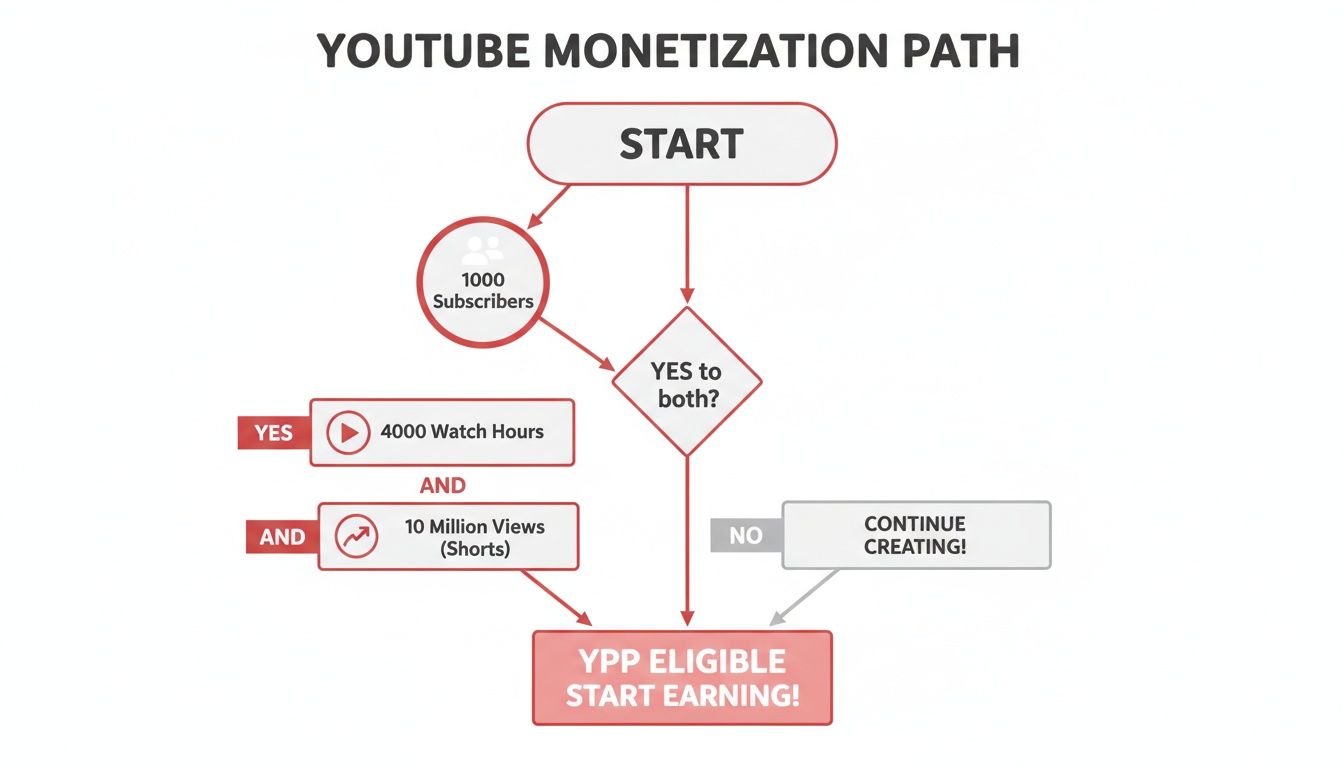
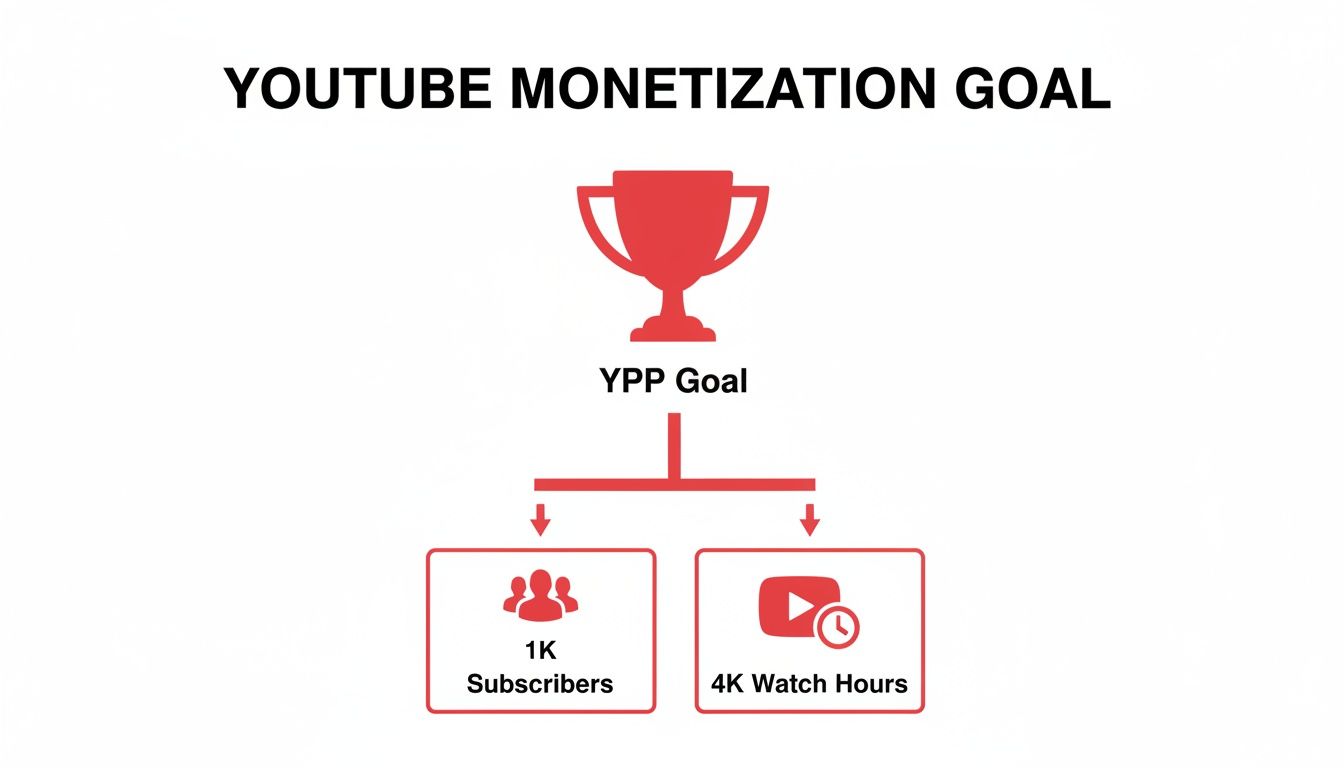
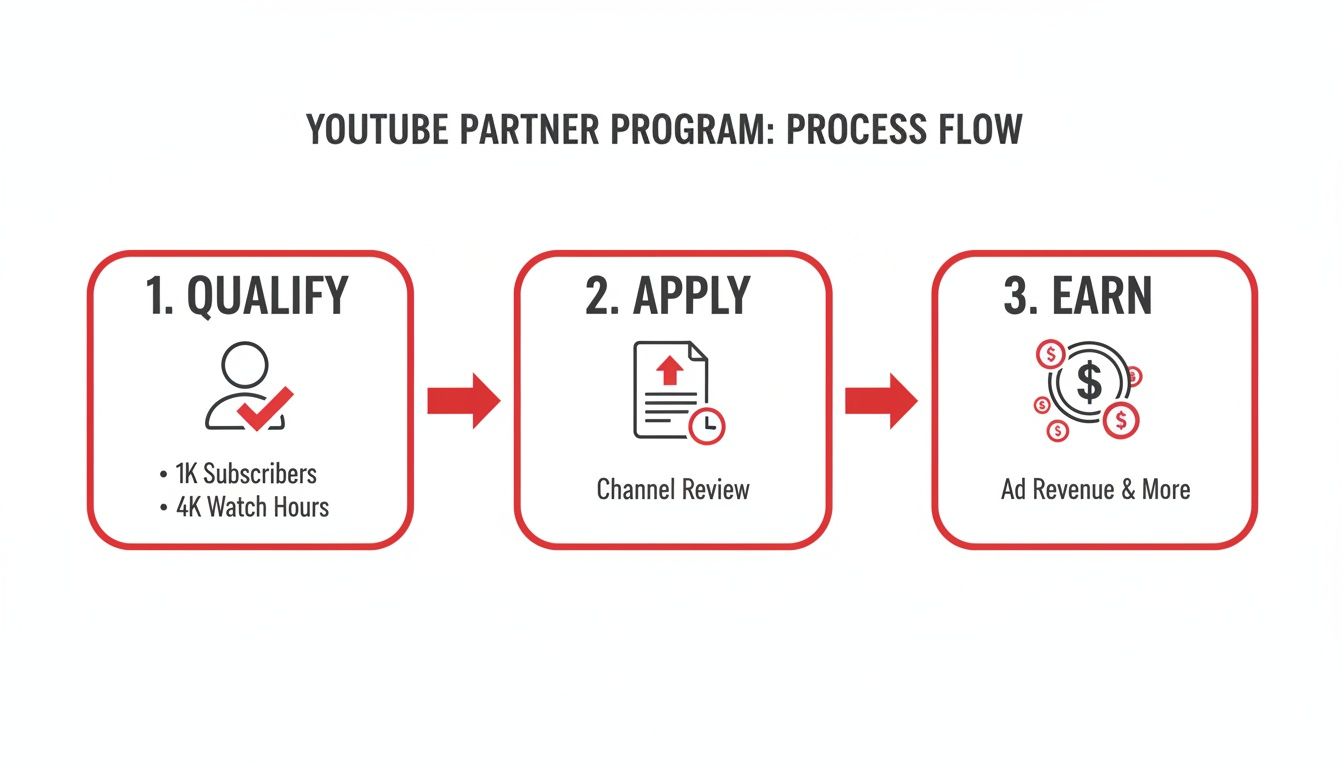
First things first, you have to hit the entry requirements. YouTube has set up two main pathways to prove your channel is active and pulling in an audience. You don't need to meet both; just one will do.
This flexibility is great because it lets you lean into the format that works best for your content, whether that's long-form deep dives or quick, viral Shorts.
Your Two Paths to YouTube Partner Program Eligibility
The table below breaks down the two distinct routes you can take to qualify.
| Qualification Path | Subscriber Requirement | Viewing Metric Requirement | Timeframe | Best For |
|---|---|---|---|---|
| Traditional Long-Form | 1,000 subscribers | 4,000 public watch hours | Past 12 months | Channels focused on detailed tutorials, vlogs, documentaries, and in-depth content. |
| YouTube Shorts | 1,000 subscribers | 10 million public Shorts views | Past 90 days | Channels creating short, fast-paced, and potentially viral content like skits or quick tips. |
Choosing which path to focus on really comes down to your content strategy. If you're all about detailed storytelling, the watch-hour route is your game. If you thrive on creating snappy, high-energy clips, then aiming for those Shorts views makes more sense.
Beyond the Metrics: The Other Essentials
Hitting your numbers is just one part of the equation. YouTube's review team is made up of real people, and they're looking for more than just stats. They want to see a channel that adds value and plays by the rules.
This means your channel must also:
- Follow all YouTube Channel Monetization Policies. This is non-negotiable.
- Have no active Community Guideline strikes. A clean record is essential.
- Live in a country where the YPP is available.
- Have a linked AdSense account. This is how you’ll actually get paid.
Getting into the YouTube Partner Program isn't the finish line; it's the starting gate. Meeting the thresholds is your first step toward building a sustainable career as a creator, unlocking tools that go way beyond simple ad revenue.
Growing a channel to this point requires a serious content engine. If you're struggling to keep up, figuring out how to scale content creation is a game-changer. It's not just about making more videos; it’s about building a sustainable workflow that doesn't lead to burnout.
Getting to Grips with the YouTube Partner Program Requirements
Hitting those big subscriber and watch time numbers is the first mountain to climb, but the real key to getting accepted is understanding the fine print. The metrics you see on your YouTube Studio dashboard have some specific rules, and knowing exactly what counts—and what doesn't—is absolutely crucial for your strategy.
Let's unpack what YouTube is really looking for.

It's interesting to see who makes up the creator economy. Most partners fall into the 25-34 year old age bracket, with millennials and Gen Z powering a massive chunk of YouTube's 2.7 billion monthly active users. The beginning can feel like a grind—about 60% of new channels make less than $100 in their first 90 days—but with the right approach, those numbers can change fast.
It’s All About Public Watch Hours and Views
When YouTube says you need 4,000 public watch hours, the most important word in that whole sentence is "public." This metric is laser-focused and only counts the time people spend watching videos you’ve set to public.
Here’s a quick rundown of what gets left out of the total:
- Private Videos: Any watch time from these is off the table.
- Unlisted Videos: Nope, these don't count either.
- Deleted Videos: If you delete a video, all its watch time history vanishes from your YPP total. Poof.
- Ad Campaigns: Views you paid for through Google Ads don't count toward your eligibility.
Essentially, your growth has to be organic. The hours must come from real viewers who found your content and chose to watch it. It’s the ultimate test of audience engagement. To really dig into the specifics, check out our guide on what are public watch hours on YouTube.
For creators going all-in on Shorts, the goal is 10 million public Shorts views in 90 days. This is a totally different ballgame. One viral Short can rack up millions of views almost overnight, but the short 90-day window means you need to be consistently pumping out bangers. You can't rely on one great video to carry you for months like you can with long-form content.
The Foundational Rules: More Than Just Numbers
Hitting your metrics is only half the job. To truly understand how do you become a youtube partner, you have to nail the foundational rules. These are the non-negotiables that show YouTube you're a serious creator ready for a business partnership.
Before you even think about clicking that apply button, make sure these four things are sorted:
- No Active Community Guideline Strikes: Your channel has to have a clean slate. A strike is a big deal, and if you have an active one, your application is a non-starter.
- 2-Step Verification Enabled: This is a mandatory security setting for your Google Account. YouTube needs to know your channel is secure from hackers.
- A Linked AdSense Account: This is how you get paid. You need an active AdSense account properly linked to your channel. Heads up: you're only allowed one AdSense account per person, so if you made one years ago and forgot about it, you’ll need to track it down.
- Live in an Eligible Country: The YPP isn’t available everywhere. You have to be a resident of a country where the program is officially supported.
Think of these rules less like a checklist and more like the bedrock of your partnership with YouTube. A clean, secure, and compliant channel is precisely what the human review team wants to see.
Keeping an Eye on Your Progress
The good news is that YouTube doesn't make you guess. The "Earn" tab in your YouTube Studio is your command center for everything related to monetization.
In there, you’ll find simple progress bars showing you exactly how close you are to the subscriber and watch time (or Shorts views) goals. It takes all the guesswork out of the process and updates regularly. Honestly, it’s super motivating to watch those bars fill up. I’d recommend checking it once a week to keep yourself focused and on track.
Preparing Your Channel for the Human Review
So, you’ve hit the magic numbers for subscribers and watch time. That’s a huge accomplishment, but it's only half the battle. Think of those metrics as your ticket to the show; now you have to impress the person checking tickets at the door. And in this case, that person is a real human reviewer at YouTube.
Before you even think about clicking that “Apply” button, it’s time for a serious self-audit. You need to look at your channel not as its creator, but through the critical eyes of a YouTube employee whose job is to protect the platform's integrity. They aren't just checking boxes; they're digging deep to see if your channel genuinely aligns with the YouTube Monetization Policies, Community Guidelines, and AdSense rules.
What the YouTube Review Team Actually Cares About
Forget the idea that they just glance at your sub count and click approve. The review is far more comprehensive than that. A real person is trying to answer one core question: "Does this channel bring original, valuable content to the YouTube ecosystem?"
To figure that out, they focus on a few key areas:
- Main Theme: What’s your channel’s identity? Is there a clear, consistent niche or topic?
- Most-Viewed Videos: Your biggest hits tell them what your audience loves and what your channel is truly known for.
- Newest Videos: This shows them where your content is headed right now.
- Biggest Proportion of Watch Time: They want to know which videos are really keeping people on the platform. This is a massive indicator of value.
- Video Metadata: This is a big one. Your titles, thumbnails, and descriptions must honestly represent what's in the video, not just trick people into clicking.
Basically, it's a quality control check. They're looking for authenticity and originality to ensure advertisers can feel good about their brand appearing next to your content.
Your Pre-Flight Checklist: An Honest Self-Audit
Getting rejected means you’re locked out from reapplying for at least 30 days, which can feel like an eternity. To avoid that frustrating setback, you need to be your own harshest critic. Go through your channel and ask the tough questions.
Here are the red flags that get channels rejected all the time. Find them and fix them before you apply:
- Reused Content: Are you just grabbing clips from other people, movies, or TV shows and re-uploading them? Unless you add significant original commentary, educational value, or a creative spin, this is the #1 reason for rejection.
- Repetitive Content: Do you have a bunch of videos that are almost identical, with only tiny variations? Each video needs to stand on its own and offer something new to the viewer.
- Misleading Thumbnails or Metadata: Does your thumbnail promise an epic explosion that never happens in the video? That's classic clickbait, and YouTube hates it.
- Keyword Stuffing: Jamming dozens of irrelevant keywords into your video descriptions and tags is a dead-end tactic. It’s seen as spammy and will get you denied.
The golden rule here is "transformative value." A reaction video where you're constantly pausing to offer sharp, funny, or insightful commentary is transformative. A lazy compilation of "funny twitch clips" with some background music is not.
As you're getting your channel ready, think about adding value in other ways, too. A simple but effective strategy is to add subtitles to your YouTube videos. It makes your content more accessible, which can lead to longer watch times—a signal reviewers love to see.
Real-World Examples of Rejection (and How to Avoid Them)
Let's make this tangible. Imagine a gaming channel that just uploads raw, unedited footage of a video game. No commentary, no face cam, nothing. That channel is at high risk for a "Reused Content" rejection because, from YouTube's perspective, the creator didn't add anything. The value comes from the game, not the channel.
Now, what if that same creator adds a voiceover explaining their strategy, cracks jokes, and edits the video to show only the most exciting moments? Suddenly, they've created something new and original. That's the kind of transformation that gets a channel approved.
Another classic pitfall is the "relaxation" or "motivation" niche. A channel that simply pairs stock video of a rainy window with some royalty-free piano music is a prime candidate for rejection. There's zero originality. To pass the review, you'd need to add original guided meditations, write and record your own affirmations, or create unique visual art to accompany the audio.
Your mission is to make the reviewer's decision incredibly easy. Clean house. Delete or unlist any video that feels borderline. Make sure your titles and thumbnails are honest. Present a channel that is so clearly valuable and original that they can’t help but say "yes."
How to Actually Apply to the YouTube Partner Program
So, you've hit the subscriber and watch time milestones. Congratulations! That's a huge achievement. Now for the final hurdle: actually submitting your application. This part can feel a little intimidating, but it’s all handled right inside your YouTube Studio.
Head over to the Earn tab—the same place you’ve been obsessively tracking your progress. That "Apply Now" button that seemed so far away should now be ready and waiting for you. Clicking it officially kicks off the process.
Step 1: Agreeing to the Partner Program Terms
The first thing you'll do is review the Base Terms for the YouTube Partner Program. This is the official contract, and it lays out everything from how you get paid to the rules you need to follow.
It's tempting to just scroll to the bottom and hit "accept," but I highly recommend taking a few minutes to read through the key sections. Knowing your responsibilities upfront will save you headaches down the road. Once you agree, YouTube Studio will mark this step as complete. Easy enough.
Step 2: Setting Up Your Google AdSense Account
This is where creators often get tripped up, so pay close attention. To get paid, you need to link a Google AdSense account to your channel. This is the system that handles all the ad revenue and sends it your way.
You’ll see two choices:
- Connect an existing AdSense account you already own.
- Create a brand new AdSense account if you don't have one.
Here’s the critical part: Google only allows one AdSense account per person, for life. If you made an account for a blog back in 2010 and forgot about it, trying to create a new one now will get your application rejected. Before you do anything, search your old email inboxes for "AdSense" to see if an account already exists.
Trust me, sorting this out before you apply will prevent a major delay. If you need a more detailed breakdown, our guide on how to enable YouTube monetization walks through every common AdSense issue.
After you successfully link or create your AdSense, you'll be sent right back to YouTube Studio. The second step will show as "Done," and your channel is officially in the review queue.
This flowchart from YouTube neatly sums up the path your channel takes from your own internal audit to the final application.

As you can see, the application itself is the very last piece of the puzzle after you've done the hard work of making sure your channel is compliant.
Step 3: The Waiting Game
Once you've submitted everything, your work is done for now. The application status will switch to "In Progress," which means your channel is in the hands of YouTube's human review team.
And now, we wait. YouTube says the review takes "about a month," but this can be all over the place. Some creators I know were approved in under 48 hours. Others have waited over six weeks, especially when YouTube is swamped with applications.
There's no secret trick to speed this up. The best thing you can do is get back to what you do best: creating great videos. Keep the momentum going. When the decision is made, you’ll get that magic email and a notification in YouTube Studio.
What to Do After You Get Approved for Monetization
That email from YouTube—the one that says "Congratulations, you've been accepted into the YouTube Partner Program"—is a huge deal. Seriously, take a moment and let it sink in. You’ve just conquered one of the biggest milestones for any creator.
But once the initial excitement fades, the real work of building a sustainable income begins. Getting approved is the starting line, not the finish. It’s time to start flipping the switches on the features that actually get you paid.

First Things First: Turn on the Ads
Your first stop inside YouTube Studio should be activating video ads. This is the bedrock of most creators' earnings, so you’ll want to get this set up right away.
The good news is you can do this in bulk for your entire back catalog of videos, which is a massive time-saver. From now on, turning on monetization will just be another part of your standard upload routine.
You'll see a few different ad formats, and it helps to know what they are:
- Skippable in-stream ads: The most common type, which viewers can skip after five seconds.
- Non-skippable in-stream ads: These are shorter ads (15-20 seconds max) that viewers must watch before your video continues.
- Bumper ads: Quick, 6-second non-skippable ads. Great for brand awareness.
- Overlay ads: Simple banner ads that pop up at the bottom of the video player on desktop.
For any videos you have that are longer than eight minutes, you also unlock mid-roll ads. YouTube’s system can place these for you automatically, but I always recommend manually placing them yourself. Find a natural pause or a transition in your video—it makes for a much better viewer experience than an ad jarringly cutting you off mid-sentence.
Going Beyond Ad Revenue
Relying solely on ad revenue is a risky game. It can fluctuate wildly based on the season, your video topics, and advertiser demand. Luckily, the YPP is about much more than just ads. It unlocks a whole suite of tools designed to create multiple income streams, many of which are powered by your most dedicated fans.
Tapping into these is a core part of learning how do you become a youtube partner who can actually make a living from your content.
Here are the other key monetization features you now have access to:
- Channel Memberships: This is your own subscription program. Viewers pay a monthly fee for exclusive perks you create, like custom badges, unique emojis, or members-only videos. It's fantastic for channels with a tight-knit community.
- Supers (Super Chat, Super Stickers, Super Thanks): During live streams, fans can buy Super Chats to make their messages stand out. Super Thanks acts like a tip jar on your regular uploads, allowing viewers to show their appreciation on any video at any time.
- Merchandise Shelf: Got merch? You can connect your store (from a platform like Spring) and showcase your products right below your videos. It’s a seamless way to turn viewers into customers.
Your YouTube Monetization Toolkit at a Glance
With YPP approval, you've unlocked a powerful set of tools to generate income. Think of them as different instruments in an orchestra—each plays a unique role, but they sound best when used together. This table breaks down the core features at your disposal.
| Monetization Feature | How It Works | Best For Channels That… |
|---|---|---|
| Video Advertising | YouTube places ads on your videos, and you earn a share of the revenue. | All monetized channels. It’s the foundational income stream. |
| Channel Memberships | Viewers pay a recurring monthly fee for exclusive perks and content. | Have a strong, loyal community and can offer consistent value. |
| Supers (Chat, Stickers, Thanks) | Fans can purchase "tips" to highlight messages or show appreciation. | Are active with live streams or have a highly engaged audience. |
| Merchandise Shelf | You can link an official store to display and sell your products. | Have a distinct brand identity and an audience that wants to show support. |
| YouTube Premium Revenue | You get a portion of a subscriber's fee when they watch your content. | All monetized channels. This is a passive, automatic benefit. |
By layering these options, you're not just earning—you're building a more resilient and diversified creator business.
How Much Can You Actually Earn?
Once you’re in the program, YouTube gives you a solid revenue split. You get 55% of the ad revenue from your long-form videos and 45% from ads shown in the Shorts feed.
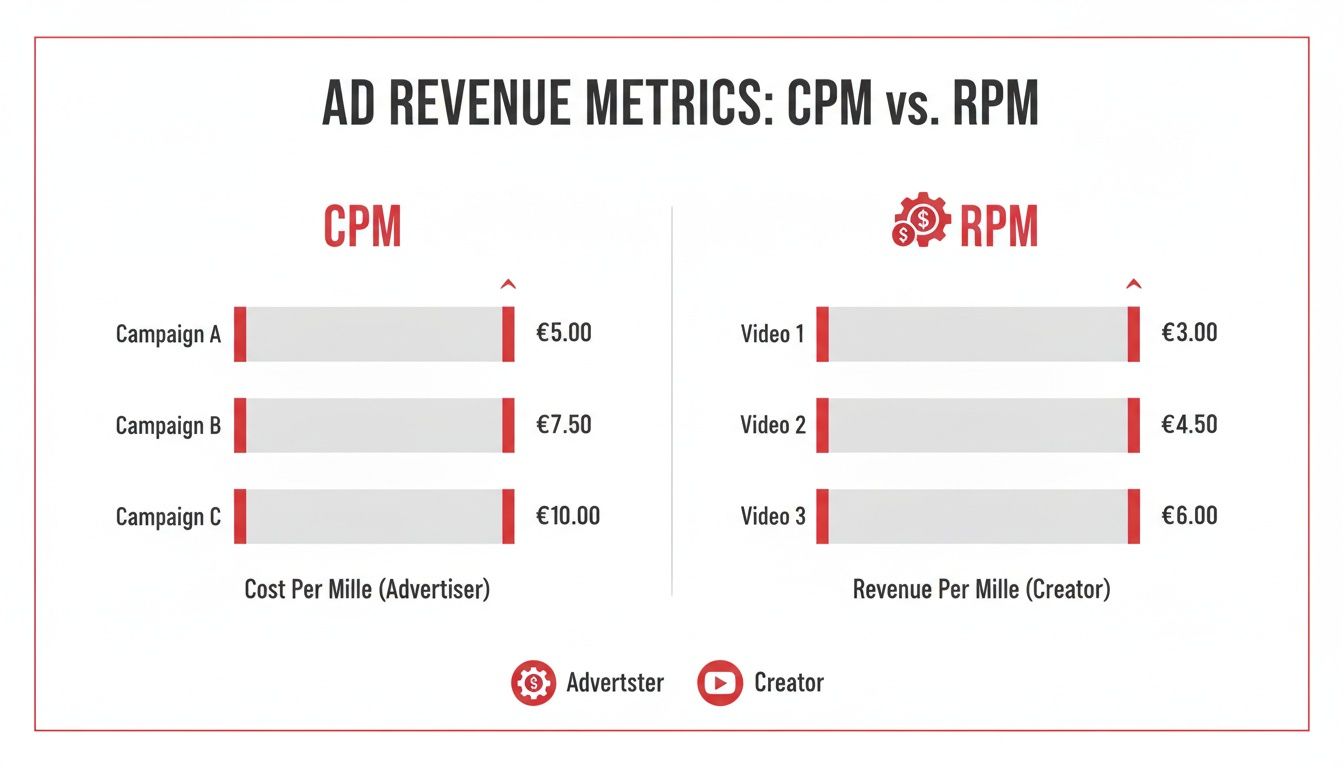
While the payout for a single ad view is tiny, it adds up fast. Your RPM (revenue per mille, or your earnings per 1,000 views) can vary dramatically, from $0.50 to over $10 depending on your niche, audience demographics, and video length. To get a better handle on these numbers, our guide on what is monetization on YouTube breaks it down even further.
Don't forget about YouTube Premium revenue, either. This is a great passive income stream. When a Premium subscriber (who doesn't see ads) watches your videos, you get a slice of their subscription fee. It’s all calculated based on watch time, and you don’t have to lift a finger—it's an automatic perk of being in the YPP.
By combining these tools, you move beyond just chasing viral views. You start building a real business with a direct connection to an audience that wants to support you in all kinds of ways.
What to Do If You Get Rejected (and How to Get Approved Next Time)
Getting that rejection email from YouTube stings. It's easy to feel defeated, but don't let it get you down. Think of it less as a hard "no" and more of a "not quite yet." It's basically a free audit from YouTube telling you exactly what needs to be fixed.
The most common reasons for rejection—Reused Content and Repetitive Content—are often misunderstood but are absolutely fixable. The first thing you need to do is stop, take a breath, and actually read the reason they gave you in the email and inside your YouTube Studio. Don't just glance at it; this is your treasure map for getting approved the next time around.
Understanding Why They Said No
Reused Content is probably the number one reason I see channels get denied. This doesn't mean you can never use clips from other sources. What it really means is that you're not adding enough of your own spin to it. Your video has to add significant original commentary, educational value, or a new perspective to transform the original material.
For example, a channel that just stitches together a bunch of "funny cat videos" from other creators will almost certainly be rejected. But, if a creator takes those same clips and adds their own hilarious voice-over commentary, edits them into a new narrative, or provides a detailed analysis of feline behavior, they're creating something new. That's the transformation YouTube's human reviewers are looking for.
The key question to ask yourself is: Am I just re-posting content, or am I creating something fresh from it? Your personality, your analysis, your humor—that needs to be the star of the show.
Repetitive Content is a bit different. This usually flags channels that seem to be churning out low-effort, templated videos. Think of channels that have hundreds of videos with a text-to-speech voice reading a script over generic stock footage. Even if the content is technically original, every video looks and feels so similar that it offers very little unique value to a viewer.
Your 30-Day Game Plan for Reapplying
After being rejected, you have to wait 30 days before you can reapply. This isn't a penalty—it's your window of opportunity to clean house and strengthen your channel.
Here’s what you should do during that month:
- Audit and Prune: Go through your videos, starting with your most popular ones. Be honest with yourself. If a video clearly falls into the category YouTube flagged, either unlist it or just delete it. It might hurt to remove a high-performing video, but it’s better than getting rejected again.
- Clean Up Your Metadata: Look at your titles, descriptions, and thumbnails. Are they accurate? Or are they a little clickbaity or stuffed with keywords? Make sure everything honestly represents what's in the video.
- Create New, High-Quality Videos: This is the most important step. The review team will pay close attention to what you've uploaded recently. Use these 30 days to create content that is a perfect example of what your channel is all about—content that is undeniably compliant and original.
When your 30 days are up, you should be able to look at your channel and see a real difference. By taking this proactive approach, you're showing the review team that you're a serious creator who respects the platform's guidelines, which makes a successful second application much more likely.
Common Questions About the YouTube Partner Program
Getting into the YouTube Partner Program is a huge milestone, but the journey there can feel a bit confusing. Let's clear up a few of the questions I hear most often from creators.
How Long Does It Take to Get 4,000 Watch Hours?
This is the million-dollar question, and honestly, there's no magic number. It all comes down to your content and consistency. I've seen channels that post multiple high-engagement, 10-minute videos every week hit that 4,000-hour mark in as little as 6 to 8 months.
On the flip side, a creator who uploads shorter videos less frequently might be looking at a year or more. The real drivers are your ability to hook viewers early and keep them watching, which in turn gets your videos pushed by the YouTube algorithm.
Can I Lose Monetization if My Channel Dips Below the Thresholds?
You can breathe a sigh of relief on this one. No, you won't get kicked out of the YPP if your subscriber count or watch hours happen to drop below the entry requirements after you've been accepted. Once you're in, you're in.
However, there is a catch. YouTube can and will turn off monetization for channels that go completely dormant. If you haven't uploaded a video or made a Community post in six months or more, you're at risk of being demonetized for inactivity.
The bottom line is this: while your spot in the program is safe from metric dips, you have to stay active to keep the ad revenue flowing.
Can I Be a YouTube Partner Without Showing My Face?
Absolutely. Plenty of massive, fully monetized channels are built without the creator ever showing their face. Think about animated story channels, gaming walkthroughs with voice-over commentary, or documentary-style content.
The human review team is looking for originality and value, not your physical presence. As long as you're creating something unique and transformative that adheres to all of YouTube's content policies, you're just as eligible as any vlogger.
Hitting those initial thresholds is often the steepest part of the climb. Tools like ViewsMax can give you a serious leg up by helping you craft better titles and descriptions to attract more viewers. The faster you gain traction, the quicker you'll get those subscribers and watch hours needed for the YPP.