ViewsMax
Sign In Sign Up Free

Author: development@iclicksee.com

  • 12 Best YouTube SEO Tools to Dominate Search Rankings in 2026

    12 Best YouTube SEO Tools to Dominate Search Rankings in 2026

    Creating a viral video often feels like capturing lightning in a bottle. You can have a brilliant concept, high-quality production, and a charismatic personality, but without discoverability, your masterpiece might never find its audience. YouTube's algorithm is a complex system that prioritizes content viewers are actively searching for. This is where a strategic approach to search engine optimization becomes non-negotiable for channel growth. Simply uploading and hoping for the best is a recipe for stagnation.

    To truly compete and scale, you need to move beyond guesswork and embrace data. That’s the core problem the best YouTube SEO tools are designed to solve. They provide the analytics and insights necessary to understand search trends, analyze competitors, and optimize your video's metadata for maximum visibility. By aligning your content strategy with what people want to see, you significantly increase the chances of your videos ranking high in search results and being recommended to new viewers.

    This guide provides a comprehensive breakdown of the top 12 platforms that can give you that critical edge. We'll explore everything from all-in-one browser extensions like TubeBuddy and vidIQ to specialized keyword research tools like Ahrefs and powerful AI-driven platforms like ViewsMax. Each review includes a detailed analysis of features, pricing, and specific use cases to help you identify the perfect tool for your budget and workflow. To truly make your videos stand out, consider leveraging innovative UGC video creation tools that help you produce engaging content efficiently. Our goal is to equip you with the information needed to make a confident choice and start seeing tangible results.

    1. ViewsMax

    ViewsMax distinguishes itself as a premier choice among the best YouTube SEO tools by offering an end-to-end, AI-powered toolkit designed for the entire content lifecycle. It moves beyond simple keyword research, providing a comprehensive solution that guides creators from initial brainstorming and planning all the way through to on-page optimization and post-publication analysis. This holistic approach empowers users to create smarter, not just harder, by grounding their content strategy in actionable, data-informed insights.

    The platform's core strength lies in its ability to streamline complex SEO workflows. By delivering AI-driven recommendations for titles, descriptions, and tags, ViewsMax helps eliminate the guesswork that often stalls creative momentum. This focus on efficiency is amplified by its dedicated Chrome extension, which integrates these powerful optimization features directly into the YouTube upload interface, allowing for rapid, in-context adjustments that align with YouTube’s algorithm.

    ViewsMax blog posts offering tactical guidance on YouTube SEO

    Key Features & Use Cases

    ViewsMax is engineered to support creators at every stage of their journey, from independent vloggers to established brands.

    • AI-Powered Content Lifecycle Management: Its toolset covers brainstorming, planning, SEO, and performance analysis, making it an all-in-one command center for channel growth.
    • Data-Informed On-Page SEO: Receive optimized suggestions for titles, descriptions, and tags specifically designed to improve discoverability, click-through rates (CTR), and watch time.
    • Integrated Chrome Extension: Apply SEO best practices directly within your browser during the upload process, significantly speeding up your workflow and ensuring no optimization step is missed.
    • Creator-Focused Resources: An active blog and a library of best-practice templates provide ongoing education, offering tactical guidance on algorithm changes, monetization strategies, and audience engagement.

    Practical Tip: Use the AI brainstorming feature to generate a list of video ideas based on a core topic. Then, use the on-page SEO tools to craft a perfectly optimized title and description before you even start filming, ensuring your content is built for discoverability from the ground up.

    Pricing

    ViewsMax does not list its pricing tiers publicly in the provided materials. To get the most current information on plans and features, you will need to visit the website's dedicated Pricing page.

    Pros & Cons

    Pros Cons
    Comprehensive, end-to-end AI toolkit for the full content lifecycle. Pricing is not publicly available without visiting the site.
    Data-driven recommendations reduce guesswork and improve CTR. Explicit customer testimonials are not detailed in the provided content.
    Chrome extension provides seamless, in-workflow optimization.
    Extensive educational resources support creators at all skill levels.
    Scales effectively for solo creators, agencies, and brands.

    Website: ViewsMax

    2. TubeBuddy

    TubeBuddy is a long-standing and widely trusted browser extension that integrates directly into your YouTube Studio dashboard. It acts as an optimization co-pilot, providing a robust suite of tools designed to streamline your entire content workflow from research to publication and beyond. Its deep integration is what makes it one of the best YouTube SEO tools for creators who want immediate, context-aware insights without leaving the YouTube interface.

    TubeBuddy

    The platform shines with its "SEO Studio," a guided tool that helps you craft perfectly optimized titles, descriptions, and tags. You also get powerful keyword research tools, competitor analysis scorecards, and rank tracking. For creators serious about maximizing click-through rates, the A/B testing feature for thumbnails and titles (available on higher-tier plans) is an invaluable asset for data-driven decision-making.

    Key Features & Pricing

    Feature Free Plan Pro ($4.50/mo) Legend ($24.50/mo)
    SEO Studio Limited Yes Yes
    Keyword Explorer Limited Yes Yes
    Competitor Scorecard Limited Yes Yes
    A/B Testing No No Yes
    Bulk Processing No No Yes

    Pros & Cons

    • Pros: Deeply integrates into the YouTube interface, comprehensive toolset for the entire video lifecycle, excellent for bulk updates and workflow automation.
    • Cons: The interface can feel cluttered for new users, and the most powerful features like A/B testing are locked behind the most expensive plan.

    Using TubeBuddy's features effectively is a core part of a strong growth strategy; get a deeper understanding of these techniques with our guide on YouTube SEO optimization tips.

    Best For: Solo creators and channel managers who want an all-in-one optimization toolkit that lives directly inside YouTube.

    Visit Website: https://www.tubebuddy.com

    3. vidIQ

    vidIQ is a powerful creator growth platform, available as both a web app and a browser extension, that excels in providing data-driven insights for your channel. It functions as a strategic advisor, offering a suite of tools focused on keyword research, competitor analysis, and AI-powered content ideation. Its user-friendly interface and strong emphasis on education make it one of the best YouTube SEO tools for creators looking to understand the 'why' behind their growth.

    vidIQ

    The platform’s strength lies in its real-time video insights and "Daily Ideas" feature, which uses AI to suggest video topics with high growth potential tailored to your channel. vidIQ's keyword research tools provide clear volume and competition scores, helping you identify underserved niches. The channel audit and competitor tracking features allow you to benchmark your performance against similar channels, providing a clear roadmap for what’s working in your space.
    Key Features & Pricing

    Feature Basic (Free) Pro ($7.50/mo) Boost ($39/mo)
    Keyword Research Tool Limited Yes Yes
    Competitor Tracking 1 Channel 6 Channels 20 Channels
    Daily Ideas (AI) 3 Ideas 10 Ideas 50 Ideas
    Top Trending Videos Limited Yes Yes
    Channel Audit Tool Limited Yes Yes

    Pros & Cons

    • Pros: Excellent for content ideation with strong AI features, provides great educational support for newer creators, clean and intuitive user interface.
    • Cons: Pricing can be promo-driven and change frequently, and some advanced features rely on a credit-based system which can be limiting.

    Best For: New and intermediate creators who need guidance on content strategy and want AI-powered topic suggestions to drive their SEO efforts.

    Visit Website: https://vidiq.com

    4. Ahrefs – YouTube Keyword Tool

    While Ahrefs is a powerhouse in the general SEO world, its free YouTube Keyword Tool is a lesser-known gem that provides a simple, fast, and reliable way to gauge topic demand. Unlike browser extensions, this is a web-based tool that requires no login. It uses Ahrefs' sophisticated clickstream data to estimate monthly search volumes for any keyword on YouTube, making it one of the best YouTube SEO tools for quick, early-stage research and idea validation.

    Ahrefs – YouTube Keyword Tool

    The tool’s primary strength lies in its simplicity and global reach. You can instantly check keyword search volumes across more than 170 countries, which is invaluable for creators targeting international audiences. By simply entering a seed term, you get a list of related keyword ideas and their corresponding search volumes, allowing you to quickly size the potential audience for a video topic before you commit to production. It's a frictionless way to get data-backed insights.

    Key Features & Pricing

    Feature Free Tool Ahrefs Standard ($199/mo)
    YouTube Keyword Volume Yes Yes
    Country-Specific Volume Yes Yes
    Keyword Ideas Yes Yes
    SERP Analysis & History No Yes
    Rank Tracking No Yes

    Pros & Cons

    • Pros: Reputable data from a trusted SEO authority, extremely fast and requires no sign-up, excellent for international keyword research.
    • Cons: Volume data is an estimate, not official YouTube data; advanced features like SERP history are locked behind a full Ahrefs subscription.

    Understanding how to leverage these volume estimates is key; you can discover more about incorporating YouTube video keywords into your strategy with our dedicated guide.

    Best For: Creators and marketers who need a quick, free, and reliable tool to validate video ideas and estimate search demand, especially for global audiences.

    Visit Website: https://ahrefs.com/youtube-keyword-tool

    5. Keyword Tool (KeywordTool.io) – YouTube module

    Keyword Tool is a powerful, straightforward keyword research platform that excels at one thing: tapping into YouTube's autocomplete data to generate hundreds of long-tail keyword ideas. While it supports many platforms, its dedicated YouTube module is a goldmine for creators looking to understand what viewers are actively searching for. It stands out as one of the best YouTube SEO tools for pure, high-volume keyword discovery to fuel video ideas and optimize titles.

    Keyword Tool (KeywordTool.io) – YouTube module

    Unlike all-in-one extensions, Keyword Tool focuses solely on the research phase. It provides lists of related questions and keywords based on your seed term, which is invaluable for structuring your video content to answer specific audience needs. While the free version gives you the keywords, upgrading to a Pro plan unlocks crucial metrics like modeled search volume, competition level, and cost-per-click (CPC) data, turning raw ideas into a data-backed content strategy.

    Key Features & Pricing

    Feature Free Plan Pro Basic ($69/mo) Pro Plus ($79/mo)
    Keyword Suggestions Yes Yes Yes
    Search Volume Data No Yes Yes
    Competitor Analysis No No Yes
    Bulk Search Volume No No Yes
    API Access No No Yes

    Pros & Cons

    • Pros: Excellent for generating a large volume of long-tail keyword ideas, multi-platform support is great for cross-promotion, clean and fast user interface.
    • Cons: Core metrics like search volume are locked behind a pricey subscription, lacks the on-page optimization features of browser extensions.

    Best For: Content strategists and creators who prioritize in-depth, data-driven keyword research at the very beginning of their production process.

    Visit Website: https://keywordtool.io/pro

    6. Semrush App Center – Rank Tracker for YouTube (by Tubics)

    For marketers and creators already embedded in the Semrush ecosystem, the Rank Tracker for YouTube app by Tubics is a powerful, integrated solution. Rather than a standalone platform, it operates within the Semrush App Center, allowing you to monitor YouTube keyword performance alongside your broader digital marketing efforts. This makes it one of the best YouTube SEO tools for those who value a consolidated analytics dashboard and want to track video rankings seamlessly with their website SEO.

    The app’s core function is to track weekly ranking changes for your channel and your competitors across a specified set of keywords. It provides clear visualizations of keyword distribution, average rank, and overall visibility trends over time. This focused approach is ideal for monitoring the impact of your optimization efforts and keeping a close eye on your competitive landscape without needing a separate subscription or login.

    Key Features & Pricing

    The app is a paid add-on to a standard Semrush subscription.

    Feature Rank Tracker for YouTube (by Tubics)
    YouTube Keyword Tracking Yes (Up to 200 keywords)
    Competitor Rank Tracking Yes
    Weekly Ranking Updates Yes
    Keyword Distribution Metrics Yes
    Expandable Keyword Limits Yes (With add-ons)

    Pros & Cons

    • Pros: Seamlessly integrates with the Semrush platform, uses your existing login and billing, provides focused and clear rank tracking data.
    • Cons: Requires an active Semrush subscription to use, app pricing is separate from core Semrush plans, lacks broader channel optimization features.

    Best For: Marketing teams and SEO professionals who already use Semrush and want to add dedicated YouTube rank tracking to their toolkit.

    Visit Website: https://www.semrush.com/app-center/rank-tracker-for-youtube/

    7. Morningfame

    Morningfame is a YouTube-first analytics and keyword research tool that operates on an invite-only basis. It's designed to provide a guided, step-by-step process for creators, making it one of the best YouTube SEO tools for those who feel overwhelmed by complex data. Instead of just presenting metrics, Morningfame offers an opinionated workflow that helps you choose topics and optimize your metadata effectively, tailored specifically to your channel's current size and authority.

    Morningfame

    The platform's standout feature is its "Keyword Research for YouTube" tool, which breaks the optimization process into four clear steps: Choose a Topic, Craft Metadata, Checklist, and Analyze. It provides a unique "rankability" score that assesses your chances of ranking for a term based on your channel's specific performance, helping you avoid keywords that are too competitive. This focus on actionable guidance over raw data is what makes it so valuable for new and growing channels looking for a clear path to follow.

    Key Features & Pricing

    Feature Basic ($4.90/mo) Plus ($12.90/mo)
    Guided Keyword Research Limited Unlimited
    Rankability Scoring Yes Yes
    Channel Analytics Limited Yes
    Growth Recommendations Yes Yes
    Competitor Tracking No Yes

    Pros & Cons

    • Pros: Extremely approachable and simplified workflow for SEO, rankability scoring is calibrated to your specific channel size, combines analytics and optimization in one place.
    • Cons: Access is invite-based which can be a barrier for new users, and its analytics are less comprehensive than more advanced enterprise suites.

    Best For: Small or new creators who want a guided, step-by-step system for keyword research and video optimization without getting lost in data.

    Visit Website: https://morningfa.me

    8. TubeRanker

    TubeRanker is a web-based suite of YouTube SEO utilities focused on providing core optimization functions in a clean, accessible interface. It serves as a practical toolkit for creators who need to perform essential research and on-page analysis without the complexity of a browser extension or a heavy software installation. Its straightforward, task-oriented design makes it one of the best YouTube SEO tools for quick, targeted optimization sessions.

    The platform is built around several key utilities, including a dedicated keyword tool, a tag generator, and a rank tracker to monitor your video's performance over time. A standout feature is its Channel Audit, which provides a high-level SEO score and actionable recommendations for improvement. While it doesn't offer the deep data analytics of enterprise-level platforms, its focused approach is perfect for covering the fundamental aspects of video SEO efficiently.

    Key Features & Pricing

    Feature Free Premium ($29/mo) Agency ($59/mo)
    Keyword Tool Limited Yes Yes
    Tag Generator Limited Yes Yes
    Rank Tracker 10 Keywords 300 Keywords 1000 Keywords
    Channel Audit Limited Yes Yes
    Competitor Analysis No Yes Yes

    Pros & Cons

    • Pros: Very straightforward and easy-to-use interface, combines essential research and audit tools in one place, web-based so it's accessible from any device.
    • Cons: Data depth is not as extensive as more advanced tools, and free usage can be rate-limited, requiring pauses between searches.

    Best For: Creators and marketers who want a simple, no-frills web tool for foundational keyword research, tag generation, and performance tracking.

    Visit Website: https://tuberanker.com

    9. Keyword Tool Dominator – YouTube Autocomplete Tool

    Keyword Tool Dominator stands out with a simple yet powerful premise: it mines YouTube's autocomplete feature to uncover valuable long-tail keywords. Instead of a complex suite, it focuses on one thing and does it well, making it one of the best YouTube SEO tools for creators who prioritize topic ideation and long-tail discovery over deep analytics. Its major differentiator is its pricing model: a one-time purchase for lifetime access, which is a rare and welcome offering in a market dominated by monthly subscriptions.

    Keyword Tool Dominator – YouTube Autocomplete Tool

    The tool allows you to input a seed keyword and quickly generate hundreds of related search terms that real users are actively looking for. You can then filter these results to find questions, popular phrases, or specific long-tail variations. This straightforward approach is perfect for brainstorming video ideas that target less competitive, high-intent search queries. While it lacks search volume data, its strength lies in providing a direct look into the YouTube search bar at scale.

    Key Features & Pricing

    Feature YouTube Keyword Tool ($39.99) Keyword Tool Suite ($59.99)
    YouTube Keyword Tool Access Yes (Lifetime) Yes (Lifetime)
    Other Platform Tools No Yes (Google, Amazon, etc.)
    Unlimited Searches Daily No (Limit 50) No (Limit 50)
    Unlimited Keyword Downloads Yes Yes
    Future Updates Yes Yes

    Pros & Cons

    • Pros: Budget-friendly one-time payment for lifetime access, excellent for discovering long-tail keyword ideas, simple and focused interface that is easy to use.
    • Cons: Does not provide search volume or competition metrics, daily search limits apply, and the feature set is much narrower than subscription-based competitors.

    Best For: Creators and marketers on a tight budget who need a simple, effective tool for brainstorming and finding long-tail video topics.

    Visit Website: https://www.keywordtooldominator.com/pricing

    10. RapidTags (rapidtags.io generator)

    RapidTags is a straightforward, no-frills tool dedicated to one specific task: generating a list of relevant YouTube tags from a single seed keyword or video title. Its primary strength lies in its speed and simplicity, making it a go-to resource for creators who need to quickly brainstorm a set of tags without the complexity of a full-fledged SEO suite. While tags have a diminished role in YouTube's algorithm today, they still provide context, and this tool is one of the fastest ways to build a foundational list.

    RapidTags (rapidtags.io generator)

    The platform operates on a single-page interface where you enter your topic, and it instantly populates a list of related tags that can be copied with one click. There's no login, no setup, and no cost. While it lacks the data-rich insights of other best YouTube SEO tools (like search volume or competition scores), it serves a valuable purpose as a supplementary tool for quick ideation or for filling in the tag section when you've already optimized your title and description.

    Key Features & Pricing

    Feature Free Plan
    Fast Tag Generation Yes
    One-Click Tag Copy Yes
    TikTok Tag Generator Yes
    Account Required No
    Search Volume Data No

    Pros & Cons

    • Pros: Completely free to use with no account needed, incredibly fast and easy for brainstorming, simple one-click copy-paste workflow.
    • Cons: Provides no data on search volume or competition, tags are a less impactful SEO element now, should not be used as a primary research tool.

    Using a tool like RapidTags can kickstart your brainstorming, but understanding how to choose the most effective keywords is key. Dive deeper into this topic with our guide on finding the best tags for YouTube.

    Best For: Creators looking for a quick, free tool to generate a baseline set of tags to supplement their main SEO research.

    Visit Website: https://rapidtags.io/generator

    11. Keywords Everywhere

    Keywords Everywhere is a unique browser extension that overlays keyword data directly onto Google, YouTube, and other popular sites. While not exclusively a YouTube tool, its direct integration into the YouTube search results page and video pages makes it a lightweight yet powerful ally for on-the-fly keyword research and competitor analysis. It operates on a flexible credit system, making it an affordable option for creators who need data without a monthly subscription commitment.

    Keywords Everywhere

    The extension provides several YouTube-specific widgets, including a "Search Insights" box that shows search volume and trend data right below the search bar. It also features a "Video Insights" panel on video pages, which displays performance metrics and a complete list of the video's tags for easy analysis and inspiration. This immediate access to data within your natural browsing workflow is what positions it among the best YouTube SEO tools for quick, contextual research.

    Key Features & Pricing

    Keywords Everywhere uses a pay-as-you-go credit system. 1 credit = 1 keyword's volume, CPC & competition data.

    Feature Free Credits Required (Pay-As-You-Go)
    YouTube Search Insights Widget Yes Yes (for volume data)
    YouTube Video Insights Widget Yes Yes (for volume data)
    Extract Video Tags Yes No
    Related Keywords & Long-Tail Yes Yes (for volume data)
    Bulk Keyword Data Tool No Yes

    Pros & Cons

    • Pros: Works directly inside YouTube’s interface for in-context research, flexible and affordable pay-as-you-go credit model is great for light or occasional users.
    • Cons: Volume data is based on Google Search, not native YouTube data, and heavy users may find they burn through credits quickly.

    Best For: Creators and marketers who want a simple, budget-friendly tool for quick keyword research directly within the YouTube interface without a monthly fee.

    Visit Website: https://keywordseverywhere.com

    12. Google Trends

    While not a dedicated YouTube tool, Google Trends is an essential, free resource for high-level topic validation and strategic timing. It allows you to analyze the popularity of search queries on Google over time, giving you a powerful macro view of what audiences are interested in. This insight is invaluable for identifying seasonal trends, comparing the relative popularity of different video ideas, and discovering breakout topics before they become saturated. Its simplicity makes it one of the best YouTube SEO tools for initial brainstorming and market research.

    Google Trends

    The platform excels at providing directional data. You can see if a topic's interest is growing or declining, helping you decide whether to jump on a trend or focus on more evergreen content. The "Related Queries" feature is a goldmine for finding long-tail keywords and understanding the specific questions people are asking. By filtering the search type to "YouTube Search," you can get data that, while not as granular as other tools, directly reflects interest on the platform itself.

    Key Features & Pricing

    Feature Free Plan
    Interest Over Time Charts Yes
    Compare Search Terms Yes
    Related Topics & Queries Yes
    Regional Interest Data Yes
    Real-time Search Trends Yes

    Pros & Cons

    • Pros: Completely free to use, excellent for validating topic ideas and understanding seasonality, provides valuable regional interest data for targeted content.
    • Cons: Data is not as granular or YouTube-specific as paid tools, requires more interpretation to be actionable for video-level SEO.

    Best For: All creators during the initial brainstorming phase to validate video ideas and identify high-level audience interest and seasonality.

    Visit Website: https://trends.google.com/home

    Top 12 YouTube SEO Tools: Features Comparison

    Tool Core features ✨ Quality ★ Value & pricing 💰 Target audience 👥 Unique selling points ✨
    ViewsMax 🏆 AI end‑to‑end: idea → plan → titles/descriptions/tags → optimize → analyze + Chrome extension ★★★★ 💰 Plans vary — ROI‑focused (check Pricing) 👥 All creators, agencies, brands, educators, gaming channels ✨ AI guidance across workflow, templates, in‑browser optimization, active resources
    TubeBuddy Keyword research, SEO Studio, A/B tests, bulk edits, audits ★★★★ 💰 Freemium → advanced features on higher tiers 👥 Solo creators → brands, managers ✨ Deep YouTube Studio integration, mature ecosystem
    vidIQ Keyword research, AI topic/title generation, competitor insights, daily ideas ★★★★ 💰 Freemium; some features use credits 👥 Creators & small teams ✨ Strong AI ideation, competitor benchmarking, education
    Ahrefs – YouTube Keyword Tool YouTube keyword ideas with country volumes, no login required ★★★★ 💰 Free tool for quick volume checks 👥 Researchers, creators validating demand ✨ Clickstream‑based volume estimates, 170+ countries
    Keyword Tool (KeywordTool.io) Autocomplete keyword finder, Pro unlocks volumes/CPC, bulk analysis ★★★★ 💰 Pro paid (premium pricing) 👥 Cross‑platform creators, agencies ✨ Multi‑platform support, bulk reporting
    Semrush App Center (Tubics) Weekly rank tracking, competitor tracking, keyword distribution ★★★ 💰 Add‑on pricing via Semrush (separate) 👥 Semrush users, agencies ✨ Integrated Semrush workflows, scalable tracking
    Morningfame Rankability scoring, step‑by‑step SEO workflow, simplified analytics ★★★★ 💰 Invite/signup; affordable for small channels 👥 Small & growing channels ✨ Channel‑calibrated rankability, guided workflows
    TubeRanker Keyword & tag discovery, SEO audits, rank tracking ★★★ 💰 Affordable web suite 👥 Small creators seeking all‑in‑one ✨ Purpose‑built YouTube UI, straightforward tools
    Keyword Tool Dominator YouTube Autocomplete mining, filters, CSV export ★★★ 💰 One‑time purchase (lifetime access) 👥 Budget‑conscious creators ✨ Lifetime pricing, focused long‑tail discovery
    RapidTags Fast tag generation from topic/title, one‑click copy ★★★ 💰 Free, instant access 👥 Creators needing quick tag lists ✨ No‑login tag generator, TikTok tag option
    Keywords Everywhere Browser overlay: Search & Video Insights, tags, trends, bulk data ★★★★ 💰 Credits‑based pay‑as‑you‑go 👥 Light/medium users, researchers ✨ In‑context metrics across sites, flexible credits
    Google Trends Interest‑over‑time, regional comparisons, rising queries ★★★ 💰 Free 👥 Creators planning timing & seasonality ✨ Regional & seasonal trend validation

    Turning Tools Into a Winning YouTube Strategy

    Navigating the landscape of the best YouTube SEO tools can feel like the first major hurdle in your channel's growth journey. We've explored a wide array of options, from comprehensive, all-in-one platforms like ViewsMax and TubeBuddy to highly specialized keyword research assistants like Ahrefs and Keyword Tool Dominator. But the most powerful tool isn't found on any list; it's the strategic system you build around your chosen software.

    The real challenge isn't just acquiring a tool, it's committing to a data-informed workflow. The creators who see exponential growth are the ones who move beyond guesswork and let analytics guide their content decisions. They don't just use a tool to find a keyword; they use it to understand viewer intent, analyze competitor weaknesses, and identify emerging trends before they become saturated.

    From Analysis Paralysis to Actionable Insights

    With so many metrics and features at your fingertips, it’s easy to get lost in the data. The key is to start small and focus on the one or two areas that will have the most significant impact on your channel right now.

    • If you struggle with topic ideation: Start with a tool like vidIQ or Morningfame. Focus solely on their daily ideas or topic research features. Spend a week generating a list of 20 video ideas backed by search volume and low competition scores before you even think about optimizing a title.
    • If your titles and descriptions are weak: Make a dedicated tag generator like RapidTags or a comprehensive optimizer like TubeBuddy your primary focus. Your mission for the next month is to re-optimize your top 10 underperforming videos with better metadata and track the change in viewership.
    • If you feel like you're creating in a vacuum: Your priority should be competitive analysis. Use the channel audit features in tools like ViewsMax or Semrush’s Rank Tracker to deconstruct what’s working for the top players in your niche. Understanding their strategy is the first step to creating your own.

    This focused approach prevents overwhelm and ensures you're building skills sequentially. Once you master one aspect of YouTube SEO, you can integrate another tool or feature into your routine.

    Selecting Your YouTube SEO Toolkit

    So, how do you choose the right starting point from this extensive list of the best YouTube SEO tools? It boils down to your specific needs, budget, and current stage of growth.

    Ask yourself these critical questions:

    1. What is my biggest current bottleneck? Is it finding video ideas, writing compelling titles, understanding analytics, or tracking my rank against competitors? Your answer will point you toward either a specialized tool or a broad platform.
    2. What is my budget? Free tools like Google Trends and the basic tiers of many browser extensions are powerful starting points. If you're ready to invest, consider the ROI. Will a $20/month subscription save you hours of research and potentially generate hundreds of dollars in ad revenue?
    3. How much time can I commit? A comprehensive platform like Ahrefs offers incredible depth but has a steeper learning curve. If you have limited time, a more intuitive, workflow-oriented tool like ViewsMax or Morningfame might provide a quicker path to results.

    Remember, your YouTube strategy doesn't exist in isolation. Understanding the broader digital landscape is crucial for sustainable growth. To complement your YouTube SEO efforts, exploring the best competitive analysis tools for marketers can provide invaluable insights into your market, revealing competitor strategies that extend far beyond the YouTube platform.

    Ultimately, these tools are catalysts, not magic wands. They provide the data and efficiency needed to make smarter decisions, but success still hinges on your ability to create high-quality, engaging content that resonates with your audience. The goal is to build a system where the tool handles the heavy lifting of data analysis, freeing you up to focus on what truly matters: creating amazing videos that your viewers will love and share.


    Ready to transform your YouTube workflow from reactive to proactive? ViewsMax is designed to be the central hub for your entire content strategy, integrating keyword research, competitive analysis, and performance tracking into one seamless platform. Stop juggling multiple tabs and start building a smarter, data-driven YouTube channel today with ViewsMax.

  • When Is the Best Time to Upload YouTube Videos for More Views

    When Is the Best Time to Upload YouTube Videos for More Views

    It's a question every creator asks: when is the perfect time to upload a YouTube video? The internet is full of general advice, often pointing to that 2 PM to 4 PM window on weekdays or the 6 PM to 9 PM slot on Fridays. And honestly, those aren't bad places to start. They catch people during afternoon breaks and as they're settling in for the weekend.

    But here's the thing: that's just a starting point. Your channel's perfect upload time isn't a universal secret; it's a specific, data-backed window that's completely unique to your audience.

    Pinpointing Your Perfect YouTube Upload Time

    A clean desk with a laptop, potted plant, wall clock, and a sign saying 'Perfect Upload Time'.

    It's time to stop guessing and start building a strategy based on your channel's real performance data. While those widely recommended times can give you a decent foundation, the real growth happens when you dive into your own analytics and understand your viewers' habits.

    Think about why those general time slots work. The afternoon window from 2 PM to 4 PM often catches people taking a quick break from work or school. More importantly, uploading then gives the YouTube algorithm a few crucial hours to index and start processing your video before the evening rush kicks in around 5 PM.

    Why the First Few Hours Are Everything

    The initial moments after you hit "Publish" are absolutely critical. A strong burst of activity—views, watch time, likes, comments—sends a powerful signal to the YouTube algorithm that people are enjoying your content. This early velocity is what helps get your video pushed out on the homepage, recommended in suggested feeds, and shown to a much broader audience.

    If you publish into a "dead zone" when most of your audience is asleep or busy, your video just sits there. It misses that precious window to build momentum. The goal isn't just to upload; it's to launch your video directly into the path of your most engaged viewers.

    Key Takeaway: Uploading a video isn't just about making it public. It's about strategically timing its release to coincide with peak audience activity, giving it the best possible chance to gain traction in the algorithm from the very first minute.

    Now, we're going to get into the nitty-gritty of YouTube's own tools. I'll walk you through how to read your analytics, spot your audience's behavior patterns, and build a schedule that truly maximizes your reach. Of course, this all works best when your content is solid to begin with, which includes using the right YouTube video keywords so people can find you in the first place. By the end, you'll have a clear, repeatable plan to give every single video the launch it deserves.

    Using YouTube Analytics to Pinpoint Your Upload Window

    Forget what you've heard about "the best time to post on YouTube." Generic advice is just that—generic. The real secret to timing your uploads is already waiting for you inside your own channel's dashboard. Your audience's behavior is the only data that matters, and YouTube Analytics lays it all out for you.

    To get to this data goldmine, head over to your YouTube Studio and click on Analytics. From there, you’ll want to pop into the Audience tab. This is where the magic happens.

    Decoding Your Audience's Activity Heatmap

    Once you're in the Audience tab, scroll down a bit until you find the report titled "When your viewers are on YouTube." This simple-looking chart is the key to unlocking your initial upload strategy. It’s essentially a heatmap showing you exactly when your viewers were online over the last 28 days.

    Laptop on a wooden desk displaying a colorful graph indicating peak viewer times.

    Here's how to read it at a glance:

    • Light Purple Bars: These show times when a decent number of your viewers are around. Think of it as moderate traffic.
    • Dark Purple Bars: This is your sweet spot. The darkest bars show the exact hours when the highest concentration of your audience is actively watching videos.

    Your goal is to find the most consistent clusters of dark purple. Those are your prime-time windows. In the example above, you can see a clear pattern of activity spiking on weekdays between 3 PM and 6 PM.

    The "Upload Before the Peak" Strategy

    It seems obvious to upload your video right when the bars are darkest, right? That’s a common rookie mistake. The smarter play is to publish your video one to two hours before your peak traffic window kicks off.

    Why the buffer? It gives YouTube’s algorithm time to do its thing. The system needs a little while to process, index, and start categorizing your video. This ensures it's available in full HD or 4K and ready to be recommended to viewers.

    By publishing ahead of the rush, your video is primed and ready to go the second your audience logs on. This gives you the best shot at catching that critical first wave of viewership.

    So, if your data points to a consistent peak starting at 5 PM on a Thursday, scheduling your upload for 3 PM or 4 PM is the move. Your video gets indexed and is perfectly positioned for discovery just as your viewers start showing up.

    How This Works in the Real World

    Let's look at how this plays out for two very different types of channels.

    Scenario 1: The Local Food Vlogger
    Imagine you review restaurants in Chicago. Your analytics will probably show a super-concentrated audience in the Central Time Zone. That heatmap will have very clear, defined peaks—maybe around lunchtime and again in the evening. Your scheduling is pretty straightforward: upload an hour or two before those specific, local peaks.

    Scenario 2: The Global Gaming Channel
    Now, let's say you run a gaming channel with a big following in both North America and Europe. Your heatmap will look totally different. Instead of sharp peaks, you'll likely see a long, stretched-out block of purple as you cater to different time zones. In this case, you're looking for the period with the greatest overlap of dark purple. This might be late afternoon in the U.S. (say, 3 PM EST), which conveniently catches your European viewers during their evening prime time.

    Once you’ve used your analytics to find your ideal time slot, using a social media scheduling platform can be a lifesaver. It lets you lock in those perfect times consistently without having to be at your computer for every single upload.

    Ultimately, your analytics report takes all the guesswork out of the equation. It stops you from asking, "What's the best time to upload?" and helps you answer, "What's the best time for my audience?" Mastering this simple chart is the first step to making sure every video has the strongest possible launch.

    Why Weekday Afternoons Are a Go-To Time Slot

    While your channel's data is always the ultimate source of truth, there's a reason so many creators gravitate toward a specific window. For a huge number of channels, especially those talking to professionals or students, the weekday afternoon is a consistent sweet spot. This isn't just a shot in the dark; it’s a strategy built on understanding daily routines.

    Uploading between 2 PM and 4 PM taps directly into the natural rhythm of the day. You’re catching people just as their focus starts to wander. Professionals are hitting that classic mid-afternoon slump and are looking for a mental break, while students are just walking in the door from school. It’s a perfect little window for watching a video before the evening chaos kicks in.

    Giving the Algorithm a Head Start

    Beyond just viewer habits, this timing plays nicely with the YouTube algorithm. When you publish in the afternoon, you’re giving your video a crucial 2 to 4-hour buffer. This is the time YouTube needs to properly process, index, and figure out what your content is all about.

    Think of it as a warm-up lap. By the time peak viewing hours hit around 6 PM, your video isn't brand new and cold. It’s already been categorized and is primed to be pushed out through recommendations and the home feed. You’re basically revving the engine so you can floor it when the biggest crowds show up.

    How This Looks in the Real World

    Let's imagine a channel that makes software tutorials. They used to post at 9 AM, thinking they'd catch people at the start of their workday. But the initial views were always a trickle, and the videos struggled to get any real traction.

    After digging into their analytics and seeing a big spike in viewers later in the day, they decided to test a 3 PM upload time. The change was immediate. By launching in the afternoon, their tutorials were perfectly indexed and ready for the after-work crowd who were logging on to learn something new. That one simple shift resulted in a 35% jump in first-day views. It just goes to show that working with your audience's downtime is way smarter than trying to compete with their busiest hours.

    This isn't just a hunch; it's backed by a ton of data. Multiple studies point to weekdays between 2 PM and 4 PM EST as a gold standard, especially for reaching audiences in big markets like the US and Europe. This afternoon slot gives videos time to get indexed and pop up during those post-work scrolls, sometimes leading to view boosts of 30% or more. You can read more about these findings at VistaCreate.

    How Timing Fuels Engagement

    This strategy is about more than just getting eyeballs; it's about sparking the early engagement that YouTube's algorithm absolutely loves. Someone watching your video on a work break is often more relaxed and, as a result, more likely to drop a like or leave a comment.

    Those early signals are pure gold. They tell YouTube that your video is hitting the mark with its first viewers, which dramatically increases the odds of it being promoted to a much wider audience. Of course, none of this matters if your thumbnail and title can't get that initial click. For more on that, take a look at our guide on how to improve your click-through rate to really capitalize on your prime-time slot.

    The weekday afternoon slot is a powerful one-two punch: it syncs with viewer routines and gives the algorithm the runway it needs. It's a fundamental strategy that almost every channel should test.

    Catching the Friday Evening Wave

    As the workweek wraps up, a golden opportunity emerges for YouTube creators. Friday evening isn't just another time slot—it’s a total shift in how people watch videos. Your audience is mentally checking out of their professional lives and actively looking for entertainment to kick off the weekend.

    This transition is exactly why Fridays can be an engagement powerhouse. Think about it: a viewer sneaking in a quick video on their lunch break is a different person than the one settled on their couch Friday night. The Friday viewer is ready for longer, more immersive videos, which often leads to better watch time and more thoughtful comments.

    Tapping Into the Weekend Mindset

    The window between 6 PM and 9 PM on a Friday is consistently one of the best times you can upload. It’s a strategic move. You catch people right after dinner, when they're sinking into the sofa and scrolling for something new to watch.

    When you publish in this window, your video becomes part of their weekend wind-down ritual. Suddenly, you're not competing with work emails or last-minute assignments. You're competing with Netflix, and that's a battle you can win with the right timing.

    Expert Insight: Posting on Fridays between 6 PM and 9 PM is a classic strategy for a reason. We see channels get 20-30% higher click-through rates in this window compared to midday uploads because it aligns perfectly with when viewers are most relaxed and ready to engage. You can dig deeper into powerful YouTube timing strategies to see how this plays out across the week.

    That initial burst of views gives the YouTube algorithm exactly what it loves to see. A video that pops off on Friday night is perfectly positioned for a great weekend, as the algorithm has all the positive signals it needs to keep recommending it on Saturday and Sunday.

    How This Works for Different Niches

    This isn't a one-size-fits-all rule, but the Friday evening slot is surprisingly flexible across different types of content.

    • Gaming Channel: This is prime time to drop a long-form "let's play" or a hyped-up live stream. A 7 PM upload lets your audience grab some snacks and settle in for a long session, which is great for your average view duration.
    • Lifestyle Vlogger: A weekly recap vlog published around 8 PM feels like catching up with a friend. It just fits the casual, conversational vibe of a Friday night.
    • DIY or How-To Channel: Launching a weekend project tutorial at 6 PM is perfect. It gives your viewers time to watch, get inspired, and make a shopping list for Saturday morning.

    Don't Forget: Friday Night is Mobile Night

    One huge factor to remember is that Friday night viewing is overwhelmingly mobile. People might be on their desktops during the workday, but in the evening, they're on their phones—on the couch, in bed, wherever.

    This means your mobile optimization has to be on point.

    • Your thumbnails must be clear and grab attention on a small screen.
    • Any on-screen text needs to be big enough to read easily.
    • Your audio has to be crystal clear for headphone listeners.

    A clunky mobile experience can completely kill the momentum of a perfectly timed upload.

    Ultimately, the Friday evening surge is about more than just a spike in traffic. It's about connecting with your audience when they're most receptive and ready to engage. By understanding their mindset and how they watch, you can turn Friday night into the perfect launchpad for a successful weekend.

    How to Run Your Own Upload Time Experiments

    Your YouTube Analytics gives you a fantastic starting point, but it's not the final word. Think of that "When your viewers are on YouTube" report as a really good educated guess. To truly pinpoint your channel's prime time, you have to shift from just observing to actively experimenting.

    Running your own controlled tests is the only way to know for sure if a Thursday at 3 PM upload crushes a Friday at 7 PM slot. This whole process is about removing the guesswork and building a schedule based on your own, undeniable results. It’s how you graduate from following generic advice to creating a personalized strategy that actually works.

    This visual breaks down how the right timing decision—like a Friday evening upload—moves beyond just finding traffic to truly connecting with your audience.

    A process flow diagram detailing Friday upload times with steps: Mindset Shift, Peak Viewing, and High Engagement.

    It shows that great timing isn't just about when people are online; it's about aligning with their mindset to hit peak viewership and drive way more engagement.

    Designing Your A/B Test

    The heart of a good experiment is consistency. If you want to accurately test two different time slots, you absolutely have to eliminate as many other variables as possible. This is critical to ensure that any difference in performance is because of the timing, not something else.

    Here’s how you can set up a clean A/B test for your upload schedule:

    1. Choose Two Distinct Time Slots: Pull two potential winners from your analytics heatmap. For instance, you could test Thursday at 4 PM (a pre-weekend peak) against Saturday at 11 AM (a popular weekend morning slot).
    2. Select Similar Videos: The two videos you test must be comparable. Think similar format, topic, and appeal. Testing a high-energy vlog against a dense technical tutorial will give you messy, unreliable data.
    3. Maintain Content Quality: This one is non-negotiable. Both videos have to be on the same level in terms of production value, editing, and the information you provide. Don't pit a masterpiece against a video you rushed out the door.
    4. Keep Promotion Identical: Promote both videos the exact same way. If you always tweet and send a newsletter blast when a video goes live, do it for both test videos at the same interval after publishing.

    Stick to this controlled approach. Just one small change in your promotion or a dip in quality can completely skew the outcome and make the whole experiment a waste of time.

    Identifying Key Performance Metrics

    When comparing the videos, don't just glance at the total view count after a week. What we're really testing here is the initial momentum. For that, you need to focus on a few critical short-term metrics that tell you which time slot gave your video a stronger launch.

    The whole point of A/B testing your upload time is to measure the video's initial velocity. A powerful start is a huge signal to the YouTube algorithm that your content is resonating, which dramatically increases its chances of getting pushed to a wider audience.

    Keep a close eye on these specific data points for each video:

    • Views in the first hour: This is your most immediate gut check on audience availability.
    • Views in the first 24 hours: A crucial metric that the algorithm weighs heavily.
    • Click-Through Rate (CTR) in the first 24 hours: Tells you how well your title and thumbnail grabbed the attention of the audience that was online.
    • Average View Duration in the first 24 hours: Reveals if the viewers who clicked actually stuck around and were engaged.

    Tracking and Analyzing Your Results

    You don't need fancy software; a simple spreadsheet is perfect for tracking your experiments. Set up columns for the video title, upload day, upload time, and each of the key metrics I listed above. Once the test is done, just let the data do the talking.

    Metric Video A (Thurs 4 PM) Video B (Sat 11 AM) Winner
    Views (1 Hour) 520 310 Video A
    Views (24 Hours) 2,800 2,450 Video A
    CTR (24 Hours) 4.8% 5.5% Video B
    Avg. View Duration 3:15 3:45 Video B

    In this hypothetical test, Video A clearly got more eyeballs right out of the gate, suggesting a larger audience was online and ready. But look closer. Video B had a much stronger CTR and better watch time. This means the audience that did show up on Saturday morning was more dialed in and genuinely interested.

    This is where your expertise as a creator comes into play. Is the raw initial view count more important, or is higher engagement from a slightly smaller initial audience more valuable for long-term growth? In my experience, higher engagement is almost always the better signal to send the algorithm.

    Based on these results, your next move might be to run another test focusing on weekend slots, confirming if Saturday is truly your sweet spot for engagement. This process of running simple, structured experiments over and over is the ultimate way to find and refine the absolute best time to upload videos for your unique channel.
    Common Questions About YouTube Upload Times

    Even after you've built a solid strategy, figuring out the best time to upload YouTube videos can still feel like trying to hit a moving target. Let's tackle some of the common questions that pop up when creators try to lock down the perfect schedule.

    The big one I hear all the time is: does timing really matter anymore? YouTube's algorithm is so smart, it's tempting to think that great content will just find its audience eventually, no matter when you publish.

    And that's partly true. Quality is always number one. But initial velocity is a massive ranking signal. When you upload right as your audience is most active, you get an immediate boost in views, watch time, and engagement. That early momentum signals to YouTube that your video is a hit, dramatically improving its chances of being pushed to a wider audience over the crucial first 24-48 hours. Think of it as giving your video a head start in a very crowded race.

    What If My Audience Is in Multiple Time Zones?

    Having a global audience is a fantastic problem to have, but it definitely makes scheduling tricky. If your viewers are scattered across the globe, your first stop should always be YouTube Analytics. Find your single largest geographic audience and start by catering to that time zone.

    If the split is more even, you've got a few solid options:

    • Find the Overlap: Look for a time that catches multiple regions at once. For example, a late afternoon upload on the US East Coast often hits Europeans during their evening wind-down and West Coast viewers in their afternoon.
    • Alternate Your Schedule: Try dedicating different weeks to different regions. One week, you might publish at a time that's perfect for your European viewers, and the next, you shift to favor your North American base.
    • Target the Biggest Peak: Dive into your "When your viewers are on YouTube" report. Look for the broadest, most consistent block of high activity and aim for that, even if it spans a few time zones.

    The goal here is to avoid analysis paralysis. Just pick the strategy that seems to cover the most people, test it consistently for a few weeks, and then re-evaluate.

    Should I Publish Immediately or Schedule My Upload?

    This one's easy: always schedule your upload. Hitting "Publish" the moment your video finishes rendering is a classic rookie mistake that can really hurt its initial performance.

    When you upload your video as 'Private' or 'Unlisted' a few hours ahead of your publish time, you're giving YouTube's system a chance to do its job. It can fully process your video in HD and 4K, scan for any copyright claims, and properly index all its content and metadata.

    This simple, professional step ensures that the moment your video goes live, it's available in the highest possible quality. It prevents viewers from having a fuzzy, low-res first impression and lets the algorithm start promoting a fully-ready video right out of the gate.

    How Does This Apply to YouTube Shorts?

    The same principles apply to Shorts, but everything happens much faster. Shorts are consumed in a rapid-fire scroll, so that initial burst of engagement is even more critical for getting your content pushed into the Shorts feed.

    Use your analytics to pinpoint those peak audience times, but schedule your Shorts to go live 30-60 minutes before that window begins. Also, consistency is king with Shorts. If you want to dive deeper into a winning strategy, check out our complete guide on how to get more views on YouTube Shorts.

    How Often Should I Revisit My Schedule?

    Your audience's habits aren't static. They change with the seasons, holidays, and even as the demographics of your viewership evolve over time. That's why I always recommend giving your upload schedule a review every quarter.

    A quarterly check-in allows you to look at the last 90 days of data in YouTube Analytics, which is plenty of time to spot any real trends. You can see if your current schedule is still hitting the mark or if performance has dipped, signaling it's time to run a new A/B test. The key is to avoid changing things too often—consistency helps build an appointment-viewing habit with your audience.


    Ready to stop guessing and start growing? ViewsMax provides the AI-powered tools and data-driven insights you need to find your perfect upload time, optimize every video, and build a successful YouTube channel. Discover what your channel is truly capable of at https://blog.viewsmax.com.

  • Unlock the youtube video title generator to craft viral titles

    Unlock the youtube video title generator to craft viral titles

    A YouTube video title generator isn't just a simple headline-maker. It’s a smart tool that uses AI to cook up catchy, search-friendly titles designed to stop scrollers in their tracks and get them to click. Think of it as a creative partner that swaps out guesswork for data, helping you craft headlines that actually drive views.

    Why Your YouTube Title Is Your Most Important Asset

    Let’s be honest: you can pour your heart and soul into making the most incredible video your niche has ever seen, but if the title is weak, it’s dead on arrival. A bad title is like a brilliant book with a boring, generic cover—no one will ever bother to see the amazing stuff inside.

    Your title is the movie poster, not just the name on the marquee. Its one and only job is to make a compelling promise that convinces someone to stop what they're doing and watch. That single line of text is often the only thing standing between all your hard work and a potential new fan.

    Moving Beyond Creative Guesswork

    For a long time, creators just had to go with their gut. We’d brainstorm, throw a few ideas at the wall, and hope something stuck. Not only does that take forever, but it's also a total gamble. What sounds amazing to you might mean absolutely nothing to your audience or, worse, be completely invisible to the YouTube algorithm.

    This is exactly where a YouTube video title generator completely changes the game. It takes title creation from a risky art form and turns it into a data-driven science. Instead of just guessing what might resonate, these tools have already analyzed what works across millions of successful videos, giving you a serious advantage.

    Your video title is the single most important piece of metadata on YouTube. It's the primary driver behind a viewer's decision to click, which directly impacts your Click-Through Rate (CTR) and, ultimately, your video's success.

    The High Stakes of a Single Click

    Every time your video shows up in someone's feed, that's an impression—an opportunity. A poorly crafted title squanders those chances, leading to a low CTR that tells YouTube your content isn't hitting the mark. This can tank your video's visibility in search and recommendations, kickstarting a vicious cycle of poor performance.

    On the flip side, a great title does the exact opposite. It supercharges your CTR, sending a powerful signal to the algorithm that people are interested. YouTube sees this and starts showing your video to more and more people. Using a title generator ensures you’re using every tool at your disposal to win that all-important click, setting your video up for success from the second you publish it. This guide will walk you through exactly how to do that.

    The Anatomy of a High-Performing YouTube Title

    To really master the art of getting clicks, you first have to understand the science behind it. A great YouTube title isn't just a handful of words thrown together; it’s a carefully crafted tool built to grab attention and get people to act.

    Think of it less like a simple label and more like a powerful engine with four key parts working together: emotional triggers, keyword precision, a crystal-clear promise, and the perfect length. Get these right, and you create a title that speaks to both human curiosity and the YouTube algorithm. It’s what separates a video that gets lost in the noise from one that keeps pulling in views for months or even years.

    The Power of Emotion and a Clear Promise

    Every fantastic title makes you feel something. It might spark curiosity ("The Hidden Secret to…"), create a sense of urgency ("Do This Before It's Too Late"), or build excitement ("My BIGGEST Win Ever"). These emotional hooks are the little sparks that ignite a viewer's interest, making your video feel like something they just can't miss.

    But emotion alone won’t cut it. It has to be backed up by a clear, valuable promise. Your title needs to spell out exactly what someone will get from watching. Will they learn a skill? Be entertained? Get a problem solved? A title like "How to Bake Sourdough in 3 Easy Steps" makes a direct promise that builds instant trust.

    Why Keyword Precision Is Non-Negotiable

    Your title isn't just for people; it's one of the biggest signals you send to the YouTube algorithm about your video's topic. This is where getting your keywords right is so important. Using the exact phrases people are typing into the search bar helps YouTube know who to show your video to. The goal is simple: speak the same language as your audience.

    This means understanding the difference between a broad term like "fitness," which is incredibly competitive, and a specific, long-tail keyword like "15-minute home workout for beginners." The second one targets a much clearer audience with a specific need. To dig deeper into what your audience is looking for, check out our guide on what people are searching on YouTube.

    This chart shows just how dramatically a well-thought-out title can boost performance compared to a weak one.

    Bar chart illustrating the impact of different video title types on views, from weak to significant boosts.

    As you can see, just moving from a generic title to a strategic one gives you a nice lift. But layering in AI-powered suggestions can take those results to a whole new level.

    Finding the Sweet Spot for Title Length

    You might be surprised how much title length matters. If it's too short, you don't have enough room for context or keywords. But if it's too long, it gets cut off—especially on phones, where most people are watching.

    Our own analysis of over 9 million YouTube videos revealed some eye-opening trends. Titles between 60-70 characters consistently performed best. In contrast, those under 50 characters saw 15-20% fewer views on average, and anything over 80 characters saw a steep drop-off. We also found that titles using emojis saw key metrics fall by 8-15%, and those in ALL CAPS alienated 22% more viewers.

    This data makes it clear: be descriptive, but be concise. It’s also a good warning to avoid common traps like using too many emojis or shouting in all caps, which viewers tend to see as cheap or clickbaity.

    Let's break these core components down into a simple table.

    Key Elements of a Winning YouTube Title

    The best titles consistently blend a few key ingredients. Here’s a quick summary of what we've learned from analyzing top-performing videos and their impact on getting clicks.

    Element Best Practice Impact on Performance
    Clear Value State the benefit upfront (e.g., "Learn How To…") High: Instantly tells viewers why they should watch.
    Keywords Include 1-2 relevant search terms naturally. High: Critical for search discovery and algorithm ranking.
    Emotion/Curiosity Use words that trigger an emotional response. Medium-High: Grabs attention in a crowded feed.
    Numbers Use digits for lists or specific results (e.g., "5 Tips"). Medium: Makes titles more scannable and concrete.
    Length Aim for 60-70 characters to avoid truncation. Medium: Ensures the full message is seen on all devices.

    Nailing these elements is the foundation of a title that works for you, not against you.

    Knowing these principles is the first step. To really sharpen your skills, diving into a comprehensive guide to writing better headlines can help you put it all into practice. By sticking to these fundamentals, you’re setting yourself up to create titles that work smarter, not just harder.

    How AI Is Changing the Title Game

    Imagine having a data scientist and a top-tier marketing strategist on your team, working 24/7. Their sole mission? To sift through millions of viral videos, figure out exactly what makes them pop, and then hand you the perfect title for your next upload. That's pretty much what a modern, AI-powered YouTube video title generator brings to the table.

    This isn't just about plugging keywords into a template and hoping for the best. Real AI digs much, much deeper. It’s analyzing huge amounts of data to spot hidden patterns, pick up on trending phrases, and identify the emotional triggers that make people in your specific niche want to click. It gets the subtle nuances in wording that can mean the difference between a flop and a viral hit.

    This data-first approach is a complete departure from old-school brainstorming sessions. Forget spending hours agonizing over a few ideas based on gut instinct. Now, you can get dozens of optimized, high-potential titles in a matter of seconds. For creators, marketing agencies, and brands, this technology is a huge equalizer, giving you the kind of powerful insights that were once only available to massive media companies.

    From Guesswork to Data-Driven Precision

    Let's be honest, traditional title creation often feels like a shot in the dark. You come up with something you think is clever or catchy, but you have no real proof it will actually connect with viewers or show up in search results. It's a process loaded with uncertainty.

    AI strips away that guesswork. It doesn't just look at what worked last year; it analyzes what's crushing it on YouTube right now. It can pinpoint the specific "power words" driving clicks in your niche today and tell you which title formats are getting favored by the algorithm.

    What this means is the titles you get aren't just creative—they're strategically built for performance. The goal isn't to kill your creativity. It's to supercharge it with solid data, turning your great video concept into something that people will actually click on and watch.

    An AI title generator acts as a translator. It takes your creative idea and converts it into the language that both your human audience and YouTube's discovery algorithm are wired to understand and promote.

    This shift has a real, measurable impact on channel growth. In the incredibly crowded space of YouTube, where 90% of top-performing videos have killer titles, the advantage is clear. Over 60% of YouTubers who use AI title generators report click-through rate (CTR) increases between 25-40%. These tools are smart enough to blend keyword strategy with emotional appeal, helping creators find and target less competitive long-tail searches and slash their competition by as much as 50%.

    The Machine Learning Magic Behind the Curtain

    So, how does this technology actually work? Under the hood, a good YouTube video title generator is powered by some pretty sophisticated machine learning models. Think of these models as students that have been trained on a massive library of successful YouTube content—analyzing titles, thumbnails, descriptions, and key performance data like CTR and audience retention.

    The process boils down to a few key steps that happen in the blink of an eye:

    1. Understanding Your Video: First, the AI reads the topic or keywords you feed it to grasp the core idea and context of your content.
    2. Finding Winning Patterns: It then scans its database, looking for title formulas, emotional language, and keyword combos that have a proven track record for similar videos.
    3. Predicting What Will Work: Using these patterns, the AI makes an educated guess—a prediction—about which title variations are most likely to grab attention and earn clicks from your ideal viewer.
    4. Crafting the Titles: Finally, it generates a list of unique, grammatically sound titles that blend all these data-backed elements into natural, compelling language.

    This whole operation is nearly instantaneous, giving you a strategic edge that saves a ton of time and seriously boosts your video's odds of success. It’s worth noting that beyond standalone generators, many of the best AI video generators for YouTube are starting to build these kinds of smart titling features right into their workflow.

    Let's Get Your First Title With ViewsMax

    Alright, enough theory. It's time to roll up our sleeves and see how this actually works. Let's walk through how to use the ViewsMax YouTube video title generator to turn a simple idea into a list of titles that practically beg to be clicked.

    To keep things grounded, we'll use a super common video idea: a "Beginner's Guide to Sourdough Baking." It’s a great example because it’s a popular niche, and we can see how the AI comes up with titles for people who want a quick tutorial versus those looking for a deep dive.

    Your Step-by-Step Guide on the ViewsMax Platform

    The whole point of a tool like this is to make your life easier. You should be able to go from a fuzzy concept to a polished, high-performing title in minutes, not hours.

    Here’s the process on the main platform. It’s incredibly simple:

    1. Drop in Your Main Topic: In the input box, type what your video is about. For our example, we’ll use "Beginner's Guide to Sourdough Baking." Be clear, but don't overthink it.
    2. Add Keywords (Optional but Smart): If you're targeting specific search terms like "no-knead sourdough" or "sourdough starter," add them here. This gives the AI a little extra direction to really nail the SEO.
    3. Click "Generate Titles": This is where the magic happens. The AI takes your input, compares it against data from millions of successful videos, and spits out a whole list of different angles.
    4. Review Your Options: You're not just going to get one or two basic titles. You'll see a mix of questions, straightforward how-tos, and even some that are designed to make people curious.

    This is the clean, simple interface where all the action starts.

    Person typing on a laptop with a red screen displaying 'TRY VIEWSMAX' at a wooden desk.

    Having this list immediately gives you a huge advantage. You can see multiple ways to frame your video's value before you commit to one.

    Go Even Faster with the ViewsMax Chrome Extension

    For creators who live and breathe efficiency, the ViewsMax Chrome extension is a game-changer. It puts the title generator right inside your YouTube Studio dashboard. No more flipping between tabs—you can fine-tune your video's title right where you’re uploading.

    Think about it: you finish uploading, and instead of staring at a blank title field, you have an AI assistant ready to give you battle-tested ideas.

    The best tools are the ones that fit right into your existing routine. By bringing title generation into YouTube Studio, you remove the friction. It makes data-driven decisions feel like a natural part of your creative process, not an extra chore.

    Using the extension is a breeze:

    • Find it in YouTube Studio: After you install it, the ViewsMax icon will just show up on your video details page.
    • Generate Titles Instantly: Click the icon, type in your video topic, and get suggestions without ever leaving YouTube.
    • Apply with a Single Click: See a title you like? Just click it, and it'll pop right into your video's title field.

    This workflow doesn't just save a ton of time; it actually encourages you to make better optimization a regular habit.

    How to Pick the Winning Title

    The AI gives you the raw material, but your human intuition is what turns a good suggestion into a great title. As you look through the list for our sourdough video, you'll start to see patterns.

    • SEO-Focused: "Easy Sourdough Bread Recipe for Beginners (Step-by-Step)"
    • Benefit-Driven: "Bake Perfect Sourdough on Your First Try (No-Fail Guide)"
    • Curiosity-Driven: "The One Mistake Everyone Makes with Sourdough Starter"

    Here's my favorite part: you don't have to pick just one. Feel free to Frankenstein them together. Take the strong keywords from one suggestion and combine them with the emotional punch of another. For instance, you could blend the ideas above to create something like: "The #1 Sourdough Mistake Beginners Make (And How to Fix It)."

    This is the sweet spot—combining the AI's data-backed horsepower with your own creative spark. It’s how you craft a title that both the algorithm and real people will love. Now you’re ready to stop guessing and start making strategic choices.

    Proven Title Formulas You Can Use Today

    Three notecards with lined paper, one blue and two red, standing on a wooden table with a plant.

    While an AI generator is fantastic for spitting out creative, data-backed ideas, sometimes you just need a reliable, battle-tested formula to get the ball rolling. These templates are your starting blocks—proven structures you can easily adapt to fit your video’s unique angle.

    Think of these formulas as the classic recipes of the YouTube world. They work because they hook into basic viewer psychology: the urge to learn something new, solve a nagging problem, or just satisfy a bit of curiosity. Once you’ve got a solid template, you can then feed it into a generator to polish it for maximum impact.

    How-To and Tutorial Formulas

    Tutorials are a cornerstone of YouTube, so your titles need to promise a clear, achievable outcome. When someone searches for a "how-to," they want to know exactly what they'll be able to do after watching your video.

    Here are a few templates that build instant trust:

    • The Beginner’s Best Friend: [Achieve X] for Complete Beginners (Step-by-Step Guide)
      • Example: "Knit a Perfect Scarf for Complete Beginners (Step-by-Step Guide)"
    • The Time-Saver: How to [Do Something] in Under [Timeframe]
      • Example: "How to Organize Your Entire Kitchen in Under 30 Minutes"
    • The Mistake-Avoider: The #1 Mistake You’re Making with [Topic] (And How to Fix It)
      • Example: "The #1 Mistake You’re Making with Houseplants (And How to Fix It)"

    These formulas are effective because they manage expectations perfectly. They tell the viewer who the video is for, what they'll accomplish, and often, how long it will take. That kind of clarity is a huge driver for click-through rates. For an even bigger boost, make sure your keywords are on point by checking out our guide on YouTube SEO optimization tips.

    Listicle and Ranking Formulas

    Let's face it, people love lists. They’re organized, easy to scan, and promise a finite amount of information. Your title has to reflect that simple structure while creating a little bit of intrigue.

    • The Definitive Ranking: Top [Number] Best [Items] of [Year]
      • Example: "Top 5 Best Budget Laptops of 2024"
    • The Surprising List: [Number] [Topic] Tips You Didn't Know You Needed
      • Example: "7 iPhone Camera Tips You Didn't Know You Needed"
    • The 'Don't Do It' List: [Number] Things to NEVER Do When [Activity]
      • Example: "5 Things to NEVER Do When Buying a Used Car"

    The data doesn't lie: well-optimized titles can boost views by 30-55%. This often comes from simple tweaks, like using power words ('best,' 'new') to spike interest by 18-25% or adding specifics like 'For Beginners,' which helps new channels gain 2x more traction in the first 48 hours. For more data-driven insights, the team at VidIQ has some great resources.

    Review and Comparison Formulas

    When viewers are about to open their wallets, they're looking for direct, no-nonsense comparisons. Your title needs to immediately position you as a trusted source who can give them a straight answer.

    • The Ultimate Showdown: [Product A] vs [Product B]: Which Is a Better Buy?
      • Example: "PlayStation 5 vs Xbox Series X: Which Is a Better Buy?"
    • The Brutally Honest Review: [Product Name] Review: The Brutal Truth After [Timeframe]
      • Example: "Tesla Model Y Review: The Brutal Truth After 6 Months"
    • The Value Proposition: Is the [Product Name] Worth It in [Year]?
      • Example: "Is the New iPad Pro Worth It in 2024?"

    These formulas get right to the point, answering the one question on every potential buyer's mind. They promise a clear verdict, making your video an essential stop in their decision-making journey.

    Title Formulas for Different Video Types

    Choosing the right title structure is critical. A formula that works for a tutorial might fall flat for a vlog. Here’s a quick comparison to help you match your content type with a proven title formula.

    Video Type Proven Title Formula Example
    Tutorial How to [Achieve Outcome] in [Timeframe] How to Master Photoshop in 30 Days
    Product Review [Product] Review: Is It REALLY Worth It? iPhone 15 Pro Review: Is It REALLY Worth It?
    Listicle [Number] [Adjective] [Things] for [Audience] 10 Essential Gadgets for College Students
    Vlog I Tried [Extreme Challenge] for [Timeframe] I Tried Waking Up at 4 AM for a Week
    Comparison [Product 1] vs. [Product 2]: The Ultimate Test M1 MacBook Air vs. M2 MacBook Air: The Ultimate Test

    As you can see, each formula is designed to set a specific expectation and attract the right kind of viewer. Experimenting with these structures is a great way to discover what resonates most with your audience.

    Measuring and Optimizing Your Title Performance

    Coming up with a great title using a YouTube video title generator is a fantastic start, but it's not the end of the road. Real, sustainable channel growth comes from understanding what happens after you hit publish. This is where you graduate from simply making videos to becoming a truly strategic creator.

    Your best friend in this process is YouTube Analytics. Think of it as direct feedback from your audience. It tells you, in no uncertain terms, what’s hitting the mark and what’s falling flat. By homing in on a couple of specific numbers, you can get a crystal-clear picture of how your titles are actually performing.

    Key Metrics to Track

    It's easy to get lost in the sea of data YouTube provides. For titles, though, you really only need to obsess over two things: Click-Through Rate (CTR) and Average View Duration.

    • Click-Through Rate (CTR): This is just the percentage of people who saw your video in their feed (that's an "impression") and actually clicked to watch. A high CTR is a sign that your title and thumbnail are working together perfectly to grab attention and spark curiosity.

    • Average View Duration: This one's simple—it’s how long people stick around once they've clicked. This metric is the ultimate reality check. It tells you if your video delivered on the promise your title made.

    The magic happens when you look at these two metrics together. A high CTR is great, but if your average view duration is in the gutter, you've got a classic case of clickbait. The title got the click, but the content didn't match, so viewers bailed. That’s a major red flag for the YouTube algorithm.

    The sweet spot is a high CTR combined with a high Average View Duration. This sends a powerful signal to YouTube: your title is compelling, your content delivers, and this video is worth showing to more people.

    A Simple Framework for A/B Testing

    One of the most effective ways to get better is to A/B test titles, especially on your videos that aren't living up to their potential. See a video with a disappointing CTR after its first week? It’s the perfect candidate for a title makeover.

    Here’s a straightforward process you can use over and over:

    1. Identify a Video: Dive into your analytics and find a video with a low CTR.
    2. Generate New Titles: Fire up a YouTube video title generator and come up with three to five fresh, optimized options.
    3. Implement the Change: Pick the strongest new title and update your video.
    4. Monitor the Results: Give it a week or two, then check back to see if the CTR has improved.

    By doing this regularly, you turn title creation from a one-and-done task into a powerful optimization loop. Mastering this skill is a game-changer, and our deep-dive guide on how to improve click-through rate can give you even more strategies to work with.

    Frequently Asked Questions

    Alright, let's tackle some of the common questions that pop up when you start using a title generator. It's one thing to have the tool, but it's another to use it with confidence.

    Can a Generator Really Get Me More Views?

    Yes, absolutely. Think of it this way: AI title generators have analyzed the DNA of millions of successful YouTube videos. They know which keywords attract traffic, which emotional triggers make people click, and which title structures the algorithm loves to push.

    When you use one, you're not just guessing anymore. You're creating titles designed from the ground up to get clicked. A higher click-through rate (CTR) is one of the strongest signals you can send to YouTube, telling it, "Hey, people like this!" That's what gets the algorithm to show your video to even more people.

    Should I Just Copy and Paste Whatever the AI Gives Me?

    Not quite. It's better to think of the AI as your brilliant, data-savvy brainstorming partner, not your boss.

    Generate a handful of options and see what sticks. Does one capture the essence of your video perfectly? Maybe you can combine the powerful hook from one suggestion with the clear benefit from another.

    The real magic happens when you blend the AI's data-driven power with your own human creativity. That's how you get a title that's both perfectly optimized for clicks and 100% authentic to you and your channel.
    How Often Should I Change My Video Titles?

    This is a powerful tactic, but you need to be strategic. Changing titles shouldn't be a daily habit. It's a scalpel, not a sledgehammer.

    If a video is a week old and the CTR is depressingly low, that's the perfect time to test a new title. It can be a fantastic way to breathe new life into a video that's struggling to find its audience. Keep a close eye on your YouTube Analytics to see if the change makes a difference.

    But here’s a crucial rule: if a video is already doing well, leave its title alone. Don't try to fix what isn't broken. Messing with a successful video's title can kill its momentum with the algorithm.


    Ready to stop guessing and start growing? With ViewsMax, you get an intelligent partner that helps you craft irresistible, data-driven titles in seconds. Try it now and see the difference a great title can make for your channel at https://blog.viewsmax.com.

  • How to Get More Subscribers on YouTube The Definitive Guide

    How to Get More Subscribers on YouTube The Definitive Guide

    Here’s a question every creator needs to ask: are you giving people a real reason to commit to your channel? A one-off viral hit might get you a spike in views, but it’s a well-defined channel with a crystal-clear purpose that convinces a viewer to hit that subscribe button and come back for more.

    Building a Channel People Actually Want to Subscribe To

    A modern workspace featuring a laptop, sticky notes, potted plants, and a 'Why Subscribe' sign.

    Long before you ever press record, the most successful YouTubers are laying a solid foundation. This isn't just about picking a topic you find interesting. It's about drilling down to a specific audience and building a channel that serves their needs so well they feel like they have to subscribe.

    Getting this part right is what separates the channels that stall out from those that see consistent, long-term growth.

    The goal is to shift your mindset from just making random videos to building a true destination. When someone new lands on your channel page, they should instantly "get it"—they should know who you are, what you do, and what’s in it for them. This is your channel value proposition.

    Define Your Unique Channel Value Proposition

    Think of your value proposition as your channel’s elevator pitch. It’s the promise you make to every potential subscriber, and it has to answer their unspoken question: "Why should I care?" If you don't have a strong, immediate answer, they're gone.

    A powerful value proposition is always:

    • Specific: It clearly states who you're for and what you help them do. "Productivity hacks" is way too broad. "Productivity systems for busy freelancers using Notion"? Now you're talking to someone.
    • Unique: What makes you different from the other hundred channels in your space? Maybe it's your unique perspective, a different video format, or a deeper level of analysis.
    • Desirable: It has to solve a real problem or scratch a real itch for your target audience.

    A gaming channel, for example, might have a value prop like: "No-fluff, under-10-minute guides to the toughest Elden Ring bosses." This instantly appeals to players who are stuck and just want quick, effective solutions without the waffle.

    Key Takeaway: A strong value proposition makes the decision to subscribe a no-brainer. It transforms your channel from "just another video creator" into an indispensable resource for a specific community.

    Find a Niche That Attracts a Loyal Community

    Trying to create a general-interest channel is an uphill battle, especially when you're starting out. The real secret to gaining traction and attracting subscribers is to go narrow. A focused niche allows you to become the go-to expert for a passionate group of people who are actively looking for the exact content you create.

    The sweet spot for a great niche is where your passion, your expertise, and real audience demand all overlap. Don't just guess what people want to see. Spend time in the trenches—on Reddit, Quora, and in Facebook Groups related to your interests. What questions keep popping up? What problems are people constantly trying to solve? Those are your content goldmines.

    For a deeper dive, our guide on how to find the https://blog.viewsmax.com/best-niche-for-youtube/ can walk you through the process.

    This strategic groundwork isn't just theory; it pays off big time. Channels that truly nail their positioning and optimization often see subscriber growth rates up to 3-5 times higher than those that don't. While the average channel might grow at around 2.5% per month, well-positioned channels can blow that benchmark out of the water.

    And while we're focused on YouTube here, these core principles of building a dedicated audience apply everywhere. Learning how to grow TikTok followers, for example, involves many of the same niche and value-driven strategies. Ultimately, your channel’s foundation is what will determine its potential to grow.

    Optimizing Your Videos So the Algorithm Can't Ignore Them

    A professional workspace featuring an iMac displaying a website about optimizing for search, with desk plants and office supplies.

    Here's a hard truth: you can make the best video in the world, but if the YouTube algorithm doesn't know who to show it to, it's dead on arrival. It'll just sit there, invisible to the very people who would love it and subscribe.

    This is where on-page optimization comes in. It’s not about tricking the system; it's about giving the algorithm a crystal-clear roadmap. Every element—your title, description, tags, even the thumbnail file name—is a clue. Get these clues right, and you stop hoping for views and start engineering discovery.

    Nail Your Keyword Research First

    Before you even think about writing a title, you have to get inside your audience's head. What words are they typing into that search bar? Keyword research is just as critical on YouTube as it is on Google, maybe even more so.

    You're hunting for that sweet spot: search terms with enough volume to matter but not so much competition that you'll be drowned out. This is where a tool like ViewsMax's Brainstorm feature really helps. It shows you what people are actively looking for, letting you build your video idea on a foundation of actual audience demand.

    For instance, "home workout" is a losing battle for a new channel. It's just too broad. But a long-tail keyword like "no equipment apartment workout for beginners"? Now you're talking. You're speaking directly to a specific person with a specific problem, and when they find your video, they're far more likely to subscribe because you're the perfect solution.

    Craft Titles That Demand a Click

    Your title has two jobs, and it has to do both perfectly. First, it must include your main keyword to tell the algorithm what the video is about. Second, it has to be interesting enough to make a human stop scrolling and actually click. A great title promises a solution, sparks curiosity, or hits an emotional pain point.

    Let’s say your video is about making sourdough bread. You could go with:

    • The Straight How-To: "How to Make Perfect Sourdough Bread Every Time"
    • The Problem-Solver: "5 Sourdough Mistakes Every Beginner Makes (And How to Fix Them)"
    • The Curiosity Hook: "The One Ingredient That Will Change Your Sourdough Forever"

    Each one works, but they appeal to slightly different motivations. Don't just stick to one formula; play around and see what your audience responds to.

    Expert Tip: Always try to put your main keyword at the beginning of the title. YouTube often cuts titles off in search results and on the browse page, so you want the most important words to be seen instantly.

    Write Descriptions That Actually Help You Rank

    So many creators treat the video description like an afterthought. It's one of the most under-used pieces of real estate on your entire channel! This space is your chance to give the algorithm a ton of context about what your video covers, which helps you rank for a wider net of related search terms.

    The first two or three lines are gold. This is the text that shows up "above the fold" before a viewer has to click "Show more." Make sure it includes your primary keyword naturally and clearly states the value of watching the video.

    Then, use the rest of the space wisely. A killer description often includes:

    • A more detailed summary: Go deeper on the topics in the video, weaving in secondary keywords.
    • Timestamps: These are great for viewers and tell the algorithm exactly what you cover. It's a huge engagement booster.
    • Helpful links: Send people to your website, social media, or other relevant videos to keep them in your ecosystem.

    We go much deeper on this topic in our guide to YouTube SEO optimization tips.

    Design Thumbnails That Stop the Scroll

    On a crowded homepage, your thumbnail is everything. It's your visual sales pitch, and it has to grab attention in a fraction of a second. There’s a reason YouTube reports that 90% of the best-performing videos have custom thumbnails—they work.

    Think bold, clear, and emotional. Use high-contrast colors, text that’s easy to read even on a tiny phone screen, and, if possible, an expressive human face. The thumbnail must visually match the promise of your title. If your video is titled "My Biggest Baking Fail," your thumbnail better show a disastrous, burnt mess, not a perfect golden-brown loaf. That synergy between title and thumbnail is what makes people click.

    Creating Content That Converts Viewers Into Fans

    A man adjusts a video camera on a tripod, with a clapperboard and 'HOOK AND RETAIN' text.

    Getting a click is one thing; earning a subscription is a whole different ball game. A sub isn't just a vanity metric—it's a viewer telling you they trust you to deliver value again and again.

    To earn that trust, your content needs to be more than just discoverable. It has to be so good that the thought of missing your next upload feels like a genuine loss. This is where you pivot from chasing short-term views to building long-term loyalty.

    The Anatomy of a High-Retention Video

    Let's be blunt: the YouTube algorithm is obsessed with watch time and audience retention. When someone sticks around for most of your video, it screams "this is good content!" and the algorithm takes note, pushing it out to a wider audience. Nailing your video's structure is non-negotiable for subscriber growth.

    Most videos that hold attention have a few things in common:

    • A Killer Hook: You have roughly 15 seconds to stop someone from clicking away. Hit them with a bold claim, a relatable problem, a sneak peek of the end result, or a question they can't help but want the answer to.
    • Pacing That Delivers: Ditch the long, rambling intros. Get straight to the point and deliver on the promise you made in your title and thumbnail. Fast.
    • A Satisfying Payoff: End your video with a solid wrap-up of the key takeaways or a clear answer to the question you posed at the start. You want people to click off feeling like their time was well spent.

    A rookie mistake is saving all the good stuff for the end. You have to sprinkle value throughout, using things like quick cuts, on-screen text, and B-roll to keep your viewer's attention locked in from start to finish.

    Thinking through this flow is a huge part of the creative process. For a deep dive into laying out your content, check out our guide on how to script for your YouTube videos.

    Designing Content Formats for Loyalty

    Not all video formats are built to get subscribers. A one-off viral hit might bring in a flood of views, but certain types of content are specifically engineered to build a loyal community.

    Start thinking about formats that actually encourage people to come back for more. This trains your audience to look forward to your uploads, making that "Subscribe" button an easy click.

    Here's a quick look at some of the most effective content formats for turning casual viewers into loyal subscribers.

    High-Impact Content Formats for Subscriber Growth

    Content Format Primary Goal Why It Works for Subscribers
    Pillar Content Establish Authority In-depth guides (e.g., "The Ultimate Guide to X") act as a powerful resource, proving your expertise and making your channel a go-to source.
    Episodic Series Create Anticipation A multi-part series gives viewers a reason to subscribe so they don't miss the next installment. It builds a narrative and a loyal following.
    "Hub and Spoke" Increase Watch Time A main "hub" video (pillar content) links to several shorter "spoke" videos on related topics, creating a binge-worthy web of content.
    Case Studies/Results Build Trust Showing a real-world result or transformation provides tangible proof of your value, which is incredibly compelling for new viewers.
    Community Q&A Foster Connection Answering audience questions makes viewers feel seen and heard, strengthening the creator-viewer bond and encouraging them to join the community.

    By strategically mixing these formats, you create a robust content library that not only attracts new people but gives them every reason to stick around.

    Build a Consistent Content Calendar

    Consistency is the secret sauce. When viewers know a new video drops every Tuesday, you become part of their routine. That reliability is a huge driver for converting casuals into subscribers.

    Your content calendar doesn't need to be some complex system. A simple spreadsheet will do the trick. Just map out your video ideas for the next month, including the topic, format, and target upload date. This little bit of planning saves you from the stress of last-minute ideas and keeps the content flowing.

    By planning ahead, you can be more strategic. For example, you could release one big pillar video each month, supported by three weekly videos that dive into related sub-topics. This one-two punch delivers massive value and cements your channel as an essential resource in your niche.

    Mastering the Art of the Subscription Ask

    You've poured hours into crafting a fantastic video. It's engaging, provides real value, and you know the viewer is hooked. So, what's next? Just hoping they'll find the subscribe button on their own is leaving a ton of growth on the table.

    A lot of creators feel weird or pushy asking for a subscription. I get it. But you have to shift your mindset. It’s not about begging for a click; it's a confident invitation to a viewer who is already enjoying your work. You’re simply reminding them of the value you offer and why they’ll want to stick around.

    The most effective calls-to-action (CTAs) aren't just an afterthought tacked on at the end. They're woven into the video at just the right moment—usually right after you've delivered a big "aha!" moment or a key piece of information.

    When and How to Make Your Move

    Timing is everything. Ask too early, and it's annoying. Ask at the end of a boring video, and no one cares. But ask when a viewer is feeling energized and impressed? That’s the sweet spot.

    Forget the generic "don't forget to subscribe!" Instead, tie your ask directly to the value you’re providing.

    Here are a few ways to do it that feel natural and compelling:

    • Right After a Big Tip: "If that little trick just saved you hours of work, do yourself a favor and hit subscribe. I share a new productivity hack just like this every single Tuesday."
    • When Teasing What's Next: "Next week, we're going to take this a step further and look at [related topic]. Make sure you're subscribed so you don't miss out on that one."
    • If It's Part of a Series: "This is the first video in our three-part series on building a home gym. The easiest way to catch parts two and three as soon as they drop is to subscribe with notifications on."

    See the difference? This reframes the subscription. It's not a favor they're doing for you; it's a smart move they're making for themselves to get more of the content they clearly enjoy.

    A simple verbal CTA can boost subscription rates by over 30% compared to a video with no ask at all. It's a tiny effort that makes a massive difference in your channel's growth trajectory.

    Put YouTube's Built-In Tools to Work

    YouTube literally gives you free tools designed to get you more subscribers. Not using them is like trying to build a house without a hammer.

    End Screens: That final 5-20 seconds of your video is pure gold. Your end screen should always have a subscribe button element and a link to another one of your videos or a relevant playlist. This gives the viewer a clear, simple path to either subscribe or keep watching your stuff. It’s a win-win.

    Cards: You know those little "i" icons that pop up? Those are cards. You can use them strategically to point viewers to another video right when you mention it. For example, if you say, "…which I covered in my video on keyword research…," you can have a card appear at that exact moment. This is how you keep people in your ecosystem instead of letting them click away.

    Turn Viewers into Binge-Watchers with Playlists

    Playlists are your secret weapon for growth, and most creators seriously underutilize them.

    When someone watches a video from one of your playlists, YouTube automatically tees up the next video in that list. This is how you engineer binge-watching sessions.

    Creating smart, logical playlists accomplishes two critical things:

    1. It skyrockets your channel's total watch time.
    2. It immerses a viewer so deeply in your content that subscribing becomes a no-brainer.

    Start thinking of your videos as part of a larger library. A fitness channel could have playlists for "15-Minute HIIT Workouts," "Beginner Yoga Flows," or "Meal Prep Sundays." This organization not only helps people find what they need but guides them on a journey, turning a single view into a marathon session that almost always ends with a new, loyal subscriber.

    Promoting Your Channel and Building a Community

    Hitting "publish" on a new video and just hoping the YouTube algorithm does all the work is a rookie mistake. It's like throwing a party but not sending out any invitations. If you want to get more subscribers, you have to actively get your content in front of people and give them a reason to stick around.

    Think of it this way: creating the video is only half the job. The other, equally important half is distribution and building a real connection with your viewers.

    Expand Your Reach Beyond YouTube

    Your YouTube channel shouldn't exist in a silo. Every other social media platform is a potential pipeline for new viewers, but you can't just spam your links and expect results. You need a smart strategy for each one.

    • Instagram & TikTok: These are goldmines for short, attention-grabbing clips. Pull a juicy 30-second highlight or a funny behind-the-scenes moment from your main video. Make it so compelling that people have to click the link in your bio to see the full thing.
    • X (formerly Twitter) & Threads: Use these platforms to start conversations. Post a provocative question related to your video's topic, share a shocking statistic, or pull a powerful quote. Once people are engaged, drop the video link as the source for the full breakdown.
    • Reddit & Facebook Groups: This requires a bit more finesse. Find relevant subreddits or groups where your ideal audience hangs out. Don't just drive-by drop your link—that's a quick way to get banned. Instead, become a real member of the community. Answer questions, join discussions, and only share your video when it's the perfect, genuinely helpful answer to someone's problem.

    This multi-platform approach creates a web of discovery, making it much easier for the right people to find their way back to your channel.
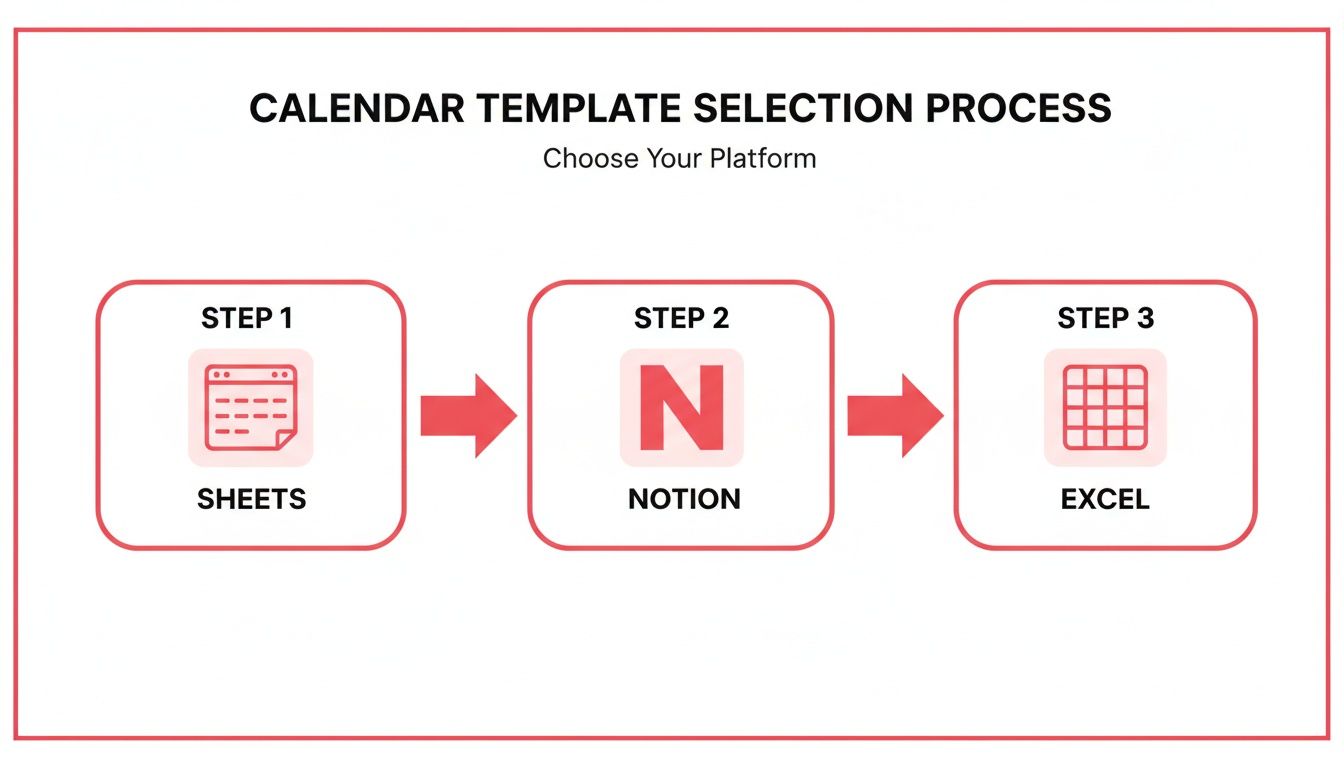
    The Golden Rule of Promotion: Don't just post links, post value. Adapt your content to fit the native style of each platform. Give them a taste that makes them hungry for the main course on YouTube.

    The Untapped Power of Collaboration

    Want to fast-track your subscriber growth? Get a warm introduction to an audience that's already interested in your niche. That’s exactly what a collaboration does. When another creator co-signs you, their audience is far more likely to check you out because the trust is already there.

    And it doesn't have to be a massive production. Some of the most effective collabs are surprisingly simple:

    • Quick Shout-Outs: A simple, genuine recommendation in each other's videos can work wonders.
    • Joint Livestreams: Team up for a live Q&A or a discussion on a hot topic in your niche. It’s low-effort, high-impact.
    • Guest Appearances: Feature on each other's channels, even if it's just a 15-minute remote interview.

    The trick is to find creators with a similar audience size and a complementary—not directly competitive—topic. A good collaboration is a win-win, introducing both of you to a fresh pool of highly-qualified potential subscribers.

    Build a Community, Not Just an Audience

    Here’s a crucial distinction: an audience watches, but a community participates. Your ultimate goal is to transform passive viewers into active, engaged members who feel like they're part of something. When that happens, they become your biggest advocates.

    Start in your comments section. Don't just "heart" comments and move on. Write thoughtful replies. Ask follow-up questions. When new viewers see a lively, welcoming discussion happening, they'll want to jump in.

    And don't sleep on your channel's Community Tab. It's one of the most underused tools on YouTube. Post polls, ask for opinions, share behind-the-scenes photos, or tease what you're working on next. This keeps your subscribers engaged between uploads and makes them feel like insiders, strengthening their loyalty to you and your channel.

    Using Analytics to Fuel Smarter Growth

    Growing a YouTube channel isn't a game of luck. It's a game of data. Your YouTube Analytics dashboard is where you find the clues to what your audience really wants, showing you exactly what’s working and what’s falling flat. Once you learn how to read the story in the numbers, you can stop throwing content at the wall and start building a real, predictable system for growth.

    The trick is to look past the flashy vanity metrics. Sure, a high view count feels good, but it doesn't tell you much about loyalty. What you're really after is metrics like Audience retention. This graph literally shows you the exact moment a viewer gets bored and leaves. See a massive drop-off in the first 30 seconds? That's a huge red flag that your hook is weak, or your title and thumbnail promised something your video didn't deliver.

    Key Metrics to Master

    To turn all that data into actual subscribers, you need to get obsessed with a few core metrics.

    • Click-Through Rate (CTR): This is your packaging grade. It tells you how many people who saw your video in their feed actually clicked on it. A low CTR means your title and thumbnail combo just isn't compelling enough to stop the scroll.
    • Traffic Sources: Where are people coming from? Are they finding you through YouTube search? Is the algorithm recommending you in "Browse features"? Or are they coming from a link you shared on Twitter? Knowing this tells you where to double down on your promotion efforts.
    • Audience Demographics: Get to know your viewers. Understanding their age, gender, and location helps you create content that speaks directly to them, making your channel feel like it was made just for them.

    Getting people to your channel in the first place is a huge part of the puzzle. This flow shows a simple but powerful way to think about promotion, which is a key driver of the traffic you'll be tracking.

    A flow diagram illustrating a three-step channel promotion process: share, collaborate, and engage.

    As you can see, growth isn't passive. It demands that you actively share your work, team up with others, and engage with your community to bring fresh eyes to your videos.

    The most successful channels I've seen all run on a simple feedback loop: create, analyze, and iterate. They pinpoint their best-performing videos, figure out why they worked, and then replicate that magic in their next video.

    This approach strips the guesswork out of your strategy and replaces it with a repeatable process. If you want to go even deeper and really unpack your audience behavior, you might want to consider leveraging a YouTube Content Analyst to help you find the hidden patterns in your data.

    Your Top Subscriber Growth Questions, Answered

    As you work to grow your channel, you're bound to run into some common questions and roadblocks. I see the same concerns pop up time and again from creators. Let's tackle some of the biggest ones head-on with some straight-to-the-point advice.

    How Long Does It Really Take to Get 1,000 Subscribers?

    This is the big one, isn't it? The honest answer is: it varies wildly. Some creators hit that milestone in a few months, while for others, it’s a year-long grind. There's no single timeline, because so much depends on your niche, how often you can post quality content, and how quickly you learn what your audience loves.

    Instead of obsessing over a deadline, focus on building a solid system. The channels that get to 1,000 subscribers the fastest are the ones that consistently create videos people actually want to watch all the way through. It's that simple, and that hard. Steady, smart effort will always outperform frantic, inconsistent bursts.

    Should I Just Buy Subscribers to Speed Things Up?

    Let me be crystal clear: absolutely not. Buying subscribers is one of the worst things you can do to your channel's future. It's a direct violation of YouTube's fake engagement policy, and it can get your channel completely shut down.

    Even if you don't get caught, you're just paying for dead weight. These are bot accounts, not real fans. They will never watch your videos, leave a meaningful comment, or share your content. This kills your engagement metrics—like average view duration and click-through rate—which tells the YouTube algorithm that your videos are duds. You're actively signaling to YouTube that your content isn't worth recommending.

    Buying subscribers is the ultimate shortcut to nowhere. It poisons your analytics with fake data, making it impossible to know what your real audience wants, and kills your channel’s momentum before it can ever truly begin.

    What's More Important: Views or Subscribers?

    It's a classic chicken-and-egg question, but for sustainable growth, subscribers are the holy grail. A viral video can bring in a huge spike of one-off views from people who will never return. It feels good in the short term, but it doesn't build a foundation.

    Subscribers, on the other hand, are people who have raised their hand and said, "I want to see more from you." They form the core of your community. They're your most reliable source of initial views and watch time for every new video, which gives the algorithm the positive signals it needs to start pushing your content to a wider audience. The goal isn't just to get views; it's to turn casual viewers into committed subscribers.


    Ready to stop guessing and start growing with a data-driven strategy? The ViewsMax toolkit gives you the insights needed to optimize your content, from brainstorming video ideas to analyzing what truly resonates with your audience. Start making smarter decisions and turn your channel into a subscriber magnet by visiting us at https://blog.viewsmax.com.

  • 10 Actionable YouTube SEO Optimization Tips for Massive Growth in 2025

    10 Actionable YouTube SEO Optimization Tips for Massive Growth in 2025

    YouTube is no longer just a video platform; it’s the world's second-largest search engine. With over 500 hours of content uploaded every single minute, simply creating great videos is not a guarantee of success. To stand out and attract a dedicated audience, you need a deep, tactical understanding of YouTube SEO, the specific science of making your content discoverable to the millions of users actively searching for it. Getting this right means your videos are found by the right people at the right time, creating a sustainable engine for channel growth.

    This guide cuts directly through the noise, providing ten proven, data-driven YouTube SEO optimization tips that move beyond the surface-level basics. We'll bypass generic advice and dive straight into actionable strategies you can implement today. From advanced keyword research and thumbnail psychology to leveraging powerful engagement signals and building lasting channel authority, each tip is designed to deliver a measurable impact on your channel's performance. For a foundational understanding of the principles guiding video discoverability, delve into what video SEO is and how it works. This will provide essential context before we explore the advanced tactics that follow.

    Whether you are launching your first video or looking to scale an established channel, this comprehensive roundup will equip you with the frameworks needed to turn your creative efforts into consistent, predictable growth. We will cover how to optimize everything from titles and descriptions to transcripts and playlists, ensuring every piece of content you produce is fully aligned with YouTube’s discovery algorithm. Let’s begin building your blueprint for success.

    1. Keyword Research and Strategic Placement in Titles

    Effective YouTube SEO begins before you even hit record. It starts with understanding what your target audience is actively searching for. This process, known as keyword research, is the foundation of discoverability. By identifying high-volume, low-competition search terms, you can create content that directly answers your audience's questions and needs. The most critical place to leverage this research is in your video title.

    YouTube's algorithm heavily weighs the words in your title to understand your video's topic and match it with user queries. A well-optimized title acts as a direct signal to both the algorithm and potential viewers, clarifying your video's value and relevance. This is a cornerstone of any effective list of youtube seo optimization tips because a great video with a poor title will almost certainly underperform.

    How to Implement Strategic Title Keywords

    Start by using tools like TubeBuddy, VidIQ, or even YouTube's own search bar autocomplete feature to find relevant keywords. Look for phrases that are specific enough to attract a dedicated audience but broad enough to have search volume.

    Once you have your primary keyword, place it as close to the beginning of your title as possible. This front-loading strategy ensures it's immediately visible to users and prioritized by the algorithm.

    Pro Tip: Analyze the top-ranking videos for your target keyword. Notice their title structures, the power words they use (e.g., "Ultimate," "Step-by-Step," "Revealed"), and how they incorporate numbers or years. This reveals a proven formula for that specific search query.

    For instance, a title like "My New Camera" is vague. A much stronger, keyword-focused title would be "Sony A7IV Review: Is It Still the Best Hybrid Camera in 2024?" This version includes the product name, the intent (review), and a time-sensitive element to boost click-through rate (CTR).

    To dive deeper into identifying and using the right search terms, you can find a comprehensive guide on how to choose the best YouTube video keywords. Remember, your title is your video's first impression; make it count.

    2. Comprehensive Video Description Optimization

    While the title grabs attention, the video description provides the necessary context for both viewers and YouTube's algorithm. It's a critical metadata field that tells YouTube what your video is about in detail, helping it rank for primary and secondary keywords. A well-crafted description can significantly improve your discoverability in search results and suggested video feeds, making it an essential part of any list of youtube seo optimization tips.

    An optimized description acts as a sales pitch and a table of contents. It confirms to the viewer that your video will solve their problem and provides valuable resources, which in turn boosts engagement signals. Channels like TED-Ed and Crash Course master this by including detailed summaries, chapter markers, and links to further learning, turning their descriptions into valuable content hubs.

    A laptop showing a social media platform, a notebook, pen, and plant on a wooden desk with an 'Optimize Description' banner.

    How to Implement Optimized Video Descriptions

    Your description is a prime opportunity to expand on your title and include related keywords naturally. The first 160 characters are crucial as they often appear in search result snippets, so craft a compelling hook that includes your main keyword and encourages a click.

    To structure your description for maximum impact, start with a concise summary of the video's content. Then, use timestamps to create chapters, which helps viewers navigate your content and allows Google to show specific video segments directly in search results.

    Pro Tip: Don't just list keywords. Write 2-3 natural-sounding paragraphs that explain the video's value. Include your main keyword within the first two sentences and sprinkle 5-10 related LSI (Latent Semantic Indexing) keywords throughout the text to give the algorithm more context.

    For example, a description for a video on camera reviews could include chapters like "0:00 – Introduction to the Sony A7IV," "2:35 – Low-Light Performance Test," and "5:10 – Final Verdict & Alternatives." Below this, link to your other camera reviews or a relevant gear playlist to keep viewers within your content ecosystem. Conclude with a few relevant hashtags to further categorize your video.

    3. Strategic Tag Implementation and Management

    While YouTube has stated that tags play a minimal role compared to titles, thumbnails, and descriptions, they remain a valuable piece of metadata for providing context to the algorithm. Strategic tag implementation helps YouTube understand your video’s topic, category, and nuances, which can influence its placement in search results and, more importantly, as a "suggested video" next to similar content. This is a crucial part of a holistic list of youtube seo optimization tips because it helps the algorithm connect your video with a broader, relevant content ecosystem.

    Tags serve as a backend signal, reinforcing the keywords used in your title and description. They act as a guide, telling YouTube, "This video is about X, is related to Y, and would be of interest to viewers watching Z." When used correctly, tags can give your content an edge, especially in competitive or nuanced niches where precise categorization makes all the difference in discoverability.

    How to Implement Strategic Tagging

    Your goal is to create a focused list of tags that move from broad to specific. Start with your primary keyword and expand from there, thinking about related concepts, synonyms, and long-tail variations that your target audience might use to find content like yours.

    A balanced approach is key. Use tools like VidIQ or TubeBuddy to analyze the tags of top-performing videos in your niche. This provides insight into the metadata that is already working for a specific audience.

    Pro Tip: Structure your tags in order of importance. Place your most critical, specific tags first (e.g., "Sony A7IV Review"), followed by broader category tags (e.g., "camera review," "mirrorless cameras"), and finally your branded channel tag (e.g., "YourChannelName"). This prioritizes the most relevant information for the algorithm.

    For instance, a gaming channel publishing a Fortnite video might use tags like "Fortnite Chapter 5," "Fortnite Gameplay," "Battle Royale," and "Pro Fortnite Player." This combination covers the specific topic, the game genre, and the viewer's potential search intent, creating a strong contextual signal for YouTube's recommendation engine.

    For a deeper look into crafting the perfect tag strategy, you can find an in-depth guide on how to select the best tags for YouTube. Remember, tags are about relevance and context, not just keyword stuffing.

    4. Thumbnail Optimization for Click-Through Rate (CTR)

    While your title draws viewers in with keywords, your thumbnail is what truly captures their attention. A thumbnail is your video's billboard, and optimizing it for a high click-through rate (CTR) is a critical, albeit indirect, SEO tactic. YouTube's algorithm interprets a high CTR as a strong signal that your video is relevant and engaging, leading it to promote your content to a wider audience.

    A desk with a computer displaying 'BOOST CTR', a camera, notebooks, a keyboard, and a mouse.

    A visually compelling thumbnail stands out in a crowded feed, enticing users to click your video over a competitor's, even if yours ranks slightly lower. This is a vital part of any list of youtube seo optimization tips because a high CTR directly impacts your video’s initial velocity and long-term discoverability. A professional thumbnail can increase your CTR from the 2-3% industry average to as high as 8-10%, which translates directly into more views and watch time.

    How to Implement Strategic Thumbnail Design

    Start by using a design tool like Canva or Photoshop to create a custom 1280×720 pixel thumbnail. The goal is to create a design that is clear, eye-catching, and consistent with your channel's branding. Analyze what top creators in your niche are doing. For instance, MrBeast uses bright colors and shocked facial expressions, while educational channels often use bold text and high-contrast icons to signal value.

    Your thumbnail should visually communicate the core promise of your video in a split second. Use minimal, bold text (3-4 words max) that is readable even on small mobile screens. Incorporating a human face with a strong, relevant emotion has been proven to significantly boost engagement.

    Pro Tip: Don't set it and forget it. If a video with high impressions has a low CTR, update the thumbnail. Go into your YouTube Studio analytics and test a new design. A simple thumbnail swap on an underperforming video can reignite its performance in the algorithm.

    For example, a gaming video thumbnail is more effective with a clear image of an in-game achievement and a player's reaction than a generic screenshot. A cooking tutorial benefits from a vibrant, close-up shot of the finished dish rather than a wide shot of the kitchen.

    To master the art of creating thumbnails that get clicks, you can explore a complete breakdown on how to improve your YouTube click-through rate. Remember, your thumbnail works hand-in-hand with your title to win the click.

    5. Video Transcripts and Closed Captions (CC) Implementation

    One of the most underutilized YouTube SEO strategies is leveraging the power of text through video transcripts and closed captions (CC). While YouTube automatically generates captions, they are often inaccurate. Uploading a precise, manually edited transcript provides a rich source of text-based data that YouTube’s algorithm can crawl and index, helping it understand your video's content on a deeper level. This text is a goldmine for ranking on spoken keywords.

    This practice dramatically improves accessibility for deaf, hard-of-hearing, and non-native speaking viewers. It also caters to the massive audience watching videos in sound-off environments. This enhanced user experience directly contributes to increased watch time, a critical ranking signal. Implementing accurate captions is a powerful part of any list of youtube seo optimization tips because it benefits both search algorithms and human viewers simultaneously.

    How to Implement Transcripts and Closed Captions

    The goal is to move beyond YouTube's often-flawed auto-captions. Start by either transcribing the video yourself or using a service like Rev or GoTranscript to generate an accurate SRT file. You can then upload this file directly to your video in the YouTube Studio under the "Subtitles" section.

    Always review and edit the transcript for accuracy, paying close attention to technical terms, brand names, and proper nouns. Correcting these details ensures the algorithm correctly indexes your content for relevant, specific search queries.

    Pro Tip: For interviews or multi-speaker videos, include speaker names in your captions (e.g., "[John]:"). This enhances clarity for the viewer and provides additional contextual data for the algorithm. Channels like WIRED do this effectively in their interview segments, making complex dialogues easy to follow.

    For example, a podcast-style channel can rank for dozens of long-tail keywords spoken during an hour-long interview, simply by providing an accurate transcript. Educational channels like Crash Course use detailed captions to reinforce learning and rank for academic terms. For creators looking for more control and customization, you might even consider options to build a YouTube transcript AI from scratch. This level of detail makes your content more discoverable and accessible.

    6. Playlist Organization and Internal Linking Strategy

    Individual video optimization is crucial, but a channel-level strategy is what separates good channels from great ones. Playlists are a powerful tool for this, allowing you to group related videos to guide viewers on a curated journey. This strategy dramatically increases session watch time, a key ranking signal for YouTube's algorithm. By keeping viewers engaged with your content for longer, you reduce the chances they'll click away to a competitor.

    A well-organized playlist structure signals to YouTube that your channel is an authority on specific topics. This is a vital component of any guide on youtube seo optimization tips because it boosts not just individual videos but the visibility of your entire channel for related searches. It transforms scattered videos into a cohesive content library, enhancing both user experience and algorithmic favor.

    How to Implement a Playlist and Linking Strategy

    Begin by identifying your channel's core content pillars or themes. Create 5-10 dedicated playlists around these topics, ensuring each has a clear, keyword-optimized title like "Beginner's Guide to Digital Photography" instead of a generic "Photography Vlogs." This helps your playlists appear in search results.

    Write detailed, keyword-rich descriptions for each playlist, explaining the value and what viewers will learn. This provides additional context for the algorithm. Also, create custom, branded thumbnails for your playlists to maintain a professional look on your channel page.

    Pro Tip: Strategically order the videos within your playlists. For tutorials or series-based content, arrange them sequentially to create a logical learning path. For other topics, place your highest-performing video first to hook viewers and let autoplay take care of the rest.

    For example, a gaming channel could create specific playlists for "Elden Ring Boss Guides," "Cyberpunk 2077 Lore," and "Starfield Ship Builds." This organizes content for dedicated fans and helps new viewers discover deep cuts. Channels like Crash Course master this by organizing entire subjects like "World History" into comprehensive, sequential playlists that function as full courses.

    To complete your internal linking web, consistently promote relevant playlists in your video descriptions, pinned comments, and end screens. This creates a self-sustaining ecosystem that keeps viewers on your channel.

    7. Audience Retention and Watch Time Optimization

    Beyond clicks and initial views, YouTube's algorithm intensely values how long viewers stay engaged with your content. This is measured by two key metrics: Watch Time (the total minutes viewers spend watching your videos) and Audience Retention (the percentage of your video that people watch on average). High retention signals to YouTube that your content is valuable and satisfying, leading the algorithm to promote it more widely in search results and recommendations. This is one of the most powerful youtube seo optimization tips because it directly influences your channel's authority and visibility.

    A video that keeps viewers captivated from start to finish is a clear winner in the eyes of the algorithm. It indicates quality content that fulfills the promise made in the title and thumbnail. Conversely, a high drop-off rate tells YouTube that your video may be clickbait or fails to deliver, which can suppress its reach. Optimizing for retention is about structuring your content to maintain interest and deliver value throughout the entire viewing experience.

    A desktop computer displays 'WATCH TIME' on a red screen with headphones, coffee, and a plant on a desk.

    How to Implement Watch Time Optimization

    Start by grabbing your audience's attention within the first 15 seconds. This "hook" can be a compelling question, a preview of the final result, or a bold statement that piques curiosity. Immediately after the hook, clearly signal the video's structure, such as, "In this video, we'll cover the three main reasons why…" to set expectations and encourage viewers to stick around for the payoff.

    Throughout your video, use "pattern interrupts" like new graphics, camera angle changes, or sound effects to keep the viewing experience dynamic. Structure your content with a clear narrative arc that builds towards a climax or conclusion, rather than giving away all the best information at the beginning.

    Pro Tip: Dive into your YouTube Analytics for each video and study the "Audience retention" graph. Pay close attention to where viewers drop off. Are they leaving at a specific segment? Is your intro too long? Use this data to identify weak points and experiment with different editing styles, pacing, or content structures in your future videos.

    For example, a gaming channel might maintain retention by building tension during a difficult challenge that culminates in a victory. An educational channel can use chapter markers to help viewers navigate long tutorials, improving the user experience and encouraging longer watch sessions. By analyzing and improving your retention, you're directly telling YouTube your content is worth watching and promoting.

    8. Metadata Optimization (Categories, Language, Content Rating)

    Beyond the visible elements like your title and thumbnail lies a crucial layer of data that helps YouTube's algorithm understand your content's context. This metadata, including your video's category, language, and content rating, provides structural information that directly influences how your video is classified, recommended, and monetized. While often overlooked, optimizing these settings is a fundamental part of a comprehensive list of youtube seo optimization tips.

    Correctly configured metadata acts as a clear guide for the algorithm. It ensures your video is placed in the right browsing sections, suggested to the appropriate audience, and complies with platform guidelines. Misclassifying your content can lead to it being shown to the wrong viewers, resulting in poor engagement signals and suppressed reach.

    How to Implement Strategic Metadata Optimization

    In your YouTube Studio upload settings, carefully review the options under the "Details" and "Show More" sections for every video. Your goal is to provide the most accurate information possible to help YouTube's systems do their job effectively. This precision helps align your content with user intent and platform categorization.

    For example, a tutorial on video editing software should be placed in the 'How-to & Style' or 'Education' category, not 'Entertainment'. A gaming live stream benefits from the 'Gaming' category, which unlocks features like linking to the specific game being played. This ensures your content appears in relevant feeds alongside similar videos, increasing its discovery potential.

    Pro Tip: Periodically audit the metadata of your top-performing evergreen videos. As YouTube's categories and features evolve, you might find a more suitable category or setting that can give your older content a new boost in the recommendation engine.

    Choosing the correct primary language for your video and its captions is also vital, as it directly impacts who YouTube recommends it to in search and on the homepage. Likewise, being transparent with content disclosures, like paid promotions, and accurately rating your content for specific audiences builds trust with both viewers and the platform, safeguarding your channel's long-term health and monetization eligibility.

    9. Community Engagement and Interaction Signals

    YouTube’s algorithm doesn’t just care about what people watch; it cares about how they interact with it. Strong engagement signals like likes, shares, and especially comments tell YouTube that your content is valuable and satisfying viewers. This active participation is a powerful indicator of quality, directly influencing your video's ranking in search and its likelihood of being recommended to new audiences.

    Building a genuine community around your content is one of the most sustainable youtube seo optimization tips for long-term growth. Comments are particularly valuable because they not only demonstrate relevance but can also increase session time, as viewers pause to read and reply. This creates a positive feedback loop: higher engagement leads to more visibility, which in turn fuels more engagement and channel growth.

    How to Implement Community Engagement Strategies

    Begin by actively encouraging discussion within your videos. Ask open-ended questions related to your topic and prompt viewers to share their own experiences or opinions in the comments. This simple call to action transforms passive viewers into active participants.

    Once the comments start coming in, your role is to nurture the conversation. Make it a priority to reply to meaningful comments, especially within the first few hours after uploading. This shows both your audience and the algorithm that you are an active and engaged creator.

    Pro Tip: Pin a comment to the top of your comment section. Use this space to ask a follow-up question, provide an update, or highlight a particularly insightful comment from a viewer. This strategy keeps the conversation going long after the initial upload and encourages deeper interaction.

    For example, a gaming channel could pin a comment asking, "What was your favorite strategy for this level?" An educational creator like Vsauce often replies to technical comments with detailed explanations, fostering an environment of intelligent discussion and rewarding viewer investment. This level of interaction turns a simple video into a community hub.

    To keep your audience engaged between uploads, leverage YouTube's Community tab. Use it for polls, behind-the-scenes photos, or asking for future video ideas. This maintains momentum and keeps your channel top-of-mind for your subscribers.

    10. Consistency, Upload Schedule, and Channel Authority Building

    YouTube SEO isn't just about optimizing individual videos; it's about building long-term channel authority. The algorithm rewards channels that demonstrate reliability and sustained activity. Establishing a consistent upload schedule signals to both YouTube and your audience that your channel is a dependable source of quality content, encouraging repeat viewership and algorithmic favorability.

    A predictable publishing cadence trains your audience to anticipate new content, which boosts initial velocity (views, likes, comments) shortly after you publish. This early engagement is a powerful signal to the algorithm that your video is valuable, increasing its chances of being recommended to a wider audience. This is a crucial part of any list of youtube seo optimization tips because it shifts the focus from short-term wins to sustainable, long-term channel growth.

    How to Implement a Consistent Schedule

    Start by choosing a realistic upload frequency you can maintain without sacrificing quality, whether it's weekly, bi-weekly, or monthly. The key is sustainability. Use a content calendar to plan videos several weeks or even months in advance, which allows for batch filming and editing to stay ahead of your schedule.

    Communicate your schedule clearly in your channel banner, video outros, or community posts (e.g., "New Tech Reviews Every Friday"). This manages audience expectations and builds viewing habits.

    Pro Tip: Prioritize consistency over frequency. It's far better to publish one high-quality video every two weeks than to rush out a low-quality video every week. Burnout is the enemy of consistency. Build a backlog of two to three "evergreen" videos that you can publish during busy periods or creative blocks to maintain your schedule.

    For instance, educational channels like Crash Course built a loyal following by adhering to a rigid, series-based publishing schedule. Similarly, creators like Linus Tech Tips established authority in the tech space through years of consistent, high-quality uploads on a predictable timeline. This long-term reliability is what transforms a channel from a collection of videos into an authoritative brand.

    YouTube SEO: 10-Tactic Comparison

    Strategy Complexity 🔄 Resources & Time ⚡ Expected Impact ⭐ / Results 📊 Ideal Use Cases 💡
    Keyword Research and Strategic Placement in Titles Medium 🔄 — requires tools + analysis Low–Medium ⚡ — keyword tools + ongoing monitoring High ⭐⭐⭐ / Improves search ranking & CTR 📊 SEO-driven videos, niche targeting 💡
    Comprehensive Video Description Optimization Medium 🔄 — structured writing, timestamps Medium ⚡ — time to write & update descriptions High ⭐⭐⭐ / Better indexing, improved CTR & external traffic 📊 Long-form, educational, evergreen content 💡
    Strategic Tag Implementation and Management Low–Medium 🔄 — tag selection & benchmarking Low ⚡ — quick to add, periodic updates Moderate ⭐⭐ / Helps related videos & niche discoverability 📊 Niche/specialized topics, small channels 💡
    Thumbnail Optimization for Click-Through Rate (CTR) Medium 🔄 — design skill + A/B testing Medium ⚡ — design time or designer cost Very High ⭐⭐⭐⭐ / Direct CTR uplift; boosts recommendations 📊 Competitive feeds, click-driven content (vlogs, listicles) 💡
    Video Transcripts and Closed Captions (CC) Implementation Medium–High 🔄 — transcription + editing Medium–High ⚡ — manual edit or paid service High ⭐⭐⭐ / Accessibility + indexable dialogue for SEO 📊 Interviews, long-form educational content, podcasts 💡
    Playlist Organization and Internal Linking Strategy Low–Medium 🔄 — planning & curation Low ⚡ — setup and occasional maintenance Moderate–High ⭐⭐⭐ / Increases session watch time & topical authority 📊 Courses, series, large content libraries 💡
    Audience Retention and Watch Time Optimization High 🔄 — pacing, scripting, editing High ⚡ — production effort + iterative testing Very High ⭐⭐⭐⭐ / Primary ranking factor; drives recommendations 📊 Channels prioritizing recommendation growth & monetization 💡
    Metadata Optimization (Categories, Language, Content Rating) Low 🔄 — selection & configuration Low ⚡ — quick per-video settings Low–Moderate ⭐⭐ / Ensures correct categorization, affects monetization 📊 Multi-language channels, advertiser-sensitive content 💡
    Community Engagement and Interaction Signals Medium 🔄 — moderation & consistent interaction Medium–High ⚡ — ongoing time investment High ⭐⭐⭐ / Boosts engagement signals, loyalty, and discoverability 📊 Community-focused channels, discussion-heavy niches 💡
    Consistency, Upload Schedule, and Channel Authority Building Medium–High 🔄 — long-term planning & discipline High ⚡ — sustained production resources High ⭐⭐⭐ / Builds channel authority and algorithm favorability over time 📊 Channels aiming for sustainable growth and habitual audiences 💡

    From Tips to Transformation: Your Next Steps

    Navigating the landscape of YouTube SEO can feel like trying to solve a complex puzzle with constantly changing pieces. However, as we've explored, the solution isn't about finding a single secret or a temporary hack. Instead, true, sustainable growth comes from a disciplined and holistic application of fundamental principles. The ten pillars we've detailed are not just isolated tasks on a checklist; they are interconnected components of a powerful growth engine for your channel.

    Think of it this way: a compelling title based on solid keyword research (#1) is what gets your video noticed, but a high-CTR thumbnail (#4) is what earns the click. Once a viewer is watching, it's your engaging content and strategic watch-time optimization (#7) that keeps them there. A well-crafted description (#2) and smart tags (#3) then provide YouTube's algorithm with the rich contextual data it needs to understand and recommend your video to new, relevant audiences. This entire process is a feedback loop where each element strengthens the others.

    Synthesizing the Strategy: Beyond the Individual Tip

    The real transformation begins when you stop viewing these as ten separate youtube seo optimization tips and start seeing them as a unified strategy. Your playlists (#6) aren't just for organization; they are a critical tool for boosting session watch time by creating a seamless viewing experience. Your community engagement (#9) isn't just about responding to comments; it's about sending powerful social signals to the algorithm that your content is valuable and sparks conversation.

    Even behind-the-scenes elements like transcripts (#5) and precise metadata (#8) play a crucial role. They make your content more accessible and provide another layer of data for YouTube to index, expanding your potential reach far beyond your primary keywords. Finally, your consistency and upload schedule (#10) act as the foundation, building channel authority and setting audience expectations, which trains the algorithm to anticipate and promote your new content.

    Key Takeaway: Success on YouTube is not accidental. It is the result of consistently applying a multi-faceted SEO strategy where every component, from your title to your tags to your community interactions, works in concert to signal value and relevance.

    Your Action Plan for YouTube SEO Mastery

    Knowledge without action is just potential. To turn these insights into tangible results, you need a clear path forward. Don't try to implement everything at once, as this can lead to overwhelm. Instead, adopt a phased approach:

    1. Audit Your Existing Content: Start by reviewing your top 5-10 performing videos. Can you improve their titles, descriptions, or thumbnails based on what you've learned? This is a low-risk way to practice and potentially revive older content.
    2. Integrate Into Your Pre-Production Workflow: For all new videos, build these SEO steps directly into your process. Perform keyword research before you even hit record. Plan your title and thumbnail concepts during the scripting phase, not as an afterthought.
    3. Dedicate Time for Analysis: Set aside a specific time each week or month to dive into your YouTube Analytics. Look at your Traffic Sources, Audience Retention graphs, and Click-Through Rates. Use this data to identify what's working and double down on those strategies.
    4. Experiment and Refine: Don't be afraid to test different thumbnail styles or title formats. What works for one channel may not work for another. The goal is to find the unique formula that resonates with your specific audience.

    Mastering these youtube seo optimization tips is an ongoing journey of learning, implementing, and refining. It's an investment in your channel's future, turning your passion into a predictable, scalable asset. By moving from a passive content creator to an active channel strategist, you seize control of your growth and build a lasting foundation for success.


    Ready to supercharge your YouTube growth and take the guesswork out of optimization? ViewsMax provides the powerful analytics and keyword research tools you need to implement these strategies with data-driven precision. Stop guessing and start growing by exploring the tools designed to master YouTube SEO at ViewsMax today.

  • How to improve click through rate: Proven YouTube CTR Boost Strategies

    How to improve click through rate: Proven YouTube CTR Boost Strategies

    Getting someone to click on your video is everything. When a viewer lands on their YouTube homepage or searches for a topic, your video is just one option among many. Your one job is to make your video the most compelling, can't-resist choice on the page.

    It all boils down to an irresistible combination of thumbnail and title that screams value and piques curiosity. If you can master that first impression, you've won half the battle.

    What Is YouTube CTR and Why It’s Your Secret Weapon for Growth

    Before we get into the nitty-gritty, let's be clear on what YouTube's Click-Through Rate (CTR) actually is. It's simply the percentage of people who click to watch your video after seeing its thumbnail. The math is straightforward: (Total Clicks ÷ Total Impressions) x 100 = CTR.

    Every time your thumbnail shows up—on a homepage, in a sub feed, or in search results—that's an impression. When someone actually clicks it, that's a click. A high CTR tells YouTube that your video's packaging is doing its job and grabbing attention.

    To really get a handle on this, you need to understand the relationship between an impression vs click, as they are the two pieces of the CTR puzzle. This concept is fundamental to improving your channel's performance.

    The Signal the Algorithm Can't Ignore

    So, why do we obsess over this number? A strong CTR is one of the most powerful signals you can send to the YouTube algorithm. When a video pulls in a high percentage of clicks, YouTube sees it as relevant content that people are genuinely interested in.

    As a reward, the algorithm is far more likely to:

    • Push your video to a wider audience on the homepage (Browse Features).
    • Suggest your video alongside other popular videos.
    • Rank your content higher in search results for your target keywords.

    On the flip side, a low CTR tells the algorithm your video isn't hitting the mark. YouTube will pull back, showing it to fewer new viewers and stunting your channel's growth.

    Not All CTRs Are Created Equal

    Once you dive into your YouTube Analytics, you'll see that CTR isn't just one number. It changes dramatically based on where people saw your video. For example, your CTR from YouTube Search will almost always be higher than your CTR from the homepage.

    This makes perfect sense. Someone in search is on a mission; they're actively looking for an answer. If your title matches their query, it's an easy click. But someone scrolling their homepage is just browsing. Your thumbnail has to fight for their attention and work much harder to earn that click.

    A "good" CTR is a moving target. It depends entirely on your niche, your audience, and where the views are coming from. A 10% CTR from search might be average for your channel, while a 5% CTR from the homepage could be a massive win. Stop chasing universal numbers and start focusing on improving your own benchmarks.

    At the end of the day, improving your CTR isn't just about gaming a metric. It's about deeply understanding what makes your audience stop scrolling. When you create a thumbnail and title that promise real value and then deliver on it, the algorithm will reward you with the reach you deserve.

    Getting to Grips With Your YouTube Analytics

    If you want to improve your click-through rate, you have to stop guessing and start digging into the data. Your YouTube Analytics dashboard is packed with information, but the real trick is knowing where to look and how to translate those numbers into a concrete plan.

    Your first stop should always be the "Reach" tab for any specific video. This is ground zero. Here, you'll find your impressions, traffic sources, and that all-important click-through rate. But don't just look at the big number at the top—the real insights come from breaking it down source by source.

    The formula itself is straightforward.

    Diagram explaining the Click-Through Rate (CTR) formula: clicks divided by impressions, multiplied by 100%.

    This really just means you have two main levers to pull for a better CTR: either get your video in front of a more qualified audience (better impressions) or create a more compelling title and thumbnail combo (more clicks).

    How to Read Your Traffic Sources Report

    Still inside that Reach tab, look for the "Traffic sources" card. Think of this as your diagnostic tool. It slices up your CTR based on how people found your video, which is crucial because a "good" CTR looks completely different depending on the source.

    I once had a video with a fantastic 11% CTR from YouTube Search but a pretty sad 2% CTR from Browse Features (the homepage). That pattern told me a very specific story: my title and keywords were a perfect match for what people were actively searching for, but my thumbnail just wasn't interesting enough to stop someone who was casually scrolling.

    Here’s a quick breakdown of the main traffic sources and what they usually mean:

    • YouTube Search: A high CTR here is a great sign. It means your title and keywords are hitting the mark and matching what people are looking for. You're solving their problem.
    • Suggested Videos: When your CTR is strong here, it shows your video is highly relevant to what viewers are already watching. This is a huge win for discoverability.
    • Browse Features: This is often the toughest one to get right. A low CTR here almost always points to a thumbnail that doesn't stand out on a busy homepage.
    • External: This bucket includes traffic from websites, social media posts, and embedded videos. The CTR can be all over the place, but it shows how well your video's "packaging" works when shared off-platform.

    Looking at your traffic sources isn’t just about seeing where the views are coming from. It's about understanding the viewer’s mindset. Someone from search has a specific question, while someone browsing their homepage is just looking for something interesting. Your title and thumbnail need to appeal to both.

    How Do Your Numbers Stack Up? Benchmarking Performance

    Knowing your stats is only half the battle; you need context. Comparing your CTR against industry benchmarks shows you where you’re winning and where you have room to grow.

    Take a look at these typical organic CTRs broken down by where the viewer is coming from.

    YouTube CTR Benchmarks by Traffic Source (Organic)

    Traffic Source Average Organic CTR Viewer Intent Key Optimization Tactic
    YouTube Search 12.5% High (Actively seeking an answer) Keyword-rich, specific titles and descriptions
    Suggested Videos 7.0% Medium (Curious about related content) Thumbnails that spark curiosity and align with the previous video
    Browse Features 3.5% Low (Passively browsing for anything interesting) High-contrast, emotionally compelling thumbnails
    Channel Pages 8.5% High (Already a fan of your content) Consistent branding and clear value propositions

    These numbers make it crystal clear: viewer intent is everything. Someone actively searching for a solution is far more likely to click than someone just scrolling their feed. This is why a solid SEO strategy can be a game-changer for your channel's growth.

    The insight here is simple. If you want a direct path to a better CTR, focus on searchability. By understanding what are people searching on YouTube, you can build your entire content strategy around existing demand.

    When you make a habit of checking these analytics, you stop making random changes and start making strategic, data-driven decisions. Find the traffic source with the weakest CTR and start your optimization efforts there. That’s how you turn numbers on a screen into real, sustainable channel growth.

    Designing Thumbnails That Viewers Can’t Ignore

    Let's be blunt: your thumbnail is the single most important piece of real estate you have. It’s your video’s billboard. If it doesn't stop someone mid-scroll, the quality of your content is completely irrelevant because they'll never even click play. A killer thumbnail doesn’t just look good; it stops the scroll and starts a story.

    This isn't about some mystical creative spark. It's about strategic design. You have less than a second to communicate value and trigger an emotion. Getting this right is a skill you can learn and repeat, not just a lucky guess.

    A person holds a tablet displaying 'Irresistible Thumbnails' with three example images, on a wooden table.

    So, forget the generic advice. We're going to break down a framework I use that focuses on three things: clarity, emotion, and branding. This is how you create visuals that viewers find almost impossible to ignore.

    The Foundation: High Contrast and Bold Colors

    The first rule of thumbnail design is just being seen. Your masterpiece has to be clear and readable even when it’s a tiny icon on a phone. This is where high-contrast colors become your absolute best friend.

    Think bright backgrounds with dark text and subjects, or the other way around. Steer clear of muddy, similar colors that just blend into a mush. A bright yellow on a deep blue will always smack someone in the face harder than beige on light gray.

    • Vibrant Palettes: Don't be shy. Use colors that actually stand out on the YouTube homepage. Saturated blues, greens, yellows, and reds are all proven to grab attention.
    • Outline Your Subjects: One of my favorite tricks is to add a subtle white or black outline (a "stroke" in Photoshop terms) around the main person or object. It makes the subject "pop" right off the background and dramatically boosts clarity.
    • The Squint Test: This is non-negotiable. Once you've finished your design, shrink it way down and squint your eyes. Can you still make out the main subject and feel the emotion? If it turns into a blurry mess, you need more contrast.

    Communicating Emotion Through Faces

    As humans, we're hardwired to look at and react to other faces. Sticking an expressive face in your thumbnail is one of the fastest ways to forge an emotional connection before the video even starts. It instantly tells a story and sets the viewer's expectations.

    Are you shocked, thrilled, confused, or celebrating? Showing that emotion clearly gives immediate context. A thumbnail for a video about a surprising gaming outcome is way more compelling with a genuinely shocked face than with a generic screenshot from the game.

    Now, this doesn't mean you have to do the over-the-top, exaggerated "YouTube face" if that's not your style. Authenticity is still king. The point is to make sure the emotion is clear, intentional, and actually matches what's in the video.

    Minimal Text That Packs a Punch

    One of the biggest mistakes I see creators make is cramming their thumbnail with text. Your title is sitting right there next to the thumbnail—don't make them fight for attention. Any text on your visual should be minimal, huge, and readable in a split second.

    Your thumbnail text should add a layer of curiosity or context, not just repeat the title. Think of it as a tiny, punchy sub-headline. If your title is "I Tried the World's Spiciest Ramen," your thumbnail text could be a simple, bold "REGRET" or "NEVER AGAIN."

    My rule of thumb is three words or fewer. Use a bold, clean font that’s easy to read when it’s small. The text is there to support the visual story, not take it over.

    Using Composition to Guide the Eye

    The best thumbnails aren't just thrown together; they use classic design principles to tell the viewer's eye exactly where to look. One of the most powerful and simple tools for this is the rule of thirds.

    Just imagine your thumbnail has a 3×3 grid overlaid on it. By placing the most important things—like your face or a key object—along those lines or where they cross, you create a much more balanced and professional-looking image. It immediately feels more dynamic than just centering everything, which often comes off as static and a bit boring.

    This kind of visual strategy is key to packaging your content. For more ideas on creating content that naturally lends itself to strong visuals, you can check out our guide on how to find great video ideas at https://blog.viewsmax.com/how-to-ideas-for-a-video/.

    And if you really want to level up, look into quick design hacks to boost ad click-through rates. The same principles that make an ad effective apply directly to making a thumbnail that gets the click.

    Writing Magnetic Titles That Work With Your Thumbnails

    An incredible thumbnail is your first hook, but it can't land the click all by itself. It needs a killer title to seal the deal and convince someone that your video is the one they've been looking for. The real magic happens when your image and your text work together, creating a one-two punch that's impossible to ignore.

    Think of it this way: the thumbnail sparks the emotion, and the title delivers the logic. Your thumbnail grabs their eye with a compelling image, while the title gives them a concrete reason to commit. When these two elements are perfectly aligned, they create an irresistible package that sends your click-through rate soaring.

    A person in a blue shirt is typing on a laptop and writing in a notebook at a desk.

    This synergy is all about setting an expectation and then promising to meet it. If your thumbnail shows one thing and your title says another, you create confusion. And a confused viewer is a viewer who keeps scrolling. But when they match up, you build instant trust, making the click feel like a safe bet.

    Proven Formulas For High-CTR Titles

    You don't need to reinvent the wheel for every single video. I've found that certain title structures just work because they tap into basic human psychology—our curiosity, our desire for simple answers, and our fear of missing out. These aren't just clickbait; they’re proven frameworks for communicating your value proposition in a split second.

    Here are a few formulas I come back to again and again:

    • Titles with Numbers: Our brains love numbers. They promise a structured, easy-to-digest format. "7 Thumbnail Mistakes Killing Your Channel" is way more powerful than a vague title like "How to Make Better Thumbnails." It's specific and instantly tells the viewer what they'll get.
    • Provocative Question Titles: Asking a good question gets the viewer's mind working, and suddenly, your video becomes the obvious place to find the answer. A title like, "Is Your Camera Betraying Your Vlogs?" creates immediate intrigue. They have to click to find out.
    • "How-To" and Solution-Oriented Titles: These are the lifeblood of YouTube Search. They make a direct promise to solve a viewer's problem. Something like "How to Edit Videos 3x Faster (Without New Software)" is brilliant because it clearly states the benefit and even handles a common objection upfront.

    The best titles don’t just describe what’s in the video; they sell the outcome. Instead of "My Morning Routine," try "The 5 AM Morning Routine That Changed My Life." The first is a description. The second is a transformation.

    Weaving Keywords in Naturally

    While curiosity-gap titles are fantastic for getting clicks from the homepage and suggested videos, you can't afford to ignore search traffic. A well-optimized title is your secret weapon for getting discovered for weeks, months, or even years down the road. The trick is to make the keywords feel natural, not like they were stuffed in by a robot.

    First, figure out your main target phrase. Let’s say you’re making a video about a budget-friendly home studio. Your core keyword might be "home studio setup." A fantastic title would be, "My Ultimate Home Studio Setup for Under $500." It nails the keyword, uses a number, and adds a super compelling benefit (the price).

    Finding the right phrases is half the battle. To get a feel for what people are actually typing into the search bar, it pays to explore some popular YouTube video keywords in your niche. Seriously, this simple research can be a game-changer for your video's long-term discoverability.

    A Creator’s Guide to A/B Testing and Iteration

    Let’s be honest: guessing what your audience wants to click on is a losing game. The top creators I know don’t just have great instincts; they have a system. They test their ideas, listen to the data, and learn from the results.

    This is where A/B testing your thumbnails and titles becomes your secret weapon for growth.

    At its core, an A/B test is just a simple experiment to see which of two options performs better. By systematically testing your creative, you figure out exactly what makes your specific audience click. This simple process takes the guesswork out of the equation and helps you build a playbook of proven tactics that consistently lift your click-through rate over time.

    A Simple Method for Testing on YouTube

    You don’t need any fancy or expensive software to get started. All the tools you need are already inside YouTube Studio. The whole idea is to change just one thing—either the thumbnail or the title—after an initial run and measure what happens to your CTR.

    Here's the straightforward protocol I’ve used for years:

    • Publish Your Video: Go live with your first choice for the thumbnail and title. We’ll call this "Version A."
    • Let It Run: Give the video some breathing room to collect data. I recommend letting it run for at least 24 to 48 hours. This gives the algorithm enough time to push it out to an initial audience and establish a baseline CTR.
    • Make One Change: Once that initial period is over, change only one thing. Swap the thumbnail for "Version B" or update the title to "Version B." Whatever you do, never change both at once.
    • Measure Again: Now, let the video run with Version B for the same amount of time—another 24 to 48 hours.
    • Compare the Results: Time to dive into your analytics. Look at the CTR for the first period (Version A) and compare it to the CTR for the second period (Version B). The one with the higher click-through rate is your winner.

    This method is so effective because it uses your own audience's behavior as the ultimate judge. What works for a massive gaming channel might fall flat for your cooking channel, but this data is undeniable. It's tailored to your viewers.

    Common Mistakes to Avoid When Testing

    Running tests is a bit of a science, and it's surprisingly easy to get bad data if your process isn't clean. Trust me, I’ve made all of these mistakes so you don't have to.

    • Testing Too Many Things at Once: This is the cardinal sin of A/B testing. If you change both the thumbnail and the title, you have no idea which change actually helped (or hurt) your CTR. You have to isolate one variable per test to get clear, actionable results.
    • Calling a Test Too Early: I see this all the time. A creator gets impatient and calls it quits after just a few hours. That's a huge mistake. CTR can fluctuate like crazy in the first day as YouTube shows your video to different pockets of viewers. Wait at least a full 24 hours before making any conclusions.
    • Ignoring Statistical Significance: A tiny jump from 4.1% to 4.2% isn't a clear win; it could just be random noise. You're looking for significant, repeatable lifts. As a rule of thumb, I look for a change of at least 0.5% or more to feel confident that the new version is a true winner.
    • Not Documenting Your Learnings: Every single test, whether it wins or loses, teaches you something valuable. If you don't write it down, you’ll forget what you learned and find yourself making the same mistakes months later.

    The goal of A/B testing isn't just to find one winning thumbnail. It's to build a deep understanding of your audience's psychology. Over time, you’ll start to see patterns—maybe your audience prefers faces with surprised expressions, or titles that ask a direct question. These insights are gold.

    Keep a Simple Testing Log

    To make sure those valuable insights don't get lost, keep a simple testing log. It doesn’t need to be some complicated database; a basic spreadsheet is perfect. This little document is what turns your one-off tests into a powerful knowledge base for your channel.

    Here’s a basic template you can copy to track your experiments and keep a record of what you learn along the way.

    Sample Thumbnail and Title A/B Testing Log

    Video Title Test Date Variable A (e.g., Thumbnail/Title) Variable B (e.g., New Thumbnail/Title) CTR for A (First 48h) CTR for B (Next 48h) Winner Key Learning
    My Ultimate Desk Setup Oct 26 Minimalist thumbnail, clean desk Thumbnail with bright red circle on new keyboard 4.5% 6.2% B Bright color pops and highlighting a specific product dramatically increased clicks.
    How to Edit Faster Nov 02 Title: "Edit Videos Faster" Title: "Edit Videos 3x Faster in Premiere" 5.1% 5.0% A (No change) Adding specificity to the title didn't improve CTR for this topic. Stick to broader benefits.

    By making this iterative process a habit, you stop throwing ideas at the wall and hoping something sticks. Instead, you build a data-driven system that ensures your ability to improve your CTR gets stronger with every single video you publish.

    Your Top YouTube CTR Questions, Answered

    Once you start getting serious about improving your click-through rate, the questions start piling up. It's a tricky metric because the "right" answer almost always depends on your specific video, audience, and niche.

    Let's clear up the confusion. Think of this as your troubleshooting guide for those common CTR scenarios that can leave you scratching your head. We'll go beyond the basics to help you make smarter, data-driven decisions for your channel.

    How Long Should I Wait Before Changing a Thumbnail?

    This is the big one. You launch a new video, and the initial CTR is… disappointing. The urge to immediately swap the thumbnail is strong, but jumping the gun is usually a mistake.

    Here’s why: YouTube needs time to push your video out to different groups of people. I always recommend waiting at least 24 to 48 hours before touching anything. This gives the algorithm enough time to gather meaningful data and establish a baseline. If you change things too early, you're just reacting to noise, not real performance.

    Can a High CTR Ever Be a Bad Thing?

    It sounds crazy, but yes, an unusually high CTR can be a red flag. This almost always points to a mismatch between what you promised and what you delivered—in other words, clickbait.

    Sure, you might score a massive 15% CTR in the first few hours with a wild, sensationalized title. But what happens next? Viewers click, realize they were duped, and bail within seconds. This absolutely crushes your Audience Retention and Average View Duration, which are signals YouTube values way more than CTR.

    A sky-high CTR paired with terrible watch time tells the algorithm your video is unsatisfying. YouTube will stop showing it to people almost as fast as it started. The real goal is a sustainable CTR that comes from genuinely happy viewers.

    Does a Low CTR Mean My Video Is Bad?

    Not at all. A low CTR is a problem with your packaging—your thumbnail and title—not necessarily the video content itself. I've seen countless amazing videos die on the vine because they were wrapped in a boring or confusing first impression.

    In fact, a video with a low CTR but great audience retention from the people who do click is a goldmine. It's a clear signal that the content is strong, but the marketing is weak. This is the easiest problem to fix. All you need to do is go back and test some new thumbnail and title ideas to unlock the potential that's already there.


    Ready to stop guessing and start growing? ViewsMax provides AI-powered tools and actionable insights to help you craft better titles, design clickable thumbnails, and make data-driven decisions that boost your CTR. Learn how to grow your channel smarter at https://blog.viewsmax.com.

  • What Are People Searching On YouTube A Guide for Creators

    What Are People Searching On YouTube A Guide for Creators

    When people jump onto YouTube, they're usually looking for one of four things: a solution to a problem (how-to guides), an explanation of a concept (what is…), help with a buying decision (reviews), and—most of all—entertainment. This blend of education, commerce, and leisure is what fuels the platform's incredible search volume.

    What Are People Actually Searching for on YouTube?

    It's easy to think of YouTube as just a place to watch videos, but it’s much more than that. It's the world's second-largest search engine, a place where people actively look for answers, solutions, and, yes, a good distraction. Viewers don't just show up to browse; they arrive with a specific goal in mind.

    That goal almost always falls into one of four distinct categories. Understanding these motivations is the first step to creating content that people will actually find and watch.

    The Four Main Reasons People Search on YouTube

    • Learning and Education: This is the realm of "how-to" and "tutorial" videos. Viewers are on a mission to learn something new, whether it's fixing a bike, mastering a recipe, or figuring out a piece of software.

    • Explanation and Understanding: These are the "what is" and "explainer" searches. When someone wants a complex topic broken down into a simple, easy-to-digest video, this is where they turn.

    • Purchasing Decisions: Before pulling out their wallet, people head to YouTube for reviews, unboxing videos, and product comparisons. They want to see a product in action and get a real person's take on it.

    • Entertainment and Leisure: This is the biggest category of them all. It covers everything from music videos and gaming live streams to vlogs, movie trailers, and comedy sketches. It's the ultimate destination for escapism.

    This simple breakdown shows the core needs driving the billions of searches happening on the platform every day.

    A concept map illustrating YouTube search categories: learning, buying products, and entertainment content.

    As you can see, viewer behavior isn't random. It’s a predictable pattern of needs just waiting for a creator to meet them. And the scale is mind-boggling—we’re talking more than 3.5 billion searches every single day.

    Within that massive volume, entertainment is the clear winner. One study found that out of the top 100 global searches, a whopping 20% are music-related. Terms like 'song' and 'movie' consistently dominate. The lessons from this data are powerful, and it's worth exploring what YouTube has taught about AI search to see how these trends are shaping the future of content discovery.


    The Four Core Types of YouTube Search Intent

    To make this even clearer, here’s a quick breakdown of the four main types of search intent. Think about which of these your content serves.

    Search Intent Type Viewer Goal Example Search Query Content Opportunity
    Informational To learn something or get an answer to a question. "how to tie a tie" Step-by-step tutorials, explainer videos, educational deep dives.
    Navigational To find a specific channel, brand, or creator. "mrbeast" Building a strong brand and consistent content that people will seek out by name.
    Commercial To research a product or service before buying. "iphone 15 pro review" In-depth product reviews, comparisons, and "best of" lists.
    Transactional To find something to enjoy or be entertained by. "lofi hip hop radio" Music, vlogs, comedy, gaming streams, short films, and other entertaining formats.

    The key takeaway is simple: Every successful YouTube channel is built on understanding what the viewer wants. Your job isn't just to make videos; it's to provide the exact video someone is searching for, right when they need it.

    Once you grasp these fundamental search categories, you can stop guessing what to create. Instead, you can start strategically answering the direct needs of your audience. This shift is the most important step you can take toward making content that gets discovered, watched, and shared.

    Why Search Intent Is Your Ultimate Growth Tool

    A person interacts with a YouTube Search interactive display featuring numerous digital frames and screens.

    Knowing what people search for is a great start. But understanding why they're searching for it is the real secret to growing your channel.

    Think of it this way. A customer walking into a restaurant and asking for "food" is one thing. But a customer who asks for "spicy vegan ramen" gives you a clear, specific need to meet. Nail that request, and you've got a very happy customer. The same principle applies to YouTube.

    This "why" behind every search is called search intent. It’s the goal a viewer is trying to accomplish with their query. When your video perfectly aligns with that goal, you give them exactly what they came for. That’s a powerful signal to the YouTube algorithm.

    This isn't just some abstract theory—it's the engine that drives the entire platform. The algorithm's main job is to play matchmaker, connecting a user's search to the most satisfying video possible. Getting good at this means understanding search intent and the psychology behind it.

    How Intent Powers the Algorithm

    The YouTube algorithm can’t physically watch your video to see if it’s any good. Instead, it looks at viewer behavior. Think of every action a viewer takes as a vote of confidence. When there's a strong match between their search and your video, their actions send all the right signals.

    These are the metrics that tell the story:

    • Click-Through Rate (CTR): A high CTR is the first clue. It tells YouTube that your title and thumbnail caught someone's eye and felt like the right answer to their search.
    • Average View Duration (AVD): This shows how long people actually stick around. A high AVD means your content is delivering on the promise of your title and is holding their attention.
    • Audience Retention: This chart shows you exactly when people drop off. Strong retention from start to finish is the ultimate proof that you completely fulfilled their search intent.

    When these metrics look good, the algorithm sees your video as a high-quality, satisfying result. It solved a user's problem, and that's exactly what YouTube wants.

    A video that perfectly aligns with searcher intent isn't just a video—it's a solution. When you provide the best solution, YouTube rewards you with more visibility, pushing your content to a wider audience.

    From Ranking to Resonance

    Focusing on intent changes your entire mindset. You stop trying to just rank for a keyword and start creating content that genuinely resonates with a real person on the other side of the screen.

    Someone searching for "how to replace a faucet" doesn't just want a video with that keyword in the title. They're probably standing in their kitchen, tools in hand, looking for a clear, frustration-free guide to get the job done.

    When you deliver that experience, you get more than just views. You build trust. The person who successfully fixed their sink because of your video is way more likely to subscribe, check out your other content, and become a genuine fan. This is what separates a channel with fleeting traffic from one that builds a loyal community. By mastering intent, you create content that doesn't just get found—it gets remembered.

    Free Ways to Uncover What People Are Really Searching For

    You don't need a fancy budget to get inside the minds of your potential viewers. In fact, some of the best research tools are already baked right into YouTube, and they won't cost you a dime. Think of these manual methods as your secret weapon for listening in on what your audience is asking for.

    When you use these techniques, you stop guessing and start creating videos based on proven demand. You're simply tapping into the conversations already happening in your niche. Let's walk through a few simple, yet incredibly powerful, ways to do just that.

    Master YouTube Autocomplete

    The most obvious tool is often the most overlooked. That little search bar at the top of YouTube isn't just for typing; it's a live feed of what people are curious about right now. This feature, called Autocomplete, is basically a crystal ball for viewer intent.

    Just start typing a broad topic or "seed keyword" from your niche. For instance, if you run a fitness channel, type "home workout for…" and just wait a second. YouTube will immediately show you a dropdown list of the most common ways people complete that phrase, like:

    • home workout for beginners
    • home workout for weight loss
    • home workout for women without equipment
    • home workout for abs

    Every single one of those is a validated video idea, served up on a silver platter by your future audience. Try this again with different starting points like "best exercises for…" or "how to fix…" to find all sorts of long-tail keywords that signal a viewer is ready to watch. Our complete guide on YouTube video keywords can show you how to organize these ideas into a real content strategy.

    Don't just see this as a list of phrases. It's a ranked hierarchy of what matters most to your audience. The suggestions at the top almost always have the highest search volume, making them fantastic targets for your next video.

    Mine the Comments for Gold

    Your competitors' comment sections are an absolute goldmine. They are packed with raw, unfiltered feedback and tons of content ideas. Viewers drop by to ask questions, share their confusion, or even beg for a follow-up video on a topic that wasn't fully explained. This is free market research, plain and simple.

    Go browse the comments on a few popular videos in your space and keep an eye out for recurring themes. Are several people asking the same question? Is there a common roadblock they keep hitting?

    A comment like, "Great video, but I'm still confused about how to properly adjust the settings on this camera for low light," isn't just a piece of feedback. It's a giant, flashing neon sign pointing directly at your next video title: "A Beginner's Guide to Camera Settings for Low Light."

    Go Where Your Audience Hangs Out on Reddit

    Finally, get off YouTube for a bit to learn the language of your audience. Online communities like Reddit are where people have real, unguarded conversations about their hobbies, problems, and passions. Find the subreddits dedicated to your niche (think r/gardening, r/personalfinance, or r/blender) and just listen.

    Look for a few key things:

    • Frequently Asked Questions: Spot the threads titled "Newbie question…" or "Can anyone help me with…"
    • Common Frustrations: What are the recurring pain points or complaints?
    • Success Stories: What tools, techniques, or solutions get people excited?

    This isn't just about finding what people want to know, but how they ask. Adopting their exact phrasing for your titles and descriptions makes your content feel instantly more authentic and findable, which can make a huge difference in how well it connects.

    Leveling Up Your Research with AI Tools

    While manual methods are a great place to start, AI-powered tools are what really move the needle in understanding what people are searching for on YouTube. Think of it like this: manual research is like using a handheld map. It gets the job done, but it's slow. AI is like having a live satellite feed—it shows you the entire landscape, traffic patterns, and hidden shortcuts, all in real-time. That’s the kind of jump you get with specialized creator platforms.

    A laptop and notebook on a wooden desk with a red banner overlay stating 'FIND TRENDS'.

    These tools don’t just spit out keywords; they crunch massive amounts of data to give you a genuine strategic advantage. They can spot trends before they take off, identify low-competition keywords that are perfect for a new channel, and give you a full rundown on your competition in minutes, not hours. This shifts your whole approach from making educated guesses to making truly data-driven decisions.

    The biggest win here is pure efficiency. Instead of spending your morning piecing together clues from Autocomplete and comment threads, you can get a full report that maps out your next few videos. That time you save can go right back into what actually grows your channel: making amazing content.

    The Power of AI in YouTube Research

    Modern AI tools go so much further than just suggesting keywords. They connect the dots between search volume, competition, and what’s currently trending to shine a light on opportunities you’d otherwise miss. This helps you move from just finding a topic to truly understanding the entire ecosystem around it.

    Here’s a look at what these platforms bring to the table:

    • Spotting Trends: They can flag search queries that are on the rise, giving you a chance to create timely content that could catch a viral wave.
    • Difficulty Scoring: Most tools will score keywords to show you how tough it would be to rank for them. This is an absolute game-changer for new channels trying to gain traction.
    • Sizing Up the Competition: You can plug in a competitor's channel and see exactly which keywords are sending them views. It’s a fantastic way to learn from what’s already working.
    • Finding Content Gaps: These systems can compare your channel to others in your niche and point out popular topics you haven't touched on yet—instant video ideas!

    This kind of insight is what turns a hobby channel into a professional, scalable operation. You're no longer just throwing spaghetti at the wall to see what sticks; you’re making calculated moves based on solid data.

    The real advantage of AI isn't just about speed—it's about depth. These tools help you see the "why" behind the "what," uncovering the viewer intent and competitive dynamics that manual research alone just can't reveal.

    For instance, this trend analysis dashboard from ViewsMax lets creators see rising and falling interest in topics over time. It’s all laid out visually, making it easy to spot seasonal patterns or new fads so you can time your videos for maximum impact.

    Choosing the Right Research Approach

    So, when should you go manual, and when should you fire up an AI tool? Honestly, the best strategy is a blend of both. Manual methods are fantastic for getting a real, human feel for your audience's language and problems. Then, you can use AI tools to validate those hunches with hard data and see if there's enough search volume to make a video worthwhile.

    This table breaks down the key differences to help you decide which approach fits your needs at any given moment.

    Manual Research vs AI-Powered Tools A Comparison

    Feature Manual Methods (e.g., YouTube Autocomplete) AI Tools (e.g., ViewsMax) Best For
    Speed Slow and methodical; requires a good chunk of time. Incredibly fast; delivers insights in seconds. Quick idea validation.
    Data Depth Surface-level ideas without search volume or competition data. In-depth metrics like search volume, difficulty, and trends. Strategic planning and competitive analysis.
    Scalability Hard to scale; your research is limited by how much time you have. Highly scalable; can analyze hundreds of keywords and channels. Long-term content strategy.
    Cost 100% free, just takes time. Typically a subscription-based monthly or annual fee. Creators ready to invest in growth.

    Ultimately, bringing AI into your workflow is about working smarter, not just harder. It takes the most tedious parts of research off your plate so you can pour your creative energy into making videos that people not only find, but absolutely love to watch. When you combine your human intuition with the power of machine intelligence, you build a powerful system for sustainable channel growth.

    Analyzing Top YouTube Search Trends and Niches

    It’s one thing to talk about YouTube search in theory, but the real lightbulb moment comes when you see it play out in the wild. Looking at some of the fastest-growing categories on the platform lets us see exactly what people are searching for right now. These mini-case studies show how savvy creators tap into very specific viewer needs.

    Let's break down a few powerful examples. These niches perfectly illustrate how to move beyond generic keywords and find incredible content ideas that truly connect with an audience.

    The Gaming Deep Dive

    The gaming world on YouTube is gigantic, but just making "gaming videos" is a recipe for getting lost in the noise. The real wins come from zeroing in on how gamers actually search. For example, players diving into massive, story-rich games like Elden Ring or Baldur's Gate 3 aren't just watching someone play. They're actively searching for things like "lore explained" to piece together the complex backstory.

    Challenge runs are another huge trend. You’ll find viewers flocking to videos titled "Can you beat Minecraft with only one block?" or "Skyrim speedrun world record." These searches aren't just about entertainment; they’re driven by a desire to see a beloved game pushed to its absolute limits, combining novelty with a display of pure mastery.

    Combat Sports Breakdowns

    Sports, and combat sports in particular, offer another fantastic look at niche search intent. Sure, people search for fight highlights, but the dedicated fans are digging way deeper. Channels are blowing up by creating content that answers the hyper-specific questions of a truly educated audience.

    • Fighter Breakdowns: People search for "Islam Makhachev grappling analysis" because they want an expert to break down what makes a fighter’s style so effective.
    • Technique Tutorials: Aspiring fighters and hobbyists are looking for "how to throw a proper jab" or "best BJJ submissions for beginners," seeking out practical, actionable advice.

    These creators aren’t just recapping a fight; they’re teaching the science behind it. That's a perfect match for the intent of a passionate, knowledgeable community. If you're hunting for a passionate audience of your own, our guide on choosing the best niche for YouTube is a great place to start.

    The ASMR Sensory Experience

    ASMR (Autonomous Sensory Meridian Response) is a fascinating phenomenon that basically grew up on YouTube. This entire niche is built around satisfying a very specific, sensory-based search. People aren't searching for information here; they're searching for a feeling.

    Creators in this space are masters of keywords tied to specific triggers. Think about it:

    • "ASMR tapping sounds"
    • "inaudible whispering for sleep"
    • "crinkle sounds no talking"

    This incredibly precise language shows a deep understanding of what the audience wants to experience. The search intent is all about targeting moods and sensations, proving that search isn't always about finding facts.

    Each of these niches—gaming, sports, and ASMR—thrives because it serves a very precise viewer need. Success on YouTube isn’t about trying to appeal to everyone. It’s about becoming the absolute best answer for a dedicated community.

    While music videos often dominate the charts, gaming and sports are catching up fast. Titles like Minecraft and Roblox consistently appear on global search lists, and UFC viewership has exploded by 203% in just five years. This surge in specific interests is a massive opportunity for any creator willing to go deep and figure out what fans are really looking for.

    Turning Search Data Into High-Performing Videos

    Having a list of what people are searching for on YouTube is one thing; turning that insight into a video people actually want to watch is where the real magic happens. This is the moment your research becomes reality. It’s a hands-on process of aligning every single part of your video—from the title to the final second of content—with what the viewer was looking for in the first place.

    Think of it like building a bridge. Your keyword research is the blueprint, sure. But now you have to actually lay the steel beams (your title), pour the concrete (your description), and make sure the road is smooth enough to get the driver to their destination (your actual content). If any part is weak, the whole thing falls apart.

    Crafting the Perfect Title and Description

    Your video’s title and description are your first, and most important, handshake with both the viewer and the algorithm. You have to thread the needle, creating something that’s optimized for a search engine but still compelling to a human.

    A great title usually follows a pretty simple formula: it includes your primary keyword while also promising a clear benefit or sparking some curiosity.

    • Weak Title: "DSLR Camera Settings"
    • Strong Title: "5 DSLR Camera Settings Every Beginner Must Know (2024 Guide)"

    See the difference? The second title works because it targets the keyword, calls out the specific audience ("Beginner"), and creates a little urgency ("Must Know"). It’s a complete package that tells both YouTube and the viewer exactly what they're getting into.

    Your description is also prime real estate for search. The first two or three sentences are absolutely critical, since they’re what shows up in search results. A good approach is to rephrase your title using your main keyword and a few related terms in a natural-sounding way.

    Pro Tip: Don’t just stuff keywords in there. Write a genuinely helpful, human-readable summary of your video. Think of it as a mini-blog post that adds context and value. This encourages YouTube to rank your video for a wider range of related searches.

    The Role of On-Page SEO Elements

    Beyond the title and description, a few other elements help round out your on-page optimization. While the weight YouTube gives to each of these has changed over the years, together they still send a powerful signal to the algorithm.

    • Video Tags: Honestly, tags are less critical than they used to be, but they don't hurt. They still help YouTube categorize your content and clear up any potential confusion. Use your main keyword, a few variations, and some broader category tags. Their main job is to reinforce what your video is about.
    • Timestamps (Chapters): Adding timestamps to your description does more than just improve the viewer experience; it gives YouTube a ton more information about your content. Each chapter title can act like a mini-keyword, helping your video appear in more specific search results.

    Beyond SEO: The Content Must Deliver

    Look, on-page optimization will get your video discovered, but it’s the content itself that will make it successful. A perfectly optimized video that doesn't deliver on its promise is dead in the water. If viewers click away in the first 30 seconds, the algorithm learns that your video isn't a good answer to their search, and it'll stop showing it to people.

    This is where your video’s structure is everything.

    1. The Hook (First 15 Seconds): Right away, you need to confirm that the viewer is in the right place. State the video’s purpose and promise them a clear outcome.
    2. The Core Value (The Middle): This is the meat of the video where you deliver the information, entertainment, or solution. Keep the energy up and don't wander off-topic.
    3. The Call to Action (The End): Gently nudge viewers to like, comment, or subscribe.

    The entire video, from the title to the final frame, has to feel like a cohesive unit designed to solve a specific problem or answer a specific question. Learning how to write a compelling script for your YouTube videos is the key to ensuring your content is strong enough to hold viewer attention. When your content truly delivers, the algorithm rewards you with the one thing we're all after: more views.

    Still Have Questions About YouTube Search? Let's Clear a Few Things Up

    A laptop displays video editing software next to a notebook and pen, with a red banner saying 'OPTIMIZE VIDEOS'.

    When you start digging into YouTube search, a few common questions always pop up. Getting straight answers to these can make a huge difference in your content strategy and help you sidestep some common mistakes. Let's tackle some of the most frequent ones I hear from creators.

    How Long Does YouTube SEO Take to Work?

    Patience is key here—YouTube SEO is definitely a long game, not a quick fix. Sure, a perfectly optimized video might sneak into the rankings for a low-competition term within a few days, but that's the exception. For more popular searches, it often takes weeks or even months for the algorithm to gather the data it needs—like watch time and click-through rate—to trust your video.

    Think of it as building a reputation. Consistency is your best friend. Every time you upload a video with solid SEO practices, you're building your channel's authority. Over time, this helps your new videos get found much faster.

    Should I Make Videos About Trends or Evergreen Topics?

    Honestly, the smartest channels do both. A mix of the two gives you the best of both worlds, blending immediate traffic spikes with long-term, stable growth.

    • Trending Topics: Jumping on a trend can bring a huge, sudden wave of new viewers who are actively searching for that topic right now. The catch? That traffic usually dries up as soon as the trend dies down.
    • Evergreen Topics: Videos like "how to fix a leaky faucet" or "beginner's guide to investing" are the bedrock of a stable channel. They pull in a steady, reliable stream of views for years because people will always be looking for that information.

    A winning strategy balances the quick buzz from trends with a solid foundation of evergreen content that keeps your channel growing day in and day out.

    Is YouTube Search Different from Google Search?

    Yes, absolutely. They operate with fundamentally different goals. Google Search is on a mission to find the most accurate, authoritative text-based answer to a question. YouTube, on the other hand, wants to find the most engaging and satisfying video for a viewer.

    While keywords are important on both, YouTube's algorithm cares way more about user behavior. Signals like watch time and audience retention are what ultimately tell YouTube, "Hey, people love this video—it's the best answer for this search."

    How Important Are Video Tags for YouTube Search?

    Video tags just aren't the powerhouse they used to be, but they aren't completely useless either. Your title, thumbnail, and description are now the most important pieces for ranking in search.

    It's better to think of tags as a helpful bit of context for YouTube's algorithm. They can clarify things if your main topic is ambiguous. My advice? Use your main keyword and a handful of close variations, but don't waste time "tag stuffing" with dozens of irrelevant terms. It just doesn't move the needle anymore.


    Ready to stop guessing and start growing? ViewsMax gives you the AI-powered tools to uncover high-demand, low-competition keywords, analyze your competition, and optimize your videos for maximum discoverability. Build your data-driven content strategy with ViewsMax.

  • What Is Monetization on YouTube A Guide to Making Money

    What Is Monetization on YouTube A Guide to Making Money

    So, what exactly is YouTube monetization? Put simply, it’s the process of earning money from the videos you create and upload.

    Think of your channel like a digital storefront. You stock the shelves with great content, and monetization is how you open for business and start making sales.

    Unpacking Your Creator Toolkit

    A person works on a laptop with a camera and microphone, preparing to monetize their channel.

    Becoming a monetized creator isn't about flipping a single switch. Instead, YouTube hands you a whole toolkit filled with different ways to build an income. Each tool works a bit differently, and some will be a better fit for your channel and audience than others.

    The one everyone knows is ad revenue—getting a cut from the ads that run on your videos. But that’s just the tip of the iceberg. The platform has evolved to offer a ton of ways to earn directly from your community, brand partners, and even YouTube itself.

    The 8 Main Ways to Earn on YouTube

    To really get what monetization is, you need to see it as a collection of different opportunities, not just one paycheck. The most successful creators I know rarely rely on a single income source; they mix and match several methods to build a much more stable and reliable business.

    Let's quickly break down the primary tools in your monetization toolkit.

    To give you a bird's-eye view, here's a quick summary of the most common ways creators earn money on the platform.

    YouTube Monetization Methods at a Glance

    Monetization Method How It Works Best For
    Ad Revenue You earn a share of the money from ads shown on or around your videos. All eligible channels; a foundational income stream.
    Channel Memberships Viewers pay a monthly fee for exclusive perks like badges, emojis, and members-only content. Channels with a dedicated, loyal community.
    Super Chat & Stickers Fans can buy highlighted messages or animated stickers during live streams and Premieres. Creators who do live streams and engage with their audience in real time.
    Super Thanks Viewers can buy a fun animation on a video page to show extra appreciation. Any creator looking for a simple way for fans to show support on-demand.
    YouTube Premium You get a portion of a viewer's subscription fee when they watch your content. All monetized channels, as it's a passive income stream.
    Merchandise Shelf You can showcase and sell your own branded products directly below your videos. Creators with a strong brand identity and engaged fanbase.
    Brand Deals You partner with brands for sponsored content or affiliate marketing. Channels of all sizes, but especially those with a defined niche.

    Each of these methods opens up a new potential revenue stream for your channel.

    A common mistake is thinking monetization is only about ads. The reality is, a diversified strategy that taps into fan funding and brand deals almost always leads to more significant and stable earnings over time.

    To understand the bigger picture of how creators make money online, exploring general monetization strategies can be a real eye-opener. For now, let's dive into each of these YouTube-specific tools so you can figure out how to unlock and make the most of them for your channel.

    Unlocking Your Earnings with the YouTube Partner Program

    Before you can turn your creative passion into a paycheck, you have to get the keys to the kingdom. On YouTube, that key is the YouTube Partner Program (YPP), the official gateway that unlocks all the money-making features on the platform. Think of it as your formal entry into YouTube's bustling creator economy.

    But joining the YPP isn't automatic; it's a milestone you have to earn. YouTube has put some clear benchmarks in place to make sure creators have built a real, engaged audience and are consistently playing by the rules before they can start earning. It's a system designed to protect everyone—viewers, advertisers, and other creators—from low-effort or harmful content.

    The Milestones You Need to Hit

    To even be considered for the YPP, your channel has to meet some specific thresholds. These numbers aren't arbitrary; they show YouTube that you have a proven track record of getting people to watch and stick around.

    The primary requirements are:

    • 1,000 Subscribers: This is the first big signal that you’ve built a foundational community that actually cares about what you're making.
    • 4,000 Public Watch Hours: This one is a bit trickier—it has to be accumulated over the last 12 months. It proves your content isn't just getting clicks, but is genuinely holding people's attention.

    There's also a path for creators who live and breathe short-form content. You can qualify with 1,000 subscribers and 10 million valid public Shorts views in the last 90 days. Hitting these numbers is your ticket to apply. It’s also smart to keep an eye on platform updates, since these things can shift. You can read up on recent changes in YouTube to stay in the loop.

    It's More Than Just Numbers: You Have to Follow the Rules

    Hitting your subscriber and watch time goals is really only half the battle. To get accepted into—and, just as importantly, stay in—the YPP, you have to be a stickler for YouTube's policies.

    Your channel must have zero active Community Guideline strikes and follow all YouTube channel monetization policies, including the AdSense Program policies. This is non-negotiable for long-term success.

    This boils down to creating original, advertiser-friendly content that respects copyright law and doesn't violate community standards. Once you meet the eligibility numbers, you’ll submit your application right from YouTube Studio. From there, a real human on the review team will manually go through your channel—your videos, your themes, your descriptions—to make sure everything aligns with their guidelines.

    The financial incentive for playing by the rules is massive. YouTube’s ad revenue recently shot up to $36.1 billion, a 14.6% jump from the previous year. For creators in the YPP, a piece of that enormous pie is up for grabs, with the standard revenue share sending 55% of ad earnings straight to your pocket. This really drives home why understanding and following the rules isn't just a suggestion; it's critical to your success.

    Your Primary Income Streams: Ads and Premium

    Once you get that "Congratulations, you're in!" email from the YouTube Partner Program, you unlock the two most fundamental ways to make money: ad revenue and YouTube Premium revenue.

    Think of these as the foundation of your channel's earnings. They're the consistent, mostly passive income sources that scale directly with your audience. Getting a solid grip on how they work is the first real step toward building a predictable income from your content.

    The process itself is pretty simple once you're approved.

    Process flow for YouTube Partner Program: qualify with subscribers and watch hours, apply, and earn revenue.

    This graphic really boils it down: meet the thresholds, get approved, and you're officially in the business of earning. So, let's break down what those earnings actually come from.

    Decoding Your Ad Revenue

    When people talk about YouTube monetization, ads are usually the first thing that comes to mind. Once you flip the switch, YouTube will start placing different types of ads on your videos—like the skippable ones you see before a video or the short, non-skippable ones. For every ad that runs on your content, you get to keep a 55% share of what the advertiser paid.

    Everything is handled through Google AdSense, which you’ll link to your channel to process all the payments. A common misconception is that more views automatically mean more money, but it's more nuanced. Your earnings depend heavily on who is watching, what they're watching, and where they're watching from.

    You'll quickly run into two key metrics in your analytics:

    • CPM (Cost Per Mille): This stands for "cost per 1,000 impressions." It's what advertisers are paying to have their ads shown 1,000 times across YouTube. It’s an advertiser-focused metric.
    • RPM (Revenue Per Mille): This is your "revenue per 1,000 views." This is the number that really matters to you. It shows your total earnings (from ads, Premium, and more) for every 1,000 video views, after YouTube has taken its cut.

    Things like your channel's niche, your audience's location and age, and even how long your videos are can cause these numbers to swing wildly. If you want to get into the nitty-gritty, our guide on the meaning of CPM on YouTube breaks it all down.

    Earning with YouTube Premium

    There's another powerful revenue stream that often flies under the radar: YouTube Premium. This is the platform's ad-free subscription service, and it creates a completely separate way for you to get paid. When a Premium subscriber watches your video, you earn a portion of their monthly subscription fee.

    The calculation is pretty straightforward: it’s based on how much watch time you get from Premium members. The more a Premium subscriber watches your channel, the bigger your piece of the revenue pie.

    This is a bigger deal than you might think. YouTube Premium has been growing like crazy, recently hitting 125 million subscribers—that's a massive 25% jump from just 100 million. It took seven years for the service to reach 50 million subscribers, but only two more years to more than double that number.

    This signals a huge shift in how people consume content. For creators with dedicated audiences, especially in fields like education or coaching where viewers are highly engaged, Premium revenue can sometimes even outpace ad revenue on a per-view basis.

    Building Community with Fan Funding Features

    Man records video about fan funding with a smartphone, two jars of dried herbs on the table.

    Ad revenue is a great starting point, but it's a passive stream that can swing wildly from month to month. The real key to understanding YouTube monetization is building a direct, authentic connection with your audience. That’s where fan funding comes in.

    These tools empower your most dedicated viewers to support you directly, turning them from casual watchers into true patrons of your work. Think of it like this: ads are like a radio station playing commercials for everyone, while fan funding is like selling tickets to your own private concert. It’s a far more stable and personal way to earn because it's built on relationships, not just algorithms.

    Turn Your Channel into a VIP Club with Memberships

    Channel Memberships are essentially YouTube's built-in version of Patreon. Your viewers can pay a small monthly fee to join your channel's "club," unlocking special perks that you get to design.

    This is where you can let your creativity run wild and offer genuine value that your public videos don't. Some of the most successful perks I've seen include:

    • Custom Emojis and Badges: Members get special emojis to spam in the comments and a loyalty badge next to their name that levels up over time. It's a simple, visual way to recognize your top supporters.
    • Exclusive Content: Think behind-the-scenes vlogs, early access to new videos, or even members-only live streams where you can hang out in a more intimate setting.
    • Community Access: Many creators set up a members-only Discord server or a private section in their channel's Community tab.

    You can set up multiple tiers—like Bronze, Silver, and Gold—with increasingly valuable perks. This gives everyone a chance to support you at a level they're comfortable with.

    The secret to great fan funding isn't just about asking for money. It's about creating an experience so cool and exclusive that your community genuinely wants to be part of it.

    Make Live Streams Interactive with Supers

    During a live stream or a video Premiere, the chat can fly by at a million miles an hour. "Supers" are a way for your audience to pay to make their message pop, and it's an incredible tool for boosting engagement and earnings during live events.

    There are a few different types of Supers you'll see:

    1. Super Chat: A viewer pays to have their comment highlighted in a bright, flashy color. It gets pinned to the top of the chat for a certain amount of time—the more they pay, the longer it stays.
    2. Super Stickers: Instead of a message, viewers can buy fun, animated stickers that appear in the chat feed. It's a quick, visual way to show support and get your attention.
    3. Super Thanks: This is basically a tip jar for your regular, pre-recorded videos. A viewer can buy a colorful animation that plays right over your video, and their comment will be highlighted in the comments section to show their appreciation.

    These features make supporting you feel like a game. It's interactive, it's fun, and it gives you a chance to shout out your biggest fans in real-time, which only strengthens that community bond you've been working so hard to build.

    Monetizing Your Brand Beyond YouTube

    While YouTube's built-in tools are great starting points, the most successful creators know their channel is a launchpad, not the final destination. Real, sustainable growth comes from building a brand that can stand on its own, independent of any single platform.

    It's a mental shift—from thinking like a YouTuber to thinking like a business owner.

    This is where you graduate from earning a slice of YouTube's ad revenue to creating and controlling your very own income streams. These off-platform methods often have a much higher ceiling for earnings because you're the one setting the prices and keeping the lion's share of the profits. You’re turning your hard-earned influence into a tangible, independent business.

    Selling Your Own Products

    One of the most powerful ways to do this is through YouTube Shopping. This handy feature lets you link your own online store, like one built on Shopify or Spring, directly to your channel. Your products show up in a slick "merchandise shelf" right under your videos, making it ridiculously easy for fans to shop without ever leaving the page.

    And this goes way beyond just slapping your logo on a t-shirt. Think about what your audience actually needs or wants.

    • A fitness creator? Sell custom workout plans or branded resistance bands.
    • An artist? Offer prints of your work, digital brush packs, or your favorite art supplies.
    • A gaming channel? Think custom mousepads or inside-joke apparel that only true fans will get.

    When you create products that genuinely solve a problem or resonate with your community’s identity, you’re building a revenue stream that’s both valuable and scalable.

    The real magic of selling your own merch is that you control everything: the product, the price, and the direct relationship with your customers. This helps insulate your business from the whims of ad rates or algorithm changes.

    Partnering with Brands and Affiliates

    Another massive opportunity lies in working directly with brands. This happens outside of YouTube's built-in systems and usually takes two forms:

    1. Sponsorships: A brand pays you to create content featuring their product. This could be a whole dedicated video or just a quick mention.
    2. Affiliate Marketing: You promote a product using a special link or a discount code. For every person who buys through that link, you get a commission.

    The absolute key to making this work is authenticity. Your audience trusts you. Don't break that trust by promoting something you don't actually believe in. A single inauthentic partnership can do lasting damage to your credibility. As your channel grows, you'll also see that short-form video opens up new doors for these kinds of deals. We dive deeper into that in our guide on how to make money on YouTube Shorts.

    Common Questions About YouTube Monetization

    Diving into the world of YouTube monetization can feel like navigating a maze. Lots of questions pop up, especially when you're just starting out. Getting clear answers from the get-go can save you a ton of headaches and help you avoid common pitfalls.

    Let's clear up some of the most frequent questions creators have about earning money on YouTube.

    How Long Does It Take to Make Money?

    This is the big one, and the honest answer is: it depends entirely on how quickly your channel grows. There's no magic number. Before you can earn a single penny from ads, you have to get into the YouTube Partner Program (YPP).

    To even apply for the YPP, you need to hit two key milestones: 1,000 subscribers and 4,000 hours of public watch time within a 12-month period. Some creators knock this out in a few months of dedicated effort, while for others, it can take a year or more.

    Once you hit those numbers and apply, YouTube's team will review your channel, which can take up to a month. If you're approved, you can finally switch on monetization. But even then, the money doesn't just show up in your bank account. You only get paid once your AdSense earnings reach the $100 payment threshold.

    Do I Pay Taxes on YouTube Earnings?

    Yes, absolutely. Any money you earn from YouTube is considered taxable income. For tax purposes, you're usually treated as a self-employed individual or a small business owner. This means you are responsible for tracking your income and reporting it to the tax authorities in your country.

    Google will ask you to fill out tax forms in your AdSense account, and depending on where you live, they might even withhold a portion of your earnings for taxes.

    Treat your channel like a business from day one—this is non-negotiable. I always recommend consulting with a tax professional. They can help you understand your obligations, find eligible deductions (like new gear or software!), and set up a system to manage your finances correctly.

    Can I Monetize Videos with Copyrighted Music?

    This is a huge minefield for new creators. Using popular, copyrighted music without a license is a surefire way to get your video demonetized.

    Most of the time, the song's owner will hit your video with a Content ID claim. When this happens, they get to place ads on your video and keep 100% of the revenue. It's their music, so it's their money. To play it safe and actually earn from your hard work, stick to music from the YouTube Audio Library or use a trusted royalty-free music service where you pay for a license.

    Thinking beyond ads is also smart. To diversify your income, you can explore tools that offer YouTube integrations for enhanced content, which can open up new avenues for sales outside the platform.


    Ready to turn your passion into a profession? ViewsMax gives you the AI-powered tools to optimize your titles, tags, and descriptions, helping you meet those monetization thresholds faster. Grow your channel with confidence by visiting https://blog.viewsmax.com.

  • How to Make Money on YouTube Shorts A Creator’s Guide

    How to Make Money on YouTube Shorts A Creator’s Guide

    Making money on YouTube Shorts isn't some far-off dream—it's a very real possibility for creators who know how to play the game. The main gate you need to walk through is the YouTube Partner Program (YPP), and for Shorts creators, the entrance requirements are crystal clear: 1,000 subscribers and 10 million valid Shorts views within the last 90 days.

    Once you're in, you start getting a cut of the ad revenue that runs between Shorts in the feed.

    Your Blueprint for Monetizing YouTube Shorts

    A laptop displaying the YouTube logo with 'MONETIZE SHORTS' text, a smartphone, and a notebook on a wooden desk.

    Turning your creativity into cash is more straightforward than you might think. We've moved past the era where only long-form video giants could earn a living. YouTube has built out an entire ecosystem for Shorts creators, and for good reason—Shorts are pulling in over 70 billion daily views. They know where the attention is.

    Your first major step is getting into the YouTube Partner Program (YPP). Think of it less as a hurdle and more as the key that unlocks a whole suite of income streams that come directly from the platform itself.

    Understanding the YPP Thresholds

    For Shorts creators, the path into the YPP is refreshingly direct. Forget about watch hours; your focus is on two core metrics.

    • Building a Community: You’ll need at least 1,000 subscribers. This tells YouTube that you're not just getting random views; you’re building a loyal audience that wants to see more from you.
    • Hitting Viral Velocity: The big one—you must generate 10 million valid public Shorts views in a rolling 90-day period. This benchmark proves your content has what it takes to capture widespread attention and keep people scrolling.

    Meeting these milestones gets your foot in the door. Once accepted, you can flip the switch on Shorts monetization and start earning from the "Creator Pool," which is funded by the ads that appear in the Shorts feed.

    How Shorts Revenue Sharing Actually Works

    The way you get paid for Shorts is unique. It's not like the pre-roll ads you see on long-form videos. Instead, YouTube pools all the revenue from ads shown in the Shorts feed. From that pot, they first pay for music licensing (a huge deal for Shorts). What's left is the Creator Pool.

    Your slice of that pie is based on your share of total monetized Shorts views in your country. The more views you drive, the bigger your piece. Simple as that.

    The big question is always, "How much can I actually make?" The reality is that your earning potential is tied directly to your audience's location and engagement. Most creators see an RPM (revenue per 1,000 views) somewhere between $0.01 and $0.05.

    So, what does that look like in practice? Hitting that 10 million view YPP requirement could mean an initial payout of $100 to $500. Creators with audiences in high-value ad markets like the US, UK, or Australia will naturally trend toward the higher end of that range.

    Officially, you get to keep 45% of the allocated ad revenue. It's a system built to reward consistency and the ability to capture and hold attention. You can dive deeper into Shorts statistics and earnings to set some realistic goals.

    To help you visualize the different ways you can earn, here’s a quick breakdown of the primary monetization pathways available to you.

    YouTube Shorts Monetization Pathways at a Glance

    This table summarizes the main methods for making money with your Shorts, giving you a clear picture of what's required and what you can expect.

    Monetization Method Requirements Typical Earnings (RPM/CPM) Best For
    Shorts Ad Revenue YPP: 1k subs & 10M Shorts views (90 days) $0.01 – $0.05 RPM All monetized creators looking for consistent, passive income.
    Channel Memberships YPP qualification + 18 years old Varies by creator (you set the price) Creators with a loyal, engaged community willing to pay for perks.
    Super Thanks YPP qualification + available in your region Varies (viewer-funded tips) Creators who create highly valuable or entertaining "share-worthy" content.
    Brand Deals Established niche & engaged audience $10 – $50+ CPM (highly variable) Creators with a strong personal brand and influence in a specific niche.
    Affiliate Marketing No official requirements, just an audience Commission-based (5%-30% of sales) Creators who can naturally recommend products or services to their audience.

    Each of these methods taps into a different aspect of your channel's strength—from raw view counts to the trust you've built with your community.

    This guide will show you how to move beyond just chasing views and start building a real, sustainable business around your content.

    Tapping Into YouTube's Official Monetization Tools

    Getting into the YouTube Partner Program (YPP) is your official ticket to earning money directly from your content. It’s the moment your channel goes from a passion project to a real business, giving you access to all of YouTube’s built-in revenue features. While there are a few ways to get in, YouTube created a specific, fast-paced track just for Shorts creators.

    If you're focused on short-form video, you have a clear path to the YPP. You need to hit two main goals:

    • Build a community of at least 1,000 subscribers. This tells YouTube that you've got a core audience that cares about what you're making.
    • Rack up 10 million valid public Shorts views in the last 90 days. This is the big one—it proves your content has viral potential and can hold people's attention in the fast-scrolling Shorts feed.

    Once you cross those thresholds and get accepted into the program, you unlock the primary way to make money on Shorts: ad revenue sharing.

    How Shorts Ad Revenue Sharing Actually Works

    The way you earn from Shorts ads is totally different from long-form videos. Instead of an ad running right before your video, ads pop up between Shorts as people scroll. YouTube takes all the money made from these ads and puts it into a big pot called the "Creator Pool."

    Before that money gets to you, YouTube first takes out a cut to pay for music licensing. What’s left is then split up among monetizing creators based on their slice of the total Shorts views in their country. So, if your Shorts made up 1% of all eligible Shorts views in your region last month, you'd get 1% of the Creator Pool for that area.

    From there, you get a 45% cut of that allocation. It’s a system that directly rewards you for consistently cranking out Shorts that people watch.

    This visual from YouTube's own resources helps show how money from different sources, including Shorts ads, flows through their system.

    The main thing to remember is that your earnings aren't a simple calculation. They're a piece of a much larger pie that changes based on overall viewership and how well ads are doing across the entire platform.

    Going Beyond Ads with Fan Funding

    Ad revenue is a great starting point, but it should never be your only source of income. Once you're in the YPP, you get access to powerful features that let your most dedicated fans support you directly. Honestly, this is where you can often make much more per fan than you ever could from ads alone.

    These "fan funding" features are a game-changer. They create a direct financial link between you and your audience, which helps protect you from the constant ups and downs of ad rates and algorithm tweaks. For a closer look at how these rules change over time, our article covering recent changes in YouTube policies is a must-read.

    Super Thanks

    Think of Super Thanks as a digital tip jar for your Shorts. A viewer can buy a cool, animated graphic that pops up over your video to show their appreciation. It's a quick, easy way for someone to say "thanks!" for a Short that made them laugh, taught them something cool, or just really resonated with them.

    Here’s how to encourage more Super Thanks:

    • Give shout-outs to supporters in your next Short or in a Community tab post.
    • Focus on creating Shorts that deliver huge value or hit a strong emotional note.
    • Pin a comment on your best videos reminding people that Super Thanks is an option if they want to show some love.

    Channel Memberships

    Channel Memberships are the ultimate way to build a loyal, paying community. Your fans can pay a monthly fee to get exclusive perks you create just for them. It’s how you turn casual viewers into your biggest supporters. You can even set up different price tiers with better benefits for each level.

    Here's the key difference: Ad revenue monetizes your views, but memberships monetize your relationships. A single fan paying $4.99 a month can easily be worth more than tens of thousands of ad views.

    Some popular perks creators offer their members include:

    • Custom Badges & Emojis: Little icons that members can show off next to their name in comments.
    • Members-Only Content: Behind-the-scenes Shorts, unfiltered Q&As, or early access to your regular videos.
    • Exclusive Access: A private Discord server or a promise that you'll reply to their comments first.

    To make memberships work, you have to be crystal clear about the value you're providing. Use your Shorts to tease the exclusive content members get, and don't be shy about reminding your audience how their support helps you keep the channel going. By putting these official tools to work, you can build a much more stable and diverse income stream right inside the YouTube ecosystem.

    Creating Shorts That Actually Get Views and Make Money

    A man records a video outdoors using a smartphone on a tripod, with documents and a pen on a table, and 'HOOK VIEWERS' text.

    Let's be real: just throwing short videos at the wall and hoping something sticks isn't a strategy for making money. That's playing the lottery. To build a real income from YouTube Shorts, you have to be intentional. You need a content plan that consistently grabs attention and plays nice with the YouTube algorithm.

    Going viral isn't just a fluke. It’s about knowing what makes people stop their endless scroll and what signals tell YouTube, "Hey, people love this, show it to more of them!" It all comes down to creating content that keeps people watching.

    The First Three Seconds are Everything

    You have a tiny window—maybe three seconds, tops—to convince someone your Short is worth their time. If you blow the intro, the rest of your video is dead in the water. Your opening has to be punchy, clear, and spark instant curiosity.

    Forget the slow burns and lengthy "hey guys" intros. Jump straight into the action. Start with the most dramatic clip, a controversial take, or a question that your target viewer can't help but want the answer to. This "hook" is the single most critical part of your video.

    A few hook formulas I've seen work incredibly well:

    • Problem/Solution: "You're editing your videos all wrong. Stop doing this…"
    • The Big Reveal: "I tried the viral [trend], and you won't believe what happened."
    • The Direct Question: "Are you tired of getting zero views on your Shorts?"

    A strong hook grabs them by the collar and promises that sticking around for the next 30 seconds will be worth it.

    Finding the Sweet Spot for Length

    Just because you can make a 60-second Short doesn't mean you should. I've found the magic window for keeping people glued to the screen is somewhere between 20 and 40 seconds.

    That's enough time to tell a quick story, share a solid tip, or get a point across without overstaying your welcome. Sure, a super-short video under 15 seconds can work for a quick meme or trend, but that 20-40 second range is where you can actually deliver substance and keep retention high.

    Watch time is king, but percentage watched is what really moves the needle. A 30-second Short where people watch 90% (27 seconds) looks way better to the algorithm than a 60-second video where they only watch 50% (30 seconds). High retention percentage is a massive green flag for YouTube.

    Keeping it tight also makes you a better creator. It forces you to trim the fat and deliver pure value.

    How to Use Trends and Audio Without Selling Out

    Hopping on a trend is one of the fastest shortcuts to getting your Shorts in front of a new audience. The algorithm is already pushing trending audio and formats, so you're basically catching a ride on a wave that's already building.

    But here's the key: don't just blindly copy a trend. Adapt it to your niche. If you run a channel about gardening and a new dance challenge is everywhere, find a creative way to tie it to planting a new flower bed. This lets you tap into the trend's momentum while still being authentic to your brand.

    Where to spot trends early:

    • Your Shorts Feed: Just scroll. When you hear the same sound over and over, that's your cue. Tap the sound to see how many people have used it.
    • The "Trending" Tab: YouTube literally has a page for this. It often highlights popular Shorts and the audio driving them.
    • TikTok and Instagram Reels: Trends are rarely contained to one platform. See what's blowing up elsewhere, because it's probably on its way to YouTube.

    A popular sound can be the difference between getting a few hundred views and a few hundred thousand.

    Optimizing for the Algorithm and Your Audience

    Making a great video is only half the job. You have to package it so the algorithm knows exactly who to show it to. This is where a little bit of SEO for Shorts makes a huge difference.

    Your title is your first shot. Keep it short, compelling, and load it with your most important keyword. Think like a viewer: what would they type in the search bar to find your content?

    Next up are your description and tags. While they're less important for discovery in the Shorts feed, they are crucial for showing up in YouTube search. A tool like ViewsMax can be a lifesaver here, helping you generate titles, descriptions, and tags that are already proven to work in your niche. For a deeper look at this, check out our guide on how to get more views on YouTube Shorts.

    Finally, don't forget the technical stuff. Make sure your video file is formatted correctly to avoid any weird compression or quality issues on upload. Brushing up on YouTube's video size limits and optimal formats is a simple step that ensures your content looks as good as you intended.

    Taking Your Income Beyond YouTube Ads

    Relying just on the Shorts ad revenue pool is a classic mistake. Think of it like building a house on land you don't own. It's a great starting point, but algorithm changes and fluctuating ad rates can pull the rug out from under you without warning.

    Real financial independence as a creator comes from building your own thing. You need to diversify. The great news is your Shorts audience is the perfect launching pad.

    Every Short you post isn't just a piece of content; it's a free ad for your bigger ventures. When a video takes off, it's your chance to guide those thousands—or millions—of viewers toward partnerships and your own products, where the earning potential is in a completely different league. This is the mental shift you need to make: from earning fractions of a cent per view to building a real, sustainable business.

    Landing Your First Brand Deal

    A lot of creators think they need a massive subscriber count to get noticed by brands. That's a myth. Brands are smarter now; they're hunting for micro-influencers with smaller, super-engaged niche audiences.

    Honestly, a passionate community of 5,000 mountain bikers is way more valuable to a bike gear company than an audience of 100,000 who just passively watch random videos.

    First things first, you have to look professional. Put together a simple media kit—a clean, one-page PDF is all you need.

    • Your Channel Stats: Show off your view counts, audience demographics (age, gender, location), and most importantly, your engagement rate.
    • Your Niche & Vibe: Spell out what your channel is about and who you're talking to.
    • Contact Info: Don't make them hunt for it. A clear, professional email address is a must.

    Start small. Reach out to brands in your niche that you already use and genuinely like. A personal email explaining why you're a great fit for their product will always beat a generic template. Offer them a simple starting package, like one dedicated Short or a mention in three videos, just to get your foot in the door.

    Mastering Affiliate Marketing the Right Way

    Affiliate marketing is probably the easiest income stream to get started with. You get a commission when someone buys a product through your unique link. The trick is to make it feel authentic and helpful, not like you're just trying to make a buck.

    Please, don't just spam links everywhere.

    Instead, create Shorts that actually solve a problem or show a product in action. If you're a tech creator, maybe it's a Short titled "The one accessory every gamer needs." If you're in the beauty space, "My 30-second trick for perfect eyeliner" is perfect.

    Your audience trusts your recommendations. The moment you promote something you don't believe in, you erode that trust. Always prioritize authenticity over a quick commission; your long-term success depends on it.

    So, how do you get the links in there without being obnoxious?

    1. Pin a Comment: This is the best way. Post your affiliate link in a comment and pin it. Then, just say in your video, "Link for this is in the pinned comment!" Easy.
    2. Use a Link-in-Bio Tool: Direct viewers to a single, clean link in your channel bio that holds all your recommended products.
    3. Add it to the Description: It's less visible on Shorts, but it's good practice. Some viewers will look for it.

    Selling Your Own Products

    This is the end game. Turning your viewers into your customers is the ultimate goal for any creator. When you sell your own stuff, whether it's merch or digital products, you have complete control over your income and it cements your brand identity.

    Your Shorts become the top of your sales funnel, driving free, targeted traffic straight to your online store.

    For physical merchandise, platforms like Printful or Spring (formerly Teespring) let you create custom shirts, mugs, or hats with zero upfront cost. You can design products around inside jokes or catchphrases from your channel, which makes your audience feel like they're part of an exclusive club.

    Digital products, though, are where the real magic happens. They often have much higher profit margins. This could be anything—e-books, workout plans, video editing presets, or in-depth guides. To really scale up, you need a solid strategy when you create and sell digital products, giving your audience something genuinely valuable. A Short that gives a "sneak peek" of a killer tip from your new e-book? That’s a simple, powerful sales pitch.

    Decoding Your Earnings with Real World Examples

    Alright, let's get down to what you really want to know: the numbers. It's one thing to talk about abstract ideas like RPM and revenue sharing, but seeing what actual creators are making is what truly helps set realistic goals for your own channel.

    The truth is, your earnings can feel a bit all over the place when you're starting out. You might have one Short blow up with 10 million views but earn less than another that only got 7 million. It’s a common scenario, and it almost always comes down to a few key things—mainly where your audience is from and the niche you’re in.

    A Look at Real Creator Payouts

    To really wrap your head around the potential, there's no substitute for looking at real-world data. One creator in the popular storytelling niche, for example, shared their analytics from a few viral Shorts, and it paints a very clear picture.

    Here's how their numbers broke down:

    • 5.9 million views earned $733.63 and pulled in 22,400 new subscribers.
    • 7.7 million views brought in an impressive $1,263.33 and 25,900 subscribers.
    • Interestingly, a Short with even more views—9.5 million—earned a bit less at $1,252.31, while still adding 21,800 subscribers.

    These results show a pretty consistent trend. In niches like storytelling or finance tips, creators are often seeing earnings in the ballpark of $160 to $200 per million views. You can dive deeper into these examples and see how other creators are doing by checking out breakdowns of their earnings on YouTube.

    The big takeaway here is that more views don't automatically mean more money. The quality of those views is what counts. A view from a country with high ad spend, like the US or UK, is simply worth more than a view from a country with a smaller ad market.

    To make this even clearer, I've put together some real-world examples in a table.

    Sample Earnings from Real YouTube Shorts

    This table shows a few different Shorts and how their views translated into subscribers and cold, hard cash. Notice how the "Revenue per 1M Views" fluctuates—this is a perfect illustration of how much your niche and audience demographics matter.

    Views Subscribers Gained Total Revenue (USD) Approx. Revenue per 1M Views (USD)
    5.9M 22,400 $733.63 $124
    7.7M 25,900 $1,263.33 $164
    9.5M 21,800 $1,252.31 $132

    As you can see, the relationship isn't always linear. The goal isn't just to get views, but to get the right views from an audience that advertisers are willing to pay more to reach.

    Getting a Grip on RPM and CPM

    Your RPM, or Revenue Per Mille, is the metric that tells you how much you're earning for every 1,000 views. For Shorts, this number is almost always lower than what you'd see on long-form videos. Based on what many creators report, a typical RPM for Shorts lands somewhere between $0.17 and $0.25 (that's 17 to 25 cents per 1,000 views).

    Just remember not to confuse RPM with CPM. Your RPM is your actual take-home pay, whereas the CPM (Cost Per Mille) is what advertisers are paying YouTube for 1,000 ad impressions. If you want to get into the nitty-gritty, our guide explaining the CPM meaning on YouTube is a great resource.

    The chart below really drives home the point that Shorts ad revenue is just one part of a much bigger strategy for top creators.

    A bar chart illustrating income sources: Brand Deals, Affiliate, and Merch/Products, with Brand Deals being the largest.

    It's clear that while ads provide a nice, steady income stream, the serious money often comes from diversifying into brand deals, affiliate marketing, and selling your own products or merchandise.

    What Really Moves the Needle on Your Earnings?

    So, why does one Short make bank while another with similar views falls flat? It boils down to a few critical factors that create a unique financial fingerprint for every single video you post.

    • Audience Geography: This is the heavyweight champion of earning factors. A million views from the United States will almost always outperform a million views from a region where companies spend less on advertising. It's that simple.
    • Content Niche: Advertisers are willing to pay a premium to get in front of certain audiences. If your Shorts are about finance, tech, or business, your RPM will likely be higher than if you're in the comedy or prank space. The potential customer value is just higher.
    • Engagement Signals: While likes and comments don't directly deposit money into your account, they are powerful signals to the YouTube algorithm. High engagement tells the algorithm your content is worth pushing, leading to more views and, by extension, more potential earnings.
    • Seasonality: Advertising budgets aren't static; they change throughout the year. Budgets typically spike during the Q4 holiday season, which can give your RPM a nice temporary boost.

    Once you start understanding these variables, you can shift from just chasing viral trends to building a real strategy. The goal is to create content that not only gets a ton of views but attracts the right kind of views—the ones that advertisers are lining up to reach.

    Your Top Questions About Monetizing Shorts, Answered

    Jumping into YouTube Shorts monetization often feels like navigating a new world. The rules are a bit different from what long-form creators are used to, and it's natural to have questions. Let's clear up some of the most common things creators ask when they're figuring out how to make money with their Shorts.

    How Quickly Can I Actually Get Paid After I Qualify?

    So you've hit the magic numbers: 1,000 subscribers and 10 million Shorts views in 90 days. Great! The first step is to apply for the YouTube Partner Program (YPP), and you can expect the review process to take about a month.

    Once you get the green light, don't forget to accept the "Shorts Monetization Module" in the Earn tab of your YouTube Studio. This is a crucial step. From that moment, your eligible Shorts start earning revenue. But keep in mind, you won't see that cash instantly. YouTube works on a monthly payment cycle. For example, everything you earn in March gets finalized and sent to your AdSense account in mid-April, and the actual payment usually lands in your bank account later that month, as long as you've met the payment threshold.

    Do All My Shorts Views Make Me Money?

    This is a big one that catches a lot of people off guard. The short answer is no—not every single view translates into revenue. For a view to count towards your ad revenue share, it needs to be what YouTube considers a "monetizable view."

    Here’s a quick rundown of what makes a view ineligible:

    • Non-original Shorts: If you just upload unedited clips from movies, TV shows, or other creators' content, those views won't count.
    • Artificial or invalid views: Any traffic from bots or other inorganic methods gets filtered out.
    • Ad-unfriendly Shorts: Content that goes against the advertiser-friendly guidelines won't have ads run on it.

    Your best bet is to focus on creating original, engaging content that people genuinely want to watch. That way, you know the vast majority of your views are actually contributing to your bottom line.

    A key mindset shift for any Shorts creator is to stop chasing just any view and start chasing quality views. A smaller, highly engaged audience in a country with strong ad markets can easily be more profitable than a massive, passive audience elsewhere.

    Is it Okay to Re-Upload My Old Videos as Shorts?

    Absolutely! In fact, this can be a powerhouse strategy. If you've got a backlog of longer videos, you already have a goldmine of potential Shorts. Go back through your content and pull out the best moments—the punchlines, the "aha!" moments, the most valuable tips, or the most dramatic scenes.

    Repurposing these clips as vertical Shorts is a brilliant way to give your old work a second life and introduce it to a completely new audience on the Shorts shelf. Just make sure the clips you choose can stand on their own and are edited to look great in a vertical format. This tactic not only helps you rack up views toward that 10 million requirement but can also act as a trailer, driving curious viewers back to your full-length videos.

    What Type of Content Makes the Most Money on Shorts?

    While you can build a profitable channel in almost any niche, some topics naturally attract higher-paying ads. This is measured by RPM (Revenue Per Mille, or revenue per 1,000 views).

    Historically, niches with higher RPMs include:

    • Finance & Business: Think investing tips, side hustle ideas, and digital marketing.
    • Tech & Gadgets: Unboxings, reviews, and tutorials on the latest tech.
    • Education & How-Tos: Any content that solves a specific problem for the viewer.

    But here’s the most important piece of advice: authenticity will always outperform a trend. Don't jump into a high-RPM niche if you couldn't care less about it. Viewers can spot a fake from a mile away. The creators who build a sustainable income are the ones who are genuinely passionate and consistent, building a real community around a topic they love.


    Ready to stop guessing and start growing? ViewsMax gives you the AI-powered tools and data-driven insights to create Shorts that get noticed. From generating viral titles to optimizing your descriptions, we help you build a content strategy that turns views into revenue. Explore our creator toolkit and see the difference.

  • Cpm Meaning YouTube: What Is cpm meaning youtube for Creators

    Cpm Meaning YouTube: What Is cpm meaning youtube for Creators

    On YouTube, the term CPM gets thrown around a lot, but what does it actually mean for your wallet? CPM stands for Cost Per Mille, which is just a fancy way of saying cost per thousand impressions.

    Think of it as the price an advertiser is willing to pay to have their ad show up on your videos 1,000 times. It’s the foundational metric that tells you how much your channel’s "digital real estate" is worth to businesses.

    What Does CPM Mean for Your YouTube Channel

    A wooden desk with a laptop, coffee cup, and notebook, featuring a 'CPM Explained' YouTube overlay.

    Let's use an analogy. Imagine your YouTube channel is a busy highway, and your viewers are the cars driving down it. Advertisers want to put up billboards (their ads) to catch the attention of all that traffic.

    The CPM is the price they agree to pay for every 1,000 cars that pass by their billboard.

    It's a purely advertiser-focused number. It tells you what they're bidding to get in front of your audience, not what you actually pocket. Still, it’s a critical number because a higher CPM often means advertisers see your audience as a premium, high-value group they're willing to pay more to reach.

    Why CPM Matters for Monetization

    Getting a handle on your CPM is one of the first real steps to building a sustainable income on YouTube. It gives you a direct look into the market value of the content you work so hard to create.

    Here's why it's a metric you can't ignore:

    • It's a Barometer for Your Content's Value: A high CPM is a clear signal that advertisers in your niche see your channel as prime advertising space. They believe your viewers are exactly who they want to reach.
    • It Directly Influences Your Bottom Line: While CPM isn't your take-home pay (we'll get to that!), a higher CPM is the starting point for higher earnings. Think of it as the raw ingredient for your revenue.
    • It Helps Steer Your Strategy: By watching your CPM, you can see which videos attract the big spenders. This insight is gold, helping you decide what kind of content to make next to maximize your income.

    Essentially, CPM is the raw price tag for ad space on your channel. It’s what advertisers pay, not what you earn, but it’s one of the most powerful clues you have about your channel's monetization potential.

    To boil it down, here is a quick look at what CPM really means for a creator.

    CPM at a Glance

    Concept Simple Explanation
    CPM The amount an advertiser pays for 1,000 ad views on your videos.
    Advertiser-Centric This metric reflects the advertiser's cost, not your final paycheck.
    Value Indicator A higher CPM shows that your audience is more valuable to advertisers.

    Ultimately, understanding this key metric helps you make smarter, more informed decisions about your content and growth strategy. It’s about working smarter, not just harder, to turn your passion into a profession.

    How YouTube Calculates Your CPM

    Knowing what CPM stands for is the first step, but the real power comes from understanding how that number gets calculated. It’s the key to seeing what advertisers are willing to pay to get in front of your audience.

    The formula itself is actually pretty straightforward. It’s a simple calculation designed to figure out the average cost for every one thousand ad views on your content.

    The CPM Formula:
    (Total Advertiser Ad Spend / Total Ad Impressions) x 1,000 = CPM

    This formula gives you the raw number—the gross amount an advertiser paid before YouTube takes its cut. Think of it as a pure measure of your content's value in the ad market. It's a fantastic indicator of how much advertisers are competing for your viewers' attention.

    A Practical Calculation Example

    Let's put this into a real-world context. Say you have a video that's doing pretty well, and you dive into your YouTube Studio analytics for a specific time frame.

    Here's what you see:

    • Advertiser Ad Spend: $150 (The total amount advertisers paid to show ads on your video).
    • Total Ad Impressions: 25,000 (The number of times ads were actually displayed to viewers).

    Now, let's run the numbers through the formula:

    1. Divide the total ad spend by the total impressions: $150 / 25,000 = $0.006
    2. Multiply that result by 1,000: $0.006 x 1,000 = $6.00

    In this example, your CPM is $6.00. This means for every 1,000 times an ad was shown on that video, advertisers paid an average of $6.00.

    Standard CPM vs. Playback-Based CPM

    When you get into your YouTube Analytics, you'll spot two different kinds of CPM. This is a small detail that trips up a lot of creators, but it’s easy to understand once you see the difference.

    • Standard CPM: This is a broad metric. It includes ad impressions from all over YouTube—the homepage, search results, your channel page, and of course, your videos.
    • Playback-Based CPM: This is the one you really want to watch. It only counts the ad impressions that happened while someone was actively watching one of your videos. This gives you a much clearer, more accurate picture of what your specific content is earning.

    Because it's so focused, your playback-based CPM is usually higher than the standard CPM. It’s the true measure of your video's monetization power.

    Staying on top of this and other platform updates is crucial. To get a better sense of the landscape, you can learn more about recent changes in YouTube that could impact your channel. For now, just remember to keep your eyes on the playback-based CPM—it’s the number that will help you make the smartest decisions for your content strategy.

    Understanding CPM vs RPM for Creators

    Diving into your YouTube analytics can feel a bit like trying to read a foreign language. You're hit with a wall of acronyms, and two of the most confusing are CPM and RPM. They sound almost the same, but they tell completely different stories about how your channel makes money. For any creator who's serious about turning their passion into a paycheck, getting these two straight is non-negotiable.

    Let's break it down with a simple analogy. Think of CPM (Cost Per Mille) as the sticker price an advertiser is willing to pay to show their ad 1,000 times on videos like yours. It’s an advertiser-focused number that reflects the raw market value of your audience, before anyone else gets a piece of the pie.

    Now, RPM (Revenue Per Mille) is the number you really want to keep your eye on. This is your actual take-home pay for every 1,000 views your videos get, after YouTube has taken its 45% cut from ad revenue. RPM gives you a far more realistic picture of how much money is actually landing in your bank account.

    Why RPM Is the Creator’s North Star

    Having a high CPM is great, don't get me wrong. It means advertisers see value in your audience. But it's not the whole story, and it certainly doesn't guarantee a big payout. The real key to understanding your channel's financial health is tracking your RPM.

    That's because RPM is a much broader metric. It doesn't just look at ad revenue; it bundles together all the ways you make money on the platform.

    Your RPM calculation includes earnings from:

    • Advertisements: The money from ads that play before, during, or after your videos.
    • YouTube Premium: Your cut from the subscription fees of Premium members who watch your content.
    • Channel Memberships: The monthly recurring revenue from fans who join your channel.
    • Super Chat & Super Stickers: Donations and paid messages viewers send during live streams and premieres.

    In simple terms, RPM answers the single most important question you have as a creator: "For every 1,000 views I get, how much am I actually making?" Focusing on this number is what allows you to make smart, strategic decisions to grow your income.

    For instance, you might have a video with a so-so CPM from ads, but if it's a livestream that generated a ton of Super Chats, its RPM could be through the roof. Looking only at CPM would give you a misleading picture of that video's success. RPM gives you the full, unvarnished truth.

    CPM vs RPM A Clear Comparison

    To really nail down the difference, it helps to see them side-by-side. This quick comparison should clear up any lingering confusion and show you exactly when to look at each metric.

    Metric What It Measures Who It's For Key Takeaway for Creators
    CPM The gross amount advertisers pay per 1,000 ad impressions before any cuts. Advertisers and YouTube A great indicator of how valuable your audience is to the market, but it’s not what you actually earn.
    RPM The net revenue you earn per 1,000 video views, after YouTube's cut and including all revenue sources. You, the creator This is the most accurate measure of your channel's financial performance and should be your guide for monetization strategy.

    Ultimately, CPM tells you what advertisers are willing to spend, while RPM tells you what you actually get to keep. Both are useful, but only one gives you a true sense of your business's bottom line.

    The Key Factors That Influence Your CPM Rate

    Have you ever looked at your YouTube analytics and wondered why your CPM seems to be all over the place? It’s a common question. One creator might be pulling in a $25 CPM, while another is stuck around $3. This isn't just luck of the draw—several key factors directly influence what advertisers are willing to pay to get in front of your audience.

    Once you understand what these variables are, you can start to see where you have some control to boost your channel's earnings.

    Audience Location

    The single biggest factor dictating your CPM is where your viewers are watching from. Think about it from an advertiser's perspective: they'll always pay a premium to reach audiences in countries with strong economies and high purchasing power. A view from someone in the United States or Germany is simply more valuable to a global brand than one from a region with lower average consumer spending.

    The difference isn't small, either. It can be massive. For example, data shows that Norway can have a CPM as high as $43.15. That means a creator could earn $43 for every thousand ad impressions from a Norwegian audience. Germany is not far behind at $38.85, and the United States often hovers between $32.75 and $36.03.

    Your Content Niche

    Right after geography comes the topic you cover. The niche of your channel plays a huge role in determining your CPM because advertisers in certain industries just have bigger budgets. They’re willing to spend top dollar to reach a highly relevant audience.

    • High-CPM Niches: If you create content about personal finance, software tutorials, real estate, or luxury cars, you're in a great position. An advertiser in one of these spaces knows that a single lead from your video could be worth hundreds, if not thousands, of dollars to their business.
    • Lower-CPM Niches: On the other hand, entertainment-focused niches like gaming vlogs or comedy skits tend to have lower CPMs. They can attract enormous audiences, but the products being advertised are often lower-cost consumer goods, which naturally leads to smaller ad bids.

    For a deeper dive, it's worth learning about mastering content performance metrics to see the bigger picture. A big part of that is choosing the right topics and then zeroing in on high-value YouTube video keywords to attract the right kind of advertisers.

    Seasonality and Video Length

    Finally, two other practical elements can cause your CPM to swing: the time of year and how long your videos are.

    First, ad spending isn't a flat line throughout the year. It predictably spikes in the fourth quarter (Q4) as brands ramp up their budgets for the holiday shopping season. Creators often refer to this as the "Q4 bump," where CPMs climb in October, November, and December because of the intense competition for ad placements.

    Second, the length of your videos matters a lot. Any video over eight minutes long becomes eligible for mid-roll ads. These are the ad breaks you see in the middle of a longer video. Having more ad slots available on a single piece of content increases your potential earnings and can significantly lift the overall CPM for that video.

    This image below does a great job of breaking down the difference between CPM (what advertisers pay) and RPM (what you, the creator, actually earn).

    A chart comparing ad revenue metrics: CPM (Cost Per Mille) for advertisers and RPM (Revenue Per Mille) for creators.

    It’s a simple but crucial distinction: CPM is the advertiser's cost, while RPM is a more accurate measure of your actual revenue per thousand views after YouTube takes its cut.

    Ready to Boost Your YouTube CPM? Here’s How.

    A desk workspace with a laptop, camera, lamp, documents, and a red banner displaying 'increase CPM'.

    Knowing what CPM means is half the battle. The other half? Actually getting that number to climb. Boosting your YouTube CPM isn't just wishful thinking; it comes down to making smart, strategic choices about your content, your audience, and how you structure your videos. A few focused tweaks can make your channel far more valuable to advertisers.

    It all starts with the kind of content you produce. Some topics are just naturally more profitable because the audience they attract has more spending power. Think about it—advertisers will pay a lot more to reach people actively looking for information on finance, technology, or business.

    At the same time, you have to create content that’s considered "advertiser-friendly." That means steering clear of controversial topics and sticking to YouTube's community guidelines. The more brand-safe your channel is, the bigger the pool of advertisers willing to bid for a spot on your videos.

    Target High-Value Audiences and Niches

    In the world of YouTube ads, not all views are created equal. A view from a viewer in a country with a strong economy is often worth more to an advertiser than a view from somewhere else.

    This is where picking the right niche becomes so important. Topics like finance and digital marketing consistently pull in the highest rates, with CPMs often ranging from $14.55 to $36.36. In contrast, other niches might not even come close.

    The same logic applies to geography. Focusing on viewers in high-CPM countries like Norway (where CPMs can hit $8.19–$43.15) or Germany ($9.79–$38.85) can dramatically increase your earnings. You can also translate your YouTube videos to reach a global audience, which opens you up to more viewers and potentially higher-paying international advertisers.

    Key Takeaway: Your CPM is directly tied to who is watching and what they’re watching. If you want to raise your ad revenue, focus on high-value niches and target audiences in countries with strong economies.

    Optimize Video Length and Ad Placements

    Here’s one of the most powerful levers you can pull: video length. Once your videos are longer than eight minutes, YouTube gives you the option to place mid-roll ads. These are commercial breaks you can strategically insert during natural pauses in your video.

    Think of it this way: a longer video creates more ad inventory. More ad slots mean more chances for advertisers to run their campaigns, which can drive up the total revenue (and thus, the CPM) for that single video.

    But there’s a catch. You have to keep your audience engaged. If you cram too many ads into your content, you risk annoying your viewers and sending your watch time plummeting. The secret is finding that sweet spot where you maximize revenue without sacrificing the viewer experience.

    Why a High CPM Doesn't Always Mean High Earnings

    Here’s a lesson every creator learns, sometimes the hard way: a big, flashy CPM number in your YouTube Analytics doesn't automatically translate into a bigger paycheck. It’s a common misconception. Remember, CPM is what advertisers are willing to pay for 1,000 ad impressions, not what you actually earn from 1,000 video views.

    Think about it. Your video could be racking up millions of views, but if ads aren't actually being shown and watched during those views, you're not making any money from them. The real money is made in the gap between a simple "view" and a "monetized view."

    Views vs. Monetized Playbacks

    This is the most important distinction to grasp. A view only counts as a monetized playback if a viewer is actually shown an ad. If no ad runs, no money is generated for that view.

    So, what stops an ad from running? A few common culprits are at play:

    • Ad Blockers: A surprising number of people use software that stops ads from ever loading.
    • Skipped Ads: Viewers who hit "Skip Ad" instantly often don't register as a paid impression for the advertiser.
    • No Ad Available: Sometimes, YouTube's system simply doesn't have a suitable ad to show to a particular viewer at that exact moment.

    Think of it this way: a high CPM is like knowing the price of a single, premium fish at the market. That's great information, but your total income for the day depends on how many fish you actually catch and sell.

    This is exactly why a channel with a modest CPM but a dedicated audience that watches ads can easily earn more than a channel with a sky-high CPM and an audience that skips everything. Chasing CPM alone gives you a distorted view of your business. That's why RPM is a much more reliable metric for understanding what you're actually banking.

    Your Top YouTube CPM Questions, Answered

    Even with a solid grasp of the basics, a few questions about YouTube CPM always seem to pop up. It's totally normal. Let's dig into some of the most common ones I hear from creators so you can get a clearer picture of what’s happening with your channel’s revenue.

    What Is a Good CPM on YouTube?

    This is the big one, isn't it? Everyone wants to know the magic number. But the truth is, there isn't one. What's considered a "good" CPM is completely relative and hinges on your niche and where your viewers are watching from.

    • A gaming creator with a worldwide audience might be thrilled with a $3 to $5 CPM.
    • But for a creator making videos about personal finance for a US-based audience, anything under $15 could feel disappointing.

    The best way to think about it is to stop chasing some universal "good" number and start benchmarking against other channels in your specific field. A good CPM for you is one that's either growing over time or holding steady compared to your peers.

    Here's the key takeaway: A good CPM isn't a single number. It's a competitive figure for your niche and your audience. Focus on improving your own metrics instead of getting hung up on what creators in totally different categories are earning.

    Why Does My CPM Fluctuate So Much?

    If you've ever seen your CPM numbers jump around and felt a little panicked, take a breath—it's perfectly normal. Your CPM isn't a static rate. It’s the live result of a dynamic ad auction, and it's always in motion.

    The single biggest reason for this is seasonality. Advertisers pour money into ads during the fourth quarter (Q4) to reach holiday shoppers, which is why CPMs often shoot up in October, November, and December. Then, just as predictably, they tend to drop in January when new budgets are set. On top of that, advertiser demand for your specific niche can change with market trends, causing your CPM to go up or down unexpectedly.

    How Do I Find My CPM in YouTube Studio?

    Thankfully, YouTube makes it easy to find this data. Everything you need is right inside your channel's dashboard.

    1. First, log in to YouTube Studio.
    2. On the left-hand menu, click on the Analytics tab.
    3. From there, select the Revenue tab at the top of the page.
    4. You'll see a graph that prominently displays your Playback-based CPM.

    From this screen, you can also change the date range to track how your CPM has performed over weeks, months, or even years. If you want to get really granular, click "See More" to break down the CPM for individual videos and figure out which content is attracting the highest-paying advertisers.


    Ready to stop guessing and start growing? ViewsMax provides AI-powered tools to help you optimize your titles, find high-value keywords, and make data-driven decisions that can boost your CPM and RPM. Start turning your creative passion into measurable channel growth today. Learn more at https://blog.viewsmax.com.