ViewsMax
Sign In Sign Up Free

Author: development@iclicksee.com

  • How to Start a Gaming YouTube Channel That Gets Noticed

    How to Start a Gaming YouTube Channel That Gets Noticed

    So you've decided to start a gaming YouTube channel. Awesome. But before you even think about hitting that record button, we need to talk strategy. The first, most crucial step isn't about buying a fancy microphone; it's about carving out your unique space in a very, very crowded world.

    Defining Your Niche in a Crowded Gaming World

    A gaming controller, a notebook with a house floor plan, and a red "FIND YOUR NICHE" book on a wooden desk.

    Let's be real: with thousands of creators uploading gaming content every minute, just playing a big-name game like Fortnite or Minecraft is a surefire way to get lost in the noise. Your success depends entirely on finding a specific niche—a corner of the gaming universe where you can become the go-to person.

    Think of this as your foundational move. A well-defined niche doesn't just get you views; it helps you build a loyal community of people who come back for you, not just the game you're playing. It will guide every decision you make, from your channel name to your video titles.

    Finding Your Unique Angle

    Your perfect niche sits at the intersection of three things: what you're genuinely passionate about, what an audience is actively searching for, and what makes you, well, you. The goal is to find that sweet spot.

    Here are a few ways to start thinking about your unique space:

    • Go deep on a genre. Instead of a single game, become the authority on something like indie horror games, retro JRPGs, or complex grand strategy titles. This keeps your content focused but gives you plenty of games to explore.
    • Innovate the format. Maybe your angle isn't what you play, but how you play it. You could create detailed video essays analyzing game narratives, produce hilarious "no-hit" challenge runs, or become the ultimate source for deep-dive lore videos.
    • Focus on a specific audience. Tailor your content to a particular group. Imagine a channel for "Gaming for Busy Dads" that reviews games you can beat in under 15 hours. That's a much more defined (and loyal) audience than a generic "Let's Play" channel.

    If you want to explore this further, our guide on choosing the best niche for YouTube has a ton of great ideas.

    A huge part of your niche is your creator persona. Are you the hyper-analytical expert? The hilarious, chaotic entertainer? The calm, cozy guide? Leaning into your natural personality will make your content feel authentic and help you connect with viewers.

    Sizing Up the Competition (Without Just Copying Them)

    Got a few niche ideas? Great. Now it's time for some recon. Head over to YouTube and search for your potential topics. See who the top creators are in that space. What are they doing that works? Even more importantly, what are they missing?

    Look for the gaps. Maybe no one is making high-quality, beginner-friendly guides for a complex new indie game. Perhaps the content for a beloved classic feels totally outdated. These gaps are your golden opportunities.

    And trust me, the audience is there. YouTube Gaming recently hit a record-breaking 2.2 billion hours watched in a single quarter, and it now owns 24% of the entire global livestreaming market. With over 350 gaming channels that have blown past the 10 million subscriber mark, there’s a proven path to success for new creators who find their unique voice.

    Building Your Gaming Creator Starter Kit

    Let's get one thing straight: you don't need a Hollywood-sized budget to get started. I've seen legendary channels kick off with setups that were surprisingly basic. Your first goal isn't to build a pro studio; it's to get the right tools to record clean video and, most importantly, clear audio without breaking the bank.

    Think of it as putting together your first loadout. Every piece of gear should solve a specific problem: capturing your gameplay, recording your voice, showing your face (if you want), and then stitching it all together.

    Core Hardware Essentials

    Before we even touch software, let's talk about the physical gear. Your absolute top priorities should be your microphone and your lighting. Seriously. Viewers will forgive a slightly grainy video, but they will click away in seconds if your audio is a muffled, echoey mess.

    • Microphone: Your built-in laptop mic or that flimsy one on your gaming headset just isn't going to cut it. A dedicated USB microphone is the single best investment you can make for your channel's quality. Models like the Blue Yeti or Rode NT-USB+ are fantastic, giving you that crisp, clear radio voice right out of the box. If you're on a tighter budget, something like the FIFINE K669B punches way above its weight class.

    • Webcam: This is optional—plenty of massive channels have faceless creators—but showing your face is one of the fastest ways to build a connection with your audience. The Logitech C920 has been the gold standard for years, delivering solid 1080p video. If you want to step it up, the Elgato Facecam or Razer Kiyo Pro offer a much sharper image and more control.

    • Lighting: Good lighting makes even a basic webcam look incredible. You don't need a complicated three-point lighting setup right away. A simple ring light placed behind your camera or a couple of small LED panels can instantly make your video look more polished and professional by getting rid of those harsh shadows.

    Capturing Your Gameplay

    Alright, this is where the action is. How you record depends entirely on whether you’re on a PC or a console.

    PC gamers have it easy—all you really need is the right software. For console players on PlayStation, Xbox, or the Nintendo Switch, a capture card is an absolute must-have. This little device acts as a middleman, sending the video and audio from your console straight to your computer so you can record it cleanly.

    A capture card, like the workhorse Elgato HD60 S+, is one of the few truly non-negotiable pieces of gear for console creators. It ensures you're recording high-quality, lag-free footage that’s ready to be edited.

    Choosing Your Software Suite

    Once your hardware is sorted, you need the software to bring your vision to life. The best part? Some of the most powerful tools out there are completely free.

    Gaming Creator Gear Budget Breakdown

    To make this easier, I've broken down what a starter, mid-tier, and pro-level setup might look like. Remember, you can mix and match, but this gives you a solid idea of where to invest your money first.

    Gear Category Starter Budget (Under $300) Mid-Tier Budget ($300-$800) Pro-Level Budget ($800+)
    Microphone FIFINE K669B or similar USB mic Blue Yeti, Rode NT-USB+ Shure MV7, Rode Procaster (XLR setup)
    Webcam/Camera Use your phone or skip face-cam Logitech C920, Razer Kiyo Pro Elgato Facecam, Sony ZV-1
    Lighting Natural light from a window A single ring light or LED panel Two-point or three-point LED light kit
    Capture Card N/A (for PC) or budget off-brand Elgato HD60 S+ Elgato 4K60 Pro (internal)
    Software OBS, DaVinci Resolve (Free) OBS, DaVinci Resolve (Free) OBS, Adobe Premiere Pro (Subscription)

    This table shows that you can get all the essentials for a great-looking and sounding channel without spending a fortune. Start with what you can afford and upgrade gear as your channel grows.

    Recording and Streaming Software:

    • OBS Studio: This is the undisputed king. It’s free, open-source, and ridiculously powerful. You can set up different "scenes" for your gameplay, your webcam, and any graphic overlays you want to use.
    • Streamlabs Desktop: Built on the back of OBS, Streamlabs offers a much friendlier interface, which is perfect for beginners. It comes with built-in themes and alert systems that make getting started a breeze.

    Video Editing Software:

    • DaVinci Resolve: It's almost unbelievable that the free version of this software is as powerful as it is. It's a professional-grade editor with high-end tools for color grading and audio mixing that rival expensive paid programs.
    • CapCut: What started as a mobile app is now a surprisingly capable desktop editor. It’s super intuitive and perfect for creating fast-paced edits, especially for Shorts, with features like auto-captions and trending effects built right in.

    If you’re a PC gamer and OBS feels like overkill, you can also explore the best free screen capture software to find a simpler tool. The real secret is to pick one piece of software and just learn it inside and out. Don't get hung up on having the "best" gear; focus on mastering the tools you have.

    Your Production Workflow: From Recording to the Final Cut

    Great content isn't just about what you record; it's about what you craft in the edit. This is where you take raw, clunky gameplay footage and transform it into a polished, engaging story. Your production workflow—the system you use to get from A to B—is what separates forgettable clips from videos that hook viewers and keep them coming back.

    Nailing down a solid workflow does more than just make your videos look better. It saves you a ton of time. The idea is to build a repeatable process that helps you produce higher-quality videos faster, freeing you up to focus on being creative instead of getting lost in the technical weeds.

    Setting Up for a Flawless Recording Session

    Before you even think about hitting that record button, spending a few minutes on setup will save you hours of headaches later. Your recording software, whether it’s OBS Studio or Streamlabs, is the command center of your operation. You'll want to configure it to capture the best possible audio and video your rig can handle without turning your game into a slideshow.

    • Resolution and Framerate: Always aim to record in at least 1080p at 60 frames per second (FPS). This is the baseline standard for smooth, professional-looking gaming content on YouTube. If your PC is gasping for air, you can drop to 30 FPS, but 60 FPS really is the gold standard that viewers expect.
    • Bitrate is Key: For a clean 1080p/60fps recording, a video bitrate somewhere between 15,000 and 25,000 Kbps is a fantastic starting point. This ensures your recording captures all the fine details without dissolving into a pixelated mess during intense, fast-moving action.
    • Isolate Your Audio Tracks: This is a game-changer, and it's easier than it sounds. In OBS, you can configure your game audio, your mic, and other sources like Discord to record on separate audio tracks. This gives you god-tier control in post-production, letting you tweak the volume of each source independently. No more viewers complaining they can't hear you over the explosions.

    Getting these fundamentals right is the foundation of your entire production pipeline. This simple flowchart breaks down the core components you’ll be juggling.

    A flowchart illustrating the gaming starter kit process, detailing audio, gameplay, and video steps.

    As you can see, you're essentially managing three main inputs—your voice, the game itself, and your facecam—that all need to come together seamlessly in the final video.

    The Art of the Gaming Edit

    Once you’ve captured your footage, the real magic begins. Editing for a gaming channel is its own unique skill, a mix of storytelling and quick, punchy cuts. Your main job is to mercilessly trim the fat and amplify the best moments to keep your audience glued to the screen.

    I always start with a "rough cut." This is where I sync up my gameplay, facecam, and audio files and just start chopping out all the boring bits. Be ruthless. Get rid of loading screens, long stretches of silence, technical hiccups, or any gameplay where absolutely nothing is happening.

    Your viewer’s time is your most valuable asset. If a segment doesn't entertain, inform, or move the story forward, cut it. A shorter, more dynamic video will always perform better than a long, meandering one.

    After you have a lean rough cut, you can start layering in the personality and polish that will define your channel's style.

    Essential Editing Tricks for Gamers:

    • Hook Them Fast: The first 15-30 seconds are everything. Open with a killer moment—a hilarious fail, a dramatic clip from later in the video, or a quick, direct promise of what the viewer is about to see.
    • Embrace Jump Cuts and Zooms: To keep the energy high, use jump cuts to slice out small pauses in your commentary. Add subtle zooms on your facecam to emphasize a reaction or to draw attention to something important you're saying.
    • Add Music and Sound Effects: The right soundtrack sets the entire mood. Use a service like Epidemic Sound or Artlist to find royalty-free music that fits your vibe. Sprinkle in subtle sound effects—a "swoosh" for a transition or a "ding" for an achievement—to make your edits pop.
    • Master the Montage: Facing a repetitive task like grinding for resources in a survival game? Don't bore your audience. Speed up the footage, lay some killer music over it, and turn it into a quick, energetic montage.

    While a slick edit can save a video, having a solid plan from the start is even better. For more structured videos, learning how to write a script for YouTube videos can seriously level up your workflow and the quality of your final product. Over time, you'll develop a consistent editing style that becomes a signature of your brand, making your content instantly recognizable.

    Getting Your Gaming Videos Discovered with YouTube SEO

    Making a great video is only half the battle. The other, arguably more important half, is actually getting people to find and watch it. This is where YouTube SEO (Search Engine Optimization) becomes your best friend. It’s the art and science of sending the right signals to lead viewers straight to your content.

    Without a smart SEO strategy, even the most epic gameplay highlight will just get lost in the noise. Millions of videos are uploaded every single day. You have to remember that YouTube isn't just a video platform; it's the second-biggest search engine on the planet. Your mission is to tell its algorithm exactly what your video is about so it can show it to the people who are actively searching for it.

    Crafting the Perfect Video Title

    Your video's title is the single most important piece of SEO real estate you own. It has to pull double duty: it needs to be packed with the right keywords for the algorithm while also being completely irresistible to a human scrolling through their feed.

    Let's say you just pulled off a ridiculously hard challenge in Elden Ring.

    • A bad title: "My Elden Ring Video." Way too generic. Nobody will ever find this.
    • A slightly better title: "Elden Ring Malenia Boss Fight." It’s searchable, sure, but it's also boring and you'll be competing with thousands of identical titles.
    • An excellent title: "How I FINALLY Beat Malenia Solo (No Summons Elden Ring Guide)." Now we're talking. This targets a super-specific search, includes the game's name, and sparks real curiosity.

    The best titles usually merge a clear, searchable phrase with an emotional hook. They promise a solution, make people curious, or show off an achievement that makes them think, "I have to see how they did that."

    Writing Descriptions That YouTube's Algorithm Actually Reads

    The description box is your secret weapon for SEO, and it's shocking how many new creators completely ignore it. While viewers only see the first couple of lines without clicking "more," YouTube’s algorithm scans every single word to understand the context of your video.

    Don't just cram a bunch of keywords in there. Write a natural-sounding paragraph or two that actually explains what's happening in the video, weaving in your main keywords and some related phrases along the way.

    Think of your description as a mini-blog post for your video. The first 1-2 sentences are crucial. They should summarize the video's main point and include your primary keyword, instantly reassuring both the viewer and the algorithm that they're in the right place.

    After that opening summary, you can pack in even more value:

    • Timestamps: For longer videos, breaking them into chapters is a game-changer. It’s amazing for the viewer experience and can even get your video chapters listed directly in Google search results.
    • Helpful Links: Drop in links to your social media, another related video on your channel, or any affiliate links for the gear or games you're featuring.
    • Give Credit: If you used music or collaborated with another creator, always link out to them. It's just good practice.

    Using Tags and Keywords the Smart Way

    Tags are another signal you send to YouTube about your video's topic. While their importance isn't what it once was, they still help the algorithm categorize your content and suggest it alongside similar videos. The trick is to use a healthy mix of broad and very specific tags.

    Here’s a simple way to think about it:

    • Broad Tags: gaming, video games, let's play
    • Specific Tags: Baldur's Gate 3 build, BG3 Paladin guide, best Baldur's Gate 3 honor mode build
    • Channel Tags: your channel name

    This combination helps YouTube understand the big picture (gaming) and the super-specific niche (a particular build for a certain game mode). If you're just starting out, a great first step is learning some foundational strategies for finding powerful YouTube video keywords that people are actually typing into the search bar.

    The Rise of AI in Channel Growth

    Trying to manually optimize every single video can feel like a full-time job. Thankfully, modern AI toolkits can take a lot of that work off your plate. These tools are great for brainstorming click-worthy titles, optimizing descriptions, generating dozens of relevant tags, and even spying on what's working for your competitors.

    The results speak for themselves. As of early 2025, top channels like PANDA BOI have skyrocketed to 56.3 million subscribers. Creators who zoned in on a specific game, like Typical Gamer with Fortnite, saw their hours-watched jump by an insane 121% to 31.5 million. It's proof that a strategic approach builds massive audiences. You can dive deeper into how these channels grew by exploring the latest gaming channel statistics.

    At the end of the day, mastering YouTube SEO is about sending a clear, consistent message. When your title, description, tags, and the video itself are all aligned, you make it incredibly easy for YouTube to do its job: connecting you with the viewers who are out there waiting to discover your channel.

    Growth Strategies That Work Beyond the Upload Button

    A person uses a laptop and smartphone to grow their online channel, featuring video content.

    Hitting “Publish” feels like the finish line, but in reality, it’s just the starting gun. If you think uploading a great video is all it takes, you're in for a long wait. To get real traction, you need to actively promote your content and build a community around it.

    Think of your channel as the hub of your brand. The real work is building spokes from all corners of the internet that lead people back to it. You have to meet viewers where they already are and give them a good reason to click over to your channel.

    Extend Your Reach to Other Platforms

    Your audience isn't just sitting on YouTube waiting for your next video. They're scrolling TikTok on their lunch break, checking Twitter for gaming news, and hanging out in Discord servers with friends. You need to be there, too.

    Each platform gives you a different angle to hook people in.

    • TikTok and YouTube Shorts: These are absolute growth powerhouses. A single 60-second clip of a hilarious fail, a mind-blowing clutch, or a quick tip can go viral overnight, sending thousands of new people your way.
    • Twitter (X): Perfect for firing off quick thoughts, sharing behind-the-scenes glimpses, and chatting directly with your followers and other creators. Running a quick poll asking what game you should play next is a simple, brilliant way to get people involved.
    • Discord: Starting your own Discord server is a game-changer. It gives your most dedicated fans a clubhouse to connect with you and each other, turning them from passive viewers into a loyal community that's invested in your journey.

    The trick is to avoid just spamming links. Post native content—a funny clip on TikTok, a screenshot of a wild in-game moment on Twitter—and then guide people to your main YouTube videos for the full story.

    Build Your Community Brick by Brick

    Your channel’s long-term survival depends entirely on your community. A strong community will stick with you through algorithm slumps, recommend your videos to their friends, and give you honest feedback. This all starts in your comment section.

    Make it a habit to read, reply to, and heart as many comments as you can, especially in the early days. Pose questions in your videos to get the conversation started and pin the most insightful or hilarious replies. It's a small thing, but it makes people feel seen and valued.

    Your first 100 true fans are more valuable than 10,000 passive viewers. Nurture those early relationships. They will become the foundation of your channel's growth and your most vocal advocates.

    Another killer strategy for community building is collaboration. Teaming up with another creator in your niche is one of the fastest ways to cross-pollinate audiences. Find someone with a similar vibe and sub count, then cook up a video idea where you both get to shine. It's a win-win that introduces both of your communities to a new creator they'll probably love.

    Analyze and Adapt with YouTube Analytics

    Your YouTube Analytics dashboard is your secret weapon. It’s packed with data telling you exactly what’s working and what’s falling flat. Don't just obsess over the view count; dig into the metrics that really matter.

    • Audience Retention: This graph is pure gold. It shows you the exact moment viewers are dropping off. Are your intros dragging on? Is there a boring segment that needs to be cut? This data helps you craft tighter, more engaging videos.
    • Click-Through Rate (CTR): If your CTR is low (typically under 5%), it’s a big red flag that your titles and thumbnails aren’t grabbing attention. A/B test different styles and see what makes people click.
    • Traffic Sources: This shows you how people are finding you. Is it through YouTube search? Suggested videos? Knowing this lets you double down on the strategies that are actually bringing people in.

    By consistently promoting your work, engaging with your audience, and learning from your analytics, you create a powerful feedback loop. This turns growth from a game of chance into a repeatable strategy, transforming your passion for gaming into a channel that actually thrives.

    Turning Your Passion into a Paycheck

    Alright, you've got a growing community and people are consistently watching your videos. This is where things get really exciting. It’s time to start thinking about how to turn all that hard work into actual income. Monetizing a gaming channel is a huge step, but it’s not just about flipping a switch—it’s about building a real business around your content.

    For most creators, the journey begins with the YouTube Partner Program (YPP). Think of it as your official entry into earning money directly from the platform through things like ad revenue.

    Getting into the YouTube Partner Program

    Before YouTube starts sharing ad money with you, they need to see you've built a genuine audience. The requirements are clear-cut, but they demand real dedication.

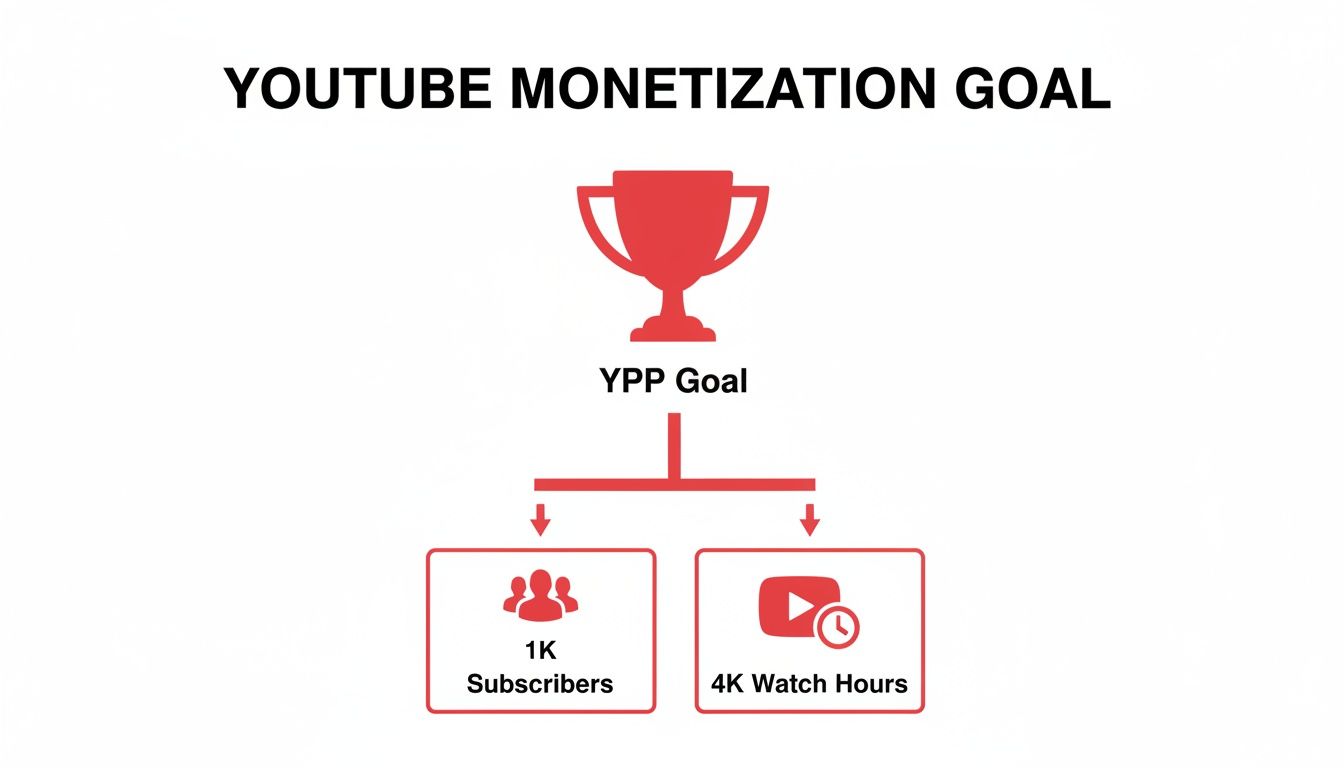
    You'll need to hit two key milestones:

    • 1,000 subscribers: This is the magic number that shows YouTube you have a core community that's invested in what you're doing.
    • 4,000 valid public watch hours: This isn't just about views; it's about watch time, all racked up over the last 12 months. It proves people are sticking around and actually engaging with your content.

    Once you cross both of those thresholds, you can apply. After YouTube gives you the green light, ads will start running on your videos, and you'll get a cut of the revenue. It's an incredible feeling to see that first dollar come in.

    Why You Can't Rely on Ad Revenue Alone

    Getting paid from ads is a fantastic start, but let me give you a piece of advice I wish I’d taken seriously sooner: don't stop there. Ad revenue can be a rollercoaster. It fluctuates wildly depending on the time of year, the advertisers, and YouTube's own algorithm.

    Relying solely on ads is like trying to build a house on a single pillar. It's risky. The most successful creators build a diverse set of income streams to create stability.

    Don't put all your eggs in the AdSense basket. Building multiple revenue streams is the single most important strategy for creating a resilient and profitable creator business that can weather any storm.

    So, let's look at some of the best ways to build out your income beyond basic ads.

    Smart Ways to Make Money as a Gamer

    Once you're in the YPP, a whole new world of monetization tools opens up, both on and off YouTube. Here are the ones that really move the needle for gaming channels.

    • Channel Memberships: This is a game-changer. It lets your most dedicated fans support you with a small monthly fee in exchange for exclusive perks. Think custom emojis for the chat, members-only livestreams, or getting to see videos before anyone else. It builds an amazing inner circle and creates a predictable, recurring income stream.

    • Super Chats & Super Stickers: If you livestream, this is a must. Viewers can pay to make their message stand out in a busy chat. It’s a direct and fun way for them to show support, and it turns your live interactions into a real source of revenue.

    • Affiliate Marketing: This is such a natural fit for gamers. You can recommend the gear you already use—your mouse, your keyboard, your microphone—and earn a small commission when someone buys it through your unique link. It doesn't cost your audience anything extra, and it's an authentic way to earn by sharing products you genuinely believe in.

    • Merchandise: Once you've established your brand and have some inside jokes or catchphrases, selling your own merch can be a home run. We're talking t-shirts, hoodies, mugs, mousepads—you name it. Not only is it a great source of income, but it also strengthens your community and turns your viewers into walking billboards for your channel.

    • Brand Sponsorships: This is often the holy grail for creators. As your channel gets bigger, brands will start reaching out to you for sponsored videos or "brand deals." They’ll pay you to feature their game, product, or service in your content. These deals can be incredibly lucrative and often become the largest source of income for established channels.

    Building a truly sustainable career from your gaming content means thinking like an entrepreneur. To dig deeper into all the possibilities, check out a comprehensive guide to content monetization and start planning your strategy. By weaving these different income streams together, you create a solid financial foundation that lets you focus on what you love: making awesome videos.

    Answering the Big Questions for New Gaming Channels

    Diving into the world of YouTube gaming always kicks up a storm of questions. Everyone starts with the same worries, wondering about everything from the right gear to how on earth you actually grow an audience. Let's clear up some of that confusion and tackle the most common questions head-on.

    So, How Much Cash Do I Really Need to Start?

    This is the big one, isn't it? The good news is, you can get started for $0. Seriously. If you already have a PC or a console that can play games, the barrier to entry is practically nonexistent.

    You can get professional-level software for free. OBS Studio is the industry standard for recording and streaming, and it costs nothing. For editing, DaVinci Resolve offers a free version that's more powerful than most people will ever need.

    Your first investment, when you're ready, should be a decent microphone. A good USB mic for under $50 will improve your quality more than a $500 camera ever could. Start lean, use what you've got, and let the channel's earnings fund future upgrades.

    How Long Until I Can Actually Get Paid?

    The magic numbers for the YouTube Partner Program (YPP) are 1,000 subscribers and 4,000 hours of watch time over the last 12 months. Getting there is a different journey for everyone. There’s no secret timeline.

    Some creators get lucky with a viral hit and blow past these numbers in a few months. For most of us, though, it's a slow and steady climb that can take a year or even longer. It all comes down to consistency, the quality of your videos, and finding a real connection with your viewers. A channel that posts one fantastic, well-edited video a week will almost always get there faster than someone churning out low-effort daily content.

    Don't obsess over the monetization finish line. Your real goal is to build a community and make videos you're genuinely proud of. If you focus on giving people something great to watch, the subs and watch hours will take care of themselves.

    Do I Have to Show My Face on Camera?

    Nope, not at all. It's a total myth that you need a facecam to be successful. While showing your face can definitely build a more personal connection with your audience, plenty of massive gaming channels have proven it's not a requirement. Their personality, voice, and gameplay are the stars of the show.

    Think about some of the formats that work incredibly well without a camera:

    • Skillful Montages: Let the gameplay do the talking with slick editing and great music.
    • Deep-Dive Guides: Viewers are there for your knowledge, not to see your face.
    • Video Essays & Storytelling: A compelling script and well-chosen footage are all you need.

    This really just comes down to what you're comfortable with. Authenticity is what keeps viewers coming back, so do whatever allows you to be yourself.


    Ready to stop guessing and start growing? ViewsMax provides the AI-powered tools and insights you need to optimize your videos, find the right keywords, and build a thriving gaming channel. Learn more about ViewsMax and how it can help your channel.

  • 10 Proven How To Ideas For a Video That Will Grow Your Channel in 2025

    10 Proven How To Ideas For a Video That Will Grow Your Channel in 2025

    Every successful YouTube channel is built on a foundation of great video ideas. But a great idea is only the beginning. To truly stand out, you need to master the 'how-to' of YouTube itself: how to craft a title that demands a click, how to structure a video that holds attention, and how to analyze your performance to get smarter with every upload.

    This guide moves beyond generic content suggestions and provides 10 essential how to ideas for a video that focus on building a system for sustainable growth. We are covering the actionable frameworks used by top creators to turn concepts into an engaged community. You will learn the mechanics behind viral thumbnails, data-driven content strategy, and efficient production workflows that prevent burnout while maximizing impact. To truly unlock your channel's potential, consider these practical tips on 5 easy ways to create awesome YouTube videos for your campaign as you absorb the strategies ahead.

    From optimizing your video descriptions for discoverability to creating a content calendar that ensures consistency, each point in this list is a crucial component of a thriving channel. This isn't just about what to film; it’s about how to build an engine for success. Let's dive into the strategies that create real, lasting momentum.

    1. How to Create a YouTube Video Title That Gets Clicks

    Your video title is the single most important factor determining whether someone clicks play or scrolls past. Crafting a magnetic title is a non-negotiable skill for any creator, as it directly impacts your click-through rate (CTR), a key metric the YouTube algorithm uses to recommend content. This foundational "how to" idea for a video isn't about the content itself, but about packaging it for maximum discovery and engagement. It's the first promise you make to your potential viewer.

    A laptop with a blank screen, a notebook with a pen, and a red 'GET CLICKS' sign.

    The best titles balance keyword relevance for search with psychological triggers that create a curiosity gap. For instance, MrBeast's "I Gave My 100,000,000th Subscriber $456,000" uses an extreme, specific outcome to hook viewers, while MKBHD’s "Why I'm Leaving YouTube" creates urgent curiosity that demands an answer. This approach works for every niche by transforming a simple description into a compelling headline.

    Actionable Tips for Magnetic Titles

    • Front-Load Keywords: Place your main topic or keyword at the beginning of the title to immediately signal relevance to both viewers and search algorithms.
    • Leverage Numbers: Titles with numbers, like "7 Mistakes to Avoid," see a CTR increase of up to 38%. Specificity builds credibility.
    • Use Brackets and Parentheses: Add context and draw the eye with tags like [2024 Guide], (Step-by-Step), or [Insane Results].
    • Keep it Mobile-Friendly: Aim for 50-60 characters to prevent your title from being cut off on mobile devices, where most views occur.
    • Test Power Words: Experiment with words that evoke strong emotion or curiosity, such as "Secret," "Proven," "Ultimate," or "Shocking."

    2. How to Optimize YouTube Video Descriptions for SEO and Engagement

    Your video description is a powerful, yet often underutilized, tool for boosting discoverability and viewer engagement. It’s more than just a summary; it's a strategic space to communicate value to both the YouTube algorithm and your audience. Crafting an optimized description is a fundamental "how to" idea for a video that focuses on post-production excellence, ensuring your content is found via search and effectively guides viewers to your other platforms.

    A great description serves multiple functions: it improves SEO ranking through keyword integration, provides context, and drives actions like subscribing or visiting a website. Creators like Graham Stephan use the top lines for strong CTAs and affiliate links, while educational channels like Veritasium use detailed timestamps to improve user experience and watch time. This approach transforms the description from an afterthought into a multi-purpose asset for channel growth.

    Actionable Tips for Optimized Descriptions

    • Prioritize the First Three Lines: This is the text visible before a viewer clicks "Show more." Use it to include your primary keyword and a compelling hook or call-to-action (CTA).
    • Write for Humans and Robots: Craft a natural, readable paragraph (150-250 words) that elaborates on the video's content while strategically including secondary keywords.
    • Structure with Timestamps: For videos longer than 10 minutes, add timestamps to create chapters. This enhances viewer experience and can lead to higher engagement metrics.
    • Link to Your Ecosystem: Include relevant links to playlists, related videos, your newsletter, social media profiles, or products to keep viewers within your content universe.
    • Use Hashtags Sparingly: Add 3-5 relevant hashtags at the bottom of your description to help YouTube categorize your video and connect it to trending topics.

    3. How to Research and Select High-Performing Keywords for YouTube Videos

    Beyond a great idea, your video's success hinges on being discoverable. Creating a "how to" video on keyword research is a meta-strategy that teaches creators how to build a content plan based on actual viewer demand, not just guesswork. This approach ensures your videos are aligned with what your target audience is actively searching for, dramatically increasing the chances of ranking in YouTube search and getting recommended. It’s the foundational skill for sustainable channel growth.

    Effective keyword research involves identifying topics with high search volume and manageable competition. For example, a gaming channel might target a specific, low-competition phrase like "Palworld best breeding combinations" instead of the broad "Palworld guide." Similarly, a finance creator can find an audience by focusing on "how to invest $1,000 for beginners" rather than the highly saturated term "how to invest." This strategic targeting is a core principle popularized by SEO experts like Brian Dean and YouTube strategists at Think Media.

    Actionable Tips for Keyword Discovery

    • Start with Autocomplete: Type your core topic into the YouTube search bar and analyze the suggestions. These are real, popular queries from users.
    • Target Long-Tail Keywords: Focus on phrases with four or more words. They have lower competition and attract a more specific, engaged audience.
    • Analyze Your Competitors: Look at the top-ranking videos for your target keyword. Identify what they do well and find opportunities to create something more comprehensive.
    • Leverage Google Trends: Use this tool to spot rising keywords and seasonal topics, allowing you to create content just as demand is peaking.
    • Use SEO Tools: Platforms like TubeBuddy or VidIQ provide data on search volume, competition, and related keywords to help you make informed decisions. For a deeper look, you can learn more about YouTube video keywords on viewsmax.com.

    4. How to Create Compelling YouTube Thumbnails That Increase Click-Through Rates

    If your video title is the promise, your thumbnail is the visual advertisement that seals the deal. A compelling thumbnail stops the scroll, conveys the video's value in a split second, and dramatically impacts your click-through rate (CTR). This "how to" video idea focuses on the art and science of thumbnail design, a skill just as crucial as the content itself. It's about creating a miniature billboard that stands out in a crowded feed of millions.

    A hand holding a stylus points at a computer monitor displaying various video thumbnails and 'BOLD THUMBNAILS'.

    Effective thumbnails combine high-contrast colors, clear focal points, and strong emotional cues to generate curiosity. For example, MrBeast's signature shocked face and bold text create an unmissable sense of excitement, while Marques Brownlee (MKBHD) uses a minimalist, professional aesthetic to signal high-quality tech content. This visual strategy is one of the most powerful how to ideas for a video because it directly translates to more views by making your content visually irresistible.

    Actionable Tips for High-CTR Thumbnails

    • Prioritize High Contrast: Use bright, complementary colors to make your subject and text pop. Avoid color combinations that blend together, like white text on a yellow background.
    • Show, Don't Just Tell: Incorporate a human face with an exaggerated but genuine emotion (surprise, joy, curiosity) to create an instant connection with the viewer.
    • Keep Text Minimal: Limit text to 5-7 powerful words. The text should enhance the visual story, not explain it entirely.
    • Design for Mobile: Ensure your thumbnail is clear and legible even at a tiny size (150x150px). The main subject should be instantly recognizable.
    • Test and Iterate: Create 2-3 thumbnail variations for a video and use YouTube's "Test & Compare" feature to see which one performs best, then apply those learnings.

    5. How to Structure and Format Videos for Maximum Audience Retention and Watch Time

    Your video's structure is the invisible framework that determines whether a viewer stays for thirty seconds or ten minutes. Creating a video focused on mastering structure is a powerful "how to" idea because it directly addresses watch time, a critical signal to the YouTube algorithm. This concept isn't just about the beginning, middle, and end; it's about strategically pacing content, placing hooks, and using visual cues to guide the viewer’s journey and prevent them from clicking away.

    Mastering this means engineering the viewing experience. For instance, MrBeast grabs attention by immediately revealing the stakes, while Ali Abdaal uses clear chapter markers and visual transitions to segment complex information into digestible chunks. This proactive approach to pacing and formatting transforms a standard video into an engaging, high-retention asset that the algorithm is more likely to promote. A well-structured video respects the viewer's time and attention. To dive deeper into crafting the perfect blueprint, explore our guide on how to script for YouTube videos.

    Actionable Tips for High-Retention Structure

    • Hook Within 3 Seconds: Start with a question, a bold statement, or a preview of the final outcome to secure immediate buy-in from the viewer.
    • Use Pattern Interrupts: Change the visual scene, add B-roll, use a sound effect, or switch camera angles every 8-12 seconds to reset viewer attention.
    • Implement Chapter Markers: For videos over 8 minutes, use chapters to help viewers navigate and improve the overall user experience, which YouTube rewards.
    • Build to a Climax: Structure your content to build momentum, saving the most valuable information or the biggest reveal for the final act to keep viewers watching.
    • Monitor Your Analytics: Use YouTube Studio to identify where viewers drop off. Re-edit or restructure future videos to fix these weak points.

    6. How to Grow a YouTube Channel from Zero to 10K Subscribers: Complete Roadmap

    One of the most powerful "how to" ideas for a video is documenting the very process of growth itself. This meta-narrative transforms your channel-building journey into valuable, shareable content. A video outlining a complete roadmap from zero to 10,000 subscribers provides immense value by demystifying the process, setting realistic expectations, and offering a strategic framework for aspiring creators. It positions you as an authority while building a community invested in your success.

    This video idea moves beyond generic advice and focuses on milestone-specific strategies. For example, Ali Abdaal transparently documented his growth journey, explaining the tactics he used to go from 2K to 100K subscribers in 18 months. Similarly, Think Media popularizes frameworks that break down the first 1,000 subscribers, then the next 10,000, showing viewers that growth isn't random but a series of calculated steps. This approach is evergreen and highly searchable.

    Actionable Tips for a Growth Roadmap Video

    • Define Your Niche First: Emphasize that all growth starts with a specific, well-defined niche and target audience. Generic content gets lost.
    • Establish a Strict Publishing Schedule: Detail the importance of consistency, such as publishing at least once a week for the first six months to build momentum with the algorithm.
    • Focus on Community Building: Advise new creators to respond to every single comment in the early stages to foster a loyal initial audience.
    • Engineer "Breakthrough" Videos: Explain how to analyze competitors and trends to create one or two videos with a higher potential for virality that can accelerate growth. For more details, explore our guide on how to grow a YouTube channel fast.
    • Track Key Metrics: Instruct viewers to monitor their Click-Through Rate (CTR) and Average View Duration (AVD) weekly to understand what resonates and what doesn't.

    7. How to Repurpose One Piece of Content Into Multiple YouTube Video Formats

    One of the best "how to ideas for a video" isn't about creating something from scratch, but about maximizing what you already have. Content repurposing is the art of transforming one core piece of content, like a long-form tutorial, into multiple assets. This strategic approach allows you to increase your upload frequency, reach different audience segments, and maintain channel momentum without burning out. It’s a system for working smarter, not harder, by ensuring every minute of effort yields multiple pieces of content.

    This method is popularized by creators like Gary Vaynerchuk, who famously turns a single keynote speech into dozens of clips, quotes, and articles. For example, a 20-minute product review can be sliced into multiple YouTube Shorts highlighting key features, a Community Tab poll asking about viewer preferences, and even a detailed blog post. To maximize the impact of your content and reach diverse audiences, understanding what is content repurposing and how it works is fundamental. It turns a single video shoot into a content engine.

    Actionable Tips for Content Repurposing

    • Start with "Pillar Content": Create a comprehensive, in-depth video (15-30 minutes) that can serve as the source for all other repurposed assets.
    • Extract Micro-Content: Identify 5-10 key moments, tips, or compelling soundbites from your pillar video and edit them into standalone YouTube Shorts or TikToks.
    • Use the Community Tab: Post insightful quotes, behind-the-scenes photos from the pillar video shoot, or polls related to the topic to keep the conversation going.
    • Record Audio Separately: If your video is dialogue-heavy, a clean audio recording can easily be repurposed into a podcast episode.
    • Build Content Playlists: Group your main video and all its related Shorts into a dedicated playlist to guide viewers through the entire topic.

    8. How to Analyze YouTube Analytics to Make Data-Driven Content Decisions

    Creating great content is only half the battle; understanding what resonates with your audience is what fuels sustainable growth. This "how to" video idea for a video focuses on transforming raw data into a strategic roadmap. Instead of guessing what to create next, you can use YouTube Analytics to make informed decisions that improve watch time, subscriber growth, and overall channel health. It’s about letting your viewers tell you, through their behavior, exactly what they want to see.

    This data-driven approach is a core strategy for creators like Derral Eves and the team at Think Media. A gaming channel might discover a specific game series drives 60% of new subscribers, signaling an opportunity to double down. Similarly, a fitness creator could find that their morning uploads outperform evening ones by 35%, allowing them to optimize their publishing schedule for maximum reach. The goal is to find patterns that reveal what truly works for your unique audience.

    Actionable Tips for Data-Driven Decisions

    • Analyze Your Top 5 Videos: Identify common threads in your most successful content. Is it the topic, format, length, or title style? Replicate those winning elements.
    • Monitor Average View Duration: Pinpoint where viewers drop off. A sharp decline in the first 30 seconds suggests a weak hook, while a mid-video drop could indicate a segment that needs tightening.
    • Track Subscriber Sources: Use the "Subscribers by video" report to see which content is converting viewers into loyal fans. Make more videos like those.
    • Compare Click-Through Rates (CTR): When a video has high impressions but low CTR, it often signals that the thumbnail or title isn't compelling enough to earn the click.
    • Review Audience Demographics: Understand who is watching (age, gender, geography) to tailor your language, references, and topics to be more relevant to them.

    9. How to Monetize Your YouTube Channel Beyond AdSense: Complete Revenue Model Guide

    Relying solely on AdSense is a common mistake that leaves significant revenue on the table. A video explaining how to diversify income streams is one of the most valuable "how to" ideas for a video because it directly addresses creator sustainability. This guide moves beyond the basics of ad revenue and teaches your audience how to build a resilient business around their content through sponsorships, affiliate marketing, digital products, and memberships. It transforms a channel from a hobby into a multi-faceted enterprise.

    This concept is powerfully demonstrated by creators like Ali Abdaal, who seamlessly integrates digital product sales (courses, templates) into his productivity content, and Graham Stephan, who masterfully combines sponsorships, affiliate links, and course sales in the finance niche. The goal is to show viewers that true financial success on YouTube comes from a layered approach, where each revenue stream supports the others, creating a stable and scalable income model.

    Actionable Tips for Diversified Monetization

    • Qualify for AdSense First: Use the initial goal of 1,000 subscribers and 4,000 watch hours as the foundation before expanding into other models.
    • Pitch Aligned Sponsors: Only approach brands whose products genuinely serve your audience. Negotiate rates based on engagement and conversion potential, not just subscriber count.
    • Use Affiliate Links Authentically: Recommend only 2-3 products or services you personally use and trust. Disclose these relationships clearly to maintain audience trust and comply with FTC guidelines.
    • Create Digital Products Early: Develop a valuable digital product like an ebook, template, or mini-course early in your channel's lifecycle to capture audience interest from day one.
    • Build an Email List: Start building an email list as soon as you hit 1,000 subscribers. This creates a direct line to your audience that you own, perfect for promoting products and content.

    10. How to Create a Content Calendar and Batching System for Consistent YouTube Publishing

    Consistency is the engine of YouTube growth, but it's also a leading cause of creator burnout. This "how to" video idea for a video focuses on the operational backbone of your channel: creating a sustainable system. By teaching viewers how to build a content calendar and batch-produce videos, you're not just giving them a content idea; you're offering them a framework for long-term success and mental well-being. This is a meta-topic that provides immense value by solving a universal creator problem.

    A content calendar with a red header, laptop, camera, smartphone, and sticky notes on a wooden desk.

    The concept is simple: plan your content in advance and group similar production tasks together to maximize efficiency. Creators like Ali Abdaal have popularized batching, where they might script four videos on a Monday, film them all on a Tuesday, and pass them to an editor. This method transforms the chaotic, video-by-video grind into an organized, assembly-line process, ensuring a steady stream of content goes live even during busy weeks. It works for any niche, from a fitness creator filming a month's worth of leg-day workouts in one session to a gaming channel dedicating a day to a specific game series.

    Actionable Tips for a Sustainable Workflow

    • Plan in 4-Week Sprints: Create a content calendar for the next month, outlining video topics, filming dates, and publish dates. This provides structure without being overly rigid.
    • Theme Your Batching Days: Dedicate specific days of the week to specific tasks. For example, Monday is for research and scripting, Tuesday for filming, and Wednesday for thumbnail creation.
    • Build a Content Buffer: Aim to have 2-4 weeks of fully edited videos ready to go at all times. This buffer is your safety net against unexpected delays or creative blocks.
    • Use Project Management Tools: Organize your entire workflow using tools like Trello, Asana, or a simple Google Sheet to track each video's progress from idea to publication.
    • Leave Room for Spontaneity: Keep one or two flexible slots in your monthly calendar to create timely videos on trending topics that suddenly emerge in your niche.

    10 YouTube How-To Topics: Side-by-Side Comparison

    Item Implementation Complexity 🔄 Resource Requirements ⚡ Expected Outcomes ⭐📊 Ideal Use Cases 💡 Key Advantages ⭐
    How to Create a YouTube Video Title That Gets Clicks Low 🔄 — simple copy tests & formulas Low ⚡ — time + basic keyword tool ↑ CTR & impressions; faster view velocity ⭐📊 New uploads; thumbnails pairing 💡 Direct CTR lift; data-driven tweaks ⭐
    How to Optimize YouTube Video Descriptions for SEO and Engagement Medium 🔄 — structured writing & linking Low–Medium ⚡ — writing time + SEO suggestions Improved searchability & external clicks ⭐📊 Tutorials, courses, videos needing links 💡 Better discovery; CTA-driven traffic ⭐
    How to Research and Select High-Performing Keywords for YouTube Videos Medium–High 🔄 — analysis & tool familiarity Medium ⚡ — TubeBuddy/VidIQ, Trends, time Targeted impressions & sustained organic growth ⭐📊 Niche topic selection; launch planning 💡 Reduces guesswork; demand-driven topics ⭐
    How to Create Compelling YouTube Thumbnails That Increase Click-Through Rates Medium 🔄 — design + A/B testing Medium ⚡ — design skills/tools/templates Significant CTR gains (20–50%) & branding impact ⭐📊 High-competition niches; attention-driven content 💡 Strong visual differentiation; brand recall ⭐
    How to Structure and Format Videos for Maximum Audience Retention and Watch Time High 🔄 — scripting, pacing, edits High ⚡ — production time, editing resources Longer watch time; better recommendation placement ⭐📊 Long-form education, storytelling, interviews 💡 Boosts retention & algorithm favorability ⭐
    How to Grow a YouTube Channel from Zero to 10K Subscribers: Complete Roadmap High 🔄 — long-term strategy & iteration Medium–High ⚡ — consistent content, promotion Gradual steady subscriber growth; sustainable channel ⭐📊 New channels aiming for scalable growth 💡 Clear milestones; focus on high-leverage actions ⭐
    How to Repurpose One Piece of Content Into Multiple YouTube Video Formats Medium 🔄 — planning & format adaptation Medium ⚡ — batching workflow, editing for formats Increased reach & publishing frequency without equal effort ⭐📊 Creators wanting volume from single asset 💡 Multiplies ROI; cross-platform visibility ⭐
    How to Analyze YouTube Analytics to Make Data-Driven Content Decisions Medium–High 🔄 — interpretation & hypothesis testing Low–Medium ⚡ — analytics access + time Faster optimization; identify top/bottom performers ⭐📊 Channels optimizing performance and tests 💡 Removes guesswork; prioritizes experiments ⭐
    How to Monetize Your YouTube Channel Beyond AdSense: Complete Revenue Model Guide Medium–High 🔄 — sales, product development Medium–High ⚡ — partnerships, product creation Diversified income streams; reduced ad dependence ⭐📊 Established audiences; creators seeking revenue mix 💡 Higher revenue stability; multiple monetization levers ⭐
    How to Create a Content Calendar and Batching System for Consistent YouTube Publishing Medium 🔄 — setup and discipline Medium ⚡ — planning tools, batch production time Improved consistency and production efficiency ⭐📊 Channels needing reliable schedules & scale 💡 Reduces decision fatigue; builds buffer for trends ⭐

    From Idea to Impact: Your Next Steps to YouTube Growth

    Navigating the path to YouTube success is not about finding a single "viral" video idea; it's about building a sustainable engine for consistent growth. The ten foundational "how-to" strategies detailed in this guide, from keyword research to monetization models, are the essential components of that engine. Each element works in tandem with the others. A high-performing keyword identified in your research only delivers results when paired with a compelling title and an irresistible thumbnail. Likewise, a video structured for maximum retention is the vehicle that turns a casual viewer into a loyal subscriber.

    Instead of feeling overwhelmed by the need to master everything at once, approach this as a cycle of continuous improvement. The journey from a simple concept to a polished, high-impact video is an iterative process. With each new upload, you have an opportunity to refine one specific skill. This focused approach is the key to transforming abstract knowledge into tangible results and building momentum for your channel.

    Your Action Plan for Channel Growth

    The true value of this guide lies in its application. Don't just read the ideas; put them into practice. Here’s a simple, actionable framework to get started today:

    1. Choose One Skill to Master: Pick the single area from this article that represents your biggest weakness or opportunity right now. Is it title creation? Thumbnail design? Analyzing your data? Commit to improving just that one skill for your next three videos.
    2. Implement and Document: Apply the specific tactics outlined for your chosen skill. If you're working on titles, test different formats. If you're focused on retention, experiment with new hooks or editing patterns. Keep a simple log of what you changed and why.
    3. Analyze and Adapt: After publishing, dive into your YouTube Analytics. Did your click-through rate improve with the new thumbnails? Did your audience retention graph show a positive change? Use this direct feedback to inform your next content decision.

    This systematic approach demystifies growth and replaces guesswork with a data-driven strategy. By implementing these how to ideas for a video, you are not just making content; you are building repeatable systems that save time, amplify your creativity, and consistently drive your channel forward.

    The difference between a struggling creator and a thriving one often comes down to this commitment to process. Your creative vision deserves a powerful strategy to bring it to the world. Embrace this framework, stay consistent, and you will build a channel that not only attracts viewers but also creates a lasting impact.


    Ready to turn these ideas into a high-performance content strategy? ViewsMax uses AI to analyze your channel and provide data-driven suggestions for titles, keywords, and video structures, streamlining the entire optimization process. Stop guessing and start growing by exploring the tools at ViewsMax.

  • Finding the Best Niche for YouTube: 12 Profitable Ideas for 2025

    Finding the Best Niche for YouTube: 12 Profitable Ideas for 2025

    Choosing the right niche is the single most important decision you'll make for your YouTube channel. It's the foundation that dictates your audience, shapes your content strategy, and ultimately determines your potential for growth and monetization. A well-chosen niche attracts a dedicated, engaged community, while a broad or generic one forces you to compete for scraps in an overcrowded arena. But what truly separates a profitable niche from a digital dead end? The answer lies in the strategic intersection of audience demand, manageable competition, and strong monetization potential.

    This guide moves beyond generic suggestions to provide a data-driven framework for finding the perfect fit. We will break down 12 of the most promising and viable niches, offering a comprehensive analysis of each one. You won't just get a list; you'll get a strategic blueprint.

    For each niche, we will explore:

    • A data-driven rating across key metrics like audience demand, competition level, and monetization potential.
    • Concrete, actionable video ideas to kickstart your content calendar.
    • Proven growth and SEO tactics tailored specifically to that audience.

    Our goal is to equip you with the strategic insights needed to turn a passion into a thriving, sustainable channel. We'll help you identify the best niche for YouTube that not only aligns with your unique skills and interests but also sets you on a clear path to success. This article provides the clarity needed to make that critical first decision with confidence, ensuring you invest your time and effort where it will deliver the greatest return.

    1. Personal Finance & Investing for Beginners

    The Personal Finance & Investing niche is a powerhouse on YouTube, driven by a universal desire for financial stability and wealth creation. This niche involves creating educational content that demystifies complex financial topics for a broad audience, covering everything from budgeting basics and debt management to stock market investing and real estate. Its evergreen nature ensures a constant stream of viewers seeking to improve their financial literacy, making it a consistently strong contender for the best niche for YouTube.

    Creators like Graham Stephan and The Financial Diet have built massive followings by making intricate financial concepts accessible and relatable. The audience demand is incredibly high, as economic shifts and life milestones continuously create new pools of people needing financial guidance.

    A laptop showing financial charts next to a red 'START INVESTING' sign, coffee, and a notepad on a wooden desk.

    Actionable Growth & Monetization Strategies

    To succeed here, building trust is non-negotiable. Authenticity and transparency are your greatest assets.

    • Establish Credibility: Clearly state your qualifications, experience, or certifications. If you lack formal credentials, frame your journey as a well-documented case study, sharing both your wins and losses to build relatability.
    • Create Content Pillars: Structure your channel around core topics like investing, budgeting, saving, and side hustles. This creates a predictable content flow and helps viewers find exactly what they need.
    • Optimize for High-Intent Keywords: Use keyword research to target specific, beginner-focused phrases. Instead of a generic "Investing Tips" video, create "How to Start Investing with Just $100 in 2024," which captures a more motivated search audience.
    • Develop Beginner-Friendly Series: Launch a multi-part series like "Investing 101" or "Your First Budget." This encourages binge-watching and transforms casual viewers into loyal subscribers who follow your entire curriculum.
    • Strategic Affiliate Marketing: This niche offers high-paying affiliate opportunities. Partner with brokerage platforms, financial apps, and credit card companies, but only recommend products you genuinely use and trust to maintain audience credibility.

    2. Productivity & Time Management for Remote Workers

    The Productivity & Time Management niche thrives on the global shift towards remote work and the universal desire to achieve more in less time. This niche focuses on creating actionable content that helps professionals, students, and entrepreneurs optimize their workflows, build effective habits, and master tools to enhance their output. Its evergreen appeal ensures a steady audience, making it one of the best niche for YouTube for creators passionate about systems and personal development.

    Creators like Ali Abdaal and Thomas Frank have attracted millions by breaking down productivity into systematic, achievable steps. The audience demand is continuously fueled by the growing creator economy and the challenges of maintaining focus and work-life balance in a digitally connected world.

    Actionable Growth & Monetization Strategies

    To stand out in this space, you must move beyond generic tips and offer a unique, systematic approach that delivers tangible results.

    • Develop a Signature Methodology: Differentiate your channel by creating a unique framework or system, like Tiago Forte’s "Second Brain." This establishes you as an authority and gives your audience a specific process to follow.
    • Create In-Depth Tool Tutorials: Focus on specific productivity software like Notion, Asana, or Todoist. Create detailed videos like "My Complete Notion Setup for 2024" or "Automating Your Workflow with Zapier" to attract a targeted, high-intent audience.
    • Show, Don't Just Tell: Share before-and-after transformation stories. For example, create a video documenting how a new system helped you save 10 hours a week, providing concrete metrics and proof of your methods' effectiveness.
    • Build a Community Ecosystem: Use your YouTube channel as a top-of-funnel for a dedicated community on platforms like Discord or a paid membership. This fosters deeper engagement and creates a loyal following.
    • Offer Digital Products & Sponsorships: Monetize by creating and selling downloadable resources like custom templates and checklists to grow your email list. Partner with productivity app companies for high-value sponsorships that align with your content.

    3. Skill-Based Tutorials & Freelancing (Design, Coding, Video Editing)

    The Skill-Based Tutorial niche capitalizes on the massive demand for practical, career-oriented education. This niche involves creating hands-on tutorials teaching in-demand digital skills like coding, graphic design, and video editing. It targets a highly motivated audience of aspiring freelancers and career-changers looking to acquire marketable abilities, making it an excellent candidate for the best niche for YouTube.

    Creators like Traversy Media and Fireship have cultivated huge, engaged communities by delivering high-value, project-based lessons that provide tangible outcomes. The demand is perpetual, as software updates and industry shifts constantly create a need for new skills and updated training, ensuring a steady stream of viewers.

    A desk with a laptop displaying code, a plant, headphones, and a 'LEARN A SKILL' sign.

    Actionable Growth & Monetization Strategies

    Success in this niche hinges on clarity, practicality, and demonstrating real-world value. Your content should empower viewers to build something tangible.

    • Specialize in a Tool or Stack: Instead of being a general "design" channel, focus on becoming the go-to expert for Figma, Adobe Illustrator, or a specific coding framework like React. This builds authority faster.
    • Create Project-Based Series: Develop a multi-part series like "Build a Portfolio Website from Scratch" or "Editing a Cinematic Travel Video." This format encourages viewers to follow along, increasing watch time and subscriber loyalty.
    • Offer Downloadable Resources: Provide project files, code snippets, or design templates as free downloads. This not only helps your viewers but also serves as a great lead magnet to build an email list for future course sales.
    • Leverage Software Partnerships: Many software companies (like Adobe, Figma, or Webflow) have lucrative affiliate programs. Create tutorials for their tools and earn a commission on new subscribers you refer.
    • Develop a Tiered Content Model: Use your YouTube channel for free, foundational content that builds a large audience. Then, monetize your most dedicated followers by offering advanced, in-depth courses or paid workshops on a separate platform.

    4. Niche Gaming & Game Analysis (Strategy, Esports, Indie Games)

    The Gaming niche is often seen as oversaturated, but specializing within it unlocks immense potential. Niche Gaming & Game Analysis moves beyond generic "let's plays" to focus on deep-dives into specific genres like strategy or indie games, in-depth esports analysis, or highly detailed game reviews. This approach thrives by catering to dedicated communities who crave expert-level content, making it a powerful contender for the best niche for YouTube.

    Creators like GamersNexus and Skill-Up have built authoritative channels by providing meticulous hardware benchmarks and critical game analyses, attracting viewers who want more than just gameplay. The demand is fueled by the constant release of new titles, patches, and esports events, ensuring a never-ending supply of relevant content topics.

    Actionable Growth & Monetization Strategies

    Success in this niche requires specificity and a deep connection with your chosen gaming community.

    • Specialize to Dominate: Instead of covering all games, become the go-to expert for a single game (like Baldur's Gate 3), a specific genre (like "Soulslikes" or "cozy indie games"), or a content type (like deep-dive video essays).
    • Create "First 10 Hours" Reviews: For new releases, a "First 10 Hours Review" can capture massive search traffic from players deciding on a purchase. This format is timely, valuable, and positions you as a trusted source.
    • Target Community-Driven Keywords: Go beyond basic game titles. Researching and targeting the right YouTube video keywords will help you connect with players searching for specific guides, meta-discussions, or lore explanations.
    • Develop Beginner Guides for Complex Games: Create comprehensive "Getting Started in [Complex Game]" guides. These videos serve as evergreen content that attracts a continuous stream of new players to the community and your channel.
    • Leverage Clips and Shorts: Edit your best moments, funniest clips, or most insightful analytical points from longer videos or streams into YouTube Shorts. This is a powerful strategy for reaching new audiences virally.
    • Engage with Gaming Communities: Actively participate in the Reddit, Discord, and forums dedicated to your niche. Share your content where appropriate but focus on becoming a valued member of the community first.

    5. Home Improvement & DIY Projects

    The Home Improvement & DIY niche taps into the deeply satisfying pursuit of transforming a living space with one's own hands. This category covers a vast range of content, from full-scale home renovations and woodworking to simple repairs, gardening tips, and interior design hacks. It’s an evergreen field fueled by a constant audience of homeowners and renters looking to improve their environment, learn valuable skills, and save money, solidifying its place as a strong candidate for the best niche for YouTube.

    Creators like Home RenoVision DIY and Woodworking for Mere Mortals have attracted millions of subscribers by making complex projects feel achievable. Audience demand is consistently high, driven by the housing market, seasonal trends, and a growing interest in sustainable, hands-on living.

    A power drill, ruler, tape measure, and renovation plans on a workbench for a DIY project.

    Actionable Growth & Monetization Strategies

    Success in this niche relies on clear, detailed instructions and building viewer confidence. Your goal is to be a trusted guide for their projects.

    • Document Transformations: Use time-lapses and before-and-after shots to create compelling, shareable content. Showing the full transformation from start to finish is incredibly motivating for viewers.
    • Provide Detailed Resources: For every project, create comprehensive material and tool lists. Offering these as free downloadable checklists or project plans is an excellent way to build an email list.
    • Target High-Intent Keywords: Focus on specific problems and aspirations. Instead of "Kitchen Renovation," create content around "Cheap Ways to Renovate a Kitchen" or "DIY Kitchen Cabinet Makeover on a Budget."
    • Create Foundational "How-To" Content: Start with beginner-friendly projects to build your audience's skills and confidence. A video on "How to Use a Power Drill Safely" can become a gateway to more advanced content.
    • Leverage Affiliate & Sponsorships: This niche is perfect for affiliate marketing with home improvement retailers and tool brands. Create comparison videos (e.g., "Best Paint Brands for Bathrooms") and partner with companies for sponsored project builds.

    6. Health & Fitness Transformation (Weight Loss, Muscle Building, Wellness)

    The Health & Fitness Transformation niche is a perennial giant on YouTube, fueled by the deeply personal and universal goal of self-improvement. This niche centers on creating motivational and educational content that guides viewers through significant health changes, from weight loss and muscle building to overall wellness. Its power lies in its tangible, visible results, making it an evergreen and highly engaging contender for the best niche for YouTube.

    Creators like Jeff Nippard and Athlean-X have cultivated massive, loyal communities by providing science-backed, actionable advice. The demand is constant, as new audiences continuously seek guidance, motivation, and reliable information to start their own fitness journeys, ensuring the niche remains vibrant and full of opportunity.

    Actionable Growth & Monetization Strategies

    In a niche crowded with misinformation, credibility and evidence-based content are your most powerful differentiators.

    • Establish Authority: Display your credentials, such as certifications or a relevant degree, prominently. If you're documenting your own journey, present it as a detailed case study, emphasizing the process and lessons learned to build trust.
    • Focus on a Specific Transformation: Specialize in one core area, like "fat loss for busy professionals" or "beginner muscle building at home." This targeted approach attracts a dedicated audience and makes you the go-to expert for a specific problem.
    • Create Evidence-Based Content: Differentiate yourself by explaining the science behind your workout and nutrition advice. Citing studies and breaking down complex physiology, as Jeff Nippard does, builds immense credibility with a more discerning audience.
    • Develop Lead Magnets: Offer free, valuable resources like a "7-Day Beginner Workout PDF" or a "High-Protein Recipe Guide." This builds your email list and provides a direct path to monetizing through advanced, paid programs or personalized coaching.
    • Authentic Brand Partnerships: Collaborate with fitness apparel, supplement, or equipment brands that you genuinely use and believe in. An authentic recommendation is far more effective and maintains the trust you've worked hard to build with your community.

    7. Content Creation & YouTube Growth (Meta/Educational)

    The Content Creation & YouTube Growth niche operates on a meta-level, teaching aspiring creators the very skills they need to succeed on the platform. This involves creating educational content that demystifies the YouTube algorithm, video production, content strategy, and monetization. Its audience is highly motivated and actively searching for solutions, making this a perpetually relevant and potentially lucrative contender for the best niche for YouTube.

    Creators like Think Media and Derral Eves have built empires by providing actionable advice that helps others build their own channels. The demand is evergreen, as new creators join the platform daily and existing ones constantly seek an edge to stay competitive and navigate algorithm changes.

    Actionable Growth & Monetization Strategies

    To succeed in this niche, you must prove your methods work. Your own channel’s success is your most powerful marketing tool.

    • Be the Case Study: Showcase your own analytics and growth transparently. Use your channel to demonstrate the exact optimization principles you teach, turning your content into a live case study that builds immense trust.
    • Develop Signature Frameworks: Create and name your own systems for things like scripting, thumbnail design (e.g., "The 3-Second Rule"), or titling. This makes your advice unique and memorable, positioning you as an authority.
    • Analyze and Deconstruct Success: Create videos breaking down why a viral video or a successful channel works. This provides immense value and showcases your expertise in pattern recognition, a key skill for any creator. Learning how to get clips from YouTube videos is crucial for this type of analysis, allowing you to legally and effectively use examples to illustrate your points.
    • Offer Tiered Value: Structure your business model with multiple entry points. Provide high-value free content on YouTube, sell in-depth digital courses or templates, and offer premium 1-on-1 coaching for your most dedicated followers. If you want a deep dive into rapid growth, you can learn more about how to grow your YouTube channel fast.
    • Partner with Creator-Focused Brands: This niche is ripe for affiliate marketing and sponsorships with software companies (editing, analytics, design), equipment brands, and other creator-centric services. Only promote tools you actively use to maintain authenticity.

    8. Sustainable Living & Eco-Conscious Lifestyle

    The Sustainable Living niche is fueled by a growing global consciousness about environmental impact, creating a dedicated and engaged audience. This niche involves creating educational content around eco-friendly practices, zero-waste transitions, sustainable product reviews, and practical tips for reducing one's carbon footprint. Its relevance is constantly increasing, making it a powerful and impactful choice for the best niche for YouTube.

    Creators like Sustainably Vegan and Trash Is for Tossers have built influential platforms by documenting their journeys and providing actionable advice. Audience demand is high and value-driven, attracting viewers who are actively seeking to make more conscious purchasing decisions and lifestyle changes.

    Actionable Growth & Monetization Strategies

    Authenticity is paramount in this niche, as viewers are highly discerning about greenwashing and genuine commitment.

    • Document Your Personal Journey: Be transparent about your transition to a more sustainable lifestyle. Sharing challenges and imperfect progress builds trust and makes your content more relatable than a preachy, all-or-nothing approach.
    • Focus on Budget-Friendly Solutions: Address the common misconception that sustainability is expensive. Create content around "cheap eco-friendly alternatives," DIY projects, and cost-comparison videos that show the long-term savings of sustainable choices.
    • Create Comparison and Review Content: Test and review eco-friendly products, from cleaning supplies to fashion. Compare them against traditional, less sustainable counterparts on cost, effectiveness, and environmental impact to provide clear value to your audience.
    • Partner with Legitimate Sustainable Brands: Monetize through sponsorships and affiliate marketing with brands that have strong ethical and environmental credentials. Your audience will appreciate well-vetted recommendations, reinforcing your channel's authority.
    • Develop Downloadable Resources: Offer free resources like a "Zero-Waste Kitchen Checklist" or a "Beginner's Guide to Composting." This builds your email list and provides tangible value that keeps viewers coming back for more guidance.

    9. Career Guidance & Professional Development

    The Career Guidance & Professional Development niche taps into the universal ambition for career growth, job satisfaction, and financial security. This niche involves creating content that equips viewers with the tools and strategies needed to navigate the modern job market, covering everything from resume writing and interview prep to salary negotiation and leadership skills. Its high-impact, problem-solving nature makes it an evergreen contender for the best niche for YouTube.

    Creators like Andrew LaCivita and Chris Do have attracted large, dedicated audiences by offering actionable advice that delivers tangible results. The demand is constantly renewed by graduates entering the workforce, professionals seeking promotions or career changes, and anyone looking to adapt to evolving industry standards, ensuring a perpetual audience.

    Actionable Growth & Monetization Strategies

    Success in this niche hinges on providing clear, credible, and results-oriented advice that viewers can immediately apply to their professional lives.

    • Document Your Journey: Share your personal career wins, failures, and transition stories. This builds an authentic connection and positions you as a relatable guide rather than just an expert.
    • Specialize in Industries or Roles: Instead of generic advice, create targeted content like "How to Ace a Software Engineer Interview" or "Marketing Manager Resume Breakdown." This attracts a highly motivated and specific audience.
    • Offer High-Value Lead Magnets: Provide free resources like resume templates, interview cheat sheets, or salary negotiation scripts in exchange for email sign-ups. This builds your email list for future monetization.
    • Interview Industry Professionals: Host interviews with successful people from various fields. This adds immense credibility to your channel and exposes your content to their audiences, accelerating your growth.
    • Monetize with High-Ticket Services: Beyond ad revenue, this niche is perfect for offering premium services. Develop and sell in-depth courses, one-on-one career coaching sessions, or paid resume review services.

    10. Mental Health & Personal Psychology (Therapy/Self-Help Education)

    The Mental Health & Personal Psychology niche addresses a profound and growing societal need for accessible, educational content on well-being. This niche involves breaking down complex psychological concepts, therapeutic techniques, and self-help strategies into digestible videos. Content ranges from managing anxiety and understanding depression to exploring philosophical approaches to a better life, making it an incredibly impactful and potentially the best niche for YouTube for creators with a passion for helping others.

    Channels like Psych2Go and Therapy in a Nutshell have attracted millions by providing valuable, evidence-based insights in an approachable format. Audience demand is exceptionally high and consistently growing as the stigma around mental health declines and more people seek resources for self-improvement and emotional resilience.

    Actionable Growth & Monetization Strategies

    Responsibility and trust are the cornerstones of this niche. Your content must be handled with care, empathy, and ethical considerations.

    • Establish Authority and Ethics: Clearly state your qualifications if you are a licensed professional. If not, collaborate with experts and always include disclaimers that your content is for educational purposes only and not a substitute for professional therapy.
    • Create Topic-Specific Playlists: Organize your videos into focused series like "Anxiety Management Techniques," "Understanding Cognitive Behavioral Therapy (CBT)," or "Building Healthy Relationships." This helps viewers find targeted support and encourages longer watch sessions.
    • Use Evidence-Based Content: Ground your videos in scientific research and established psychological principles. A well-researched script for your YouTube video is crucial for delivering accurate and helpful information that builds viewer trust.
    • Develop Guided Meditations & Exercises: Create audio-visual content like guided breathing exercises, mindfulness meditations, or journaling prompts. These formats offer direct, practical value and have high replay potential.
    • Partner with Mental Health Brands: Monetize ethically by partnering with meditation apps, online therapy services, or wellness brands. Only promote services and products you can genuinely stand behind, ensuring they align with your channel's supportive mission.

    11. Business & Entrepreneurship Strategies (SaaS, Startups, Business Scaling)

    The Business & Entrepreneurship niche taps into the high-stakes world of building and scaling companies, offering immense value to an ambitious and motivated audience. This domain focuses on practical strategies for SaaS startups, e-commerce ventures, and digital businesses, covering everything from customer acquisition and pricing models to fundraising and team leadership. The content is evergreen, as the principles of building a successful business remain relevant, making it a powerful contender for the best niche for YouTube.

    Creators like Alex Hormozi and the Y Combinator channel have attracted massive, dedicated followings by providing actionable frameworks that viewers can apply directly to their own ventures. The audience demand is fueled by a global entrepreneurial spirit, with a constant influx of founders seeking proven playbooks to navigate the challenges of growth and profitability.

    Actionable Growth & Monetization Strategies

    In this niche, authority is earned through tangible results and transparent insights. Your ability to deliver real-world value is paramount.

    • Document Your Journey: Share the transparent metrics of your own business journey, including revenue, user growth, and key failures. This builds unparalleled credibility and trust with an audience tired of vague "guru" advice.
    • Develop Actionable Playbooks: Create highly specific, step-by-step video guides on topics like "How to Get Your First 100 SaaS Customers" or "Building a 7-Figure E-commerce Pricing Strategy." Provide downloadable templates and frameworks to increase value.
    • Interview Successful Entrepreneurs: Leverage the expertise of others by hosting interviews with founders and operators in your ecosystem. This provides fresh perspectives for your audience and expands your network.
    • Create Tiered Monetization: Use your free YouTube content as the top of a value funnel. Offer in-depth digital courses, paid community access, or high-ticket coaching and consulting for your most engaged followers.
    • High-Value Affiliate Partnerships: Collaborate with B2B software and service companies like HubSpot, Stripe, or Shopify. Since these tools are essential for business operations, affiliate commissions can be substantial and recurring.

    12. Tech Reviews & Product Analysis (Software, Gadgets, Apps)

    The Tech Reviews niche is a dominant and perpetually relevant force on YouTube, fueled by the relentless pace of technological innovation and consumer curiosity. This niche involves creating detailed analysis, unboxings, comparisons, and tutorials for everything from smartphones and laptops to software and niche gadgets. Its value is immense, as creators help viewers make informed purchasing decisions, making it an evergreen and authoritative choice for the best niche for YouTube.

    Creators like Marques Brownlee (MKBHD) and Linus Tech Tips have become trusted voices, guiding millions through the complex world of consumer electronics. The audience demand is constant, with every new product launch or software update creating fresh search traffic and viewer interest.

    Actionable Growth & Monetization Strategies

    Success in this niche hinges on credibility, depth of knowledge, and high-quality production. Your goal is to become the go-to resource for a specific tech category.

    • Specialize to Build Authority: Instead of reviewing everything, start by mastering a specific category like cameras, mechanical keyboards, or productivity apps. This focus helps you build a dedicated audience and establish expertise faster.
    • Create Comparison Frameworks: Develop a standardized testing and review process. For smartphone reviews, this could include consistent camera tests, battery life benchmarks, and performance scores, allowing viewers to easily compare products across your videos.
    • Target "Versus" Keywords: Create direct comparison videos like "iPhone 15 Pro vs. Samsung S24 Ultra" or "M3 MacBook Air vs. Dell XPS 13." These high-intent keywords attract viewers who are at the final stage of their buying journey.
    • Balance First Impressions with Long-Term Reviews: Produce timely unboxing and "first impressions" videos to capture launch-day hype. Follow up with "6 Months Later" reviews to provide deeper, real-world insights that build long-term trust and evergreen views.
    • Monetize Ethically with Affiliate Links: The tech niche is highly lucrative for affiliate marketing. Use links for the products you review, but always disclose your partnerships clearly. Recommending products honestly, even with their flaws, is crucial for maintaining audience trust.

    Top 12 YouTube Niches — Quick Comparison

    Niche Implementation Complexity 🔄 Resource Requirements ⚡ Expected Outcomes 📊 Ideal Use Cases & Tips 💡 Key Advantages ⭐
    Personal Finance & Investing for Beginners Medium‑High 🔄 – requires expertise & regulatory care Low‑Medium ⚡ – research, data feeds, editing High 📊 – high CPM, sponsorships, evergreen traffic Beginners seeking financial literacy; comparison and how‑to series High revenue potential ⭐⭐⭐⭐
    Productivity & Time Management for Remote Workers Medium 🔄 – consistency & personal credibility needed Low ⚡ – software demos, screen capture Good 📊 – engaged audience, multiple monetization paths Remote workers, app/tool tutorials, routine experiments Strong engagement & partnerships ⭐⭐⭐
    Skill‑Based Tutorials & Freelancing High 🔄 – deep technical skill + production High ⚡ – software, screen recording, assets High 📊 – course sales, freelance leads, evergreen demand Project‑based series for career changers; downloadable assets Direct monetization & upsells ⭐⭐⭐⭐
    Niche Gaming & Game Analysis Medium 🔄 – gameplay + commentary/analysis Medium‑High ⚡ – capture gear, streaming setup Moderate 📊 – loyal communities, diversified revenue streams Esports analysis, indie reviews, strategy guides Passionate audience & cross‑platform growth ⭐⭐⭐
    Home Improvement & DIY Projects High 🔄 – hands‑on projects, safety protocols High ⚡ – tools, materials, workspace High 📊 – evergreen views, affiliate & sponsor deals Renovations, step‑by‑step builds, budget vs premium guides Tangible results & affiliate revenue ⭐⭐⭐⭐
    Health & Fitness Transformation High 🔄 – credentials + long‑term documentation Medium ⚡ – equipment, filming, coaching High 📊 – strong engagement, digital programs sales Transformation series, workout + nutrition plans Scalable programs & loyal followers ⭐⭐⭐⭐
    Content Creation & YouTube Growth Medium 🔄 – must demonstrate channel success Low‑Medium ⚡ – editing tools, analytics, case studies Good 📊 – authority, consulting, course sales Aspiring creators; thumbnail, script, SEO tutorials Direct relevance to creators & tools ⭐⭐⭐
    Sustainable Living & Eco‑Conscious Lifestyle Medium 🔄 – authenticity required to avoid greenwashing Low ⚡ – product tests, research, lifestyle demos Moderate 📊 – niche growth, brand partnerships Zero‑waste guides, product comparisons, cost vs impact Values‑aligned community & sponsorships ⭐⭐⭐
    Career Guidance & Professional Development Medium 🔄 – up‑to‑date market knowledge needed Low‑Medium ⚡ – templates, interviews, research High 📊 – high CPM, premium courses & consulting Job seekers, industry‑specific guides, interview prep Premium services & strong monetization ⭐⭐⭐⭐
    Mental Health & Personal Psychology High 🔄 – ethical/legal caution; professional input needed Low‑Medium ⚡ – expert collaboration, sensitive framing High impact 📊 – loyal audience, app sponsorships Educational mental‑health content with disclaimers Meaningful impact & community trust ⭐⭐⭐
    Business & Entrepreneurship Strategies High 🔄 – proven results and deep strategy required Medium ⚡ – case studies, interviews, frameworks Very High 📊 – high CPM, high‑ticket offers, consulting SaaS, scaling playbooks, founder interviews High revenue & premium consulting opportunities ⭐⭐⭐⭐
    Tech Reviews & Product Analysis Medium‑High 🔄 – technical testing & impartiality needed High ⚡ – purchasing products, testing rigs High 📊 – affiliate income, sponsored reviews, evergreen comps Buyers researching products; first impressions + long‑term tests Strong affiliate/sponsorship potential ⭐⭐⭐⭐

    From Idea to Action: Choosing and Validating Your Niche

    We've explored a dozen of the most dynamic and promising areas on the platform, from the evergreen appeal of Personal Finance and Tech Reviews to the growing importance of Sustainable Living and Mental Health. Each niche presents a unique landscape of audience demand, monetization potential, and competitive challenges. But scrolling through a list of the best niches for YouTube is just the first step; the real work begins now, in the space between inspiration and execution.

    The most critical takeaway from this entire guide is this: the perfect niche is not found, it's forged. It is the unique intersection of three powerful forces:

    • Market Opportunity: Does a dedicated audience exist for this topic? Is there sufficient search volume and potential for monetization?
    • Personal Passion: Are you genuinely fascinated by this subject? Can you imagine enthusiastically creating your 100th video on it?
    • Unique Expertise: What distinct perspective, skill, or experience can you bring that sets you apart from the sea of existing creators?

    A niche that looks perfect on paper will crumble without the foundation of your authentic interest. Burnout is the silent killer of YouTube channels, and passion is your most effective shield against it.

    Your Action Plan for Niche Validation

    Reading this article gives you the map, but you still need to plot your specific course. Don't let analysis paralysis stop you before you start. Follow these concrete steps to move from idea to action with confidence.

    1. The Passion Test: Select your top three niches from our list (or your own ideas). For each one, open a blank document and brainstorm 50 potential video titles. If you struggle to reach 20, it’s a red flag. If ideas flow freely and excite you, it's a strong positive signal.
    2. The Expertise Audit: For your narrowed-down list, ask yourself: "What is my unique angle?" It doesn't have to be a PhD. It could be your journey as a beginner (the "learn with me" approach), your specific career background, a unique sense of humor, or your ability to simplify complex topics. Define your "only-ness" factor.
    3. The Data-Driven Verdict: This is where you replace guesswork with certainty. Use keyword research tools to analyze the core topics within your chosen niches. Look for keywords with high search volume but moderate competition. Analyze the top-ranking channels in that space. What are they doing well? What gaps have they left that you can fill? This data validates that an audience is actively searching for the content you want to create.

    Key Insight: The goal isn't to find an untapped niche with zero competition. The goal is to find a proven niche with an established audience and carve out your own unique, valuable space within it.

    Choosing the best niche for YouTube is less about a single, final decision and more about committing to a direction. Your channel will evolve, your content will mature, and your audience will help shape your path. What matters most is starting with a solid foundation built on genuine interest and a clear understanding of the value you provide. You have the framework, the ideas, and the tools. The only thing left is to begin.


    Ready to stop guessing and start growing? Don't leave your channel's success to chance. Use ViewsMax to perform deep keyword research, analyze competitor strategies, and validate your niche with real-time YouTube data. Sign up for ViewsMax today and build your channel on a foundation of data-driven confidence.

  • Unlocking Growth with YouTube Video Keywords

    Unlocking Growth with YouTube Video Keywords

    Think of YouTube video keywords as the bridge between what you create and the people who are actively looking for it. They're the exact words and phrases someone types into that search bar, hoping to find a video just like yours. Getting a handle on these keywords is non-negotiable if you want to get discovered on the second-biggest search engine in the world.

    Why YouTube Video Keywords Are Your Secret Weapon

    Let's get real for a second. You can pour your heart and soul into making fantastic videos, but if no one can find them, what's the point? This is where a smart keyword strategy completely changes the game. Too many creators treat YouTube like a simple video-hosting site, but it’s really a massive search engine. Your content isn't just fighting for attention; it's fighting for discoverability.

    When you start targeting the right youtube video keywords, you stop just uploading videos and start strategically placing them in front of millions of people who are already interested. It’s the difference between shouting into the void and having a direct conversation with your ideal audience. By aligning your topic, title, and description with what people are actually searching for, you're giving the YouTube algorithm a crystal-clear signal about who needs to see your video.

    Moving Beyond Guesswork to Growth

    A keyword strategy based on real data gives you a repeatable roadmap for growth. Forget relying on luck or praying for a video to go viral. Instead, you can build a system that consistently brings in the right viewers.

    This approach directly boosts the metrics that matter most for your channel's health:

    • Better Search Rankings: Using the right keywords helps your videos climb higher in YouTube's search results, making it so much easier for new people to find you.
    • Higher Watch Time: When your video is the perfect answer to someone's search, they're going to stick around and watch more of it. That's a huge positive signal to the algorithm.
    • The Right Subscribers: Targeting specific phrases attracts an audience that’s genuinely into your niche, which means you get more loyal and engaged subscribers who actually care.

    This isn't just a hunch; the numbers are mind-boggling. YouTube pulls in 1.7 billion organic visits every single month, with people watching a billion hours of content daily. With 500 hours of video being uploaded every minute, a solid keyword strategy is how you cut through all that noise. You can learn more about how to stay ahead of the curve by understanding the latest changes in YouTube.

    The fundamental shift you need to make is this: Don't create content and just hope people find it. Figure out what people are searching for, and then create the absolute best content to answer that need. That mindset is the bedrock of every successful YouTube channel.

    By mastering keyword research, you take control of your channel's future. You turn random views into a real community. This guide will walk you through the practical, actionable steps to make your content impossible to ignore and drive growth you can actually measure.

    Finding Keywords That Viewers Actually Use

    Theory is great, but the real magic happens when you uncover the exact words and phrases people are typing into that YouTube search bar. To do this, you have to get out of your own head and think like a viewer. It’s about moving past the obvious, generic terms and digging for the specific, intent-driven YouTube video keywords that lead to clicks, watch time, and new subscribers.

    The best approach is a blend of scrappy, manual detective work and smart, data-driven analysis. This process isn't just about finding keywords; it's about understanding the relationship between your content, your audience, and how they find you.

    Diagram illustrating a YouTube keyword strategy with steps for content, keywords, and audience.

    Think of it this way: your great content is the destination, and keywords are the road signs that guide your ideal audience right to it.

    Start With What's Free and In Front of You

    You don't need a hefty budget to kick off your research. In fact, some of the most potent keyword research methods are completely free and baked right into the platform. These techniques reveal what real people are looking for, right now.

    • YouTube Autocomplete: This is your secret weapon. Seriously. Head to the YouTube search bar and start typing a broad topic. The suggestions that appear aren't random; they're the most popular related searches. Typing "beginner watercolor" might lead you to gems like "beginner watercolor tutorial for landscapes" or "beginner watercolor supplies you actually need." Those longer, more specific phrases are keyword gold.

    • Spy on Your Competitors (Ethically!): Pick a few channels in your niche that are crushing it. Go to their "Videos" tab and sort by "Most Popular." What do you see? Scour the titles of their biggest hits. You’ll quickly spot patterns and keyword phrases that have a proven track record of resonating with the very audience you want to reach.

    • Mine Your Own Comments Section: Your current audience is telling you what they want to see, you just have to listen. Scroll through your comments. Are people asking questions like, "how do you edit your audio?" or "can you do a video on your camera settings?" Each question is a direct content request and a powerful keyword phrase handed to you on a silver platter.

    Your most powerful keyword insights often come from simply listening. Pay attention to the language your community uses, the questions they ask, and the problems they're trying to solve. Your next hit video idea is probably already in your comment section.

    Get Inside the Viewer's Head: Understanding Search Intent

    Not all searches mean the same thing. Someone searching for "iPhone 15 review" has a very different goal than someone searching for "how to fix iPhone 15 screen." If you can nail the intent behind the search, you can create a video that delivers exactly what the viewer wants, keeping them hooked.

    On YouTube, search intent usually boils down to a few key types:

    1. Informational Intent: These are the classic "how-to," "tutorial," and "what is" searches. The viewer wants to learn something or find an answer.
    2. Commercial Intent: The viewer is in research mode, getting ready to make a purchase. Think "best camera for vlogging" or "[Product Name] vs [Competitor Name]."
    3. Navigational Intent: Simple and direct. The viewer is looking for a specific channel or video, like searching for "ViewsMax channel."
    4. Entertainment Intent: The viewer just wants to be entertained. Keywords here are often broader, like "funny cat videos" or "gaming highlights."

    What people search for is constantly shifting. For instance, data shows that searches for UFC-related content have skyrocketed with 203% growth in the last five years, while ASMR videos pull in a staggering 53 million global searches every single month. Tracking these trends, which you can explore on sites like ExplodingTopics.com, helps you see where the attention is going.

    Using Tools to Validate and Find Hidden Gems

    After you’ve gathered a solid list of ideas from your manual digging, it’s time to bring in the data. Paid tools can feel like a superpower, helping you validate your ideas and uncover opportunities you might have missed.

    Choosing the right tool depends on your budget and what you're trying to achieve. Some are browser extensions that work right inside YouTube, while others are powerful, all-in-one SEO platforms.

    Comparing Keyword Research Tools for YouTube Creators

    Tool Type Best For Key Feature
    YouTube Autocomplete Free Generating initial long-tail keyword ideas. Real-time, popular search suggestions directly from viewers.
    TubeBuddy Paid (Freemium) On-platform analysis and channel optimization. Browser extension with a Keyword Explorer and competitor insights.
    vidIQ Paid (Freemium) Competitive analysis and trend alerts. "Trending" video suggestions and robust channel audit features.
    Semrush Paid In-depth market and competitor keyword research. Comprehensive SEO suite that shows keyword volume and difficulty.

    These tools give you the hard numbers—like search volume and competition scores—that turn a good guess into a strategic decision.

    The goal isn't just to find a keyword with a massive search volume. Sure, a term with 50,000 monthly searches looks great on paper, but if the competition is "High," your video will be buried on page 10. You'll never get found.

    The real sweet spot, especially for growing channels, is in keywords with reasonable search volume (think 500-5,000 searches/month) and "Low" or "Medium" competition. These are the battlegrounds you can actually win. By targeting these opportunities, you can start ranking, driving consistent traffic, and building the authority you need to eventually take on the bigger keywords.

    Writing Titles and Descriptions That Actually Get Clicks

    So you’ve done the hard work and found the perfect keywords. That’s a huge win, but it’s only half the battle. Now comes the fun part: weaving those keywords into your titles and descriptions in a way that satisfies the algorithm and convinces a real person to click.

    This is where the art and science of YouTube SEO really come together. A great title sparks curiosity and promises a solution, while a killer description gives YouTube more context and pulls viewers deeper into your world. Let’s break down how to get both right.

    A creative workspace with a laptop displaying "YouTube EDITOR" and sticky notes, next to a notebook and pen, with text about "CLICK-WORTHY TITLES DRAFTS".

    Crafting Magnetic Video Titles

    Think of your video’s title as its first impression. It has to pull double duty, appealing to both search algorithms and human psychology. The single most important rule? Front-load your primary keyword.

    Getting your main keyword as close to the beginning of the title as possible instantly signals to YouTube and potential viewers what your video is all about.

    I’ve found this simple formula works wonders:
    [Primary Keyword] + [Benefit or Curiosity Hook] + [Context]

    Let's see how this plays out.

    • Before: My New Camera Gear
    • After: Best Camera for YouTube in 2024? My Unbiased Review

    The "before" title is vague and won't show up in any meaningful search. The "after" version, however, leads with a high-value keyword, uses a question to spark curiosity, and adds credibility with "unbiased review." It’s a night-and-day difference.

    Here’s another one for a tutorial:

    • Before: Baking Sourdough Bread
    • After: Easy Sourdough Bread Recipe for Beginners (No-Knead Method!)

    The improved title targets a specific, searchable phrase ("easy sourdough bread recipe"), calls out the intended audience ("for beginners"), and highlights a major selling point ("no-knead method"). This is the kind of detail that turns a passive impression into an enthusiastic click.

    Pro Tip: Aim to keep your titles under 60 characters. YouTube gives you more space, but longer titles often get cut off in search results, especially on mobile. Don't let your brilliant hook or keyword get hidden!

    Structuring Your Description for Maximum Impact

    Too many creators treat the description box as an afterthought. Don't make that mistake. It’s an absolute powerhouse for both SEO and viewer engagement.

    The algorithm pays closest attention to the first 200 characters—that's about two or three sentences. This is your most valuable real estate.

    Just like with the title, you need to get your primary keyword in that very first sentence. This immediately confirms to YouTube that your video is a strong match for the search query. A great opening also serves as a hook, tempting viewers to click that "Show more" button.

    Once you’ve nailed the intro, a well-organized description can guide the entire viewer experience. Here’s a structure I use all the time:

    1. The Hook (First 2-3 Sentences): Kick things off with a compelling summary of the video. Naturally weave in your primary keyword and maybe a secondary one. This is all most people will see, so make it count.
    2. Timestamps (Video Chapters): Break your video into chapters using timestamps. This isn't just great for viewers; it also helps Google display "Key Moments" in its search results, giving you even more visibility. Be sure to use keywords in your chapter names (e.g., "02:15 Choosing Camera Settings").
    3. Important Links: This is your chance to drive traffic where you want it to go. Add links to your website, social media, products, or other relevant videos. If you want to turn your video's content into a more structured narrative, our guide on crafting a great script for YouTube videos is a huge help.
    4. Keyword-Rich Paragraph: After the links, write a short paragraph (3-4 sentences) that expands on the video's topic. This is the perfect spot to sprinkle in related long-tail keywords you found during your research. Think of it as a mini-blog post that gives the algorithm more juicy details to index.

    Let's see what this looks like for our sourdough video example:

    "Learn our easy sourdough bread recipe for beginners with this simple, no-knead method! In this tutorial, we'll walk you through making a perfect artisan loaf from scratch…

    (Show More)

    CHAPTERS:
    00:00 – Introduction
    01:10 – Feeding Your Sourdough Starter
    03:45 – Mixing the Dough
    08:20 – Folding and Shaping the Loaf
    12:50 – Baking Your Sourdough Bread

    FOLLOW US:
    [Your Social Media Links Here]

    ABOUT THIS VIDEO:
    If you've been looking for a foolproof homemade sourdough tutorial, this is the one for you. We cover the entire process, from maintaining a healthy sourdough starter to getting that perfect crust in your Dutch oven. This guide is designed for anyone who has struggled with complex baking techniques in the past."

    This approach transforms your description from a forgotten text box into a strategic tool that works for you 24/7.

    Tags and Other "Hidden" SEO Opportunities

    While your title and description do most of the heavy lifting, ignoring the other SEO levers is like leaving views on the table. Think of tags, filenames, and even playlists as your supporting cast. They give YouTube’s algorithm extra context to really understand what your video is about and, more importantly, who it should be recommended to.

    A lot of creators either skip these things or just get them plain wrong. That's a huge opportunity for you. Let's pull back the curtain on video tags and some of those other spots where you can seriously strengthen your youtube video keywords game.

    Making Sense of YouTube Video Tags

    For years, the YouTube community has debated whether tags still matter. Let me settle it for you: yes, they absolutely do, but their role has shifted. Tags are now less about direct search ranking and more about helping YouTube connect your video with similar content.

    A solid tag strategy is your ticket to getting your video to show up in the "suggested videos" sidebar, which is a massive source of traffic for most channels.

    Here’s a simple, effective way to structure your tags:

    • Primary Keyword First: Your very first tag should always be the exact primary keyword you used in your title. No exceptions. This creates a strong, clear signal to the algorithm.
    • Broader Category Tags: Next, add a few tags that describe the general category. For a video on an "easy sourdough bread recipe," you'd use tags like "baking," "bread making," or "homemade bread."
    • Specific & Long-Tail Tags: Now get more specific. Include variations like "how to make sourdough for beginners" or "no-knead sourdough method." These are the phrases people might be searching for.
    • Brand & Channel Tags: Always toss in your channel name and any common misspellings of it. This helps YouTube suggest your other videos to people who are already watching your content.

    Don't go overboard. The old strategy of stuffing the tag box with hundreds of keywords is dead and can actually confuse the algorithm. I've found that 5-15 highly relevant tags work best. Quality always wins over quantity here.

    If you want to go even deeper on this, our full guide on choosing the best tags for YouTube has more advanced tips and tools.

    SEO Starts Before You Even Hit "Upload"

    Believe it or not, your video's SEO journey begins before it ever touches YouTube's servers. One of the most common mistakes I see is people uploading a video with a generic filename.

    Before you upload, change the name of your raw video file to your primary keyword.

    So, instead of MOV_2451.mp4, rename it to easy-sourdough-bread-recipe.mp4. YouTube reads this filename, and it acts as one more piece of evidence confirming your video's topic. It’s a simple, two-second habit that backs up your entire keyword strategy.

    The Untapped Power of Playlists and Captions

    Once your video is live, you’re not done. Playlists and captions are two incredibly powerful tools for boosting both visibility and watch time.

    Build Keyword-Rich Playlists
    Playlists are so much more than just a way to keep your videos organized; they are a discovery engine. When someone watches a video from one of your playlists, the next one starts playing automatically—a fantastic way to rack up session watch time.

    Try creating playlists around the core topics of your channel. Give the playlist a keyword-optimized title and description, just like you would for a single video. A playlist titled "Beginner Baking Tutorials," for example, can start to rank in search results all on its own, bringing new viewers to a whole collection of your best work.

    Supercharge Your Closed Captions
    YouTube does a decent job of automatically transcribing your videos for closed captions (CC), but the results are often riddled with errors. By uploading your own accurate transcript or just taking a few minutes to edit the auto-generated one, you're essentially handing the algorithm a perfect, keyword-rich script of your video.

    This gives YouTube a ton of extra context, helping it understand every single word you said and rank your video for all sorts of long-tail search terms you hadn't even thought of. Plus, it makes your content accessible to a wider audience, which is always a win.

    Finally, don't sleep on video chapters. Beyond just tags, mastering video timestamps for better SEO lets you create clickable chapters in your description. You can name these chapters with relevant keywords, which not only improves the viewer experience but also helps you show up for more specific searches.

    Tracking Your Results to Refine Your Strategy

    A keyword strategy isn't something you can just set and forget. It's a living, breathing part of your channel's growth that needs constant attention. The real work actually begins after you hit publish—that's when you get to see what's working, what isn't, and where your next big opportunity might be hiding.

    This is where you put on your data-detective hat and dive into YouTube Studio. Tracking the real-world performance of your chosen YouTube video keywords is the only way to know if all that research is actually paying off. It's how you turn educated guesses into a repeatable system for growth.

    A computer monitor displaying data performance charts, with a notebook, pen, and keyboard on a wooden desk. Text: Track Keyword Performance.

    Uncovering Your Best Performing Keywords

    Your most valuable insights are waiting for you right inside YouTube Studio. To find them, head over to the Analytics tab for a specific video and dig into the "Reach" section. This is where you'll see exactly how viewers are finding your content.

    The gold is in the Traffic source: YouTube search report. This little gem lists the exact search terms people typed into YouTube right before they clicked on your video. This isn't theoretical data from some third-party tool; it’s a direct look at the phrases that are driving actual views to your channel.

    Keep an eye out for keywords you didn't even mean to target. Sometimes, you'll start ranking for unexpected long-tail phrases, which can be an absolute goldmine for future video ideas.

    Connecting Keywords to Viewer Engagement

    Driving traffic is great, but it’s pretty meaningless if those viewers click away after 10 seconds. The next step is to connect your traffic sources with your audience retention data. Are the keywords you're ranking for bringing in people who actually want to watch your stuff?

    Here’s how this plays out in the real world:

    1. You see a video is getting a ton of traffic from the keyword "quick video editing tips."
    2. You then check the audience retention graph specifically for traffic coming from YouTube search.
    3. You notice that viewers who found you through that search term have a much higher-than-average retention rate.

    Bingo. That’s a powerful signal. It tells you that your content perfectly nailed the searcher's intent for that keyword. Now you know you should double down and create more content around that specific topic.

    Your goal isn't just to rank for keywords; it's to rank for the right keywords that attract viewers who will stick around. High watch time from search traffic is one of the strongest positive signals you can send to the YouTube algorithm.

    Using Data to Optimize and Experiment

    Once you have this data, you can start making smart, informed decisions. Don't be afraid to experiment, A/B test your thumbnails, and even go back and update older videos to give them a second chance at life.

    Here are a few actionable ways to use your findings:

    • Optimize Underperformers: Find a video that has high impressions from search but a really low click-through rate (CTR). This means people see your video in the results but aren't clicking. Try rewriting the title to be more compelling or creating a completely new, eye-catching thumbnail.
    • Update Old Metadata: Go back to some of your popular videos from a year ago. Are there new, relevant keywords you’ve discovered since then that you could add to the description or tags? A simple metadata refresh can give an old video a surprising new boost.
    • Inform Your Content Calendar: Use your top-performing search terms as direct inspiration for your next few videos. If "sourdough starter for beginners" is driving tons of engaged traffic, your next video could easily be "common sourdough starter mistakes" or "how to feed your sourdough starter."

    Ultimately, YouTube ranks videos based on two main things: how well the metadata matches a search query and which videos have generated the most engagement for that query. This is exactly why a data-driven approach is so effective—it lets you align your content perfectly with what both the algorithm and your audience want.

    Of course, even with a perfect keyword strategy, timing is essential. Understanding when to upload on YouTube to boost views helps ensure your freshly optimized video gets the maximum initial traction it needs.

    Got Questions About YouTube Keywords? We’ve Got Answers.

    When you get deep into YouTube SEO, the big picture starts to make sense, but it’s the little details that can trip you up. Creators are always asking about the nitty-gritty of keyword strategy, and for good reason—getting it right is what separates the channels that grow from those that stagnate.

    Let's clear up some of the most common questions I hear all the time. This is all about practical, no-fluff advice you can start using today.

    How Many Keywords Should I Really Use?

    This is probably the number one question, and my answer is always the same: quality over quantity, every single time. The old-school method of cramming dozens of keywords into your metadata is long dead. It just confuses YouTube’s algorithm and can actually do more harm than good.

    A much smarter, more focused approach works best. For any given video, think in terms of a simple hierarchy:

    • One Primary Keyword: This is your North Star. It’s the main phrase you're trying to rank for, and it absolutely needs to be in your title and right at the top of your description.
    • Two to Three Main Variations: Think of these as supporting actors. Weave a couple of closely related, long-tail versions of your primary keyword into the first few sentences of your description. Make it sound natural.
    • Five to Fifteen Highly Relevant Tags: Keep your tag list tight and strategic. It should include your main keyword, a few specific variations, broader category terms, and, of course, your channel name.

    You're trying to send a few powerful signals to the algorithm, not a hundred weak ones.

    Are Long-Tail Keywords Actually Better?

    For most channels just getting started or still in the growth phase, the answer is a huge "yes." It’s so tempting to go after a massive, single-word keyword like "fitness," but you'll find yourself up against giant channels with millions of subs. Frankly, it’s a battle you're not going to win right now.

    But a long-tail keyword like "best 20-minute HIIT workout no equipment" is a whole different ballgame. It's incredibly specific, which gives you two massive advantages:

    1. The competition is way, way lower.
    2. The viewer knows exactly what they want.

    When someone searches for that phrase, they have a clear problem they need to solve. If your video is the solution, they’re much more likely to watch the whole thing. That high watch time and engagement sends a massive thumbs-up to the YouTube algorithm.

    The fastest way to grow is to win the smaller battles first. Dominating specific, long-tail keywords builds the authority you need to eventually compete for those bigger, broader terms.

    Should I Bother Updating Keywords on Old Videos?

    You absolutely should. Going back to optimize older content is one of the most underrated growth hacks on YouTube. Your YouTube Studio Analytics is basically a treasure map pointing you to hidden opportunities.

    Here’s what to look for: find videos with a high number of search impressions but a really low click-through rate (CTR). That's a huge red flag. It means people are seeing your video in search results, but something is stopping them from clicking. The culprit is almost always a weak title, a boring thumbnail, or off-target keywords.

    When you spot one of these underperformers, give it a refresh. Do some new keyword research for that topic, write a more compelling title, and punch up the description. Swap out the old tags for your new, focused list. And please, make a fresh thumbnail—sometimes that alone is enough to breathe new life into a forgotten video.

    Does Saying My Keywords in the Video Actually Matter?

    It matters more than you’d think. YouTube automatically transcribes every single video to create captions, and its algorithm combs through that transcript to figure out what your video is truly about.

    When you naturally say your target keywords and related phrases—especially near the beginning of your video—you're basically giving the algorithm an extra layer of confirmation. It's a powerful signal that reinforces everything you've done with your title, description, and tags.

    This isn't about awkwardly shoehorning phrases into your script. It's just about talking naturally about your chosen topic. When your spoken words align with your written metadata, you create a cohesive SEO signal that can genuinely boost your rankings.


    Optimizing your videos is a cycle: you research, you apply what you've learned, and you analyze the results. With the right strategy, you can stop guessing and start building a channel that sees real, measurable growth. ViewsMax was built to give you that edge, offering AI-powered insights to find the best keywords, write killer titles, and make smarter content decisions. Learn how ViewsMax can help you grow your channel faster.

  • How to Grow YouTube Channel Fast (how to grow youtube channel fast)

    How to Grow YouTube Channel Fast (how to grow youtube channel fast)

    If you want to grow a YouTube channel fast, the work starts long before you ever press the record button. It’s all about building a strategic foundation. You need to define a specific niche, find the gaps your competitors are missing, and lock in a consistent content schedule. This is what separates the creators who rely on luck from those who engineer rapid, sustainable growth from day one.

    Build a Foundation for Rapid YouTube Growth

    Growing quickly on YouTube isn't about chasing fleeting trends or just hoping the algorithm smiles on you. It's about being intentional. So many creators fizzle out because they skip this critical planning phase, and they end up with random content and a confused audience.

    Real growth starts with a deep, almost obsessive, understanding of who you're making videos for. From there, you build a clear plan to serve that audience better than anyone else. This foundation comes down to three things: nailing your niche, spying on the competition, and mapping out a content strategy you can actually stick with. Without this clarity, you’re just shouting into the void, making it impossible for YouTube to figure out who to show your videos to.

    Find Your Profitable Niche

    Your niche isn't just a topic; it's the sweet spot where three things overlap: what you're passionate about, what you genuinely know, and what a real audience wants to watch. Passion is what keeps you going when the views are low. Expertise is what builds trust and authority. And audience demand? That ensures you’re not just making videos for yourself.

    Start by brainstorming broad topics you love, then get laser-focused. Don't just do "cooking." Do "30-minute vegan meals for busy professionals." Don't just be a "gaming" channel. Be the go-to source for "in-depth strategy guides for Valorant agents." A specific niche helps you stand out in a sea of creators and attracts a loyal, dedicated community.

    Key Takeaway: A well-defined niche makes your content instantly recognizable. More importantly, it tells the YouTube algorithm exactly who your ideal viewer is, which supercharges the recommendation process.

    Analyze Your Competition and Find the Gaps

    Once you’ve got a niche in mind, it's time for some recon. Find 5-10 channels that are already killing it in that space. Your goal isn't to copy them—it's to find opportunities they've missed.

    • What topics do they cover over and over? This is a dead giveaway for high viewer interest.
    • What questions pop up constantly in their comments? These are free content ideas handed to you on a silver platter.
    • What formats are they not using? If everyone is doing long, rambling tutorials, maybe there's a huge opening for short, punchy tip videos.
    • What’s their production quality like? Look for weaknesses. Can you offer clearer audio, better graphics, or more dynamic editing?

    You're hunting for the "content gap"—that valuable topic, angle, or format your competitors have completely overlooked. This is your way in.

    Create a Sustainable Content Strategy

    Think of your content strategy as your channel's roadmap. It outlines what you’re making and when you’re posting it. One of the best ways to structure this is by using content pillars. These are 2-4 main sub-topics within your niche that you'll return to again and again.

    For example, if your channel is about personal finance for millennials, your pillars might be:

    1. Budgeting for Beginners
    2. Investing Explained Simply
    3. Side Hustle Ideas

    This simple framework keeps you focused and helps you build topical authority. It’s a strong signal to YouTube that you’re an expert in your field.

    A diagram outlining the YouTube foundation process in three key steps: Niche, Strategy, and Schedule.

    This entire process ensures every single video you create is targeted, strategic, and part of a bigger plan. It’s also smart to keep an eye on how the platform itself is evolving; you can learn more about recent changes in YouTube that might open up new opportunities for your content.

    Finally, build a consistent schedule around these pillars—say, one long-form video every Tuesday. This trains your audience to come back for more. This isn't just about a few quick tricks; it's about building a system for lasting success.

    Craft Videos People Can't Help But Click

    A man works on a laptop at a desk with a 'CONTENT STRATEGY' sign on the wall, surrounded by colorful sticky notes.

    You could have the best video idea on the planet, but if no one clicks on it, it’s just digital noise. That first impression in a crowded feed or a long list of search results is everything. It all boils down to the powerful trifecta: your title, your thumbnail, and your opening hook.

    When these three elements work together seamlessly, they create an almost irresistible urge to click. They make a clear promise to the viewer about what they're going to get—whether that's valuable information, pure entertainment, or the solution to a nagging problem. Getting this combination right is one of the fastest ways to put your channel on the growth fast track.

    Write Titles That Make People Curious

    A great title doesn’t just describe your video; it sells it. It has to pull double duty, appealing to a real person scrolling by while also signaling to the YouTube algorithm what your content is about. So, let’s ditch the boring, literal descriptions and aim for titles that spark an emotional response or create a "curiosity gap."

    This is where the ViewsMax Title Suggester can be a secret weapon, giving you data-backed ideas you probably wouldn't think of on your own. A simple but effective trick is to frame your topic as a compelling solution, a burning question, or a surprising result.

    • Weak Title: "My Morning Routine"
    • Strong Title: "The 5 AM Morning Routine That Changed My Life"

    See the difference? Adding specificity and a clear benefit makes the second option so much more powerful. It sets an expectation and promises a real takeaway.

    Design Thumbnails That Stop the Scroll

    Think of your thumbnail as your video’s billboard. In an endless sea of content, it has less than a second to catch someone's eye. Your goal is a design that’s clean, emotionally engaging, and visually different from everything else on the page.

    A few fundamental principles will immediately boost your thumbnail game:

    • High Contrast is Key: Use bright, bold colors that pop against YouTube's white, grey, or dark-mode interface. Try to avoid using too much red, white, or black, as they tend to blend in.
    • Keep Text Minimal: If you use text, stick to three or four powerful words at most. The font needs to be huge and dead simple to read, even on a tiny phone screen.
    • Faces Draw Clicks: Human faces are magnetic. A thumbnail showing a clear emotion—like shock, excitement, or confusion—can seriously boost your clicks.

    The following table shows how a title and thumbnail can work in tandem to create a click-worthy package.

    Title and Thumbnail Synergy Examples

    This table illustrates how to create powerful title and thumbnail combinations that work together to maximize clicks by sparking curiosity and clearly communicating value.

    Video Concept Weak Combination (Low CTR) Strong Combination (High CTR)
    Building a DIY Desk Title: "How to Build a Desk"
    Thumbnail: A photo of the finished desk.
    Title: "I Built My Dream Desk for Under $100!"
    Thumbnail: A close-up of a power tool mid-cut, with a surprised face and "$97?!" text overlay.
    Making a New Recipe Title: "Chocolate Chip Cookie Recipe"
    Thumbnail: A plate of cookies.
    Title: "The One Mistake RUINING Your Cookies"
    Thumbnail: An expressive face looking disappointed at a burnt cookie, next to a perfect one.
    Productivity App Review Title: "Review of a New App"
    Thumbnail: The app's logo.
    Title: "This App Saved Me 5 Hours Last Week"
    Thumbnail: A person looking relaxed, with "5 Hours/Week!" in bold text next to a phone screen.

    When your title and thumbnail support each other, they tell a micro-story that viewers want to see the end of.

    When your title asks a question, your thumbnail should hint at the answer. This synergy is key to getting a higher Click-Through Rate (CTR), a crucial metric for anyone looking to grow their YouTube channel fast.

    Nail the All-Important First 15 Seconds

    You got the click! Now the clock is ticking. The first 15-20 seconds of your video, known as the hook, are absolutely make-or-break. This is your chance to prove to the viewer that they made the right choice and need to stick around.

    A killer hook does three things, fast:

    1. Confirms the Promise: It immediately reassures the viewer they're in the right place by reflecting the title and thumbnail.
    2. Gives a Sneak Peek: It teases the most valuable or exciting part of the video that’s coming up.
    3. Sets the Tone: It establishes the energy and style for the rest of the content.

    Nothing kills watch time faster than a slow, rambling intro. Jump right into the meat of your topic. To make sure your videos are not just clickable but also keep people watching, check out these actionable video script tips that focus on viewer retention.

    A solid opening is non-negotiable, and you can get a great head start by reading our guide on how to write a script for YouTube videos.

    Master YouTube SEO to Dominate Search and Discovery

    A person designs irresistible thumbnails on a tablet, with a camera and papers on a desk.

    Getting someone to click on your video is a huge win, but what happens after that? The real magic behind growing a channel fast is getting YouTube's algorithm to do the heavy lifting for you, promoting your content long after you hit publish. This is where mastering YouTube SEO becomes your secret weapon.

    It helps to think of YouTube as the world’s second-largest search engine. Believe it or not, a staggering 70% of what people watch is driven by its recommendation algorithm. When you optimize your videos the right way, you're not just crossing your fingers and hoping for views. You're giving the platform a clear roadmap, telling it exactly who needs to see your work. This is how a single video can keep pulling in new viewers for months, or even years.

    The Foundation of YouTube SEO: Keyword Research

    Before you even think about your title or description, you have to get inside the head of your audience and figure out what they’re actually searching for. Solid keyword research is the difference between creating a video that gets found and one that gets lost in the noise.

    Your mission is to find search terms with decent traffic that aren't completely saturated with competition. A great starting point is YouTube's own search bar—the autocomplete suggestions are a goldmine of what's popular right now. For a deeper dive, using a dedicated tool can give you hard data on search volumes and competition. For example, the ViewsMax Tag Recommendations tool is fantastic for uncovering related long-tail keywords you would have never thought of on your own.

    Pro Tip: Don’t just chase single, broad keywords. The real opportunity is in "long-tail keywords"—phrases of three or more words, like "how to edit gaming videos for beginners." They're far less competitive and attract a super-specific, highly motivated viewer.

    Weave Keywords into Your Video Metadata

    Once you've got your target keywords, it's time to put them to work. The algorithm scans your video's title, description, and tags to understand what it's about. This metadata is how you speak its language.

    Your Title: Your main keyword needs to be in your title, preferably as close to the beginning as you can get it without sounding unnatural. This is the single most valuable piece of SEO real estate you have.

    Your Description: The first two or three sentences are absolutely critical. This is the snippet that shows up in search results, so it has to hook a human while also telling the algorithm what's inside. But don't just stop there. Aim for a detailed, helpful description of at least 150-200 words.

    Write Descriptions That Serve Viewers and the Algorithm

    A lot of creators sleep on the video description, but it's an incredibly powerful growth tool. It provides massive value to both your audience and YouTube's crawlers. A great description isn't about stuffing keywords; it’s about providing context and making the viewing experience better.

    Here’s a simple but effective structure I always recommend:

    • A strong opening: Kick things off with a punchy paragraph that summarizes the video's value and naturally includes your primary keyword.
    • Add helpful timestamps: For any video longer than a few minutes, timestamps are a non-negotiable. They create chapters, making it easy for viewers to find what they need and giving YouTube even more contextual clues about your content.
    • Include relevant links: This is your chance to keep people in your world. Link to your socials, other relevant videos on your channel, or any tools and resources you mentioned.

    The Strategic Art of Tagging

    Tags are another crucial signal you send to YouTube about your video's subject matter. While the debate on their exact impact on discovery rages on, they still play a key role in helping the algorithm categorize your video and connect it with similar content.

    The best approach is to think in layers, from specific to broad:

    1. Specific Tags: Start with your primary long-tail keyword (e.g., "fastest way to level up in Elden Ring").
    2. Broader Tags: Add more general terms that relate to your topic (e.g., "Elden Ring guide," "gaming tips").
    3. General Niche Tags: Round it out with broad tags that define your channel's category (e.g., "video games," "RPG").

    This layered strategy helps YouTube understand not just what your video is about, but also where it fits in the wider content ecosystem. That’s how you start showing up as a recommended video next to the big players in your niche.

    Use Shorts and Content Trends for Explosive Growth

    If you're serious about growing a YouTube channel quickly right now, ignoring Shorts is like trying to build a fire without oxygen. It’s not just another feature; it’s a totally separate ecosystem built for speed, discovery, and getting new subscribers in the door.

    The Shorts feed plays by a different set of rules. It rewards quick engagement and instant gratification, which is a massive opportunity for new channels. While your longer videos work to build a loyal audience over time, a single well-made Short can get blasted out to millions of people in a few days. It's the most powerful magnet you have for pulling in viewers who might never have found you otherwise.

    The Shorts Growth Flywheel Effect

    The potential here is staggering because Shorts tap into a completely different viewing behavior: the endless scroll. Some channels have seen absolutely meteoric rises, like CurioVerse, which pulled in over 1.7 million subscribers in just 30 days by cranking out viral clips.

    With 63% of all YouTube views coming from mobile, vertical video is king. To get in on this, you need to be posting Shorts daily, jumping on trending audio, and writing titles that grab people instantly. You can get a feel for what's working by checking out the latest YouTube trends to see which niches are blowing up.

    But it’s not just about the views on that one Short. This creates a powerful flywheel. A viral Short brings in thousands of new subscribers. The next time you post a long-form video, that bigger subscriber base gives the main algorithm a huge initial signal, boosting its velocity and getting it recommended to even more people.

    Best Practices for Creating Viral Shorts

    Making a great Short is an art form. It's a blend of speed, value, and psychology. The rules are different here.

    • Hook in the First Second: Forget introductions. Start with the most shocking, interesting, or valuable part of your video immediately. You have no time to waste.
    • Use Trending Audio: Hopping on a trending song or sound is like catching a wave. The algorithm is already pushing content with that audio, giving you an instant lift.
    • Master the Loop: The best Shorts are infinitely rewatchable. Craft them so the end flows seamlessly back into the beginning. This tricks people into watching multiple times and skyrockets your retention.
    • Deliver One Clear Idea: Don't cram too much in. A Short should be about a single tip, a single surprising fact, or a single entertaining moment. Keep it simple.

    The goal of a Short is to deliver a quick dopamine hit that leaves the viewer feeling satisfied or curious. If they learn something, laugh, or are amazed in under 60 seconds, they are far more likely to check out what else your channel has to offer.

    Smartly Repurposing Your Long-Form Content

    The good news? You don't have to create every Short from scratch. Some of your best short-form content is probably already hiding inside your existing videos. This is the smartest way to feed the Shorts algorithm without burning yourself out.

    Comb through your longer videos and look for moments that can stand on their own.

    1. Find the "Golden Nuggets": Isolate the single most powerful tip, the most surprising statistic, or the funniest moment from your video.
    2. Reformat for Vertical: Edit that clip into a 9:16 aspect ratio. Add big, bold captions because most people watch with the sound off.
    3. Add a Call-to-Action (CTA): End the Short with a simple text overlay or a quick voiceover like, "Full breakdown linked in the comments!" to drive people back to the original video.

    This strategy turns your Shorts into powerful little trailers for your main content. If you're looking for more inspiration, we have a whole guide packed with YouTube Shorts ideas to get your creative gears turning. By folding Shorts into your strategy, you’re not just making more videos—you’re building a complete growth engine.

    Turn Your Viewers Into a Loyal Community

    Getting a flood of views is great, but it's just the first step. The real magic, the secret to long-term, sustainable growth, is turning those viewers into a genuine community. A view can be a one-time thing, but a community member shows up for every video, lights up your comments section, and tells their friends about your channel.

    This shift from passive viewer to active fan all comes down to one thing: making them feel like part of something. It starts with holding their attention. The YouTube algorithm is obsessed with watch time and audience retention. When people stick around for your entire video, it screams to YouTube that your content is valuable, which in turn gets you recommended to more people. This is the feedback loop that fuels explosive channel growth.

    Keep Them Watching, Second by Second

    From the moment your video starts, you're fighting for every second of a viewer's attention. A static, ten-minute talking head video is a recipe for a massive drop-off in viewership. The key is to constantly reset their focus.

    This is where pattern interrupts come into play. These are small, almost unnoticeable changes that snap a viewer's wandering attention back to your video.

    • B-Roll Footage: Don't just tell them, show them. Cut away to relevant clips, screen recordings, or graphics. It gives context and breaks up the visual monotony.
    • On-Screen Text & Graphics: Use text to punch up key points or simple animations to explain a tricky concept. This adds another layer of engagement.
    • Zooms and Angle Changes: Even something as simple as a slow zoom-in when you're making a crucial point can pull a viewer back in. It’s a subtle cue that says, "Hey, pay attention to this."

    Think of your video's editing like a good story—it needs rhythm, moments of intensity, and visual variety to keep people hooked until the very end.

    The Art of a Call-to-Action That Actually Works

    We've all heard the robotic "Like, comment, and subscribe" at the end of a video. But the most successful creators know that a truly effective call-to-action (CTA) is specific, well-timed, and gives people a compelling reason to act.

    Stop just asking for a comment and start asking a question in your comment. If you made a video about budget travel, you could ask, "What's the single best budget travel hack you've ever discovered? Drop it in the comments!" Suddenly, your comment section transforms from a simple metric into a goldmine of shared knowledge.

    The goal isn't just to rack up engagement numbers; it's to start a real conversation. When you pose a specific, interesting question, you're inviting your audience to be part of the content, which builds a much stronger sense of community.

    The same goes for subscribing. Tie it to what's coming next. Instead of just "subscribe," try: "If you found this useful, make sure you subscribe because next week, I'm revealing my exact process for finding the cheapest flights." Now, they know exactly what they get for hitting that button.

    Take the Conversation Beyond the Video

    The community isn't just built during the video; it's nurtured long after you hit "publish." Your two best friends here are your comment section and the Community Tab.

    Get Active in the Comments: Make it a personal rule to respond to as many comments as you can, especially in the first hour or two after a video goes live. Heart your favorite comments and pin the most helpful or insightful ones to the top. This shows people you're actually listening and that you value what they have to say.

    Master the Community Tab: This feature is your direct hotline to your most dedicated fans. Don't just use it for self-promotion. Treat it like a real community hub:

    • Run polls to ask what video they want you to make next.
    • Share behind-the-scenes photos from your recent shoot.
    • Pose open-ended questions to get a discussion going.

    This ongoing interaction is what builds the relationship. For a deeper dive into fostering this kind of audience connection, check out these effective community management strategies on social media. Following these steps will help you transform your channel from a place people just watch videos into a place where they feel like they truly belong.

    Common Questions About Growing a YouTube Channel

    Smiling man engaging with a red smartphone and laptop, showing a social media community feed.

    Even with a solid game plan, the road to YouTube growth is full of questions. Every creator hits these common roadblocks, so let’s tackle them head-on with some straight, practical answers.

    Getting clarity on these key areas will help you stay focused on what actually moves the needle. Let's clear up the confusion so you can get back to creating great content.

    How Long Does It Realistically Take to Grow a YouTube Channel Fast?

    This is the big one, isn't it? While "fast" is a bit subjective, you can see real, meaningful momentum within 3 to 6 months if you're consistent and strategic. But that timeline depends heavily on your niche's competition, how good your videos are, and how often you're publishing.

    Sure, a viral Short can get you a burst of subscribers overnight, but building a loyal community around your long-form videos is a marathon. A decent goal for most new creators is hitting that first 1,000 subscribers within a year. But if you apply the strategies we've covered from day one, you can definitely speed that up.

    Should I Focus on Video Quality or Quantity When Starting?

    It's a balancing act, but when you're just starting out, lean towards consistent quantity with "good enough" quality. Your first goal is to get into a rhythm, start gathering data, and figure out what your audience actually wants to watch.

    Posting more frequently helps you:

    • Test out different video ideas and see what sticks.
    • Get faster at editing and filming just through repetition.
    • Give the algorithm more data to understand who your channel is for.

    Once you have some traction and your analytics are telling you what's working, then you can start pouring more time and money into making those proven video formats look and sound amazing. The aim is sustainable output, not perfection right out of the gate.

    Can I Grow a YouTube Channel Without Showing My Face?

    Absolutely. Plenty of huge channels have built massive audiences without the creator ever showing their face. The trick is delivering outstanding value in other ways.

    For these "faceless" channels, success usually comes down to:

    • High-Quality Information: Your content has to be incredibly well-researched, accurate, and genuinely helpful.
    • Engaging Narration: A clear, confident voiceover is non-negotiable. It's what keeps people listening.
    • Strong Visual Storytelling: Whether you use slick animations, screen recordings, or stock footage, your visuals need to carry the narrative.

    It can be easier to build a personal connection when viewers see your face, but you can build a massive, loyal community with a strong brand voice, a consistent style, and content that solves a real problem.

    How Important Is Promoting My Videos Outside of YouTube?

    In the beginning, it's critical. When your channel is new, the YouTube algorithm doesn't know you exist yet. It's your job to bring the first wave of viewers to the party.

    That initial traffic from outside sources sends all the right signals to YouTube—things like watch time and engagement. These signals tell the algorithm, "Hey, people like this video, maybe you should show it to more people here on the platform." The key is to share your content where it adds real value, not just spamming links everywhere.

    A few smart ways to do this include:

    • Sharing your video in relevant subreddits where people would genuinely find it useful.
    • Posting in niche Facebook groups or online forums that align with your topic.
    • Creating eye-catching pins on Pinterest that lead back to your video.
    • Sending your latest video out in an email newsletter to your list.

    Think of external promotion as the spark that gets the algorithmic fire going.


    Ready to stop guessing and start growing? ViewsMax gives you the AI-powered tools and data-driven insights you need to optimize your titles, find the right tags, and make smarter content decisions. Take control of your channel's growth by visiting https://blog.viewsmax.com today.

  • A Creator’s Guide to the Latest Changes in YouTube

    A Creator’s Guide to the Latest Changes in YouTube

    The biggest shift on YouTube lately isn't just one thing—it's the platform's full-blown transformation from a simple video-sharing site into a true multi-format playground. If you're not using Shorts, Live streams, and Community posts, you're missing huge opportunities, because YouTube's algorithm is now actively rewarding creators who connect with their audience in all these different ways.

    Understanding the New YouTube Playbook

    Running a YouTube channel today feels a lot less like uploading to a video archive and more like running your own TV network. The platform's entire identity has changed. What used to be the go-to place for long-form videos is now a bustling ecosystem where different types of content are designed to do different jobs. This isn't just a minor update; it's a complete rethink of how YouTube finds content, shows it to viewers, and helps you make money.

    If you’re still putting all your energy into traditional long-form videos, you risk falling behind. Winning on YouTube now requires a strategy that understands how each format works together.

    The Multi-Format Mandate

    Think of your YouTube channel as a central hub with several doors. Each content format—long-form, Shorts, Live, and even Community posts—is a different way for people to walk in and discover you.

    • Long-Form Videos: These are still the heart and soul of your channel. They're where you build deep trust, show off your expertise, and rack up that all-important watch time.
    • YouTube Shorts: Shorts are your billboard. They’re a powerful, fast-paced tool for getting in front of massive new audiences who would have never stumbled upon your longer videos.
    • Live Streams: This is where you build your tribe. Going live lets you connect with your audience in real-time, answer their questions on the fly, and create a truly loyal community.
    • Community Posts: Think of this as your channel’s own social media feed. It’s perfect for running polls, sharing quick updates, and keeping the conversation going between uploads.

    This multi-format strategy isn't just a "nice to have" anymore. YouTube has come a long way from its humble beginnings in 2005. As of early 2024, it reached an incredible 2.53 billion users—that's nearly a third of everyone on the planet. You can dig into the numbers behind YouTube's massive user growth on datareportal.com. To connect with such a massive and varied audience, you need to be speaking their language, whatever format that may be.

    The new playbook is simple: a successful channel is one that speaks multiple content languages. Ignoring any single format means you're leaving a huge chunk of your potential audience on the table.

    To keep up with these changes on YouTube, you have to stop thinking of your channel as just a collection of videos and start seeing it as a complete content ecosystem. The creators who really get this are the ones who are going to win in the long run.


    Before we dive deeper, let's take a quick look at the major shifts we're seeing across the platform. This table breaks down the most important updates and what they actually mean for you as a creator.

    Quick Guide to Recent YouTube Changes and Creator Impact

    A summary of the most significant recent updates on YouTube and what they mean for your content strategy.

    Area of Change Description of the Change Immediate Impact on Creators
    Algorithm & Discovery The algorithm now heavily promotes a multi-format approach, blending Shorts, long-form, and Live streams in viewer feeds. Channels that only produce one type of content may see slower growth. A mix of formats is now key for discoverability.
    Monetization The YouTube Partner Program (YPP) has new, lower eligibility tiers for fan funding features and has expanded Shorts ad revenue sharing. It's now easier for smaller creators to start earning, and there's a direct financial incentive to create successful Shorts.
    YouTube Shorts Shorts have become a primary discovery tool, with a dedicated feed and new creative tools like Collab and green screen effects. Shorts are no longer optional for growth. They are the best way to reach new, broad audiences quickly.
    Community & Engagement Features like Community tab posts (polls, images, text) and channel memberships are being pushed to foster deeper audience connection. Creators need to actively engage their community between video uploads to maintain momentum and build loyalty.
    AI & Creator Tools Introduction of AI-powered tools like YouTube Create, Dream Screen for AI backgrounds, and AI-powered comment summaries. These tools can help streamline content creation, but creators must learn how to integrate them effectively into their workflow.

    This table is just a snapshot, of course. Each of these changes has ripple effects that we'll explore in more detail throughout this guide, starting with how the algorithm itself has fundamentally changed.

    How the New YouTube Algorithm Really Works

    Let's get one thing straight: the idea of a single, all-powerful YouTube algorithm is a myth. If you're still thinking that way, you're playing by rules that no longer exist. The reality today is much more nuanced. YouTube now runs on a team of specialized AIs, each with a different job to do. Grasping this is probably the most important part of understanding the recent changes in YouTube.

    Think of it like this: the algorithm suggesting a 15-minute documentary has a totally different brain than the one serving up a 30-second Short. They’re looking for different signals and have completely different goals. This means a one-size-fits-all strategy for your content is doomed to fail.

    The old game of just chasing "watch time" is officially over. While it definitely still matters, the new system is built around a much more human concept: viewer satisfaction.

    From Watch Time to Viewer Satisfaction

    For years, the gospel was simple: longer watch times meant a better video. That's still a key factor for your standard, long-form videos, but YouTube's AI now digs a lot deeper. It’s essentially asking, "Did the viewer actually enjoy that?"

    So, how does it measure something so subjective? It looks at a whole cluster of signals:

    • Direct Engagement: The classics still count. Likes, comments, and shares are clear signs that people found value in what you made.
    • Post-Watch Surveys: You've probably seen them. Those little pop-ups asking if a video was "satisfying" or "worth your time." This is direct feedback, and you can bet the algorithm pays close attention to it.
    • Repeat Viewership: This is the big one. When someone watches one of your videos and then comes back to your channel for more, it sends a massive signal that you're delivering quality.

    This evolution is why a modern channel has to be more than just a collection of videos. It’s an ecosystem.

    A diagram illustrates YouTube's evolution with branches showcasing features like Shorts, Live, and Community.

    As you can see, a healthy channel now depends on a smart strategy that weaves together long-form content, Shorts, Live streams, and direct community engagement.

    The Two Main Algorithmic Personalities

    To make this easier to wrap your head around, let's break the system down into two main "personalities." Think of one as a thoughtful curator and the other as a lightning-fast matchmaker.

    1. The Long-Form Algorithm (The Curator): This AI is all about creating a great viewing session. It wants to keep people on the platform by recommending high-quality, relevant videos that perfectly match their interests. It obsesses over session duration, audience retention, and all those satisfaction signals we just talked about.

    2. The Shorts Algorithm (The Matchmaker): The Shorts AI, on the other hand, is built for speed and discovery. Its entire job is to introduce your channel to a massive new audience as quickly as possible. It looks for instant reactions—did they watch the whole thing, swipe away immediately, or watch it on a loop? It’s all about reach and first impressions.

    Understanding this split is critical. Your long-form videos are for nurturing your dedicated audience, while your Shorts are your scouting party, out finding new people to bring into your world.

    Building Topic Authority and Repeat Viewership

    Knowing all this, two strategies become non-negotiable. First up is building topic authority. The algorithm needs to know, without a doubt, what your channel is about. When you consistently publish great videos on a specific subject, you're effectively teaching the AI to see you as an expert in that niche. This makes it far more likely to recommend your content to anyone interested in that topic.

    The algorithm wants to find the best video for every viewer. When you establish clear topic authority, you're making it easy for the AI to choose your content.

    This is where fundamentals like keywords and tags are still incredibly important. They’re the signposts that help the algorithm categorize your video right out of the gate. For a full breakdown, check out our guide on finding the best tags for YouTube.

    Second, you have to be obsessed with repeat viewership. YouTube is now actively rewarding channels that can turn a first-time viewer into a returning fan. It's the ultimate signal of satisfaction. A healthy channel isn't just one that gets a viral hit; it's one that builds a loyal community that keeps coming back. It’s time to double down on encouraging subscriptions, using end screens strategically, and creating content that makes people excited for what's next.

    Integrating Shorts Into Your Content Strategy

    Let's be blunt: YouTube Shorts are no longer a side project or a fun experiment. They're a core part of the platform's DNA now. For creators, ignoring short-form video is like trying to fish without bait—you’re missing your biggest opportunity to get a bite. YouTube has retooled its entire discovery engine around Shorts, and you absolutely need a plan to make them work for you.

    Think of Shorts as your channel's front door and your long-form videos as the main event inside. The Shorts algorithm is built for one thing above all else: massive, top-of-the-funnel reach. Its job is to put your content in front of a huge pool of people who have never seen your channel before. It’s a powerful first handshake.

    Because of this unique role, Shorts play by a different set of rules. Your traditional videos are judged on things like viewer satisfaction and how long someone stays on YouTube after watching. Shorts, on the other hand, live and die by rapid-fire engagement. Did the viewer watch it again? Did they immediately swipe away? This fast-paced world is your ticket to finding a ton of new viewers.

    A hand holds a smartphone displaying a vertical video with a person walking on grass, and a 'SHORTS STRATEGY' sign is below.

    Bridging The Gap From Short To Subscriber

    I hear this all the time: creators are terrified that Shorts will "cannibalize" their main channel, training their audience to only want 30-second clips. It’s a fair point, but that only really happens when there’s no strategy connecting the two. The real skill is building a bridge that guides people from a quick, catchy Short to your deeper, long-form content.

    Your mission is to create a seamless journey. Someone stumbles upon your viral Short, gets hooked, taps on your channel name, and lands on a library of amazing long-form videos just waiting for them.

    Here are a few practical ways to build that bridge:

    • Create Teaser Shorts: Pull the most exciting or mysterious clip from an upcoming long video and post it as a Short. End with a simple call-to-action like, "The full breakdown drops tomorrow!"
    • Repurpose "Best Of" Moments: Dig into your analytics and find your best-performing long-form videos. Pull out the funniest, most valuable, or most shocking moments. Each one can be a killer Short that basically acts as a free ad for your best stuff.
    • Answer a Single Question: Use a Short to give a quick, satisfying answer to one specific question in your niche. Then, point viewers to your latest long video for the full, detailed explanation.

    When you design Shorts to complement your main videos, they stop being a distraction and become a powerful lead-generation machine for your channel. For a deeper dive on this, check out our complete guide on how to get more views on YouTube Shorts.

    Your Shorts are the hook; your long-form videos are the reason they stay. One introduces them to your brand, the other turns them into a loyal fan.

    Navigating Shorts Monetization And Content Creation

    Monetization for Shorts is a different beast, too. You won't see pre-roll ads like on your longer videos. Instead, revenue comes from a "creator pool" funded by the ads that run between Shorts in the feed. Your cut is based on your share of the total Shorts views across the entire platform. While the payout per view is definitely smaller than long-form, the potential for massive volume means it can still add up to a serious income stream.

    The way you create the content also requires a shift in thinking. You’re competing in a feed where the next video is just a flick of the thumb away. You have to get to the point—fast.

    • Hook Within 3 Seconds: The first few seconds are everything. Don't waste them. Start with action, a bold claim, or a question that demands an answer.
    • Focus on a Single Idea: Don't try to cram a 10-minute video's worth of information into 45 seconds. A Short should have one clear, simple takeaway.
    • Optimize for Loops: Smart creators make content that’s satisfying to watch over and over. A seamless loop or a surprise ending can trick people into re-watching, which juices your watch time.

    Figuring out the optimal lengths for YouTube Shorts is also a huge piece of the puzzle for keeping viewers engaged. A perfectly timed clip is far more likely to be watched all the way through, which is a massive signal to the Shorts algorithm. This focus on vertical, fast-paced content is make-or-break, especially when you consider the scale you're up against. Every single minute, over 500 hours of video are uploaded, and users watch more than 1 billion hours of content daily. In an environment that crowded, every second counts. Your Shorts strategy is your best weapon for getting noticed.

    Unlocking New Monetization and Revenue Streams

    Workspace with laptop displaying business dashboard, red smartphone, and notebooks, emphasizing revenue diversification.

    Relying only on AdSense is a risky game. It's like trying to build a business on a foundation with just one support beam—it might hold for a while, but it’s far from stable. YouTube gets this, and recent changes are a massive signal that they want creators to build stronger, more diverse income models. Thankfully, they're giving us the tools to do it.

    For years, the path to earning money was a serious grind. The classic goal was hitting 1,000 subscribers and 4,000 watch hours before you could even think about seeing a dime. That's not the reality anymore. YouTube has lowered the barrier to entry for its Partner Program (YPP), creating a new on-ramp for smaller channels to start generating income way sooner.

    This new structure is a huge deal. It means you can start building a direct financial connection with your biggest fans long before ad revenue becomes a major factor. It’s all about creating a portfolio of income streams.

    Tapping Into Fan Funding Sooner

    The biggest change is getting early access to fan funding features. Once you hit a much lower threshold—think 500 subscribers and 3,000 watch hours—a whole suite of direct-support tools opens up.

    • Channel Memberships: This is your own subscription service. Viewers can pay a monthly fee for exclusive perks like custom badges, emojis, or members-only videos, giving you a predictable, recurring revenue stream.
    • Super Chat & Super Stickers: During live streams, these let viewers pay to have their messages or animated stickers stand out. It’s a fantastic way to generate income while boosting real-time engagement.
    • Super Thanks: Think of this as a digital tip jar. Viewers can buy a cool one-time animation on your videos or Shorts to show a little extra appreciation for your work.

    These tools completely change the dynamic. They let you monetize the loyalty of your core community long before you have the massive viewership needed for significant ad money.

    The new YPP tiers are basically YouTube saying, "Your community's direct support is a legitimate business model." You no longer have to wait for huge view counts to start building something sustainable.

    This thinking also applies to Shorts, which have their own monetization model. To really get a handle on it, understanding how to make money on YouTube Shorts is a must, as it’s a different beast with massive potential.

    Integrating E-Commerce with YouTube Shopping

    Beyond getting tips from fans, YouTube is leaning hard into e-commerce. The platform is quickly evolving from just a video site into a full-blown storefront where you can sell products directly to your audience.

    With YouTube Shopping, you can link your own store (from platforms like Shopify) and tag products right in your videos and Shorts. When someone's watching and sees something they like, they can click to browse and buy without ever leaving the YouTube app.

    It creates a buttery-smooth journey from discovery to checkout. Picture a DIY channel tagging the exact power drill used in a project, a beauty creator linking to their lipstick, or a gamer selling their own line of merch. The opportunities are endless.

    These features transform your content from a passive viewing experience into an interactive, shoppable one. By weaving together ad revenue, fan funding, and e-commerce, you're building a much more resilient and scalable creator business—one that can easily adapt to whatever changes come next. This is the new formula for success on YouTube.

    Keeping Up with YouTube's Ever-Changing Rulebook

    Let's be honest: YouTube isn't just a platform for creativity; it's a governed digital nation with its own set of laws. Keeping up with its policies isn't just about dodging trouble—it's about building a channel that advertisers trust and that can thrive for years to come. These rules are constantly evolving to keep pace with new tech and societal norms, and pleading ignorance won't save you from a channel strike.

    Think of the YouTube Community Guidelines as the living, breathing terms and conditions for your business. A small, even accidental, slip-up can get a video demonetized or taken down entirely. The latest changes in YouTube policy have zeroed in on transparency and safety, which means creators have to be more careful than ever.

    The New Rules for AI-Generated Content

    One of the biggest recent shifts is how YouTube handles content made with artificial intelligence. If you're using AI to create realistic content that could fool someone—like making it look like a person said or did something they didn't—you now have to officially label it. This is all about maintaining trust with the audience.

    YouTube has rolled out a new disclosure tool right in Creator Studio to make this easy. When you upload, you can flag content that uses altered or synthetic media. Skipping this step can lead to real consequences, from having the content removed to getting kicked out of the YouTube Partner Program. This isn't an attack on creativity; it's a defense against the potential for believable deepfakes and misinformation.

    The rule of thumb is pretty straightforward: if a viewer could reasonably get confused about whether what they're seeing is real, you need to disclose it. Transparency is your best policy here.

    Stronger Protections for Younger Viewers

    Protecting teens and children is a massive priority for YouTube, and their methods for doing so are getting smarter. In the US, the platform is now using machine learning to better guess a user's age based on their watch history and searches, not just the birthday they plugged in when they signed up.

    This directly affects how your content is delivered. If the algorithm flags a viewer as a teen, it automatically tightens the guardrails:

    • Personalized ads get shut off for that user on your video, which can impact revenue.
    • Wellbeing features like "take a break" reminders are automatically enabled.
    • Recommendations are limited to avoid sending them down rabbit holes of potentially harmful content, like videos fixated on body image or social aggression.
    What does this mean for you? Some of your videos might be shown under these stricter conditions, even if you didn't mark them as "made for kids." The smartest strategy is to always create with a brand-safe filter in mind. Make sure your content is genuinely appropriate for your target audience and doesn't push the boundaries on sensitive subjects.

    Your Quick Compliance Checklist

    Staying on top of these rules has to be an active part of your workflow. A little bit of self-auditing now can prevent a massive headache later. Here's a simple checklist to run through:

    1. Check Your AI Footprint: Look at your recent uploads. Did you use AI to create a realistic scene, clone a voice, or alter someone's likeness? If so, does it need that new disclosure label?
    2. Audit Your Packaging: Are your titles and thumbnails an honest reflection of what's in the video? Or could they be interpreted as misleading clickbait? YouTube's getting stricter on this.
    3. Scan for Sensitive Content: Re-watch any videos that discuss topics like health, finance, or major news events. You have to be incredibly careful not to make claims that could be flagged as harmful or unsubstantiated.

    And if you do get a warning or a strike, take a breath. The appeals process exists for a reason. When you file an appeal, be professional and specific. Clearly explain why you believe your content follows the guidelines, pointing to the exact rules. A calm, evidence-based appeal will always get you further than an emotional rant. Building compliance into your routine isn't just about following rules—it's about protecting your channel's future.

    Your Action Plan for Success on the New YouTube

    Knowing the why behind all these YouTube changes is one thing, but actually putting that knowledge to work is what separates the channels that stall from the ones that grow. This is where we get practical.

    Instead of trying to do everything at once and feeling overwhelmed, we're going to build a clear roadmap. Think of it as a step-by-step guide to fine-tune your channel so it's perfectly aligned with where YouTube is headed.

    The idea is to stop reacting to every little platform shift and start building a proactive strategy. We'll begin by looking at what you've already done, then create a sustainable content schedule that plays to the strengths of different formats. Let's dive in.

    Step 1: Conduct a Content Audit

    Before you can plan your next move, you have to understand your starting position. A content audit is your way of looking back at your own work to see what’s resonating with viewers and where the algorithm is already giving you clues.

    This isn't about being critical of your old videos. It's about finding the gold that's already sitting in your analytics.

    Here’s what to do this week:

    • Find Your Heavy Hitters: Jump into YouTube Studio and pull up your top 5-10 videos based on views, watch time, and subscribers gained. What was it about them? The topic? The title? The format? These are your proven concepts.
    • Look for Repurposing Gold: Scan those top-performing videos again. Every single one is a potential goldmine for Shorts. Your mission is to find at least three killer moments from just one of those videos that you can clip out and turn into a standalone Short.
    • Check Your Topic Focus: Take an honest look at your last 20 videos. Do they tell a clear story about what your channel is? Or are they a bit scattered? The algorithm loves consistency, so you want your recent uploads to scream, "This is what I'm an expert in."

    Step 2: Develop a Multi-Format Schedule

    With your audit done, it's time to build a content calendar that works in this new multi-format world. A smart schedule doesn't just mean posting more; it means posting smarter across different formats to keep your loyal fans happy while constantly reaching new people.

    Here’s a simple framework to start with:

    1. Set Your Anchor: Plan one high-quality, long-form video per week or maybe every two weeks. This is your flagship content, the stuff that builds deep connections. Give it the time and planning it deserves. A solid plan is everything; our guide on writing a great script for YouTube videos can really help here.
    2. Surround It with Shorts: For every big video you post, aim to release 3-5 related Shorts. These can be teasers before it drops, highlight clips after it's live, or even quick tips that dive deeper into a small point you made.
    3. Keep the Conversation Going: Schedule at least one Community tab post between your bigger video uploads. A simple poll or a behind-the-scenes photo keeps your channel active in the algorithm's eyes and makes your subscribers feel connected.

    A winning YouTube strategy isn't just about chasing one viral hit. It's about creating a steady, predictable rhythm with different types of content that all work together to serve your audience and the platform.

    This kind of system takes the guesswork out of content creation. Each piece you make supports the others, creating a growth loop that's sustainable. By taking these concrete steps, you’re setting your channel up to do more than just survive YouTube's changes—you're preparing it to thrive.

    Your Top YouTube Questions, Answered

    Keeping up with YouTube can feel like a full-time job. You're not alone in wondering what all these updates actually mean for your channel. Here are the straight-up answers to the questions we get asked most often.

    So, Do I Really Have to Make Shorts to Grow?

    Look, nobody's going to force you. But if you're not making Shorts, you're basically turning down free promotion on YouTube's biggest discovery engine. It's the most powerful way to get in front of fresh eyes right now.

    The smartest play is to use Shorts as a hook—a gateway drug, if you will—that leads new viewers back to your long-form videos. You don't have to abandon your main content, but ignoring Shorts completely means leaving a ton of potential growth on the table.

    Is Watch Time Still the King of All Metrics?

    Watch time is still incredibly important, but it's not the absolute monarch it once was. The algorithm is now much more focused on a broader concept: viewer satisfaction. This is less about one number and more about a collection of signals that tell YouTube someone genuinely loved your video.

    We're talking about things like strong audience retention, likes, shares, and a big one—repeat viewers. Are people coming back for more? That's a massive green flag for the algorithm. A video that keeps people happy and coming back can easily beat a longer video that people click away from. The name of the game is earning loyalty, and good watch time will naturally come with it.

    How Do the New YPP Tiers Actually Help Small Channels?

    For anyone just starting out, the new, lower-entry tiers for the YouTube Partner Program are a game-changer. Hitting a milestone like 500 subscribers used to just be a number on your dashboard. Now, it unlocks real monetization tools way sooner.

    This gives you early access to fan funding features, including:

    • Super Thanks: A simple way for viewers to tip you on your videos.
    • Super Chat: Lets fans pay to have their messages highlighted during your live streams.
    • Channel Memberships: Allows your most loyal fans to support you with a monthly subscription.

    This is huge. It means you can start building a real, sustainable income directly from your core community long before you're eligible for ad revenue. It shifts the focus from chasing massive view counts to building a dedicated audience that wants to support you directly.


    Trying to figure all this out on your own can be a real headache. ViewsMax gives you the AI-powered tools and clear, data-backed insights to stop guessing and start growing. You can see what's working, adapt your strategy, and optimize every video with confidence. Explore our features and see how we can help you thrive.

  • How to Write a Script for YouTube Videos That Gets Views

    How to Write a Script for YouTube Videos That Gets Views

    A great script for a YouTube video is more than just words on a page; it's the architectural blueprint for content that works. It's what separates a video that gets clicks, keeps people watching, and ultimately gets them to act, from one that just sort of… exists.

    Think of it as the difference between a rambling, unfocused chat and a story that pulls you in and won't let go.

    Laying the Groundwork for a Winning Script

    Before a single word of your script is written, the most successful creators do the prep work. They don't just open a blank document and hope for the best. This pre-writing phase is all about defining the "why" behind your video, making sure every line you eventually write has a clear and specific job.

    Trying to write a script without this foundation is like trying to build a house without a blueprint. It's a recipe for disaster.

    Watch this on how to write better scripts

    Define Your Video’s Core Mission

    Every video needs one primary job. What are you trying to accomplish? Are you teaching someone a new skill, trying to make them laugh, or convincing them that your new product is worth their money? This single decision shapes the entire tone, structure, and feel of your script.

    Most videos fall into one of three buckets:

    • Educate: Your mission here is to transfer knowledge. Think tutorials, how-to guides, or deep dives into a complex subject. Your script needs to be logical, follow a clear sequence, and be dead simple to understand.

    • Entertain: This is all about emotion. You're aiming for laughter, excitement, or pure curiosity. Vlogs, skits, and commentary videos live here. The script should focus heavily on great storytelling, dynamic pacing, and letting your personality shine through.

    • Persuade: Your goal is to guide the viewer toward taking a specific action. Product reviews, case studies, or sales videos are prime examples. For these, your script must build trust, hammer home the benefits, and finish with a strong, clear call to action.

    Of course, these aren't mutually exclusive. You can have a funny tutorial or an educational product review. But one mission has to be in the driver's seat, guiding all your other choices.

    Build a Specific Viewer Persona

    Here's a hard truth: you are not making a video for "everyone." The moment you try, you make a video for no one. A vague idea of your audience results in a generic script that connects with nobody. The key is to create a detailed persona of your one, single, ideal viewer.

    I always write as if I'm talking to one specific person. It makes the script feel like a direct, personal conversation. When you try to speak to a crowd, your message gets diluted. When you speak to an individual, you create a real connection.

    Get granular. Ask yourself some tough questions about this person:

    • What's the main problem or question they have that this video will answer?

    • How much do they already know about this topic? Are they a total newbie or a seasoned pro?

    • What kind of language do they use? Is it casual slang or more formal, technical jargon?

    • What's the one thing that would make them click away in the first 10 seconds?

    A script for a "beginner's guide to photo editing" aimed at a 20-year-old student using their phone will sound completely different from one targeting a 50-year-old professional photographer. The first might reference TikTok trends and free apps, while the second will dive into Lightroom presets and color theory.

    Choose Your Video Format Wisely

    The format is the vehicle for your message. The one you pick directly impacts how you'll structure your script and sets expectations for the viewer the second they read your title.

    Some popular and proven formats include:

    • Tutorial/How-To: These are linear and step-by-step. Clarity is king here, so the script has to be precise.

    • Listicle ("Top 5…"): This format is a gift for scripting. You can write each point as its own mini-segment, which is great for keeping viewers engaged.

    • Product Review: Typically follows a predictable and effective flow: unboxing, features, pros and cons, and the final verdict.

    • Vlog: This is all about narrative and personal connection. Your "script" might be more of a loose outline of key story beats rather than a word-for-word document.

    • Explainer: The goal is to make something complicated seem simple. The script needs to lean heavily on simple analogies and be written with visuals in mind.

    Once you’ve locked in your goal, your audience, and your format, you're ready to actually start writing. You're no longer just staring at a blank page; you're building a piece of content that's been engineered for success from the ground up.

    Nail the First 15 Seconds to Keep Viewers Watching

    You have a tiny window—maybe five to ten seconds—to convince someone your video is worth their time. That's it. In a sea of endless content, your hook isn't just a part of the script; it's a brutal, all-or-nothing audition.

    A weak opening is a guaranteed click away, which tells the YouTube algorithm your content isn't keeping people around. But a powerful one? That can lock a viewer in for the entire ride. This is why professionals use tactics to increase watch time and boost viewer retention that all start with a killer opening.

    Field-Tested Hook Formulas That Actually Work

    Forget starting with a bland "Hey guys, what's up." You need to lead with a formula designed for impact. These structures aren't just random; they're built on basic human psychology—curiosity, problem-solving, and the promise of a quick win.

    A video groundwork summary outlining goal, audience, and format with corresponding icons.

    Before you even write a hook, you need a solid foundation. As this graphic shows, you have to know your goal, your audience, and your format. Once that’s clear, you can pick the right tool for the job.

    Here are a few hook formulas I've seen work time and time again.

    High-Impact Hook Formulas for YouTube Videos

    Proven hook formulas with examples to help you start your script with maximum impact.

    Hook Formula Description Example Usage
    Problem-Agitator State a common pain point your viewer has. Then, twist the knife by describing why it's so frustrating before promising your solution. "Are you tired of your houseplants dying? You've tried watering more, watering less, and nothing works. I'll show you the three mistakes you're making and how to fix them for good."
    Results-First Show off the amazing final result right away. If it's a DIY project, show the finished masterpiece. If it's a tutorial, reveal the impressive outcome. A baking video opens with a slow-motion shot of a perfect cake slice. Voiceover: "This is the fluffiest chocolate cake you'll ever make, and I'm about to show you how."
    Bold Statement Open with a controversial or surprising statement that makes the viewer stop and think. It challenges a commonly held belief. "Everything you've been told about productivity is wrong. The 'hustle' culture is actually making you less effective, and today I'm going to prove it."

    Experiment with these. See which one feels most natural for your topic and your audience. The right hook makes the rest of the script flow so much better.

    Moving From Hook to Intro

    Okay, you've grabbed their attention. Now what? Your intro needs to immediately set expectations and deliver a clear reason to stick around. The hook bought you a few seconds; the intro is where you close the deal.

    Your introduction should quickly answer three questions for the viewer:

    • What is this video about? Be direct and state the topic.

    • What's in it for me? Explain the benefit or skill they will gain.

    • Why should I trust you? Briefly establish your credibility.

    Pro Tip: Keep your entire introduction under 20-30 seconds. I’ve seen so many analytics charts where viewers drop off because the creator rambled for a minute straight. Get to the point fast to maintain the momentum your hook created.

    This quick, punchy approach is absolutely essential for shorter videos. When you're figuring out https://blog.viewsmax.com/how-to-get-more-views-on-youtube-shorts/, you'll realize the entire video is basically a hook. There’s zero room for fluff.

    Structuring Your Video's Main Body to Keep People Watching

    Flat lay of a wooden desk with a laptop, red notebook, pens, and a spiral notebook, featuring a 'CLEAR STRUCTURE' banner.

    Alright, you've landed a solid hook and made a promise to your audience. The next few minutes are where the real work begins—and where most creators lose their viewers. This is the part where you have to deliver.

    The main body of your video is a make-or-break moment. A jumbled, confusing middle is the fastest way to get someone to click away, tanking your audience retention. Think of your script not as one long monologue, but as a series of connected mini-chapters. Each one should flow logically into the next, making your content incredibly easy for viewers to follow.

    Finding the Right Narrative Structure for Your Content

    There’s no single, magic formula for how to structure your video. The best approach depends entirely on what kind of video you're making. The goal is to match your script's flow to the viewer's expectations for that specific format.

    Here are a few battle-tested structures I’ve seen work time and time again:

    • For Tutorials (The Step-by-Step Method): This one is beautifully simple. Your script should break down the entire process into a numbered or sequential list. State the end goal upfront, then walk them through each step in a logical order. I always recommend adding on-screen numbers for each step; it helps people follow along and makes it easy to rewind if they miss something.

    • For Vlogs (The Story Arc): A great vlog is more than just a random collection of clips from your day—it's a story. You need a beginning, middle, and end. Script out the key beats: an "inciting incident" (what kicks things off), some rising action (challenges or interesting moments), a climax (the main event), and a resolution. This gives your vlog momentum and keeps it from feeling like a boring diary entry.

    • For Reviews (The Criteria-Based Breakdown): When people watch a review, they want objective, well-organized information. Script your review around specific criteria like design, features, performance, and price. Dedicate a segment to each, covering the pros and cons for that point before you deliver a final verdict. This approach makes your review feel comprehensive and trustworthy.

    A solid structure gives your viewer a roadmap. It shows them you know where you're going, which makes them want to stick around for the whole ride.

    Keeping Your Audience Glued with Pacing and Pattern Interrupts

    Structure is the skeleton, but pacing is what brings your video to life. Even a perfectly organized script can be a total snooze-fest if the pacing is flat. The trick is to constantly vary the rhythm and energy.

    Good pacing means mixing things up. You might have a quick montage with upbeat music and fast cuts, then immediately slow down for a more personal, direct-to-camera explanation of a tricky concept. This variety keeps the viewer’s brain from zoning out.

    This is where pattern interrupts come in. They're a scriptwriter's best friend. A pattern interrupt is anything that breaks the viewer’s train of thought. In your script, this could look like:

    • A sudden change in camera angle.

    • An unexpected sound effect or on-screen graphic.

    • A quick, self-aware joke or a personal story.

    • Asking the audience a direct question.

    I’ve found that scripting in small interruptions every 60-90 seconds is a game-changer. You’re essentially hitting a reset button on your viewer's attention span, which is a powerful way to fight that mid-video slump where retention graphs usually nosedive.

    For example, in the middle of a dry explanation, your script could note: [CUT TO: Extreme close-up] "Look, I know this sounds like a lot of jargon, but let me put it this way..." That simple visual shift is often enough to pull a viewer back in.

    Scripting Smooth and Seamless Transitions

    Transitions are the glue holding your video's "chapters" together. A clunky transition can feel jarring and pull the viewer right out of the experience. Your script needs to account for these moments.

    Don't just stop one section and abruptly start the next. Use transitional phrases in your dialogue to signal what’s coming up.

    Think along these lines:

    • "So now that we've nailed down the keyword research, let's look at how to actually use it in your video titles."

    • "While the build quality feels amazing, that’s useless if the performance isn’t there. So, let’s fire this thing up and put it to the test."

    These phrases act as a natural bridge, making the jump between topics feel smooth. Remember to plan for visual transitions as well. Make notes in your script about where you’ll use a specific B-roll shot, a graphic, or a unique cut to guide the viewer from one idea to the next. By thoughtfully structuring your main body, mastering pacing, and scripting clear transitions, you create a video that’s not just informative, but genuinely engaging from start to finish.

    Writing Calls to Action That Actually Work

    A great script doesn't just fade to black. It tells the viewer exactly what to do next. Your Call to Action (CTA) is what turns someone who just watched your video into an actual member of your community.

    Think of it this way: you did all the hard work to script, shoot, and edit an amazing video. Without a clear CTA, all that energy and goodwill you built up just evaporates. A good CTA channels that energy into something that helps you and the viewer.

    Beyond “Like and Subscribe”

    We've all heard "like, comment, and subscribe" a million times. It's a YouTube staple, sure, but it's far from the only play you should be running. The best CTAs are specific, valuable, and feel like the logical next step after watching your video.

    So, what makes sense for your video?

    • Just finished a tutorial? Offer a free downloadable checklist or template that makes it even easier for them to apply what you taught.

    • Reviewing a product? The most natural CTA is to provide your affiliate link so they can check the current price or see more details.

    • Posted a deep-dive video essay? Guide them to another one of your videos that explores a related topic you only touched on briefly.

    The whole idea is to match your request to their mindset. They just got value from you, so give them an easy way to get even more.

    Smart CTA Placement

    Most creators cram their CTAs into the last 10 seconds, but look at your audience retention graphs. You'll often see a massive viewer drop-off right at the end as people click away to whatever YouTube suggests next. We need to be smarter about this.

    The perfect time to ask for something is right after you've delivered a huge "aha!" moment. Drop a CTA mid-video, immediately after a game-changing tip, and you'll catch viewers when their appreciation for your content is sky-high.

    For example, after you explain a really clever editing trick, you could jump in with: "If you found that useful, I break down five more just like it in my advanced editing guide. The link is right there in the description." It feels less like an ad and more like genuine help.

    Crafting the Perfect Outro

    Your outro has two main jobs: wrap things up nicely and deliver your final, most important CTA. A solid conclusion makes the viewer feel like their time was well spent and reinforces the value you just gave them.

    Here's a simple structure for a great outro script:

    1. A Quick Recap: Briefly remind them of the core takeaway. "So, that's the three-step process for repotting an orchid without killing it." This makes them feel accomplished.

    2. The Main CTA: Now, be direct and confident. Instead of a vague "check out my website," be specific: "Head over to my website to grab the full list of my recommended potting soils." Tell them exactly what to do and what they'll get.

    3. Build Your Community: This is the ideal spot for the classic "like and subscribe." Frame it as a community thing: "If this helped, drop a comment and let me know which tip you're going to try first."

    This simple formula provides closure while giving your viewers a clear path forward. Without this final piece, your script for a YouTube video isn't really complete. It's how you turn a single view into a real connection.

    Adapting Your Script for Different YouTube Formats

    Think about it: a script for a 20-minute deep-dive tutorial would be an absolute train wreck as a 60-second YouTube Short. The format you choose sets the rules, and your script is how you play the game. Treating every video the same is a surefire way to kill your audience retention and bring channel growth to a halt.

    Adapting your writing style isn't just a good idea; it's mandatory. Each format connects with a completely different viewer mindset. Someone grabbing a coffee and settling in for a long-form product review is in a totally different headspace than someone swiping through Shorts on their lunch break. Your script for a YouTube video has to respect that.

    Scripting for Clarity in Tutorials

    When you're scripting a tutorial, your North Star is clarity. People are there to solve a problem, and if they get confused, they're gone. Your script needs to be meticulously structured and ruthlessly efficient.

    Here's a battle-tested approach I always use:

    • Promise the Outcome Immediately: Your hook needs to instantly confirm what the viewer will achieve. For instance, "In the next ten minutes, you'll have a fully functional contact form on your website, even if you've never touched a line of code."

    • Break It Into Obvious Steps: Structure the core of your video with clear, numbered steps. I always script verbal signposts like, "Alright, moving on to step three, we're going to…" It keeps viewers grounded and focused.

    • Answer Questions Before They're Asked: A great tutorial script feels like you're reading the viewer's mind. Weave in lines like, "A common mistake here is forgetting to save. Make sure you hit that save button before you do anything else." This builds incredible trust.

    Scripting for Trust in Product Reviews

    With product reviews, the only currency that matters is trust. Your audience has to believe you're giving them the real story, not a sales pitch. The script has to be built from the ground up to establish that credibility.

    I find that a balanced review script almost always works best:

    1. Set the Scene: Briefly explain why you're reviewing this product and who it's actually for.

    2. Walk Through the Features: Cover the key specs and selling points logically.

    3. Show, Don't Just Tell: This is where the magic happens. Detail your real-world experience using the product, covering both the good and the bad.

    4. Summarize the Pros and Cons: A dedicated summary section is a fantastic way to reinforce your objectivity.

    5. Deliver the Verdict: End with a clear recommendation on who should—and just as importantly, who shouldn't—buy it.

    Your script must balance the shiny positives with genuine criticisms. A review that’s 100% positive just feels like a sponsored ad, and that instantly kills viewer trust. Scripting in specific, honest drawbacks shows you’ve actually put in the work.

    Scripting for Impact in YouTube Shorts

    YouTube Shorts is a different universe with its own laws of physics. You don't have minutes to build a connection; you have seconds to make an impact. Forget the intro—your entire script is the hook.

    The shift to this format has been massive. Shorts now rack up over 70 billion daily views, and most active channels are now focused on this short-form content. To stay relevant, you have to master scripting for lightning-fast hooks and repeatable formats.

    To get the most out of your Shorts, you need to understand how the YouTube Shorts algorithm works and write your scripts to feed it exactly what it wants. For some practical starting points, check out our guide on YouTube Shorts ideas you can start scripting today.

    Here's the scripting formula that works for Shorts:

    • No Wind-Up: Start directly with the most exciting, surprising, or valuable part of the video.

    • One Idea, One Video: A Short should have a single, crystal-clear message. Trying to cram in too much is the fastest way to lose the viewer.

    • Pace, Pace, Pace: Think fast cuts, dynamic on-screen text, and high-energy delivery. Your script should be all punchlines and no setup—every single word has to earn its place.

    • Craft a Perfect Loop: End the video in a way that flows seamlessly back to the beginning. Getting viewers to re-watch is a powerful signal to the algorithm that you've got something good.

    When you start thoughtfully adapting your script to the specific demands of each format, you stop just making videos and start strategically engineering content that's built to perform.

    Using Analytics to Refine and Improve Your Scripts

    Laptop showing retention analysis charts, next to a notebook, glasses, and magnifying glass on a wooden table.

    So you’ve hit publish. The work isn't over—in fact, the most valuable part is just beginning. Think of your finished script not as a final product, but as a hypothesis. Once your video is out in the wild, YouTube Analytics gives you all the data you need to see if that hypothesis was right.

    This is how you stop guessing what your audience wants and start knowing. Their viewing habits become your roadmap, showing you exactly what to do more of and what to cut out of your next script for a YouTube video.

    Decoding Your Audience Retention Graph

    The most powerful scriptwriting tool you have is already in your YouTube Studio: the Audience Retention graph. This chart is your video's EKG, showing you the exact moment-by-moment percentage of viewers who are still tuned in. It's a raw, unfiltered look at how well your script held their attention.

    When you see a steep drop-off, that’s not just a random dip. It's a bright red flag. It’s a group of people deciding, "Nope, I'm out."

    Think of your Audience Retention graph as a 24/7 focus group. Every dip is a piece of feedback. It’s a viewer telling you, "This part dragged on," "I got confused here," or "You took way too long to get to the good stuff." Learning to read these signals is a game-changer.

    Here's what you do: pull up the video and scrub to the exact timestamp where the graph takes a nosedive. More often than not, you'll find it lines up perfectly with one of these common script killers:

    • A long-winded explanation that could have been said in half the time.

    • An awkward or clunky transition between two different ideas.

    • A mismatch where what you're saying doesn't quite fit the visuals on screen.

    • An intro that promised something amazing but then took forever to deliver.

    Once you spot these patterns, you can make a conscious effort to avoid them next time. For instance, if you notice viewers consistently bail during your outros, it's a clear sign they need to be shorter and punchier. Small, data-backed adjustments like these are what lead to huge improvements in watch time.

    Weaving in Keywords and Search Insights

    Analytics isn't just about retention; it's also about discovery. You can use tools like TubeBuddy or VidIQ—or even just poke around YouTube's search bar—to see the exact words and phrases your ideal viewer is typing.

    Don't just cram these keywords into your title and description. You need to actually say them in your video. When you speak the terms people are searching for, YouTube’s transcription system hears it, which can help signal your video's relevance to the algorithm.

    Let's say your research shows a popular search is "how to fix grainy video footage." A generic script might say, "Let's clean up your clips." A data-informed script, however, would say something like, "Now, let's talk about how to fix grainy video footage so it looks crisp and professional." It's a subtle change that makes a world of difference.

    This creates a powerful feedback loop. The data from one video helps you write a better script. That better script gets better engagement, which gives you even more precise data for the next one. For anyone creating Shorts, understanding how this viewer data feeds the shorts algorithm is absolutely essential for breaking through. This cycle is what turns good scripts into undeniable, view-grabbing videos.

    Got Questions About Scripting? We've Got Answers.

    Even when you have a solid plan, getting into the nitty-gritty of scriptwriting always brings up new questions. It's one thing to know the theory, but it's another to stare at a blank page. Let's tackle some of the most common hurdles creators face.

    These are the little things that can get you stuck, but once you know the answers, they're easy to push past.

    How Long Should My Script Be?

    There's no single magic number, but a great rule of thumb is that 150 to 160 words will translate to about one minute of on-screen talking time. So, if you're aiming for a 10-minute video, you'll want a script that’s roughly 1,500 to 1,600 words long.

    But remember, that's just a starting point. Your real goal should be to cover the topic completely without fluff. Don't stretch a 7-minute idea into a 10-minute video just to hit a number.

    The best judge of your video's length is your audience retention graph. If you consistently see a huge viewer drop-off at the 8-minute mark on your 12-minute videos, that’s a clear signal to tighten things up.

    Use the word count to guide you, but let your content—and your data—have the final say.

    Should I Script Everything Word-for-Word?

    When you're just starting out, absolutely. A full, word-for-word script is your best friend. It acts as a safety net, making sure you hit every single point you want to make. It also gives you total control over the video's pacing and helps you kill those dreaded "ums" and "ahs."

    As you get more comfortable in front of the camera, you might find you don't need every word written out. Many seasoned creators eventually switch to a detailed bullet-point outline. This approach gives you the best of both worlds:

    • Structure: It keeps you on topic and ensures your video flows logically from one point to the next.

    • Flexibility: It leaves room for a more natural, off-the-cuff delivery that feels less stiff and more conversational.

    Ultimately, the right method comes down to you and the type of video you're making. A complex tutorial probably needs a precise script, while a casual vlog is going to feel much more authentic with a looser, bulleted format.

    What’s the Best Software for Writing Scripts?

    You really don't need fancy or expensive software for this. The best tool is usually the one you're already comfortable with and that doesn't get in your way.

    By far the most common choice is Google Docs. It’s free, it’s in the cloud so you can access it anywhere, and sharing it with a collaborator is a breeze. Other creators swear by tools like Notion because they can keep their scripts, content calendars, and research all in one place. Honestly, even a simple text editor works if you want zero distractions.

    The key is to find something that works for you and stick with it. Consistency is what matters.


    Ready to turn these insights into measurable growth? ViewsMax provides AI-powered tools and data-informed recommendations to help you craft better scripts, optimize your videos, and grow your channel faster. Start making smarter content decisions today by visiting https://blog.viewsmax.com.

  • 10 Best Tags for YouTube to Maximize Your Reach in 2025

    10 Best Tags for YouTube to Maximize Your Reach in 2025

    YouTube's algorithm is a complex beast, but one of its most critical signals for understanding and ranking your content is still one of the simplest: your video tags. While titles and thumbnails grab viewer attention, tags work behind the scenes, telling YouTube precisely what your video is about, who it's for, and where it should appear in search results and recommendations. Misusing them is like giving the algorithm a blurry map; using them correctly is like handing it a crystal-clear GPS, directly influencing your visibility and discoverability.

    Many creators either neglect their tags entirely or fill the section with generic, low-impact terms. This is a missed opportunity. A well-crafted tag strategy can be the difference between a video that gets lost in the noise and one that consistently surfaces for the right audience. For a comprehensive overview of effective tagging strategies, consider this article on the 8 Best YouTube Tags for Viral Videos from TimeSkip, which provides a solid foundation. This guide, however, goes deeper into the specific types of tags and the strategic thinking behind them.

    This listicle breaks down the 10 most effective tagging strategies every creator needs to master. We will explore everything from foundational primary keyword tagging to advanced competitor analysis and semantic keyword usage. You'll learn not just what tags to use, but the strategic 'why' behind each one. Expect actionable examples, copy-and-paste tag sets for different niches, and clear guidance on finding the best tags for YouTube videos in any category. We’ll skip the fluff and get straight to the methods that will help you classify your content accurately, reach new viewers, and ultimately grow your channel.

    1. Primary Keyword Tagging

    Primary Keyword Tagging is the cornerstone of any effective YouTube SEO strategy. It involves identifying and using the single most important keyword or keyphrase that accurately describes your video's core topic. Think of it as the main signpost telling YouTube's algorithm exactly what your content is about, enabling it to match your video with the right audience actively searching for that subject.

    This foundational tag should be the first one you add, as it carries the most weight in how YouTube categorizes your video. A strong primary tag directly aligns your content with user search intent, which is a critical first step in finding the best tags for YouTube and boosting your visibility.

    A magnifying glass highlights 'PRIMARY TAG' on a red banner, next to a laptop and notebook on a wooden desk.

    Why It's a Top Strategy

    The primary keyword tag is non-negotiable because it provides immediate context to YouTube's discovery system. Without a clear primary tag, the algorithm has to work harder to understand your video, potentially leading to incorrect categorization and missed opportunities for views. Getting this right is especially crucial for new channels or videos in competitive niches.

    How to Implement Primary Keyword Tagging

    Follow these steps to select and apply the perfect primary tag:

    • Match Your Title and Content: Your primary tag should be an exact or near-exact match of your video title. If your title is "Ultimate iPhone 15 Pro Max Review," your primary tag should be iPhone 15 Pro Max review.
    • Research Search Volume: Before finalizing, use a keyword research tool to check the search volume. Aim for phrases with a healthy search volume (ideally 10K-100K monthly searches) but manageable competition. For assistance in discovering and generating effective primary keywords, a dedicated YouTube Hashtag Generator can be an invaluable resource.
    • Be Specific and Accurate: Your tag must precisely reflect the video’s content. A video about making sourdough bread should have the primary tag how to make sourdough bread, not just baking.

    This focused approach ensures your content is indexed correctly from the start. A similar principle of using highly relevant keywords also applies to YouTube Shorts, where discoverability is paramount. You can explore how targeted keywords increase visibility in our guide on getting more views on YouTube Shorts.

    2. Long-Tail Keyword Tagging

    Where primary keywords lay the foundation, Long-Tail Keyword Tagging builds the framework for attracting a highly engaged, niche audience. These tags are longer, more specific phrases (typically three or more words) that reflect precise user search queries. While they have lower search volume individually, they capture viewers with much higher intent, making them a powerful tool for finding the best tags for YouTube.

    This strategy helps you sidestep the intense competition for broad, single-word tags. Instead of fighting for "gaming laptop," you can directly target viewers searching for exactly what your video offers, such as "best budget gaming laptop under $500." This precision leads to higher click-through rates and better audience retention.

    A red rectangular tag featuring the text 'Long-Tail Tag,' next to a smartphone and a white keyboard.

    Why It's a Top Strategy

    Long-tail keywords are essential because they align perfectly with how real people search. Users often type full questions or detailed phrases into the search bar. By matching these conversational queries, you connect your content directly with an audience that is past the initial discovery phase and is actively looking for specific solutions, reviews, or tutorials, leading to more qualified views.

    How to Implement Long-Tail Keyword Tagging

    Follow these steps to find and use effective long-tail tags:

    • Think Like Your Viewer: Ask yourself what specific questions your video answers. If your video is a tutorial, a great long-tail tag would be how to fix a leaky kitchen faucet. For a product comparison, use a tag like beginner crochet patterns for blankets.
    • Use Search Autocomplete: Type the beginning of a potential keyword into the YouTube or Google search bar and see what suggestions appear. These are popular long-tail queries that users are actively searching for.
    • Target 3-5 Per Video: Include a mix of 3 to 5 highly relevant long-tail tags in your tag list. This helps YouTube understand the specific nuances and sub-topics covered in your video, casting a wider, more targeted net.
    • Focus on Conversational Phrases: Prioritize tags that sound like natural language. Phrases like what is the best camera for vlogging 2024 are far more effective than a jumble of keywords like camera vlogging 2024 best.

    3. Branded Keyword Tagging

    Branded Keyword Tagging is a powerful strategy that involves using tags related to specific brand names, products, or even your own channel name. This approach connects your content to established entities that already have their own search volume and audience interest. By doing this, you tell YouTube that your video is relevant to discussions, reviews, or tutorials surrounding these popular brands.

    This method helps your content appear in suggested video sidebars when users are watching content about that brand. A strong branded tag can effectively piggyback on the existing popularity and search traffic of well-known names, making it a critical technique for finding the best tags for YouTube, especially in review or tutorial-based niches.

    Why It's a Top Strategy

    Branded keyword tags are essential because they tap into high-intent search queries. Users searching for "iPhone 15 review" or "MAC cosmetics tutorial" know exactly what they want to see. By including these tags, you position your content directly in front of this highly motivated audience, increasing the likelihood of clicks, views, and engagement from users who are already invested in the topic.

    How to Implement Branded Keyword Tagging

    Follow these steps to effectively use branded tags:

    • Be Directly Relevant: Only use a branded tag if the brand or product is a central focus of your video. For example, a tech review channel covering the new MacBook Pro should use tags like MacBook Pro and Apple MacBook Pro.
    • Use Official Names and Spelling: Always use the official brand and product names to capture the most accurate search traffic. Tag PlayStation 5, not ps5, unless the acronym is also a highly common search term.
    • Combine with an Action or Topic: Enhance your branded tags by adding context. Instead of just Samsung Galaxy, use tags like Samsung Galaxy S24 camera test or Samsung Galaxy tips and tricks.
    • Include Your Own Brand: Don't forget to create a unique tag for your own channel (e.g., mkbhd or unboxtherapy) and include it in every video. This helps group your content together and encourages YouTube to recommend your other videos to viewers.

    4. Competitor Analysis Tagging

    Competitor Analysis Tagging is a powerful and strategic approach to YouTube SEO that involves researching the tags used by successful videos in your niche. Instead of guessing which keywords will perform well, this method allows you to learn from the proven strategies of high-performing competitors, giving you a significant head start. By analyzing their tags, you can identify effective keywords, understand audience search behavior, and uncover opportunities you might have missed.

    This reverse-engineering tactic is one of the smartest ways to find the best tags for YouTube because it’s based on real-world success data. It helps you align your content with what is already working, tapping into existing traffic streams and positioning your video alongside established content in your field.

    Why It's a Top Strategy

    This strategy is highly effective because it removes much of the guesswork from keyword selection. By studying what top creators are doing, you gain direct insight into the phrases that YouTube’s algorithm already associates with your topic. It’s a shortcut to understanding keyword trends and audience intent, allowing you to compete more effectively even if your channel is smaller or newer.

    How to Implement Competitor Analysis Tagging

    Follow these steps to effectively analyze and leverage competitor tags:

    • Identify Top Competitors: Find 5-10 videos that rank highly for your primary keyword and have strong engagement. Focus on channels with a similar audience or subscriber count to find more relevant and attainable keyword targets.
    • Use SEO Tools to Extract Tags: Manually viewing source code is cumbersome. Use browser extensions or tools like TubeBuddy or VidIQ to instantly view the tags on any YouTube video. This makes the research process fast and efficient.
    • Look for Patterns and Consistency: Analyze the tags across several competitor videos. Note any keywords that appear consistently, as these are likely core to their channel's SEO strategy. For example, a successful cooking channel might always use tags like easy weeknight dinner and 30-minute meals.
    • Adapt, Don't Just Copy: While you can use some of the same tags, always customize them to fit your unique video content. Blend their proven tags with your own specific, branded, and long-tail keywords to create a comprehensive and unique tag list.

    5. Trending Topic Tagging

    Trending Topic Tagging is a time-sensitive strategy that involves piggybacking on current events, viral news, or cultural moments. This approach leverages the massive, albeit temporary, spikes in search volume for trending keywords to give your video an immediate visibility boost. By aligning your content with what audiences are actively searching for right now, you can tap into algorithm momentum and attract a wave of new viewers.

    This method works by inserting your channel into a larger, ongoing conversation. When done correctly, it's one of the fastest ways to get discovered, as YouTube's algorithm often prioritizes fresh content that addresses what's currently popular. It's a key tactic for creators looking for rapid, short-term growth and is one of the best tags for YouTube when timeliness is critical.

    Why It's a Top Strategy

    This strategy is powerful because it capitalizes on urgency and high search intent. During a trending event, like a new product launch or a major news story, user search behavior skyrockets for related terms. Tagging your video with these keywords allows you to ride this wave, capturing traffic that would otherwise be unattainable. It’s particularly effective for news, commentary, and reaction-style channels.

    How to Implement Trending Topic Tagging

    Follow these steps to effectively use trending tags:

    • Monitor Trends Proactively: Use tools like Google Trends and monitor trending sections on platforms like Twitter (X) and TikTok. Set up alerts for keywords relevant to your niche so you can react quickly.
    • Create Responsive Content: Speed is everything. Have video templates or formats ready that allow you to produce and publish content within a few hours of a trend emerging. For instance, a gaming channel might have a "first impressions" format ready for a new game release.
    • Combine Trend with Niche: Don't just copy a trending tag. Connect it to your channel's unique angle. If a new movie trailer drops, a film analysis channel might use tags like new movie trailer reaction and new movie trailer explained.
    • Balance with Evergreen Tags: Mix trending tags (e.g., iPhone 16 launch event) with your standard evergreen tags (e.g., tech reviews, Apple products) to ensure the video has potential for long-term discovery after the initial hype fades.

    This reactive approach is also a fantastic source for new content. For more inspiration on creating timely videos, you can explore our guide on YouTube Shorts ideas that capitalize on trends.

    6. Semantic and Related Keyword Tagging

    Semantic and Related Keyword Tagging is a sophisticated strategy that moves beyond exact phrase matches to include terms with similar meanings or conceptual relationships. YouTube's algorithm is intelligent enough to understand these semantic connections, allowing you to create a richer, more contextualized set of tags. This technique helps the algorithm grasp the nuances of your video, improving its ability to recommend your content to a wider, yet highly relevant, audience.

    This advanced approach essentially builds a web of related concepts around your primary topic, making your video discoverable through a variety of search queries. By incorporating synonyms and related ideas, you are finding some of the best tags for YouTube because you are aligning your content with the natural way users think and search for information, capturing more diverse search intent.

    A desk with a keyboard, a red 'Related Tags' card, numerous small content cards, and office supplies.

    Why It's a Top Strategy

    This strategy is powerful because it casts a wider net without sacrificing relevance. YouTube's discovery system rewards videos that it can confidently understand and categorize. By providing a cloud of semantically related keywords, you give the algorithm more data points to confirm your video's subject matter. This increases the chances of your video appearing in "suggested videos" alongside content on similar topics, a major source of views.

    How to Implement Semantic and Related Keyword Tagging

    Follow these steps to build a comprehensive list of related tags:

    • Brainstorm Synonyms and Variations: Start with your primary keyword and list all possible synonyms and variations. If your main tag is weight loss, related tags could be lose weight, fat burning, diet tips, and fitness training.
    • Analyze Related Searches: Perform a search for your primary keyword on YouTube and Google. Scroll to the bottom of the results page to find the "Related searches" or "People also ask" sections for a goldmine of tag ideas.
    • Focus on Conceptual Links: Think about the broader context. For a Python programming video, related concepts include Python coding, learn Python, and programming tutorial. For a travel vlog, consider tags like adventure travel, travel video, and explore destinations.
    • Use Keyword Tools: Leverage synonym finders or AI writing assistants to generate lists of conceptually related terms you might not have considered, ensuring every tag remains directly relevant to your video's core topic.

    7. Question-Based Tagging

    Question-Based Tagging is a powerful strategy that aligns your video with the natural language people use when searching for answers. It involves using tags formatted as common questions that your audience might type into YouTube or Google, such as 'how', 'what', 'why', and 'where'. This method directly targets user intent, making your content a solution to their specific problem.

    By framing your tags as questions, you optimize for both search engine algorithms and human curiosity. This approach positions your video as a definitive answer, increasing the likelihood of it appearing in highly visible search results and suggested video feeds, making it one of the best tags for YouTube strategies to capture a problem-aware audience.

    Why It's a Top Strategy

    This strategy is highly effective because it mirrors the conversational nature of modern search queries. Viewers often seek direct answers, and a video tagged with how to start a youtube channel is a much stronger match for that query than one tagged simply with youtube channel. It captures high-intent traffic and helps your content rank in Google's "People Also Ask" sections, driving external views.

    How to Implement Question-Based Tagging

    Follow these steps to effectively integrate question-based tags:

    • Align with Your Content: Your video must directly and thoroughly answer the question used in the tag. A video titled "How to Bake Sourdough Bread for Beginners" should have tags like how to bake sourdough bread and what do I need for sourdough bread.
    • Source Real Questions: Use tools like AnswerThePublic or browse the "People Also Ask" box in Google search results for your topic. Look at your own comments section to see what questions your audience is already asking. For instance, if your topic is dog behavior, you might find questions like why do dogs bark at nothing.
    • Target Search Suggestions: Start typing a question related to your video into the YouTube search bar and see what auto-suggestions appear. These are popular, real-time queries that people are actively searching for.
    • Mix Question Formats: Include a variety of question words. For a video on affordable travel, use tags like where to find affordable flights, how to travel on a budget, and what are the cheapest countries to visit.

    8. Audience Demographics and Interest Tagging

    Audience Demographics and Interest Tagging is a strategic approach that goes beyond what your video is about and focuses on who it is for. It involves using tags that describe your target viewer's characteristics, such as their age, location, gender, and specific interests. This method helps YouTube's algorithm connect your content with the viewer segments most likely to engage, subscribe, and become loyal fans.

    By tailoring your tags to a specific audience profile, you tell YouTube that your video is not just for anyone searching a topic, but for a particular community. This precision is a key factor in finding the best tags for YouTube, as it helps build a dedicated viewership rather than attracting fleeting, one-time views.

    Why It's a Top Strategy

    This strategy is powerful because it prioritizes audience-content fit, which is a major signal for YouTube's recommendation engine. When your video resonates strongly with a specific demographic, it leads to higher engagement rates like watch time and shares. The algorithm then promotes your content to more people who fit that same profile, creating a positive feedback loop for growth.

    How to Implement Audience and Interest Tagging

    Follow these steps to effectively target your ideal viewer:

    • Define Your Audience Persona: Before tagging, create a clear profile of your ideal viewer. Are they Gen Z gamers, millennial finance enthusiasts, or women over 40 interested in beauty?
    • Research Their Interests: Brainstorm tags related to the culture, hobbies, and other creators your target audience follows. A gaming channel targeting Gen Z might use tags like Twitch streamers, esports gaming, or gaming memes.
    • Use Demographic-Specific Language: Incorporate tags that reflect how your audience identifies or what they search for. For a finance channel targeting millennials, use tags like millennial money, investing for beginners, and side hustle.
    • Analyze Your Analytics: Use your YouTube Analytics "Audience" tab to see your current demographic breakdown. Refine your tags to either double down on your core audience or expand into a new, desired segment. This is a core component of sustainable channel development, a topic covered extensively in discussions about YouTube growth.

    9. Mixed-Intent Keyword Tagging

    Mixed-Intent Keyword Tagging is a sophisticated strategy that targets viewers at different stages of their search journey. This balanced approach involves using tags that satisfy informational ("how-to"), navigational ("brand-specific"), and commercial ("buy now") intents, allowing your video to appear in a wider variety of search results and capture a broader audience.

    By combining these different types of keywords, you tell YouTube's algorithm that your content is valuable to people with varying goals. For instance, someone just learning about a topic (informational intent) and someone ready to make a purchase (commercial intent) can both discover your video. This is one of the most versatile ways to find the best tags for YouTube, as it maximizes reach across the entire viewer lifecycle.

    Why It's a Top Strategy

    This strategy is powerful because it diversifies your video's potential audience. Instead of only targeting one type of viewer, you attract users with different motivations, which can lead to higher overall views, engagement, and even conversions. It's an effective way to make a single piece of content work harder for your channel by serving multiple purposes.

    How to Implement Mixed-Intent Keyword Tagging

    Follow these steps to build a balanced set of mixed-intent tags:

    • Allocate Based on Intent: A common split is 40% informational, 30% navigational, and 30% commercial tags. For a tech review video, this could mean tags like how digital cameras work (informational), Canon EOS R8 review (navigational), and best camera deals 2024 (commercial).
    • Research Keyword Intent: Before adding a tag, determine its likely intent. Tools like the Google Ads Keyword Planner can help classify keywords, or you can analyze the search results for a term to see what kind of content ranks.
    • Align Tags with Video Content: Ensure the tags accurately reflect segments of your video. If you compare two products before recommending one, you have content that serves both navigational and commercial intent, so your tags should reflect that. A travel channel might use Paris travel tips (informational), Eiffel Tower tour (navigational), and booking Paris flights cheap (commercial).

    10. Location and Language-Specific Tagging

    Location and Language-Specific Tagging is a geo-targeting strategy that involves using tags related to specific cities, countries, or regions, as well as keywords in different languages. This approach narrows your video's focus, telling the YouTube algorithm to prioritize showing it to viewers in a particular geographic area or those who speak a specific language. It’s a powerful method for local businesses, travel vloggers, and any creator aiming to build a strong community in a defined market.

    By adding these localized identifiers, you connect directly with audiences interested in content relevant to their home or culture. This is one of the best tags for YouTube strategies to enhance local discovery and relevance, ensuring your video doesn't get lost in the vast sea of global content. It signals to YouTube that your video serves a specific community, increasing its value to that demographic.

    Why It's a Top Strategy

    This strategy is crucial for maximizing relevance and engagement within a target market. A video about "best coffee shops in London" will perform significantly better with London-based viewers than a generic coffee video. By using tags like London coffee or UK cafe culture, you attract a highly engaged audience more likely to watch, comment, and subscribe because the content is directly applicable to them. It's also essential for creators looking to break into non-English speaking markets.

    How to Implement Location and Language-Specific Tagging

    Follow these steps to effectively target your content geographically and linguistically:

    • Be Specific with Locations: Don't just use a country tag. Drill down to states, cities, or even neighborhoods if relevant. For a video about a Sydney fitness center, use Sydney gym, Perth fitness, and Australian fitness to capture various levels of local interest.
    • Incorporate Local Language: If targeting a Spanish-speaking audience for a cooking video, include tags in both English and Spanish, such as Spanish food, comida española, and recetas de tapas. This captures searches from bilingual and native-speaking viewers.
    • Use Regional Search Trends: Use Google Trends filtered by country or region to discover how local audiences search for your topic. Their terminology might differ from standard keywords, offering a unique SEO advantage.
    • Analyze Your Audience Data: Check your YouTube Studio analytics to see where your viewers are located. If you notice a growing audience in a specific country, start adding tags relevant to that region to nurture that viewership.

    Top 10 YouTube Tag Types Comparison

    Strategy Implementation Complexity 🔄 Resource Requirements ⚡ Expected Outcomes 📊⭐ Ideal Use Cases 💡 Key Advantages ⭐
    Primary Keyword Tagging Low 🔄 — single focused tag, easy to implement Low ⚡ — minimal research; match title/description High 📊⭐ — stronger main-topic ranking and CTR Core topic videos; single-focus content Direct algorithm categorization; high impact on primary searches ⭐
    Long-Tail Keyword Tagging Medium 🔄 — multiple specific phrases needed Low–Medium ⚡ — keyword tools and time for variants Medium–High 📊⭐ — easier to rank; higher intent traffic Niche tutorials, targeted how‑tos, product-specific queries Less competition; higher conversion from intent ⭐
    Branded Keyword Tagging Low 🔄 — add brand/product/channel names Low ⚡ — knowledge of brands and correct spelling Medium 📊⭐ — taps existing brand searches; variable competition Reviews, comparisons, brand-focused content Access to established search traffic; attracts brand-loyal viewers ⭐
    Competitor Analysis Tagging Medium–High 🔄 — research and adapt competitor tags Medium–High ⚡ — tools (VidIQ/TubeBuddy) and time Medium–High 📊⭐ — leverages proven tag combos; reduces guesswork Benchmarking, channels entering competitive niches Identifies proven keywords and gaps to exploit ⭐
    Trending Topic Tagging Medium 🔄 — requires rapid tagging and publishing High ⚡ — real-time monitoring and fast production Very High short-term 📊⭐ — immediate visibility spikes News, reactions, event coverage, viral moments Fast exposure and algorithm momentum during trend windows ⭐
    Semantic & Related Keyword Tagging High 🔄 — research related concepts and synonyms Medium–High ⚡ — semantic tools and deeper research High 📊⭐ — better context understanding; broader discoverability Evergreen content, recommendation-focused videos Improves algorithmic context; captures varied phrasing ⭐
    Question-Based Tagging Medium 🔄 — identify common question queries Low–Medium ⚡ — use PAA, AnswerThePublic, search suggestions Medium–High 📊⭐ — good for voice search and SERP features Tutorials, FAQs, educational content Aligns with natural queries; boosts Google/voice visibility ⭐
    Audience Demographics & Interest Tagging Medium 🔄 — define personas and tag accordingly Medium ⚡ — analytics, testing, and audience research Medium 📊⭐ — higher engagement and retention from target groups Niche audiences, community building, monetization strategies Targets right-fit viewers; improves engagement and subscriptions ⭐
    Mixed-Intent Keyword Tagging High 🔄 — balance informational, navigational, commercial tags Medium–High ⚡ — planning, intent research, ongoing optimization High 📊⭐ — captures viewers across funnel; better monetization Channels seeking conversions across stages (awareness→purchase) Maximizes reach across user intents; diversified traffic sources ⭐
    Location & Language-Specific Tagging Medium 🔄 — add geo and language variants correctly Medium ⚡ — localization, native validation, regional research Medium 📊⭐ — improved local recommendations and relevance Local businesses, travel, multilingual channels Targets regional audiences; reduces irrelevant impressions; boosts local discovery ⭐

    Turning Your Tags into a Growth Engine

    You’ve made it through the comprehensive guide to the best tags for YouTube, and by now, one thing should be crystal clear: YouTube tags are not just an afterthought. They are a fundamental pillar of your channel's discoverability and a direct line of communication with the platform's algorithm. Moving beyond simply stuffing the tag box with random keywords, you now possess a strategic framework to transform this metadata into a powerful growth engine.

    We've explored the ten essential pillars of a robust tagging strategy, from foundational Primary and Long-Tail Keywords to the more nuanced tactics of Competitor Analysis and Semantic Tagging. Each type of tag serves a unique purpose, working in concert to create a comprehensive "signal cloud" around your video. This is the key takeaway: success isn't about finding one perfect tag; it's about building a diverse, layered, and contextually rich set of tags that tells YouTube precisely who your video is for and what it's about.

    Your Path to Tag Mastery: Key Takeaways

    To truly harness the power of your tags, distill the insights from this article into a consistent, repeatable workflow. Here are the most critical takeaways to implement immediately:

    • Embrace a Multi-Layered Approach: Your tag list should be a blend. Start with a core primary keyword, expand with specific long-tail variations, add your branded tag for channel cohesion, and sprinkle in semantic and competitor tags to capture related and adjacent audiences. This diversity is your greatest strength.
    • Think Like a Viewer: The most effective tags are born from empathy. Put yourself in your audience's shoes. What questions are they asking? What problems are they trying to solve? Use Question-Based and Audience Interest tags to meet them exactly where they are in their search journey.
    • Audit, Analyze, and Adapt: Your work isn't done after you hit "publish." Regularly dive into your YouTube Analytics, specifically the "Traffic Sources > YouTube Search" report. This is your report card. It shows you which tags are actually driving views, allowing you to double down on what works and refine what doesn't for future uploads.
    • Consistency is Your Algorithm Ally: The consistent use of branded tags and a core set of niche-specific keywords across your videos helps YouTube understand your channel's authority on a particular topic. This builds momentum over time, making it easier for the algorithm to recommend your content to the right viewers.

    From Theory to Tangible Growth

    Mastering the use of the best tags for YouTube is a direct investment in your channel’s long-term health and visibility. It’s the difference between hoping for views and strategically engineering them. By implementing these practices, you are actively increasing the surface area of your content, making it discoverable through countless search queries and recommendation pathways.

    This isn't just about a temporary spike in traffic. It's about attracting a sustainable stream of highly relevant viewers who are more likely to subscribe, engage, and become loyal members of your community. Every tag is an opportunity, a new doorway for someone to find your content. Start treating your tag section with the strategic importance it deserves, and you will unlock a new level of consistent, organic growth for your channel.


    Ready to put these advanced tagging strategies on autopilot and save hours of research? ViewsMax uses powerful AI to analyze top-ranking videos in your niche, generating optimized tag suggestions that align with the best practices we've covered. Stop guessing and start growing by leveraging data-driven insights with a single click at ViewsMax.

  • How to Get More Views on YouTube Shorts A Practical Guide

    How to Get More Views on YouTube Shorts A Practical Guide

    Cracking the code to more views on YouTube Shorts boils down to one thing: making content that stops the scroll. If you can hold a viewer's attention and get them to engage quickly, you've sent a powerful signal to the YouTube algorithm that your video is a winner. This kicks off a growth cycle that can turn a trickle of views into a flood.

    Understanding the YouTube Shorts Flywheel

    Before we get into the nitty-gritty tactics, you have to understand the engine that powers Shorts success. Getting views isn't just luck—it’s about consistently feeding the algorithm what it's looking for. This isn't a straight line; it's a self-reinforcing loop I like to call the "Shorts Flywheel." Once you get this flywheel spinning, you stop chasing views and start attracting them organically.

    The opportunity here is just staggering. Shorts are now pulling in over 90 billion daily views from more than 2 billion monthly logged-in users. That’s a massive jump from 30 billion daily views back in 2021, which just shows how quickly audiences have embraced this format. With so much content out there, mastering the flywheel is your secret weapon to stand out.

    The Core Signals Driving the Algorithm

    The Shorts algorithm plays by a different set of rules than its long-form counterpart. It's all about immediate feedback. To win, you need to focus on two make-or-break metrics:

    • Viewer Retention: This is simply the percentage of your video people actually watch. For a typical 30-second Short, you should be aiming for a retention rate above 85%. If people are swiping away in the first couple of seconds, the algorithm takes that as a sign that your content isn't hitting the mark and will stop pushing it.
    • Engagement Velocity: This is all about how fast your Short racks up likes, comments, and shares right after you post it. A sudden burst of engagement tells YouTube your video is sparking immediate interest, which encourages the algorithm to show it to a much bigger audience.

    This process—creating, engaging, and promoting—is what gets the flywheel moving.

    Diagram illustrating the process of creating content, engaging with audiences, and promoting for growth.

    The diagram above really nails it: compelling content is the fuel. It sparks engagement, which in turn triggers the algorithm to promote your Short and expand its reach.

    How the Flywheel Creates Momentum

    Imagine trying to spin a giant, heavy wheel. That first push is always the toughest. Your first few Shorts might only get a handful of views while the algorithm tests the waters with a small group of people.

    But if that initial audience watches all the way through and drops a like or a comment, the algorithm gives the wheel another shove, showing your Short to a slightly larger circle.

    Each positive signal—every rewatch, like, and share—adds energy to your flywheel. The more energy it builds, the faster and more effortlessly it spins, delivering your content to thousands or even millions of viewers.

    This cycle just keeps repeating. Each successful "test" expands your reach exponentially. A Short that does well with one viewer is likely to be pushed to others with similar tastes. This is exactly why you see some Shorts suddenly blow up days, or even weeks, after they were first posted—they've been quietly building momentum inside the flywheel. Our team of creators, featured at https://blog.viewsmax.com/author/developmenticlicksee-com/, have seen this pattern firsthand.

    To get a deeper feel for how short-form video algorithms work, this guide on How to Go Viral on TikTok is a fantastic resource. The core principles for grabbing attention and satisfying the algorithm are almost identical, and the insights are directly applicable to getting your YouTube Shorts Flywheel spinning.

    This table breaks down the core pillars of a successful Shorts strategy into a simple, at-a-glance format.

    Core Pillars for Boosting Shorts Views

    Strategy Pillar Key Action Why It Works
    Hook & Retention Grab attention in the first 1-2 seconds and maintain it. High retention signals to the algorithm that the content is valuable, encouraging wider distribution.
    Fast Engagement Encourage immediate likes, comments, and shares. A quick burst of engagement (velocity) tells YouTube the content is resonating right now.
    Algorithmic Triggers Use trending audio, relevant hashtags, and strong keywords. These elements help the algorithm categorize your content and show it to the right audience.
    Consistency Post regularly to keep the flywheel spinning. Consistent uploads provide more data for the algorithm and keep your channel top-of-mind for viewers.

    By focusing on these four pillars, you're not just creating content; you're strategically building momentum that the YouTube algorithm can't ignore.

    Crafting Hooks That Stop the Scroll

    You get maybe a single second. That's it. In the endless scroll of the Shorts feed, if your first frame doesn't immediately jolt a viewer into paying attention, they’re gone. This isn't just an empty warning; it's the cold, hard reality of the format. Your hook is everything.

    Think of that first second as a promise. You're telling the viewer, "Stick around, this is worth your time." A weak opening breaks that promise before it's even made. Nail it, and you’ll see your retention skyrocket—which is the number one signal the algorithm looks for.

    The Psychology Behind a Killer Hook

    The best hooks aren't just flashy; they tap directly into human nature. They create an "information gap" or a tiny bit of tension that the viewer’s brain feels an urgent need to resolve. You’re not just showing them something; you're making them feel curious, surprised, or even a little challenged.

    Here are a few proven psychological triggers I've seen work time and time again:

    • The "How'd They Do That?" Hook: Show an incredible final result right away, but don't explain how you got there. Imagine a baker showing a hyper-realistic cake that looks like a sneaker. The immediate thought is, "No way. I have to see how they made that." The brain needs to fill in the blanks.
    • The Contrarian Question: Start with a question that goes against a popular belief. A fitness creator asking, "Is cardio actually killing your gains?" instantly hooks anyone with an opinion on the topic. They'll watch either to agree with you or to argue with you in their head. Either way, they're watching.
    • The Pain Point Solution: Pinpoint a common frustration and offer a fast, simple fix. A Short that opens with "Fix your messy desktop in 30 seconds" is an instant must-watch for anyone drowning in digital clutter.

    These aren't just tricks. They work because they turn a passive scroller into an active participant who's now invested in seeing what happens next.

    Visuals and Text That Grab Attention

    Beyond the psychology, what the viewer sees in that first second is make-or-break. A static, boring shot is a death sentence. You need immediate motion, energy, and clarity.

    One of the most powerful techniques is starting in medias res—right in the middle of the action. Don't waste precious time on a slow pan or a "Hey guys!" intro. If the video is about a crazy basketball shot, the first frame better be that ball hanging in the air, inches from the hoop.

    Text overlays are your secret weapon here. They act like a headline for your video, telling the viewer exactly what they’re getting.

    A great text overlay eliminates all guesswork. It's your hook, title, and thumbnail all rolled into one, perfectly designed for the fast-paced Shorts feed.

    For example:

    • A travel Short shows a stunning, unknown beach with the text: "You won't believe where this is."
    • A DIY video starts with a close-up on a tool with the overlay: "The one gadget every homeowner needs."

    The goal is to be crystal clear. The viewer should know exactly why they need to keep watching before their thumb has a chance to swipe. To really dive deep into this, you can find more practical strategies on how to start a YouTube video effectively and grab viewers in seconds, because these principles are even more critical for Shorts.

    Perfecting Your Pace and Delivery

    A strong hook gets them in the door, but smart pacing is what keeps them there. While many Shorts hover around the 20-40 second mark, don't be afraid to go a little longer if the content is compelling.

    Interestingly, Shorts that are 50 to 60 seconds long actually pull in the highest average views—around 1.7 million per video. This tells us that if your hook is strong enough, viewers will absolutely stick around for a well-told story. Right now, the entertainment category is crushing it, claiming 17% of all views, which proves that engaging content, regardless of length, wins.

    To keep that energy up after the hook, your editing needs to be sharp. Use quick cuts, dynamic camera angles, and engaging sound to create a sense of forward momentum. Your delivery should be tight and energetic, with zero fluff. Every single second has to earn its place in the final cut.

    Optimizing Your Shorts for Maximum Discovery

    A great hook ensures people watch your video, but smart optimization ensures they find it in the first place. You can create the most engaging Short in the world, but if you neglect the basic mechanics of discovery, it will get lost in the noise. This is where a little bit of SEO-minded thinking goes a long way.

    Think of YouTube as the world’s second-largest search engine. It’s constantly trying to categorize content and match it with the right viewers. Your job is to give it clear, strong signals so it knows exactly who your Short is for.

    A focused man holds a smartphone displaying 'STOP THE SCROLL' while recording a video.

    Writing Titles That Drive Clicks

    Your title is one of the most powerful discovery tools you have. It needs to be intriguing enough to spark curiosity while also containing the keywords people are actually searching for. Striking this balance is key to getting more views on YouTube Shorts.

    Avoid vague or "artsy" titles. Be direct and benefit-driven. Instead of "My Morning Brew," a much stronger title would be "How I Make the Perfect Pour-Over Coffee."

    Here are a few title frameworks that work consistently:

    • The "How-To" Title: Straightforward and effective. Example: "How to Edit a Short in 60 Seconds."
    • The "Number and Benefit" Title: Listicles are easy to digest. Example: "3 Mistakes Ruining Your Workout."
    • The "Curiosity Gap" Title: Poses a question the viewer needs answered. Example: "This One Tool Changed My Entire Workflow."

    Remember, you're not just writing for a person; you're writing for a system. Tools like ViewsMax can help you identify high-traffic keywords and craft titles that satisfy both the algorithm and your audience.

    Using Hashtags and Descriptions Strategically

    Your description and hashtags provide crucial context for the algorithm. While many creators ignore the description box for Shorts, filling it out gives you a competitive edge.

    Start your description with a clear, concise sentence that summarizes the video and includes your primary keyword. You don’t need to write an essay, but a sentence or two provides valuable information.

    When it comes to hashtags, focus on relevance and specificity.

    Your hashtag strategy shouldn’t be a random collection of popular tags. It should be a curated list that accurately describes your video's topic, niche, and format, giving the algorithm a clear roadmap to your ideal viewer.

    Always include #shorts—this is non-negotiable. Beyond that, add a mix of broad and specific tags.

    • Broad Tags: These describe your general category (e.g., #fitness, #cooking, #DIY).
    • Specific Tags: These narrow down your niche (e.g., #bodyweightworkout, #veganrecipes, #woodworkingprojects).
    • Branded Tags: Create a unique tag for your channel to group your content (e.g., #ViewsMaxTips).

    Aim for a total of 3-5 highly relevant hashtags. Overloading with dozens of unrelated tags can confuse the algorithm and dilute the impact of your relevant ones.

    The Underestimated Power of Video Tags

    While YouTube has stated that video tags play a "minimal role" in discovery for long-form content, they can still provide helpful context, especially if your topic or channel name is commonly misspelled. Think of them as a final layer of metadata that reinforces your topic.

    The best approach is to mirror the keywords from your title and description. If your title is "How to Grow Basil Indoors," your tags could include:

    1. How to grow basil
    2. Indoor gardening tips
    3. Herb garden
    4. Growing basil

    This consistency across your title, description, and tags sends a unified signal to YouTube about what your content covers. This simple step can be the tiebreaker that helps your Short appear in search results over a competitor's, helping you steadily increase your views over time.

    Building a Content Strategy That Lasts

    Sure, going viral feels amazing. But relying on one-hit wonders is a fast track to burnout. The real key to getting more views on your YouTube Shorts over the long haul isn't just chasing viral moments—it's about building a sustainable content machine. You need a repeatable system that keeps the ideas flowing, your audience hooked, and turns those casual viewers into die-hard fans.

    Trying to jump on every single trend that pops up is completely exhausting. A much smarter play is to establish a few core content pillars. Think of these as the main themes or topics your channel is built on. They're the foundation you can always come back to, making sure your content stays consistent and true to who you are as a creator.

    A silver laptop on a desk showing 'SEO for Shorts' on its bright red screen, next to office supplies.

    Pinpointing Your Core Content Pillars

    So, what should your pillars be? The sweet spot is right where your passions meet your audience's interests.

    Let's say you're a fitness creator. Your pillars might look something like this:

    • Quick Home Workouts: Short, punchy routines that don't require a ton of fancy equipment.
    • No-Nonsense Nutrition: Simple meal prep hacks and busting common food myths.
    • Mindset & Motivation: Real talk about staying consistent and breaking through plateaus.

    Once you have these pillars locked in, creating content gets so much easier. Instead of staring at a blank screen, you can just ask, "What's one nutrition tip I can share in under 60 seconds?" This structure builds reliability, and reliability is what creates a loyal community.

    Marrying Trends with Your Evergreen Content

    Pillars give you stability, but trends? Trends give you reach. The trick is to adapt trends to fit your style and pillars, not just copy them blindly.

    See a new sound or editing style taking off? Don't just jump on the bandwagon. Ask yourself how you can weave it into one of your core topics. For instance, a finance creator could use a trending comedic audio to dramatize the pain of filing taxes. This way, you get the discovery boost from the trend without selling out your channel's identity.

    A great content strategy is like a balanced portfolio. Trend-based Shorts are your high-growth stocks that can bring in a flood of new viewers. Your pillar content is the stable, long-term bond that nurtures your core audience and keeps them coming back.

    This blend is the engine for sustainable growth. Trends get new eyes on your channel, and your solid pillar content is what convinces them to hit subscribe. For a deeper dive into content frameworks, you can explore the resources in our ViewsMax guides.

    How to Never Run Out of Ideas

    With your pillars in place, you still need a system for generating fresh ideas. Don't wait for inspiration to strike—go out and find it.

    Here’s my go-to research routine:

    • Scroll the Shorts Feed (with purpose): Spend 15-20 minutes a day just watching Shorts in your niche. What’s doing well? What formats keep popping up? What are people asking in the comments?
    • Check Google Trends: This is a goldmine. Type in a keyword from one of your pillars (like "air fryer recipes") and see what related searches are blowing up.
    • Lurk in Community Hubs: Where does your audience hang out? Find them on Reddit, in Facebook groups, or on Discord. Look for common complaints, recurring questions, and passionate debates. Those are your next video ideas, right there.

    This kind of consistent research keeps your content engine humming. The Shorts world is exploding—over 52 million channels have already jumped in, with the creator base growing by 50% year-over-year. Creators who build a real strategy are the ones who will capture a piece of that massive growth.

    Using Analytics to Refine Your Approach

    Making content based on a gut feeling is just throwing stuff at the wall and hoping it sticks. If you really want to know what gets you more views on YouTube Shorts, you have to start treating your channel like a lab and let the data do the talking. Your YouTube Analytics dashboard is a goldmine, but only if you know what you're looking for.

    Instead of getting bogged down by a dozen different charts, you need to zero in on the key performance indicators (KPIs) that the Shorts algorithm actually cares about. These numbers paint a clear picture of what your viewers are doing—what hooks them, what bores them, and what finally convinces them to stick around.

    Decoding the Metrics That Actually Matter

    Diving into your analytics for the first time can feel a little overwhelming. Let's cut through the noise and focus on the numbers that give you real, actionable insights for your Shorts.

    • Viewed vs. Swiped Away: This is the big one. It's a straight-up percentage showing how many people watched your Short versus how many bailed immediately. A high "Viewed" percentage is a massive signal to YouTube that your hook is working. You should be aiming for 70% or more.

    • Audience Retention: This graph is your second-by-second truth serum. It shows you exactly where people are losing interest and dropping off. Is there a huge dip right after your hook? A slow bleed throughout the video? For a 30-second Short, you want to see a graph that stays relatively flat and high—ideally, hovering above 85-90%.

    • Traffic Sources: This tells you how people are finding your video. For Shorts, the Shorts feed needs to be your number one source by a long shot. If you see most of your views coming from "Browse features" or "Channel pages," it means your subscribers are watching, but the algorithm isn't pushing your Short out to a wider audience yet.

    Understanding these numbers is step one. The real magic happens when you use them to build a smarter content plan.

    Spotting Patterns and Connecting the Dots

    Your analytics dashboard becomes a superpower when you stop looking at videos in isolation and start hunting for patterns. Don't just obsess over one video's retention curve; compare the graphs of your top five best-performing Shorts against your five worst.

    The goal isn't just to collect data; it's to find the story the data is telling you. A single video's performance is an anecdote, but a consistent pattern across multiple videos is a strategy.

    You might find that all your high-retention videos start with a question. Or maybe you'll notice that Shorts using a particular trending sound consistently bring in more subscribers. These aren't just coincidences; they're road signs pointing you toward what your audience genuinely wants to see.

    This data-first approach is more critical than ever. The YouTube Shorts algorithm has gone through major changes that have shaken up viewership and creator strategies. These shifts can cause sudden, sharp drops in views, even for established channels. Data shows that these sustained performance declines are widespread, forcing creators to adapt quickly. You can read more about these algorithm shifts and their impact on creators.

    The table below breaks down the most important analytics to watch. Think of it as your cheat sheet for turning raw numbers into strategic decisions.

    Interpreting Key YouTube Shorts Analytics

    Metric What It Measures Actionable Insight
    Views The total number of times your Short was watched. A good top-level indicator, but it doesn't tell the whole story. Use it to identify your best and worst performers at a glance.
    Viewed vs. Swiped Away The percentage of viewers who chose to watch versus those who swiped away. This is your hook's report card. If the "Swiped Away" percentage is high, your first 1-2 seconds aren't compelling enough.
    Average Percentage Viewed The average portion of your Short that viewers watched. A high percentage means your content is engaging from start to finish. A low number suggests the payoff wasn't worth the build-up.
    Audience Retention Graph A second-by-second visual of when viewers drop off. Pinpoint the exact moments that bore your audience. Look for sharp dips and analyze what's happening on screen at that time.
    Traffic Source: Shorts Feed The percentage of views coming directly from the Shorts discovery feed. A high percentage here means the algorithm is actively recommending your content to new viewers. This is your primary growth engine.
    Subscribers Gained The number of new subscribers your Short generated. This tells you which content not only entertains but also converts viewers into community members. Double down on these formats.

    By regularly checking these metrics, you move from guessing what works to knowing what works, allowing you to build a content strategy that consistently delivers results.

    Turning Insights into Action with Simple A/B Tests

    Once you've spotted a pattern, you can test your theory. This is where A/B testing comes in, and it's not as complicated as it sounds. It just means changing one small thing at a time to see what performs better.

    Here’s a simple way to do it:

    1. Form a Hypothesis: Start with an educated guess based on your data. For example, "My Shorts with bold text overlays in the first three seconds seem to get a higher 'Viewed' percentage."
    2. Create Two Versions: Film two nearly identical Shorts. The content, audio, and description should be the same. In one version, add the bold text overlay. In the other, leave it out.
    3. Publish and Analyze: Post both Shorts a day or two apart. After 48 hours, check the analytics. Did the version with the text overlay actually perform better?

    You can test almost anything this way—different title formats, video lengths, calls to action, or even posting times. This systematic process takes the guesswork out of creation and helps ensure that every Short you publish is a little smarter than the last.

    Common Questions About Growing on YouTube Shorts

    As you get more serious about creating Shorts, you'll inevitably run into the same questions that every creator faces. It’s completely normal to wonder if you’re doing things right, especially when it feels like the rules of the game are always changing. Let's dig into some of the biggest questions I hear from creators trying to master the Shorts game.

    Hands hold a tablet displaying "Track Retention" and analytics data, with a notebook and pen on a wooden desk.

    We'll cut through the noise and give you some straightforward answers based on real-world experience, helping you sidestep common pitfalls and debunk a few myths.

    How Often Should I Post Shorts?

    Forget about finding a single "magic" number. The real key isn't frequency—it's consistency.

    Honestly, posting three high-quality, thoughtfully produced Shorts a week will get you much further than seven rushed, sloppy ones. The algorithm feeds on strong engagement signals, and better content always gets better watch time and more interaction.

    Find a rhythm that you can actually stick with. For most people, that looks something like this:

    • 3-5 Shorts per week: This is a fantastic starting point. It's enough to gather meaningful data without leading to creative burnout.
    • 1 Short per day: Once you have a streamlined workflow, this can really pour fuel on your growth, giving the algorithm more chances to find your audience.

    Whatever you do, give your videos some breathing room. Dropping multiple Shorts in a single day just muddies your analytics and makes it impossible to tell what's actually working.

    Do Shorts Hurt My Long-Form Videos?

    This is a huge fear for so many creators, but the evidence points in the exact opposite direction. Think of Shorts and long-form content as two different tools that work together to build your channel.

    Shorts are incredible for top-of-funnel discovery. They introduce your brand to a massive audience that probably would have never stumbled upon your longer videos through search or the browse page.

    Here’s how to frame it:

    • Shorts are the movie trailers—quick, punchy previews of your personality and what you offer.
    • Long-form videos are the feature film—the deep-dive content that converts a casual viewer into a true subscriber.

    When someone finds you through a Short and likes what they see, they're already primed to check out your other content. The trick is to maintain a consistent style and value promise across both formats so the transition feels natural.

    What Should I Do If My Views Suddenly Drop?

    First off, take a breath. It happens to everyone. Viewership ebbs and flows are a totally normal part of being on YouTube, often caused by tiny algorithm shifts or even seasonal changes in viewer habits.

    When your views take a nosedive, it’s time to put on your detective hat and head straight to your analytics.

    A sudden drop in views is a signal to diagnose, not despair. Use your data to understand the 'why' behind the numbers—look for patterns in retention, swipe-away rates, and traffic sources to identify where the disconnect is happening.

    Look at what changed. Did you try a new topic that flopped? Did you get lazy with your hooks? More often than not, the fix is getting back to basics and focusing on what your data has already told you your audience loves. For more deep dives into building a strategy that lasts, check out the resources over on the ViewsMax blog.


    Ready to stop guessing and start growing? ViewsMax gives you the AI-powered tools and data-driven insights you need to craft better titles, discover winning ideas, and track your performance like a pro. See how it works at https://blog.viewsmax.com.

    Article created using Outrank

  • 10 Viral YouTube Shorts Ideas to Explode Your Channel in 2025

    10 Viral YouTube Shorts Ideas to Explode Your Channel in 2025

    YouTube Shorts are a creator’s secret weapon for explosive channel growth, but brainstorming fresh, engaging content can feel like a constant battle. The algorithm demands consistency, and your audience craves novelty. Staring at a blank screen wondering what to post next is a familiar struggle for creators aiming for relevance and reach. That’s where a well-structured plan becomes essential for maintaining momentum.

    This guide is your direct solution. We are moving beyond generic advice like “be authentic” to provide a comprehensive playbook of battle-tested youtube shorts ideas. Each category is designed to be a launchpad for your creativity, not just a suggestion. You will find actionable hooks to stop the scroll, simple script outlines to structure your narrative, and strategic filming tips to elevate your production value, no matter your niche.

    Whether you’re building a brand, educating an audience, or simply sharing your passion, these concepts are built to perform. We will cover a wide range of formats, from quick educational explainers and satisfying before-and-after transformations to comedy sketches and trending challenges. The goal is to give you a reliable source of inspiration that you can return to whenever you need to kickstart your content creation process. If you’re seeking even more inspiration beyond these core categories, explore additional YouTube Shorts ideas to further fuel your production schedule. Let’s dive into the concepts that will make your channel impossible to ignore.

    1. Quick Life Hacks and Tips

    Life hacks are a cornerstone of short-form video content because they offer immediate, tangible value in a highly shareable format. This idea involves creating Shorts that demonstrate clever, practical solutions to common everyday problems. The core appeal lies in the “aha!” moment when a viewer discovers a surprisingly simple fix for a frustrating issue, from kitchen shortcuts and cleaning tricks to tech tips and organizational solutions.

    A person is slicing fresh ginger root on a white cutting board, preparing ingredients for cooking.

    The format is straightforward: present a relatable problem and then reveal an unexpected, effective solution. These videos are incredibly popular because they save viewers time, money, or effort, making them a fantastic addition to any list of YouTube Shorts ideas. Channels like 5-Minute Crafts and Smart Zone have built massive followings by mastering this exact concept.

    How to Create Quick Life Hack Shorts

    • Hook with a Problem: Start your Short by immediately showing a common, frustrating problem. A great hook could be, “Tired of your brown sugar turning into a rock?” or “You’ve been opening chip bags wrong your whole life.”
    • Show, Don’t Just Tell: Visually demonstrate the hack. Film a clear before-and-after sequence or a step-by-step process. Use fast cuts to keep the pace energetic and maintain viewer attention.
    • Add Text Overlays: Use bold text overlays to highlight key steps or reveal the “secret” ingredient or tool. This makes the content accessible even with the sound off.
    • Verify Your Hacks: Always test the hack before filming to ensure it works. Losing credibility is a quick way to lose subscribers.
    • Call to Action: End with a simple CTA like, “Try this and let me know if it works!” or “Follow for more daily hacks.”

    Example Short: Peeling Ginger with a Spoon

    2. Educational Explainers and Learning Content

    Educational content is a powerful way to provide immense value and establish authority on YouTube. This idea involves breaking down complex topics, historical events, scientific principles, or fascinating facts into digestible, 60-second shorts. The appeal is in making learning feel effortless and entertaining, satisfying viewer curiosity and positioning your channel as a go-to source for knowledge.

    The format typically involves a question or a surprising statement followed by a concise, visually engaging explanation. These videos are incredibly effective for audience growth because they tap into a natural desire for self-improvement and discovery. Channels like Kurzgesagt, Veritasium, and TED-Ed have demonstrated that this is one of the most compelling YouTube Shorts ideas for building a loyal, engaged community.

    How to Create Educational Explainer Shorts

    • Hook with a Question or Surprising Fact: Start with an intriguing hook that makes viewers stop scrolling. Examples include, “Why is the sky blue?” or “Did you know that sharks are older than trees?”
    • Use Visuals to Simplify: Employ simple animations, stock footage, or clear graphics to illustrate your points. Visual storytelling is crucial for explaining complex ideas quickly and keeping viewers engaged.
    • Keep the Script Tight: Every word counts. Write a concise script that gets straight to the point, avoiding jargon and unnecessary details. Focus on delivering the core concept clearly.
    • Establish Credibility: Briefly mention your sources in the video or link to them in the description. This builds trust with your audience and encourages them to see you as a reliable educator. For a deeper dive into creating credible content, you can find a variety of helpful resources by checking out our other creator guides on ViewsMax.
    • End with a Thought-Provoking CTA: Encourage viewers to engage further with a call to action like, “What topic should I explain next?” or “Follow to learn something new every day!”

    Example Short: What if You Detonated a Nuke in the Mariana Trench?

    3. Before and After Transformations

    Transformation content is incredibly powerful in short-form video because it delivers a deeply satisfying visual payoff. This idea involves showcasing a dramatic change over time, tapping into the human fascination with progress, improvement, and renewal. The core appeal is the stark contrast between the “before” state and the “after” result, creating a compelling narrative of effort and achievement.

    This format is extremely versatile and can be applied to countless niches, including fitness journeys, home renovations, room organization, artistic skill progression, and beauty makeovers. The satisfying reveal keeps viewers hooked until the very end, making it one of the most reliable YouTube Shorts ideas for generating high engagement. Channels focused on home improvement and personal development have seen massive success with this format.

    How to Create Before and After Shorts

    • Hook with the “Before”: Start immediately with a shot of the “before” state. The messier, more chaotic, or less developed it is, the more impactful the final reveal will be. This creates instant curiosity.
    • Show the Process (Briefly): Use a quick montage or time-lapse to show snippets of the work involved. This adds authenticity and demonstrates the effort required for the transformation, making the “after” even more rewarding.
    • The Big Reveal: Use a dramatic transition, like a snap, a wipe, or a jump cut, to unveil the final “after” result. Let the shot linger for a few seconds so the viewer can fully appreciate the change.
    • Add Context with Text: Use text overlays to provide key details like the timeline (“30-Day Fitness Journey”), the cost (“$200 Bathroom Makeover”), or the main technique used.
    • Use Trending Audio: Pair your transformation with a trending song or audio clip that builds anticipation and enhances the emotional impact of the reveal. A powerful, uplifting track can make all the difference.

    Example Short: Satisfying Desk Cleanup

    4. Trending Sound and Lip-Sync Content

    Leveraging trending sounds is one of the most powerful strategies for discoverability on YouTube Shorts. This idea involves creating content set to popular audio clips, music, or dialogue that is currently gaining traction on the platform. The core appeal is twofold: it taps into existing conversations and cultural moments, and the YouTube algorithm often prioritizes content using trending audio, increasing its reach.

    The format is incredibly versatile, ranging from comedic lip-sync skits and dance challenges to creative interpretations of soundbites. This approach is one of the best YouTube Shorts ideas because it provides a ready-made framework for content, reducing the need to script from scratch. Creators like Zach King and Larray have famously used this method to create viral videos that resonate with millions.

    How to Create Trending Sound Shorts

    • Find Sounds Early: Monitor the YouTube Shorts audio library and platforms like TikTok to identify sounds that are just beginning to trend. Getting in on a trend early gives your content a longer lifespan.
    • Add a Unique Twist: Simply copying a trend isn’t enough. Add your unique perspective, niche, or a comedic twist to make your Short stand out. Ask yourself, “How can I apply this sound to my specific area of expertise?”
    • Keep Production Quality High: Good lighting and clear audio (even if you’re lip-syncing) can differentiate your video from the countless others using the same sound. A polished look helps capture and retain attention.
    • Create Multiple Variations: If a sound works well for your audience, don’t be afraid to create several Shorts using it with different jokes or scenarios. This maximizes your chances of one going viral.
    • Use a Strong Hook: Even with a trending sound, your first two seconds are critical. Start with an engaging visual or a provocative text overlay to stop viewers from scrolling.

    Example Short: POV with Trending Audio

    5. Comedy Sketches and Relatable Humor

    Comedy is a universal language, making sketches and relatable humor one of the most powerful and shareable YouTube Shorts ideas available. This concept involves creating short, scripted videos that depict funny scenarios, highlight common frustrations, or offer a humorous take on everyday life. The appeal is rooted in shared experience; when viewers see a situation they recognize, the comedic exaggeration creates an instant connection.

    The format is flexible, ranging from character-based bits and observational humor to absurd situations. These videos excel at building a loyal community because they make people laugh and feel understood. Creators like Brittany Broski have built entire careers on this format, proving that a well-timed joke can resonate with millions and is a fantastic way to generate viral momentum.

    How to Create Comedy Sketch Shorts

    • Start with a Relatable Premise: Ground your humor in a common experience. A great starting point could be, “That one coworker who always replies all,” or “Trying to follow a recipe from a cooking blog.” This gives your audience an immediate entry point.
    • Focus on Timing and Pacing: Comedy is all about timing. Use quick cuts, dramatic pauses, and sound effects to emphasize punchlines. Don’t be afraid to let a joke land; a moment of silence can be as funny as the line itself.
    • Embrace Exaggeration: Take a normal situation and blow it out of proportion. If the topic is misplacing your keys, show a character turning their entire house upside down in a frantic, over-the-top search.
    • Develop Recurring Characters: Create a memorable character or a running gag that viewers can look forward to. This encourages repeat viewership as your audience becomes invested in the character’s recurring antics.
    • Call to Action: End with a prompt that encourages engagement, like, “Tag someone who does this,” or “What should I do a skit about next? Follow for more!”

    Example Short: Corporate Life Humor


    6. Behind-the-Scenes and Creator Vlogs

    Behind-the-scenes (BTS) and creator vlogs offer an authentic, unfiltered look into the life and process of a content creator. This idea revolves around pulling back the curtain to show the work, challenges, and personal moments that don’t make it into the polished, final videos. The core appeal is in building a strong, parasocial connection with the audience, making them feel like insiders who are part of the journey.

    This format is incredibly powerful for humanizing a brand or channel. By sharing the messy, real side of content creation, from brainstorming struggles to filming mishaps, creators foster trust and loyalty. Channels like MrBeast use BTS Shorts to show the massive scale of their productions, while creators like Emma Chamberlain use vlog-style Shorts to share relatable, everyday moments, making this one of the most versatile YouTube Shorts ideas for building a dedicated community.

    How to Create Behind-the-Scenes Shorts

    • Show the “Before”: Start by showing the unglamorous reality of a project. This could be a messy desk before a studio tour, a failed attempt at a stunt, or a frustrating brainstorming session. A great hook is, “This is what it really takes to make a video.”
    • Highlight the Process, Not Just the Result: Capture quick clips of your workflow: setting up lights, editing footage, writing scripts, or collaborating with others. Speed up the footage (hyper-lapse) to show progress over time.
    • Embrace Imperfection: Don’t be afraid to show mistakes or moments of doubt. Authenticity is key. Sharing a failed video idea or a technical glitch makes you more relatable than presenting a flawless image.
    • Create a Series: Follow a specific project from start to finish across multiple Shorts. For example, a weekly update on building a new studio or developing a new product. This encourages viewers to come back for the next installment.
    • Link to Longer Content: Use a BTS Short as a teaser for a full-length vlog or a more detailed behind-the-scenes video on your main channel. End with a CTA like, “See the full chaotic process in our new video, link in description!”

    Example Short: A Day in the Life of a YouTuber

    7. Trending Challenges and Participation Format

    Jumping on trending challenges is one of the fastest ways to tap into a massive, built-in audience on YouTube Shorts. This idea involves creating content that participates in viral movements, from dance routines and comedy skits to creative, task-based challenges. The appeal is twofold: it gives creators a proven format to work with and allows them to become part of a larger, ongoing conversation that the algorithm is already pushing to viewers.

    The core principle is simple: find what’s currently popular and add your unique spin. Viewers actively seek out different interpretations of a challenge they enjoy, making it a powerful tool for discovery. Channels that consistently and creatively participate in trends, like those seen in the #DontRushChallenge or various dance trends, often experience rapid growth spurts, making this one of the most effective YouTube Shorts ideas for gaining visibility.

    How to Create Trending Challenge Shorts

    • Act Quickly: Trends have a short lifespan. Use the Shorts “Trending” feed or explore popular sounds to identify a challenge as it’s gaining momentum. The earlier you participate, the higher your chances of being seen.
    • Add Your Unique Spin: Don’t just copy the trend; elevate it. Add a comedic twist, incorporate a unique skill, or relate it to your niche. If it’s a dance challenge, do it in an unexpected location or with a funny prop.
    • Use the Right Sound and Hashtags: Always use the official sound associated with the challenge and include the primary challenge hashtag (e.g., #SevenElevenChallenge). Add related tags like #shorts, #trending, and #fypchallenge to broaden your reach.
    • Encourage Engagement: End your Short by challenging your viewers to try it themselves. A simple CTA like, “Can you do this? Duet this and show me!” can boost interaction. For more insights on leveraging trends, you can learn more about how to capitalize on viral content on ViewsMax.
    • Collaborate with Others: Team up with another creator to film a challenge together. This cross-promotes both channels to new audiences and adds a fun, dynamic element to your video.

    Example Short: “This or That” Challenge

    8. Product Reviews and Unboxing Content

    Product reviews and unboxing videos are a powerful format for Shorts, tapping into consumer curiosity and the desire for authentic opinions before making a purchase. This idea involves creating quick, visually engaging videos that showcase a product’s features, first impressions, or practical use. The appeal lies in delivering a concise, trustworthy verdict on items ranging from the latest tech gadgets to niche beauty products.

    Electronics unboxing scene with a red box, tablet, earphones, and a screen showing 'Quick Unbox'.

    This format condenses the traditional long-form review into a high-impact, 60-second clip, making it perfect for viewers seeking quick information. It also opens significant monetization opportunities through affiliate marketing and brand sponsorships. Channels like Unbox Therapy and countless micro-influencers have successfully adapted this concept for Shorts, proving its effectiveness and making it one of the most commercially viable YouTube Shorts ideas.

    How to Create Product Review Shorts

    • Hook with Intrigue: Start by posing a compelling question or making a bold statement about the product. For example, “Is the new [Product Name] really worth the hype?” or “This $20 gadget just changed my entire kitchen.”
    • Focus on Key Features: You don’t have time to cover everything. Highlight the top 2-3 most exciting or disappointing features. Use fast cuts and dynamic camera angles to show the product in action.
    • Provide an Honest Verdict: Authenticity is crucial. Clearly state the pros and cons using text overlays for emphasis. Viewers trust creators who offer a balanced perspective, not just a sales pitch.
    • Disclose Relationships: Always be transparent about sponsored content or affiliate links in your description or pinned comment to maintain trust with your audience and comply with platform guidelines.
    • Call to Action: Encourage viewers to ask questions in the comments or check the link in your description for more details. A great CTA is, “Would you buy this? Let me know below!”

    Example Short: 30-Second Gadget Review

    9. Workout and Fitness Routines

    Fitness content is a dominant force on social media, and YouTube Shorts provides the perfect platform for bite-sized workout routines. This idea involves creating quick, efficient exercise demonstrations that viewers can follow along with or save for later. The appeal is its accessibility; these Shorts offer a no-excuse way for people to fit movement into their busy schedules, whether it’s a 60-second ab burner, a quick morning stretch, or a desk-friendly yoga flow.

    The format is direct: demonstrate a series of exercises clearly and concisely, often with a timer and upbeat music. These videos are incredibly valuable because they provide actionable health and wellness content that viewers can use immediately. Channels like Chloe Ting and Joe Wicks have successfully adapted their longer workouts into this short-form style, making this a proven concept for any list of YouTube Shorts ideas.

    How to Create Workout and Fitness Shorts

    • Focus on a Target Area: Hook viewers by being specific. Start with a title or text overlay like, “Tone Your Arms in 60 Seconds” or “The Only 3 Moves You Need for Lower Abs.”
    • Demonstrate Perfect Form: Film each exercise from an angle that clearly shows proper posture and movement. Use slow-motion to emphasize critical parts of the form, like keeping a straight back during a squat.
    • Use Timers and Rep Counts: Add a visual on-screen timer or text overlays that specify reps (e.g., “10 reps”) or duration (“30 seconds”) for each exercise. This makes the routine easy to follow.
    • Prioritize Accessibility: Focus on bodyweight exercises that require no equipment. This removes barriers to entry and makes your content accessible to a wider audience.
    • End with Encouragement: Finish with a positive and motivating call to action, such as “You got this! Save for your next workout” or “Follow for more daily fitness tips.” Always include a disclaimer to consult a professional.

    Example Short: 5-Minute Morning Stretch

    10. Storytelling and Narrative-Driven Content

    Storytelling is a powerful tool for forging deep connections with an audience, and YouTube Shorts provide a unique canvas for micro-narratives. This idea involves crafting short, compelling stories that can unfold in a single video or across a series. These can range from personal anecdotes and life lessons to fictional cliffhangers or emotional journeys, creating an immersive experience that goes beyond simple entertainment.

    Teenage boy sits by a window, browsing his phone, with a red 'SHORT STORY' text overlay.

    The core appeal is emotional engagement. By using a narrative structure (a beginning, middle, and end), you can make viewers feel invested in the outcome. This format is perfect for creators who want to build a loyal community around shared experiences and values. Channels focused on personal development, relationship advice, and life coaching have excelled with this approach, proving that even a 60-second video can tell a memorable story.

    How to Create Narrative-Driven Shorts

    • Hook with an Intriguing Premise: Start with a line that creates immediate curiosity. For example, “The worst advice I ever received cost me $10,000,” or “Here’s the moment I knew my career had to change.”
    • Embrace the Cliffhanger: End your Short at a point of high tension or right before a major reveal. This is one of the most effective YouTube Shorts ideas for encouraging viewers to watch the next part of a series.
    • Maintain Emotional Authenticity: The best stories feel real. Be vulnerable and share genuine emotions to make your narrative more relatable and impactful.
    • Use On-Screen Text: Guide the narrative with text overlays. Use them to introduce characters, set the scene, or highlight key turning points in the story.
    • Create a Series: Plan a multi-part story. Title each Short “Part 1,” “Part 2,” etc., and tell viewers to follow to see what happens next.

    Example Short: “He Lied About…” Series


    10-Point Comparison of YouTube Shorts Ideas

    Format 🔄 Implementation Complexity 💡 Resource Requirements ⚡ Speed & Efficiency ⭐ Expected Effectiveness 📊 Ideal Use Cases / Key Outcomes
    Quick Life Hacks and Tips Low — simple shoots, short edits Minimal — basic phone + props ⚡⚡⚡ — very fast turnaround ⭐⭐⭐⭐ — high engagement & shareability Quick viral clips; evergreen utility; sponsorships
    Educational Explainers and Learning Content Medium — research + scripting Moderate — visuals/animations, fact-checking ⚡⚡ — moderate production time ⭐⭐⭐⭐ — builds authority & trust Student engagement; cross-promote long-form; branded partnerships
    Before and After Transformations High — long-term documentation, editing High — time, staging, possible pros ⚡ — slow to produce (fast to view) ⭐⭐⭐⭐⭐ — very strong emotional impact Fitness, renovations, makeovers; viral inspirational content
    Trending Sound and Lip-Sync Content Low — follow audio cues, quick edits Minimal — use trending audio, basic edits ⚡⚡⚡⚡ — very fast to create & publish ⭐⭐⭐ — algorithmically favored but short-lived Rapid discoverability; trend-driven follower growth
    Comedy Sketches and Relatable Humor Medium — writing + timing + performance Moderate — actors, props, editing ⚡⚡ — variable depending on scripting ⭐⭐⭐⭐ — strong shareability & community building Recurring characters; branded comedy; audience engagement
    Behind-the-Scenes and Creator Vlogs Low–Medium — candid capture, light editing Minimal — phone/camera, time investment ⚡⚡⚡ — quick to film and post ⭐⭐⭐⭐ — builds loyalty and authenticity Deepen fan relationships; organic sponsorships; studio tours
    Trending Challenges and Participation Format Low — replicate/trend adaptation Minimal — follow challenge assets ⚡⚡⚡⚡ — fastest turnaround for trends ⭐⭐⭐ — high short-term visibility Rapid growth; community participation; collaborative content
    Product Reviews and Unboxing Content Medium — honest testing, disclosure Moderate–High — product purchase/access ⚡⚡ — quick to film, needs prep/testing ⭐⭐⭐⭐ — strong monetization potential Affiliate sales; tech/beauty authority; sponsor integrations
    Workout and Fitness Routines Medium — demo accuracy, safety notes Minimal–Moderate — space, camera, credentials ⚡⚡ — short demos but require planning ⭐⭐⭐⭐ — recurring engagement from niche Routine series; fitness sponsorships; community retention
    Storytelling and Narrative-Driven Content High — concise writing, pacing, series planning Moderate — editing, possibly actors/sets ⚡ — planning and sequencing needed ⭐⭐⭐⭐⭐ — high retention & emotional impact Cliffhanger series; personal branding; drive to long-form content

    From Idea to Viral: Your Next Steps to Shorts Success

    You have now explored a comprehensive blueprint of YouTube Shorts ideas, from quick life hacks and educational explainers to engaging comedy sketches and compelling storytelling. We’ve moved beyond generic advice, providing you with actionable hooks, specific filming tips, and strategic hashtag suggestions designed to help you create content that not only gets seen but also resonates deeply with viewers. The journey from a simple concept to a viral sensation is paved with creativity, strategy, and consistent action.

    The most critical takeaway is this: success on YouTube Shorts isn’t about having a single brilliant idea. It’s about building a sustainable system for creating compelling content. The formats we’ve covered, such as “Before and After Transformations” and “Trending Challenges,” are not just one-off viral hits; they are repeatable frameworks you can adapt to your specific niche and audience. The key is to stop just consuming content and start producing it with a clear, strategic purpose.

    The Bridge Between Idea and Execution

    An idea remains just a concept until you bring it to life. The true differentiator between stagnant channels and rapidly growing ones is the creator’s ability to execute swiftly and learn from the results. Don’t fall into the trap of analysis paralysis, waiting for the “perfect” idea to strike.

    Key Insight: Your first Short won’t be your best, but it is your most important. The act of creating, publishing, and analyzing performance is where real growth happens. Each video is a data point that informs your next move.

    Instead of trying to master all ten categories at once, select the one or two that genuinely excite you and align with your channel’s brand. If you’re a fitness coach, start with a 30-second workout routine. If you’re a marketer, create an educational explainer on a new social media feature. The goal is to build momentum through consistent, focused effort.

    Strategic Implementation for Lasting Growth

    As you begin implementing these YouTube Shorts ideas, remember that the algorithm rewards consistency and audience engagement. Here are your immediate next steps to turn this knowledge into tangible results:

    1. Commit to a Schedule: Choose a realistic posting frequency, whether it’s three Shorts per week or one per day, and stick to it. Consistency signals to the YouTube algorithm that your channel is active and reliable.
    2. Analyze and Adapt: Pay close attention to your YouTube Analytics. Which Shorts are getting the most views? What is your average view duration? Use this data to double down on what works and refine what doesn’t.
    3. Engage with Your Community: Respond to comments, ask questions in your captions, and create content that invites participation. A strong community is the foundation of a successful channel.

    Ultimately, mastering the art of the Short is about blending proven formulas with your unique personality. As you gain traction and your viewership grows, you’ll naturally start thinking about the next phase of your creator journey. Understanding how to monetize YouTube Shorts effectively is your next crucial step, turning your creative passion into a sustainable venture.

    Your path to Shorts success is now clear. You have the ideas, the strategies, and the framework. All that’s left is to press record and share your voice with the world.


    Ready to turn those great ideas into guaranteed views and accelerate your channel’s growth? ViewsMax offers promotional services designed to get your YouTube Shorts in front of a real, engaged audience. Stop waiting for the algorithm and start building momentum today with ViewsMax.