In the crowded landscape of YouTube, your thumbnail is the single most critical factor determining whether a viewer clicks on your video or scrolls past. It’s a digital billboard competing for attention against millions of others, and getting it right is a science blending psychology, design, and data analysis. A high-performing thumbnail can dramatically increase your Click-Through Rate (CTR), signaling to the YouTube algorithm that your content is valuable and deserves wider promotion. A great thumbnail doesn't just earn a click; it starts a chain reaction that fuels channel growth.
This comprehensive guide breaks down the top 10 YouTube thumbnail best practices that elite creators use to consistently win the click. We will move beyond generic advice like "use bright colors" and provide you with actionable frameworks, real-world examples, and the strategic thinking needed to turn your thumbnails from a mere afterthought into your channel's most powerful growth engine. Think of each thumbnail as a meticulously crafted advertisement for the valuable content behind it.
You will learn exactly how to:
- Master color contrast and emotional triggers using strategic facial expressions.
- Implement a robust A/B testing system to let data guide your design choices.
- Optimize for mobile viewing and ensure your text is instantly readable on any screen.
- Develop consistent branding that makes your content immediately recognizable.
From leveraging psychological triggers to avoiding the pitfalls of deceptive clickbait, these practices will equip you with the skills to create thumbnails that don't just look good-they get results. Let's dive into the strategies that separate stagnant channels from the fastest-growing creators on the platform.
1. High Contrast and Bold Colors
In the fast-paced, visually dense environment of YouTube, your thumbnail’s primary job is to interrupt a viewer’s scroll. The most effective way to achieve this is through the strategic use of high contrast and bold colors. This principle isn't just about making things bright; it's a core component of effective visual communication that ensures your thumbnail is legible and eye-catching, even at the minuscule size it appears on a mobile feed. High contrast designs create an immediate visual hierarchy, guiding the viewer's eye exactly where you want it to go.
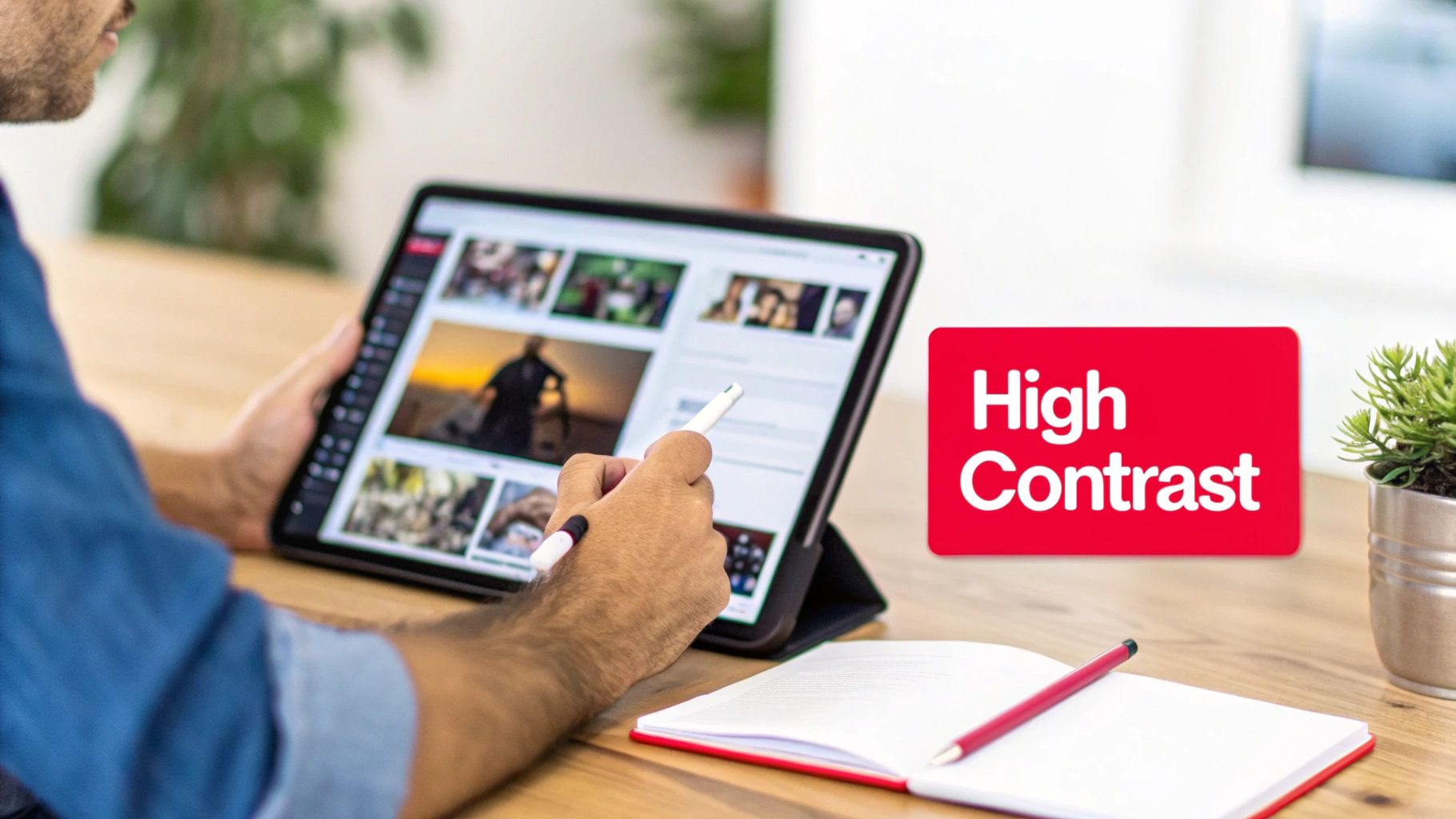
This technique is one of the most fundamental youtube thumbnail best practices because it directly impacts a video's click-through rate (CTR). Think of creators like MrBeast, who masterfully pairs vibrant yellows and reds against deep, dark backgrounds. Similarly, tech channels like Linus Tech Tips often leverage the classic complementary pairing of orange and blue to create a distinct and instantly recognizable visual signature. The goal is to create a powerful "pop" that separates your thumbnail from the sea of competing content.
Actionable Tips for Implementation
To apply this principle effectively, follow these specific guidelines:
- Limit Your Palette: Stick to a maximum of two to three dominant colors. Overloading a thumbnail with too many colors creates visual noise and reduces its impact.
- Isolate Your Subject: To make your subject stand out and create high visual impact, consider leveraging powerful background removal tools to isolate your main subject and create striking visual separation. This allows you to place a crisp, clear image against a simple, high-contrast backdrop.
- Utilize Complementary Colors: Use a color wheel to find complementary colors (those opposite each other), such as blue and orange, red and green, or purple and yellow. These pairings are naturally high in contrast and are very pleasing to the eye.
- Test for Legibility: Before publishing, shrink your thumbnail down to the size of a smartphone screen (roughly 320×180 pixels) to ensure it's still clear and compelling. If you can’t make out the details, your audience won’t be able to either.
- Check Accessibility: Use a free online contrast checker to ensure your text and key elements meet Web Content Accessibility Guidelines (WCAG). This not only helps viewers with visual impairments but also guarantees your design is clear for everyone.
2. Strategic Face Expression and Emotion
Humans are instinctively drawn to faces. This hardwired trait makes featuring a human face, especially one showing a strong emotion, one of the most powerful tools in your thumbnail design arsenal. A thumbnail displaying a genuine and often exaggerated emotional expression, such as shock, excitement, or curiosity, creates an immediate emotional connection with the viewer. This connection piques their interest and generates a "curiosity gap," compelling them to click to understand the story behind the reaction.

This technique is a cornerstone of modern youtube thumbnail best practices, famously popularized by creators like MrBeast, whose wide-eyed, open-mouthed expressions have become iconic. Similarly, beauty gurus like Nikkie Tutorials leverage dramatic looks of joy or surprise to sell the impact of a product. The key is authenticity; viewers are adept at spotting forced expressions, which can cheapen the content. The goal is to convey an emotion that accurately reflects the video's most impactful moment, inviting the audience to share in that experience.
Actionable Tips for Implementation
To effectively integrate emotional faces into your thumbnails, apply these targeted strategies:
- Capture Authentic Reactions: Plan to capture your thumbnail photo during your video recording. Pause and capture your genuine reaction immediately after a surprising or exciting moment in your content.
- Prioritize Facial Clarity: Ensure your face occupies a significant portion of the thumbnail, ideally between 40% and 60%. The expression needs to be clearly visible and easily interpreted, even on small mobile screens.
- Establish Eye Contact: A direct gaze toward the camera can create a strong connection with the viewer. Alternatively, directing your gaze toward another key element in the thumbnail can guide the viewer's attention.
- Test for Small-Screen Readability: Before publishing, shrink your thumbnail to mobile size. If the emotion is lost or the face becomes unclear, you need to adjust the framing or expression.
- Analyze Performance: Track the click-through rates (CTR) of thumbnails with different emotional expressions. Over time, you'll discover which emotions resonate most effectively with your specific audience.
3. Strategic Text Overlay and Typography
Beyond compelling imagery, a well-placed text overlay is one of the most powerful tools for communicating a video's value proposition instantly. Strategic typography acts as a direct headline, answering the viewer's unspoken question: "Why should I click this?" It clarifies the video's core premise, poses a tantalizing question, or highlights a key outcome, all before the viewer even reads the title. This technique is about creating an immediate information hook that complements the visual narrative.

This is a cornerstone of modern youtube thumbnail best practices because it drastically reduces viewer ambiguity and boosts click-through rates. Channels like MrBeast have built empires on this principle, using short, capitalized text like "LAST TO LEAVE" or "$1 VS $1,000,000" to create immediate intrigue. Similarly, educational and tech channels use text to promise a specific solution or outcome, such as "FIX THIS NOW!" or "SECRET FEATURE," making the video's benefit crystal clear. The goal is to make the text an integral, impactful part of the visual story.
Actionable Tips for Implementation
To effectively integrate text and typography into your thumbnails, follow these guidelines:
- Keep It Punchy: Limit your text to a maximum of three to four impactful words. The text should convey the video's primary hook, not a detailed summary. Think keywords, not sentences.
- Prioritize Readability: Choose bold, clean, and chunky typefaces like Montserrat Bold, Impact, or Bebas Neue. Avoid thin, script, or overly decorative fonts that are difficult to read at small sizes.
- Add an Outline or Backdrop: Apply a thin (2-3px) solid outline or a subtle drop shadow to your text. This creates separation from the background image, ensuring legibility regardless of the colors behind it.
- Test on a Small Scale: Before publishing, always shrink your thumbnail to the size it would appear on a mobile phone (around 320×180 pixels). If you can’t easily read the text, it’s not effective.
- Mind Your Margins: Place text away from the edges of the thumbnail. Leave a safety margin of about 10-15% on all sides to prevent it from being cut off on different devices or interfaces.
4. Strategic Use of Numbers, Symbols, and Visual Elements
Beyond color and imagery, the strategic placement of numbers, symbols, and other visual cues acts as a powerful form of cognitive shorthand. These elements serve as immediate hooks, triggering curiosity and efficiently communicating the video's core value proposition without the viewer needing to read a single word of the title. Numbers signal lists ('Top 5'), comparisons ('$1 vs $1,000,000'), or progression ('Day 7'), while symbols like arrows or circles direct the viewer’s eye, creating a clear visual narrative within the small canvas of a thumbnail.
This technique is a cornerstone of effective youtube thumbnail best practices because it taps into fundamental human psychology. Our brains are hardwired to seek patterns and quantify information, making numbers inherently compelling. When a viewer sees a big, bold number, it creates a "curiosity gap" that can only be satisfied by clicking. Creators in the finance space use dollar signs and percentage symbols to instantly convey value, while ranking channels leverage numbered badges to establish authority and structure.
Actionable Tips for Implementation
To integrate these visual shortcuts effectively, apply the following guidelines:
- Make Numbers a Focal Point: Use a single, large, and bold number rather than complex text. To make it stand out even more, place the number inside a contrasting shape like a circle or a box.
- Guide the Viewer's Eye: Use arrows, lines, or circles to draw attention to the most important part of the thumbnail, whether it's a specific product, a surprising outcome, or a facial expression.
- Combine Numbers and Text: For clarity, pair numbers with a concise descriptive word. For instance, instead of just "7," use "7 DAYS" or "TOP 7" to provide immediate context.
- Ensure Symbolic Clarity: Choose symbols that are universally understood. A green checkmark implies success, a red "X" implies failure, and a question mark signals a mystery or a problem to be solved.
- Strategic Placement: Position these elements where they complement, rather than obscure, key parts of the image, like a person's face or the main subject. The corners or an area with a simple background are often ideal locations.
5. Consistent Branding and Template Systems
In a feed saturated with content, your thumbnail doesn't just represent one video; it represents your entire channel. Developing a consistent branding and template system is crucial for building brand recognition and creating a loyal audience. When viewers can instantly identify your content just by glancing at the thumbnail's layout, color scheme, or font, you’ve established a powerful visual identity that encourages repeat viewership. Consistency transforms your individual videos into a cohesive, professional-looking library.
This strategy is one of the most powerful youtube thumbnail best practices for long-term channel growth. Think of major creators like Linus Tech Tips, whose signature blue and orange color palette makes their tech reviews immediately recognizable. Similarly, Vsauce uses a minimalist design with a consistent purple branding that signals a deep, thought-provoking video. The goal is to create a visual shortcut in the viewer's mind, associating your specific style with the quality and type of content you produce, making their click decision faster and easier.
Actionable Tips for Implementation
To build a strong and recognizable brand identity through your thumbnails, follow these steps:
- Create Brand Guidelines: Establish a simple document outlining your channel’s core visual elements. Define your primary color palette (2-3 main colors), specific fonts for titles, and preferred layout structures.
- Develop Template Variations: Design three to five core thumbnail templates for different content types (e.g., tutorials, reviews, vlogs). This allows for consistency while giving you flexibility to match the thumbnail to the specific video topic.
- Use Automation Tools: Leverage features in design software to maintain consistency efficiently. Use Canva templates, Photoshop actions, or Figma components to automate the application of your brand's fonts, colors, and logos.
- Audit Your Existing Thumbnails: Look at your last 20 video thumbnails. Identify recurring patterns, colors, and layouts that perform well and use that data to refine your official template system.
- Follow the 70/30 Rule: Aim for 70% consistency in your core branding elements (logo placement, font, primary colors) while allowing for 30% variation. This keeps your brand recognizable but prevents your feed from looking stale or repetitive.
- Include a Brand Signature: Always include a small, non-intrusive brand element, like your channel logo or a unique graphic icon, in a consistent location (e.g., the bottom-right corner) on every thumbnail.
6. Avoiding Clickbait While Maintaining Curiosity
In the competitive landscape of YouTube, generating clicks is crucial, but doing so deceptively can destroy your channel's long-term health. The art lies in avoiding misleading clickbait while still building powerful curiosity. This practice involves creating a thumbnail that accurately represents the video's content while hinting at its most compelling moments, creating an ethical "curiosity gap" that entices viewers to click without feeling tricked. An honest thumbnail builds trust and improves key metrics like watch time and audience retention, which the YouTube algorithm heavily rewards.
This approach is one of the most vital youtube thumbnail best practices for sustainable growth. While a sensationalized, misleading thumbnail might boost initial clicks, it leads to high bounce rates when viewers realize the content doesn't match the promise. This signals to YouTube that your video provides a poor user experience, hurting its promotion. Creators like Vsauce excel at this, using intriguing imagery that poses a question (e.g., "What Is The Speed of Dark?") that is genuinely and thoroughly answered within the video, satisfying the viewer's curiosity and building credibility.
Actionable Tips for Implementation
To build curiosity without resorting to clickbait, integrate these strategies:
- Design After Editing: Create your thumbnail after your video is complete. This ensures you can pull the most exciting and authentic moments to represent the final product accurately.
- Ask the Satisfaction Question: Look at your final thumbnail and ask, "Will a viewer who clicks on this feel satisfied and that their expectations were met by my video?" If the answer is no, it’s clickbait.
- Use Strategic Curiosity Gaps: Show a compelling moment without revealing the final outcome. For instance, show the setup for a science experiment right before the reaction, or a gamer's shocked face without showing what caused it.
- Match Emotional Tone: The energy and emotion conveyed in your thumbnail (excitement, seriousness, humor) should directly align with the tone of the video content.
- Monitor Post-Click Metrics: Pay close attention to your Average View Duration and Audience Retention graphs. A sharp, immediate drop-off within the first 30 seconds is a strong indicator that your thumbnail is misleading your audience.
7. Strategic Thumbnail Variations and A/B Testing
Relying on intuition alone to create the perfect thumbnail is a recipe for missed opportunities. Strategic A/B testing eliminates the guesswork by providing hard data on what truly motivates your specific audience to click. This process involves creating multiple thumbnail variations for a single video and systematically testing them to see which one performs best. It's an iterative approach that compounds your knowledge over time, turning thumbnail creation from an art into a data-backed science.
This methodical practice is one of the most powerful youtube thumbnail best practices for long-term channel growth because it directly optimizes for a higher click-through rate (CTR). Top creators and consultants like Derral Eves and the team at Think Media constantly test different text, colors, and facial expressions to refine their approach. For instance, a gaming channel might test a bright, action-packed scene against a darker, more mysterious one, while a business channel could test a version with a human face against one featuring a bold numerical statistic to see what drives more engagement.
Actionable Tips for Implementation
To implement A/B testing and make data-driven decisions, follow these specific guidelines:
- Isolate One Variable: To get clean, understandable data, change only one major element at a time per test. Test a red background vs. a blue one, or a smiling face vs. a surprised one, but don't change both simultaneously.
- Use YouTube's Testing Feature: Leverage the "Test & Compare" feature directly in YouTube Studio. It allows you to upload up to three thumbnail variations and will automatically show them to different segments of your audience to determine a winner based on CTR.
- Establish a Baseline: Before you start testing, know your channel's average CTR. This baseline will help you accurately measure whether your new variations are actually improving performance.
- Document Everything: Keep a simple spreadsheet to track your tests. Note the video, the element you changed (e.g., text color, facial expression), and the resulting CTR and watch time for each variation. This log becomes an invaluable playbook for your channel's visual strategy. For a deeper dive into CTR, you can learn more about how to improve your click-through rate on viewsmax.com.
- Test for Statistical Significance: Ensure each variation receives enough impressions (aim for at least 1,000) before declaring a winner. Making decisions based on a small data set can be misleading. For advanced strategies, exploring multivariate ad testing tools can provide deeper insights into how combinations of elements perform.
8. Optimizing for Mobile Viewing and Accessibility
With over 70% of YouTube viewership occurring on mobile devices, designing for a small screen isn't optional; it's the default. A thumbnail that looks stunning on a 27-inch monitor can become a cluttered, illegible mess on a smartphone, where it’s often displayed at a mere 320×180 pixels. Optimizing for mobile first ensures that the core message and visual appeal of your thumbnail remain intact, capturing attention where it matters most. This approach is fundamental to youtube thumbnail best practices because a failure to design for the smallest screen means alienating the majority of your potential audience.
This principle extends beyond just size to include accessibility, which helps your content reach a broader audience, including those with visual impairments. Channels like Wired excel at this, using large, clear portraits and bold, readable text that works at any scale. Similarly, top gaming channels often use simple, iconic visual elements instead of chaotic screenshots, ensuring instant recognition on a mobile feed. By prioritizing mobile legibility and accessible design, you guarantee your thumbnail performs its primary job: earning the click, regardless of how or where it's viewed.
Actionable Tips for Implementation
To ensure your thumbnails are effective on any device, follow these specific guidelines:
- Design and Preview at Mobile Size: Always shrink your design down to its approximate mobile size (around 320×180 pixels) during the creation process. This is the ultimate test of its clarity and impact.
- Use Bold, Chunky Typefaces: Avoid thin, delicate, or script fonts. Opt for bold, sans-serif fonts with thick strokes that remain legible even when scaled down. A minimum 3px font stroke is a good rule of thumb.
- Keep Text Minimal: Stick to a maximum of three to four powerful words. The goal is to evoke curiosity, not to provide a full summary. More text becomes unreadable on mobile.
- Employ the 40% Rule: Ensure your main subject or focal point occupies at least 40% of the thumbnail canvas. This creates a clear visual anchor that is easy to process quickly.
- Consider Colorblind Viewers: Use a free online simulator to see what your thumbnail looks like with different types of color blindness. High-contrast designs that don’t rely solely on color to convey information are more universally accessible.
- Check Different Screen Settings: Preview your thumbnail on various devices and at different brightness levels to ensure it holds up under real-world viewing conditions.
- Know Your Dimensions: Mastering the various display sizes is key to mobile optimization. You can learn more about the specifics from this detailed guide on YouTube thumbnail sizes.
9. Niche, Trend, and Seasonality Optimization
A successful thumbnail doesn't exist in a vacuum; it speaks the language of its intended audience and reflects the current cultural moment. Optimizing your thumbnails for niche conventions, trending topics, and seasonal events is a powerful strategy to boost relevance and click-through rates. This approach involves understanding the established visual cues within your specific content category while strategically incorporating timely elements that capture immediate viewer interest. Aligning your design with what’s current makes your video feel fresh, relevant, and highly discoverable.
This tactic is one of the most dynamic youtube thumbnail best practices because it directly ties your content to periods of peak interest. Think of gaming channels that adopt the art style and color palette of a newly released game, or beauty creators who use festive reds and greens in their thumbnails during the holidays. This signals to viewers that your content is not just evergreen but also perfectly timed. The key is to balance established niche expectations with a fresh, trendy twist that makes your thumbnail stand out.
Actionable Tips for Implementation
To apply this principle effectively, follow these specific guidelines:
- Analyze Niche Conventions: Study the top 30 thumbnails in your specific niche to identify common design patterns. For instance, tech reviews often feature clean product shots and spec text, while educational channels favor minimalist designs. For a deeper understanding of category-specific expectations, it's crucial to research the visual language of your YouTube niche to establish a strong baseline.
- Monitor Current Trends: Dedicate time each week to browse the YouTube Trending tab and social media platforms. Look for recurring meme formats, color palettes, or visual styles that you can subtly incorporate into your designs without making them the sole focus.
- Plan Seasonal Variations: Prepare seasonal thumbnail templates in advance for major holidays or events like Halloween, Christmas, or summer. This allows you to quickly update evergreen content to capture seasonal search traffic, a simple yet effective way to revitalize older videos.
- The 70/30 Rule: Aim for a design that is 70% timeless and consistent with your brand, and 30% trendy or seasonal. This ensures your thumbnail remains recognizable while still feeling current and relevant to what's happening now.
- Track Performance: When you experiment with a trend or seasonal element, carefully monitor your video’s CTR. Document which specific visual cues led to a noticeable increase in clicks, creating a data-backed playbook for future thumbnail designs.
10. Psychological Triggers and Curiosity Gap Strategy
Beyond simple aesthetics, the most compelling thumbnails tap into human psychology to generate an irresistible urge to click. The "curiosity gap" strategy is a powerful technique that involves presenting viewers with an intriguing but incomplete piece of information. This creates a mental itch or a question in the viewer's mind that can only be resolved by watching the video, effectively turning curiosity into a click.
This method is one of the most sophisticated youtube thumbnail best practices because it moves beyond visual appeal and leverages cognitive biases. Unlike blatant clickbait, a well-executed curiosity gap sets an honest expectation that the video will fulfill. Creators like MrBeast are masters of this, with titles like "$1 vs $1,000,000 Hotel Room!" The thumbnail creates a stark visual contrast, and the title poses an implicit question: "What is the difference, and is it worth it?" This triggers a genuine desire to see the comparison resolved.
Actionable Tips for Implementation
To ethically and effectively leverage psychological triggers, focus on creating genuine intrigue:
- Create Small Information Gaps: Present a clear "before" but obscure the "after," show a problem without revealing the solution, or feature a surprising juxtaposition that demands an explanation (e.g., a laptop submerged in water).
- Use Visual Question Marks: Employ visual elements like arrows pointing to a blurred area, a circle highlighting a tiny detail, or a person with an exaggerated expression of shock or confusion. This signals that there is something important the viewer is missing.
- Combine with a Clear Value Proposition: Your curiosity element should complement, not replace, the video's core topic. A thumbnail for a "PC Build Guide" could show a finished, glowing PC next to a single, mysterious-looking component with a question mark over it.
- Promise and Deliver: The most crucial rule is to ensure your video directly and satisfyingly answers the question posed by the thumbnail. Failing to close the curiosity gap will erode viewer trust and harm your channel's reputation.
- Test Different Triggers: Experiment with various curiosity angles. Does a question in the text work better than a partially obscured object? Does a "before and after" comparison outperform a surprising outcome? Use your analytics to see which psychological triggers resonate most with your audience.
10-Point YouTube Thumbnail Best-Practices Comparison
| Technique | Implementation Complexity 🔄 | Resource Requirements ⚡ | Expected Outcomes 📊 | Ideal Use Cases | Key Advantages ⭐ | Quick Tips 💡 |
|---|---|---|---|---|---|---|
| High Contrast and Bold Colors | Easy | Minimal design skill, color tools, branding assets; quick to apply | Very High CTR (≈+20–40%) | Attention‑focused thumbnails, mobile-first feeds, broad-audience videos | Strong visibility and instant brand recognition | Test at 320×180, use 2–3 colors, check contrast |
| Strategic Face Expression and Emotion | Medium | On-camera talent, photography/editing time | Very High CTR (≈+30–50%) | Vlogs, reaction, beauty, gaming, personality-driven content | Builds emotional connection and parasocial trust | Use genuine expressions; fill 40–60% of frame |
| Strategic Text Overlay and Typography | Easy–Medium | Design tools (Canva/PS/Express), readable fonts | Medium–High CTR (≈+15–25%) | Tutorials, how‑tos, informative and instructional videos | Conveys value instantly; aids accessibility | Limit to 2–4 words; add 2–3px outline; test legibility |
| Numbers, Symbols & Visual Elements | Easy | Simple graphic overlays, templates, icons | High CTR (≈+20–35%) | Listicles, challenges, finance, countdowns, rankings | Universal curiosity trigger; guides viewer eye | Use single bold numbers; isolate in circle/box; avoid clutter |
| Consistent Branding & Template Systems | Medium–High | Brand guidelines, initial design investment, team coordination | Medium–High CTR (+10–20%) and faster production over time | Channels seeking long‑term recognition, high‑volume creators | Builds instant channel recognition; streamlines workflow | Create 3–5 templates; audit regularly; refresh 6–12 months |
| Avoiding Clickbait While Maintaining Curiosity | Medium | Strategic planning, analytics review, time | Medium CTR; higher watch time and retention | Educational, professional, trust‑focused channels | Preserves audience trust; improves watch time and sustainability | Design after editing; ensure thumbnail truthfulness; monitor WTD |
| Thumbnail Variations & A/B Testing | Medium | Testing tools (TubeBuddy/YouTube Studio), analytics skills, time | High, compounding CTR gains (≈+15–40% over time) | Channels with sufficient traffic wanting data‑driven growth | Removes guesswork; reveals audience preferences | Change one variable per test; require 100–500 impressions; document results |
| Optimizing for Mobile Viewing & Accessibility | Easy–Medium | Device testing, accessibility checks, simplified layouts | High CTR (mobile readability increases clicks) | Mobile‑first audiences; broad reach content | Ensures legibility and inclusivity across devices | Design/preview at 320×180; use bold fonts; follow 40% focal rule |
| Niche, Trend & Seasonality Optimization | Medium | Trend monitoring, fast turnaround, niche research | Medium–High during trend windows; boosts discoverability | Timely/seasonal content, trend‑driven niches (gaming, news) | Capitalizes on peak interest; aligns with audience expectations | Balance 70% evergreen / 30% trendy; plan seasonal variations |
| Psychological Triggers & Curiosity Gap Strategy | Medium–High | Behavioral insight, strategic design, careful testing | Very High CTR (≈+25–50% possible) | Reveal/story formats, comparisons, challenge and mystery content | Ethically leverages curiosity to drive clicks and engagement | Create small gaps; ensure video resolves the promise; combine cues |
Turning Your Thumbnails into a System for Sustainable Growth
We've explored a comprehensive landscape of youtube thumbnail best practices, moving far beyond generic advice into the realm of strategic, data-informed decision-making. The journey from a novice creator to a seasoned professional is often paved with the lessons learned from thousands of tiny, yet crucial, choices. Your thumbnail is the most important of these choices, acting as the digital handshake that invites a potential viewer into your world.
Mastering this single element is not about finding a magic formula or a one-size-fits-all template. Instead, it’s about building an interconnected system. The bold colors you choose aren't just for attention; they communicate a mood. The facial expression you feature isn't just a picture; it’s an emotional promise. The text you overlay isn't just a title; it's a direct, compelling question posed to the viewer. Each element works in concert with the others.
From Individual Tactics to a Cohesive Strategy
The true power of these best practices is unlocked when they are integrated into a repeatable workflow. A single high-performing thumbnail might feel like a lucky break, but a channel that consistently produces high-performing thumbnails is operating on a system of excellence.
Consider the key pillars we've discussed:
- Emotional Connection: Leveraging strategic facial expressions and psychological triggers to create an immediate, human connection that sparks curiosity.
- Visual Clarity: Using high-contrast colors, clean composition, and legible typography to ensure your message is understood in less than a second, especially on mobile devices.
- Brand Consistency: Developing a recognizable visual identity through consistent branding and template systems, which transforms a casual viewer into a loyal subscriber who can spot your content in a crowded feed.
- Intelligent Optimization: Moving beyond guesswork by implementing strategic A/B testing, analyzing your Click-Through Rate (CTR), and adapting to niche trends to continuously refine your approach.
By internalizing these pillars, you shift your mindset from "What should this thumbnail look like?" to "What system can I build to create consistently effective thumbnails?" This systemic approach saves you time, reduces creative burnout, and, most importantly, provides a reliable engine for channel growth. You stop chasing virality and start engineering it.
Your Action Plan for Thumbnail Mastery
The sheer volume of information can feel overwhelming, but progress is made through small, intentional steps. Don't try to overhaul your entire thumbnail strategy overnight. Instead, focus on incremental improvements that will compound over time.
Here is a simple, actionable plan to get started:
- Conduct a Thumbnail Audit: Look back at your last 10-15 videos. Which thumbnails had the highest CTR? Which had the lowest? Identify patterns related to color, text, and composition. What can you learn from your own data?
- Pick One Practice to Implement: Choose one single strategy from this guide to apply to your next three videos. Perhaps it's focusing on high-contrast color combinations or incorporating a more emotionally expressive face.
- Track and Measure: Pay close attention to the CTR of those next three videos within the first 24-48 hours. Compare it to your channel's average. Did the change make a positive impact?
- Iterate and Expand: Once you have validated a new technique, integrate it into your regular workflow. Then, pick another practice from the list and repeat the process.
This methodical process of implementing, testing, and iterating is the core of mastering youtube thumbnail best practices. It transforms thumbnail design from a frustrating art into a predictable science. Your thumbnail is no longer just a static image; it's a dynamic tool for audience growth, a direct line of communication to your next million views. Treat it with the strategic importance it deserves, and it will become one of the most powerful assets in your creator toolkit.
Ready to take the guesswork out of your thumbnail strategy? ViewsMax uses powerful AI to analyze your channel's data, providing you with data-driven insights and specific recommendations to create thumbnails that get clicked. Stop guessing and start growing by discovering what resonates with your audience at ViewsMax.
Leave a Reply