ViewsMax
Sign In Sign Up Free

Author: development@iclicksee.com

  • The Ultimate Guide to YouTube Video Thumbnail Sizes

    The Ultimate Guide to YouTube Video Thumbnail Sizes

    Let's get right to the point: the ideal size for a YouTube thumbnail is 1280×720 pixels. This isn't just a suggestion; it's the standard that ensures your image looks sharp and professional everywhere, from a tiny phone screen to a massive smart TV.
    Think of these technical specs as the foundation of your video's first impression. Before you even think about colors, fonts, or facial expressions, you have to get the basics right to avoid frustrating issues like blurriness, awkward cropping, or outright upload failures.

    The Official YouTube Thumbnail Specs

    Your thumbnail is your video's billboard. Getting the technical details right ensures it looks fantastic and loads quickly, signaling quality to both potential viewers and the YouTube algorithm.

    Here’s a quick breakdown of the core rules you need to follow for every single thumbnail. Memorize these—they're non-negotiable for a professional channel.

    • Resolution: 1280 pixels wide by 720 pixels tall. This is the high-definition standard.
    • Aspect Ratio: 16:9. This is crucial because it perfectly matches the shape of the YouTube player.
    • Minimum Width: While 1280px is the goal, the absolute minimum YouTube will accept is 640 pixels. Anything smaller will look pixelated and unprofessional.
    • File Formats: You can use JPG, PNG, or GIF. Most creators stick with JPG for its balance of quality and small file size.
    • File Size: Keep it under the 2MB limit. This is key for fast loading on all devices.

    This image neatly summarizes the big three: resolution, aspect ratio, and file size.

    YouTube thumbnail specifications summary: 1280x720 pixels, 16:9 aspect ratio, and less than 2MB file size.

    If you ever need a complete rundown of all of YouTube's media dimensions, you can always check their official YouTube sizing guide for the latest specs.

    YouTube Thumbnail Technical Specifications

    To make things even clearer, here’s a quick-reference table that breaks down not just what the requirements are, but why they matter so much.

    Specification Requirement Why It Matters
    Resolution 1280 x 720 pixels Ensures your thumbnail looks crisp and high-quality, especially on larger screens like TVs and monitors.
    Aspect Ratio 16:9 Prevents YouTube from adding ugly black bars or cropping your image in an unflattering way.
    File Size Under 2MB Guarantees your thumbnail loads instantly, which is critical for viewer experience on slower connections.
    File Format JPG, PNG, GIF These are the universal web formats that YouTube’s system is built to process without errors.

    Nailing these four technical pillars is the first—and most important—step toward creating thumbnails that actually get clicks. Get these right, and you're ready to focus on the creative side.

    Why Your Thumbnail Size Is a Massive Growth Lever

    Getting your YouTube thumbnail size right is way more than just a technical detail—it’s one of the most powerful things you can do to grow your channel. Think of it as the single most important piece of marketing for every video you publish. A sharp, high-quality thumbnail is the very first impression a viewer gets of your work.

    When you use the recommended 1280×720 pixels, your thumbnail looks crisp and professional everywhere, from a giant TV screen to a tiny phone. That clarity is what stops someone from scrolling past your video in a busy feed, making your content look far more credible than a blurry, poorly cropped alternative.

    The Link Between Size and Clicks

    At the end of the day, a thumbnail has one job: get the click. A high-resolution image that meets YouTube's specs is simply more clickable. It ensures your creative choices—like dramatic facial expressions, bold text, and punchy colors—land with the biggest possible impact.

    This visual quality directly feeds into a higher click-through rate (CTR), a metric the YouTube algorithm absolutely loves. A strong CTR signals to YouTube that people are interested in your video, which encourages the platform to recommend it to a wider audience. Even a tiny bump in your CTR can translate into thousands of additional views over time. For a deeper dive on this, check out our guide on how to improve your click-through rate.

    There's no denying how much thumbnails have evolved from simple video previews into powerful, data-driven tools. In fact, research shows that for about 90% of users, the thumbnail is the main reason they decide to watch a video. When creators get it right—with a clear focal point, readable text, and the correct 1280×720 size—they can see CTRs jump by as much as 30%, pushing them into that highly coveted 12-15% range. You can find more insights on these AI-driven thumbnail trends on superagi.com.

    Building Viewer Trust Through Quality

    Uploading high-quality, perfectly sized thumbnails consistently does more than just help individual videos. It’s how you build a recognizable brand. Over time, viewers start to spot your unique style in their feeds and associate it with the great content you deliver.

    A great thumbnail is a promise to the viewer. When the size and quality are perfect, it signals that the video content behind it will be just as professional and valuable.

    This kind of trust is what creates loyal subscribers and repeat viewers. Once your audience knows they can rely on you for well-made content, they'll click on your videos without a second thought. Bottom line: treating your thumbnail size as a strategic priority is one of the highest-impact things you can do to fuel real, sustainable growth for your channel.

    How to Create a Perfectly Sized Thumbnail

    A silver laptop with a red screen displaying 'Perfect Thumbnail' sits on a wooden desk with office supplies.

    Knowing the exact specs for a YouTube thumbnail is just the starting line. The real challenge is actually creating a great-looking image that fits those requirements. But here’s the good news: you don't need to be a professional graphic designer. With the right tools and a solid workflow, you can churn out thumbnails that get clicks.

    Everything starts with setting up your canvas correctly. It doesn't matter if you're using a free tool like Canva or a pro-level program like Adobe Photoshop. Your very first step should always be creating a new project that is exactly 1280 pixels wide by 720 pixels tall. Nailing this from the get-go means you’re working in the required 16:9 aspect ratio from the start, which saves you from headaches with weird cropping or stretching issues down the road.

    Setting Up Your Canvas in Popular Tools

    Getting your project dimensions right is half the battle. Thankfully, most design software makes this pretty painless with presets, but you can always input the dimensions manually.

    • In Canva: Just hit "Create a design" on the homepage and type "YouTube Thumbnail" into the search bar. Canva instantly sets up a blank 1280×720 canvas for you. Simple as that.
    • In Adobe Photoshop: Go to File > New. In the dialog box, set the Width to 1280 pixels and the Height to 720 pixels. Make sure the Resolution is set to 72 PPI (Pixels Per Inch)—that's the web standard you'll want to stick with.

    Once your blank canvas is ready, it's time to start designing. Always, and I mean always, start with a high-resolution background image. Nothing screams "amateur" faster than a blurry, pixelated thumbnail. It immediately kills your video's credibility before anyone even clicks.

    A well-designed thumbnail isn't just a preview; it actively guides the viewer's eye to the most important parts of the image. This is where a few simple design principles can make a huge difference.

    One of the easiest and most effective techniques is the classic rule of thirds. Picture your canvas with a 3×3 grid overlaid on it. By placing your most important elements—like your face, a product, or a key object—along those gridlines or where they intersect, you create a composition that feels more balanced and engaging. It’s a simple trick that naturally directs attention and makes your thumbnail feel less static.

    Adding Text and Branding Elements

    When it comes to text, less is more. Your copy needs to be bold, short, and so easy to read that someone can understand it at a glance on a tiny phone screen. Pick just a handful of powerful words that spark curiosity or spell out the video's main benefit. And make sure you use high-contrast colors so your text pops right off the background.

    Finally, think about consistency. Using the same fonts, color palettes, or logo placement across all your thumbnails helps build brand recognition. Over time, viewers will start to spot your content instantly in their busy subscription feeds. This creative stage is also where solid video concepts pay off; you can find some great strategies for developing video ideas that will inform your thumbnail design from the start.

    When your masterpiece is complete, export it as a JPG. This format gives you the best mix of image quality and a small file size, making it easy to stay under YouTube's 2MB limit. Stick to this process, and you’ll be creating perfectly optimized thumbnails every single time.

    Common Thumbnail Size Mistakes to Avoid

    Even the most brilliant thumbnail concept can fall flat because of a simple technical glitch. I've seen countless creators accidentally kneecap their own video's reach with these easily avoidable errors. Let's walk through the most common pitfalls so your hard work actually translates into clicks.

    The biggest mistake, hands down, is uploading a low-resolution image. Sure, YouTube says the minimum width is 640 pixels, but if you upload something that small, it’s going to look blurry and amateurish on anything bigger than a tiny phone screen. Always, always start with a high-quality source image and build your design on a 1280×720 canvas. That's your ticket to a crisp, professional-looking thumbnail every time.

    Another classic error is completely ignoring the 16:9 aspect ratio. If you upload a square (1:1) or a vertical (9:16) image, YouTube will just slap black bars on the sides to make it fit. It not only looks sloppy but you’re also wasting precious real estate that could have been used to grab someone's attention.

    Solving Aspect Ratio and File Size Issues

    The good news is that fixing these problems is pretty simple once you know what you’re doing. Learning to crop and compress your images correctly is a core skill for any serious creator.

    • Cropping to 16:9: Every design tool you can think of, from Canva to Adobe Photoshop, has a crop function. The key is to lock the aspect ratio to 16:9 before you start dragging the corners around. This keeps the proportions correct and ensures you won’t get those dreaded black bars.
    • Managing File Size: YouTube is a stickler for its 2MB file size limit. If your thumbnail is even a tiny bit over, it'll get rejected. When you're ready to save, look for an option like "Export for Web" or "Save for Web." Choosing JPG over PNG is almost always a surefire way to get a smaller file. If it’s still too big, a quick search for an online image compressor will solve the problem without messing up your quality.

    "A thumbnail that fails on the technical side is a massive missed opportunity. Getting the size, ratio, and file format right is the foundation. It's the difference between someone clicking your video or just scrolling right past it."

    Other Common Thumbnail Errors

    Beyond the core specs, a few other design blunders can sink your thumbnail's performance, especially on mobile where most people are watching anyway.

    1. Tiny, Unreadable Text: Text that looks perfectly clear on your big desktop monitor can easily turn into a pixelated smudge on a phone. Your best bet is to keep text big, bold, and high-contrast. Less is more.
    2. Overcrowding the Design: A busy, cluttered thumbnail just confuses the eye. You want to focus on one primary subject—a person’s face, a key object, an intriguing result—to create an instant focal point.
    3. Ignoring the Bottom-Right Corner: Don't forget, YouTube slaps the video's timestamp right in the bottom-right corner. Make sure you don't place any critical text or visual elements there, because they'll just get covered up.

    Optimizing Thumbnails for Mobile and Desktop Views

    A hand holds a smartphone showing a 'MOBILE FIRST' website, next to a desktop computer displaying a responsive website.

    It’s a classic creator mistake: you design a thumbnail that looks absolutely killer on your 27-inch monitor, only to find it's an unreadable smudge on a phone. Since a massive chunk of YouTube traffic comes from mobile devices, thinking "mobile-first" isn't just a best practice—it's a critical strategy for getting clicks.

    When your perfectly detailed 1280×720 pixel design gets shrunk down, all that nuance disappears. The witty, small-print text becomes a blur, busy backgrounds turn into visual noise, and subtle facial expressions are completely lost. If you design for the smallest screen first, you guarantee your thumbnail’s message is clear and compelling, no matter how someone is watching.

    Designing for Universal Readability

    The secret to a great thumbnail that works everywhere is focusing on simplicity and contrast. You have a split second to communicate what your video is about, even when your thumbnail is just an inch wide. This means you have to prioritize the elements that survive the shrinking process.

    Here are a few things I’ve found to be non-negotiable for creating thumbnails that perform on any device:

    • Go Big and Bold with Fonts: Stick with thick, clean, sans-serif fonts. They stay readable even when they’re tiny. And seriously, keep the text short and sweet—three to five powerful words is the sweet spot.
    • Pick One Hero Element: Your design needs a single, clear focal point. This could be an expressive face, a key object from the video, or a dramatic "before and after." A cluttered thumbnail is a confusing thumbnail, and viewers on mobile will just scroll right past it.
    • Crank Up the Contrast: Use bright, opposing colors to make your subject and text leap off the background. In a crowded subscription feed, high contrast is your best friend for grabbing a viewer's eye.

    By building your design around these core principles, you ensure your youtube video thumbnail sizes are optimized not just to meet the technical specs, but to actually drive real-world performance.

    Thumbnail Design Checklist for All Devices

    Before you hit "upload," run your design through this quick checklist. It's a simple way to gut-check how your creative choices will hold up when they move between a big desktop monitor and a small phone screen.

    Design Element Mobile-First Consideration Desktop Consideration
    Text Is it legible in a tiny preview? Is it 3-5 words max? Does it still look balanced and not overly simplistic on a larger screen?
    Subject Focus Is there one clear, identifiable focal point? Are the details of the subject crisp and high-quality when viewed at full size?
    Colors Do the colors have high contrast to stand out in a crowded feed? Do the colors align with your channel's branding and look professional?
    Complexity Is the design simple and uncluttered to avoid visual noise? Is there enough visual interest to engage viewers on a larger display without looking empty?

    Ultimately, it helps to think of your thumbnail as a tiny billboard on a fast-moving highway. People are scrolling quickly. If they can't grasp the concept in a single glance, you’ve already lost their click.

    Getting the youtube video thumbnail sizes right is the first technical step, but designing with a mobile-first mindset is the strategic leap that will actually get you more views and grow your channel.

    Advanced Strategies for High-Impact Thumbnails

    A tablet on a wooden table displays a man with an expressive face and a 'BOOST CTR' banner.

    Getting the technical specs right is just the starting line. Once you've nailed the ideal 1280×720 canvas, the real work begins. It's time to go beyond the numbers and dive into the visual psychology that makes people actually click.

    This is where you turn your thumbnail from a simple placeholder into your video’s most powerful marketing asset. The mission is simple: make someone stop scrolling, get curious, and feel an undeniable urge to watch.

    Harness the Power of Human Faces

    One of the most reliable ways to grab attention is by featuring a human face with a clear, strong emotion. We are biologically wired to notice and interpret facial expressions, which creates an immediate connection that text or objects just can't replicate. A look of shock, joy, or confusion can tell a potential viewer everything they need to know about the video's tone in less than a second.

    This works so well because it taps into empathy and makes your content feel more personal. When someone sees a genuine human reaction, their first thought is often, "What caused that?"—and clicking is the only way to find out.

    Use High-Contrast Colors and Bold Text

    On a busy YouTube feed, a thumbnail with muted or muddy colors is as good as invisible. To cut through the noise, you absolutely must use a bold, high-contrast color palette that makes your subject and text pop right off the screen. Think bright yellows against deep blues or a vibrant green over a dark background.

    The same rule applies to your text. For maximum impact, stick to these guidelines:

    • Keep it brief: Use no more than 3-5 powerful words that hint at the video's main hook or value.
    • Make it readable: Pick a thick, clean font that’s easy to read at a glance, especially on a tiny phone screen.
    • Ensure it pops: Add a dark outline or a solid color block behind your text to guarantee it stands out against the background image.

    For creators working with Shorts, the game is even faster. You can find advanced strategies for maximizing short video impact that are tailored specifically for that quick-consumption format.

    A great thumbnail doesn’t just tell you what the video is about; it makes you feel something. It’s the difference between a passive scroll and an active click.

    Build a Recognizable Brand Identity

    Consistency is your best friend when it comes to building a loyal audience. When your subscribers can spot your content instantly in a crowded feed, you've won half the battle. This doesn't mean every thumbnail needs to be a carbon copy, but they should all speak the same visual language.

    Try to establish a consistent style using a few core elements:

    • Fonts: Stick to one or two signature fonts across all your thumbnails.
    • Color Palette: Use a defined set of brand colors that represent your channel.
    • Layout: Develop a few go-to compositions or a recurring layout style.
    • Logo/Branding: Consistently place your logo or a unique brand mark in the same corner.

    This kind of visual consistency builds trust and familiarity, which encourages people to click on your videos time and time again. It’s a crucial piece of a bigger growth puzzle, which you can learn more about in our guide on YouTube SEO for beginners. When you combine these design tactics with perfect technical execution, your thumbnails become strategic assets that actively drive your channel's growth.

    Frequently Asked Questions About Thumbnail Sizes

    Even when you know the official specs, real-world questions always seem to pop up right when you're in the middle of a project. Getting your YouTube thumbnail dimensions right isn't just about hitting the numbers; it's about knowing how the platform will treat your image once you upload it. This section tackles the most common questions we hear from creators.

    Think of this as your go-to guide for those nagging "what-if" moments. We'll clear up the confusion around different sizes, file formats, and what you can do after your video is already live.

    What Happens If My Thumbnail Isn't 1280×720?

    So, you’ve uploaded a thumbnail that isn't the recommended 1280×720 pixels. What now? It’s a super common scenario, and what happens next depends entirely on the image you used.

    Here’s a quick breakdown of the likely outcomes:

    • Larger but Same Ratio (e.g., 1920×1080): If your image is bigger than the recommendation but still keeps that crucial 16:9 aspect ratio, YouTube will just shrink it down. This usually works out fine, but be aware that any automatic compression could lead to a tiny bit of quality loss.
    • Smaller but Same Ratio (e.g., 640×360): A smaller image might look okay on a phone screen, but it’s going to bite you on larger displays. When viewed on a desktop monitor or a TV, it will almost certainly look blurry and pixelated, which can instantly make your video feel low-quality.
    • Wrong Aspect Ratio (e.g., 4:3 or 1:1): This is the one you really want to avoid. If you upload a thumbnail in the wrong aspect ratio, YouTube will force it into a 16:9 box by adding ugly black bars to the sides (letterboxing). This not only looks amateurish but also wastes precious screen space you could have used for your design.

    Is JPG or PNG Better for a YouTube Thumbnail?

    The classic JPG vs. PNG debate comes down to a trade-off between image quality and file size, and it’s an important one when you’re trying to stay under that 2MB limit. For almost every situation, JPG is the way to go.

    JPGs give you an excellent balance of rich color and small file size, making them ideal for the photos and complex graphics used in most thumbnails. They're the industry standard for a good reason.

    That said, PNG has its niche. The only time you should really reach for a PNG is if your design absolutely requires a transparent background or if it’s made of simple vector-style graphics and text where you need perfectly sharp edges. Just remember, PNG files are often significantly larger, so you'll have to keep a close eye on that file size.

    Here's the bottom line: Start with JPG by default. Only switch to PNG if you have a specific design need, like transparency, that a JPG can't handle.

    Can I Change My Thumbnail After a Video Is Published?

    Yes, absolutely! YouTube lets you change your custom thumbnail at any time, even years after the video was first published. This is a powerful feature that savvy creators use all the time.

    Swapping out a thumbnail is simple:

    1. Head over to your YouTube Studio.
    2. Find the video you want to edit and click into its "Details" page.
    3. Look for the "Thumbnail" section and you'll see the option to change it.
    4. Just click, upload your new image, and hit save.

    The change usually ripples across YouTube within minutes. This is a game-changer for A/B testing different designs to boost your click-through rate or for giving older, evergreen content a fresh look to attract new viewers. Your video's first impression is never set in stone.


    Ready to stop guessing and start growing? ViewsMax provides AI-powered tools and actionable insights to help you optimize your titles, descriptions, and thumbnails for maximum impact. Turn your creative vision into measurable channel growth by visiting us at https://blog.viewsmax.com.

  • 8 Types of Great Tags for YouTube to Dominate Search in 2026

    8 Types of Great Tags for YouTube to Dominate Search in 2026

    YouTube's algorithm is a complex beast, but one of its most vital signals remains surprisingly direct: video tags. Many creators treat this section as an afterthought, a quick brain-dump of single words that barely scratches the surface of their content's potential. This common mistake is precisely why so many high-quality videos fail to find their audience. Effective tagging isn't just about telling YouTube what your video is about; it's about strategically telling the algorithm who your video is for.

    This guide moves beyond generic advice. We will provide a comprehensive breakdown of the essential types of great tags for YouTube, complete with categorized, copy-ready examples designed for specific niches and video goals. You will learn not just what to write, but why certain tags work and how to combine them into a powerful strategy that maximizes discoverability.

    Inside, you will find a complete toolkit for transforming your tags from a simple keyword list into a precision-guided system for channel growth. We will cover:

    • Keyword-Rich Primary Tags: The foundational building blocks.
    • Long-Tail Keyword Tags: Capturing highly specific search intent.
    • Brand and Channel-Specific Tags: Creating a cohesive content ecosystem.
    • Competitor and Benchmarking Tags: Learning from what already works.
    • Trending and Seasonal Tags: Capitalizing on timely interest.
    • Niche-Specific Community Tags: Speaking the language of your core audience.
    • Problem-Solution and Intent-Based Tags: Answering the questions viewers are asking.
    • Hashtag-Based Discovery Tags: Leveraging social-style discovery.

    Prepare to stop guessing and start implementing a tagging methodology that tells YouTube exactly who needs to see your content.

    1. Keyword-Rich Primary Tags

    Primary tags are the cornerstone of your video's discoverability strategy. These are the first 1-3 tags you should add, and they need to be hyper-specific, directly matching your video's main topic and the most common search queries your target audience uses. Think of them as the headline for your video's metadata; they carry the most weight with YouTube's algorithm, signaling your content's core subject matter with precision.

    These tags should align perfectly with your video's title and description. This consistency reinforces your video's topic, making it easier for YouTube to categorize your content and recommend it to the right viewers. Choosing the right primary tags is a crucial first step in finding great tags for YouTube, as it sets the foundation for both search ranking and suggested video placement.

    Strategic Application and Examples

    The key is to think like your viewer. What exact phrase would they type into the search bar to find your video? That phrase is likely your best primary tag.

    • For a "How-To" Video: If your video teaches how to bake sourdough bread, your primary tags should be how to bake sourdough bread, sourdough bread for beginners, and easy sourdough recipe. These are direct, high-intent keywords.
    • For a Gaming Guide: A video on a specific "Elden Ring" boss fight should use Elden Ring Malenia boss guide, how to beat Malenia, and Malenia cheese strategy as its primary tags.
    • For a Product Review: Reviewing the latest iPhone? Use iPhone 15 Pro review, is the iPhone 15 Pro worth it, and iPhone 15 Pro camera test.

    Actionable Takeaways

    To effectively implement keyword-rich primary tags, follow these best practices:

    1. Prioritize Placement: Always place your most important, specific keyword phrase as the very first tag. This gives it maximum algorithmic weight.
    2. Conduct Keyword Research: Use tools like TubeBuddy or Google Trends to validate that your chosen primary tags have sufficient search volume. You can find a deeper dive into this process by learning more about YouTube video keywords on ViewsMax.
    3. Analyze Competitor Transcripts: To uncover a wider array of keyword-rich primary tags, especially by analyzing your own content or competitor videos, consider leveraging a YouTube video to text converter for keyword insights. This can reveal the exact language successful creators use.
    4. Maintain Consistency: Ensure your primary tags are also present, naturally, within your video title and the first few sentences of your video description for maximum SEO impact.

    2. Long-Tail Keyword Tags

    Long-tail keyword tags are your secret weapon for cutting through the noise in crowded niches. These are longer, more specific phrases (typically 3-6 words) that target niche search queries. While they attract lower search volumes than broad primary tags, they capture viewers with very specific intent, leading to higher engagement and conversion rates. Think of them as the detailed questions your audience is asking; answering them directly with your tags puts your content right in front of the most qualified viewers.

    These tags are crucial for discoverability because they face less competition. While thousands of videos might compete for "gaming," far fewer compete for "growing a gaming channel with less than 1000 subscribers." Using long-tail keywords is a smart way to find great tags for YouTube, allowing new or smaller channels to rank for specific terms and build a dedicated audience before tackling broader, more competitive keywords.

    Strategic Application and Examples

    The strategy here is to address a viewer's specific pain point, question, or interest with precision. Go beyond the main topic and consider the context, user level, and desired outcome.

    • For a Tech Tutorial: Instead of just email marketing, a video targeting small business owners should use long-tail tags like email marketing tutorial for e-commerce businesses, how to build an email list from scratch, and best free email marketing software 2024.
    • For a Finance Channel: A video about investing could use how to start investing with little money, best index funds for beginners, and passive income ideas for college students. These tags speak directly to a specific demographic's needs.
    • For a Creator-Focused Channel: A video on YouTube growth should use tags like how to get your first 100 subscribers on YouTube, YouTube SEO tips for small channels, and what to do after uploading a YouTube video.

    Actionable Takeaways

    To effectively implement long-tail keyword tags and improve your video's reach, follow these best practices:

    1. Think in Questions: Use tools like AnswerThePublic or Google's "People Also Ask" section to discover the exact questions your audience is searching for. Frame your tags as answers to these questions.
    2. Analyze Your Analytics: Dive into your YouTube Studio's analytics. Look at the "Search" traffic source to see the exact long-tail phrases viewers are already using to find your content and create more tags around those topics.
    3. Allocate Tag Space: Dedicate a significant portion of your tag block, around 30-40%, to a variety of long-tail keyword phrases. This diversifies your chances of ranking in niche searches.
    4. Create Variations: Include multiple variations of a long-tail phrase. For example, if your tag is best budget camera for YouTube, also add affordable vlogging camera 2024 and cheapest 4k camera for content creators.

    3. Brand and Channel-Specific Tags

    Brand and channel-specific tags are the digital signature for your content ecosystem. These tags include your channel name, unique series titles, and any proprietary terms you've coined. They serve a crucial function: linking your videos together, reinforcing your brand identity, and encouraging viewers to binge-watch more of your content. By creating this internal web, you help YouTube's algorithm understand that your videos are related, increasing the chances of them being recommended alongside each other in the "Up Next" sidebar.

    A flat lay of a desk with a laptop, microphone, camera, notepad, and a red card displaying 'Brand Tags'.

    Consistently using these tags builds a powerful association between your content and your brand name. When a viewer watches one video, your branded tags tell YouTube, "Hey, the person watching this might also like these other videos from the same creator." This is a key strategy for transforming a one-time viewer into a loyal subscriber and is an essential component when selecting great tags for YouTube, as it focuses on audience retention and channel authority.

    Strategic Application and Examples

    The goal is to create a unique identifier that is exclusive to your channel. Think about what makes your content distinct and turn that into a tag. This helps you "own" a specific tag in YouTube's search results, making it easier for dedicated fans to find all content related to you or a specific series.

    • For a Channel Brand: A marketing channel like 'HubSpot Academy' should consistently use tags like HubSpot Academy and HubSpot in every video to unify their entire content library.
    • For a Recurring Series: If you have a weekly series called "Marketing Monday," you must use the tag Marketing Monday on every episode. This groups them together for both the algorithm and viewers who search for the series.
    • For a Personal Brand: A creator like Gary Vaynerchuk uses GaryVee, Vaynerchuk, and VaynerMedia to ensure all his content, regardless of the topic, is interconnected and builds his personal brand's digital footprint.
    • For a Proprietary Concept: If you teach a unique method like the 'Deep Work Method', using that exact phrase as a tag on all related videos helps establish you as the authority on that concept.

    Actionable Takeaways

    To leverage brand and channel-specific tags for maximum impact, integrate these practices into your workflow:

    1. Be Consistent: Choose one specific variation of your channel name (e.g., CreatorChannel, not Creator Channel or creatorchannel) and use it as a tag in every single video you upload.
    2. Create Unique Series Tags: If you launch a new video series, give it a distinct name and create a corresponding tag. Use this tag exclusively for videos within that series to create a virtual playlist.
    3. Cross-Promote in Collaborations: When you collaborate with another creator, include your primary brand tag in the video's tag block. This helps lead their audience back to your channel's content ecosystem.
    4. Reinforce in Description: Mention your brand and series names naturally within your video description and consider adding your brand tag to a pinned comment to further solidify the association for both viewers and the algorithm.

    4. Competitor Analysis and Benchmarking Tags

    Leveraging competitor analysis is one of the most powerful ways to inform your tagging strategy. These tags are those used by successful, high-ranking videos in your specific niche. By strategically analyzing and benchmarking against what’s already working, you can position your content alongside established players, tapping into proven pathways for discoverability without simply copying. This approach validates your topic and helps YouTube's algorithm understand where your video fits within your content ecosystem.

    Benchmarking tags act as a guide, revealing the language and keyword combinations that resonate with your shared target audience. It's a method for reverse-engineering success, providing a data-driven foundation for your own tag list and ensuring you're using terms that have already been proven effective. This makes it a crucial step in finding great tags for YouTube that connect with viewers.

    Strategic Application and Examples

    The goal is to identify patterns and core concepts, not to duplicate a competitor's tag list verbatim. Analyze the tags from the top 5-10 videos ranking for your target keyword to find the common denominators.

    • For Productivity Content: Analyzing videos from creators like Ali Abdaal or Thomas Frank might reveal consistent use of tags like productivity tips, how to stop procrastinating, study techniques, and notion tutorial. You can then adapt these to fit your video's unique angle.
    • For Finance Education: Researching top finance channels like Graham Stephan might show a pattern of tags such as how to invest for beginners, stock market basics, building wealth in your 20s, and real estate investing.
    • For a Niche Gaming Channel: If you create content for the game "Baldur's Gate 3," analyzing top guides would likely uncover tags like Baldur's Gate 3 build guide, BG3 best class, BG3 honor mode tips, and best BG3 party composition.

    Actionable Takeaways

    To effectively use competitor analysis for tag inspiration, follow these best practices:

    1. Use Inspector Tools: Leverage browser extensions like TubeBuddy or VidIQ to easily view the exact tags used on any public YouTube video. This eliminates guesswork.
    2. Focus on Top Performers: Prioritize your analysis on competitors' most-viewed videos or those ranking highest in search for your target keywords, as their tags have proven algorithmic effectiveness.
    3. Find the Overlap: Look for keywords and phrases that appear consistently across multiple successful competitors. These overlapping tags are often the most valuable and should be considered for your own list.
    4. Adopt, Don't Copy: Your goal is to find inspiration and validation. Combine benchmarked tags (about 50% of your list) with your own unique primary and specific tags to create a balanced and authentic strategy.

    5. Trending and Seasonal Tags

    Trending and seasonal tags are your ticket to capitalizing on short-term, high-volume search interest. These tags tap into current events, holidays, viral challenges, or zeitgeist topics relevant to your niche, allowing your content to ride a wave of popularity. They connect your video to a larger, ongoing conversation, giving it a powerful discoverability boost during peak interest periods.

    Unlike evergreen tags that provide steady traffic over time, these are designed for strategic, timely impact. Integrating them effectively requires agility and awareness, as their relevance can be fleeting. Using these great tags for YouTube can expose your channel to a massive new audience that is actively searching for content related to a specific moment in time.

    Strategic Application and Examples

    The goal is to anticipate or quickly react to what's capturing public attention. This involves planning for predictable events and staying nimble for unexpected trends.

    • For a Tech Channel: As a new iPhone launches, use tags like new iPhone 16 features, iOS 18 update review, and iPhone 16 unboxing. This positions the video directly in the path of massive, concentrated search traffic.
    • For a Finance Channel: During Q4, effective tags would be Black Friday deals 2024, holiday budgeting tips, and end of year tax advice. These align with predictable, seasonal financial interests.
    • For a Lifestyle or DIY Channel: Leading up to a holiday, use DIY Halloween costumes, easy Thanksgiving recipes, or Christmas decor ideas. During a viral moment, a tag like quiet luxury trend explained would be timely.

    Actionable Takeaways

    To effectively implement trending and seasonal tags, focus on timing and relevance:

    1. Monitor Trend Indicators: Regularly check YouTube's "Trending" tab and use Google Trends to spot emerging topics in your niche. Set up alerts for keywords related to your content vertical.
    2. Plan Your Content Calendar: Map out major holidays, seasonal events, and predictable industry moments (like tech conferences or movie releases) months in advance to prepare relevant content.
    3. Act Quickly: The window for a trending tag is often small. Aim to publish your video within the first 24-48 hours of a trend's emergence to maximize its initial velocity.
    4. Combine with Evergreen Tags: Don't rely solely on trends. Pair a tag like Grammy awards reaction with evergreen tags like music commentary and pop culture analysis to give your video long-term relevance after the initial buzz fades.

    6. Niche-Specific and Community Tags

    Niche-specific tags are your direct line to highly engaged, specialized audiences. These tags move beyond broad search terms and tap into the specific language, subcultures, and communities that define a particular interest. They connect your content with dedicated viewers who are actively seeking information tailored to their hobbies, professional fields, or lifestyle, making them powerful for building a loyal subscriber base.

    Using these community-centric terms signals to both the YouTube algorithm and potential viewers that you are an insider. It shows you understand the nuances of the topic, which builds trust and authority. These are some of the great tags for YouTube because they attract viewers with a higher potential for engagement, as the content directly serves their specific passion.

    Strategic Application and Examples

    The goal is to speak the language of the subculture you're targeting. Think about the jargon, acronyms, and specific terminology that an enthusiast would use but a casual observer wouldn't know.

    • For an Indie Developer Log: A video about creating a game on a small budget should use tags like indie game development, devlog, bootstrapped saas, and indie hacker community.
    • For a Creator Economy Channel: A video on selling digital products would benefit from solopreneur journey, digital product business, online course creator, and creator economy tips.
    • For a Niche Fitness Video: Content focused on bodyweight exercises should include calisthenics training, natural bodybuilding, bodyweight fitness, and progressive overload.

    Actionable Takeaways

    To master the use of niche-specific and community tags, immerse yourself in the culture of your audience:

    1. Become a Community Insider: Actively participate in Reddit (r/[yourniche]), Discord servers, and Facebook Groups related to your topic. Listen to how members talk and note the recurring terminology.
    2. Use Authentic Language: Tag your videos with terms recognized by the community, not just the generic outsider terminology. This shows authenticity and attracts the right people.
    3. Allocate Tag Space: Dedicate a significant portion, around 40-50%, of your tag character limit to these highly specific niche terms to solidify your position within that community.
    4. Find Your Focus: Choosing the right community to target is the first step. For more guidance, explore this detailed breakdown of the best niche for YouTube on ViewsMax.
    5. Track Engagement Metrics: Pay close attention to which niche tags drive the most comments, likes, and watch time, not just views. This indicates you're connecting with a passionate and engaged audience segment.

    7. Problem-Solution and Intent-Based Tags

    Moving beyond simple topic descriptions, problem-solution tags tap directly into the user's intent. These tags are structured around the specific problems, questions, or needs that viewers are actively trying to solve. By framing your tags as answers to "how to," "best way to," or "how do I" queries, you align your content with high-intent searches, capturing an audience that is primed for engagement and long watch times.

    This approach transforms your tagging strategy from being merely topic-focused to becoming deeply user-centric. Instead of just telling YouTube what your video is about, you're telling it what problem your video solves. This distinction is crucial for getting your content recommended to viewers who will find it most valuable, making it a powerful method for finding great tags for YouTube that drive meaningful results.

    Strategic Application and Examples

    The core of this strategy is empathy. Put yourself in the viewer's shoes and identify their specific pain points. What language would they use to describe their frustration or question? This is the key to unlocking powerful, intent-driven tags.

    • For a Channel Growth Tutorial: A video helping new creators should use tags like how to grow YouTube channel from 0 to 1000 subscribers, fix low YouTube CTR problem, and struggling with video editing software. These directly address common creator struggles.
    • For a Marketing Guide: If your content explains a business concept, use tags like how do I calculate ROI on paid ads, best way to manage a remote team, and easiest project management tool for small business. These target specific professional queries.
    • For a Tech Tutorial: A video about free software could be tagged with best way to edit videos on Mac for free and free video editor no watermark. This anticipates the user's need for cost-effective solutions.

    Actionable Takeaways

    To effectively implement problem-solution and intent-based tags, follow these best practices:

    1. Map Content to Pain Points: Before you even start tagging, write down the specific problem your video solves. This will be the foundation for your tag list.
    2. Use Question-Based Research: Utilize Google and YouTube's search autocomplete to see what questions people are asking. Start typing "how do I…" or "best way to…" related to your topic to find popular queries.
    3. Combine Problems and Solutions: Create a mix of tags that state the problem (e.g., low audience engagement) and tags that present the solution (e.g., how to increase YouTube engagement).
    4. Validate Your Solution: Ensure your content delivers a clear and effective solution to the problem you're tagging. Failing to do so can lead to poor audience retention and negative signals to the algorithm. For a deeper understanding of user search behavior, you can learn more about what people are searching on YouTube on ViewsMax.

    8. Hashtag-Based and Discovery Tags

    Hashtag-based tags are a modern addition to your YouTube SEO toolkit, designed to improve visibility within YouTube's evolving discovery systems. While hashtags placed in your video description are visible to viewers, adding hashtag-formatted keywords (#topic) into your tag section signals to the algorithm that your content is part of a broader, trending conversation. This enhances your video's chances of appearing on dedicated hashtag pages and being recommended alongside other content using the same hashtags.

    A red 'HASHTAG DISCOVERY' sign rests on a smartphone, with social media icons in the background.

    These tags act as a bridge between traditional keyword search and community-driven discovery. By including them, you optimize for both viewers who actively search for terms and those who browse content through topics and trends. Using hashtag tags is an effective way to generate a set of great tags for YouTube that taps into both search intent and community engagement, broadening your potential reach.

    Strategic Application and Examples

    The goal is to align your video with popular and relevant content hubs that viewers browse. Think about the broad communities your content belongs to.

    • For a Marketing Tutorial: A video on social media strategy could use #SocialMediaMarketing, #DigitalMarketing, and #ContentCreation. These connect your specific tutorial to the larger marketing and content creator communities.
    • For a Productivity Video: If your content shares time management tips, using tags like #ProductivityHacks, #TimeManagement, and #LifeHacks helps YouTube categorize it within the popular self-improvement niche.
    • For a Gaming Stream Highlight: A video from a Twitch stream could use #GamingCommunity, #Twitch, and #Streaming to attract viewers interested in the general gaming and streaming culture, beyond just the specific game played.

    Actionable Takeaways

    To effectively leverage hashtag-based and discovery tags, follow these best practices:

    1. Limit and Focus: Use only 2-3 highly relevant hashtag-formatted tags per video. Overloading with hashtags can dilute their impact and appear spammy to the algorithm.
    2. Research Trending Hashtags: Use YouTube's search bar to see what hashtags are popular in your niche. You can also look at trending topics on platforms like TikTok and X (formerly Twitter) for inspiration, as trends often cross-pollinate.
    3. Create a Branded Hashtag: Develop 1-2 unique hashtags for your channel or a specific video series (e.g., #CreatorWeeklyTips). This encourages viewers to find all related content from your channel easily.
    4. Combine with Keyword Tags: Do not replace your standard keyword tags with hashtags. Use them together to create a comprehensive strategy that covers specific search queries and broad topic discovery for a complete set of great tags for YouTube.

    8-Point Comparison of YouTube Tag Types

    Tag Type 🔄 Implementation complexity ⚡ Resource & speed 📊 Expected outcomes 💡 Ideal use cases ⭐ Key advantages
    Keyword-Rich Primary Tags Low–Moderate — pick 1–3 exact-match phrases Moderate — requires basic keyword research tools Higher search visibility and CTR for core topic Core-topic videos and tutorials aiming for targeted search traffic Strong ranking signal; aligns with title/description
    Long-Tail Keyword Tags Moderate — research niche 3–6+ word phrases Low per-tag effort but time-consuming research Better ranking in low-competition queries; engaged viewers Growing channels, saturated niches, specific how‑to queries Attracts intent-driven viewers with less competition
    Brand and Channel-Specific Tags Low — create consistent branded variations Low — minimal ongoing effort; benefits accrue over time Improves channel discoverability and series cohesion Established channels, series content, cross-promotion Builds owned search terms and channel identity
    Competitor Analysis & Benchmarking Tags Moderate–High — extract and analyze top competitors Moderate — needs tools (TubeBuddy/VidIQ) and review time Faster validation of effective tags; improved positioning New channels benchmarking niche leaders; strategy refinement Leverages proven tag patterns; reduces guesswork
    Trending & Seasonal Tags High — requires rapid timing and alignment High — real-time monitoring and fast production Short-term traffic spikes and viral potential Time-sensitive campaigns, holidays, breaking trends Captures peak interest and increased recommendation reach
    Niche-Specific & Community Tags Moderate — requires deep community language knowledge Moderate — time in forums/communities to research terms High engagement and loyal audience; easier top rankings in niche Community-driven channels, specialist professional content Builds authority and strong audience retention within niche
    Problem-Solution & Intent-Based Tags Moderate — map tags to viewer pain points and queries Moderate — question research and validation needed Improved watch‑through, retention, and satisfaction How‑tos, troubleshooting, product demos and tutorials Aligns with user intent; boosts session time and relevance
    Hashtag-Based & Discovery Tags Low — add 2–3 hashtag-formatted tags per video Low — quick to implement; supports cross-platform reuse Better hashtag browsing and Shorts/short-form discovery; lower search weight Shorts, social repurposing, community browsing and campaigns Enhances hashtag discovery and cross-platform visibility

    Your Blueprint for an Unbeatable Tagging Strategy

    Navigating the world of YouTube tags can feel like a complex puzzle, but as we've explored, it's a puzzle you can solve with a clear, strategic blueprint. You've moved beyond the outdated idea of "keyword stuffing" and now possess a sophisticated understanding of how to build a powerful tagging framework that communicates directly with the YouTube algorithm and resonates with your ideal viewer.

    The journey from a blank tag field to a fully optimized set of keywords is no longer about guesswork. It's about intentionality and structure. By mastering the different categories of tags, you create a multi-layered net designed to capture viewers from every possible angle of discovery.

    Weaving Your Tagging Tapestry

    The core takeaway from our deep dive is that the most great tags for youtube are not individual keywords, but a cohesive collection working in concert. Think of your tagging strategy as a pyramid:

    • The Foundation: Your Primary and Long-Tail Keyword Tags form the broad, stable base. These are the non-negotiable terms that define your video's core topic and answer the most common search queries.
    • The Core Structure: Your Niche-Specific and Problem-Solution Tags build upon this foundation. They signal to YouTube that you are an authority within a specific community and that your content provides tangible value, answering questions viewers didn't even know they had.
    • The Strategic Layers: Adding Brand and Competitor Tags is a sophisticated move. This layer reinforces your channel's identity while strategically positioning your content alongside established players in your space, creating opportunities for "suggested video" placements.
    • The Dynamic Peak: Finally, Trending, Seasonal, and Hashtag-Based Tags sit at the very top. These are your agile, timely keywords that capitalize on current conversations and cultural moments, giving your evergreen content a powerful, immediate discovery boost.

    From Theory to Tangible Growth

    Merely understanding these categories is not enough; the real power lies in their balanced implementation. Your goal is to create a tag profile that is both broad and deep, general and specific. This blend tells the algorithm exactly what your video is about, who it’s for, and why it's relevant right now. The difference between a video that languishes in obscurity and one that finds its audience often comes down to this level of strategic detail.

    Remember, effective tagging is a crucial component of a much larger ecosystem. For a holistic approach to increasing your YouTube channel's visibility and search performance, explore additional comprehensive YouTube SEO best practices to ensure every element of your content is optimized for success. Combining a stellar tagging strategy with strong titles, compelling descriptions, and engaging thumbnails is the ultimate formula for sustainable channel growth.

    You now have the blueprint. You have the examples, the strategies, and the insights to stop throwing random keywords at the wall and start building a deliberate, data-driven approach. Each video you publish is a new opportunity to refine your process, to learn what resonates with your audience, and to tell the YouTube algorithm a clearer, more compelling story. Go forward and tag with intent, confidence, and the knowledge that you are in control of your content's discoverability.


    Ready to take the guesswork out of finding great tags for youtube and automate your optimization process? ViewsMax uses powerful AI to analyze your content and competitors, generating the perfect blend of high-impact tags in seconds. Stop spending hours on research and start spending more time creating by visiting ViewsMax to see how our tools can revolutionize your channel's growth.

  • 10 Actionable YouTube Channel Growth Tips for 2026

    10 Actionable YouTube Channel Growth Tips for 2026

    Growing a YouTube channel today feels more competitive than ever. With millions of creators vying for attention, relying on guesswork is a recipe for stagnation. The key to breaking through is not about finding a single 'hack'; it's about implementing a consistent, data-driven strategy that aligns with YouTube's algorithm and builds a loyal audience. This guide cuts through the noise to provide 10 proven youtube channel growth tips that are actionable, measurable, and designed for creators at every stage.

    We will move beyond generic advice like 'make great content' and dive into the specific mechanics of what works now. You will learn everything from optimizing your metadata with surgical precision to structuring your videos for maximum watch time and audience retention. Each tip is broken down into a simple, effective framework: what to do, why it works, and quick implementation steps to get you started immediately. This approach ensures you understand the strategy and can apply it directly to your content.

    Furthermore, we'll cover key performance indicators (KPIs) for each tactic, so you can track your progress and make informed decisions. We will also highlight how a dedicated tool like ViewsMax can streamline these processes, turning complex analytics and research into simple, actionable steps. This allows you to spend less time guessing and more time focusing on what you do best: creating. Whether you are just starting or looking to scale an existing channel, this blueprint provides the strategic clarity needed to build a thriving community.

    1. Optimize Video Titles and Descriptions for Click-Through Rate (CTR) and SEO

    Your video’s title and description are the first points of contact with potential viewers, making them critical for both human engagement and algorithmic discovery. An effective title grabs attention and sparks curiosity, while the description provides essential context for YouTube’s search and recommendation systems. This combination directly influences your discoverability, click-through rate (CTR), and initial viewer retention, all of which are key signals the algorithm uses to rank your content.

    For example, MrBeast often uses curiosity-driven titles like "I Built 100 Wells in Africa" that clearly state a massive accomplishment, making viewers want to see the result. In the tech space, Marques Brownlee (MKBHD) combines a specific product name with a compelling benefit, such as "iPhone 15 Pro Review: The Good, The Bad, & The Ugly," which sets clear expectations for an in-depth analysis. These strategies balance searchability with intrigue.

    Quick Implementation Steps

    To implement one of the most effective youtube channel growth tips, focus on optimizing these two core elements from the start.

    • Keyword Research: Use the YouTube search bar's autocomplete feature to see what users are actively searching for. Type in your primary topic and note the suggested long-tail keywords.
    • Title Construction: Place your primary keyword within the first 60 characters to ensure it’s fully visible on all devices. Frame it with an emotional hook or a clear benefit.
    • Description Strategy: Write a compelling 2-3 line summary that appears above the "Show more" fold. This is your secondary pitch. Below, add timestamps for key moments, links to resources, and secondary keywords to provide deeper context for the algorithm. For optimizing your video titles and descriptions, along with improving search visibility, consider utilizing comprehensive services for video transcription for subtitles to make your content even more accessible and searchable.
    • Test and Refine: Use YouTube's built-in A/B testing feature to experiment with different title and thumbnail combinations to see what resonates most with your audience. For a deeper dive into this process, you can learn more about how to improve your click-through rate on blog.viewsmax.com.

    2. Develop a Consistent Upload Schedule and Content Calendar

    Consistency is one of YouTube's most powerful, yet often overlooked, ranking factors. A predictable upload schedule does more than just keep your channel active; it trains your audience to expect and anticipate your content, building a loyal community. It also signals to the YouTube algorithm that your channel is reliable and a consistent source of value, leading to better algorithmic promotion and discoverability over time.

    A laptop displays a calendar on its screen, next to a red folder labeled 'UPLOAD SCHEDULE' and office supplies.

    For example, TED-Ed publishes on a strict schedule of two to three videos per week, allowing viewers to integrate their educational content into their regular routines. On the high-frequency end, Linus Tech Tips uses editorial calendars planned eight weeks in advance to manage a daily upload cadence, dominating the tech niche. These channels prove that a disciplined content calendar prevents burnout and ensures a steady flow of high-quality uploads, which is a cornerstone of sustainable YouTube channel growth tips.

    Quick Implementation Steps

    To implement a consistent schedule, focus on planning ahead and creating a sustainable workflow rather than chasing an unrealistic daily upload goal.

    • Establish a Sustainable Cadence: Start with a goal you can realistically maintain, such as one or two high-quality uploads per week. Consistency is more important than frequency, especially when you are just starting out.
    • Create a Content Calendar: Use a simple tool like Google Sheets, Trello, or Notion to plan content themes at least one month in advance. Your calendar should include video topics, target keywords, thumbnail concepts, and CTA strategies.
    • Schedule in Advance: Use YouTube Studio’s scheduling feature to upload videos during your audience's most active hours. This ensures your content goes live at the optimal time for initial engagement, even if you are not available to publish it manually.
    • Build a Content Buffer: Aim to have two to four videos fully edited and ready for publication at all times. This buffer provides a crucial safety net for unexpected delays or disruptions, ensuring your schedule remains unbroken.
    • Analyze and Adjust: Use your YouTube Analytics to track which upload days and times generate the highest viewership and engagement in the first 48 hours. Adjust your schedule based on this data to maximize your content's impact.

    3. Create Custom Thumbnails That Stand Out and Drive Higher CTR

    Your video’s custom thumbnail is its digital billboard. It’s the primary visual element that convinces a potential viewer to click, making it one of the most significant factors influencing your click-through rate (CTR). A well-designed thumbnail communicates your video's topic and value proposition in a split second, standing out in a crowded feed of recommendations. The YouTube algorithm heavily weighs CTR, meaning a compelling thumbnail directly contributes to increased visibility and channel growth.

    A desk with an Apple iMac displaying custom image thumbnails, a camera, keyboard, and notebooks.

    For example, MrBeast uses bright, high-contrast colors and emotionally charged facial expressions to create instantly recognizable and clickable visuals. Ali Abdaal takes a minimalist approach with clean backgrounds and bold, readable text, establishing strong brand consistency. Similarly, Veritasium blends scientific imagery with high-contrast graphic overlays to spark curiosity about the video's topic. These strategies prove that a successful thumbnail is a deliberate design choice, not an afterthought.

    Quick Implementation Steps

    To turn your thumbnails into a powerful growth engine, focus on creating designs that are clear, compelling, and consistent. This is one of the most critical youtube channel growth tips for capturing audience attention.

    • Prioritize High Contrast: Use a simple, bold color palette (2-3 primary colors) to make your thumbnail pop. High-contrast combinations like yellow text on a dark background or a vibrant subject against a muted setting are highly effective.
    • Leverage Human Emotion: If relevant, include a high-quality photo of a human face showing a clear emotion like surprise, excitement, or curiosity. Viewers are naturally drawn to faces, and this connection can significantly boost CTR.
    • Keep Text Minimal and Bold: Limit your text to 3-5 words that summarize the video's core hook. Use a bold, sans-serif font (like Impact or Helvetica) that remains legible even on small mobile screens.
    • Maintain Brand Consistency: Develop a consistent visual style, whether it's a specific color scheme, font, or a branded element like a logo or border. This helps your videos become instantly recognizable to subscribers in their feeds.
    • Test and Iterate: Use YouTube's built-in A/B testing feature for titles and thumbnails. Test different images, text, and color schemes to discover what resonates best with your specific audience and refine your approach based on data.

    4. Leverage Keywords and Tags Strategically for Search Discovery

    Keywords and tags are essential signposts that guide YouTube's algorithm, helping it understand your video's topic, category, and relevance to specific search queries. While tags have become less prominent than they once were, a cohesive keyword strategy across your video's title, description, and tag list remains crucial for boosting discoverability. This optimization process directly impacts your ability to appear in search results, connecting your content with viewers actively looking for it.

    For instance, SEO authority Neil Patel consistently ranks for high-value terms like "SEO tutorial" by embedding this primary keyword across all metadata. Similarly, WIRED’s "Autocomplete Interview" series leverages tags to capture dozens of long-tail keyword variations related to celebrity searches, expanding its reach. Creators using tools like TubeBuddy or VidIQ often report 20-40% improvements in search rankings after implementing targeted keyword suggestions, showcasing the power of this foundational YouTube growth tip.

    Quick Implementation Steps

    To effectively harness search traffic, embed relevant keywords throughout your video's metadata to create a clear, consistent signal for the YouTube algorithm.

    • Keyword Research: Use the YouTube search bar's autocomplete feature to uncover what users are actually searching for. These suggestions are real, high-intent keywords.
    • Strategic Tag Placement: Place your most important primary keyword in your title, description, and as one of your first three tags, which carry the most algorithmic weight. Aim for a total of 8-12 tags: a mix of primary, secondary, and branded keywords.
    • Leverage Video Chapters: Use chapter titles to naturally incorporate secondary keywords and long-tail phrases. This adds another layer of context for the algorithm and improves the viewer experience.
    • Analyze Performance: Regularly check your YouTube Studio analytics under "Reach" to see which search terms are driving traffic to your videos. Double down on the keywords that are performing well and bringing in engaged viewers.

    5. Optimize Watch Time Through Strategic Video Structure and Retention Hooks

    Watch time is one of YouTube's most powerful ranking signals, directly communicating content quality and audience satisfaction to the algorithm. Optimizing for watch time requires more than just creating good content; it demands a strategic video structure designed to hook viewers immediately and hold their attention. This involves a strong opening, deliberate pacing, and engaging elements that encourage viewers to watch until the very end, which is a critical factor for accelerated channel growth.

    Man working on a laptop with 'Boost Watch Time' text on a red background, a camera nearby.

    For example, VSauce captivates audiences by posing unexpected intellectual questions in the first few seconds, creating a curiosity gap that sustains an average view duration of over 70%. Similarly, TED-Ed videos maintain high watch-through rates by constantly varying animations, narrative tension, and pacing, ensuring viewers remain engaged from start to finish. These channels prove that a deliberate structure is key to maximizing watch time.

    Quick Implementation Steps

    To implement this crucial YouTube channel growth tip, focus on meticulously planning your video's flow to maximize viewer retention from the first second to the last.

    • Front-load the Hook: Grab attention within the first 3-5 seconds. Ask a compelling question, present a shocking statistic, or tease the final result of your video to give viewers a clear reason to keep watching.
    • Use Pattern Interrupts: Prevent viewer fatigue by changing the visual or auditory experience every 5-10 seconds. Use B-roll, zoom effects, text overlays, sound effects, or cuts to different camera angles to keep the content dynamic.
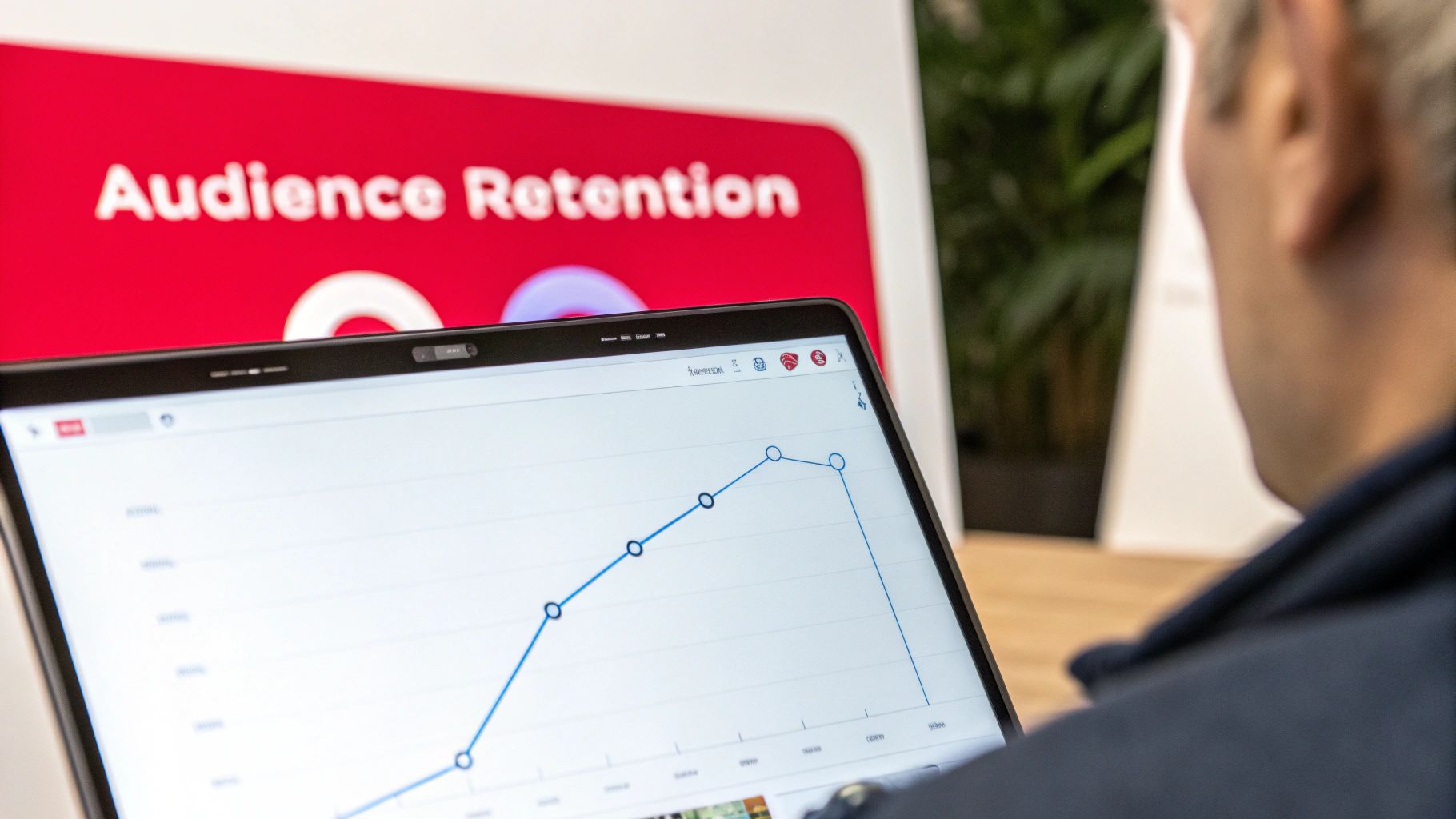
    • Analyze Retention Graphs: Go to your YouTube Analytics for each video and study the Audience Retention graph. Identify the exact moments where viewers drop off and analyze why. Use this data to restructure future content, perhaps by moving key information earlier.
    • Plan Your Narrative Arc: Structure your video with mini-hooks, a rising action, a climax (the main value proposition), and a concluding call-to-action. To learn more about how to structure your content effectively, read about crafting the perfect script for YouTube videos on blog.viewsmax.com.

    6. Build Community Through Engagement: Comments, Community Posts, and Interaction

    YouTube is a social platform, and its algorithm heavily rewards channels that cultivate an active, loyal community. Engaging with comments, utilizing the Community tab, and fostering direct interaction signals to YouTube that your content resonates deeply with viewers. This active feedback loop indicates content quality and viewer investment, leading to greater algorithmic promotion and a sustainable audience that returns for more than just the videos.

    For example, Linus Tech Tips masterfully uses Community posts to run polls about future content and share behind-the-scenes updates, keeping subscribers engaged between major uploads. Similarly, MrBeast’s team is known for responding to hundreds of comments on new videos, making individual viewers feel seen and encouraging thousands more to join the conversation. This strategy transforms passive viewers into an active, invested community.

    Quick Implementation Steps

    To implement this crucial YouTube channel growth tip, focus on turning your channel into a two-way conversation rather than a one-way broadcast.

    • Prioritize Early Engagement: Respond to as many comments as possible within the first few hours of a video's release. This initial activity spike is a powerful positive signal to the algorithm.
    • Set the Tone: Pin one or two thoughtful, high-quality comments on each video. This highlights the type of discussion you want to encourage and rewards positive contributions.
    • Activate the Community Tab: Use the Community tab 2-3 times per week. Post polls, ask questions, share sneak peeks, or post text-based updates to keep your audience connected even when you don't have a new video.
    • Prompt Discussion: End your videos with a specific, open-ended question that encourages viewers to share their own opinions or experiences in the comments. Avoid generic "leave a comment" calls-to-action.
    • Moderate for Health: Actively manage your comments section by removing spam and addressing negativity. A healthy, positive environment is essential for fostering genuine community interaction.

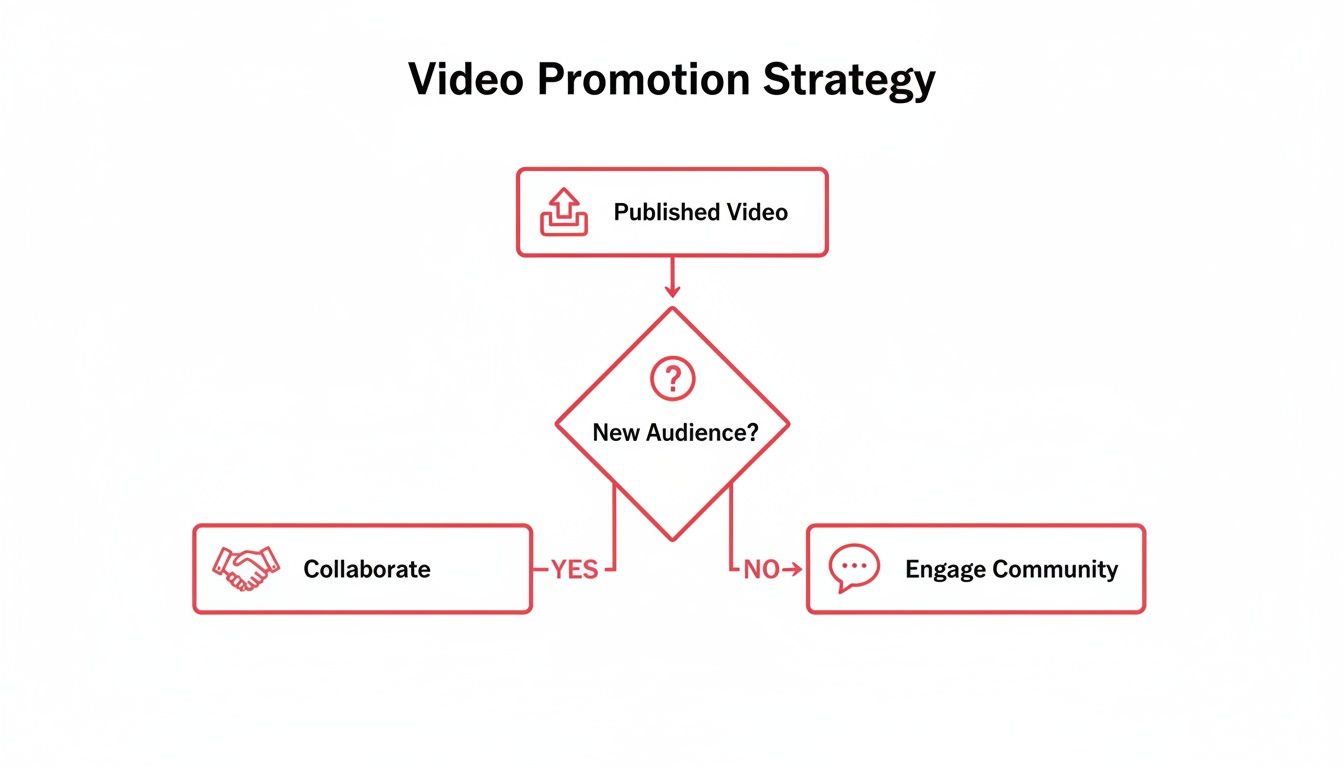
    7. Collaborate with Other Creators to Access New Audiences

    Collaborations are one of the most powerful youtube channel growth tips for tapping into established, relevant audiences. By partnering with another creator, you introduce your content to their subscribers, creating a direct path for new viewers to discover and subscribe to your channel. This cross-promotion generates mutual benefits, as both channels gain exposure, content variety keeps existing audiences engaged, and YouTube’s algorithm often rewards the high cross-audience watch time that results from a successful partnership.

    For example, gaming streamers like Valkyrae and Sykkuno frequently collaborate on YouTube videos, exposing their distinct yet overlapping audiences to each other’s content. In the education space, channels like SmarterEveryDay and Mark Rober have collaborated on massive projects, merging their creative styles and scientific curiosity to reach millions of combined viewers who share a passion for engineering and discovery. These partnerships work because they feel authentic and provide immense value to both communities.

    Quick Implementation Steps

    To effectively leverage collaborations, approach them with a clear strategy that benefits both you and your potential partner.

    • Identify Aligned Partners: Research 5-10 creators with a similar audience size and a complementary, non-competing niche. Their content should appeal to your target viewers without being a direct substitute for your own.
    • Craft a Specific Pitch: When you reach out, avoid generic requests. Propose a concrete video idea that clearly outlines the concept and highlights how it will benefit both of your audiences.
    • Ensure Mutual Benefit: Structure the collaboration so that both creators contribute and gain equally. This includes production effort, promotion, and audience exposure. A balanced partnership is more likely to lead to future collaborations.
    • Plan Aggressive Cross-Promotion: Don't just rely on the video itself. Promote the collaboration heavily across all your platforms, including in the video description, pinned comments, community posts, and other social media channels. Tag each other everywhere to maximize reach.
    • Track Performance: Analyze the collab video’s performance metrics, paying close attention to referral traffic, subscriber gain, and audience retention. Use this data to identify which partnership formats and creator types resonate most with your viewers.

    8. Analyze and Act on YouTube Analytics Data to Inform Content Strategy

    Data-driven decision-making is what separates fast-growing channels from stagnant ones. YouTube Analytics is your command center, offering crucial insights into audience demographics, traffic sources, watch time patterns, retention curves, and click-through rates. Regularly interpreting this data transforms guesswork into a precise, measurable optimization strategy, allowing you to create content that your audience and the algorithm both love.

    For example, Ali Abdaal often shares his analytics on his channel, demonstrating how specific data points directly influence his upcoming video topics and formats. Similarly, Sean Cannell of VideoCreators uses weekly analytics reviews to spot trending content styles within his niche and adapt quickly. This proactive approach ensures their content strategies are always informed by real viewer behavior, not just intuition. Analyzing your data is one of the most powerful youtube channel growth tips you can implement.

    Quick Implementation Steps

    To turn analytics into actionable growth, integrate a weekly data review into your content creation workflow.

    • Schedule a Weekly Review: Dedicate a specific time each week to dive into your analytics. Look for patterns over 4-week periods rather than reacting to daily fluctuations.
    • Prioritize Audience Retention: Your audience retention graph is the most honest feedback you'll get. Identify where viewers drop off. Are your intros too long? Is a certain segment boring? Use this data to refine your video structure and pacing.
    • Analyze Traffic Sources: Look at where your views are coming from. If "Browse Features" and "Suggested Videos" are high, the algorithm is promoting your content. If "YouTube Search" is a top source, double down on SEO for those high-performing topics.
    • Connect CTR and Watch Time: A high CTR with low watch time means your title and thumbnail are great, but the video content didn't deliver on the promise. A low CTR with high watch time means the content is excellent, but your packaging needs improvement. Use this insight to diagnose and fix performance issues.

    9. Diversify Content Formats, Explore Series/Playlist Strategy, and Utilize YouTube Shorts

    Relying on a single content format limits your audience reach and leaves potential growth on the table. Diversifying your content portfolio with a mix of long-form videos, structured series, and YouTube Shorts allows you to cater to different viewer preferences and consumption habits. This multi-format approach not only keeps your existing audience engaged but also creates new entry points for discovery, with Shorts acting as a powerful top-of-funnel tool and playlists encouraging binge-watching to boost session watch time.

    For example, Linus Tech Tips masterfully combines daily short-form videos and tech news updates with in-depth, long-form reviews. This satisfies both viewers looking for quick, digestible content and those seeking detailed analysis. Similarly, educational channels like TED-Ed organize their content into thematic playlists such as "History," "Science," and "Literature," which often drive over half of their total watch time through the platform's auto-play feature.

    Quick Implementation Steps

    To implement this crucial YouTube channel growth tip, strategically expand your content types without overwhelming your production workflow.

    • Identify Core Formats: Start by identifying 3-4 content formats that align with your niche and expertise, such as tutorials, reviews, vlogs, or interviews.
    • Create a Series: Develop an explicit series with at least 5-7 episodes on a specific topic. This encourages viewers to watch multiple videos and subscribe for future installments. Organize these into a clearly labeled playlist.
    • Integrate YouTube Shorts: Use Shorts as a discovery engine. Post 3-5 Shorts per week, leveraging trending audio and fast-paced editing to hook viewers in the first two seconds. These can be highlight clips, quick tips, or behind-the-scenes moments that funnel viewers to your long-form content.
    • Optimize for Binge-Watching: Organize all of your content into thematic playlists. This makes it easier for viewers to find related videos and significantly increases session duration through auto-play. For more tips on maximizing your Shorts strategy, you can get more views on YouTube Shorts on blog.viewsmax.com.
    • Analyze Performance: Monitor which formats drive the most subscribers versus the most watch time. To fully utilize YouTube Shorts for maximum growth, explore current YouTube Shorts best practices to make your content stand out.

    10. Maintain Authenticity and Audience Trust to Build Sustainable Long-Term Growth

    Sustainable channel growth depends on genuine audience trust more than any short-term algorithmic hack. Channels that rely on clickbait, misleading thumbnails, or artificial engagement tactics often suffer from high unsubscribe rates and poor watch time, which ultimately signals to the YouTube algorithm that the content is low-value. Authenticity, on the other hand, involves delivering on promises, being transparent, and building a real connection with your viewers, creating a loyal community that supports your channel through algorithmic shifts.

    For example, Casey Neistat’s commitment to his “vlog every day” promise, coupled with his raw and authentic storytelling, created unshakable audience loyalty. Similarly, Hank Green (of Vlogbrothers and Crash Course) built a massive community through a genuine passion for education and complete transparency about his projects and motivations. This approach builds subscriber lifetime value and fosters retention, which are powerful long-term growth metrics.

    Quick Implementation Steps

    To implement one of the most foundational youtube channel growth tips, focus on building a genuine relationship with your audience from day one.

    • Create with Conviction: Only produce content you genuinely believe in and find interesting. Your passion is contagious and forms the bedrock of authenticity.
    • Deliver on Your Promises: Ensure your content accurately reflects the promise made in your title and thumbnail. This single action is the most effective way to avoid being labeled as clickbait.
    • Practice Full Transparency: Clearly disclose all sponsorships, affiliate relationships, and partnerships. Viewers appreciate honesty, and it’s often required by platform guidelines.
    • Share the Whole Journey: Don’t just showcase your successes. Sharing failures, mistakes, and learning moments makes you more relatable and humanizes your brand.
    • Engage with Feedback: Respond authentically to comments and criticism, both positive and negative. Use feedback as a tool for genuine improvement and to show your audience that their opinions matter.

    YouTube Growth Tips — 10-Point Comparison

    Strategy Implementation Complexity (🔄) Resource Requirements (⚡) Expected Outcomes (⭐📊) Ideal Use Cases (💡) Key Advantages
    Optimize Video Titles and Descriptions for CTR and SEO Moderate 🔄 — keyword research & testing Low ⚡ — time + SEO tools High ⭐📊 — improved discoverability & CTR Search-driven content; existing libraries High ROI; boosts search & recommendation relevance
    Develop a Consistent Upload Schedule and Content Calendar Moderate 🔄 — planning discipline required Medium ⚡ — production time, team or buffer High ⭐📊 — better retention & algorithm favor Channels scaling production; growing audiences Builds viewer habits; predictable revenue opportunities
    Create Custom Thumbnails That Stand Out and Drive Higher CTR Low 🔄 — design process & templates Low-Medium ⚡ — design time/software or designer High ⭐📊 — 30–50% CTR lift typical Attention-driven niches; all videos Immediate CTR gains; brand recognition
    Leverage Keywords and Tags Strategically for Search Discovery Moderate 🔄 — research + tool use Low ⚡ — keyword tools & time Medium-High ⭐📊 — higher organic search traffic SEO-focused niches; long-tail topics Cost-effective, evergreen discovery channel
    Optimize Watch Time Through Strategic Video Structure and Retention Hooks High 🔄 — editing, pacing psychology Medium-High ⚡ — editing, analytics, testing Very High ⭐📊 — strong algorithm boost & faster growth Channels prioritizing retention & monetization Directly improves rankings, CPM, and growth rate
    Build Community Through Engagement: Comments, Community Posts, Interaction Moderate 🔄 — ongoing moderation & interaction Medium ⚡ — time for replies, posts, moderation High ⭐📊 — higher promotion; loyal audience Channels seeking sustainable long-term growth Deep loyalty, organic ideas, stronger retention
    Collaborate with Other Creators to Access New Audiences Moderate 🔄 — coordination & outreach Medium ⚡ — scheduling, shared production costs High ⭐📊 — rapid audience access & subscriber growth Similar-sized creators; complementary niches Mutual exposure; production/value boost
    Analyze and Act on YouTube Analytics Data to Inform Content Strategy Moderate 🔄 — analytics literacy & routine Low-Medium ⚡ — time + analytics tools High ⭐📊 — data-driven optimizations & growth Channels ready to iterate and scale Removes guesswork; identifies high-impact changes
    Diversify Content Formats, Series/Playlists, and Utilize YouTube Shorts High 🔄 — multiple format strategies High ⚡ — varied production, editing, formats High ⭐📊 — broader reach; Shorts accelerate discovery Established creators expanding reach Audience diversification; binge & discovery potential
    Maintain Authenticity and Audience Trust to Build Sustainable Long-Term Growth Moderate 🔄 — consistent values & transparency Low ⚡ — time and honest communication Very High ⭐📊 — sustained retention & LTV All channels aiming for long-term sustainability Deep trust, better sponsorships, resilient growth

    Your Next Steps to Sustainable YouTube Growth

    You have now journeyed through a comprehensive roadmap of actionable youtube channel growth tips, each designed to build momentum and foster a thriving community. We've moved beyond generic advice and delved into the specific mechanics of what makes a channel successful, from the granular details of keyword optimization to the high-level strategy of building authentic audience relationships. The journey from a handful of subscribers to a loyal, engaged community is built on these foundational pillars, brick by brick, video by video.

    The core lesson is this: sustainable growth is not accidental. It is the direct result of a strategic, repeatable process. It’s about treating your channel like a business, where creativity is your product and data is your guide. The most successful creators are not just talented; they are diligent students of their audience and the YouTube algorithm. They understand that a compelling thumbnail is just as crucial as the content itself and that a well-structured video designed for high watch time is the key to platform promotion.

    Synthesizing the Strategy: From Tactics to a Growth Engine

    Let's distill the most critical takeaways from this guide. True YouTube success rests on the powerful synergy between three key areas: Discoverability, Engagement, and Retention.

    • Discoverability (Tips 1, 4, 7): This is about getting your videos in front of the right people. Mastering SEO with strategic titles, descriptions, and tags ensures your content appears in search results and suggested video feeds. Collaborating with other creators acts as a powerful amplifier, introducing your channel to pre-qualified, interested audiences.
    • Engagement (Tips 3, 6, 10): This is the crucial step of turning a viewer into a community member. Eye-catching thumbnails earn the click, but your authenticity and direct interaction in comments and community posts build the trust that makes people subscribe and return. This is where you transform passive viewers into genuine fans who feel a personal connection to you and your content.
    • Retention (Tips 2, 5, 8, 9): This is what convinces the YouTube algorithm that your channel is valuable. A consistent upload schedule trains your audience to anticipate your content, while strategically structured videos with strong hooks keep them watching longer. By analyzing your analytics and diversifying your content with formats like Shorts and playlists, you create a rich viewing experience that maximizes watch time and encourages binge-watching sessions.

    Your Action Plan for the Next 30 Days

    Feeling overwhelmed by the sheer number of youtube channel growth tips is natural. The secret is to avoid trying to implement everything at once. Instead, adopt a focused, incremental approach. Your mission for the next month is to choose one or two of these strategies and execute them with absolute consistency.

    For example, you could:

    1. Focus on Thumbnails and Titles: For your next four videos, spend an extra hour on thumbnail design, creating three different versions and asking for feedback. Simultaneously, use a tool like ViewsMax to research and craft highly optimized, click-worthy titles for each one.
    2. Commit to Community Engagement: Dedicate 30 minutes every single day to responding to comments, hearting your favorites, and posting one engaging poll or question in your Community tab each week.
    3. Master Your Analytics: Schedule a weekly "data deep dive." Go into your YouTube Studio analytics and identify the exact moments where viewers are dropping off in your top three videos. Use this insight to structure your next video to avoid that same pitfall.

    By isolating a single area, you can dedicate your full creative energy to mastering it. You will see clearer results, learn faster, and build positive habits that become a permanent part of your workflow. This methodical approach transforms abstract advice into tangible skills, creating a foundation for long-term, sustainable channel growth. You have the blueprint; now it's time to start building.


    Ready to turn these insights into measurable results? Stop guessing and start strategizing with ViewsMax. Our AI-powered platform provides the competitive analysis, keyword insights, and performance tracking you need to implement these youtube channel growth tips with precision and confidence. Sign up for ViewsMax today and accelerate your journey to YouTube success.

  • How to Increase YouTube Subscribers That Actually Stick

    How to Increase YouTube Subscribers That Actually Stick

    Growing your YouTube subscriber count isn't about chasing a one-off viral hit. It's about building a solid, repeatable system. This system is built around four key areas: defining your unique value, creating content people can't stop watching, mastering YouTube’s search algorithm, and getting your videos in front of the right eyeballs. When you consistently nail these principles, you start turning casual viewers into a dedicated community.

    Your Framework For Consistent Subscriber Growth

    Let's get one thing straight: overnight success on YouTube is a myth. The most reliable way to gain more subscribers is by building a deliberate strategy that focuses on long-term value, not just jumping on fleeting trends. This isn't about luck; it's about building a well-oiled machine that consistently attracts your ideal audience and gives them a compelling reason to stick around.

    A winning framework simplifies the entire process into three core phases: figuring out who you're talking to and what you'll make, creating videos that actually connect with them, and then promoting those videos to expand your reach.

    A step-by-step flowchart for YouTube growth strategy: define, create, and promote content.

    Think of this as your roadmap. Each stage builds on the last, creating a powerful cycle of growth where every video has a purpose beyond just getting views.

    The Four Pillars of YouTube Subscriber Growth

    To build this framework, you need to focus on four distinct but deeply connected areas. Each pillar supports the others, creating a powerful engine for growing your channel. It's like building a house—you need a rock-solid foundation before you can even think about the paint colors.

    Here’s a breakdown of the core strategies that form this foundation.

    Growth Pillar Core Action Why It Works
    Channel Strategy Define a specific niche and your ideal viewer. Laser-focused clarity attracts a dedicated audience that is far more likely to subscribe because your content feels like it was made just for them.
    Content Creation Produce high-retention videos in a consistent series or format. Binge-worthy content boosts your total watch time, which signals to YouTube that your channel provides value and is worth recommending to others.
    SEO & Discovery Optimize titles, descriptions, and tags for what people are searching for. Good SEO puts your videos right in front of potential subscribers at the exact moment they're looking for answers or entertainment.
    Promotion & CTAs Actively share your videos and include clear calls-to-action. Promotion expands your reach beyond YouTube's algorithm, while strong CTAs give viewers a direct nudge to hit the subscribe button.

    This structured approach takes the guesswork out of growth. Instead of wondering what to do next, you have a clear plan. Every video becomes a strategic piece of the puzzle, designed not just for views, but for turning viewers into subscribers.

    Key Takeaway: Real, sustainable subscriber growth comes from a system, not a single viral video. Focus on a clear strategy, high-value content, discoverability, and smart promotion to build a loyal audience that actually sticks around.

    Part of a consistent framework is a smart publishing schedule. To make sure your videos get in front of the most people, check out these tips for the best time to upload YouTube videos.

    Tools like ViewsMax can give you a serious edge here. It uses AI to pinpoint high-potential video topics and helps you nail your optimizations, allowing you to execute this entire framework with data-backed precision.

    Mastering YouTube SEO to Get Discovered

    You could film the most brilliant, life-changing video in your niche, but if nobody can find it, it's like it doesn't even exist. That's the hard truth. YouTube isn't just a video site; it's a massive search engine, second only to Google. Learning how to get your content discovered is the single most important skill for turning total strangers into loyal subscribers.

    This means you have to start treating every upload as a strategic SEO opportunity. It’s not about gaming the system or stuffing keywords where they don't belong. It's about understanding what your ideal viewers are actually searching for and then crafting your video's metadata—the title, description, and tags—to perfectly match their needs. When you nail this, the algorithm starts working for you.

    Finding the Right Keywords

    Before you even dream up a title, you need to get inside your audience's head. What words are they typing into that search bar? This is the bedrock of your entire discovery strategy. Don't guess; use data.

    Start broad. If your channel is all about home coffee brewing, your core topics might be things like "espresso," "pour over," or "coffee grinders." Now, head over to YouTube's search bar and start typing those terms. Pay close attention to the auto-suggestions that pop up. Those aren't random guesses; they are real searches from real people, giving you a direct line into what they want to know.

    • Look for "How-To" questions: People are constantly looking for solutions. Phrases like "how to increase youtube subscribers" or "how to dial in espresso" show clear intent.
    • Spot the "Best Of" searches: Terms like "best budget coffee grinder" or "best pour over technique" are goldmines for attracting viewers ready to make a decision.
    • Spy on your competition: Check out the top-performing videos in your niche. What keywords are they ranking for? You might uncover high-traffic topics you've completely overlooked.

    My best tip: Go after "long-tail keywords." These are longer, more specific phrases like "how to make latte art with almond milk." Sure, they get fewer searches, but the competition is way lower and the viewer is far more targeted. Someone searching for that is much more likely to subscribe because you've created the exact video they needed.

    Crafting Titles That Earn Clicks

    Your video title has two crucial jobs: first, it has to signal to the YouTube algorithm what your video is about using keywords. Second, and just as important, it has to convince a real person to actually click. The best titles strike a perfect balance between the two.

    Ditch vague titles like "My Coffee Routine." It tells me nothing. Instead, pack it with value and keywords. Something like, "My 5-Minute Morning Espresso Routine for Beginners" instantly tells both the algorithm and the viewer what to expect, who it's for, and how long it takes.

    A killer technique is to blend a keyword-rich phrase with an emotional hook. Instead of a flat "Fixing Under-Extracted Espresso," try something like, "Bitter Espresso? Here’s the 1 Mistake You're Making." See the difference? It speaks directly to a viewer's frustration and piques their curiosity, all while being optimized for search. Our guide on YouTube SEO optimization tips has a ton more strategies for writing titles that work.

    Writing Descriptions That Convert

    So many creators treat the description box as an afterthought, but it’s prime real estate for both SEO and for turning viewers into subscribers. The first two or three lines are critical because they show up directly in search results. You have to use this space to hook the viewer and repeat your most important keyword.

    Think of your description as a sales page for your video and your channel:

    1. The Hook: Start with a punchy sentence or two that expands on the title and naturally includes your main keyword.
    2. The Ask: Right after the hook, give a clear call-to-action. Don't be shy! A simple, "If you love making better coffee at home, be sure to subscribe for new videos every week!" is perfect.
    3. The Details: Use the rest of the space to give a more detailed summary, link to resources you mentioned, and even add timestamps for longer videos. This is a great place to weave in secondary and related keywords to help YouTube understand the full context of your content.

    On a platform with over 2.5 billion monthly active users, small tweaks have a massive impact. Improving your click-through rate (CTR) from 4% to 6% on a video with 50,000 impressions doesn't sound like much, but it means an extra 1,000 views. Every single one of those is a potential new subscriber.

    Ultimately, great SEO is about creating a clear, easy-to-follow path for your ideal viewer to find you. When your keywords, titles, and descriptions all align, you make it incredibly simple for YouTube to put your video in front of the people who will love it most—and hit that subscribe button.

    Creating Content That Earns Subscribers

    Getting your videos discovered is one thing; getting people to actually subscribe is another battle entirely. Great SEO might bring them to your door, but it’s the quality of your content that invites them in and convinces them to stay. A click is a first impression. A subscriber is someone who wants to be part of your community.

    The bridge between those two things is your value proposition. It's the silent promise you make to every single viewer: "Stick with my channel, and you'll consistently get [X]." That 'X' could be anything—time-saving tutorials, laugh-out-loud comedy, or in-depth reviews that prevent buyer's remorse. Without that clear promise, a channel just feels like a random assortment of videos.

    A man in glasses works on a laptop displaying YouTube, with a 'YouTube SEO' graphic.

    Nail the First 15 Seconds to Maximize Retention

    You have about 15 seconds. That's it. That's your window to convince someone to stick around. This is your "hook," and if you blow it with a generic, drawn-out intro, you can literally watch viewers drop off your analytics graph in real-time.

    A killer hook gets straight to the point—it either piques their curiosity or directly addresses the problem they came to solve.

    • Weak Hook: "Hey guys, welcome back to my channel. In this video, we're going to talk about how to increase YouTube subscribers." (They already know this from the title).
    • Strong Hook: "What if I told you one simple change to your video structure could double your subscriber conversion rate? Today, I'm showing you exactly what it is."

    This mindset should carry through the entire video. Every segment needs a purpose, smoothly guiding the viewer from one point to the next. This is where having a well-thought-out script for YouTube videos becomes non-negotiable for keeping your content tight and on-point.

    Key Insight: Treat your video like a story. It needs a killer opening (the hook), a meaty middle that delivers the goods (your core content), and a satisfying conclusion (summary and CTA). This natural flow is what keeps people watching.

    And when you've delivered that value, you have to ask for the sub. But how you ask makes all the difference. Ditch the robotic "don't forget to like and subscribe." Instead, connect your call-to-action (CTA) to the value you just provided. For example: "If this tutorial helped you out and you want more tips like this every week, hit that subscribe button so you don't miss the next one." This frames subscribing as a benefit for them, not a favor for you.

    Get People Binge-Watching with Series and Playlists

    One of the most powerful signals you can send the YouTube algorithm is that viewers watch multiple videos from your channel in one sitting. This "binge-watching" tells YouTube that your content is sticky and worth recommending to more people.

    The simplest way to engineer this is by creating content series.

    • Episodic Series: Think of a multi-part deep dive that tackles a huge topic one piece at a time. A "30-Day Fitness Challenge" with daily videos is a perfect example.
    • Pillar Content Series: This is a collection of videos centered around a core theme. A marketing channel could have a playlist dedicated to "Mastering Google Ads" and another on "SEO for Beginners."

    Once you have a series, organize it into a dedicated playlist. This is crucial. When a viewer finishes one video, YouTube will automatically tee up the next one in the playlist, creating a seamless viewing session. It’s a simple trick, but it's incredibly effective for boosting your channel's watch time and dramatically increasing the odds of earning a subscription.

    Evolve Your Content for How People Watch Now

    YouTube isn't just for phones and laptops anymore. A huge and growing trend is "lean-back" viewing on television screens. People are kicking back on the couch and settling in for longer, more immersive content.

    Consider this: viewers watch 1 billion hours of YouTube on their TVs every single day. Recognizing this shift, YouTube even found a 40% increase in people subscribing directly from their TV after they added an on-screen subscribe button.

    This means channels creating content fit for the big screen—longer episodes, high-production series, and graphics that are easy to read from a distance—have a statistical edge in converting casual viewers into loyal fans. You can dig into more of these YouTube statistics and trends to see just how much viewing habits are changing.

    This is where a tool like ViewsMax becomes your strategic partner. It helps you analyze trending topics and popular video formats in your niche, so you can figure out what your audience actually wants to watch, whether they're on their phone during a commute or on a 65-inch TV at home. This data-first approach helps ensure every video you create is built for engagement and designed to win subscribers.

    Designing Thumbnails and CTAs That Convert Viewers

    On a crowded YouTube homepage, your thumbnail and title are everything. They're your video's digital billboard, and you have about one second to convince someone to click on your content instead of the dozens of others surrounding it. Getting this right isn't just about making a pretty picture; it's about understanding the psychology of the click.

    Think of it as a lightning-fast sales pitch. Your goal is to spark curiosity and clearly communicate your video's value before the viewer scrolls on. So many creators miss this opportunity, using bland, auto-generated frames from their video that just blend in. You need to be the one thumbnail that pulls the eye in.

    A man records a video of himself with a camera on a tripod, aiming to earn subscribers.

    The Anatomy of a High-Converting Thumbnail

    A truly great thumbnail is a deliberate combination of design choices, all working to stop the scroll. It's not a screenshot; it’s a purpose-built advertisement for your video.

    So, what are the ingredients that make people click?

    • Emotional Faces: We're wired to connect with other people, especially faces showing strong emotions. Surprise, joy, shock—these create an instant human connection and make viewers want to know what caused that reaction.
    • Bold, Contrasting Colors: Don’t be shy with color. Bright, saturated hues pop against YouTube's interface. Think about basic color theory—complementary colors like blue and orange or purple and yellow create a high-contrast effect that’s hard to ignore.
    • Readable Text Overlays: If you add text, keep it incredibly brief—three to four words maximum. It has to be huge, bold, and easy to read even on a tiny phone screen. The text should add context or intrigue, not just repeat the title.
    • Clear Subject: Is the video about a person, a product, or a specific result? Whatever it is, that subject needs to be front and center, with no cluttered background to distract the viewer.

    The magic happens when you create a "curiosity gap." The thumbnail and title team up to pose a question that the viewer feels an urgent need to answer by clicking. A title like "I Tried the World's Spiciest Noodle" paired with a thumbnail of your face in pure agony is a classic example. You have to see what happens next.

    Crafting Calls-to-Action That Actually Work

    Getting the click is just the first step. The next challenge is turning that viewer into a loyal subscriber. A call-to-action (CTA) is your direct invitation for them to join your community, but timing and delivery are crucial.

    Just yelling "Subscribe!" at the start of your video is one of the least effective things you can do. You haven't earned their trust or provided any value yet. The best CTAs feel natural, not forced.

    Pro Tip: The perfect moment to ask for a subscription is right after you've delivered a major piece of value. This could be after a "wow" moment, the solution to a tricky problem, or a big reveal. The viewer's appreciation for your content is at its peak, making them far more likely to say yes.

    To help you nail this, we’ve put together a quick checklist comparing common mistakes with practices that actually drive subscriptions.

    Thumbnail and CTA Optimization Checklist

    Element Ineffective Practice (Avoid) Effective Practice (Implement)
    Thumbnail Imagery A random, low-contrast screenshot from the video. A custom-designed image with a clear, emotional focal point.
    Thumbnail Text Repeating the entire video title in a small font. 2-4 impactful words that add curiosity (e.g., "It Actually Worked!").
    Verbal CTA A generic "Like and subscribe" at the very beginning. "If you're getting value from this and want more tips, hit subscribe so you don't miss the next one."
    On-Screen Graphic A static subscribe button that's on-screen the entire time and becomes visual noise. A subtle, animated pop-up that appears when you verbally mention subscribing.
    End Screen An end screen with four videos, a playlist, and a subscribe button, creating choice paralysis. A focused end screen featuring one highly relevant video and a prominent subscribe element.

    By focusing on clear, compelling visuals and well-timed prompts, you guide viewers toward becoming part of your community.

    Testing Your Way to More Subscribers

    The best part is, you don't have to guess what works. One of the most powerful tactics for growth is A/B testing your thumbnails. This simply means creating two different versions for a video and letting YouTube show them to different segments of your audience to see which one gets more clicks.

    YouTube's own "Test & Compare" feature is a fantastic tool for this. You could test a thumbnail with your face against a more graphic-based design, or one with text versus one without.

    Over time, these tests will show you exactly what resonates with your specific audience. This data-driven approach takes the guesswork out of the equation and lets you systematically improve your click-through rate. For a deeper look at the metrics involved, check out our guide on how to improve click-through rate for more strategies. By constantly refining your visual pitch and your direct invitations, you create a powerful engine for turning casual viewers into dedicated subscribers.

    7. Amplify Your Reach Beyond the Algorithm

    Relying on the YouTube algorithm alone is a rookie mistake. It's like setting up a beautiful storefront on a back alley—you’ve done the hard work creating the video, but now you have to actually guide people to it. Think of proactive promotion as the engine that drives those critical first views, which in turn sends all the right signals to the algorithm.

    Don't fall into the "upload and pray" trap. Every time you hit publish, you need a game plan for getting that video in front of fresh eyes. This means looking beyond YouTube and sharing your content across the entire digital ecosystem.

    A man in a denim shirt looking at a tablet displaying social media content with a 'Convert Viewers' banner.

    Go Where Your Audience Hangs Out

    Just dropping a raw YouTube link on your social profiles is lazy and, frankly, ineffective. You have to play by the rules of each platform and tailor your approach.

    • Instagram & TikTok: These are visual, fast-paced platforms. Create a short, punchy vertical video—maybe a 30-second trailer or a key highlight—that teases the main event. Always include a clear on-screen call-to-action like, "Full video in my bio!"
    • Facebook & X (formerly Twitter): Here, you can post a compelling clip natively to get more engagement. Spark a conversation by asking a question directly related to your video's topic. Get them talking first.
    • Reddit & Niche Forums: This requires a delicate touch. You can't just show up and spam links. Find relevant subreddits where you're already an active, contributing member. Only share your video when it genuinely solves a problem or adds real value to a discussion.

    The golden rule of community promotion is to provide value before you ask for a view. Engage in discussions, answer questions, and build a reputation. When you finally share your content, people will see it as a helpful resource, not just another ad.

    Tap into Existing Audiences with Collaborations

    One of the fastest ways to grow your subscriber count is to tap into an audience that someone else has already built. Smart collaborations introduce your channel to a new, highly relevant group of potential fans who already trust the creator you're working with.

    There are a few ways to pull this off:

    • Be a Guest: Appear on another creator's channel in your niche. It’s a direct endorsement that can send a wave of new subscribers your way.
    • Team Up on a Project: Create a video together where each of you plugs the other's channel. A classic format is filming two related videos—one for your channel, one for theirs—and telling viewers to watch both.
    • Look Beyond YouTube: Partner with an influencer on a different platform like Instagram or TikTok to promote your YouTube video. You get to drive their engaged audience directly to your channel.

    This isn't just a theory; the data proves it works. Based on aggregated campaign data, cross-platform collaborations are associated with an average 15% subscriber gain, while teaming up with a creator in the same niche drives around 12%. For a channel with 10,000 subscribers, a single, well-executed partnership could add up to 1,500 new subscribers.

    To make things easier, platforms like ViewsMax can analyze audience overlap and engagement metrics, pointing you to high-potential partners whose viewers are most likely to love what you do.

    And if you really want to expand your horizons, consider this: translate videos to reach a global audience. This simple step can break down language barriers, making your content accessible to millions of new potential subscribers around the world. These proactive steps build momentum that the algorithm simply can't ignore.

    Common Questions About Growing Your YouTube Channel

    As you start getting serious about growing on YouTube, you'll find yourself running into the same questions over and over. It's easy to get lost in a sea of conflicting advice, so let's cut through the noise and tackle some of the biggest hurdles that creators face.

    Getting these fundamentals right is what separates the channels that grow from the ones that stall out.

    How Long Does It Realistically Take to Get 1000 Subscribers?

    I wish there were a magic formula, but the truth is, it's different for everyone. Your timeline depends heavily on your niche, how good your videos are, and how often you're publishing.

    That said, for a creator who is consistently putting out well-optimized, valuable content, hitting the 1,000-subscriber mark in 6 to 12 months is a pretty realistic goal.

    The beginning is always the hardest part. I always tell creators to think of it like pushing a giant boulder—it takes a massive effort to get it moving, but once it starts rolling, it picks up its own momentum. Once YouTube's algorithm figures out who your audience is, it starts doing the heavy lifting for you by recommending your videos.

    The trick is to find a consistent pace you can actually stick to, like one or two solid videos a week. Using a tool like ViewsMax can really help speed things up by making sure every video is dialed in for discovery from the moment you hit publish.

    Is It Better to Have More Videos or Longer Videos?

    This is the classic quality vs. quantity debate, but on YouTube, it’s a bit more nuanced. The metric that truly matters above all else is audience retention. The algorithm is obsessed with one thing: keeping people on the platform.

    A single 15-minute video that people watch for 8 minutes is infinitely more valuable than five 3-minute videos that people abandon after 30 seconds. A long watch time on one video sends a massive signal to YouTube that your content is compelling.

    So, how long should your videos be? As long as they need to be to deliver on their promise, and not a second longer. Don't add fluff just to hit a certain time.

    • Deep-dive tutorials or documentary-style videos naturally work well when they're longer (10-20 minutes).
    • Quick tips or news updates are perfectly fine being short and punchy.

    Your best guide here is your own YouTube Analytics. Dive in and see where people are dropping off. That data is gold—it tells you exactly how to structure your future videos to keep viewers hooked.

    Should I Buy YouTube Subscribers to Grow Faster?

    Let me be crystal clear: absolutely not. Buying subscribers is one of the fastest ways to kill your channel before it even has a chance. It’s a direct violation of YouTube’s rules and could get your channel completely shut down.

    But more importantly, you're not buying fans. You're buying bots and fake accounts that will never watch your videos, like, or comment. This completely wrecks your analytics. Your subscriber-to-view ratio will be terrible, signaling to the algorithm that your content is awful. As a result, YouTube will bury your videos, ensuring no real people ever see them.

    There are no shortcuts. Authentic, organic growth is the only way to build a real community that will support you for the long haul.

    How Important Is Community Engagement for Growth?

    It’s not just important—it’s everything. Engagement is the fuel that makes the algorithm work in your favor. When people are actively commenting, liking, and sharing, it tells YouTube that your content isn't just being watched; it's creating a connection.

    You have to be the one to start the conversation.

    • Actually respond to comments. It shows you're listening and makes people feel valued.
    • Pin a great comment. This rewards your most engaged viewers and encourages others to participate.
    • Ask a direct question in your video to prompt a discussion in the comments.

    Doing this turns passive viewers into a loyal tribe. People who feel seen and heard are the ones who will subscribe, turn on notifications, and become the advocates who help your channel grow.


    Ready to stop guessing and start growing with a data-driven strategy? ViewsMax gives you the AI-powered tools to optimize your titles, find high-potential keywords, and make smarter content decisions. Start turning your creative ideas into measurable channel growth today. Learn more at https://blog.viewsmax.com.

  • YouTube SEO for Beginners A Complete Growth Guide

    YouTube SEO for Beginners A Complete Growth Guide

    Think of YouTube SEO as the practice of making your videos, playlists, and your entire channel more visible in YouTube's search results. It’s all about figuring out what your ideal audience is typing into that search bar and then using those exact phrases to shape your video's title, description, and tags. The whole point is to make it crystal clear to YouTube's algorithm what your video is about so it can show it to the right people.

    Why YouTube SEO Is Your Secret Weapon for Growth

    A man wearing glasses works on a laptop at a desk with plants and a phone, displaying 'Be Discoverable'.

    Starting a new YouTube channel can feel like shouting into an empty room. You pour hours into making an amazing video, hit that publish button, and then… crickets. It's a common story. Many new creators get caught up chasing the dream of "going viral," but that's a lottery ticket, not a strategy for long-term success.

    There's a much smarter way to grow.

    You need to shift your perspective and see YouTube for what it truly is: the world's second-largest search engine. This one mental switch changes everything. Instead of praying for a lucky break, you can strategically place your videos directly in the path of people who are actively searching for them. That’s the entire game when it comes to YouTube SEO for beginners.

    The Algorithm Wants What Viewers Want

    At the end of the day, YouTube’s goal is simple: keep people on the platform as long as possible. Why? More watch time means more ad revenue. To do this, its algorithm is constantly learning to identify and promote videos that people find genuinely valuable and engaging.

    So, your job is to convince the algorithm that your videos are the answer to a viewer's search. It looks for specific signals to figure this out:

    • Click-Through Rate (CTR): What percentage of people who see your video actually click on it? A high CTR tells YouTube your title and thumbnail are doing their job and grabbing attention.
    • Watch Time & Audience Retention: Once someone clicks, how long do they stick around? A video that holds a viewer's attention sends a massive signal that the content is top-notch.
    • Engagement: Comments, likes, shares, and new subscribers are all proof that your video is connecting with people on a deeper level.

    When you focus on SEO, you're not trying to cheat the system. You're building a sustainable engine that consistently brings in the right viewers by giving the algorithm exactly the signals it's looking for.

    The Scale of Opportunity on YouTube

    To really grasp why SEO is so crucial, you have to understand the mind-boggling scale of YouTube. The platform handles over 3 billion searches every single month. On top of that, a staggering 500 hours of video are uploaded every minute.

    In a sea of content that vast, just uploading a video and hoping for the best is a recipe for failure. But all that search traffic also represents a massive opportunity. Creators who learn to optimize their content can tap into this endless stream of viewers. Plus, with YouTube being owned by Google, the ripple effects of good SEO are huge. You can dive deeper into these YouTube statistics on SEMrush to see the full picture.

    How to Find Video Ideas People Are Actually Searching For

    Overhead view of a person typing on a laptop with a 'Find Keywords' banner and a magnifying glass, surrounded by a plant and coffee.

    This is the first, most crucial step in any YouTube SEO for beginners playbook. Forget guessing what people want to watch. Real growth comes from discovering the exact phrases your audience is already typing into the search bar. Think of it as finding the question so you can show up with the perfect answer.

    Amazing content is completely wasted if no one can find it. When you ground your video ideas in solid keyword research, you're not just creating content you hope will work—you're creating content you know people are looking for.

    Start with YouTube’s Own Search Bar

    The easiest place to find video ideas is staring you right in the face: the YouTube search bar. Its autocomplete feature is a goldmine because it shows you what real people are actively searching for, right now.

    Just type in a broad topic related to your channel. Let’s say you run a channel about home coffee brewing. Start typing "french press coffee."

    Before you even hit enter, YouTube gives you a list of suggestions:

    • french press coffee ratio
    • french press coffee recipe
    • french press coffee for beginners
    • french press coffee grinder

    These aren't random guesses. They're popular, real-world search queries. Each one is a potential video topic with a built-in audience ready to watch. That last one, "french press coffee for beginners," is a perfect example of a long-tail keyword. It's specific, less competitive, and attracts a viewer who knows exactly what they want to learn.

    Pro-Tip: Don't stop there. Try typing your main topic followed by different letters of the alphabet (e.g., "french press coffee a," "french press coffee b"). You'll uncover tons of hidden gems and variations that people are searching for.

    Legally Spy on Your Competitors

    Another brilliant tactic is simply learning from what’s already working. There's no need to reinvent the wheel. Analyzing successful channels in your niche gives you a proven roadmap to topics that resonate with your ideal viewers.

    Head over to a competitor's channel and click on their "Videos" tab. Now, sort their library by "Most Popular." This instantly shows you their greatest hits—the videos that have earned them the most views and engagement.

    Pay close attention to the titles of these home-run videos. What keywords are they built around? If a channel like yours has a video called "The Ultimate Sourdough Starter Guide for Beginners" with a million views, you can bet that "sourdough starter guide" is a validated topic.

    This simple trick accomplishes two things:

    1. It proves there's a huge audience for a specific topic.
    2. It gives you a benchmark for what a successful video on that topic looks like.

    The goal isn't to copy them. It's to find that winning keyword and then create your own, unique, and even better video on the subject. For a deeper dive, check out our complete guide to discovering effective YouTube video keywords.

    The Sweet Spot: Balancing Search Volume and Competition

    Once you have a list of potential keywords, the next challenge is finding that sweet spot between search volume (how many people search for it) and competition (how many other videos are targeting it).

    As a new creator, targeting a massive keyword like "weight loss" is a recipe for failure. Your video will be instantly buried by thousands of others from huge, established channels.

    Instead, look for topics with healthy interest but less cutthroat competition. A quick way to check is to search for your keyword on YouTube. How many results are there? Now look at the top-ranking videos. Are they all from channels with millions of subscribers? If so, you might want to find a more specific angle.

    Getting this right can have a massive impact. Good SEO can drive 157% more organic traffic from search engines. It's a key strategy because YouTube ranks for over 187 million keywords, pulling in an incredible 1.7 billion monthly organic visits. For creators, this is a lead-generation machine, with 51% of video professionals calling it their highest ROI content. You can learn more about these powerful video SEO statistics on Vidico. This data proves why finding the right keywords isn’t just a small step—it’s the foundation of your channel’s growth.

    Building Your Video's 'Digital Storefront' for Maximum Impact

    A person optimizes a video page on a desktop computer, with a plant and notebook on a wooden desk.

    Alright, you've done your homework and found a great keyword. Now what? The next step is all about execution—building a video page that screams to YouTube, "Hey, my video is exactly what people are searching for!"

    Think of your video's title, thumbnail, description, and tags as its digital storefront. Each piece needs to work together to pull people in and convince the algorithm that your content is the right choice.

    This is where your keyword research pays off. Getting these on-page elements right is how you translate all that data into actual views. You're essentially making a case to both people and the algorithm that your video deserves to be seen. Let's dig into how you do that.

    Titles That Make People Need to Click

    Your title is your first impression, your opening line. It has to do two jobs at once: grab a viewer's attention and signal relevance to YouTube. It’s a delicate balance between searchability and raw curiosity.

    A killer title always does two things well:

    • It weaves your main keyword in naturally, ideally somewhere near the beginning. This gives the algorithm an immediate clue about your video's subject.
    • It promises a solution, sparks intrigue, or offers a clear benefit that makes someone feel like they're missing out if they don't click.

    For instance, "Making French Press Coffee" is fine, but it’s forgettable. A much better title is "The Perfect French Press Coffee Ratio (Beginner's Guide)." It targets a specific keyword ("french press coffee ratio") while also clearly defining the audience and the value they'll get.

    Your title and thumbnail are a dynamic duo. The title makes a promise, and the thumbnail visually delivers on it. When they're in perfect sync, your click-through rate (CTR) can absolutely soar.

    Descriptions That Actually Help You Rank

    So many creators treat the description box as an afterthought, tossing in a single sentence or a few links. This is a huge mistake and a massive missed opportunity for SEO. The description is your secret weapon for feeding YouTube more context about your video.

    Your goal should be a detailed, naturally-written summary of what’s in the video. I always aim for at least 200-250 words to give the algorithm plenty to work with.

    Here’s a simple structure I use for my descriptions:

    • The Hook (First 2-3 lines): Start strong. Reiterate your primary keyword and get straight to the point about the video's value. This is the snippet people see before clicking "Show more," so make it count.
    • The Details (The Body): This is where you can expand on the topics you cover. It's the perfect place to sprinkle in secondary keywords and answer related questions you found during your research.
    • Video Chapters (Timestamps): Breaking your video into timestamped chapters is a game-changer. It makes for a better viewing experience and can even help your video show up for more specific, long-tail searches.
    • Links & Calls-to-Action: Finish up with links to your social media, other relevant videos, or a simple request for viewers to subscribe.

    This approach gives both the algorithm and your viewers everything they need.

    How to Use Tags for Better Discovery

    YouTube tags can feel a bit mysterious, but their job is pretty straightforward: they help YouTube figure out the broader context of your video. Think of them as signposts. While they aren't as critical as your title and description, they still play a key role in getting your video to appear in the "Suggested Videos" feed next to similar content.

    A smart tagging strategy is all about variety. When combined with a strong title and description, the right tags help the algorithm connect the dots. If you want to go deeper, there are fantastic guides out there that cover all the different types of good tags for YouTube and how to use them.

    Here's my go-to method:

    1. Primary Keyword: Your very first tag should always be your exact target keyword (e.g., "youtube seo for beginners").
    2. Broad Tags: Add a few tags that describe the general category (e.g., "youtube marketing," "video seo").
    3. Specific Tags: Include longer, more descriptive phrases that people might search for (e.g., "how to rank youtube videos," "youtube optimization tips 2024").

    You're basically casting a net—the specific tags catch the precise searches, while the broad ones help YouTube find a wider, but still relevant, audience for you.

    Thumbnails That Stop the Scroll

    Let’s be honest: your thumbnail is your video’s billboard. In a sea of search results, an eye-catching thumbnail is what makes someone slam the brakes on their scrolling and pay attention to your video. It's no surprise that over 90% of the best-performing videos on YouTube use custom thumbnails.

    You don't need to be a Photoshop wizard, but you do need to understand what works.

    Here's a quick checklist to reference as you create your thumbnails. Think of it as your on-page SEO cheat sheet.

    On-Page SEO Element Checklist

    Element Beginner Goal Pro-Tip
    Title Include your main keyword near the beginning. Add a number or a bracketed phrase like "[2024 Guide]" to stand out.
    Description Write 200+ words with your main keyword in the first sentence. Add timestamps to create video chapters for better navigation and SEO.
    Tags Use a mix of 5-8 broad and specific tags, with your main keyword first. "Spy" on top-ranking videos for your keyword to see what tags they're using.
    Thumbnail Use a high-contrast image and bold, readable text (3-5 words max). Test different facial expressions. Surprised or curious faces tend to boost clicks.

    By mastering these four elements—title, description, tags, and thumbnail—you're giving your video the best possible chance to succeed from the second you hit "Publish."

    Keeping Viewers Glued to the Screen: Watch Time and Engagement

    Getting the click is a great start, but it's only half the job. Now for the real challenge: keeping them watching. The single most important signal you can send to the YouTube algorithm is that your videos are so good, people watch them all the way through. This is what we call audience retention.

    When your video keeps people on YouTube longer, the platform's algorithm sits up and takes notice. It sees that high watch time as a big thumbs-up for quality content, which means it will start recommending your video to a wider audience. If you want to get serious about YouTube SEO, you absolutely have to master this.

    The First 15 Seconds: Make or Break

    You have a tiny window of opportunity to convince someone they've landed on the right video. Those first 15 seconds? They're everything. If you waste that time with a generic, drawn-out intro or talking about yourself, you'll see viewers drop off in droves, and your audience retention graph will take a nosedive.

    You have to open with a hook that grabs them immediately. I've seen these techniques work time and time again:

    • Lead with the "Why": Get straight to the point. Tell them exactly what problem you're about to solve for them. Instead of the tired "Hey guys, welcome back," try something like, "In the next five minutes, I'll show you the one camera setting that will make your photos look professional."
    • Try a Cold Open: Jump right into the most exciting part. If it's a DIY video about building a desk, show the stunning finished product first, then rewind and walk them through how you did it.
    • Ask a Question They're Already Thinking: Connect with your viewer instantly. For a video on personal finance, you could open with, "Ever get to the end of the month and have no idea where your money went?"

    A strong hook doesn't just grab attention; it sets the tone and reassures the viewer that their time is in good hands.

    Fight Off Viewer Boredom with Pattern Interrupts

    Okay, you've got their attention. Now, how do you keep it? Viewers often click away for one simple reason: boredom. The video just becomes monotonous. The secret weapon against this is using pattern interrupts—small, strategic shifts that jolt the viewer's brain and reset their attention.

    Think about it. If you're just a talking head on screen for ten minutes straight, it's easy for someone's mind to wander. You have to keep things moving, both visually and audibly.

    A well-structured video isn't just about what you say; it's about how you present it. The pacing, visuals, and audio all work together to create an experience that either holds attention or loses it.

    The best way to bake these elements into your content is to plan them out from the start. For a deeper dive, check out our guide on how to write a compelling script for YouTube videos.

    How to Structure Your Video for Maximum Engagement

    Thoughtful content structure is just as crucial as the information you're sharing. When you break your video into clear, digestible chunks, it’s much easier for viewers to follow along and stay locked in. Luckily, YouTube gives you some great built-in tools for this.

    Video Chapters Are Your Friend
    By adding timestamps to your video description, you create chapters that viewers can see right on the progress bar. This is a game-changer for a few reasons:

    • It massively improves the viewing experience by letting people jump to the sections they care about most.
    • It spoon-feeds the YouTube algorithm more data about your video's content, helping you rank for more specific search terms.
    • It acts like a "table of contents," making your video appear more professional and well-organized at a glance.

    Use End Screens and Cards Strategically
    Never let your video just fade to black. The final 20 seconds are prime real estate to tell your viewer what to do next. Use end screens to point them to another one of your videos or a relevant playlist. This is a fantastic way to boost your channel's overall session time—the total time a viewer spends on YouTube after starting with one of your videos.

    Bad Audio Will Kill Your Watch Time

    I can't stress this enough: you can have the most stunning, 4K video ever shot, but if the audio is terrible, people will click away. It's just that simple. Hissing, echoes, background noise, or muffled voices create a jarring experience that sends viewers running.

    Since bad audio can so drastically hurt viewer experience and watch time, mastering effective noise reduction for video is a crucial skill for any creator looking to improve their quality. Seriously, investing in a decent microphone and learning some basic audio editing will give you one of the biggest returns on investment you can make for your channel.

    Your Post-Publish Checklist for Long-Term Success

    That feeling of hitting the "Publish" button is amazing, but it's not the finish line. In reality, it’s the start of a brand new race. What you do right after your video goes live can make or break its long-term performance. It’s all about sending immediate, positive signals to the YouTube algorithm that your content is valuable and deserves a bigger audience.

    Think of it this way: all your prep work got the video ready for the algorithm. Now, you have to give it that initial nudge to get the flywheel spinning. This phase is about sparking that first wave of engagement and then digging into the data to see what really happened.

    The Critical First 24 Hours

    The first day is everything. I can't stress this enough. YouTube watches how viewers react right out of the gate. If you get strong initial performance—especially with watch time and click-through rate—the algorithm is far more likely to start showing your video to a wider audience beyond your subscribers.

    Your one and only goal here is to drive high-quality traffic to your new video as quickly as you can. You want people who are actually going to watch a good chunk of it.

    • Your Email List: If you have one, this is your secret weapon. These are your true fans, and they're the most likely to watch your video all the way through. That sends an incredible retention signal to YouTube.
    • Relevant Social Media: Don't just blast the link everywhere. Be strategic. If your video is about graphic design tips, share it on your design-focused Instagram or to a professional group on LinkedIn. Match the content to the platform.
    • Community Engagement: Jump into relevant Reddit subs or Facebook Groups. If your video genuinely solves a problem or adds value to a conversation, share it. But remember the golden rule: be helpful first, promotional second.

    This entire process is about creating a journey for the viewer, from the initial hook all the way to keeping them engaged.

    Infographic showing viewer retention process steps: hook, engage, and retain with metrics.

    As you can see, once you've hooked someone, the real work is in providing continuous value to hold their attention, which is what ultimately drives those all-important retention metrics.

    Making Sense of YouTube Analytics

    After a few days, it’s time to pop the hood and see how your video is actually doing. Heading into YouTube Analytics can feel like drinking from a firehose, but for YouTube SEO for beginners, you really only need to zero in on a couple of key metrics.

    Find the video in your YouTube Studio and focus on these two numbers above all else:

    1. Click-through rate (CTR): This is the percentage of people who saw your thumbnail and title and then actually clicked to watch. If your CTR is low (think below 2-3%), it’s a strong sign that your thumbnail or title just isn’t grabbing people's attention.
    2. Average view duration: This tells you how long, on average, people are sticking around. Dive into the audience retention graph here—it shows you the exact moments where viewers are bailing. A huge drop in the first 30 seconds? Your hook isn't working.

    Don’t look at these numbers as a final grade. They're not. Think of them as free, direct feedback from your audience. Every single video is a chance to learn what they love and what makes them click away.

    Turning Data Into Action

    Analytics are totally useless if you don't do anything with them.

    See a video with a surprisingly high CTR? Go back and study that thumbnail and title. What did you do differently? Figure out what made it so clickable and apply those lessons to your next video.

    If another video has an amazing average view duration, re-watch it from the perspective of a viewer. Pinpoint the exact moments that kept people hooked and lean into that style or format in the future.

    Over time, this cycle—publish, promote, analyze, and adapt—is how you build a successful channel. It’s how you stop guessing and start building a real, data-driven strategy. For those who want to get a little more advanced, exploring some of the best YouTube SEO tools can give you even deeper insights to make smarter decisions, faster.

    By constantly refining your process based on what your viewers actually do, you'll turn every upload into a stepping stone toward real, sustainable growth.

    A Few Common YouTube SEO Questions Answered

    Diving into YouTube SEO can feel like learning a new language. You hear all these terms—CTR, tags, algorithms—and it's easy to get a little lost. I get it. To help you out, I've pulled together answers to the questions I hear most often from new creators.

    Let's cut through the noise and get you some clear, straightforward answers.

    How Long Does It Take for YouTube SEO to Actually Work?

    This is the big one, and the honest answer is: it takes patience. YouTube SEO isn't like flipping a switch; it's more like planting a tree. You won't see a massive surge of traffic overnight.

    Realistically, you should expect to see significant, steady results in about 3-6 months. Why so long? Because YouTube's algorithm is learning. It's watching how people react to your videos, figuring out who your ideal audience is, and testing where to place your content.

    A quick tip from my own experience: Don't get discouraged if your first few videos feel like a dud. Just keep creating and optimizing. The momentum builds on itself as you create a library of content that the algorithm understands.

    Are Video Tags Still Important in 2024?

    Yes, they are—but their job has changed. A few years ago, tags were a huge ranking factor. Now, your title and description carry much more weight. Think of tags as a supporting player, not the star of the show.

    They still give YouTube valuable context, especially for getting your video to appear in the "Suggested Videos" sidebar next to similar content. A good tagging strategy is simple:

    • Lead with your main keyword. Make the very first tag your primary target phrase.
    • Add a few broad tags. These define the general category (e.g., "Content Marketing," "Home Cooking").
    • Get specific with long-tail tags. Describe exactly what the video covers (e.g., "how to batch record youtube videos," "easy sourdough recipe for beginners").

    Tags are basically your final chance to whisper a few extra clues to the algorithm about what your video is about.

    Can I Go Back and Optimize My Old Videos?

    You absolutely can, and you absolutely should! This is one of the most underrated growth hacks on YouTube. Going back to update your older content is a brilliant use of your time.

    Got videos from a few months or a year ago? Their titles, thumbnails, and descriptions are probably not pulling their weight anymore.

    A great place to start is in your YouTube Analytics. Look for videos with a low click-through rate (CTR). These are perfect candidates for an optimization refresh. Try this:

    1. Design a brand new, eye-catching thumbnail.
    2. Rewrite the title to be more compelling and include a strong keyword.
    3. Beef up the description with more details, links, and keywords.

    I've seen creators double the daily views on an old video just by giving it a new thumbnail and title. It's an incredible way to get more mileage out of the work you've already done and a core part of any smart YouTube SEO for beginners playbook.


    I know this can seem like a lot to take in at first, so here’s a quick-glance table to help summarize some of the most common questions beginners have about getting started with YouTube SEO.

    Common YouTube SEO Questions Answered

    Question Quick Answer
    What is the most important SEO factor? Watch time and click-through rate (CTR). You need people to click and then stick around. A great title and thumbnail get the click; great content gets the watch time.
    How many tags should I use? Aim for 10-15 highly relevant tags. A mix of broad and specific keywords is best. Quality over quantity is the key.
    Is YouTube SEO a one-time thing? No, it's an ongoing process. You should regularly review your analytics and update underperforming videos to keep your channel growing.
    Can I just copy tags from a popular video? It's not a good idea. While you can get inspiration, your tags should be specific to your video's content. Blindly copying is ineffective.
    Do comments and likes help SEO? Yes, engagement signals matter. Likes, comments, and shares tell YouTube that viewers are enjoying your content, which can boost its visibility.

    Hopefully, these answers give you a solid foundation to build on. Keep learning, keep experimenting, and you'll get the hang of it.

    Ready to stop guessing and start growing? ViewsMax provides the AI-powered tools and data-driven insights you need to optimize your videos for real results. From keyword research to title generation, our toolkit is designed to help creators like you get more views, subscribers, and watch time. Explore ViewsMax and build your channel with confidence.

  • 12 Best YouTube SEO Tools to Dominate Search Rankings in 2026

    12 Best YouTube SEO Tools to Dominate Search Rankings in 2026

    Creating a viral video often feels like capturing lightning in a bottle. You can have a brilliant concept, high-quality production, and a charismatic personality, but without discoverability, your masterpiece might never find its audience. YouTube's algorithm is a complex system that prioritizes content viewers are actively searching for. This is where a strategic approach to search engine optimization becomes non-negotiable for channel growth. Simply uploading and hoping for the best is a recipe for stagnation.

    To truly compete and scale, you need to move beyond guesswork and embrace data. That’s the core problem the best YouTube SEO tools are designed to solve. They provide the analytics and insights necessary to understand search trends, analyze competitors, and optimize your video's metadata for maximum visibility. By aligning your content strategy with what people want to see, you significantly increase the chances of your videos ranking high in search results and being recommended to new viewers.

    This guide provides a comprehensive breakdown of the top 12 platforms that can give you that critical edge. We'll explore everything from all-in-one browser extensions like TubeBuddy and vidIQ to specialized keyword research tools like Ahrefs and powerful AI-driven platforms like ViewsMax. Each review includes a detailed analysis of features, pricing, and specific use cases to help you identify the perfect tool for your budget and workflow. To truly make your videos stand out, consider leveraging innovative UGC video creation tools that help you produce engaging content efficiently. Our goal is to equip you with the information needed to make a confident choice and start seeing tangible results.

    1. ViewsMax

    ViewsMax distinguishes itself as a premier choice among the best YouTube SEO tools by offering an end-to-end, AI-powered toolkit designed for the entire content lifecycle. It moves beyond simple keyword research, providing a comprehensive solution that guides creators from initial brainstorming and planning all the way through to on-page optimization and post-publication analysis. This holistic approach empowers users to create smarter, not just harder, by grounding their content strategy in actionable, data-informed insights.

    The platform's core strength lies in its ability to streamline complex SEO workflows. By delivering AI-driven recommendations for titles, descriptions, and tags, ViewsMax helps eliminate the guesswork that often stalls creative momentum. This focus on efficiency is amplified by its dedicated Chrome extension, which integrates these powerful optimization features directly into the YouTube upload interface, allowing for rapid, in-context adjustments that align with YouTube’s algorithm.

    ViewsMax blog posts offering tactical guidance on YouTube SEO

    Key Features & Use Cases

    ViewsMax is engineered to support creators at every stage of their journey, from independent vloggers to established brands.

    • AI-Powered Content Lifecycle Management: Its toolset covers brainstorming, planning, SEO, and performance analysis, making it an all-in-one command center for channel growth.
    • Data-Informed On-Page SEO: Receive optimized suggestions for titles, descriptions, and tags specifically designed to improve discoverability, click-through rates (CTR), and watch time.
    • Integrated Chrome Extension: Apply SEO best practices directly within your browser during the upload process, significantly speeding up your workflow and ensuring no optimization step is missed.
    • Creator-Focused Resources: An active blog and a library of best-practice templates provide ongoing education, offering tactical guidance on algorithm changes, monetization strategies, and audience engagement.

    Practical Tip: Use the AI brainstorming feature to generate a list of video ideas based on a core topic. Then, use the on-page SEO tools to craft a perfectly optimized title and description before you even start filming, ensuring your content is built for discoverability from the ground up.

    Pricing

    ViewsMax does not list its pricing tiers publicly in the provided materials. To get the most current information on plans and features, you will need to visit the website's dedicated Pricing page.

    Pros & Cons

    Pros Cons
    Comprehensive, end-to-end AI toolkit for the full content lifecycle. Pricing is not publicly available without visiting the site.
    Data-driven recommendations reduce guesswork and improve CTR. Explicit customer testimonials are not detailed in the provided content.
    Chrome extension provides seamless, in-workflow optimization.
    Extensive educational resources support creators at all skill levels.
    Scales effectively for solo creators, agencies, and brands.

    Website: ViewsMax

    2. TubeBuddy

    TubeBuddy is a long-standing and widely trusted browser extension that integrates directly into your YouTube Studio dashboard. It acts as an optimization co-pilot, providing a robust suite of tools designed to streamline your entire content workflow from research to publication and beyond. Its deep integration is what makes it one of the best YouTube SEO tools for creators who want immediate, context-aware insights without leaving the YouTube interface.

    TubeBuddy

    The platform shines with its "SEO Studio," a guided tool that helps you craft perfectly optimized titles, descriptions, and tags. You also get powerful keyword research tools, competitor analysis scorecards, and rank tracking. For creators serious about maximizing click-through rates, the A/B testing feature for thumbnails and titles (available on higher-tier plans) is an invaluable asset for data-driven decision-making.

    Key Features & Pricing

    Feature Free Plan Pro ($4.50/mo) Legend ($24.50/mo)
    SEO Studio Limited Yes Yes
    Keyword Explorer Limited Yes Yes
    Competitor Scorecard Limited Yes Yes
    A/B Testing No No Yes
    Bulk Processing No No Yes

    Pros & Cons

    • Pros: Deeply integrates into the YouTube interface, comprehensive toolset for the entire video lifecycle, excellent for bulk updates and workflow automation.
    • Cons: The interface can feel cluttered for new users, and the most powerful features like A/B testing are locked behind the most expensive plan.

    Using TubeBuddy's features effectively is a core part of a strong growth strategy; get a deeper understanding of these techniques with our guide on YouTube SEO optimization tips.

    Best For: Solo creators and channel managers who want an all-in-one optimization toolkit that lives directly inside YouTube.

    Visit Website: https://www.tubebuddy.com

    3. vidIQ

    vidIQ is a powerful creator growth platform, available as both a web app and a browser extension, that excels in providing data-driven insights for your channel. It functions as a strategic advisor, offering a suite of tools focused on keyword research, competitor analysis, and AI-powered content ideation. Its user-friendly interface and strong emphasis on education make it one of the best YouTube SEO tools for creators looking to understand the 'why' behind their growth.

    vidIQ

    The platform’s strength lies in its real-time video insights and "Daily Ideas" feature, which uses AI to suggest video topics with high growth potential tailored to your channel. vidIQ's keyword research tools provide clear volume and competition scores, helping you identify underserved niches. The channel audit and competitor tracking features allow you to benchmark your performance against similar channels, providing a clear roadmap for what’s working in your space.

    Key Features & Pricing

    Feature Basic (Free) Pro ($7.50/mo) Boost ($39/mo)
    Keyword Research Tool Limited Yes Yes
    Competitor Tracking 1 Channel 6 Channels 20 Channels
    Daily Ideas (AI) 3 Ideas 10 Ideas 50 Ideas
    Top Trending Videos Limited Yes Yes
    Channel Audit Tool Limited Yes Yes

    Pros & Cons

    • Pros: Excellent for content ideation with strong AI features, provides great educational support for newer creators, clean and intuitive user interface.
    • Cons: Pricing can be promo-driven and change frequently, and some advanced features rely on a credit-based system which can be limiting.

    Best For: New and intermediate creators who need guidance on content strategy and want AI-powered topic suggestions to drive their SEO efforts.

    Visit Website: https://vidiq.com

    4. Ahrefs – YouTube Keyword Tool

    While Ahrefs is a powerhouse in the general SEO world, its free YouTube Keyword Tool is a lesser-known gem that provides a simple, fast, and reliable way to gauge topic demand. Unlike browser extensions, this is a web-based tool that requires no login. It uses Ahrefs' sophisticated clickstream data to estimate monthly search volumes for any keyword on YouTube, making it one of the best YouTube SEO tools for quick, early-stage research and idea validation.

    Ahrefs – YouTube Keyword Tool

    The tool’s primary strength lies in its simplicity and global reach. You can instantly check keyword search volumes across more than 170 countries, which is invaluable for creators targeting international audiences. By simply entering a seed term, you get a list of related keyword ideas and their corresponding search volumes, allowing you to quickly size the potential audience for a video topic before you commit to production. It's a frictionless way to get data-backed insights.

    Key Features & Pricing

    Feature Free Tool Ahrefs Standard ($199/mo)
    YouTube Keyword Volume Yes Yes
    Country-Specific Volume Yes Yes
    Keyword Ideas Yes Yes
    SERP Analysis & History No Yes
    Rank Tracking No Yes

    Pros & Cons

    • Pros: Reputable data from a trusted SEO authority, extremely fast and requires no sign-up, excellent for international keyword research.
    • Cons: Volume data is an estimate, not official YouTube data; advanced features like SERP history are locked behind a full Ahrefs subscription.

    Understanding how to leverage these volume estimates is key; you can discover more about incorporating YouTube video keywords into your strategy with our dedicated guide.

    Best For: Creators and marketers who need a quick, free, and reliable tool to validate video ideas and estimate search demand, especially for global audiences.

    Visit Website: https://ahrefs.com/youtube-keyword-tool

    5. Keyword Tool (KeywordTool.io) – YouTube module

    Keyword Tool is a powerful, straightforward keyword research platform that excels at one thing: tapping into YouTube's autocomplete data to generate hundreds of long-tail keyword ideas. While it supports many platforms, its dedicated YouTube module is a goldmine for creators looking to understand what viewers are actively searching for. It stands out as one of the best YouTube SEO tools for pure, high-volume keyword discovery to fuel video ideas and optimize titles.

    Keyword Tool (KeywordTool.io) – YouTube module

    Unlike all-in-one extensions, Keyword Tool focuses solely on the research phase. It provides lists of related questions and keywords based on your seed term, which is invaluable for structuring your video content to answer specific audience needs. While the free version gives you the keywords, upgrading to a Pro plan unlocks crucial metrics like modeled search volume, competition level, and cost-per-click (CPC) data, turning raw ideas into a data-backed content strategy.

    Key Features & Pricing

    Feature Free Plan Pro Basic ($69/mo) Pro Plus ($79/mo)
    Keyword Suggestions Yes Yes Yes
    Search Volume Data No Yes Yes
    Competitor Analysis No No Yes
    Bulk Search Volume No No Yes
    API Access No No Yes

    Pros & Cons

    • Pros: Excellent for generating a large volume of long-tail keyword ideas, multi-platform support is great for cross-promotion, clean and fast user interface.
    • Cons: Core metrics like search volume are locked behind a pricey subscription, lacks the on-page optimization features of browser extensions.

    Best For: Content strategists and creators who prioritize in-depth, data-driven keyword research at the very beginning of their production process.

    Visit Website: https://keywordtool.io/pro

    6. Semrush App Center – Rank Tracker for YouTube (by Tubics)

    For marketers and creators already embedded in the Semrush ecosystem, the Rank Tracker for YouTube app by Tubics is a powerful, integrated solution. Rather than a standalone platform, it operates within the Semrush App Center, allowing you to monitor YouTube keyword performance alongside your broader digital marketing efforts. This makes it one of the best YouTube SEO tools for those who value a consolidated analytics dashboard and want to track video rankings seamlessly with their website SEO.

    The app’s core function is to track weekly ranking changes for your channel and your competitors across a specified set of keywords. It provides clear visualizations of keyword distribution, average rank, and overall visibility trends over time. This focused approach is ideal for monitoring the impact of your optimization efforts and keeping a close eye on your competitive landscape without needing a separate subscription or login.

    Key Features & Pricing

    The app is a paid add-on to a standard Semrush subscription.

    Feature Rank Tracker for YouTube (by Tubics)
    YouTube Keyword Tracking Yes (Up to 200 keywords)
    Competitor Rank Tracking Yes
    Weekly Ranking Updates Yes
    Keyword Distribution Metrics Yes
    Expandable Keyword Limits Yes (With add-ons)

    Pros & Cons

    • Pros: Seamlessly integrates with the Semrush platform, uses your existing login and billing, provides focused and clear rank tracking data.
    • Cons: Requires an active Semrush subscription to use, app pricing is separate from core Semrush plans, lacks broader channel optimization features.

    Best For: Marketing teams and SEO professionals who already use Semrush and want to add dedicated YouTube rank tracking to their toolkit.

    Visit Website: https://www.semrush.com/app-center/rank-tracker-for-youtube/

    7. Morningfame

    Morningfame is a YouTube-first analytics and keyword research tool that operates on an invite-only basis. It's designed to provide a guided, step-by-step process for creators, making it one of the best YouTube SEO tools for those who feel overwhelmed by complex data. Instead of just presenting metrics, Morningfame offers an opinionated workflow that helps you choose topics and optimize your metadata effectively, tailored specifically to your channel's current size and authority.

    Morningfame

    The platform's standout feature is its "Keyword Research for YouTube" tool, which breaks the optimization process into four clear steps: Choose a Topic, Craft Metadata, Checklist, and Analyze. It provides a unique "rankability" score that assesses your chances of ranking for a term based on your channel's specific performance, helping you avoid keywords that are too competitive. This focus on actionable guidance over raw data is what makes it so valuable for new and growing channels looking for a clear path to follow.

    Key Features & Pricing

    Feature Basic ($4.90/mo) Plus ($12.90/mo)
    Guided Keyword Research Limited Unlimited
    Rankability Scoring Yes Yes
    Channel Analytics Limited Yes
    Growth Recommendations Yes Yes
    Competitor Tracking No Yes

    Pros & Cons

    • Pros: Extremely approachable and simplified workflow for SEO, rankability scoring is calibrated to your specific channel size, combines analytics and optimization in one place.
    • Cons: Access is invite-based which can be a barrier for new users, and its analytics are less comprehensive than more advanced enterprise suites.

    Best For: Small or new creators who want a guided, step-by-step system for keyword research and video optimization without getting lost in data.

    Visit Website: https://morningfa.me

    8. TubeRanker

    TubeRanker is a web-based suite of YouTube SEO utilities focused on providing core optimization functions in a clean, accessible interface. It serves as a practical toolkit for creators who need to perform essential research and on-page analysis without the complexity of a browser extension or a heavy software installation. Its straightforward, task-oriented design makes it one of the best YouTube SEO tools for quick, targeted optimization sessions.

    The platform is built around several key utilities, including a dedicated keyword tool, a tag generator, and a rank tracker to monitor your video's performance over time. A standout feature is its Channel Audit, which provides a high-level SEO score and actionable recommendations for improvement. While it doesn't offer the deep data analytics of enterprise-level platforms, its focused approach is perfect for covering the fundamental aspects of video SEO efficiently.

    Key Features & Pricing

    Feature Free Premium ($29/mo) Agency ($59/mo)
    Keyword Tool Limited Yes Yes
    Tag Generator Limited Yes Yes
    Rank Tracker 10 Keywords 300 Keywords 1000 Keywords
    Channel Audit Limited Yes Yes
    Competitor Analysis No Yes Yes

    Pros & Cons

    • Pros: Very straightforward and easy-to-use interface, combines essential research and audit tools in one place, web-based so it's accessible from any device.
    • Cons: Data depth is not as extensive as more advanced tools, and free usage can be rate-limited, requiring pauses between searches.

    Best For: Creators and marketers who want a simple, no-frills web tool for foundational keyword research, tag generation, and performance tracking.

    Visit Website: https://tuberanker.com

    9. Keyword Tool Dominator – YouTube Autocomplete Tool

    Keyword Tool Dominator stands out with a simple yet powerful premise: it mines YouTube's autocomplete feature to uncover valuable long-tail keywords. Instead of a complex suite, it focuses on one thing and does it well, making it one of the best YouTube SEO tools for creators who prioritize topic ideation and long-tail discovery over deep analytics. Its major differentiator is its pricing model: a one-time purchase for lifetime access, which is a rare and welcome offering in a market dominated by monthly subscriptions.

    Keyword Tool Dominator – YouTube Autocomplete Tool

    The tool allows you to input a seed keyword and quickly generate hundreds of related search terms that real users are actively looking for. You can then filter these results to find questions, popular phrases, or specific long-tail variations. This straightforward approach is perfect for brainstorming video ideas that target less competitive, high-intent search queries. While it lacks search volume data, its strength lies in providing a direct look into the YouTube search bar at scale.

    Key Features & Pricing

    Feature YouTube Keyword Tool ($39.99) Keyword Tool Suite ($59.99)
    YouTube Keyword Tool Access Yes (Lifetime) Yes (Lifetime)
    Other Platform Tools No Yes (Google, Amazon, etc.)
    Unlimited Searches Daily No (Limit 50) No (Limit 50)
    Unlimited Keyword Downloads Yes Yes
    Future Updates Yes Yes

    Pros & Cons

    • Pros: Budget-friendly one-time payment for lifetime access, excellent for discovering long-tail keyword ideas, simple and focused interface that is easy to use.
    • Cons: Does not provide search volume or competition metrics, daily search limits apply, and the feature set is much narrower than subscription-based competitors.

    Best For: Creators and marketers on a tight budget who need a simple, effective tool for brainstorming and finding long-tail video topics.

    Visit Website: https://www.keywordtooldominator.com/pricing

    10. RapidTags (rapidtags.io generator)

    RapidTags is a straightforward, no-frills tool dedicated to one specific task: generating a list of relevant YouTube tags from a single seed keyword or video title. Its primary strength lies in its speed and simplicity, making it a go-to resource for creators who need to quickly brainstorm a set of tags without the complexity of a full-fledged SEO suite. While tags have a diminished role in YouTube's algorithm today, they still provide context, and this tool is one of the fastest ways to build a foundational list.

    RapidTags (rapidtags.io generator)

    The platform operates on a single-page interface where you enter your topic, and it instantly populates a list of related tags that can be copied with one click. There's no login, no setup, and no cost. While it lacks the data-rich insights of other best YouTube SEO tools (like search volume or competition scores), it serves a valuable purpose as a supplementary tool for quick ideation or for filling in the tag section when you've already optimized your title and description.

    Key Features & Pricing

    Feature Free Plan
    Fast Tag Generation Yes
    One-Click Tag Copy Yes
    TikTok Tag Generator Yes
    Account Required No
    Search Volume Data No

    Pros & Cons

    • Pros: Completely free to use with no account needed, incredibly fast and easy for brainstorming, simple one-click copy-paste workflow.
    • Cons: Provides no data on search volume or competition, tags are a less impactful SEO element now, should not be used as a primary research tool.

    Using a tool like RapidTags can kickstart your brainstorming, but understanding how to choose the most effective keywords is key. Dive deeper into this topic with our guide on finding the best tags for YouTube.

    Best For: Creators looking for a quick, free tool to generate a baseline set of tags to supplement their main SEO research.

    Visit Website: https://rapidtags.io/generator

    11. Keywords Everywhere

    Keywords Everywhere is a unique browser extension that overlays keyword data directly onto Google, YouTube, and other popular sites. While not exclusively a YouTube tool, its direct integration into the YouTube search results page and video pages makes it a lightweight yet powerful ally for on-the-fly keyword research and competitor analysis. It operates on a flexible credit system, making it an affordable option for creators who need data without a monthly subscription commitment.

    Keywords Everywhere

    The extension provides several YouTube-specific widgets, including a "Search Insights" box that shows search volume and trend data right below the search bar. It also features a "Video Insights" panel on video pages, which displays performance metrics and a complete list of the video's tags for easy analysis and inspiration. This immediate access to data within your natural browsing workflow is what positions it among the best YouTube SEO tools for quick, contextual research.

    Key Features & Pricing

    Keywords Everywhere uses a pay-as-you-go credit system. 1 credit = 1 keyword's volume, CPC & competition data.

    Feature Free Credits Required (Pay-As-You-Go)
    YouTube Search Insights Widget Yes Yes (for volume data)
    YouTube Video Insights Widget Yes Yes (for volume data)
    Extract Video Tags Yes No
    Related Keywords & Long-Tail Yes Yes (for volume data)
    Bulk Keyword Data Tool No Yes

    Pros & Cons

    • Pros: Works directly inside YouTube’s interface for in-context research, flexible and affordable pay-as-you-go credit model is great for light or occasional users.
    • Cons: Volume data is based on Google Search, not native YouTube data, and heavy users may find they burn through credits quickly.

    Best For: Creators and marketers who want a simple, budget-friendly tool for quick keyword research directly within the YouTube interface without a monthly fee.

    Visit Website: https://keywordseverywhere.com

    12. Google Trends

    While not a dedicated YouTube tool, Google Trends is an essential, free resource for high-level topic validation and strategic timing. It allows you to analyze the popularity of search queries on Google over time, giving you a powerful macro view of what audiences are interested in. This insight is invaluable for identifying seasonal trends, comparing the relative popularity of different video ideas, and discovering breakout topics before they become saturated. Its simplicity makes it one of the best YouTube SEO tools for initial brainstorming and market research.

    Google Trends

    The platform excels at providing directional data. You can see if a topic's interest is growing or declining, helping you decide whether to jump on a trend or focus on more evergreen content. The "Related Queries" feature is a goldmine for finding long-tail keywords and understanding the specific questions people are asking. By filtering the search type to "YouTube Search," you can get data that, while not as granular as other tools, directly reflects interest on the platform itself.

    Key Features & Pricing

    Feature Free Plan
    Interest Over Time Charts Yes
    Compare Search Terms Yes
    Related Topics & Queries Yes
    Regional Interest Data Yes
    Real-time Search Trends Yes

    Pros & Cons

    • Pros: Completely free to use, excellent for validating topic ideas and understanding seasonality, provides valuable regional interest data for targeted content.
    • Cons: Data is not as granular or YouTube-specific as paid tools, requires more interpretation to be actionable for video-level SEO.

    Best For: All creators during the initial brainstorming phase to validate video ideas and identify high-level audience interest and seasonality.

    Visit Website: https://trends.google.com/home

    Top 12 YouTube SEO Tools: Features Comparison

    Tool Core features ✨ Quality ★ Value & pricing 💰 Target audience 👥 Unique selling points ✨
    ViewsMax 🏆 AI end‑to‑end: idea → plan → titles/descriptions/tags → optimize → analyze + Chrome extension ★★★★ 💰 Plans vary — ROI‑focused (check Pricing) 👥 All creators, agencies, brands, educators, gaming channels ✨ AI guidance across workflow, templates, in‑browser optimization, active resources
    TubeBuddy Keyword research, SEO Studio, A/B tests, bulk edits, audits ★★★★ 💰 Freemium → advanced features on higher tiers 👥 Solo creators → brands, managers ✨ Deep YouTube Studio integration, mature ecosystem
    vidIQ Keyword research, AI topic/title generation, competitor insights, daily ideas ★★★★ 💰 Freemium; some features use credits 👥 Creators & small teams ✨ Strong AI ideation, competitor benchmarking, education
    Ahrefs – YouTube Keyword Tool YouTube keyword ideas with country volumes, no login required ★★★★ 💰 Free tool for quick volume checks 👥 Researchers, creators validating demand ✨ Clickstream‑based volume estimates, 170+ countries
    Keyword Tool (KeywordTool.io) Autocomplete keyword finder, Pro unlocks volumes/CPC, bulk analysis ★★★★ 💰 Pro paid (premium pricing) 👥 Cross‑platform creators, agencies ✨ Multi‑platform support, bulk reporting
    Semrush App Center (Tubics) Weekly rank tracking, competitor tracking, keyword distribution ★★★ 💰 Add‑on pricing via Semrush (separate) 👥 Semrush users, agencies ✨ Integrated Semrush workflows, scalable tracking
    Morningfame Rankability scoring, step‑by‑step SEO workflow, simplified analytics ★★★★ 💰 Invite/signup; affordable for small channels 👥 Small & growing channels ✨ Channel‑calibrated rankability, guided workflows
    TubeRanker Keyword & tag discovery, SEO audits, rank tracking ★★★ 💰 Affordable web suite 👥 Small creators seeking all‑in‑one ✨ Purpose‑built YouTube UI, straightforward tools
    Keyword Tool Dominator YouTube Autocomplete mining, filters, CSV export ★★★ 💰 One‑time purchase (lifetime access) 👥 Budget‑conscious creators ✨ Lifetime pricing, focused long‑tail discovery
    RapidTags Fast tag generation from topic/title, one‑click copy ★★★ 💰 Free, instant access 👥 Creators needing quick tag lists ✨ No‑login tag generator, TikTok tag option
    Keywords Everywhere Browser overlay: Search & Video Insights, tags, trends, bulk data ★★★★ 💰 Credits‑based pay‑as‑you‑go 👥 Light/medium users, researchers ✨ In‑context metrics across sites, flexible credits
    Google Trends Interest‑over‑time, regional comparisons, rising queries ★★★ 💰 Free 👥 Creators planning timing & seasonality ✨ Regional & seasonal trend validation

    Turning Tools Into a Winning YouTube Strategy

    Navigating the landscape of the best YouTube SEO tools can feel like the first major hurdle in your channel's growth journey. We've explored a wide array of options, from comprehensive, all-in-one platforms like ViewsMax and TubeBuddy to highly specialized keyword research assistants like Ahrefs and Keyword Tool Dominator. But the most powerful tool isn't found on any list; it's the strategic system you build around your chosen software.

    The real challenge isn't just acquiring a tool, it's committing to a data-informed workflow. The creators who see exponential growth are the ones who move beyond guesswork and let analytics guide their content decisions. They don't just use a tool to find a keyword; they use it to understand viewer intent, analyze competitor weaknesses, and identify emerging trends before they become saturated.

    From Analysis Paralysis to Actionable Insights

    With so many metrics and features at your fingertips, it’s easy to get lost in the data. The key is to start small and focus on the one or two areas that will have the most significant impact on your channel right now.

    • If you struggle with topic ideation: Start with a tool like vidIQ or Morningfame. Focus solely on their daily ideas or topic research features. Spend a week generating a list of 20 video ideas backed by search volume and low competition scores before you even think about optimizing a title.
    • If your titles and descriptions are weak: Make a dedicated tag generator like RapidTags or a comprehensive optimizer like TubeBuddy your primary focus. Your mission for the next month is to re-optimize your top 10 underperforming videos with better metadata and track the change in viewership.
    • If you feel like you're creating in a vacuum: Your priority should be competitive analysis. Use the channel audit features in tools like ViewsMax or Semrush’s Rank Tracker to deconstruct what’s working for the top players in your niche. Understanding their strategy is the first step to creating your own.

    This focused approach prevents overwhelm and ensures you're building skills sequentially. Once you master one aspect of YouTube SEO, you can integrate another tool or feature into your routine.

    Selecting Your YouTube SEO Toolkit

    So, how do you choose the right starting point from this extensive list of the best YouTube SEO tools? It boils down to your specific needs, budget, and current stage of growth.

    Ask yourself these critical questions:

    1. What is my biggest current bottleneck? Is it finding video ideas, writing compelling titles, understanding analytics, or tracking my rank against competitors? Your answer will point you toward either a specialized tool or a broad platform.
    2. What is my budget? Free tools like Google Trends and the basic tiers of many browser extensions are powerful starting points. If you're ready to invest, consider the ROI. Will a $20/month subscription save you hours of research and potentially generate hundreds of dollars in ad revenue?
    3. How much time can I commit? A comprehensive platform like Ahrefs offers incredible depth but has a steeper learning curve. If you have limited time, a more intuitive, workflow-oriented tool like ViewsMax or Morningfame might provide a quicker path to results.

    Remember, your YouTube strategy doesn't exist in isolation. Understanding the broader digital landscape is crucial for sustainable growth. To complement your YouTube SEO efforts, exploring the best competitive analysis tools for marketers can provide invaluable insights into your market, revealing competitor strategies that extend far beyond the YouTube platform.

    Ultimately, these tools are catalysts, not magic wands. They provide the data and efficiency needed to make smarter decisions, but success still hinges on your ability to create high-quality, engaging content that resonates with your audience. The goal is to build a system where the tool handles the heavy lifting of data analysis, freeing you up to focus on what truly matters: creating amazing videos that your viewers will love and share.


    Ready to transform your YouTube workflow from reactive to proactive? ViewsMax is designed to be the central hub for your entire content strategy, integrating keyword research, competitive analysis, and performance tracking into one seamless platform. Stop juggling multiple tabs and start building a smarter, data-driven YouTube channel today with ViewsMax.

  • When Is the Best Time to Upload YouTube Videos for More Views

    When Is the Best Time to Upload YouTube Videos for More Views

    It's a question every creator asks: when is the perfect time to upload a YouTube video? The internet is full of general advice, often pointing to that 2 PM to 4 PM window on weekdays or the 6 PM to 9 PM slot on Fridays. And honestly, those aren't bad places to start. They catch people during afternoon breaks and as they're settling in for the weekend.

    But here's the thing: that's just a starting point. Your channel's perfect upload time isn't a universal secret; it's a specific, data-backed window that's completely unique to your audience.

    Pinpointing Your Perfect YouTube Upload Time

    A clean desk with a laptop, potted plant, wall clock, and a sign saying 'Perfect Upload Time'.

    It's time to stop guessing and start building a strategy based on your channel's real performance data. While those widely recommended times can give you a decent foundation, the real growth happens when you dive into your own analytics and understand your viewers' habits.

    Think about why those general time slots work. The afternoon window from 2 PM to 4 PM often catches people taking a quick break from work or school. More importantly, uploading then gives the YouTube algorithm a few crucial hours to index and start processing your video before the evening rush kicks in around 5 PM.

    Why the First Few Hours Are Everything

    The initial moments after you hit "Publish" are absolutely critical. A strong burst of activity—views, watch time, likes, comments—sends a powerful signal to the YouTube algorithm that people are enjoying your content. This early velocity is what helps get your video pushed out on the homepage, recommended in suggested feeds, and shown to a much broader audience.

    If you publish into a "dead zone" when most of your audience is asleep or busy, your video just sits there. It misses that precious window to build momentum. The goal isn't just to upload; it's to launch your video directly into the path of your most engaged viewers.

    Key Takeaway: Uploading a video isn't just about making it public. It's about strategically timing its release to coincide with peak audience activity, giving it the best possible chance to gain traction in the algorithm from the very first minute.

    Now, we're going to get into the nitty-gritty of YouTube's own tools. I'll walk you through how to read your analytics, spot your audience's behavior patterns, and build a schedule that truly maximizes your reach. Of course, this all works best when your content is solid to begin with, which includes using the right YouTube video keywords so people can find you in the first place. By the end, you'll have a clear, repeatable plan to give every single video the launch it deserves.

    Using YouTube Analytics to Pinpoint Your Upload Window

    Forget what you've heard about "the best time to post on YouTube." Generic advice is just that—generic. The real secret to timing your uploads is already waiting for you inside your own channel's dashboard. Your audience's behavior is the only data that matters, and YouTube Analytics lays it all out for you.

    To get to this data goldmine, head over to your YouTube Studio and click on Analytics. From there, you’ll want to pop into the Audience tab. This is where the magic happens.

    Decoding Your Audience's Activity Heatmap

    Once you're in the Audience tab, scroll down a bit until you find the report titled "When your viewers are on YouTube." This simple-looking chart is the key to unlocking your initial upload strategy. It’s essentially a heatmap showing you exactly when your viewers were online over the last 28 days.

    Laptop on a wooden desk displaying a colorful graph indicating peak viewer times.

    Here's how to read it at a glance:

    • Light Purple Bars: These show times when a decent number of your viewers are around. Think of it as moderate traffic.
    • Dark Purple Bars: This is your sweet spot. The darkest bars show the exact hours when the highest concentration of your audience is actively watching videos.

    Your goal is to find the most consistent clusters of dark purple. Those are your prime-time windows. In the example above, you can see a clear pattern of activity spiking on weekdays between 3 PM and 6 PM.

    The "Upload Before the Peak" Strategy

    It seems obvious to upload your video right when the bars are darkest, right? That’s a common rookie mistake. The smarter play is to publish your video one to two hours before your peak traffic window kicks off.

    Why the buffer? It gives YouTube’s algorithm time to do its thing. The system needs a little while to process, index, and start categorizing your video. This ensures it's available in full HD or 4K and ready to be recommended to viewers.

    By publishing ahead of the rush, your video is primed and ready to go the second your audience logs on. This gives you the best shot at catching that critical first wave of viewership.

    So, if your data points to a consistent peak starting at 5 PM on a Thursday, scheduling your upload for 3 PM or 4 PM is the move. Your video gets indexed and is perfectly positioned for discovery just as your viewers start showing up.

    How This Works in the Real World

    Let's look at how this plays out for two very different types of channels.

    Scenario 1: The Local Food Vlogger
    Imagine you review restaurants in Chicago. Your analytics will probably show a super-concentrated audience in the Central Time Zone. That heatmap will have very clear, defined peaks—maybe around lunchtime and again in the evening. Your scheduling is pretty straightforward: upload an hour or two before those specific, local peaks.

    Scenario 2: The Global Gaming Channel
    Now, let's say you run a gaming channel with a big following in both North America and Europe. Your heatmap will look totally different. Instead of sharp peaks, you'll likely see a long, stretched-out block of purple as you cater to different time zones. In this case, you're looking for the period with the greatest overlap of dark purple. This might be late afternoon in the U.S. (say, 3 PM EST), which conveniently catches your European viewers during their evening prime time.

    Once you’ve used your analytics to find your ideal time slot, using a social media scheduling platform can be a lifesaver. It lets you lock in those perfect times consistently without having to be at your computer for every single upload.

    Ultimately, your analytics report takes all the guesswork out of the equation. It stops you from asking, "What's the best time to upload?" and helps you answer, "What's the best time for my audience?" Mastering this simple chart is the first step to making sure every video has the strongest possible launch.

    Why Weekday Afternoons Are a Go-To Time Slot

    While your channel's data is always the ultimate source of truth, there's a reason so many creators gravitate toward a specific window. For a huge number of channels, especially those talking to professionals or students, the weekday afternoon is a consistent sweet spot. This isn't just a shot in the dark; it’s a strategy built on understanding daily routines.

    Uploading between 2 PM and 4 PM taps directly into the natural rhythm of the day. You’re catching people just as their focus starts to wander. Professionals are hitting that classic mid-afternoon slump and are looking for a mental break, while students are just walking in the door from school. It’s a perfect little window for watching a video before the evening chaos kicks in.

    Giving the Algorithm a Head Start

    Beyond just viewer habits, this timing plays nicely with the YouTube algorithm. When you publish in the afternoon, you’re giving your video a crucial 2 to 4-hour buffer. This is the time YouTube needs to properly process, index, and figure out what your content is all about.

    Think of it as a warm-up lap. By the time peak viewing hours hit around 6 PM, your video isn't brand new and cold. It’s already been categorized and is primed to be pushed out through recommendations and the home feed. You’re basically revving the engine so you can floor it when the biggest crowds show up.

    How This Looks in the Real World

    Let's imagine a channel that makes software tutorials. They used to post at 9 AM, thinking they'd catch people at the start of their workday. But the initial views were always a trickle, and the videos struggled to get any real traction.

    After digging into their analytics and seeing a big spike in viewers later in the day, they decided to test a 3 PM upload time. The change was immediate. By launching in the afternoon, their tutorials were perfectly indexed and ready for the after-work crowd who were logging on to learn something new. That one simple shift resulted in a 35% jump in first-day views. It just goes to show that working with your audience's downtime is way smarter than trying to compete with their busiest hours.

    This isn't just a hunch; it's backed by a ton of data. Multiple studies point to weekdays between 2 PM and 4 PM EST as a gold standard, especially for reaching audiences in big markets like the US and Europe. This afternoon slot gives videos time to get indexed and pop up during those post-work scrolls, sometimes leading to view boosts of 30% or more. You can read more about these findings at VistaCreate.

    How Timing Fuels Engagement

    This strategy is about more than just getting eyeballs; it's about sparking the early engagement that YouTube's algorithm absolutely loves. Someone watching your video on a work break is often more relaxed and, as a result, more likely to drop a like or leave a comment.

    Those early signals are pure gold. They tell YouTube that your video is hitting the mark with its first viewers, which dramatically increases the odds of it being promoted to a much wider audience. Of course, none of this matters if your thumbnail and title can't get that initial click. For more on that, take a look at our guide on how to improve your click-through rate to really capitalize on your prime-time slot.

    The weekday afternoon slot is a powerful one-two punch: it syncs with viewer routines and gives the algorithm the runway it needs. It's a fundamental strategy that almost every channel should test.

    Catching the Friday Evening Wave

    As the workweek wraps up, a golden opportunity emerges for YouTube creators. Friday evening isn't just another time slot—it’s a total shift in how people watch videos. Your audience is mentally checking out of their professional lives and actively looking for entertainment to kick off the weekend.

    This transition is exactly why Fridays can be an engagement powerhouse. Think about it: a viewer sneaking in a quick video on their lunch break is a different person than the one settled on their couch Friday night. The Friday viewer is ready for longer, more immersive videos, which often leads to better watch time and more thoughtful comments.

    Tapping Into the Weekend Mindset

    The window between 6 PM and 9 PM on a Friday is consistently one of the best times you can upload. It’s a strategic move. You catch people right after dinner, when they're sinking into the sofa and scrolling for something new to watch.

    When you publish in this window, your video becomes part of their weekend wind-down ritual. Suddenly, you're not competing with work emails or last-minute assignments. You're competing with Netflix, and that's a battle you can win with the right timing.

    Expert Insight: Posting on Fridays between 6 PM and 9 PM is a classic strategy for a reason. We see channels get 20-30% higher click-through rates in this window compared to midday uploads because it aligns perfectly with when viewers are most relaxed and ready to engage. You can dig deeper into powerful YouTube timing strategies to see how this plays out across the week.

    That initial burst of views gives the YouTube algorithm exactly what it loves to see. A video that pops off on Friday night is perfectly positioned for a great weekend, as the algorithm has all the positive signals it needs to keep recommending it on Saturday and Sunday.

    How This Works for Different Niches

    This isn't a one-size-fits-all rule, but the Friday evening slot is surprisingly flexible across different types of content.

    • Gaming Channel: This is prime time to drop a long-form "let's play" or a hyped-up live stream. A 7 PM upload lets your audience grab some snacks and settle in for a long session, which is great for your average view duration.
    • Lifestyle Vlogger: A weekly recap vlog published around 8 PM feels like catching up with a friend. It just fits the casual, conversational vibe of a Friday night.
    • DIY or How-To Channel: Launching a weekend project tutorial at 6 PM is perfect. It gives your viewers time to watch, get inspired, and make a shopping list for Saturday morning.

    Don't Forget: Friday Night is Mobile Night

    One huge factor to remember is that Friday night viewing is overwhelmingly mobile. People might be on their desktops during the workday, but in the evening, they're on their phones—on the couch, in bed, wherever.

    This means your mobile optimization has to be on point.

    • Your thumbnails must be clear and grab attention on a small screen.
    • Any on-screen text needs to be big enough to read easily.
    • Your audio has to be crystal clear for headphone listeners.

    A clunky mobile experience can completely kill the momentum of a perfectly timed upload.

    Ultimately, the Friday evening surge is about more than just a spike in traffic. It's about connecting with your audience when they're most receptive and ready to engage. By understanding their mindset and how they watch, you can turn Friday night into the perfect launchpad for a successful weekend.

    How to Run Your Own Upload Time Experiments

    Your YouTube Analytics gives you a fantastic starting point, but it's not the final word. Think of that "When your viewers are on YouTube" report as a really good educated guess. To truly pinpoint your channel's prime time, you have to shift from just observing to actively experimenting.

    Running your own controlled tests is the only way to know for sure if a Thursday at 3 PM upload crushes a Friday at 7 PM slot. This whole process is about removing the guesswork and building a schedule based on your own, undeniable results. It’s how you graduate from following generic advice to creating a personalized strategy that actually works.

    This visual breaks down how the right timing decision—like a Friday evening upload—moves beyond just finding traffic to truly connecting with your audience.

    A process flow diagram detailing Friday upload times with steps: Mindset Shift, Peak Viewing, and High Engagement.

    It shows that great timing isn't just about when people are online; it's about aligning with their mindset to hit peak viewership and drive way more engagement.

    Designing Your A/B Test

    The heart of a good experiment is consistency. If you want to accurately test two different time slots, you absolutely have to eliminate as many other variables as possible. This is critical to ensure that any difference in performance is because of the timing, not something else.

    Here’s how you can set up a clean A/B test for your upload schedule:

    1. Choose Two Distinct Time Slots: Pull two potential winners from your analytics heatmap. For instance, you could test Thursday at 4 PM (a pre-weekend peak) against Saturday at 11 AM (a popular weekend morning slot).
    2. Select Similar Videos: The two videos you test must be comparable. Think similar format, topic, and appeal. Testing a high-energy vlog against a dense technical tutorial will give you messy, unreliable data.
    3. Maintain Content Quality: This one is non-negotiable. Both videos have to be on the same level in terms of production value, editing, and the information you provide. Don't pit a masterpiece against a video you rushed out the door.
    4. Keep Promotion Identical: Promote both videos the exact same way. If you always tweet and send a newsletter blast when a video goes live, do it for both test videos at the same interval after publishing.

    Stick to this controlled approach. Just one small change in your promotion or a dip in quality can completely skew the outcome and make the whole experiment a waste of time.

    Identifying Key Performance Metrics

    When comparing the videos, don't just glance at the total view count after a week. What we're really testing here is the initial momentum. For that, you need to focus on a few critical short-term metrics that tell you which time slot gave your video a stronger launch.

    The whole point of A/B testing your upload time is to measure the video's initial velocity. A powerful start is a huge signal to the YouTube algorithm that your content is resonating, which dramatically increases its chances of getting pushed to a wider audience.

    Keep a close eye on these specific data points for each video:

    • Views in the first hour: This is your most immediate gut check on audience availability.
    • Views in the first 24 hours: A crucial metric that the algorithm weighs heavily.
    • Click-Through Rate (CTR) in the first 24 hours: Tells you how well your title and thumbnail grabbed the attention of the audience that was online.
    • Average View Duration in the first 24 hours: Reveals if the viewers who clicked actually stuck around and were engaged.

    Tracking and Analyzing Your Results

    You don't need fancy software; a simple spreadsheet is perfect for tracking your experiments. Set up columns for the video title, upload day, upload time, and each of the key metrics I listed above. Once the test is done, just let the data do the talking.

    Metric Video A (Thurs 4 PM) Video B (Sat 11 AM) Winner
    Views (1 Hour) 520 310 Video A
    Views (24 Hours) 2,800 2,450 Video A
    CTR (24 Hours) 4.8% 5.5% Video B
    Avg. View Duration 3:15 3:45 Video B

    In this hypothetical test, Video A clearly got more eyeballs right out of the gate, suggesting a larger audience was online and ready. But look closer. Video B had a much stronger CTR and better watch time. This means the audience that did show up on Saturday morning was more dialed in and genuinely interested.

    This is where your expertise as a creator comes into play. Is the raw initial view count more important, or is higher engagement from a slightly smaller initial audience more valuable for long-term growth? In my experience, higher engagement is almost always the better signal to send the algorithm.

    Based on these results, your next move might be to run another test focusing on weekend slots, confirming if Saturday is truly your sweet spot for engagement. This process of running simple, structured experiments over and over is the ultimate way to find and refine the absolute best time to upload videos for your unique channel.

    Common Questions About YouTube Upload Times

    Even after you've built a solid strategy, figuring out the best time to upload YouTube videos can still feel like trying to hit a moving target. Let's tackle some of the common questions that pop up when creators try to lock down the perfect schedule.

    The big one I hear all the time is: does timing really matter anymore? YouTube's algorithm is so smart, it's tempting to think that great content will just find its audience eventually, no matter when you publish.

    And that's partly true. Quality is always number one. But initial velocity is a massive ranking signal. When you upload right as your audience is most active, you get an immediate boost in views, watch time, and engagement. That early momentum signals to YouTube that your video is a hit, dramatically improving its chances of being pushed to a wider audience over the crucial first 24-48 hours. Think of it as giving your video a head start in a very crowded race.

    What If My Audience Is in Multiple Time Zones?

    Having a global audience is a fantastic problem to have, but it definitely makes scheduling tricky. If your viewers are scattered across the globe, your first stop should always be YouTube Analytics. Find your single largest geographic audience and start by catering to that time zone.

    If the split is more even, you've got a few solid options:

    • Find the Overlap: Look for a time that catches multiple regions at once. For example, a late afternoon upload on the US East Coast often hits Europeans during their evening wind-down and West Coast viewers in their afternoon.
    • Alternate Your Schedule: Try dedicating different weeks to different regions. One week, you might publish at a time that's perfect for your European viewers, and the next, you shift to favor your North American base.
    • Target the Biggest Peak: Dive into your "When your viewers are on YouTube" report. Look for the broadest, most consistent block of high activity and aim for that, even if it spans a few time zones.

    The goal here is to avoid analysis paralysis. Just pick the strategy that seems to cover the most people, test it consistently for a few weeks, and then re-evaluate.

    Should I Publish Immediately or Schedule My Upload?

    This one's easy: always schedule your upload. Hitting "Publish" the moment your video finishes rendering is a classic rookie mistake that can really hurt its initial performance.

    When you upload your video as 'Private' or 'Unlisted' a few hours ahead of your publish time, you're giving YouTube's system a chance to do its job. It can fully process your video in HD and 4K, scan for any copyright claims, and properly index all its content and metadata.

    This simple, professional step ensures that the moment your video goes live, it's available in the highest possible quality. It prevents viewers from having a fuzzy, low-res first impression and lets the algorithm start promoting a fully-ready video right out of the gate.

    How Does This Apply to YouTube Shorts?

    The same principles apply to Shorts, but everything happens much faster. Shorts are consumed in a rapid-fire scroll, so that initial burst of engagement is even more critical for getting your content pushed into the Shorts feed.

    Use your analytics to pinpoint those peak audience times, but schedule your Shorts to go live 30-60 minutes before that window begins. Also, consistency is king with Shorts. If you want to dive deeper into a winning strategy, check out our complete guide on how to get more views on YouTube Shorts.

    How Often Should I Revisit My Schedule?

    Your audience's habits aren't static. They change with the seasons, holidays, and even as the demographics of your viewership evolve over time. That's why I always recommend giving your upload schedule a review every quarter.

    A quarterly check-in allows you to look at the last 90 days of data in YouTube Analytics, which is plenty of time to spot any real trends. You can see if your current schedule is still hitting the mark or if performance has dipped, signaling it's time to run a new A/B test. The key is to avoid changing things too often—consistency helps build an appointment-viewing habit with your audience.


    Ready to stop guessing and start growing? ViewsMax provides the AI-powered tools and data-driven insights you need to find your perfect upload time, optimize every video, and build a successful YouTube channel. Discover what your channel is truly capable of at https://blog.viewsmax.com.

  • Unlock the youtube video title generator to craft viral titles

    Unlock the youtube video title generator to craft viral titles

    A YouTube video title generator isn't just a simple headline-maker. It’s a smart tool that uses AI to cook up catchy, search-friendly titles designed to stop scrollers in their tracks and get them to click. Think of it as a creative partner that swaps out guesswork for data, helping you craft headlines that actually drive views.

    Why Your YouTube Title Is Your Most Important Asset

    Let’s be honest: you can pour your heart and soul into making the most incredible video your niche has ever seen, but if the title is weak, it’s dead on arrival. A bad title is like a brilliant book with a boring, generic cover—no one will ever bother to see the amazing stuff inside.

    Your title is the movie poster, not just the name on the marquee. Its one and only job is to make a compelling promise that convinces someone to stop what they're doing and watch. That single line of text is often the only thing standing between all your hard work and a potential new fan.

    Moving Beyond Creative Guesswork

    For a long time, creators just had to go with their gut. We’d brainstorm, throw a few ideas at the wall, and hope something stuck. Not only does that take forever, but it's also a total gamble. What sounds amazing to you might mean absolutely nothing to your audience or, worse, be completely invisible to the YouTube algorithm.

    This is exactly where a YouTube video title generator completely changes the game. It takes title creation from a risky art form and turns it into a data-driven science. Instead of just guessing what might resonate, these tools have already analyzed what works across millions of successful videos, giving you a serious advantage.

    Your video title is the single most important piece of metadata on YouTube. It's the primary driver behind a viewer's decision to click, which directly impacts your Click-Through Rate (CTR) and, ultimately, your video's success.

    The High Stakes of a Single Click

    Every time your video shows up in someone's feed, that's an impression—an opportunity. A poorly crafted title squanders those chances, leading to a low CTR that tells YouTube your content isn't hitting the mark. This can tank your video's visibility in search and recommendations, kickstarting a vicious cycle of poor performance.

    On the flip side, a great title does the exact opposite. It supercharges your CTR, sending a powerful signal to the algorithm that people are interested. YouTube sees this and starts showing your video to more and more people. Using a title generator ensures you’re using every tool at your disposal to win that all-important click, setting your video up for success from the second you publish it. This guide will walk you through exactly how to do that.

    The Anatomy of a High-Performing YouTube Title

    To really master the art of getting clicks, you first have to understand the science behind it. A great YouTube title isn't just a handful of words thrown together; it’s a carefully crafted tool built to grab attention and get people to act.

    Think of it less like a simple label and more like a powerful engine with four key parts working together: emotional triggers, keyword precision, a crystal-clear promise, and the perfect length. Get these right, and you create a title that speaks to both human curiosity and the YouTube algorithm. It’s what separates a video that gets lost in the noise from one that keeps pulling in views for months or even years.

    The Power of Emotion and a Clear Promise

    Every fantastic title makes you feel something. It might spark curiosity ("The Hidden Secret to…"), create a sense of urgency ("Do This Before It's Too Late"), or build excitement ("My BIGGEST Win Ever"). These emotional hooks are the little sparks that ignite a viewer's interest, making your video feel like something they just can't miss.

    But emotion alone won’t cut it. It has to be backed up by a clear, valuable promise. Your title needs to spell out exactly what someone will get from watching. Will they learn a skill? Be entertained? Get a problem solved? A title like "How to Bake Sourdough in 3 Easy Steps" makes a direct promise that builds instant trust.

    Why Keyword Precision Is Non-Negotiable

    Your title isn't just for people; it's one of the biggest signals you send to the YouTube algorithm about your video's topic. This is where getting your keywords right is so important. Using the exact phrases people are typing into the search bar helps YouTube know who to show your video to. The goal is simple: speak the same language as your audience.

    This means understanding the difference between a broad term like "fitness," which is incredibly competitive, and a specific, long-tail keyword like "15-minute home workout for beginners." The second one targets a much clearer audience with a specific need. To dig deeper into what your audience is looking for, check out our guide on what people are searching on YouTube.

    This chart shows just how dramatically a well-thought-out title can boost performance compared to a weak one.

    Bar chart illustrating the impact of different video title types on views, from weak to significant boosts.

    As you can see, just moving from a generic title to a strategic one gives you a nice lift. But layering in AI-powered suggestions can take those results to a whole new level.

    Finding the Sweet Spot for Title Length

    You might be surprised how much title length matters. If it's too short, you don't have enough room for context or keywords. But if it's too long, it gets cut off—especially on phones, where most people are watching.

    Our own analysis of over 9 million YouTube videos revealed some eye-opening trends. Titles between 60-70 characters consistently performed best. In contrast, those under 50 characters saw 15-20% fewer views on average, and anything over 80 characters saw a steep drop-off. We also found that titles using emojis saw key metrics fall by 8-15%, and those in ALL CAPS alienated 22% more viewers.

    This data makes it clear: be descriptive, but be concise. It’s also a good warning to avoid common traps like using too many emojis or shouting in all caps, which viewers tend to see as cheap or clickbaity.

    Let's break these core components down into a simple table.

    Key Elements of a Winning YouTube Title

    The best titles consistently blend a few key ingredients. Here’s a quick summary of what we've learned from analyzing top-performing videos and their impact on getting clicks.

    Element Best Practice Impact on Performance
    Clear Value State the benefit upfront (e.g., "Learn How To…") High: Instantly tells viewers why they should watch.
    Keywords Include 1-2 relevant search terms naturally. High: Critical for search discovery and algorithm ranking.
    Emotion/Curiosity Use words that trigger an emotional response. Medium-High: Grabs attention in a crowded feed.
    Numbers Use digits for lists or specific results (e.g., "5 Tips"). Medium: Makes titles more scannable and concrete.
    Length Aim for 60-70 characters to avoid truncation. Medium: Ensures the full message is seen on all devices.

    Nailing these elements is the foundation of a title that works for you, not against you.

    Knowing these principles is the first step. To really sharpen your skills, diving into a comprehensive guide to writing better headlines can help you put it all into practice. By sticking to these fundamentals, you’re setting yourself up to create titles that work smarter, not just harder.

    How AI Is Changing the Title Game

    Imagine having a data scientist and a top-tier marketing strategist on your team, working 24/7. Their sole mission? To sift through millions of viral videos, figure out exactly what makes them pop, and then hand you the perfect title for your next upload. That's pretty much what a modern, AI-powered YouTube video title generator brings to the table.

    This isn't just about plugging keywords into a template and hoping for the best. Real AI digs much, much deeper. It’s analyzing huge amounts of data to spot hidden patterns, pick up on trending phrases, and identify the emotional triggers that make people in your specific niche want to click. It gets the subtle nuances in wording that can mean the difference between a flop and a viral hit.

    This data-first approach is a complete departure from old-school brainstorming sessions. Forget spending hours agonizing over a few ideas based on gut instinct. Now, you can get dozens of optimized, high-potential titles in a matter of seconds. For creators, marketing agencies, and brands, this technology is a huge equalizer, giving you the kind of powerful insights that were once only available to massive media companies.

    From Guesswork to Data-Driven Precision

    Let's be honest, traditional title creation often feels like a shot in the dark. You come up with something you think is clever or catchy, but you have no real proof it will actually connect with viewers or show up in search results. It's a process loaded with uncertainty.

    AI strips away that guesswork. It doesn't just look at what worked last year; it analyzes what's crushing it on YouTube right now. It can pinpoint the specific "power words" driving clicks in your niche today and tell you which title formats are getting favored by the algorithm.

    What this means is the titles you get aren't just creative—they're strategically built for performance. The goal isn't to kill your creativity. It's to supercharge it with solid data, turning your great video concept into something that people will actually click on and watch.

    An AI title generator acts as a translator. It takes your creative idea and converts it into the language that both your human audience and YouTube's discovery algorithm are wired to understand and promote.

    This shift has a real, measurable impact on channel growth. In the incredibly crowded space of YouTube, where 90% of top-performing videos have killer titles, the advantage is clear. Over 60% of YouTubers who use AI title generators report click-through rate (CTR) increases between 25-40%. These tools are smart enough to blend keyword strategy with emotional appeal, helping creators find and target less competitive long-tail searches and slash their competition by as much as 50%.

    The Machine Learning Magic Behind the Curtain

    So, how does this technology actually work? Under the hood, a good YouTube video title generator is powered by some pretty sophisticated machine learning models. Think of these models as students that have been trained on a massive library of successful YouTube content—analyzing titles, thumbnails, descriptions, and key performance data like CTR and audience retention.

    The process boils down to a few key steps that happen in the blink of an eye:

    1. Understanding Your Video: First, the AI reads the topic or keywords you feed it to grasp the core idea and context of your content.
    2. Finding Winning Patterns: It then scans its database, looking for title formulas, emotional language, and keyword combos that have a proven track record for similar videos.
    3. Predicting What Will Work: Using these patterns, the AI makes an educated guess—a prediction—about which title variations are most likely to grab attention and earn clicks from your ideal viewer.
    4. Crafting the Titles: Finally, it generates a list of unique, grammatically sound titles that blend all these data-backed elements into natural, compelling language.

    This whole operation is nearly instantaneous, giving you a strategic edge that saves a ton of time and seriously boosts your video's odds of success. It’s worth noting that beyond standalone generators, many of the best AI video generators for YouTube are starting to build these kinds of smart titling features right into their workflow.

    Let's Get Your First Title With ViewsMax

    Alright, enough theory. It's time to roll up our sleeves and see how this actually works. Let's walk through how to use the ViewsMax YouTube video title generator to turn a simple idea into a list of titles that practically beg to be clicked.

    To keep things grounded, we'll use a super common video idea: a "Beginner's Guide to Sourdough Baking." It’s a great example because it’s a popular niche, and we can see how the AI comes up with titles for people who want a quick tutorial versus those looking for a deep dive.

    Your Step-by-Step Guide on the ViewsMax Platform

    The whole point of a tool like this is to make your life easier. You should be able to go from a fuzzy concept to a polished, high-performing title in minutes, not hours.

    Here’s the process on the main platform. It’s incredibly simple:

    1. Drop in Your Main Topic: In the input box, type what your video is about. For our example, we’ll use "Beginner's Guide to Sourdough Baking." Be clear, but don't overthink it.
    2. Add Keywords (Optional but Smart): If you're targeting specific search terms like "no-knead sourdough" or "sourdough starter," add them here. This gives the AI a little extra direction to really nail the SEO.
    3. Click "Generate Titles": This is where the magic happens. The AI takes your input, compares it against data from millions of successful videos, and spits out a whole list of different angles.
    4. Review Your Options: You're not just going to get one or two basic titles. You'll see a mix of questions, straightforward how-tos, and even some that are designed to make people curious.

    This is the clean, simple interface where all the action starts.

    Person typing on a laptop with a red screen displaying 'TRY VIEWSMAX' at a wooden desk.

    Having this list immediately gives you a huge advantage. You can see multiple ways to frame your video's value before you commit to one.

    Go Even Faster with the ViewsMax Chrome Extension

    For creators who live and breathe efficiency, the ViewsMax Chrome extension is a game-changer. It puts the title generator right inside your YouTube Studio dashboard. No more flipping between tabs—you can fine-tune your video's title right where you’re uploading.

    Think about it: you finish uploading, and instead of staring at a blank title field, you have an AI assistant ready to give you battle-tested ideas.

    The best tools are the ones that fit right into your existing routine. By bringing title generation into YouTube Studio, you remove the friction. It makes data-driven decisions feel like a natural part of your creative process, not an extra chore.

    Using the extension is a breeze:

    • Find it in YouTube Studio: After you install it, the ViewsMax icon will just show up on your video details page.
    • Generate Titles Instantly: Click the icon, type in your video topic, and get suggestions without ever leaving YouTube.
    • Apply with a Single Click: See a title you like? Just click it, and it'll pop right into your video's title field.

    This workflow doesn't just save a ton of time; it actually encourages you to make better optimization a regular habit.

    How to Pick the Winning Title

    The AI gives you the raw material, but your human intuition is what turns a good suggestion into a great title. As you look through the list for our sourdough video, you'll start to see patterns.

    • SEO-Focused: "Easy Sourdough Bread Recipe for Beginners (Step-by-Step)"
    • Benefit-Driven: "Bake Perfect Sourdough on Your First Try (No-Fail Guide)"
    • Curiosity-Driven: "The One Mistake Everyone Makes with Sourdough Starter"

    Here's my favorite part: you don't have to pick just one. Feel free to Frankenstein them together. Take the strong keywords from one suggestion and combine them with the emotional punch of another. For instance, you could blend the ideas above to create something like: "The #1 Sourdough Mistake Beginners Make (And How to Fix It)."

    This is the sweet spot—combining the AI's data-backed horsepower with your own creative spark. It’s how you craft a title that both the algorithm and real people will love. Now you’re ready to stop guessing and start making strategic choices.

    Proven Title Formulas You Can Use Today

    Three notecards with lined paper, one blue and two red, standing on a wooden table with a plant.

    While an AI generator is fantastic for spitting out creative, data-backed ideas, sometimes you just need a reliable, battle-tested formula to get the ball rolling. These templates are your starting blocks—proven structures you can easily adapt to fit your video’s unique angle.

    Think of these formulas as the classic recipes of the YouTube world. They work because they hook into basic viewer psychology: the urge to learn something new, solve a nagging problem, or just satisfy a bit of curiosity. Once you’ve got a solid template, you can then feed it into a generator to polish it for maximum impact.

    How-To and Tutorial Formulas

    Tutorials are a cornerstone of YouTube, so your titles need to promise a clear, achievable outcome. When someone searches for a "how-to," they want to know exactly what they'll be able to do after watching your video.

    Here are a few templates that build instant trust:

    • The Beginner’s Best Friend: [Achieve X] for Complete Beginners (Step-by-Step Guide)
      • Example: "Knit a Perfect Scarf for Complete Beginners (Step-by-Step Guide)"
    • The Time-Saver: How to [Do Something] in Under [Timeframe]
      • Example: "How to Organize Your Entire Kitchen in Under 30 Minutes"
    • The Mistake-Avoider: The #1 Mistake You’re Making with [Topic] (And How to Fix It)
      • Example: "The #1 Mistake You’re Making with Houseplants (And How to Fix It)"

    These formulas are effective because they manage expectations perfectly. They tell the viewer who the video is for, what they'll accomplish, and often, how long it will take. That kind of clarity is a huge driver for click-through rates. For an even bigger boost, make sure your keywords are on point by checking out our guide on YouTube SEO optimization tips.

    Listicle and Ranking Formulas

    Let's face it, people love lists. They’re organized, easy to scan, and promise a finite amount of information. Your title has to reflect that simple structure while creating a little bit of intrigue.

    • The Definitive Ranking: Top [Number] Best [Items] of [Year]
      • Example: "Top 5 Best Budget Laptops of 2024"
    • The Surprising List: [Number] [Topic] Tips You Didn't Know You Needed
      • Example: "7 iPhone Camera Tips You Didn't Know You Needed"
    • The 'Don't Do It' List: [Number] Things to NEVER Do When [Activity]
      • Example: "5 Things to NEVER Do When Buying a Used Car"

    The data doesn't lie: well-optimized titles can boost views by 30-55%. This often comes from simple tweaks, like using power words ('best,' 'new') to spike interest by 18-25% or adding specifics like 'For Beginners,' which helps new channels gain 2x more traction in the first 48 hours. For more data-driven insights, the team at VidIQ has some great resources.

    Review and Comparison Formulas

    When viewers are about to open their wallets, they're looking for direct, no-nonsense comparisons. Your title needs to immediately position you as a trusted source who can give them a straight answer.

    • The Ultimate Showdown: [Product A] vs [Product B]: Which Is a Better Buy?
      • Example: "PlayStation 5 vs Xbox Series X: Which Is a Better Buy?"
    • The Brutally Honest Review: [Product Name] Review: The Brutal Truth After [Timeframe]
      • Example: "Tesla Model Y Review: The Brutal Truth After 6 Months"
    • The Value Proposition: Is the [Product Name] Worth It in [Year]?
      • Example: "Is the New iPad Pro Worth It in 2024?"

    These formulas get right to the point, answering the one question on every potential buyer's mind. They promise a clear verdict, making your video an essential stop in their decision-making journey.

    Title Formulas for Different Video Types

    Choosing the right title structure is critical. A formula that works for a tutorial might fall flat for a vlog. Here’s a quick comparison to help you match your content type with a proven title formula.

    Video Type Proven Title Formula Example
    Tutorial How to [Achieve Outcome] in [Timeframe] How to Master Photoshop in 30 Days
    Product Review [Product] Review: Is It REALLY Worth It? iPhone 15 Pro Review: Is It REALLY Worth It?
    Listicle [Number] [Adjective] [Things] for [Audience] 10 Essential Gadgets for College Students
    Vlog I Tried [Extreme Challenge] for [Timeframe] I Tried Waking Up at 4 AM for a Week
    Comparison [Product 1] vs. [Product 2]: The Ultimate Test M1 MacBook Air vs. M2 MacBook Air: The Ultimate Test

    As you can see, each formula is designed to set a specific expectation and attract the right kind of viewer. Experimenting with these structures is a great way to discover what resonates most with your audience.

    Measuring and Optimizing Your Title Performance

    Coming up with a great title using a YouTube video title generator is a fantastic start, but it's not the end of the road. Real, sustainable channel growth comes from understanding what happens after you hit publish. This is where you graduate from simply making videos to becoming a truly strategic creator.

    Your best friend in this process is YouTube Analytics. Think of it as direct feedback from your audience. It tells you, in no uncertain terms, what’s hitting the mark and what’s falling flat. By homing in on a couple of specific numbers, you can get a crystal-clear picture of how your titles are actually performing.

    Key Metrics to Track

    It's easy to get lost in the sea of data YouTube provides. For titles, though, you really only need to obsess over two things: Click-Through Rate (CTR) and Average View Duration.

    • Click-Through Rate (CTR): This is just the percentage of people who saw your video in their feed (that's an "impression") and actually clicked to watch. A high CTR is a sign that your title and thumbnail are working together perfectly to grab attention and spark curiosity.

    • Average View Duration: This one's simple—it’s how long people stick around once they've clicked. This metric is the ultimate reality check. It tells you if your video delivered on the promise your title made.

    The magic happens when you look at these two metrics together. A high CTR is great, but if your average view duration is in the gutter, you've got a classic case of clickbait. The title got the click, but the content didn't match, so viewers bailed. That’s a major red flag for the YouTube algorithm.

    The sweet spot is a high CTR combined with a high Average View Duration. This sends a powerful signal to YouTube: your title is compelling, your content delivers, and this video is worth showing to more people.

    A Simple Framework for A/B Testing

    One of the most effective ways to get better is to A/B test titles, especially on your videos that aren't living up to their potential. See a video with a disappointing CTR after its first week? It’s the perfect candidate for a title makeover.

    Here’s a straightforward process you can use over and over:

    1. Identify a Video: Dive into your analytics and find a video with a low CTR.
    2. Generate New Titles: Fire up a YouTube video title generator and come up with three to five fresh, optimized options.
    3. Implement the Change: Pick the strongest new title and update your video.
    4. Monitor the Results: Give it a week or two, then check back to see if the CTR has improved.

    By doing this regularly, you turn title creation from a one-and-done task into a powerful optimization loop. Mastering this skill is a game-changer, and our deep-dive guide on how to improve click-through rate can give you even more strategies to work with.

    Frequently Asked Questions

    Alright, let's tackle some of the common questions that pop up when you start using a title generator. It's one thing to have the tool, but it's another to use it with confidence.

    Can a Generator Really Get Me More Views?

    Yes, absolutely. Think of it this way: AI title generators have analyzed the DNA of millions of successful YouTube videos. They know which keywords attract traffic, which emotional triggers make people click, and which title structures the algorithm loves to push.

    When you use one, you're not just guessing anymore. You're creating titles designed from the ground up to get clicked. A higher click-through rate (CTR) is one of the strongest signals you can send to YouTube, telling it, "Hey, people like this!" That's what gets the algorithm to show your video to even more people.

    Should I Just Copy and Paste Whatever the AI Gives Me?

    Not quite. It's better to think of the AI as your brilliant, data-savvy brainstorming partner, not your boss.

    Generate a handful of options and see what sticks. Does one capture the essence of your video perfectly? Maybe you can combine the powerful hook from one suggestion with the clear benefit from another.

    The real magic happens when you blend the AI's data-driven power with your own human creativity. That's how you get a title that's both perfectly optimized for clicks and 100% authentic to you and your channel.

    How Often Should I Change My Video Titles?

    This is a powerful tactic, but you need to be strategic. Changing titles shouldn't be a daily habit. It's a scalpel, not a sledgehammer.

    If a video is a week old and the CTR is depressingly low, that's the perfect time to test a new title. It can be a fantastic way to breathe new life into a video that's struggling to find its audience. Keep a close eye on your YouTube Analytics to see if the change makes a difference.

    But here’s a crucial rule: if a video is already doing well, leave its title alone. Don't try to fix what isn't broken. Messing with a successful video's title can kill its momentum with the algorithm.


    Ready to stop guessing and start growing? With ViewsMax, you get an intelligent partner that helps you craft irresistible, data-driven titles in seconds. Try it now and see the difference a great title can make for your channel at https://blog.viewsmax.com.

  • How to Get More Subscribers on YouTube The Definitive Guide

    How to Get More Subscribers on YouTube The Definitive Guide

    Here’s a question every creator needs to ask: are you giving people a real reason to commit to your channel? A one-off viral hit might get you a spike in views, but it’s a well-defined channel with a crystal-clear purpose that convinces a viewer to hit that subscribe button and come back for more.

    Building a Channel People Actually Want to Subscribe To

    A modern workspace featuring a laptop, sticky notes, potted plants, and a 'Why Subscribe' sign.

    Long before you ever press record, the most successful YouTubers are laying a solid foundation. This isn't just about picking a topic you find interesting. It's about drilling down to a specific audience and building a channel that serves their needs so well they feel like they have to subscribe.

    Getting this part right is what separates the channels that stall out from those that see consistent, long-term growth.

    The goal is to shift your mindset from just making random videos to building a true destination. When someone new lands on your channel page, they should instantly "get it"—they should know who you are, what you do, and what’s in it for them. This is your channel value proposition.

    Define Your Unique Channel Value Proposition

    Think of your value proposition as your channel’s elevator pitch. It’s the promise you make to every potential subscriber, and it has to answer their unspoken question: "Why should I care?" If you don't have a strong, immediate answer, they're gone.

    A powerful value proposition is always:

    • Specific: It clearly states who you're for and what you help them do. "Productivity hacks" is way too broad. "Productivity systems for busy freelancers using Notion"? Now you're talking to someone.
    • Unique: What makes you different from the other hundred channels in your space? Maybe it's your unique perspective, a different video format, or a deeper level of analysis.
    • Desirable: It has to solve a real problem or scratch a real itch for your target audience.

    A gaming channel, for example, might have a value prop like: "No-fluff, under-10-minute guides to the toughest Elden Ring bosses." This instantly appeals to players who are stuck and just want quick, effective solutions without the waffle.

    Key Takeaway: A strong value proposition makes the decision to subscribe a no-brainer. It transforms your channel from "just another video creator" into an indispensable resource for a specific community.

    Find a Niche That Attracts a Loyal Community

    Trying to create a general-interest channel is an uphill battle, especially when you're starting out. The real secret to gaining traction and attracting subscribers is to go narrow. A focused niche allows you to become the go-to expert for a passionate group of people who are actively looking for the exact content you create.

    The sweet spot for a great niche is where your passion, your expertise, and real audience demand all overlap. Don't just guess what people want to see. Spend time in the trenches—on Reddit, Quora, and in Facebook Groups related to your interests. What questions keep popping up? What problems are people constantly trying to solve? Those are your content goldmines.

    For a deeper dive, our guide on how to find the https://blog.viewsmax.com/best-niche-for-youtube/ can walk you through the process.

    This strategic groundwork isn't just theory; it pays off big time. Channels that truly nail their positioning and optimization often see subscriber growth rates up to 3-5 times higher than those that don't. While the average channel might grow at around 2.5% per month, well-positioned channels can blow that benchmark out of the water.

    And while we're focused on YouTube here, these core principles of building a dedicated audience apply everywhere. Learning how to grow TikTok followers, for example, involves many of the same niche and value-driven strategies. Ultimately, your channel’s foundation is what will determine its potential to grow.

    Optimizing Your Videos So the Algorithm Can't Ignore Them

    A professional workspace featuring an iMac displaying a website about optimizing for search, with desk plants and office supplies.

    Here's a hard truth: you can make the best video in the world, but if the YouTube algorithm doesn't know who to show it to, it's dead on arrival. It'll just sit there, invisible to the very people who would love it and subscribe.

    This is where on-page optimization comes in. It’s not about tricking the system; it's about giving the algorithm a crystal-clear roadmap. Every element—your title, description, tags, even the thumbnail file name—is a clue. Get these clues right, and you stop hoping for views and start engineering discovery.

    Nail Your Keyword Research First

    Before you even think about writing a title, you have to get inside your audience's head. What words are they typing into that search bar? Keyword research is just as critical on YouTube as it is on Google, maybe even more so.

    You're hunting for that sweet spot: search terms with enough volume to matter but not so much competition that you'll be drowned out. This is where a tool like ViewsMax's Brainstorm feature really helps. It shows you what people are actively looking for, letting you build your video idea on a foundation of actual audience demand.

    For instance, "home workout" is a losing battle for a new channel. It's just too broad. But a long-tail keyword like "no equipment apartment workout for beginners"? Now you're talking. You're speaking directly to a specific person with a specific problem, and when they find your video, they're far more likely to subscribe because you're the perfect solution.

    Craft Titles That Demand a Click

    Your title has two jobs, and it has to do both perfectly. First, it must include your main keyword to tell the algorithm what the video is about. Second, it has to be interesting enough to make a human stop scrolling and actually click. A great title promises a solution, sparks curiosity, or hits an emotional pain point.

    Let’s say your video is about making sourdough bread. You could go with:

    • The Straight How-To: "How to Make Perfect Sourdough Bread Every Time"
    • The Problem-Solver: "5 Sourdough Mistakes Every Beginner Makes (And How to Fix Them)"
    • The Curiosity Hook: "The One Ingredient That Will Change Your Sourdough Forever"

    Each one works, but they appeal to slightly different motivations. Don't just stick to one formula; play around and see what your audience responds to.

    Expert Tip: Always try to put your main keyword at the beginning of the title. YouTube often cuts titles off in search results and on the browse page, so you want the most important words to be seen instantly.

    Write Descriptions That Actually Help You Rank

    So many creators treat the video description like an afterthought. It's one of the most under-used pieces of real estate on your entire channel! This space is your chance to give the algorithm a ton of context about what your video covers, which helps you rank for a wider net of related search terms.

    The first two or three lines are gold. This is the text that shows up "above the fold" before a viewer has to click "Show more." Make sure it includes your primary keyword naturally and clearly states the value of watching the video.

    Then, use the rest of the space wisely. A killer description often includes:

    • A more detailed summary: Go deeper on the topics in the video, weaving in secondary keywords.
    • Timestamps: These are great for viewers and tell the algorithm exactly what you cover. It's a huge engagement booster.
    • Helpful links: Send people to your website, social media, or other relevant videos to keep them in your ecosystem.

    We go much deeper on this topic in our guide to YouTube SEO optimization tips.

    Design Thumbnails That Stop the Scroll

    On a crowded homepage, your thumbnail is everything. It's your visual sales pitch, and it has to grab attention in a fraction of a second. There’s a reason YouTube reports that 90% of the best-performing videos have custom thumbnails—they work.

    Think bold, clear, and emotional. Use high-contrast colors, text that’s easy to read even on a tiny phone screen, and, if possible, an expressive human face. The thumbnail must visually match the promise of your title. If your video is titled "My Biggest Baking Fail," your thumbnail better show a disastrous, burnt mess, not a perfect golden-brown loaf. That synergy between title and thumbnail is what makes people click.

    Creating Content That Converts Viewers Into Fans

    A man adjusts a video camera on a tripod, with a clapperboard and 'HOOK AND RETAIN' text.

    Getting a click is one thing; earning a subscription is a whole different ball game. A sub isn't just a vanity metric—it's a viewer telling you they trust you to deliver value again and again.

    To earn that trust, your content needs to be more than just discoverable. It has to be so good that the thought of missing your next upload feels like a genuine loss. This is where you pivot from chasing short-term views to building long-term loyalty.

    The Anatomy of a High-Retention Video

    Let's be blunt: the YouTube algorithm is obsessed with watch time and audience retention. When someone sticks around for most of your video, it screams "this is good content!" and the algorithm takes note, pushing it out to a wider audience. Nailing your video's structure is non-negotiable for subscriber growth.

    Most videos that hold attention have a few things in common:

    • A Killer Hook: You have roughly 15 seconds to stop someone from clicking away. Hit them with a bold claim, a relatable problem, a sneak peek of the end result, or a question they can't help but want the answer to.
    • Pacing That Delivers: Ditch the long, rambling intros. Get straight to the point and deliver on the promise you made in your title and thumbnail. Fast.
    • A Satisfying Payoff: End your video with a solid wrap-up of the key takeaways or a clear answer to the question you posed at the start. You want people to click off feeling like their time was well spent.

    A rookie mistake is saving all the good stuff for the end. You have to sprinkle value throughout, using things like quick cuts, on-screen text, and B-roll to keep your viewer's attention locked in from start to finish.

    Thinking through this flow is a huge part of the creative process. For a deep dive into laying out your content, check out our guide on how to script for your YouTube videos.

    Designing Content Formats for Loyalty

    Not all video formats are built to get subscribers. A one-off viral hit might bring in a flood of views, but certain types of content are specifically engineered to build a loyal community.

    Start thinking about formats that actually encourage people to come back for more. This trains your audience to look forward to your uploads, making that "Subscribe" button an easy click.

    Here's a quick look at some of the most effective content formats for turning casual viewers into loyal subscribers.

    High-Impact Content Formats for Subscriber Growth

    Content Format Primary Goal Why It Works for Subscribers
    Pillar Content Establish Authority In-depth guides (e.g., "The Ultimate Guide to X") act as a powerful resource, proving your expertise and making your channel a go-to source.
    Episodic Series Create Anticipation A multi-part series gives viewers a reason to subscribe so they don't miss the next installment. It builds a narrative and a loyal following.
    "Hub and Spoke" Increase Watch Time A main "hub" video (pillar content) links to several shorter "spoke" videos on related topics, creating a binge-worthy web of content.
    Case Studies/Results Build Trust Showing a real-world result or transformation provides tangible proof of your value, which is incredibly compelling for new viewers.
    Community Q&A Foster Connection Answering audience questions makes viewers feel seen and heard, strengthening the creator-viewer bond and encouraging them to join the community.

    By strategically mixing these formats, you create a robust content library that not only attracts new people but gives them every reason to stick around.

    Build a Consistent Content Calendar

    Consistency is the secret sauce. When viewers know a new video drops every Tuesday, you become part of their routine. That reliability is a huge driver for converting casuals into subscribers.

    Your content calendar doesn't need to be some complex system. A simple spreadsheet will do the trick. Just map out your video ideas for the next month, including the topic, format, and target upload date. This little bit of planning saves you from the stress of last-minute ideas and keeps the content flowing.

    By planning ahead, you can be more strategic. For example, you could release one big pillar video each month, supported by three weekly videos that dive into related sub-topics. This one-two punch delivers massive value and cements your channel as an essential resource in your niche.

    Mastering the Art of the Subscription Ask

    You've poured hours into crafting a fantastic video. It's engaging, provides real value, and you know the viewer is hooked. So, what's next? Just hoping they'll find the subscribe button on their own is leaving a ton of growth on the table.

    A lot of creators feel weird or pushy asking for a subscription. I get it. But you have to shift your mindset. It’s not about begging for a click; it's a confident invitation to a viewer who is already enjoying your work. You’re simply reminding them of the value you offer and why they’ll want to stick around.

    The most effective calls-to-action (CTAs) aren't just an afterthought tacked on at the end. They're woven into the video at just the right moment—usually right after you've delivered a big "aha!" moment or a key piece of information.

    When and How to Make Your Move

    Timing is everything. Ask too early, and it's annoying. Ask at the end of a boring video, and no one cares. But ask when a viewer is feeling energized and impressed? That’s the sweet spot.

    Forget the generic "don't forget to subscribe!" Instead, tie your ask directly to the value you’re providing.

    Here are a few ways to do it that feel natural and compelling:

    • Right After a Big Tip: "If that little trick just saved you hours of work, do yourself a favor and hit subscribe. I share a new productivity hack just like this every single Tuesday."
    • When Teasing What's Next: "Next week, we're going to take this a step further and look at [related topic]. Make sure you're subscribed so you don't miss out on that one."
    • If It's Part of a Series: "This is the first video in our three-part series on building a home gym. The easiest way to catch parts two and three as soon as they drop is to subscribe with notifications on."

    See the difference? This reframes the subscription. It's not a favor they're doing for you; it's a smart move they're making for themselves to get more of the content they clearly enjoy.

    A simple verbal CTA can boost subscription rates by over 30% compared to a video with no ask at all. It's a tiny effort that makes a massive difference in your channel's growth trajectory.

    Put YouTube's Built-In Tools to Work

    YouTube literally gives you free tools designed to get you more subscribers. Not using them is like trying to build a house without a hammer.

    End Screens: That final 5-20 seconds of your video is pure gold. Your end screen should always have a subscribe button element and a link to another one of your videos or a relevant playlist. This gives the viewer a clear, simple path to either subscribe or keep watching your stuff. It’s a win-win.

    Cards: You know those little "i" icons that pop up? Those are cards. You can use them strategically to point viewers to another video right when you mention it. For example, if you say, "…which I covered in my video on keyword research…," you can have a card appear at that exact moment. This is how you keep people in your ecosystem instead of letting them click away.

    Turn Viewers into Binge-Watchers with Playlists

    Playlists are your secret weapon for growth, and most creators seriously underutilize them.

    When someone watches a video from one of your playlists, YouTube automatically tees up the next video in that list. This is how you engineer binge-watching sessions.

    Creating smart, logical playlists accomplishes two critical things:

    1. It skyrockets your channel's total watch time.
    2. It immerses a viewer so deeply in your content that subscribing becomes a no-brainer.

    Start thinking of your videos as part of a larger library. A fitness channel could have playlists for "15-Minute HIIT Workouts," "Beginner Yoga Flows," or "Meal Prep Sundays." This organization not only helps people find what they need but guides them on a journey, turning a single view into a marathon session that almost always ends with a new, loyal subscriber.

    Promoting Your Channel and Building a Community

    Hitting "publish" on a new video and just hoping the YouTube algorithm does all the work is a rookie mistake. It's like throwing a party but not sending out any invitations. If you want to get more subscribers, you have to actively get your content in front of people and give them a reason to stick around.

    Think of it this way: creating the video is only half the job. The other, equally important half is distribution and building a real connection with your viewers.

    Expand Your Reach Beyond YouTube

    Your YouTube channel shouldn't exist in a silo. Every other social media platform is a potential pipeline for new viewers, but you can't just spam your links and expect results. You need a smart strategy for each one.

    • Instagram & TikTok: These are goldmines for short, attention-grabbing clips. Pull a juicy 30-second highlight or a funny behind-the-scenes moment from your main video. Make it so compelling that people have to click the link in your bio to see the full thing.
    • X (formerly Twitter) & Threads: Use these platforms to start conversations. Post a provocative question related to your video's topic, share a shocking statistic, or pull a powerful quote. Once people are engaged, drop the video link as the source for the full breakdown.
    • Reddit & Facebook Groups: This requires a bit more finesse. Find relevant subreddits or groups where your ideal audience hangs out. Don't just drive-by drop your link—that's a quick way to get banned. Instead, become a real member of the community. Answer questions, join discussions, and only share your video when it's the perfect, genuinely helpful answer to someone's problem.

    This multi-platform approach creates a web of discovery, making it much easier for the right people to find their way back to your channel.

    The Golden Rule of Promotion: Don't just post links, post value. Adapt your content to fit the native style of each platform. Give them a taste that makes them hungry for the main course on YouTube.

    The Untapped Power of Collaboration

    Want to fast-track your subscriber growth? Get a warm introduction to an audience that's already interested in your niche. That’s exactly what a collaboration does. When another creator co-signs you, their audience is far more likely to check you out because the trust is already there.

    And it doesn't have to be a massive production. Some of the most effective collabs are surprisingly simple:

    • Quick Shout-Outs: A simple, genuine recommendation in each other's videos can work wonders.
    • Joint Livestreams: Team up for a live Q&A or a discussion on a hot topic in your niche. It’s low-effort, high-impact.
    • Guest Appearances: Feature on each other's channels, even if it's just a 15-minute remote interview.

    The trick is to find creators with a similar audience size and a complementary—not directly competitive—topic. A good collaboration is a win-win, introducing both of you to a fresh pool of highly-qualified potential subscribers.

    Build a Community, Not Just an Audience

    Here’s a crucial distinction: an audience watches, but a community participates. Your ultimate goal is to transform passive viewers into active, engaged members who feel like they're part of something. When that happens, they become your biggest advocates.

    Start in your comments section. Don't just "heart" comments and move on. Write thoughtful replies. Ask follow-up questions. When new viewers see a lively, welcoming discussion happening, they'll want to jump in.

    And don't sleep on your channel's Community Tab. It's one of the most underused tools on YouTube. Post polls, ask for opinions, share behind-the-scenes photos, or tease what you're working on next. This keeps your subscribers engaged between uploads and makes them feel like insiders, strengthening their loyalty to you and your channel.

    Using Analytics to Fuel Smarter Growth

    Growing a YouTube channel isn't a game of luck. It's a game of data. Your YouTube Analytics dashboard is where you find the clues to what your audience really wants, showing you exactly what’s working and what’s falling flat. Once you learn how to read the story in the numbers, you can stop throwing content at the wall and start building a real, predictable system for growth.

    The trick is to look past the flashy vanity metrics. Sure, a high view count feels good, but it doesn't tell you much about loyalty. What you're really after is metrics like Audience retention. This graph literally shows you the exact moment a viewer gets bored and leaves. See a massive drop-off in the first 30 seconds? That's a huge red flag that your hook is weak, or your title and thumbnail promised something your video didn't deliver.

    Key Metrics to Master

    To turn all that data into actual subscribers, you need to get obsessed with a few core metrics.

    • Click-Through Rate (CTR): This is your packaging grade. It tells you how many people who saw your video in their feed actually clicked on it. A low CTR means your title and thumbnail combo just isn't compelling enough to stop the scroll.
    • Traffic Sources: Where are people coming from? Are they finding you through YouTube search? Is the algorithm recommending you in "Browse features"? Or are they coming from a link you shared on Twitter? Knowing this tells you where to double down on your promotion efforts.
    • Audience Demographics: Get to know your viewers. Understanding their age, gender, and location helps you create content that speaks directly to them, making your channel feel like it was made just for them.

    Getting people to your channel in the first place is a huge part of the puzzle. This flow shows a simple but powerful way to think about promotion, which is a key driver of the traffic you'll be tracking.

    A flow diagram illustrating a three-step channel promotion process: share, collaborate, and engage.

    As you can see, growth isn't passive. It demands that you actively share your work, team up with others, and engage with your community to bring fresh eyes to your videos.

    The most successful channels I've seen all run on a simple feedback loop: create, analyze, and iterate. They pinpoint their best-performing videos, figure out why they worked, and then replicate that magic in their next video.

    This approach strips the guesswork out of your strategy and replaces it with a repeatable process. If you want to go even deeper and really unpack your audience behavior, you might want to consider leveraging a YouTube Content Analyst to help you find the hidden patterns in your data.

    Your Top Subscriber Growth Questions, Answered

    As you work to grow your channel, you're bound to run into some common questions and roadblocks. I see the same concerns pop up time and again from creators. Let's tackle some of the biggest ones head-on with some straight-to-the-point advice.

    How Long Does It Really Take to Get 1,000 Subscribers?

    This is the big one, isn't it? The honest answer is: it varies wildly. Some creators hit that milestone in a few months, while for others, it’s a year-long grind. There's no single timeline, because so much depends on your niche, how often you can post quality content, and how quickly you learn what your audience loves.

    Instead of obsessing over a deadline, focus on building a solid system. The channels that get to 1,000 subscribers the fastest are the ones that consistently create videos people actually want to watch all the way through. It's that simple, and that hard. Steady, smart effort will always outperform frantic, inconsistent bursts.

    Should I Just Buy Subscribers to Speed Things Up?

    Let me be crystal clear: absolutely not. Buying subscribers is one of the worst things you can do to your channel's future. It's a direct violation of YouTube's fake engagement policy, and it can get your channel completely shut down.

    Even if you don't get caught, you're just paying for dead weight. These are bot accounts, not real fans. They will never watch your videos, leave a meaningful comment, or share your content. This kills your engagement metrics—like average view duration and click-through rate—which tells the YouTube algorithm that your videos are duds. You're actively signaling to YouTube that your content isn't worth recommending.

    Buying subscribers is the ultimate shortcut to nowhere. It poisons your analytics with fake data, making it impossible to know what your real audience wants, and kills your channel’s momentum before it can ever truly begin.

    What's More Important: Views or Subscribers?

    It's a classic chicken-and-egg question, but for sustainable growth, subscribers are the holy grail. A viral video can bring in a huge spike of one-off views from people who will never return. It feels good in the short term, but it doesn't build a foundation.

    Subscribers, on the other hand, are people who have raised their hand and said, "I want to see more from you." They form the core of your community. They're your most reliable source of initial views and watch time for every new video, which gives the algorithm the positive signals it needs to start pushing your content to a wider audience. The goal isn't just to get views; it's to turn casual viewers into committed subscribers.


    Ready to stop guessing and start growing with a data-driven strategy? The ViewsMax toolkit gives you the insights needed to optimize your content, from brainstorming video ideas to analyzing what truly resonates with your audience. Start making smarter decisions and turn your channel into a subscriber magnet by visiting us at https://blog.viewsmax.com.

  • 10 Actionable YouTube SEO Optimization Tips for Massive Growth in 2025

    10 Actionable YouTube SEO Optimization Tips for Massive Growth in 2025

    YouTube is no longer just a video platform; it’s the world's second-largest search engine. With over 500 hours of content uploaded every single minute, simply creating great videos is not a guarantee of success. To stand out and attract a dedicated audience, you need a deep, tactical understanding of YouTube SEO, the specific science of making your content discoverable to the millions of users actively searching for it. Getting this right means your videos are found by the right people at the right time, creating a sustainable engine for channel growth.

    This guide cuts directly through the noise, providing ten proven, data-driven YouTube SEO optimization tips that move beyond the surface-level basics. We'll bypass generic advice and dive straight into actionable strategies you can implement today. From advanced keyword research and thumbnail psychology to leveraging powerful engagement signals and building lasting channel authority, each tip is designed to deliver a measurable impact on your channel's performance. For a foundational understanding of the principles guiding video discoverability, delve into what video SEO is and how it works. This will provide essential context before we explore the advanced tactics that follow.

    Whether you are launching your first video or looking to scale an established channel, this comprehensive roundup will equip you with the frameworks needed to turn your creative efforts into consistent, predictable growth. We will cover how to optimize everything from titles and descriptions to transcripts and playlists, ensuring every piece of content you produce is fully aligned with YouTube’s discovery algorithm. Let’s begin building your blueprint for success.

    1. Keyword Research and Strategic Placement in Titles

    Effective YouTube SEO begins before you even hit record. It starts with understanding what your target audience is actively searching for. This process, known as keyword research, is the foundation of discoverability. By identifying high-volume, low-competition search terms, you can create content that directly answers your audience's questions and needs. The most critical place to leverage this research is in your video title.

    YouTube's algorithm heavily weighs the words in your title to understand your video's topic and match it with user queries. A well-optimized title acts as a direct signal to both the algorithm and potential viewers, clarifying your video's value and relevance. This is a cornerstone of any effective list of youtube seo optimization tips because a great video with a poor title will almost certainly underperform.

    How to Implement Strategic Title Keywords

    Start by using tools like TubeBuddy, VidIQ, or even YouTube's own search bar autocomplete feature to find relevant keywords. Look for phrases that are specific enough to attract a dedicated audience but broad enough to have search volume.

    Once you have your primary keyword, place it as close to the beginning of your title as possible. This front-loading strategy ensures it's immediately visible to users and prioritized by the algorithm.

    Pro Tip: Analyze the top-ranking videos for your target keyword. Notice their title structures, the power words they use (e.g., "Ultimate," "Step-by-Step," "Revealed"), and how they incorporate numbers or years. This reveals a proven formula for that specific search query.

    For instance, a title like "My New Camera" is vague. A much stronger, keyword-focused title would be "Sony A7IV Review: Is It Still the Best Hybrid Camera in 2024?" This version includes the product name, the intent (review), and a time-sensitive element to boost click-through rate (CTR).

    To dive deeper into identifying and using the right search terms, you can find a comprehensive guide on how to choose the best YouTube video keywords. Remember, your title is your video's first impression; make it count.

    2. Comprehensive Video Description Optimization

    While the title grabs attention, the video description provides the necessary context for both viewers and YouTube's algorithm. It's a critical metadata field that tells YouTube what your video is about in detail, helping it rank for primary and secondary keywords. A well-crafted description can significantly improve your discoverability in search results and suggested video feeds, making it an essential part of any list of youtube seo optimization tips.

    An optimized description acts as a sales pitch and a table of contents. It confirms to the viewer that your video will solve their problem and provides valuable resources, which in turn boosts engagement signals. Channels like TED-Ed and Crash Course master this by including detailed summaries, chapter markers, and links to further learning, turning their descriptions into valuable content hubs.

    A laptop showing a social media platform, a notebook, pen, and plant on a wooden desk with an 'Optimize Description' banner.

    How to Implement Optimized Video Descriptions

    Your description is a prime opportunity to expand on your title and include related keywords naturally. The first 160 characters are crucial as they often appear in search result snippets, so craft a compelling hook that includes your main keyword and encourages a click.

    To structure your description for maximum impact, start with a concise summary of the video's content. Then, use timestamps to create chapters, which helps viewers navigate your content and allows Google to show specific video segments directly in search results.

    Pro Tip: Don't just list keywords. Write 2-3 natural-sounding paragraphs that explain the video's value. Include your main keyword within the first two sentences and sprinkle 5-10 related LSI (Latent Semantic Indexing) keywords throughout the text to give the algorithm more context.

    For example, a description for a video on camera reviews could include chapters like "0:00 – Introduction to the Sony A7IV," "2:35 – Low-Light Performance Test," and "5:10 – Final Verdict & Alternatives." Below this, link to your other camera reviews or a relevant gear playlist to keep viewers within your content ecosystem. Conclude with a few relevant hashtags to further categorize your video.

    3. Strategic Tag Implementation and Management

    While YouTube has stated that tags play a minimal role compared to titles, thumbnails, and descriptions, they remain a valuable piece of metadata for providing context to the algorithm. Strategic tag implementation helps YouTube understand your video’s topic, category, and nuances, which can influence its placement in search results and, more importantly, as a "suggested video" next to similar content. This is a crucial part of a holistic list of youtube seo optimization tips because it helps the algorithm connect your video with a broader, relevant content ecosystem.

    Tags serve as a backend signal, reinforcing the keywords used in your title and description. They act as a guide, telling YouTube, "This video is about X, is related to Y, and would be of interest to viewers watching Z." When used correctly, tags can give your content an edge, especially in competitive or nuanced niches where precise categorization makes all the difference in discoverability.

    How to Implement Strategic Tagging

    Your goal is to create a focused list of tags that move from broad to specific. Start with your primary keyword and expand from there, thinking about related concepts, synonyms, and long-tail variations that your target audience might use to find content like yours.

    A balanced approach is key. Use tools like VidIQ or TubeBuddy to analyze the tags of top-performing videos in your niche. This provides insight into the metadata that is already working for a specific audience.

    Pro Tip: Structure your tags in order of importance. Place your most critical, specific tags first (e.g., "Sony A7IV Review"), followed by broader category tags (e.g., "camera review," "mirrorless cameras"), and finally your branded channel tag (e.g., "YourChannelName"). This prioritizes the most relevant information for the algorithm.

    For instance, a gaming channel publishing a Fortnite video might use tags like "Fortnite Chapter 5," "Fortnite Gameplay," "Battle Royale," and "Pro Fortnite Player." This combination covers the specific topic, the game genre, and the viewer's potential search intent, creating a strong contextual signal for YouTube's recommendation engine.

    For a deeper look into crafting the perfect tag strategy, you can find an in-depth guide on how to select the best tags for YouTube. Remember, tags are about relevance and context, not just keyword stuffing.

    4. Thumbnail Optimization for Click-Through Rate (CTR)

    While your title draws viewers in with keywords, your thumbnail is what truly captures their attention. A thumbnail is your video's billboard, and optimizing it for a high click-through rate (CTR) is a critical, albeit indirect, SEO tactic. YouTube's algorithm interprets a high CTR as a strong signal that your video is relevant and engaging, leading it to promote your content to a wider audience.

    A desk with a computer displaying 'BOOST CTR', a camera, notebooks, a keyboard, and a mouse.

    A visually compelling thumbnail stands out in a crowded feed, enticing users to click your video over a competitor's, even if yours ranks slightly lower. This is a vital part of any list of youtube seo optimization tips because a high CTR directly impacts your video’s initial velocity and long-term discoverability. A professional thumbnail can increase your CTR from the 2-3% industry average to as high as 8-10%, which translates directly into more views and watch time.

    How to Implement Strategic Thumbnail Design

    Start by using a design tool like Canva or Photoshop to create a custom 1280×720 pixel thumbnail. The goal is to create a design that is clear, eye-catching, and consistent with your channel's branding. Analyze what top creators in your niche are doing. For instance, MrBeast uses bright colors and shocked facial expressions, while educational channels often use bold text and high-contrast icons to signal value.

    Your thumbnail should visually communicate the core promise of your video in a split second. Use minimal, bold text (3-4 words max) that is readable even on small mobile screens. Incorporating a human face with a strong, relevant emotion has been proven to significantly boost engagement.

    Pro Tip: Don't set it and forget it. If a video with high impressions has a low CTR, update the thumbnail. Go into your YouTube Studio analytics and test a new design. A simple thumbnail swap on an underperforming video can reignite its performance in the algorithm.

    For example, a gaming video thumbnail is more effective with a clear image of an in-game achievement and a player's reaction than a generic screenshot. A cooking tutorial benefits from a vibrant, close-up shot of the finished dish rather than a wide shot of the kitchen.

    To master the art of creating thumbnails that get clicks, you can explore a complete breakdown on how to improve your YouTube click-through rate. Remember, your thumbnail works hand-in-hand with your title to win the click.

    5. Video Transcripts and Closed Captions (CC) Implementation

    One of the most underutilized YouTube SEO strategies is leveraging the power of text through video transcripts and closed captions (CC). While YouTube automatically generates captions, they are often inaccurate. Uploading a precise, manually edited transcript provides a rich source of text-based data that YouTube’s algorithm can crawl and index, helping it understand your video's content on a deeper level. This text is a goldmine for ranking on spoken keywords.

    This practice dramatically improves accessibility for deaf, hard-of-hearing, and non-native speaking viewers. It also caters to the massive audience watching videos in sound-off environments. This enhanced user experience directly contributes to increased watch time, a critical ranking signal. Implementing accurate captions is a powerful part of any list of youtube seo optimization tips because it benefits both search algorithms and human viewers simultaneously.

    How to Implement Transcripts and Closed Captions

    The goal is to move beyond YouTube's often-flawed auto-captions. Start by either transcribing the video yourself or using a service like Rev or GoTranscript to generate an accurate SRT file. You can then upload this file directly to your video in the YouTube Studio under the "Subtitles" section.

    Always review and edit the transcript for accuracy, paying close attention to technical terms, brand names, and proper nouns. Correcting these details ensures the algorithm correctly indexes your content for relevant, specific search queries.

    Pro Tip: For interviews or multi-speaker videos, include speaker names in your captions (e.g., "[John]:"). This enhances clarity for the viewer and provides additional contextual data for the algorithm. Channels like WIRED do this effectively in their interview segments, making complex dialogues easy to follow.

    For example, a podcast-style channel can rank for dozens of long-tail keywords spoken during an hour-long interview, simply by providing an accurate transcript. Educational channels like Crash Course use detailed captions to reinforce learning and rank for academic terms. For creators looking for more control and customization, you might even consider options to build a YouTube transcript AI from scratch. This level of detail makes your content more discoverable and accessible.

    6. Playlist Organization and Internal Linking Strategy

    Individual video optimization is crucial, but a channel-level strategy is what separates good channels from great ones. Playlists are a powerful tool for this, allowing you to group related videos to guide viewers on a curated journey. This strategy dramatically increases session watch time, a key ranking signal for YouTube's algorithm. By keeping viewers engaged with your content for longer, you reduce the chances they'll click away to a competitor.

    A well-organized playlist structure signals to YouTube that your channel is an authority on specific topics. This is a vital component of any guide on youtube seo optimization tips because it boosts not just individual videos but the visibility of your entire channel for related searches. It transforms scattered videos into a cohesive content library, enhancing both user experience and algorithmic favor.

    How to Implement a Playlist and Linking Strategy

    Begin by identifying your channel's core content pillars or themes. Create 5-10 dedicated playlists around these topics, ensuring each has a clear, keyword-optimized title like "Beginner's Guide to Digital Photography" instead of a generic "Photography Vlogs." This helps your playlists appear in search results.

    Write detailed, keyword-rich descriptions for each playlist, explaining the value and what viewers will learn. This provides additional context for the algorithm. Also, create custom, branded thumbnails for your playlists to maintain a professional look on your channel page.

    Pro Tip: Strategically order the videos within your playlists. For tutorials or series-based content, arrange them sequentially to create a logical learning path. For other topics, place your highest-performing video first to hook viewers and let autoplay take care of the rest.

    For example, a gaming channel could create specific playlists for "Elden Ring Boss Guides," "Cyberpunk 2077 Lore," and "Starfield Ship Builds." This organizes content for dedicated fans and helps new viewers discover deep cuts. Channels like Crash Course master this by organizing entire subjects like "World History" into comprehensive, sequential playlists that function as full courses.

    To complete your internal linking web, consistently promote relevant playlists in your video descriptions, pinned comments, and end screens. This creates a self-sustaining ecosystem that keeps viewers on your channel.

    7. Audience Retention and Watch Time Optimization

    Beyond clicks and initial views, YouTube's algorithm intensely values how long viewers stay engaged with your content. This is measured by two key metrics: Watch Time (the total minutes viewers spend watching your videos) and Audience Retention (the percentage of your video that people watch on average). High retention signals to YouTube that your content is valuable and satisfying, leading the algorithm to promote it more widely in search results and recommendations. This is one of the most powerful youtube seo optimization tips because it directly influences your channel's authority and visibility.

    A video that keeps viewers captivated from start to finish is a clear winner in the eyes of the algorithm. It indicates quality content that fulfills the promise made in the title and thumbnail. Conversely, a high drop-off rate tells YouTube that your video may be clickbait or fails to deliver, which can suppress its reach. Optimizing for retention is about structuring your content to maintain interest and deliver value throughout the entire viewing experience.

    A desktop computer displays 'WATCH TIME' on a red screen with headphones, coffee, and a plant on a desk.

    How to Implement Watch Time Optimization

    Start by grabbing your audience's attention within the first 15 seconds. This "hook" can be a compelling question, a preview of the final result, or a bold statement that piques curiosity. Immediately after the hook, clearly signal the video's structure, such as, "In this video, we'll cover the three main reasons why…" to set expectations and encourage viewers to stick around for the payoff.

    Throughout your video, use "pattern interrupts" like new graphics, camera angle changes, or sound effects to keep the viewing experience dynamic. Structure your content with a clear narrative arc that builds towards a climax or conclusion, rather than giving away all the best information at the beginning.

    Pro Tip: Dive into your YouTube Analytics for each video and study the "Audience retention" graph. Pay close attention to where viewers drop off. Are they leaving at a specific segment? Is your intro too long? Use this data to identify weak points and experiment with different editing styles, pacing, or content structures in your future videos.

    For example, a gaming channel might maintain retention by building tension during a difficult challenge that culminates in a victory. An educational channel can use chapter markers to help viewers navigate long tutorials, improving the user experience and encouraging longer watch sessions. By analyzing and improving your retention, you're directly telling YouTube your content is worth watching and promoting.

    8. Metadata Optimization (Categories, Language, Content Rating)

    Beyond the visible elements like your title and thumbnail lies a crucial layer of data that helps YouTube's algorithm understand your content's context. This metadata, including your video's category, language, and content rating, provides structural information that directly influences how your video is classified, recommended, and monetized. While often overlooked, optimizing these settings is a fundamental part of a comprehensive list of youtube seo optimization tips.

    Correctly configured metadata acts as a clear guide for the algorithm. It ensures your video is placed in the right browsing sections, suggested to the appropriate audience, and complies with platform guidelines. Misclassifying your content can lead to it being shown to the wrong viewers, resulting in poor engagement signals and suppressed reach.

    How to Implement Strategic Metadata Optimization

    In your YouTube Studio upload settings, carefully review the options under the "Details" and "Show More" sections for every video. Your goal is to provide the most accurate information possible to help YouTube's systems do their job effectively. This precision helps align your content with user intent and platform categorization.

    For example, a tutorial on video editing software should be placed in the 'How-to & Style' or 'Education' category, not 'Entertainment'. A gaming live stream benefits from the 'Gaming' category, which unlocks features like linking to the specific game being played. This ensures your content appears in relevant feeds alongside similar videos, increasing its discovery potential.

    Pro Tip: Periodically audit the metadata of your top-performing evergreen videos. As YouTube's categories and features evolve, you might find a more suitable category or setting that can give your older content a new boost in the recommendation engine.

    Choosing the correct primary language for your video and its captions is also vital, as it directly impacts who YouTube recommends it to in search and on the homepage. Likewise, being transparent with content disclosures, like paid promotions, and accurately rating your content for specific audiences builds trust with both viewers and the platform, safeguarding your channel's long-term health and monetization eligibility.

    9. Community Engagement and Interaction Signals

    YouTube’s algorithm doesn’t just care about what people watch; it cares about how they interact with it. Strong engagement signals like likes, shares, and especially comments tell YouTube that your content is valuable and satisfying viewers. This active participation is a powerful indicator of quality, directly influencing your video's ranking in search and its likelihood of being recommended to new audiences.

    Building a genuine community around your content is one of the most sustainable youtube seo optimization tips for long-term growth. Comments are particularly valuable because they not only demonstrate relevance but can also increase session time, as viewers pause to read and reply. This creates a positive feedback loop: higher engagement leads to more visibility, which in turn fuels more engagement and channel growth.

    How to Implement Community Engagement Strategies

    Begin by actively encouraging discussion within your videos. Ask open-ended questions related to your topic and prompt viewers to share their own experiences or opinions in the comments. This simple call to action transforms passive viewers into active participants.

    Once the comments start coming in, your role is to nurture the conversation. Make it a priority to reply to meaningful comments, especially within the first few hours after uploading. This shows both your audience and the algorithm that you are an active and engaged creator.

    Pro Tip: Pin a comment to the top of your comment section. Use this space to ask a follow-up question, provide an update, or highlight a particularly insightful comment from a viewer. This strategy keeps the conversation going long after the initial upload and encourages deeper interaction.

    For example, a gaming channel could pin a comment asking, "What was your favorite strategy for this level?" An educational creator like Vsauce often replies to technical comments with detailed explanations, fostering an environment of intelligent discussion and rewarding viewer investment. This level of interaction turns a simple video into a community hub.

    To keep your audience engaged between uploads, leverage YouTube's Community tab. Use it for polls, behind-the-scenes photos, or asking for future video ideas. This maintains momentum and keeps your channel top-of-mind for your subscribers.

    10. Consistency, Upload Schedule, and Channel Authority Building

    YouTube SEO isn't just about optimizing individual videos; it's about building long-term channel authority. The algorithm rewards channels that demonstrate reliability and sustained activity. Establishing a consistent upload schedule signals to both YouTube and your audience that your channel is a dependable source of quality content, encouraging repeat viewership and algorithmic favorability.

    A predictable publishing cadence trains your audience to anticipate new content, which boosts initial velocity (views, likes, comments) shortly after you publish. This early engagement is a powerful signal to the algorithm that your video is valuable, increasing its chances of being recommended to a wider audience. This is a crucial part of any list of youtube seo optimization tips because it shifts the focus from short-term wins to sustainable, long-term channel growth.

    How to Implement a Consistent Schedule

    Start by choosing a realistic upload frequency you can maintain without sacrificing quality, whether it's weekly, bi-weekly, or monthly. The key is sustainability. Use a content calendar to plan videos several weeks or even months in advance, which allows for batch filming and editing to stay ahead of your schedule.

    Communicate your schedule clearly in your channel banner, video outros, or community posts (e.g., "New Tech Reviews Every Friday"). This manages audience expectations and builds viewing habits.

    Pro Tip: Prioritize consistency over frequency. It's far better to publish one high-quality video every two weeks than to rush out a low-quality video every week. Burnout is the enemy of consistency. Build a backlog of two to three "evergreen" videos that you can publish during busy periods or creative blocks to maintain your schedule.

    For instance, educational channels like Crash Course built a loyal following by adhering to a rigid, series-based publishing schedule. Similarly, creators like Linus Tech Tips established authority in the tech space through years of consistent, high-quality uploads on a predictable timeline. This long-term reliability is what transforms a channel from a collection of videos into an authoritative brand.

    YouTube SEO: 10-Tactic Comparison

    Strategy Complexity 🔄 Resources & Time ⚡ Expected Impact ⭐ / Results 📊 Ideal Use Cases 💡
    Keyword Research and Strategic Placement in Titles Medium 🔄 — requires tools + analysis Low–Medium ⚡ — keyword tools + ongoing monitoring High ⭐⭐⭐ / Improves search ranking & CTR 📊 SEO-driven videos, niche targeting 💡
    Comprehensive Video Description Optimization Medium 🔄 — structured writing, timestamps Medium ⚡ — time to write & update descriptions High ⭐⭐⭐ / Better indexing, improved CTR & external traffic 📊 Long-form, educational, evergreen content 💡
    Strategic Tag Implementation and Management Low–Medium 🔄 — tag selection & benchmarking Low ⚡ — quick to add, periodic updates Moderate ⭐⭐ / Helps related videos & niche discoverability 📊 Niche/specialized topics, small channels 💡
    Thumbnail Optimization for Click-Through Rate (CTR) Medium 🔄 — design skill + A/B testing Medium ⚡ — design time or designer cost Very High ⭐⭐⭐⭐ / Direct CTR uplift; boosts recommendations 📊 Competitive feeds, click-driven content (vlogs, listicles) 💡
    Video Transcripts and Closed Captions (CC) Implementation Medium–High 🔄 — transcription + editing Medium–High ⚡ — manual edit or paid service High ⭐⭐⭐ / Accessibility + indexable dialogue for SEO 📊 Interviews, long-form educational content, podcasts 💡
    Playlist Organization and Internal Linking Strategy Low–Medium 🔄 — planning & curation Low ⚡ — setup and occasional maintenance Moderate–High ⭐⭐⭐ / Increases session watch time & topical authority 📊 Courses, series, large content libraries 💡
    Audience Retention and Watch Time Optimization High 🔄 — pacing, scripting, editing High ⚡ — production effort + iterative testing Very High ⭐⭐⭐⭐ / Primary ranking factor; drives recommendations 📊 Channels prioritizing recommendation growth & monetization 💡
    Metadata Optimization (Categories, Language, Content Rating) Low 🔄 — selection & configuration Low ⚡ — quick per-video settings Low–Moderate ⭐⭐ / Ensures correct categorization, affects monetization 📊 Multi-language channels, advertiser-sensitive content 💡
    Community Engagement and Interaction Signals Medium 🔄 — moderation & consistent interaction Medium–High ⚡ — ongoing time investment High ⭐⭐⭐ / Boosts engagement signals, loyalty, and discoverability 📊 Community-focused channels, discussion-heavy niches 💡
    Consistency, Upload Schedule, and Channel Authority Building Medium–High 🔄 — long-term planning & discipline High ⚡ — sustained production resources High ⭐⭐⭐ / Builds channel authority and algorithm favorability over time 📊 Channels aiming for sustainable growth and habitual audiences 💡

    From Tips to Transformation: Your Next Steps

    Navigating the landscape of YouTube SEO can feel like trying to solve a complex puzzle with constantly changing pieces. However, as we've explored, the solution isn't about finding a single secret or a temporary hack. Instead, true, sustainable growth comes from a disciplined and holistic application of fundamental principles. The ten pillars we've detailed are not just isolated tasks on a checklist; they are interconnected components of a powerful growth engine for your channel.

    Think of it this way: a compelling title based on solid keyword research (#1) is what gets your video noticed, but a high-CTR thumbnail (#4) is what earns the click. Once a viewer is watching, it's your engaging content and strategic watch-time optimization (#7) that keeps them there. A well-crafted description (#2) and smart tags (#3) then provide YouTube's algorithm with the rich contextual data it needs to understand and recommend your video to new, relevant audiences. This entire process is a feedback loop where each element strengthens the others.

    Synthesizing the Strategy: Beyond the Individual Tip

    The real transformation begins when you stop viewing these as ten separate youtube seo optimization tips and start seeing them as a unified strategy. Your playlists (#6) aren't just for organization; they are a critical tool for boosting session watch time by creating a seamless viewing experience. Your community engagement (#9) isn't just about responding to comments; it's about sending powerful social signals to the algorithm that your content is valuable and sparks conversation.

    Even behind-the-scenes elements like transcripts (#5) and precise metadata (#8) play a crucial role. They make your content more accessible and provide another layer of data for YouTube to index, expanding your potential reach far beyond your primary keywords. Finally, your consistency and upload schedule (#10) act as the foundation, building channel authority and setting audience expectations, which trains the algorithm to anticipate and promote your new content.

    Key Takeaway: Success on YouTube is not accidental. It is the result of consistently applying a multi-faceted SEO strategy where every component, from your title to your tags to your community interactions, works in concert to signal value and relevance.

    Your Action Plan for YouTube SEO Mastery

    Knowledge without action is just potential. To turn these insights into tangible results, you need a clear path forward. Don't try to implement everything at once, as this can lead to overwhelm. Instead, adopt a phased approach:

    1. Audit Your Existing Content: Start by reviewing your top 5-10 performing videos. Can you improve their titles, descriptions, or thumbnails based on what you've learned? This is a low-risk way to practice and potentially revive older content.
    2. Integrate Into Your Pre-Production Workflow: For all new videos, build these SEO steps directly into your process. Perform keyword research before you even hit record. Plan your title and thumbnail concepts during the scripting phase, not as an afterthought.
    3. Dedicate Time for Analysis: Set aside a specific time each week or month to dive into your YouTube Analytics. Look at your Traffic Sources, Audience Retention graphs, and Click-Through Rates. Use this data to identify what's working and double down on those strategies.
    4. Experiment and Refine: Don't be afraid to test different thumbnail styles or title formats. What works for one channel may not work for another. The goal is to find the unique formula that resonates with your specific audience.

    Mastering these youtube seo optimization tips is an ongoing journey of learning, implementing, and refining. It's an investment in your channel's future, turning your passion into a predictable, scalable asset. By moving from a passive content creator to an active channel strategist, you seize control of your growth and build a lasting foundation for success.


    Ready to supercharge your YouTube growth and take the guesswork out of optimization? ViewsMax provides the powerful analytics and keyword research tools you need to implement these strategies with data-driven precision. Stop guessing and start growing by exploring the tools designed to master YouTube SEO at ViewsMax today.